







If you’ve found yourself here, you’re probably comparing Cloud ERP options and looking for the best fit for your business. I can relate, navigating Singapore’s fast-moving business environment requires tools that are not only reliable but also practical and easy to scale.
Cloud ERP makes this possible by giving you access to your company’s critical applications anytime and anywhere. Beyond convenience, it also offers scalability and opportunities for continuous innovation, which are essential for staying competitive.
That’s why in this article, I’ll break down everything you need to know: it compares the best cloud ERP, its benefits, the challenges you might face, and the best time to fully implement it. Explore the best ERP software in Singapore here.
Key Takeaways
Cloud ERP is an internet-accessible enterprise resource planning system that centralises core business functions to support agility in a fast-changing environment.
Companies should consider Cloud ERP when existing systems no longer meet operational needs and growth makes visibility, control, and scalability harder to maintain.
Implementation can be challenging, but clear goals, strong planning, and close vendor collaboration help reduce risk and ensure a smoother transition.
What Is Cloud ERP Software and How Does It Work?
Cloud ERP software is an enterprise resource planning system hosted on the vendor's servers and accessed through a web browser, rather than installed on hardware inside your own office. Finance, inventory, procurement, sales, and HR all run from one database that every authorised user reaches over the internet.
The difference from traditional ERP sits in ownership and access. With on-premise software, your business buys the servers, manages the updates, and carries the maintenance. With cloud ERP, the vendor handles hosting, security patching, and version upgrades, while your team simply logs in.
How cloud ERP works in practice
The system follows the same path regardless of which modules a business runs.
1. Data is captured once at the source. A sales order, a goods receipt, or a supplier invoice is entered into the system, and that single record becomes the reference for every team that needs it.
2. Modules read from the same database. When the warehouse confirms a delivery, inventory levels drop and the accounting entry is created at the same time, so finance and operations never work from separate figures.
3. Business rules and approvals run automatically. Purchase requests route to the right approver, GST is applied according to the configured tax rules, and documents move through their workflow without manual chasing.
4. Reports draw on live transactions. Dashboards and financial reports pull directly from current records, so a manager checking margin or stock position sees today's numbers rather than last week's export.
5. Access is controlled by role and location. Each user sees only the branches, entities, and data their role permits, which matters for Singapore businesses running regional operations from one system.
For a growing business, the practical effect is that the system scales by adding users and modules instead of buying more hardware. That shifts ERP from a capital purchase into an operating cost, which is one of the main reasons Singapore SMEs move to cloud deployment.
Why Cloud ERP Matters for Singaporean Businesses?
Cloud ERP is an enterprise system delivered over the Internet, serving as a central platform to coordinate core processes such as finance, inventory, procurement, and more. As one of the types of ERP software, it runs on a vendor’s cloud infrastructure via Software-as-a-Service (SaaS), where the provider manages updates, maintenance, data storage, security, and ongoing improvements.
In Singapore, multi-entity and multi-currency operations make audit-ready reporting and consistent controls essential, so leaders need one source of truth for visibility, approvals, and compliance. At the same time, pressure to deliver faster while collaborating with distributors, logistics providers, and other partners increases the need for reliable cross-system coordination.
As business networks become more distributed, processes become harder to manage with rigid legacy setups and disconnected tools. A cloud ERP approach supports the speed, flexibility, and insight leaders rely on to run modern operations with stronger control and clearer accountability.
Singapore Regulatory Requirements for Cloud ERP
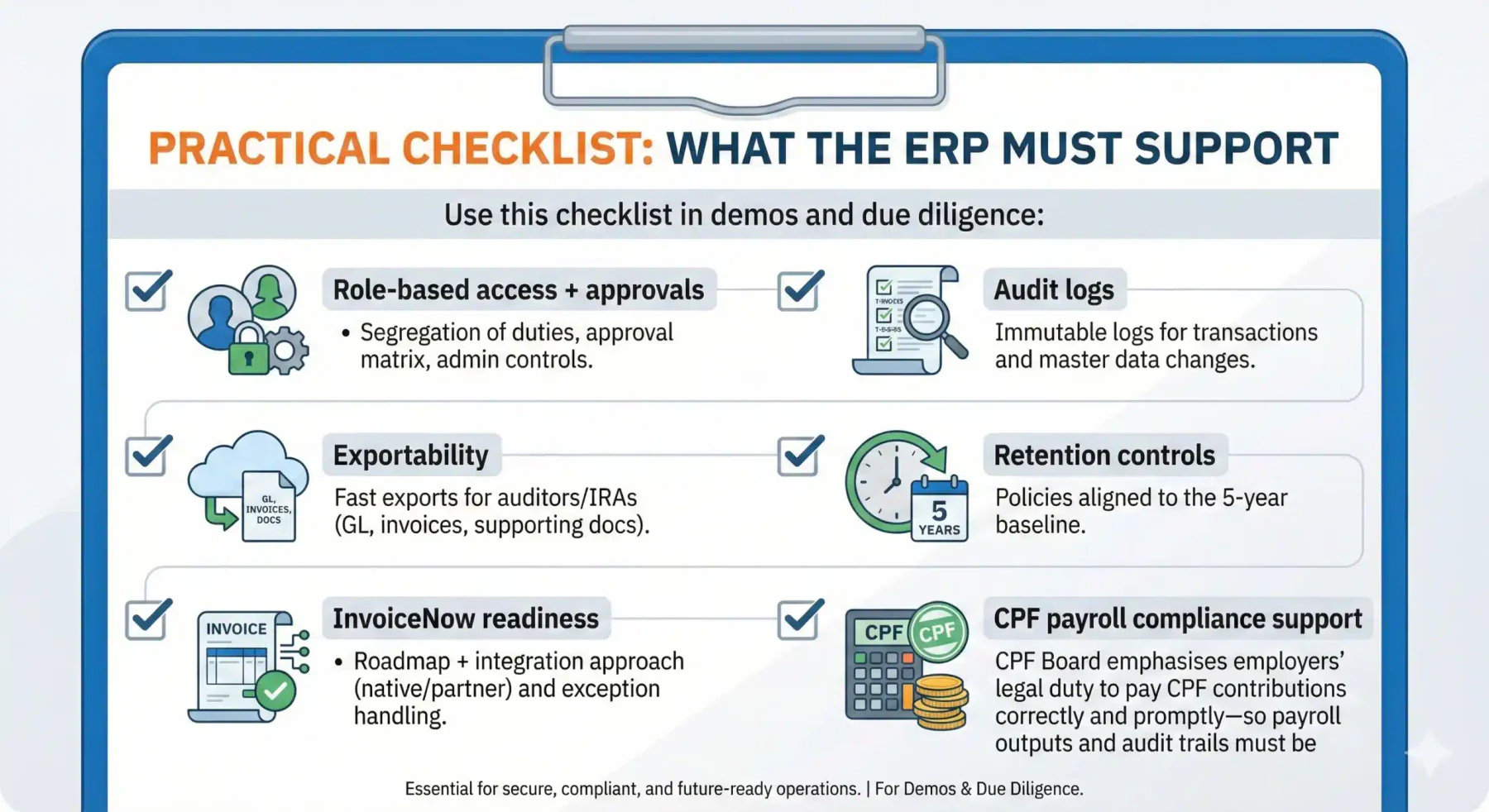
Before comparing Cloud ERP options, it helps to align on Singapore’s non-negotiables, PDPA governance, IRAS/GST record-keeping, ACRA-ready audit trails, and CPF payroll accuracy. The points below highlight what your ERP must support, whether you choose Cloud ERP (SaaS) or an on-premises setup.
PDPA readiness for cloud ERP (roles & responsibility)
Using a cloud provider does not reduce accountability under PDPA, the organisation remains responsible for complying with PDPA obligations even when personal data is processed in the cloud. PDPC’s advisory guidelines explicitly state that when using cloud services, the organisation must still comply with PDPA requirements.
Practically, this means your ERP must support strict access controls, clear user roles, audit logging, and vendor governance (e.g., controls over subcontractors, breach notification expectations, and overseas transfer safeguards where relevant).
Record retention & audit trail (5-year baseline)
For Singapore companies, a 5-year retention baseline is critical. IRAS states GST-registered businesses must keep proper business and accounting records for at least 5 years to support GST declarations. ACRA also notes companies, directors, and managers are required to retain accounting and other records for a minimum of five years.
In ERP terms, this is not just document storage: you need a reliable audit trail (who approved, edited, reversed, and why), plus searchable source documents and clean transaction numbering.
GST InvoiceNow readiness (e-invoicing direction)
IRAS explains that GST-registered businesses will be required to transmit invoice data via InvoiceNow-Ready Solutions progressively, and it confirms a soft launch started on 1 May 2025 for early adoption. IMDA also outlines InvoiceNow and references the same early adoption soft launch date.
For ERP evaluation, “InvoiceNow-ready” should be verified in demos: how invoices/credit notes are handled, what data is transmitted, and how the ERP stores submission history for reconciliation and audits.
The Long-Term Benefits of Using a Cloud ERP for Singaporean Business

A significant concern often faced by business owners when deciding to implement an ERP system is: “Will the costs I incur be worth the results I obtain?“
In this section, we aim to assure you that investing in a Cloud ERP system is not a wrong choice; instead, it enhances your company’s efficiency for the long haul. Let’s delve deeper into the advantages of cloud-based ERP.
1. Trimming overall operational costs
Without a cloud services system in place, we know everything has to be done manually. Consequently, the number of employees and the time required unavoidably increase. The result? Escalating operational costs.
However, on-premises ERP involves initial costs for servers, database creation, initial implementation, consultants, IT staff, and security. In contrast, cloud ERP can reduce upfront infrastructure and internal maintenance costs because the provider manages hosting environment and routine platform updates. However, the total cost depends on subscription fees, implementation, data migration, integrations, training, support, customisation, and exit requirements.
2. Optimizing scalability, accessibility, and efficient business adaptation
We understand that as a company grows, its business processes evolve. Typically, these processes become more numerous and complex. Whether it’s introducing new business lines or developing existing product
In essence, With cloud adoption and ERP, your company can easily expand without worrying about adding servers. Moreover, Another advantage of cloud-based ERP is accessing real-time business information from anywhere and any device.
Lastly, Cloud-based ERP is more easily customizable and integrated with other products, enabling businesses to adapt to dynamic industry changes.
3. Avoiding data breach risks
In reality, cloud-based ERP providers or vendors deeply understand the importance of safeguarding their customers’ data. Consequently, security in this system is a top priority for these vendors.
If you’re still unsure, you can evaluate your chosen ERP vendor based on its ISO certifications. In short, ISO is a standard that ensures system quality, information security, and other management practices align with international standards.
For cloud ERP, certifications such as ISO 27001, ISO 27017, and ISO 27018 can indicate stronger controls for security management, cloud-specific safeguards, and protection of personally identifiable information.
4. Automated workflow
Automated workflow in Cloud ERP uses predefined rules to handle routine tasks like approvals, notifications, or invoicing without manual effort. This reduces errors, saves time, and keeps processes consistent.
By automating repetitive work, businesses gain better transparency, faster decision-making, and improved efficiency across departments.
5. Customizable dashboards and reports
Customizable dashboards in Cloud ERP let users track key metrics and workflows in real time, tailored to their roles and needs. This ensures important data is always easy to access and understand.
The reporting feature allows businesses to create flexible, detailed reports, from financial summaries to sales trends, helping leaders make faster, data-driven decisions.
Here is a table summary that discusses the benefits of using a cloud ERP for Singaporean businesses
| Benefits of Using a Cloud ERP for Singaporean Businesses | Description |
| Trimming overall operational costs | Cloud ERP reduces operational costs by eliminating manual work and expensive infrastructure, making it up to 30% more cost-effective than on-premise systems. |
| Optimizing scalability, accessibility, and efficient business adaptation | Cloud-based ERP supports business growth by simplifying expansion and offering easy customization to adapt to changing needs. |
| Avoiding data breach risks | Cloud ERP vendors prioritize data security, often backed by ISO certifications that guarantee compliance with international standards. |
| Automated workflow | Automated workflows in Cloud ERP streamline routine tasks, reducing errors and saving time while boosting efficiency and decision-making across the business. |
| Customizable dashboards and reports | Customizable dashboards and reports in Cloud ERP give users real-time insights and flexible analytics and making data easier to track and enabling faster. |
How We Evaluated These Cloud ERP Solutions
Every vendor below was assessed against the same criteria, chosen to reflect what Singapore businesses actually weigh up before committing to a cloud ERP platform.
1. Singapore compliance and localisation. We checked support for GST reporting, IRAS requirements, InvoiceNow and Peppol e-invoicing, CPF calculations, and multi-currency handling for regional trade.
2. Module depth and coverage. Platforms were reviewed on how much of the business they cover natively, including finance, inventory, procurement, manufacturing, POS, and HR, rather than requiring third-party apps for core functions.
3. Deployment and scalability. We looked at hosting options, multi-entity and multi-branch support, user limits, and how each platform handles growing transaction volumes.
4. Integration capability. Each solution was assessed on available APIs, connections to local banks and payment gateways, and how easily it links with existing warehouse, e-commerce, or CRM systems.
5. Implementation and support in the region. We considered typical implementation timelines, whether support comes from the vendor or a reseller network, and the availability of local teams in Singapore.
6. Pricing transparency. Platforms were compared on how clearly costs are published, what the licensing model covers, and whether implementation and support fees are disclosed upfront.
7. AI and automation features. We reviewed built-in automation, reporting intelligence, and AI capabilities that reduce manual work rather than simply adding a chatbot layer.
Vendor information was drawn from official product documentation, published pricing pages, and publicly available user reviews. Features and pricing change regularly, so confirm current details directly with each vendor before shortlisting.
Best Cloud ERP Solutions in Singapore 2026
Below are 8 Cloud ERP options that fit typical Singapore use cases across finance, distribution, projects, and asset-heavy operations:
1. HashMicro
HashMicro’s Cloud ERP system offers a comprehensive solution for Singaporean businesses to streamline operations and improve efficiency across all departments. Hosted on the cloud, it enables easy access anytime and anywhere, ideal for leaders who want real-time visibility without relying on office-based infrastructure.
With features ranging from finance, inventory, HR, CRM, to project management, HashMicro helps companies automate workflows, ensure real-time data accuracy, and gain valuable insights for decision-making.
Key features include:
- Finance Management: Automates accounting, reconciliation, and financial reporting with real-time accuracy.
- Inventory & Procurement: Tracks stock levels, automates reordering, and streamlines supplier management.
- Human Resource Management: Simplifies payroll, attendance, and employee performance tracking.
- Customer Relationship Management (CRM): Enhances sales pipeline visibility and customer engagement.
- Project Management: Improves planning, task tracking, and resource allocation.
Best for: Multi-department businesses that need one integrated system across finance and operations, with room to scale.
Pricing: Quote-based, depending on the modules, number of users, and customisation scope.
Implementation note: Best results come from a structured scope and demo based on real workflows (order-to-cash, procure-to-pay, month-end close).
2. SAP Business One (Cloud Hosted): Best for MNC Subsidiaries & Structured Operations
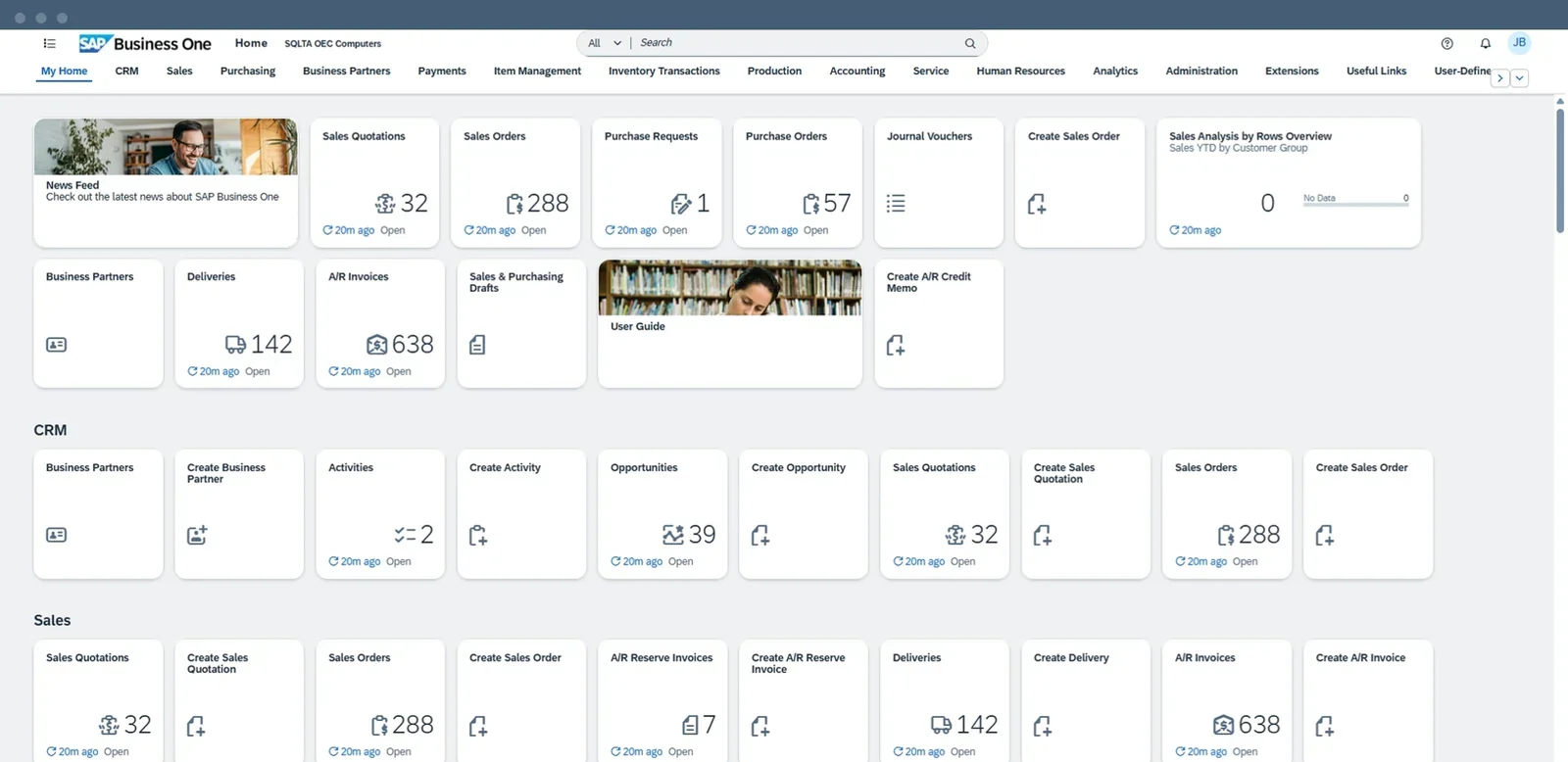
SAP Business One is a strong fit for companies that need disciplined controls and consistent reporting standards across locations, especially subsidiaries that must align with HQ processes. For modern teams, the key differentiator is choosing cloud-hosted access so users can work via browser/remote access rather than treating it like a legacy, server-bound system.
Best for: Subsidiaries, regulated operations, or firms with strong finance governance requirements.
Pricing: Quote-based through SAP partners, typically combining per-user licences or subscription, cloud hosting fees, and implementation costs.
What to confirm in demo: Cloud deployment model, remote access experience, and how approvals and audit trails work end-to-end.
3. Oracle NetSuite: Best for Multi-Entity Finance & Global Reporting
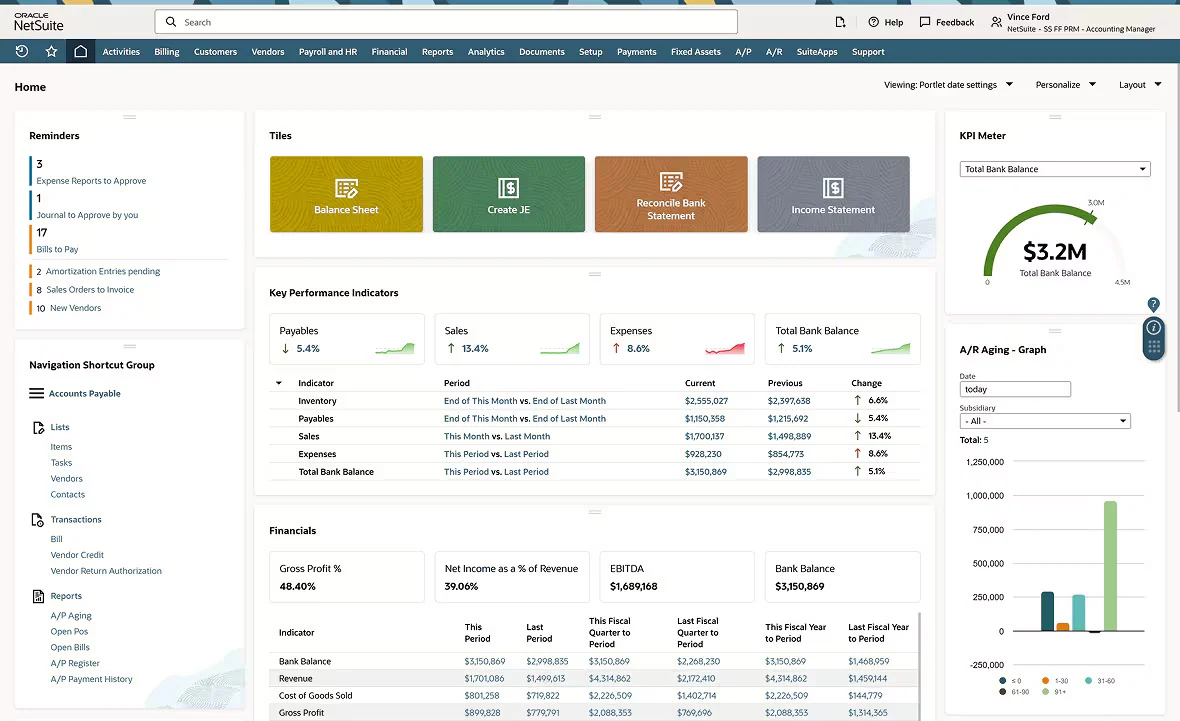
NetSuite is often chosen when finance complexity is the main driver, multi-entity consolidation, multi-currency, and group-level visibility across business units. It’s typically positioned for organisations that want a cloud-native ERP experience and strong financial control across regions.
Best for: Companies with multi-entity structures, cross-border transactions, and consolidated reporting needs.
Pricing: Quote-based subscription, usually a base platform fee plus per-user licences and optional modules, with implementation on top.
4. Microsoft Dynamics 365 Business Central
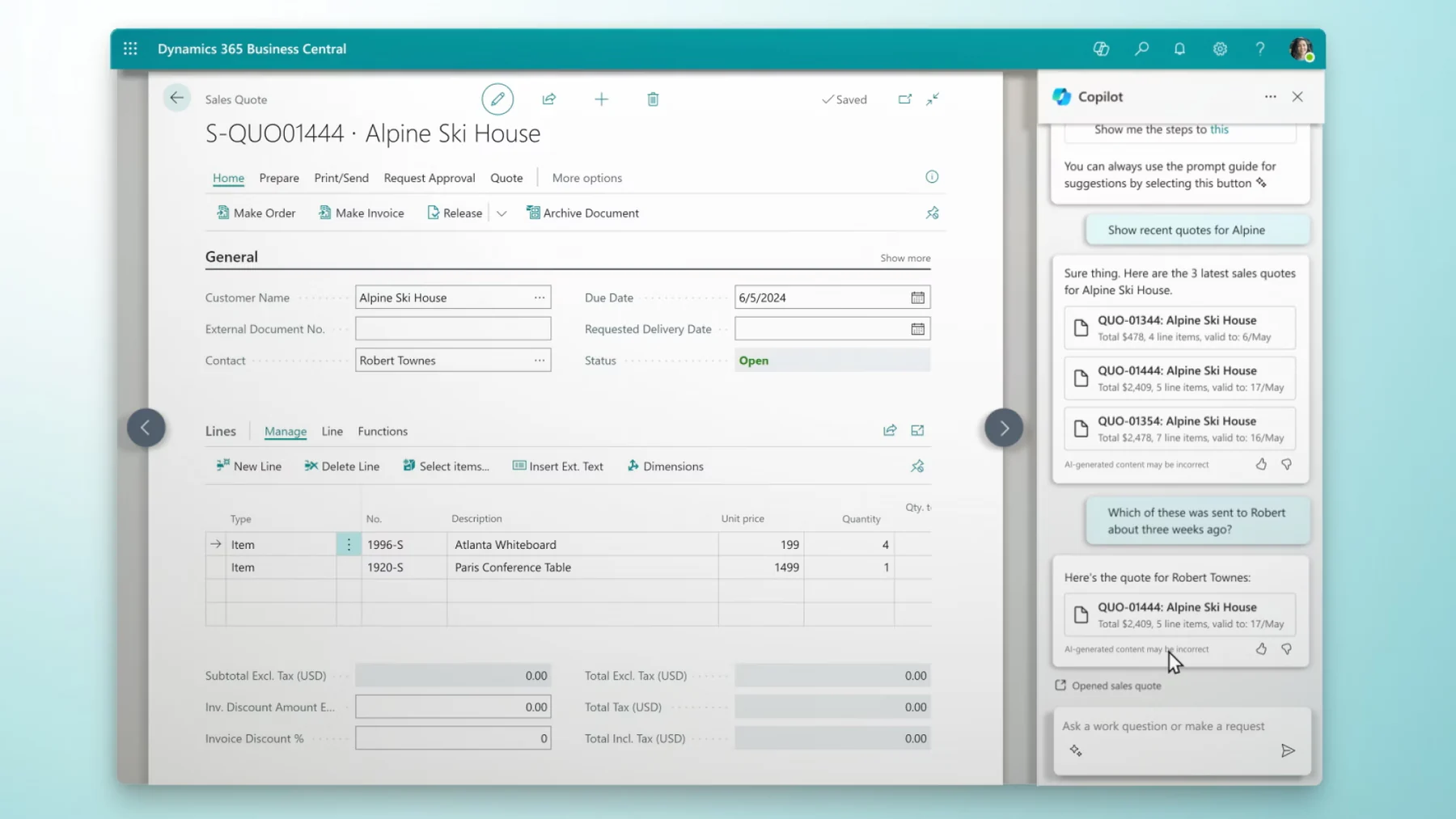
Business Central fits organisations that already run on Microsoft tools and want ERP processes tightly connected to day-to-day productivity workflows. To clearly separate it from older “heavy” deployments, the recommended approach is to emphasise its cloud accessibility, usable from anywhere with a browser, aligned with modern remote and multi-site operations.
Best for: Teams heavily invested in Microsoft 365, seeking a smoother user experience and integrated reporting.
Pricing: Per-user monthly subscription (tiered by plan, e.g. Essentials and Premium), plus implementation through a Microsoft partner.
What to confirm in demo: Browser performance, role-based permissions, and integration depth with existing Microsoft stack.
5. Odoo Cloud
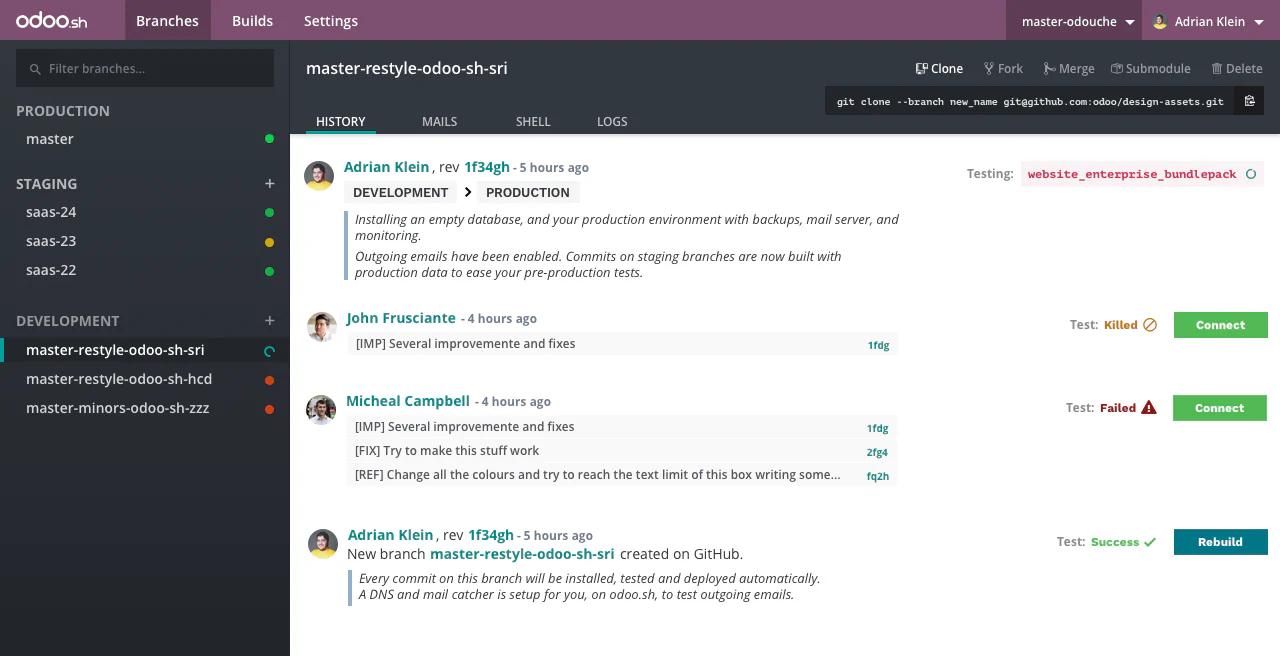
Odoo Cloud is a practical choice for SME manufacturers who need strong operational flexibility without jumping straight into high-cost enterprise implementations. It’s particularly useful when the business requires custom workflows, light manufacturing planning, and modular expansion as the SKU count grows.
Indicative cost (SGD): Hosting ~SGD 50–200/month + implementation commonly SGD 20–50K (varies by scope).
Best for: Manufacturing SMEs with a tighter budget and a clear need for customisation.
Pricing (SGD): Hosting ~SGD 50–200/month + implementation commonly SGD 20–50K (varies by scope).
Not ideal for: Teams that want minimal configuration effort or have very complex regulatory/approval structures without a strong implementation partner.
6. Synergix: Best for Construction, Engineering & Project-Based Controls
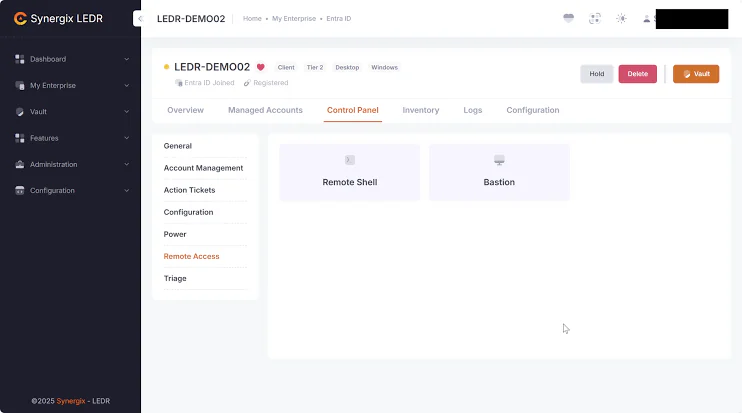
Synergix is commonly positioned around project-centric operations where cost tracking, procurement control, and reporting per job matter. This is especially relevant for SG firms that need tighter governance across project budgets, variations, and billing milestones.
Best for: Construction/engineering and project-based companies that need financial visibility by project.
Pricing: Quote-based, depending on modules, number of users, and deployment setup.
What to confirm in demo: Project costing, variation handling, progress billing logic, and audit trail coverage.
7. Deskera
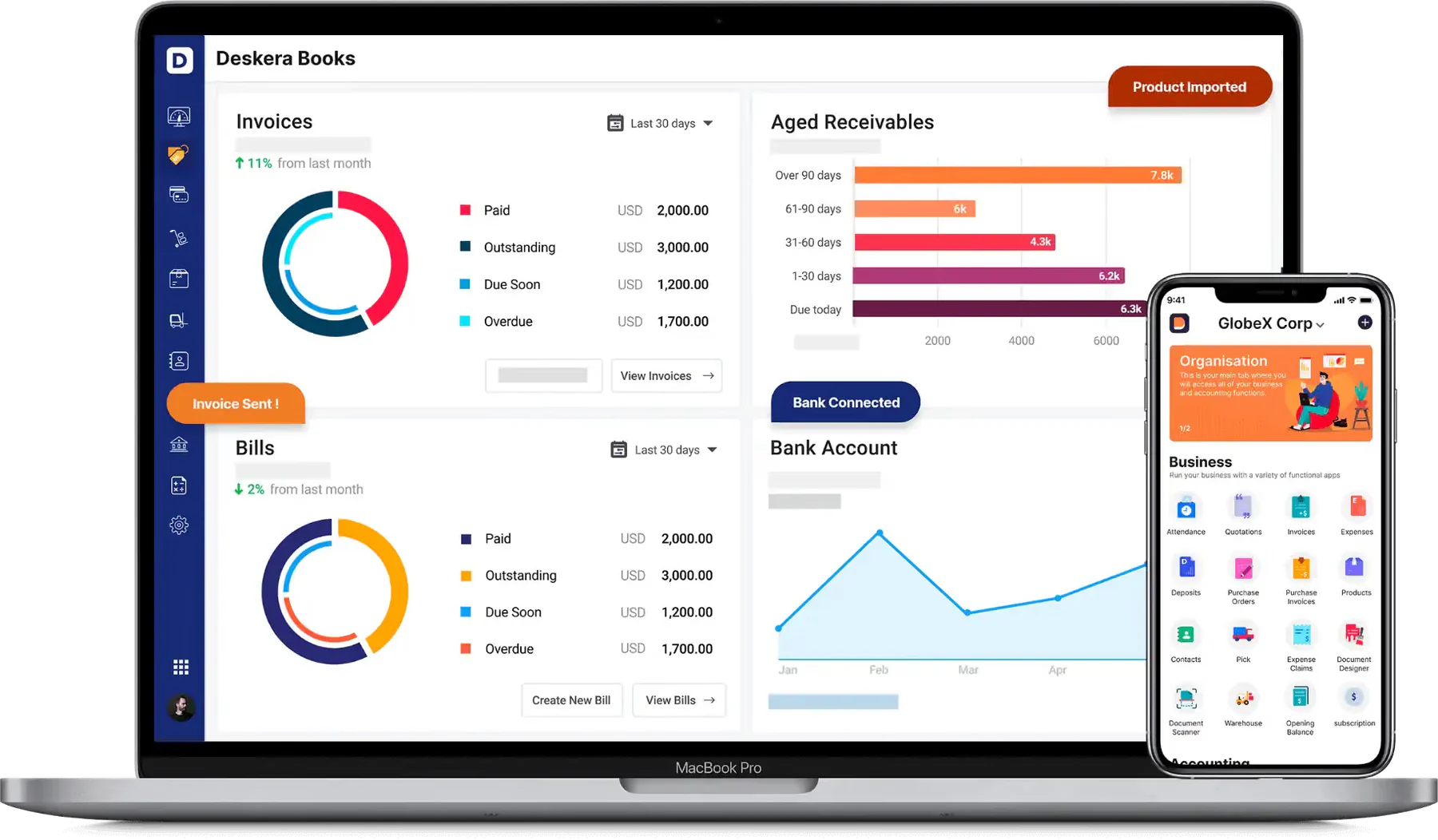
Deskera should be positioned clearly as an all-in-one light platform rather than a traditional full ERP, which makes it suitable for smaller teams that prioritise speed and simplicity. It is often most relevant for e-commerce/retail operators who need basic finance + operations visibility and want to go live quickly.
Pricing (SGD): ~SGD 200–500/month (varies by plan).
Not for: Complex manufacturing, multi-entity consolidation-heavy finance, or deep custom workflows.
8. Tigernix: Best for Asset-Heavy Industries & Field Operations
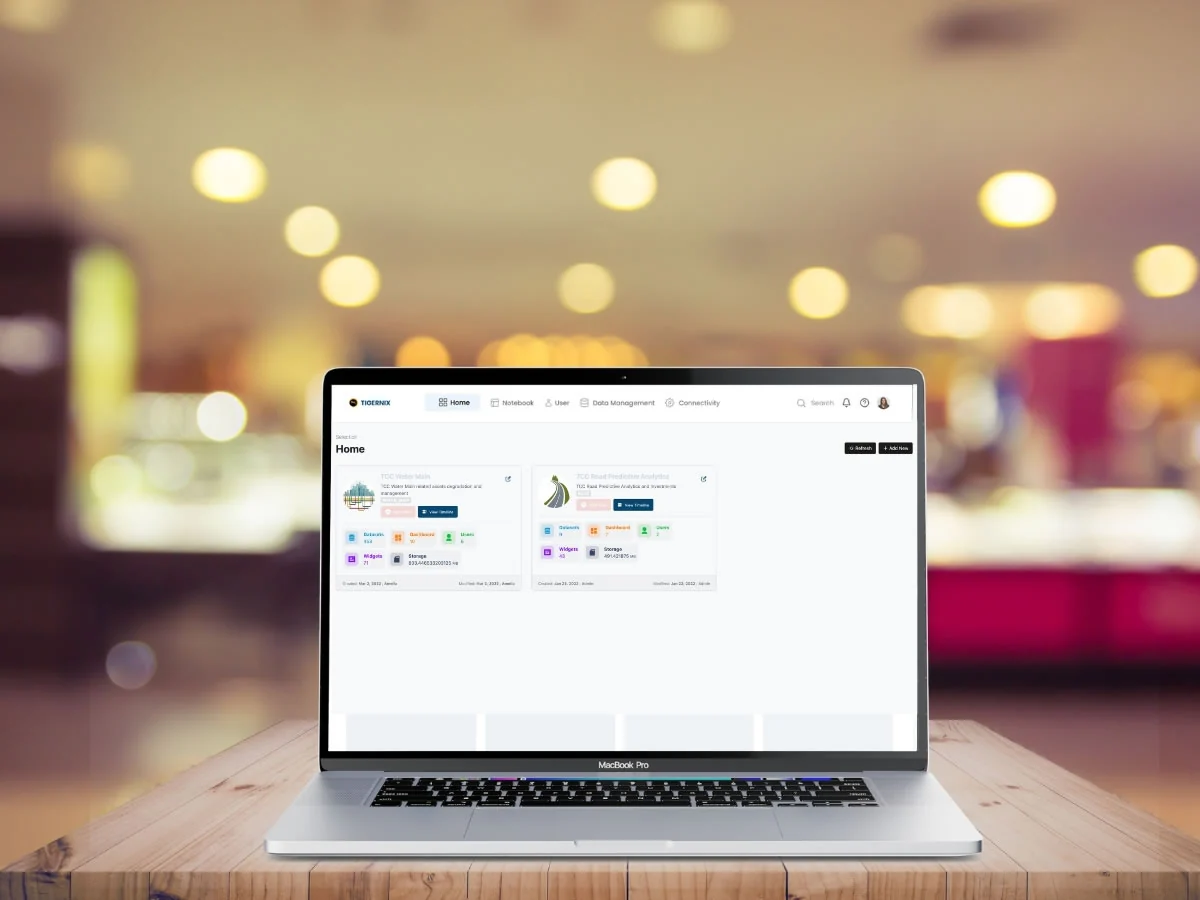
Tigernix is best positioned where asset utilisation, maintenance cycles, and field execution matter, especially industries that require tight asset lifecycle control. This makes it a strong candidate for organisations that want ERP-adjacent depth in asset operations and reliability.
Best for: Asset-heavy businesses (e.g., facilities, utilities support, industrial operations).
Pricing: Quote-based, depending on modules, asset volume, and number of users.
What to confirm in demo: Asset hierarchy, preventive maintenance, mobile/field workflows, and integration to finance reporting.
Cloud ERP Implementation Roadmap for Singapore Businesses
A cloud ERP rollout runs more smoothly when the business works through it in a fixed order rather than switching on modules as they become available. The roadmap below reflects how most Singapore SMEs sequence the work.
1. Define scope and assign ownership. Agree which processes the system will cover in the first rollout, then name one internal project owner and a decision maker per department. Without clear ownership, requirements keep changing after configuration has started.
2. Review current processes and data quality. Document how finance, inventory, and procurement actually work today, and check the state of your customer, supplier, and product master data. Cleaning that data before migration is far cheaper than correcting it afterwards.
3. Select the vendor and confirm local requirements. Compare shortlisted platforms against GST reporting, InvoiceNow and Peppol e-invoicing, CPF calculations, and any multi-entity or multi-currency needs. Confirm these in writing before signing.
4. Configure the system and map the chart of accounts. Set up company structure, tax codes, approval workflows, document numbering, and user roles. The chart of accounts deserves particular care, because changing it after transactions are posted creates reporting gaps.
5. Migrate master data and opening balances. Import customers, suppliers, products, and stock quantities, then load opening balances as at the agreed cutover date. Reconcile each import against the source before signing it off.
6. Test with real business scenarios. Run a full cycle through the system, from purchase request to supplier payment and from quotation to customer receipt, using actual documents rather than sample data. Issues found here cost a fraction of what they cost after go-live.
7. Train users by role. Give each team training on the transactions they will actually process, not a general system tour. Short, role-specific sessions close to go-live hold better than a single long workshop weeks earlier.
8. Go live and monitor closely. Choose a cutover date away from month-end or a GST filing deadline, then keep the project team available for the first few weeks. Track open issues in one list with an owner against each.
9. Review and extend after stabilisation. Once the first modules run reliably, review what the business gained and decide which additional modules or automations to add next. Phasing the rollout this way keeps the change manageable for a growing team.
Following this sequence removes a large share of the risk, though certain problems still surface in most projects regardless of planning.
Challenges That May Arise During Cloud ERP Implementation and How to Solve Them

Despite numerous advantages, Cloud ERP isn’t without its obstacles. The implementation process of this system requires careful planning and execution to ensure all applications are correctly linked, and data is securely transferred.
Let’s explore some key challenges of integrating cloud-based ERP:
1. Ensuring a smooth transition process
A smooth transition process often breaks down when teams do not understand how the new ERP system changes daily workflows, approvals, and reporting ownership. This typically leads to inconsistent data entry and delayed adoption even when the Cloud ERP platform is technically live.
The most reliable solution is role-based training aligned to each function (finance, procurement, warehouse, sales) and supported by internal champions who reinforce standard operating steps. Pair this with structured onboarding resources such as tutorials and FAQs so users can resolve common issues quickly without waiting for escalation.
2. Dependency on cloud ERP providers
As previously explained, opting for a cloud-based ERP means the primary system control lies with the vendor, and the company doesn’t have full control. Which means your company may rely on them for updates, maintenance, security, and technical support.
If this dependency is not managed proactively, delays in support or unclear ownership can slow operational recovery when issues occur. Hence, it’s vital for companies to ensure they choose a reliable cloud ERP vendor for technical support and system maintenance.
3. Data migration challenges and integration with other systems
All business processes in your company are interconnected.
For instance: The accounting process would certainly be linked to supply chain management, which includes procurement, inventory, and warehouse management. Therefore, data migration and integration into other systems can be a challenge, especially if your company previously used a different system.
The solution lies in ensuring from the outset whether the cloud ERP system can be integrated with existing systems and has an integrated system package that aligns with your entire business.
4. Integration complexity (internal processes and business networks)
Cloud ERP projects often slow down when too many systems must connect at once, CRM, e-commerce, logistics partners, payment platforms, or third-party warehouse tools. When data definitions don’t match, “partial sync” gaps appear and teams revert to manual fixes that weaken the value of an integrated ERP system.
A practical solution is phased integration, starting with high-impact flows like order-to-cash and procure-to-pay before adding secondary tools. Keep it stable with an API checklist (authentication, mapping, retries, monitoring) and appoint an integration owner to enforce standards for IDs, SKUs, and reconciliation.
5. Security & access control
Because an ERP system becomes the centre for finance and operations, weak permissions can trigger serious risks, unauthorised approvals, master data changes, or edits to tax and payment settings. The risk is higher in multi-entity setups where different teams share the same Cloud ERP environment but need different approval rights.
The strongest control model is least privilege, where users only access what they need and key duties are split between creation and approval. Add audit logs for sensitive actions and review access regularly so issues can be traced and fixed fast without disrupting operations.
Certifications can indicate that a provider has been assessed against a defined control framework, but they do not by themselves prove that every ERP configuration, user-access policy, integration, or customer implementation is secure. During due diligence, request the certificate scope, current validity, incident-notification process, access- control model, backup testing evidence, and responsibilities under the shared-responsibility model.
How to Choose Cloud ERP for Your Singapore Business

Choosing the right Cloud ERP in Singapore is less about finding the “most complete” system and more about selecting the one that fits your business processes, compliance needs, and integration reality. Use the framework below to shortlist options with confidence, so the end result is clear:
1. Define scope by process (not by module names)
Map 3–5 critical flows first (order-to-cash, procure-to-pay, record-to-report) and write the exact steps your team follows today. Prioritise what must work on day one, not every module.
2. List must-have compliance & audit requirements
Set non-negotiables, such as PDPA controls, 5-year record retention, and audit-ready logs for approvals and edits. Treat these as pass/fail before you compare “nice-to-have” features.
3. Build an integration map (banking, CRM, e-invoicing, WMS, payroll)
List systems that must integrate at go-live versus phase two, then define what data must sync (customer master, invoices, stock, payments). Ask vendors to show how they handle failures, retries, and reconciliation, not just “we have APIs.”
4. Plan data migration strategy (master data first)
Clean and migrate master data first (COA, items/SKUs, customers, vendors, price lists) because errors here will break finance and inventory downstream. Use a cutover plan with reconciliation checkpoints so go-live does not rely on guesswork.
5. Compare using a TCO model (not subscription only)
Calculate Year-1 cost as subscription, implementation, integration, and support, then project change-request costs for year 2–3. This prevents “low monthly price” from hiding expensive customisation and support later.
6. Do vendor due diligence (SLA, exit plan, references in Singapore)
Confirm SLA details (uptime, response time, escalation) and request an exit plan that guarantees clean data export and documentation. Validate with Singapore references in a similar industry and complexity level.
7. Use a demo script (use-case based)
Run demos using your real scenarios (partial deliveries, credit notes, approvals, month-end close) instead of feature tours. Score vendors on whether they can execute the workflow end-to-end with audit trails and clean reporting.
Conclusion
Switching to the right cloud ERP system plays a strategic role in ensuring accuracy and efficiency across business operations. Many companies still face challenges when relying on manual processes, which can disrupt financial and operational performance.
A cloud-based ERP solution helps a modern solution that automates and streamlines critical processes, from financial reconciliation to broader enterprise management. With advanced features, businesses can achieve real-time data accuracy.
To assess fit and implementation readiness, businesses can schedule a free consultation to discuss requirements, integration needs, and the expected impact of adopting an integrated ERP system for their Singapore operations.
Frequently Asked Questions About Cloud ERP for Singaporean Businesses
The primary advantages of Cloud ERP include easier access and flexibility in managing company data. Embracing the cloud model enables companies to reduce physical infrastructure costs while gaining real-time access to critical information from anywhere, fostering better collaboration among geographically distributed teams.
Cloud ERP facilitates smoother integration of business processes, reducing redundancy, and expediting access to key data. By consolidating functions like finance, manufacturing, inventory, and human resources into one platform, companies can save time, minimize human errors, and boost productivity with more structured workflows.
Yes, data security is a primary focus in Cloud ERP solutions. Cloud service providers typically maintain strict security protocols, including data encryption, continuous security monitoring, and compliance with industry security standards. However, companies also need to adopt internal security practices to safeguard their sensitive data.
Cloud ERP allows companies to expand or decrease capacity and features as needed without significant investments in new hardware. The ability to adjust software according to company growth or changes becomes easier, providing the necessary flexibility in an ever-evolving business environment.
Apart from operational efficiency and scalability, Cloud ERP enables companies to implement advanced data analytics and artificial intelligence (AI) for deeper insights. By comprehensively analyzing data, companies can make smarter decisions, forecast market trends, and respond to market changes more swiftly.