









 Limited to 100 registrants


The benefits of ERP systems come from one core capability: connecting finance, sales, inventory, procurement, and HR data in a single platform. Instead of managing separate spreadsheets and tools, teams work from shared records that update across departments.
An ERP system also simplifies workflows by standardizing how tasks are completed and improves operational visibility through dashboards and reports. This article covers 15 benefits of ERP systems for businesses, followed by examples by business type and criteria for choosing the right system.
Key Takeaways
ERP centralizes finance, sales, inventory, procurement, and HR data in one system, giving teams consistent and accessible information.
ERP automates routine tasks and standardizes workflows, which reduces manual effort and errors.
ERP gives teams visibility into operations and supports collaboration across departments.
ERP helps businesses lower operational costs by highlighting high-spend areas and supporting more accurate planning.
What Is an Integrated ERP System?
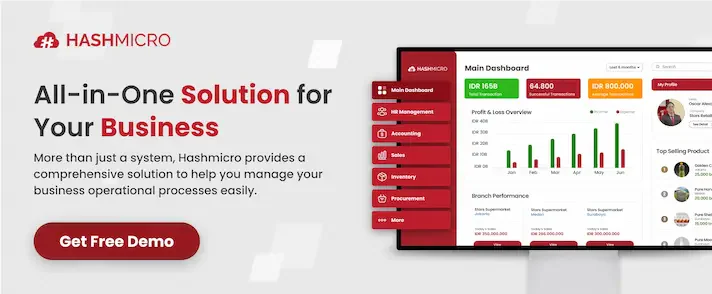
An integrated ERP system is a business management software platform that combines multiple business processes and applications, such as accounting, human resources, customer relationship management, and supply chain management, into a single unified system with a centralized database. This setup can automate data entry and operations, and because employees no longer need to switch between different applications, it reduces errors and improves data accuracy.
15 Benefits of ERP Systems for Businesses
Businesses adopt ERP systems for different reasons, such as controlling costs, improving reporting, or supporting growth. The benefits below range from data management and cost control to forecasting and risk management, so you can see which ones match your business priorities.
1. Centralized Data Management
ERP systems bring finance, sales, inventory, procurement, and HR data into a single, unified platform . Instead of information being scattered across spreadsheets, emails, and disconnected tools, each department records and retrieves data from the same system.
Because all data is stored in one place, records follow a consistent format. This makes it easier to generate reports, run analysis, and find the information needed for decisions without reconciling files from different teams.
Automation also helps tasks finish faster. An ERP system for IT departments , for example, streamlines workflows and reduces the time spent searching for information.
2. Cost Savings
Cost control is one of the main reasons businesses adopt ERP systems. By reducing manual work and administrative overhead, ERP can help lower operating expenses over time.
Automation is one way key ERP functionalities reduce costs. For instance, manual data entry that consumes considerable paper can be replaced with digital records and approvals in an integrated system.
The system can also highlight higher-than-usual spending, which helps managers adjust costs and spot irregular transactions earlier. Business intelligence features support more accurate planning, which helps avoid urgent orders, excess production, and over-ordering.
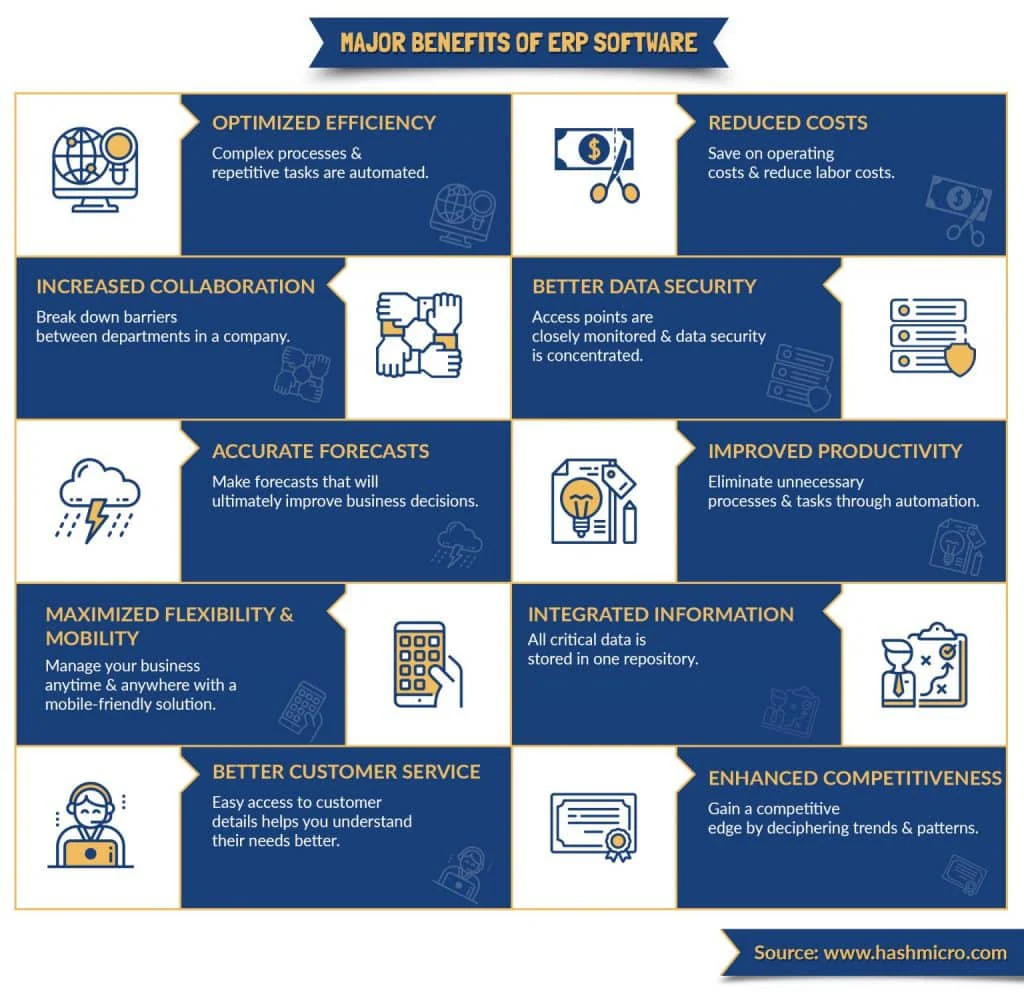
3. Workflow Standardization
Each department may handle similar processes differently, and sometimes two employees in the same team follow different steps. ERP standardizes workflows so that every employee follows the same process for tasks such as approvals, purchasing, and invoicing.
Adopting digital business management tools replaces habits built over the years with defined, repeatable steps. This makes work faster, easier to train for, and simpler to audit.
4. Better Financial Visibility and Control
Integrated accounting and budgeting tools let leaders monitor cash flow, expenses, revenue, and profitability from the same system. Finance teams can compare actual spending against budgets, track outstanding invoices, and review profitability by product, project, or business unit.
This supports earlier detection of cash flow gaps and overspending, and gives management a clearer basis for investment and budgeting decisions.
5. Improved Mobility and Remote Access
Employees who work outside the office, such as field teams, sales staff, and managers who travel, need access to current company data. A mobile-friendly ERP lets them view dashboards and records, check stock or project status, and monitor activities from a supported device.

Many cloud ERP systems also allow managers to approve transactions, such as purchase requests or leave applications, from a browser or mobile application. Availability varies by vendor, so confirm which features are supported on mobile when evaluating a system. The best ERP software should offer this flexibility without requiring staff to be at a desk.
6. Stronger Regulatory Compliance
ERP systems help organizations meet legal and industry requirements by maintaining structured, audit-ready records. Built-in controls, approval workflows, and documentation trails show that activities follow standard procedures.
Whether the requirement is financial reporting, quality standards, or data protection, ERP organizes information in a traceable way. This lowers the risk of compliance gaps and makes audits easier to prepare for.
7. Real-Time Reporting
Accurate reporting is among the most sought-after benefits of an ERP system. The system can produce reports for finance, inventory, procurement, sales and marketing, and HR from the same underlying data.
With these reports, managers can track the performance of each business function and see which areas support growth and which need attention. Reports depend on current data: if compiling an income report takes weeks, the information may already be outdated. Tools such as data enrichment software solutions can help process data more efficiently.
8. Enhanced Scalability
Software that cannot handle growing operations becomes a bottleneck. A scalable ERP system grows with the company and leaves room for additional modules in the future .
Cloud-based ERP systems are a common choice for businesses that want to add users and resources easily. They also reduce the workload on IT teams, who would otherwise need to add servers manually with an on-premise system.
9. Data Security

Data is one of the most valuable assets of a company. When data is centralized in an ERP system rather than scattered across spreadsheets, individual devices, and emails, it is easier to protect with consistent security measures.
Many cloud ERP vendors also provide security layers such as encryption and managed infrastructure, though the scope differs by vendor. To compare deployment options, read Choosing the Best ERP Systems for Your Business Management .
ERP systems also support role-based access, so employees see and edit only the data they need. This reduces the chance of unauthorized changes and misuse.
10. Improved Forecasting and Planning

Forecasting based on historical sales, cost, and inventory data helps businesses prepare for changes in demand. Because the data is stored in one place, ERP can support demand forecasting, inventory planning, and expense projections.
With demand forecasts, purchasing and production can be scheduled to match expected orders, which helps avoid both stockouts and excess inventory. Expense projections help finance teams plan budgets and identify where costs may rise ahead of sales.
11. Operational Visibility
Operational visibility means teams can see the status of work in other departments without asking for manual updates. In manufacturing, for example, the procurement team can check purchase order status and expected delivery dates to avoid excess or insufficient inventory .
Production teams can follow material availability and production progress, which helps prevent delays caused by missing materials. For more on this industry, read Main Benefits of ERP Software for Manufacturing Industry .
12. Enhanced Collaboration

When departments use the same system and the same standards, they work from the same information and coordinate more easily. Sales, warehouse, and finance teams, for example, can follow an order from quotation to payment without passing files between each other.
Teams can also identify duplicate work and find more efficient ways to complete daily tasks. Integrating ERP with existing business software further improves workflow efficiency and data consistency across platforms.
13. Flexibility
ERP systems are designed to support companies of different sizes and industries. Many allow users to adapt workflows, approval rules, and reporting metrics to the needs of each company.
This matters because workflows and KPIs change as a company grows. A flexible system can be adjusted to new processes without needing replacement.
14. Risk Management
ERP systems gather data from many business divisions, which helps companies identify potential financial, supply chain, and operational risks sooner. For instance, an ERP system with accounting features can help flag credit risks by analyzing customer data and payment histories.
Once risks are identified, the data supports evaluation and mitigation planning. In supply chain management, a company can prepare alternate supply plans in case the primary supplier encounters issues.
15. Improved Customer Service
When sales, inventory, and support records are connected, staff can answer customer questions about order status, stock availability, and delivery timing using current information. This reduces back-and-forth between departments.
A complete view of customer history also helps teams respond consistently and follow up on open requests.
ERP Benefits by Business Type
ERP helps different lines of business get the best results from their daily operations while reducing the errors that come with managing everything manually. Here are three business types where the benefits are easy to see.
1. Retail business ERP system
A multi-warehouse inventory software system is especially useful for a large retail organization such as a supermarket, because large volumes of stock can be held in warehouses at different locations. Retailers and wholesalers can monitor inventory from any location and make sure products that sell in large quantities are always available.
The system also shows which products are selling quickly and which are not, so you can run promotions or special offers on slow sellers. If items are about to expire, the retailer is notified in time to act.
2. Rental business ERP system
In the rental business, such as car rental, an ERP system makes it easier to manage assets and costs. It can handle business expenditures and customer deposits, and it gives accurate information on product availability.
Payment monitoring is crucial in this industry. The system helps entrepreneurs track invoices and manage billing effectively and efficiently.
3. Repair business ERP system
In the repair industry, the company can optimize repair operations so customer products are scheduled and completed on time. It can also track product warranties through the system and quickly see when a warranty expires.
The ERP system helps entrepreneurs create work orders for mechanics, report data about the repair process, and optimize the use and purchase of the spare parts needed during repairs.
How to Choose an ERP System That Delivers These Benefits
The benefits above depend on how well the system fits the business. Research each option carefully and ask detailed questions about how it supports your processes. Key criteria include:
- Business requirements: Define the processes, pain points, company size, and industry needs the system must address.
- Relevant modules: Choose modules that cover current needs, such as finance, inventory, or HR, and confirm others can be added later.
- Integration capabilities: Check whether the system connects with existing tools such as e-commerce platforms, payment systems, and other business software.
- Scalability: Confirm the system can handle more users, transactions, and business units as the company grows.
- Implementation support: Review data migration, training, and ongoing support, since these affect how quickly teams adopt the system.
After defining your requirements, the next step is to select the modules your business needs. For a more detailed discussion, read The Most Important ERP System Modules .
Conclusion
ERP systems support business efficiency by connecting data, standardizing workflows, and reducing manual work. They improve visibility across finance and operations, help departments collaborate on shared information, and give decision-makers timely reports and forecasts.
The value a business gains depends on choosing a system that fits its requirements and on how well it is implemented and adopted by teams. Request a free consultation to see what your team needs.
Frequently Asked Questions About the Benefits of ERP
ERP reduces repeated data entry and manual hand-offs by connecting departments in one system. Routine tasks such as approvals, invoicing, and stock updates can follow set workflows, which leaves teams more time for analysis and customer work.
Dashboards and reports draw from the same data, so managers can check the status of orders, inventory, and projects without waiting for manual updates. Role-based access lets each team see the information relevant to its work.
ERP can lower costs by reducing manual work and errors, improving inventory and purchasing plans, and highlighting spending that is higher than usual. The size of the savings depends on the business, its processes, and how well the system is implemented.
Decision-makers get current financial and operational data in one place, along with reports and forecasts. This allows them to compare performance across departments and review the numbers before committing to budgets, purchases, or hiring.