






CNBC Awards

Begin the New Year on a Better Workflow.

Get Up to 25% Off All HashMicro Modules.*

Let 2026 be the year your business runs smoother than ever.

*Terms & Conditions Applied

*Terms & Conditions Applied
Remaining time --:--:--
Claim Now

Next Chapter:

plus minus

Articles in This Category

Best Timesheet Software for Business’ Time Management

Published:

When a landowner owns a property but lacks the skills to manage the commercial aspects of the property, they need a property manager. A property manager is a middleman between an owner and a tenant responsible for various activities, including property upkeep. If you’re considering a career in property management, you’ll need to understand what it contains.

This includes taking care of all the daily operations for a property, including collecting rent, handling maintenance, tenant complaints, and timesheets. Pick the best Timesheet Management System for your company. It may help you to boost the efficiency of the business.

Free Demo

Table of Content

    What is a Timesheet?

    A timesheet is a record of how much time an employee spends at work, on a given job, project, or working for a specific client. This data can be kept on paper, in a spreadsheet, or in a software system for timesheet management modules. A timesheet can be used to compute an employee’s pay for the day, week, or month by noting when they start and end work and any breaks they take. This system delegates tasks to project teams and monitors the costs of multiple projects using a single platform, making it the best solution for implying this top-choice management software.

    Timesheets are no longer solely used to compute payroll as project-based work has grown increasingly frequent. Now, people can easily monitor and track employee time usage per project and create analysis reports with the most complete Timesheet Management Software. Project or client-based timesheets are more extensive records that indicate the amount of time spent on each project or client, making them useful for billing and project management. HR professionals can utilize these timesheets to analyze the activities and the amount of time, which can help with workforce planning. With that, most departments can enjoy the benefits of Timesheet software.

    What is the Purpose of a Timesheet?

    Timesheets are an idea that rarely receives positive attention from employees. It’s no different in the press, either. Timesheets often live up to their poor reputation: no one wants to sign a stack of papers only to “show” they worked on a task for several hours.

    On the other hand, Timesheets can be a valuable tool for both managers and their employees. The key is to view the timesheet as a process with a clear purpose, provide everyone the option of following it regularly, and provide continual information to support the process. Timesheets can assist you in figuring out where you’re spending time. They help you clear out jobs that take longer than necessary and make judgments about how to optimize your duties.

    Your clients won’t have to worry about regularly reviewing the status of their projects with timesheets. Timesheets also show you what projects your staff is working on. They measure worker efficiency by comparing the amount of time they spend working with the quantity of output they create. You can identify employees who perform poorly and cost your firm money using timesheets. But, you can also track your employee assessment performance more seamlessly based on the trackable KPI of each employee using the best HRM software in Singapore.

    What Should Be Included in a Timesheet?

    The following information in timesheet systems typically includes:

    1. The User’s Name: This is the individual name filling out the timesheet. Employee timesheets may be accessible to managers for completion.
    2. Date: The most popular timesheets are weekly timesheets. Using the date field, you can go around the calendar and enter your working time for a specific week.
    3. Project: Timesheets can organize jobs by the project to make it easier for the user to see what they’re recording at a glance
    4. Task: A list of tasks that have been assigned to the user but have not yet been recognized as complete.
    5. Auto-totals: Columns and rows will total automatically to see how many hours you worked in a day. This aids both employers and employees in calculating total hours, regular hours, overtime hours, and double time for payroll purposes.
    6. Lines on the timesheet that do not directly relate to tasks on the project schedule are also standard. These lines could indicate PTO, team meetings, and training, among other things. These duties eat up time over the week, although they don’t always immediately contribute to a project.

    How to Make a Timesheet?

    download skema harga software erp
    download skema harga software erp

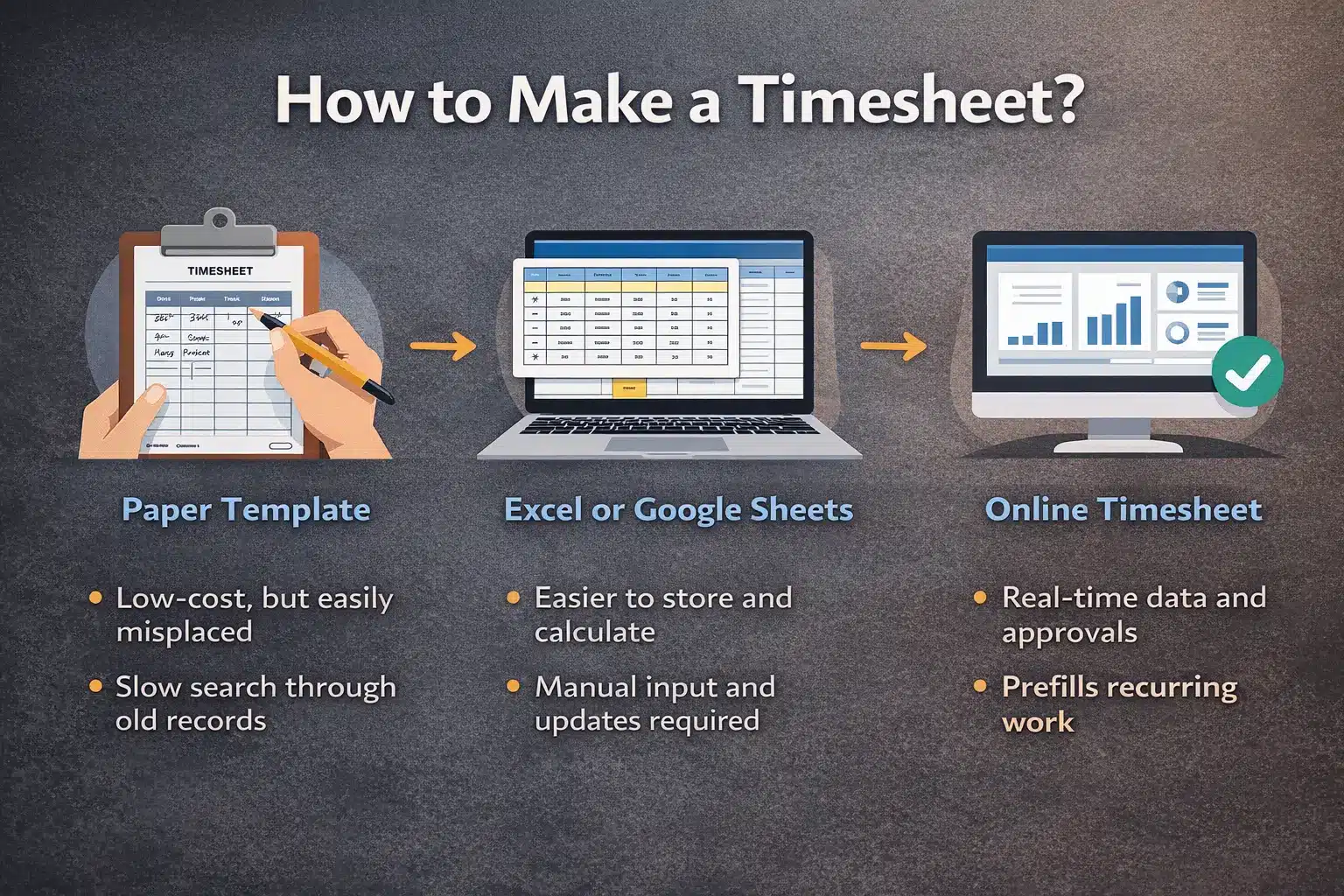
    You can create and use Timesheet software in a variety of ways. A tangible, paper-based timesheet is the most basic. Physical timesheet templates save money, but they can cause problems like misplaced timesheets and difficulty searching archives.

    You can create electronic timesheets with a breakdown of tasks, projects, and more in Excel or Google Sheets. Using an Excel timesheet template improves the payroll process and saves time. However, it might be unprofitable because it requires additional time spent inputting data and shepherding the timesheet through departments.

    Online timesheets are the third and best alternative, as they display your team’s logged hours in real time. Timesheets can be auto-filled when tasks are performed, and recurring work from the previous week can be copied. When timesheets are ready for review, a manager can be contacted. Once authorized, they can be locked, establishing a smooth procedure that saves time and money.

    download skema harga software erp
    download skema harga software erp

    Best Employee Timesheet Software For Efficient Time Management

    In work management, timesheets are very important. For example, determining if the outcome is worth the effort and calculating wages and other costs. Fortunately, thanks to various online timesheet tools and programs, keeping track of your work hours has never been easier. You may track your work with a timer, get complete work reports, and produce automated and professional invoices in addition to time entries.

    Timesheet applications fall into simple employee time-tracking apps and sophisticated job management solutions. So, the choice is yours: integrate the simple app with your other tools or choose end-to-end business management software that includes all of your required capabilities. Here is the list of the top choices of software and tools that you need for timesheet management:

    HashMicro

    hashmicro

    Who it’s for: Mid-sized to large enterprises that need an advanced, fully integrated timesheet and productivity management ecosystem

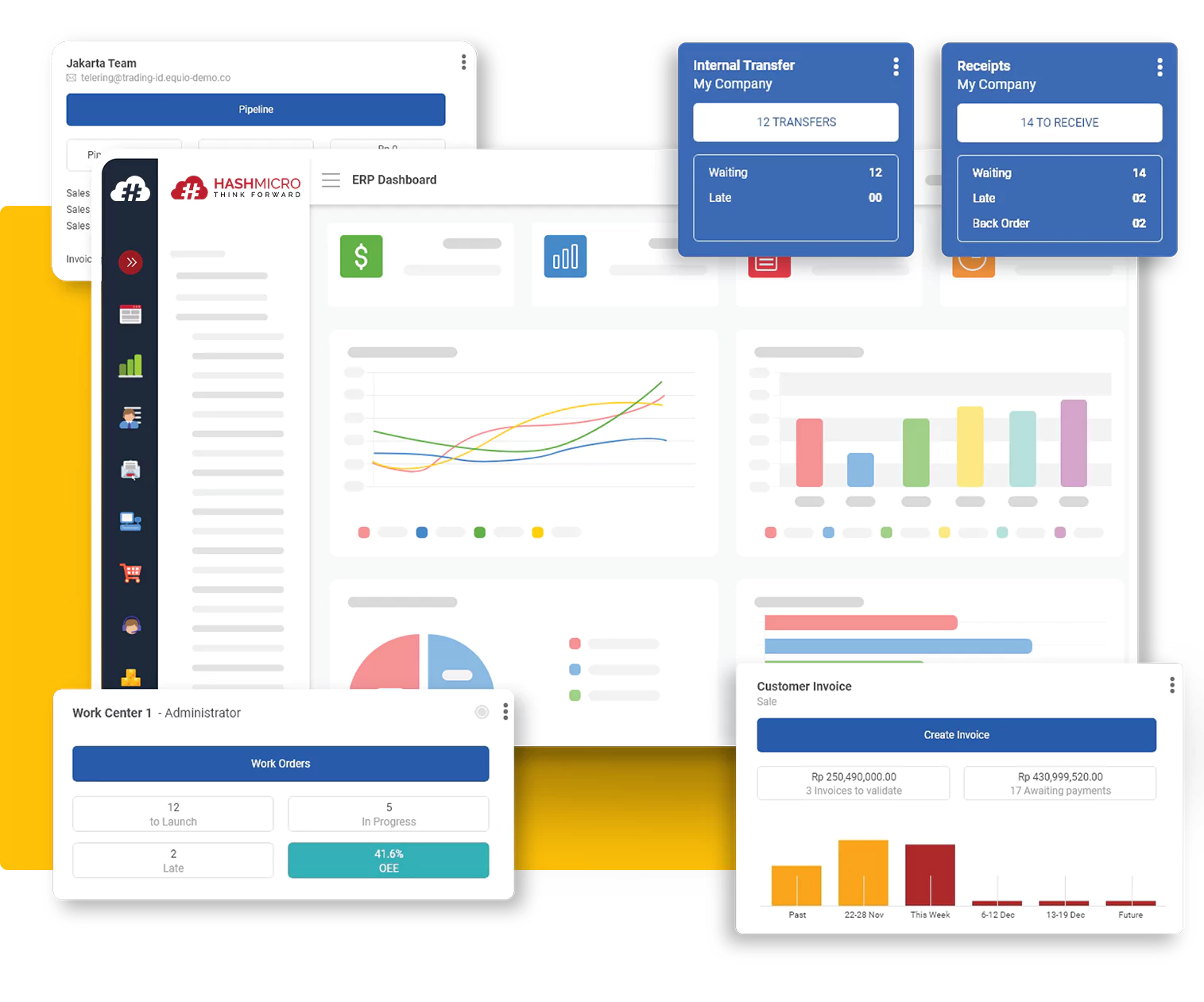
    HashMicro offers the most comprehensive Timesheet Management System designed to help companies operate with precision, transparency, and speed. Unlike basic time-tracking tools, HashMicro provides a complete suite of productivity, project, and workforce management features, all in one centralized platform. Businesses can monitor employee time usage per project, streamline assignments, and generate in-depth analysis reports with unparalleled accuracy. For organizations handling complex workflows, multiple projects, or large teams, HashMicro delivers the operational clarity needed to scale efficiently.

    What makes HashMicro stand out is the depth of automation and intelligence built into the system. You can track work hours, meeting hours, and overtime effortlessly while gaining insights into employee productivity at an individual, team, or project level. Salary, bonuses, and incentives can be calculated based on actual productivity data captured in the system, removing guesswork and manual processes. HashMicro also supports biometric attendance tools, including face recognition, for secure and accurate check-ins.

    As an end-to-end platform, HashMicro connects time tracking with task delegation, project budgeting, cost monitoring, and real-time reporting. The system automatically compiles employee data into visual dashboards and diagrams, helping managers evaluate project performance, workforce utilization, and operational costs instantly. With its enterprise-grade capabilities, HashMicro is designed not just to track time, but to transform how businesses manage people, projects, and profitability.

    Pricing: Custom pricing available based on modules and team size; demo available upon request

    Pros:

    • Fully integrated timesheet, project, and workforce management platform

    • Advanced productivity analysis with comprehensive visual reports

    • Supports biometric attendance for accurate and secure check-ins

    • Automates salary, bonus, and incentive calculations based on real data

    • Ideal for multi-project environments and enterprise-level operations

    Cons:

    • Advanced features may be more than what small businesses require

    Scoro

    Who it’s for: Businesses that need an all-in-one platform for time tracking, project management, reporting, and client operations

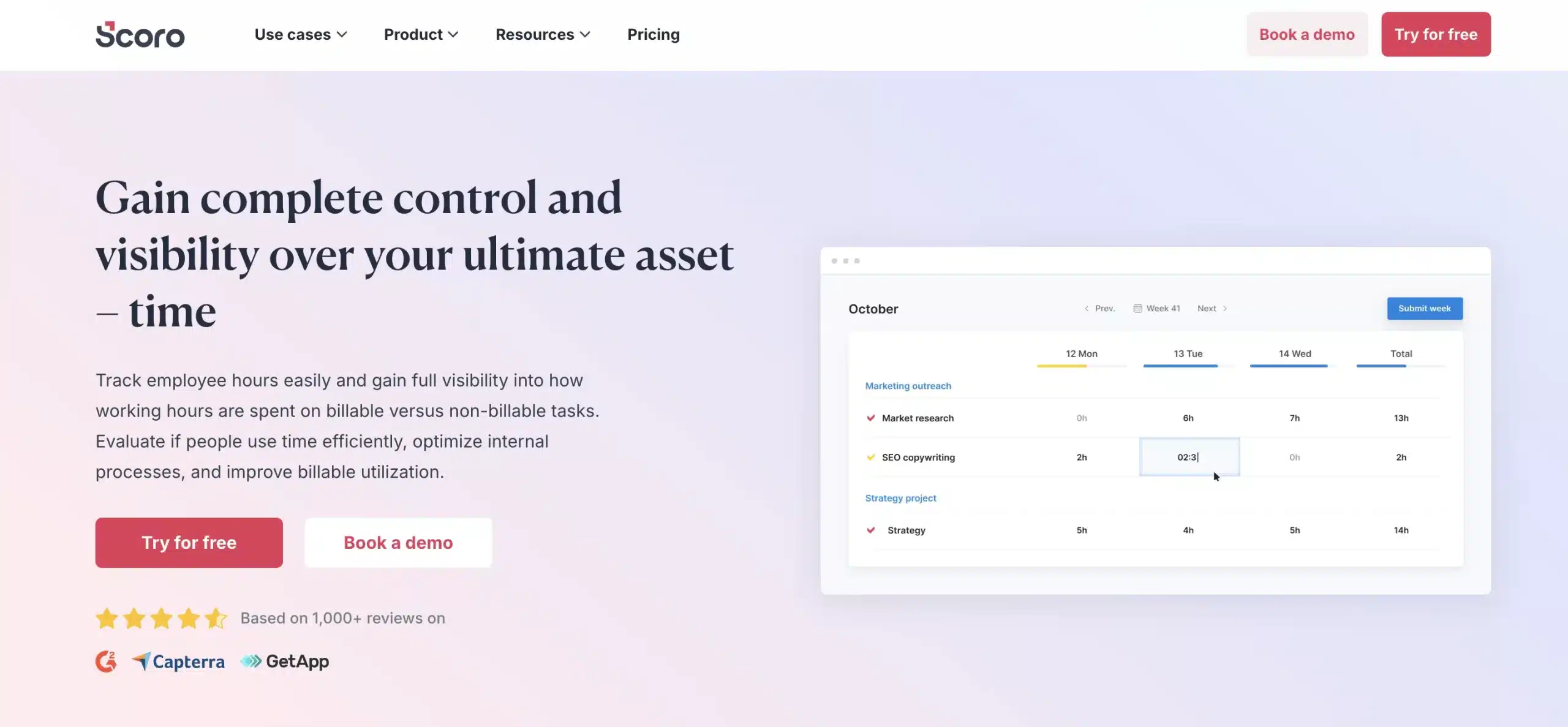
    Scoro is a comprehensive business management system that gives you all the tools needed for effective time tracking, team collaboration, reporting, and billing. While it includes robust timesheet features, Scoro goes far beyond basic time logging by offering project management, task management, CRM, and financial tools in one unified platform. For many companies, it can replace multiple separate tools and reduce overall software costs.

    What makes Scoro stand out is its ability to connect every part of your workflow—from tasks and deadlines to client communication and budgets. You can manage projects, monitor team performance, track billable hours, and oversee company-wide activities without switching between apps.

    Pricing: Plans start at $26 per user/month; advanced features available in higher-tier plans; 14-day free trial available

    Pros:

    • All-in-one platform combining projects, tasks, CRM, and billing

    • Centralized reporting and dashboards

    • Strong time tracking tied directly to projects and clients

    • Reduces dependency on multiple standalone tools

    Cons:

    • Higher pricing compared to simple timesheet tools

    • May feel overwhelming for teams that only need basic time tracking

    ClockShark

    Who it’s for: Cleaning businesses with mobile teams that need accurate time tracking and GPS verification

    ClockShark is a cloud-based timesheet and time-tracking software designed specifically for field service businesses and mobile workforces. This system allows employees to clock in and out using their mobile devices with GPS verification, ensuring accurate time tracking and job site accountability. ClockShark eliminates paper timesheets and provides real-time visibility into where your team is working and how much time they’re spending on each job.

    The platform includes drag-and-drop scheduling, automated timesheet approvals, and seamless integration with accounting software like QuickBooks for streamlined payroll processing. ClockShark offers geofencing capabilities that automatically remind employees to clock in when they arrive at a job site, reducing forgotten time entries.

    Its job costing features help businesses track labor costs per project, making it easier to analyze profitability and identify areas for improvement. The mobile app works on both iOS and Android devices and includes offline functionality, so employees can track time even without an internet connection.

    Pricing: Standard plan starts at $40/month base fee plus $9 per user/month; Pro plan starts at $60/month base fee plus $11 per user/month; 14-day free trial available

    Pros:

    • GPS time clock with geofencing capabilities
    • Seamless QuickBooks integration
    • Easy-to-use mobile interface for field teams
    • Automated timesheets reduce payroll errors

    Cons:

    • Base fee plus per-user pricing can add up for larger teams
    • Requires internet or GPS access to work properly

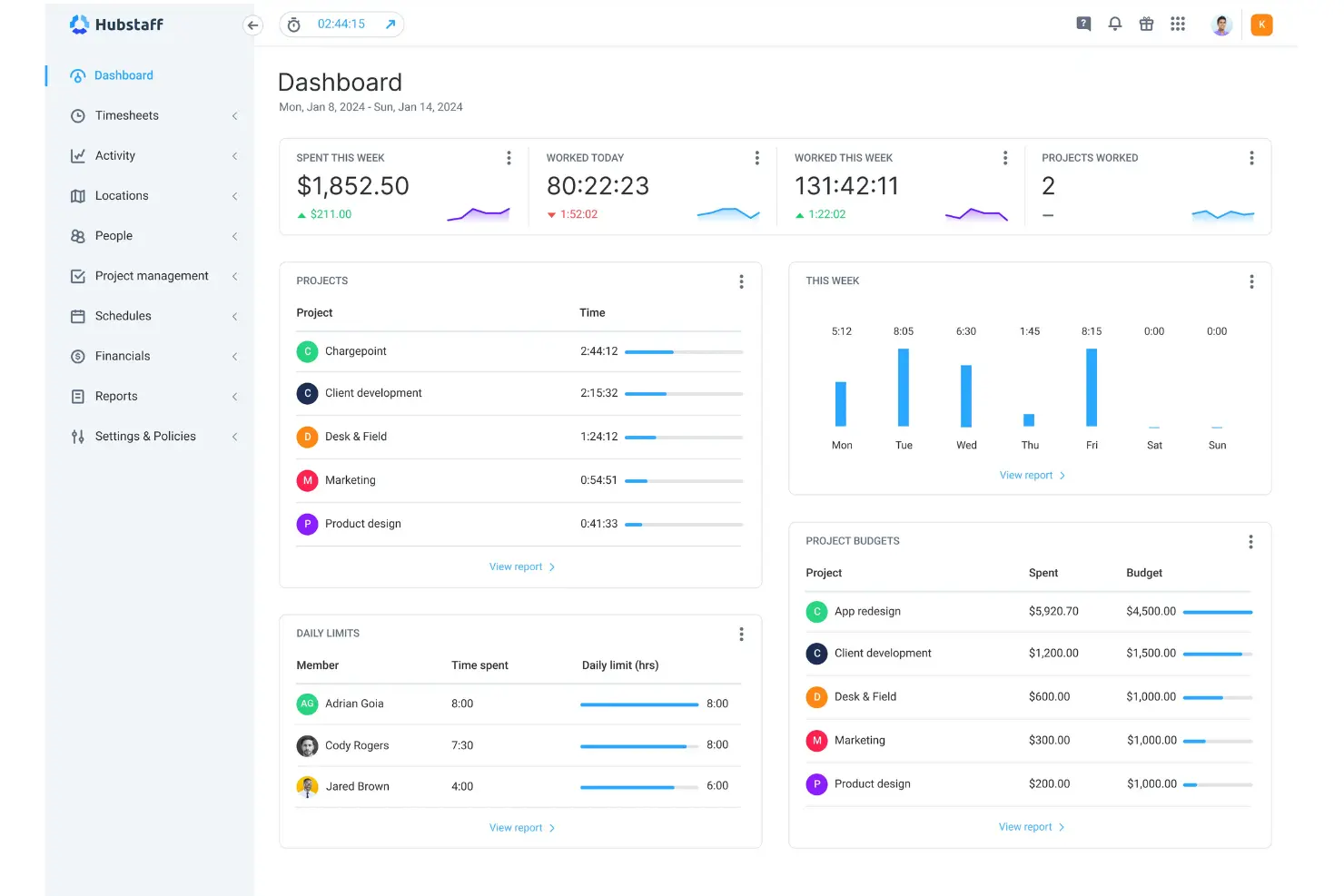
    Hubstaff

    Who it’s for: Remote teams and businesses that need online timesheets, productivity monitoring, and GPS-based tracking

    Hubstaff is an online timesheet system that makes it easy to pay employees for completed work. With more than 30 integrations available, it connects seamlessly with your existing project management, accounting, and communication tools. It also provides monitoring features such as screenshots and activity level measurements, giving managers better visibility into remote team productivity.

    The mobile app lets users track time spent working, traveling, or driving, while GPS location tracking helps businesses with field or mobile workers stay accurate and accountable. These features make Hubstaff especially suitable for distributed teams that need real-time oversight and automated payroll-ready timesheets.

    Pricing: Free plan available; paid plans start at $7 per user/month with advanced tracking and monitoring features

    Pros:

    • Productivity monitoring with screenshots and activity levels

    • GPS and geolocation tracking for field teams

    • Over 30 integrations for smooth workflows

    • Strong tools for remote employee management

    Cons:

    • Monitoring features may feel intrusive to some employees

    • Advanced capabilities require higher-tier plans

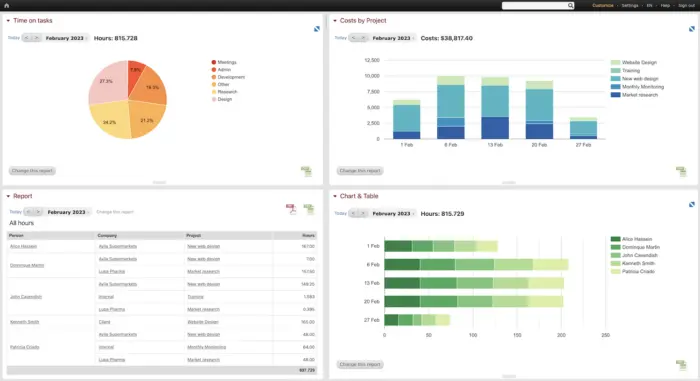
    Beebole

    Who it’s for: Companies of any size that need flexible timesheets, offline access, and customizable reporting

    BeeBole Timesheet is a time-tracking and business intelligence tool built for small, medium, and large companies. Managers can track employee hours, monitor budgets, and control project costs using its detailed but easy-to-manage timesheet system. Its modular design and highly customizable reports make it appealing for organizations with diverse workflows or complex reporting needs.

    The mobile app works across all devices and even supports offline usage, allowing employees to track time without an internet connection. BeeBole is also available in eight languages, making it a strong option for global teams or multilingual workplaces.

    Pricing: Starts at €6.99 per user/month; free 30-day trial available

    Pros:

    • Highly customizable modules and reporting

    • Offline-capable mobile app

    • Suitable for small to enterprise-level teams

    • Available in eight languages

    Cons:

    • Lacks built-in invoicing or billing features

    • Customization may require initial setup time

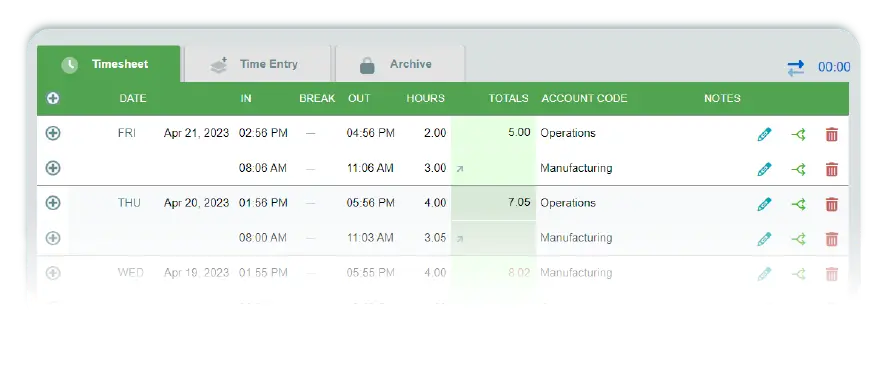
    Timesheets.com

    Who it’s for: Freelancers and small businesses that need simple, accurate time tracking with flexible billing options

    Timesheets.com is a straightforward timesheet platform that lets you track time using timers or manual entries. The tool supports multiple bill rates per employee and provides detailed reporting to help you manage payroll and client billing more efficiently. Freelancers will appreciate that the platform offers a free plan, making it an accessible option for solo workers who need reliable time tracking without extra costs.

    Beyond basic tracking, Timesheets.com includes features such as billable time tracking, task costing, time-off requests, calendar views, and on-the-go time and expense entry. It also supports reimbursable expense tracking, giving businesses a simple way to keep employee spending organized and documented.

    Pricing: Free plan for freelancers; Standard plan starts at $5.50 per user/month with additional features

    Pros:

    • Simple timer and manual entry options

    • Multiple bill rates per employee

    • Strong reporting tools for payroll and billing

    • Free plan available for freelancers

    Cons:

    • Interface design feels basic compared to modern competitors

    • Limited project management features

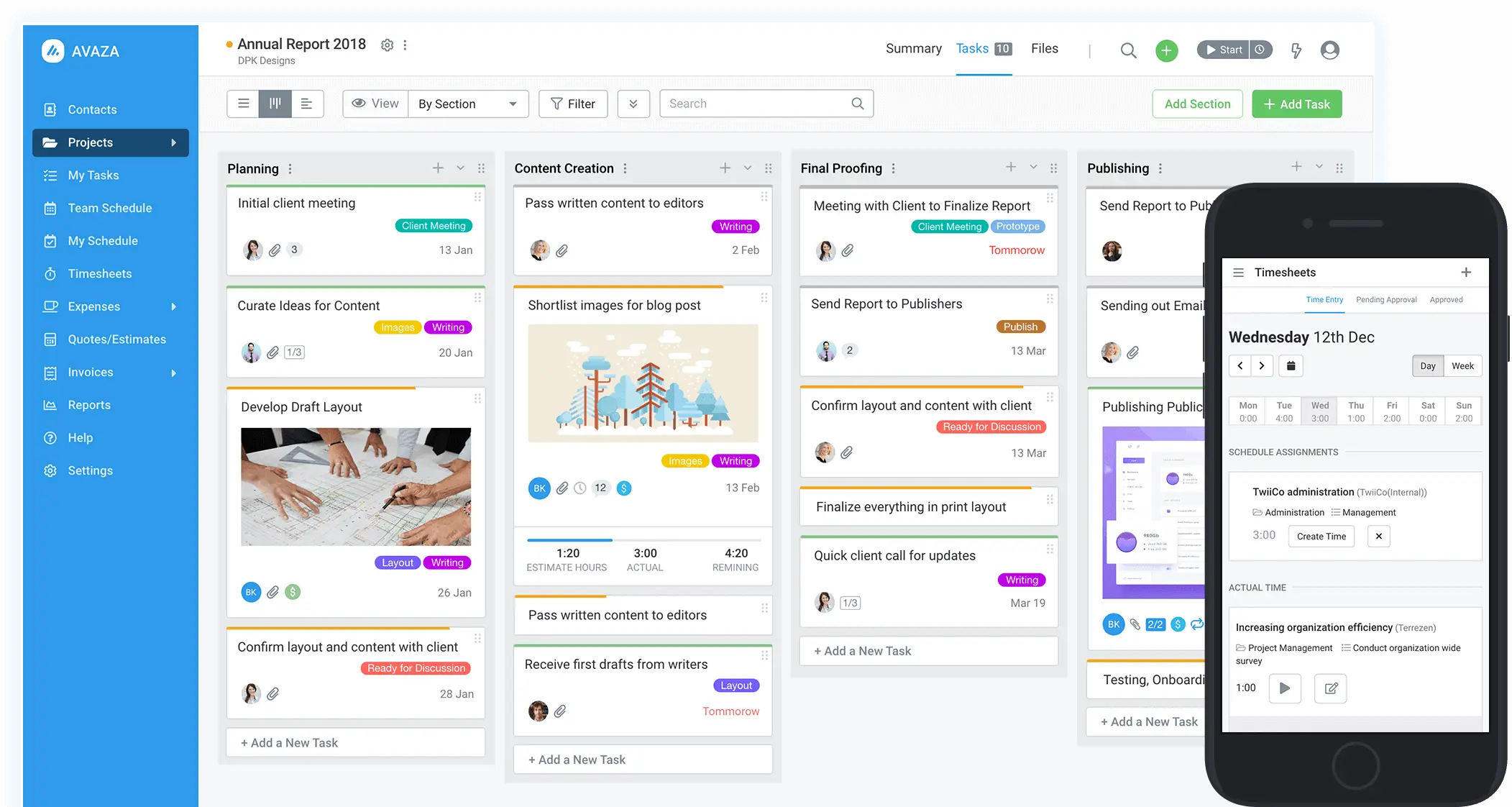
    Avaza

    Who it’s for: Teams that need a unified platform for time tracking, project management, and client billing

    Avaza is a versatile time-tracking solution that lets you start a timer on any device and track how long you spend on each task. Beyond simple timesheets, it includes automation tools and project management features that help teams coordinate work more efficiently. You can log billable and non-billable hours, manage tasks, and keep all time data connected to client projects.

    One of Avaza’s standout strengths is its ability to turn time entries into invoices instantly. It also provides timesheet approvals, expense tracking, and transparent billing workflows, making it a strong choice for service-based businesses that need accurate client reporting.

    Pricing: Free plan available for 1 user; paid plans start at $11.95/month for additional users and features

    Pros:

    • Built-in project management and collaboration tools

    • Timer-based and manual time entry options

    • Time entries convert directly into invoices

    • Timesheet approvals and expense tracking included

    Cons:

    • Some advanced features require higher-tier plans

    • Interface may feel complex for small teams needing simple tracking

    Conclusion

    Timesheets have been used to prove that persons have completed their tasks in most circumstances. You can see how things might get messy when it comes to trust and accountability. This can create an environment where employees believe their time records are more essential. It doesn’t feel right that your superior’s supervisors watch or track you.

    Furthermore, there is no apparent encouragement to be more productive at work. If the purpose is to track your time, there’s no reason to look for a better alternative. If there’s a more excellent vision behind the procedure, it’s even conceivable to log more hours. It could lead to shady conduct and higher prices for the same amount of work. You can also produce printed timesheets using the most advanced online tools like Timesheet Management System.

    Our software consists of a timesheet and project management software to create a comprehensive application that manages projects and time. Get a free demo today to see how much more effective you can be when you combine time management and project management. You can also get a pricing scheme calculation for free and a consultation of your company’s needs with our business experts by clicking here!

    Membership Management

    Hashmicro
    Hashmicro
    HashMicro is a software development and enterprise resource planning (ERP) company. Consequently, we often provide articles about ERP and other systems that all businesses need.
    Grace

    Grace
    Typically replies within an hour

    Grace
    Looking for a Free Demo?

    Contact us via WhatsApp and let us know the software you are looking for.

    Claim up to 70% Company Training Committee for various HashMicro Software!
    6590858301
    ×

    Grace

    Active Now

    Grace

    Active Now