







Finance teams often spend hours comparing ledger balances, bank statements, and supporting records during manual reconciliation. Missing entries and unmatched transactions can linger until month-end close. These unresolved items increase review pressure and may weaken confidence in financial reports, especially when teams manage high transaction volumes across several accounts.
Delayed reconciliation makes it harder to investigate errors or unusual transactions causing losses in financial capital. A 2025 study by Villanueva J.L. found that 100 accounting personnel estimated that an automated accounting system can save ₱1,052,950.56 over three years. Automation can reduce repetitive checking and speed exception handling, but controls still matter.
This guide compares 10 of the best account reconciliation software options in the Philippines. We assess matching workflows, exception handling, audit trails, reporting, integrations, automation, and usability. Use these criteria to compare each platform against your transaction volume, control requirements, and finance team’s daily workflow.
Key Takeaways
Account reconciliation software compares internal records with bank statements and supporting documents to identify discrepancies and maintain accurate financial data.
It reduces manual work, improves accuracy, strengthens audit trails, and helps finance teams resolve mismatches faster.
Evaluate automation, integrations, security, scalability, usability, support, and pricing against your transaction volume and reporting needs.
The best tools range from full ERP platforms to specialized close-management systems, so compare functions, suitability, and total cost before choosing.
What is Account Reconciliation Software?
Account reconciliation software compares internal ledger balances with bank statements and other external records. It flags unmatched transactions and helps finance teams resolve differences before closing the books. Reconciliation automation reduces repetitive checks while giving reviewers a clear view of exceptions, approvals, and supporting documents.
The account reconciliation software Philippines businesses choose should handle high transaction volumes without hiding unresolved differences. Accurate balances support reliable reporting and better decisions. Compare financial reporting software tools to see how reconciled figures can support dashboards and financial statements.
Benefits of Account Reconciliation Software

Account reconciliation software protects financial integrity and reduces costly errors in daily operations. Many businesses rely on account reconciliation tools to simplify audits and improve accuracy. Account reconciliation software trusted by companies in the Philippines should offer the same benefits as the best accounting software.
Key benefits:
- Automates manual processes and cuts the time teams spend on reconciliation tasks.
- Eliminates unnecessary costs by keeping every transaction accurate and verified.
- Minimizes errors by matching transactions automatically and flagging discrepancies fast.
- Keeps financial records compliant with local regulations and audit requirements.
- Delivers real-time visibility into cash positions for better financial decisions.
- Identifies unauthorized transactions and inconsistencies early before they escalate.
- Generates detailed reports that support financial analysis and smarter decisions.
Comparison of the Best Account Reconciliation Software
To find the best account reconciliation software, a business has to review the many types of accounting systems. Compare each option by its automation, integrations, reporting, usability, scalability, and pricing. This helps finance teams match software capabilities with transaction volumes, compliance needs, and growth plans.
| Software | Key Functions | Best For | Pricing |
|---|---|---|---|
| HashMicro | Bank integrations, auto-reconciliation, three-way matching, budgeting, ratio analysis, and custom reporting | Large companies and enterprises needing ERP-wide financial control | Custom quote |
| Oracle NetSuite | General ledger, accounts payable and receivable, budgeting, tax management, and amortisation tracking | Mid-sized and large multi-entity businesses | Base licensing starts near ₱63,411 monthly, with additional per-user charges |
| Sage Intacct | Bank reconciliation, budgeting, multi-entity accounting, cash management, and custom reporting | Mid-sized businesses requiring scalable financial management | Quote-based pricing, commonly starting around ₱952,117 annually |
| QuickBooks | Bank feeds, reconciliation rules, invoicing, payment reminders, payroll, and reconciliation reports | Startups, freelancers, and small businesses | Simple Start: ₱1,460.96/month; Plus: ₱3,366.56/month; Advanced: ₱6,224.95/month |
| Xero | Bank feeds, bulk reconciliation, invoicing, payroll, and financial reporting | Small businesses and remote finance teams | Lite: ₱444.32/month; Starter: ₱2,031.18/month; Standard: ₱3,427.62/month; Premium: ₱5,204.91/month |
| Zoho Books | Automatic transaction imports, bank rules, expense management, project tracking, and audit trails | Budget-conscious small and growing businesses | Free; Standard: ₱761.85/org/month; Professional: ₱1,523.69/org/month; Premium: ₱2,285.54/org/month |
| Multiview ERP | General ledger, payables, receivables, payment processing, budgeting, and financial reporting | Regulated organisations requiring detailed controls | Custom pricing based on company size, industry, and selected modules |
| OneStream | Consolidation, financial close, planning, reconciliation, trial balance management, and analytics | Large enterprises with complex reporting structures | Custom pricing based on deployment scale, users, modules, and implementation services |
| BlackLine | Account reconciliation, transaction matching, close management, task tracking, policy documentation, and analytics | Enterprises managing high transaction volumes and audit requirements | Annual pricing customized based on quotes |
| FloQast | Reconciliation, close checklists, flux analysis, task management, and reporting | Accounting teams needing collaborative close management | Quote-based pricing with Close Management, Close AI, and Risk & Compliance packages |
How to Choose the Best Account Reconciliation Software

To evaluate the best software, begin by reviewing how an accounting system organizes financial data. Then assess whether the platform supports reconciliation automation, secure integrations, and future growth. Businesses connecting finance with wider operations can also use this ERP guide to understand how integrated systems unify accounting and other core workflows.
Evaluation steps:
- Assess your business needs: Identify transaction volume, reconciliation requirements, and compatibility with existing accounting systems.
- Check automation features: Look for transaction matching, discrepancy alerts, and recurring reconciliation workflows.
- Ensure seamless integration: Confirm that the software connects with banks and current accounting platforms.
- Evaluate security measures: Review encryption, access controls, audit trails, and user permissions.
- Consider scalability: Choose a platform that can handle more transactions and users as the business grows.
- Test user-friendliness: Select an intuitive interface that reduces training requirements.
- Look for strong customer support: Prioritize vendors offering responsive assistance through multiple channels.
10 Best Account Reconciliation Software Tools
Choosing the right account reconciliation software helps Philippine businesses improve accuracy, control, and reporting. The following 10 platforms support different business sizes and workflows. Use this account reconciliation guide for Filipino business owners to compare features, pricing, strengths, limitations, and ideal use cases.
1. HashMicro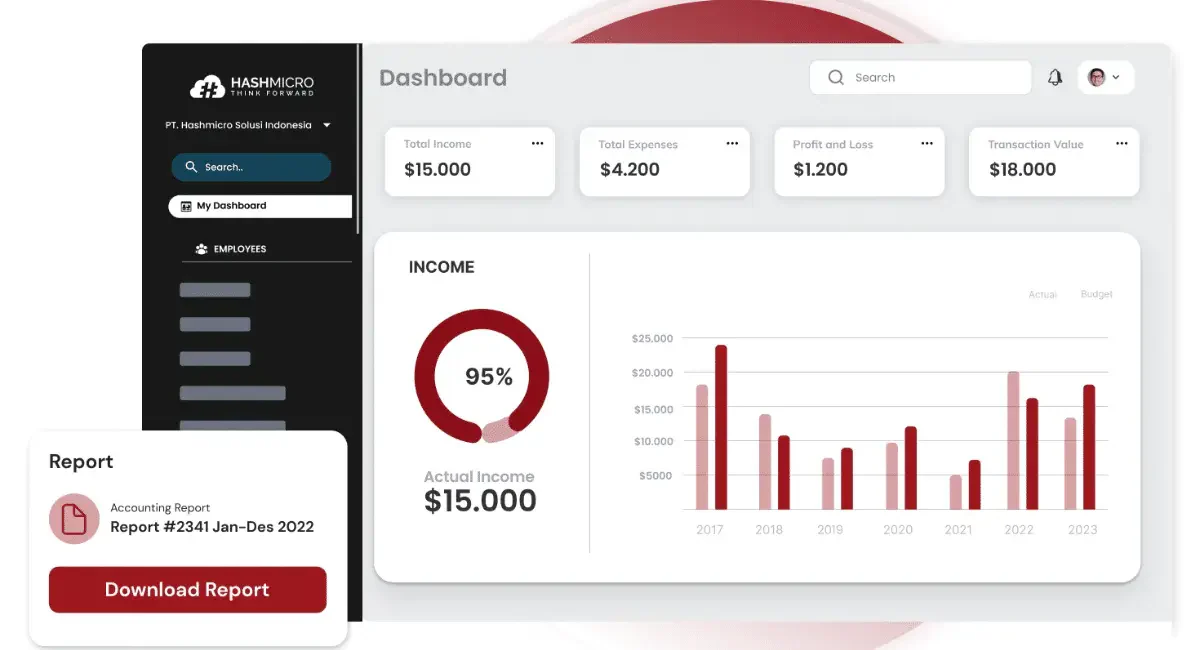
HashMicro Account Reconciliation Software helps Philippine enterprises automate transaction matching, exception review, and financial reporting. As an account reconciliation software Philippines solution, it connects accounting workflows across departments. Its broad customization and local compliance support make it suitable for growing companies and complex enterprise operations.
Key features:
- Bank Integrations and Auto-Reconciliation: Matches bank transactions with ledger entries and payment records automatically.
- Budget Forecasting: Uses historical financial data to support cash flow planning and future budget decisions
- Three-Way Matching: Verifies invoices, receipts, and ledger entries before transaction approval.
- Financial Ratio Analysis: Calculates key ratios to highlight unusual balances and financial discrepancies.
- Custom Invoice Printouts: Adapts invoice formats to support clearer payment matching and documentation.
| Pros | Cons |
|
|
Pricing: Custom quote based on users, modules, implementation scope, and localization requirements.
Best for: Large companies and enterprises needing an all-in-one ERP with reconciliation and compliance controls. It suits organizations requiring broad customization and cross-department integration.
With HashMicro, your business will automate account reconciliation, connect financial data across departments, and support faster, more accurate decisions. Explore how HashMicro accounting software can simplify daily financial management.

2. Oracle NetSuite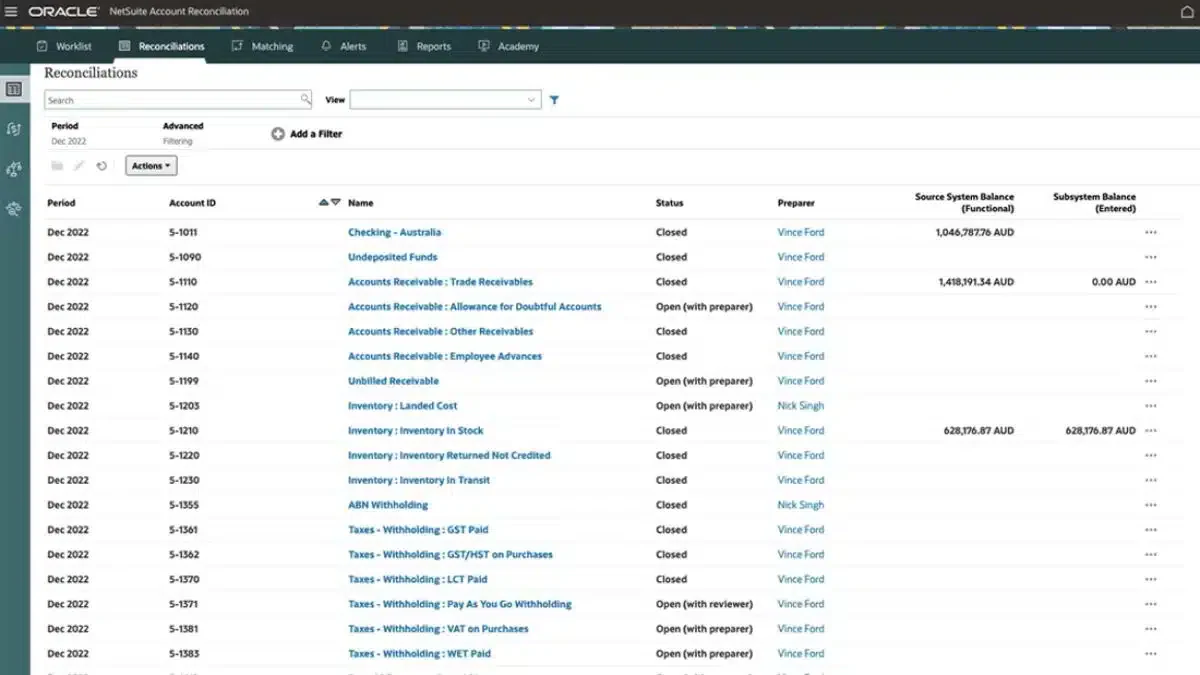
Oracle NetSuite combines general ledger management, bank reconciliation, budgeting, and reporting in one cloud ERP. It supports multi-entity organizations with scalable controls and integrations. Businesses evaluating NetSuite can review a detailed examination of its advantages and disadvantages before selecting a platform for complex financial operations.
Key features:
- General Ledger Management: Centralizes journals, account balances, and financial transactions across entities.
- Accounts Receivable and Payable: Tracks invoices, payments, collections, and supplier obligations.
- Budget Management: Supports planning, variance monitoring, and departmental budget control.
- Tax Management: Organizes tax calculations and reporting across multiple jurisdictions.
- Amortization Tracking: Automates recurring expense recognition and amortization schedules.
| Pros | Cons |
|
|
Pricing: Base licensing starts near ₱63,411 monthly, with additional per-user charges.
Best for: Mid-sized and large enterprises needing scalable financial management. It fits organizations with multi-entity reporting and structured approval requirements.
3. Sage Intacct
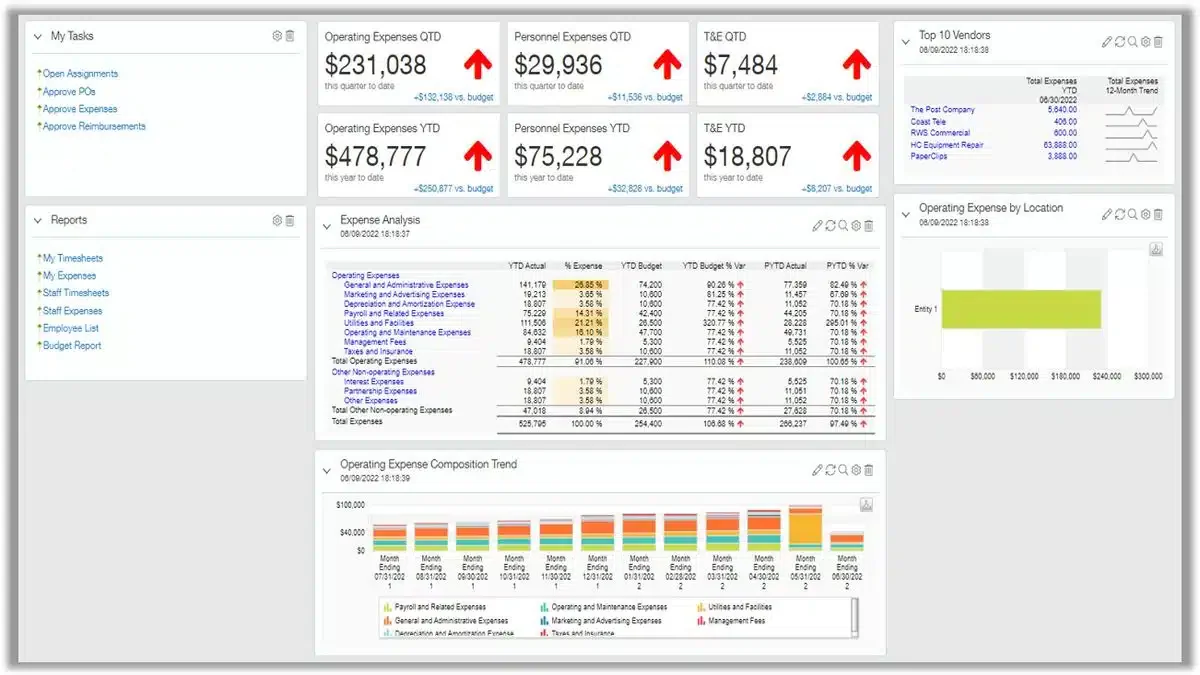
Sage Intacct focuses on cloud financial management for mid-sized businesses. It combines automated bank reconciliation, budgeting, reporting, and multi-entity accounting. Its strong financial visibility and configurable workflows make it one of the practical account reconciliation tools for companies prioritizing control and scalability.
Key features:
- Automated Bank Reconciliation: Imports bank data and matches transactions against accounting records.
- Budgeting and Planning: Supports forecasts, department budgets, and variance analysis.
- Multi-Entity Accounting: Consolidates financial information across subsidiaries and business units.
- Cash Management: Tracks available cash, transfers, and liquidity requirements.
- Custom Reporting: Builds reports for management, compliance, and operational analysis.
| Pros | Cons |
|
|
Pricing: Quote-based pricing commonly starts around ₱952,117 annually.
Best for: Mid-sized businesses seeking financial visibility and scalable accounting controls. It suits teams managing multiple entities or detailed reporting needs.
4. QuickBooks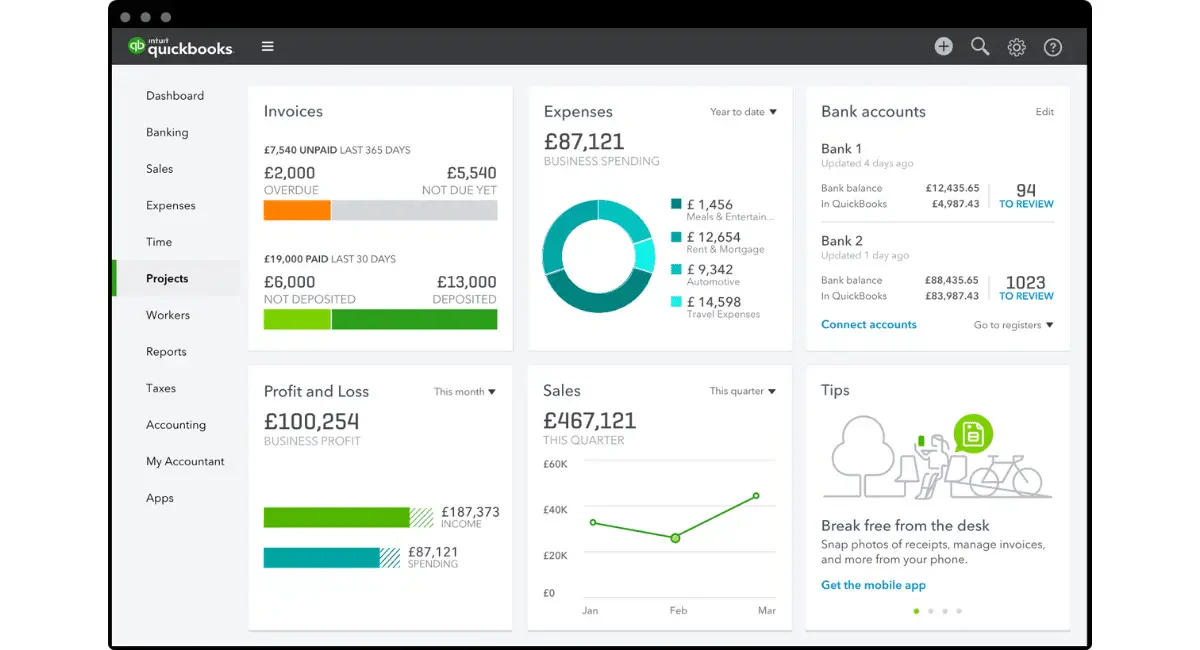
QuickBooks supports small businesses with bank feeds, transaction rules, invoicing, and financial reporting. Its intuitive interface makes it a popular choice among startups and growing companies. Businesses comparing the best account reconciliation software can also explore QuickBooks alternatives in the Philippines.
Key features:
- Automated Reconciliation Rules: Categorizes transactions using customized matching and banking rules.
- Bank and Credit Card Feeds: Imports financial activity directly from connected accounts.
- Payment Reminders: Sends reminders for overdue customer and supplier payments.
- Time Tracking and Payroll: Records employee hours and supports payroll administration.
- Reconciliation Reports: Summarizes matched, unmatched, and adjusted transactions for review.
| Pros | Cons |
|
|
Pricing: Simple Start (₱1,460.96/month), Plus (₱3,366.56/month), and Advanced (₱6,224.95/month)
Best for: Startups, freelancers, and small businesses needing accessible reconciliation tools. It works best for teams with straightforward accounting workflows.
5. Xero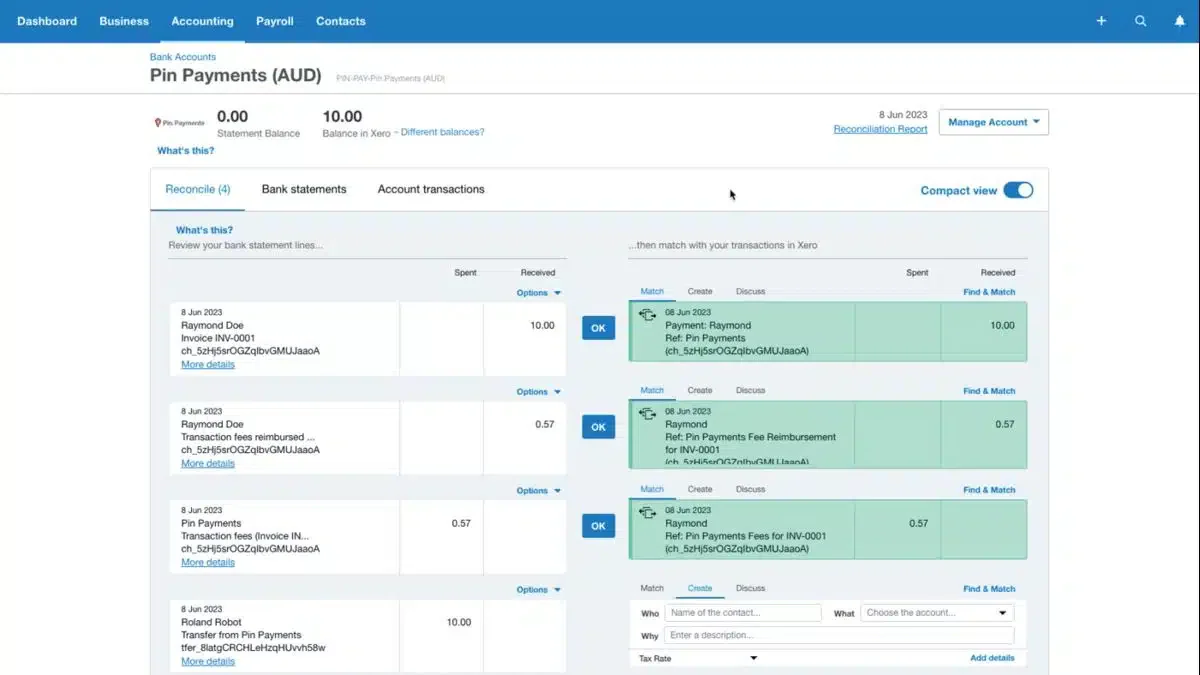
Xero provides cloud accounting with live bank feeds, bulk reconciliation, invoicing, and reporting. Its collaborative design supports remote finance teams and external accountants. This account reconciliation software Philippines option suits small businesses seeking real-time visibility, flexible integrations, and accessible financial management.
Key features:
- Automated Bank Feeds: Imports transactions continuously from connected financial institutions.
- Bulk Reconciliation: Reviews and matches multiple transactions within one workflow.
- Online Invoicing: Creates invoices, tracks payments, and sends automated reminders.
- Payroll Management: Records employee compensation and supports payroll administration.
- Financial Reporting: Produces standard reports for cash flow, profit, and financial position.
| Pros | Cons |
|
|
Pricing: Lite (₱444.32/month), Starter (₱2,031.18/month), Standard (₱3,427.62/month), and Premium (₱5,204.91/month)
Best for: Freelancers and small businesses wanting cloud collaboration and live bank feeds. It suits teams that prioritize integration flexibility.
6. Zoho Books
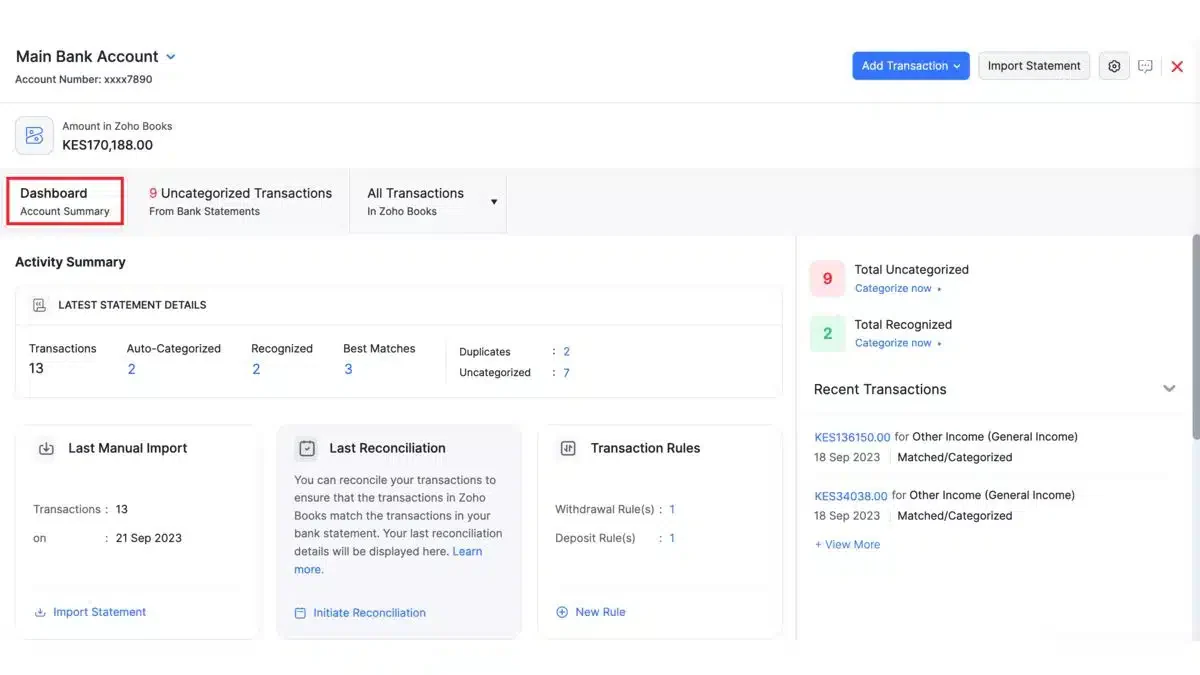
Zoho Books combines accounting, expense management, banking, projects, and reporting in one cloud platform. Its automation and mobile access support growing companies with limited finance resources. This account reconciliation software Philippines solution works well for budget-conscious businesses seeking practical controls and integration with the broader Zoho ecosystem.
Key features:
- Automatic Transaction Import: Imports bank transactions for faster review and reconciliation.
- Bank Rules: Categorizes recurring transactions using customizable accounting conditions.
- Expense Management: Tracks employee expenses, approvals, and reimbursement requests.
- Project and Time Tracking: Connects billable hours and project costs with accounting records.
- Tamper-Proof Audit Trail: Records financial changes to support accountability and review.
| Pros | Cons |
|
|
Pricing: Free, Standard (₱761.85/Org/Month), Professional (₱1,523.69/Org/Month), and Premium (₱2,285.54/Org/Month)
Best for: Small and growing businesses seeking affordable accounting automation. It suits teams already using Zoho business applications. Read this guide to find the top alternatives to Zoho.
7. Multiview ERP
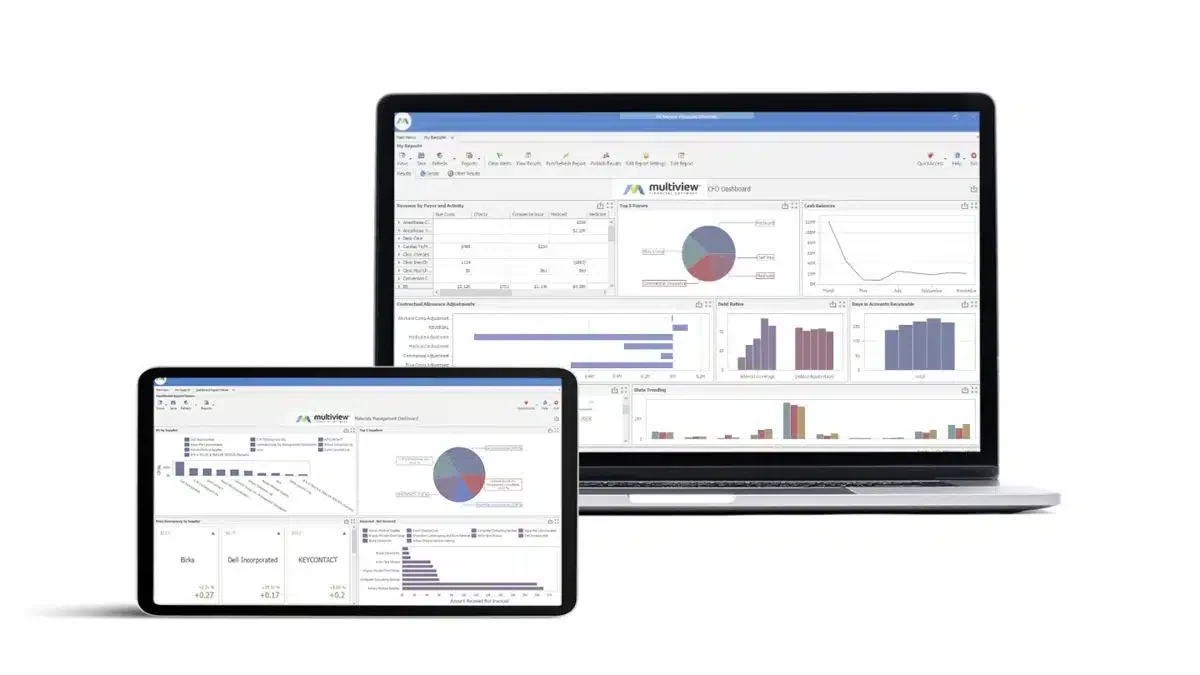
Multiview ERP serves organizations that need detailed financial controls within a complete ERP system. It combines general ledger, payables, receivables, payments, and reporting. Its configurable structure benefits regulated industries that require audit-ready workflows and centralized financial oversight.
Key features:
- Budget Management: Monitors planned spending and compares it with actual financial results.
- General Ledger Integration: Connects journals, account balances, and subledger transactions.
- Accounts Payable and Receivable: Manages supplier obligations and customer collections.
- Payment Processing: Supports controlled payment preparation and transaction tracking.
- Financial Reporting: Produces reports for management, compliance, and operational review.
| Pros | Cons |
|
|
Pricing: Custom pricing depends on company size, industry, and selected modules.
Best for: Regulated organizations requiring detailed controls and audit visibility. It suits finance teams managing complex accounting structures.






8. OneStream
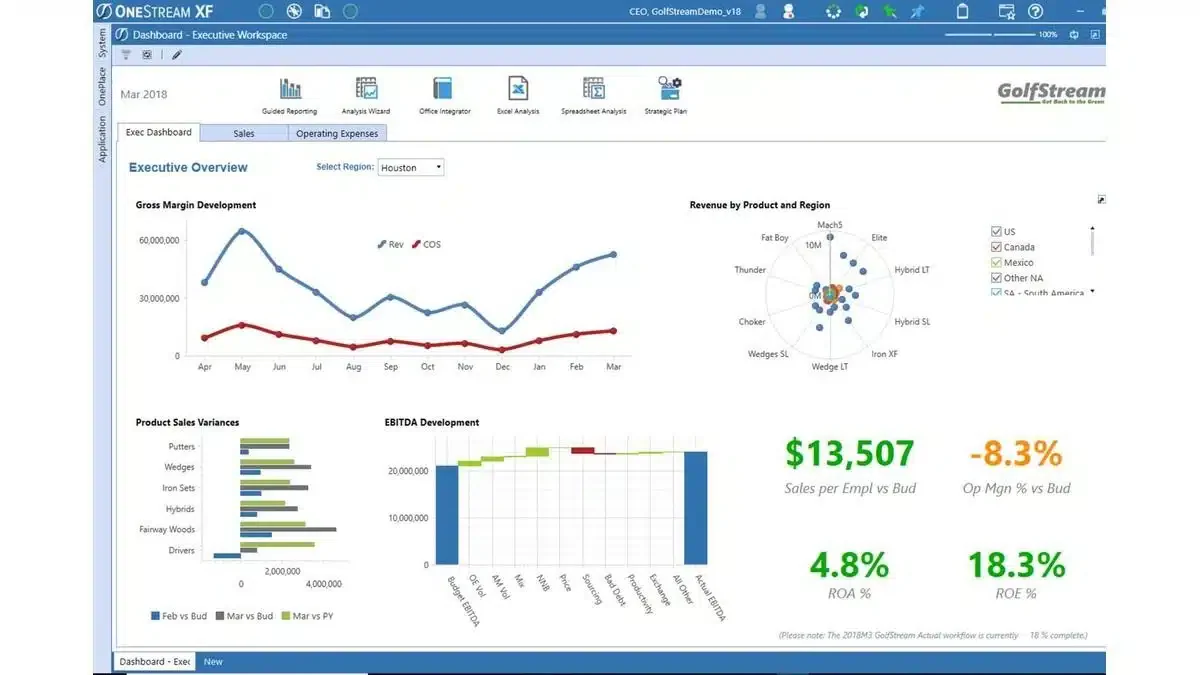
OneStream unifies financial consolidation, planning, reporting, and reconciliation for large enterprises. It supports centralized data management across complex reporting environments. As one of the advanced budgeting software solutions, it benefits organizations that need unified close management, detailed analytics, and enterprise-level financial governance.
Key features:
- Financial Close and Consolidation: Consolidates results across entities and reporting structures.
- Planning and Forecasting: Supports budgets, forecasts, scenarios, and performance analysis.
- Automated Reconciliation: Matches financial data and highlights differences during close activities.
- Trial Balance Single-Sourcing: Maintains one controlled source for trial balance reporting.
- Reporting and Analytics: Delivers dashboards and reports for executive decision-making.
| Pros | Cons |
|
|
Pricing: Custom pricing reflects deployment scale, users, modules, and implementation services.
Best for: Large enterprises managing consolidation and complex reporting. It suits finance teams requiring centralized control across multiple entities.
9. Blackline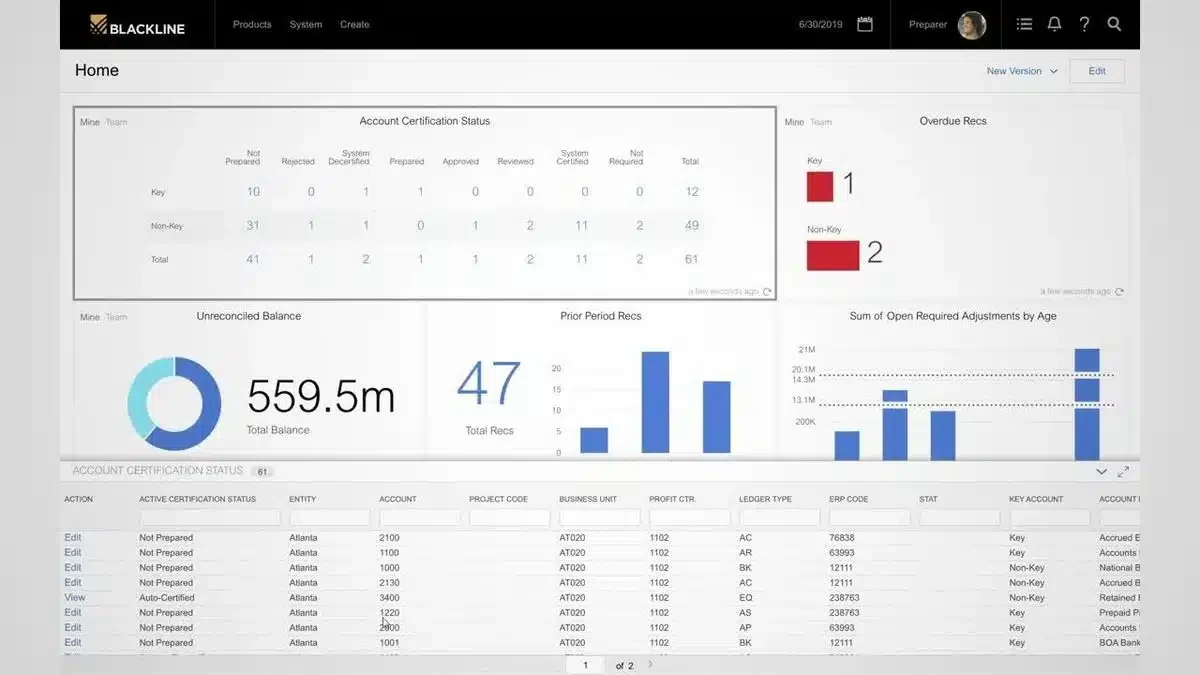
BlackLine specializes in financial close management, transaction matching, and controlled reconciliation workflows. Its platform supports accounting teams with detailed task tracking, documentation, and audit controls. Its reconciliation automation capabilities make it valuable for enterprises handling high transaction volumes and demanding compliance requirements.
Key features:
- Account Reconciliation Automation: Standardizes recurring reconciliation activities across finance teams.
- Transaction Matching: Compares transaction data from multiple sources and identifies exceptions.
- Policy Documentation: Stores accounting policies and procedures for consistent execution.
- Task Management: Assigns close activities, deadlines, reviewers, and completion statuses.
- Reporting and Analytics: Tracks close performance, exceptions, and reconciliation progress.
| Pros | Cons |
|
|
Pricing: Annual pricing is customized based on quotes.
Best for: Large enterprises automating complex close and reconciliation processes. It suits teams prioritizing audit readiness and standardized controls.
10. FloQast
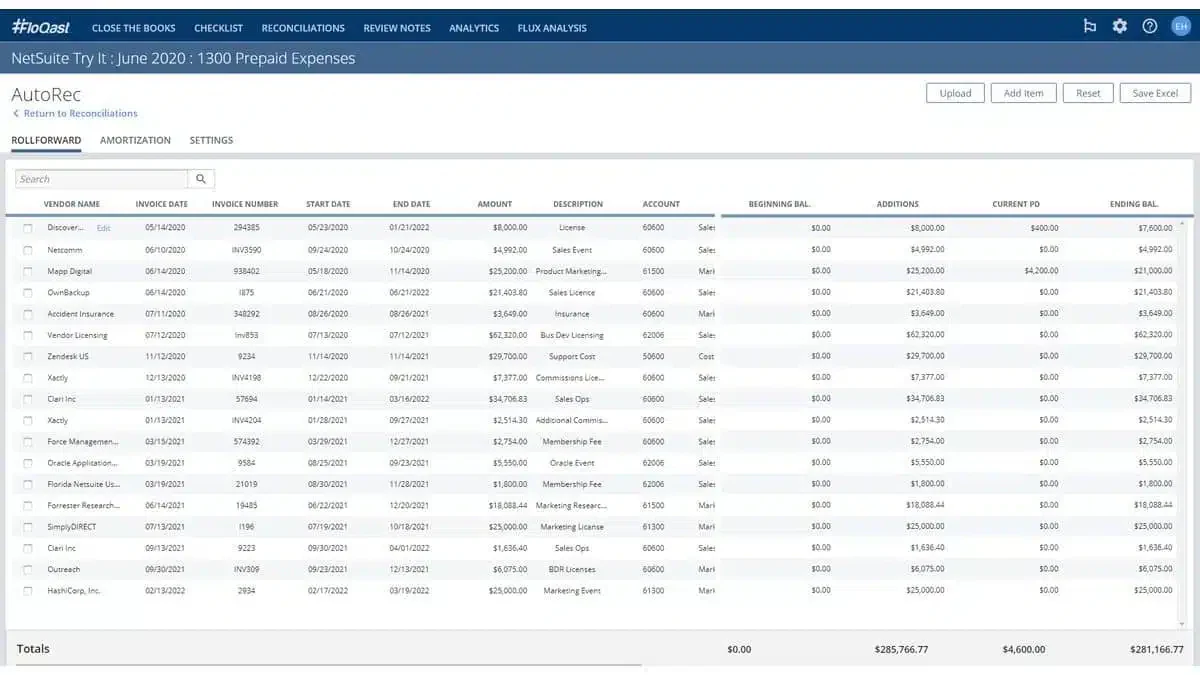
FloQast helps accounting teams manage reconciliations, close checklists, flux analysis, and reporting. Its collaborative workflow improves visibility across preparers and reviewers. It belongs among the best account reconciliation software options for finance teams seeking structured close management and strong integration with existing accounting systems.
Key features:
- Automated Reconciliation: Streamlines recurring account reviews and supporting documentation.
- Close Management: Organizes checklists, deadlines, assignments, and approval status.
- Task Management: Defines preparers, reviewers, due dates, and completion requirements.
- Flux Analysis: Highlights unusual account movements for investigation.
- Reporting and Analytics: Tracks close progress, exceptions, and operational performance.
| Pros | Cons |
|
|
Pricing: Quote-based pricing with built-in packages including Close Management, Close AI, and Risk & Compliance.
Best for: Accounting teams seeking collaborative close management and clear task visibility. It suits businesses that already use established accounting systems.
Conclusion
The best account reconciliation software helps finance teams match transactions, identify discrepancies, and maintain reliable financial records. Choose a solution that fits your transaction volume, integrations, reporting needs, and budget.
HashMicro Accounting Software combines automated reconciliation, bank statement imports, and financial reporting within an integrated ERP platform. These capabilities help businesses reduce repetitive work and investigate unmatched entries while supporting broader financial management.
Sign up for a free demo today to explore HashMicro’s reconciliation features and assess how they fit your finance team’s workflows.
FAQ About Account Reconciliation Tools
Account reconciliation is the process of comparing financial records from different sources to ensure their accuracy and consistency. It involves verifying transactions in an account, such as bank statements, match those in the company’s internal records, like ledgers or accounting software, to detect and correct any discrepancies.
There are three types of reconciliation:
1. Bank Reconciliation: This involves comparing a company’s bank statements with its internal records to ensure that all transactions, including deposits and withdrawals, match and are accurately recorded.
2. Vendor Reconciliation: This process ensures that the company’s records of transactions with vendors match the vendors’ statements. It also confirms that payments and purchases are accurately recorded on both ends.
2. Customer Reconciliation: This type involves comparing the company’s records of customer transactions to their statements. It ensures that all invoices and payments are correctly recorded and reconciled.
Auto reconciliation is the automated matching and reconciling financial transactions without manual intervention. It uses software algorithms to compare records from various sources, such as bank statements and internal ledgers and automatically identifies and resolves discrepancies, streamlining the reconciliation process and improving accuracy.