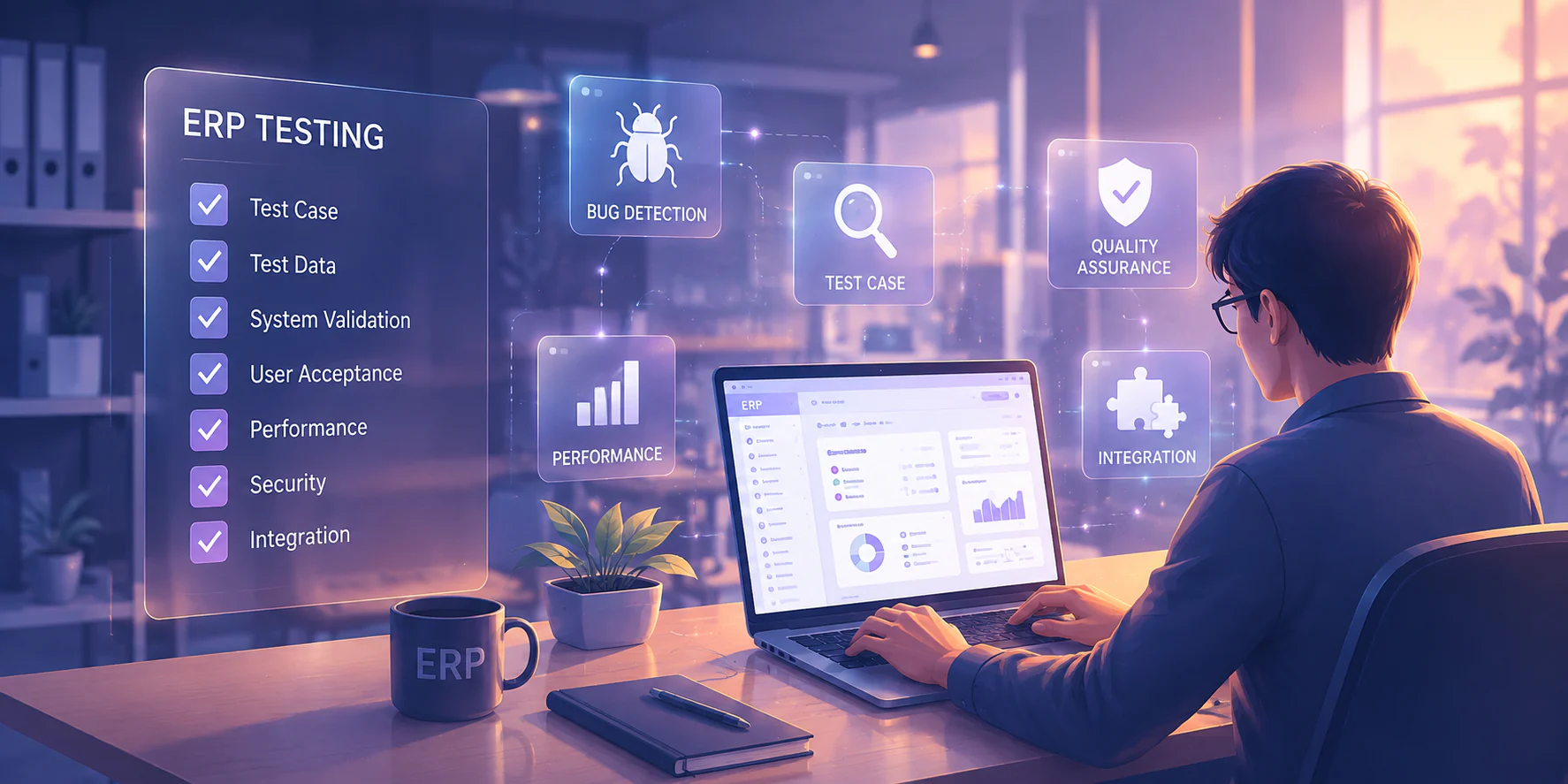

ERP training is most effective when finance, procurement, inventory, sales, and IT learn one connected operating model. A user may know how to create a purchase order but still misunderstand its effect on budget control, receiving, inventory valuation, payment approval, and management reporting. Align the programme with competency-based training principles outlined in ISO 10015 guidelines.
For Philippine enterprises with branches, warehouses, plants, or shared-service teams, use role-based learning tied to configured workflows. Measure readiness through practical simulations, approval-rule compliance, report interpretation, accurate data handling, and clear escalation procedures—not attendance alone.
A complete programme combines executive briefings, process-owner workshops, hands-on practice, scenario testing, and post-launch reinforcement. Super users provide first-line support while implementation teams resolve configuration or technical issues. Speak with HashMicro’s team to map your processes, user groups, and rollout sequence.
Key Takeaways
ERP training should be planned around roles, workflows, and go-live checkpoints, not treated as a one-time class.
A complete programme should cover eight core areas, from ERP fundamentals for leaders to administration and data governance.
Readiness should be proven through scenario practice, data quality, and sign-off from the people who own the process.
After go-live, training should continue through hypercare, refresher sessions, and super-user support.
Which ERP Training Options Fit Philippine Enterprises Best?

The best ERP training option depends on business complexity, rollout stage, geographic spread, and the capability of your internal process owners.
| Training option | Best fit | Main strength | Common risk | Suitable stage |
|---|---|---|---|---|
| Vendor-led training | Standard modules and clearly defined user groups | Direct access to product specialists and configured features | May focus on system steps without enough business context | Configuration validation and user acceptance |
| Internal workshops | Complex, multi-branch, or heavily integrated operations | Captures company policies, controls, and local practices | Internal trainers may not know the full system configuration | Discovery, process mapping, and reinforcement |
| Consultant-led enablement | Complex, multi-branch, or heavily integrated operations | Connects roles, workflows, controls, and adoption activities | Requires clear scope and availability of subject-matter experts | Design, simulation, and go-live preparation |
| Self-paced materials | Large user populations and refresher needs | Flexible access for branches and shift workers | Completion does not prove operational competence | Pre-work, onboarding, and post-go-live refreshers |
For example, A manufacturer with production planning, quality checks, and several approval levels may need consultative training built around end-to-end scenarios. Always review your requirements alongside the organisation’s accounting system and other connected workflows before finalising the scope.
Who Should Be Trained, and What Should Each Role Prove?
These governance model prevents training from becoming an activity with no accountable owner.
| Role | Training focus | Evidence to require | Sign-off point |
|---|---|---|---|
| Executive sponsor | Business objectives, controls, adoption risks, and decision rights | Can explain expected outcomes and approve go/no-go criteria | Before final readiness review |
| Process owner | End-to-end workflow, exceptions, policies, and controls | Validates scenarios, approvals, and reports | After user acceptance testing |
| Functional lead | Detailed module tasks and issue triage | Completes role scenarios and reviews team results | Before department sign-off |
| Super user | Advanced transactions, troubleshooting, and coaching | Resolves common questions and passes escalation tests | Before hypercare begins |
| End user | Daily transactions and required approvals | Completes practical scenarios with accurate data | Before receiving production access |
| System administrator | User access, master data, audit settings, and support controls | Demonstrates setup, access changes, and audit review | Before production handover |
| Implementation partner | Configuration rationale, known limitations, and support boundaries | Hands over documentation and unresolved issue list | At implementation closure |
A process owner should not sign off merely because a workshop was completed. They should confirm that a realistic scenario such as procure-to-pay, order-to-cash, or stock transfer works from beginning to end. Super users should also be named by location or department where branch operations differ.
The 8 Core Areas of ERP Training Programme
A complete ERP training programme should cover eight connected areas. Use this checklist to test whether a proposed scope reflects how your organisation actually operates.
ERP fundamentals for decision-makers. They do not need every transaction detail, but they must know what an ERP system changes and which decisions depend on reliable data.
Finance and accounting. Practice should include correcting errors and tracing transactions through the ledger.
Procurement and purchasing controls. The objective is consistent purchasing discipline, not simply faster form completion.
Inventory and warehouse workflows. Use sample items that mirror the organisation’s master data.
Sales and customer operations. Include credit limits, discounts, delivery commitments, and handoffs to customer service or finance.
Production or service workflows. Manufacturers and service organisations need may be different.
Reporting and analytics. Managers should practise interpreting variance, ageing, stock, and profitability reports rather than relying on screenshots.
Administration and data governance. A useful reference is HashMicro’s guide to an audit trail, especially when defining who can change sensitive records.
For inventory-heavy businesses, include practical exercises using ABC inventory analysis. The exercise can show how classification affects replenishment, counting frequency, and management attention. Each core area should have a named audience, one or more scenarios, and a pass condition.
How to Build an ERP Training Plan
How Do You Build ERP Training Around Business Processes?
How Do You Build ERP Training Around Business Processes?
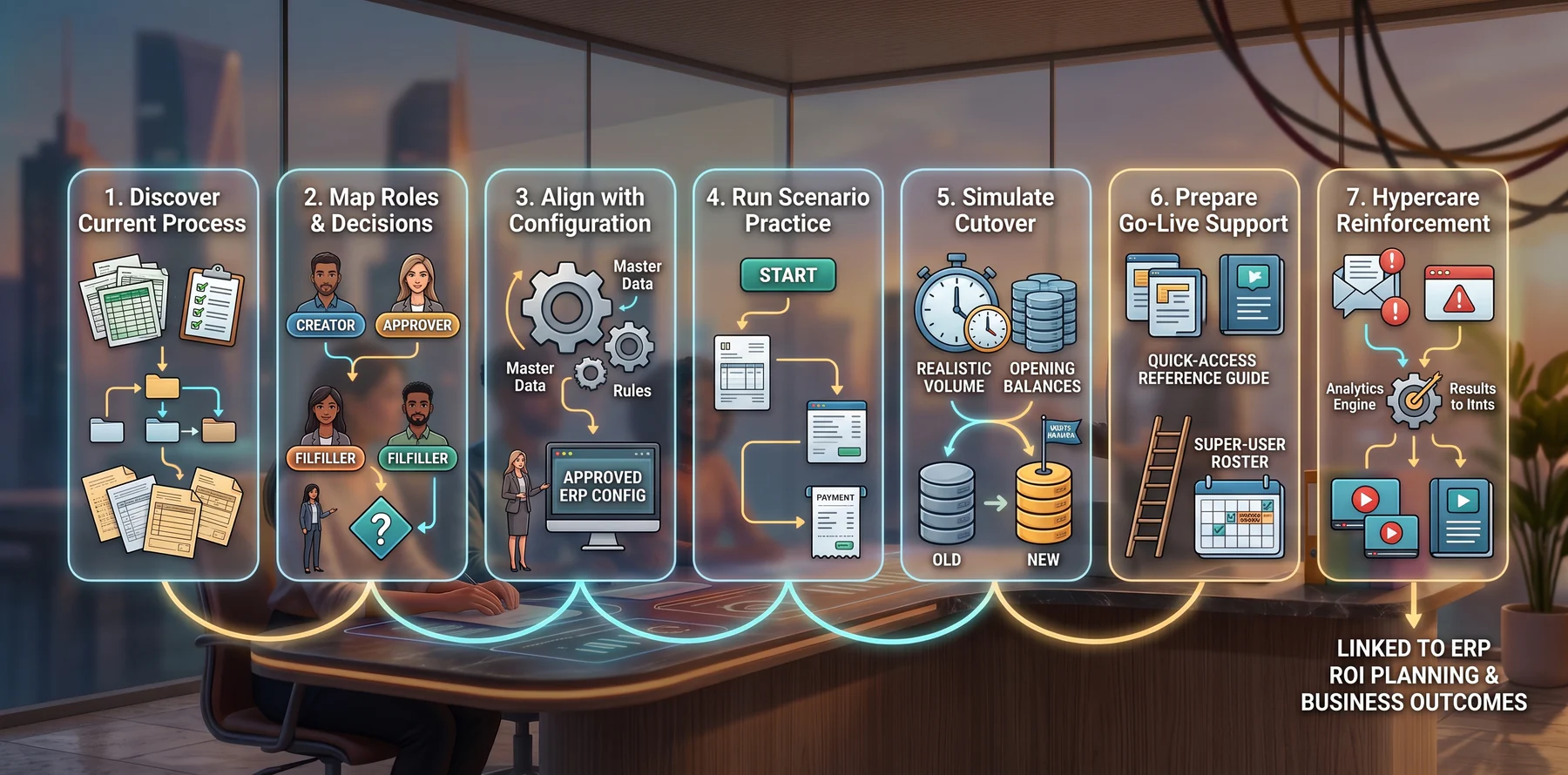
Building the ERP training plan requires a specific sequence. This process-first approach reduces the risk of teaching workflows that do not match the approved design.
1. Discover the current process
Document how work is performed today, including spreadsheets, manual approvals, duplicate entry, branch variations, and compliance requirements. Ask where delays, rework, and unclear ownership occur. The output should be a short process map for each priority flow.
2. Map roles and decisions
Translate each process into user groups and decision points. Identify who creates, checks, approves, fulfils, posts, and reviews a transaction. This is where you separate shared learning, such as terminology from role-specific practice.
3. Align practice with configuration
Use the approved ERP configuration, sample master data, approval rules, and reports. If a rule is still under discussion, label it clearly and avoid training users on an assumption. Functional leads should maintain a list of configuration decisions that affect training materials.
4. Run scenario-based practice
Design scenarios around business outcomes, for example a purchase from request through payment, a customer order through collection, or a stock discrepancy through investigation and adjustment. Include normal cases, exceptions, and corrected transactions. Users should explain why they took each step.
5. Simulate the cutover
Run a rehearsal using realistic volumes, cut-off dates, opening balances, outstanding orders, and user access. For multi-branch Philippine operations, include connectivity constraints, shift schedules, and handoffs between locations. Record issues by owner and due date.
6. Prepare go-live support
Publish quick-reference guides, escalation routes, support hours, and super-user rosters. Confirm who can approve temporary workarounds and who can change configuration. Link the training plan to broader ERP ROI planning so adoption measures remain connected to business outcomes.
7. Reinforce during hypercare
Review support tickets and recurring errors daily at first, then weekly as volumes stabilise. Convert repeated questions into short refreshers or updated guides. Retire workarounds when the correct process is understood and tested.
Which Delivery Method Works Best: Online, Onsite, or Blended?
Online, onsite, and blended learning can all work. The choice should reflect user readiness, geography, shift patterns, and process risk rather than convenience alone.
- Online live: Works well for distributed users with stable internet; less effective for observing hands-on work or local process differences. Best for executive briefings, standard tasks, and refresher clinics.
- Onsite: Works well for physical, location-specific, or high-risk work; travel and scheduling may limit coverage. Best for warehouse, production, branch, and cutover rehearsals.
- Blended: Combines flexibility with supervised practice but requires careful sequencing and attendance tracking. Use online pre-work, onsite simulations, and virtual follow-up.
Practice also lands better when it happens inside the configured system, so teams rehearsing on HashMicro ERP software work with the same screens and approval rules they will use after go-live.
How Do You Measure ERP Training Readiness and Adoption?
ERP training readiness should be measured through observable competence, not attendance alone. Leaders can then decide whether a team is ready, needs reinforcement, or should be blocked from production access.
| Readiness area | What to inspect | Possible decision rule |
|---|---|---|
| Role completion | Required modules completed by named users | No critical role remains untrained |
| Scenario performance | End-to-end tasks completed without unsafe workarounds | Priority scenarios meet the agreed pass standard |
| Master-data accuracy | Items, vendors, customers, accounts, and opening data | Errors are within the approved tolerance and owned |
| Report interpretation | Users explain totals, variances, ageing, or stock positions | Managers reach the correct operational conclusion |
| Approval confidence | Approvers understand thresholds, evidence, and rejection paths | Approvals are consistent and traceable |
| Support patterns | Repeated questions, unresolved defects, and escalation speed | Critical issues have owners and response times |
Separate “trained” from “ready.” Someone may complete a video yet fail to identify a duplicate vendor or misread an inventory report. Use observed exercises, short knowledge checks, and manager sign-off. Where possible, aggregate completion by role and location using existing user and team management processes.
What Risks Commonly Derail ERP Training?
The most common ERP training risks are operational and preventable:
- Weak role mapping: Everyone receives the same material, so users miss the controls and exceptions relevant to their work. Create role paths and assign a process owner to each one.
- Poor data discipline: Training uses unrealistic or incomplete master data. Clean sample records early and assign data ownership before simulations.
- Insufficient practice: Demonstrations replace hands-on work. Require users to complete realistic scenarios, including corrections and rejected approvals.
- Missing super users: Questions go directly to external consultants, slowing support. Name, coach, and roster super users by department and location.
- Unclear support ownership: Users do not know whether to contact finance, IT, a process owner, or the vendor. Publish an escalation matrix with response expectations.
- Training too early: Configuration changes invalidate materials. Schedule final practice after key workflows and permissions are stable.
- Ignoring operational constraints: Sessions conflict with payroll deadlines, dispatch windows, production shifts, or branch schedules. Use shorter cohorts and recorded reinforcement.
Most of these risks trace back to the same root like unclear roles, messy master data, and no single place to see who approved what. With HashMicro ERP system your business will keep role-based access, master-data ownership, and approval trails consistent across every branch, so training reinforces the process instead of compensating for it.

What Should Your ERP Training Checklist Cover Before Go-Live?
Use the following pass/fail checklist in the final readiness meeting. A “no” on a critical item should trigger a corrective action or a deliberate go-live delay.
| No | Readiness check | Yes | No |
|---|---|---|---|
| 1 | Every production user has a role-based learning path. | ☐ | ☐ |
| 2 | Process owners have approved the final scenarios and work instructions. | ☐ | ☐ |
| 3 | Finance, procurement, inventory, sales, and other priority teams have completed practical simulations. | ☐ | ☐ |
| 4 | Master data, opening balances, user permissions, and approval rules have been checked. | ☐ | ☐ |
| 5 | Users can interpret the reports required for daily and month-end decisions. | ☐ | ☐ |
| 6 | Super users are named, trained, available by location, and included in the support roster. | ☐ | ☐ |
| 7 | Escalation paths distinguish user questions, data issues, configuration defects, and technical incidents. | ☐ | ☐ |
| 8 | Cutover rehearsal results, unresolved risks, and fallback procedures are documented. | ☐ | ☐ |
| 9 | The executive sponsor, process owner, and functional lead have signed off on the areas they govern. | ☐ | ☐ |
| 10 | Refresher materials and new-user onboarding plans are ready for the first 60–90 days. | ☐ | ☐ |
The checklist should be stored with the implementation record so that sign-off remains traceable. It is a decision tool, not a formality.
Conclusion
This article outlines eight core areas from ERP fundamentals, finance, procurement, inventory, sales, and production or service workflows to reporting and data governance, so each role can practise the processes and controls it will use after go-live.
Readiness of ERP training depends on evidence approved scenarios, checked master data and permissions, practical simulations, report interpretation, trained super users, clear escalation paths, and documented cutover risks. After launch, daily issue reviews, targeted refresher clinics, searchable job aids, and monthly onboarding checks help convert training into reliable adoption.
Training is complete when users can perform the configured workflow, understand its business impact, and know where to get help. Talk to HashMicro's team to get free consultation about how enterprise plan ERP training effectively.

Frequently Asked Questions About ERP Training
Choose based on business complexity, internal capability, and rollout stage. Internal workshops suit organisations with strong process owners; vendor-led sessions fit standard workflows; consultant-led workshops are safer for customised, cross-functional, or multi-branch implementations.
The executive sponsor approves business readiness, the process owner validates that workflows and controls are correct, and the functional lead confirms that users can perform their assigned scenarios. All three views should be recorded.
Look for completed role-based scenarios, accurate master-data handling, correct report interpretation, confident approvals, and support issues that have clear owners. Attendance or video completion alone is not sufficient evidence.
Shared sessions help explain cross-functional dependencies, but role-based sessions are safer for detailed tasks and controls. Combine a common process overview with separate practice for finance, procurement, inventory, sales, and management users.
Focus on hypercare issues, refresher sessions for recurring errors, super-user coaching, knowledge-base updates, permission or data-governance checks, and onboarding for new or transferred employees.