







Employee monitoring software helps businesses understand work hours, project effort, application activity, attendance, productivity trends, and security risks. The right platform depends on the business question a team needs to answer.
This guide compares ten options by background, features, published pricing, advantages, limitations, and suitability for Philippine businesses. Prices are USD references checked on 29 October 2026. Philippine employers should also consider NPC guidance on employee monitoring to understand transparency and proportionate monitoring practices.
The following sections review each platform and explain key factors to consider when choosing software that fits workforce requirements, existing systems, and privacy expectations.
Key Takeaways
Employee monitoring software tracks work-related activities to provide visibility into employee performance, productivity, attendance, and daily business operations.
The best employee monitoring software options offer different features to help businesses track work activities and manage workforce productivity based on their operational needs.
Choosing the right employee monitoring software starts with identifying business needs and matching them with the features required to support daily workforce operations.
What Is Employee Monitoring Software?
Employee monitoring software helps businesses track work-related activities and gain visibility into employee performance and daily operations. It can record or summarize information through time trackers, project records, application and website usage reports, attendance logs, screenshots, productivity dashboards, and security alerts.
Different platforms serve different monitoring needs. Time-tracking tools focus on working hours and attendance, while workforce analytics platforms examine workload, utilization, and capacity. Monitoring platforms provide application, website, and screenshot data, whereas security-focused tools identify risky behavior and data movement. ERP platforms take a broader approach by connecting employee activity with finance, HR, sales, inventory, and other business operations.
Benefits of Using Employee Monitoring Software

When it’s implemented transparently and with clear policies, employee monitoring software gives organizations reliable data about how work actually gets done. That visibility supports better decisions across operations, finance, and security. Here are the main benefits:
1. Improve Time Tracking and Attendance Management
Employee monitoring software records working hours, clock-in and clock-out times, and attendance tracker. These records help HR teams review attendance consistently, identify discrepancies, and provide more accurate information for payroll processing.
2. Optimize Workload and Project Management
By tracking time spent on individual tasks and projects, businesses can compare estimated hours with actual effort. Managers can use these insights to evaluate resource allocation, identify overloaded teams, and improve capacity planning and future project estimates.
3. Coordinate Remote and Hybrid Teams
Monitoring tools provide visibility into work progress when employees operate across different locations. Shared activity records, project updates, and workforce reports help managers review responsibilities and maintain coordination without relying entirely on direct supervision.
4. Understand Employee Software and Application Usage
Application and website reports show which digital tools employees use during working hours. Businesses can review these patterns to evaluate software adoption, identify frequently used resources, and determine whether existing applications support daily workflows.
5. Support Financial Reporting and Operational Decisions
Accurate time and project records provide useful information for payroll preparation, client billing, and project cost calculations. When connected with ERP or other business systems, employee activity data can also support departmental reporting and broader operational analysis.
6. Strengthen Workplace Security and Accountability
Certain monitoring platforms record unusual account activity, application access, and potential data transfers. Security teams can use these records to investigate incidents, identify suspicious behavior, and maintain clearer documentation of employee activity.
Quick Comparison of the Best Employee Monitoring Software
To make the differences easier to evaluate, the table below compares each platform based on its primary use case, starting price, and key capabilities.
To make the differences easier to evaluate, the table below compares each platform based on its primary use case, starting price, and key capabilities.
| Vendor | Best for | Starting price | Distinctive capability |
|---|---|---|---|
| HashMicro | Integrated workforce operations | Request a quote | ERP, BI, HRM, and operations |
| Hubstaff | Project teams | Approximately ₱315/user/month, billed annually | Projects and billing |
| Time Doctor | Remote reporting | Approximately ₱420/user/month, billed annually | Remote productivity reports |
| Insightful | Capacity analysis | Approximately ₱504/user/month, billed annually | Workload analysis |
| ActivTrak | Activity trends | Free for up to 3 workers | Utilization insights |
| DeskTime | Automatic tracking | Approximately ₱405/user/month, billed annually | Automatic tracking |
| Teramind | Security investigations | Request a quote | DLP and forensics |
| WebWork | Remote teams and BPOs | Approximately ₱252/user/month, billed annually | Monitoring and payroll |
| Controlio | Desktop monitoring | Approximately ₱420/user/month, billed annually | Desktop controls |
| Veriato | Insider-risk management | Approximately ₱1,135/user/month, billed annually | Risk scoring and redaction |
Best 10 Employee Monitoring Software Options
Several employee monitoring software options offer different approaches to tracking work activities and managing workforce productivity. The following list highlights popular platforms and their key features to help businesses compare available solutions.
1. HashMicro

HashMicro's employee monitoring integrated ERP platform connecting accounting, CRM, sales, purchasing, inventory, HRM, business intelligence, access controls, and operational reporting. It suits companies whose main problem is fragmented workforce and business data rather than detailed screen surveillance.
Key features:
Integrated accounting and finance
Sales and CRM workflows
Purchasing and inventory
Business intelligence dashboards
Pivot and KPI reporting
Access-level controls
AI-generated reports
Mobile applications
Cloud and on-premise deployment
Pros | Cons |
• Connects workforce information with finance, HR, sales, inventory, and operations. • Supports dashboards and role-based access controls. • Suitable for multi-function businesses. | • Not verified as specialist screen-monitoring software. • Screenshots, application tracking, website tracking, and keystroke logging should not be assumed. • Implementation may require cross-department planning. |
Pricing: HashMicro uses quotation-based pricing. Cost depends on modules, users, implementation scope, deployment model, and business requirements.
Best for: Businesses that need employee and operational information connected in one ERP environment.
Improve workforce visibility with the right tools to track employee activity and support better management decisions. Explore a solution that helps businesses gain clearer insights into daily operations.

2. Hubstaff
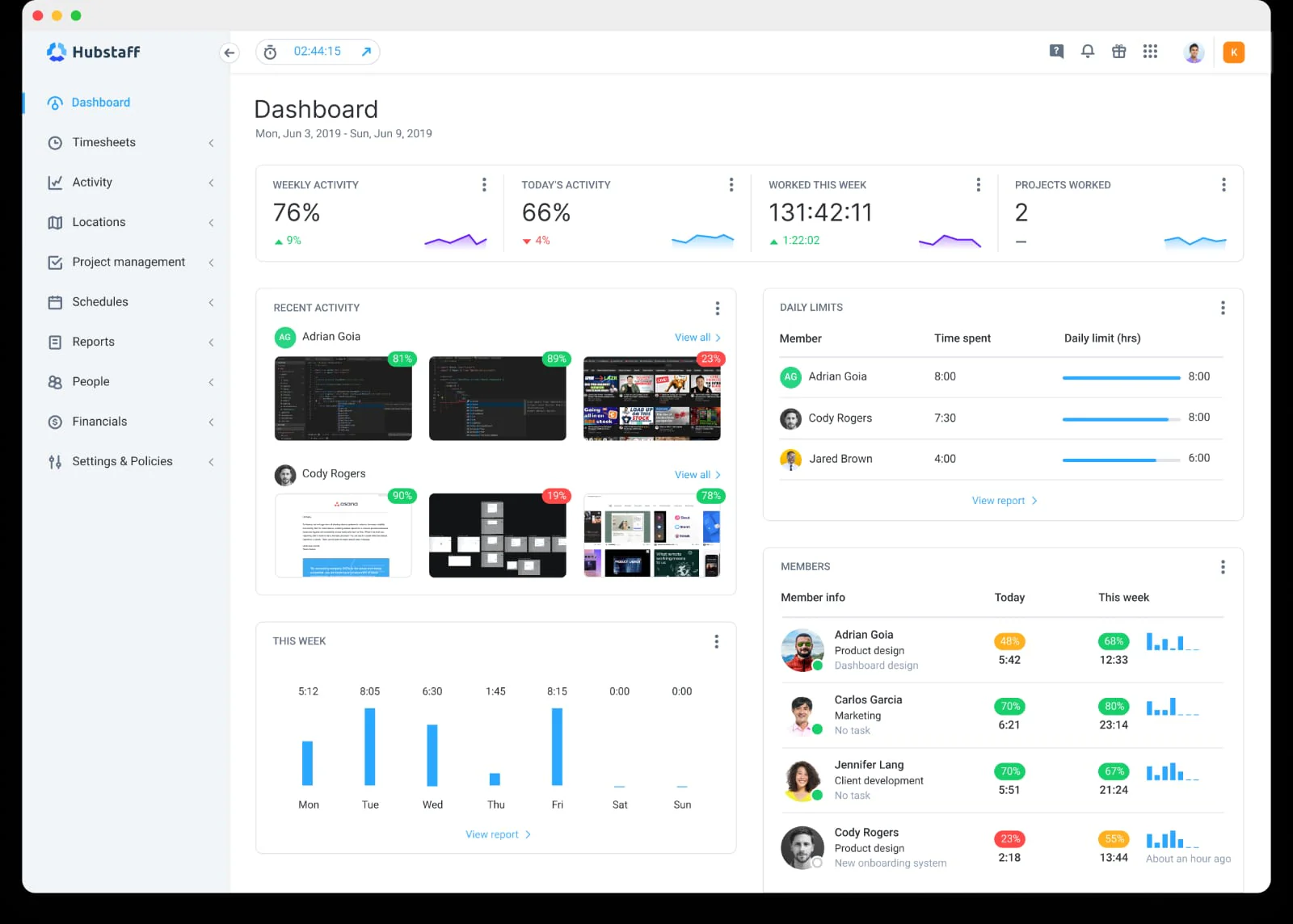
Hubstaff combines time tracking, project time management, scheduling, attendance, activity levels, screenshots, application and URL tracking, payroll, and invoicing.
Key features:
Time tracking
Timesheets and approvals
Project and task tracking
Activity levels
Screenshots
Application and URL tracking
Scheduling and attendance
Payroll and invoicing
₱315/user/month
Pros | Cons |
• Connects time with projects. • Supports client billing. • Higher plans include payroll and scheduling. | • Advanced features require higher plans. • Lower tiers limit screenshots and activity records. • Additional modules increase cost. |
Pricing: Starts at approximately ₱315/user/month, billed annually.
3. Time Doctor
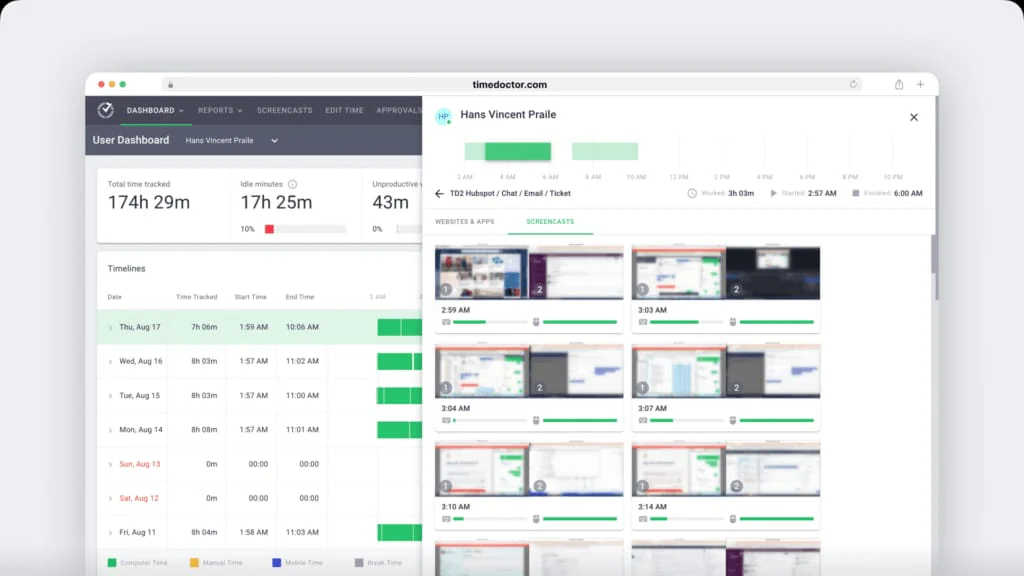
Time Doctor provides time, project, screenshot, attendance, schedule, application, website, and employee productivity reporting for remote and hybrid teams.
Key features:
Automatic time tracking
Projects and tasks
Timeline reports
Screenshots
Attendance management
Application and website reports
Productivity summaries
Work schedules
Pros | Cons |
• Detailed remote-team reports. • Screenshots and project tracking from the entry plan. • Strong distributed-team coverage. | • Advanced reporting increases cost. • Productivity scores need context. • Policies must be communicated clearly. |
Pricing: Starts at ₱420/user/month, billed annually.
4. Insightful
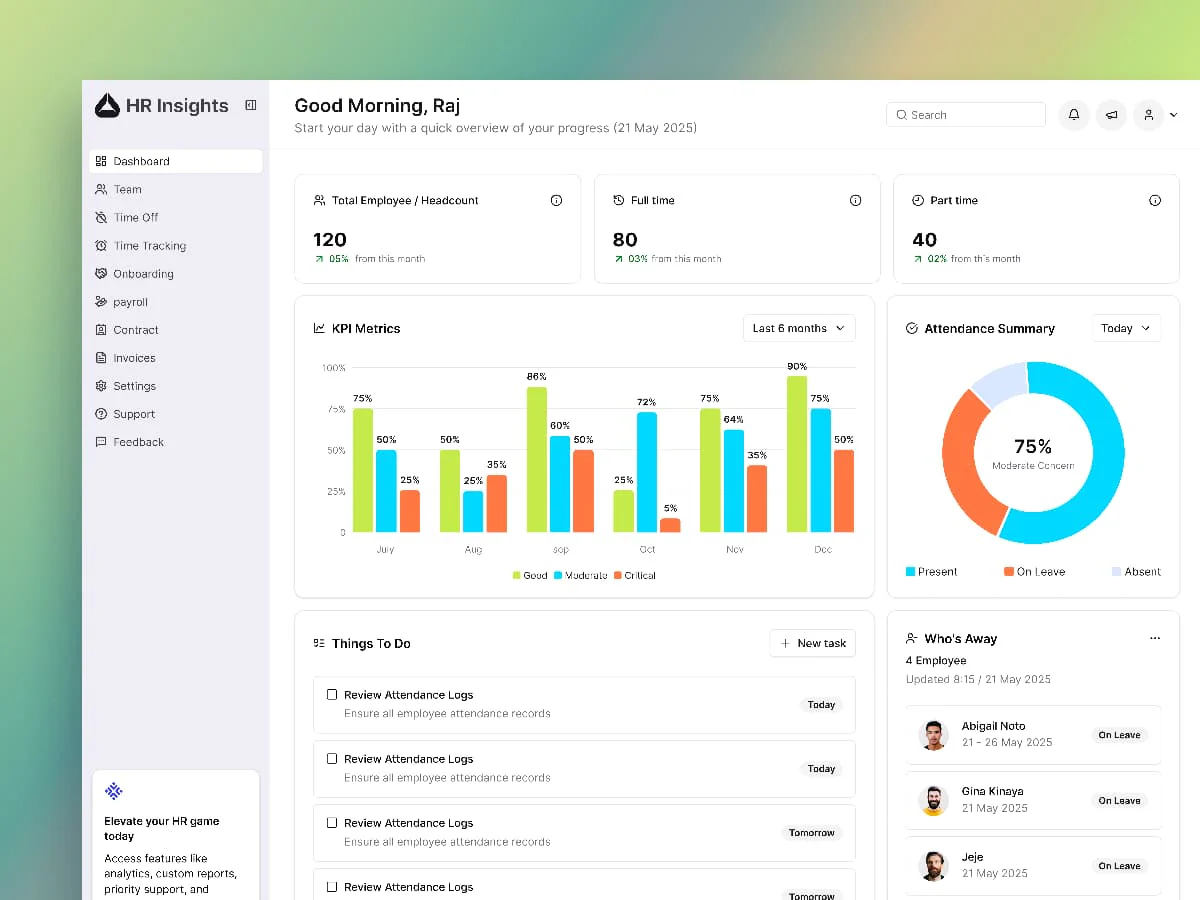
Insightful focuses on workforce analytics, productive time, application use, website activity, workload patterns, and capacity planning.
Key features:
Active and idle time
Application and website usage
Productivity analysis
Workload capacity planning and reporting
Team dashboards
Standard screenshots
Recording add-ons
Pros | Cons |
• Strong capacity-analysis focus. • Useful team dashboards. • Helps identify workload imbalance. | • Advanced capture costs extra. • Metrics need role-specific interpretation. • Activity does not measure output quality by itself. |
Pricing: Workforce Analytics starts at approximately ₱504/user/month annually.
5. ActivTrak
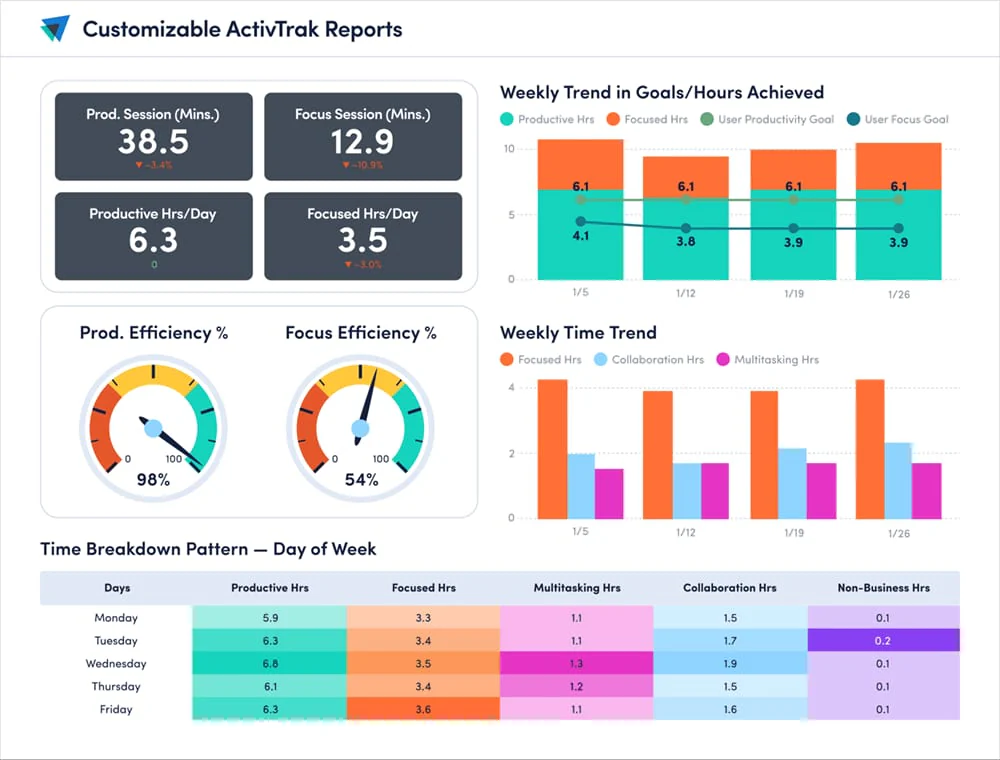
ActivTrak emphasizes aggregated activity, application usage, productivity trends, schedule adherence, workload balance, and utilization.
Key features:
Automatic time tracking
Activity summaries
Productivity trends
Schedule adherence
Capacity analysis
Workforce dashboards
Application and website usage
Screen Details add-on
Pros | Cons |
• Free pilot option. • Strong utilization analysis. • Aggregated insights can be less intrusive. | • Free-plan history is limited. • Paid plans use annual contracts. • Granular screen data may require an add-on. |
Pricing: Free for up to three workers. Paid plans start at approximately ₱631/worker per month.
6. DeskTime
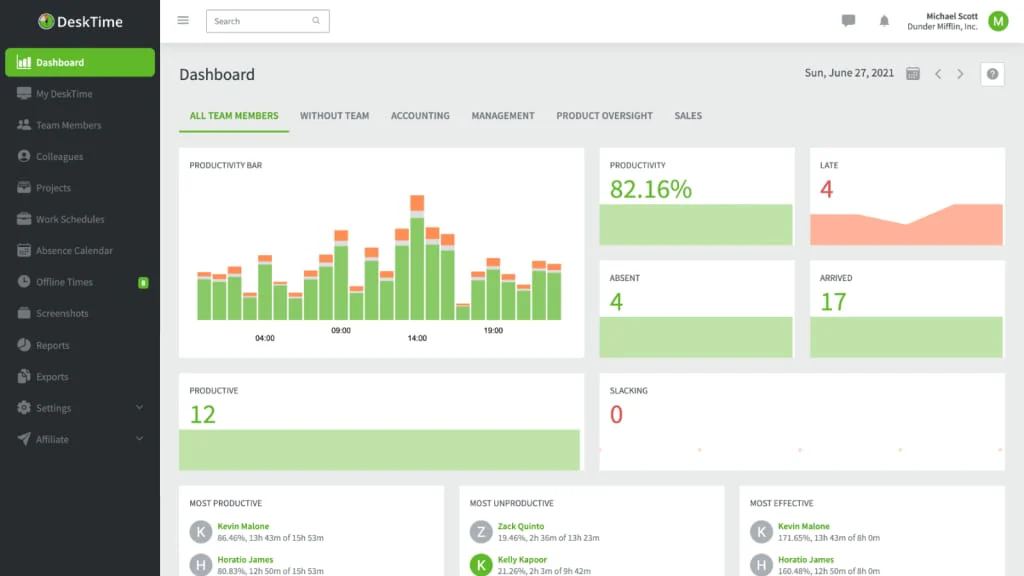
DeskTime automatically records work time, idle time, applications, websites, document titles, projects, and productivity calculations.
Key features:
Automatic time tracking
Idle-time detection
Application and URL tracking
Document-title tracking
Productivity calculations
Project tracking
Private time
Screenshots and scheduling
Pros | Cons |
• Requires little manual entry. • Provides application and website visibility. • Easy-to-compare pricing. | • Screenshots require higher plans. • Productivity classifications may need adjustment. • Enterprise needs may require a quote. |
Pricing: Pro starts at approximately ₱405/user/month annually.
7. Teramind
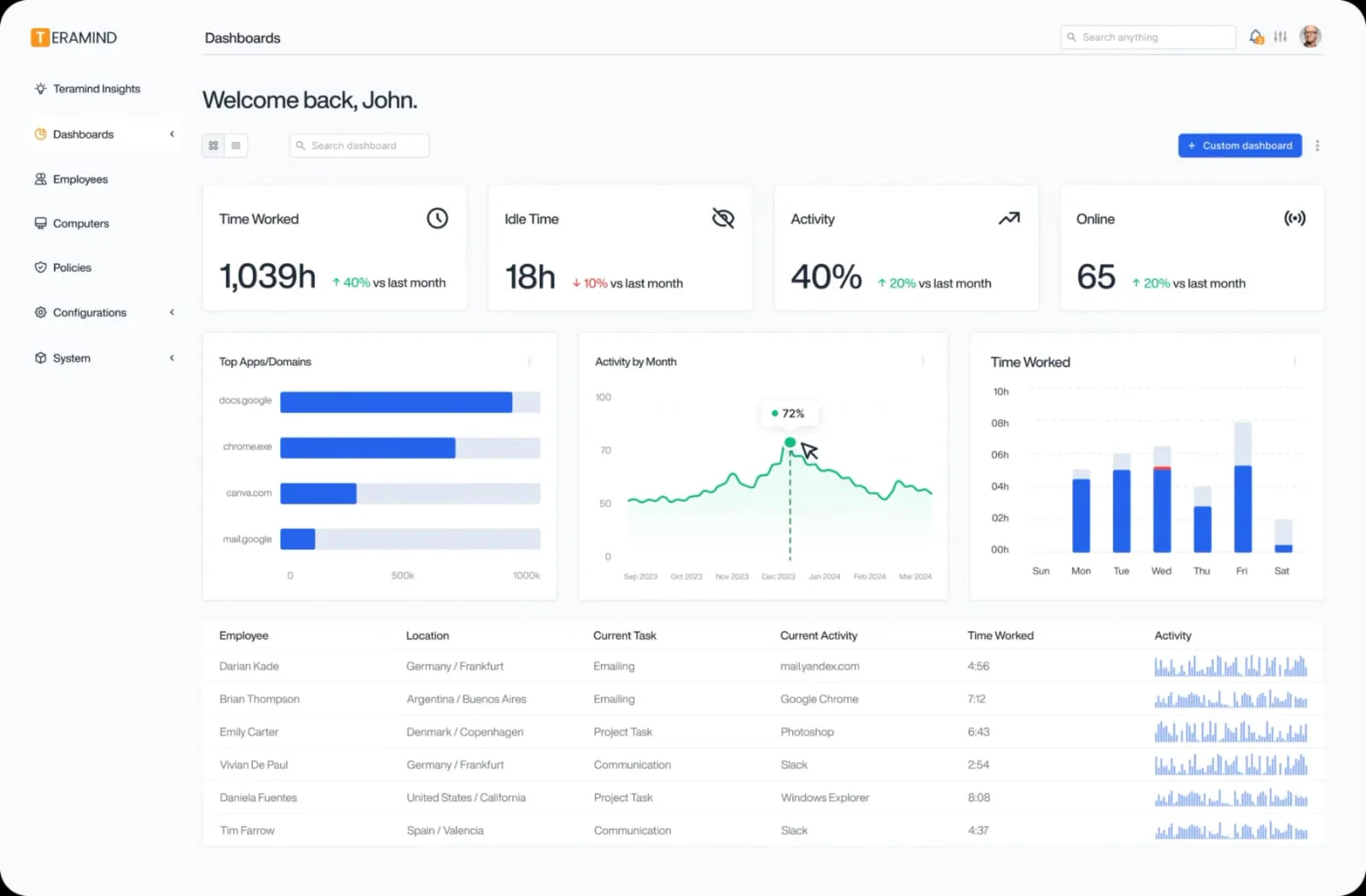
Teramind supports user activity monitoring, insider-risk management, digital forensics, behavior rules, audit policies, and data-loss prevention.
Key features:
User activity monitoring
Application and website tracking
Screen capture and playback
Digital forensics
Behavior rules
Audit policies
Insider-risk detection
Data-loss prevention
Pros | Cons |
• Detailed investigation evidence. • Behavior rules and data-protection workflows. • Suitable for sensitive environments. | • Quote-led pricing. • Requires strict access and retention policies. • Excessive for basic attendance tracking. |
Pricing: Custom quote. Starter, UAM, and DLP plans generally have a five-seat minimum.
8. WebWork
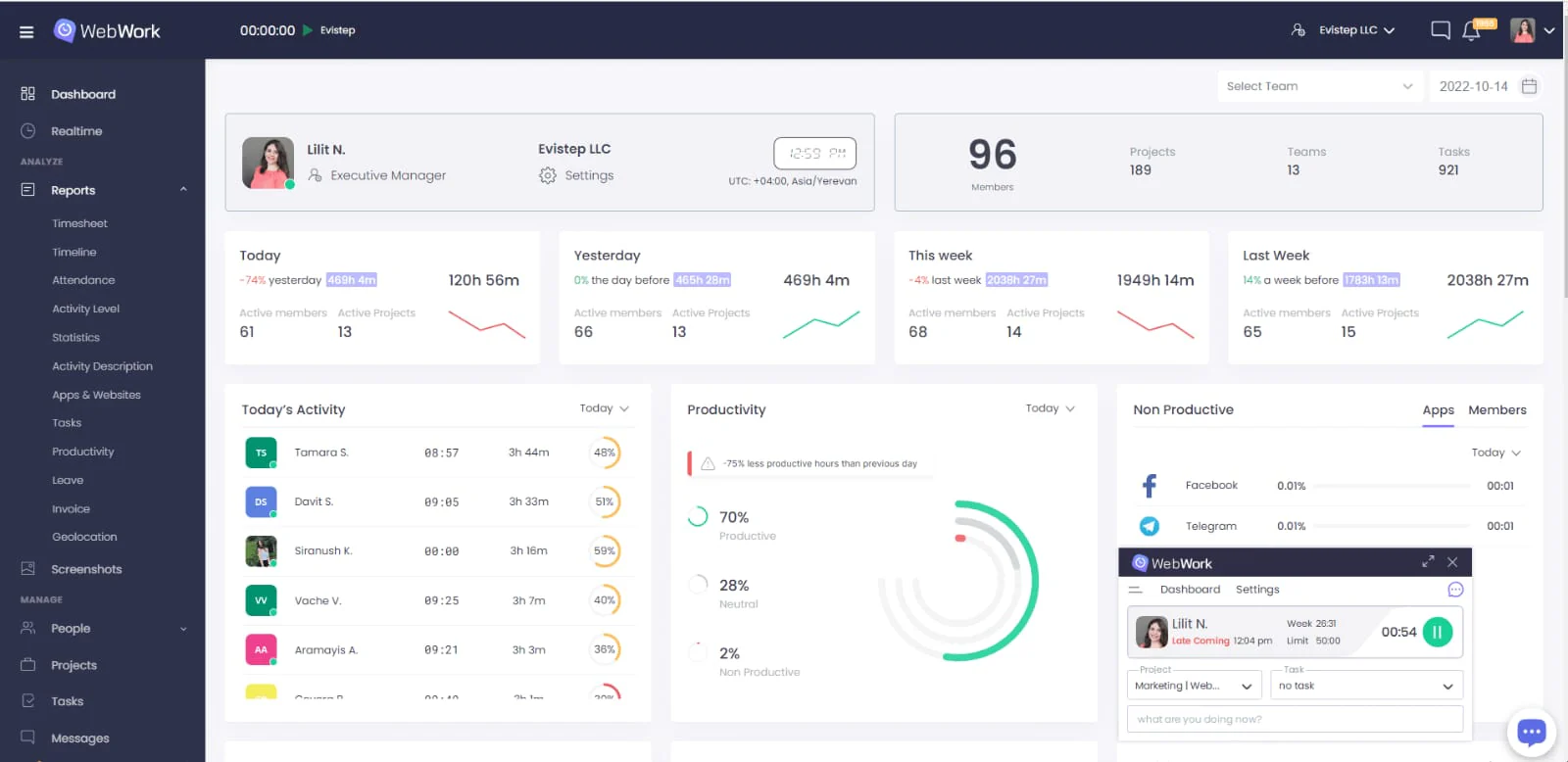
WebWork combines time tracking, screenshots, application and website monitoring, activity levels, attendance, productivity, projects, payroll, invoicing, and reports.
Key features:
Automatic time tracking
Timesheets and approvals
Screenshots
Application and website usage
Attendance
Productivity metrics
Projects and tasks
Invoice a Payroll system
Pros | Cons |
• Low entry price. • Combines monitoring with projects and payroll. • Supports broad remote-team workflows. | • Advanced features require higher plans. • Monitoring settings need careful configuration. • Broad functionality may require more setup. |
Pricing: Pro starts at approximately ₱252/user/month annually.
9. Controlio
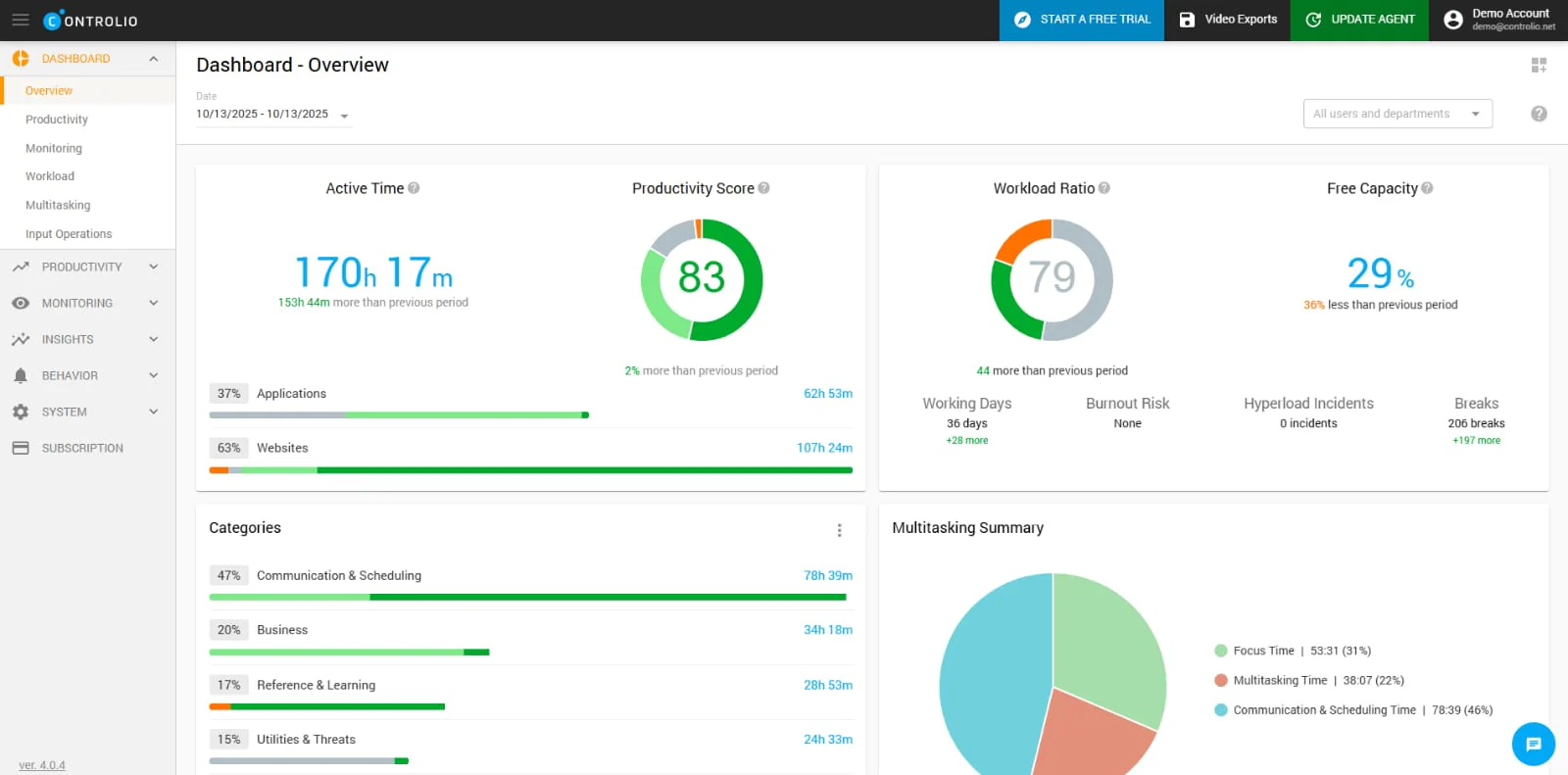
Controlio focuses on computer usage, applications, websites, sessions, screen activity, behavior rules, web filtering, and deployment options.
Key features:
Time breakdowns
Application and website monitoring
Screen streaming
Video recording
Keystroke monitoring
USB and session tracking
Behavior rules
Cloud and on-premise deployment
Pros | Cons |
• Detailed desktop records. • Cloud and on-premise deployment. • Behavior and access controls. | • Requires strong internal policies. • Excessive for timesheet-only needs. • Enterprise deployment may require a quote. |
Pricing: Starts at approximately ₱420/user/month annually.
10. Veriato
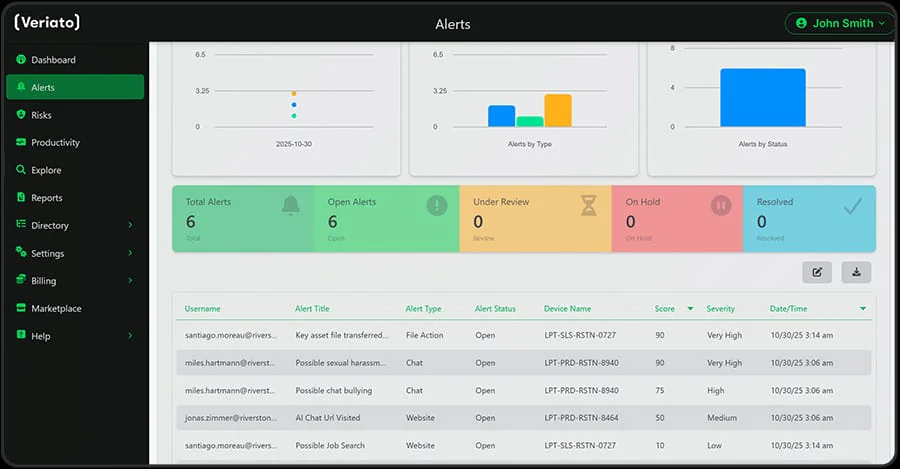
Veriato monitors applications, websites, email, chat, files, documents, screenshots, network connections, and keystrokes, with alerts, redaction, and risk analysis.
Key features:
Application and website monitoring
Screenshots
Email and chat monitoring
File and document tracking
Keystroke monitoring
Configurable alerts
Sensitive-data detection
Data redaction and risk scoring
Pros | Cons |
• Broad activity evidence. • Strong insider-risk workflows. • Supports alerts, redaction, and risk scoring. | • Higher entry price. • Requires strict access and retention controls. • Advanced IRM pricing is customized. |
Pricing: Veriato UAM starts at approximately ₱1,135/user/month annually, with a five-user minimum. IRM pricing is customized.
Tips for Choosing the Right Software for Your Business
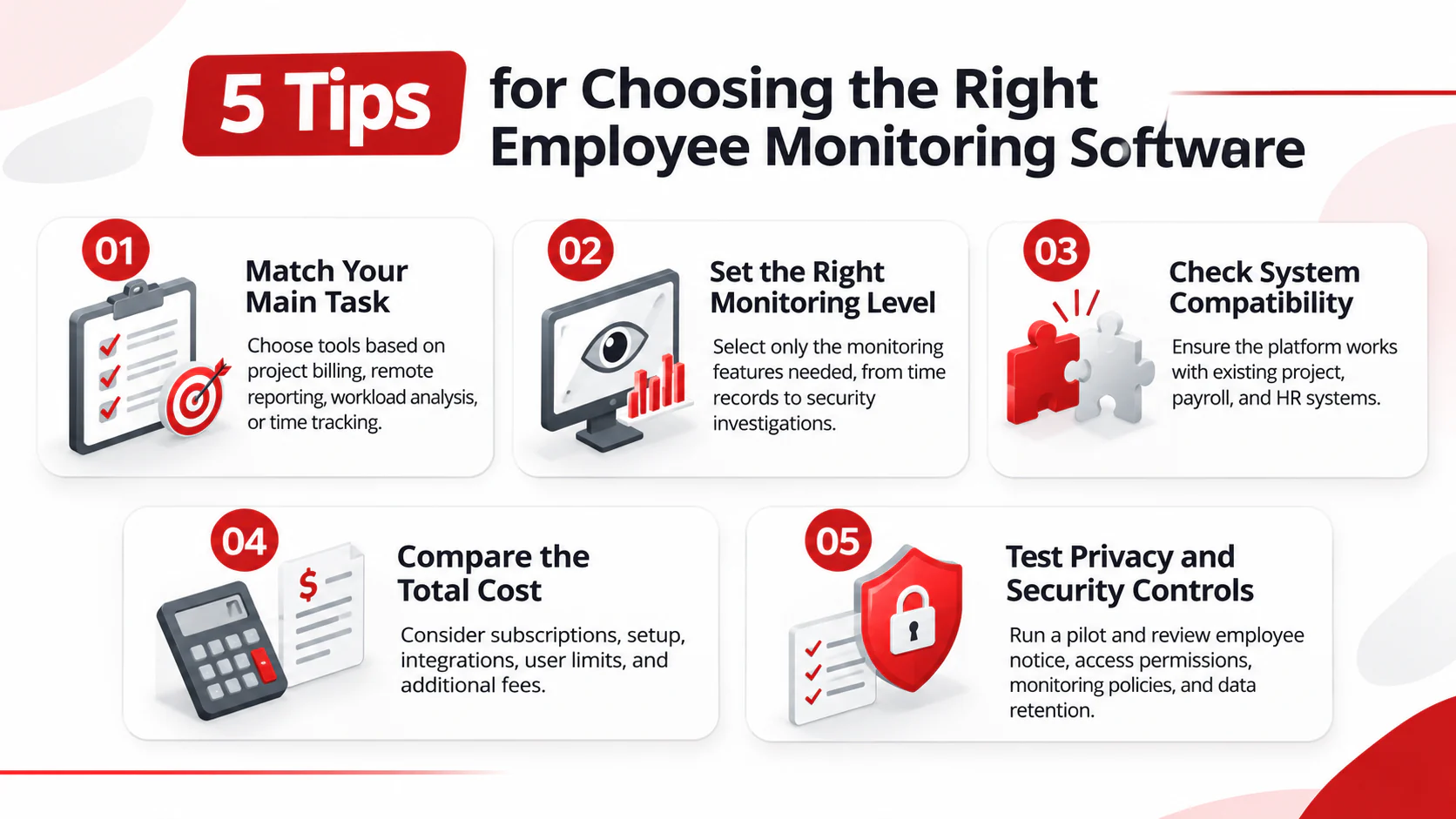
Start by identifying the problem you need to solve. Time tracking, workload planning, and security monitoring serve different purposes, so choose software based on the work your team actually needs to do.
Match the software to your main task.
For project billing, compare Hubstaff and WebWork. For remote team reports, consider Time Doctor, for workload and capacity reviews, compare Insightful and ActivTrak. DeskTime may suit teams that want automatic time tracking.Decide how much monitoring is necessary.
If you need to investigate security incidents, assess Teramind, Controlio, or Veriato according to the type of evidence and controls required. If you mainly need time or workload data, test those features first before adding screenshots or recordings.Check how it fits your existing systems.
Confirm that reports can connect to the tools your team uses for projects, payroll, or HR automation system. HashMicro may be worth evaluating if you need workforce information connected with broader ERP operations.Compare the full cost.
Ask whether the displayed price is per user per month, whether annual billing is required, and if minimum seats apply. Include taxes, setup, integrations, and any limits on screenshots, recordings, or data storage.Test the software and review privacy controls.
Run a pilot with the people who will use the reports. For Philippine employers, the National Privacy Commission advises clear employee notice, a defined purpose, proportionate monitoring, and a privacy impact assessment. Check access permissions and data retention before rollout.
Conclusion
Employee monitoring software helps businesses improve workforce visibility and make better operational decisions. The right choice depends on the primary needs of the organization, whether it involves time tracking, project management, workload analysis, remote team coordination, or security monitoring. Each platform offers different capabilities that should be evaluated against daily business requirements.
Before selecting a platform, businesses should consider how its features fit existing workflows and systems. Factors such as reporting capabilities, integration options, pricing, scalability, and data privacy also play an important role in determining long-term suitability.
Finding the right solution starts with understanding the challenges within the workforce and identifying which features can address them. Book a free demo to explore how employee monitoring solutions can support workforce management and improve operational visibility.

FAQ about Employee Monitoring Software
Employee monitoring software helps businesses track and review work-related activities. Depending on the platform, it may record working hours, project progress, application and website usage, attendance, productivity trends, and other workforce data.
Employee monitoring may be permitted in the Philippines when it follows applicable data privacy requirements. Employers should ensure that monitoring has a lawful purpose and is necessary and proportionate to that purpose. Employees should also receive clear notice about what data is collected, how it is used, and how long it is retained.
The best employee monitoring software for remote teams depends on the level of visibility and reporting required. Businesses should assess features such as time tracking, attendance monitoring, project activity, productivity reports, and team performance insights. Privacy controls and compatibility with existing work tools should also be considered.
Employee monitoring software pricing varies based on the provider, number of users, available features, and subscription plan. Some platforms offer free plans with limited functionality, while others charge per user or require custom quotations. Businesses should compare the total cost against their monitoring needs before choosing a platform.
HashMicro is an integrated ERP and workforce management platform that connects HRM data with broader business operations. It supports workforce administration, attendance management, access controls, dashboards, and operational reporting. However, it is not positioned as specialist screen-monitoring software.