
Managing a Philippine hospital requires connected workflows for fragmented patient records, manual registration, delayed billing, inventory shortages, pharmacy and laboratory coordination, insurance claims, and disconnected departmental systems. Hospital management software can reduce these gaps when it connects administrative, financial, operational, and clinical processes through verified integrations.
The Philippine Department of Health expects health facilities to maintain integrated health information systems aligned with DOH, PhilHealth, DICT, and National Privacy Commission requirements. PhilHealth also publishes requirements for electronic claims and certified EMR service providers, so hospitals must verify compliance directly with each vendor.
This guide compares 10 hospital management software options that appear in the Philippine search landscape or are relevant to hospitals evaluating their next system.
Key Takeaways
Compare vendors through complete workflows, including registration, billing, procurement, inventory, assets, and reporting.
Distinguish HIS, EMR, EHR, ERP, billing, laboratory, and pharmacy systems because each category covers different hospital needs.
Verify PHP billing, PhilHealth claims, data privacy, audit trails, hosting, integrations, and role-based access before selecting a system.
Calculate total ownership costs by including licensing, hosting, implementation, migration, training, integrations, hardware, and maintenance.
What Is Hospital Management Software?
Hospital management software coordinates processes across different hospital departments, from patient registration and scheduling to billing, hospital inventory, procurement, and reporting. Its features vary depending on the product.
A Hospital Information System (HIS) connects administrative and operational processes. EMR and EHR systems focus on medical records, while other solutions support outpatient care, laboratory operations, pharmacy management, or hospital ERP functions.
Hospitals in the Philippines should identify the processes they need to connect. Before choosing a system, they should review each vendor’s data protection measures, integrations, and PhilHealth support.
Quick Comparison of 10 Hospital Management Software
The table is a starting point rather than a product ranking. A system appearing in search results does not automatically mean that it is suitable for a Philippine hospital.
| Software | Category | Potential fit | Verification status |
|---|---|---|---|
| HashMicro Hospital Management Software | Hospital administration and ERP | Hospitals connecting finance, procurement, inventory, billing, and assets | Clinical features and PhilHealth support to verify |
| Open Hospital | Open-source HIS and EMR | Facilities with internal IT or implementation partners | Philippine support unconfirmed |
| Bahmni | Open-source HIS and EMR | Facilities with technical implementation capacity | Philippine implementation to verify |
| OpenEMR | Open-source EHR and practice management | Clinics and outpatient facilities | Hospital-wide coverage to verify |
| Adroit InfoSystems eHospital | Hospital management system | Hospitals evaluating registration-to-discharge workflows | Current modules and Philippine availability to verify |
| DocPulse | Hospital and clinic management software | Facilities prioritising outpatient workflows | Inpatient and local support scope to verify |
| Vertikal Systems | Hospital management system | Multi-department facilities | Integrations and Philippine support to verify |
| CareSoft | Hospital management software | Buyers researching India-focused products | Philippine fit unconfirmed |
| Offline Hospital Management System Free | Downloadable hospital software project | Technical evaluation | Production readiness and maintenance to verify |
| HospitalRun | Open-source hospital platform | Resource-constrained healthcare facilities | Current release and implementation support to verify |
10 Hospital Management Software Options in the Philippines
1. HashMicro Hospital Management Software
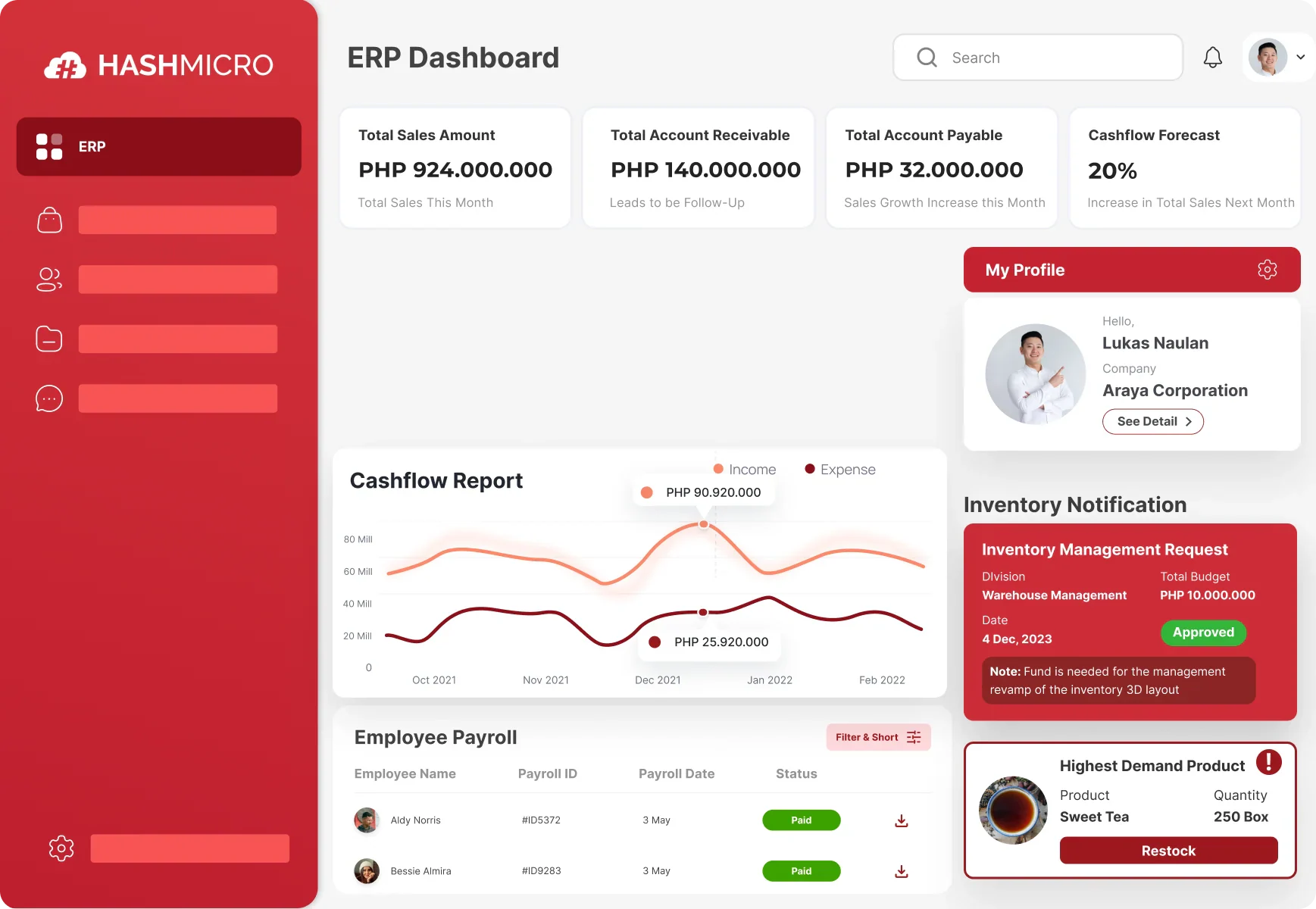
HashMicro helps hospitals connect patient administration with billing, purchasing, inventory, documents, and asset management. HashMicro Hospital Management Software suits facilities that want operational and financial information to move between departments without repeatedly entering the same data.
A structured evaluation should follow the hospital’s operational workflow, starting with hospital master data, departments, users, and permissions, then moving through appointment scheduling, billing, procurement, inventory, asset management, accounting, reporting, approvals, audit trails, and system integrations. The official product page does not provide enough evidence to claim EMR, laboratory, pharmacy, or PhilHealth functionality, so hospitals should confirm these capabilities through official documentation or a live vendor demonstration.
Key features
- Appointment scheduling: Lets patients arrange appointments online and helps staff coordinate doctor schedules.
- Patient administration: Keeps patient profiles and related expenses accessible across relevant departments.
- Billing management: Generates invoices for services and medical purchases while recording patient charges.
- Insurance workflows: Helps staff manage claims involving supported insurers, subject to confirmation of each integration.
- Inventory management: Tracks medicines, equipment, and other hospital supplies to improve stock visibility.
- Procurement management: Connects purchasing activities and supplier information in one workflow.
- Document management: Stores patient documents and laboratory reports for authorized access.
- Asset management: Helps schedule facility maintenance and track hospital assets.
| Pros | Cons |
|---|---|
|
|
Best for: Hospitals seeking connected administrative and ERP workflows, with clinical functions and PhilHealth compatibility confirmed separately.
Hospitals that need to connect administration with finance, procurement, inventory, billing, asset management, and reporting can explore ERP software in the Philippines as a broader operational foundation. Explore HashMicro Hospital Management Software to review the available workflows and request a product demonstration based on your hospital’s requirements.

2. Open Hospital
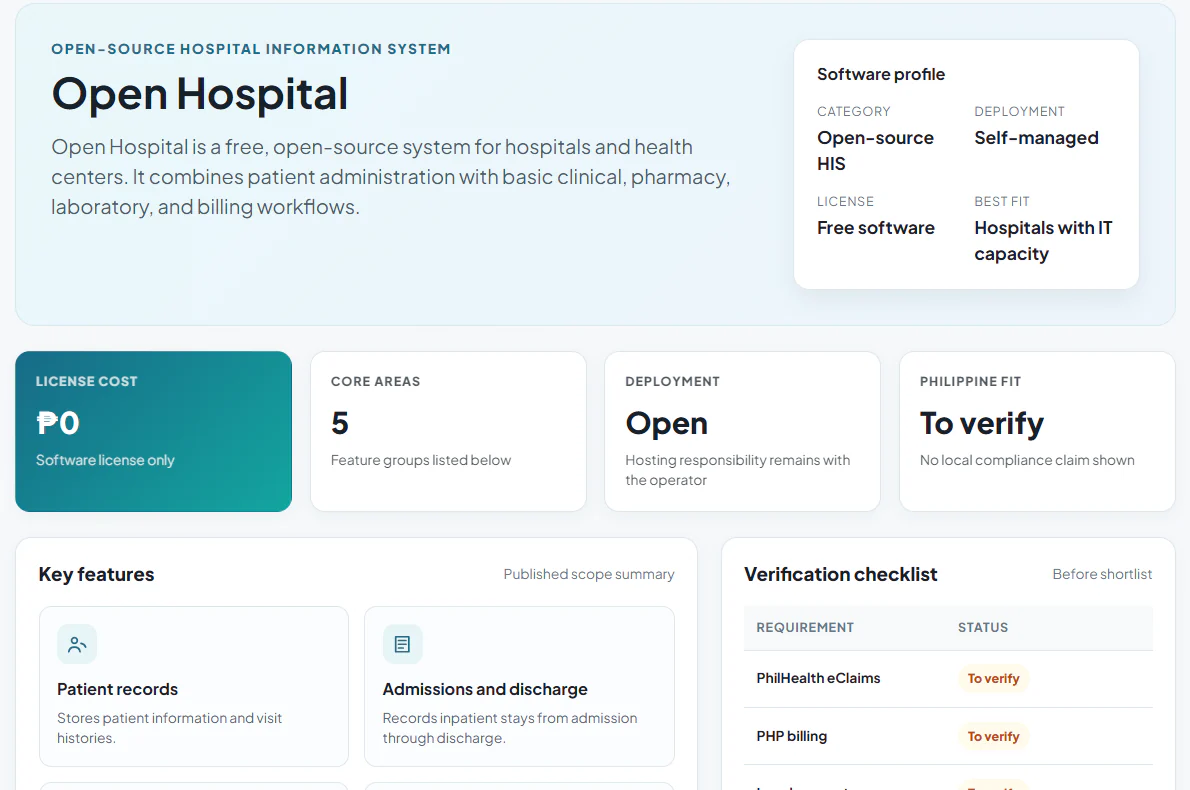
Open Hospital is a free, open-source system for hospitals and health centers. It combines patient administration with basic clinical, pharmacy, laboratory, and billing workflows.
Key features
- Patient records: Stores patient information and visit histories.
- Admissions and discharge: Records inpatient stays from admission through discharge.
- Pharmacy management: Tracks medicines used by the facility.
- Laboratory management: Records laboratory activities and results.
- Billing: Supports patient charges and billing records.
| Pros | Cons |
|---|---|
|
|
Best for: Smaller facilities with a team or partner able to deploy and maintain open-source software.
3. Bahmni
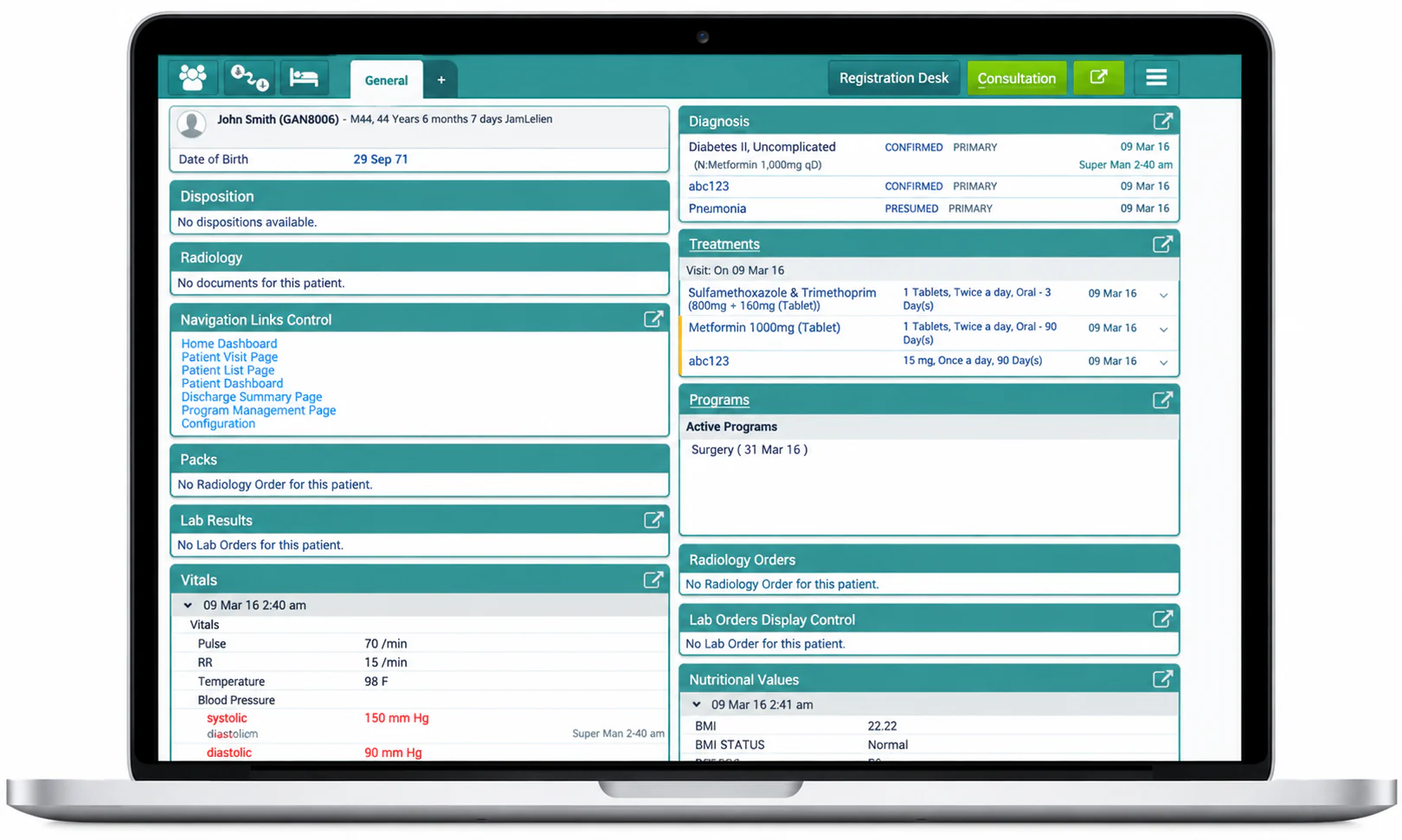
Bahmni is an open-source hospital information system and EMR designed for settings with limited resources. It connects registration and clinical records with laboratory, inpatient, stock, and billing workflows.
Key features
- Patient registration: Records demographics and identifying details.
- Clinical records: Captures consultations, prescriptions, and care orders.
- Laboratory management: Tracks orders, samples, tests, and results.
- Inpatient management: Handles admissions, bed assignments, and ward occupancy.
- Stock and billing: Tracks supplies and records patient charges.
| Pros | Cons |
|---|---|
|
|
Best for: Hospitals with technical implementation capacity that need configurable clinical and operational workflows.
4. Adroit InfoSystems eHospital Systems
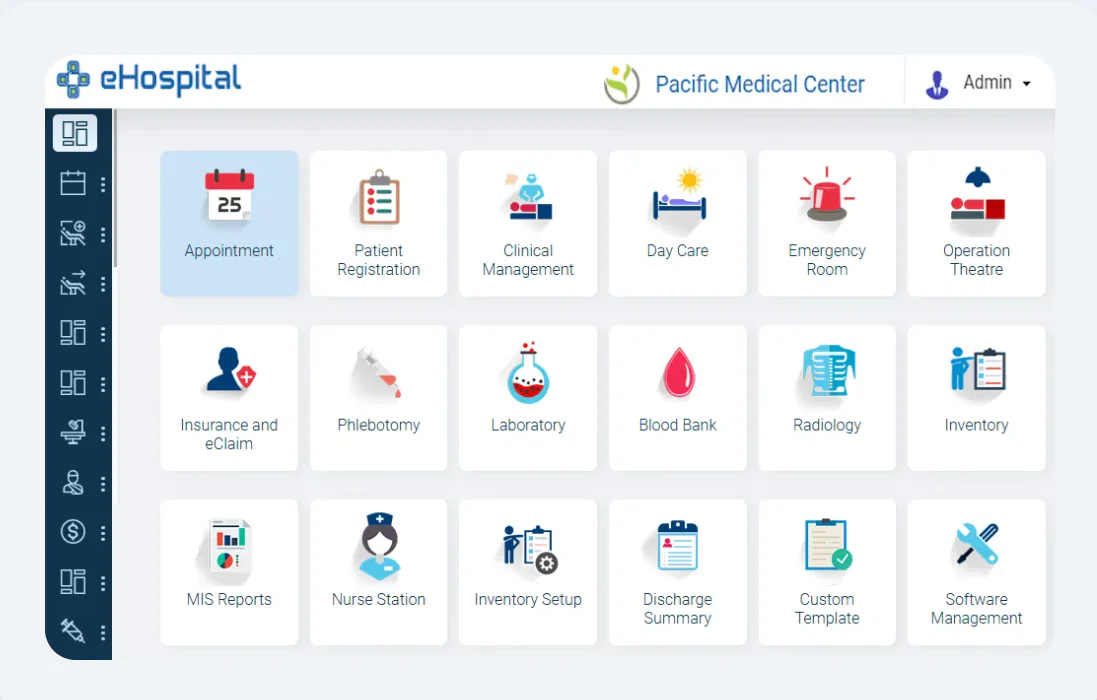
Adroit InfoSystems eHospital is a hospital information system covering patient access, clinical care, diagnostics, billing, and administration. The vendor offers modules that hospitals can implement in phases.
Key features
- Patient registration: Maintains patient identity and demographic information.
- Inpatient management: Tracks admissions, transfers, wards, and beds.
- Billing: Combines charges from consultations, procedures, and other services.
- Pharmacy management: Links medication activities with patient billing.
- Inventory management: Monitors supplies, purchases, receipts, and stock movement.
| Pros | Cons |
|---|---|
|
|
Best for: Multi-department hospitals evaluating a configurable HIS, subject to confirmation of Philippine deployment and PhilHealth requirements.
5. DocPulse
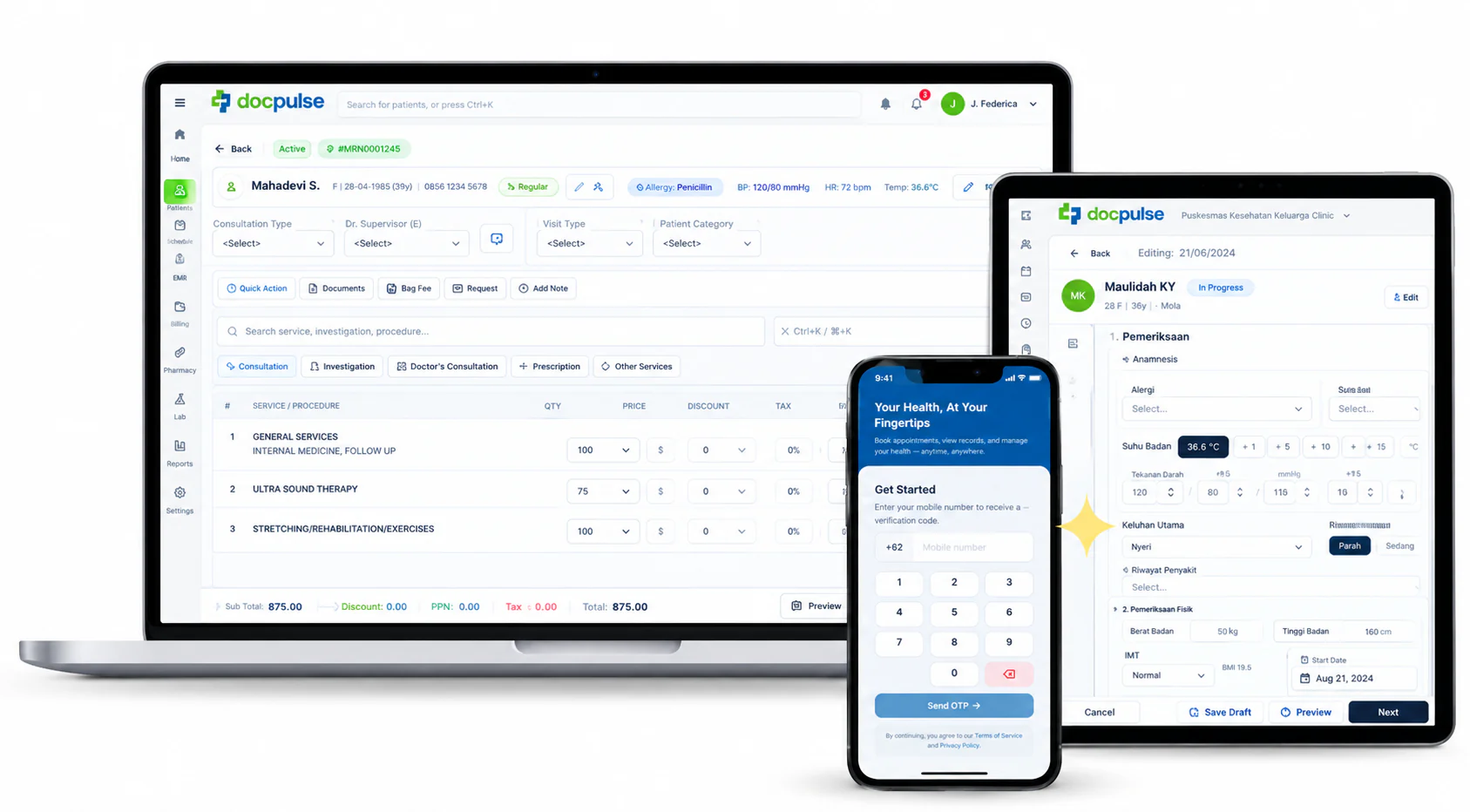
DocPulse is hospital and clinic management software with modules for outpatient care, inpatient operations, records, billing, pharmacy, and laboratories. Its vendor describes modular pricing, so buyers can request a package aligned with their required departments.
Key features
- Appointments and queues: Coordinates bookings, reminders, and patient flow.
- EMR: Gives clinicians access to patient histories, notes, and prescriptions.
- Inpatient management: Tracks admitted patients and bed occupancy.
- Medical billing: Consolidates charges from consultations and services.
- Pharmacy and laboratory: Connects prescriptions, test orders, stock, and results.
| Pros | Cons |
|---|---|
|
|
Best for: Hospitals or clinic groups comparing connected patient, department, and billing workflows, with Philippine support verified before purchase.
6. Vertikal Systems
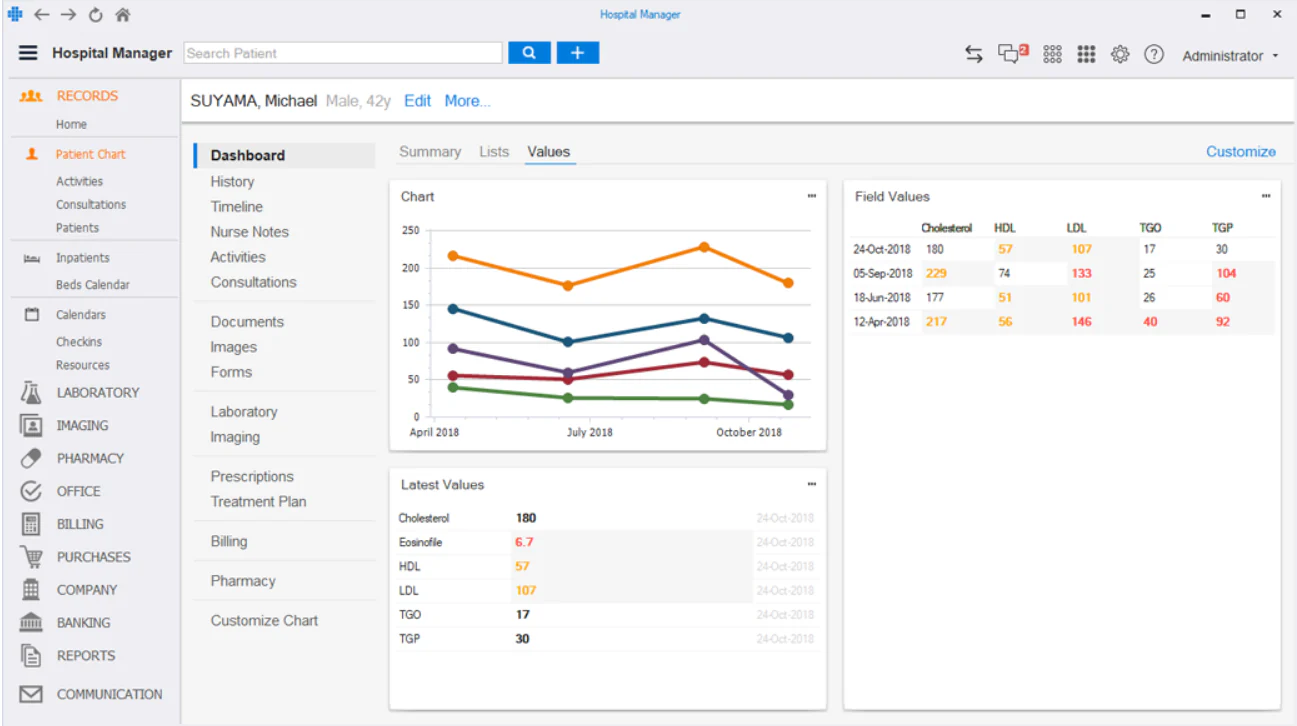
Vertikal Systems provides on-premises medical software for clinics and hospitals. Its hospital system covers patient records, wards, billing, laboratory, pharmacy, inventory, and reporting.
Key features
- Medical records: Documents consultations, vital signs, and results.
- Ward management: Organizes inpatients across rooms and wards.
- Billing and claims: Generates invoices from recorded medical activities.
- Laboratory and imaging: Tracks diagnostic requests and results.
- Pharmacy and inventory: Records dispensing and the movement of medical stock.
| Pros | Cons |
|---|---|
|
|
Best for: Hospitals seeking on-premises deployment and willing to verify local customization and support.
7. CareSoft
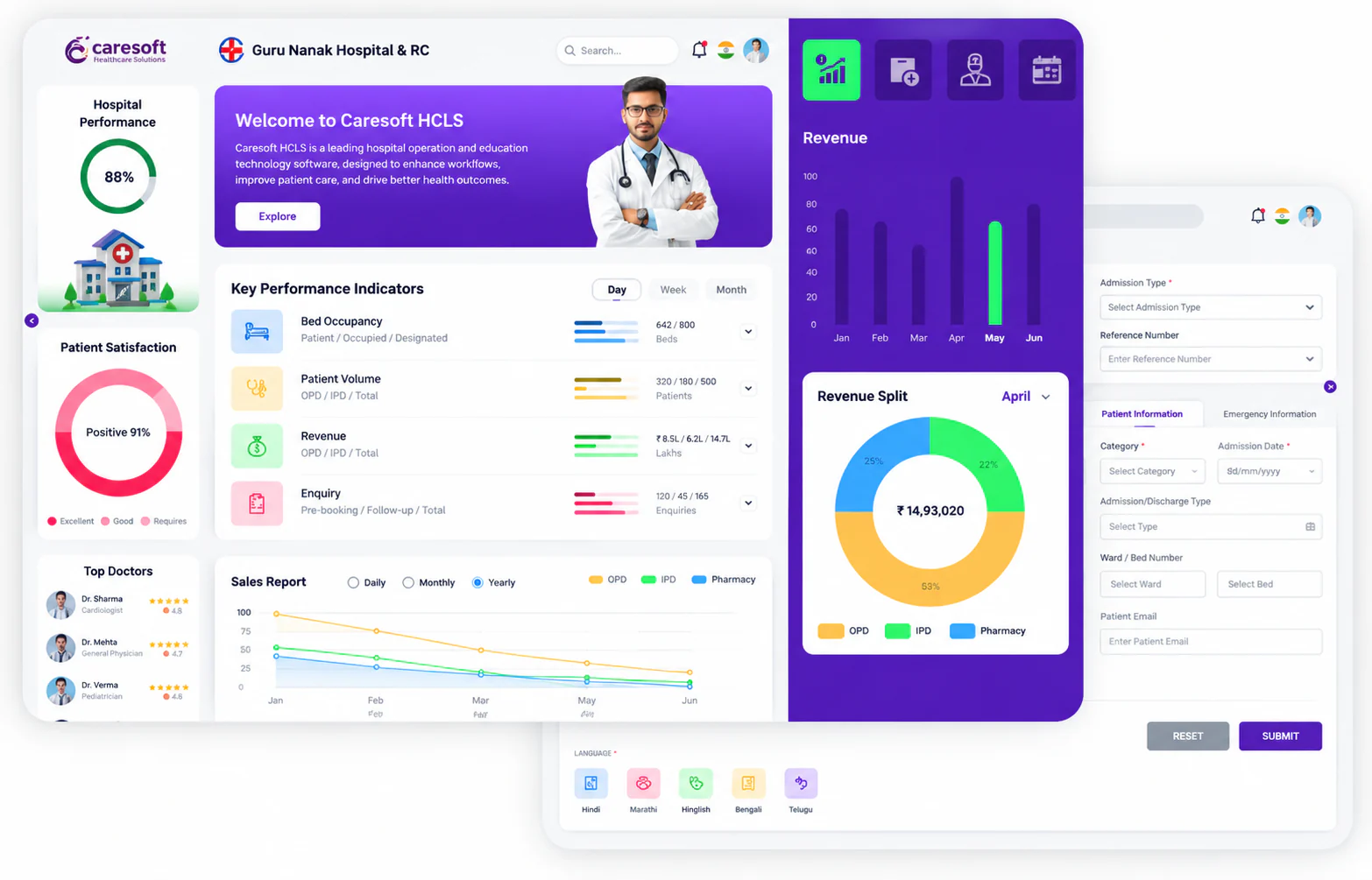
CareSoft is a hospital management system covering outpatient and inpatient care alongside departmental operations. Its published modules include pharmacy, laboratory, radiology, billing, inventory, and finance.
Key features
- OPD and IPD management: Coordinates outpatient visits and inpatient records.
- Pharmacy and laboratory: Connects medicine and diagnostic workflows with patient care.
- Billing and finance: Records charges and financial activities.
- Inventory: Tracks supplies used across departments.
- Business intelligence: Displays operational measures and trends.
| Pros | Cons |
|---|---|
|
|
Best for: Hospitals comparing broad HIS coverage, provided the vendor confirms Philippine availability and requirements.
8. Offline Hospital Management System Free
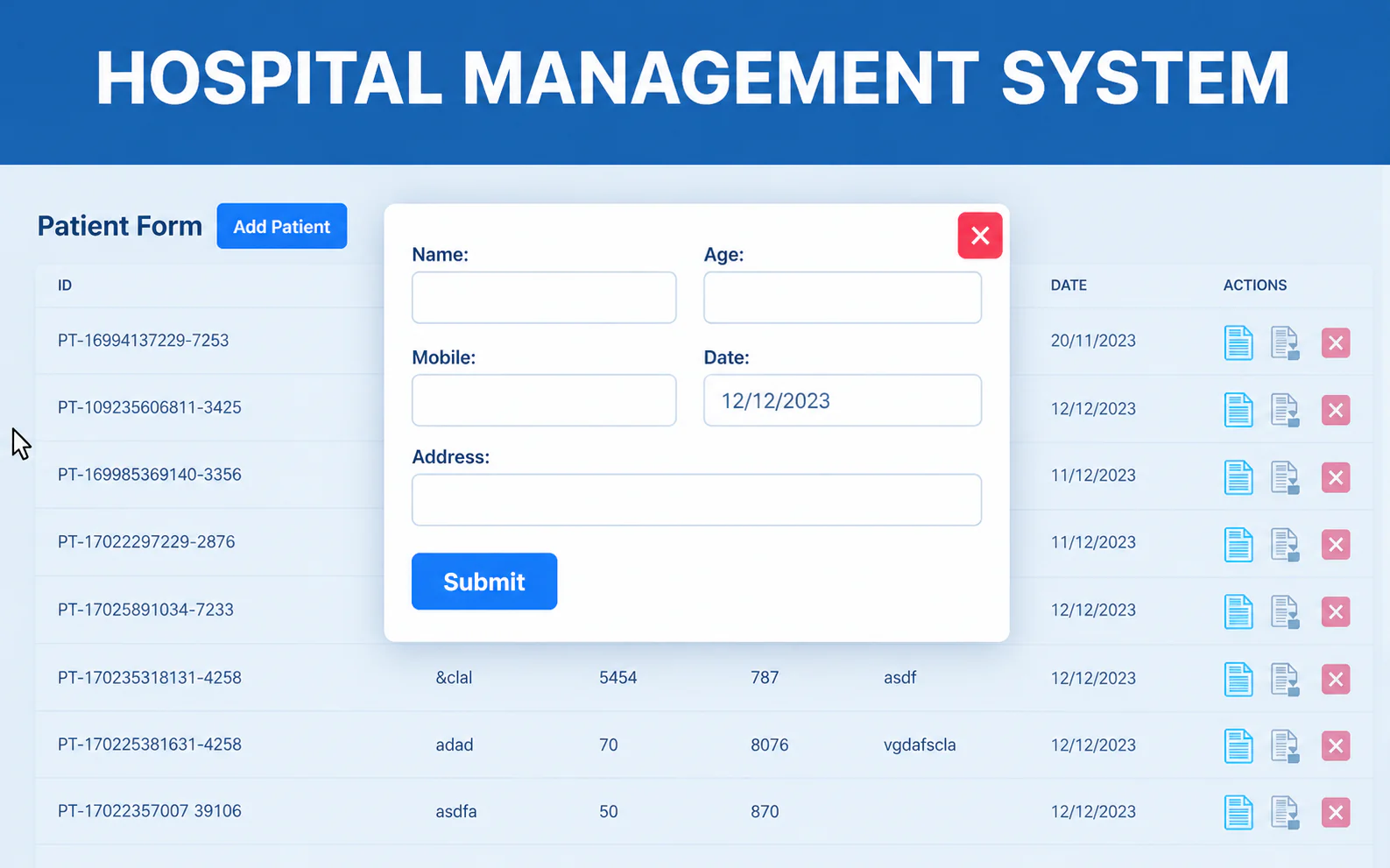
Offline Hospital Management System Free is a downloadable hospital administration project listed on SourceForge. Its published feature list covers common patient and progress billing tasks, but a download listing alone does not establish suitability for live hospital operations.
Key features
- Patient management: Records basic patient information.
- Appointment scheduling: Organizes patient bookings.
- OPD and IPD records: Supports outpatient and inpatient administration.
- Billing and invoicing: Creates patient charges and invoices.
- Discharge summaries: Produces records at the end of an inpatient stay.
| Pros | Cons |
|---|---|
|
|
Best for: Technical evaluation only until security, maintenance, support, and production readiness are independently checked.
9. HospitalRun
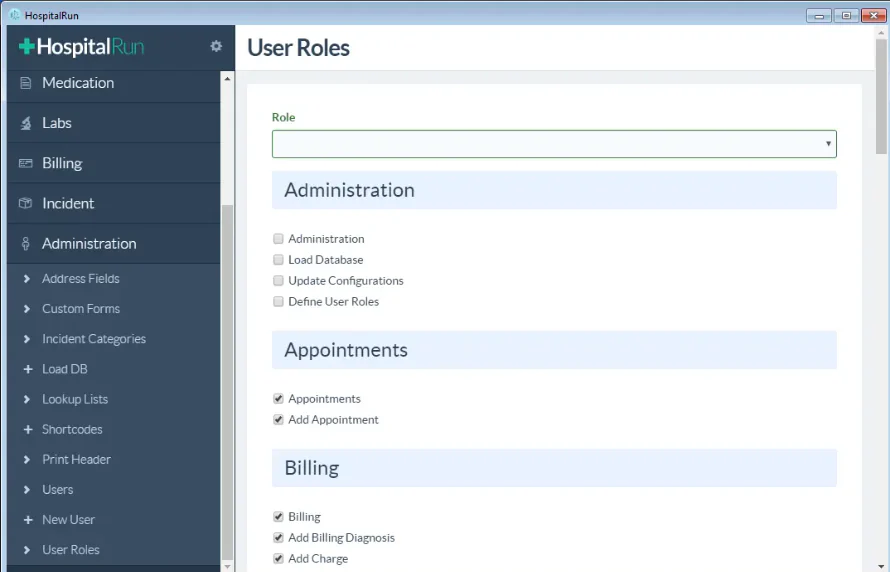
HospitalRun was an open-source hospital management platform designed for healthcare facilities operating in resource-constrained environments. It focused on patient administration, clinical records, appointments, pharmacy, laboratory, and inventory workflows.
HospitalRun is no longer actively maintained because its official project repository has been closed and archived. Therefore, hospitals should treat it as a historical reference or technical research option rather than a production-ready recommendation.
Key features
- Patient management: Stores patient profiles, medical histories, and visit information.
- Appointment scheduling: Organizes patient appointments and healthcare visits.
- Inpatient management: Records admissions, hospital stays, and discharge information.
- Pharmacy management: Tracks medicines and dispensing activities.
- Laboratory management: Manages laboratory requests and recorded results.
- Inventory management: Monitors medical supplies and stock movements.
| Pros | Cons |
|---|---|
|
|
Best for: Historical comparison and technical research only. Hospitals seeking an actively maintained open-source alternative should evaluate GNU Health instead.
10. OpenEMR
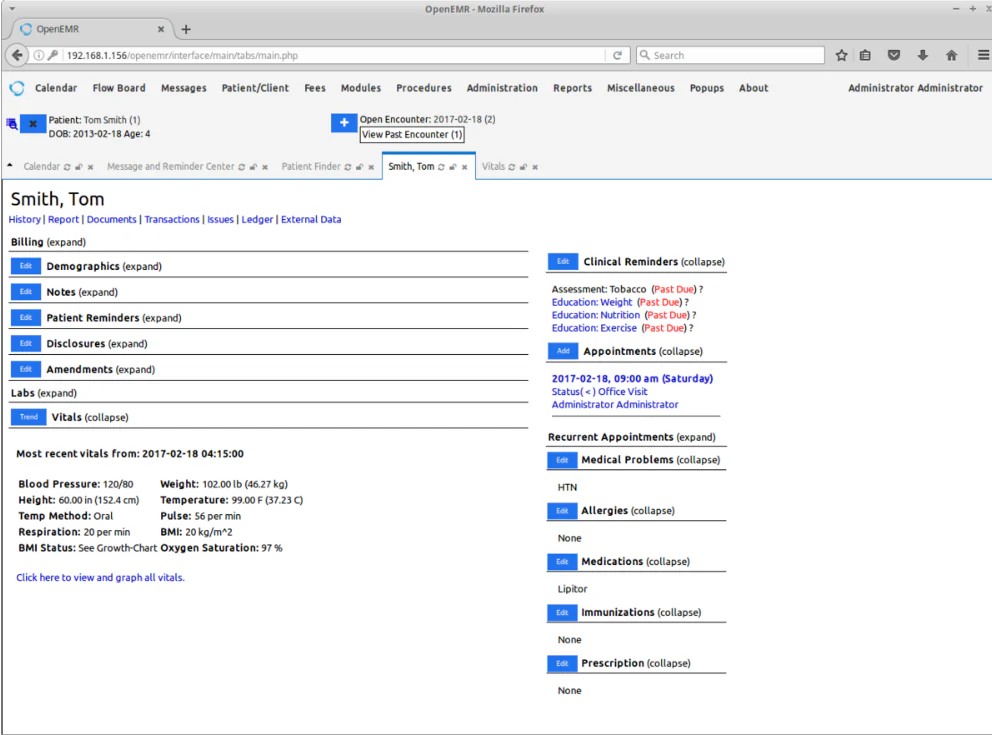
OpenEMR is an open-source electronic health record and medical practice management application. Its published scope emphasizes clinical documentation, scheduling, and outpatient billing.
Key features
- Electronic health records: Stores patient histories and clinical documentation.
- Appointment scheduling: Organizes provider calendars and patient visits.
- Electronic billing: Supports charge and payment workflows.
- Patient portal: Gives patients access to supported online services.
- Access controls: Limits system functions according to user permissions.
| Pros | Cons |
|---|---|
|
|
Best for: Outpatient facilities prioritizing EHR and practice management functions over hospital-wide ERP.
How to Choose the Best Hospital Software in the Philippines
Before narrowing down the options above, test every vendor the same way. A consistent evaluation shows which systems handle real hospital workflows, not just which ones list the most features.
1. Run one complete patient journey.
Ask each vendor to demonstrate registration, consultation, laboratory or pharmacy service, billing, claim preparation, discharge, payment posting, and reporting in a single live scenario.
2. Test administrative workflows.
Follow a purchase request from approval to inventory posting, supplier payment, and financial & accounting entry, then repeat it for an asset purchase and maintenance.
3. Verify local requirements.
Check PHP invoicing, configurable PhilHealth workflows, patient data hosting and export, searchable audit trails, role-based access, and multi-branch support. “Supports insurance” does not prove PhilHealth eClaims capability, so confirm the vendor against PhilHealth’s list of certified EMR service providers.
4. Plan for migration and connectivity.
Confirm that implementation covers data migration, training, and post-launch support, and test offline operation and synchronization if your internet is unreliable.
5. Budget beyond the license.
Open-source software may have no subscription fee, but hosting, security updates, backups, and technical support still cost money.
Conclusion
Choosing hospital management software in the Philippines requires more than comparing feature lists. Hospitals should evaluate the complete patient journey, administrative processes, billing and claims requirements, data privacy, integrations, implementation support, and total cost.
Open-source systems may provide flexibility but require technical ownership. EHR-focused platforms may support clinical documentation without covering all hospital operations. Broader ERP-connected platforms may be more suitable for hospitals seeking a shared foundation for finance, procurement, inventory, assets, and administration.
HashMicro Hospital Management Software can be evaluated as an option for hospitals looking to connect administration with finance, inventory, procurement, billing, and asset management. The final decision should be based on a workflow-based demonstration and confirmation of every clinical, local, and regulatory requirement.

FAQ About Hospital Management Software
Open-source hospital management software can be safe when the hospital manages security updates, access controls, encryption, backups, monitoring, and incident response. Open-source licensing does not guarantee security. Before deployment, assign technical ownership and confirm the system’s maintenance process, data protection controls, and recovery procedures.
Hospital management software implementation usually takes several months, depending on the number of departments, data quality, integrations, customisation, training, and testing requirements. A multi-branch hospital with clinical integrations may require six to 18 months. Ask vendors for a phased timeline with migration, testing, training, launch, and support milestones.
There is no universal top-three EHR ranking for every hospital. OpenEMR, Bahmni, and GNU Health can be compared as open-source systems with clinical record capabilities. Evaluate them based on inpatient coverage, interoperability, privacy controls, implementation resources, local support, and compatibility with Philippine hospital requirements.