
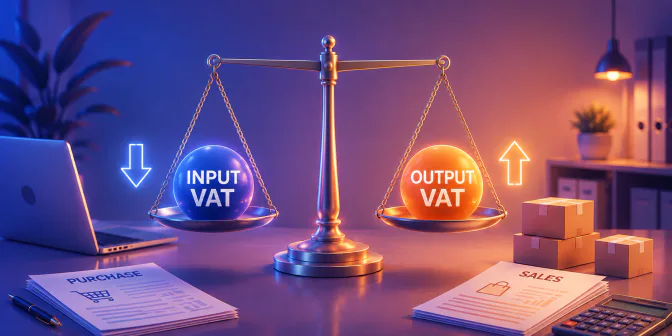
For VAT-registered businesses in the Philippines, input VAT vs output VAT becomes a practical issue when purchase and sales tax records are not clearly separated. Without that distinction, teams can misread whether the period ends with VAT payable or creditable VAT.
Input VAT refers to the VAT recorded on qualifying purchases, while output VAT refers to the VAT charged on taxable sales. Separating the two gives businesses a clearer basis for checking each transaction before preparing their quarterly VAT return.
The BIR Forms page lists BIR Form No. 2550Q as the Quarterly Value-Added Tax (VAT) Return, and its official guidelines state that the return must be filed within twenty-five (25) days following the close of the taxable quarter. This article explains how to classify each side, calculate net VAT, reconcile the right records, avoid common reporting errors, and keep every figure traceable from the source transaction to the final report.
Key Takeaways
Input VAT is recorded on qualifying purchase-side transactions, while output VAT is recorded on applicable sales-side transactions.
Input VAT vs output VAT should be reconciled separately for source documents, tax codes, accounting periods, credit notes, and approval evidence.
The conceptual net VAT position is calculated by subtracting creditable input VAT from output VAT, subject to current Philippine requirements.
An integrated ERP can connect purchasing, sales, invoicing, tax coding, and reporting, but reliable results still depend on governance and review.
What Are Input VAT and Output VAT?
Understanding input VAT vs output VAT starts with knowing where each tax amount comes from. Input VAT is the value-added tax a VAT-registered business records when it buys qualifying goods or services, so finance teams usually trace it through supplier invoices, receipts, purchase records, and supporting documents.
Output VAT works from the opposite side of the transaction. It is the value-added tax the business charges when it sells taxable goods or services, and comparing this amount with creditable input VAT helps determine whether the period results in VAT payable or creditable VAT.
| Differences | Input VAT | Output VAT |
|---|---|---|
| Transaction source | Comes from qualifying purchases or business expenses. | Comes from taxable sales or applicable revenue transactions. |
| Supporting records | Checked against supplier invoices, receipts, purchase orders, and accounts payable records. | Checked against sales invoices, customer orders, revenue postings, and accounts receivable records. |
| Report impact | Can reduce the VAT amount payable when it qualifies as creditable input VAT. | Increases the VAT amount the business needs to report for the period. |
| Control focus | Requires purchase validation, correct tax coding, and complete supplier documentation. | Requires sales completeness, invoice accuracy, and correct revenue cut-off. |
How Should Finance Teams Classify Input VAT in Purchase Records?
Finance teams should classify input VAT by starting from the purchase record, not from the tax amount alone. A supplier invoice should be matched with the purchase order, goods receipt or service confirmation, supplier details, tax code, and accounting period before the VAT amount is treated as creditable. A system with a clear audit trail can help reviewers see who created, changed, and approved the transaction.
When the invoice belongs to the right entity, supports a business purchase, and carries the correct tax treatment, the input VAT record becomes easier to trace during reconciliation. Supplier invoices that arrive after the cut-off usually need an adjusting journal entry before the amount is reported in the right period.
- Supplier details: Confirm the legal name, taxpayer details, invoice number, and invoice date.
- Purchase reference: Match the invoice with the purchase order, contract, goods receipt, or service evidence.
- Tax treatment: Check the taxable base, VAT amount, tax code, and transaction classification.
- Posting details: Review the entity, branch, department, project, posting date, and accounting period.
- Approval trail: Keep the reviewer, approver, and correction history visible for audit checks.
This step helps separate VAT that is only recorded on a document from VAT that is ready for reporting. When the invoice belongs to the right entity, supports a business purchase, and uses the correct tax treatment, the input VAT record becomes easier to trace during reconciliation.
How Should Output VAT Be Traced Through Sales Records?
Output VAT should be traced from the sale itself, starting with the customer order or service completion evidence and ending with the sales invoice, revenue posting, output VAT ledger, and period-end report. This keeps each taxable transaction tied to the right period and helps finance teams spot missing or duplicated entries early.
When an invoice changes, or when a return, credit note, debit note, or cancellation is issued, finance teams should confirm that the revenue and output VAT entries still match the original transaction. A controlled invoice number makes that check easier, because each VAT amount stays linked to one identifiable sales document.
- Customer order or service completion evidence
- Sales invoice number and date
- Tax code, taxable base, and VAT amount
- Revenue posting, output VAT ledger, and approval history
Businesses that submit BIR eSales should also verify current BIR guidance for any reporting or retention requirements.
How Do You Calculate Net VAT Payable or Creditable VAT?
The conceptual calculation is:
Illustrative example only:
The figures on both sides should come from the same period and the same source records. An accounting system that posts purchase and sales entries into separate VAT ledgers makes that comparison easier to verify at period-end.
A positive difference may indicate a net VAT payable position, while excess creditable input VAT may require treatment according to current rules and the taxpayer’s circumstances. Before relying on the calculation, finance should test three conditions:
- Completeness: Are all taxable sales, purchases, returns, and adjustments included?
- Credibility: Has each input amount been reviewed against documentation, transaction purpose, taxpayer status, and applicable requirements?
- Period accuracy: Are invoice dates, posting dates, credit notes, and cut-off decisions assigned to the correct reporting period?
The formula is useful as a control summary, not as a substitute for a detailed review. A balanced total can still be wrong if an invoice was omitted, duplicated, coded incorrectly, or included in the wrong month.
Which Records and Invoices Should Businesses Reconcile Each Period?
A reliable VAT reconciliation connects source documents to the purchase, sales, tax, and general-ledger records. The workflow below keeps that connection visible at period-end.
- Gather the population. Collect every purchase and sales document for the period, along with credit notes, receipts, and adjustment journals.
- Validate coding and periods. Confirm the tax code, entity assignment, and posting date on each record before matching begins.
- Match the ledgers. Compare input VAT with the purchase ledger and output VAT with the sales ledger.
- Resolve and sign off. Document any variance that stays open rather than forcing a balanced total, then obtain the required review approval.
| Record | Owner | Matching source | Resolution evidence |
|---|---|---|---|
| Purchase invoice | Accounts payable | Purchase order and goods receipt | Approved match and corrected voucher |
| Sales invoice | Accounts receivable | Sales order and delivery evidence | Invoice register and cut-off review |
| Credit or debit note | Tax and finance | Original invoice and approval | Approved note and linked journal |
| VAT ledger | Tax reviewer | AP, AR, and journal entries | Reconciliation schedule and sign-off |
| General ledger | Financial reporting | VAT subledgers and trial balance | Posted adjustment with support |
After the records are reconciled, finance teams should check whether the VAT return and filing timeline match current BIR materials. The BIR Forms page identifies Form No. 2550Q as the Quarterly Value-Added Tax (VAT) Return, and the BIR eFPS FAQ lists it with a deadline of within 25 days following the close of each taxable quarter.
What Errors Distort Input VAT vs Output VAT Reporting?
The three highest-impact error categories are omissions, duplicate records, and timing or coding errors. Each should be investigated through its originating process and supported by evidence.
| Symptom | Likely source | Recommended review | Escalation owner |
|---|---|---|---|
| Supplier invoice appears twice | Procurement or accounts payable | Compare invoice number, supplier, amount, and receipt reference | AP manager |
| Purchase transaction is missing | Receiving or invoice capture | Match open purchase orders and goods receipts to supplier statements | Procurement lead |
| Sale appears in the wrong period | Sales billing or cut-off | Compare service completion, delivery, invoice, and posting dates | Finance controller |
| Tax amount uses the wrong code | Master data or manual entry | Review product, customer, supplier, and tax-code setup | Tax reviewer |
| Credit note is absent from output VAT records | Sales administration | Link the note to the original invoice and confirm posting | AR manager |
| Manual journal lacks support | Accounting | Request approval, calculation, and source-document evidence | Chief accountant |
| Subledger does not match the general ledger | Posting or integration process | Reconcile transaction-level detail to control accounts | Financial reporting lead |
| Supplier or customer record is mismatched | Master data | Check legal name, entity, branch, and taxpayer details | Master-data owner |
Preventive controls include duplicate-invoice checks, locked accounting periods, controlled tax-code permissions, sequential invoice monitoring, mandatory approval fields, and exception reports. These controls should be tested after configuration changes and during regular internal reviews.
Most of these errors come from the same root cause, which is a tax figure that cannot be traced back to its source document. A connected system like HashMicro closes that gap by keeping the purchase record, the sales record, and the VAT entry in one place.

How Can an Integrated ERP Improve Input VAT vs Output VAT Traceability?
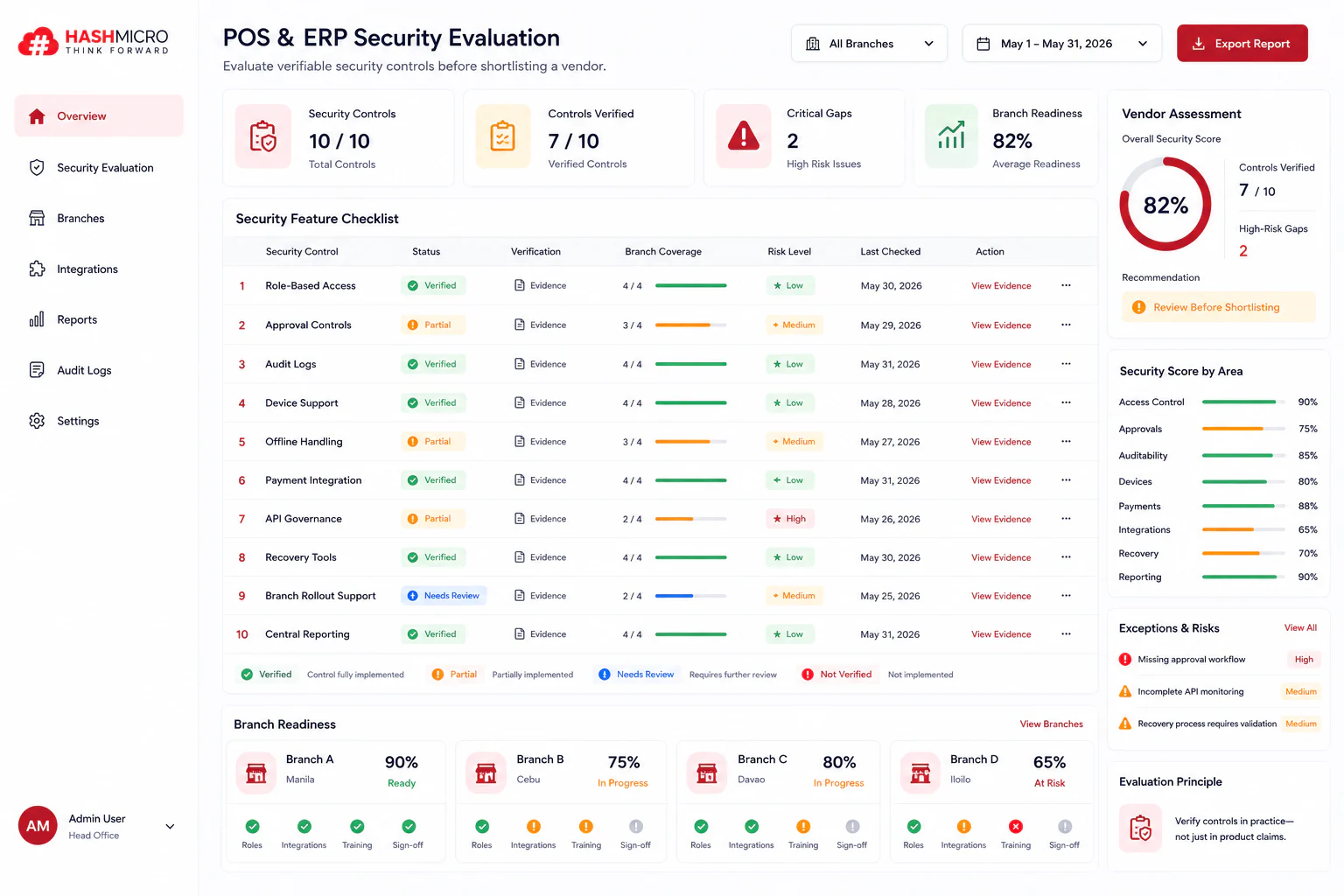
An integrated ERP improves traceability by keeping purchasing, sales, tax coding, and financial reporting in one connected workflow. Each VAT amount then stays linked to the transaction that created it. Reviewers can follow a report line back to its source document instead of rebuilding the trail from separate files.
- Tax-code governance: Central control over tax codes and item classification so each transaction is coded the same way.
- Document matching: Automatic links between the purchase order, goods receipt, invoice, and payment on the purchase side.
- Separate VAT ledgers: Input VAT and output VAT held in their own ledgers with drill-down to the underlying entry.
- Period control: Period locks and cut-off monitoring that keep late entries out of a closed quarter.
- Adjustment tracking: Credit notes and debit notes tied to the original invoice with an approved reason.
- Audit history: A record of who changed a tax code, an amount, or a posting date.
These capabilities matter most when finance needs to answer a review question quickly. A practical test during evaluation is whether a reviewer can open one VAT report line and reach the invoice, the approval, the supplier or customer record, and the related journal entry without leaving the system. Businesses preparing for accreditation should also check the requirements for a BIR computerized accounting system.
If manual tax coding or disconnected ledgers still slow down your period-end review, a more connected workflow across procurement, sales, and finance is worth exploring. Discuss your requirements with HashMicro to see how the platform supports VAT traceability and reconciliation for businesses in the Philippines.
Conclusion
Input VAT is a purchase-side amount associated with qualifying business acquisitions or expenses, while output VAT is a sales-side amount associated with taxable sales or other applicable transactions. The conceptual net position is output VAT less creditable input VAT, but the result is meaningful only after both transaction populations are complete, correctly coded, properly documented, and assigned to the right period.
For Philippine businesses, the safest operating model combines transaction-level traceability, controlled tax coding, documented approvals, exception management, and verification against current BIR and statutory materials. An ERP can strengthen those controls by connecting source documents and ledgers, provided finance and IT teams govern the configuration and review the evidence.

Frequently Asked Questions
Start with the purchase source document, transaction purpose, tax classification, taxpayer status, accounting period, and current Philippine documentation requirements. Recorded input VAT is not automatically creditable without the required verification.
Trace the transaction from order or service completion to invoice, revenue posting, customer ledger, output VAT ledger, and period-end review. Include credit notes, returns, and cut-off checks as reconciliation points.
Input VAT is purchase-side and output VAT is sales-side. Validate each population separately for source documents, tax codes, timing, adjustments, and approvals before calculating the net VAT position.
Evaluate source-document traceability, tax-code governance, approval trails, period controls, adjustment handling, exception reporting, subledger-to-general-ledger matching, and the ability to produce review evidence.