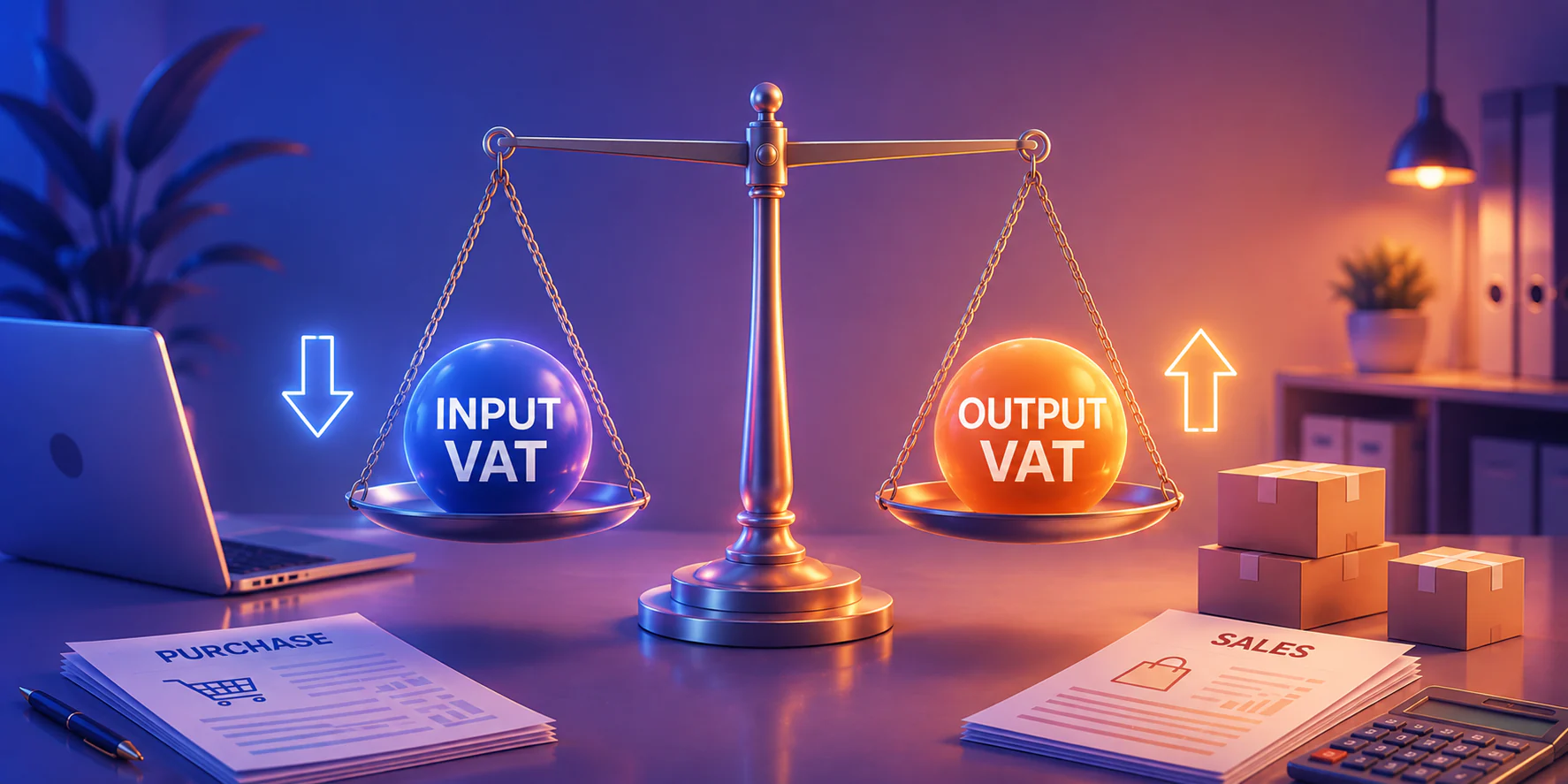

Choosing OCR software in the Philippines is not simply a question of turning scanned pages into editable text. OCR does more than convert images into editable text. It helps businesses transfer accurate vendor names, invoice totals, tax details, and line items into accounting software for Philippine businesses, reducing manual encoding and improving the consistency of financial records. Beyond that sit API access, auditability, and the security controls that decide whether captured information can enter a downstream system at all. Optical character recognition reads the page. It does not decide which fields your business can trust.
This editorial buying guide compares the 15 best OCR software options for Philippine businesses by documented capabilities, stated use cases, and workflow fit.
Key Takeaways
OCR software digitizes document data, while intelligent document processing automates extraction and validation to improve accuracy, efficiency, and decision-making.
The capability that decides a shortlist is structured extraction with API access, because recognising a total is not the same as creating a payable record.
No major cloud OCR provider runs a Philippine data centre, so every file routes to Singapore by default as a data residency check should come before the security review, not after.
Before committing, run a pilot on your own documents and score it per field, not per document. Count the exceptions and the manual corrections separately, because those two numbers decide whether the integration saves time at all.
What Is OCR Software?
The process runs in four stages. A document is captured through a scanner, a phone camera, or an emailed PDF, then pre-processed so the image is deskewed, de-noised, and corrected for contrast. Recognition follows, either through pattern matching on clean printed type or through a trained machine-learning model when layouts vary. Basic OCR returns a searchable text layer, while intelligent document processing returns structured fields, each carrying a confidence score that tells a reviewer which values still need a human eye.
Benefits of OCR Software
OCR software removes manual encoding by turning scanned invoices, receipts, and forms into data other systems can read directly. Six benefits matter most to Philippine finance and operations teams, and they compound once the captured data flows into the system that owns the transaction rather than into a spreadsheet.
1. Cut the hours spent encoding documents
This is advantageous for repetitive, structured documents: supplier invoices, official receipts, statements of account where the same handful of fields appear in the same place every time. Batch processing extends this further, letting a team run an entire day of scanned documents in one queue instead of opening them one by one.
Supplier invoices often contain repetitive information that finance teams must enter manually. By connecting OCR with accounts payable automation, businesses can capture invoice data, route documents for approval, and reduce delays in the payment process.
2. Reduce keying errors on the figures that matter
This matters most on numbers that carry downstream consequences: invoice totals, VAT amounts, TIN and OR numbers, and supplier reference codes. A wrong digit in any of those does not stay a small error; it becomes a mismatched payment, a failed reconciliation, or a correction entry.
Tools that return a confidence score per field make this manageable, because a reviewer can check the ten fields the system was unsure about instead of re-reading all two hundred.
3. Make the document archive searchable
OCR adds a text layer to files that previously held only an image, so a scan becomes searchable by supplier name, date, amount, or reference number.
The practical effect is that staff stop walking to a filing cabinet or scrolling through folders named by scan date. A query that used to take twenty minutes and two people takes one search, which is the difference between answering a supplier query on the call and promising to get back to them.
4. Keep source documents audit-ready
Because the captured file stays linked to the posted transaction, the support for any entry is one click away rather than one storeroom away.
For Philippine companies, this is the difference between a smooth review and a scramble. Sales invoices and official receipts supporting VAT claims under RR No. 13-2018, purchase documents feeding a BIR-registered computerized accounting system, and the records behind the annual inventory list all have to be produced on request and in a form that still matches what was booked.
5. Lower physical storage and courier costs across branches
Fewer physical copies means fewer boxes to store and fewer document runs between branches. Delivery receipts captured on a phone in the field never need to travel back to head office in an envelope at all.
This is a smaller saving than most vendor decks suggest, and it should be presented that way. It becomes material only for companies running provincial sites, multiple warehouses, or a retail network where documents currently move by courier every week.
15 Best OCR Software Options for Philippines Business
The fifteen options below start with the systems that own the transaction, then move outward to standalone converters. Each entry explains what the software does, which features to test, and what it costs, so read them as planning figures rather than quotes.
1. HashMicro
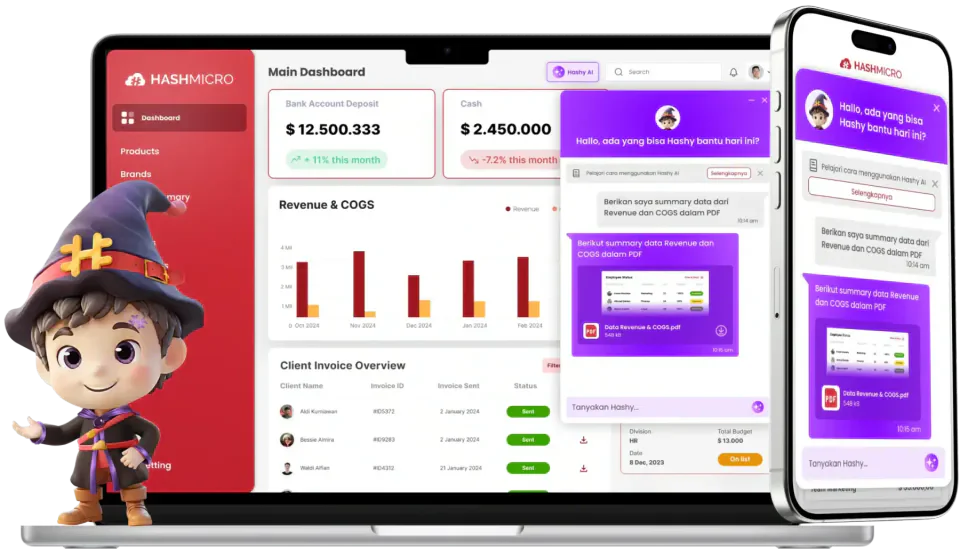
HashMicro approaches OCR from the receiving end. Its AI invoice processing reads supplier documents, extracts the fields finance needs, then matches them against purchase orders and receipts inside the same ERP. That closes the handoff most Philippine teams struggle with, where recognised text still has to be keyed into a separate accounting system. HashMicro sells and implements directly in the Philippines rather than through a reseller chain.
Key features:
- AI invoice capture: Uses OCR and natural language processing to pull vendor names, invoice numbers, and line items from unstructured documents.
- Automated matching: Checks each captured invoice against its purchase order and receipt before a payable is created.
- Hashy AI assistance: Follows up on overdue invoices and handles routine finance tasks without a separate workflow tool.
- Document control: Keeps the source file with its folder structure, version history, and permission rules so the original scan stays retrievable.
| Pros | Cons |
|
|
💰Pricing: HashMicro does not publish rates. Request a quote that states your monthly document volume and the modules you actually need.
Most of the effort sits after recognition, in filing, permissions, and retrieval. HashMicro's document management system holds the captured file with its version history and access rules, so finance and procurement work from the same approved record.

2. Adobe Acrobat Pro
Adobe Acrobat Pro serves office teams that create, edit, and search PDFs without leaving a familiar desktop tool. Its OCR engine turns scans and image files into searchable or fully editable PDFs, then keeps them inside Adobe workflows. Philippine buyers can subscribe directly through Adobe's local storefront or an authorised reseller.
Key features:
- Scan-to-searchable PDF: Converts scanned pages and common image files into text you can search, copy, and edit.
- PDF editing and export: Edits text and images in place, then exports to Word, Excel, or PowerPoint.
- Cloud and desktop access: Runs on the desktop while syncing documents through Adobe's cloud services.
- Admin controls: Manages licences, sharing permissions, and retention settings for team deployment
| Pros | Cons |
|
|
💰Pricing: costs about ₱1,253 per month on an annual plan, or about ₱15,040 prepaid yearly. Acrobat Pro for teams runs about ₱1,504 per licence monthly.
3. ABBYY FineReader PDF
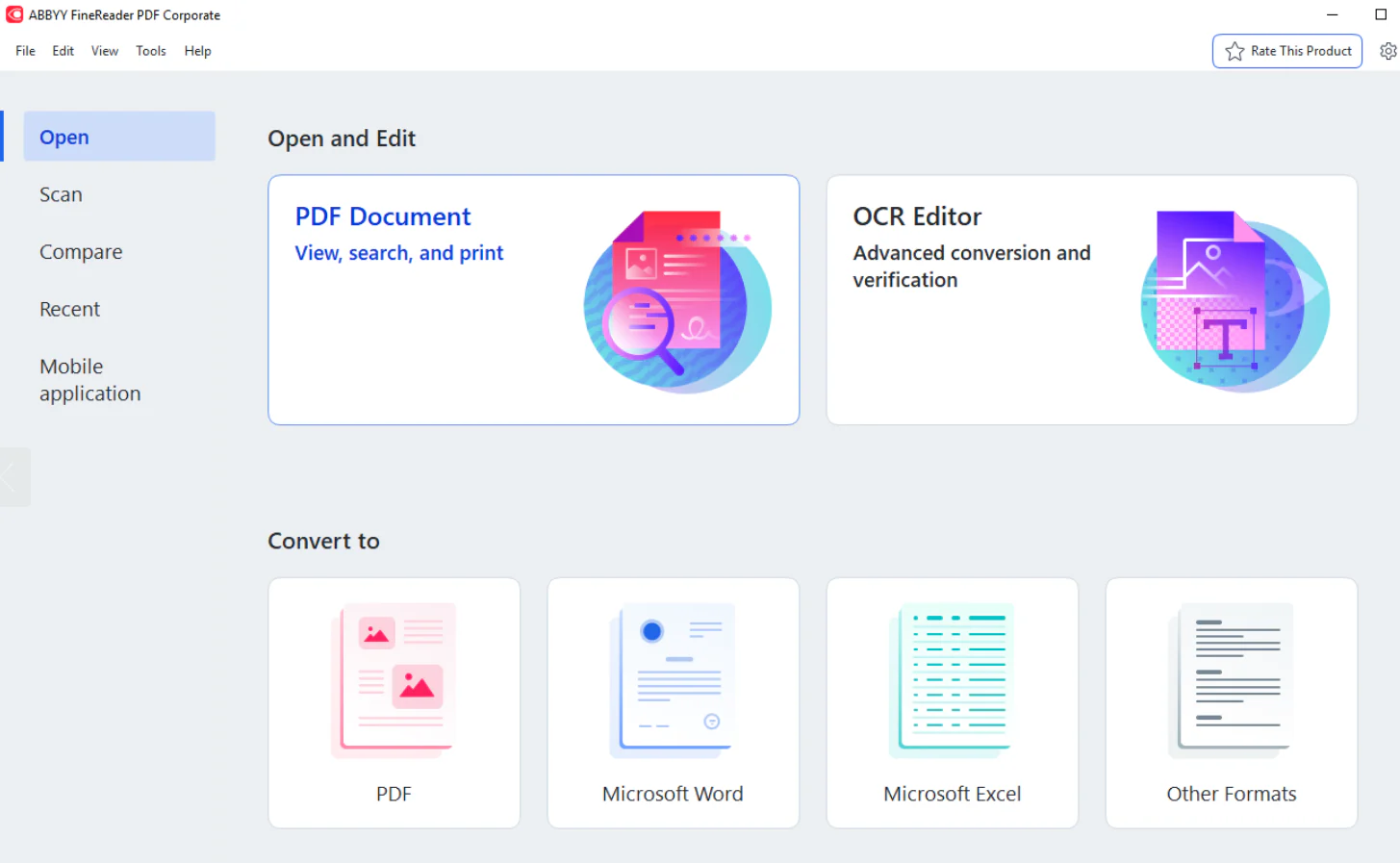
ABBYY FineReader PDF leans on recognition accuracy. The tool converts, compares, and edits PDFs on a controlled desktop, which suits teams digitising contracts, permits, or archived records. ABBYY sells licences online to Philippine buyers and through regional partners.
Key features:
- High-accuracy OCR: Recognises text across PDF, JPG, PNG, TIFF, and scanned pages with strong layout retention.
- Document comparison: Flags differences between two versions of the same contract or form.
- Batch conversion: Processes document sets into searchable PDFs or editable Office formats in one run.
- PDF editing and redaction: Edits, annotates, and permanently removes sensitive content before sharing
| Pros | Cons |
|
|
💰Pricing: FineReader PDF Standard costs ₱6,207 per year or ₱1,003 monthly. Corporate costs ₱10,346 per year. The Mac edition costs ₱4,326 per year.
4. Google Cloud Vision OCR
Google Cloud Vision OCR takes a developer-led approach instead of a packaged application. It exposes text recognition through a cloud API, returning detected text and its coordinates for your own code to interpret. Philippine teams access it globally, though the nearest processing region is Singapore.
Key features:
- Text detection API: Returns recognised text plus bounding-box coordinates for images and document images.
- Dense document mode: Handles text-heavy pages with a dedicated document text detection method.
- Broad language coverage: Recognises a wide language set, which you should confirm for your document mix.
- Usage-based scaling: Handles spikes without licence renegotiation because billing follows volume.
| Pros | Cons |
|
|
💰Pricing: The first 1,000 units each month are free. Text detection and document text detection then cost ₱94 per 1,000 pages, falling to ₱38 beyond five million units monthly.
5. Google Document AI
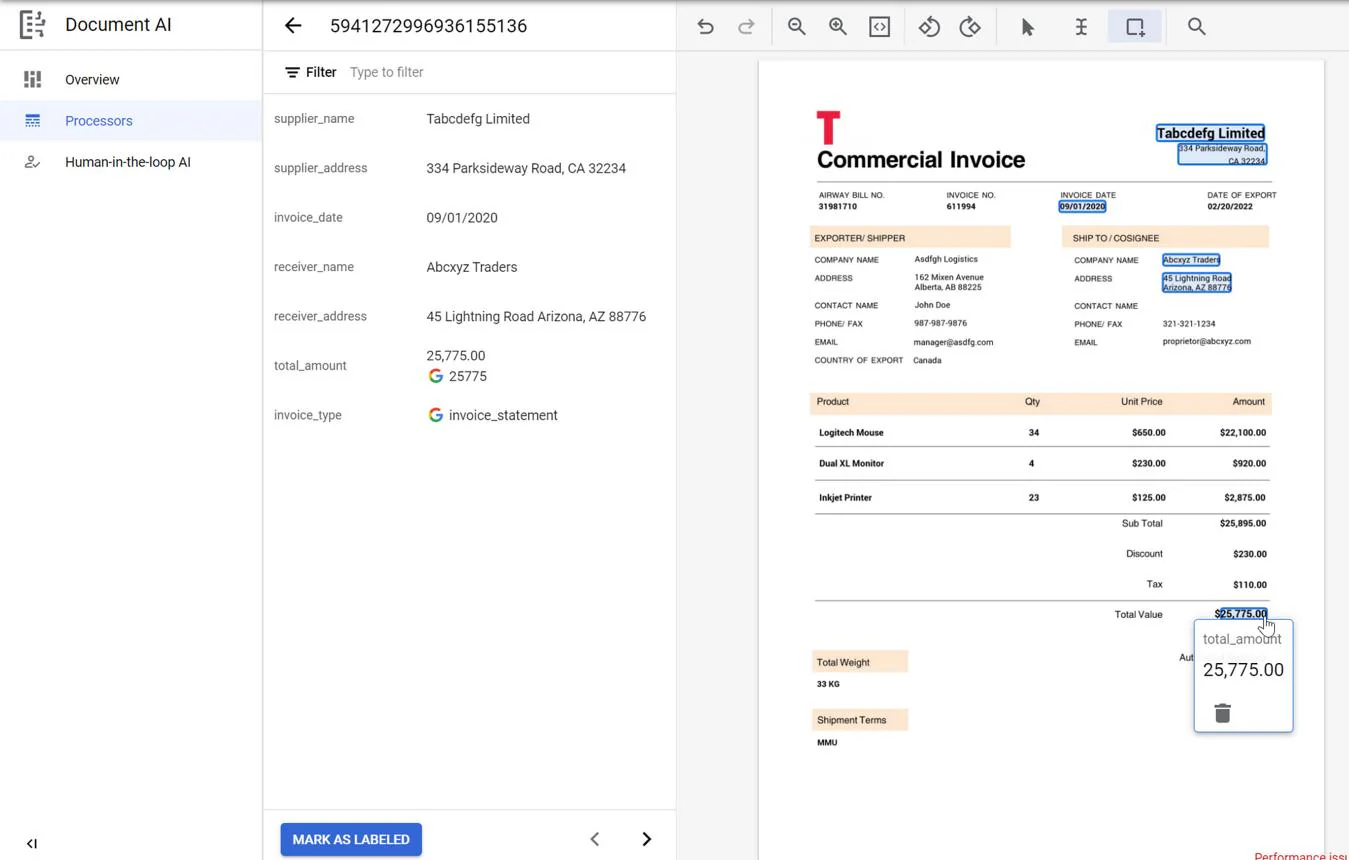
Document AI extends that same cloud into structured processing. Instead of raw text, it returns typed entities from invoices, forms, and identity documents through purpose-built processors. Philippine organisations running workloads on Google Cloud can add it without changing platforms.
Key features:
- Specialised processors: Applies purpose-built models for invoices, receipts, forms, and identity documents.
- Structured entity output: Returns JSON-style results your pipeline can post into an ERP.
- Custom extractors: Trains models on layouts that standard processors do not cover.
- IAM and encryption controls: Applies Google Cloud identity, access, and retention policies to document data.
| Pros | Cons |
|
|
💰Pricing: costs ₱94 per 1,000 pages. The Invoice Parser bills ₱6.27 per 10-page block. Form Parser and custom extractors cost ₱1,881 per 1,000 pages, with volume discounts to ₱1,254.
6. Microsoft Azure AI Document Intelligence
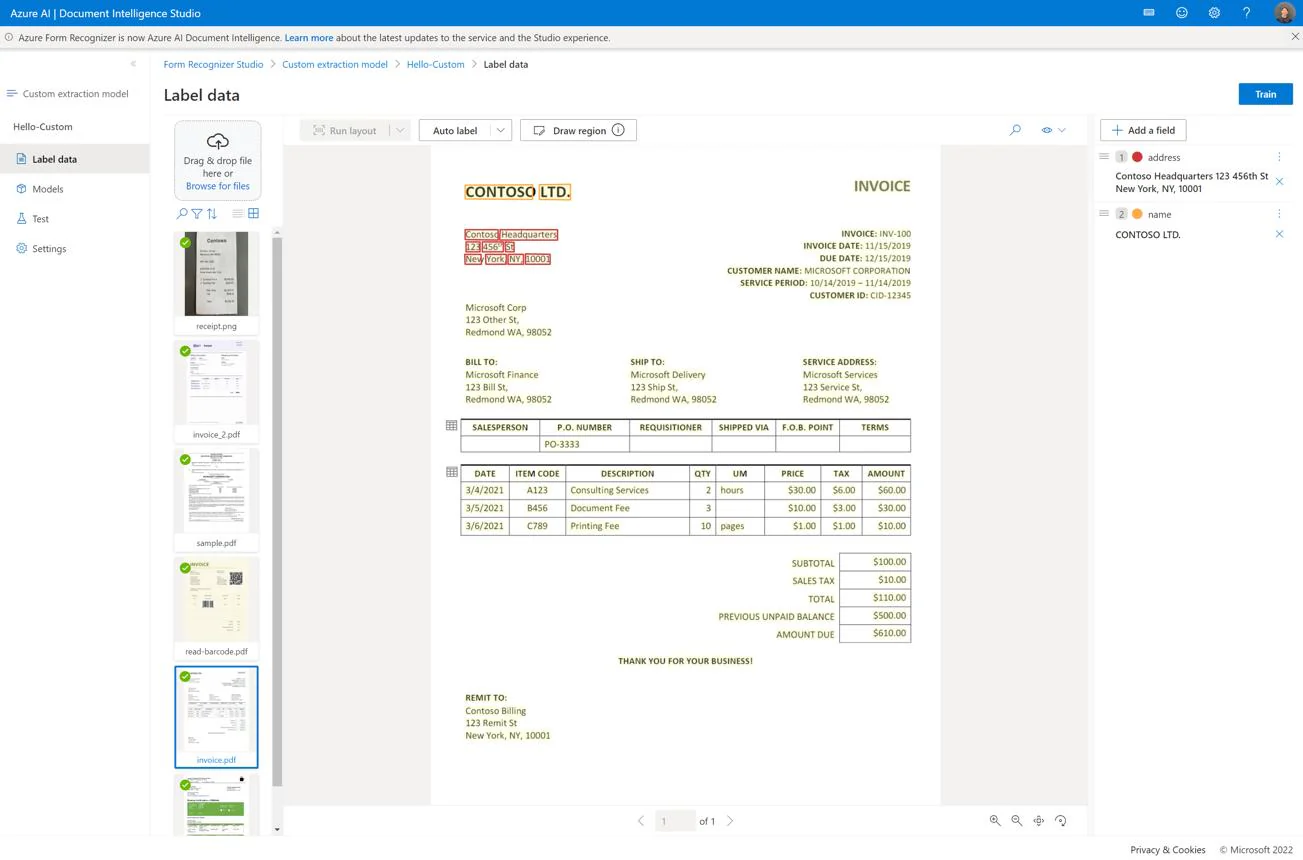
Azure AI Document Intelligence covers the same ground for organisations already standardised on Microsoft. It reads documents through prebuilt or custom models and inherits Entra ID identity, private networking, and Azure governance. Philippine tenants typically run it from the Southeast Asia region.
Key features:
- Read model: Extracts printed and handwritten text, tables, and reading order from PDFs and images.
- Prebuilt models: Handles invoices, receipts, IDs, and contracts without custom training.
- Custom extraction: Trains models on local layouts such as Philippine supplier invoices or permits.
- Enterprise identity integration: Applies Entra ID access control, private endpoints, and Azure retention policy.
| Pros | Cons |
|
|
💰Pricing: The free tier covers 500 pages monthly. On pay-as-you-go, the Read model costs ₱94 per 1,000 pages and prebuilt models such as invoice and receipt cost ₱627 per 1,000 pages. Custom extraction costs significantly more and should be confirmed on the Azure calculator for the Southeast Asia region.
7. Amazon Textract
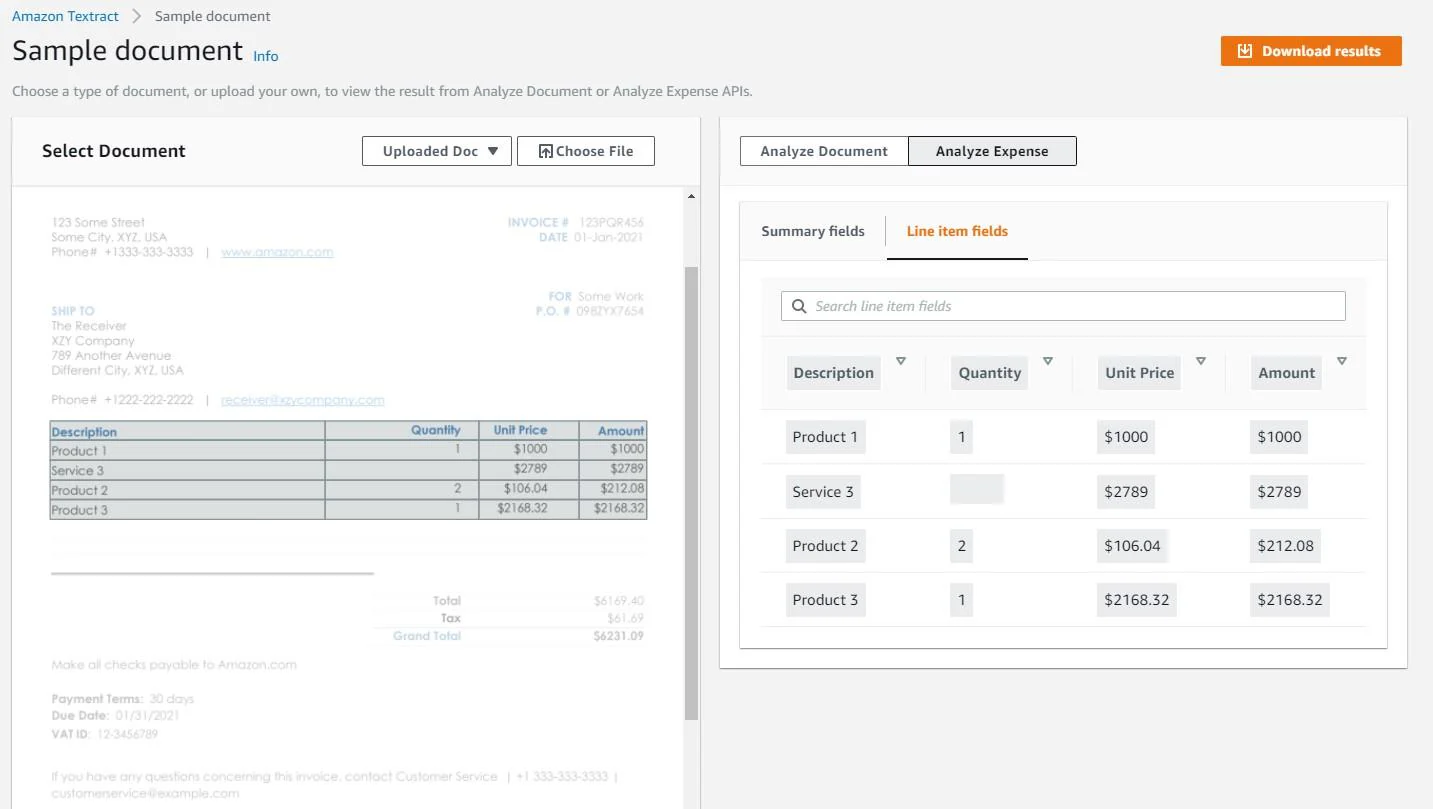
Amazon Textract fills the same role for AWS-based teams. It reads text, tables, forms, and expense documents through an API, and returns results your own services validate and post. Philippine workloads normally run from the Singapore region.
Key features:
- Detect Document Text: Returns raw text from PDF and image documents at low per-page cost.
- Analyze Document: Extracts forms, tables, queries, and signatures as structured pairs.
- Analyze Expense: Targets invoices and receipts with a dedicated expense model.
- Asynchronous processing: Handles large multi-page batches without blocking your application.
| Pros | Cons |
|
|
💰Pricing: Detect Document Text costs ₱94 per 1,000 pages. Analyze Expense costs ₱627 per 1,000. Forms, Tables, and Queries together cost ₱4,389 per 1,000. New accounts get 1,000 free pages monthly for three months.
8. UiPath Document Understanding
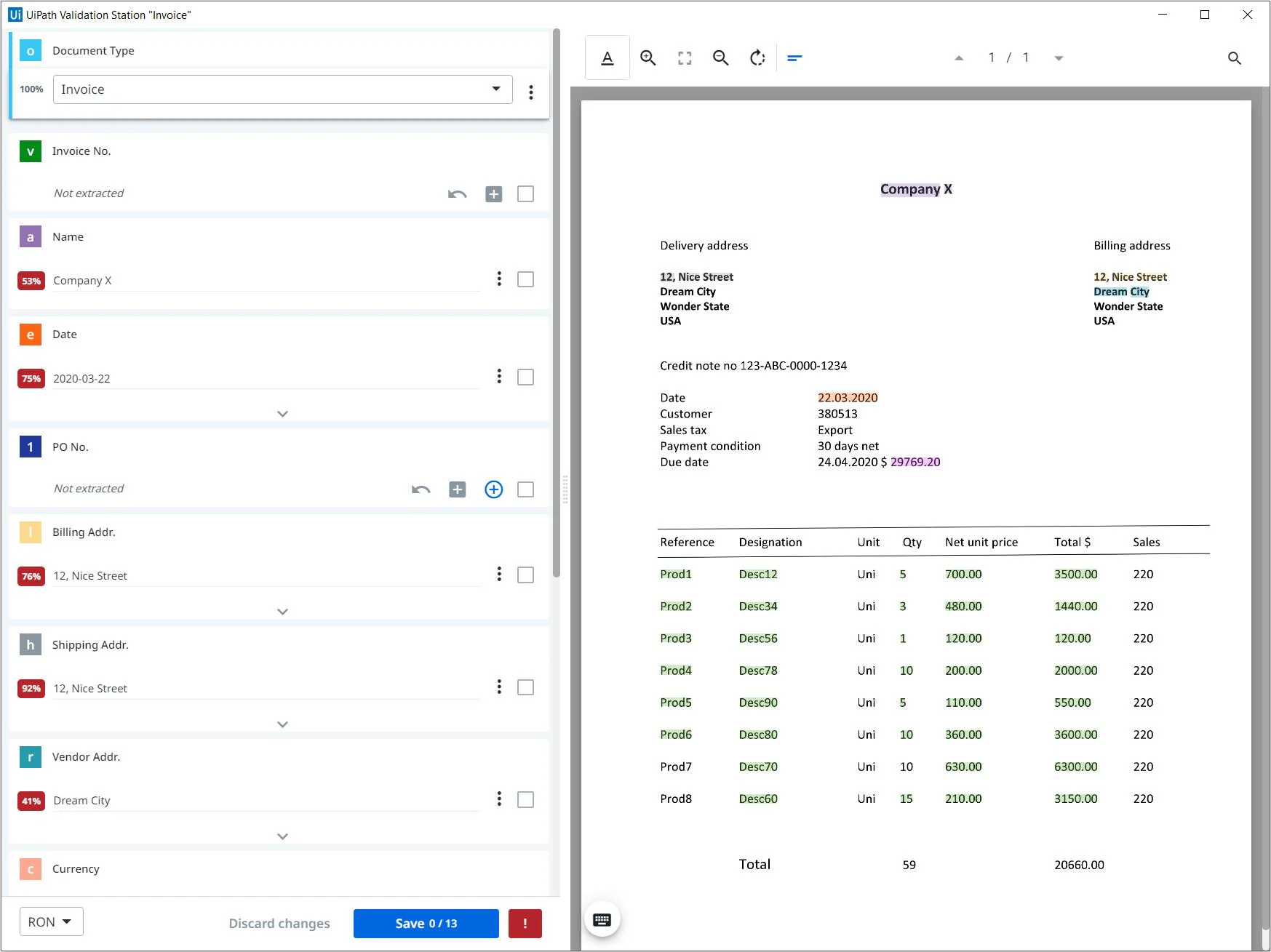
Key features:
- Classification and extraction: Identifies document type first, then pulls the fields that type requires.
- Validation station: Gives reviewers a queue to correct low-confidence extractions before release.
- Automation handoff: Passes verified data straight to software robots that update downstream systems.
- Deployment choice: Runs in UiPath's cloud or on self-hosted infrastructure for stricter control.
| Pros | Cons |
|
|
💰Pricing: The Basic plan starts at ₱1,568 per month, but full document processing sits in the Standard and Enterprise tiers, which are quote-based. Request a proposal that states page volumes and robot counts explicitly.
9. Rossum
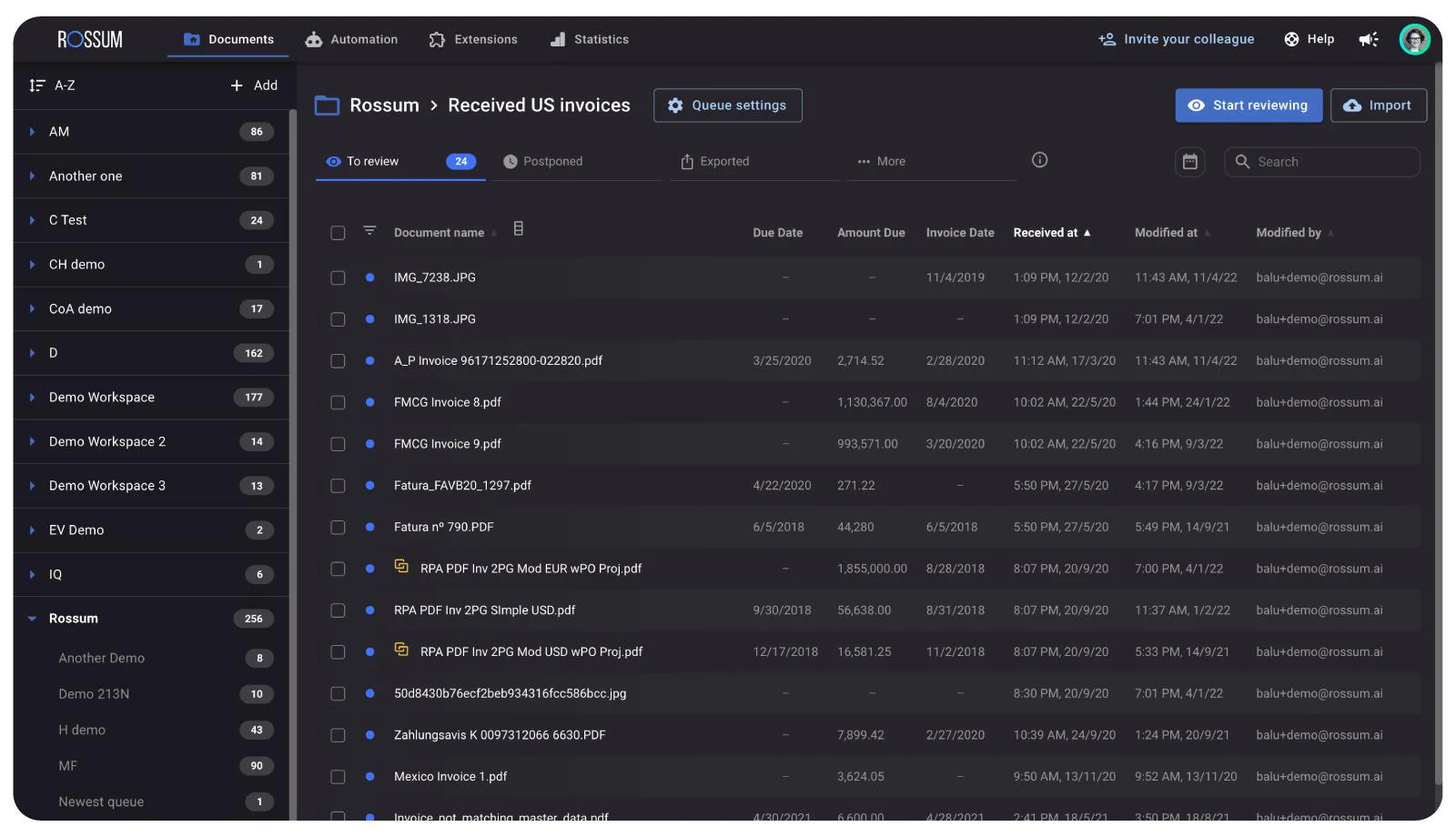
Rossum narrows the focus to accounts payable. It captures supplier invoices, learns from reviewer corrections, and exports structured records into finance systems. Philippine finance teams typically adopt it when invoice volume justifies a dedicated AP platform.
Key features:
- AP-focused capture: Reads supplier invoices and related documents without per-template configuration.
- Reviewer interface: Presents extracted values beside the source image for fast confirmation.
- Master data matching: Checks captured suppliers and line items against existing records.
- ERP integrations: Exports validated records into major finance systems through supported connectors.
| Pros | Cons |
|
|
💰Pricing: The Starter plan starts at ₱1.13 million annually with unlimited seats. Business, Enterprise, and Ultimate tiers are quote-only and priced on annual document volume.
10. Nanonets
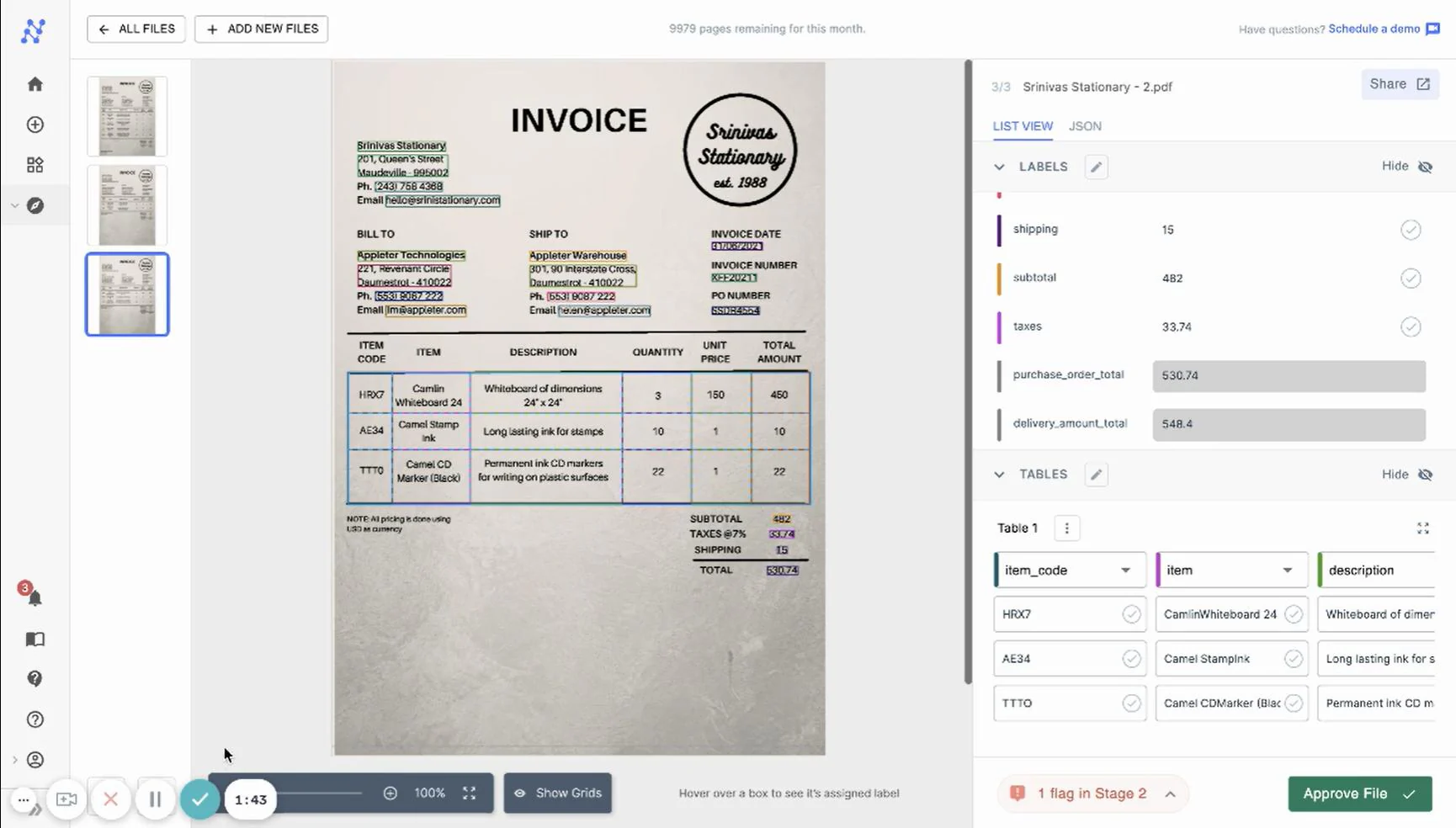
Nanonets offers similar extraction with a lighter commercial entry point. Teams configure workflows, train models on their own document samples, and consume the results through an API or a no-code interface. Philippine businesses can sign up online without a local reseller.
Key features:
- Configurable models: Trains extraction on your own invoices, receipts, or forms rather than fixed templates.
- Workflow blocks: Chains capture, classification, validation, and export steps into one automated run.
- API and connectors: Pushes extracted data into ERP, accounting, and storage systems.
- Usage-based credits: Charges per processing run, so light months cost less.
| Pros | Cons |
|
|
💰Pricing: New accounts receive ₱3,135 in credits. The Starter plan then costs ₱6,270 per month for 100 credits. Individual runs cost ₱1.25 to ₱18.81, and a typical invoice consumes four to six runs.
11. Klippa DocHorizon
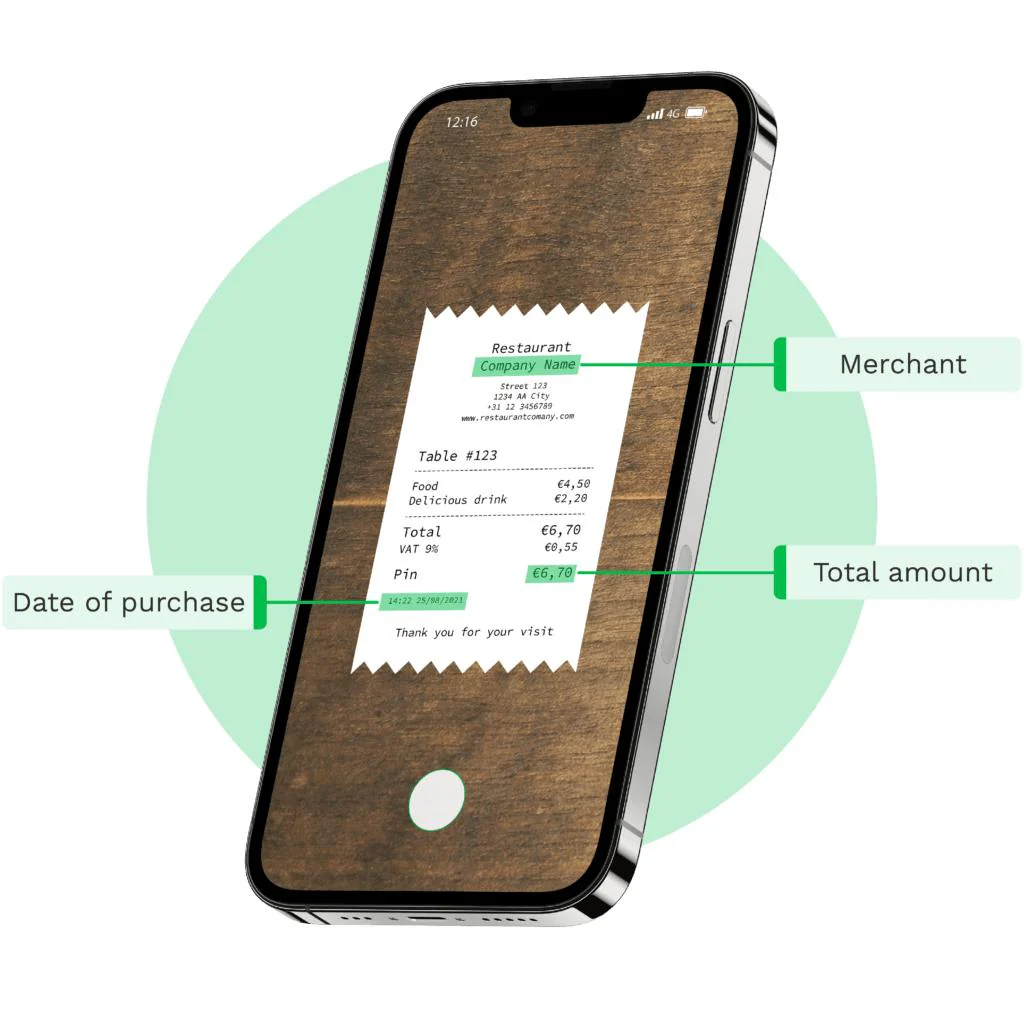
Klippa DocHorizon, rebranded as Doxis AI.dp, specialises in mobile capture. Field staff photograph receipts, IDs, or delivery records, and the platform returns structured fields from those images. That suits Philippine logistics, retail, and field-service teams collecting documents outside the office.
Key features:
- Mobile camera capture: Accepts phone photographs alongside PDFs and desktop scans.
- Identity and receipt models: Extracts fields from IDs, receipts, and logistics records out of the box.
- API-driven workflows: Feeds captured data into your app or ERP through documented endpoints.
- Data minimisation controls: Applies anonymisation and deletion rules to sensitive captured documents.
| Pros | Cons |
|
|
💰Pricing: Request a quote that specifies documents per month and document types.
12. OCR Space
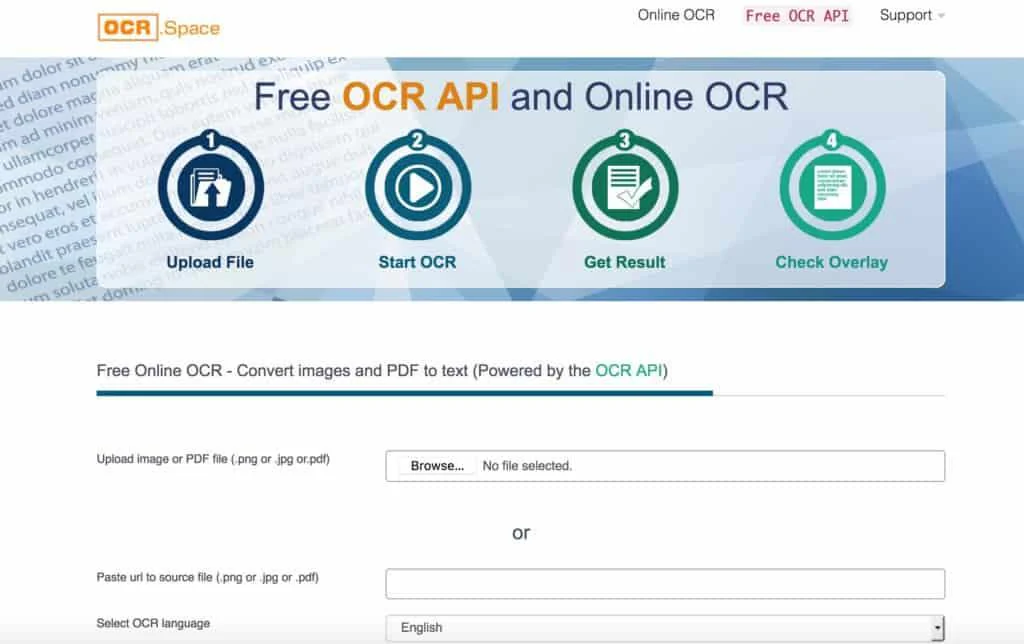
OCR.Space works at the opposite end of the scale. It converts files online or through a lightweight API, which suits occasional conversions and non-confidential documents. Philippine users access it directly with no local setup.
Key features:
- Free web converter: Converts images and PDFs in a browser without installation.
- Simple REST API: Returns text with minimal integration work for small applications.
- Searchable PDF output: Produces searchable PDFs, though the free tier applies a watermark.
- Generous free allowance: Covers 25,000 requests monthly at the free tier.
| Pros | Cons |
|
|
💰Pricing: The free plan costs nothing and allows 25,000 requests monthly. PRO costs ₱1,881 per month and PRO PDF costs ₱3,762 per month. Enterprise starts at ₱62,631 per month.
13. Tesseract OCR
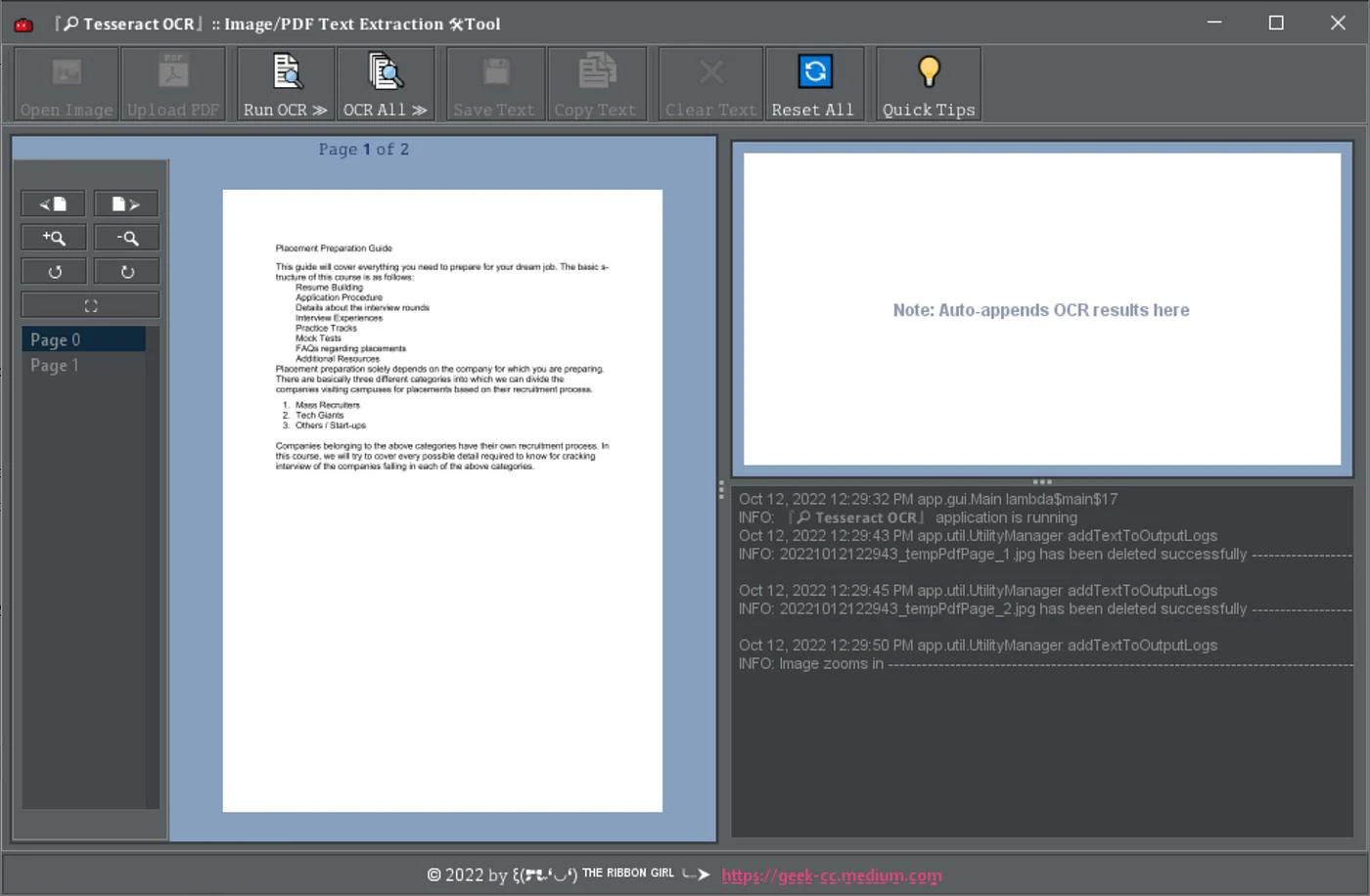
Tesseract OCR gives technical teams full control instead of a finished product. It is an open-source engine that runs locally, which keeps documents inside your own infrastructure. Philippine organisations with in-house developers use it when data must never leave the building.
Key features:
- Local processing: Runs entirely on your own servers, so no document leaves your network.
- Language packs: Supports many trained language models, which you install and tune yourself.
- Multiple output formats: Produces plain text, hOCR, or searchable PDFs through supporting tooling.
- Open licence: Carries no licence fee and no per-page charge at any volume.
| Pros | Cons |
|
|
💰Pricing: Free and open source.
14. SimpleOCR
SimpleOCR keeps things deliberately basic. It converts scanned pages and images into editable text on a Windows desktop, with no platform, queue, or integration layer. That makes it a fit for individual Philippine users digitising occasional documents.
Key features:
- Straightforward conversion: Turns scanned pages and images into editable text in a few clicks.
- Text editing and spell check: Corrects recognition errors inside the application.
- Local-only storage: Keeps files on the workstation with no cloud upload.
- Developer SDK: Offers a separate toolkit for embedding recognition into custom applications.
| Pros | Cons |
|
|
💰Pricing: The desktop freeware is free for commercial and non-commercial use. The developer SDK is quoted separately by the vendor.
15. Readiris
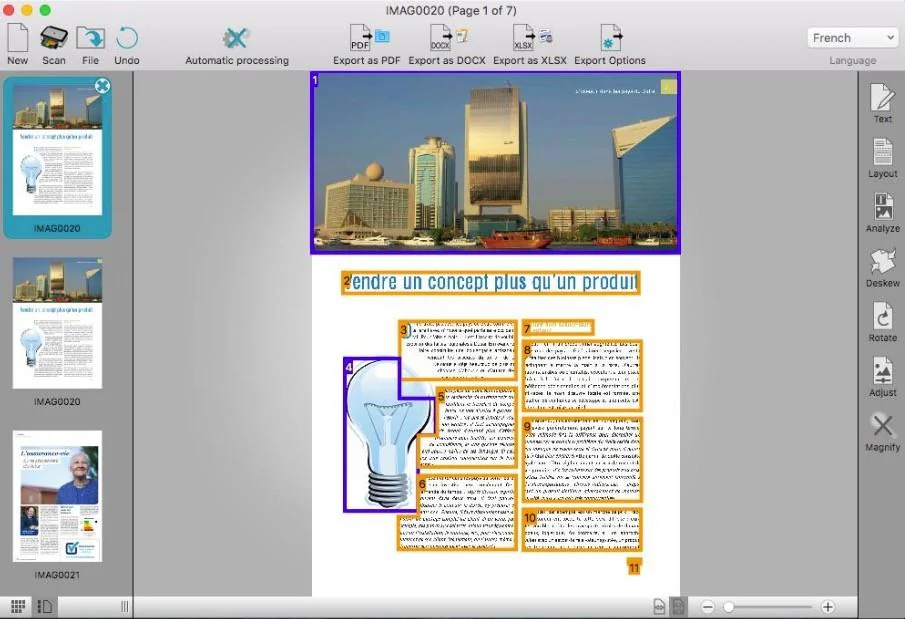
Readiris closes the list as a workstation productivity tool. It converts, edits, and organises PDFs on a single machine, with one-time licences instead of a subscription. Philippine users buy it online directly from IRIS.
Key features:
- Wide language recognition: Recognises text across a large language set for scanned and image files.
- PDF editing and organisation: Merges, splits, annotates, and reorders pages in one interface.
- Office and cloud export: Exports to Word and Excel, and to Dropbox, Google Drive, OneDrive, or Box on the higher edition.
- Barcode and form tools: Extracts barcodes and handles PDF forms on the Elite edition.
| Pros | Cons |
|
|
💰Pricing: Readiris PDF Essential costs ₱4,326 as a one-time licence, and Elite costs ₱6,834.
Full Comparison of Best OCR Software
| Software | Best fit | Inputs | Outputs | Security | Limitation |
|---|---|---|---|---|---|
| HashMicro | Philippine finance teams that need capture and posting in one ERP | Supplier invoices, receipts, purchase orders, scans | Extracted fields, matched payables, stored source file | Role-based access, version history, audit trail | Not sold as a standalone OCR engine |
| Adobe Acrobat Pro | Office teams editing and creating searchable PDFs | PDF, scans, JPG, PNG, TIFF | Searchable or editable PDF, Office exports | Admin controls; verify cloud retention | Field-level invoice extraction needs extra tools |
| ABBYY FineReader PDF | Controlled desktop conversion and document comparison | PDF, JPG, PNG, TIFF, scans | Searchable PDF, editable Office formats | Documents stay on the workstation | Desktop-centric, needs orchestration for queues |
| Google Cloud Vision OCR | Developer-led recognition through a cloud API | Images and document images | Detected text with coordinates | IAM and encryption; Singapore is the nearest region | Recognition only, not a business workflow |
| Google Document AI | Cloud pipelines needing structured extraction | PDFs, scans, forms, invoices | Structured entities in JSON | IAM, encryption, retention policy; no PH region | Processor setup needs technical ownership |
| Microsoft Azure AI Document Intelligence | Organisations already standardised on Microsoft | PDFs, images, forms, receipts | Text, tables, extracted fields | Entra ID, private endpoints, Southeast Asia region | Custom models often needed for local layouts |
| Amazon Textract | AWS developer workflows for forms and tables | PDF and image documents | Text, tables, forms, expense fields | IAM and encryption; Singapore region | Approval and posting need extra AWS services |
| UiPath Document Understanding | Automation teams combining capture with RPA | Invoices, receipts, mixed business forms | Extracted fields plus triggered automations | Cloud or self-hosted, with audit logs | Platform governance adds real complexity |
| Rossum | High-volume accounts payable operations | Supplier invoices and related documents | Structured records for review and export | Tenant isolation, retention, audit evidence | Narrow fit outside finance documents |
| Nanonets | Teams wanting configurable extraction on a small budget | Invoices, receipts, forms, images | Extracted fields and exports | SOC 2 and HIPAA on higher tiers | Accuracy depends on your own model training |
| Klippa DocHorizon | Mobile capture for field and logistics teams | Camera images, PDFs, scans | Text and structured fields | Anonymisation and deletion controls | Field image quality caps accuracy |
| OCR.Space | Occasional conversion of non-confidential files | Images and PDFs | Text output and searchable PDF | Verify upload handling and deletion terms | Unsuitable for confidential records |
| Tesseract OCR | Technical teams needing full local control | Common image formats and rendered PDFs | Plain text, hOCR, searchable PDF | Runs entirely on your own infrastructure | Structured extraction must be coded |
| SimpleOCR | Individual users handling simple scans | Scanned pages and images | Editable text | Local storage only | Struggles with complex layouts |
| Readiris | Desktop PDF conversion and organisation | PDFs, scans, images | Searchable PDF, Office formats | Documents remain local | Workstation productivity, not automation |
For a broader evaluation of business management software, map each OCR output to the system that owns the transaction. A tool that recognises a total amount is not automatically authorised to create a payable record.
How to Choose the Right OCR Software?
OCR converts visual text in an image or scan into machine-readable characters. Enterprise document processing goes further by classifying the document, extracting fields, validating values, routing exceptions, and passing approved data to another system. That distinction matters when an invoice total, purchase-order number, or supplier tax detail affects a financial control.
| Capability | What it produces | Decision it enables |
|---|---|---|
| Text recognition | Searchable or editable text | Can staff find or copy the document? |
| Layout and table recognition | Reading order, rows, columns, and coordinates | Can a table be reviewed without rebuilding it manually? |
| Classification | Document type such as invoice, receipt, or purchase order | Which rule or queue should handle the file? |
| Field extraction | Supplier, date, reference number, tax, total, line items | Which values can be mapped to a form or ERP record? |
| Validation | Required fields, totals, duplicate checks, and confidence thresholds | Should the item pass automatically or go to review? |
| Workflow routing | Approval queue, exception queue, or integration action | Who must decide what happens next? |
| Structured export | CSV, JSON, XML, or API payload | Can another application consume the result consistently? |
CFOs usually need traceable financial data and visible exceptions. IT managers need APIs, identity controls, monitoring, and clear data-retention terms. Procurement teams need consistent supplier documents and matching rules.
Operations leaders need faster retrieval without losing accountability. These requirements connect OCR to the workflows that follow it, from approval routing through to transaction reconciliation, not just file conversion.
PDF OCR, Online OCR, or Mobile OCR: Which Fits?
Use PDF OCR for searchable archives, mobile OCR for field capture, online OCR for limited non-confidential conversion, and enterprise document processing for controlled recurring workflows. The best choice depends on where documents originate, who handles them, how often they arrive, and whether structured data must enter another system.
| Scenario | Suitable format | Why it may fit | Verify before adoption |
|---|---|---|---|
| Finance team processing recurring invoices | Enterprise or cloud OCR | Supports queues, field extraction, validation, and integration | Data location, retention, ERP connector, exception ownership, and batch limits |
| Field team photographing delivery documents | Mobile OCR | Captures documents close to the event and can send results to a central workflow | Camera quality, offline mode, device security, handwriting, and sync behaviour |
| Employee converting a few old PDFs | Desktop or PDF OCR | Keeps the task focused on searchable or editable documents | Local storage, licensing, language support, and batch conversion |
| IT team building a custom service | Cloud OCR API or open-source OCR | Offers programmatic control over inputs and outputs | API limits, model training, monitoring, costs, and security architecture |
| Occasional public conversion | Online OCR | Convenient for low-volume, non-sensitive files | Upload handling, deletion, processing location, account access, and terms |
Online OCR is not automatically unsafe, and an enterprise platform is not automatically compliant. Based on Tesseract OCR Documentation, mobile capture deserves extra scrutiny, because recognition accuracy falls when low resolution, skew, and image noise degrade the photograph.
Conclusion
The best OCR software for a Philippine business team is the option that matches its documents, volume, required fields, security posture, and existing systems.
- Adobe Acrobat Pro, ABBYY FineReader PDF, and Readiris may suit workstation and PDF needs.
- Google, Microsoft, and Amazon services may suit developer-led cloud pipelines.
- ABBYY Vantage, UiPath, Rossum, Nanonets, and Klippa may fit more structured or workflow-oriented requirements.
- Tesseract and lightweight tools can be useful when internal teams accept greater configuration responsibility.
Shortlist by business need, then run a field-level pilot before committing. Once captured data feeds approvals and leaves a usable audit trail, OCR stops being a converter and becomes part of a governed process.
Ready to assess how OCR could fit your finance, procurement, inventory, or document processes? Discuss your ERP requirements with the HashMicro team for a consultative next step.
Frequently Asked Questions
This depends on structured extraction, API or connector support, field mapping, validation rules, and the receiving ERP. Distinguish text recognition from approved record creation, and test representative invoices, exception routing, permissions, and audit logs before adoption.
No, not by default. An online converter is fine for a public brochure and wrong for a signed contract. The deciding factor is where the file is processed and how long it survives after conversion. If a provider cannot answer both questions in its terms, use a desktop tool or a private-cloud API instead.
Measure per field, not per document. A pilot that reports 98 percent accuracy tells you nothing if the missing two percent sits on invoice totals. Score each required field separately, then count how many documents a person still had to open. That correction volume is the number finance and IT should sign off on.
OCR, or optical character recognition, turns marks on a page into text. Intelligent document processing goes further and decides what that text means. The practical test is whether the tool hands you a string or a record your ERP can post.