






Manual sales logs fragment records, delay reconciliation, and obscure stock levels. In Orquesta’s 2026 study, 47 MSME stakeholders in Pagadian City rated a POS-integrated inventory system 4.45 out of 5. This supports the validity of a POS system for small businesses in improving transaction efficiency, usability, and inventory monitoring.
The right setup helps cashiers complete sales while giving owners reliable records for stock decisions and payment reconciliation. This guide compares six POS options for Philippine businesses, from mobile tools to systems that connect multiple outlets with wider operations.
Key Takeaways
A POS system records sales and payments at checkout while helping small businesses track products, stock, and daily activity.
A POS system for small businesses speeds up checkout, reduces manual errors, and gives owners clearer sales, stock, and payment visibility.
Test your actual checkout workflow, verify Philippine invoicing requirements, and compare the full first-year cost.
The best fit depends on whether you need simple mobile checkout, a staffed counter, or connected inventory, accounting, and outlet management.
What is a POS system for a small business?
A POS for a small business records purchases and payments at checkout. Staff can scan products, apply prices, taxes, or discounts, collect payment, and issue the required POS transaction document from a sale. It can also update inventory and track cashiers.
In the Philippines, sales records, payment confirmations, and compliant invoices serve different purposes. Before choosing a provider, ask which documents it produces and whether they match your business setup. This check helps you avoid gaps during audits, customer requests, or daily reconciliation.
RMO No. 24-2023 covers accreditation for POS and similar invoice or receipt software. RMC No. 77-2024 clarifies invoicing requirements after the Ease of Paying Taxes Act. Confirm the registration, accreditation, and permit steps that apply to your operations.
Benefits of Using a POS System for Small Businesses
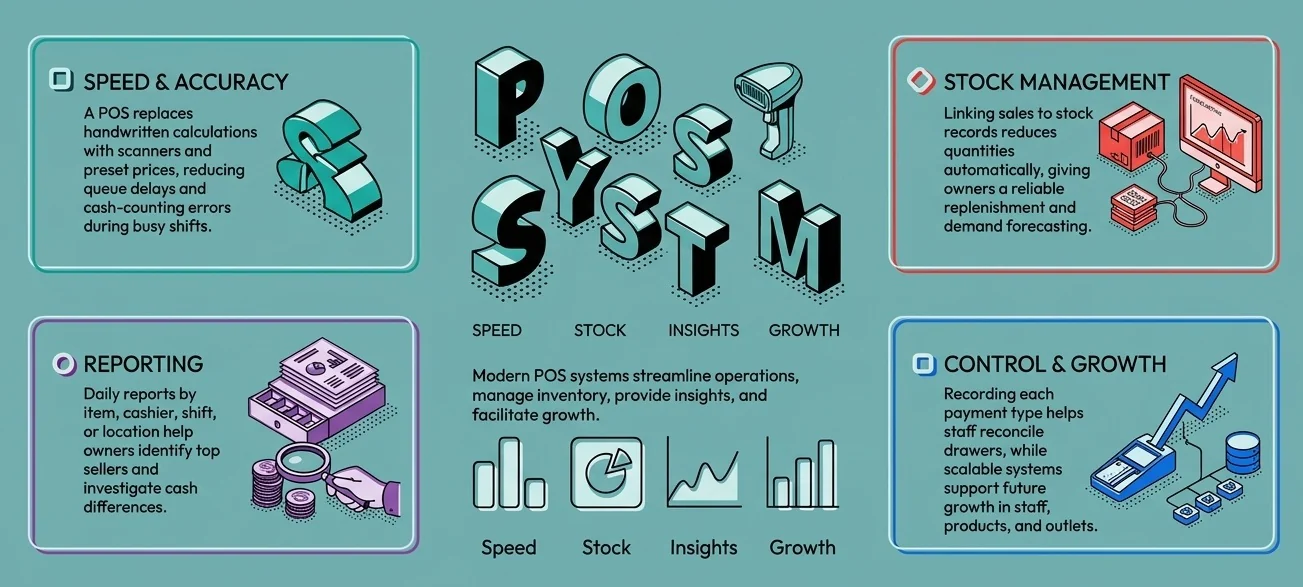
A POS system for small businesses helps owners process sales, monitor operations, and make faster decisions. It can reduce manual work at checkout while improving records for inventory, payments, and reporting. Compare each feature with your needs and future growth, then review the best POS system Philippines options for your setup.
1. Faster checkout with fewer manual corrections
A POS system for small businesses can speed checkout by replacing handwritten calculations with product searches, scanners, and preset prices. Staff can confirm totals before taking payment, while managers can review discounts, voids, and returns. This reduces queue delays and cash-counting errors during busy shifts.
2. Clearer inventory records
When a POS connects sales with stock records, each completed sale can reduce the recorded quantity. Owners gain a basis for replenishment and can pair sales trends with the most suitable inventory forecasting software to anticipate demand. Accurate product, return, damage, and adjustment records keep results reliable.
3. More useful daily reports
A POS can show sales by item, cashier, shift, or location. Owners can use these reports to identify top sellers, compare busy periods, and investigate cash differences. More advanced systems combine branch and channel data, giving managers a clearer view of daily performance.
4. Better payment tracking
Many customers expect cash, cards, or QR payments. A POS system for small business should record the tender used for every sale. This helps staff reconcile the drawer and compare electronic payments with settlements. Ask vendors how deposits, fees, refunds, and failed payments appear.
5. Room to grow
A single-counter POS may fit today’s needs, but growth can add staff, products, online orders, or another outlet. Look for permissions, purchasing, customer records, and accounting links. For mobile businesses that require all the room, an mPOS can make operations convenient. Planning reduces migration work when the business outgrows its system.
Comparison of the Best POS Systems for Small Businesses
Choosing a POS for a small business starts with checkout, but the decision also affects inventory, invoicing, and daily reporting. Small business owners often use legacy POS systems. Compare your legacy POS with HashMicro and the other software in this table, which compares each provider’s starting price and practical fit.
| POS system | Best for | Public pricing starting point | Main consideration | Best fit |
|---|---|---|---|---|
| HashMicro | Growing businesses connecting sales, inventory, accounting, and branch data | Custom quotation | Match implementation scope to business needs | Multi-outlet operations that need connected records |
| Peddlr | Solo sellers and mobile-first microbusinesses | Free app | App receipts are acknowledgement receipts | Phone-based sales and expense tracking |
| Loyverse | Small shops and cafés seeking a free core POS | Free core POS; optional add-ons from approximately ₱308 monthly | Advanced inventory and staff controls cost extra | Checkout trials using existing phones or tablets |
| UTAK | Philippine shops seeking local software and hardware packages | ₱14,000 excluding VAT for six months, software-only | Compare subscription terms and hardware bundles | A staffed counter needing a defined setup |
| Qashier | Retail and food businesses seeking packaged plans | Free Lite; Essential ₱1,790 monthly excluding VAT | Plan limits, devices, and add-ons affect total cost | Counters combining POS and payment options |
| StoreHub | Retail and food businesses adding inventory and outlet controls | Starter from ₱2,249 monthly | Higher tiers and equipment increase cost | Operators preparing to manage multiple outlets |
Best POS Systems for Small Businesses in the Philippines
The right POS system for a small business depends on how you sell, manage stock, and handle payments. A phone-based app may suit a solo seller, while a staffed shop may need cashier controls and connected records. Compare each provider’s features, full cost, and invoice workflow before choosing.
1. HashMicro

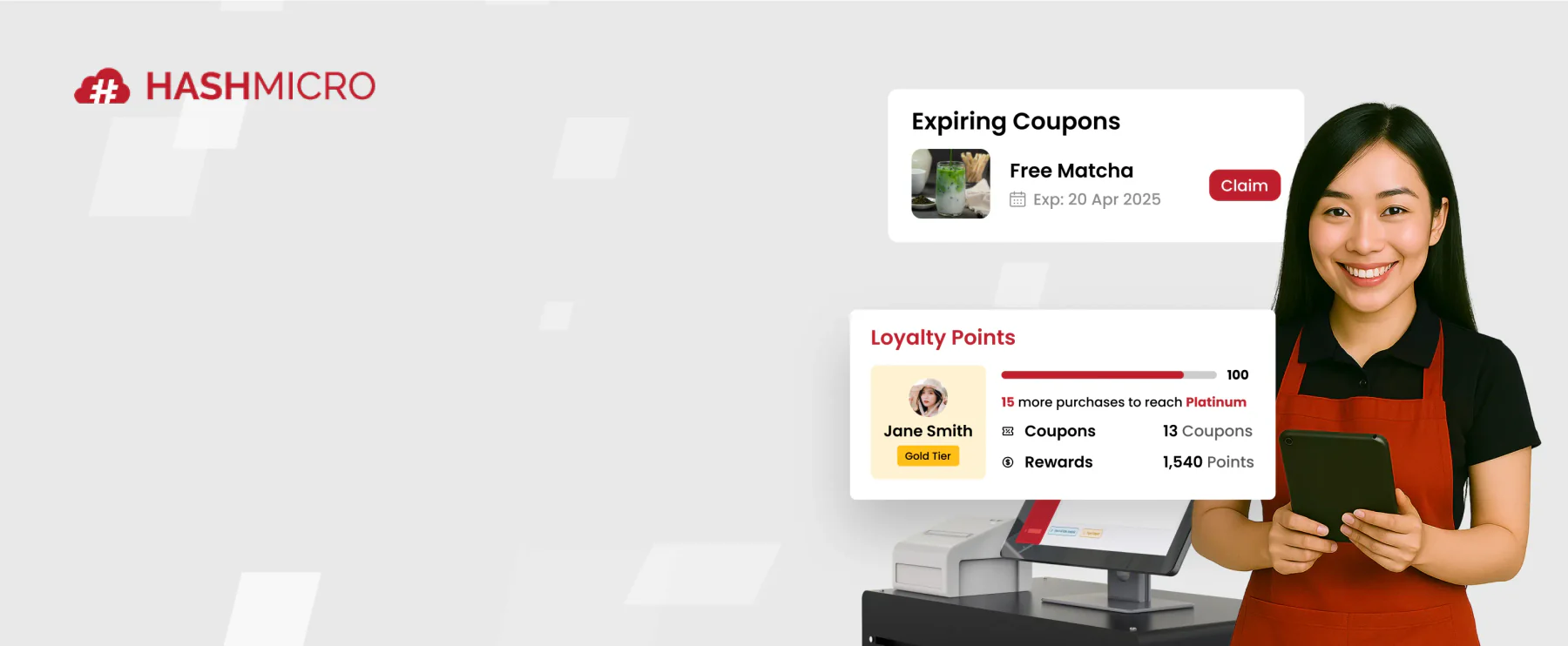
HashMicro POS connects checkout with inventory, accounting, and customer records. HashMicro Philippine POS product page describes barcode and RFID support, product variants, returns, loyalty, and multi-outlet stock visibility. This POS system for small businesses stands out when sales data must support wider operations.
Growing retailers benefit most when staff manage several stock locations or repeatedly enter sales into finance records. During a demo, trace a sale, refund, and session close through the proposed setup.
Best features:
- Barcode and RFID support
- Product variants and branch-specific pricing
- Multi-outlet stock visibility
- Inventory and accounting connections
- Loyalty and membership tools
| Pros | Cons |
|---|---|
|
|
Pricing: HashMicro provides quotes. Request separate costs for software, hardware, implementation, training, support, and integrations.
Best for: Growing retailers with multiple outlets or connected accounting needs. Solo sellers may prefer a simpler starting setup.
HashMicro POS helps small businesses make faster decisions by connecting checkout, inventory, customer records, and financial data in one system. With clearer daily insights and less manual work, owners can manage operations and plan growth with greater confidence.
2. Peddlr
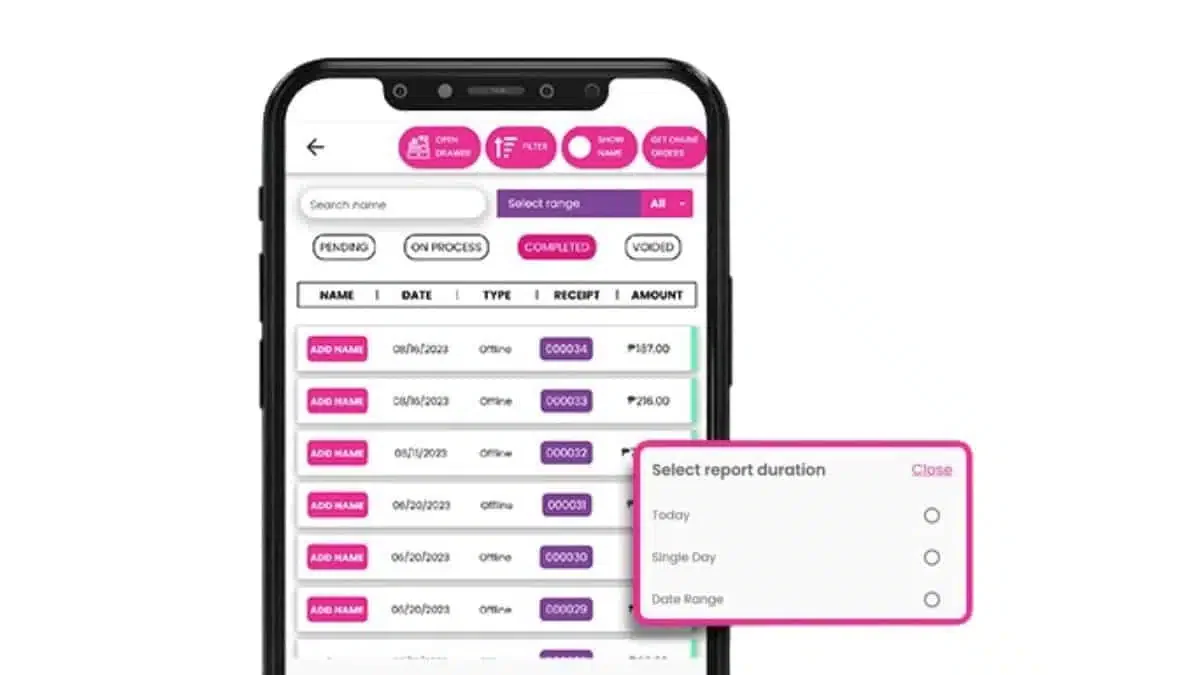
Peddlr is a phone-based POS app for Filipino micro and small businesses. Owners can record sales, expenses, products, and basic reports in one place. Its free core app and offline sales workflow make it accessible to sellers moving away from handwritten records.
A market stall or home-based seller can start quickly. Peddlr says its app produces acknowledgement receipts, so plan a separate invoicing process. To compare it further, read how Peddlr differs from HashMicro POS.
Best features:
- Mobile sales recording
- Offline core POS use
- Expense tracking
- Cash and credit ledgers
- Online catalog link
| Pros | Cons |
|---|---|
|
|
Pricing: Peddlr’s core app is free. Budget for devices, printing, optional services, and invoicing.
Best for: Solo sellers, stalls, and home-based businesses starting digital sales records. Staffed counters should assess account controls first.
3. Loyverse

Loyverse runs on phones or tablets and serves shops, cafés, and restaurants. Its free core POS includes essential inventory, loyalty, and multi-store tools. Businesses comparing paid inventory or staff controls can also explore Loyverse POS alternatives before committing to add-ons.
A café can use kitchen display tools, while a retailer may need paid advanced inventory. Philippine merchants should confirm invoice documents, payment devices, and applicable BIR steps.
Best features:
- Free core POS
- Kitchen display
- Customer loyalty tools
- Multi-store management
- Optional advanced inventory
| Pros | Cons |
|---|---|
|
|
Pricing: Core POS is free. Advanced inventory and employee management each cost approximately ₱1,542 per store monthly.
Best for: Shops and cafés testing checkout on existing devices. Growing teams should calculate the cost of needed add-ons.
4. UTAK
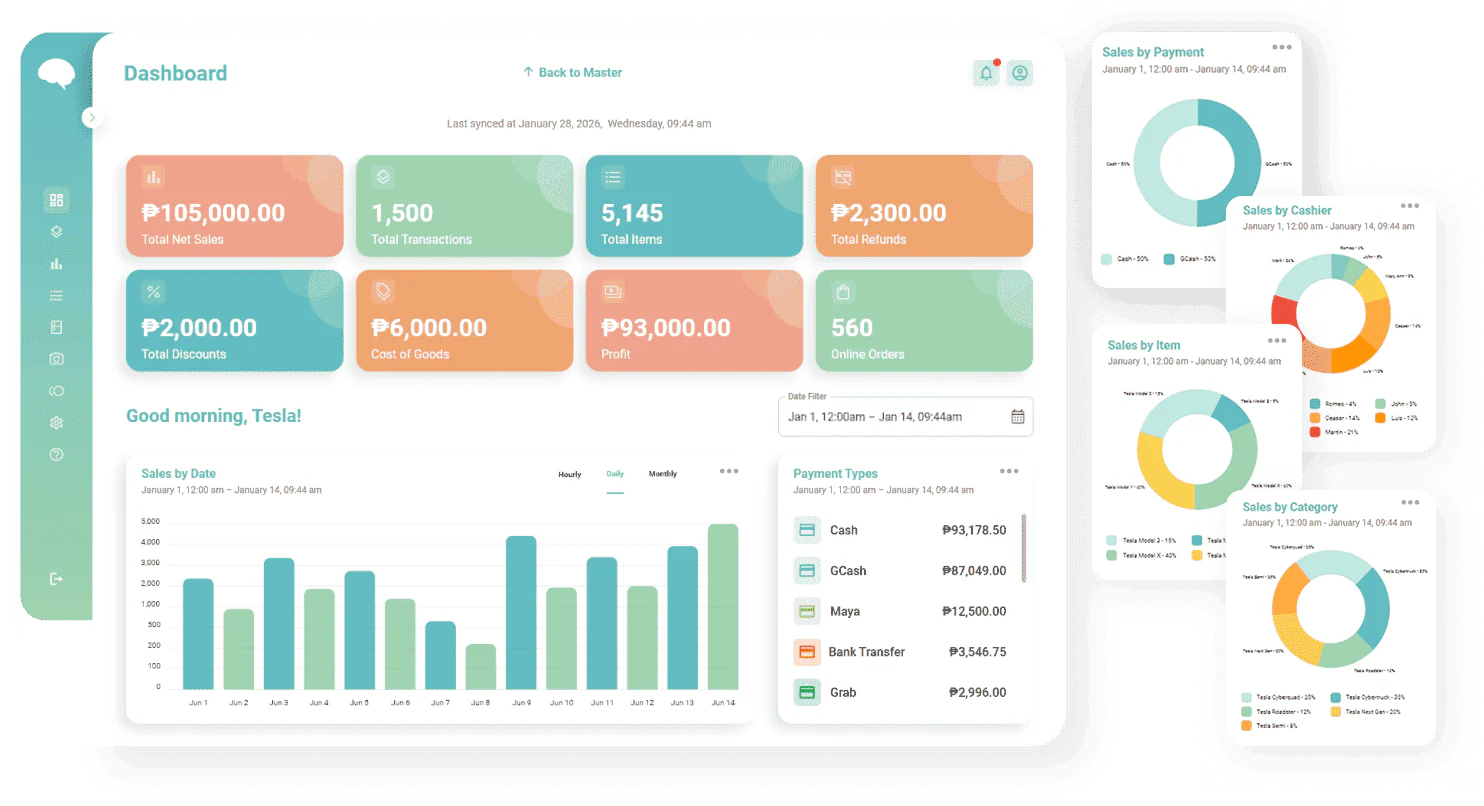
UTAK offers Philippine-focused POS software with software-only access and hardware bundles. Its packages can include a tablet, printer, cash drawer, or mobile device.
A first staffed shop or café may benefit from a defined package. Ask UTAK to demonstrate offline sales, refunds, daily closing, and the documents its proposed configuration produces.
Best features:
- Software-only option
- Tablet and terminal bundles
- Offline transaction handling
- Sales and inventory tracking
- Local training options
| Pros | Cons |
|---|---|
|
|
Pricing: Six-month software-only access starts at ₱14,000 excluding VAT. Confirm hardware, renewal, and support costs.
Best for: First staffed shops seeking a packaged POS setup. Merchants with existing devices can assess software-only access.
5. Qashier
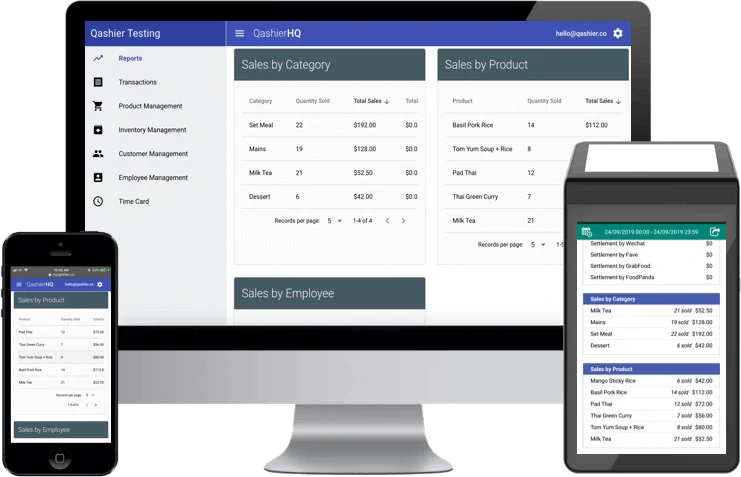
Qashier combines POS software, payment options, and hardware packages for Philippine retail and food businesses. Its Lite plan is free, while paid plans add capabilities for larger operations. Compare HashMicro and Qashier to see which approach fits your checkout and back-office needs.
Lite supports up to 25 catalog products and one staff account, which may suit a small trial. Established outlets should test their required staff access, devices, and payment methods.
Best features:
- QR, e-wallet, and card payment options
- Hardware bundles
- Multi-outlet inventory on paid plans
- Table management on paid plans
- Employee access controls on paid plans
| Pros | Cons |
|---|---|
|
|
Pricing: Lite is free. Essential starts at ₱1,790 monthly and Growth at ₱2,790 monthly, excluding VAT.
Best for: Small retail or food outlets seeking combined checkout and payment options. Check plan limits before choosing Lite.
6. StoreHub

StoreHub serves Philippine retailers and food businesses with checkout, customer, inventory, payment, and reporting tools. Its higher tiers add multi-location management and stock transfers. A HashMicro versus StoreHub comparison can help growing teams weigh connected back-office needs against StoreHub’s tiered POS packages.
Retailers adding another outlet may benefit from stronger stock and branch controls. Ask StoreHub to demonstrate transfers, refunds, daily reports, and invoices using the proposed register.
Best features:
- Multi-location management on higher tiers
- Stock transfers on higher tiers
- Customer database
- Integrated payment options
- Food delivery options
| Pros | Cons |
|---|---|
|
|
Pricing: Starter begins at ₱2,249 monthly. Advanced begins at ₱4,499 and Pro at ₱8,999 monthly.
Best for: Retailers and food businesses planning multiple outlets. Confirm the contract term, registers, and hardware in writing.
How to Choose the Best POS System for Your Small Business
Choosing the best POS system provided in the Philippines can be difficult as there are many choices. Use this guide to evaluate checkout speed, total ownership costs, invoice workflows, payment settlements, inventory connections, and accounting needs. Test common exceptions before committing to a POS for small business.
- Test routine sales and exceptions on the proposed device before choosing a POS system for small business.
- Compare software, devices, fees, and VAT equally. Reading about the POS system price guide helps with a wider cost discussion.
- Verify invoice numbering, refunds, cancellations, receipts, and accreditation requirements before approving the final setup.
- Demonstrate cash, card, and e-wallet settlements, and make sure the local payment workflow can accept merchant QR Ph.
- Match stock and accounting requirements to a POS for small businesses that can support future growth.
Conclusion
The best POS system for a small Philippine business depends on its checkout workflow, invoicing needs, and growth plans. HashMicro POS suits businesses connecting sales with inventory, accounting, and multiple outlets. Peddlr and Loyverse offer simpler starting points, while UTAK, Qashier, and StoreHub suit staffed counters with different hardware and management needs.
Test your daily sales workflow in a live demonstration. Compare full first-year costs, including devices, add-ons, support, and taxes. Verify the invoicing process and BIR requirements for your merchant setup. If staff copy sales between checkout, stock, and finance, request a HashMicro POS consultation to assess a connected setup.
FAQ About POS System for Small Business
Check whether each cashier can use a separate account. Test simultaneous sales, device syncing, and reports that identify who handled each transaction. Peddlr advises against using one account across multiple devices, so confirm its recommended setup before adding counters.
Ask the vendor to demonstrate a sale during an outage, then show what happens when service returns. Check whether orders sync without duplicates and whether stock updates correctly. Test your chosen payment methods separately, since their availability may depend on connectivity.
A recorded POS transaction does not confirm that money reached your bank. Compare the POS payment report with the provider’s settlement statement and your bank deposit. Check fees, timing, failed payments, and refunds. Ask the vendor to demonstrate how staff investigate mismatches.
Convert every offer into a first-year total. Include subscription terms, VAT, devices, extra registers, paid features, payment fees, support, and implementation. This makes UTAK’s six-month package, monthly plans, and HashMicro’s custom quotation easier to compare against the same operating needs.
Confirm how you will retain past sales and invoice records, transfer product data, and train cashiers. Test invoice numbering and the document produced by the new setup. Verify which BIR registration or permit steps apply before putting the replacement POS into use.