


 Limited to 100 registrants

For a 500-employee payroll, one outdated formula can repeat the same compliance error across 500 employee records in a single run. That is why the SSS contribution table 2026 must be treated as controlled payroll master data, not merely a reference copied into a spreadsheet.
The applicable figures must be validated against the latest issuance published by the Philippine Social Security System (SSS). If SSS has not issued a distinct schedule for 2026, payroll must continue using the latest officially effective schedule until the agency announces otherwise.
This guide helps Philippine CFOs, HR directors, payroll managers, and finance leaders review the applicable salary brackets, contribution sharing, calculation process, remittance timetable, budget exposure, and payroll-system controls. Compare these requirements with your current configuration and identify statutory updates that still rely on manual encoding, spreadsheet formulas, or branch-level interpretation.
Key Takeaways
Use only the SSS contribution schedule officially effective in 2026, and display its source and effective date beside the table.
Forecast employer costs by grouping employees into official salary brackets instead of applying one average contribution rate to the entire workforce.
For large or multi-branch payrolls, control statutory-table changes through effective dating, approval records, exception checks, and deadline alerts.
Official SSS Contribution Table 2026 for Employers and Employees
The latest schedule known at the planning stage is the SSS contribution schedule effective 1 January 2025. It applies a 15% contribution rate to the applicable Monthly Salary Credit (MSC), generally divided into a 10% employer share and a 5% employee share, subject to the official table and separate employer-funded Employees' Compensation contribution. Before publication or payroll use in 2026, confirm that SSS has not released a superseding circular.
The latest effective schedule is the SSS contribution table effective 1 January 2025, applying a 15% rate to the Monthly Salary Credit (MSC), generally a 10% employer and 5% employee share, plus the separate employer-funded EC contribution, under Republic Act No. 11199. Confirm no superseding circular has been issued before using it for 2026 payroll.
The exact table, bracket boundaries, mandatory provident fund allocation, and 2026 applicability require final comparison with the latest table at SSS Philippines. The condensed table below follows the calculation structure of the latest employed-member schedule; all amounts are in Philippine pesos.
The following condensed
| Monthly compensation range | MSC | Employer SS/MPF share | Employee SS/MPF share | Employer-only EC | Total Remittance |
|---|---|---|---|---|---|
| Below 5,250 | 5,000 | 500 | 250 | 10 | 760 |
| 5,250–5,749.99 | 5,500 | 550 | 275 | 10 | 835 |
| 5,750–6,249.99 | 6,000 | 600 | 300 | 10 | 910 |
| 6,250–6,749.99 | 6,500 | 650 | 325 | 10 | 985 |
| 6,750–7,249.99 | 7000 | 700 | 350 | 10 | 1,060 |
| 7,250–7,749.99 | 7,500 | 750 | 375 | 10 | 1,135 |
| 7,750–8,249.99 | 8,000 | 800 | 400 | 10 | 1,210 |
| 8,250–8,749.99 | 8,500 | 850 | 425 | 10 | 1,285 |
| 8,750–9,249.99 | 9,000 | 900 | 450 | 10 | 1,360 |
| 9,250–9,749.99 | 9,500 | 950 | 475 | 10 | 1,435 |
| 9,750–10,249.99 | 10,000 | 1,000 | 500 | 10 | 1,510 |
| 10,250–10,749.99 | 10,500 | 1,050 | 525 | 10 | 1,585 |
| 10,750–11,249.99 | 11,000 | 1,100 | 550 | 10 | 1,660 |
| 11,250–11,749.99 | 11,500 | 1,150 | 575 | 10 | 1,735 |
| 11,750–12,249.99 | 12,000 | 1,200 | 600 | 10 | 1,810 |
| 12,250–12,749.99 | 12,500 | 1,250 | 625 | 10 | 1,885 |
| 12,750–13,249.99 | 13,000 | 1,300 | 650 | 10 | 1,960 |
| 13,250–13,749.99 | 13,500 | 1,350 | 675 | 10 | 2,035 |
| 13,750–14,249.99 | 14,000 | 1,400 | 700 | 10 | 2,110 |
| 14,250–14,749.99 | 14,500 | 1,450 | 725 | 10 | 2,185 |
| 14,750–15,249.99 | 15,000 | 1,500 | 750 | 30 | 2,280 |
| 15,250–15,749.99 | 15,500 | 1,550 | 775 | 30 | 2,355 |
| 15,750–16,249.99 | 16,000 | 1,600 | 800 | 30 | 2,430 |
| 16,250–16,749.99 | 16,500 | 1,650 | 825 | 30 | 2,505 |
| 16,750–17,249.99 | 17,000 | 1,700 | 850 | 30 | 2,580 |
| 17,250–17,749.99 | 17,500 | 1,750 | 875 | 30 | 2,655 |
| 17,750–18,249.99 | 18,000 | 1,800 | 900 | 30 | 2,730 |
| 18,250–18,749.99 | 18,500 | 1,850 | 925 | 30 | 2,805 |
| 18,750–19,249.99 | 19,000 | 1,900 | 950 | 30 | 2,880 |
| 19,250–19,749.99 | 19,500 | 1,950 | 975 | 30 | 2,955 |
| 19,750–20,249.99 | 20,000 | 2,000 | 1,000 | 30 | 3,030 |
| 20,250–20,749.99 | 20,500 | 2,050 | 1,025 | 30 | 3,105 |
| 20,750–21,249.99 | 21,000 | 2,100 | 1,050 | 30 | 3,180 |
| 21,250–21,749.99 | 21,500 | 2,150 | 1,075 | 30 | 3,255 |
| 21,750–22,249.99 | 22,000 | 2,200 | 1,100 | 30 | 3,330 |
| 22,250–22,749.99 | 22,500 | 2,250 | 1,125 | 30 | 3,405 |
| 22,750–23,249.99 | 23,000 | 2,300 | 1,150 | 30 | 3,480 |
| 23,250–23,749.99 | 23,500 | 2,350 | 1,175 | 30 | 3,555 |
| 23,750–24,249.99 | 24,000 | 2,400 | 1,200 | 30 | 3,630 |
| 24,250–24,749.99 | 24,500 | 2,450 | 1,225 | 30 | 3,705 |
| 24,750–25,249.99 | 25,000 | 2,500 | 1,250 | 30 | 3,780 |
| 25,250–25,749.99 | 25,500 | 2,550 | 1,275 | 30 | 3,855 |
| 25,750–26,249.99 | 26,000 | 2,600 | 1,300 | 30 | 3,930 |
| 26,250–26,749.99 | 26,500 | 2,650 | 1,325 | 30 | 4,005 |
| 26,750–27,249.99 | 27,000 | 2,700 | 1,350 | 30 | 4,080 |
| 27,250–27,749.99 | 27,500 | 2,750 | 1,375 | 30 | 4,155 |
| 27,750–28,249.99 | 28,000 | 2,800 | 1,400 | 30 | 4,230 |
| 28,250–28,749.99 | 28,500 | 2,850 | 1,425 | 30 | 4,305 |
| 28,750–29,249.99 | 29,000 | 2,900 | 1,450 | 30 | 4,380 |
| 29,250–29,749.99 | 29,500 | 2,950 | 1,475 | 30 | 4,455 |
| 29,750–30,249.99 | 30,000 | 3,000 | 1,500 | 30 | 4,530 |
| 30,250–30,749.99 | 30,500 | 3,050 | 1,525 | 30 | 4,605 |
| 30,750–31,249.99 | 31,000 | 3,100 | 1,550 | 30 | 4,680 |
| 31,250–31,749.99 | 31,500 | 3,150 | 1,575 | 30 | 4,755 |
| 31,750–32,249.99 | 32,000 | 3,200 | 1,600 | 30 | 4,830 |
| 32,250–32,749.99 | 32,500 | 3,250 | 1,625 | 30 | 4,905 |
| 32,750–33,249.99 | 33,000 | 3,300 | 1,650 | 30 | 4,980 |
| 33,250–33,749.99 | 33,500 | 3,350 | 1,675 | 30 | 5,055 |
| 33,750–34,249.99 | 34,000 | 3,400 | 1,700 | 30 | 5,130 |
| 34,250–34,749.99 | 34,500 | 3,450 | 1,725 | 30 | 5,205 |
| 34,750 and above | 35,000 | 3,500 | 1,750 | 30 | 5,280 |
For payroll implementation, map monthly compensation to the bracket field, MSC to the statutory basis field, employee share to the deduction rule, employer share and EC to employer-liability accounts, and the total to the remittance reconciliation report.
For payroll implementation in your payroll system, map monthly compensation to the bracket field, MSC to the statutory basis field, employee share to the deduction rule, employer share and EC to employer-liability accounts, and the total to the remittance reconciliation report.
How Do You Calculate SSS Contributions for Your Philippine Workforce?
To calculate a contribution, determine the employee's applicable monthly compensation, find the matching official bracket, and post the employer and employee amounts shown for that bracket. Do not multiply every employee's gross salary by a percentage without first applying the official MSC rules and ceiling.
Use this payroll validation sequence:
- Determine the compensation included under the officially applicable SSS rules.
- Locate that amount in the verified compensation range.
- Assign the corresponding MSC and contribution components.
- record the employee share as a payroll deduction.
- Record the employer share and EC amount as employer costs or liabilities.
- Confirm that employer share plus employee share plus EC equals the remittance total.
- Route any difference from the approved statutory table for review before payroll posting.
| Validation example | Source compensation | Assigned MSC | Employer share including EC | Employee deduction | Total | Exception status |
|---|---|---|---|---|---|---|
| Employee A | 18,300 | 18,500 | 1,880 | 925 | 2,805 | Pass if table version is approved |
| Employee B, near boundary | 20,249 | 20,000 | 2,030 | 1,000 | 3,030 | Review compensation basis and cut-off |
| Employee C, at or above ceiling | 40,000 | 35,000 | 3,530 | 1,750 | 5,280 | Pass if ceiling remains officially applicable |
A boundary case deserves special attention because a small compensation adjustment may move the employee into another bracket. Payroll teams should also document how compensation changes during a pay period are treated under current SSS rules instead of creating an unsupported proration method. This creates evidence for later reconciliation and supports the principles discussed in HashMicro's guide to an audit trail.
How Do Employers and Employees Split SSS Contributions?
The employee share is deducted from pay, while the employer share and EC contribution are borne by the employer. Finance must therefore avoid treating the whole remittance as an employee deduction or charging the employer-funded amount against net pay.
SSS contributions are split between the employee and employer based on the applicable salary bracket in the official SSS contribution table. The employee share is deducted from gross pay, while the employer share and EC contribution are paid by the employer and should not reduce the employee’s net salary.
In payroll processing, HR should keep employee coverage and compensation data updated, payroll should calculate the correct employee deduction, and finance should record the employer cost, payable balance, and remittance proof through proper payroll accounting.
This keeps the payroll register, payslip, payment record, and accounting entry aligned throughout the pay cycle. For broader payroll scheduling context, employers can also review HashMicro’s guide to choosing a Philippine pay period.
When Are SSS Contributions Due in 2026?
Employer contribution deadlines must be configured from the remittance rule officially applicable to the relevant contribution month. The latest known general rule requires regular employers to remit contributions on or before the last day of the month following the applicable month, but each 2026 deadline must be checked against current SSS announcements and the generated Payment Reference Number.
Regular employers must remit SSS contributions on or before the last day of the month following the applicable contribution month, using the Payment Reference Number (PRN). For example, January 2026 contributions are due by the last day of February 2026, while February contributions are due by the last day of March 2026.
If the deadline falls on a Saturday, Sunday, or holiday, SSS allows payment on the next working day, but employers should still verify current announcements before finalising the payroll calendar.
To avoid late remittance, payroll and finance teams should reconcile contribution records several business days before the due date, confirm funding approval, generate the PRN, complete payment, and retain proof of payment for audit records. These internal cut-off dates are HashMicro editorial recommendations, not official SSS deadlines.
Do not independently shift a deadline that falls on a weekend or holiday. Use only an extension or treatment expressly confirmed by SSS. Branches should also avoid relying on obsolete employer-number ending schedules without verifying that those rules still apply.
What Happens If You Miss SSS Contribution Payments?
What Happens If You Miss or Delay SSS Payments?

A delayed, incomplete, or unremitted contribution is one of the costliest payroll compliance failures, creating financial exposure, employee-record discrepancies, reconciliation work, and potential disputes over benefit eligibility. Under Republic Act No. 11199, delinquent contributions carry a 2% penalty per month from the due date until paid:
- Confirm the affected contribution months, employees, and payroll groups.
- Compare payroll records with the officially effective contribution table.
- Recalculate the employer share, employee share, EC, and other applicable components.
- Secure finance and compliance approval for the correction.
- Coordinate with SSS on the correct PRN, payment, reporting, or adjustment procedure.
- Retain revised schedules, approvals, payment evidence, and SSS correspondence.
- Perform a root-cause review covering formulas, master data, access rights, and table versions.
Employee records should be checked after correction because a payment posted under the wrong period or identifier can create a mismatch even when the employer released the funds. Deadline alerts, pre-remittance reconciliation, and controlled statutory-table updates are preventive internal controls; they do not replace the employer's legal obligations.
The 2026 SSS Table's Impact on Your Payroll Budget
The 2026 SSS contribution table affects payroll budgets because employer costs change based on each employee’s salary bracket, not one flat company-wide rate. A more accurate forecast starts by grouping employees by their applicable MSC bracket, multiplying each group by the employer share and employer-only components, then reconciling the result with the payroll register after every payroll run.
| Workforce group | Employees | Assumed MSC | Employer cost per employee | Projected monthly employer cost | Annualised cost |
|---|---|---|---|---|---|
| Operational group A | 150 | 15,000 | 1,530 | 229,500 | 2,754,000 |
| Operational group B | 140 | 20,000 | 2,030 | 284,200 | 3,410,400 |
| Professional group | 130 | 25,000 | 2,530 | 328,900 | 3,946,800 |
| Management group | 80 | 35,000 | 3,530 | 282,400 | 3,388,800 |
| Total scenario | 500 | — | 1,530 | 1,125,000 | 13,500,000 |
All figures are hypothetical and must be replaced with your actual salary distribution and the officially confirmed 2026 SSS table. For tighter control, CFOs should review planned hiring, salary increases, and employees near the maximum MSC, then compute variance bracket by bracket rather than using an average increase.
Teams weighing the investment can also link lower manual admin and stronger controls to a broader ERP ROI assessment.
Managing SSS Contributions at Enterprise Scale
Enterprise payroll needs one approved, effective-dated table version with controlled access, exception reporting, and reconciliation. The flow should move from central rule approval to branch preparation, automated validation, exception resolution, finance approval, and consolidated remittance.
Enterprise payroll requires one approved table version, effective dating, controlled access, exception reporting, reconciliation, and evidence retention. Without central ownership, different branches may apply different bracket files or activate a new configuration in different payroll periods.
Enterprise payroll needs one approved, effective-dated table version with controlled access, exception reporting, and reconciliation. The flow should move from central rule approval to branch preparation, automated validation, exception resolution, finance approval, and consolidated remittance.
| Process | Primary owner | Required evidence | Typical exception | Approval control |
|---|---|---|---|---|
| Statutory-table update | Payroll compliance | Official issuance and configuration record | Unverified rate or effective date | Payroll head and compliance approval |
| Employee master-data validation | HR | Compensation and employee-status records | Missing or conflicting compensation basis | HR manager approval |
| Bulk payroll calculation | Payroll | Calculation log and payroll register | Result outside approved table | Exception review before posting |
| Employer-cost posting | Finance | Posting batch and account mapping | Register-to-ledger difference | Finance reviewer approval |
| Branch consolidation | Central payroll | Branch totals and consolidation report | Duplicate or omitted payroll group | Central payroll sign-off |
| Remittance | Treasury or authorised team | PRN, payment confirmation, and submission record | Payment total differs from register | Dual approval |
| Post-payment reconciliation | Payroll and finance | SSS posting evidence and ledger reconciliation | Employee or period mismatch | Corrective-action approval |
A controlled multi-branch flow should move from central rule approval to branch payroll preparation, automated validation, exception resolution, finance approval, consolidated remittance, and post-payment reconciliation. Branch users may prepare records, but they should not independently overwrite statutory rules.
A central workflow reduces duplicate encoding and enforces role-based approvals, but it does not guarantee compliance on its own: you still validate official changes, configure rules correctly, and keep SSS submissions distinct from BIR, PhilHealth, and Pag-IBIG. For related governance practices, see HashMicro Philippines' guide to statutory reporting.
How HashMicro Helps Manage SSS Contributions
HashMicro Payroll Automation for the SSS Contribution Table 2026
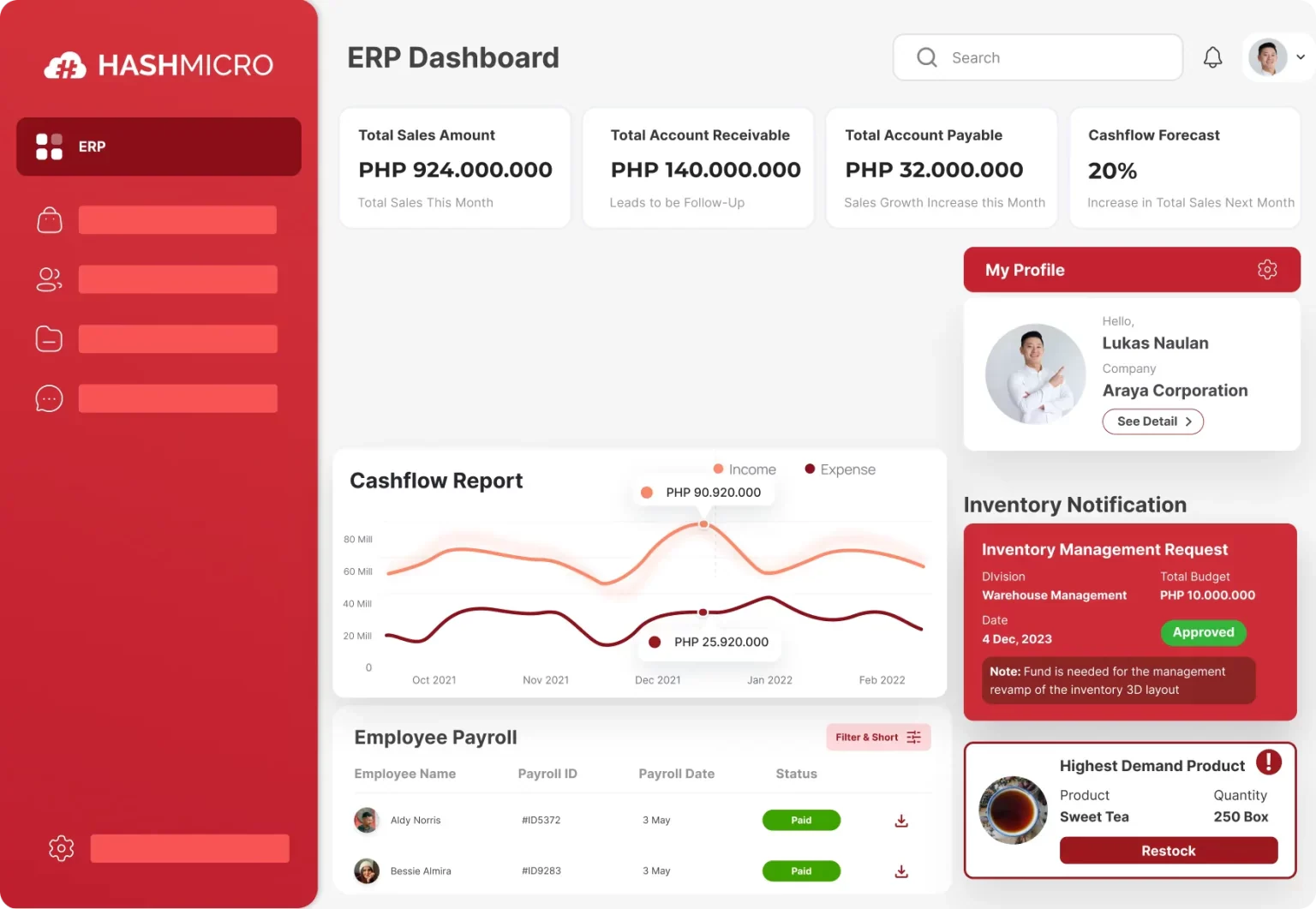
Payroll teams can apply the applicable SSS contribution table, calculate employee and employer portions, separate EC charges, and review payroll results before finalisation.
HashMicro helps Philippine employers manage SSS contribution calculations by connecting employee data from its human resource management system with payroll rules, payslip deductions, employer liabilities, approvals, and payroll reports in one ERP platform. Key HashMicro features that support SSS contribution management include:
Payroll calculation rules for employee deductions and employer contributions.
Employee statutory profiles for payroll and compliance data.
Payslip generation to display SSS deductions clearly.
Payroll run preview before finalisation.
Approval workflows for payroll review.
Payroll-to-accounting integration for employer costs and payables.
Reporting and audit trails for reconciliation.
- Payroll-to-accounting integration for employer costs and payables.
- Reporting and audit trails for reconciliation.
Conclusion
The SSS contribution table 2026 is only one part of payroll compliance. For enterprise employers, the greater challenge is ensuring that the correct version reaches every employee, branch, approval team, accounting entry, and remittance record at the correct time.
HashMicro can help HR and finance leaders assess how an integrated ERP payroll workflow may support effective-dated statutory configuration, centralised multi-branch processing, approval controls, accounting integration, and auditable reporting. Discuss your ERP requirements with the HashMicro's free consultation team to identify the configuration and implementation approach appropriate for your organisation.

Frequently Asked Questions
Check the configured table against the latest official SSS issuance, including its effective date, compensation ranges, Monthly Salary Credits, employer and employee shares, EC amounts, and other contribution components. Test representative brackets and boundary values, then require documented approval before the first production payroll using the configuration.
Recommended internal controls include central rule ownership, effective dating, role-based approvals, restricted branch access, exception reports, consolidated reconciliation, deadline alerts, and retained audit records. These controls support consistent processing but do not replace the employer's official SSS obligations.
Group employees by the salary brackets in the officially verified table, multiply each group by the corresponding employer share and employer-only components, and incorporate hiring, departure, and salary-change scenarios. Reconcile the resulting forecast with the payroll register after each run instead of relying on an unsupported average increase.
Evaluate version control, effective dating, bulk processing, separate contribution-component tracking, exception handling, approval workflows, multi-branch support, payroll-to-accounting integration, audit logs, reconciliation reports, data security, access controls, and implementation support.
SSS contributions are mandatory for all private-sector employees, their employers, self-employed workers earning at least ₱1,000 per month, household helpers (kasambahay), and land- and sea-based OFWs. Government workers are covered by GSIS instead. Non-working spouses and separated members may also contribute voluntarily to keep their benefits active.