






A quality issue does not end when an inspector records it, teams must decide what happens to affected products, investigate the cause, assign corrective action, verify the fix, and preserve the evidence. When these steps are scattered across spreadsheets, emails, and paper forms, businesses lose traceability and struggle to choose software that can manage the full quality process.
This challenge is especially relevant for Philippine businesses preparing for customer audits or coordinating quality across multiple facilities. The Philippine Bureau of the Treasury reported in April 2026 that its quality management certification covered 17 sites nationwide, while ISO 9001:2026 places stronger emphasis on leadership, quality culture, risks, and opportunities.
This guide compares eight quality management products to help Philippine buyers identify the right fit. It distinguishes dedicated QMS platforms from tools focused on manufacturing quality, frontline inspections, or corrective actions, so readers can compare capabilities, match software to their workflows, and shortlist the most suitable options before requesting demonstrations.
Key Takeaways
Quality management software centralises documents, audits, nonconformities, corrective actions, and quality records in one controlled system.
Dedicated QMS platforms manage the full quality lifecycle, while operational quality tools support specific inspections or production checks.
Vendor comparison and software selection help businesses match features, traceability, integrations, implementation needs, and total cost to their processes.
Full Quality Management Software Comparison
A feature appearing on a vendor’s website does not establish that it is included in every package. Ask vendors to demonstrate the specific workflow and confirm its commercial scope in writing.
| Software | Document control | Nonconformance and CAPA | Audits and inspections | Operational connection | Main distinction |
|---|---|---|---|---|---|
| HashMicro | Confirm exact quality-document scope | Confirm exact workflow scope | Quality control within manufacturing; confirm audit scope | Manufacturing, inventory, and related ERP processes | Quality alongside operations |
| QT9 QMS | Document control | Nonconforming products and CAPA | Audit and inspection modules | QMS integration options, including QT9 ERP | Broad dedicated QMS |
| ETQ Reliance | Document control | Nonconformance and corrective action | Audit management | Integration and API options | Configurable enterprise workflows |
| SafetyCulture | Confirm suitability for controlled documents | Follow-up actions; assess full CAPA requirements separately | Mobile inspections and audits | Frontline operational workflows | Inspection-led approach |
| MasterControl | Document control | Quality events and CAPA | Audit management | Confirm required manufacturing integrations | Connected quality processes |
| Qualityze | Controlled documents | CAPA and linked quality events | Audit workflows | Confirm required ERP and plant integrations | Cloud quality governance |
| ComplianceQuest | Document management | Nonconformance and CAPA | Audit and product inspection | Quality, supplier, and other enterprise processes | Connected quality and risk |
| Ideagen Quality Management | Document control | Confirm package and workflow scope | Audit and quality workflows | Confirm required integrations | Document and audit control |
Which Quality Management Software Suits Your Business?
The right quality management software depends on how quality decisions affect production, facilities, food safety, and compliance. Use these criteria to match the platform to your operational needs.
1. Manufacturers Need Quality Workflows Connected to Production
Manufacturers should choose software that connects inspection results with material status, stock holds, production orders, and shop-floor actions. A dedicated QMS may manage investigations effectively, but buyers must confirm how its decisions update inventory and production records.
2. Multi-Site Businesses Need Centralized Control
Businesses operating across several facilities need controlled documents, consistent approvals, and central visibility. Each site should be able to follow the correct procedures, record local findings, and preserve approval histories without losing accountability.
3. Food and Beverage Businesses Need Traceable Inspections
Food and beverage teams should prioritize inspections, process checks, traceability, and corrective-action follow-up at production sites. Mobile inspection tools simplify frontline checks, while broader QMS platforms support formal investigations, controlled changes, and management reviews.
4. ISO 9001 Teams Need Evidence-Based Evaluation
Businesses preparing for ISO 9001 should assess demonstrated workflows instead of relying on “ISO-ready” claims. Ask vendors to show document approvals, revision histories, audit findings, assigned actions, and effectiveness checks, while remembering that certification applies to the organization’s management system, not the software subscription.
8 Best Quality Management Software in the Philippines
The following shortlist is organised by product fit, not an independently measured ranking. Philippine sales arrangements, implementation support, and current pricing must be confirmed with each vendor.
1. HashMicro
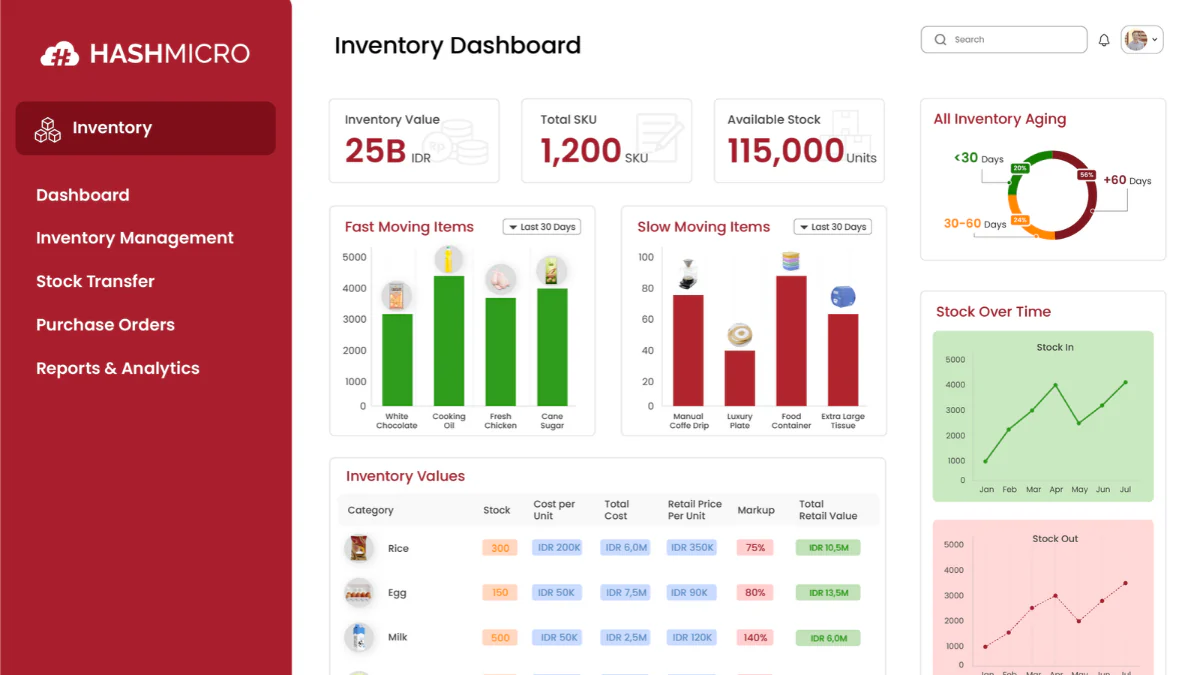
HashMicro Manufacturing Software connects quality control with production and wider ERP workflows. Buyers can assess how inspections relate to manufacturing activity, material movement, inventory records, and operational reporting.
It suits manufacturers that want quality decisions to influence the processes that create and move products. A practical demonstration should cover inspection points, rejected materials, production updates, inventory changes, approvals, and reporting.
HashMicro should not automatically be treated as a standalone QMS. Buyers must confirm whether the proposed implementation includes document control, CAPA, audit management, traceability, and other formal quality requirements.
Best for: Manufacturers evaluating quality control alongside connected production, inventory, and ERP workflows.
Pricing: Custom quote
Key features to assess:
- Inspection points: Records quality checks at defined stages of production or material handling.
- Quality records: Stores inspection results and supporting evidence for review.
- Rejected-material treatment: Shows how nonconforming materials are held, rejected, reworked, or released.
- Production and inventory traceability: Links quality findings to relevant production and stock transactions.
- Approvals: Controls review and approval steps for quality decisions.
- Reporting: Provides operational visibility into quality records and related activities.
| Pros | Cons |
|---|---|
| Connects quality evaluation with production and inventory workflows. | The formal QMS scope requires confirmation against the buyer’s requirements. |
| Supports assessment of quality decisions within broader operational processes. | Buyers must verify whether document control, CAPA, audit management, and management reviews are included. |
| Allows buyers to test their own quality-control scenarios during a demonstration. | The treatment of rejected materials, waste, rework, and approvals should be demonstrated before selection. |
| Provides Philippine business positioning and local implementation context. |

2. QT9 QMS

QT9 QMS provides a dedicated quality platform covering document control, CAPA, audits, inspections, training, and related quality processes. It is a strong benchmark for teams that need multiple quality activities connected in one system, but buyers using another ERP should test integration requirements directly.
Best for: Teams that need a broad standalone QMS rather than an inspection-only tool.
Key features to assess:
- Document control
- CAPA management
- Audit management
- Inspection records
- Training records
- Nonconformance workflows
- ERP integration
| Pros | Cons |
|---|---|
| Covers several formal QMS processes in one platform. | Integration with an existing ERP requires direct validation. |
| Connects nonconformance records with corrective actions. | Philippine support and implementation arrangements must be confirmed. |
| Supports document, audit, inspection, and training workflows. | Buyers should test whether revised procedures, employee training, and audit evidence remain linked. |
| Provides a useful benchmark for dedicated QMS functionality. |
3. ETQ Reliance
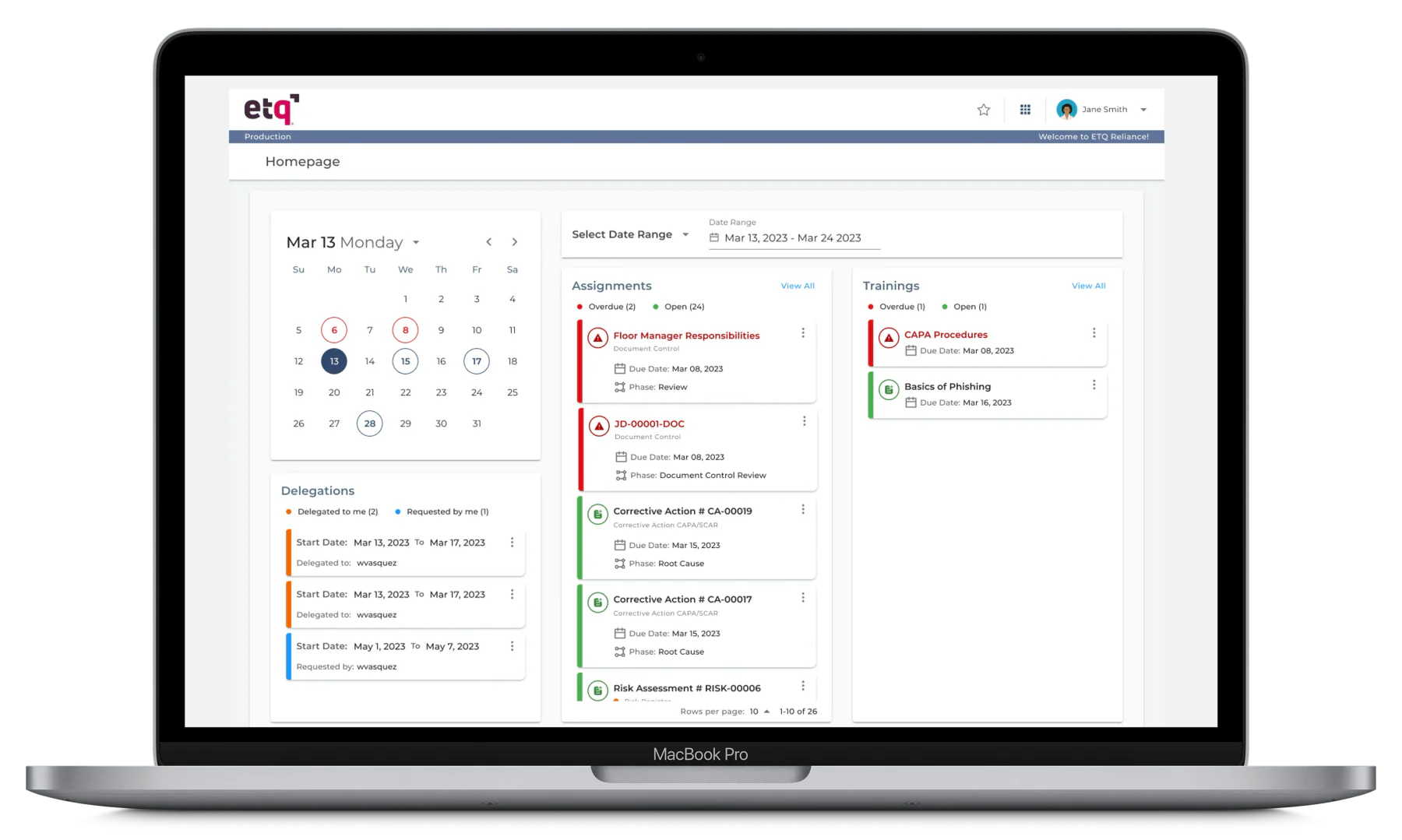
ETQ Reliance supports document control, training, audits, nonconformance, corrective action, supplier quality, risk, and other enterprise quality processes. Its configurable structure suits organizations that need common controls with variations across sites, departments, or approval paths.
Best for: Larger organizations managing multiple quality processes and site-specific workflows.
Key features to assess:
- Document control
- CAPA and nonconformance
- Audit management
- Supplier quality
- Risk management
- Multi-site reporting
- Workflow configuration
| Pros | Cons |
|---|---|
| Provides broad quality process coverage. | Configuration requirements may increase implementation effort. |
| Supports configurable workflows for different sites or divisions. | Ongoing administration and change control should be assessed. |
| Includes supplier quality and risk-related processes. | Buyers must confirm which applications and modules are included in the proposed package. |
4. MasterControl
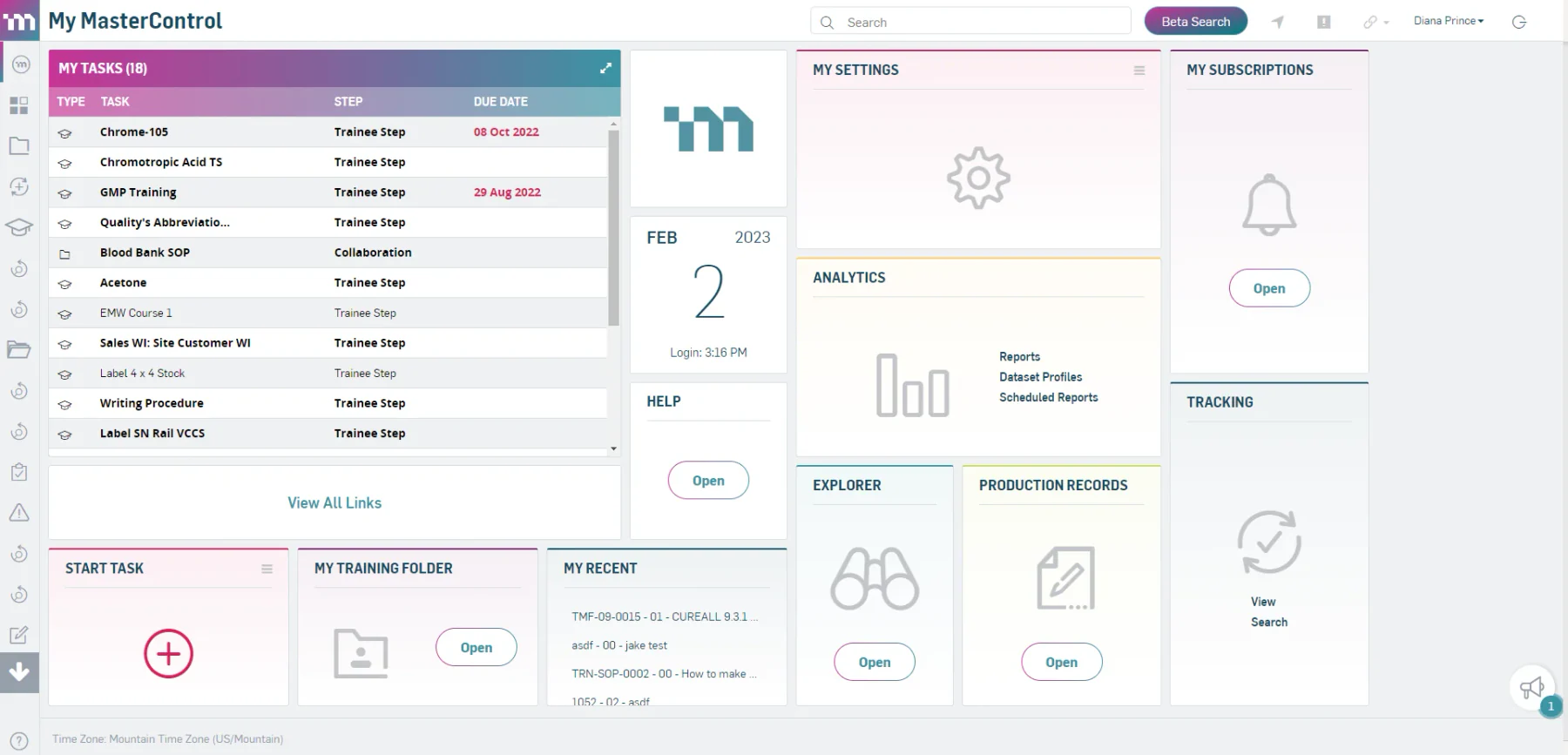
MasterControl connects document control, training, audits, risk, change management, and quality-event processes. It suits organizations that need to trace a quality event through investigation, corrective action, document updates, training assignments, and approval records.
Best for: Organizations requiring strong control over quality records, approvals, and regulated workflows.
Key features to assess:
- Quality-event management
- Investigation workflows
- CAPA ownership
- Document revision control
- Training assignments
- Audit evidence
- Risk and change management
| Pros | Cons |
|---|---|
| Supports structured investigation and CAPA workflows. | Implementation scope may be substantial for smaller organizations. |
| Provides controlled approval and revision processes. | Buyers must confirm integration with their manufacturing environment. |
| Covers multiple quality activities within one platform. | Licensing, validation, and implementation requirements should be assessed together. |
5. Qualityze
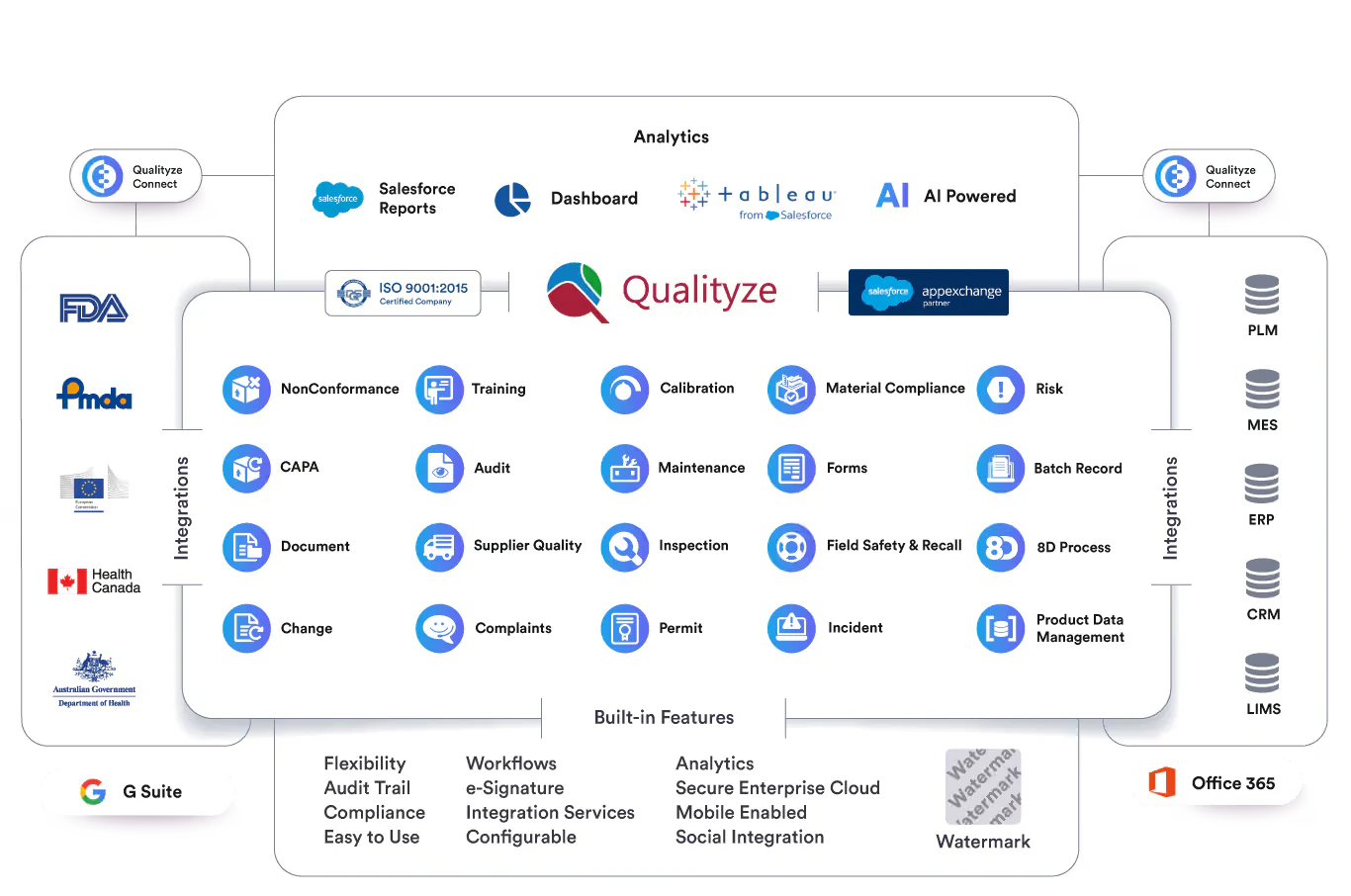
Qualityze provides cloud-based workflows for CAPA, audits, document control, risk, training, supplier management, and related quality activities. It is suitable for teams that want findings, revised procedures, training requirements, and effectiveness checks connected in one governed process.
Best for: Teams seeking a cloud QMS for several controlled quality workflows.
Key features to assess:
- CAPA management
- Audit management
- Document control
- Risk management
- Training records
- Supplier management
- Approval history
| Pros | Cons |
|---|---|
| Provides controlled access to documents by role or site. | Integration effort should be assessed before adoption. |
| Includes supplier and training workflows for broader quality management. | Philippine service and implementation arrangements must be verified. |
| Supports CAPA effectiveness reviews. | Buyers should test how an audit finding flows into document revision and training. |
6. ComplianceQuest
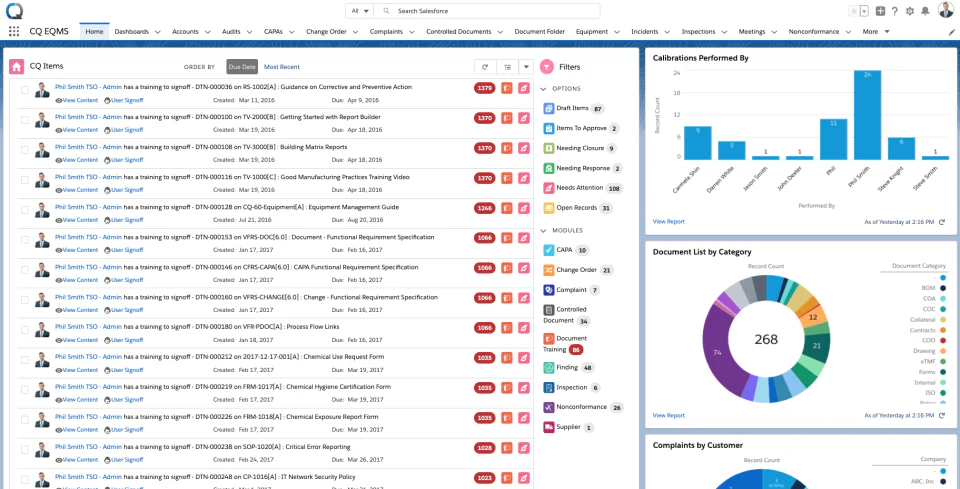
ComplianceQuest covers audits, CAPA, nonconformance, document management, inspections, training, supplier quality, and risk-related processes. It is suited to organizations that want findings from audits, inspections, suppliers, and other sources to enter one controlled corrective-action workflow.
Best for: Organizations connecting quality, supplier, audit, and risk processes across departments.
Key features to assess:
- Audit findings
- CAPA creation and escalation
- Nonconformance management
- Document control
- Inspection workflows
- Training records
| Pros | Cons |
|---|---|
| Connects quality findings from multiple sources. | Platform dependencies and integration requirements need confirmation. |
| Supports action assignment, escalation, and effectiveness checks. | Administration effort may be significant for complex deployments. |
| Covers supplier and risk-related quality workflows. | Buyers should test how revised documents and training assignments link to CAPA records. |
| Enables evaluation of cross-site quality reporting. | Philippine implementation support must be verified. |
7. Ideagen Quality Management
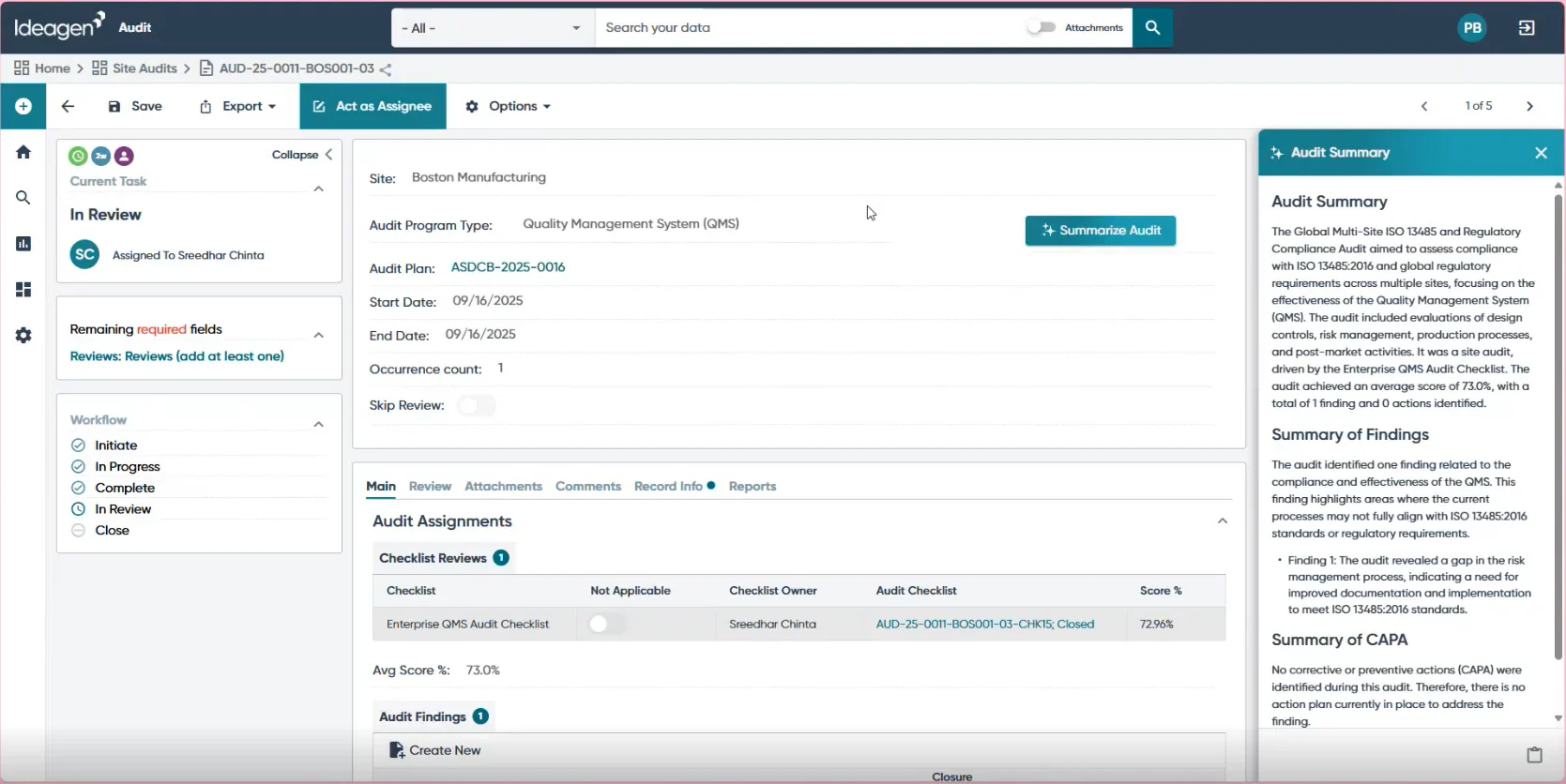
Ideagen Quality Management supports controlled documents and related audit and quality processes. It belongs on the shortlist when keeping approved procedures current, accessible, and audit-ready is a central business requirement.
Best for: Teams prioritising document governance and audit preparation alongside broader quality management.
Key features to assess:
- Document approval
- Revision history
- Controlled access to procedures
- Audit findings
- Corrective actions
| Pros | Cons |
|---|---|
| Focuses on controlled quality information. | The exact modules included in the quoted product require validation. |
| Supports document approval and revision tracking. | Buyers should assess whether the platform covers management-review requirements. |
| Helps teams maintain access to current procedures. | Product-family branding should not replace a workflow demonstration. |
8. SafetyCulture
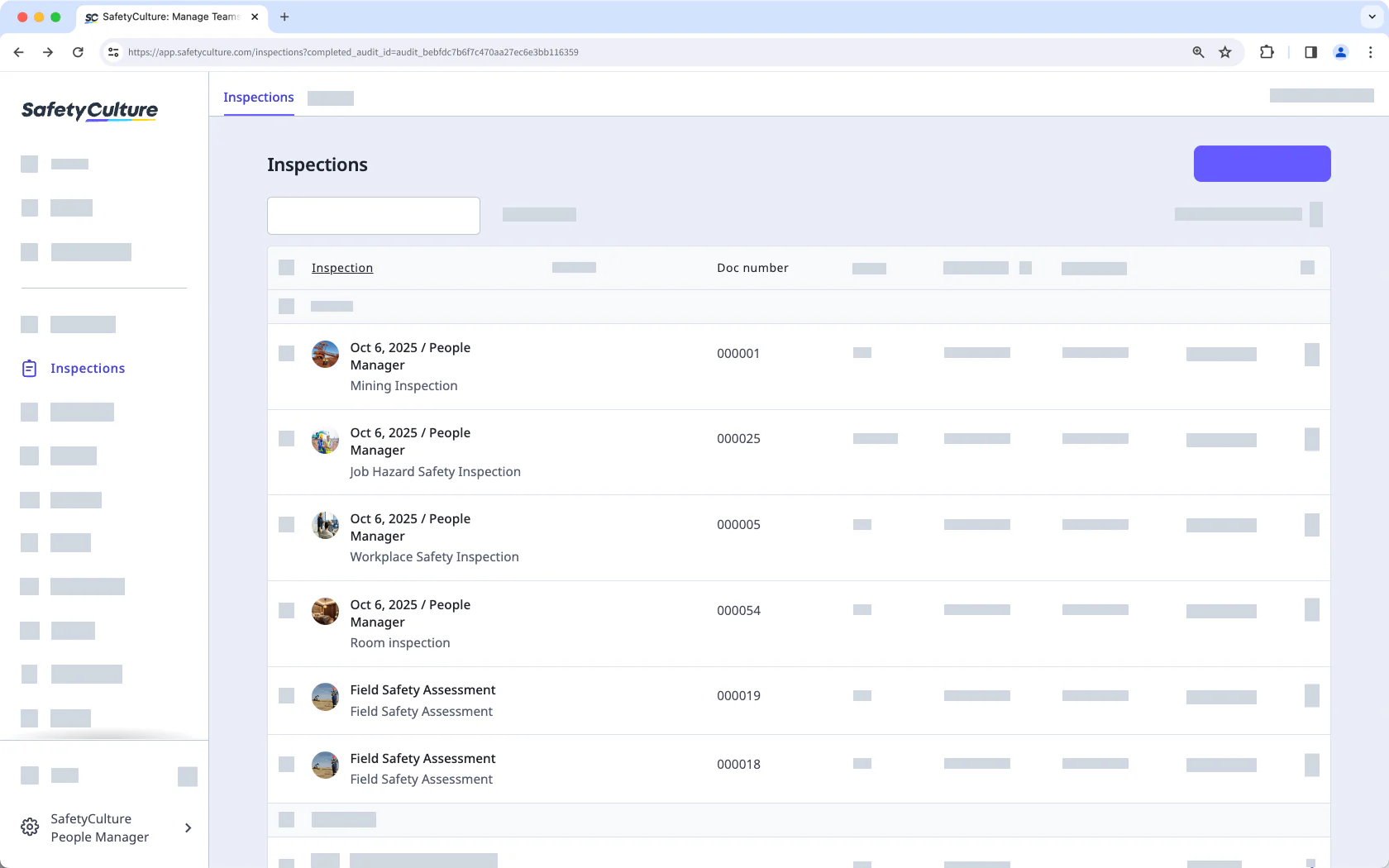
SafetyCulture provides digital inspections, reports, evidence capture, and assigned actions for frontline teams. It is a practical option for replacing paper-based checks and coordinating corrective tasks, but it should be assessed alongside any formal QMS required for document control, CAPA, supplier quality, or management review.
Best for: Teams digitising inspections and coordinating frontline actions across sites or production areas.
Key features to assess:
- Inspection templates
- Mobile evidence capture
- Offline work
- Action assignment
- Corrective-task tracking
- Inspection reporting
- Site-level visibility
- Integration with a formal QMS
| Pros | Cons |
|---|---|
| Supports digital inspections across multiple locations. | It may not replace full document-control and CAPA requirements. |
| Assigns actions directly from inspection findings. | Buyers must confirm formal audit, supplier-quality, and management-review capabilities. |
| Provides mobile evidence capture for frontline teams. | Integration with a separate QMS may be necessary. |
| Can reduce reliance on paper inspection forms. | Current plan limits, user costs, and enterprise terms require confirmation. |
| Supports teams working on shop floors or in the field. |
How to Choose Quality Management Software in the Philippines
Selecting quality management software requires more than comparing feature lists. Philippine businesses should first understand how quality issues move through their operations, then assess whether each platform can support those workflows from initial findings to final resolution.
Map the quality process before comparing vendors: Identify where findings arise, who investigates them, who approves decisions, and where outcomes must appear. Include relevant warehouse, production, supplier, and customer-facing processes so the software reflects the full workflow.
Choose the right software category: A dedicated QMS suits businesses that require formal document control, audits, CAPA, training, and supplier-quality management. An ERP-connected quality workflow is more suitable when inspection decisions must affect production and inventory, while an inspection platform fits businesses focused mainly on consistent frontline checks.
Use the same demonstration scenario with every vendor: Ask each provider to show how the system handles a defective component found during receiving, including quarantine, investigation, corrective-action approval, supplier-record updates, and result verification. Record every step that requires another application or manual data transfer.
Verify access, connectivity, and local support: Confirm license requirements, multi-site access, offline capabilities, data storage, record exports, and implementation support available in the Philippines. These practical conditions are as important as the listed features when selecting a long-term quality management system.
Conclusion
The right quality management software depends on what your team must control after a problem is identified. Dedicated QMS platforms suit businesses that need governed document control, audits, CAPA, training, and supplier quality. ERP-connected quality workflows fit manufacturers that need inspection decisions to update production and inventory, while inspection-led tools support consistent frontline checks and follow-up.
Choose a shortlist based on your processes, then test every vendor with the same real scenario. A demonstration should show how the system handles a finding from investigation and corrective-action approval through supplier updates, verification, and final closure.
Evaluate your connected manufacturing and quality workflows with manufacture software by HashMicro. Book a free consultation to discuss your requirements and see how the platform can support your quality operations.

FAQ
No. ISO states that certification is voluntary, and its requirements concern the organization’s quality management system. Software may help organise processes and evidence, but buying a platform does not certify a business.
QMS software generally addresses the wider system used to manage quality, such as controlled documents, audits, findings, corrective actions, and improvement. Quality control software may focus more narrowly on inspections and decisions about whether a product meets specifications. Ask vendors to demonstrate their actual scope because product labels vary.
Some products offer integration options, but the connection and effort differ. Define which system owns product specifications, inspection results, material status, supplier records, and production transactions before assessing a vendor’s integration claim.
Use one real finding from your operation. Have the vendor show how employees record evidence, identify affected products, assign responsibility, approve action, check effectiveness, and retrieve the full history. Also confirm site access, connectivity needs, data export, implementation support, and the complete quoted cost.