






RFID inventory management software helps Philippine businesses track stock movement using radio-frequency identification tags, readers, and inventory applications. Unlike traditional barcode systems, RFID can identify multiple tagged items without direct line of sight. This makes it useful for receiving, putaway, cycle counting, picking, dispatch, returns, and retail stock checks.
Many warehouses still rely on manual counts, spreadsheets, or individual barcode scans. These methods can lead to stock discrepancies, misplaced products, slow counting, and delayed replenishment. As highlighted by the Department of Trade and Industry (DTI), digitalization in supply chain and logistics can help businesses improve operational processes.
RFID should be evaluated as part of a complete inventory workflow rather than as a reader purchase alone. The software should connect RFID data with warehouse activities and business systems while meeting hardware, integration, support, and budget requirements.
Key Takeaways
Compare RFID inventory management software based on features, capabilities, and compatibility with your business needs.
Explore 10 RFID inventory management software options in the Philippines to find the right fit for your tracking and warehouse needs.
Follow a clear RFID implementation checklist to prepare your inventory processes, avoid common issues, and support a smoother rollout.
Quick Comparison RFID Inventory Management Software
Quick Comparison RFID Inventory Management Software
The table below compares the key features and capabilities of each RFID inventory management software to help businesses identify the options that best match their needs.
RFID Inventory Management Software
RFID Inventory Management Software
RFID Inventory Management Software
| Software | Key features to assess | Capture method | Integration | Best fit |
|---|---|---|---|---|
| HashMicro | Inventory, warehouse, purchasing, sales, transfers, stocktake, and audit trail | RFID readers, handheld devices, and scanners | ERP modules, POS, accounting, and APIs subject to verification | Integrated operations |
| ScaleOcean Atlas | Warehouse, inventory, procurement, and distribution workflows | RFID and barcode devices subject to verification | ERP and operational modules | Local ERP projects |
| Solomon Philippines | Warehouse, manufacturing, mobile scanning, and RFID implementation | Handheld and fixed readers | Project-based system integration | Warehouse and manufacturing |
| Zoho Inventory | Items, orders, warehouses, replenishment, and reporting | Scanner workflow, RFID depth to be verified | Zoho applications and third-party integrations | SMB inventory |
| Fishbowl Inventory | Manufacturing, bills of materials, and warehouse control | Barcode and compatible hardware | Accounting and business applications | Manufacturing |
| Zebra MotionWorks | Location intelligence, asset visibility, and enterprise RFID | Fixed readers, antennas, and RFID infrastructure | Enterprise systems and partner integrations | Large operations |
| TagMatiks | Asset tracking, RFID events, dashboards, and APIs | RFID readers and mobile devices | API-led integration subject to verification | Specialized tracking |
| Xemelgo | Production, materials, and supply chain event visibility | RFID and sensor data subject to verification | ERP and manufacturing systems | Industrial operations |
| Wasp Barcode | Inventory, asset tracking, labels, and scanning workflows | Barcode and RFID devices subject to verification | Accounting and inventory platforms | SMB operations |
| inFlow Inventory | Purchasing, sales, stock control, and reporting | Barcode-first workflows, RFID support to be verified | Accounting and commerce integrations | Growing businesses |
What to Evaluate Before Choosing an RFID Platform
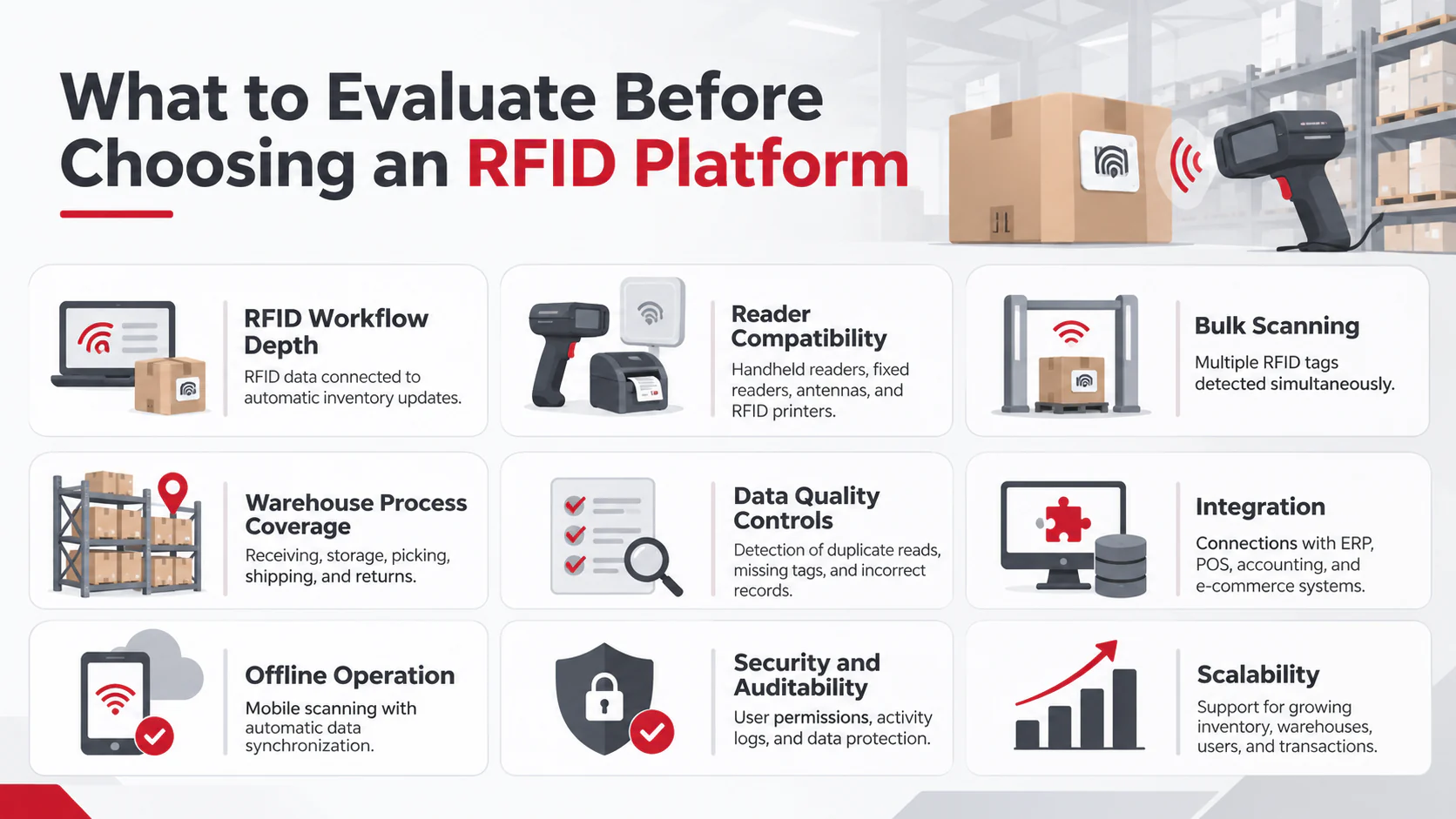
Choosing an RFID platform requires more than comparing features. Businesses should consider these key factors to ensure the software meets their operational needs.
- RFID Workflow Depth: Check whether the platform can process RFID data and automatically update inventory records. It should connect tag readings to stock movements and warehouse transactions, rather than simply collecting information from scanners.
- Reader Compatibility: Confirm that the software supports the RFID hardware used by the business, such as handheld and fixed readers, antennas, and RFID printers. Mobile operating system and network requirements should also be checked to prevent compatibility issues during implementation.
- Bulk Scanning: Evaluate whether the platform can read multiple RFID tags at once under actual warehouse conditions. Packaging, product density, liquids, and metal surfaces can affect reading accuracy, so testing helps identify missed or duplicate reads before implementation.
- Warehouse Process Coverage: Check whether the platform supports the main stages of warehouse operations, including receiving, putaway, stock transfers, picking, packing, shipping, returns, and cycle counting. Support across these processes helps maintain consistent inventory records and reduces manual updates.
- Data Quality Controls: Look for features that detect duplicate reads, missing or damaged tags, unmatched identifiers, and unexpected items. The system should also flag incomplete transactions so employees can review and correct records before they affect inventory reports.
- Integration: Check whether the platform connects with existing business systems through APIs, ERP, POS, accounting, and e-commerce integrations. These connections allow inventory data to move between departments while reducing repeated data entry and inconsistent records.
- Offline Operation: Check whether mobile devices can continue selected warehouse tasks when the network is unavailable. The software should temporarily store transaction records and synchronize them once the connection returns to prevent missing or conflicting updates.
- Security and Auditability: Look for role-based permissions, audit logs, approval workflows, and data encryption to protect inventory information. These features support inventory audit processes by restricting access and tracking who made specific changes or transactions.
- Scalability: Consider whether the platform can support future growth in RFID tags, warehouses, branches, users, readers, and daily transactions. A scalable system can handle higher data volumes and additional locations without requiring costly software changes as operations expand.
10 Best RFID Inventory Management Software in the Philippines
The following list highlights 10 RFID inventory management software options for businesses in the Philippines. Each solution offers different features and capabilities, making it easier to compare their suitability for inventory tracking, warehouse operations, and business requirements.
1. HashMicro

HashMicro's Inventory Software connects RFID-related inventory workflows with broader ERP operations, making it a suitable option for businesses seeking integrated inventory management. Its capabilities can be evaluated based on warehouse visibility, procurement, sales, stock transfers, stocktaking, audit trails, retail operations, and accounting integration.
HashMicro is a candidate for businesses looking to connect RFID-related inventory workflows with broader ERP operations. As a best inventory management system option, it brings together warehouse visibility, procurement, sales, stock transfers, stocktaking, audit trails, retail operations, and accounting integration.
Key features:
- Multi-warehouse inventory tracking
- Barcode and RFID integration
- Stocktakes and adjustment approvals
- Purchasing and accounting integration
Pros | Cons |
|
|
Best for: Multi-warehouse businesses, distributors, manufacturers, retailers, and companies seeking one operational system.
Pricing: Custom quote.
Managing RFID-based inventory becomes easier with software that connects stock tracking, warehouse activities, and business data in one place. Discover HashMicro Inventory Management Software and schedule a free demo to explore its capabilities.

2. ScaleOcean Atlas
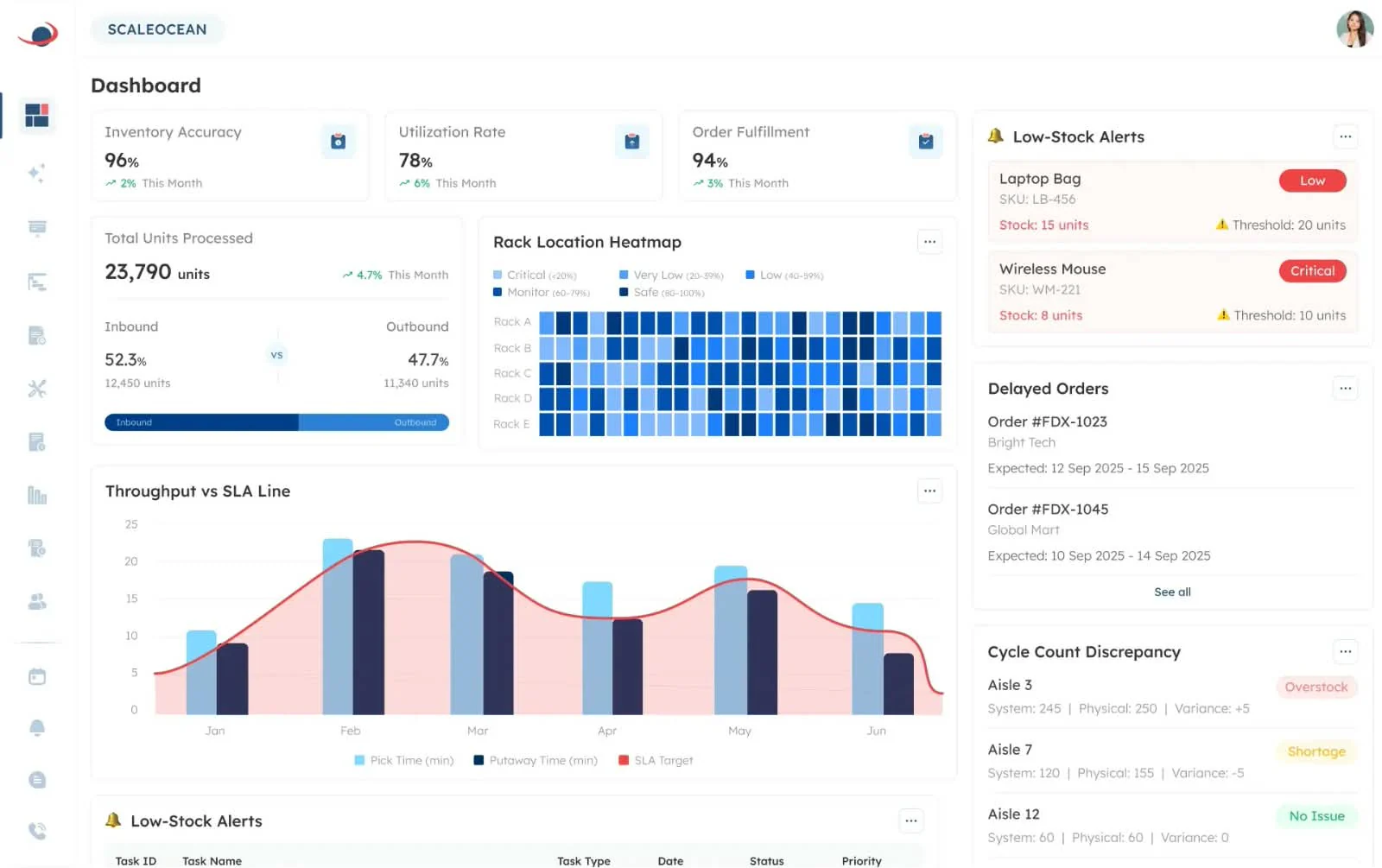
ScaleOcean Atlas is a relevant local benchmark for Philippine businesses comparing ERP and warehouse software. Its profile should explain which RFID workflows are supported, how readers connect to inventory records, and whether the system is designed for warehouse, retail, manufacturing, or distribution environments.
Key features:
- Barcode and RFID tracking
- Real-time stock visibility
- Inter-warehouse transfers
- Digital stock counts
Pros | Cons |
|
|
Best for: Businesses evaluating a locally positioned ERP and warehouse solution.
Pricing: Custom quote.
3. Solomon Philippines
Solomon Philippines is a top local warehouse management system and manufacturing technology provider that can be considered when RFID deployment involves hardware, mobile devices, warehouse processes, and implementation services.
₱199.000 one-time payment per warehouse
Key features:
- RFID-enabled inventory tracking
- Warehouse management
- Fixed asset management
- Automated replenishment
Pros | Cons |
|
|
Best for: Warehouse, manufacturing, distribution, and project-based RFID deployments.
Pricing: ₱199.000 one-time payment per warehouse.
4. Zoho Inventory
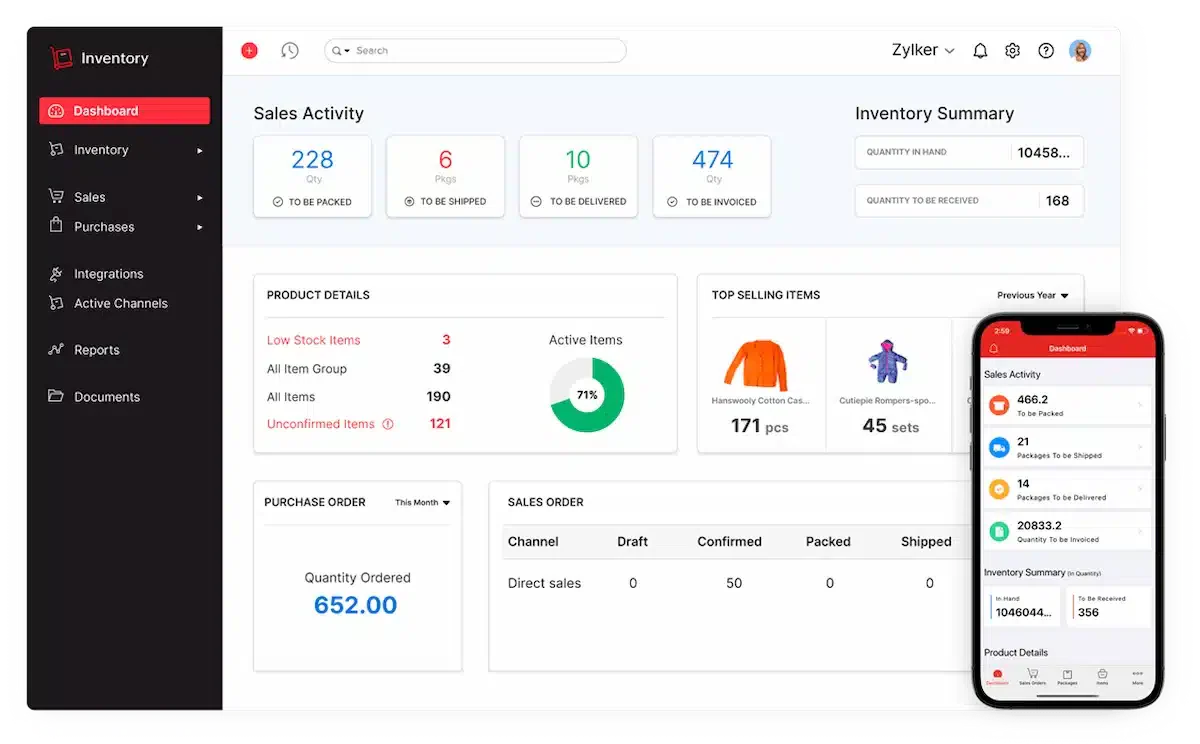
Zoho Inventory is a cloud inventory option for small and growing businesses. It covers common inventory and order workflows, but editors should distinguish between RFID-native functionality and a scanner workflow that records an RFID identifier as an item or SKU.
₱1.858/organization/month
Key features:
- Item and order management
- Multi-warehouse stock control
- Reorder alerts
- RFID scanning through SKU fields
Pros | Cons |
|
|
Best for: SMB inventory, purchasing, sales orders, stock control, and basic multi-warehouse operations.
Pricing: ₱1.858/organization/month.
5. Fishbowl Inventory

Fishbowl Inventory is commonly evaluated by manufacturing and warehouse teams that need inventory control alongside production processes. The comparison should focus on how RFID data enters the system and whether additional hardware, connectors, or implementation services are required.
₱14.670/month
Key features:
- Manufacturing inventory control
- Bills of materials
- Lot and serial number tracking
- Mobile barcode scanning system
Pros | Cons |
|
|
Best for: Manufacturing, bills of materials, warehouse control, and production inventory.
Pricing: ₱14.670/month.
6. Zebra MotionWorks
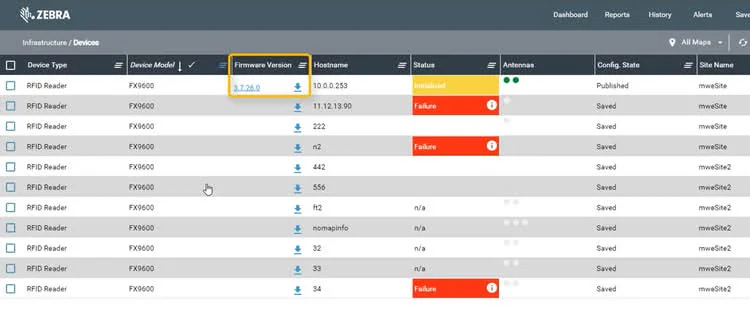
Zebra MotionWorks is an enterprise-oriented option for RFID and location intelligence projects. It is more infrastructure-dependent than a basic inventory application, so buyers should evaluate readers, antennas, network design, event processing, implementation partners, and integration with existing enterprise systems.
Key features:
- RFID reader management
- Real-time asset location tracking
- Location alerts and dashboards
- Enterprise system integration
Pros | Cons |
|
|
Best for: Large warehouses, enterprise asset visibility, and complex location tracking.
Pricing: Custom quote.
7. TagMatiks
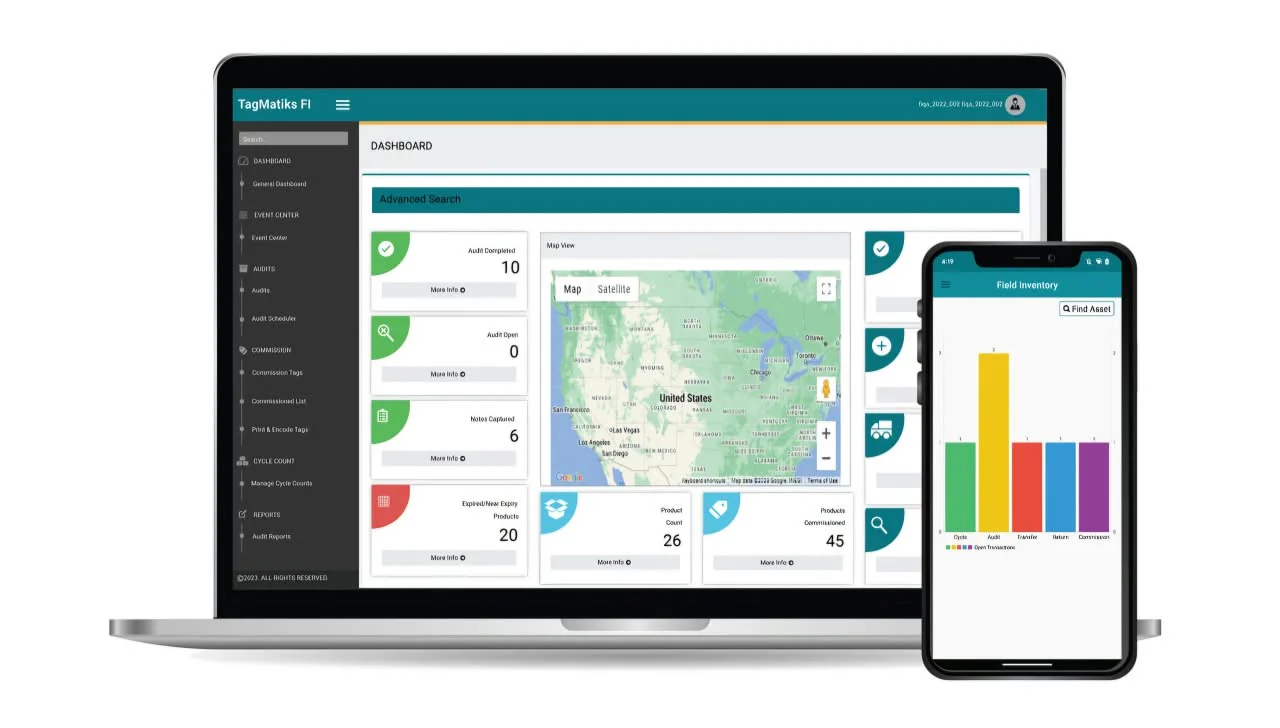
TagMatiks is a specialized RFID and asset tracking candidate. It may fit organizations that need detailed asset histories, movement events, dashboards, and API-based integration.
₱6.342 one-time payment per device
Key features:
- RFID inventory and asset tracking system
- Handheld and fixed reader support
- Analytics dashboards
- ERP and WMS integration APIs
Pros | Cons |
|
|
Best for: Asset-intensive operations and RFID tracking projects.
Pricing: ₱6.342 one-time payment per device.
8. Xemelgo
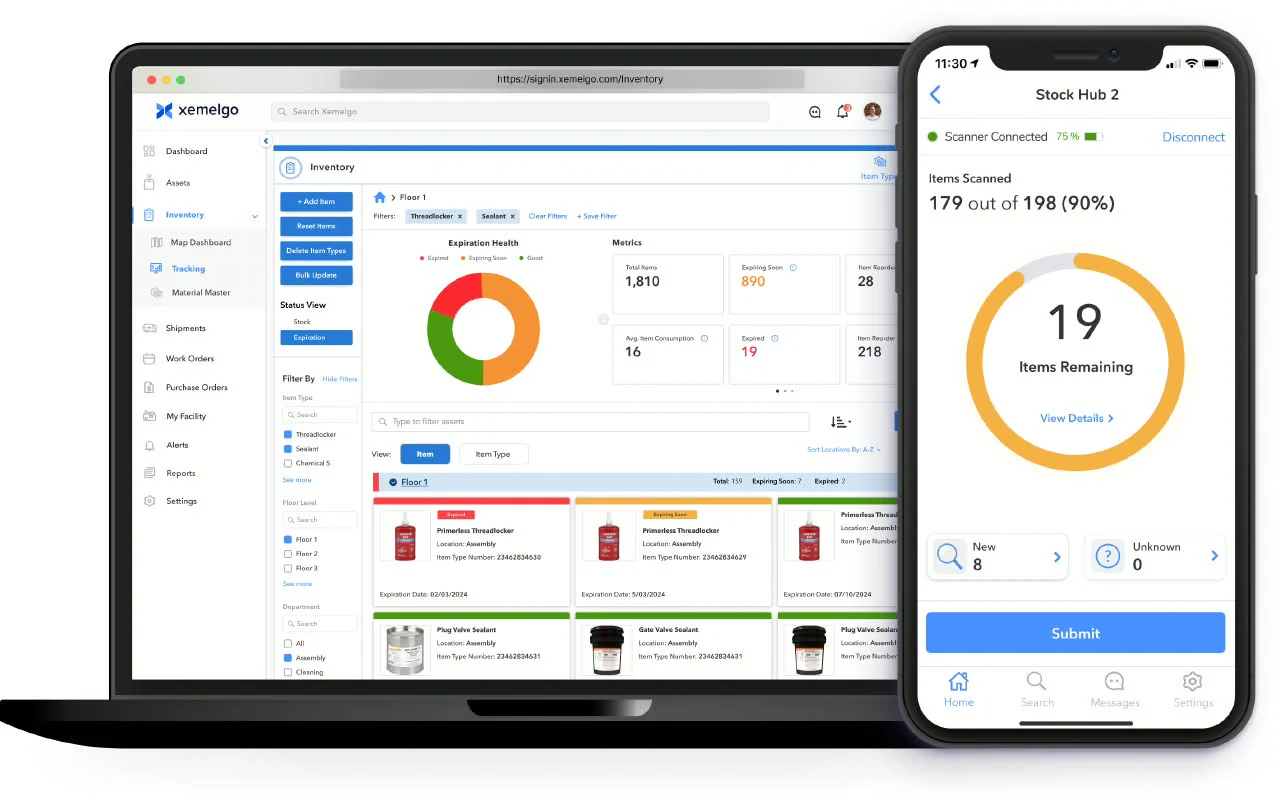
Xemelgo can be considered for manufacturing and supply chain use cases where RFID or sensor events support material visibility. Its position in the comparison should depend on verified workflows for receiving, production, movement, exceptions, and ERP synchronisation.
Key features:
- RFID-based inventory tracking
- Work-in-process visibility
- Mobile cycle counts and audits
- Material movement tracking
Pros | Cons |
|
|
Best for: Manufacturing, industrial operations, and supply chain event visibility.
Pricing: Custom quote.
9. Wasp Barcode
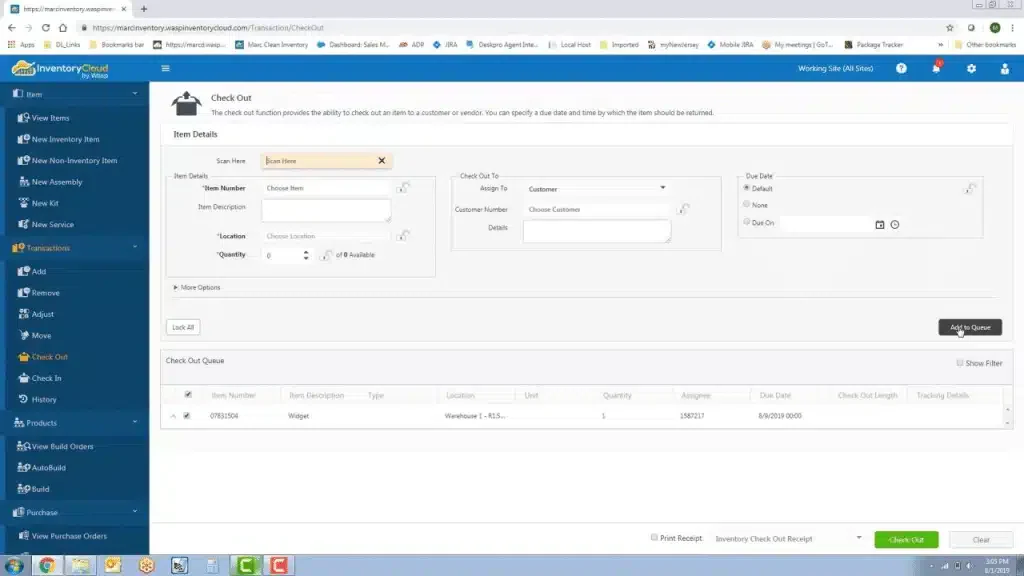
Wasp Barcode is relevant to smaller businesses comparing barcode, label, asset, and inventory workflows. It should only be presented as an RFID option if official product information confirms the required encoding, reader, and inventory capabilities.
₱16.015/month
Key features:
- RFID-enabled asset tracking
- Bulk asset check-in and check-out
- Mobile asset audits
- Asset reports and notifications
Pros | Cons |
|
|
Best for: SMB inventory and asset management projects.
Pricing: ₱16.015/month.
10. inFlow Inventory
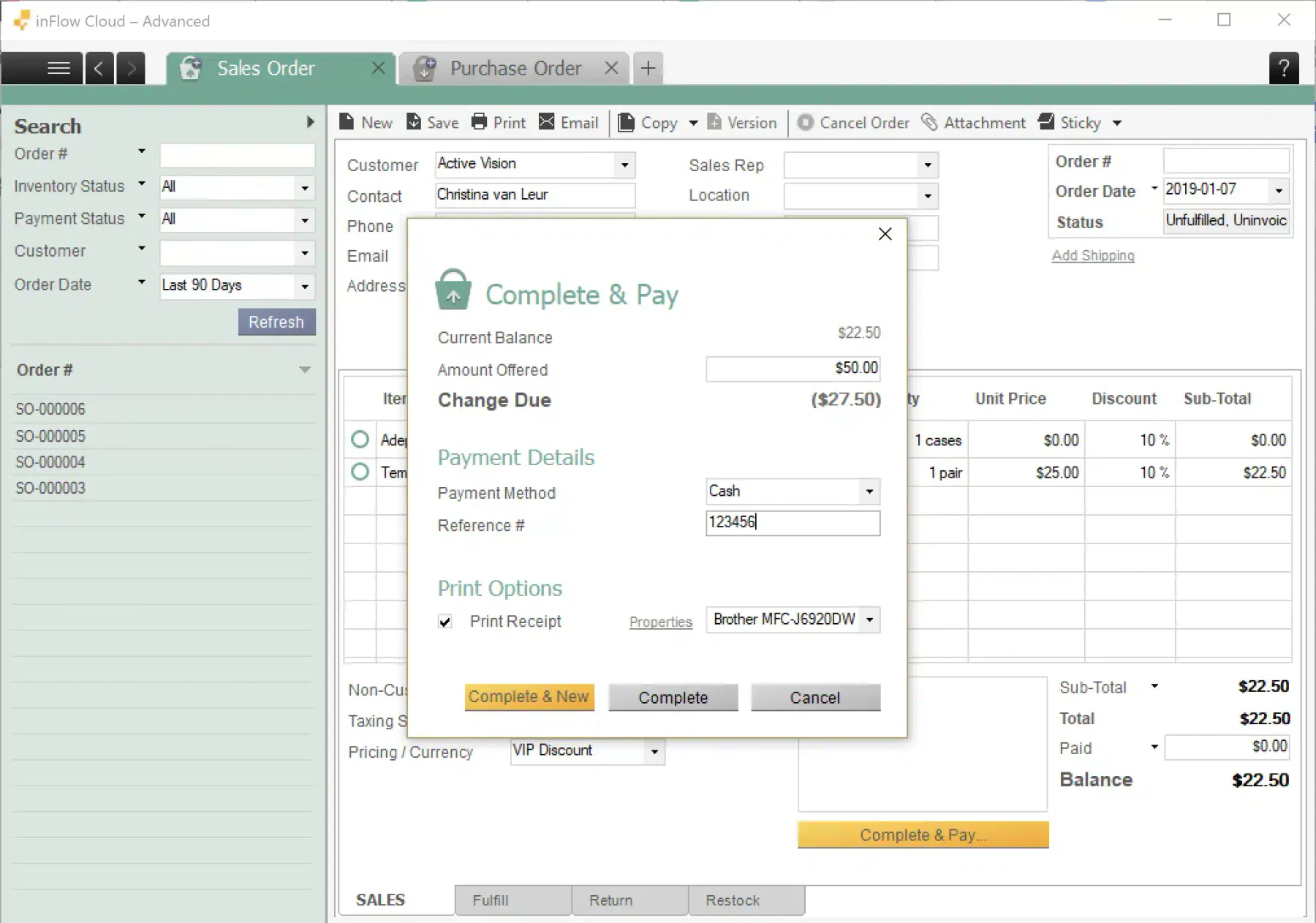
inFlow Inventory is a practical candidate for small and growing businesses that need purchasing, sales, stock control, and reporting. The article should clearly state whether its current workflow supports RFID directly or primarily uses barcode scanning and external devices.
₱6.342/month
Key features:
- Barcode-based stock scanning
- Purchasing and sales orders
- Inventory control
- Stock reporting
Pros | Cons |
|
|
Best for: SMB inventory operations with straightforward stock workflows.
Pricing: ₱6.342/month.
RFID Implementation Checklist for Philippine Businesses

Implementing RFID requires careful preparation to ensure the system works with existing inventory processes. Philippine businesses can follow these steps to plan implementation and reduce operational issues:
- Map warehouse workflows. Identify key activities such as receiving, storage, transfers, picking, dispatch, returns, and stocktaking.
- Prepare inventory data. Clean up item masters, warehouse locations, units of measure, and supplier records before implementation.
- Select suitable RFID tags. Consider product materials, reading distance, durability, temperature, moisture, and handling conditions.
- Assess the site. Conduct a reader and antenna survey in the pilot area to identify potential signal issues.
- Define tag identification. Determine how RFID identifiers will connect to SKUs, serial numbers, batches, pallets, or assets.
- Test reading accuracy. Check for duplicate reads, missed tags, unexpected items, incorrect locations, and quantity mismatches.
- Connect business systems. Integrate verified RFID data with inventory, purchasing, sales, production, POS, or accounting systems.
- Train employees. Prepare warehouse and store teams to use the system through realistic daily work scenarios.
- Monitor pilot performance. Measure inventory accuracy, processing time, exception volume, and employee adoption.
- Expand gradually. Extend implementation to other warehouses, branches, product categories, or processes only after the pilot meets agreed targets.
RFID vs. Barcode: Which Fits Your Inventory Workflow?
Barcode and RFID both help businesses identify and track items. The better choice depends on how many items need to be scanned, where scanning happens, and what the business can support during implementation.
| Consideration | Barcode | RFID |
|---|---|---|
| How it works | A scanner typically needs a clear view of each printed label | A reader uses radio waves to detect multiple tagged items without direct line of sight |
| Best fit | Individual scans at receiving, checkout, picking, or dispatch | Bulk stock counts, asset tracking, and movement across large warehouses |
| Implementation | Generally simpler and less expensive to introduce | Requires compatible tags, readers, and software connected to inventory transactions |
| What to test | Label condition, scanner access, and time spent scanning items individually | Read accuracy around products and shelving, including missed or duplicate reads |
| Using both | Supports routine scans and can serve as a backup | Handles high-volume scanning while barcodes remain in use for other tasks |
Which Software Suits Your Business?
The right choice depends on what you need RFID to do, such as identify stock during transactions, count many tagged items, locate assets, or track materials through production. Start with that workflow, then check how each system connects reader data to your inventory records.
| Business need | Software to consider | Why it may fit | Check before choosing |
|---|---|---|---|
| Connected inventory operations | HashMicro; ScaleOcean Atlas | RFID integration within broader inventory or warehouse systems | Demonstrate your reader and the resulting stock transaction |
| Philippine warehouse operations | Solomon | Inventory and warehouse management for Philippine businesses | Confirm RFID support and compatible hardware |
| Asset location and audits | Zebra MotionWorks; TagMatiks; Wasp Asset | Location tracking and RFID tools for tagged assets | Check inventory integration; Wasp RFID focuses on asset tracking |
| Manufacturing material tracking | Xemelgo | RFID inventory and work-in-process tracking | Test tag readability and production integration |
| Individual scans or barcode workflows | Zoho Inventory; Fishbowl; inFlow | Zoho documents RFID scanning through SKU fields; Fishbowl and inFlow describe barcode scanning | Confirm bulk RFID needs; inFlow does not support batch/RFID scanners |
Conclusion
The best RFID inventory management software depends on the business workflow, product environment, reader infrastructure, integration requirements, and implementation budget. Warehouse and retail teams should compare event processing, bulk reading, cycle counting, exception handling, audit trails, and branch-level visibility before reviewing vendor pricing.
A controlled pilot provides the clearest way to test read accuracy, transaction speed, staff adoption, and integration performance. Businesses that need RFID alongside purchasing, warehouse, sales, retail, manufacturing, and accounting workflows should evaluate an integrated ERP approach and confirm the exact hardware and implementation scope with the vendor.
Schedule a free demo with HashMicro to explore how its software can support inventory management and daily business operations.

FAQ about RFID Inventory Software
Pricing depends on software, users, warehouses, tags, readers, antennas, printers, integration, implementation, training, and support. Ask vendors for a complete project estimate instead of comparing subscription fees alone.
Yes, but the business case should be tested carefully. A small operation may benefit from RFID for high-value items, rapid counts, or repeated movement, while barcode automation may deliver better value for simpler stock workflows.
The system should record exceptions and allow staff to investigate the item, location, reader, or transaction. A pilot should test missed reads, duplicate reads, damaged tags, and unexpected items before deployment.
Implementation time depends on the number of locations, product types, readers, integrations, process changes, and pilot scope. A phased deployment is usually easier to control than a company-wide rollout from the first day.