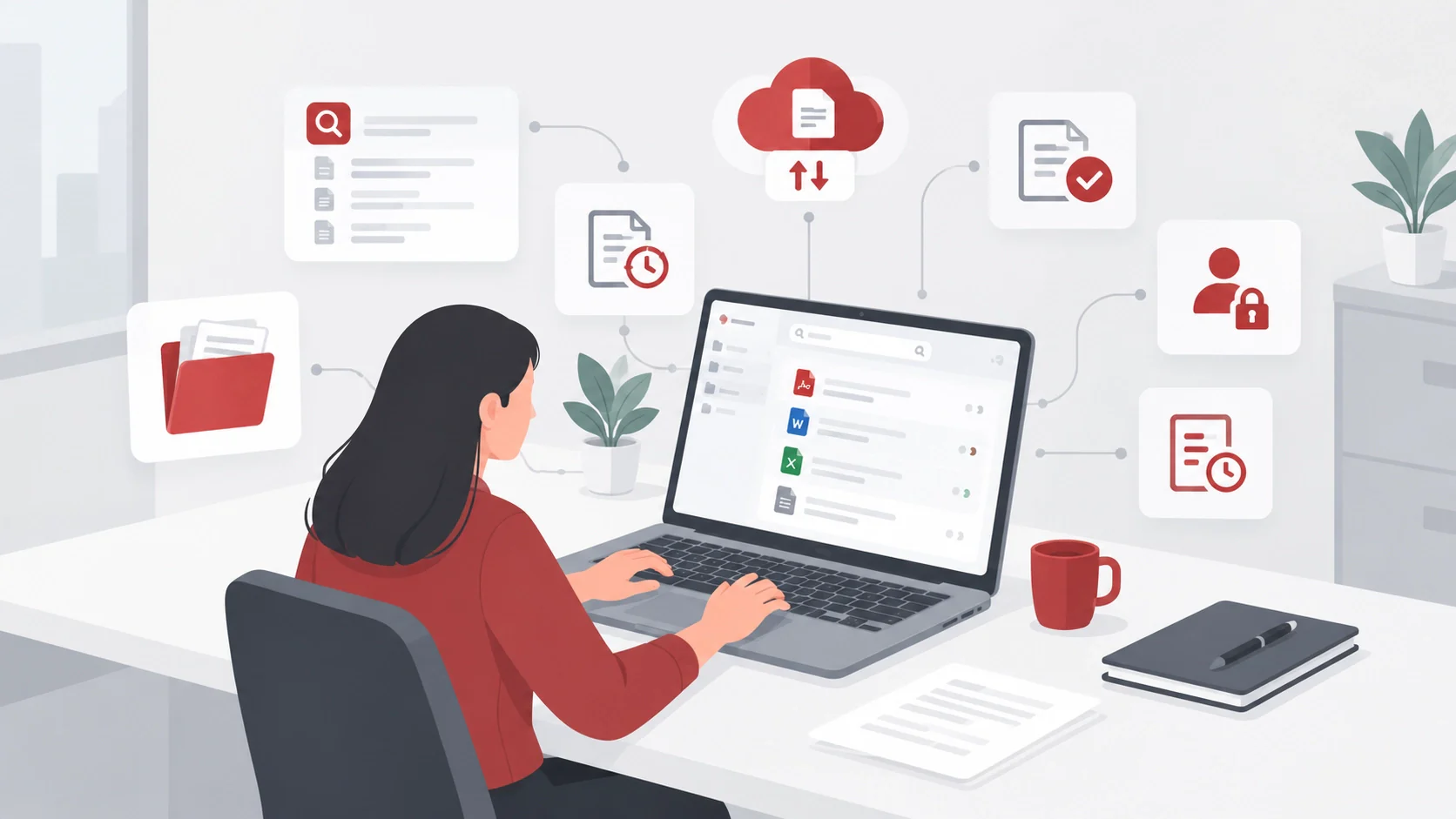






A significant number of hours are lost just managing bookings across calls. Every lost hour is lost revenue. According to a PAFP study, 320 patients at Philippine General Hospital waited 74.72 days before consultation and 281.87 minutes from screening to final disposition, revealing the cost of fragmented scheduling.
Without a centralized booking system, teams double-book time slots, miss inquiries, forget reminders, and struggle to track cancellations or staff availability. These gaps create longer waits, idle capacity, inconsistent customer experiences, and revenue leakage. An online booking system brings scheduling, reminders, payments, and availability into one workflow.
The right platform should match your service model, booking volume, team size, payment needs, and reporting priorities. Compare the 13 best online booking systems in the Philippines for 2026 to assess features, pricing, strengths, limitations, and ideal use cases before choosing a tool.
Key Takeaways
An online booking system lets customers reserve available slots while businesses manage schedules, confirmations, and booking rules.
Online booking gives customers 24/7 access and helps teams reduce scheduling work, missed appointments, and double bookings.
Choose software by checking your workflow, booking limits, Philippine payment support, total cost, privacy controls, and mobile experience.
The 13 systems serve different needs, so compare their features and business fit before choosing by price.
What Is an Online Booking System?
An online booking system lets customers view times and reserve a service or meeting through a booking page. Businesses set opening hours, appointment durations, staff availability, and booking rules, while customers choose a slot and receive confirmation. This process replaces scattered messages with a direct path from inquiry to appointment.
Depending on the provider and plan, an online booking system may support rescheduling, cancellations, deposits, payment collection, reminders, intake forms, waitlists, staff assignment, and reports. A consultant scheduling one-to-one calls needs fewer controls than a clinic coordinating practitioners, rooms, intake information, and payment rules.
Philippine businesses should check payment methods and country support before subscribing. GCash, Maya, QR Ph, cards, bank transfers, and gateways may be available only on selected plans or through providers. Hotels can evaluate an ERP for hospitality businesses when bookings connect with rooms and finance.
What Are the Benefits of an Online Booking System?
Philippine businesses search for the best booking system in the Philippines to make appointments easier for customers and staff. The right tool can clarify cancellations, show staff availability, and help managers track demand. A centralized booking data system supported by AI-powered ERP applications results in better decisions.
Key benefits:
- 24/7 appointment access: Customers can reserve available slots even when your team is offline.
- Reduced manual scheduling and double bookings: Availability rules help staff spend less time coordinating appointments.
- Automated confirmations and reminders: Customers receive appointment details without repeated calls or messages.
- Deposits and clearer cancellation policies: Set payment and cancellation rules that customers can review before booking.
- Improved staff and branch visibility: Shared calendars help managers see availability across people and locations.
- Centralized booking data and reporting: Track appointment volume and demand patterns in one place.
Comparison of the Best Online Booking Systems
Price alone does not make plans equivalent. Booking Mo Pro lists 300 monthly bookings and four staff for ₱499. Reserve.ph Silver lists 200 bookings for ₱900. Compare payments, reminders, staffing, and branches. For broader integration, review types of ERP systems. The table below compares all 13 options.
| Software | Pricing | Pros | Cons | Best for |
|---|---|---|---|---|
| HashMicro | Quotation | Connects booking with payments, reports, and wider operations | Scope and cost require consultation | Businesses coordinating bookings across teams and systems |
| Booking Mo | Free; paid plans ₱499–₱3,999/month | Peso pricing and published booking allowances | Staff and booking limits vary by plan | Small Philippine service businesses |
| Reserve.ph | Free; Silver ₱900, Gold ₱1,500/month | Local payments, deposits, reminders, and branch support | Multi-location support requires Gold | Salons, spas, clinics, and branches |
| Onsuki | Business ₱2,600, Clinic ₱4,400/month, billed annually | Combines bookings, intake forms, and client records | Listed plans cover one location | Clinics needing client records |
| GoDoBooking | Quotation | Local payment choices and flexible appointment types | Price and capacity require confirmation | Philippine businesses offering recurring services or classes |
| Calendly | Free; Standard ₱630, Teams ₱1,009/seat/month, billed annually | Calendar connections and meeting routing | Per-seat costs and limited service controls | Consultants and sales teams |
| Cal.com | Free; Teams ₱756, Organizations ₱1,765/user/month, billed annually | Configurable scheduling, routing, and APIs | Advanced team controls require paid plans | Technical teams |
| Setmore | Free; Pro ₱315/user/month, billed annually | Free booking page for up to four users | SMS availability varies by country | Solo providers and small teams |
| SimplyBook.me | Free; Basic ₱876, Standard ₱1,885, Premium ₱3,776/month | Provider management, payments, and custom features | Booking and feature limits vary by plan | Growing service businesses |
| Acuity Scheduling | Starter ₱1,009, Standard ₱1,702, Premium ₱3,467/month, billed annually | Intake forms, payments, and packages | Philippine payment methods need verification | Service businesses with paid appointments |
| Square Appointments | Free; Plus ₱3,089, Premium ₱9,393/location/month | Links scheduling with Square payments and POS | Published pricing is US-specific | Businesses using Square in supported markets |
| Fresha | Independent ₱1,258/month; Team ₱942/bookable member/month | Beauty workflows and marketplace discovery | Commissions and add-on fees can increase costs | Salons, spas, and beauty teams |
| Vagaro | One-location plan ₱1,891/month, plus add-ons | Booking, POS, memberships, and inventory | US pricing and Philippine availability need verification | Beauty, wellness, and fitness businesses in supported markets |
13 Best Online Booking Systems
Choosing an online booking system in the Philippines depends on more than price. Businesses must weigh appointment volume, staff schedules, local payment options, reminders, and reporting needs. The 13 platforms below serve different industries and team sizes, helping you compare their strengths before selecting one.
1. HashMicro

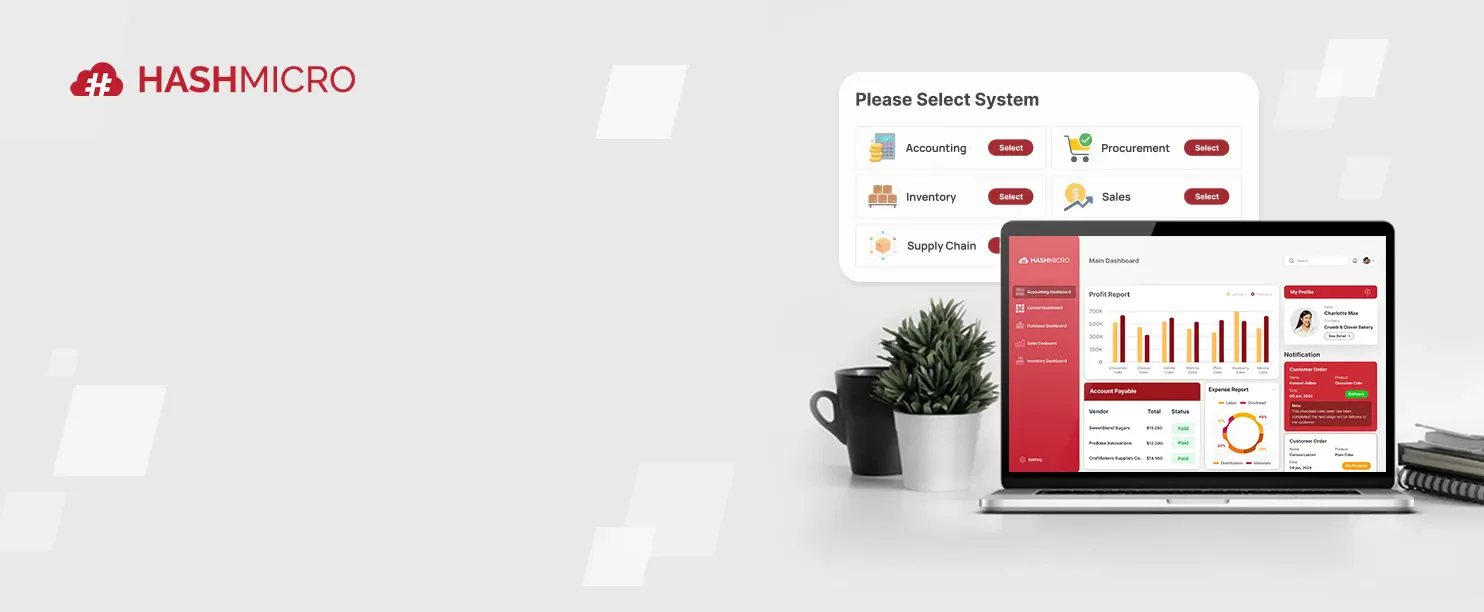
HashMicro presents a business-focused online booking system that connects appointments with payments, staff availability, reminders, reports, and wider operations. HashMicro booking system suits companies coordinating multiple teams or branches. Businesses seeking the best online booking system for connected workflows may gain more control from one platform.
Key features:
- Online booking and rescheduling: Customers choose available slots and adjust appointments through a central booking flow.
- Staff-based appointment slots: Assign availability by employee, service, branch, or operating schedule.
- Customer payment options: Collect appointment payments through configured customer payment methods.
- SMS and email reminders: Send scheduled updates that reduce missed appointments and follow-up calls.
- Operational integrations and reports: Connect booking activity with wider workflows and management reporting.
| Pros | Cons |
|
|
Pricing: Request a quotation.
Best for: HashMicro is best for businesses with complex booking operations. It is most worthwhile when appointments connect with finance, staffing, or branch workflows.
Connect bookings to every business process with HashMicro’s centralized ERP, making online booking easier and more efficient. Discover smarter business management with HashMicro ERP.
2. Booking Mo
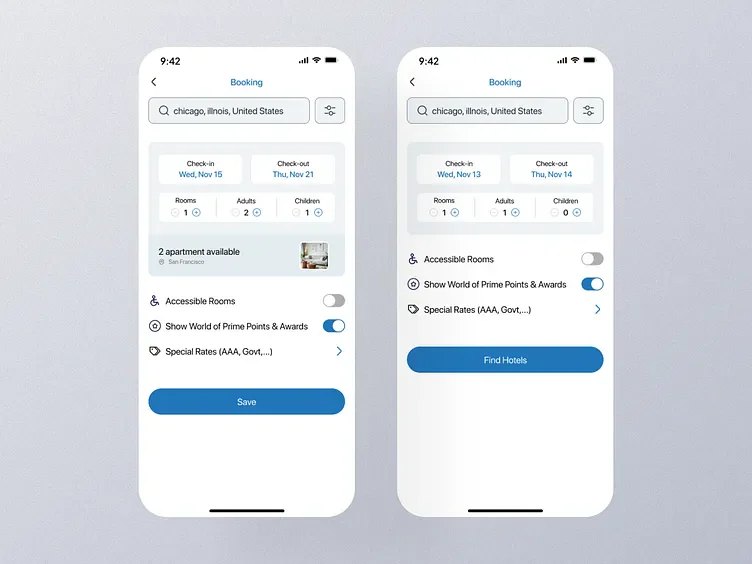
Booking Mo focuses on affordable appointment scheduling for Philippine service businesses. Its online booking system starts with a free tier, then expands staff capacity, booking limits, and selected analytics. Readers comparing the best booking software Philippines can test the platform before committing to a paid plan.
Key features:
- Free booking link: Give customers a simple reservation page without monthly subscription costs.
- Monthly booking limits: Match capacity to 30, 300, or higher monthly booking allowances.
- Staff management: Add team members through paid plans as service volume grows.
- Tiered capacity: Increase booking allowances by moving from Pro to Business or Ultimate.
- Marketplace listing: Ultimate subscribers can promote services through Booking Mo’s marketplace.
| Pros | Cons |
|
|
Pricing: Free, Pro ₱499, Business ₱999, Ultimate ₱3,999 monthly.
Best for: Booking Mo suits solo operators and small service shops. It works best for businesses starting with modest booking volumes.
3. Reserve.ph
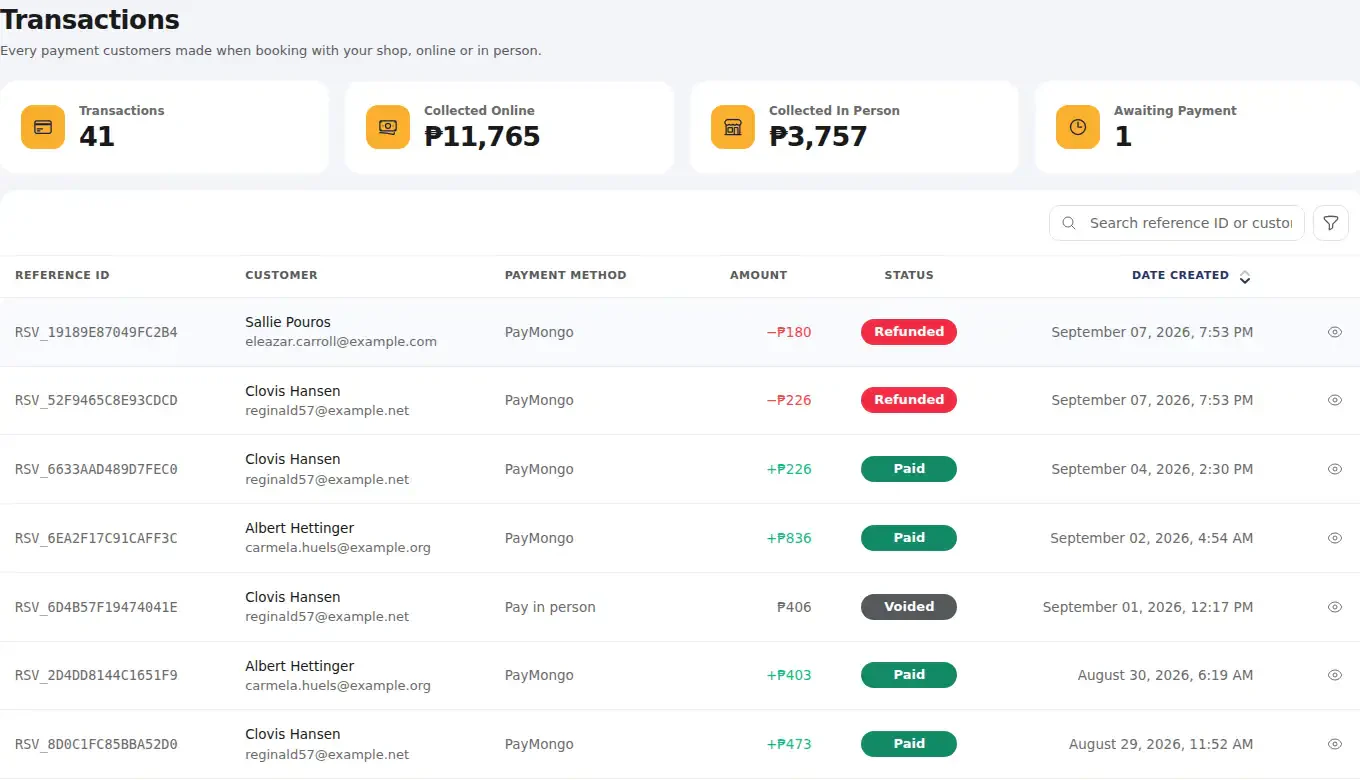
Reserve.ph targets local salons, spas, clinics, and branch-based service teams. It combines staff schedules, reminders, deposits, local payment options, waitlists, and multi-location support. Teams comparing “booking system Philippines” options may find its Gold plan valuable when several employees or branches share one calendar.
Key features:
- Service and staff booking: Let customers select a service, employee, and available time.
- Local payment methods: Support GCash, Maya, GrabPay, and cards through listed payment setup.
- Deposits: Collect deposits before appointments to strengthen attendance commitment.
- Multi-location support: Manage several branches through Gold plan controls.
- Waitlists and reminders: Combine SMS or email updates with demand capture.
| Pros | Cons |
|
|
Pricing: Silver ₱900 monthly, Gold ₱1,500 monthly.
Best for: Reserve.ph suits salons, spas, barbershops, clinics, and local branches. It is strongest for teams managing staff or multiple locations.
4. Onsuki
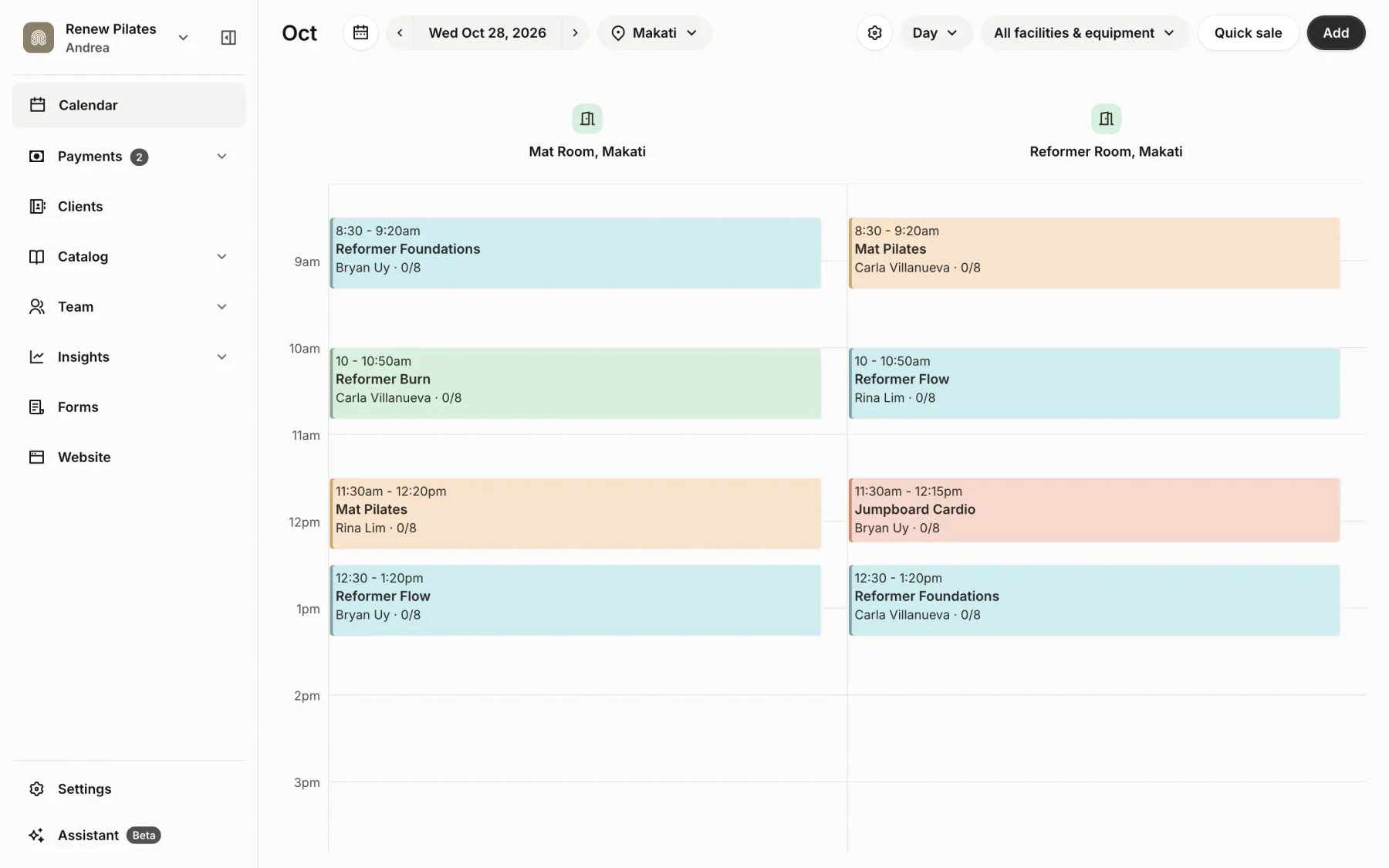
Onsuki combines appointment scheduling with client profiles, intake forms, payments, and clinic charting. This service-business platform suits providers that need booking records alongside customer information. Readers looking for other clinic-focused software can also review the best clinic software for streamlined healthcare in the Philippines for broader healthcare requirements.
Key features:
- Booking website: Publish availability and appointment choices through a dedicated booking page.
- Intake forms: Collect client details before appointments begin.
- Client profiles: Keep customer information alongside booking history and payments.
- Clinic charting: Add charting workflows through the Clinic plan.
- Local payment methods: Accept GCash, QR Ph, bank transfers, cards, or e-wallets.
| Pros | Cons |
|
|
Pricing: Business ₱2,600, Clinic ₱4,400 monthly when billed annually, Enterprise custom.
Best for: Onsuki suits clinics and service businesses needing intake information. It is valuable when booking and client records must stay connected.
5. GoDoBooking
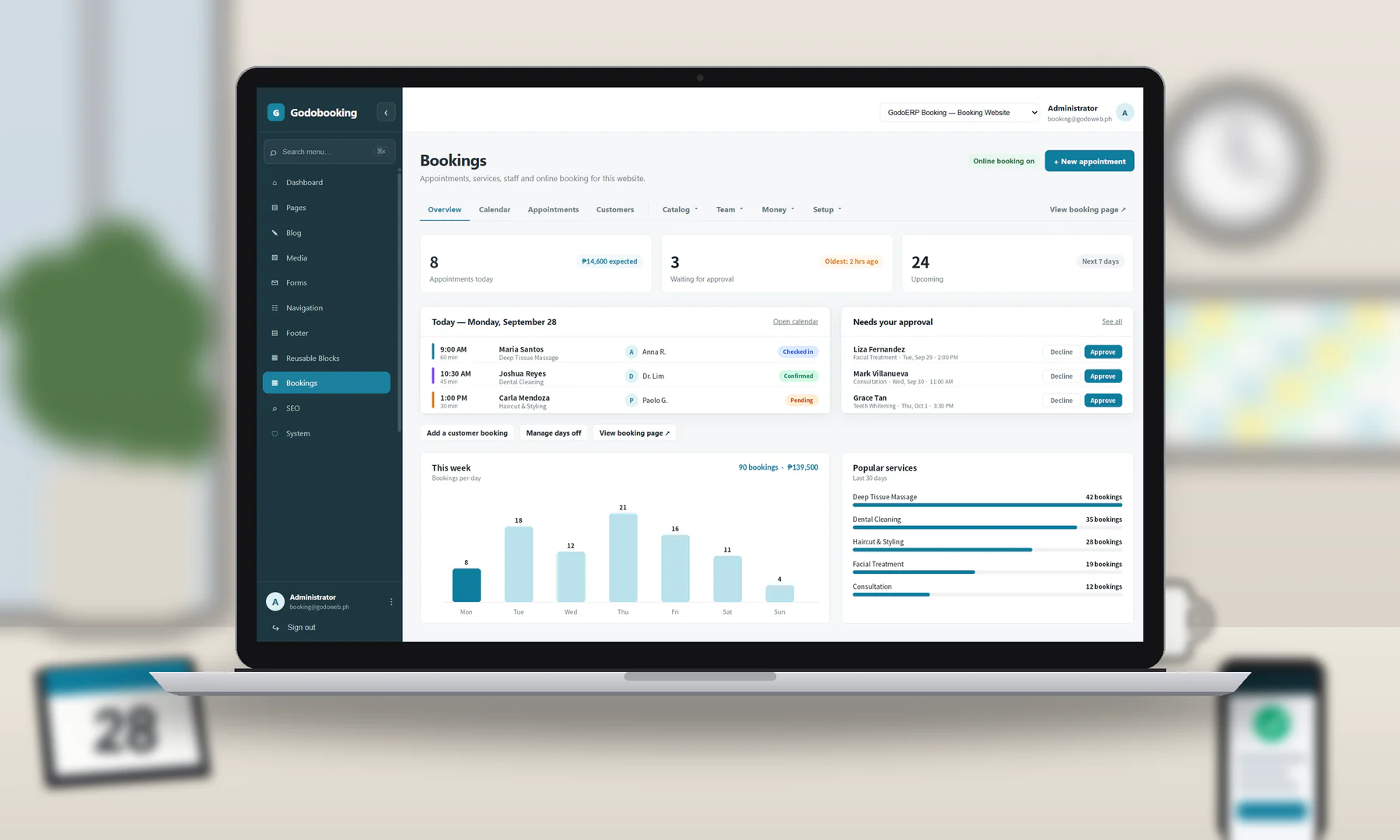
GoDoBooking serves Philippine appointment businesses that need local payment choices and flexible scheduling. It supports recurring visits, group classes, waiting lists, reminders, and calendar connections. Teams reviewing “best booking software Philippines” options may value its broad appointment coverage, especially when services involve deposits or repeated sessions.
Key features:
- Local payment choices: Offer GCash, Maya, QR Ph, cards, and other listed methods.
- Staff schedules: Display individual availability for services and appointments.
- Recurring appointments: Support repeat bookings without recreating every schedule manually.
- Group classes: Manage class-based reservations alongside individual appointments.
- Calendar integrations: Connect Google Calendar, Outlook, and Zoom workflows.
| Pros | Cons |
|
|
Pricing: Request a demo and quotation.
Best for: GoDoBooking suits Philippine appointment businesses needing local payment options. It works well for recurring services and group sessions.
6. Calendly
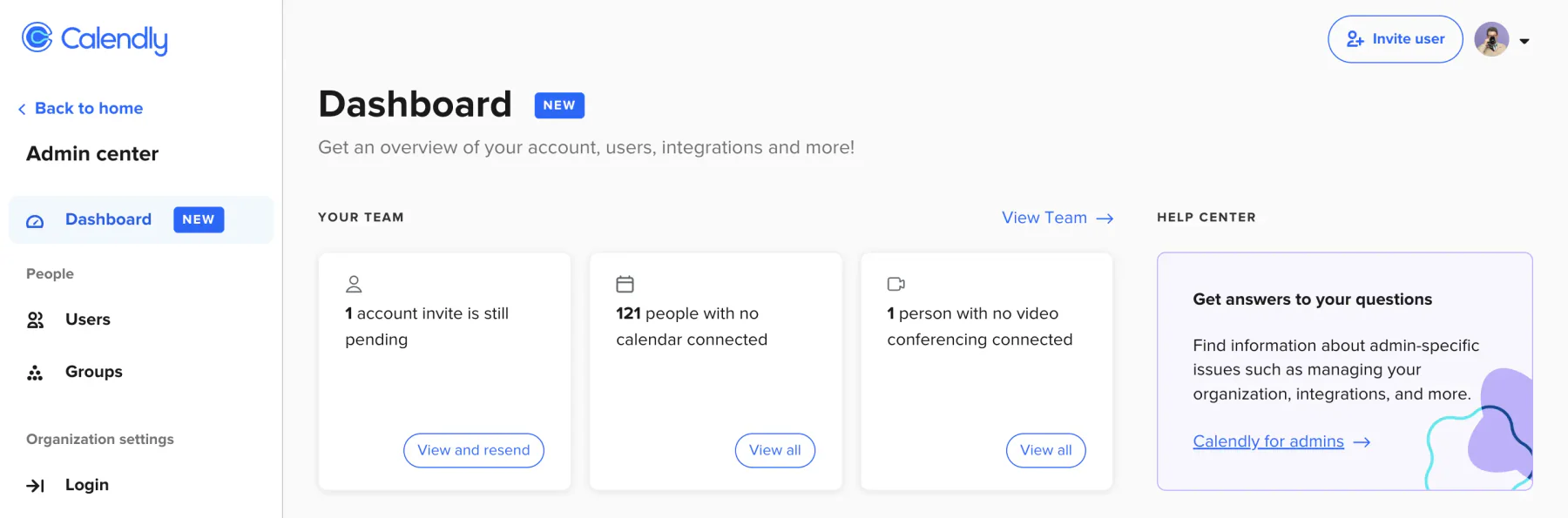
Calendly specializes in scheduling consultations, sales calls, and internal meetings across connected calendars. It offers event types, reminders, routing, and team assignment instead of deep clinic or salon operations. Teams seeking the best online booking system for consultations can also use a booking software that is also one of the best for employee scheduling.
Key features:
- Multiple event types: Offer different meeting durations, formats, and booking rules.
- Calendar connections: Check host availability across supported calendars before showing slots.
- Automated reminders: Send scheduled appointment updates to reduce missed meetings.
- Round-robin assignment: Distribute bookings across available team members automatically.
- Lead routing: Direct prospects to the appropriate representative using routing rules.
| Pros | Cons |
|
|
Pricing: Free, Standard ₱631, Teams ₱1,009 monthly, Enterprise from ₱946,350 annually.
Best for: Calendly suits consultants, sales representatives, and meeting-focused teams. It is less suitable for clinics or salons needing deposits and resources.
7. Cal.com
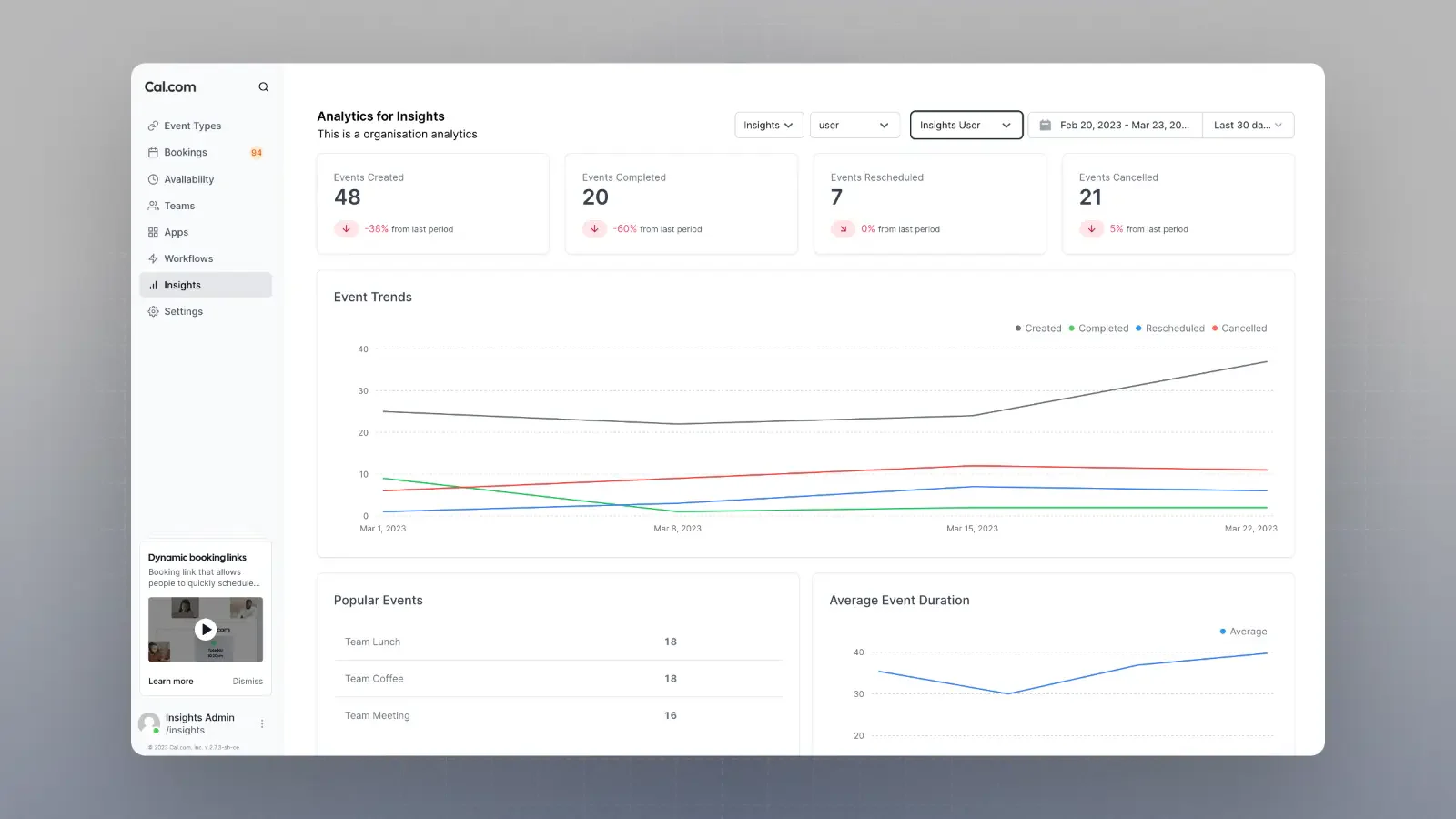
Cal.com emphasizes configurable scheduling for technical teams and organizations. Shared availability, routing forms, round-robin assignment, APIs, analytics, and organization controls support complex meeting workflows. It stands out when teams need flexible rules or custom integrations beyond a standard booking page.
Key features:
- Shared availability: Coordinate team calendars across multiple hosts and event types.
- Round-robin scheduling: Distribute meetings fairly among available team members.
- Routing forms: Qualify visitors and direct them to suitable booking paths.
- Analytics: Review scheduling activity and performance trends across teams.
- API access: Build custom connections for specialized scheduling workflows.
| Pros | Cons |
|
|
Pricing: Free, Teams ₱757, Organizations ₱1,767 monthly, Enterprise custom.
Best for: Cal.com suits technical teams and organizations needing configurable workflows. It is especially useful when API access matters.
8. Setmore
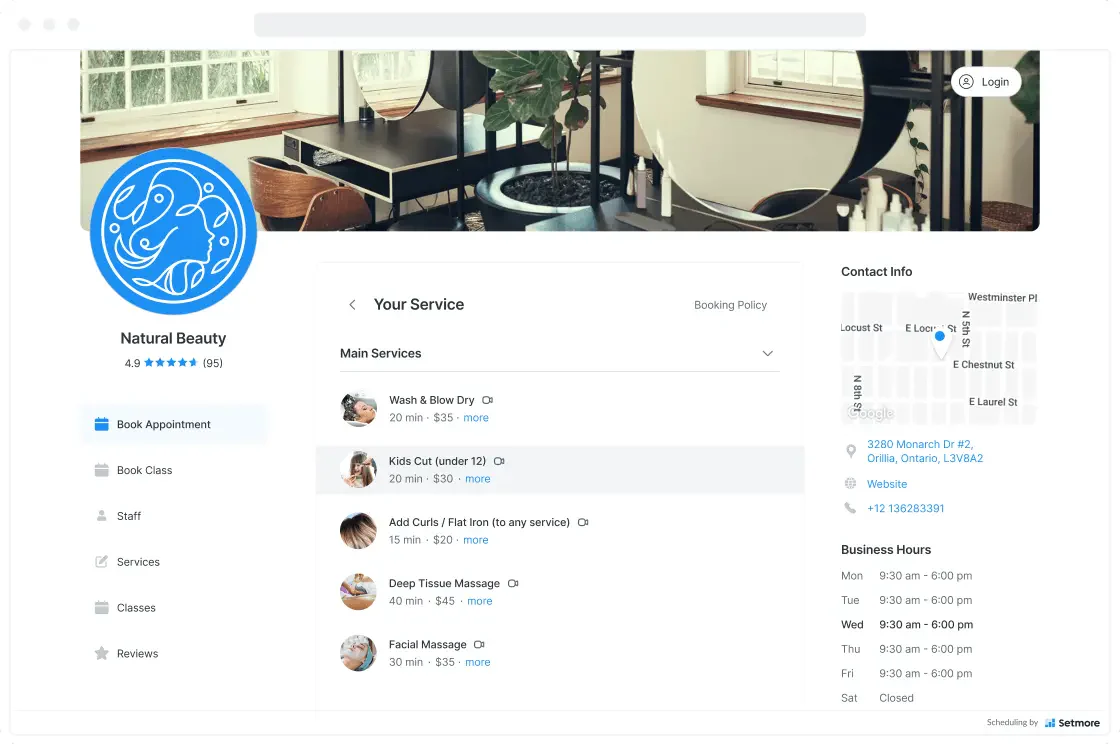
Setmore offers an online booking system for solo providers and small teams that want a low-cost start. Its free plan includes a booking page, unlimited appointments, payments, and email reminders. Paid upgrades add SMS, recurring bookings, and calendar synchronization, while related ERP modules and their benefits can support broader operations.
Key features:
- Free booking page: Publish appointment availability without paying for the core plan.
- Unlimited appointments: Accept unlimited bookings on the Free plan.
- Staff calendars: Coordinate availability for up to four free-plan users.
- Payment collection: Accept customer payments directly through supported connections.
- Calendar synchronization: Sync schedules across connected calendars on Pro.
| Pros | Cons |
|
|
Pricing: Free, Pro from ₱315 per user monthly when billed annually.
Best for: Setmore suits solo providers and small teams. It works well for businesses prioritizing free appointment access.
9. SimplyBook.me
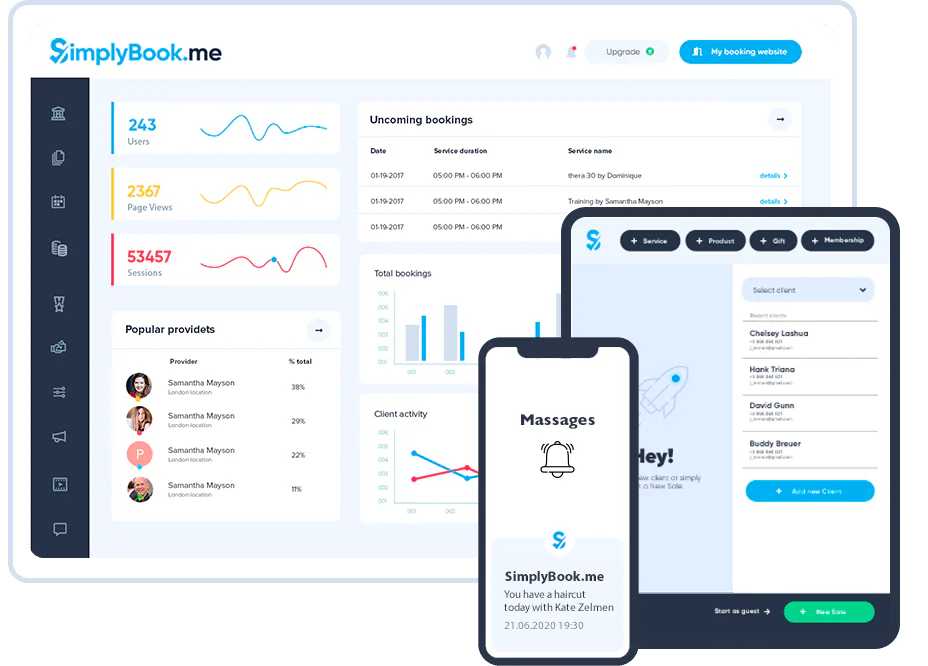
SimplyBook.me combines a booking website, embedded widget, provider management, payments, deposits, and social booking options. Its capacity-based plans suit growing service businesses that need more providers or bookings over time. Custom features and integrations add flexibility, though monthly costs can rise as requirements expand.
Key features:
- Booking website and widget: Embed reservations on websites and social channels.
- Provider management: Organize services, staff, and availability from one interface.
- Payment and deposits: Collect charges before appointments when supported by selected plans.
- Calendar synchronization: Keep external calendars aligned with booking availability.
- Zapier integration: Connect booking actions with broader business applications.
| Pros | Cons |
|
|
Pricing: Free, Basic ₱981, Standard ₱2,109, Premium ₱4,226 monthly, Enterprise custom.
Best for: SimplyBook.me suits growing service businesses. It is useful when providers, bookings, and custom features expand.
10. Acuity Scheduling
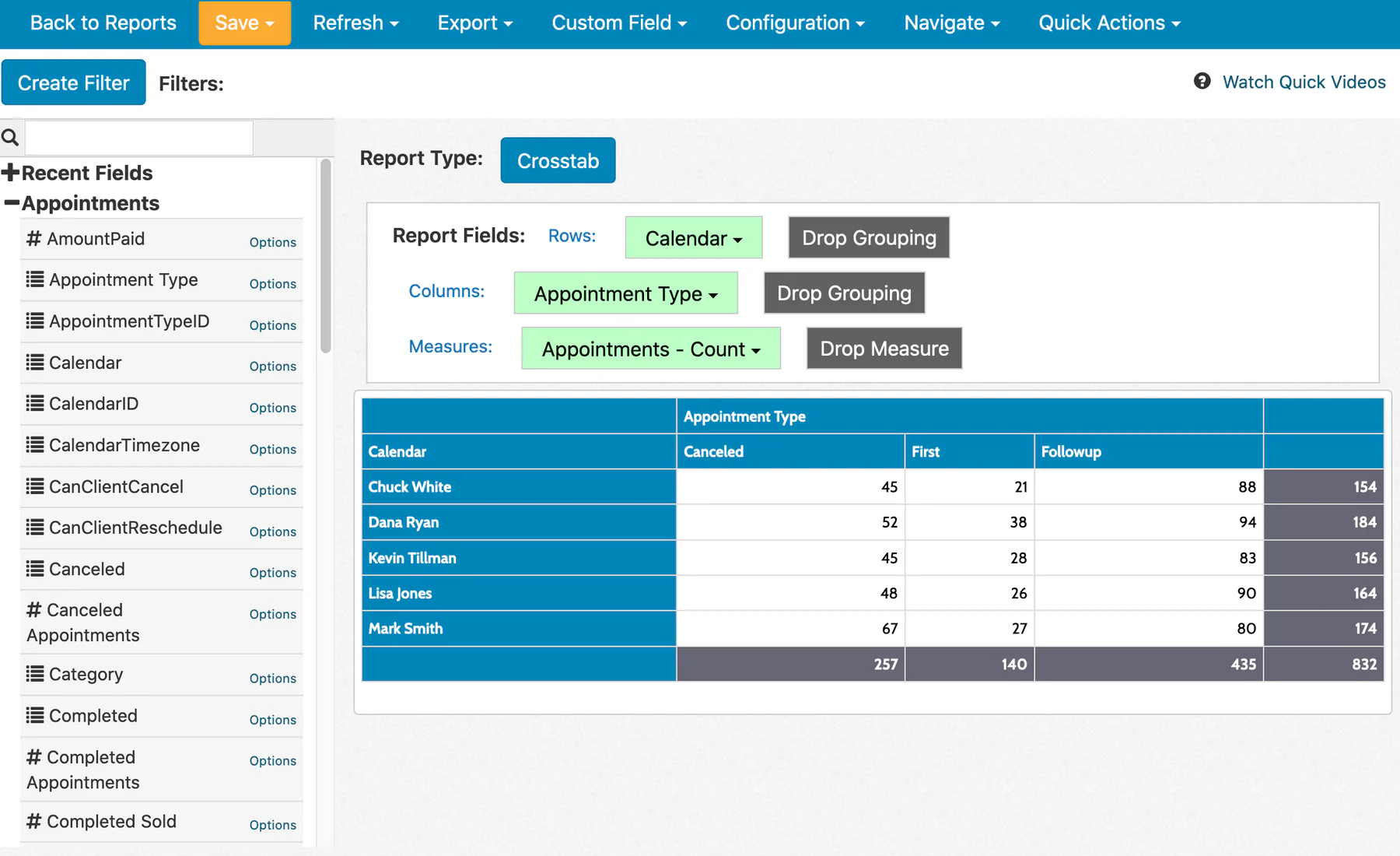
Acuity Scheduling focuses on service businesses that need appointments, intake forms, payments, packages, memberships, and client reminders. Separate calendars support employees or locations on eligible plans. It offers deeper service controls than a basic meeting scheduler, especially for paid consultations and appointment-based programs.
Key features:
- Client intake forms: Gather required information before scheduled sessions.
- Payment connections: Accept payments through supported providers and appointment settings.
- Packages and memberships: Sell repeat services, bundles, or recurring client programs.
- Appointment reminders: Send confirmations and reminders before scheduled visits.
- Employee calendars: Separate schedules by staff member or location on eligible plans.
| Pros | Cons |
|
|
Pricing: Starter ₱1,009 to ₱1,262, Standard ₱1,703 to ₱2,145, Premium ₱3,470 to ₱4,353 monthly.
Best for: Acuity suits service businesses needing intake, payments, and appointment packages. It is less focused on Philippine-specific gateways.
11. Square Appointments
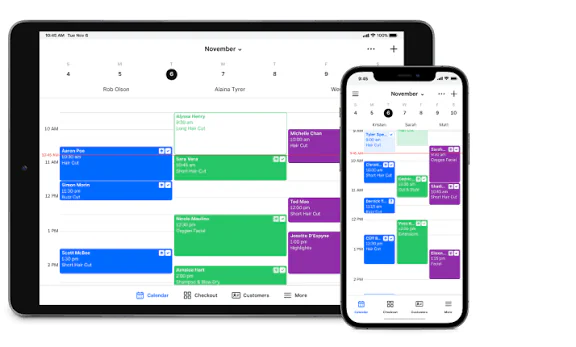
Square Appointments connects scheduling with Square payments and point-of-sale tools. It supports staff calendars, deposits, cancellation fees, reminders, and multiple locations on supported plans. Businesses comparing booking system Philippines options should also review salon POS software for efficient operations when appointments and retail sales share one workflow.
Key features:
- Staff calendars: Manage employee availability and appointment assignments centrally.
- Deposits: Require upfront payments or cancellation fees for selected bookings.
- Automated reminders: Send SMS and email updates before scheduled appointments.
- Multiple locations: Support branch scheduling on eligible subscription levels.
- POS connection: Link appointments with Square payment and point-of-sale workflows.
| Pros | Cons |
|
|
Pricing: Free, Plus ₱3,091, Premium ₱9,390 monthly per location.
Best for: Square Appointments suits businesses already using Square. Philippine companies should verify availability, gateways, taxes, and support.
12. Fresha
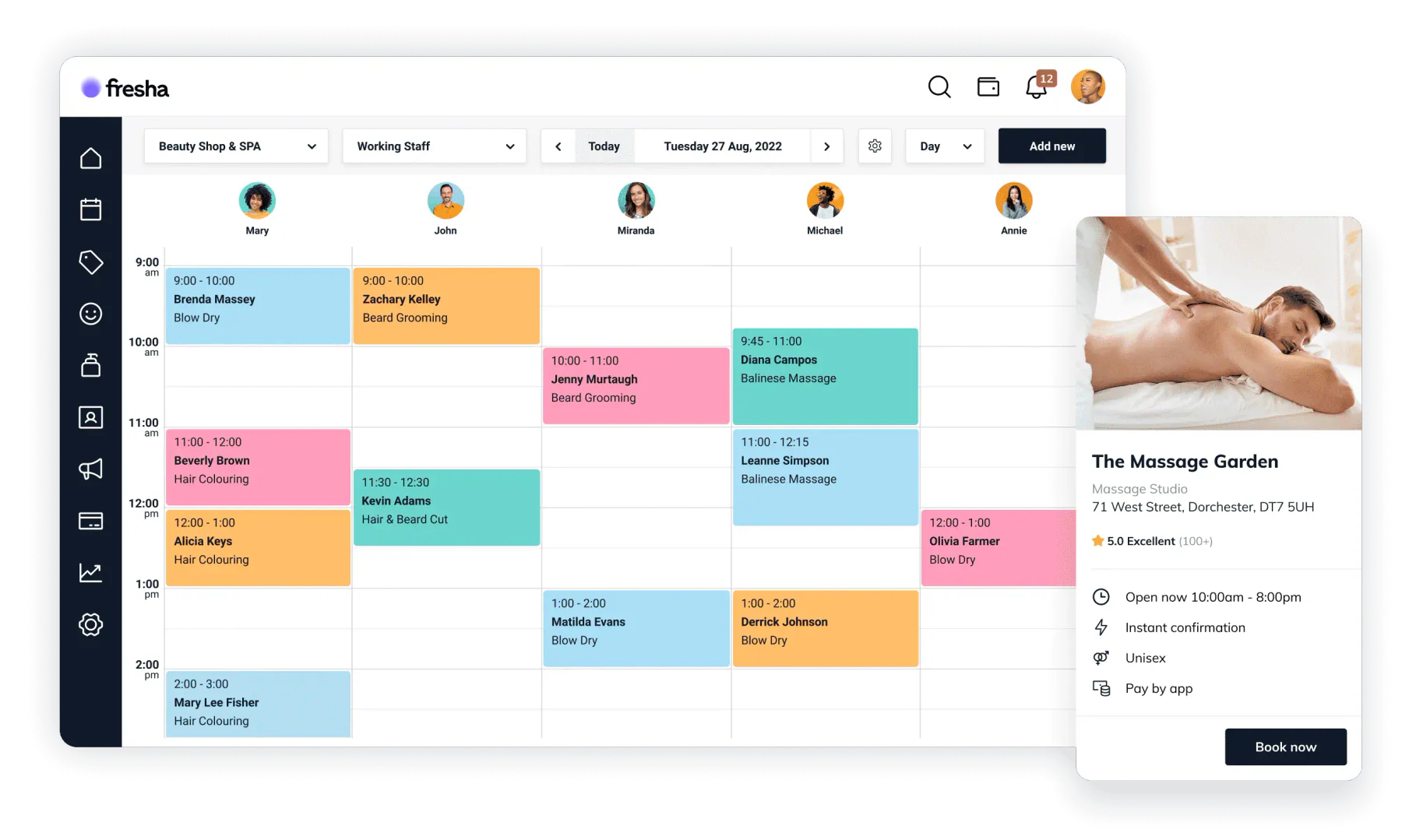
Fresha is built for salons, spas, and beauty businesses that need booking, client messaging, payments, inventory, reporting, and marketplace discovery. Its team plans support bookable staff and multiple locations. Readers comparing the best booking software Philippines options should confirm local availability, transaction charges, and payment support.
Key features:
- Marketplace discovery: Help new clients find participating beauty businesses.
- Team calendars: Coordinate bookable staff across services and locations.
- Payment processing: Manage online and in-person transactions through Fresha.
- Client messaging: Send reminders and updates from the service platform.
- Inventory and reporting: Track products, performance, and beauty operations together.
| Pros | Cons |
|
|
Pricing: Independent ₱1,259 monthly, Team ₱943 per bookable team member, Enterprise custom.
Best for: Fresha suits salons, spas, and beauty teams. It is most valuable when marketplace discovery supports customer acquisition.
13. Vagaro
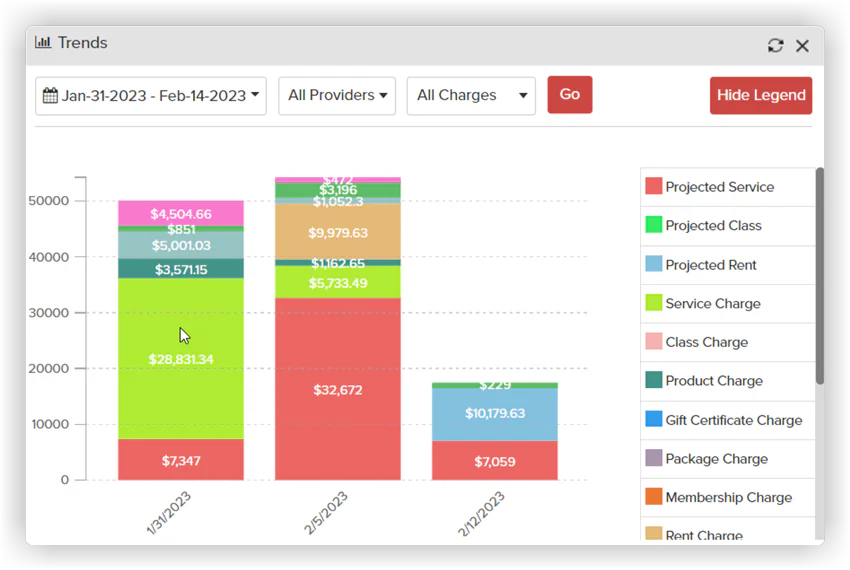
Vagaro combines its online booking system with POS, memberships, inventory, marketing, reminders, and marketplace tools for beauty, wellness, and fitness businesses. It ranks among the best online booking system options for operators wanting broader front-desk functions, although Philippine availability and local payment support require confirmation.
Key features:
- 24/7 booking: Let customers schedule services whenever availability remains open.
- POS and payments: Connect appointments with transactions and front-desk checkout.
- Memberships and packages: Manage recurring offers, bundles, and customer benefits.
- Inventory and reporting: Monitor products, sales, and operating performance together.
- Marketplace and marketing: Promote services through discovery and customer engagement tools.
| Pros | Cons |
|
|
Pricing: One-location plan starts at ₱1,893 monthly, with add-ons priced separately.
Best for: Vagaro suits beauty, wellness, and fitness businesses in supported markets. It is useful for operators combining bookings, memberships, and POS.
How to Choose the Best Online Booking Software for Your Needs
A booking system that Philippine businesses choose should match the work behind every appointment. Check staff availability, payments, privacy, and growth costs before subscribing. If bookings connect with aging operations, review strategies for modernizing Philippine enterprises as you work through these selection criteria.
How to evaluate:
- Map your booking workflow by listing services, appointment lengths, staff, rooms, and cancellation rules.
- Estimate monthly booking volume and team size, then compare plan limits and ERP system upgrade costs.
- Confirm support for GCash, Maya, QR Ph, cards, deposits, refunds, and cancellation policies.
- Check staff calendars, room allocation, branch schedules, permissions, and consolidated reporting.
- Calculate total costs, including seats, reminders, payment fees, commissions, setup, support, and add-ons.
- Review how the platform stores, exports, deletes, and restricts access to customer information.
- Test the mobile booking journey, including payment, reminders, rescheduling, cancellation, and calendar updates.
Conclusion
Booking Mo offers a low-cost entry point for small Philippine service businesses. Reserve.ph suits teams that need local payments, reminders, and branch scheduling. Onsuki is a closer fit for clinics that need intake forms and client records alongside appointments.
Acuity Scheduling, SimplyBook.me, Fresha, and Vagaro offer broader service features, but businesses should confirm Philippine availability and payment terms. Calendly and Cal.com suit meeting-focused teams, while Setmore supports small teams seeking a free booking page. Square Appointments makes sense where Square is supported.
Businesses that need an online booking system connected with accounting and operations should assess HashMicro against their workflows and request a scoped quotation. Compare payment options, plan limits, staff controls, and total costs as your business grows. To discuss your requirements, get a free consultation from HashMicro’s expert team.

FAQ About Booking System Philippines
The best choice depends on your workflow. Booking Mo suits small businesses seeking a low-cost start, while Reserve.ph supports local service teams and branches. Onsuki serves clinics needing client records. HashMicro connects appointments with wider operations. Check Philippine availability and payment options before choosing an international platform.
Some platforms offer free plans, while Booking Mo publishes paid plans starting at ₱499 per month. Other providers price by user, booking allowance, location, or quotation. Budget for payment processing, SMS reminders, setup, add-ons, and extra branches. Compare total costs against your expected booking volume.
Yes, some platforms list local payment methods. Reserve.ph lists GCash and Maya in its paid-plan payment offering, while GoDoBooking lists both among its options. Onsuki lists GCash and QR Ph. Confirm the gateway, transaction fees, eligible plan, Philippine availability, and refund process before subscribing.
Yes. Solo operators can start with a basic booking page, while small teams may need shared calendars, reminders, deposits, and staff schedules. Choose a plan that covers your current appointment volume and employee count. Check the next pricing tier before growth forces an upgrade.
An online booking system can send confirmations and timely reminders so customers know when and where to arrive. Deposits and clear cancellation rules can also encourage commitment. These features cannot prevent every missed appointment, but they reduce manual follow-up and make no-shows easier to manage.