







Attendance tracking software automatically records when employees clock in and out, then turns that data into accurate work hours for payroll. Paper logbooks and spreadsheets still cause missed punches, unrecorded overtime, and payroll errors, especially for multi-branch businesses with no single view of attendance.
Accurate records are also a legal requirement. Under the Philippine Labor Code, employers must pay wages and overtime correctly, and the Department of Labor and Employment (DOLE) can inspect these records.
Modern tools solve this with biometric, mobile, or GPS check-in, automatic overtime calculation, and real-time multi-branch reports. This guide compares the 10 best attendance tracking software options in the Philippines for 2026.
Key Takeaways
Mobile-first tools may suit field and remote teams, while HRM or ERP-connected platforms may suit businesses that need attendance linked to leave, payroll, and reporting.
The comparison table helps businesses shortlist attendance software based on features, workforce fit, payroll readiness, and operational coverage.
Philippine companies should evaluate clock-in methods, GPS, biometric verification, overtime, leave, approvals, audit logs, data export, and payroll readiness.
The best attendance tracking software depends on workforce size, work locations, shift complexity, payroll requirements, and budget.
What Is Employee Attendance Tracking Software?
Employee attendance tracking software records when employees clock in, clock out, take breaks, arrive late, leave early, or work overtime. Depending on the platform, it may also include shift scheduling, leave approvals, GPS, biometrics, attendance reports, and payroll exports.
Unlike basic time tracking, which focuses on project hours, attendance software focuses on employee presence and schedule compliance within an HRIS system. The recommendations below compare each platform’s features, pricing, strengths, and limitations for different business needs.
Attendance Software for Multi-Branch and Field Operations
The right attendance tracking software depends on your workforce structure, work locations, shift patterns, and payroll process.
- Office-Based Businesses: Office teams usually need web and mobile clock-ins, leave requests, overtime approvals, attendance reports, and payroll exports. Choose a platform with employee self-service and role-based access for HR managers and department supervisors.
- Restaurants: Restaurants need shift scheduling, break tracking, late arrival monitoring, and quick clock-ins from shared devices or mobile apps. Look for software that supports hourly employees, rotating shifts, and overtime approvals.
- Retail Businesses: Retail companies should prioritize shift planning, branch-level attendance records, employee transfers, and attendance exceptions. A suitable system should help managers compare staffing coverage across stores and export approved hours for payroll.
- Field Workers: Field employees need mobile attendance with GPS, geofencing, location validation, and offline functionality. These controls help managers confirm where employees started work while allowing attendance records to sync when connectivity returns.
- Remote Teams: Remote teams benefit from browser and mobile attendance, flexible schedules, timesheets, leave management, and clear approval workflows. Privacy settings should limit location tracking to situations where it is necessary for attendance verification.
- Multi-Branch Companies: Multi-branch businesses should select software with branch restrictions, centralized reporting, different work calendars, and manager-level permissions. The system should support transfers, shared employees, and consolidated payroll preparation across locations. For shift planning across locations, compare employee rostering software in the Philippines.
- Enterprise Organizations: Enterprise companies require scalable attendance management, biometric or facial recognition options, advanced audit logs, approval hierarchies, integrations, and detailed access controls. They should also verify implementation support, data retention, security controls, and total cost across all employees and sites.
Quick Comparison Table of 10 Attendance Tracking Software
The table below compares 10 attendance tracking software options based on their key features, workforce suitability, and payroll capabilities. Use it to identify the platforms that best match your company’s size, work locations, and attendance requirements.
| Software | Recommended use case | Main strength to evaluate | Key limitation or verification point |
|---|---|---|---|
| HashMicro | HR, attendance, leave, payroll, and approval workflows | Connected HR and payroll operations | Confirm exact module scope and pricing |
| Jibble | Small teams and mobile attendance | Mobile, GPS, and facial-recognition options | Review plan limits and payroll depth |
| Deputy | Shift-based and hourly teams | Scheduling and workforce coordination | Verify Philippine billing and payroll compatibility |
| Connecteam | Frontline and field employees | Mobile and location-based workflows | Review connectivity, privacy, and integrations |
| Time Doctor | Remote and hybrid teams | Time and workforce visibility | Distinguish monitoring from attendance |
| Zoho People | Businesses using Zoho applications | HR, leave, and attendance ecosystem | Verify local support and payroll handoff |
| BambooHR | HR-centric organisations | HRIS-connected time tracking | Confirm regional payroll compatibility |
| Homebase | Hourly, single-site businesses | Scheduling and team attendance | Check country availability and pricing |
| Clockify | Basic time tracking | Simple time records and reporting | May need additional attendance controls |
| TimeClock Plus | Complex enterprise attendance | Workforce policy and time controls | Implementation and partner support require confirmation |
10 Attendance Tracking Software Options
The following attendance tracking software options address different workforce sizes, work settings, and payroll needs. Compare their key features and best-fit use cases to identify the right solution for your business.
1. HashMicro

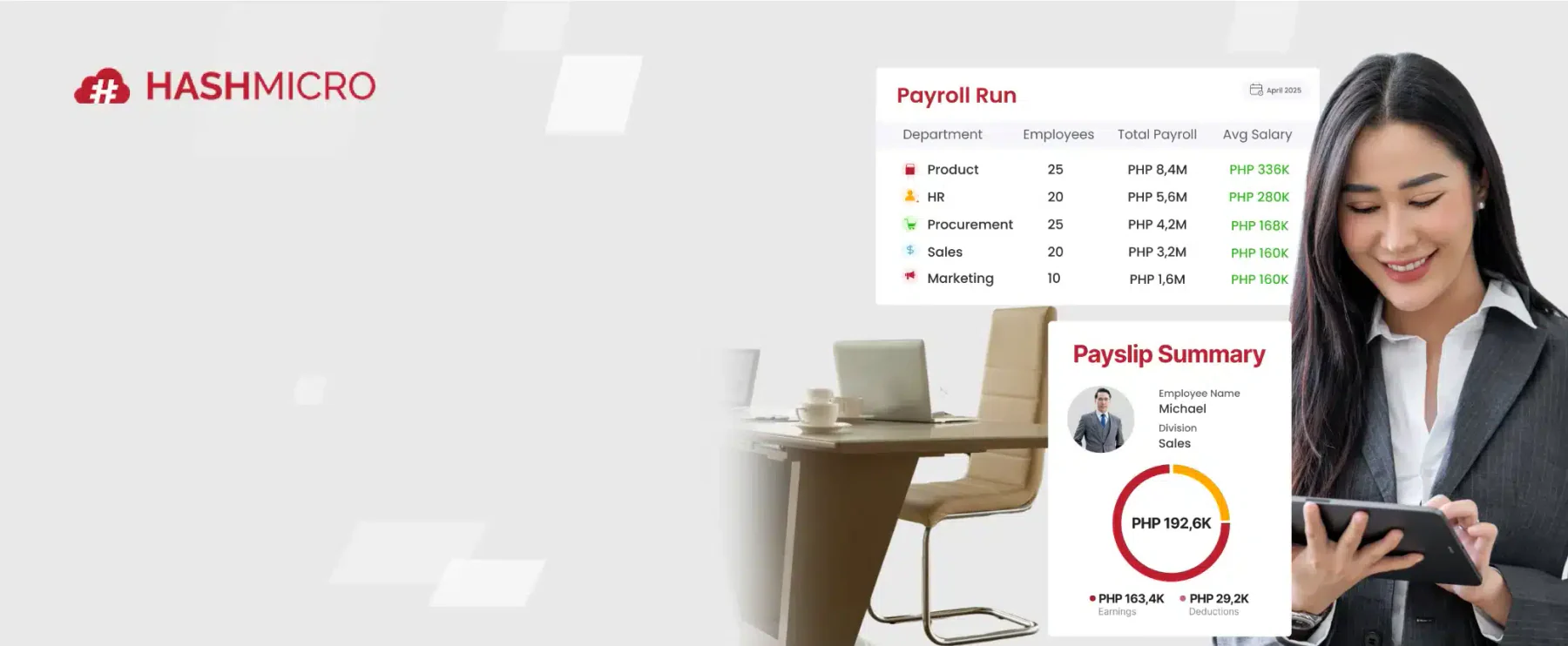
HashMicro can be evaluated by Philippine companies that want attendance connected with broader HR and payroll processes. HashMicro Human Resource Management Software has the workflow that may include employee records, attendance, leave, overtime, approvals, payroll inputs, and reporting.
This approach is useful when attendance data should not remain isolated from payroll or HR administration. For example, approved attendance records may support payroll preparation, overtime review, leave reconciliation, and workforce reporting.
Best for: Mid-sized and large Philippine businesses that need attendance connected to HR and payroll operations.
Key features:
Attendance and leave management: Records daily attendance and approved leave in one system, giving HR a consistent view of workforce records.
Role-based access and audit history: Permissions control data access while audit logs record changes and approvals.
Overtime and payroll inputs: Approved attendance and overtime data support payroll preparation and reduce manual re-entry.
Attendance correction requests: Employees submit corrections for review before approved changes reach payroll.
Mobile attendance: Employees clock in from mobile devices, with GPS and facial recognition depending on the selected package.
Pricing: Custom quote. Request a demo to confirm module scope and total cost.
Pros | Cons |
|
|
For businesses in the Philippines that manage multiple branches, attendance data becomes more valuable when integrated with workflows for leave, overtime, approvals, and payroll. HashMicro's workflow-based HR platform can assist HR teams in reviewing attendance exceptions and preparing consistent payroll inputs, all from a single system.
2. Jibble
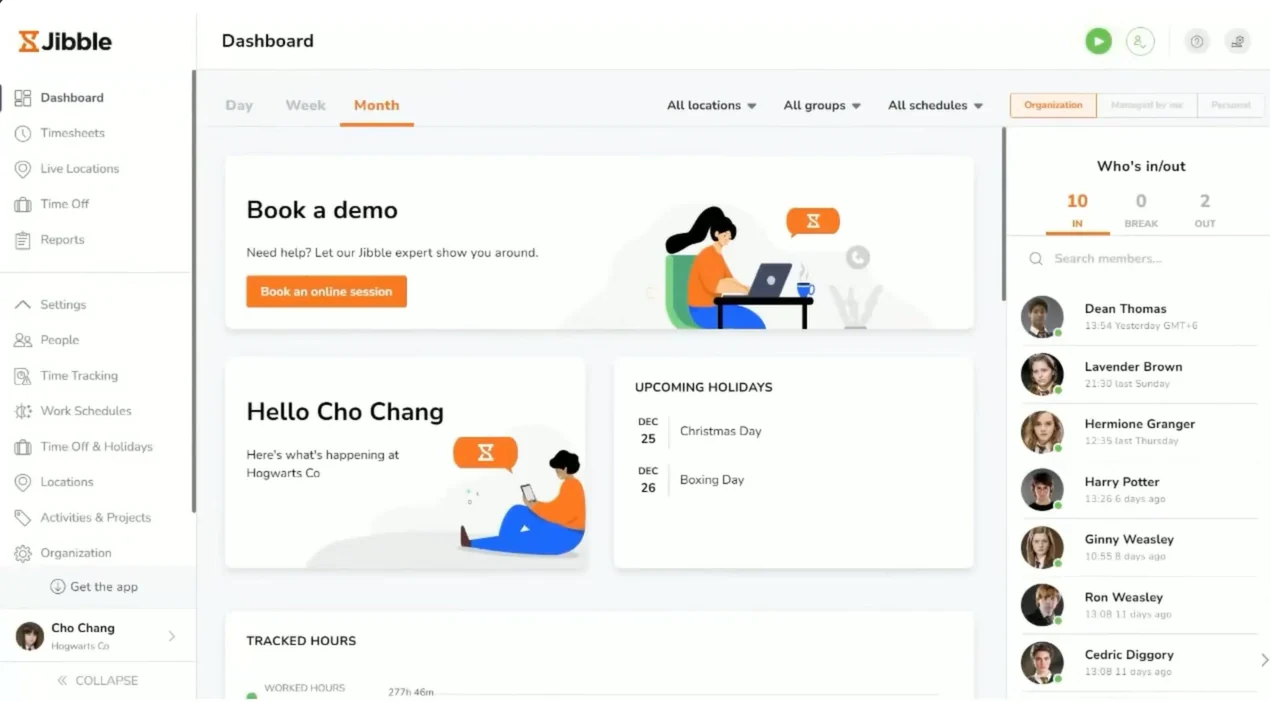
Jibble is commonly considered by small businesses and distributed teams that need mobile time and attendance tracking. Its use cases may include mobile clock-in, GPS-based attendance, facial recognition, timesheets, and attendance reports.
Best for: Small businesses, field teams, and companies starting with a free attendance system.
Key features:
- Mobile clock-in: Employees record attendance through mobile devices.
- GPS tracking: Managers can verify employee locations during clock-ins.
- Facial recognition: Helps reduce buddy punching through identity checks.
- Timesheets: Converts attendance records into reviewable timesheets.
- Kiosk mode: Supports shared-device attendance at offices or worksites.
Pricing: Free plan available; paid pricing varies by plan and billing cycle. Verify Philippine pricing with Jibble.
Pros | Cons |
|
|
3. Deputy
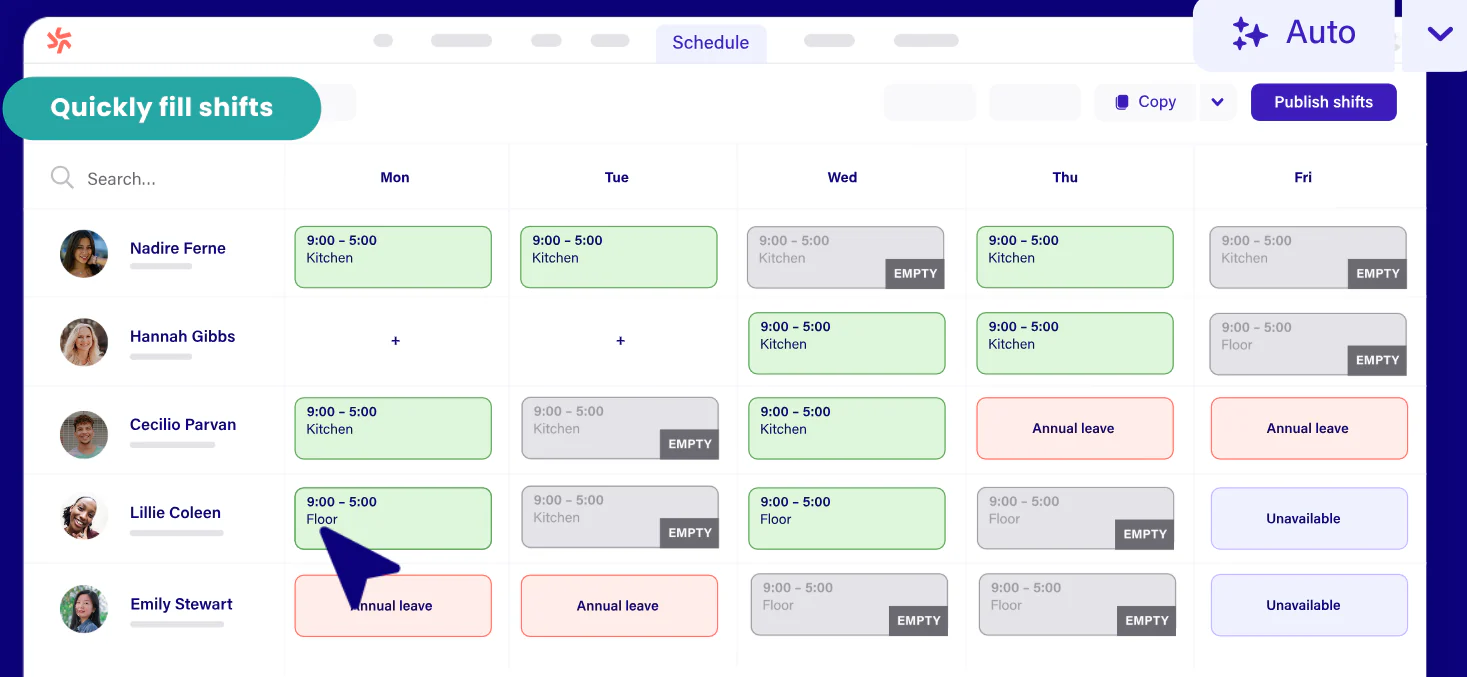
Deputy is designed around workforce scheduling and time management. It may be relevant for restaurants, retail operations, hospitality teams, and other businesses that manage hourly employees and changing shifts. Deputy combines employee scheduling, time tracking, attendance, and workforce management.
Best for: Restaurants, retail stores, and businesses with complex hourly shifts.
Key features:
- Shift scheduling: Creates and publishes employee rosters.
- Timesheets: Records worked hours for manager approval.
- Biometric clocking: Supports biometric attendance on eligible plans.
- Leave management: Tracks leave requests and employee availability.
- Payroll integrations: Connects approved hours with supported payroll systems.
Pricing: Lite from about ₱320/user/month; Core about ₱416/user/month; Pro about ₱576/user/month, based on current US pricing. Taxes may apply.
Pros | Cons |
|
|
4. Connecteam
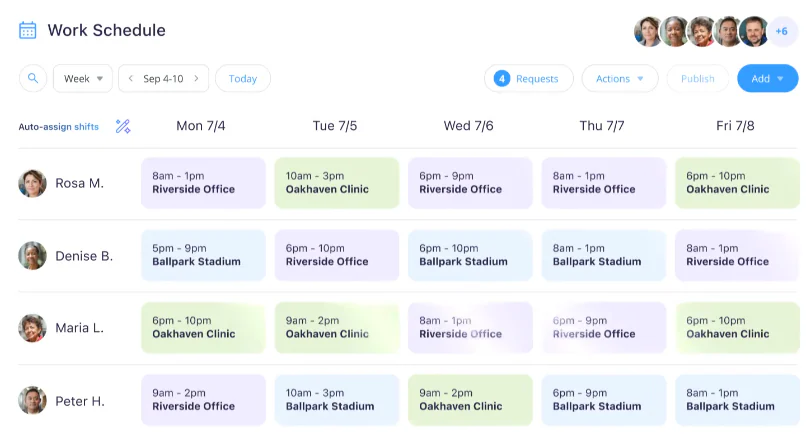
Connecteam focuses on frontline and deskless teams. Its mobile-first approach may be useful for field service staff, sales teams, delivery workers, construction crews, and maintenance teams. For more shift planning options, see our guide to employee scheduling software in the Philippines.
Best for: Field workers, service businesses, construction teams, and deskless employees.
Key features:
- Time clock: Lets employees clock in and out from mobile devices.
- Geofencing: Restricts clock-ins to approved work areas.
- Job scheduling: Assigns shifts, jobs, and working locations.
- Team communication: Provides chats, updates, and announcements.
- Checklists: Helps managers monitor recurring operational tasks.
Pricing: Public pricing depends on plan, user count, and billing terms. Request a Philippine quote from Connecteam.
Pros | Cons |
|
|
5. Time Doctor
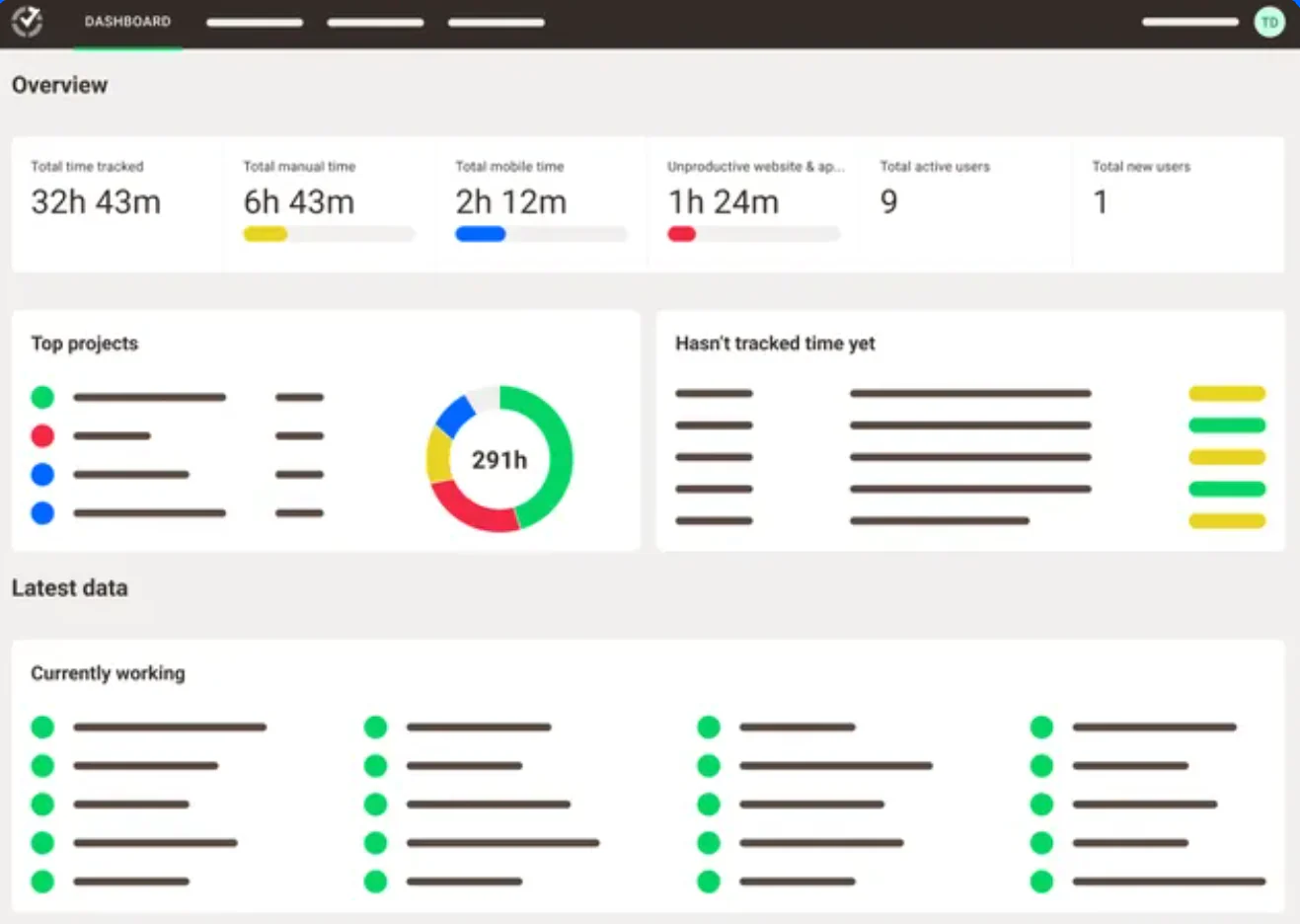
Time Doctor is often considered by remote and hybrid teams that need time tracking and workforce visibility. Depending on the plan and configuration, it may include activity monitoring, attendance-related records, and workforce reporting.
Companies should define their privacy policy before using monitoring features. Attendance tracking should not automatically become employee surveillance. Employers should explain what data is collected, why it is collected, who can access it, and how long it is retained.
Best for: Remote and hybrid teams that need time visibility alongside attendance records.
Key features:
- Time tracking: Records employee work hours across devices.
- Attendance reports: Summarizes attendance and schedule adherence.
- Offline tracking: Captures time when internet connectivity is interrupted.
- Productivity insights: Shows work activity and application usage.
- Payroll exports: Helps prepare approved hours for payroll processing.
Pricing: Standard is approximately ₱512/user/month or US$11,67 on annual billing, based on current published pricing.
Pros | Cons |
|
|
6. Zoho People
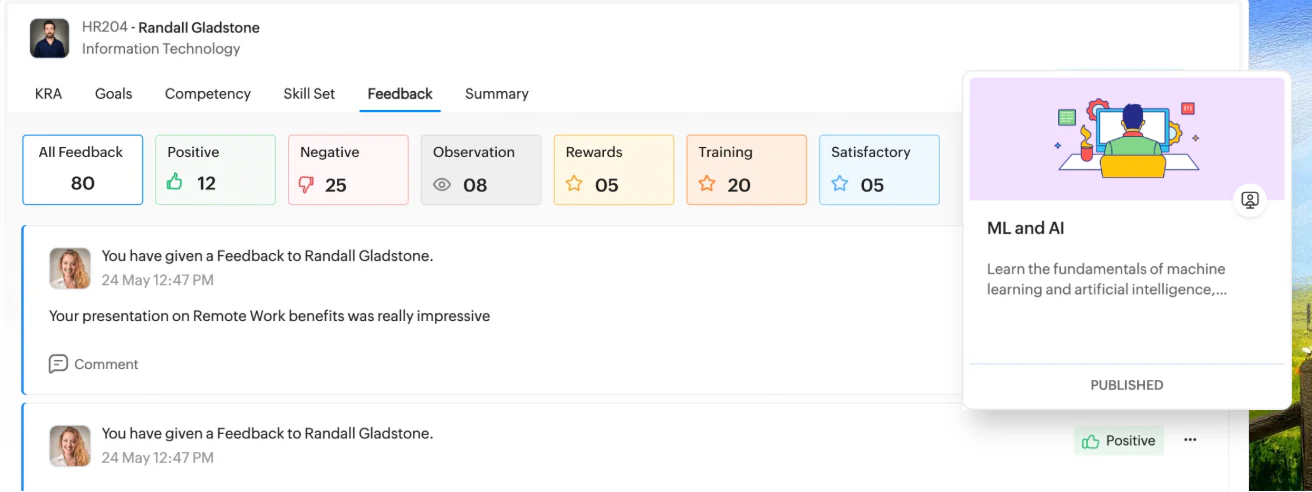
Zoho People is an HR platform that may suit businesses already using Zoho applications. Attendance can be assessed together with employee records, leave, workflow, self-service, and related HR processes.
The advantage of an ecosystem approach is that employee and attendance information may be managed in a connected environment. Buyers should verify the exact attendance features, payroll handoff, mobile experience, approval rules, support coverage, and data export process.
Best for: Small and medium-sized businesses that already use Zoho CRM, Zoho Books, or other Zoho products.
Key features:
- Attendance management: Records employee check-ins and working hours.
- Shift scheduling: Assigns shifts and manages schedule changes.
- Leave management: Handles leave balances and approval workflows.
- Timesheets: Tracks time spent on projects and activities.
- HR integrations: Connects attendance data with other Zoho applications.
Pricing: Request a quote from Zoho People because pricing varies by edition, location, and employee count.
Pros | Cons |
|
|
7. BambooHR
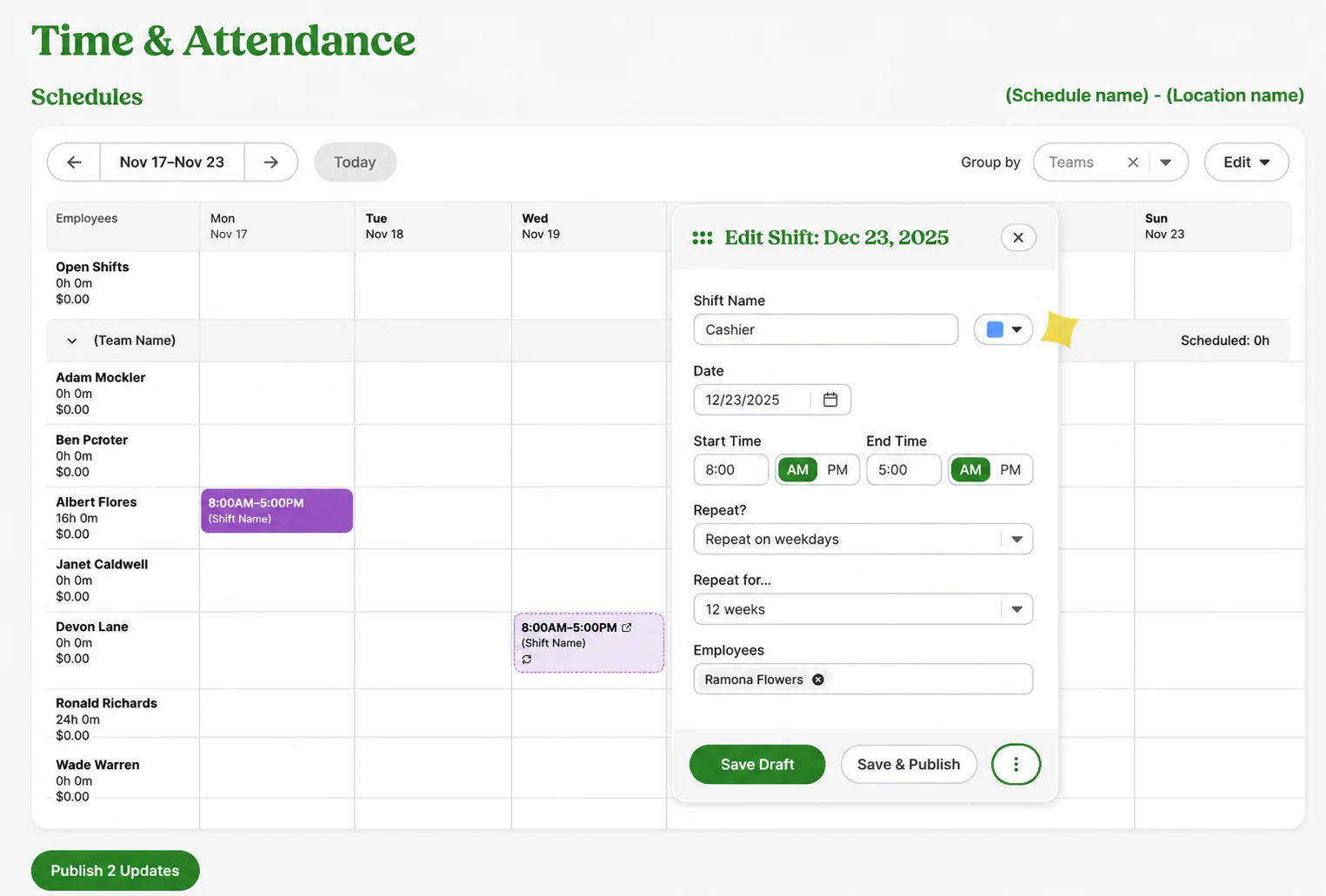
BambooHR is primarily positioned as an HR platform. Its time tracking capabilities may be relevant to organisations that want employee records, time information, leave, and HR reporting in one system.
Philippine buyers should confirm whether the product supports their payroll workflow, local statutory requirements, employee schedules, overtime rules, and preferred clock-in methods.
Best for: HR-centric organisations that prioritise employee records and HR workflows.
Key features:
- Employee records: Stores centralized workforce information.
- Time-off tracking: Manages leave requests and balances.
- Timesheets: Supports time entry and approval workflows.
- HR reporting: Generates workforce and attendance-related reports.
- Payroll integration: Connects with supported payroll services.
Pricing: Core starts at approximately ₱656/employee/month, Pro at about ₱1,120, and Elite at about ₱1,600, based on current US list pricing.
Pros | Cons |
|
|
8. Homebase
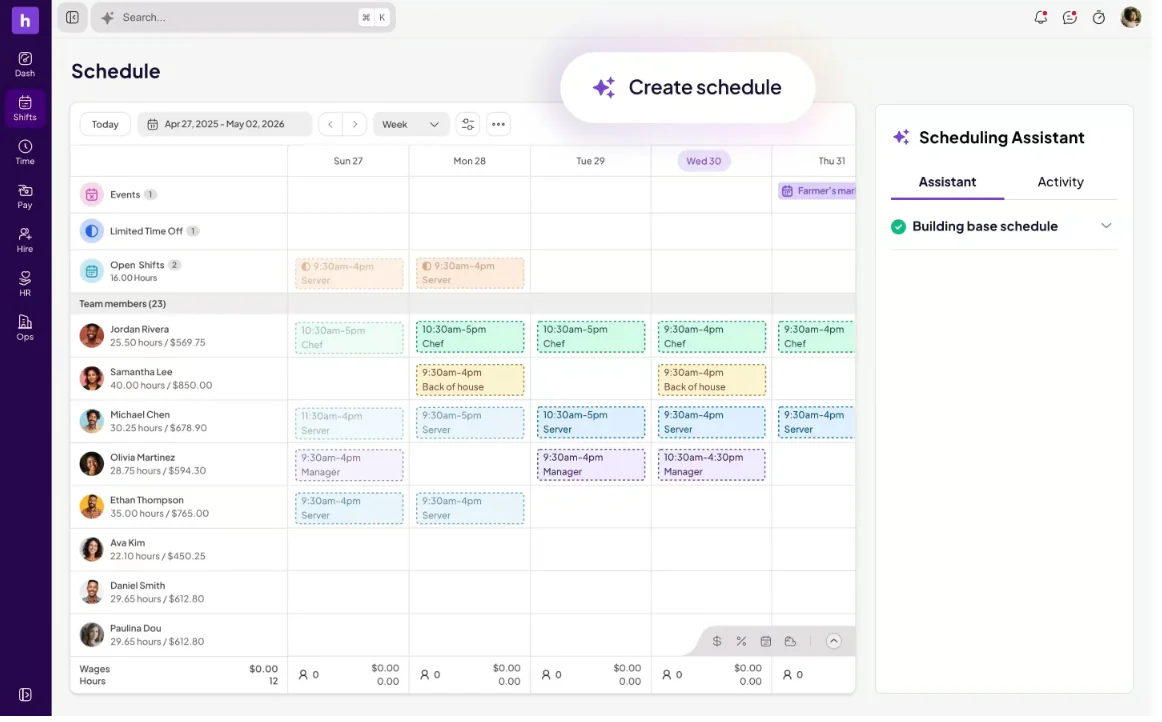
Homebase is commonly associated with hourly teams, scheduling, time clocks, breaks, and workforce communication. It may be useful for single-location businesses such as restaurants, shops, and service outlets.
Before selecting Homebase, verify country availability, multi-branch support, holiday schedules, overtime, missed punches, manager approvals, and payroll export.
Best for: Restaurants and small businesses with hourly employees.
Key features:
- Employee time clock: Records clock-ins and clock-outs.
- Shift scheduling: Builds schedules based on employee availability.
- Break tracking: Monitors breaks and working-hour compliance.
- Team messaging: Shares announcements and schedule updates.
- Payroll preparation: Helps organize approved hours for payroll.
Pricing: Public pricing varies by plan and location. Request confirmation before presenting Homebase as available for Philippine businesses.
Pros | Cons |
|
|
9. TimeClock Plus
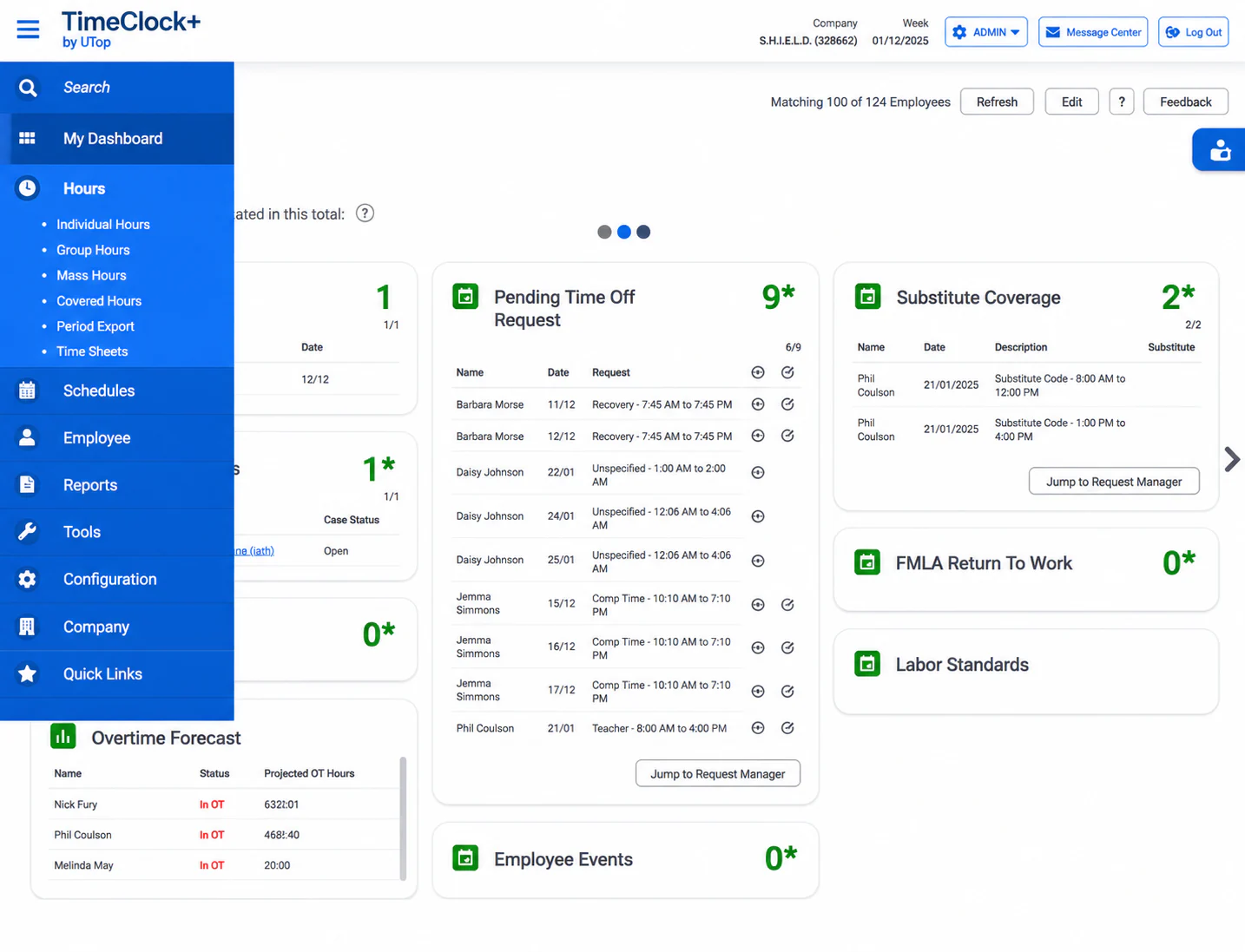
TimeClock Plus is positioned for organisations with formal time and attendance requirements. It may be considered by larger companies that need detailed policies, workforce controls, reporting, scheduling, and integrations.
Best for: Large organizations, government units, healthcare providers, and multi-site employers.
Key features:
- Time and attendance: Captures employee hours across locations.
- Scheduling: Builds schedules for departments and work sites.
- Labor reporting: Analyzes labor hours, exceptions, and overtime.
- Compliance controls: Supports configurable attendance and labor rules.
- Access controls: Provides role-based permissions for managers and administrators.
Pricing: Custom quote based on employees, modules, devices, and implementation scope.
Pros | Cons |
|
|
10. Clockify
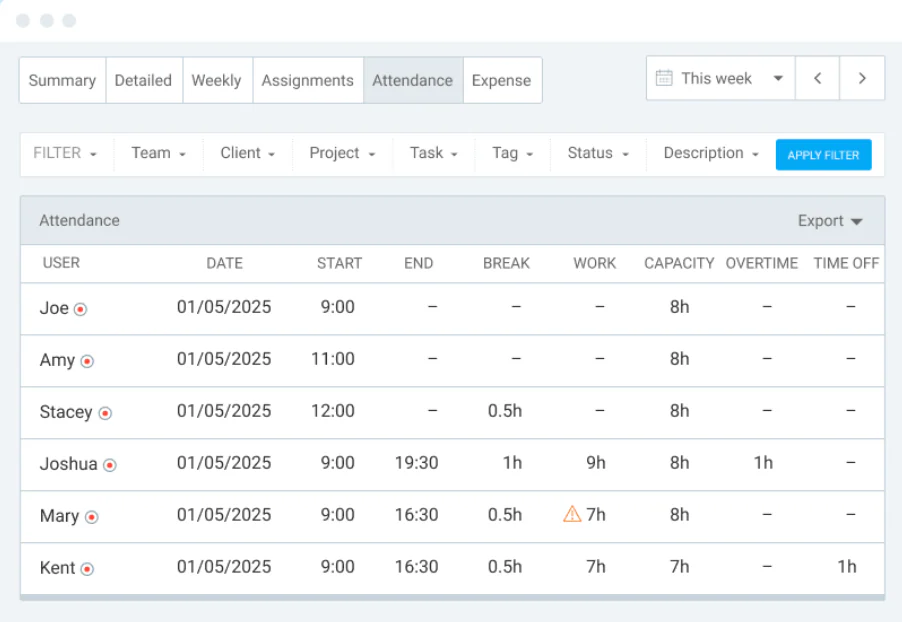
Clockify is commonly used for basic time tracking and reporting. It may help teams replace manual hour logs or spreadsheets, especially when the main requirement is recording time spent on work.
Best for: Startups, agencies, project teams, and businesses that need simple time records.
Key features:
- Timer and timesheets: Records time manually or automatically.
- Kiosk: Supports shared-device clock-ins.
- Attendance reports: Summarizes working hours and absences.
- Time-off tracking: Manages leave and holiday records on eligible plans.
- Data export: Exports reports for payroll or accounting workflows.
Pricing: Free plan available; paid plans vary by feature and billing cycle. Verify the current Philippine price at checkout.
Pros | Cons |
|
|
Must-Needed Attendance Tracking Software Features
Attendance software combines time capture, schedule management, approvals, and payroll preparation in one workflow. For a closer look at these workflows, read our guide to attendance management systems. The most useful features for Philippine businesses include:
- GPS tracking: Records the employee’s location during clock-in and clock-out.
- Geofencing: Restricts attendance entries to approved work areas.
- Biometric verification: Uses fingerprints or other biometric data to confirm employee identity.
- Facial recognition: Matches the employee’s face during clock-in to reduce buddy punching.
- Shift scheduling: Assigns fixed, rotating, overnight, and flexible shifts.
- Overtime tracking: Calculates work beyond scheduled hours for review and approval.
- Leave management: Records leave requests, balances, and approved absences.
- Approval workflows: Routes overtime, leave, and attendance corrections to authorized managers.
- Payroll export: Sends approved attendance data to payroll without repeated manual entry.
- Offline mode: Stores attendance records during connectivity loss and syncs them later.
- Audit logs: Records changes, approvals, timestamps, and user actions.
- Role-based access: Limits what employees, managers, and HR teams can view or edit.
How to Choose Attendance Software in the Philippines
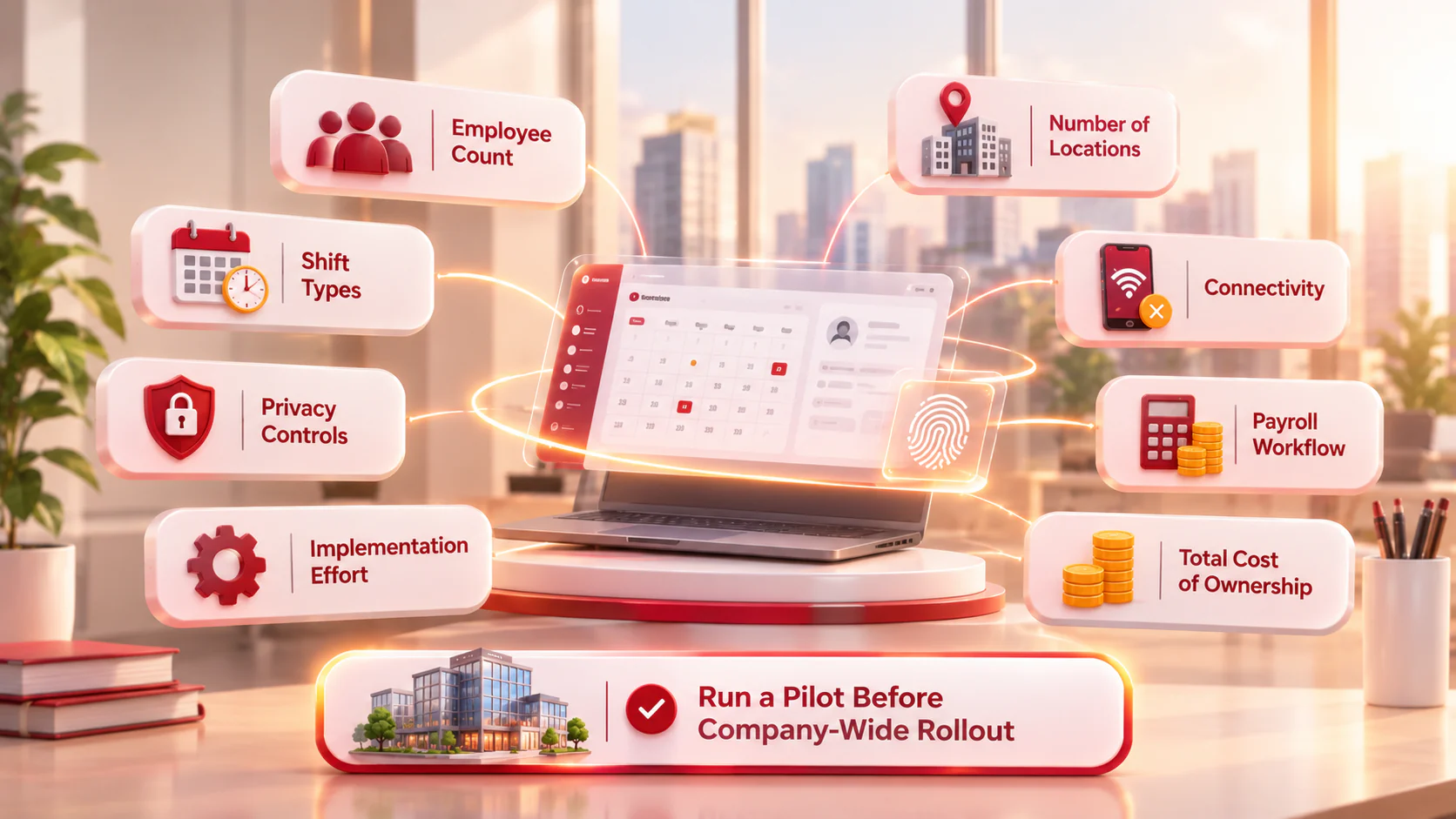
Evaluate each platform against your workforce structure, payroll process, privacy requirements, and total operating cost.
- Employee count: Check whether pricing and system performance fit your current headcount and growth plans.
- Number of locations: Confirm that HR can manage branches, work sites, and employee transfers from one dashboard.
- Shift types: Test fixed, rotating, overnight, holiday, rest-day, and flexible schedules.
- Connectivity: Verify offline attendance if employees work in areas with unstable internet access.
- Payroll workflow: Confirm how approved hours, overtime, leave, and corrections reach payroll. You can also compare payroll software in the Philippines before choosing an integration.
- Privacy controls: Review biometric consent, location tracking, access permissions, retention, and data export.
- Implementation effort: Ask about migration, device setup, integrations, training, testing, and support.
- Total cost of ownership: Include subscriptions, devices, setup, support, taxes, and future user expansion.
Run a pilot at one branch or work site before rolling out the system company-wide.
Conclusion
Attendance tracking software helps Philippine companies replace paper logs and spreadsheets with accurate work-hour records and cleaner payroll data.
There is no single best tool for every business. Small teams may prioritise affordability and fast mobile adoption. Shift-based businesses may need scheduling and break controls.
Choose a system that fits your team’s size, shifts, locations, and attendance needs. For an integrated attendance and payroll process, consider payroll software in the Philippines.
Businesses that need this connected workflow can also explore payroll software in the Philippines.

FAQ Around Attendance Management Software
Many platforms can export or integrate attendance data with payroll. The exact process depends on the vendor, payroll system, configuration, and implementation scope.
Biometric attendance can be useful for fixed workplaces that need identity verification. Mobile attendance may be more practical for remote, field, or multi-location employees. The right choice depends on work location, privacy requirements, connectivity, device ownership, and attendance policy.
Free tools may work for small teams with simple requirements. Before selecting one, verify user limits, data export, reporting, retention, support, mobile access, payroll integration, and paid-plan restrictions.
Implementation time depends on employee volume, branch count, policy complexity, devices, integrations, data quality, and training needs. A small pilot may be completed quickly, while a multi-branch HR and payroll rollout requires discovery, configuration, testing, training, and post-launch support.