E-commerce growth gives retail and wholesale businesses more ways to reach customers, but it also creates more operational pressure behind the scenes. Orders come in from a website, a marketplace, a POS terminal, and the sales team all at once, but stock and invoices are still updated one system at a time. Miss one update and the numbers on screen no longer match what is actually on the shelf.
This is why ecommerce ERP integration has become important for growing businesses. According to the International Trade Administration, the Philippines eCommerce market was valued at approximately $28 billion in 2024 and is expected to keep growing at double-digit rates. For companies selling online, this growth creates both opportunity and operational complexity.
ERP e-commerce integration helps businesses connect online sales channels with backend operations. This article explains what ERP e-commerce integration is, how it works, what data should be synced, and how businesses can implement it successfully.
Key Takeaways
ERP e-commerce integration connects online sales channels with backend operations, so stock, orders, payments, and invoices no longer need to be updated system by system.
Inventory data is the most urgent thing to sync, because stock levels that do not match across channels are what cause overselling, wrong shipments, and cancelled orders.
Businesses usually need integration once they sell through several channels at the same time, or once finance spends extra time matching payments, refunds, taxes, and marketplace fees.
Clean product and SKU data before connecting any system, because integration only moves existing errors faster if the product database is already messy.
What Is ERP E-Commerce Integration?
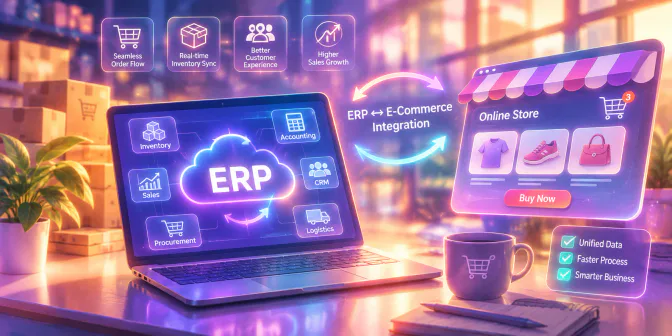
ERP e-commerce integration is the process of connecting e-commerce platforms, marketplaces, websites, or online sales channels with an enterprise resource planning system. With ERP e-commerce integration, online orders can move into the ERP automatically, helping teams reduce repeated data entry and keep backend operations more accurate.
ERP e-commerce integration is the process of connecting e-commerce platforms, marketplaces, websites, or online sales channels with an enterprise resource planning system. With ERP e-commerce integration, online orders can move into the ERP automatically, helping teams reduce repeated data entry and keep backend operations more accurate.
In simple terms, the e-commerce platform handles where customers place orders, while the ERP manages what happens after the order is received which usually includes checking stock, processing fulfillment, creating invoices, recording payments, updating accounting entries, and generating reports.
Why ERP E-commerce Integration Matters for Growing Business
Why ERP E-Commerce Integration Matters for Growing Businesses
Why ERP E-Commerce Integration Matters for Growing Businesses
Why ERP E-Commerce Integration Matters for Growing Businesses
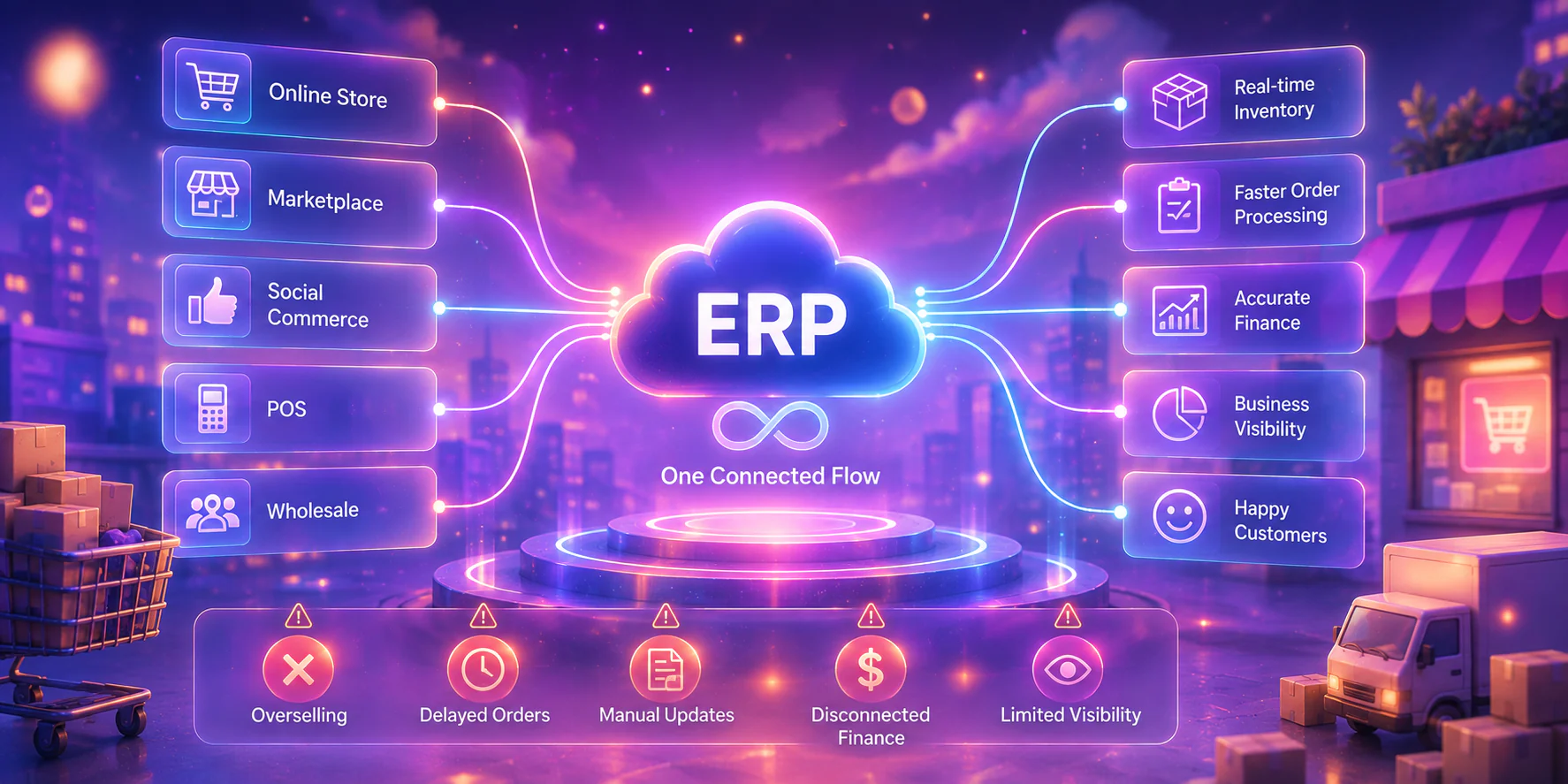
ERP e-commerce integration matters because growing businesses cannot rely on disconnected workflows forever. As order volume increases, manual updates usually become slower, less accurate, and harder to control.
Key reasons include:
- More sales channels to manage: Businesses may sell through websites, marketplaces, social commerce, POS, and wholesale ordering at the same time.
- Higher risk of overselling: Stock data may not update quickly enough across channels.
- Slower order processing: Teams may need to copy orders manually before fulfillment can start.
- Disconnected finance records: Payments, invoices, refunds, and marketplace fees may not match easily.
- Limited business visibility: Managers may not see accurate sales, stock, fulfillment, and revenue data in one place.
These issues can lead to canceled orders, delayed deliveries, unhappy customers, and inaccurate financial reports. ERP e-commerce integration is known to helps reduce these risks by creating one connected flow between online sales and backend operations.
How ERP E-Commerce Integration Works
ERP e-commerce integration works by allowing data from online sales channels to flow into the ERP system automatically. The exact setup depends on the platform and integration method, but the business process is usually similar.
A basic workflow looks like this:
1. A customer places an order through an online sales channel.
2. The order details sync to the ERP system.
3. Inventory levels update automatically.
4. The warehouse or fulfillment team processes the order.
5. Invoice and payment data sync with accounting.
6. Delivery, return, and sales reports update in the system.
This connected flow helps teams avoid repeated manual entry and gives decision-makers better visibility over online operations. For broader context, explore to HashMicro guide on ERP software integration.
Key Data That Should Sync Between E-Commerce and ERP Systems
The most useful ERP e-commerce integration connects the data that directly affects sales, stock, fulfillment, finance, and customer service. The goal is not to sync every possible field, but to keep the most important operational data accurate across systems.
buat tabel scroll tabel
| Data Type | What Gets Synced | Why It Matters |
|---|---|---|
| Product and SKU data | Product names, SKU codes, variants, categories, and units | Keeps product records consistent across channels. |
| Inventory levels | Available stock, reserved stock, warehouse stock, and stock movements | Helps prevent overselling and stock mismatch. |
| Sales orders | Order number, customer details, items, quantity, discount, tax, and address | Reduces manual entry and speeds up processing. |
| Customer data | Name, contact details, billing address, shipping address, and order history | Helps sales and service teams understand customer activity. |
| Pricing and promotions | Product prices, wholesale prices, discounts, and channel-specific pricing | Reduces pricing errors across channels. |
| Payments and invoices | Payment status, transaction reference, invoice number, and billing details | Helps finance teams reconcile online sales faster. |
| Shipping and returns | Courier details, tracking number, delivery status, returned items, and refunds | Improves fulfillment visibility and reverse logistics. |
| Accounting entries | Revenue, receivables, taxes, discounts, fees, and related records | Improves reporting and reduces reconciliation gaps. |
Each data type supports a different part of the online selling workflow. When stock levels, reserved quantities, and warehouse movements are synced in real time, businesses can reduce overselling, avoid stock mismatches, and fulfill orders with more confidence.
For a deeper look at this area, you can also read HashMicro’s guide on e-commerce inventory management software and how it helps businesses manage stock across multiple online channels.
Benefits of ERP E-Commerce Integration
ERP e-commerce integration gives businesses better control over online selling operations.
- Real-Time Inventory Visibility
Real-time inventory visibility helps businesses know how much stock is available across warehouses, stores, and online channels. This is important when the same products are sold through multiple platforms.
This helps teams reduce overselling, plan replenishment better, and give customer service teams more accurate product availability information. - Fewer Manual Data Entry Errors
Manual data entry creates room for mistakes. Staff may enter the wrong quantity, duplicate an order, miss a discount, use the wrong customer address, or forget to update payment status.
ERP e-commerce integration reduces these risks by allowing order and transaction data to move between systems automatically. Teams no longer need to repeatedly copy the same information from one platform to another. - Faster Order Fulfillment
Faster fulfillment happens when order data reaches the right team without delay. When ecommerce orders sync directly to the ERP, the warehouse or fulfillment team can process them sooner.
This matters because customers expect quick updates after placing an online order. - Better Customer Experience
Customer experience improves when businesses can provide accurate order, stock, delivery, and payment information. Customers want to know whether a product is available, when it will ship, and how their order is progressing.
Disconnected systems make this harder because customer service teams may need to check several platforms before giving an answer. ERP e-commerce integration helps them access more consistent information. - More Accurate Financial Reporting
Financial reporting becomes more reliable when sales, payments, invoices, taxes, refunds, and accounting entries are connected. Without integration, finance teams may spend too much time matching online orders with payment records. - Easier Multi-Channel Selling
Multi-channel selling becomes harder when every channel needs separate manual updates. A business may start with one website, then add marketplaces, POS, wholesale orders, and social commerce.
ERP e-commerce integration makes scaling easier by centralizing key operational data. Instead of treating each channel as a separate workflow, businesses can connect them to one backend ERP system.
When these benefits are combined, ERP e-commerce integration gives businesses a clearer way to manage online orders, inventory, fulfillment, payments, and reporting from one connected system. With HashMicro ERP, companies can connect their e-commerce channels with core business operations and reduce the manual work that slows growth.

When Should Businesses Consider ERP E-Commerce Integration?
Businesses usually need ERP e-commerce integration when manual workflows can no longer support sales growth. The signs are often easy to recognize, include:
- The business sells through multiple marketplaces, websites, stores, or sales teams.
- Customers can order products online even when actual stock is unavailable.
- Staff spend too much time copying orders into spreadsheets or backend systems.
- Wholesale buyers need repeat orders, bulk orders, or customer-specific pricing.
- Finance teams struggle to match payments, invoices, refunds, and marketplace fees.
- Managers cannot see accurate sales, stock, fulfillment, and revenue data in one place.
ERP E-Commerce Integration Options
Businesses can integrate ERP and e-commerce systems in several ways. The best option depends on the company platforms, order volume, budget, internal resources, and workflow complexity.
| Integration Option | Best For | Simple Explanation |
|---|---|---|
| Native connectors | Standard ecommerce workflows | Ready-made connections that are usually faster to set up. |
| API integration | Businesses needing flexibility | Allows systems to exchange data based on defined business rules. |
| Middleware or iPaaS | Companies using many systems | Acts as a connection layer between ecommerce, ERP, payment, CRM, and warehouse tools. |
| Custom integration | Complex workflows | Useful for special pricing, approvals, multi-warehouse rules, or unique fulfillment logic. |
| Marketplace extensions | Specific online sales channels | Helps connect marketplace orders, listings, shipping labels, and stock updates. |
Most businesses do not choose only one method. A company may start with a native connector for its main online store, then add a marketplace extension for each selling channel, and move to API or middleware later as the number of connected systems grows.
Challenges of Integrating ERP and E-Commerce Systems
ERP e-commerce integration can create strong business value, but it needs proper planning. Most challenges come from data quality, process gaps, and system compatibility.
Common challenges include:
- Inconsistent product and SKU data: Different product names, codes, units, or variants can create duplicate records.
- Poor data mapping: Order status, payment status, tax codes, discounts, and return reasons must match correctly.
- Sync delays: Slow stock updates can still lead to overselling during peak sales periods.
- Payment reconciliation complexity: Marketplace fees, COD, refunds, discounts, and partial payments need clear rules.
- Security and access control: Customer data, transactions, and financial records must be handled carefully.
- Staff adoption: Teams need training, clear responsibilities, and a process for monitoring sync issues.
These challenges are manageable when businesses prepare their data, map workflows clearly, test before launch, and assign owners for integration monitoring.
Best Practices for Implementing ERP E-Commerce Integration
Successful ERP e-commerce integration starts with clear planning. The goal is not just to connect systems, but to build a workflow that supports daily operations.
1. Clean Product and SKU Data First
Product and SKU data should be cleaned before integration begins. This includes standardizing product names, SKU codes, units of measure, variants, categories, and warehouse records.
Clean data prevents duplicate products, incorrect stock updates, and fulfillment errors. If the product database is messy before integration, the integration may only move messy data faster.
2. Map Order, Payment, and Fulfillment Workflows
Businesses should map the full order journey before connecting systems. This includes order creation, payment confirmation, stock reservation, picking, packing, shipping, invoicing, returns, and refunds.
Workflow mapping helps teams define what should happen automatically and what still needs manual review. It also prevents confusion between ecommerce, warehouse, finance, and customer service teams.
3. Prioritize Real-Time Inventory Sync
Inventory sync should be one of the highest priorities. For ecommerce businesses, inaccurate stock data can directly affect sales and customer trust.
Real-time or near-real-time inventory updates help reduce overselling and support better product availability across channels. This is especially important for businesses selling through multiple marketplaces or during high-volume campaigns.
4. Test the Integration Before Full Rollout
Testing should happen before the integration goes live. Businesses should test common scenarios such as new orders, canceled orders, partial payments, out-of-stock items, refunds, shipping updates, and returns.
Testing helps teams find errors before they affect customers. It also gives staff time to understand the new workflow.
5. Monitor Sync Errors and Duplicate Data
After launch, businesses should monitor sync logs, failed transactions, duplicate records, and unusual order patterns. Integration is not a one-time setup that can be ignored.
Monitoring helps teams detect issues early. For example, if a product does not sync correctly, the team can fix it before it affects more orders.
6. Choose a Scalable ERP Platform
The right ERP platform should support the company current needs and future growth. A business may start with one ecommerce channel but later add more marketplaces, warehouses, product lines, or countries.
A scalable ERP platform should support integration flexibility, inventory management, sales order processing, accounting, procurement, fulfillment, reporting, and user access control.
How HashMicro Helps Businesses Connect E-Commerce and ERP Operations
How HashMicro Helps Businesses Connect E-Commerce and ERP Operations
tambah gambar dashboard hashmicro
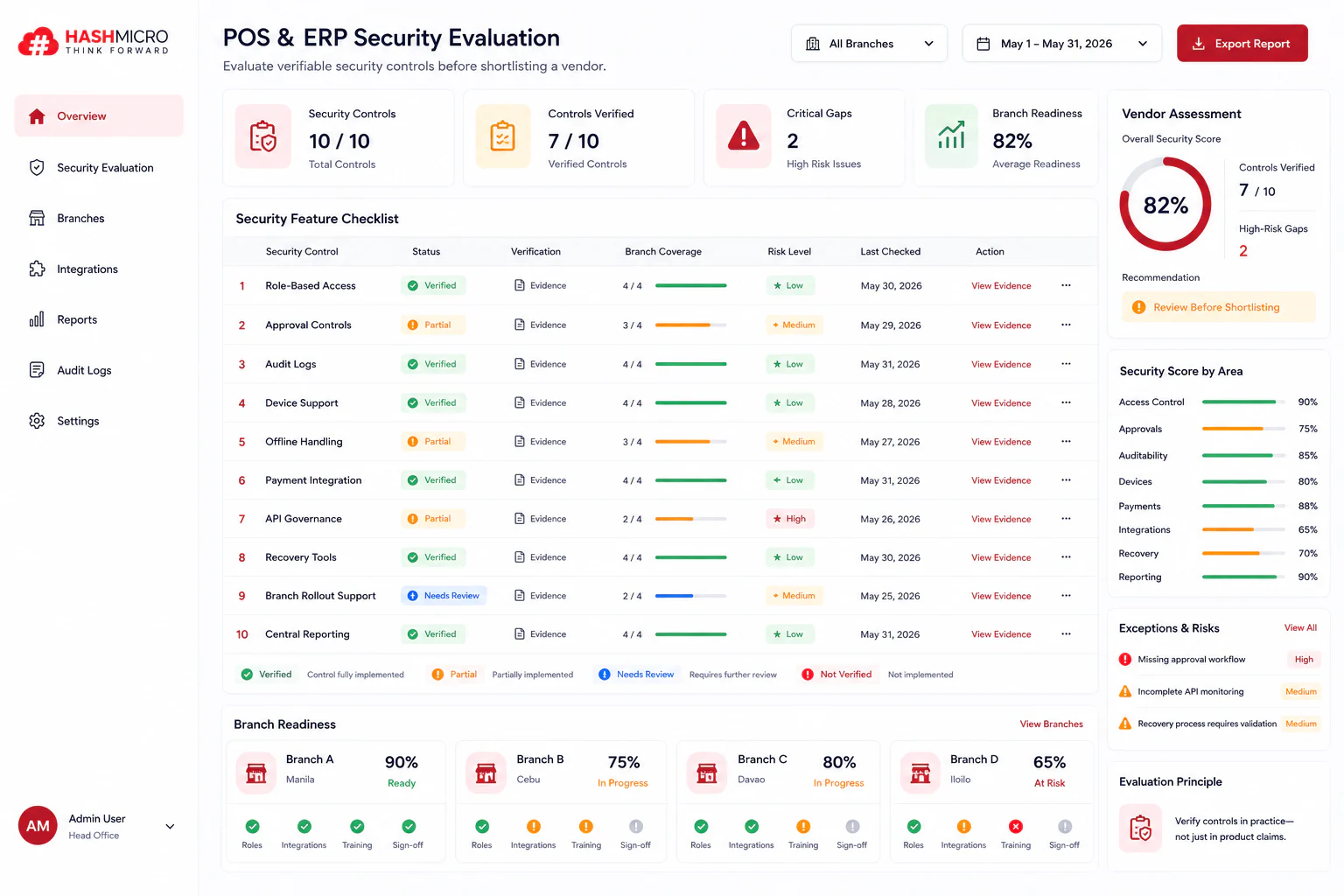
HashMicro helps businesses connect ecommerce operations with backend ERP workflows through a centralized system for sales, inventory, accounting, procurement, warehouse, fulfillment, and reporting.
HashMicro has supported more than 2,000 businesses across Southeast Asia, including retailers, distributors, and wholesalers that sell through multiple online channels. Its ERP system is built to connect e-commerce activity with the operational and financial processes behind it, so teams do not need to maintain separate records for each platform. The features most relevant to online sellers include:
- Marketplace Hub: connects marketplace channels into one workspace so orders, listings, and stock updates no longer need to be checked platform by platform.
- AI Product and Variant Mapping: matches online listings with internal SKUs and variants automatically, which reduces duplicate product records after integration.
- Order Synchronization: pulls online orders into the ERP as they come in, so fulfillment teams can start processing without re-entering order details.
- Real-Time Inventory Management: updates available and reserved stock across warehouses and channels after each sale, return, or transfer to help prevent overselling.
- Shipment Arrangement and Shipping Labels: arranges deliveries and prints shipping labels directly from the order record, keeping fulfillment in one place.
- Sales and Invoicing: generates invoices from synced orders and tracks payment status, so finance teams can reconcile online sales faster.
- Accounting Integration: posts revenue, receivables, taxes, discounts, and marketplace fees into the accounting records without manual journal entry.
Channel Performance Reporting: shows sales, stock, and fulfillment data per channel so managers can see which platform performs best.
Businesses that want to connect their online channels with backend operations can explore the HashMicro ERP system to see how these features work together.
Conclusion
ERP e-commerce integration helps growing businesses connect online sales channels with backend operations. It reduces manual work, improves inventory accuracy, speeds up fulfillment, supports cleaner financial reporting, and gives managers better visibility across channels.
For retail and wholesale businesses in the Philippines, integration becomes more important as ecommerce sales expand. The more channels a business manages, the harder it becomes to rely on separate systems and manual updates.
By connecting ecommerce platforms with ERP workflows, businesses can build a stronger operational foundation for growth. With HashMicro, companies can manage ecommerce, inventory, sales, fulfillment, accounting, and reporting through a connected ERP system designed to support scalable business operations. Business that want to see how the workflow runs end to end can start with a free product tour.
Businesses that want to see how the workflow runs end to end can start with a free product tour.
Businesses that want to see how the workflow runs end to end can start with a free product tour.
Businesses that want to see how the workflow runs end to end can start with a free product tour.
FAQ Around ERP E-commerce Integration
Ecommerce ERP integration is the process of connecting online sales channels with an ERP system. It helps orders, products, inventory, customer data, payments, invoices, fulfillment, and accounting information move between systems more accurately.
Ecommerce businesses need ERP integration when manual updates start slowing down operations. Integration helps reduce duplicate data entry, stock mismatch, delayed fulfillment, payment reconciliation issues, and disconnected reporting across online sales channels.
The most important data includes products, SKUs, inventory levels, sales orders, customer details, prices, discounts, payments, invoices, shipping details, returns, refunds, and accounting entries. These data points support a connected order-to-cash workflow.
ERP e-commerce integration can help reduce overselling by keeping stock data updated across sales channels. When inventory updates are synced quickly, teams have a clearer view of available stock before accepting or fulfilling online orders.
The best option depends on business complexity. Native connectors may suit standard workflows, APIs support more flexibility, middleware can connect multiple systems, and custom integration may be needed for complex pricing, fulfillment, or warehouse rules.
HashMicro supports connected ecommerce and ERP operations through modules for sales, inventory, accounting, procurement, warehouse, fulfillment, reporting, and marketplace workflows. This helps businesses manage online sales channels and backend operations through a more unified system.