







When training materials are scattered across emails, shared folders, and spreadsheets, HR teams struggle to see which employees have completed each course. Progress becomes even harder to monitor when branches use different processes or managers explain the same procedure in different ways.
These gaps can create inconsistent onboarding, repeated follow-ups, and limited visibility into mandatory training. The Philippine Statistics Authority reported that 27,572 of 96,409 formal establishments with at least 10 workers provided job-related training in 2023. This figure measures training activity, not LMS adoption, but it shows the scale of training coordination employers need to manage.
An LMS brings course materials, assignments, progress tracking, assessments, and completion records into one system. This guide compares seven LMS platforms for Philippine businesses and explains how to choose one based on employee count, training workflow, reporting needs, and implementation support.
Written by: [Select HM PH author]
Reviewed by: [Select HM PH reviewer]
Key Takeaways
An employee training LMS helps companies deliver courses, assign learning, and track completion in one place.
The main benefit for HR teams is a clearer record of who needs training, who has finished it, and who needs a reminder.
The seven platforms suit different needs. Compare the work each one handles before comparing starting prices.
To choose an LMS, give every vendor the same employee onboarding scenario and ask them to show the resulting report.
What Is an LMS for Employee Training?
An employee training LMS is software for organizing learning materials, assigning them to employees, and recording their progress. HR or L&D teams can use it for onboarding, product knowledge, process updates, assessments, and training that needs to be repeated.
An LMS (Learning Management System) is different from a folder of training videos. The folder stores content, while an LMS helps answer questions about the people using it. Which courses should a new cashier take? Has a supervisor completed the latest procedure update? Whose certification is due for renewal? The answers depend on the features and records available in the chosen system.
It is also different from an HR information system, or HRIS. An HRIS manages employee information and HR processes, while an LMS manages learning activities. Some platforms can connect the two so that a change in an employee’s role triggers the appropriate training. An LMS also works alongside an HRIS by managing employee learning activities while the HRIS stores employee records and HR processes.
How Does an LMS Help Employee Training?
For companies with several branches, employee training can be difficult to coordinate. New hires need the right materials, while HR and managers need a reliable way to monitor progress. An LMS helps by bringing these activities into one place:
- Assign the right training: HR can give each new hire a welcome course, role-specific lessons, and an assessment through a learning path.
- Keep training consistent across branches: Employees access the same current materials, so the training team does not need to maintain separate copies for each location.
- Monitor progress: Employees can see what they need to complete, while managers can check completion and assessment results in reports.
- Track recurring requirements: Completion records help teams identify when employees need to repeat a course or renew a certificate. Reminder and renewal features vary by product and plan.
An LMS makes training easier to coordinate and measure. Clear course materials, time to complete them, and manager follow-up still determine how effective the training will be.
Quick Comparison of The Best LMS Software
The seven platforms below cover different employee training needs. Their order is an editorial shortlist, not a ranking based on hands-on testing. Published prices were checked on November 2, 2026 and may change. Confirm the final price, currency, taxes, user limits, and support terms with each vendor.
| LMS | Best for | Key features to evaluate | Published pricing | Priority demo question |
|---|---|---|---|---|
| HashMicro | Companies connecting employee learning with HR workflows | Role-based learning paths, assessments, progress reports, certification alerts, HRM connection | Custom quote | What happens to training assignments when an employee changes role? |
| TalentLMS | Teams that want a self-service starting point | Courses, learning paths, groups, reports, automations | Free plan; Core starts at approximately ₱7,500 per month with annual billing | Which features and user limits apply to the proposed plan? |
| 360Learning | Teams creating training with internal experts | Collaborative course creation, AI-assisted authoring, learner feedback | Team plan: approximately ₱500 per active user per month for fewer than 100 users | How does a subject expert create and update a course? |
| Moodle Workplace | Organizations seeking configurable corporate training | Employee learning, onboarding, compliance training, integrations | Quote through a Moodle partner | Who will configure, host, and support the system? |
| LearnUpon | Companies training employees and other audiences | Learning journeys, certifications, reporting, HRIS integrations | Custom quote; employee offering starts from 100 users | Can separate learner groups use one managed setup? |
| Docebo | Larger learning programs with complex audiences | Automation, analytics, certifications, integrations | Contact sales | Which learner model matches actual monthly use? |
| iSpring LMS | Teams building structured onboarding and training tracks | Learning paths, assessments, reports, mobile learning | Request a current LMS quote | What can employees complete on mobile, and what can managers see? |
7 Best LMS Software for Employee Training in the Philippines
These seven platforms were selected because their official product pages document employee training, onboarding, compliance learning, reporting, integrations, or multi-audience learning capabilities. The order is editorial and does not represent a ranking or result of hands-on testing.
1. HashMicro
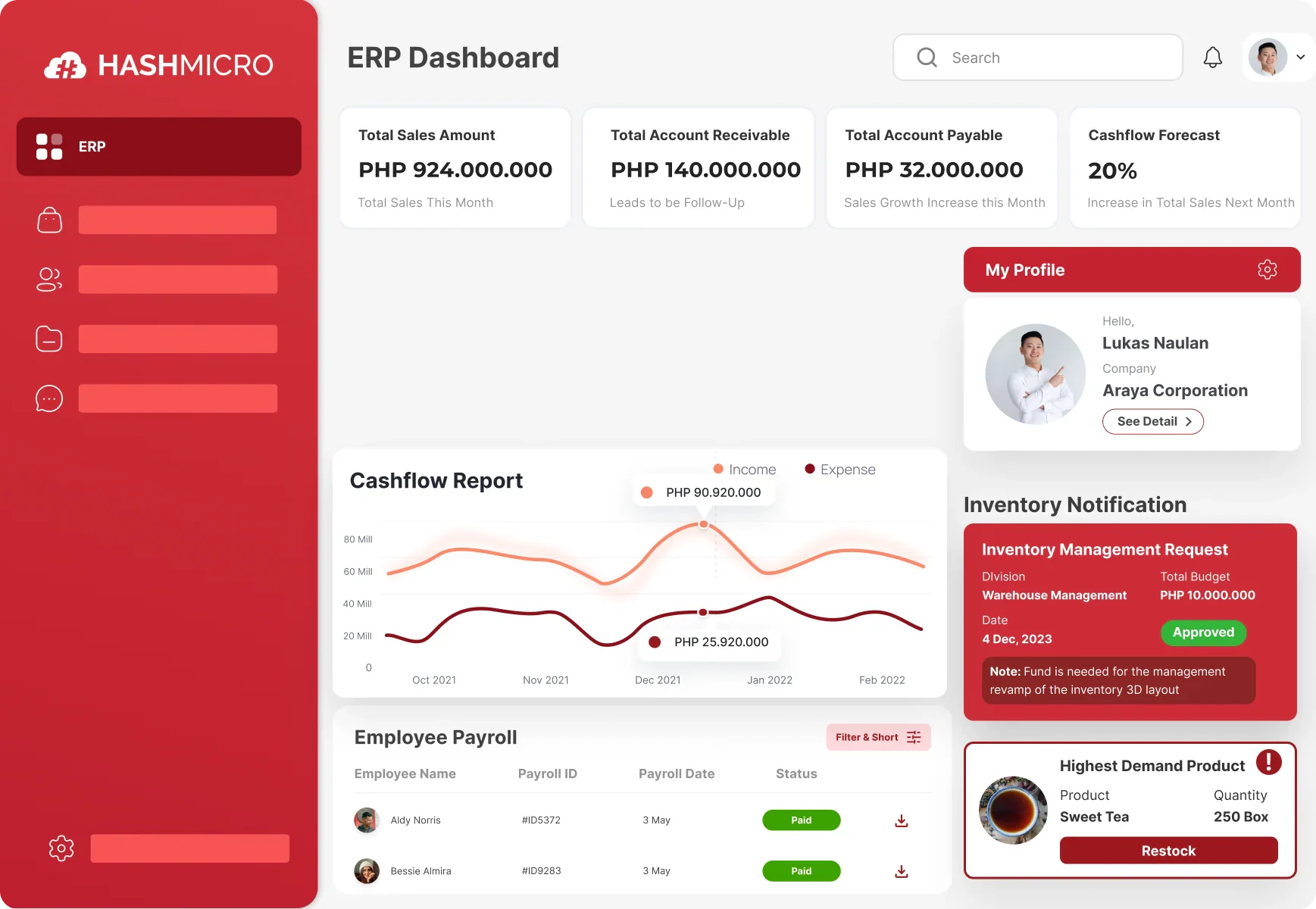
HashMicro’s Philippine LMS page describes course creation, quizzes, learning paths, progress reports, and certification alerts. It also describes a connection with HRM that can assign learning according to role, department, job level, or employee status.
That makes HashMicro worth evaluating when training needs to follow changes in employee records. For example, a company could ask for a demonstration in which a new branch supervisor receives a different learning path from a newly hired cashier. The training team should then be able to see assignments, quiz results, and outstanding work by role or department. HashMicro is especially suitable for companies that want to connect training with broader HR automation workflows.
Best for: Businesses that want employee training connected to employee roles, departments, job levels, and HR workflows.
Key features:
- Role-based learning paths: Assign different courses according to an employee’s role, department, job level, or employment status.
- Course and quiz creation: Build structured training materials with quizzes to check employee understanding.
- Progress reporting: Monitor assigned courses, completion status, quiz results, and overdue training by employee or department.
- Certification alerts: Track certification renewals and remind employees before required training expires.
- HRM connection: Align employee data with training assignments so changes in role or status can trigger a different learning path.
- Employee access: Allow employees to view assigned courses, complete assessments, and review their training progress.
|
Pros |
Cons |
|
|
Pricing: Custom quote. Request a breakdown of software, setup, support, integrations, and any additional implementation fees.
2. TalentLMS
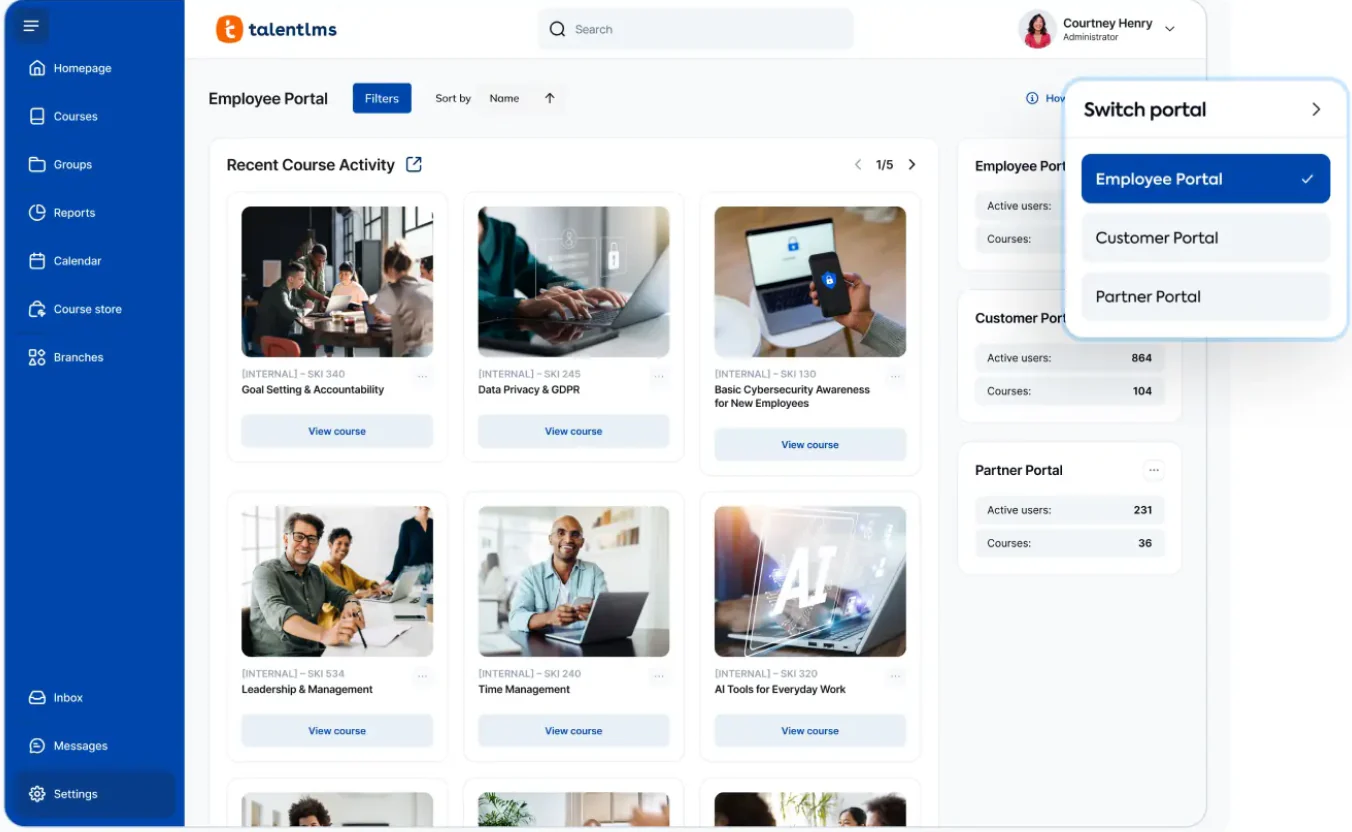
TalentLMS offers a free plan and published paid plans, which gives a small HR team a way to explore the product before committing to a larger setup. Its tools include course creation, learning paths, groups, reporting, and automation, with availability depending on the plan.
The plan limits deserve close attention. According to TalentLMS support, the Free plan allows up to five active users and 10 active courses. That may work for a test, but a company training an entire department will need to assess a paid plan.
Best for: Smaller teams that want to set up and test employee training independently.
Key features:
- Course management: Upload and organize employee training courses in one portal.
- Learning paths: Arrange courses in a sequence for onboarding or role-based development.
- Groups: Organize employees by department, branch, or training audience.
- Reports: Review course progress, completion, and learner activity.
- Automations: Use plan-dependent rules for reminders and training administration.
- Supervisor access: Allow managers to monitor the progress of their teams.
Pros | Cons |
|
|
Pricing: Free plan available. Core starts at approximately ₱7,500 per month for 1–40 users when billed annually. Confirm the billing currency, taxes, and selected plan features before purchase.
3. 360Learning
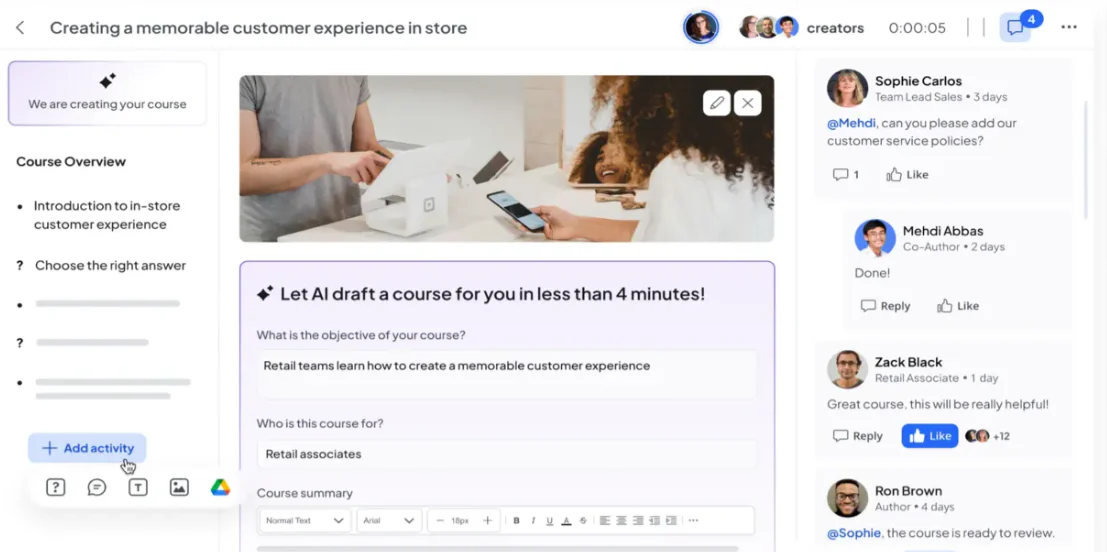
Some companies do not have a large course production team. Their product, sales, or operations specialists hold the knowledge, but HR still needs a way to turn it into training. 360Learning focuses on this collaborative approach and offers tools for creating courses from existing documents and ideas.
Its Team plan is aimed at groups training fewer than 100 users. During a demo, ask a subject expert to turn a real process document into a short course, then show how someone reviews and updates it. The question is whether your experts would actually use the authoring workflow alongside their regular jobs.
Best for: Teams that want employees with hands-on expertise to help create and maintain training.
Key features:
- Collaborative course creation: Let internal experts contribute to course development.
- AI-assisted authoring: Turn documents and ideas into initial training content.
- Learner feedback: Collect comments and feedback to improve courses.
- Course review workflows: Allow contributors to review and update training materials.
- Active-user billing: Count users according to their activity under the selected plan.
- Training add-ons: Extend the core LMS with additional learning solutions. Internal experts can use insights from performance management tools to prioritize the skills their courses need to develop.
Pros | Cons |
|
|
Pricing: The Team plan costs approximately ₱500 per active user per month for teams training fewer than 100 users. Add-ons carry separate per-user charges.
4. Moodle Workplace
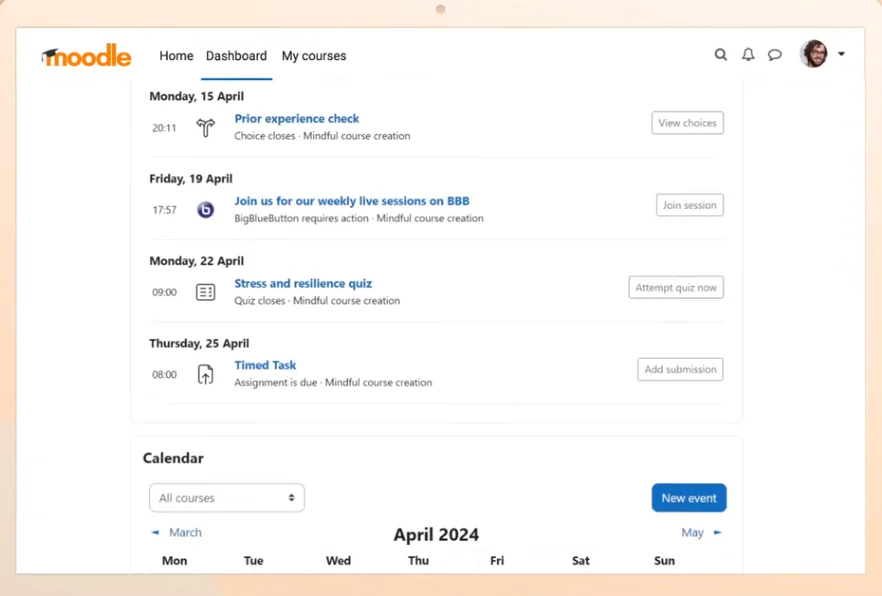
Moodle is a familiar name in online learning, but buyers should distinguish between Moodle LMS and Moodle Workplace. Moodle’s support documentation describes Workplace as the product built for corporate learning, including employee training, onboarding, and compliance use cases.
That distinction affects both buying and implementation. Moodle Workplace is licensed software available through Moodle’s partner network. It should not be described as the free, open-source Moodle LMS with a different name.
Best for: Organizations that need a configurable corporate LMS with implementation support.
Key features:
- Employee learning: Deliver structured learning programs for employees.
- Onboarding: Assign training to new employees based on organizational requirements.
- Compliance training: Manage recurring training and required learning activities.
- Configuration: Adapt learning structures, roles, and access according to business needs.
- Integrations: Connect the LMS with selected business systems.
- Partner implementation: Work with a Moodle partner for hosting, configuration, migration, and support.
Pros | Cons |
|
|
Pricing: Request quotation from a Moodle Workplace partner. Ask for separate costs for licensing, hosting, implementation, content migration, training, and support.
5. LearnUpon
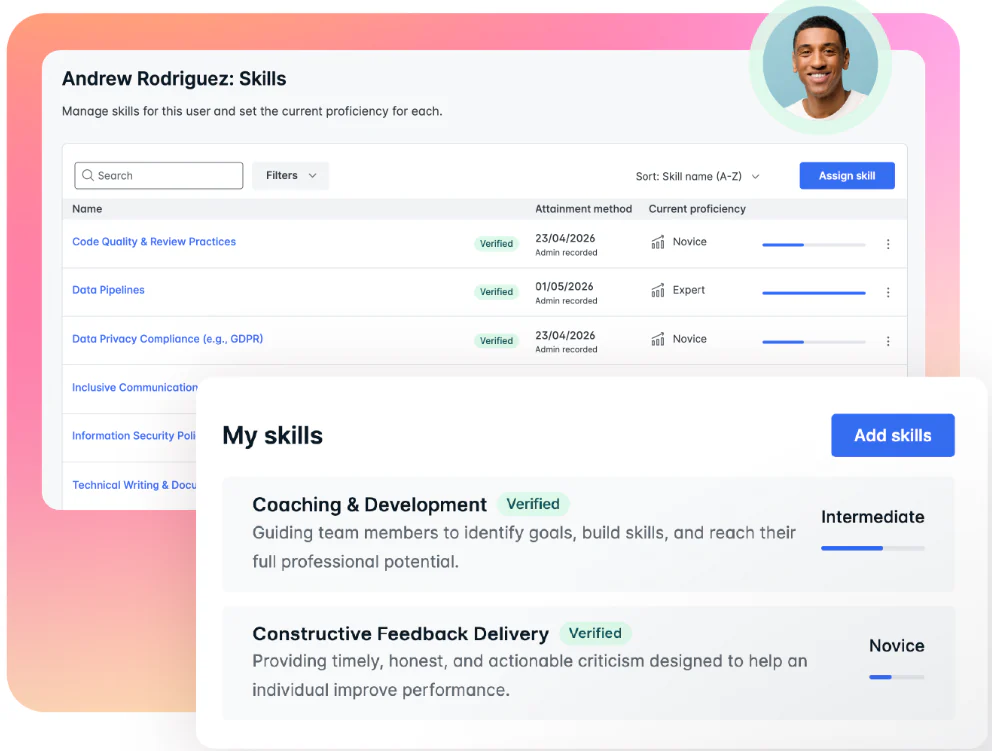
A business may need to train employees today and later offer programs to partners or customers. LearnUpon presents separate offerings for these audiences, with tools for learning journeys, certifications, reporting, and system connections.
During a demo, show the vendor your employee groups and ask how people are added from the HR system, how courses are assigned, and what managers can see. If you also train external audiences, ask how their content, branding, and reports are kept distinct. Do not assume that every audience or advanced feature is included in one employee training package; request a proposal for the combination you need.
Best for: Companies with a structured employee program and possible partner or customer training needs.
Key features:
- Learning journeys: Guide learners through structured training stages.
- Certifications: Manage certificates and recurring certification requirements.
- Reporting: Monitor participation, completion, and training outcomes.
- HRIS integrations: Connect employee information with training administration.
- Learning portals: Separate audiences while managing them through one platform.
- Multi-audience management: Support employee, customer, partner, or association training programs.
Pros | Cons |
|
|
Pricing: Request quotation. LearnUpon’s employee offering starts at 100 users. Confirm audience types, integrations, implementation, support, and applicable taxes.
6. Docebo
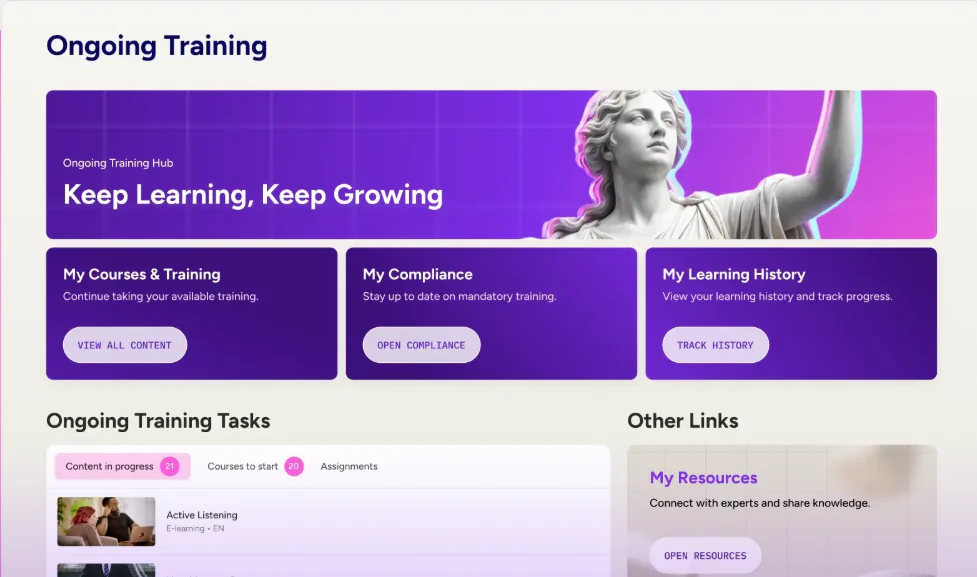
Docebo’s enterprise LMS page focuses on managing learning across employees, customers, and partners. It describes automation, analytics, certifications, integrations, and support for multiple audiences. Those capabilities are most useful when an organization already has more than a simple onboarding checklist. A company with several departments may need different course rules, reports, and renewal schedules.
Best for: Larger organizations managing multiple learning programs, departments, or audiences.
Key features:
- Learning automation: Automate assignments, reminders, and recurring training activities.
- Analytics: Analyze learner activity, progress, and training performance.
- Certification tracking: Manage certification and compliance requirements.
- Integrations: Connect learning data with business systems.
- Multi-audience learning: Support employees, customers, and partners.
- Active-learner models: Select monthly, yearly, or registered active-user billing models.
Pros | Cons |
|
|
Pricing: Request quotation. Docebo offers Monthly Active User, Yearly Active User, and Registered Active User models. Confirm contract term, usage limits, implementation, support, and additional-user charges.
7. iSpring LMS
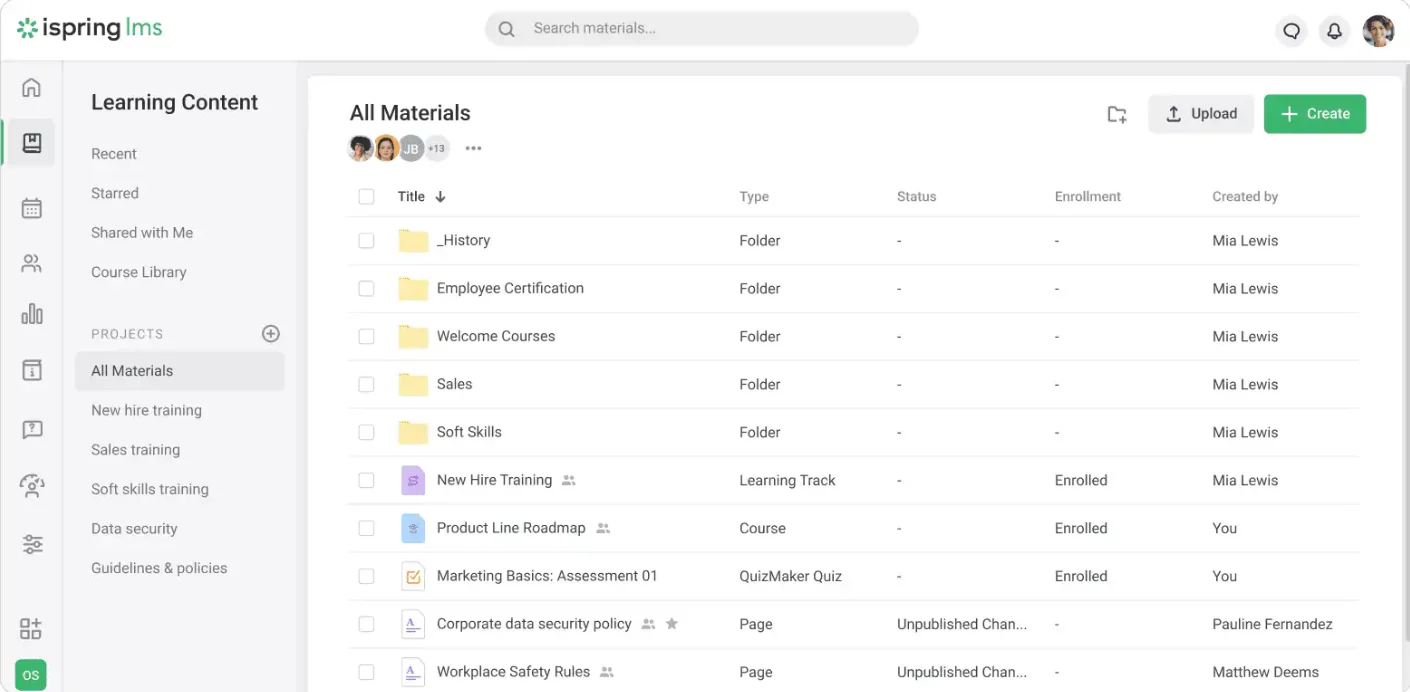
iSpring’s platform is now called iSpring LMS, following its rename from iSpring Learn. The vendor’s product page describes learning paths, online assessments, reports, and mobile learning. A useful test would start with an onboarding track: assign lessons in order, add a quiz, ask an employee to complete part of the track on a phone, and check the manager’s progress report. This tests both the learner’s experience and the information HR receives afterward.
Best for: Teams that need repeatable onboarding, assessments, and role-based training paths.
Key features:
- Learning paths: Arrange onboarding and development courses in a defined sequence.
- Assessments: Add quizzes and tests to evaluate learner understanding.
- Progress reports: Give managers visibility into employee activity and completion.
- Mobile learning: Allow employees to access training through supported mobile devices.
- Employee onboarding: Deliver consistent training to new hires.
- Content compatibility: Use compatible content created with separate authoring tools. An employee onboarding checklist helps teams decide which lessons and assessments belong in each learning path.
Pros | Cons |
|
|
Pricing: Request a current iSpring LMS quote. The vendor describes a per-active-user model; confirm user counts, billing period, and any separate authoring costs.
How to Choose the Right LMS for Your Business
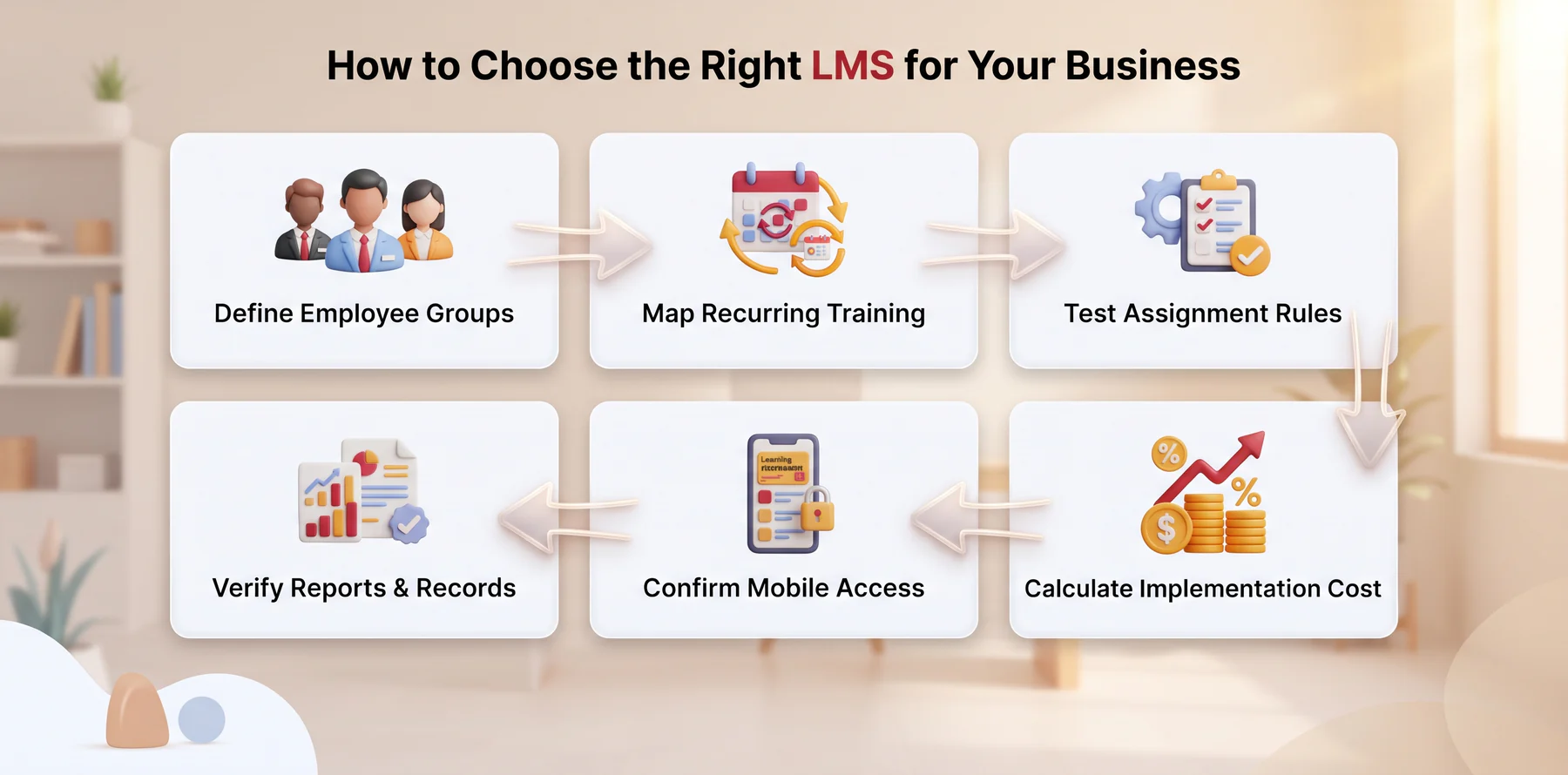
interChoosing an LMS requires more than comparing subscription prices. Philippine businesses should evaluate how each platform handles employees, branches, training requirements, reporting, and implementation support.
1. Define Your Employee Groups
List the employees who will use the LMS, such as new hires, supervisors, field workers, branch teams, or compliance staff. Check whether the platform can assign different courses according to department, role, location, or job level. When mapping employee groups, also review how the LMS will work with your existing employee attendance tracking software and branch structure.
2. Map Your Recurring Training
Identify the training your company delivers regularly, including onboarding, safety, product knowledge, compliance, and certification renewal. Choose an LMS that can schedule courses, send reminders, and track overdue requirements.
3. Test Assignment Rules
Ask each vendor to demonstrate how the system assigns training when an employee joins, changes department, receives a promotion, or moves to another branch. Automated assignment rules can reduce manual follow-ups.
4. Verify Reports and Records
Check whether managers can view completion status, assessment results, attendance, certificates, and overdue courses. Reports should be exportable and detailed enough for HR reviews and compliance documentation.
5. Confirm Mobile Access
Employees may complete training from offices, branches, stores, or field locations. Confirm whether the LMS supports mobile access, offline learning, responsive content, and reliable performance on common devices.
6. Calculate the Total Implementation Cost
Compare more than the license price. Ask about setup, integrations, migration, training, support, taxes, renewal terms, additional users, and custom configuration before selecting a vendor.
After implementation, HR teams can combine LMS data with monthly and annual HR reports to review completion trends and recurring training gaps.
Conclusion
A small team may value a quick start and a clear published price. A larger company may need role-based assignments, certification records, multiple audiences, or a closer connection between learning and HR data. The right choice is the one that handles your most important training process clearly for both employees and managers.
HashMicro’s LMS for the Philippines is one option for companies evaluating that HR connection. Bring a sample onboarding path, a recurring course, and the report your managers need to a free HashMicro consultation so the demonstration can follow your actual workflow.
FAQ Around Employee Training LMS
An LMS manages courses, learning assignments, assessments, and training records. An HRIS manages employee data and other HR processes. Connecting them can help keep course assignments aligned with an employee’s role or department, but the available workflow depends on the products and integration.
A small business may benefit from an LMS if it repeats the same onboarding or required training and struggles to track completion. Start by testing the process that currently takes the most manual follow-up. A free or small paid plan may be enough initially, provided its user and course limits fit.
Many LMS platforms can record assignments, completion dates, assessment results, and certificates. Ask the vendor to show the exact report you would need for an internal review, including what happens when a course is updated or a certification expires.
Not necessarily. Compare the plan that supports your employee count, required reports, integrations, and support needs. A lower starting price may still leave HR doing important work outside the system.