
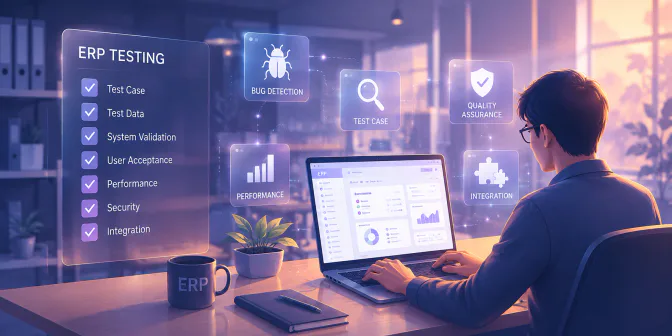
Your ERP go-live may be fully planned, tested, and communicated, yet the finance team can still be unable to post a single sales invoice in the first week because one tax setting was mapped to the wrong account. Issues like this are not unusual, but they are often avoidable.
A structured ERP testing process helps identify configuration, integration, data, and workflow issues before they affect daily operations. Companies can reduce the risk of recurring problems and move into live operations with greater control and confidence.
This guide covers what ERP testing is, how the process runs from planning through to sign-off, the types of testing your project needs, and a practical checklist of what to verify before go-live.
Key Takeaways
ERP testing verifies configurations, data, integrations, access rights, and workflows before go-live.
ERP testing is different from regular software testing because one change can affect multiple departments and business processes.
A structured testing lifecycle, supported by functional, integration, regression, security, and data migration tests, helps identify issues early.
UAT confirms that employees can complete real daily tasks and that each module is ready for business sign-off.
What Is ERP Testing?
ERP testing is the process of verifying that a configured ERP system works according to a company’s real business processes before it goes into full use. It checks how each module functions, how the ERP implementation process going, how information moves between modules, whether migrated data is accurate, whether access rights are correct, and whether users are ready to work in the new system.
Why ERP Testing Is Different from Regular Software Testing
If you have been through a website or mobile app launch, ERP testing will feel familiar in name only. Three things that make it a different are:
| Aspect | Why ERP Testing Is Different | Example / Impact |
|---|---|---|
| Multiple departments are connected | A change for one department can affect several others because ERP processes share the same data and configuration. | Correcting a tax setting can change sales invoices, finance journals, and tax reports. |
| Configuration and data are tested | The main risk is often not faulty code, but incorrect settings, workflows, or migrated data. | Testing verifies whether tax rules, chart of accounts, inventory data, and approval flows are configured correctly. |
| End users are essential | The people who use the system daily understand whether each process works in practice. | AP clerks, warehouse supervisors, and payroll officers can identify issues technical testers may overlook. |
| Testing affects go-live readiness | ERP testing confirms whether the business can operate reliably after launch. | Thorough testing reduces rework, protects financial and inventory accuracy, and supports user adoption. |
| Testing is part of implementation planning | It is a critical phase of wider ERP implementation planning and should not be rushed when the project falls behind schedule. | Skipping or compressing testing can lead to operational disruption, spreadsheet workarounds, and loss of user confidence. |
ERP Testing Lifecycle
Most ERP projects follow a structured life cycle, from checking individual configurations to validating full business workflows before go-live. This structure follows the same logic used in software testing references, including ISTQB’s test levels and the ISO/IEC/IEEE 29119 software testing standard series.
1. Planning
Decide what will be tested, who is responsible for each area, and what “passed” actually means. This is also where you agree the schedule with the department heads whose staff you are about to borrow.
2. Preparation
Set up a separate testing environment, prepare the data you will test with, and write the scenarios. Rushing this stage is the most common reason testing produces a false pass.
3. Execution
Run the scenarios and record what happens. Every result gets written down, including the ones that passed, you will need that record at sign-off.
4. Evaluation
Review each finding, decide whether it is a configuration fix, a data fix, or a training issue, then fix and retest it.
5. Maintenance
Testing does not stop at go-live. Any update, new module, or configuration change reopens the question of whether the processes around it still work.
Types of ERP Testing
Different questions need different kinds of testing. You will not need all of these in equal depth, but you should make a deliberate decision about each one rather than discovering later that nobody covered it.
| TYPE OF TESTING | WHAT IT CHECKS |
|---|---|
| Functional testing | Each feature in each module works the way it has been configured |
| Integration testing | Information flows correctly from one module to the next |
| Regression testing | Processes that already worked still work after a change |
| Performance testing | The system stays responsive when everyone is logged in at once |
| Security and access testing | Each role can see and do only what it should |
| Data migration testing | Data brought over from the old system is complete and accurate |
| User acceptance testing (UAT) | Business users confirm the system supports their real work |
These testing types are especially important when validating ERP software integration, where data must flow accurately between connected modules and systems.
Automation has a place here, though a narrower one than testing vendors suggest. It earns its keep on regression testing, where the same set of checks has to run again after every configuration change.
ERP Testing Checklist Before Go-Live
Most published ERP testing checklists are organised by type of test. The version below follows the way work actually moves through your company, which makes it far easier to assign and far harder to skip something quietly. Each workflow, from procure-to-pay to month-end close, should be tested from start to finish before go-live.
Business Process Checks
| WORKFLOW | WHAT TO VERIFY END TO END |
|---|---|
| Procure-to-pay | Purchase request through approval, purchase order, goods receipt, supplier invoice, and payment. Confirm approval limits trigger correctly and three-way matching catches a mismatch. |
| Order-to-cash | Quotation through sales order, delivery, invoice, and payment received. Confirm pricing, customer-specific discounts, and tax are applied as expected. |
| Inventory movement | Goods receipt, transfers between warehouses, and stock adjustments. Confirm the stock balance and the inventory journal agree afterwards. |
| Payroll run | Salary calculation, statutory deductions, payslip output, and the payroll expense journal. |
| Month-end close | Recurring journals, reconciliations, and whether a complete set of financial reports can actually be produced. |
Data, Access, and Reporting Checks
| AREA | WHAT TO VERIFY |
|---|---|
| Master data and migration | Opening balances, customer and supplier records, product lists, and the chart of accounts match the old system. Spot-check totals, not just row counts. |
| Access and approvals | Each role sees only what it should, and every approval route stops at the right person before money moves. |
| Reporting accuracy | Figures in each report reconcile back to the transactions underneath them. |
One rule turns this from a document into a control where every line needs a named owner and a clear pass or fail. A tick mark with nobody’s name against it tells you only that someone looked at the list. If you are still deciding between systems while building this checklist, the comparison of leading ERP solutions is a useful reference for what each platform expects you to validate.
ERP User Acceptance Testing
Everything up to this point confirms that the system works. User acceptance testing, usually shortened to UAT, confirms something different and more important, it is to check whether the system can be used to do the job or not. It is the last checkpoint before go-live, and it is run by the people who will live with the result.
1. Who Should Be Involved
| ROLE | RESPONSIBILITY IN UAT |
|---|---|
| Project Manager | Sets the UAT schedule, keeps the teams coordinated, and owns the go/no-go decision |
| Functional Consultant | Prepares the scenarios, sits with users while they test, and translates findings into configuration changes |
| Module Owner (Finance, Inventory, HR, Sales) | Validates their own area and signs off on it |
| End User | Runs transactions exactly as they would on a normal working day |
| IT / System Admin | Manages user roles, access, test data, and the testing environment |
2. How to Build Test Scenarios From Daily Work
A good scenario describes one real job, in the words the person doing it would use. “I receive a customer order by email and follow it through until the invoice is issued” is a scenario. “Test the sales order screen” is not.
Use data that resembles a real week and include a return, a customer with special pricing, a partial payment, and at least one transaction that should be rejected. Systems rarely fail on the straightforward cases.
3. What to Do When Users Find Problems
Every finding needs five things recorded:
- The steps to reproduce it
- Wat the user expected
- What actually happened
- How serious it is
- Who owns the fix.
Then, nothing is closed until it has been retested by the person who reported it. Findings that are marked resolved by the person who fixed them have a habit of reappearing during the first live week.
4. When Is UAT Actually Done?
UAT is complete when all critical scenarios have passed, no blocking issues remain open, every minor issue has an owner and a date, and each module owner has signed off on their own area.
Common ERP Testing Challenges and How to Avoid Them
The same four problems show up in most implementations.
| CHALLENGE | HOW TO AVOID IT |
|---|---|
| 1. Testers have no time, because they still have their day job | Block a fixed slot, can be two hours a day for two weeks, for example and get it agreed with their managers before testing starts, not after |
| 2. Test data is too clean, so nothing breaks | Use real transactions from a past period, including returns, special pricing, and partial payments |
| 3. Regression testing gets skipped after fixes | Make every fix automatically trigger a retest of the workflow it touches, tracked in the same findings log |
| 4. Nobody is clear on who decides it passed | Name each module owner as a sign-off authority during planning, not in the final week before go-live |
Avoiding these issues starts with thorough planning, clearer ownership, and an ERP system that supports the way Philippine businesses actually operate. When workflows, approvals, finance, inventory, and reporting are connected in one platform, teams then can test with better visibility and reduce the risk of post-go-live surprises.

How ERP Software Supports Effective Testing
Discover how HashMicro ERP can streamline operations and improve efficiency.
Buat bridging text sebelum ke banner
How HashMicro Helps Businesses Prepare ERP for Go-Live
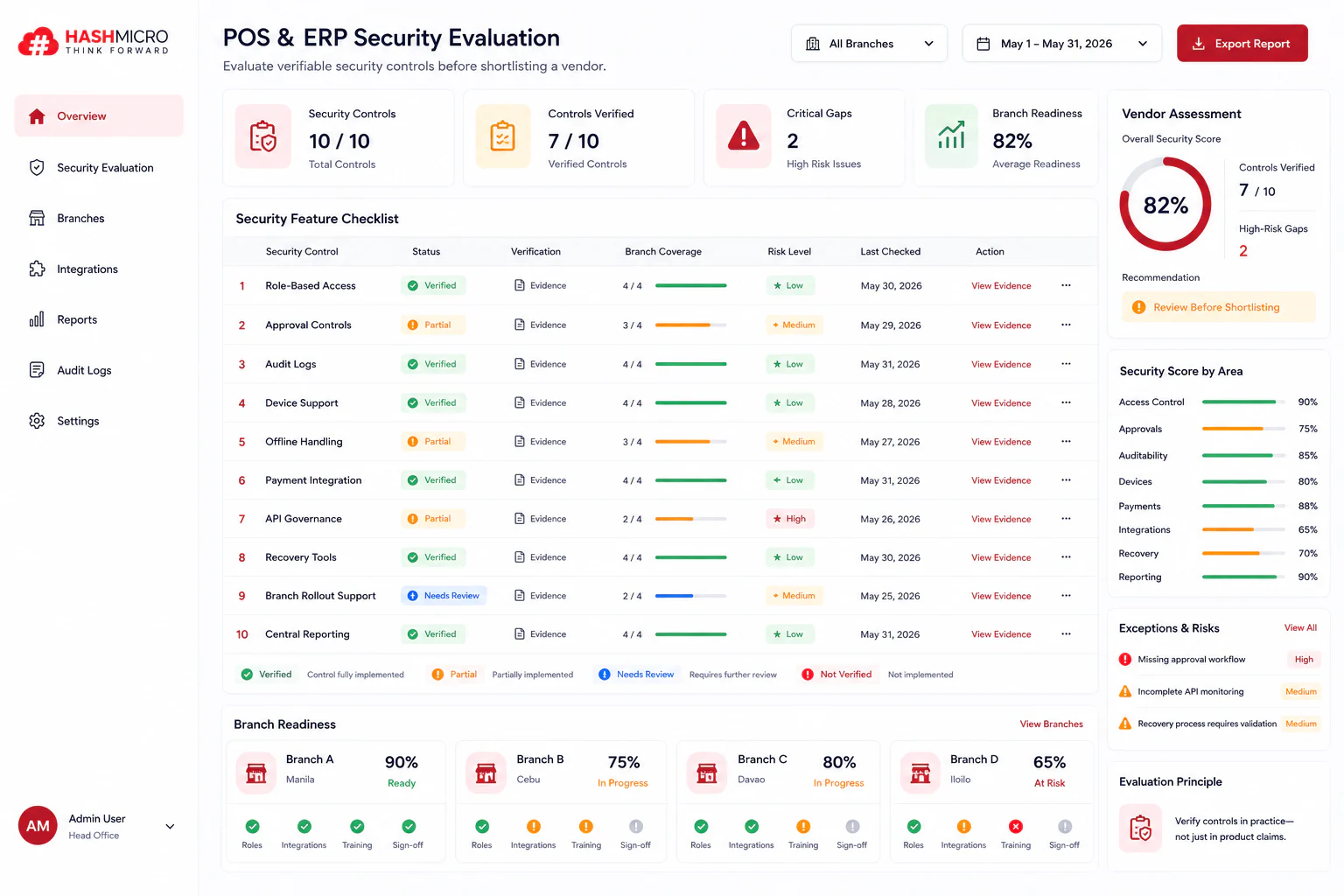
Tambah gambar dashboard hashmicro
Paragraf penjelasan masih terlalu bulky, buat isi paragraf jelasin singkat bagaimana hashmicro membantu lalu berikan poin key features di hashmicro singkat
Testing is easier when the system itself makes things traceable. HashMicro’s ERP software connects its modules, which means an integration issue can shows up during testing rather than at month-end.
Approval routes can be built to match your actual reporting structure and tested level by level. Access rights are set per user, so role testing produces a clear answer. Changes to records are logged, which makes it straightforward to trace what a tester did and what the system did in response. Reports draw from the same transaction data, so reconciling a report back to its source is a short exercise rather than an investigation. HashMicro's ERP Software have several features:
- Integrated Modules: Connects finance, sales, inventory, purchasing, and other workflows, so teams can test whether transactions move correctly across departments.
- Approval Workflow: Lets businesses test approval routes level by level, from request submission to final authorization.
- Role-Based Access Rights: Helps testers confirm that each user can only view, edit, approve, or post the records assigned to their role.
- Audit Logs: Records user actions and system changes, making it easier to trace what happened during each test scenario.
Reporting and Dashboards: Pulls data from the same transactions entered in the system, so teams can compare reports against source records.
Import and Export Tools: Supports test data preparation by letting teams load, review, and validate sample or historical transactions more efficiently.
If you are planning a go-live and want a second opinion on your testing scope, our implementation team is happy to walk through it with you. If you are still at the earlier stage of understanding the platform, our guide to what an ERP system is a good place to begin.
Conclusion
ERP projects rarely come apart because the software was broken. They come apart because the configuration did not match how the business really works, because the data arrived incomplete, or because the people expected to use the system met it properly for the first time on day one.
Testing is the last point at which all three are cheap to fix. Treat it as a business exercise with named owners and a real sign-off, and go-live becomes an ordinary Monday rather than an event the whole company braces for. If you want to see how an ERP platform can support your business processes, explore HashMicro’s ERP solution through a free product tour.
Testing is the last point at which all three are quick to fix. Treat it as a business exercise with named owners and a real sign-off, and go-live becomes an ordinary Monday rather than an event the whole company braces for.

FAQ About ERP Testing
ERP testing is the process of checking whether an ERP system works correctly across business processes, configurations, integrations, user roles, and reports. It helps identify errors before the system goes live and ensures workflows work as expected.
ERP testing can take several weeks to several months, depending on the system’s complexity, number of modules, integrations, customizations, and business processes being tested. A simple implementation may require a few weeks, while larger ERP projects may need several months of testing.
ERP user acceptance testing (UAT) should involve key business users, process owners, department representatives, and project or implementation teams. End users are particularly important because they can confirm whether the system supports real-world workflows and business requirements.
Functional testing checks whether specific ERP features work according to their requirements, such as whether an invoice calculates correctly or an approval workflow triggers properly. UAT, on the other hand, evaluates whether the system meets actual business needs and can support users in their day-to-day processes.
Skipping ERP testing can lead to workflow errors, incorrect data, access issues, integration failures, and reporting problems after go-live. These issues can disrupt operations and require costly fixes, employee workarounds, or system downtime. Thorough testing helps identify and resolve these problems before they affect business operations.