
The Philippine digital economy continues to expand as a share of national GDP, according to the Philippine Statistics Authority. This scale makes accurate coordination between digital sales channels and operational systems increasingly important for local businesses.
Usual problems as disconnected customer channels, differences between online and branch stock, or sales representative may quote from an outdated price list. For Philippine companies managing branches, distributors, e-commerce stores, social commerce, call centers, and field teams, these gaps quickly become operational risks.
This guide compares 12 omnichannel software options against channel coverage, ERP fit, investment factors, and Philippine implementation needs. The vendor profiles are based on publicly available product information and buyer-relevant criteria. Read on to see which platforms come closest to your business standard and how to identify the right fit for your channel complexity and growth stage.
Key Takeaways
The best omnichannel software for Philippine businesses should connect customer channels with ERP records, inventory, fulfilment, accounting, and reporting.
Use the 12-platform shortlist as filter to find the best omnichannel software that fit your business depends on channels, industry, integration depth, and rollout scope.
Pricing should be assessed through investment factors such as users, branches, modules, integrations, migration, training, hosting, and support instead of a generic price table.
Philippine buyers should prioritise inventory accuracy, role-based access, audit trails, VAT-related workflows, marketplace orders, and local implementation support.
What Is Omnichannel Software?
Omnichannel software is a platform that connects customer-facing channels through website, marketplace, branch, call center, social commerce, and field sales to a shared data layer covering customer history, orders, inventory, service cases, and reports.
For Philippine enterprises, this matters because customer experience depends on back-office accuracy. A service agent cannot confirm a delivery confidently if warehouse records are outdated, which is why many operators compare warehouse platforms used by Philippine businesses. Omnichannel software works best when customer actions trigger consistent records across inventory, fulfilment, billing, and reporting.
This is why many Philippine buyers evaluate omnichannel platforms alongside an inventory management system and warehouse management system. Because these platforms consolidate customer information across channels, buyers should assess access controls, consent management, retention rules, and security practices against the Data Privacy Act of 2012.
Recommendation List of Best Omnichannel Software in Philippines
The following shortlist is based on publicly available vendor information and a fixed buyer checklist considering suitable use case, notable capabilities, integration considerations, investment factors, and evaluation question. If customer records and service history are your first priority, this comparison of CRM options for Philippine teams gives a broader view before scanning the list.
The following shortlist is based on publicly available vendor information and a fixed buyer checklist considering suitable use case, notable capabilities, integration considerations, investment factors, and evaluation question.
| Software | Suitable for | Channel strengths | ERP or integration notes | Investment-factor approach | Philippine evaluation caveat |
|---|---|---|---|---|---|
| 1) HashMicro | Enterprises needing ERP-led omnichannel operations | CRM, sales, inventory, accounting, warehouse, reporting | Built around ERP ecosystem and modular operational workflows | Tailored quotation based on modules, users, branches, migration, and support | Best assessed with a requirements consultation |
| 2) Zendesk Suite | Service teams managing high-volume support channels | Email, messaging, chat, help centre, voice, automation | Often integrated with CRM, e-commerce, and business systems | Public plan and add-on review needed | Check ERP and fulfilment integration depth |
| 3) Freshworks | Customer support teams needing accessible omnichannel service tools | Ticketing, chat, phone, email, automation | Freshworks ecosystem supports CRM and service workflows | Public plan and add-on review needed | Confirm enterprise governance and local workflow fit |
| 4) Kustomer | CX teams needing conversation-centred customer views | Messaging, support conversations, customer timeline | Integration scope should be reviewed for ERP and commerce systems | Quote or plan review needed | Validate operational records beyond service history |
| 5) Salesforce Service Cloud | Large enterprises with complex CRM and service needs | Case management, automation, AI-assisted service, digital channels | Strong ecosystem and integration marketplace | Enterprise licensing and implementation scope vary | Requires careful implementation planning |
| 6) HubSpot | Growth teams using HubSpot CRM ecosystem | Service tickets, customer portal, chat, knowledge base | Works best when HubSpot is central to customer data | Public tiers and CRM suite packaging review needed | Check fit for complex ERP-heavy operations |
| 7) Zoho CRM Plus | Businesses wanting broad SaaS suite coverage | CRM, support, campaigns, analytics, helpdesk | Integrates across Zoho suite and third-party tools | Public plan review needed | Validate scale, customisation, and finance integration needs |
| 8) Oracle CX | Large organisations needing enterprise CX suite capabilities | Marketing, sales, service, commerce, data | Enterprise integration and cloud architecture options | Quote-based enterprise investment | Better for larger transformation programs |
| 9) Microsoft Dynamics 365 | Companies aligned with Microsoft business systems | Sales, customer service, commerce, field service | Fits Microsoft ecosystem, Power Platform, and ERP scenarios | Modular licensing and implementation scope review needed | Requires clarity on Dynamics modules and partners |
| 10) Shopify Plus | E-commerce and retail brands scaling digital commerce | Online store, POS, marketplace and app ecosystem | ERP, WMS, accounting, and fulfilment integrations may be needed | Subscription plus apps, integrations, and implementation | Strong commerce core, but ERP fit must be mapped |
| 11) Odoo | Businesses seeking modular ERP and business apps | Sales, inventory, CRM, e-commerce, accounting modules | Modular open ecosystem with implementation choices | App, hosting, customisation, and partner costs vary | Confirm localisation, governance, and support model |
| 12) SAP Emarsys | Marketing teams focused on customer engagement | Personalisation, campaigns, customer engagement | Typically part of broader commerce and data environment | Quote-based enterprise investment | More engagement-led than ERP-led |
Below are the list of 12 best omnichannel software recommended for business in Philippines:
1. HashMicro
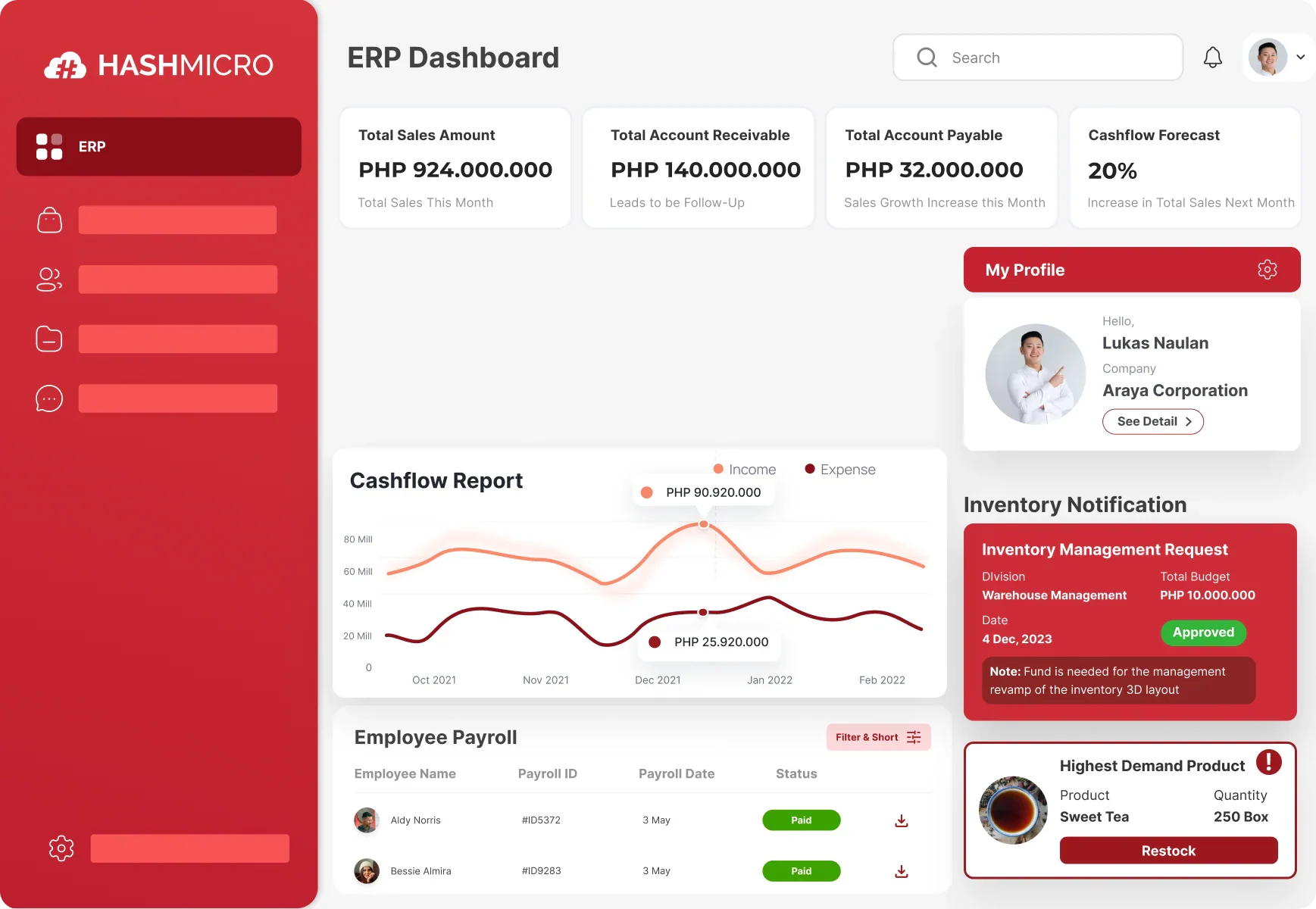
HashMicro is an AI-native ERP platform that supports omnichannel operations by connecting customer-facing channels with shared sales, customer, inventory, order, warehouse, accounting, and reporting records. Its ERP-first approach helps businesses coordinate customer activity with the operational workflows needed to fulfil each transaction.
More than 3,000 companies across Asia Pacific use HashMicro ERP system to manage business operations. The platform is suitable for Philippine enterprises handling multiple branches, warehouses, marketplaces, e-commerce stores, or B2B sales channels that require consistent data across customer-facing and back-office processes.
HashMicro key features:
- Omnichannel command center: Manages storefront and marketplace activity through a connected operational workspace.
- Centralized order management: Brings orders from connected channels together for coordinated processing and fulfilment.
- Real-time inventory visibility: Shows available, reserved, and in-transit stock across branches and warehouses.
- Marketplace and e-commerce integration: Connects supported online channels with POS, inventory, and order records.
- Warehouse coordination: Supports receiving, stock transfers, picking, packing, and fulfilment across locations.
- Customer and sales management: Keeps customer histories, sales activities, and pipeline information in a shared system.
- Accounting integration: Connects sales, payments, stock movements, and other transactions with financial records.
- Management reporting: Provides current sales, inventory, warehouse, and financial information for business analysis.
Best for: Multi-branch retail, distribution, F&B, and service enterprises that need omnichannel software connected directly to inventory, fulfilment, accounting, and reporting workflows.
Integration note: Availability and implementation scope for third-party POS systems, marketplaces, e-commerce platforms, payment services, and legacy applications depend on their supported APIs and the selected HashMicro configuration.
💰 Starting price: Custom pricing based on the selected modules, users, branches, integrations, data migration, configuration, training, hosting, and support requirements.
When customer channels operate separately from inventory and fulfilment, businesses risk confirming orders that operations cannot complete accurately. HashMicro connects customer activity with the ERP records used to manage stock, warehouses, accounting, and reporting. Explore how an ERP-backed omnichannel setup can support your business through a free consultation.
2. Zendesk Suite
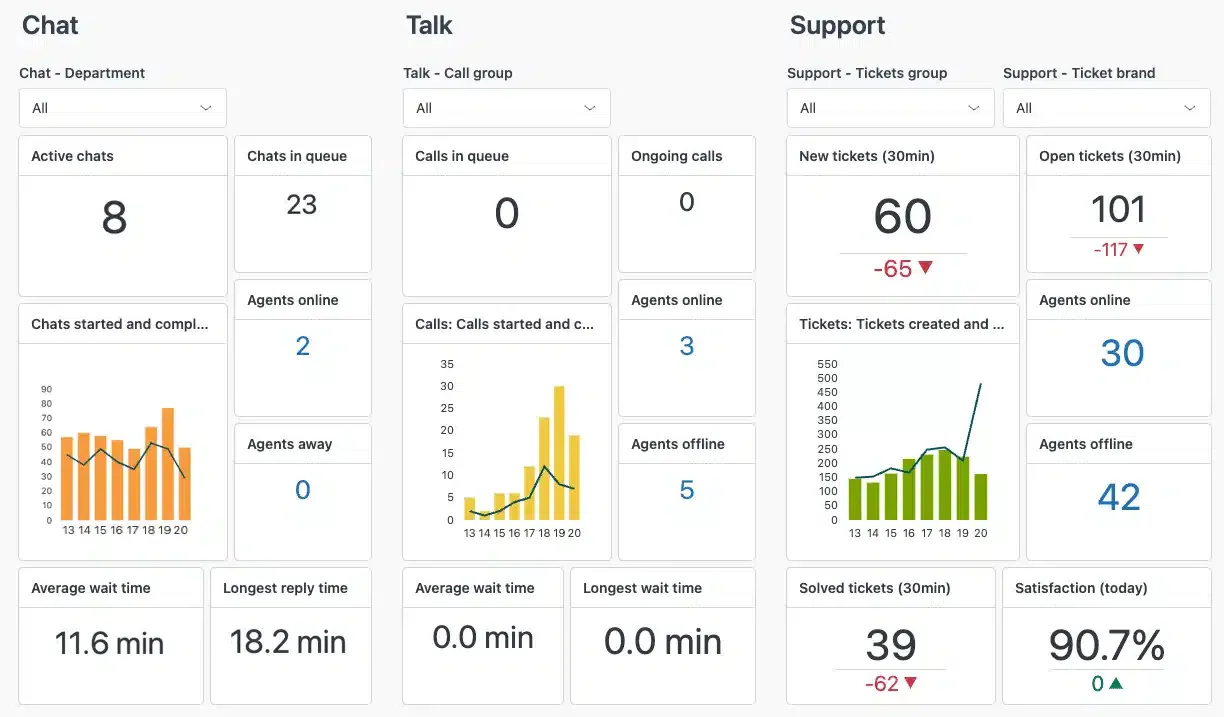
Zendesk Suite is commonly considered by service teams that need to manage support conversations across email, messaging, chat, voice, and help centre channels. It is suitable for organisations where customer service volume, agent productivity, and support analytics are central priorities.
Zendesk Suite is a customer service platform that brings email, messaging, live chat, voice, and help center interactions into a unified agent workspace. It is designed primarily for organizations that need to manage customer support across several communication channels.
Its notable capabilities are ticketing, knowledge base, workflow automation, customer messaging, and service reporting. Integration considerations should include whether order, inventory, delivery, invoice, and return records can be surfaced accurately for agents.
This omnichannel platform focuses on ticket resolution, agent productivity, routing, self-service, and service analytics. Although Zendesk can display customer context from connected applications, operational records such as inventory, invoices, deliveries, and returns normally depend on integrations with other business systems.
Investment factors may include edition, user seats, add-ons, automation needs, integrations, and implementation support. The evaluation question is: can Zendesk show the operational data your agents need, or will staff still switch systems to answer fulfilment questions?
Zendesk Suite key features:
- Omnichannel ticketing: Converts requests from supported communication channels into centrally managed tickets.
- Unified agent workspace: Gives agents one interface for reviewing and responding to customer conversations.
- Knowledge base: Provides self-service articles for customers and reference content for support agents.
- Omnichannel routing: Assigns email, messaging, and voice tickets according to capacity and availability.
- Workflow automation: Uses triggers and business rules to automate assignments, updates, and escalations.
- Service analytics: Reports on ticket volume, response times, agent activity, and support performance.
Best for: Customer service teams that handle high support volumes across email, messaging, chat, voice, and self-service channels.
Integration note: Access to order, inventory, billing, delivery, and return information depends on the connected applications, APIs, and Zendesk plan. Voice numbers and channel availability should also be checked for the Philippines.
💰 Starting price: starts at ₱3,360 per agent/month, billed annually. Add-ons like AI usage, Copilot, contact center tools, and others may cost extra.
3. Freshdesk
3. Freshdesk
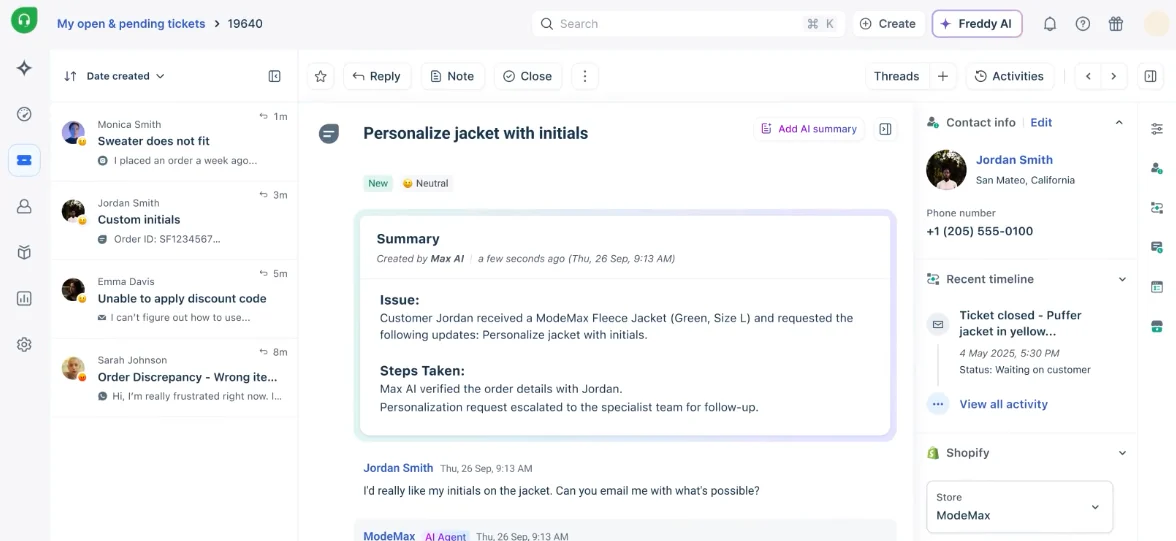
Freshworks ecosystem may fit companies that want accessible omnichannel support tools with ticketing, chat, phone, automation, and CRM-adjacent workflows. It can be attractive for teams moving away from shared inboxes and manual spreadsheets.
Freshdesk omnichannel customer service platform is for managing support interactions across digital channels. It combines ticketing, customer history, automation, self-service, collaboration, and AI-assisted support within a unified workspace.
Notable capabilities include omnichannel ticket management, self-service knowledge base, automation, reporting, and customer support collaboration. Integration considerations should cover ERP, e-commerce, inventory, and accounting workflows if service cases depend on order and billing records.
The platform can suit teams moving away from shared inboxes or disconnected support applications. Its main focus is customer service rather than full operational management, so order, stock, invoicing, and fulfilment data must be supplied by connected commerce or ERP systems.
Investment factors include plan tier, user count, automation requirements, channels, add-ons, data migration, and support. The evaluation question is: will the platform remain sufficient when branch, warehouse, and finance requirements become part of the service workflow?
Freshdesk Omni key features:
- Omnichannel help desk: Brings supported customer conversations into a centralized command center.
- Advanced ticketing: Manages service requests with SLA controls, assignments, and collision detection.
- Customer portal: Allows customers to submit, monitor, and update their support requests.
- Knowledge base: Provides internal and external articles for agents and customer self-service.
- Intelligent routing: Assigns tickets based on workload, availability, or agent skills.
- Support analytics: Tracks service volumes, team availability, resolution performance, and emerging issues.
Best for: Small to enterprise support teams that need structured omnichannel ticket management without adopting a complete ERP platform.
Integration note: ERP, inventory, accounting, e-commerce, and fulfilment data require supported connectors, APIs, or custom integration. Some channels and routing capabilities are limited to higher plans.
💰 Starting price: From ₱1,770 per agent/month for the Growth plan, billed annually.
4. Kustomer
4. Kustomer
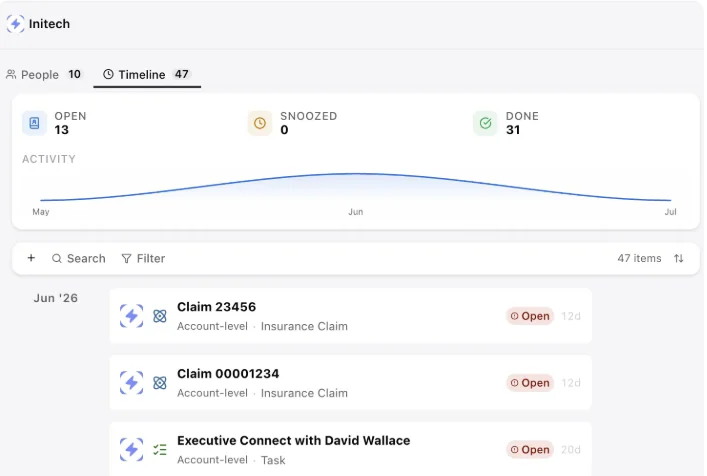
Kustomer is suited to CX teams that want a conversation-centred view of customer interactions. It is often evaluated by businesses that need customer timelines, messaging workflows, and agent productivity tools.
Kustomer is a customer service CRM platform built around a unified customer timeline. It combines conversations, customer attributes, activities, and service tasks so agents can review customer context without treating each interaction as an isolated ticket.
Its notable capabilities include customer conversation management, unified customer views, workflow automation, and service analytics. For Philippine companies, the main integration consideration is whether customer timelines can include reliable ERP data such as order status, stock allocation, invoice history, returns, and delivery updates.
The platform is oriented toward CX teams that manage messaging and customer service across multiple channels. Its suitability for operational omnichannel use depends on whether order status, invoices, deliveries, inventory, and returns are added to the customer timeline through reliable integrations.
Investment factors include platform tier, user seats, integrations, automation, data migration, and support scope. The evaluation question is: does the customer timeline reflect only service interactions, or does it connect deeply enough with your operational records?
Kustomer key features:
- Unified customer timeline: Displays customer conversations, activities, and connected records chronologically.
- Omnichannel messaging: Supports customer engagement through chat, email, text, voice, and selected social channels.
- Customer profiles: Stores customer attributes, interaction histories, and related business information.
- Workflow automation: Automates assignments, updates, notifications, and service processes.
- Smart routing: Distributes conversations and tasks to the appropriate service teams.
- CX reporting: Provides conversation, customer, team, and service performance reports.
Best for: Mid-market and enterprise CX teams that want customer service interactions organized around a unified customer profile.
Integration note: Operational data from ERP, e-commerce, fulfilment, payment, and inventory systems requires appropriate integrations.
💰 Starting price: Custom pricing.
5. Salesforce
5. Salesforce Service Cloud
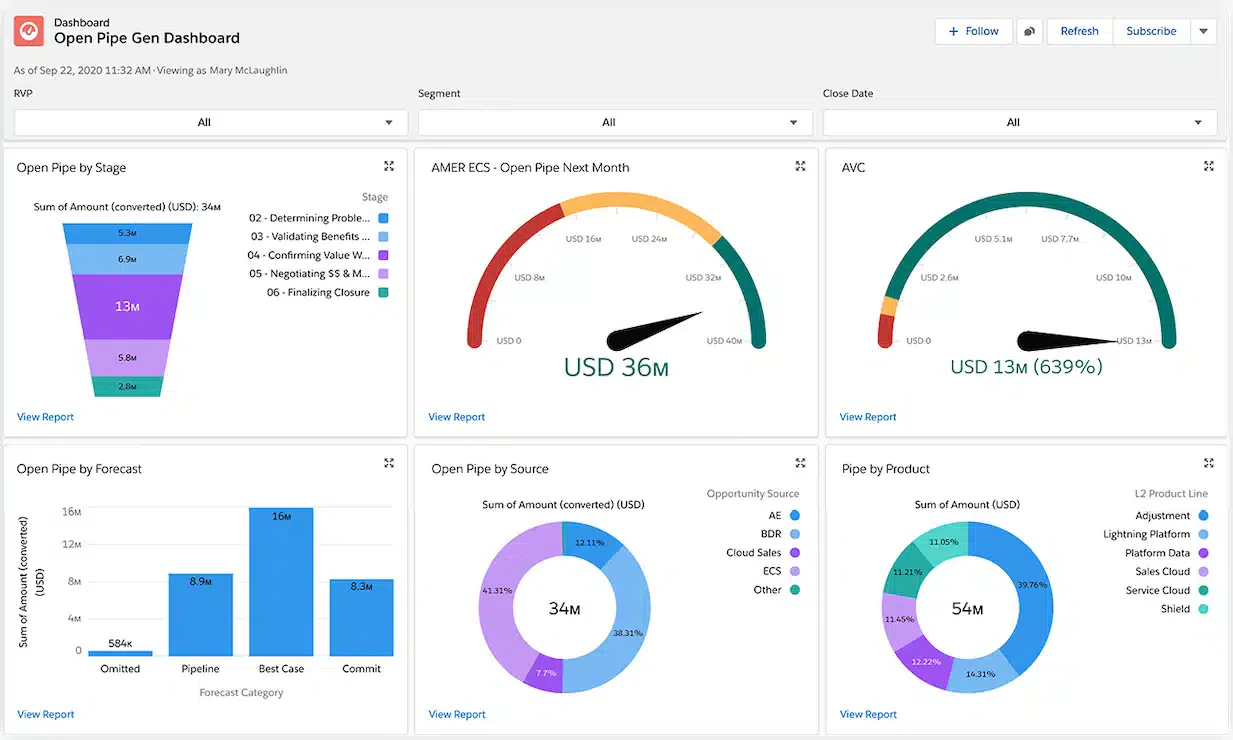
Salesforce Service Cloud is suitable for large organisations with complex CRM, service, automation, and reporting requirements. It is often considered when Salesforce is already used for sales, marketing, or customer data management.
Salesforce Service Cloud is a CRM-based customer service platform for managing cases, agent workflows, knowledge, digital engagement, and service reporting. It can be deployed independently or alongside other Salesforce products for sales, marketing, commerce, and customer data management.
Notable capabilities include case management, service console, workflow automation, knowledge base, digital engagement, and AI-assisted service features. Integration considerations should include ERP, e-commerce, POS, warehouse, finance, and data governance requirements.
This omnichannel platform is generally considered by organizations with complex service processes, governance requirements, or an existing Salesforce environment. Its total scope depends heavily on the selected edition, add-ons, connected Salesforce products, and implementation design.
Investment factors may include licences, Salesforce clouds, implementation partner, customisation, integration, training, and ongoing administration. The evaluation question is: does your organisation have the budget, governance, and internal ownership needed for a large CRM-led service implementation?
Salesforce Service Cloud key features:
- Case management: Records, assigns, tracks, and escalates customer service cases.
- Service console: Gives agents a centralized view of cases, customer records, and related activities.
- Knowledge management: Stores support articles for agents, customers, and self-service channels.
- Workflow automation: Automates case routing, approvals, escalations, and service actions.
- Digital engagement: Supports selected messaging and digital service channels through compatible editions or add-ons.
- Service analytics: Measures case volumes, agent productivity, service levels, and customer outcomes.
Best for: Large or fast-growing organizations that need configurable sales and CRM-led service operations and have resources for implementation and ongoing administration.
Integration note: ERP, POS, warehouse, finance, commerce, and inventory records require APIs, middleware, Salesforce integrations, or additional products.
💰 Starting price: From ₱1,530 per user/month for Starter Suite, billed annually. Pro Suite starts at ₱6,100, while Service Cloud Enterprise starts at ₱10,680 per user/month.
6. HubSpot Service Hub
6. HubSpot Service Hub
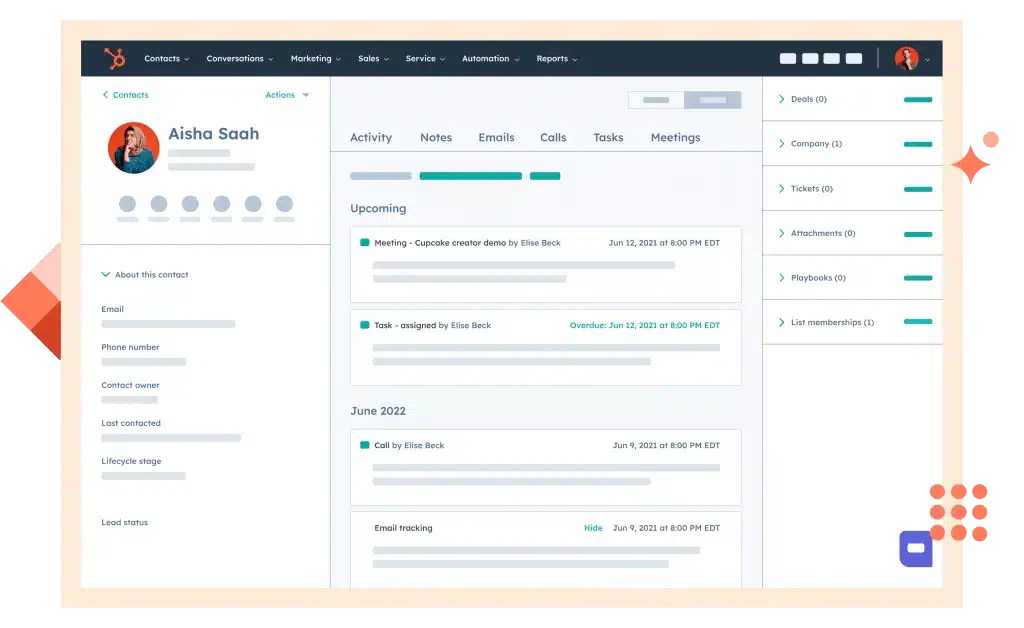
HubSpot Service Hub is customer service software connected to HubSpot’s CRM platform. It combines ticketing, customer communication, self-service, feedback, automation, and customer success tools within the broader HubSpot customer platform.
It can suit growth-stage and mid-market teams already using HubSpot for marketing or sales. Its strength is shared front-office customer context, while deeper inventory, warehouse, invoicing, and fulfilment requirements normally depend on external systems.
HubSpot Service Hub key features:
- Help desk and ticketing: Organizes customer requests and assigns them to service representatives.
- Shared inbox: Centralizes team email and supported customer conversations.
- Customer portal: Allows customers to view and manage their open support tickets.
- Knowledge base: Publishes self-service content to reduce repetitive support requests.
- Customer feedback: Collects customer satisfaction and service experience information.
- CRM-linked records: Connects service activities with customer, company, sales, and interaction histories.
Best for: Growth-stage and mid-market companies that already use HubSpot CRM or want marketing, sales, and service records within one front-office platform.
Integration note: Stock, delivery, returns, invoices, and accounting data require compatible apps or custom integrations.
💰 Starting price: Free for up to two users. Paid Service Hub plans start at ₱430 per seat/month, billed annually. Professional and Enterprise plans also carry mandatory onboarding fees.
7. Zohodesk
7. Zoho CRM Plus
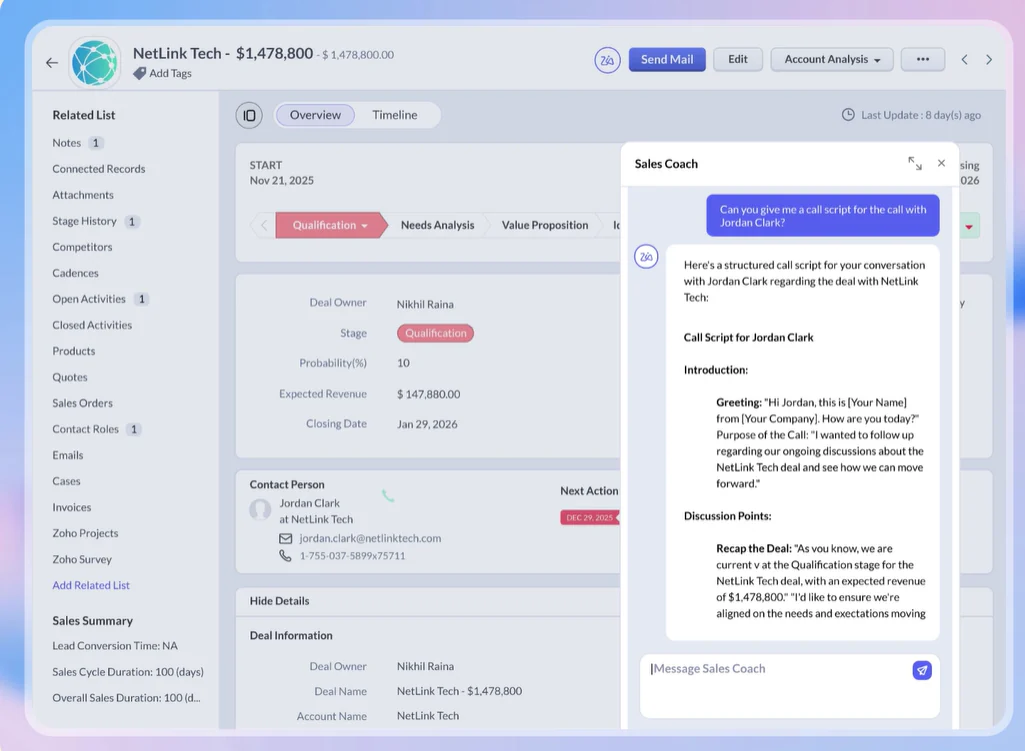
Investment factors include selected apps, user seats, editions, implementation, migration, and customisation. The evaluation question is: can the chosen Zoho configuration support your branch structure, approval rules, and finance requirements without excessive workarounds?
Zoho Desk is a customer service platform for managing tickets, messaging, self-service, automation, and support analytics. It can operate as a standalone help desk or connect with Zoho CRM and other applications in the Zoho ecosystem.
The platform may suit businesses seeking a configurable SaaS help desk with access to a broader application suite. Buyers should distinguish Zoho Desk from Zoho CRM Plus because they have different product scopes, licences, and included applications.
Zoho Desk key features:
- Omnichannel ticketing: Converts supported customer interactions into trackable service tickets.
- Instant messaging: Supports selected messaging services, subject to plan and channel availability.
- Self-service portal: Gives customers access to help articles, ticket submission, and ticket tracking.
- Workflow automation: Automates assignments, notifications, escalations, and service actions.
- Multi-department support: Separates tickets, agents, and workflows across service departments.
- Support analytics: Monitors ticket patterns, response times, agent performance, and service trends.
Best for: Small to mid-market support teams that want configurable ticketing and already use, or plan to use, other Zoho applications.
Integration note: Connections to accounting, inventory, order management, and non-Zoho applications depend on available extensions, APIs, and implementation scope.
💰 Starting price: A free plan is available for up to three agents. Paid-plan prices vary by billing region, edition, number of agents, and applicable taxes.
8. Oracle CX
8. Oracle CX
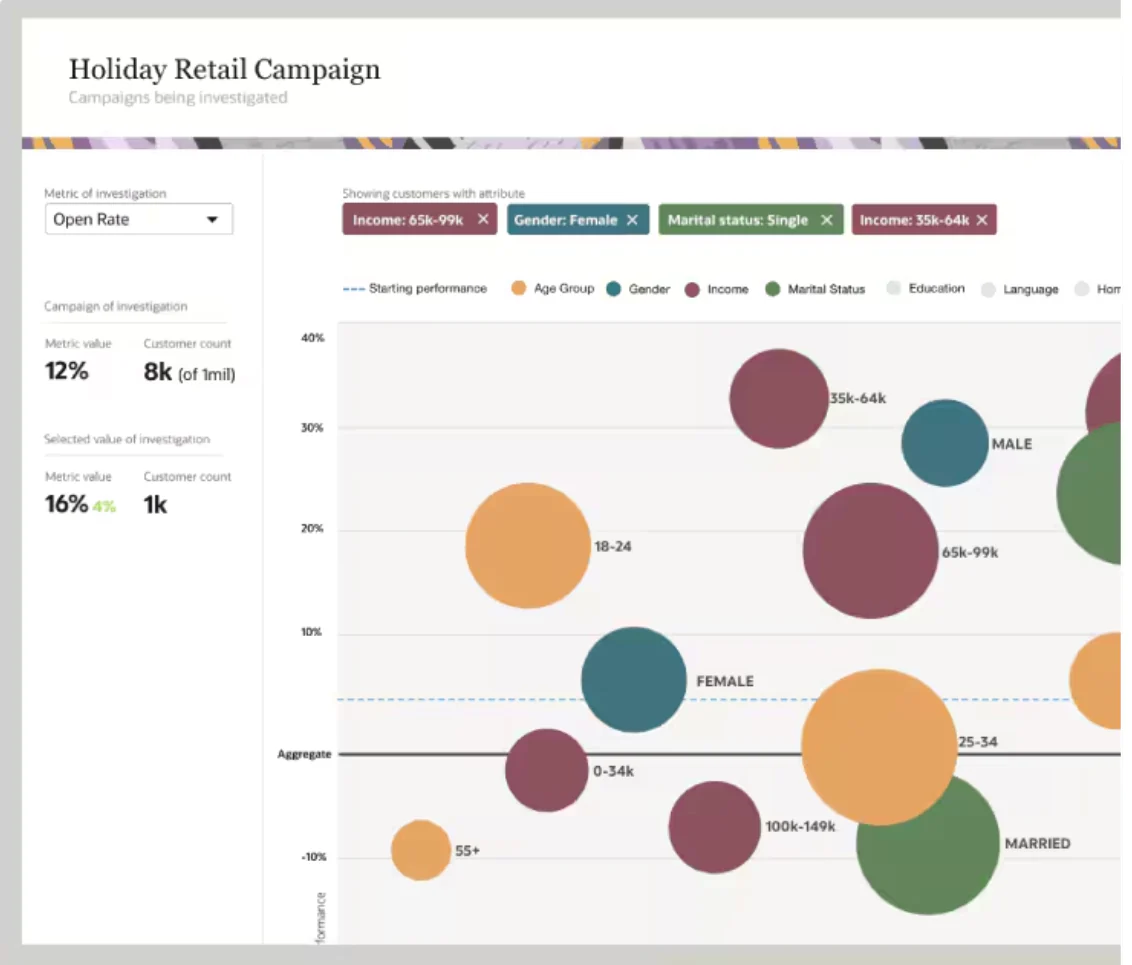
Notable capabilities can include customer data, marketing automation, service, sales, and commerce experiences depending on selected Oracle products. Integration considerations are significant because large enterprises often need to connect multiple legacy systems, data warehouses, ERP platforms, and governance requirements.
Oracle Fusion Cloud CX is a collection of enterprise applications covering customer service, sales, marketing, and other customer experience processes. Oracle Fusion Cloud Service, one component of the suite, manages digital self-service, contact center cases, employee service, and field service workflows.
The platform is primarily designed for large organizations with complex service delivery, data governance, and enterprise integration requirements. Buyers need to define which Oracle products are required because Oracle CX ERP is a product portfolio rather than a single all-inclusive application.
Oracle Fusion Cloud CX key features:
- Service request management: Records and manages customer enquiries, cases, and resolution activities.
- Digital self-service: Gives customers access to knowledge and service requests through branded digital experiences.
- Agent workspace: Provides representatives with customer context and tools for handling service cases.
- Knowledge management: Organizes service information for customers and internal teams.
- Field service coordination: Connects customer cases with on-site service and workforce activities.
- Enterprise analytics: Reports on customers, service activity, operational performance, and business outcomes.
Best for: Large enterprises that need customer service or CX applications connected to a wider Oracle enterprise architecture.
Integration note: Marketing, sales, service, commerce, ERP, inventory, and finance capabilities may sit in separate Oracle products. The required licences, data model, integrations, and source-of-truth architecture should be defined before implementation.
💰 Starting price: Custom pricing based on the selected Oracle products, users, service metrics, data requirements, integrations, and implementation scope.
9. Microsoft Dynamics 365
Investment factors include enterprise licensing, implementation, integration architecture, data migration, training, and support. The evaluation question is: is your omnichannel project part of a large enterprise architecture programme, or do you need a faster operational rollout?
9. Microsoft Dynamics 365
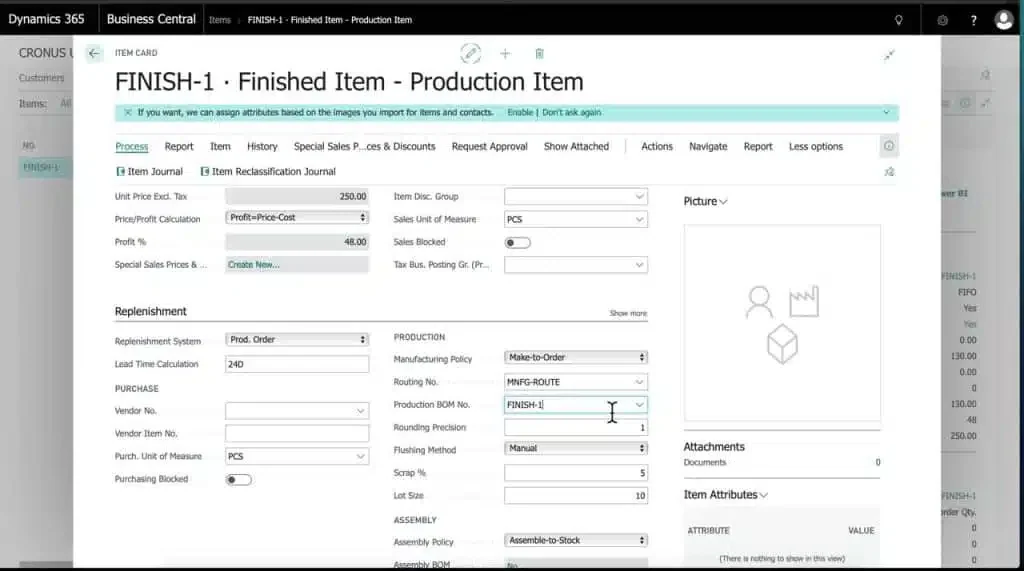
Investment factors include module licensing, users, implementation partner, integration, customisation, reporting, and support. The evaluation question is: which Dynamics module will be the record of truth for customer, order, fulfilment, and accounting data?
Microsoft Dynamics 365 Customer Service is a CRM-based platform for case management, knowledge, self-service, routing, automation, and service analytics. It connects with Microsoft 365, Teams, Power Platform, Azure, and other Dynamics 365 applications.
The platform may fit organizations already standardized on Microsoft technology or using Dynamics applications for finance, supply chain, sales, or field service. The selected modules determine whether it functions mainly as a service platform or as part of a broader operational system.
Microsoft Dynamics 365 Customer Service key features:
- Case management: Records, assigns, tracks, and resolves customer service cases.
- Knowledge management: Provides searchable support information for agents and customers.
- Unified routing: Directs service work according to skills, availability, and configured rules.
- Microsoft 365 integration: Connects service workflows with Microsoft productivity applications.
- Workflow automation: Uses Power Automate to automate compatible service processes.
- Analytics and KPI reporting: Tracks service performance, workloads, outcomes, and team activity.
Best for: Mid-market and enterprise organizations already using Microsoft 365, Power Platform, Azure, or other Dynamics 365 applications.
Integration note: Customer Service does not automatically provide every ERP, commerce, inventory, or finance capability. Buyers must determine which Dynamics application will own each customer, order, stock, fulfilment, and accounting record.
💰 Starting price: Dynamics 365 Customer Service Professional starts at ₱3,050 per user/month, paid annually. Enterprise starts at ₱6,410 and Premium at ₱11,900 per user/month.
10. Shopify Plus
10. Shopify Plus
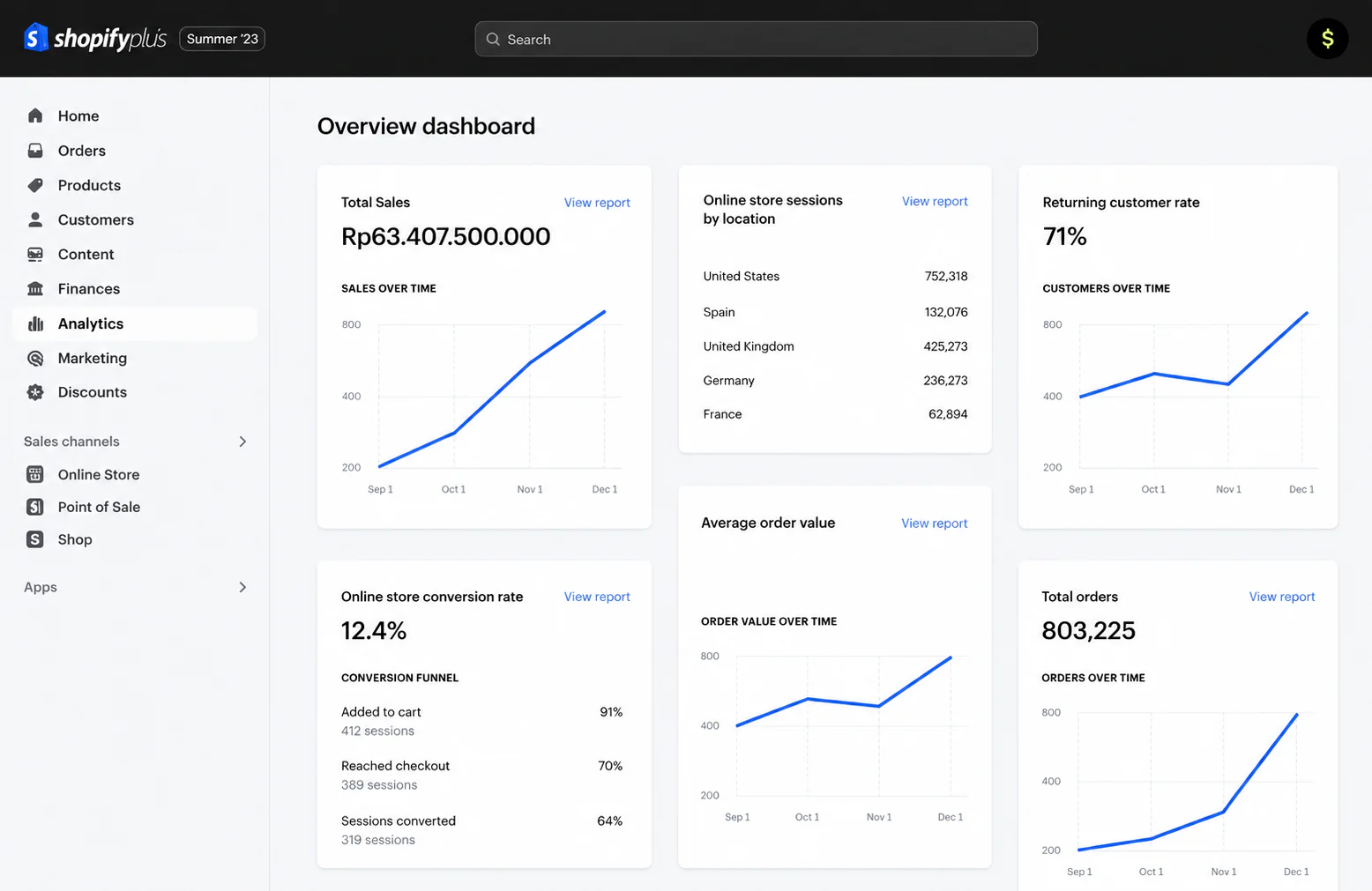
Investment factors include subscription, apps, implementation, integrations, theme work, automation, and support. The evaluation question is: will Shopify Plus be your commerce front end only, or will it also need to coordinate with ERP records for stock, invoicing, fulfilment, and reporting?
Shopify Plus is Shopify’s enterprise commerce platform for high-volume online stores and retail brands. It provides storefront, checkout, commerce administration, automation, app integrations, and access to Shopify’s broader retail ecosystem.
The platform is primarily a commerce front end rather than a complete enterprise operations system. Based on the review of Shopify system, its omnichannel suitability depends on how accurately it exchanges product, inventory, order, return, payment, and fulfilment records with POS, ERP, WMS, and accounting applications.
Shopify Plus key features:
- Enterprise storefront: Supports high-volume online stores, product catalogues, and digital shopping experiences.
- Checkout management: Provides configurable checkout experiences and payment processing options.
- Multi-store management: Supports multiple storefronts, markets, or brands under an enterprise arrangement.
- Shopify POS compatibility: Connects eligible physical retail transactions with the Shopify commerce environment.
- Commerce automation: Automates selected order, customer, merchandising, and operational activities.
- App ecosystem: Extends commerce capabilities through third-party applications and integrations.
Best for: High-volume e-commerce and retail brands that need a scalable commerce front end and are prepared to integrate it with operational systems.
Integration note: ERP, WMS, accounting, marketplace, advanced inventory, and return capabilities may require apps, middleware, or implementation partners.
💰 Starting price: From ₱140,400/month. Additional costs may include payment processing, applications, implementation, theme development, integrations, and support services.
11. Odoo
11. Odoo
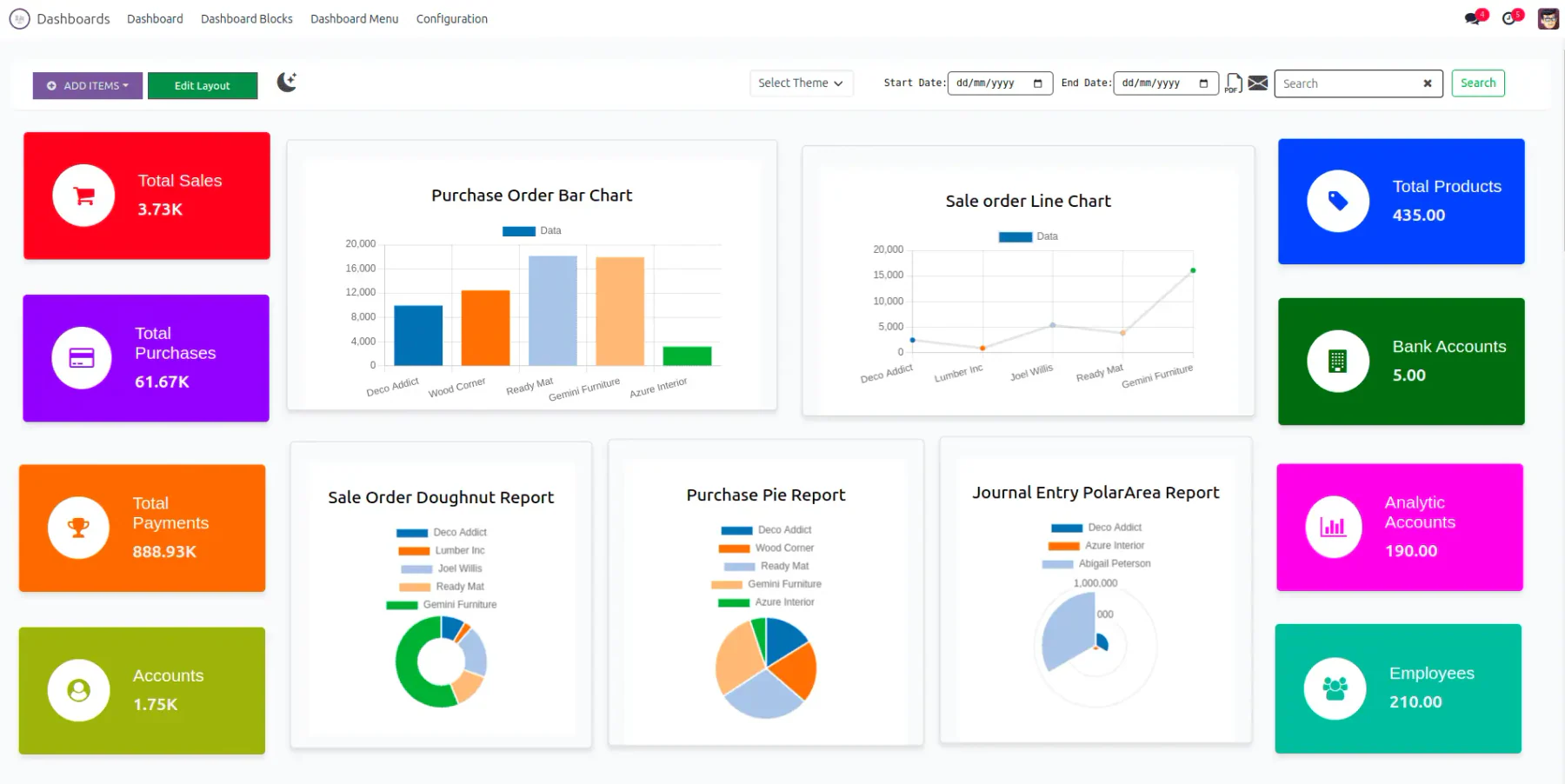
Odoo may fit companies looking for modular business applications that can cover CRM, sales, inventory, accounting, e-commerce, manufacturing, and other workflows. It is often considered by teams that want a flexible ERP-style suite.
Odoo is a modular business application suite covering CRM, sales, e-commerce, POS, inventory, accounting, manufacturing, and other operational workflows. Companies can select individual applications or deploy several connected apps as an ERP-style environment.
Notable capabilities depend on the chosen apps and implementation scope. For omnichannel use, buyers should review CRM, sales, inventory, e-commerce, accounting, warehouse, and reporting requirements together.
Its suitability for this omnichannel platform depends on the selected applications, hosting model, localization, and implementation quality. A basic application subscription should not be treated as equivalent to a fully configured multi-branch commerce and ERP deployment.
Investment factors include apps, hosting, users, customisation, localisation, implementation partner, migration, and support. The evaluation question is: can the chosen Odoo setup meet your Philippine finance, branch, inventory, and governance requirements without creating unsupported custom processes?
Odoo key features:
- CRM and sales: Manages leads, opportunities, quotations, orders, and customer records.
- E-commerce: Provides product catalogue, storefront, cart, checkout, and online order capabilities.
- Point of sale: Records in-store transactions and connects them with supported inventory workflows.
- Inventory management: Tracks stock, transfers, replenishment, and warehouse movements.
- Accounting: Manages invoices, payments, journals, and financial records where localization is available.
- Modular applications: Allows businesses to add operational apps according to their required scope.
Best for: Businesses that want a modular application suite and have access to suitable implementation, localization, and ongoing technical support.
Integration note: Philippine accounting, tax, branch, approval, governance, and reporting requirements should be validated with the selected implementation partner.
💰 Starting price: One App is available free. For multi-application use, the Standard plan starts at ₱1,520 per user/month, billed annually, while Custom starts at ₱2,990 per user/month. Implementation and Odoo.sh hosting may cost extra.
12. SAP Emarsys Customer Engagement
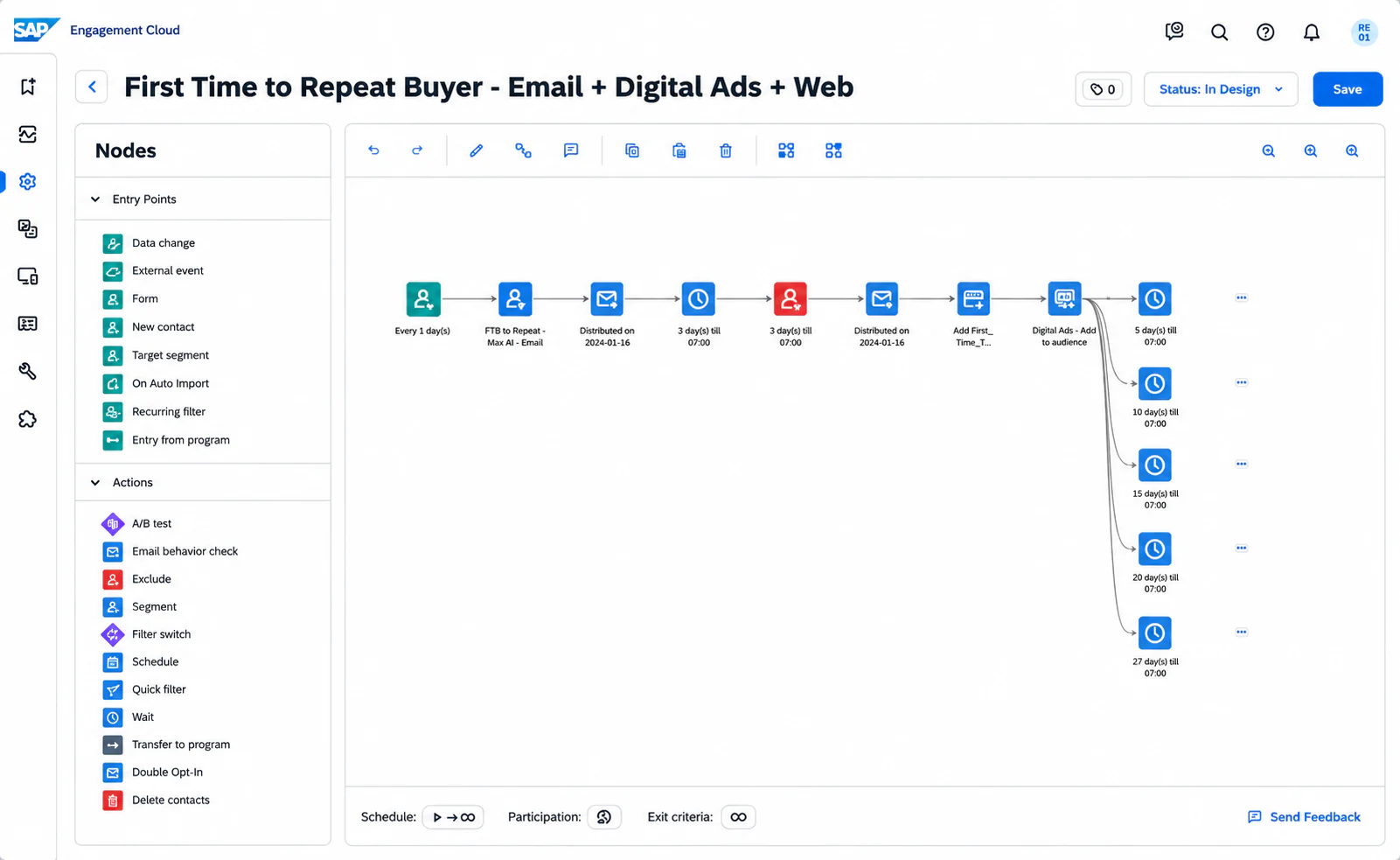
SAP Emarsys Customer Engagement is suitable for marketing and commerce teams focused on personalised engagement, campaigns, segmentation, and customer communications. It is often evaluated by brands that want stronger customer engagement across digital channels.
Notable capabilities may include marketing automation, segmentation, personalisation, campaign orchestration, and customer engagement analytics. Integration considerations should include commerce, CRM, ERP, customer data, consent management, and reporting systems.
SAP Engagement Cloud, formerly SAP Emarsys Customer Engagement, is an enterprise engagement platform for orchestrating personalized interactions across email, web, SMS, mobile applications, digital advertising, and other customer touchpoints.
Investment factors include enterprise subscription, implementation, data integration, campaign setup, training, and support. The evaluation question is: is your main need marketing engagement, or do you also need an operational omnichannel platform connected to inventory, warehouse, accounting, and fulfilment?
The platform is focused on marketing engagement, customer journeys, segmentation, personalization, and campaign analytics. It can activate operational signals such as inventory levels, order status, or fulfilment events, but those records must originate from connected SAP or third-party business systems.
SAP Engagement Cloud key features:
- Omnichannel journey orchestration: Coordinates customer engagement across web, email, SMS, mobile, advertising, and other channels.
- Customer segmentation: Groups customers using behavioral, transactional, profile, and engagement data.
- Personalization engine: Tailors content, timing, offers, and journeys using shared customer context.
- Marketing automation: Runs recurring or event-triggered campaigns across supported channels.
- Operational data activation: Uses connected signals such as orders, inventory, service tickets, and fulfilment events.
- Engagement analytics: Measures campaign activity, channel performance, customer behavior, and business outcomes.
Best for: Enterprise marketing and commerce teams that need personalized omnichannel engagement connected to customer and operational data.
Integration note: Operational execution depends on integration with SAP Business Suite products or compatible third-party platforms.
💰 Starting price: Price upon request. SAP packages the platform according to contact volume, selected capabilities, contract duration, integrations, and enterprise requirements.
Enterprise Capabilities to Prioritize in an Omnichannel Platform
Enterprise Capabilities to Prioritize in an Omnichannel Platform
Choosing an omnichannel platform is easier when each department agrees on the capabilities that matter and the business result each one delivers. This checklist ties every capability to why it matters, the question to ask a vendor, and the KPI that proves it works, so IT, operations, finance, and commercial stakeholders evaluate the same way.
Choosing an omnichannel platform is easier when each department agrees on the capabilities that matter. The following checklist is designed for IT, operations, finance, and commercial stakeholders.
| Capability | Why it matters | Evaluation question | KPI to monitor |
|---|---|---|---|
| Channel coverage | Supports website, marketplace, branch, call center, social commerce, and sales teams so customer activity is captured consistently | Which channels must go live first, and which can follow later? | which can follow later? Channel adoption, order volume per channel |
| CRM and customer master data | Prevents duplicate records and gives teams consistent customer history across every channel | Which system owns customer identity and consent records? | First-contact resolution, repeat complaint rate |
| Inventory synchronisation | Reduces overselling and inaccurate stock promises across branches and channels | How often does stock update across branches, warehouses, and channels? | Fulfilment accuracy, stockout rate |
| Order orchestration | Routes orders to the right branch, warehouse, or team and reduces fulfilment disputes | What rules decide allocation, fulfilment, cancellation, and returns? | Order cycle time, cancellation rate |
| Warehouse and fulfilment support | Connects customer promises with picking, packing, dispatch, and returns | Does the platform support your warehouse process or require separate integration? | Delivery lead time, return processing time |
| Accounting and VAT-related workflows | Helps finance reconcile invoices, returns, and payments with fewer duplicate entries | How are invoice, tax, discount, and return records handled? | Invoice accuracy, reconciliation time |
| API readiness and automation | Reduces manual re-entry between systems and speeds up service response | Which integrations are standard, configured, or custom? | Average handling time, manual re-entry rate |
| Role-based access and audit trails | Protects customer and transaction data and keeps approvals accountable | Can users access only the data and approvals relevant to their role? | Access exceptions, audit findings |
| Analytics and scalability | Lets leaders compare channels, branches, and products using consistent data as the business grows | Can reports compare channel, branch, product, and customer performance? | Conversion rate, cost per order, customer retention |
The strongest business case usually combines commercial, operational, and finance results. A CRM can improve customer visibility, but ERP connectivity confirms whether the business can actually fulfil, invoice, and report on the promise made to the customer. A platform may look strong in a demo yet fail in daily operations if it cannot support your inventory management system, accounting software, approval rules, or branch-level reporting.
How to Choose the Right Omnichannel Software for Your Business
Philippine businesses often evaluate omnichannel software because their operating model has outgrown disconnected apps. The right requirements depend on industry, channel mix, and fulfilment risk.
To choose omnichannel software, start by identifying the operational record of truth before comparing interface features. If your customer promise depends on stock, delivery, invoice, approval, or return data, your evaluation should begin with ERP integration and data governance.
Use this numbered checklist before choosing software:
- Map your current channels, including branches, website, marketplace, social commerce, call center, field sales, and service desks.
- Identify the systems that currently hold customer, order, inventory, warehouse, invoice, payment, and return data.
- Define which workflows must be real-time and which can be synchronized in scheduled batches.
- List the roles that need access, approval, reporting, and audit visibility.
- Estimate migration effort for customer records, product data, pricing rules, invoices, open orders, and service history.
- Prepare demo scenarios using your real operating model, not only generic vendor scripts.
- Request a tailored quotation, then compare it against the investment factors below.
A simple evaluation matrix can help your buying committee compare platforms without forcing unsupported scores.
| Criteria | Suggested weight | What to check | Primary reviewer |
|---|---|---|---|
| Operational fit | 30% | Inventory, fulfilment, returns, accounting, VAT-related workflows | Operations, finance |
| Integration readiness | 25% | ERP, CRM, POS, marketplace, delivery, payment, reporting systems | IT |
| User adoption | 15% | Role design, workflow simplicity, training effort | Department heads |
| Reporting value | 15% | Channel, branch, product, customer, and service dashboards | Management |
| Total investment | 15% | Licence, implementation, migration, support, and change management | Finance, procurement |
Investment and implementation factors to budget
A generic price table is rarely enough for enterprise evaluation. Two companies may choose the same vendor yet face very different investment levels because of branch count, data quality, integration complexity, and rollout scope. The main factors to price into any quotation include:
- Number of users, departments, branches, warehouses, and legal entities
- Required different modules, such as CRM module CRM module, sales, inventory, accounting, warehouse, service, and reporting
- Channel scope, including website, marketplace, POS, social commerce, call center, and sales representative workflows
- Integration requirements for ERP, CRM, e-commerce, delivery, payment, finance, and analytics systems
- Data migration scope, including customer records, SKUs, pricing, open orders, invoices, and historical transactions
- Configuration and customization needs, especially for approvals, discounts, returns, taxes, and reporting
- Training, change management, implementation support, hosting, and post-go-live assistance
Risk appears when a team treats omnichannel software as a front-end project only. Operations, finance, warehouse, sales, service, and IT must first agree on who owns each data record. Build a requirements worksheet before requesting pricing, so every quotation is compared on the same scope.
If fragmented customer, stock, and order data is holding back your cross-channel performance, you can talk to a HashMicro ERP specialist to map your systems and set integration priorities before choosing a platform.
Conclusion
The best omnichannel software for your business depends on your operating model. If your main issue is service conversations, a customer support platform may be enough. If your customer promises depend on inventory, fulfilment, invoicing, returns, and financial reporting, ERP connectivity should be central to the decision.
For Philippine companies managing branches, marketplaces, warehouses, social commerce, field teams, and finance controls, HashMicro is a strong option to include in the shortlist when the goal is ERP-led omnichannel execution. Its value is strongest when you want customer channels to connect with CRM, sales, inventory, accounting, warehouse, order management, and reporting workflows.
When your buying committee is ready, request a tailored consultation and demonstration based on your industry, existing system landscape, required channels, and implementation goals.
Frequently Asked Questions
Most Philippine deployments run three to six months, depending on channel count, branch structure, and data migration complexity. A phased rollout, launching one or two priority channels before adding warehouses, finance, and field sales, business need to keeps go-live realistic, lets staff adapt gradually, and avoids stalling daily operations during the transition.
Compliance depends on how the platform records sales, taxes, and receipts. Buyers should confirm it can issue BIR-registered official receipts, apply correct VAT, and export data for the BIR's Electronic Invoicing System (EIS). Ask whether invoicing is native or handled through an ERP or accounting integration before committing.
SMEs can adopt it, though scope should match team size and budget. Many Philippine SMEs start with core channels, inventory sync, and basic reporting, then expand as they grow. The deciding factor is not company size but whether sales, stock, and fulfilment currently sit in disconnected systems that create manual work.
Reliability varies by architecture. Cloud platforms depend on connectivity, so Philippine operators facing occasional brownouts or unstable provincial links should ask about offline modes, local caching, and automatic re-sync once service returns. Confirm how orders captured during downtime reconcile with central inventory to prevent overselling and duplicate records.
Check role-based access, audit trails, customer data ownership, approval workflows, integration permissions, and data retention rules. Businesses should verify legal obligations with qualified advisers and official sources.