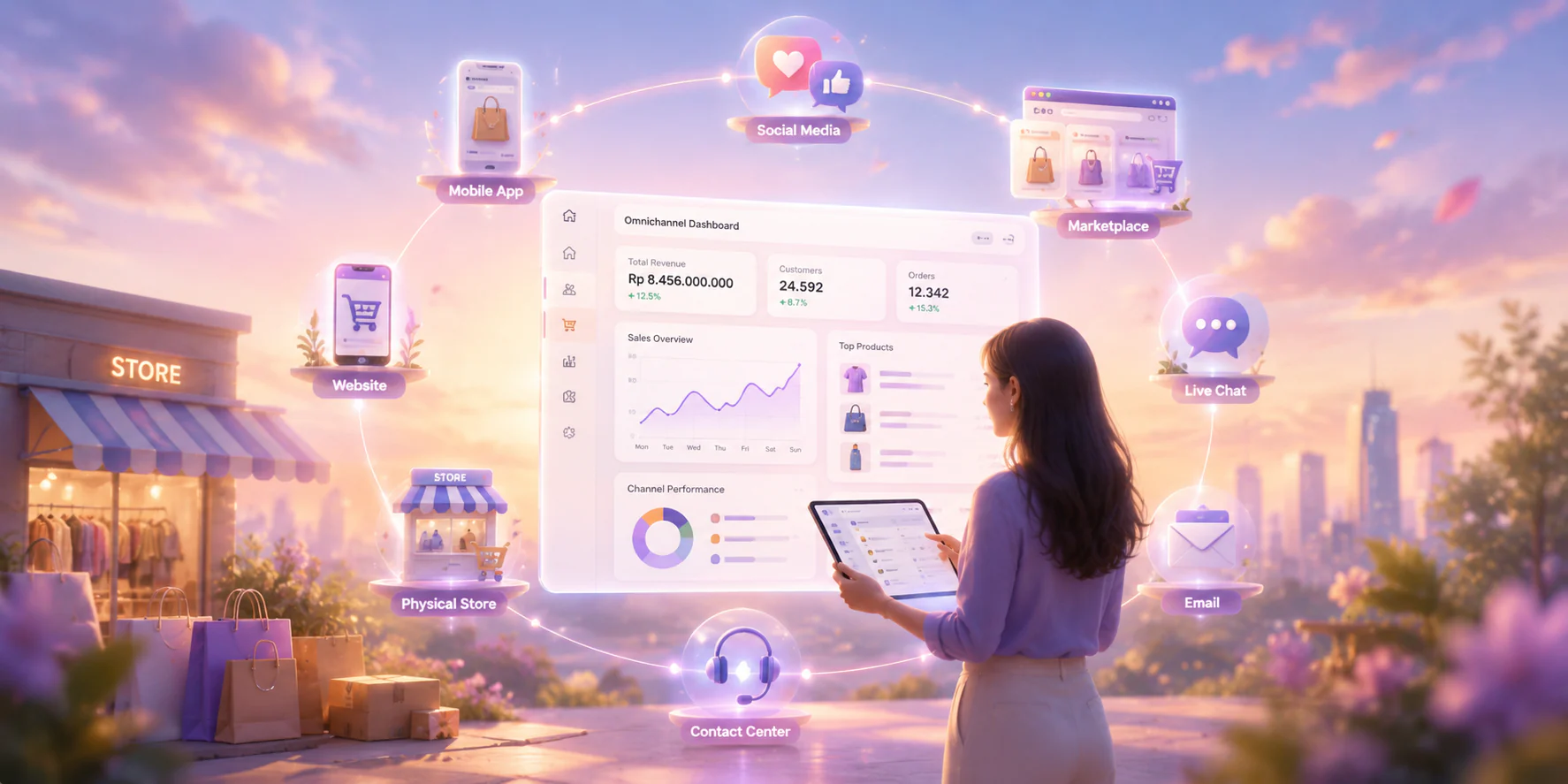







A 2026 study of 357 Puregold Monumento customers found that ERP integration significantly predicted customer satisfaction. It also identified stock visibility and transaction-handling gaps, supporting concerns about fragmented records and inconsistent retail service. These findings show why retailers need connected customer and sales data.
A retail CRM centralizes customer profiles, sales interactions, follow-ups, campaigns, and service history. Retailers should compare each platform against their sales process, customer journey, POS or e-commerce integrations, reporting needs, and implementation resources.
The comparison below reviews 15 retail CRM software options. It highlights each platform’s intended use cases, key strengths, limitations, and pricing so decision-makers can shortlist tools that match their customer engagement goals and operational requirements.
Key Takeaways
Retail CRM software brings customer records, interactions, and sales activity together so retailers can manage relationships across channels.
A retail CRM can improve follow-ups, support personalized marketing, and give teams clearer sales insights.
Compare the 15 options against your sales channels, integration needs, support requirements, and total cost.
The options range from simple pipeline tools to platforms that connect sales with inventory and loyalty programs.
What is Retail CRM Software?
Retail CRM software helps stores manage customer profiles, purchase histories, sales conversations, and service requests in one place. It gives teams a shared view of each shopper across channels and repeat purchases. A broad understanding of CRM systems and their core features will help with picking the best one.
Retailers can use those records to group customers by interest, tailor promotions, and follow up after a purchase. When sales and service teams share customer history, they can respond with context. This helps them keep interactions consistent across stores and online channels.
The software can also automate reminders, campaign tasks, and routine follow-ups. For example, a retailer might send an offer to customers who previously bought a related product. Teams should check that their CRM supports the customer data and consent requirements for these campaigns.
Benefits of Retail CRM Software

Retail CRM software helps stores use customer data to improve service, repeat sales, and campaign targeting. When you are searching for the best retail CRM software in the Philippines, focus on tools that fit your sales channels and customer journeys. The six benefits below show what a suitable system can do:
- Personalization: Use purchase histories and preferences to tailor offers to relevant customer groups.
- Improved customer service: Give staff shared interaction records to resolve inquiries and avoid missed follow-ups.
- Contact management and segmentation: Organize profiles by purchase behavior and target campaigns more precisely.
- Customer retention: Track repeat purchases and service issues to identify customers who need attention.
- Automated communication: Schedule welcome messages, reminders, and follow-ups based on customer actions and consent.
- Inventory visibility: Connect CRM and inventory data so staff can answer product availability questions accurately.
These benefits matter most when a CRM fits your sales and service workflows. If your team also needs stronger prospect tracking, compare lead management software in the Philippines. Check integration needs and customer consent requirements before choosing a platform.
Comparison of the Best Retail CRM Software
Choosing the right retail CRM software helps Philippine retailers organize customer data, improve follow-ups, and gain sales visibility across channels. Discover the top benefits of CRM by finding the best CRM for your business in the comparison table below, which ranks 15 leading options by key features, ideal users, and pricing.
| Software | Key Features | Best For | Pricing |
|---|---|---|---|
| HashMicro CRM Software | Sales forecasting, RFM segmentation, Lazada and Shopee integration, loyalty management | Retailers needing integrated CRM and ERP operations | Custom quote |
| Salesmate | Contact management, lead tracking, sales pipelines, team inbox | Small and midsize retailers managing frequent follow-ups | Starts at ₱1,450/user/month |
| HubSpot | Contact records, deal stages, dashboards, automated data capture | Retailers combining sales, marketing, and service | Free core CRM; paid plans vary |
| Salesforce | Sales tracking, centralized data, automation, custom reporting | Large retailers with complex processes | Contact vendor |
| Pipedrive | Visual pipelines, deal tracking, workflow automation, dashboards | Sales teams prioritizing pipeline visibility | Contact vendor |
| Freshsales | AI lead scoring, sales sequences, chat campaigns, custom reports | Retailers needing structured multichannel outreach | Free plan; paid plans vary |
| Bigin by Zoho | Pipeline management, contact records, workflow rules, task tracking | Micro and small businesses adopting CRM | Contact vendor |
| Zendesk Sell | Lead management, deal pipelines, activity tracking, sales reporting | Existing users planning their CRM transition | Contact vendor |
| Copper | Gmail integration, contact management, calendar integration, task management | Retail teams using Google Workspace | Contact vendor |
| monday CRM | Visual deal boards, workflow automation, task coordination, dashboards | Teams needing flexible collaborative workflows | Contact vendor |
| Insightly | Contact management, opportunity tracking, project workflows, dashboards | Retailers connecting sales and post-sale work | Contact vendor |
| Pipefy | Workflow automation, request forms, process templates, task collaboration | Process-focused retail operations | Contact vendor |
| Bitrix24 | CRM, project management, communication, sales reporting | Retailers combining CRM and office management | Contact vendor |
| ClickUp | Custom fields, task management, custom workflows, collaboration | Teams managing customer work as projects | Contact vendor |
| ActiveCampaign | Email campaigns, marketing automation, sales pipelines, reporting | Retailers focused on repeat purchases and personalization | Contact vendor |
Tips on Choosing Retail CRM Software
Compare the 15 options against your store size, sales channels, and customer service needs before choosing a retail crm system. Prioritize features your team will use daily, then check integration, support, and total cost. The seven criteria below help you narrow the shortlist and test each vendor.
1. Align CRM Strategy with Business Goals
Define whether you need faster follow-ups, stronger loyalty programs, or better visibility across stores. Compare each product against those goals. If inventory and sales must connect, explore the best retail store management software and confirm that the CRM supports your current systems.
2. Order & Delivery Management
Map how each option handles orders, delivery updates, and customer notifications. Some products focus on sales pipelines and need separate operational tools. Ask vendors to demonstrate your actual order flow, including handoffs between store staff, fulfillment teams, and customer support.
3. Real-Time Monitoring
Check which sales, inventory, and customer events update in real time. Ask vendors to show live dashboards using a realistic retail scenario. This matters when managers must respond to stock changes, stalled deals, or missed follow-ups during the day.
4. Predictive Lead Scoring
Choose predictive scoring only if your team has enough reliable lead and purchase data. Ask how each vendor explains its scores and measures accuracy. Review how predictive lead scoring works before paying for an AI feature your team cannot use.
5. 360-Degree View of Customers
Confirm that staff can see relevant purchases, conversations, and preferences across stores and online channels. Test how the CRM handles duplicate profiles and consent. A useful customer view should help your team personalize service without exposing unnecessary data.
6. Reporting & Analytics
Compare reports against decisions your managers actually make, such as which campaigns drive repeat purchases. Ask vendors to demonstrate filters, export options, and data freshness. Clear reporting helps teams act on trends instead of collecting dashboards they rarely use.
7. Round-the-Clock Customer Support
Check whether each product includes ticketing, channel history, and the support hours your customers need. Request a demonstration of a real complaint moving between teams. Confirm vendor support availability too, since round-the-clock customer service may require a separate plan.
15 Best Retail CRM Software in the Philippines
Finding the right retail CRM software can help businesses enhance customer relationships and boost sales. Here are the top 15 retail CRM software in the Philippines for boosting communication and a complete customer database:
1. HashMicro

HashMicro CRM Software is retail CRM software that connects customer records, sales activity, and store operations. Its standout strength is integration with accounting, procurement, and inventory, helping retailers coordinate customer engagement with the rest of their business.
It suits growing retailers with multiple sales channels that need better customer targeting, clearer sales forecasts, and fewer manual handoffs between teams. Loyalty tools also support repeat purchases.
Key features:
- Customer Segment (RFM) Analysis: Segment shoppers by recency, frequency, and spend to prioritize valuable customers.
- Lazada and Shopee integration: Sync marketplace orders, stock updates, and sales data with retail workflows.
- Upselling recommendations: Suggest relevant products based on purchase history to increase basket value.
- Sales loyalty management: Reward purchases with points to encourage repeat visits and customer retention.
| Pros | Cons |
|
|
Best for: Growing Philippine retailers managing customer relationships across stores and online channels. It is especially useful when CRM needs to connect with inventory and accounting.
Pricing: HashMicro provides custom quotes based on each retailer’s requirements.
Curious about the pricing plan of HashMicro? Click on the banner below to get your personalized pricing quote, perfectly suited to your requirements!

2. Salesmate

Salesmate is a sales-focused CRM for online and physical retailers. It combines contact records, deal pipelines, a shared team inbox, and automation, helping sales teams manage conversations and follow-ups from one workspace.
For smaller teams, this retail CRM software can reduce missed leads and keep outreach organized. Its contact management benefits extend beyond storing customer details.
Key features:
- Contact management: Keeps customer details and interaction history accessible to the sales team.
- Lead management: Tracks new inquiries from capture through qualification and follow-up.
- Sales pipeline: Shows each opportunity’s stage and the next action required.
- Team inbox: Lets colleagues coordinate replies to customer messages in one place.
| Pros | Cons |
|
|
Best for: Small and midsize retailers that rely on frequent sales follow-ups. This retail CRM system suits teams that want a clear pipeline and shared communication tools.
Pricing: Plans start at ₱1,450 per user/month, with a 15-day free trial.
3. HubSpot

HubSpot combines sales, marketing, and customer service tools in one customer platform. Its free CRM provides an entry point for retailers that want shared contact records, deal tracking, and customer activity before adding paid tools.
For teams comparing the best retail CRM software Philippines businesses can use, HubSpot works well when marketing campaigns and sales follow-ups need a shared customer history.
Key features:
- Contact records: Collects customer details and interactions in a shared profile.
- Deal stages: Shows where opportunities sit in the sales process.
- Activity dashboard: Gives teams a daily view of tasks and sales activity.
- Automatic data capture: Records supported interactions without repeated manual entry.
| Pros | Cons |
|
|
Best for: Retailers starting with a free CRM and planning to expand their marketing tools. It suits teams that want sales and campaign activity in one platform.
Pricing: The core CRM is free; contact HubSpot for current paid-plan pricing.
4. Salesforce
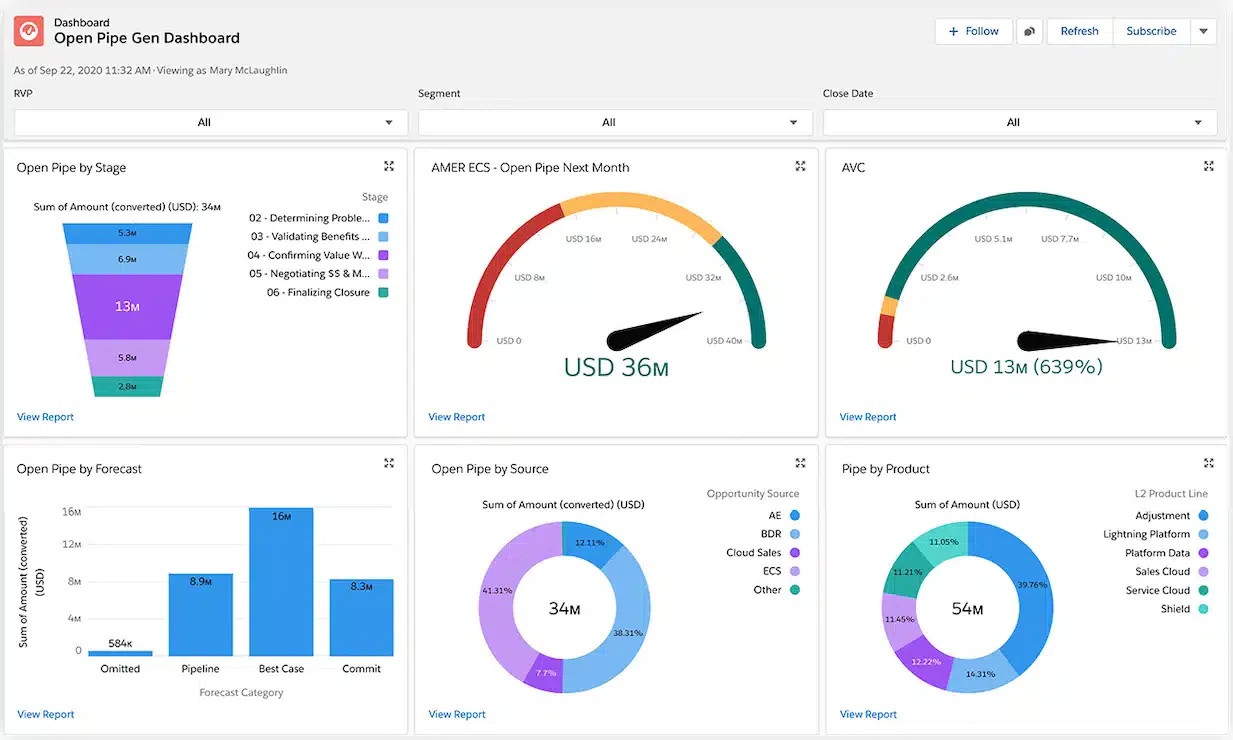
Salesforce supports complex sales processes through configurable records, automation, reporting, and integrations. Retailers can use it to coordinate customer information across departments and connect online and offline interactions when the relevant products and integrations are in place.
This retail CRM system suits larger teams with dedicated administrators and detailed reporting needs. Buyers weighing implementation scope can read the HashMicro and Salesforce comparison.
Key features:
- Sales process tracking: Monitors opportunities, activities, and progress across sales teams.
- Centralized customer data: Brings account details and interactions into shared records.
- Workflow automation: Routes routine tasks and updates according to configured rules.
- Custom reporting: Builds views of pipeline performance around business requirements.
| Pros | Cons |
|
|
Best for: Established retailers with complex sales processes and multiple teams. It is most useful when the business can support ongoing configuration and administration.
Pricing: Contact Salesforce for a quote based on the products, users, and features required.
5. Pipedrive

Pipedrive centers its CRM around a visual sales pipeline. Retail teams can move deals between stages, schedule activities, and see which opportunities need attention, making it particularly useful for managing high volumes of sales inquiries.
This retail CRM software suits retailers whose priority is deal follow-up rather than inventory control. For a wider shortlist, see the best CRM applications in the Philippines.
Key features:
- Visual pipeline: Displays deals by stage so teams can identify stalled opportunities.
- Deal tracking: Keeps values, contacts, notes, and activities together.
- Workflow automation: Triggers routine actions when deals reach selected stages.
- Custom dashboards: Show sales activity and results in configurable views.
| Pros | Cons |
|
|
Best for: Retail sales teams handling many inquiries or account-based deals. It fits businesses that value pipeline visibility and timely follow-ups.
Pricing: Check Pipedrive’s current Philippine pricing for the plan and billing term you need.
6. Freshsales

Freshsales combines lead management, sales sequences, reporting, and AI-assisted lead prioritization. Its strength is helping sales teams organize outreach and focus attention on promising opportunities, especially when they handle inquiries from several customer channels.
Among the best retail CRM software Philippines teams may consider, it suits retailers that want structured follow-ups without building every sales process manually.
Key features:
- AI-assisted lead scoring: Helps teams prioritize leads using available customer and activity signals.
- Sales sequences: Schedules a series of outreach steps for selected prospects.
- Chat campaigns: Engages website visitors through targeted customer conversations.
- Custom reports: Tracks sales activity and results using selected measures.
| Pros | Cons |
|
|
Best for: Retailers managing a steady flow of leads across channels. This retail CRM system is especially useful for teams that need repeatable outreach.
Pricing: Check Freshsales’ current plan pricing and included features with the vendor.
7. Bigin by Zoho

Bigin by Zoho offers a simpler, pipeline-focused approach to CRM. It helps small retailers keep contact records, deals, and routine actions organized without adopting a broader suite of sales and marketing tools at the outset.
This retail CRM system is a practical fit for micro and small businesses moving beyond spreadsheets. Teams considering other options can review these Zoho alternatives in the Philippines.
Key features:
- Pipeline management: Organizes deals into stages that reflect the sales process.
- Contact records: Keeps customer details and related deals in one place.
- Workflow rules: Automates selected updates and follow-up actions.
- Task tracking: Helps sales staff manage upcoming customer activities.
| Pros | Cons |
|
|
Best for: Micro and small retailers adopting their first dedicated CRM. It works well when clear deal tracking matters more than extensive customization.
Pricing: Check Bigin’s current plan pricing and billing terms with Zoho.
8. Zendesk
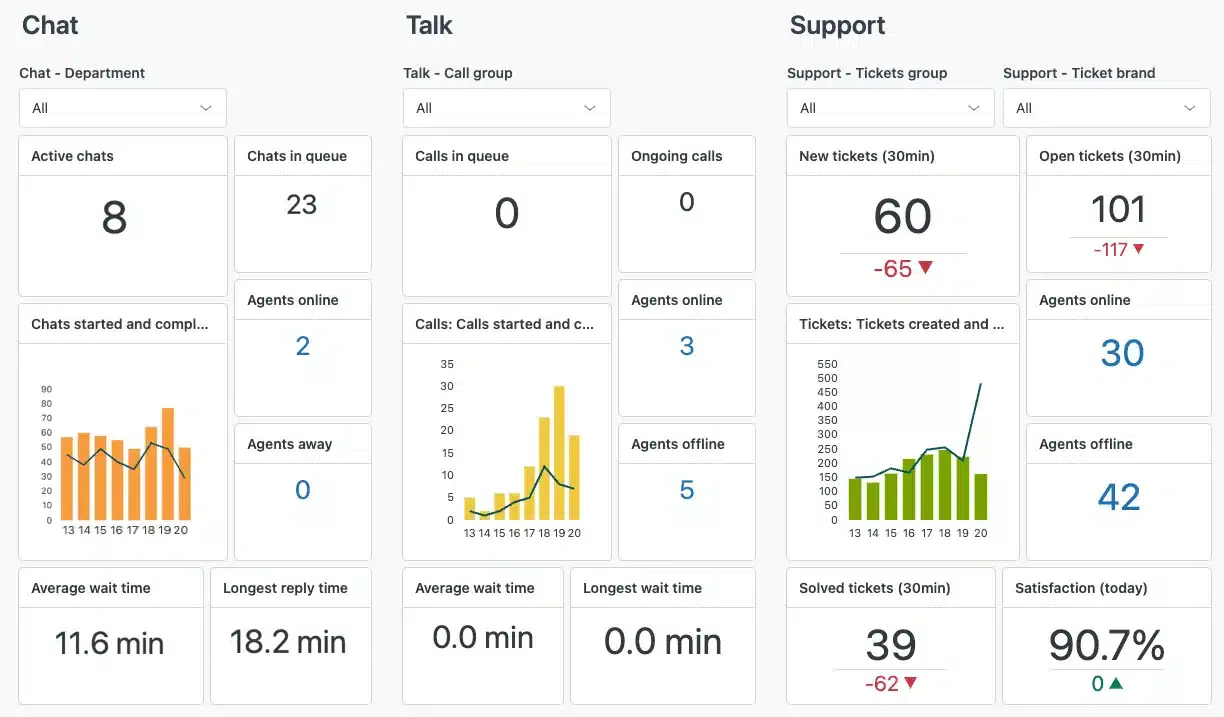
Zendesk Sell provides lead, contact, and deal management, while Zendesk Suite handles customer support across channels. The two serve different purposes: Suite is part of the top Omnichannel software for the Philippines comparison, but it is not a sales CRM.
Existing Sell users can continue using its retail CRM software during the transition period. Zendesk has announced that Sell will retire on 31 August 2027.
Key features:
- Lead management: Records potential customers and their progress toward a sale.
- Deal pipeline: Shows opportunities by stage and assigned sales representative.
- Activity tracking: Keeps tasks and customer interactions alongside sales records.
- Sales reporting: Summarizes pipeline activity and team performance.
| Pros | Cons |
|
|
Best for: Existing Zendesk Sell customers managing a planned transition. New retail buyers should account for the announced retirement before selecting it.
Pricing: Ask Zendesk about Sell’s current availability and pricing during its retirement period.
9. Copper CRM for Retail Business

Copper is designed for teams that work heavily in Google Workspace. Its Gmail and Calendar connections help retailers manage contacts, conversations, and sales activity close to the tools their staff already use each day.
In a best retail CRM software Philippines shortlist, Copper stands out for Google-focused workflows. It is most useful when the team wants less switching between email, calendars, and customer records.
Key features:
- Gmail integration: Connects customer conversations with relevant CRM records.
- Contact management: Keeps customer details and relationship history organized.
- Calendar integration: Links meetings and scheduled activities with sales work.
- Task management: Helps representatives track follow-ups and assigned actions.
| Pros | Cons |
|
|
Best for: Retail teams that already use Gmail and Google Calendar. It suits businesses that want customer tracking alongside their everyday communication tools.
Pricing: Contact Copper for current plan pricing and billing terms.
10. Monday

Monday CRM organizes contacts, deals, tasks, and team workflows in configurable visual boards. Retailers can adapt its views and automations to their sales process, making it useful when several colleagues coordinate customer-facing work.
This retail CRM software fits teams that value flexible workflows and shared visibility. It can help managers see ownership and progress, though complex setups require careful design.
Key features:
- Visual deal boards: Show opportunity stages, owners, and next steps together.
- Workflow automation: Updates records or alerts colleagues when defined conditions occur.
- Task coordination: Connects sales actions with team responsibilities and deadlines.
- Custom dashboards: Display selected sales measures across boards and teams.
| Pros | Cons |
|
|
Best for: Retail teams coordinating sales work across multiple roles. It suits businesses willing to configure boards around their process.
Pricing: Check monday CRM’s current per-seat price and minimum-seat requirements before choosing a plan.
11. Insightly

Insightly combines sales relationship management with project and task workflows. That combination helps retailers who continue coordinating work after a deal closes, such as account setup, delivery preparation, or other customer-related handoffs.
This retail CRM system is useful when sales and post-sale tasks need shared visibility. Teams should confirm which CRM and project capabilities are included in their selected plan.
Key features:
- Contact management: Links customer details with opportunities and recorded interactions.
- Opportunity tracking: Shows deal progress and the activities tied to it.
- Project workflows: Coordinates work that follows a completed sale.
- Custom dashboards: Present selected sales and workflow measures to managers.
| Pros | Cons |
|
|
Best for: Retailers whose customer work continues after a sale. It fits teams coordinating sales with delivery or account tasks.
Pricing: Contact Insightly for current pricing and plan-specific feature access.
12. Pipefy

Pipefy is a process management platform that retailers can adapt for customer-related workflows. Its customizable forms and process stages help teams organize requests, approvals, and handoffs, although it is not a dedicated sales CRM.
For a best retail CRM software Philippines comparison, Pipefy fits businesses prioritizing process control. Retailers needing deep contact histories or sales forecasting should assess those requirements separately.
Key features:
- Workflow automation: Moves work forward when configured process conditions are met.
- Request forms: Captures customer or internal requests in a consistent format.
- Process templates: Gives teams a starting point for recurring workflows.
- Task collaboration: Keeps owners, updates, and deadlines visible to participants.
| Pros | Cons |
|
|
Best for: Retailers managing repeatable customer requests and internal handoffs. It suits process-heavy teams more than sales teams needing a full CRM.
Pricing: Contact Pipefy for current plan pricing and automation limits.
13. Bitrix24

Bitrix24 brings CRM, tasks, projects, and team communication into one platform. Retailers can manage customer relationships alongside internal work, making it useful when sales staff and operations teams need to coordinate within the same workspace.
This retail CRM software can suit growing teams, though its range of tools takes time to configure. That breadth makes it one of the best for businesses with a need for office management.
Key features:
- CRM and projects: Connects customer-facing sales work with internal projects.
- Task management: Assigns owners, deadlines, and progress to team activities.
- Communication tools: Supports collaboration around work and customer needs.
- Sales reporting: Shows selected deal and team performance measures.
| Pros | Cons |
|
|
Best for: Retailers coordinating sales with substantial internal office work. It fits teams that want CRM, tasks, and communication in one platform.
Pricing: Check Bitrix24’s current plan pricing, user limits, and included features.
14. ClickUp

ClickUp is primarily a work management platform, but retailers can configure its fields and views to track customers and sales tasks. Its strength is coordinating flexible workflows rather than providing a dedicated CRM out of the box.
In a best retail CRM software Philippines roundup, ClickUp suits teams whose customer process is closely tied to projects. Businesses needing specialized sales features should test that fit first.
Key features:
- Custom fields: Adds customer or deal details to work records.
- Task management: Tracks owners, deadlines, and customer-related actions.
- Custom workflows: Adapts task stages to a team’s sales process.
- Collaboration tools: Keeps comments and updates alongside assigned work.
| Pros | Cons |
|
|
Best for: Retail teams managing customer work as projects or tasks. It is less suitable when dedicated pipeline and sales reporting are essential.
Pricing: Check ClickUp’s current plan pricing and feature limits with the vendor.
15. ActiveCampaign

ActiveCampaign combines marketing automation with contact and sales tools. Its strength is building targeted email journeys around customer behavior, helping retailers maintain engagement after an initial inquiry or purchase when their customer data supports those campaigns.
This retail CRM software suits businesses focused on repeat purchases and personalized outreach. Teams should assess the sales features and contact limits included in each plan.
Key features:
- Email campaigns: Sends targeted messages to selected customer groups.
- Marketing automation: Starts follow-up journeys when configured customer actions occur.
- Sales pipeline: Tracks opportunities alongside related contact activity.
- Campaign reporting: Shows engagement results to guide future outreach.
| Pros | Cons |
|
|
Best for: Retailers using email to encourage repeat purchases. It fits teams that prioritize marketing automation alongside basic sales tracking.
Pricing: Check ActiveCampaign’s current price for the required plan and contact volume.
Conclusion
Among these 15 options, the strongest choice in 2027 depends on your retail workflows. Match each platform to your sales channels, team size, and budget. Test the shortlist with actual customer journeys, then compare setup effort and ongoing costs before committing.
HashMicro connects CRM with sales, inventory, and other business processes, which may suit retailers managing several channels. Compare its integration scope and implementation needs with simpler pipeline tools. A guided demo can show how those workflows fit your business.
Take the next step by utilizing HashMicro's free demo to test customer records, follow-ups, and sales visibility. Bring your team’s real use cases and ask which integrations require configuration. Use the results to decide whether HashMicro meets your priorities.
FAQ About Retail CRM Online
Clienteling is a retail strategy where sales associates use data about customer preferences, behaviors, and purchases to build personalized relationships, enhancing customer loyalty and sales.
CRM systems often integrate with e-commerce platforms to unify customer data, track online interactions, and manage sales processes across channels, providing a seamless customer experience.
By providing personalized interactions, tracking customer preferences, and automating targeted marketing campaigns, CRM software for retail helps build stronger relationships, leading to increased customer loyalty and repeat business.
Essential features include sales and inventory forecasting, customer segmentation, real-time analytics, marketing automation, and seamless integration with existing retail systems.