





















Strong sales do not guarantee that cash will be available when payroll or supplier payments fall due. Collections may arrive late, while rent, inventory purchases, taxes, and loan payments follow their own schedules. Cash flow forecasting software helps finance teams bring these dates together and estimate future cash availability.
For Philippine businesses, cash planning must also account for statutory obligations, including SSS, PhilHealth, and Pag-IBIG contributions, BIR tax payments, and mandatory 13th month pay under DOLE regulations. Including these expenses in cash projections helps businesses prepare for recurring obligations and avoid unexpected shortages.
This guide reviews 13 cash flow forecasting software options, comparing their key features, forecasting capabilities, integrations, and suitability for Philippine businesses.
Key Takeaways
Cash flow forecasting software estimates future cash positions using financial data to help businesses anticipate liquidity needs and plan payments.
Compare 13 cash flow forecasting tools based on their features, capabilities, and suitability for different business needs.
Choose cash flow forecasting software based on business needs, financial workflows, data integration, and budget.
This guide compares 13 options for Philippine businesses. The products serve different needs: some forecast cash inside an accounting system, while others focus on scenarios, long-range financial planning, or group treasury. The comparison looks at forecast horizons, payment timing, connected data, implementation effort, and Philippine operating requirements.
What Is Cash Flow Forecasting Software?
Cash flow forecasting software helps businesses estimate future cash receipts, payments, and available balances based on financial data. It can use current bank balances, outstanding customer invoices, unpaid supplier bills, recurring expenses, budgets, and planned transactions to generate cash flow projections. Users can also adjust assumptions, such as expected customer payment dates, to understand how different scenarios may affect available cash.
Unlike a cash flow statement, which records historical financial movements, a cash flow forecast focuses on expected future activity. Its projections can be updated as new transactions are recorded or financial assumptions change. This gives finance teams a more forward-looking view of liquidity and helps them assess whether the business can meet upcoming financial commitments.
Benefits of Cash Flow Forecasting Software

Understanding its benefits can help finance teams improve cash visibility, identify potential shortages early, and plan payments more effectively. Here are the key advantages to consider.
Better Cash Flow Visibility
A forecast places expected collections and payments beside a projected balance. Cash flow management software gives finance teams a clearer view of whether cash from customers is likely to arrive before supplier bills, payroll, and other commitments. For example, a vendor displays projected inflows, outflows, ending cash, and a target comparison over 30 days.
Earlier Warning of Cash Shortages
When a forecast shows a balance falling below the business’s operating buffer, the team has time to investigate. It can follow up overdue invoices, reconsider a discretionary purchase, adjust payment timing where appropriate, or arrange financing. The warning is useful only when expected receipts reflect realistic collection dates rather than invoice due dates alone.
More Confident Payment and Collection Planning
Finance teams can compare incoming receipts with upcoming obligations before approving a large payment. A practical forecast should let users revise expected dates and see the effect on cash. This matters when a customer routinely pays late or a supplier offers flexible payment terms. It also helps teams identify which collections need attention first.
Rolling Forecasts and Scenario Planning
A rolling forecast replaces earlier estimates with actual results and extends the planning window. Scenarios show what happens if a major customer pays late, costs rise, sales slow, or a new branch opens. The useful test is whether the team can compare those alternatives with its base forecast without changing the accounting records.
More Reliable Forecasts from Connected Data
Accounting and banking connections reduce repeated spreadsheet entry and make updates easier. They do not make a forecast automatically accurate. Missing bills, unreconciled balances transaction, unrealistic collection dates, and unrecorded commitments can still distort the result. Assign someone to review forecast-versus-actual differences and update assumptions regularly.
Quick Comparison of the 13 Best Tools
The table identifies each product’s primary use case. “Philippine consideration” names a purchasing check, not a claim that every listed feature is available in every Philippine package. Prices are described by approach because plans, taxes, implementation fees, and local quotations can change.
| Software | Best fit | Forecast focus | Scenarios | Starting price (approx. PHP) |
|---|---|---|---|---|
| HashMicro | ERP-connected finance | 30-day cash view and accounting data | Confirm package | Contact vendor |
| Float | Xero or QuickBooks Online users | Rolling 13-week and monthly cash plans | What-if layers | From about ₱13,400 per month (billed annually) |
| Fathom | Reporting and advisory teams | Three-way, longer-term forecasting | Scenario rules | From about ₱28,800 per month (Pro, 25 companies) |
| Futrli | Businesses and accountants | Daily cash and three-way forecasts | Budgets and scenarios | From about ₱2,600 per month (Single) |
| Cash Flow Frog | Scenario-led cash planning | Rolling forecast from accounting data | Named scenarios | From about ₱2,100 per month (billed annually) |
| Dryrun | Payment-timing analysis | Daily, weekly, and 13-week views | Side-by-side models | Contact vendor |
| QuickBooks | Existing QuickBooks users | Cash projections in accounting | Manual future events | From about ₱1,291 per month (Simple Start) |
| Xero | Existing Xero users | Short-term cash prediction | Manual adjustments | From about ₱447 per month (Lite) |
| PlanGuru | Detailed financial modelling | Three-way, long-range forecasts | Multiple models | From about ₱5,300 per month (billed annually) |
| Agicap | Group treasury | 13-week and wider liquidity plans | Group scenarios | Contact vendor |
| Anaplan | Connected enterprise planning | Cash and liquidity modelling | Multi-version plans | Contact vendor |
| Coupa Treasury | Spend-linked treasury | Group cash forecasting | Group scenarios | Contact vendor |
| SAP S/4HANA Cloud for cash management | Existing SAP environments | Cash positions and liquidity forecasts | Depends on scope | Contact vendor |
13 Best Cash Flow Forecasting Software
These reviews describe documented product capabilities and the questions a buyer should ask. The order follows the editorial brief. It is not a hands-on performance ranking, and a product’s inclusion does not establish that every connection or feature is available in the Philippines.
1. HashMicro
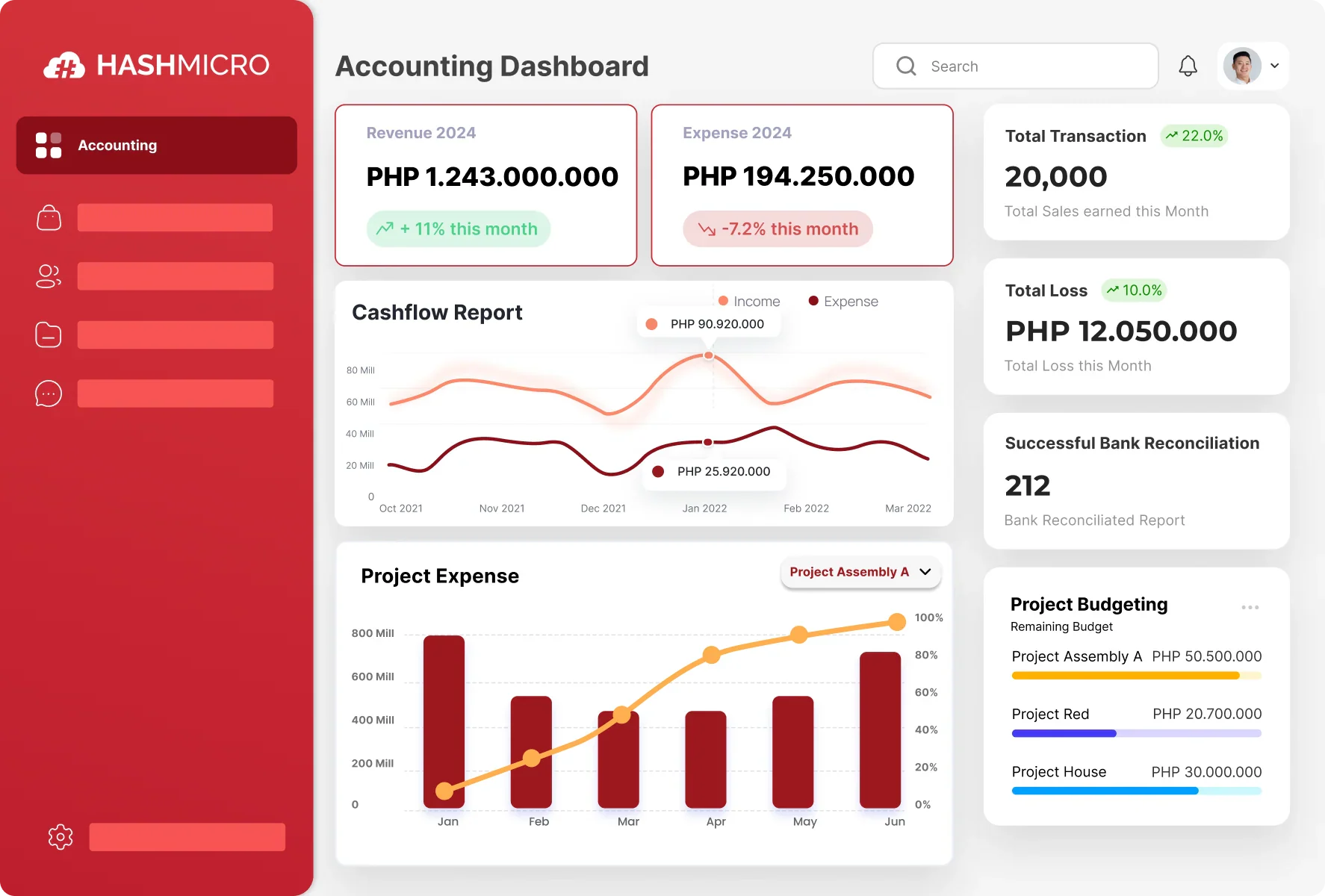
HashMicro is an ERP-connected accounting platform for Philippine businesses that want to review cash alongside receivables, payables, and operational activity. HashMicro accounting software page describes a 30-day cash-flow projection with projected ending cash and indicators of potential deficits.
This approach is relevant when sales, purchasing, and finance teams all affect collection and payment timing.
Features:
30-day cash-flow projection
Receivables and payables visibility
Projected ending cash and target gap
Accounting and ERP-linked information
Why we chose it: HashMicro for businesses that want cash visibility within a wider accounting and ERP software workflow, rather than a separate forecasting application.
Pricing: Available upon request.
Pros | Cons |
|
|
With clearer financial data and accurate projections, businesses can anticipate cash needs and make better financial decisions. An integrated accounting system helps teams monitor cash movements, manage financial records, and maintain better visibility over their financial position.

2. Float
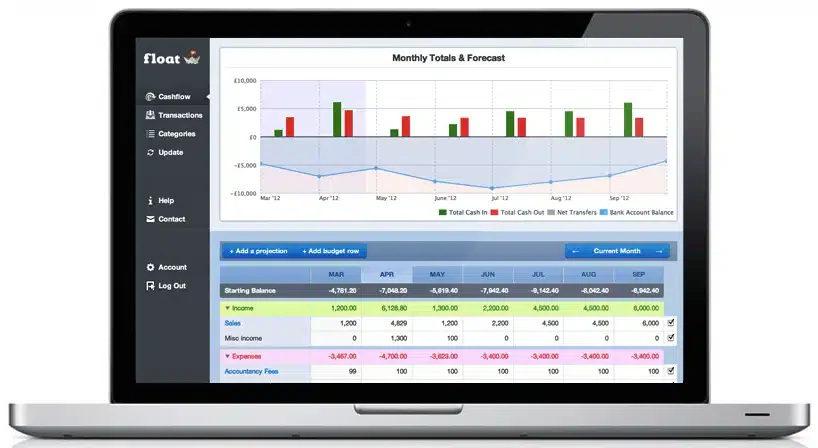
Float is a dedicated cash-planning tool for businesses using Xero or QuickBooks Online. Its forecasting materials describe a rolling 13-week view, longer monthly forecasts, payment-date assumptions, and scenarios.
It gives finance teams a regular way to review near-term liquidity using information from their existing accounting platform.
Features:
Rolling 13-week forecast
Longer-term monthly planning
Expected payment dates
Scenario modelling
Why we chose it: Float for teams that already use a supported accounting system and need a focused, frequently updated cash forecast.
Pricing: Start from ₱16,785/month to ₱13,412/month.
₱16,785 dan ≈ ₱13,412
Pros | Cons |
|
|
3. Fathom
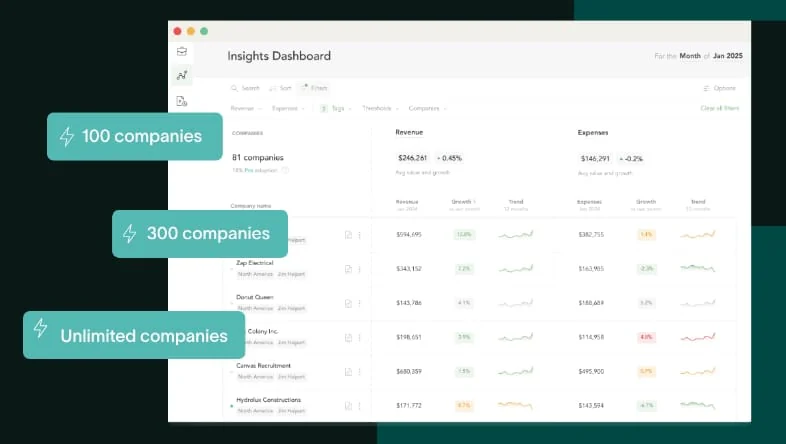
Fathom combines financial reporting with three-way forecasting across profit and loss, balance sheet, and cash flow. Its forecasting page describes driver-based planning, rolling updates, and scenario comparisons.
It is suited to finance teams that need to explain a cash forecast alongside broader business performance.
Features:
Three-way forecasting
Driver-based assumptions
Rolling forecasts and scenarios
Management reporting
Why we chose it: Fathom for accountants and finance teams that want forecasting and management reporting in the same workflow.
Pricing: Start from ₱28,755/month.
₱28,755
Pros | Cons |
|
|
4. Futrli
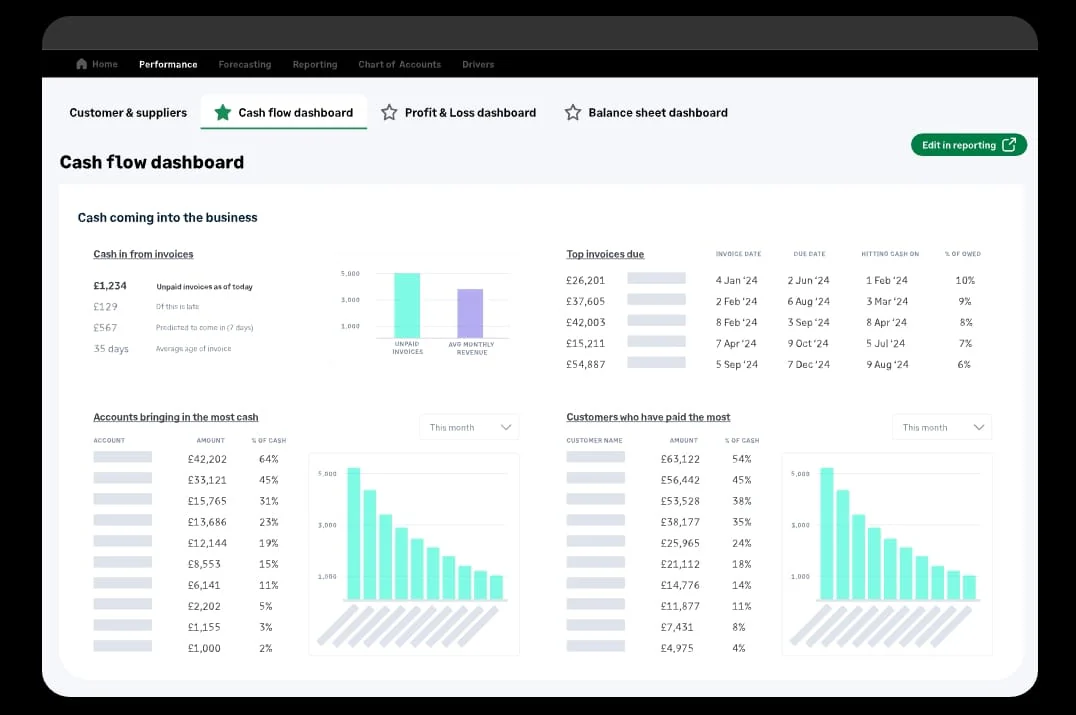
Futrli offers cash forecasting, budgeting, three-way planning, and scenario modelling. Its product page describes daily cash forecasts alongside wider financial planning tools.
That combination can help a business compare immediate liquidity with its budget and operating assumptions.
Features:
Daily cash forecasts
Three-way forecasting
Budgets
Scenario modelling
Why we chose it: Futrli for businesses and accountants that need daily cash visibility together with budgeting and financial planning.
Pricing: Start from ₱2,556/month to ₱35,145/month.
₱2,556, ₱15,975, ₱22,365, ₱35,145
Pros | Cons |
|
|
5. Cash Flow Frog
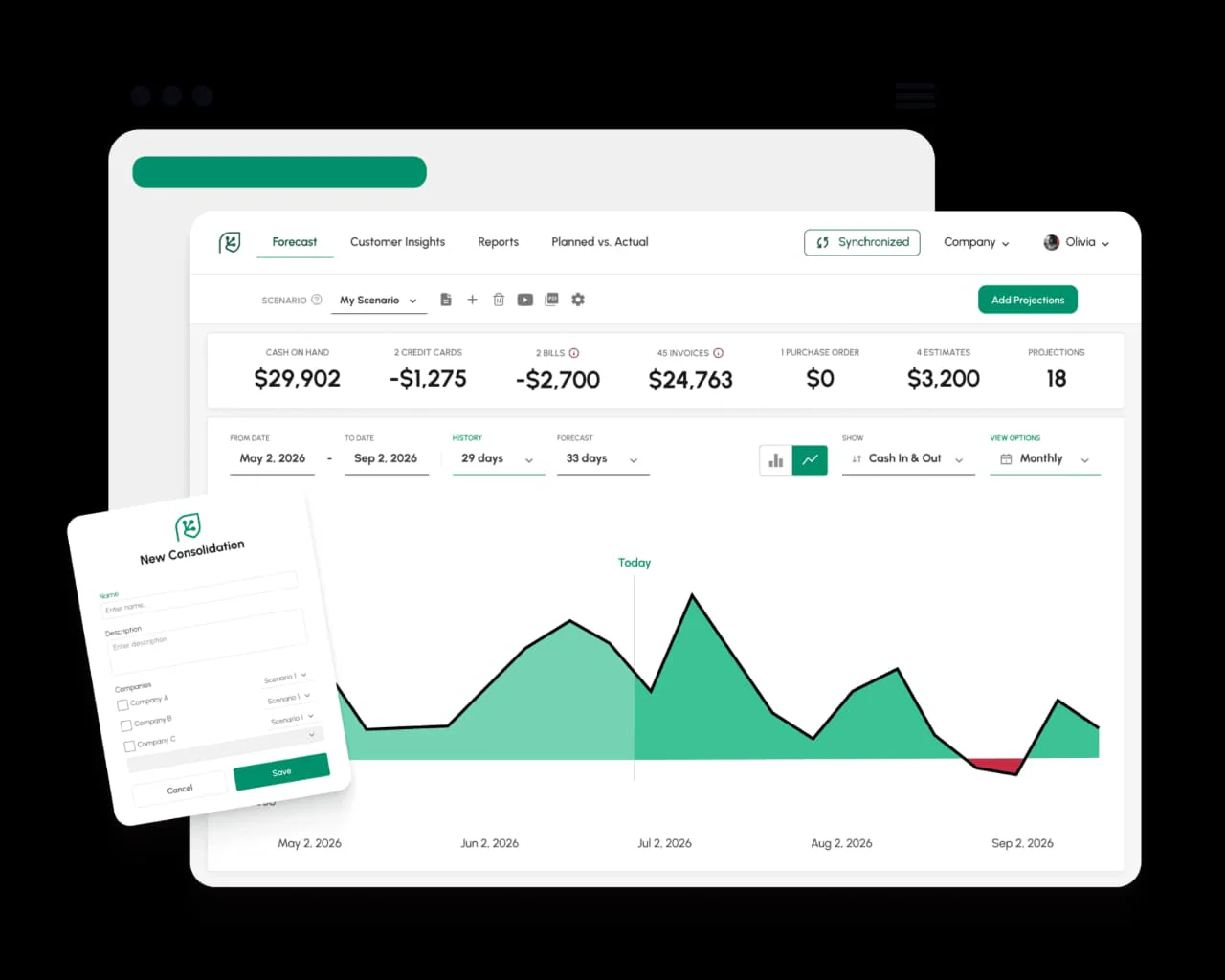
Cash Flow Frog builds forecasts from accounting data and planned transactions. Its forecasting and scenario pages describe editable projections and what-if planning without changing accounting records.
Teams can use those scenarios to examine delayed collections, new expenses, or changes in sales.
Features:
Rolling cash forecasts
Editable assumptions
Named scenarios
Accounting-data connections
Why we chose it: Cash Flow Frog for teams that regularly compare alternative cash outcomes and want a focused planning tool.
Pricing: Start from ₱3,515/month to ₱2,109/month.
₱3,515 dan ≈ ₱2,109 per bulan
Pros | Cons |
|
|
6. Dryrun
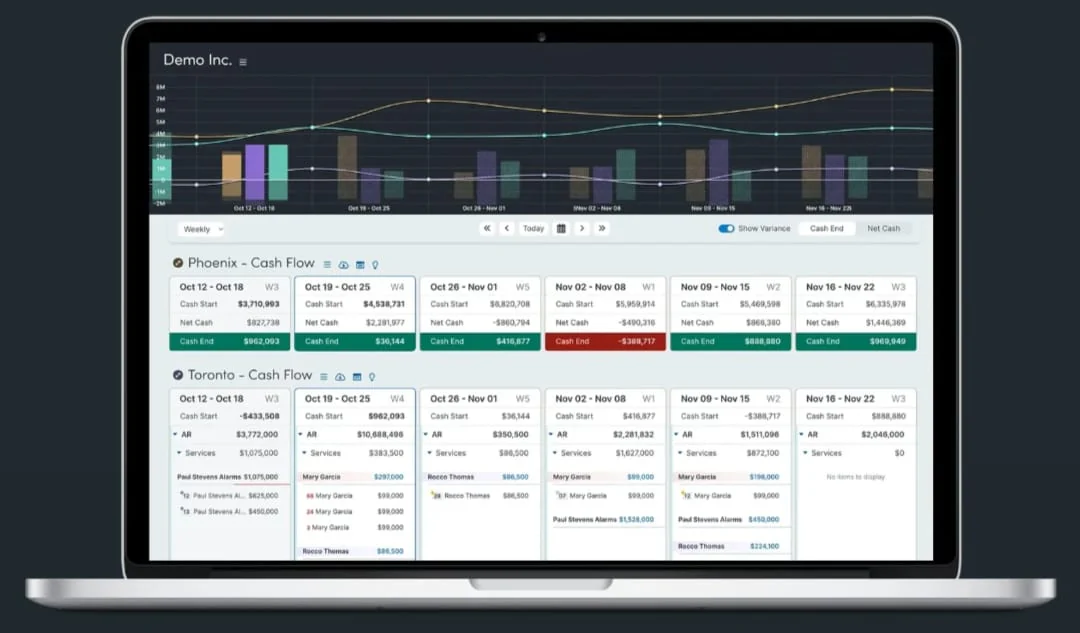
Dryrun focuses on daily detail, a rolling 13-week view, monthly planning, and adjustments to expected customer collections and supplier payments. Understanding accounts payable vs. accounts receivable can also help businesses assess how incoming and outgoing payments affect cash availability.
It is particularly relevant when a few large invoice or bill dates can change the business’s cash position.
Features:
Daily, weekly, and monthly views
Rolling 13-week forecast
Invoice and bill timing adjustments
Side-by-side scenarios
Why we chose it: Dryrun for finance teams that need to test the cash effect of collection and payment-date changes.
Pricing: Request a quote covering users, entities, connections, and onboarding.
Pros | Cons |
|
|
7. QuickBooks
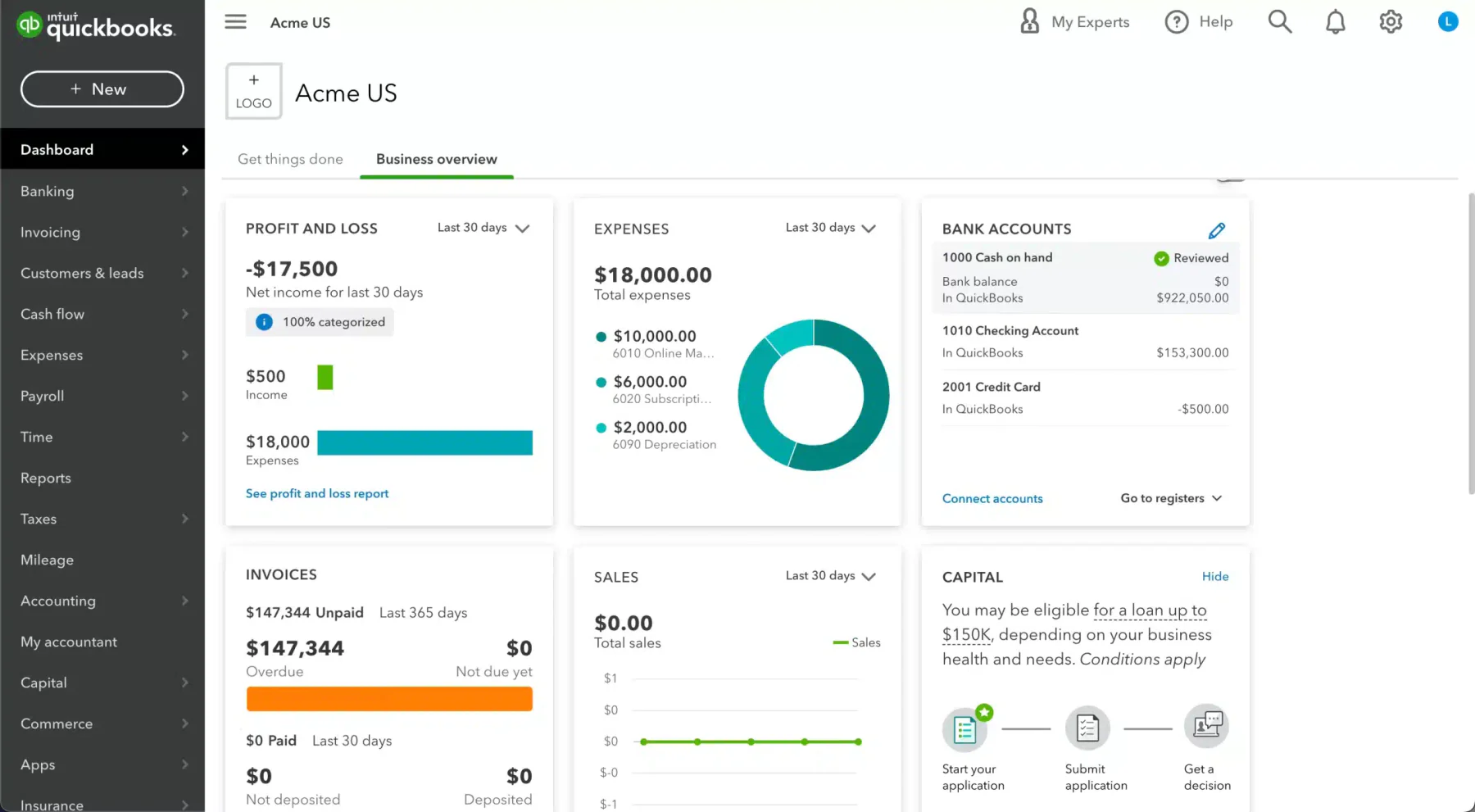
QuickBooks Online offers cash-flow projections using invoices, bills, transaction history, and manually entered future events. Its product guidance says planning entries do not change accounting records.
For existing users, its built-in view may answer basic cash questions without another subscription.
Features:
Open invoice and unpaid bill inputs
Projected cash events
Manual future-event adjustments
Forecasting within accounting
Why we chose it: QuickBooks as a practical starting point for businesses already using its accounting platform.
Pricing: Start from ₱1,291/month (Simple Start) and ₱1,907/month (Essentials).
₱1,291/bln (Simple Start) dan ₱1,907
Pros | Cons |
|
|
8. Xero
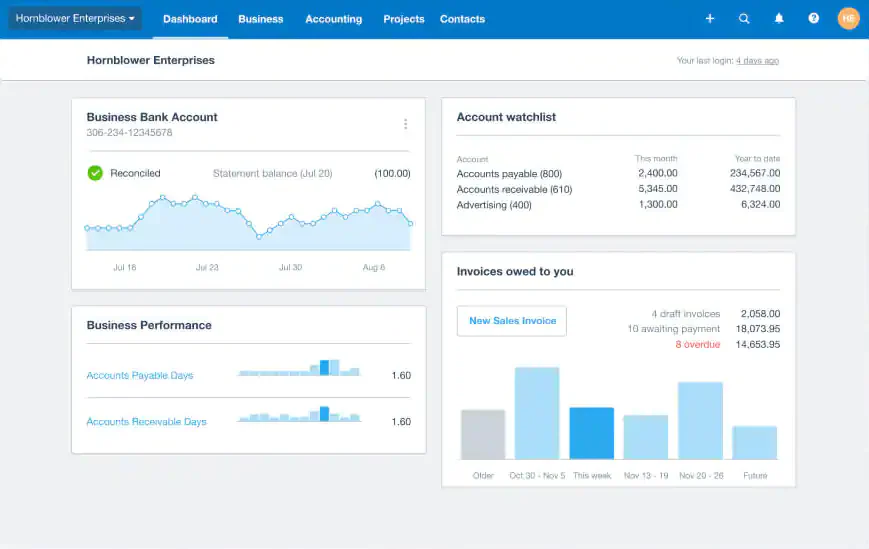
Xero provides short-term cash predictions using invoices, bills, and recurring transactions. Its forecasting page describes short-horizon views and adjustments for one-off amounts or expected payment dates.
It works best as an initial cash view for businesses whose accounting records already live in Xero.
Features:
Short-term cash predictions
Invoice and bill inputs
Recurring-transaction estimates
Manual forecast adjustments
Why we chose it: Xero because existing users can assess near-term cash inside their accounting workflow.
Pricing: Start from ₱447/month to ₱5,240/month.
₱447, ₱2,045, ₱3,451, ₱5,240
Pros | Cons |
|
|
9. PlanGuru
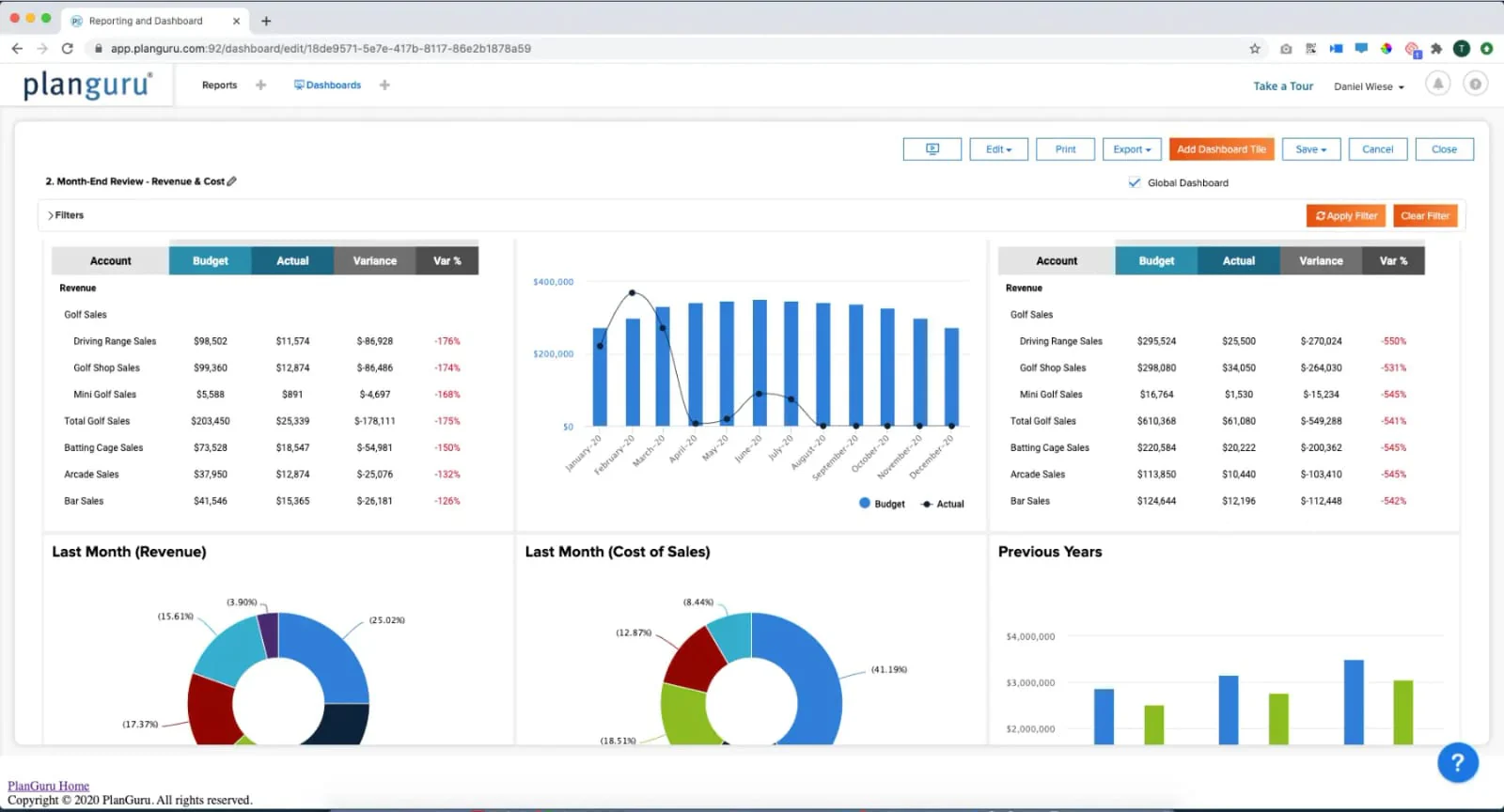
PlanGuru is a budgeting and financial-modelling platform. Its desktop-plan page lists three-way forecasting, custom methods, multiple scenarios, and long-range budgets.
It gives experienced finance users more control over model structure than a simple cash dashboard.
Features:
Three-way forecasting
Custom forecasting methods
Multiple scenarios
Long-range budgets and reports
Why we chose it: PlanGuru for teams that need detailed budgeting and long-range financial models, including cash-flow forecasts.
Pricing: Start from ₱6,326/month to ₱5,304/month.
₱6,326 dan ≈ ₱5,304 per bulan
Pros | Cons |
|
|
10. Agicap
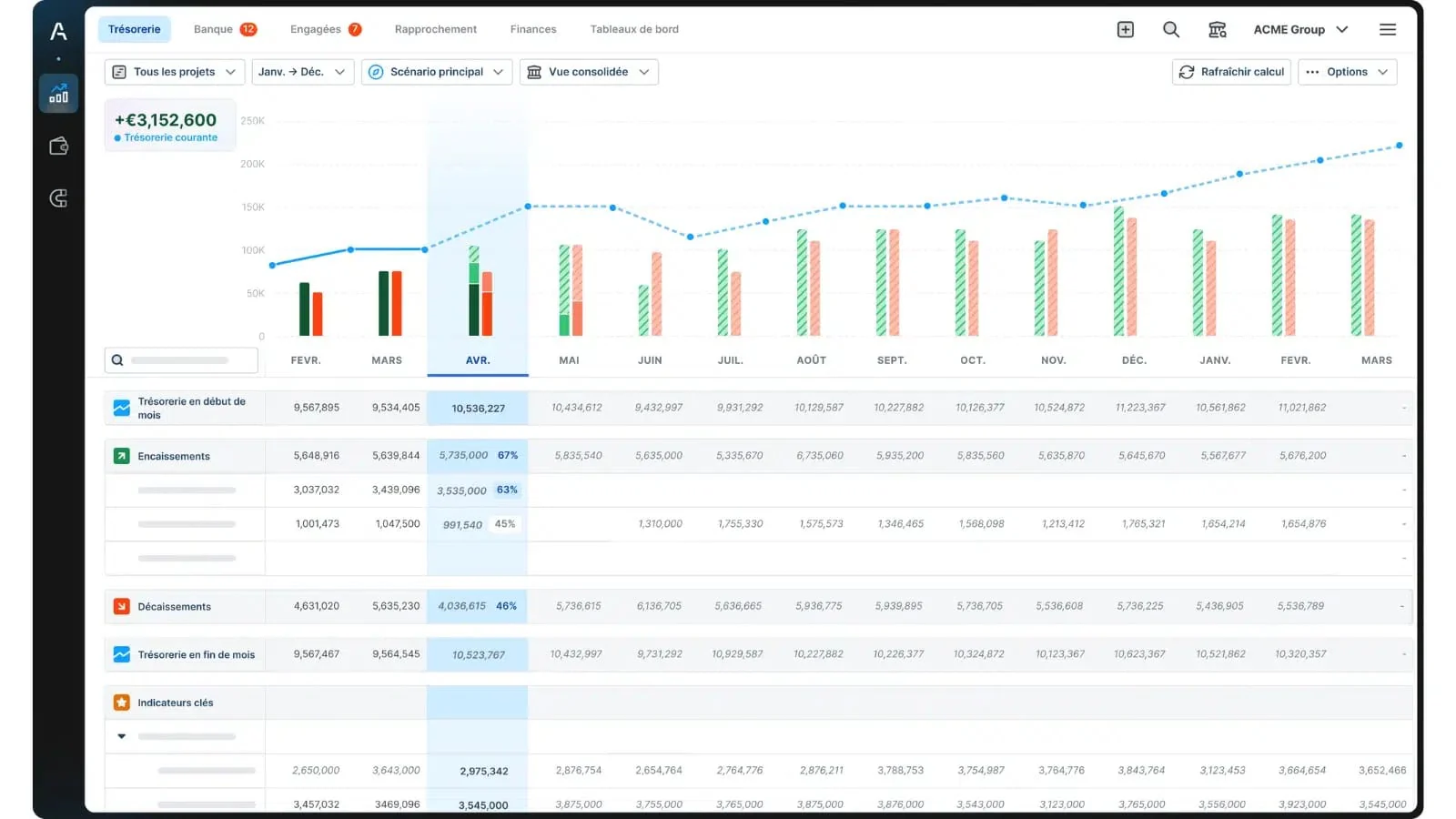
Agicap is a cash-management and treasury platform for organizations with more complex liquidity needs. Its forecasting page describes short-term planning, scenarios, variance analysis, and group-level cash views.
These capabilities are relevant when several bank accounts or entities contribute to one liquidity decision.
Features:
Cash positioning
13-week forecasting
Scenario and variance analysis
Group-level visibility
Why we chose it: Agicap for finance teams that need structured treasury processes and consolidated cash planning.
Pricing: Available upon request, include bank connections, entities, implementation, and support in the quote.
Pros | Cons |
|
|
11. Anaplan
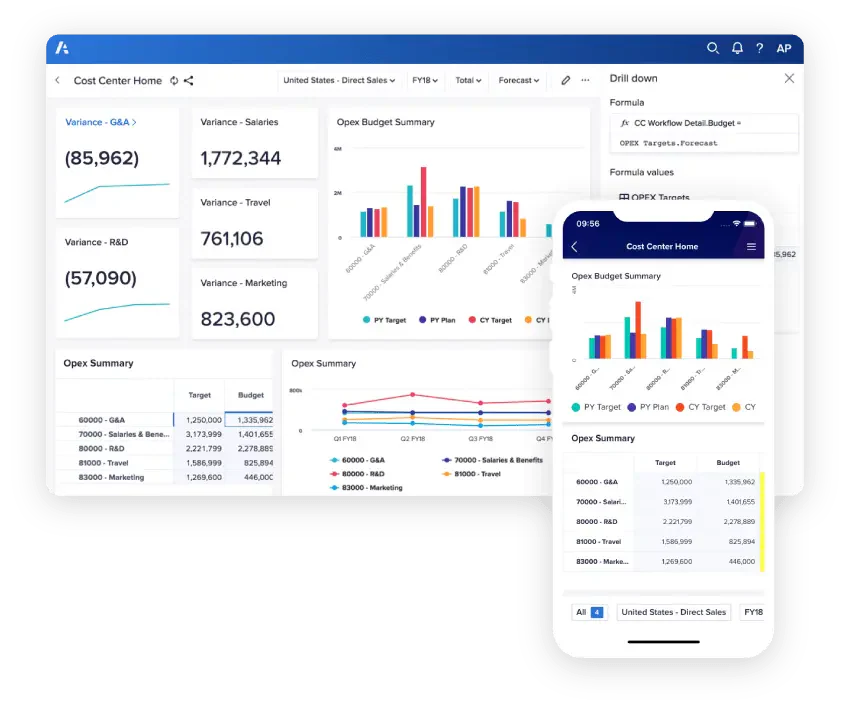
Anaplan connects financial and operational plans in configurable models. Its cash-flow and liquidity planning material describes payment-term modelling, currency views, and scenario comparisons. Anaplan lists a Manila office.
It is suited to enterprises whose cash plans depend on linked sales, spending, and operating assumptions.
Features:
Connected planning models
Payment-term assumptions
Cash-flow views by currency
Scenario comparisons
Why we chose it: Anaplan for enterprises that need cash-flow forecasting as part of wider financial and operational planning.
Pricing: Available upon request; confirm model design, implementation, users, and support.
Pros | Cons |
|
|
12. Coupa Treasury
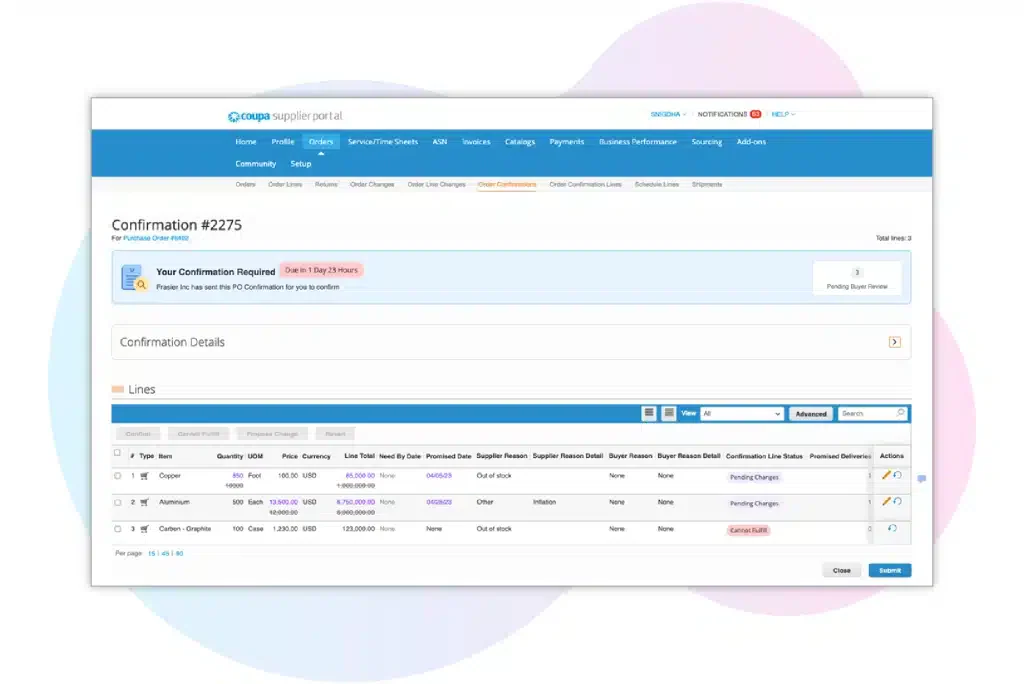
Coupa Treasury is designed for cash forecasting and treasury workflows across an organization. Coupa’s Treasury documentation refers to cash-forecast entries, while its payment documentation lists Philippines/PHP support.
The payment documentation does not establish that a Philippine buyer can obtain every Treasury forecasting module or connect the required local banks.
Features:
Cash-forecast entries
Treasury data workflows
Group cash planning, subject to package confirmation
Payment-data connections, subject to configuration
Why we chose it: Coupa Treasury for consideration by larger teams whose spending and payment commitments drive liquidity planning. Its Philippine fit remains conditional.
Pricing: Available upon request; obtain a Philippine Treasury quotation before publication.
Pros | Cons |
|
|
13. SAP S/4HANA Cloud for Cash Management
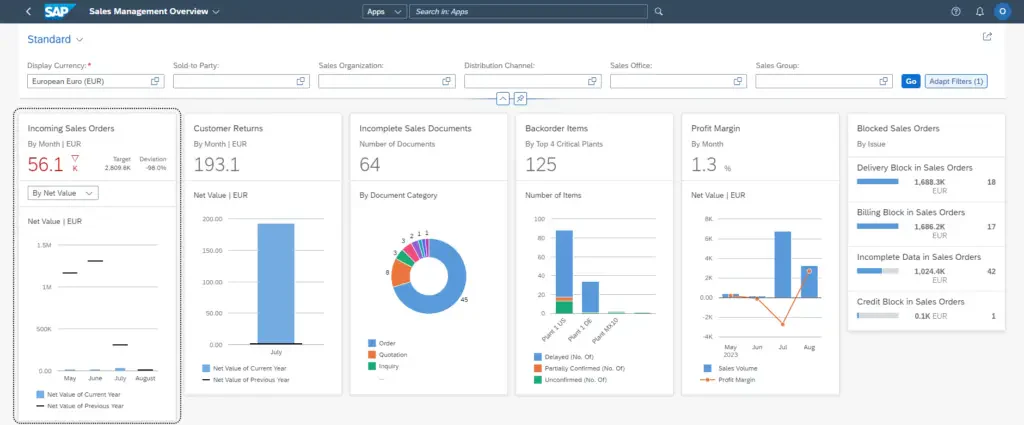
SAP S/4HANA Cloud for cash management brings cash positions, bank-account information, and liquidity forecasts into an ERP environment. SAP’s cash-management page describes analysis of actual cash flows and future liquidity trends.
It is most relevant to organizations already operating SAP and seeking cash planning within that system.
Features:
Cash-position analysis
Liquidity forecasting
Bank-account visibility
ERP-linked cash information
Why we chose it: SAP for businesses that want to evaluate forecasting within an existing SAP finance and treasury environment.
Pricing: Available upon request; confirm the deployment edition, licence, configuration, and implementation scope.
Pros | Cons |
|
|
How to Choose Cash Flow Forecasting Software for Your Business
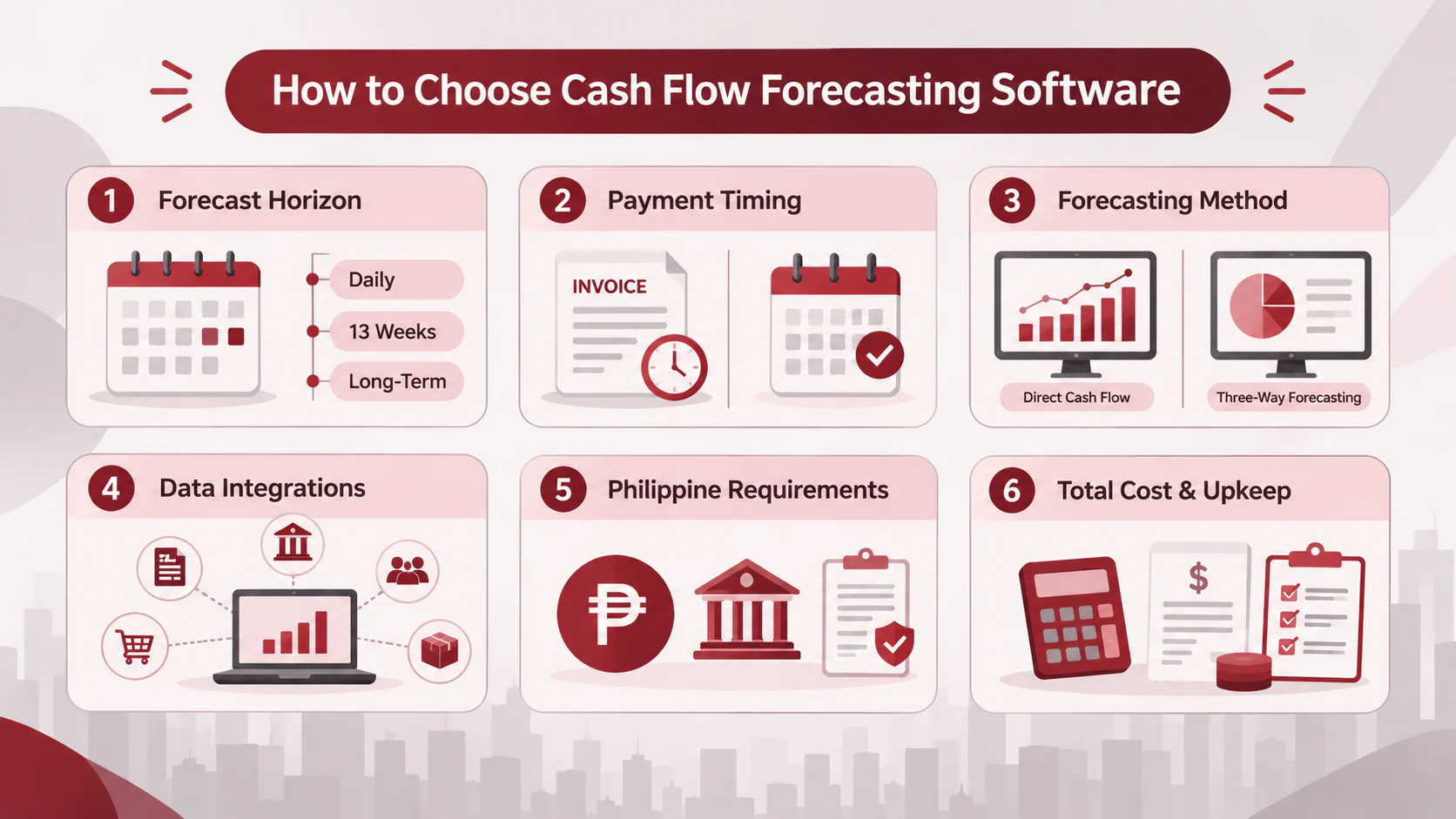
supports accurate, practical cash flow planning.
Businesses should consider how each platform fits their financial workflows, data sources, and reporting requirements. The following factors can help narrow down the options and identify a solution that supports accurate cash flow planning and the right financial reporting.
1. Start with the decision and forecast horizon
A daily view helps answer whether next week’s obligations are covered. A rolling 13-week forecast helps manage collections, payroll, supplier payments, and working capital over a quarter. Monthly or multi-year models support financing, expansion, and capital decisions. Choose the horizon your team will review and update, rather than the longest one advertised.
2. Test payment timing with your own records
Ask a vendor to move a large customer receipt 30 days later and show the resulting balance. Then move a supplier payment forward. The forecast should make both effects clear. Test overdue invoices, partial payments, recurring expenses, and planned transactions that have not yet entered the ledger.
3. Match the method to the finance workflow
Direct forecasting tracks expected cash receipts and payments, making it useful for near-term liquidity. Three-way forecasting connects profit and loss, balance sheet, and cash flow for broader planning. Some teams need both views. The choice should follow the questions management asks and the data the finance team can maintain.
4. Confirm integrations and refresh behavior
List the accounting platform, banks, payment systems, payroll, procurement, inventory, and spreadsheets that currently hold relevant data. Ask which connections are native, how often they refresh, and what happens when a sync fails. A demonstration with sample Philippine transactions is more useful than a general integration list.
5. Check Philippine operating requirements
Confirm PHP reporting, any required multi-currency treatment, Philippine bank connections, support hours, data handling, and the exact package offered locally. If BIR compliance is also a priority, review the requirements for a BIR computerized accounting system and request a demonstration of that separate workflow. Cash forecasting alone does not establish Philippine tax compliance.
6. Compare total cost and upkeep
Include subscriptions, implementation, data migration, users, entities, integrations, training, and support. Estimate the work needed to review forecasts each week. A lower software fee offers limited value if staff must manually rebuild the forecast or cannot explain its assumptions.
Conclusion
The right cash flow forecasting software helps a team make a specific decision with a forecast it can keep current. Built-in accounting views serve simpler needs. Dedicated planners add more control over cash timing and scenarios. FP&A and treasury systems support longer-range or multi-entity decisions.
For Philippine businesses that want cash visibility connected to accounting and wider operations, evaluate accounting software using your own receivables, payables, and reporting requirements. Compare the demonstrated package with the other tools on your shortlist before choosing a platform.
For a closer look at how the system works, schedule a free demo with HashMicro. Explore its cash flow forecasting capabilities, see how financial data connects across business operations, and discuss which features best fit the company's requirements.

FAQ about Cash Flow Forecasting Software
It is software that estimates future receipts, payments, and cash balances using financial records and planning assumptions. Unlike a historical cash flow statement, a forecast changes when expected collection dates, supplier payments, or planned expenses change. It helps teams see potential cash gaps before obligations fall due.
Accuracy depends on complete records and realistic assumptions. A connected tool can reduce manual entry, but it cannot know exactly when every customer will pay. Reconcile balances, review overdue invoices, and compare previous forecasts with actual cash movement to identify which assumptions need improvement.
It is a rolling, week-by-week estimate of receipts, payments, and closing cash over the next 13 weeks. Finance teams use it for near-term decisions involving collections, payroll, suppliers, and financing. After each week, actual results replace estimates and a new future week is added.
Yes. Many products use open customer invoices and unpaid supplier bills as starting inputs. The forecast becomes more useful when users can adjust expected dates to reflect actual customer and supplier behaviour. Check whether the tool also accounts for partial payments, recurring costs, and planned transactions.
It can be enough for a business that needs a basic short-term view and maintains reliable accounting records. A dedicated forecasting tool becomes more valuable when the team needs multiple scenarios, detailed payment assumptions, longer horizons, or group-level planning. Compare those added capabilities with their cost and upkeep.