







Philippine businesses need workforce insights that explain rising overtime, vacant positions, and the budget impact of hiring additional employees. When attendance, payroll, and headcount data sit in separate systems, HR teams must combine the records manually before they can recommend the right action.
Choosing HR analytics software can be difficult because products solve different problems. Some focus on operational reporting, while others connect data across systems or support workforce planning scenarios for hiring, labor costs, and headcount changes.
This article compares six options, including HashMicro, Visier, Workday, SAP SuccessFactors, Oracle Fusion Cloud HCM, and Zoho People. It evaluates each platform by its workforce decisions, documented capabilities, product dependencies, and the questions businesses should ask before choosing a solution.
Key Takeaways
The right HR analytics software depends on the workforce decisions a business needs to make, from tracking attendance and overtime to comparing hiring scenarios.
Operational HR systems, dedicated people analytics platforms, and workforce planning tools serve different needs, so Philippine businesses should compare their payroll data, PHP support, branch structures, and employee access controls.
Total cost includes subscriptions, additional modules, integrations, data migration, training, support, and ongoing report maintenance.
What Is HR Analytics Software?
HR analytics software turns employee data into insights that help businesses evaluate workforce conditions and make informed HR decisions.
An HRIS stores employee records and manages HR processes, while reporting summarizes figures such as active headcount and overtime hours. Analytics identifies patterns in that data, and workforce planning uses those insights with business assumptions to compare future staffing requirements.
For example, reporting may show rising overtime, analytics may reveal links to absenteeism or vacant positions, and workforce planning may compare hiring, scheduling, or workload redistribution scenarios. For a broader definition, read HashMicro’s guide to what HR analytics is.
HR Analytics and Workforce Planning Comparison
| Software | Documented capability | Relationship to workforce planning | Confirm before buying |
|---|---|---|---|
| HashMicro HRM | HR analytics, attendance, overtime, payroll, and labour cost by cost centre in the referenced HMX capabilities | Operational information for reviewing workforce capacity and costs | Philippine package scope and scenario modelling availability |
| Visier | People analytics and dedicated workforce planning offerings | Connects workforce insights with scenarios and cost planning | Required products, data sources, and integrations |
| Workday | Adaptive Planning for workforce planning | Supports headcount, cost, and hiring-timeline modelling | Required products, licenses, and integrations |
| SAP SuccessFactors | Reporting and intelligence options within the SAP ecosystem | SAP Analytics Cloud can support workforce planning | Additional licenses and solution architecture |
| Oracle Fusion Cloud HCM | Workforce Modeling Analytics | Assesses headcount and salary-cost effects of organisational changes | Access rights, model coverage, and cost components |
| Zoho People | HR reporting and Zoho Analytics integration | Provides information that can support planning activities | Planning depth and synchronisation frequency |
The key distinction is what happens after information is found. Viewing a headcount trend is different from changing hiring assumptions, calculating the effect, and maintaining an approved workforce plan.
6 HR Analytics Software Options for Workforce Planning
Selecting among HR analytics platforms requires comparing how each product handles workforce data, planning scenarios, integrations, and ongoing ownership. The six options below serve different business needs, so use your priority workforce decisions and a consistent demo scenario to assess which one fits your organization.
1. HashMicro HRM Solution

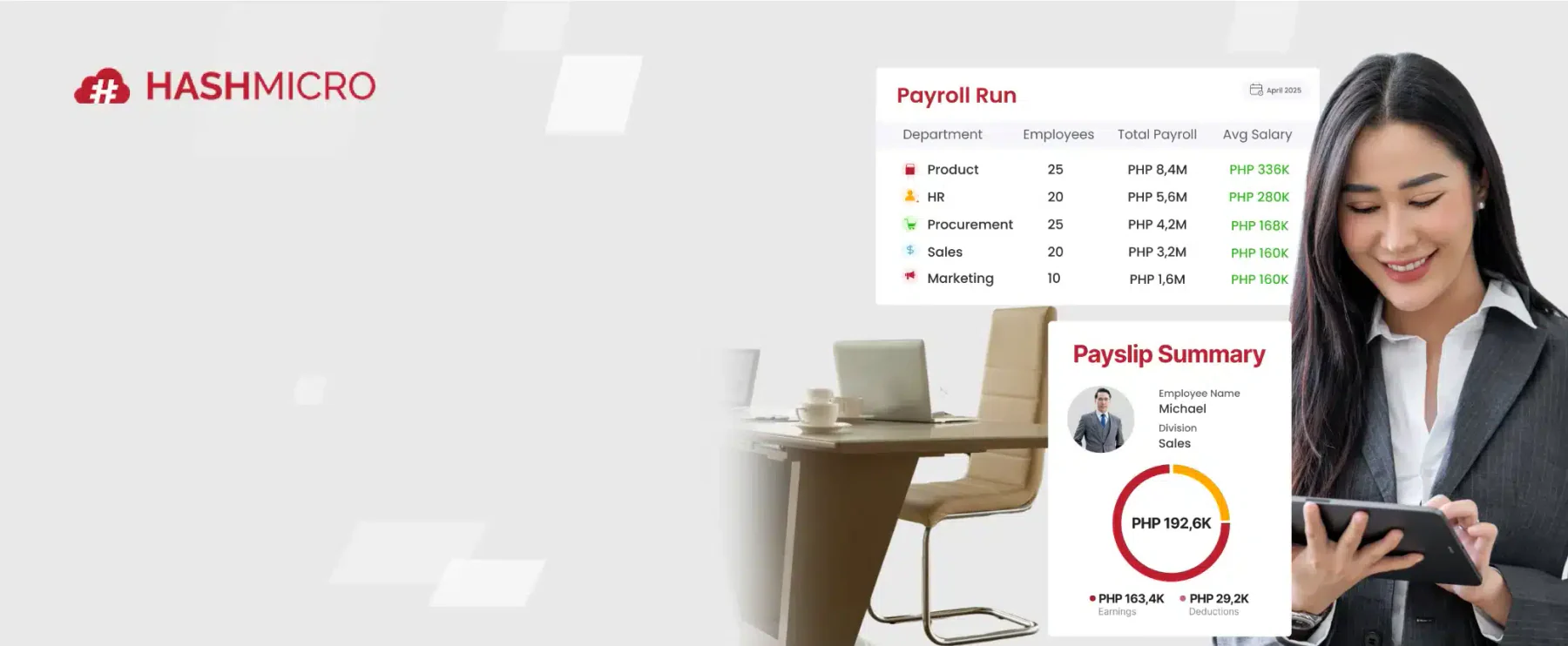
HashMicro HRM brings employee, attendance, leave, overtime, and payroll information together for day-to-day workforce decisions. This makes it relevant to Philippine businesses that want HR reporting connected to their operational processes.
HashMicro’s internal HMX demo reference lists HR Analytics and Labor Cost per Cost Center. These capabilities provide a useful starting point for evaluating overtime and labor costs by business unit, although buyers should confirm what their proposed package includes.
A practical demonstration should answer a specific question, such as whether rising overtime calls for more staff, a schedule change, or a different workload distribution. Businesses that need to compare multiple hiring plans should also verify whether scenario modeling is available in the proposed setup.
Best for: Businesses that want to analyze attendance, overtime, payroll, and labor costs alongside HR operations.
Pricing: Custom quote.
Key features:
- Attendance tracking and overtime reporting helps teams examine work patterns before changing schedules or headcount.
- Payroll and labor cost analysis supports reviews of workforce spending by business unit or cost center.
- Employee and leave records provide context for staffing and availability decisions.
- HR Analytics helps managers assess workforce data drawn from HR processes.
| Pros | Cons |
|---|---|
| Connects attendance, leave, overtime, and payroll information used in operational decisions. | The capabilities included in a Philippine commercial package need to be confirmed in the proposal. |
| Lists Labor Cost per Cost Center in the internal HMX demo reference. | Multi-scenario workforce planning is not established by the cited HRM and demo references. |
2. Visier
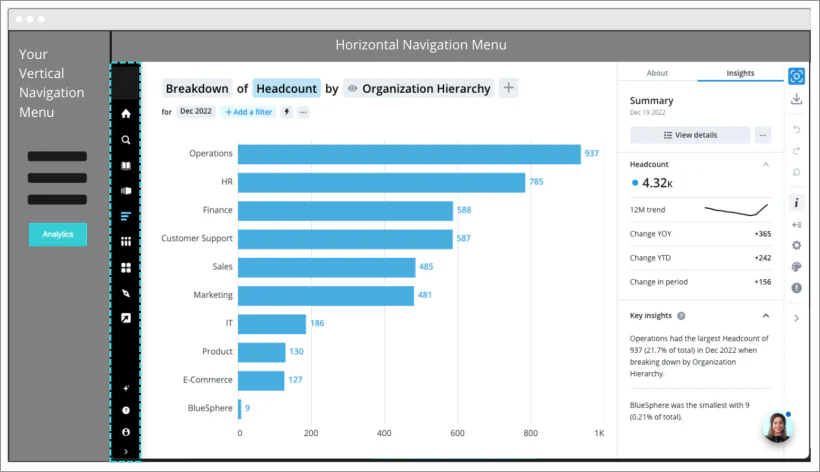
Visier offers dedicated people analytics and workforce planning products for organizations that need to analyze workforce information from multiple sources. Its value depends on whether those sources can produce a consistent view of employees, positions, and workforce changes.
Its workforce planning offering supports the exploration of staffing scenarios and their costs. Buyers should define measures such as active employees and vacant positions before a demonstration, then confirm which Visier products and integrations are needed to compare plans with actual results.
Best for: Organizations combining workforce data from multiple systems to support people analytics and planning.
Pricing: Request a quote covering the required products, integrations, and implementation.
Key features:
- People analytics brings workforce measures together for analysis.
- Workforce planning supports comparisons of staffing assumptions and costs.
- Scenario exploration helps teams examine how changes to hiring plans affect projected outcomes.
| Pros | Cons |
|---|---|
| Offers both people analytics and workforce planning products. | Buyers must establish consistent metric definitions across their source systems. |
| Supports analysis across multiple workforce data sources. | The products and integrations needed for planning must be identified in the proposal. |
3. Workday
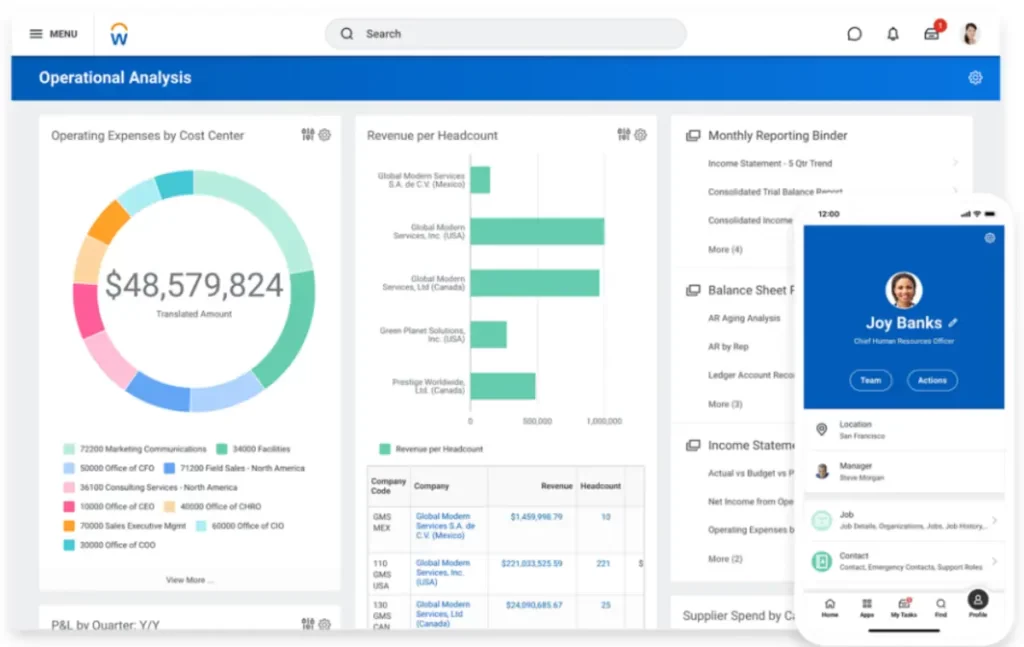
Workday is relevant to companies that want workforce decisions to inform financial planning. Buyers should distinguish its HCM and analytics capabilities from the workforce planning functions provided through Adaptive Planning.
Workday’s workforce planning materials describe planning for headcount, salary, benefits, hiring timelines, and scenarios. A useful demonstration would delay a planned hire and show which cost periods change, who can update the assumptions, and which team will maintain the model after implementation.
Best for: Companies that need to connect headcount planning with workforce budgets.
Pricing: Request a proposal that identifies the products, licenses, and implementation services required.
Key features:
- Headcount planning models planned positions and hiring dates.
- Compensation planning incorporates salary and benefits assumptions.
- Scenario comparison shows how changes to workforce plans affect projected costs.
| Pros | Cons |
|---|---|
| Addresses both workforce requirements and their financial effects. | HCM, analytics, and Adaptive Planning should be scoped as distinct capabilities. |
| Supports comparisons of hiring timelines and planning scenarios. | Planning models require ongoing ownership as structures and compensation assumptions change. |
4. SAP SuccessFactors
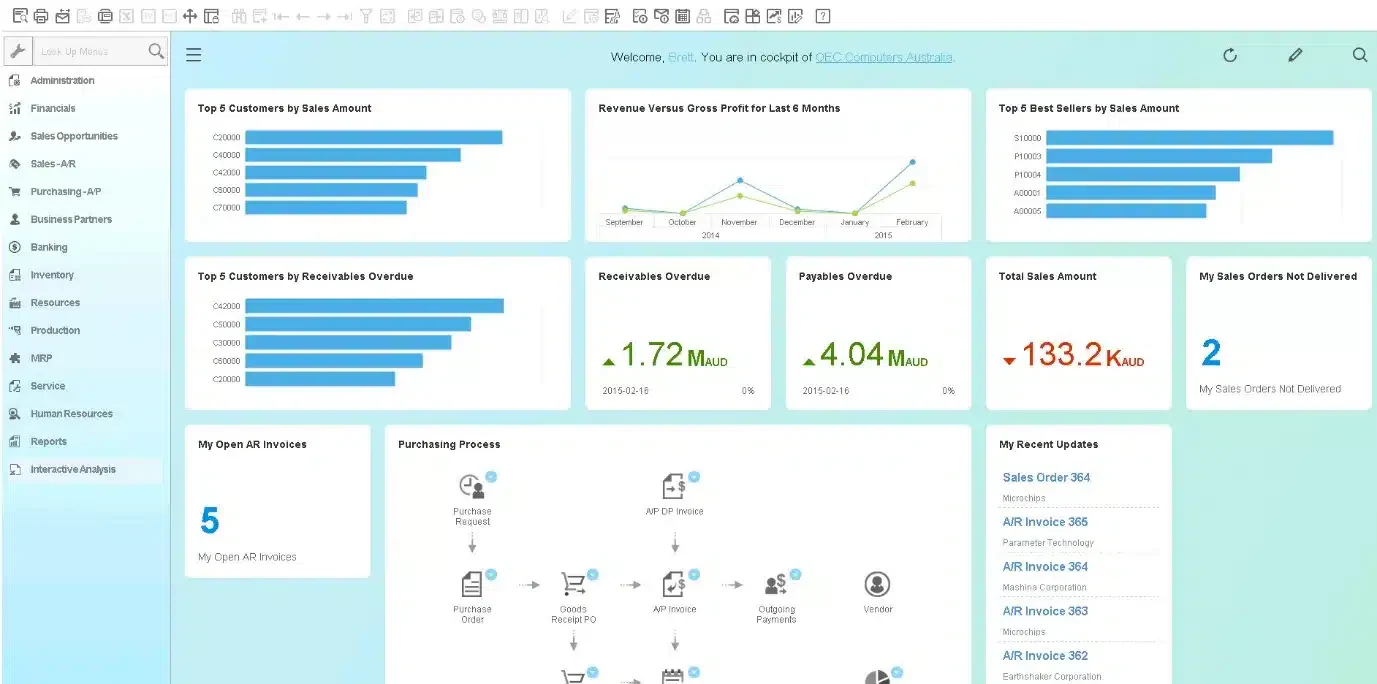
SAP SuccessFactors is worth evaluating for organizations already using, or considering, the SAP ecosystem. The central question is how the proposed solution will connect HR reporting with broader workforce analysis and planning.
SAP distinguishes SuccessFactors reporting from capabilities delivered through other products, including SAP Analytics Cloud. Buyers should ask for a design that names each component and demonstrates how branch workforce plans align with financial budgets using consistent metric definitions.
Best for: Organizations evaluating HR analytics and workforce planning within the SAP ecosystem.
Key features:
- HR reporting provides information from SuccessFactors processes.
- Workforce analysis helps teams examine staffing measures across the organization.
- Planning integration can connect workforce assumptions with budget processes when the required components are included.
| Pros | Cons |
|---|---|
| Gives SAP users a path to evaluate HR reporting alongside wider planning needs. | Reporting, analytics, and planning may require different products or licenses. |
| Allows workforce and finance teams to test a shared planning workflow. | The proposed integration and responsibility for maintaining metric definitions need to be specified. |
5. Oracle Fusion Cloud HCM

Oracle Fusion Cloud HCM includes Workforce Modeling Analytics for reviewing proposed organizational changes and their effects on headcount and salary costs. It is relevant when managers need to examine a transfer or staffing change before approving it.
Oracle’s documentation specifies that Projected Worker Cost uses annualized salary information and that assignments outside a user’s access permissions are excluded from related analytics. A demonstration should show how users recognize incomplete projections when they can model a transfer but cannot view every affected salary or assignment.
Best for: Organizations evaluating the headcount and salary effects of proposed workforce changes.
Key features:
- Workforce modeling examines proposed organizational and staffing changes.
- Headcount analytics shows the projected effect of those changes on staffing.
- Projected Worker Cost uses annualized salary information in cost projections.
| Pros | Cons |
|---|---|
| Supports analysis of proposed changes before they are implemented. | Projected Worker Cost is based on annualized salary rather than every component of workforce cost. |
| Documents how salary data and access permissions affect model outputs. | Security restrictions can exclude assignments from a user’s analytics view. |
6. Zoho People
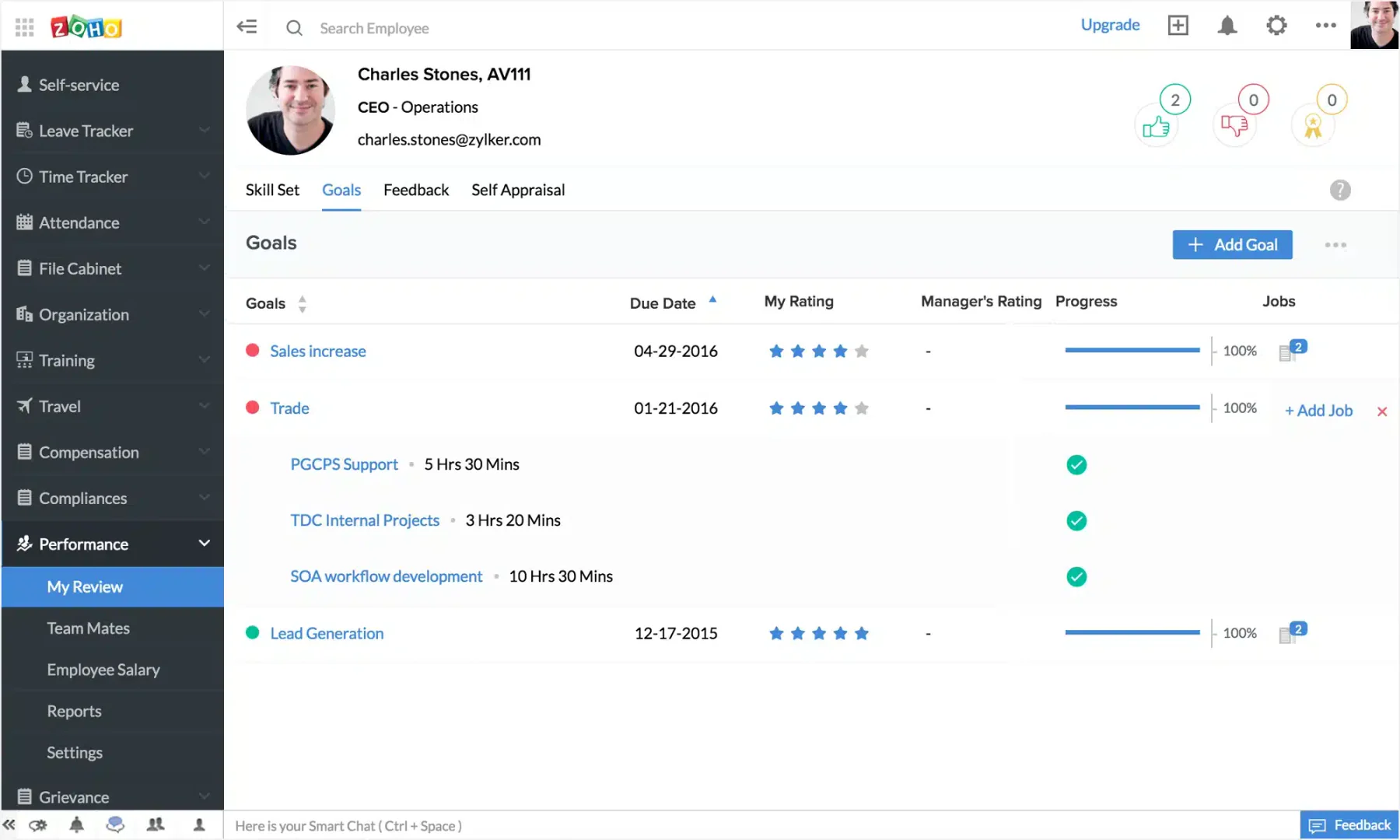
Zoho People provides HR reporting that businesses can extend through Zoho Analytics to create customized reports and dashboards. It is a potential fit for teams whose main need is to understand workforce activity rather than build formal hiring scenarios.
The timing of attendance data matters. Zoho People’s documentation states that certain attendance analytics services do not support daily synchronization and instead synchronize after the configured payroll period ends. Buyers should test whether that refresh cycle suits their reporting needs and confirm what additional tools would be required for workforce planning.
Best for: Businesses that need HR dashboards and periodic workforce reporting.
Key features:
- HR reporting summarizes information recorded in Zoho People.
- Zoho Analytics integration supports customized reports and dashboards.
- Attendance analytics provides attendance data according to the applicable synchronization cycle.
| Pros | Cons |
|---|---|
| Supports customized HR dashboards through Zoho Analytics. | Certain attendance analytics services do not offer daily synchronization. |
| Provides documented attendance data synchronization behavior that buyers can assess against their needs. | Dashboards alone do not establish a workflow for building, approving, and comparing hiring scenarios. |
Which Software Fits Your Workforce Planning Needs?
Choosing workforce planning software requires matching the platform to the decisions your HR and finance teams need to make. Define the main workforce challenge first, then compare each product using real data, planning scenarios, integration requirements, and implementation needs.
- Start with the main workforce decision: Identify whether the priority is consolidating attendance, overtime, and payroll data, analyzing information across systems, or comparing headcount, labor cost, and hiring scenarios.
- Prioritize operational data consistency: Include HashMicro and Zoho People when HR teams still consolidate workforce data manually, subject to each product’s scope and package.
- Evaluate dedicated people analytics platforms: Consider Visier when existing systems contain the required records but teams need a consistent workforce view across applications.
- Assess documented planning capabilities: Evaluate Visier, Workday, SAP, or Oracle when the main requirement is comparing hiring timelines, headcount, and labor cost scenarios.
- Compare ecosystem extension with new software: Businesses already committed to a specific platform should compare integration, data quality, switching costs, and internal technical resources before selecting another product.
- Build the shortlist around real decisions: Use one or two high-value workforce questions during vendor demonstrations to assess practical fit beyond feature counts.
What Philippine Businesses Should Check Before Buying and During a Demo
Before comparing vendors, Philippine businesses should confirm that each platform fits local payroll requirements, workforce structures, data protection obligations, and daily decision-making processes. A consistent demonstration using the same overtime and hiring scenario will reveal whether the software can produce reliable insights, support planning decisions, and protect sensitive employee information.
Verify Philippine Workforce Settings
Check Philippine peso support, payroll periods, legal entities, branches, departments, and cost centers. These settings should reflect the company’s actual workforce structure and reporting requirements.
Confirm Local Payroll Coverage
Request evidence that the proposed configuration supports BIR, SSS, PhilHealth, and Pag-IBIG requirements. Do not assume that a payroll module covers every local obligation simply because it is part of an HR platform.
Define Workforce Cost Components
Confirm whether projections include base salary, benefits, employer contributions, allowances, and recruitment costs. Different cost definitions can produce significantly different workforce planning results.
Review Data Protection Controls
Assess how the software applies transparency, legitimate purpose, and proportionality when processing employee data under the Philippine Data Privacy Act. Check whether the vendor provides appropriate controls for sensitive HR and salary information.
Test the Same Overtime Scenario
Ask every vendor to demonstrate how the system handles increased overtime in one business unit and a request for additional staff. A consistent scenario makes it easier to compare each platform’s data sources, calculations, and planning workflow.
Verify Data Sources and Refresh Rates
Check where attendance, payroll, and headcount data come from, how often they refresh, and whether metric definitions match approved records. The results should be traceable to reliable source data before they support workforce decisions.
Review Workforce Breakdowns and Scenarios
Request analysis by business unit, period, and cost center, then change the hiring date or number of positions to assess scenario modeling. Review how the changes affect projected costs, how the scenario is saved, and how it is compared with actual results.
Test Approvals, Permissions, and Exports
Confirm whether users can create, review, approve, and trace decisions back to source data. Test permissions and exports to ensure individual salary information is restricted while authorized users can access useful aggregated results.
Conclusion
Choose HR analytics software based on the workforce decisions your business needs to improve. Consistent operational data helps teams understand current conditions, while workforce planning capabilities support scenario comparisons and future hiring decisions.
For Philippine businesses, suitability also depends on integrations, local payroll requirements, data access, security controls, and total cost. Use the same demonstration scenario for every vendor so each platform can be evaluated against comparable evidence.
Discuss your HR data sources, workforce processes, and analytics goals with our team. Get a free consultation to explore how HashMicro can support your workforce planning needs.

Frequently Asked Questions
An HRIS manages employee records and HR processes. HR analytics software processes that information to identify patterns and support decisions. One product may provide both capabilities, but the depth of analytics should be verified through its metrics, data sources, and analysis functions.
Yes. Headcount, attendance, overtime, and labour cost data can support workforce planning. However, scenario comparison and approved-plan management require additional capabilities that are not automatically included in every reporting product.
Choose based on the workforce decisions to be supported, existing systems, data quality, and implementation services. If payroll is included, also verify local payroll requirements. Market location alone is not enough to determine product suitability.
It depends on the vendor and package. Ask for a clear separation between reporting, analytics, and scenario modelling. The written proposal should identify the required products, integrations, configuration work, and responsibilities.
Cost depends on product scope, users, integrations, and implementation. Compare total cost of ownership for equivalent requirements. Do not use the price of a basic HR package as an estimate when analytics or workforce planning products are also needed.