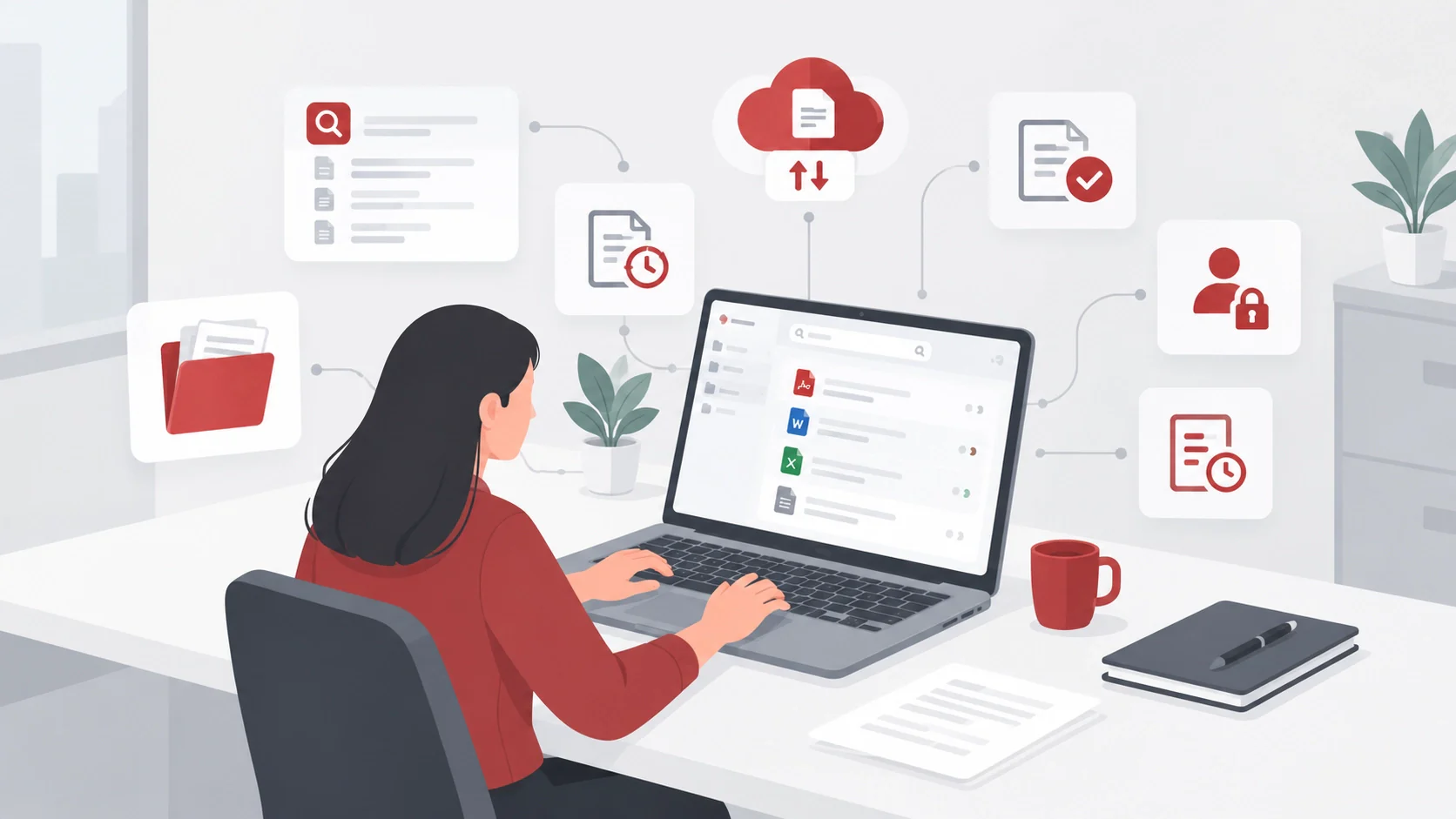









Walk into many offices, factories, or school gates in the Philippines and you will still see the same scene: a paper logbook, a pen tied to a string, and a guard or receptionist calling the host to say someone is waiting. It works, but it is slow, and the records are hard to look up later.
A visitor management system is software that records, verifies, and manages the people who enter a facility, from the moment an invitation is sent to the moment they leave. This guide explains what a visitor management system is, how it works, which features matter, and what it can do for your business. It also covers data privacy for visitor records in the Philippines and how to choose a system that fits your site.
Key Takeaways
A visitor management system (VMS) replaces the paper logbook with a digital process for inviting, checking in, tracking, and checking out visitors.
The basic flow has five steps: pre-registration, check-in, host notification, badge or access, and check-out with a record.
The main benefits are clearer accountability, faster check-in, less front desk work, and searchable visitor records.
The right system depends on your type of site, your visitor volume, and the features you actually need.
What Is a Visitor Management System?
A visitor management system is software that records who enters a facility, who they are visiting, when they arrived, and when they left. It replaces the paper logbook with a digital process that can also notify the host, print a badge, and keep visitor records in one place.
It is often confused with two other tools. A paper logbook records only a name and a time, with no notifications and no quick way to search. An access control system manages entry for people who belong in the building, such as employees and tenants, through cards, PINs, or biometrics. A visitor management system focuses on temporary guests: clients, interview candidates, contractors, delivery drivers, and event attendees. Many sites use both, with the VMS handling guests and access control handling staff.
You will also see the term "visitor management software." In practice, the two terms are used interchangeably. If you are ready to compare specific products, see our guide to the best visitor management software in the Philippines.
How Does a Visitor Management System Work?
Most systems follow the same five steps, even though the interface and features differ.
1. Pre-registration
A host, such as an employee or tenant, invites the guest in advance. The guest receives an email or message with the visit details and often a QR code. Pre-registration is optional, and walk-in visitors can still be registered at the entrance.
2. Check-in
On arrival, the guest checks in at a kiosk, a tablet, or the front desk. They confirm their name, company, and purpose of visit. Depending on the setup, the system can also take a photo, scan an ID, or ask the guest to sign a document such as a non-disclosure agreement.
3. Host notification
Once the guest checks in, the system notifies the host by email, SMS, or chat message. The front desk no longer has to make calls to find the right person, and the guest does not wait without knowing what is happening.
4. Badge and access
The system can print a visitor badge showing the guest's name, photo, host, and date. In some setups it can also grant temporary access, such as a QR code that opens a turnstile or door for the length of the visit.
5. Check-out and record
When the guest leaves, they check out at the kiosk, or the front desk marks the visit as complete. The system keeps a full record, including arrival time, departure time, host, and purpose of visit. The log can be searched and exported when needed.
Key Features of a Visitor Management System
Features differ by product, so use this list as a starting point for your own requirements.
Pre-registration: hosts invite guests ahead of time, and guests receive their visit details.
Digital check-in: guests register themselves on a kiosk or tablet, or the front desk registers them.
Host notification: hosts are notified by email, SMS, or chat when a guest arrives.
Badge printing: visitor badges are printed with name, photo, host, and date.
ID capture: a photo or scan of the guest's ID is taken at check-in when the site requires it.
Watchlist or blocklist: the system flags people who should not be allowed in.
Document signing: guests sign NDAs, safety rules, or other forms on screen.
Reporting and logs: visit history can be searched, filtered, and exported.
Integrations: the system can connect with email, calendars, access control, or other business software.
Not every tool offers all of these. A small office may only need pre-registration, check-in, and host notification, while a factory may need ID capture, safety documents, and contractor tracking more.
Benefits of a Visitor Management System
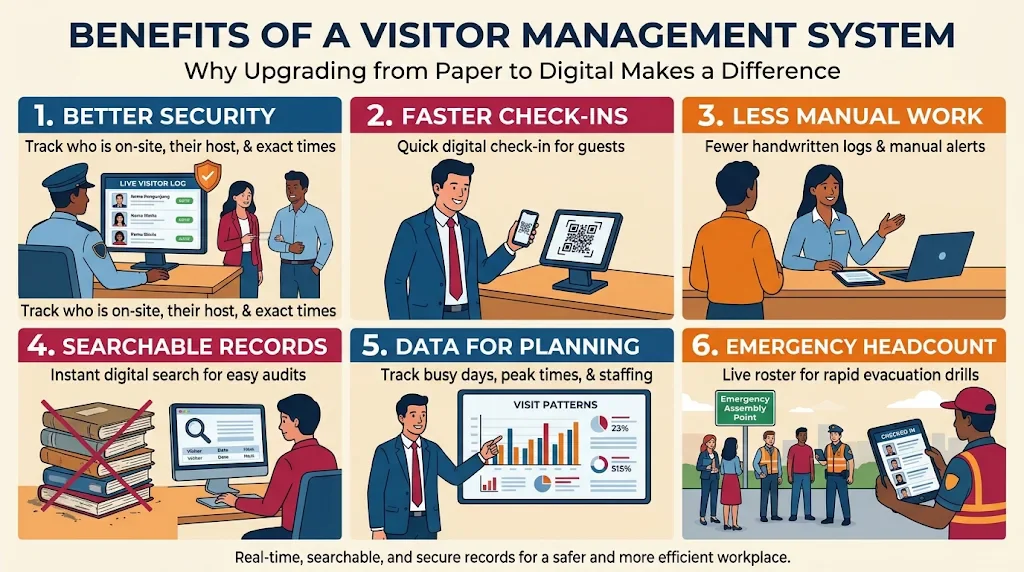
Paper sign-in sheets are slow to search, easy to misread and visible to anyone who walks past. Moving to a digital system addresses these gaps and brings a few practical benefits.
Better security and accountability
With a digital record, you know who is on site, who they are meeting, and when they came and went. That visibility helps security teams and administrators answer basic questions quickly, without flipping through handwritten pages.
Faster, more professional check-in
Pre-registered guests can check in within moments, without queuing behind others to write their details by hand. For clients and job candidates, a smooth arrival also shapes their first impression of your company.
Less manual work at the front desk
Receptionists and guards spend less time writing names, calling hosts, and copying logbook entries into spreadsheets. They can focus on welcoming people and handling exceptions.
Organized, searchable visitor records
Instead of a stack of logbooks, you get one searchable record. You can look up visits by date, host, or company, which is useful for audits, internal reviews, and everyday follow-ups.
Useful data for planning
Visit logs show patterns, such as the busiest days, which departments receive the most guests, and how long visits usually last. Facilities and admin teams can use this to plan staffing, meeting rooms, and parking.
Easier headcount in emergencies
When a site needs to confirm who is inside, a live list of checked-in visitors is simpler than rebuilding one from a paper logbook. It is a practical complement to your existing emergency procedures.
Visitor Management System vs Paper Logbook
| Aspect | Paper logbook | Visitor management system |
|---|---|---|
| Check-in speed | Guests write their details by hand | Pre-registration or QR scan |
| Host notification | Front desk calls or messages the host | Automatic notification |
| Record search | Flip through pages | Digital search and filters |
| Data privacy control | Earlier entries may be visible to the next guest | Role-based access and retention rules |
| Reporting | Manual summaries | Built-in reports |
A paper logbook can still be enough for a very small site with few visitors. As visitor volume grows, or when you need better records and privacy control, the difference becomes clearer.
Who Needs a Visitor Management System?
Any site that receives guests regularly can benefit, although the needs differ.
Corporate offices and coworking spaces: clients, interview candidates, and vendors arrive every day, and hosts need to be notified right away.
Factories and warehouses: contractors, drivers, and auditors may need to sign safety rules and be tracked while on site.
Schools and universities: parents, suppliers, and guests need to be registered, and schools may want to control who enters the campus.
Hospitals and clinics: visitors may be limited to certain areas or hours, and records help staff manage visiting policies.
Buildings, condominiums, and malls: property management teams handle many guests, deliveries, and service providers across multiple tenants.
Your site size and type decide which features you need. An office with one entrance and a multi-tenant building have very different requirements.
Data Privacy and Visitor Records in the Philippines
Visitor records often include names, phone numbers, photos, and sometimes ID details. These are personal data, so how you collect, store, and share them matters. In the Philippines, the handling of personal data is governed by the Data Privacy Act of 2012 (Republic Act No. 10173), which is overseen by the National Privacy Commission.
As a general practice, organizations collect only the data they need, tell visitors why it is collected, limit who can view it, and set a clear retention period. A digital system makes these controls easier to apply than a paper logbook, where every page can be read by the next person who signs in.
This section is general guidance, not legal advice, so confirm your specific obligations with your data protection officer or legal counsel. A broader compliance checklist can also help you track these duties alongside other regulatory requirements.
This section is general guidance, not legal advice, so confirm your specific obligations with your data protection officer or legal counsel. A broader <a href="https://www.hashmicro.com/ph/blog/compliance-checklist/">compliance checklist</a> can also help you track these duties alongside other regulatory requirements.
How to Choose and Implement a Visitor Management System
Start from your own entrance, not from a feature list. The steps below cover how to choose a system that fits your site and how to roll it out with a simple, low-risk plan.
1. Decide how guests will check in
Start by deciding whether guests will use a self-service kiosk, a tablet at the front desk, or both. A kiosk suits busy lobbies where guests can check themselves in, while a staffed tablet works better when you want a personal greeting. Pick the option that matches how your entrance actually runs, not the one with the longest feature list.
2. Choose how hosts get notified
Check whether the system notifies hosts by email, SMS, or chat. Fast notification matters because guests should not wait at reception while someone looks for their host. Match the channels to the tools your team already checks during the day.
3. Decide whether you need badges and ID capture
Some sites require printed badges and ID scans, and others do not. Badges make visitors easy to recognize and help security spot anyone who should not be there, while ID capture adds a verified record of who entered. Decide which of the two your site policy requires before you compare vendors.
4. Check how much pre-registration matters
If you receive many scheduled guests, pre-registration saves the most time. Guests can be invited ahead of the visit and checked in within moments on arrival, which shortens queues at reception. If most of your visitors are walk-ins, this feature matters less and can rank lower on your list.
5. Confirm how visitor data is protected
Visitor logs hold personal data, so ask how the system protects it. Look for access roles that limit who can view records, retention settings that delete data on schedule, and clear answers on where the data is stored. These controls make it easier to align the tool with your internal policy and data privacy requirements.
6. Review what it integrates with
Look for connections to your email, calendar, or access control. Integrations like these reduce the manual steps between systems, such as re-entering meeting details or matching a visit to entry permissions. Fewer manual steps mean fewer errors and less work for the front desk.
7. Test how easy it is for staff to use
A system that confuses your front desk team will not be used consistently. Ask for a demo or trial and have the people who greet visitors every day run a check-in themselves. If they can handle a walk-in and a check-out without help, the tool is likely simple enough to stick.
8. Confirm local support and pricing
Confirm that the vendor is available in the Philippines and offers local support. Ask for a quote in pesos so you can compare real costs instead of converted estimates. Also check support hours, because help is most valuable during your busiest reception periods.
9. Map your current visitor flow
Begin by noting how guests arrive, who receives them, and where information is recorded today. This map shows which steps the new system should replace and where delays or gaps appear. It also gives you a baseline to compare against after the rollout.
10. Decide what data to collect
Limit collection to what you actually need, such as a name, company, and host. Set how long records will be kept and who can see them before the first guest checks in. Collecting less data keeps the log simpler to manage and reduces risk.
11. Start with one entrance
Test the process at one site or reception area before expanding. A single entrance lets you spot problems, such as confusing screens or slow check-ins, while the impact is still small. Use what you learn to adjust settings before rolling out to other locations.
12. Train the front desk and security team
Make sure they know how to handle walk-ins, exceptions, and check-out. Check-out is easy to skip, yet it is what keeps the on-site record accurate. Short hands-on practice with real scenarios helps the team use the system consistently from day one.
Once you know your requirements, our comparison of visitor management software in the Philippines can help you build a shortlist.
Conclusion
A visitor management system gives you a clear, searchable record of who enters your site, helps hosts and front desk teams work faster, and makes it easier to protect visitor data than a paper logbook does. The right choice depends on your type of site, your visitor volume, and the features you actually need. When you are ready to compare tools, start with our guide to visitor management software in the Philippines.
Businesses that already use an ERP can also keep visitor records alongside their other operational data, with access roles and retention rules. HashMicro's Visitor Management Software, the publisher of this guide, provides ERP software for businesses in the Philippines and can show how visitor records could fit into your existing setup.
FAQ
A visitor management system is software that records, verifies, and manages the people who enter a facility. It typically covers pre-registration, check-in, host notification, badge printing, check-out, and a searchable log of every visit.
A host invites the guest, the guest checks in at a kiosk or the front desk, and the host is notified. The system can print a badge, and when the guest leaves, the visit is checked out and stored as a record.
A visitor management system handles temporary guests, from invitation to check-out. Access control manages entry for people who belong in the building, such as employees and tenants. Many sites use both together.
We have not found a specific legal requirement to use one. However, the Data Privacy Act of 2012 applies to the visitor records you collect, so you must handle them according to that law, whatever tool you use.
Yes. A small office can use a simple setup with pre-registration, check-in, and host notification. You do not need every feature, so choose a tool that matches your visitor volume.
Protection depends on the system and how you configure it. Common measures include role-based access, limits on the data collected, and retention rules that delete records after a set period. Ask each provider how it handles these controls.