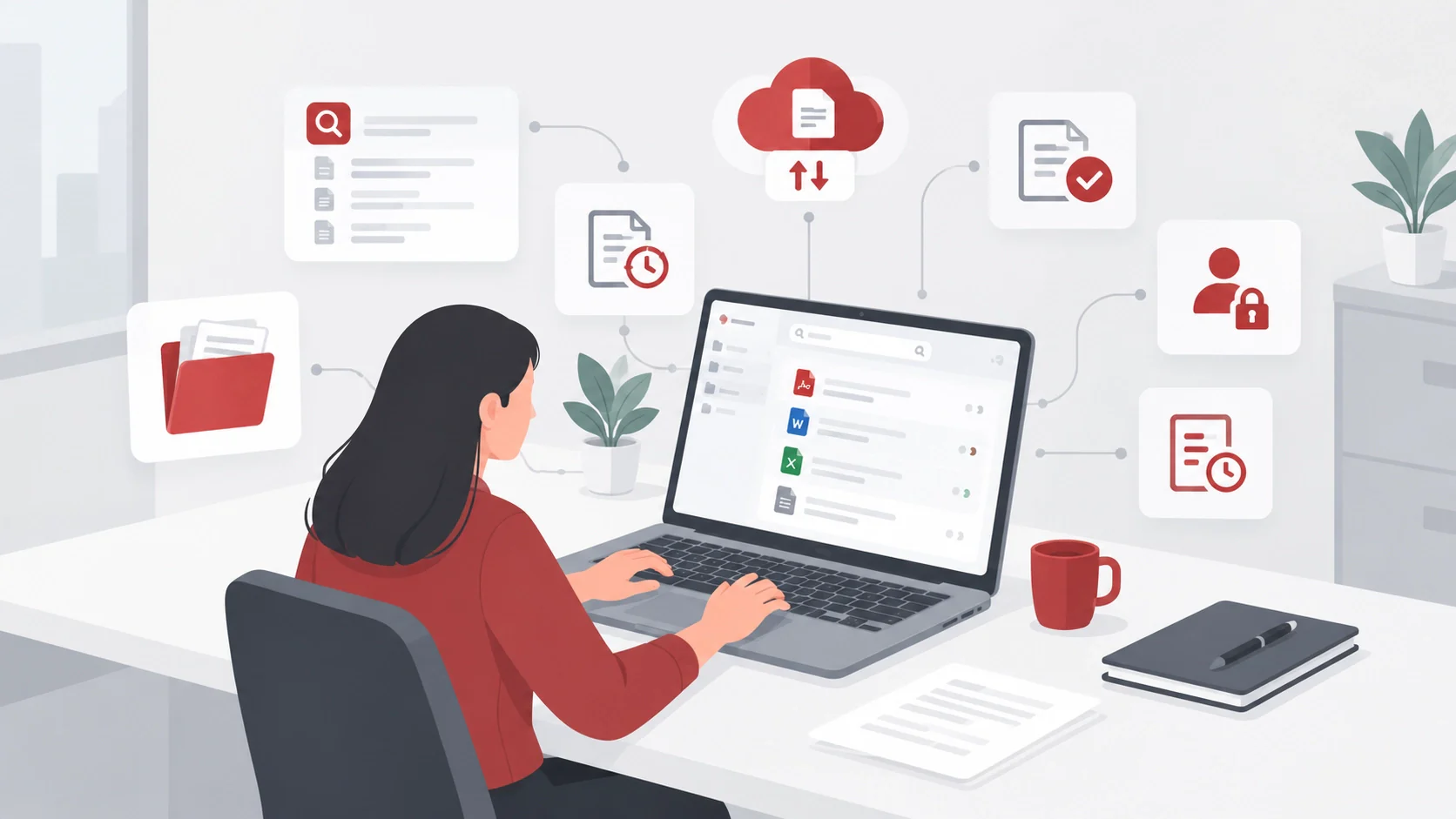









Every office, factory and condominium has the same small problem at the front door: who just walked in, who are they here to see, and when did they leave? A paper logbook answers part of that. It is slow at peak hours, hard to search, and easy to misread.
Visitor management software replaces the logbook with a digital check-in flow. Visitors register on a tablet, kiosk or phone, hosts get notified, and every visit is stored in a searchable record. This guide compares 10 options that Philippine businesses can shortlist, explains how we evaluated them, and shows how to choose and roll out the right one.
Key Takeaways
Visitor management software digitizes check-in, host notification and visit records, so front desks no longer depend on paper logbooks.
The right choice depends on your site type. A single office, a multi-tenant building and a school campus need different features.
Compare each tool on check-in methods, host notification, badge printing, integrations, reporting and data handling, not only on price.
What Is Visitor Management Software?
Visitor management software is a system that records and controls who enters a facility. In a typical flow, a host invites a guest ahead of time and the guest receives a QR code or a link (pre-registration).
On arrival, the visitor signs in on a tablet, kiosk or phone, and some systems also capture a photo, scan an ID, or ask the visitor to accept a notice or agreement. The host is then alerted by email, chat or SMS, so the visitor does not wait at the desk. When the visitor leaves, the visit is closed and stored, so you can search the record by date, name or host later.
Some products also cover deliveries, contractor sign-in, watchlists, parking and meeting room booking. You may not need all of that, which is why your use case matters more than the feature count. A small office that only needs a clean check-in and a searchable log will be well served by a simple tool, while a site with contractors and strict access rules will look for more control.
Visitor management software can be used across many types of sites. Corporate offices and coworking spaces use a visitor management system to receive clients and interviewees every day, while factories, warehouses and construction sites use it to know who is on site, including contractors. Schools, hospitals and government offices rely on it for an orderly sign-in when visitor volumes are large, and condominiums and office towers use it where many tenants share one lobby.
How We Evaluated These Tools
We scored each tool against nine criteria. Where a public source could not confirm a feature, we marked it "Not confirmed" instead of guessing.
Check-in methods: tablet, kiosk, QR code, mobile app, ID scan
Pre-registration: whether hosts can invite guests ahead of time
Host notification: channels and speed
Badge printing: on-site printing and badge design
Integrations: calendar, chat, access control, directory
Reporting: visit logs, exports, search
Data handling: retention settings, deletion, access roles
Availability in the Philippines: local support, pricing in pesos, vendor presence
Ease of rollout: setup time and training effort
We did not run hands-on tests of every product. Treat this as a shortlisting guide, then confirm details through a demo or trial. Some vendors are global products, so local availability, pricing in pesos and support hours should be confirmed with each vendor before you buy.
The 10 Best Visitor Management Software for Philippine Businesses
The tools below cover different site types, from small offices with one front desk to multi-tenant buildings and industrial sites. Each profile explains what the software does, who it suits best, and what to check before you commit, so you can narrow your shortlist to the two or three that match your visitors.
1. Envoy: Best for Corporate and Multi-Site Offices
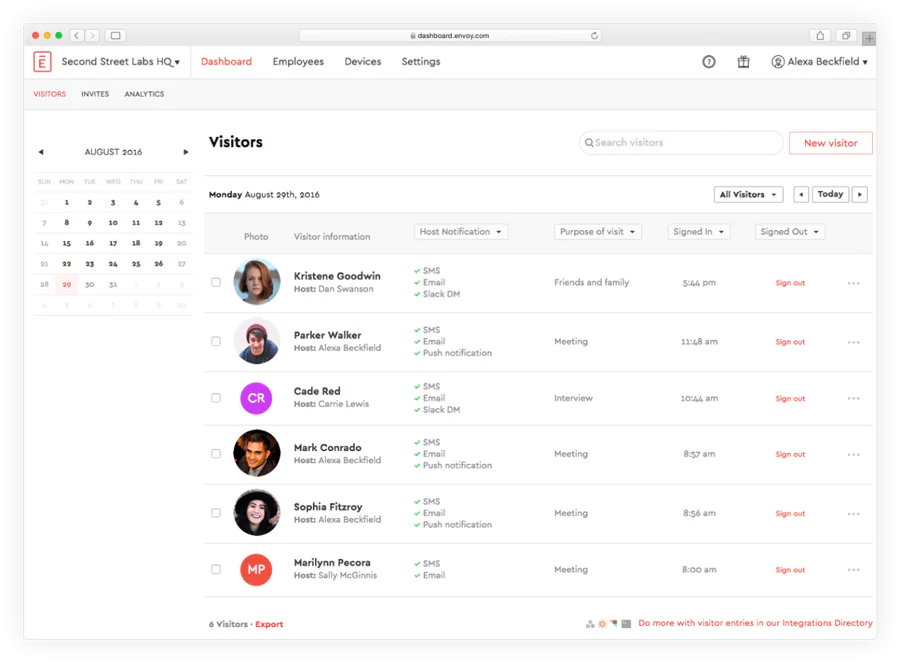
Envoy is one of the best-known visitor management platforms for offices. Guests check in on a tablet, hosts are notified right away, and the front desk no longer has to relay messages by phone. It can also collect signed documents such as non-disclosure agreements during check-in and print visitor badges.
Envoy suits companies with several offices that want one consistent check-in experience and central records. It also offers related workplace tools, such as package tracking and desk booking, which may matter if you want to consolidate vendors.
Key features:
Tablet check-in with instant host notification
Signed documents, such as non-disclosure agreements, collected at check-in
Visitor badge printing
Central records across multiple offices
Related workplace tools, including package tracking and desk booking
Best for: Companies with several offices that want one consistent check-in experience and central records.
| Pros | Cons |
|---|---|
| One consistent check-in flow and central records across sites | Pricing in pesos and local support hours are not confirmed |
| Related workplace tools can help consolidate vendors | Some features may sit in higher plans |
2. The Receptionist for iPad: Best for Small and Mid-Sized Offices
The Receptionist for iPad turns an iPad into a front-desk check-in station. Visitors enter their details, pick who they are visiting, and the host gets a notification. The product is designed to be simple, so a small office can set it up without a dedicated IT team.
It fits a single office or a few small sites that want a clean check-in flow and basic visit records without a long implementation. Teams that value a quick start over a long feature list will find the scope easy to manage.
Key features:
iPad-based check-in station
Visitors select their host from a list
Host notification on arrival
Basic visit records
Setup without a dedicated IT team
Best for: A single office or a few small sites that want a clean check-in flow without a long implementation.
| Pros | Cons |
|---|---|
| Simple to set up and use | Runs on iPad, so you need compatible hardware |
| Suits small teams with limited IT support | Integrations with chat and calendar tools are not confirmed |
3. Eptura Visitor: Best for Large Enterprises with Compliance Needs
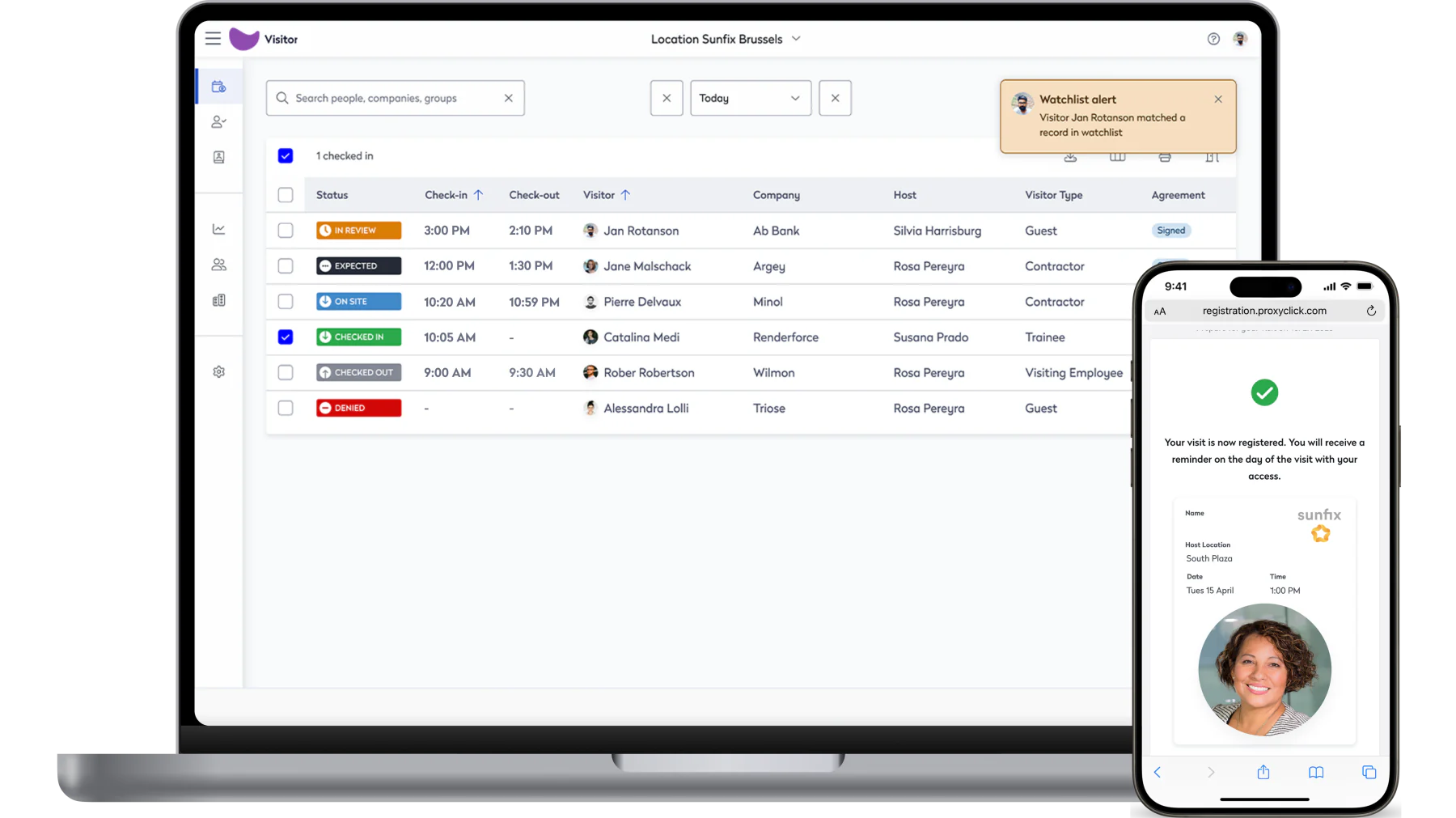
Eptura Visitor, previously known as Proxyclick, is built for larger organizations that care about process and data governance. It supports pre-registration, configurable check-in flows and integration with other workplace and security systems.
Large companies with strict internal policies, multiple buildings and a security or facilities team will find it easier to standardize on a platform like this. It is likely more than a small office needs.
Key features:
Pre-registration of guests
Configurable check-in flows
Integration with other workplace and security systems
Suited to multi-building organizations
Best for: Large organizations with strict internal policies, several buildings and a dedicated security or facilities team.
| Pros | Cons |
|---|---|
| Configurable flows support internal process and governance needs | Likely more than a small office needs |
| Integrates with other workplace and security systems | Implementation effort, access control integration and local support coverage in Philippine time zones are not confirmed |
4. Sine: Best for Offices and Industrial Sites with Mobile Check-In
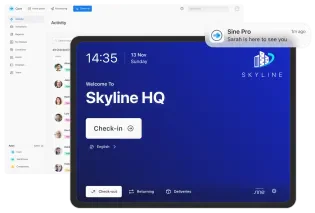
Sine supports check-in on a tablet or on a visitor's own phone. That makes it useful where a front desk is not always staffed, such as a warehouse gate, a construction site or an after-hours entrance.
It can handle employees, visitors and contractors in one ERP system, which helps when you need to know who is on site. Operations and facilities teams that manage mixed sites will find one record for everyone easier to review than separate logs.
Key features:
Check-in on a tablet or a visitor's own phone
One system for employees, visitors and contractors
Suits unstaffed entrances such as gates and after-hours doors
Best for: Offices and industrial sites, such as warehouses and construction sites, where the front desk is not always staffed.
| Pros | Cons |
|---|---|
| Mobile check-in works without a staffed desk | How inductions and safety acknowledgements are configured is not confirmed |
| One system covers employees, visitors and contractors | Local support options are not confirmed |
5. SwipedOn: Best for Small Businesses on a Budget
SwipedOn offers a straightforward sign-in experience on a tablet, with host notifications and badge printing available. Its focus on ease of use makes it a practical pick for small teams that want to leave paper behind without a big project.
It suits a single-site office, clinic or studio that needs the essentials. If your needs are simple, a lighter tool can cover them without the cost and effort of an enterprise platform.
Key features:
Tablet sign-in
Host notifications
Badge printing
Simple setup for small teams
Best for: A single-site office, clinic or studio that needs the essentials.
| Pros | Cons |
|---|---|
| Easy to use and quick to roll out | Plan limits are not confirmed |
| Covers the basics, including badge printing | Advanced features you want may sit in higher plans |
6. HashMicro: Best for Companies Keeping Visitor Records Inside an ERP
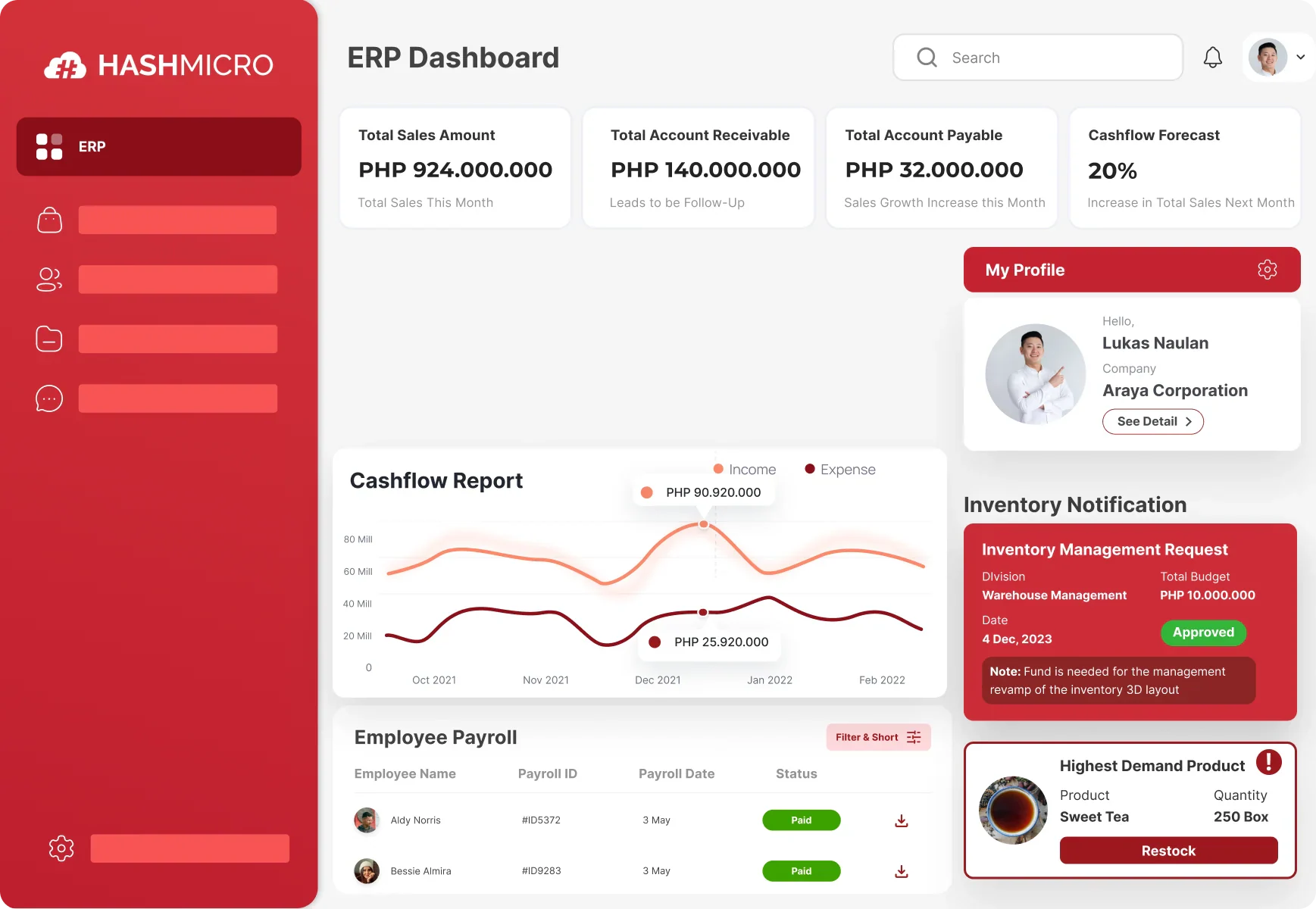
HashMicro is a smart ERP provider. Visitor Management Software from HashMicro can be a solution that digitizes visitor management, replacing traditional, time-consuming and error-prone methods in managing visitor data.
HashMicro describes a VMS as a solution that digitizes visitor management, replacing traditional, time-consuming and error-prone methods
In practice, user access roles can control who sees visitor-related records, and data retention rules can be set in line with your internal policy. This keeps visitor data under the same permissions and governance as the rest of your ERP records, which is useful if you want one place to manage who can see what.
We have not confirmed a dedicated kiosk, QR pre-registration, badge printing, host notification, ID scan or watchlist feature, so we do not claim them here. If you need a front-desk check-in experience with those features today, a dedicated tool from this list is the more direct fit. If you want visitor records to live beside the rest of your business data, speak with the HashMicro team about what can be configured.
Key features:
User access roles that control who sees visitor-related records
Data retention rules set in line with your internal policy
Visitor records kept in the same system as employee, access role and asset data
Dedicated kiosk, QR pre-registration, badge printing, host notification, ID scan and watchlist: Not confirmed
Best for: Companies that already run on a HashMicro ERP and want visitor records stored beside their other business data.
| Pros | Cons |
|---|---|
| Visitor records sit in the same system as employee, access role and asset data | Not a dedicated visitor management product |
| Access roles and retention rules follow your internal policy | Front-desk features such as kiosk, badge printing and host notification are not confirmed |
7. Greetly: Best for Touchless and Customizable Check-In
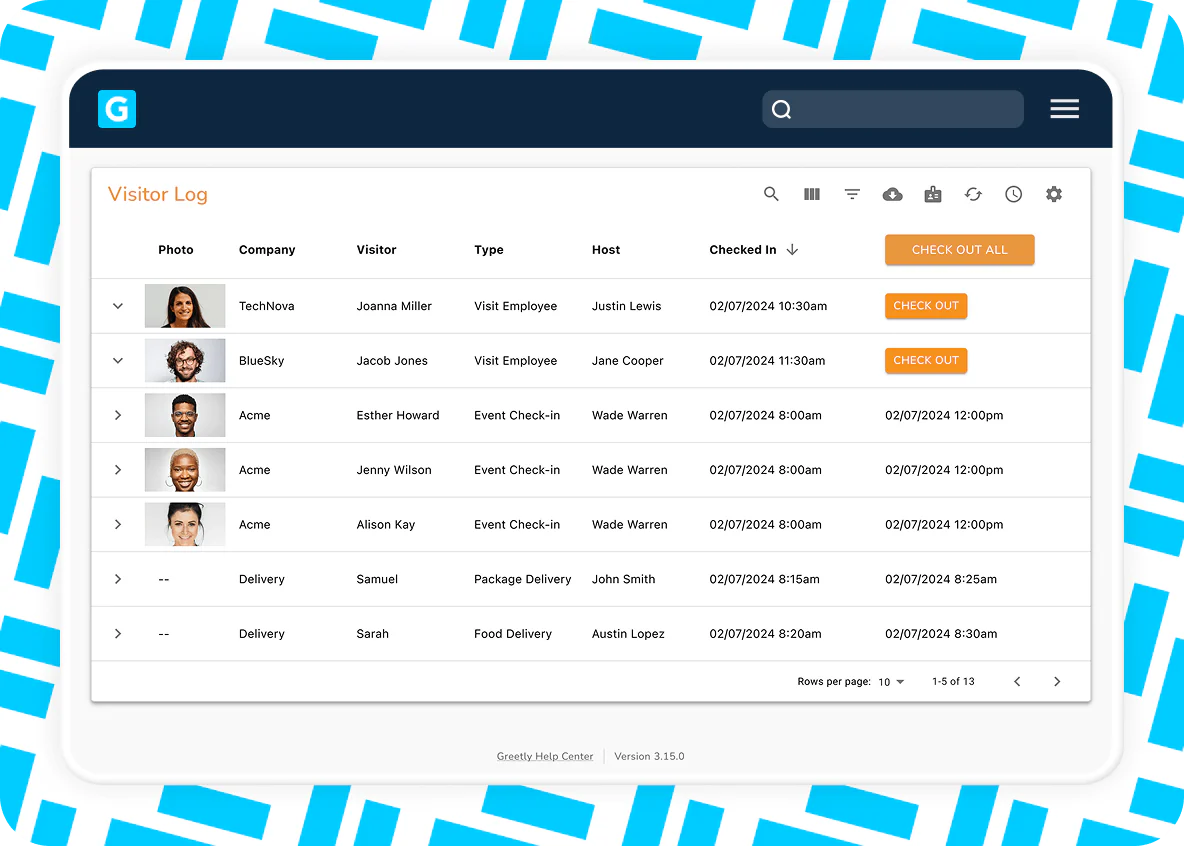
Greetly focuses on a customizable check-in experience, including touchless options where visitors use their own phone. You can adjust the check-in questions and flow to fit different visitor types, such as guests, interviewees and delivery staff.
It suits organizations that want the check-in flow to match their own process and branding, or that prefer a contact-free experience. Teams with several visitor types can set up a different path for each instead of forcing everyone through one form.
Key features:
Touchless check-in on the visitor's own phone
Customizable check-in questions and flow
Different paths for guests, interviewees and delivery staff
Best for: Organizations that want the check-in flow to match their own process and branding, or prefer a contact-free experience.
| Pros | Cons |
|---|---|
| Flexible flows for different visitor types | Hardware options are not confirmed |
| Touchless option reduces shared-device contact | Integrations and local support are not confirmed |
8. Sign In App: Best for Schools, Campuses and Simple Needs
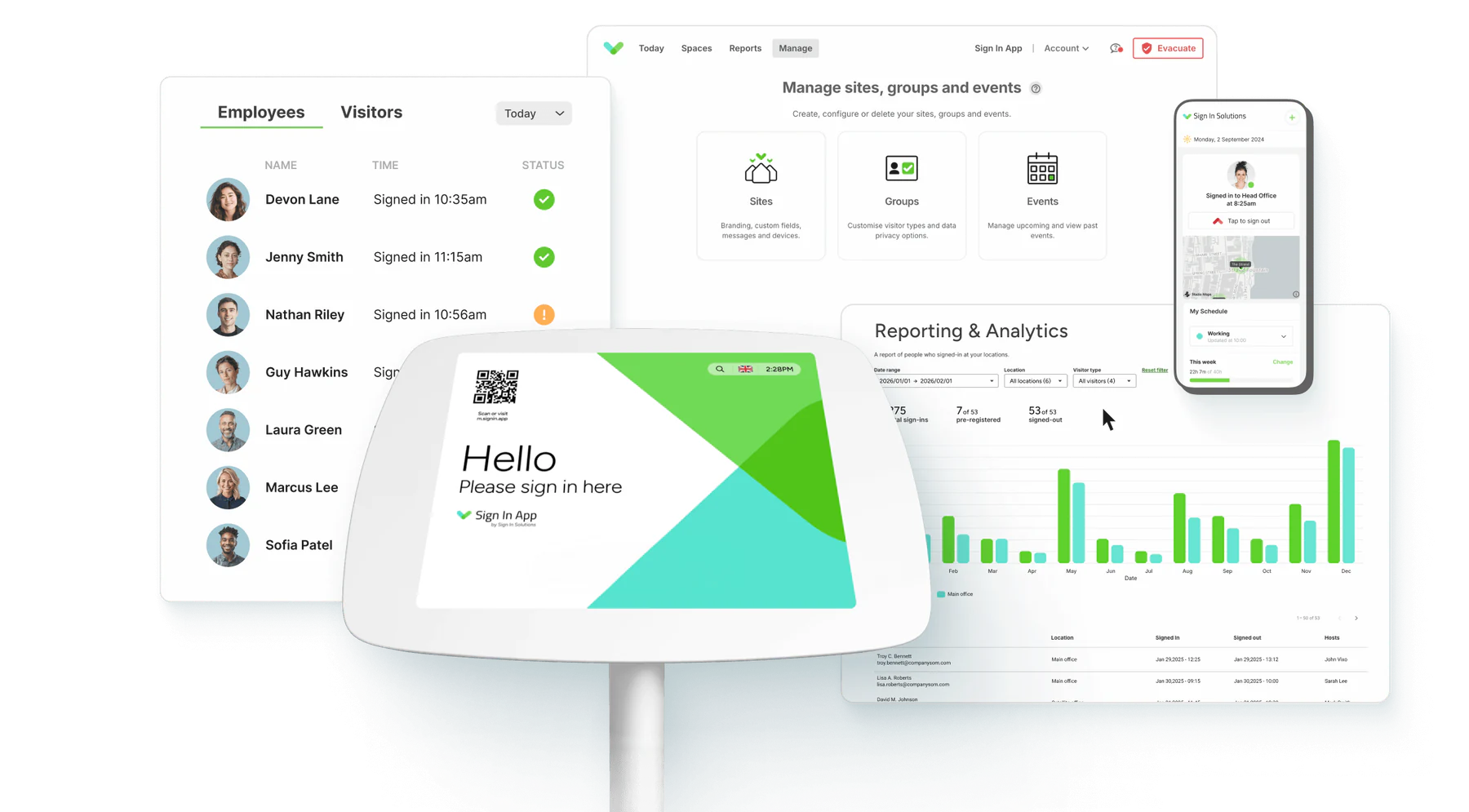
Sign In App covers visitor sign-in for workplaces and schools, with a focus on simple operation. Schools and campuses often need to know who is on the premises at any moment, and a clear digital record is easier to manage than a paper book at the gate.
It suits institutions and small organizations with straightforward needs. If your goal is a reliable sign-in record without a long feature list, a simple tool keeps training and rollout light.
Key features:
Visitor sign-in for workplaces and schools
Simple operation
Digital record of who is on the premises
Best for: Schools, campuses and small organizations with straightforward needs.
| Pros | Cons |
|---|---|
| Simple to operate | Current plan structure and limits are not confirmed |
| A digital record replaces the paper book at the gate | Handling of records for minors and staff, and local support, are not confirmed |
9. Lobbytrack: Best for Multi-Tenant Buildings and Complexes
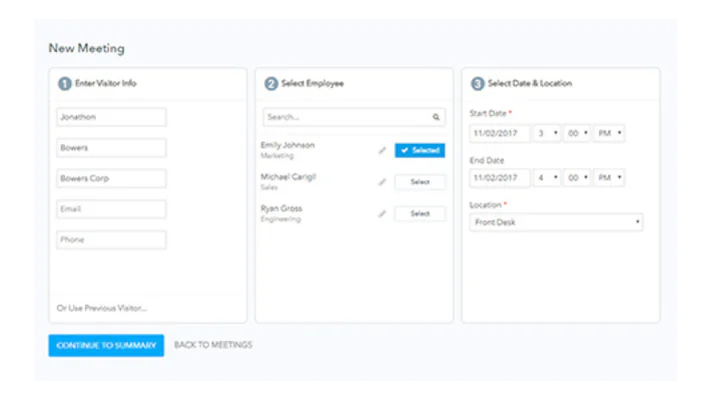
Lobbytrack is built around lobby operations. In a building where many tenants share one reception, the system needs to route each visitor to the right company and floor, and keep records that the building management can review.
That is where a lobby-focused product has an edge over a tool designed for a single office. Property and building managers who handle many tenants at one desk will care more about routing and review than about workplace extras.
Key features:
Lobby-focused visitor handling
Routing of visitors to the right company and floor
Records that building management can review
Best for: Office towers, business parks and condominium complexes with shared reception.
| Pros | Cons |
|---|---|
| Designed for shared reception and many tenants | How tenants are separated in the system is not confirmed |
| Records support building-level review | Deployment options and pricing in pesos are not confirmed |
10. VisitorOS: Best for Offices Needing Queues, Badges and Reports
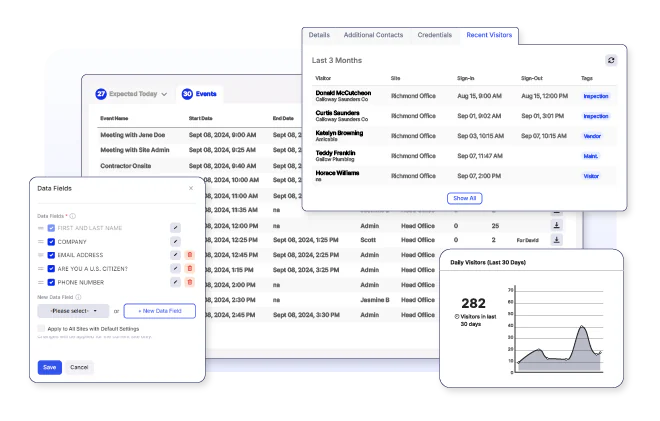
VisitorOS, previously known as iLobby, covers check-in, badge printing, visitor queues and reporting. If your front desk handles high volumes or you want regular reports on visitor traffic, a tool with queue and reporting features is worth a look.
It suits mid-sized to large organizations with busy reception areas and a need for structured reports. Facilities and security teams can use the reports to see peak hours and plan front-desk staffing.
Key features:
Visitor check-in
Badge printing
Visitor queues
Reporting on visitor traffic
Best for: Mid-sized to large organizations with busy reception areas and a need for structured reports.
| Pros | Cons |
|---|---|
| Queue and reporting features suit high-volume reception | Current product name and plan structure after the rebrand need confirmation |
| Reports help with staffing and traffic planning | Local support is not confirmed |
Full Comparison Table
| Software | Host notification | Badge printing | Pre-registration | Reporting |
|---|---|---|---|---|
| Envoy | Yes | Yes | Yes | Dashboards and visitor logs |
| The Receptionist for iPad | Yes | Yes | Yes | Visitor logs |
| Eptura Visitor | Yes | Yes | Yes | Yes, dashboard and visit trend analytics |
| Sine | Yes | Yes | Yes | Real-time visitor visibility |
| SwipedOn | Yes | Yes | Yes | Yes |
| HashMicro | Yes | Yes, automatic ID card with QR or barcode | Expected guests | Check-in/out records and visit data. |
| Greetly | Yes, email, SMS, and a call to the host | Yes, Pro plan only | Yes | Not confirmed |
| Sign In App | Yes | Yes | Yes | Yes |
| Lobbytrack | Yes | Yes | Yes | Yes |
| VisitorOS | Yes, SMS, email, Teams, Slack | Yes | Yes | Yes, scheduled reports |
How to Choose by Use Case
A single office with a staffed front desk. Start with a simple tablet-based tool such as The Receptionist for iPad or SwipedOn. Prioritize easy setup and host notifications.
- Several offices under one company: Look at Envoy or Eptura Visitor. Central records and consistent flows matter more than the lowest price.
- A factory, warehouse or construction site: Sine's mobile check-in suits unstaffed gates. Confirm how contractors and safety acknowledgements are handled.
- A multi-tenant building: Lobbytrack is designed around shared lobbies. Make sure tenants can be separated cleanly.
- A school or campus: Sign In App is a straightforward starting point. Check how staff, parents and minors are recorded.
- You already run an ERP: Ask whether visitor records can sit inside it. If you need a full kiosk experience, pair it with a dedicated tool.
Data Privacy and Visitor Logs in the Philippines
A visitor log contains personal data: names, contact details, sometimes photos or ID details. In the Philippines, handling personal data falls under the Data Privacy Act of 2012 (Republic Act No. 10173), overseen by the National Privacy Commission (NPC).
Practical habits that help:
Collect only what you need. If a name and host are enough, do not ask for more.
Tell visitors why you collect it. A short notice at check-in is good practice.
Set a retention period. Decide how long records are kept and delete them on schedule.
Limit who can view the log. Give access to those who need it, such as security and facilities.
Ask vendors where data is stored and how deletion requests are handled.
This is general guidance, not legal advice. Confirm your obligations with your data protection officer or legal counsel.
Conclusion
The right visitor management software depends on where your visitors arrive and what you must record about them. A small office needs a simple tablet flow. A multi-tenant building needs lobby routing. A factory needs mobile sign-in for contractors. Start by listing your visitor types, shortlist two or three tools, and run a pilot before committing.
If you want visitor records to sit inside the same system as the rest of your business data, get a free consultation with HashMicro team about what can be configured for your setup.
Frequently Asked Questions
Pricing varies by vendor, number of sites and features, and many vendors price in US dollars. Request a quote in pesos and confirm what is included.
Not always. Many tools run on a standard tablet. Some also support visitors checking in on their own phones.
Names and contact details are personal data, so the Data Privacy Act of 2012 applies to how you collect, store and delete them. Check with your data protection officer.
Some products integrate with access control. Ask each vendor which systems they support.
A simple tablet setup can be quick, while multi-site or integrated setups take longer. A pilot at one entrance helps you estimate.