








As the growing business hub in the Philippines, with SMEs and large enterprises thriving in industries like tourism and manufacturing, Cebu businesses need to implement accounting software.
With the Bureau of Internal Revenue (BIR) mandating businesses to use BIR-ready accounting software, choosing the right system ensures compliance and efficiency for your businesses, especially those in the Cebu area.
From handling invoices, expenses, and payroll to tracking assets and liabilities, an accounting solution tailored for Cebu-based businesses will streamline financial management. Explore the top accounting platforms used locally for your business.
Key Takeaways
An accounting system helps businesses manage financial records and transactions accurately.
Review 10 accounting software options suited to different business needs in Cebu.
Choose accounting software that supports financial management, tax compliance, and business needs.
An accounting system is a tool that automates financial transactions, bookkeeping, and tax reporting. It helps businesses track revenue, expenses, assets, and liabilities while ensuring financial accuracy. With the right software, companies can simplify accounting tasks and reduce human errors.
For businesses in Cebu, using BIR CAS-ready software ensures compliance with local tax laws while making tax filing more efficient. This helps businesses save time and keep organized records for audits. By adopting accounting software, Cebu-based businesses can focus more on growth and less on manually managing financial processes.
Benefits of Using Accounting Software

Accounting software provides numerous advantages that help businesses operate smoothly and comply with tax regulations. Whether you’re a small startup or a growing enterprise, having an efficient accounting system can significantly improve financial management and avoid accounting problems.
Here are some ways an accounting software could help your business:
- Compliance with BIR Regulations – Ensures accurate tax reporting and financial statements.
- Time and Cost Savings – Reduces manual work and prevents costly errors.
- Real-time Financial Insights – Helps business owners make data-driven decisions.
- Scalability – Adapts to business growth with additional features as needed.
- Integration with Other Business Tools – Works seamlessly with payroll, inventory, and CRM systems.
By implementing accounting software, businesses in Cebu can optimize financial processes, reduce human errors, and ensure seamless tax compliance. Investing in the right system also allows companies to focus on growth while keeping financial management efficient and stress-free.






Quick Comparison of the Best Accounting Software in Cebu
Each accounting software offers different features, capabilities, and pricing structures. The following quick comparison highlights the key differences between the options to help businesses identify which solution best fits their financial needs and operational requirements.
| Software | Key features | Pricing | Best for |
|---|---|---|---|
| HashMicro Accounting Software | Asset depreciation, PFRS-compliant reporting, automated tax calculation, budgeting | Custom quote | Businesses that want BIR-compliant accounting connected to inventory, CRM, and payroll |
| Prime Software | General ledger, AR/AP, cost centers, integrated sales and inventory modules | Custom quote | Growing companies that want finance and operations in one Philippine ERP |
| Microsoft Dynamics 365 Business Central | Financial management, partner withholding tax apps, Microsoft 365 integration | Approx. ₱5,100/user/month (Essentials); approx. ₱7,000/user/month (Premium) | Teams already using Microsoft 365 that can budget for partner apps |
| Odoo | Philippine chart of accounts and taxes, BIR 2307 data export, modular apps | Approx. ₱1,590/user/month (Standard, first year); approx. ₱1,985/user/month after year one | Businesses that start with accounting and add modules later |
| Advance IT Services | Double-entry general ledger, AR/AP, invoicing, BIR-ready reports, POS ecosystem | Custom quote | Small Cebu businesses that want accounting and POS from one local provider |
| Authentic System Solutions | Customizable reports, expense tracking, tax compliance, invoicing | Custom quote | Lending, real estate, and appliance dealers needing industry-fit accounting |
| Innosoft | Automated bookkeeping, tax compliance, invoicing, integrations | Custom quote | Trading businesses that need accounting with sales, payables, and warehousing |
| Accountable | Expense management, tax preparation tools, cash flow tracking | Custom quote | Hold until the product is confirmed |
| Fasttrack | Automated auditing tools, payroll, real-time monitoring, ERP integration | Custom quote | Mid-sized to large companies running SAP Business One |
| N-Pax | Automated financial management, regulatory compliance tools, cloud access | Custom quote | Larger companies, including Japanese-affiliated firms, needing accounting plus HRIS/payroll |
Top 10 Cebu Accounting Software Options
Previously, we’ve only simply covered the basics. Now, let’s dive deeper into why those 10 software are the best options for your business, especially those based in Cebu. Let’s start with the first one:
1. HashMicro Accounting Software
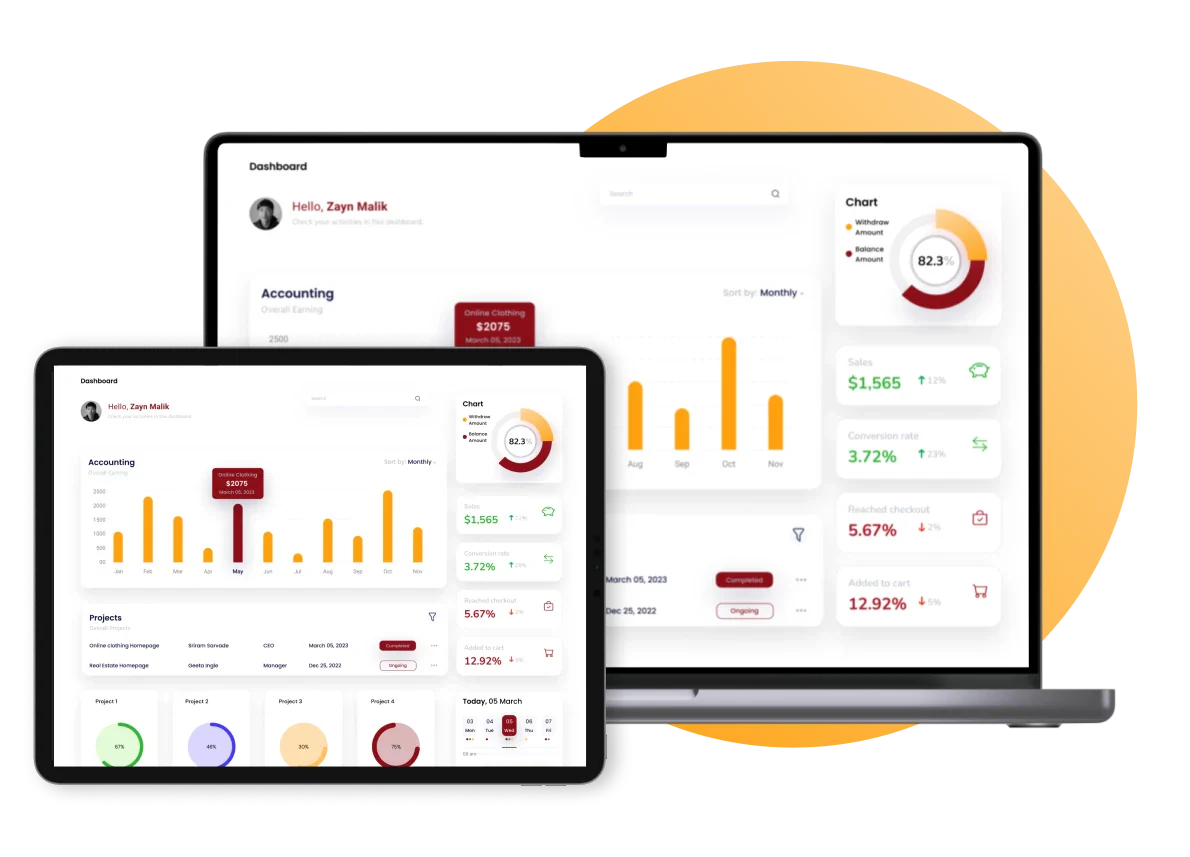
HashMicro Accounting Software is an accredited BIR accounting software designed to simplify financial management for businesses of all sizes. It helps companies track transactions, assets, liabilities, and expenses with precision, ensuring compliance with local regulations.
For businesses in Cebu, HashMicro is a game-changer. Its intuitive interface, combined with its powerful automation features, reduces human errors and speeds up financial processes. Whether you run a small startup or a large enterprise, HashMicro’s BIR-compliant system ensures you stay on top of tax obligations without the hassle.
Why choose us? This software automates tedious accounting tasks, allowing businesses to focus on strategic growth rather than manual data entry. It integrates seamlessly with other business tools like inventory management, CRM, payroll, and more.
HashMicro Accounting Software Features:
- Asset Database and Depreciation – Manage company assets, track depreciation, and generate accurate reports effortlessly.
- Client Monitoring Dashboard – Get a complete view of client transactions, invoices, and financial records in one place.
- PFRS-Compliant Financial Reporting – Generate detailed financial statements that align with Philippine Financial Reporting Standards.
- Financial Budgeting and Realization – Set financial goals, track expenses, and compare budgets with actual performance.
- Automated Tax Calculation – Ensure accurate tax computations and effortlessly stay compliant with BIR regulations.
- Profit and Loss with Templates and Budget Forecast – Gain insights into your financial health with customizable reports.
| Pros | Cons |
|---|---|
|
|

2. Prime Software
Prime Software is a Philippine ERP provider that bundles accounting with purchasing, inventory, sales, and reporting in one system. Its Prime ERP is positioned for businesses of different sizes that want finance and operations data in a single platform.
The Financial Management module covers the general ledger, accounts receivable, accounts payable, cost centers, and project tracking. It connects with the sales, inventory, and manufacturing modules, so transactions from those areas can post journal entries to the books. For companies that need a different setup, it also supports custom interfaces.
Why choose Prime Software? It brings accounting into the same system as day-to-day operations, so finance teams spend less time re-encoding data from other departments. Its connects with the sales, inventory, and manufacturing modules, and posts journal entries automatically through standard or custom interfaces.
Prime Software Features:
- General Ledger - Record and review financial transactions in one chart of accounts.
- Accounts Receivable and Payable - Track customer invoices and supplier bills in the same system.
- Cost Centers and Project Tracking - Allocate costs by department or project.
- Integrated Modules - Link sales, inventory, and manufacturing activity to accounting entries.
- Reporting and Analytics - Review financial and operational data from a single source.
| Pros | Cons |
|---|---|
|
|
Pricing: Custom quote.
Best for: Growing companies that want finance and operations in one Philippine ERP.
3. Microsoft Dynamics 365 Business Central
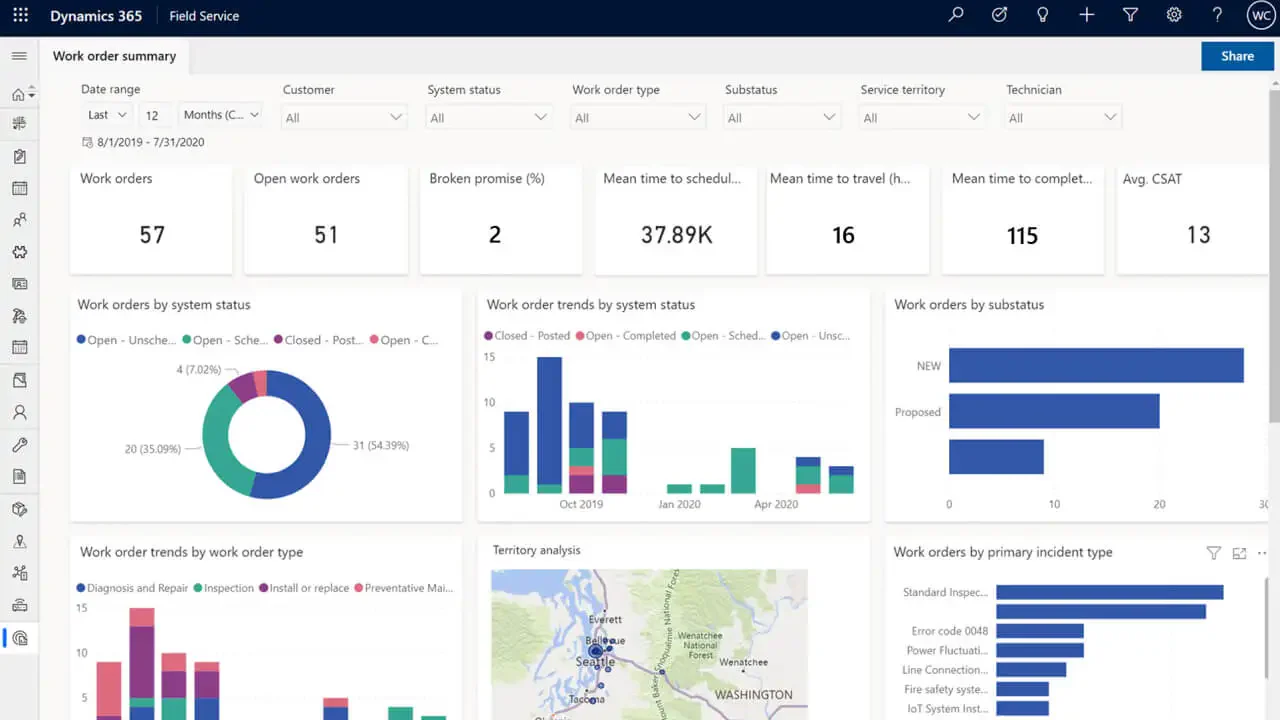
Microsoft Dynamics 365 Business Central is a cloud ERP for small and midsize companies that connects finance, sales, purchasing, and inventory. Many businesses consider it when they already use Microsoft 365 and want finance data to work alongside tools like Excel and Outlook.
It is built on the international (W1) version, and local compliance depends on the partner apps and implementation you choose. Available options include a Philippine withholding tax app that calculates expanded withholding tax and generates BIR Form 2307, a payroll pack covering SSS, PhilHealth, and Pag-IBIG contributions, and BIR CAS-ready solutions from some partners.
Why choose Microsoft Dynamics 365 Business Central? It reduces manual bookkeeping by keeping finance, sales, purchasing, and inventory in one cloud system. It also connects with familiar Microsoft tools like Excel and Outlook, and partner apps add Philippine payroll and withholding tax functions on top of the core accounting.
Microsoft Dynamics 365 Business Central Accounting Software Features:
- Financial Management – General ledger, receivables, payables, and financial reporting.
- Withholding Tax Apps – Partner apps that calculate expanded withholding tax and generate BIR Form 2307.
- Payroll Packs – Partner modules for SSS, PhilHealth, Pag-IBIG, and BIR withholding.
- Microsoft Integration – Works with Excel, Outlook, and other Microsoft tools.
- Partner-Delivered CAS Options – BIR CAS-ready setups available through selected partners.
| Pros | Cons |
|---|---|
|
|
Pricing: ₱5,100/user/month (Essentials)and ₱7,000/user/month (Premium).
Best for: Teams already using Microsoft 365 that can budget for partner apps.
4. Odoo
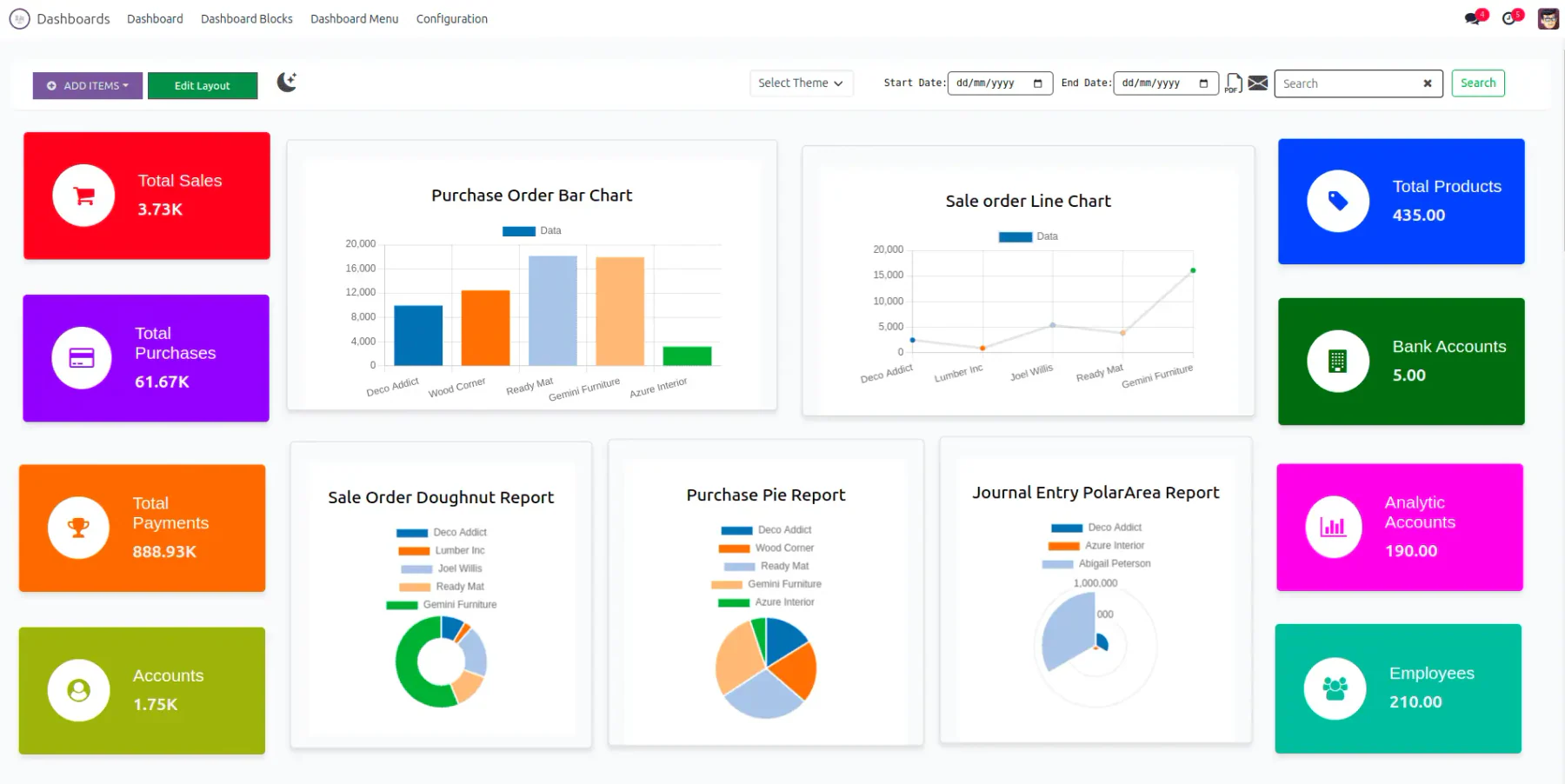
Odoo is a modular open-source business suite whose accounting app can be combined with sales, inventory, and other apps. It is often shortlisted by businesses that want to start with accounting and add modules as they grow.
Odoo includes a Philippines fiscal localization with a local chart of accounts, VAT 12%, VAT-exempt taxes, and withholding taxes with a Philippines ATC field. It can produce the data for BIR Form 2307 as an Excel file, and recent updates added Book of Accounts support for CAS and CBA compliance. One limit to plan for: Odoo exports the 2307 data as an XLS file, so converting it to the BIR DAT or PDF format needs an external tool.
Why choose Odoo? Its accounting app reduces manual tax work by preconfiguring Philippine VAT and withholding taxes, and by generating the data for BIR Form 2307 from vendor bills. Because Odoo is modular, you can add inventory, sales, and other apps to the same accounting base as your operations grow.
Odoo Accounting Software Features:
- Philippine Chart of Accounts and Taxes – Preconfigured for VAT and withholding taxes.
- BIR 2307 Data Export – Generate the Excel file from vendor bills and payments.
- Book of Accounts Support – Reports aligned with CAS and CBA requirements.
- Modular Apps – Add inventory, sales, and other apps to the accounting base.
| Pros | Cons |
|---|---|
|
|
Pricing: ₱1,590/user/month (Standard, first year) and ₱1,985/user/month after year one.
Best for: Businesses that start with accounting and add modules later.
5. Advance IT Service
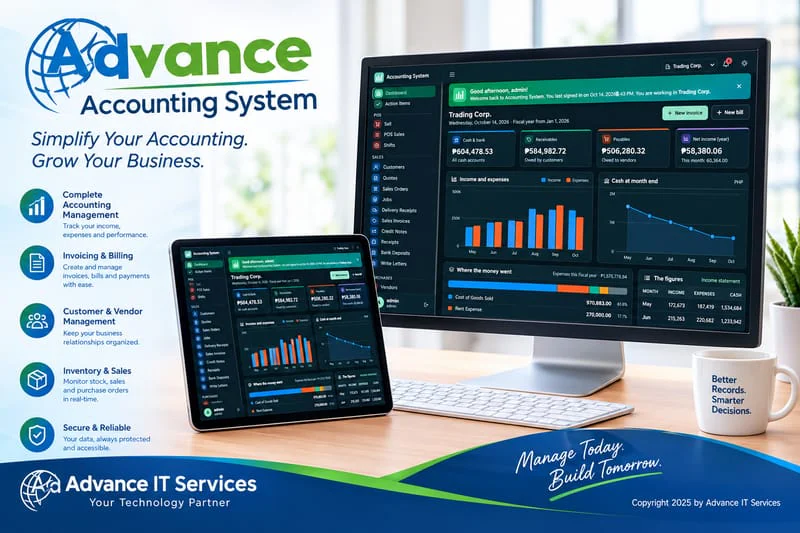
Advance IT Services is a Cebu City-based IT provider that offers a locally built and supported cloud accounting system for Philippine businesses. Its focus is on small teams that want accounting, the best POS software, and other business tools from one local provider.
The accounting system covers the general ledger, accounts receivable and payable, double-entry bookkeeping, invoicing, expenses, and BIR-ready reports. It is part of a wider ecosystem that includes POS, SMS, and cloud services, so retail and service businesses can run sales and accounting from the same provider.
Why choose Advance IT Services? It handles routine bookkeeping such as invoicing, expense tracking, and BIR-ready reports in one cloud system, which cuts down manual spreadsheet work for small teams. It also sits within a wider ecosystem of POS, SMS, and cloud services from the same local provider, so sales and accounting data stay with one vendor.
Advance IT Services Accounting Software Features:
- General Ledger with Double-Entry Accounting – Record transactions with standard bookkeeping controls.
- Accounts Receivable and Payable – Manage invoices and supplier bills.
- Invoicing and Expenses – Create invoices and track business spending.
- BIR-Ready Reports – Generate reports prepared for Philippine tax requirements.
- Integrated Ecosystem – Connect with POS, SMS, and cloud services from the same provider.
| Pros | Cons |
|---|---|
|
|
Pricing: Custom quote.
Best for: Small Cebu businesses that want accounting and POS from one local provider.
6. Authentic System Solutions

Authentic System Solutions is flexible and customizable accounting software designed to cater to the unique needs of local businesses. It simplifies financial management by enabling businesses to track transactions, monitor expenses, and generate detailed financial reports easily.
For Cebu-based businesses, this software provides a localized approach to accounting, ensuring compliance with regional tax laws while offering scalable solutions that grow alongside a company’s expansion.
Why choose Authentic System Solutions? This software offers a user-friendly interface and advanced financial tracking, making it an excellent choice for small to medium-sized enterprises. It seamlessly integrates with other business tools to provide an all-in-one accounting experience.
Authentic System Solutions Accounting Software Features:
- Customizable Financial Reports – Generate detailed reports tailored to specific business needs.
- Automated Expense Tracking – Simplifies monitoring and categorizing expenses for accurate budgeting.
- Tax Compliance Management – Ensures adherence to BIR regulations and tax filing requirements.
- Invoice and Billing System – Create, send, and manage invoices efficiently.
By adopting Authentic System Solutions, Cebu-based businesses can enjoy greater financial efficiency, improved tax compliance, and enhanced decision-making through powerful automation and reporting tools.
| Pros | Cons |
|---|---|
|
|
Pricing: Custom quote.
Best for: Lending, real estate, and appliance dealers needing industry-fit accounting.
7. Innosoft
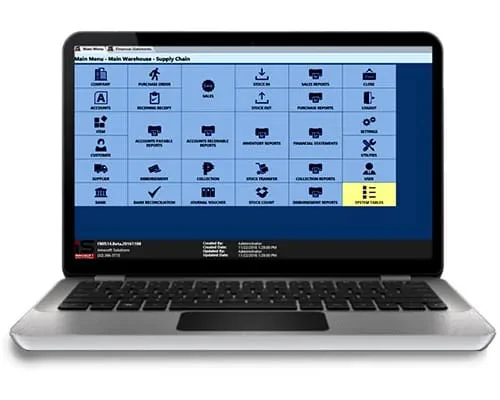
Innosoft is a cutting-edge financial management software designed to help businesses automate their bookkeeping, tax compliance, and invoicing. It provides an easy-to-use interface and robust automation features that make accounting simpler and more efficient.
For Cebu businesses, Innosoft is an excellent choice for those needing a flexible and scalable accounting system. Its cloud-based capabilities allow business owners to manage finances from anywhere, ensuring real-time updates and seamless data access.
Why choose Innosoft? This software minimizes manual work by automating essential accounting processes, reducing errors, and increasing efficiency. It also integrates well with other business applications, making financial management smoother and more streamlined.
Innosoft Accounting Software Features:
- Automated Bookkeeping – Reduces manual data entry and ensures accurate financial records.
- Tax Compliance Management – Keeps businesses compliant with BIR regulations and simplifies tax reporting.
- Invoice and Billing System – Allows easy creation and tracking of invoices to ensure timely payments.
- Seamless Integration – Connects with other tools such as payroll, inventory, and CRM systems.
By choosing Innosoft, Cebu-based businesses can enhance financial efficiency, stay tax-compliant, and ensure seamless financial management without the hassle of manual accounting tasks.
| Pros | Cons |
|---|---|
|
|
Pricing: Custom quote.
Best for: Trading businesses that need accounting with sales, payables, and warehousing.
8. Accountable
Accountable is a highly intuitive accounting software tailored for small businesses that need an easy-to-use financial management system. It helps business owners track income and expenses and manage tax compliance effortlessly, allowing them to focus on business growth rather than complex bookkeeping tasks.
For Cebu-based businesses, Accountable provides a simple yet effective way to manage finances without requiring extensive accounting knowledge. Its user-friendly dashboard, automation capabilities, and tax preparation features make it a perfect fit for startups and small enterprises looking for cost-effective solutions.
Why choose Accountable? This software offers a clean, no-fuss interface that reduces the learning curve, making financial management easier for non-accountants. It also automates invoicing and tax calculations, ensuring accuracy and compliance with local regulations.
Accountable Accounting Software Features:
- Expense Management – Track spending with categorized expenses and digital receipt uploads.
- Tax Preparation Tools – Automate tax calculations and generate reports for easier tax filing.
- Cash Flow Tracking – Monitor incoming and outgoing funds with real-time insights.
- User-Friendly Dashboard – Intuitive interface designed for non-accountants and small business owners.
By using Accountable, Cebu-based small businesses can take control of their finances with a simple, reliable, and efficient accounting solution.
| Pros | Cons |
|---|---|
|
|
Pricing: Custom quote.
Best for: Hold until the product is confirmed.
9. Fasttrack
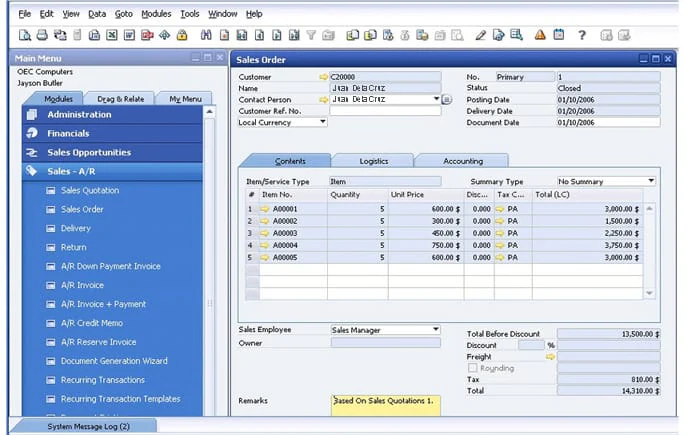
Fasttrack is an enterprise-focused accounting solution designed for businesses that require fast, reliable, and automated financial processing. It optimizes core accounting tasks, including auditing, payroll, and tax compliance, reducing manual workload and increasing accuracy.
For Cebu-based enterprises, Fasttrack ensuring compliance with BIR regulations while improving efficiency. With its automation capabilities, businesses can eliminate repetitive processes, gain real-time financial insights, and enhance decision-making.
Why choose Fasttrack? This software is built for businesses that need precision, speed, and reliability in managing their financial data. It integrates with various enterprise systems, streamlining operations and minimizing errors.
Fasttrack Accounting Software Features:
- Automated Auditing Tools – Reduces errors and ensures compliance with accounting standards.
- Payroll Management – Simplifies salary processing, tax deductions, and employee payment tracking.
- Real-Time Financial Monitoring – Provides up-to-date insights into revenue, expenses, and cash flow.
- Integration with ERP Systems – Seamlessly connects with other business management tools for enhanced efficiency.
By choosing Fasttrack, Cebu businesses can streamline financial operations, improve compliance, and maintain accurate, real-time financial records with minimal effort.
| Pros | Cons |
|---|---|
|
|
Pricing: Custom quote.
Best for: Mid-sized to large companies running SAP Business One.
10. N-Pax
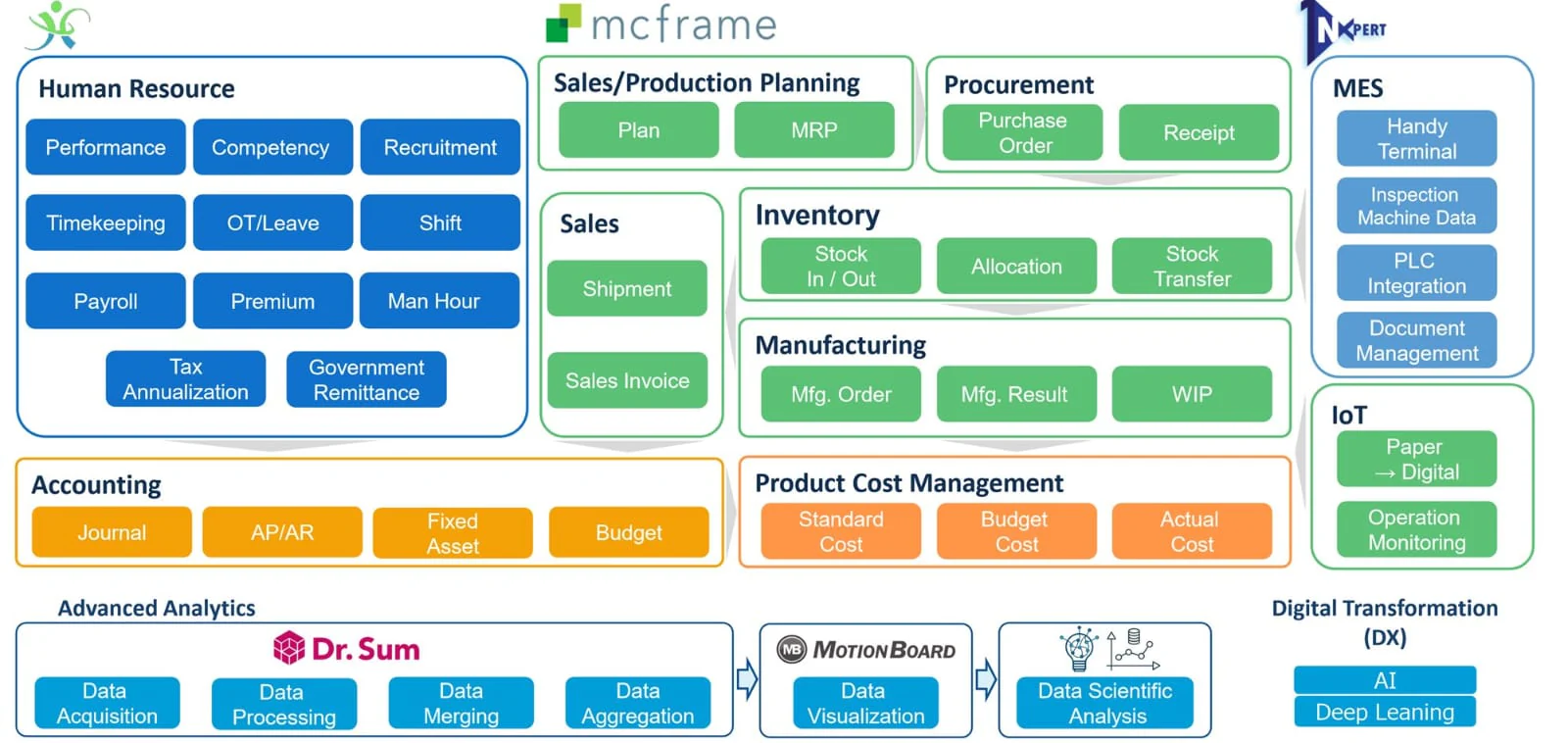
N-Pax is a robust accounting and business management solution designed to help companies efficiently handle their financial data. It streamlines financial operations, inventory tracking, and compliance management, ensuring businesses have accurate records.
For Cebu-based businesses, N-Pax offers a localized approach to financial management, supporting regulatory compliance while improving efficiency. With its automation capabilities, businesses can reduce manual processes, enhance accuracy, and make data-driven financial decisions.
Why choose N-Pax? This software provides a powerful suite of financial tools that integrate seamlessly with other business functions, enabling companies to stay on top of their operations.
N-Pax Accounting Software Features:
- Automated Financial Management – Reduces manual data entry and ensures financial accuracy.
- Regulatory Compliance Tools – Ensures businesses meet BIR and other local tax regulations.
- Secure Cloud-Based Access – Enables users to manage financial data anytime, anywhere.
- User-Friendly Interface – Simplifies accounting for non-accountants while offering powerful features for finance professionals.
By adopting N-Pax, Cebu businesses can take control of their financial management, improve compliance, and optimize efficiency with a reliable, automated accounting solution.
| Pros | Cons |
|---|---|
|
|
Pricing: Custom quote.
Best for: Larger companies, including Japanese-affiliated firms, needing accounting plus HRIS/payroll.
How to Choose the Best Cebu Accounting Software
Selecting the right accounting software is essential for Cebu businesses to manage finances efficiently and stay compliant with local regulations. A well-suited accounting system will simplify financial processes, automate tax compliance, and help businesses make informed financial decisions.
Before making a decision, consider the following factors to ensure that the chosen software aligns with your business needs:
- Budget – Find software that fits your financial capacity without sacrificing essential features.
- Features – Ensure it includes invoicing, expense tracking, tax compliance, and financial reporting.
- Scalability – Choose a system that can grow with your business.
- Integration – Look for software that connects with banking, inventory, and HR tools.
- Security – Prioritize data protection and compliance with local laws.
Investing in the right accounting software will help Cebu businesses save time, reduce errors, and maintain compliance with BIR regulations. With automated processes and real-time insights, business owners can focus on strategic growth while keeping financial management simple and stress-free.
Conclusion
Cebu businesses need accounting software to automate financial transactions, track expenses, and simplify tax reporting. Using BIR-compliant software helps businesses manage finances accurately, ensuring compliance and efficiency. The right system allows companies to reduce errors and improve decision-making.
Choosing HashMicro AI Accounting Software will give Cebu businesses a reliable and fully integrated solution for financial management. With automation, real-time insights, and compliance-ready tools, it simplifies accounting for startups and enterprises alike. Join the free demo today and experience effortless financial management!
FAQ about Accounting Software in Cebu
HashMicro, Xero, and FreshBooks are popular accounting software. They offer invoicing, expense tracking, and financial reporting features.
You’ll need software like HashMicro for bookkeeping, payroll, and financial management. Choose one based on your business size and needs.
A basic accounting system tracks income, expenses, assets, and liabilities. It often uses double-entry bookkeeping for accurate financial records.