
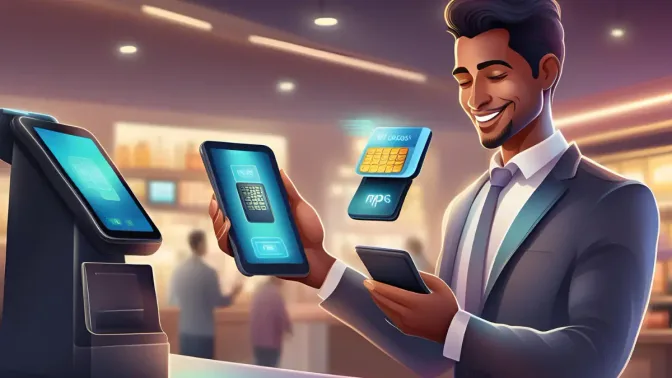
Retail and restaurant businesses run their daily operations on point-of-sale (POS) systems. A 2026 study of seven start-up cafés in Tabaco City, Albay found daily POS use for order-taking, billing, and receipts. Inventory management and sales analytics went mostly unused.
Mobile point of sale (mPOS) moves that same function onto a smartphone or tablet. You process payments without a fixed checkout counter. That suits restaurants, pop-up stores, and retailers running a mobile POS across changing service areas.
This guide explains how mPOS works, which features matter, and what to check before you switch. It also covers the Philippine constraints that decide whether a mobile point-of-sale setup holds up in your store.
Key Takeaways
mPOS (Mobile Point of Sale) enables transaction processing through smartphones or tablets, reducing dependency on fixed checkout terminals.
Compared to traditional POS systems, mPOS generally requires lower hardware investment but may involve transaction-based processing fees.
mPOS offers advantages like faster transactions, reduced errors, real-time monitoring, effective promotions, e-invoicing, and better customer profile management for improved satisfaction.
Pick an mPOS in four steps: profile your transactions, match the hardware, lock non-negotiables, then pilot.
Understanding mPOS and Its Functionality
mPOS stands for mobile point of sale. It is a smartphone or tablet that functions wirelessly as a cash register or POS terminal. The device handles the same checkout job as a counter terminal. Sellers who take payments on the go rely on it.
That is the mPOS meaning in practice: your device processes transactions over Wi-Fi or mobile data. Some mobile POS providers also include an offline mode. You keep taking payments when the connection drops, and the app syncs once it returns.
Setup takes three steps. Choose an mPOS provider, download the app, and pair your card reader with the device. HashMicro POS system connects that mobile checkout to your inventory and accounting records. Your first sale then lands in the right books.
How Does mPOS Compare to Traditional POS Systems?
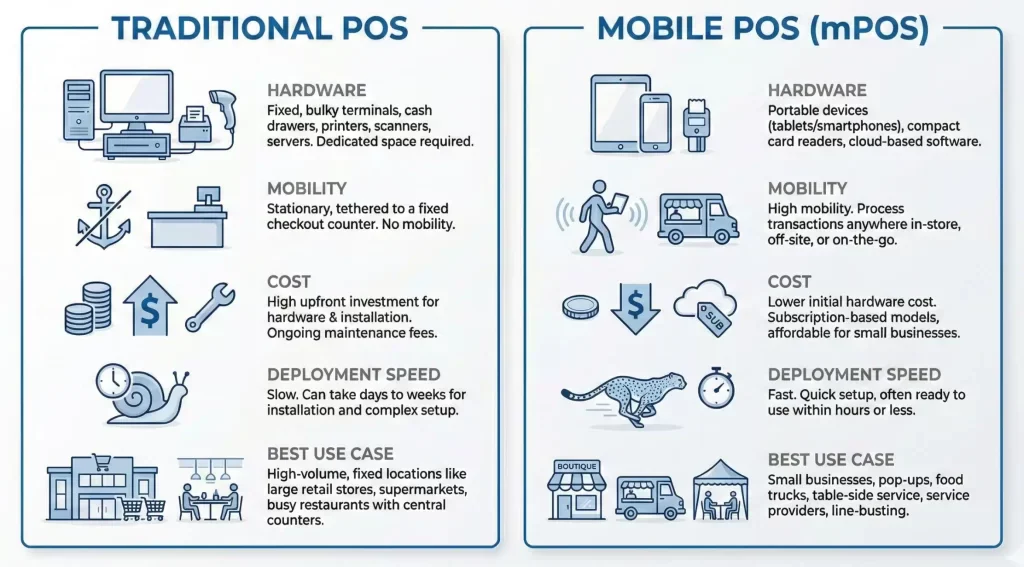
Traditional POS runs on fixed hardware bolted to a checkout counter. That setup still anchors the top multi-outlet retail operations options, where every lane needs its own station. Mobile POS replaces the station with a tablet or smartphone, so a sale can close anywhere on the floor.
The cost structures differ too. Traditional POS asks for more money upfront, on terminals, installation, and cabling. Mobile POS costs less to buy, though transaction-based processing fees run for as long as you use it.
Integration decides the rest. Ask whether the setup feeds your inventory and accounting records, or whether staff will retype totals later. That question matters more than hardware once you run more than one outlet.
Operational Benefits of mPOS Systems
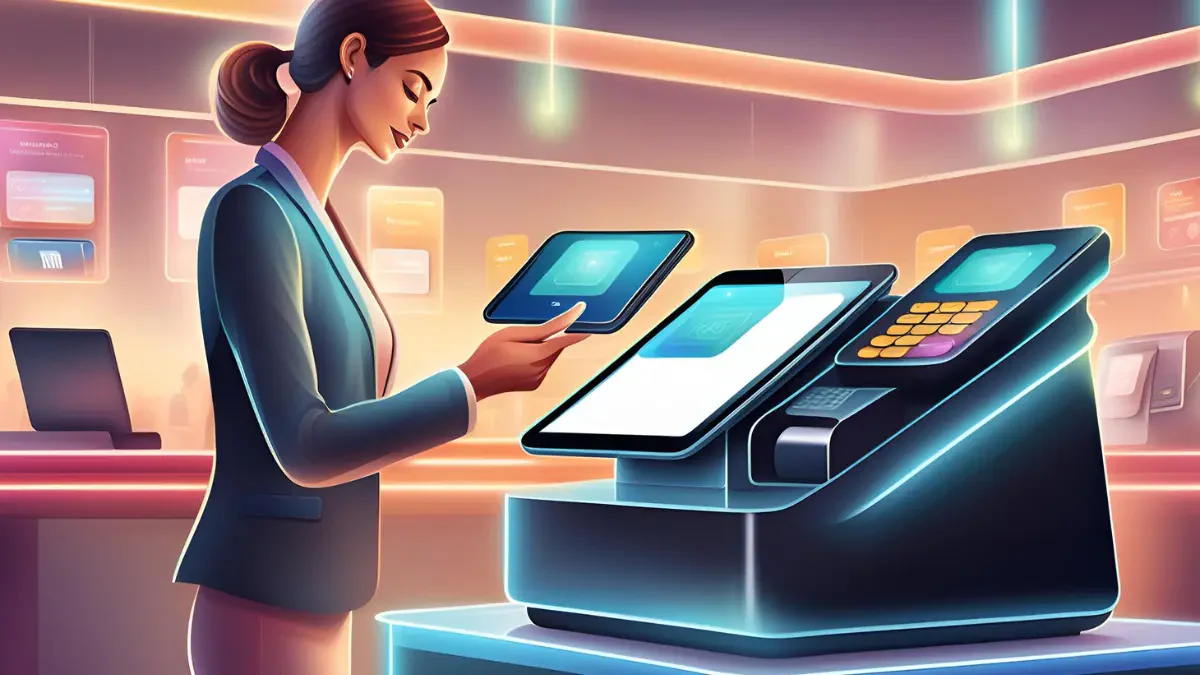
Mobile POS earns its place at the counter in six ways. The gains cluster around three things: faster transactions, tighter monitoring, and more flexible service. Each one below shows where the benefit actually lands in daily operations, not in a feature list.
1. Speed and Affordability
Long queues frustrate customers. A mobile POS system fixes that at the source. Your cashier keys the amount into the device and closes the sale where the customer stands, with no fixed counter.
Setup also costs less than a bank EDC terminal, which often asks for an upfront deposit. You skip most of the registration paperwork that banks attach to their card terminals.
2. Minimizing Errors
Manual cashiering invites mistakes. Staff keys the wrong amount or the wrong item, and the error reaches your books before anyone notices. Correcting it later costs more than preventing it.
Mobile POS checks the amount entered against the order on screen. Discrepancies surface at the counter instead of at month-end reconciliation, so your records stay accurate. Nobody hunts for a missing peso a week later.
3. Real-Time Business Monitoring
mPOS records every transaction the moment it closes. Managers see which staff sold what, on which shift, without waiting for an end-of-day report. Sales trends and weak hours show up while you can still act on them. This visibility shows how POS integration can enhance your business performance by moving managers from daily reports to live decisions.
4. Promotional Pricing Management
mPOS applies promotional pricing, bundles, and happy-hour discounts inside the checkout screen. Your cashier stops adjusting prices by hand, and the same rule fires at every register and every channel.
The system also logs which promotion moved which product. You can read campaign performance in the sales report rather than guessing whether a discount paid for itself. That answer shapes your next promo.
5. E-invoicing Benefits
mPOS sends electronic receipts straight to a customer's email or phone. You print less, spend less on receipt rolls, and hand the customer a record they cannot lose in a bag.
The system stores each digital receipt automatically. Pulling transaction history for reconciliation, reporting, or an audit takes a search, not a box of paper. Far less paperwork goes missing.
6. Storing Customer Profiles and Information
mPOS keeps each customer's purchase history, including how often they return and what they buy. You can spot your regulars and see which products they come back for. No loyalty card required.
That record turns into something usable. You can review sales trends, judge product performance, and target promotions without a manual list. A CRM integration carries the same data into your follow-up campaigns.
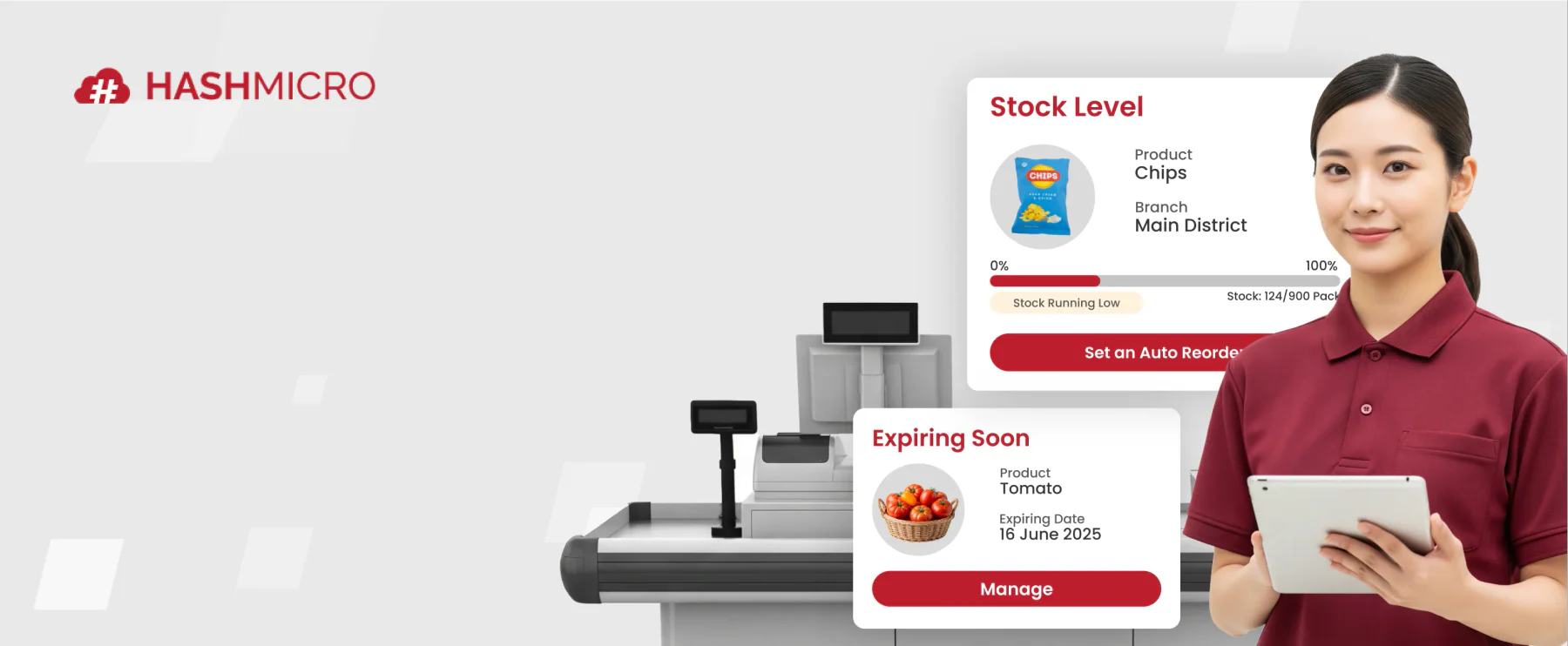
Those six benefits only land if the device talks to the rest of your business. Many Philippine merchants compare POS features from Shopify, Lightspeed, Loyverse, and Qashier, then they find the back office still needs its own answer. A checkout that cannot reach your inventory and ledger only relocates manual work.
Considerations Before Using mPOS System
The benefits of an mPOS device only hold if your setup survives real store conditions. Six checks decide whether mPOS fits Philippine retail. They cover compliance, connectivity, payment coverage, device control, hardware endurance, and where your sales data goes afterward. Work through them before you sign anything.
1. BIR accreditation is not optional for PH retail
The BIR requires registration for the machines that issue your receipts, and that obligation sits with you. Your software vendor cannot carry it for you. Ask any mPOS provider whether their system supports a Permit to Use application and issues BIR-compliant receipts.
2. What happens when the connection drops
Offline mode is not a single feature. Ask how many transactions the app queues without a signal. Check whether receipt numbers stay sequential after syncing, and which functions stop working. Test it in your weakest-signal corner before rollout, not after.
3. Payment coverage beyond cards
Card acceptance alone leaves money on the counter. Philippine customers often reach for GCash, Maya, and QR Ph instead of cards. Confirm which of these your mPOS reader and app actually accept. Check the rate on each method too, because they differ.
4. Device and staff access risk
A phone that leaves the counter can leave the store. Give each cashier their own login. Restrict who can void a sale or apply a discount, and keep the app on company devices. Shared personal phones blur every audit trail.
5. Battery, durability, peak-hour reality
Tablets die at the worst hour. Plan for a charging rotation, a spare device, and a case that survives a spill or a drop on tile. Then run a full peak-hour shift on mPOS alone before you retire the counter terminal.
6. Where the data lands afterwards
A sale that stays inside the app creates work later. Confirm that your mPOS pushes transactions into your inventory and accounting records, not just a sales report. Clean handoff is what turns daily takings into reconciled books and BIR-ready summaries.
How to Pick the Best mPOS for Your Needs
The considerations above become a decision once you sequence them. Four steps take you from your own numbers to a signed contract, in that order. Skip the first and you will compare feature lists that ignore how your store actually sells.
Step 1: Map your transaction profile before you look at any vendor
Pull three months of sales data first. Count your daily transaction volume, your average ticket size, and the share of sales paid by card, e-wallet, and cash. Those three figures decide which fee structure and which mobile POS hardware make sense for you.
Step 2: Match the hardware form to that profile
A roaming waiter needs a phone and a sleeve reader. A pop-up counter runs better on a tablet with a stand and a printer. Owner-operators can run a full sari-sari store POS on one phone. While high-volume stores still need a fixed terminal, mobile POS can cover the peak-hour overflow.
Step 3: Lock the non-negotiables
Turn the six checks above into contract terms. Get written answers from every mobile point of sale vendor. Cover BIR receipt requirements, offline transaction limits, GCash and Maya support, user-level permissions, and data export. Vague answers on any of them tell you what you need to know.
Step 4: Pilot on one terminal for two weeks before rolling out
Run one lane on mPOS through two full weekends. Track failed transactions, battery swaps, void requests, and how long reconciliation takes at close. Compare those numbers against your existing terminal, then decide whether to scale, adjust, or walk away.
Conclusion
mPOS gives you checkout that moves with the customer, which suits retail floors and food service. The device is the easy part. Your answer depends on the six checks above, from BIR registration and offline behavior to who can void a sale.
Work the four steps in order, starting with your own transaction data rather than a vendor demo. If your shortlist keeps pointing to hosted software, compare the top cloud POS systems for Philippine businesses. Weigh them on uptime, sync behavior, and price.
FAQ About mPos Device
mPOS (Mobile Point of Sale) is a payment system that enables transactions to be processed through mobile devices such as smartphones or tablets. It typically combines application software with a card reader or digital payment integration to replace traditional fixed POS terminals.
mPOS systems transmit transaction data through internet or mobile network connections to a payment processor, which verifies and authorizes the payment. Most systems support card payments, QR-based transactions, and digital wallets, and some offer offline functionality that syncs data once connectivity is restored.
The growing adoption of mPOS is largely influenced by lower hardware requirements, flexibility in deployment, and compatibility with digital payment methods. Businesses that operate in mobile or temporary environments, such as food stalls, pop-up stores, and delivery services, often benefit from its portability.
mPOS may be suitable for large businesses in specific operational areas, such as queue busting or temporary sales points. However, organizations with complex multi-location operations often require more comprehensive POS or ERP-integrated systems.
Yes. If your mPOS issues official receipts, the BIR requires you to register that machine and secure a Permit to Use. The obligation sits with the merchant, not the software vendor. Requirements vary by RDO, so confirm the current list with yours before you deploy.