

 Limited to 100 registrants
UTAK POS is one of the many systems business owners consider, but choosing the right Point of Sale (POS) solution can still feel overwhelming. With so many features and pricing models to compare, finding the one that truly fits your needs can be challenging.
Many managers struggle with POS issues such as slow transactions, weak integration with other tools, or the inability to manage multiple store locations effectively. These roadblocks often lead to inefficiencies, unhappy customers, and preventable revenue loss.
A study by KPMG found that 85% of Philippine retailers expect AI-enabled competitors to hold a competitive advantage over traditional ones. This article breaks down the key differences between HashMicro and UTAK to help you decide which POS software can best streamline your operations and boost efficiency.
Key Takeaways
UTAK is a cloud based POS for F&B businesses, offering real-time reporting, inventory tracking, and easy order management to streamline operations.
HashMicro is a cloud based ERP with an integrated POS that connects sales, inventory, and finance in one platform, enhanced by real-time data and AI insights to support scalable business growth.
UTAK may fit smaller F&B businesses needing affordable POS; HashMicro fits businesses needing POS connected with accounting, inventory, CRM, and multi-branch operations.
What is UTAK?
UTAK is a cloud-based tablet POS system explicitly tailored for food and beverage businesses in the Philippines. Its user-friendly interface simplifies daily operations, allowing companies to manage orders and enhance customer service efficiently.
UTAK offers real-time sales reporting and auto-deducting inventory management system to keep businesses agile and well-informed. These powerful tools help reduce costs, avoid stock shortages, and improve business performance.
Additionally, UTAK features a fully integrated POS website with an online ordering system and convenient self-managed staff attendance monitoring. These functionalities streamline customer interactions and workforce management, driving sustainable business growth.
UTAK’s POS Features in the Philippines
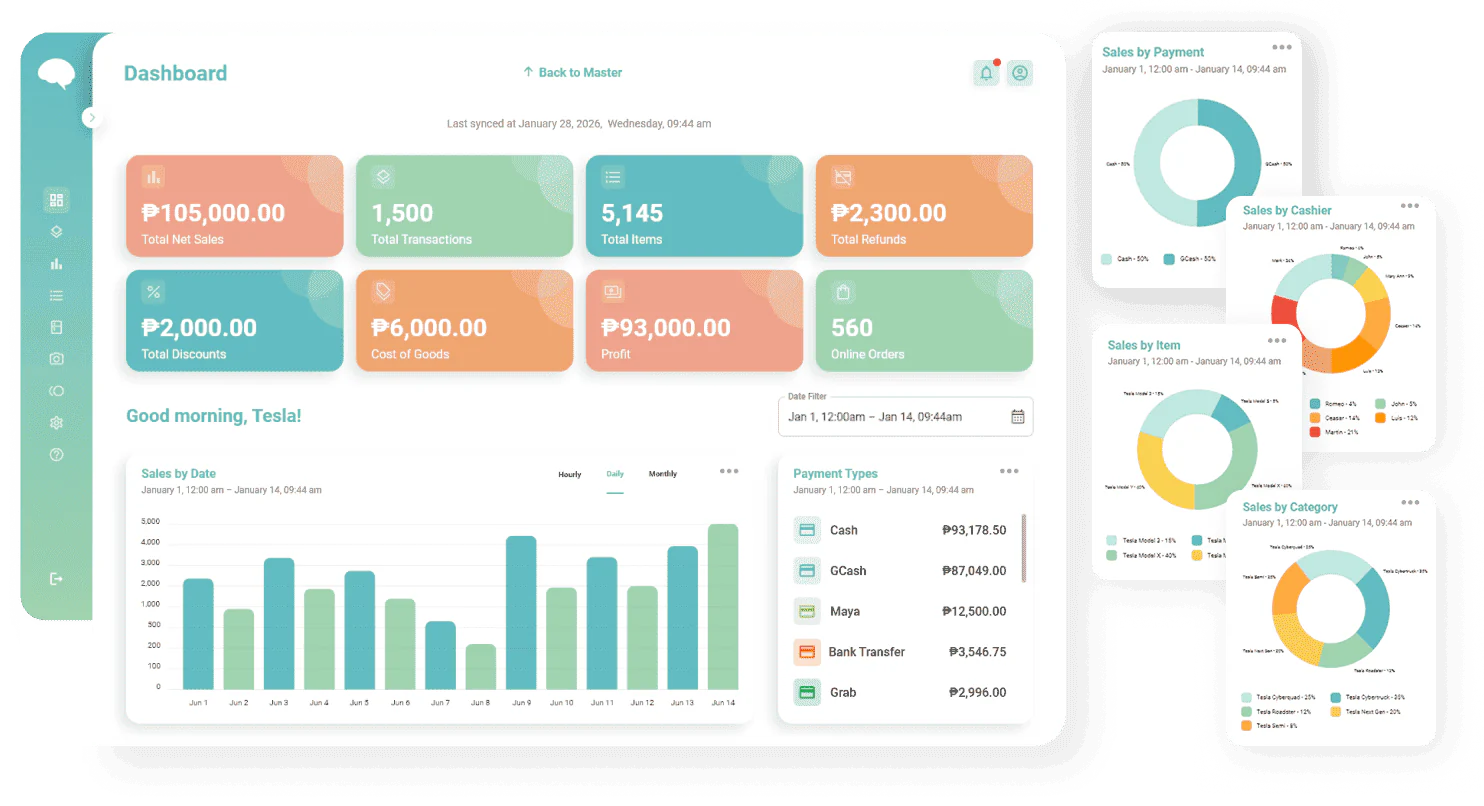
UTAK offers a comprehensive set of features specifically designed to streamline operations for food and beverage businesses in the Philippines. From managing sales and inventory to monitoring staff attendance and receiving online orders, UTAK integrates essential functions into one user-friendly platform.
- POS hardware: UTAK provides all the essential POS hardware to help food and beverage businesses set up and begin operations seamlessly.
- Sales reports: The system offers detailed sales reports, complete with graphs and analytics, to track business performance and sales trends.
- Inventory management: UTAK’s inventory management feature allows businesses to monitor and control stock, from raw materials to finished products sold to customers.
- Staff attendance monitoring: UTAK provides a self-service attendance monitoring system, enabling businesses to easily track and report employee work hours.
- POS-integrated website: UTAK’s integrated POS website allows businesses to manage and receive online orders directly through the POS system.
UTAK’s POS Pricing
UTAK POS offers seven packages, from software-only plans to complete hardware bundles. Each option carries a different six-month price and a different setup, so knowing what each package includes helps you match the cost to your actual store needs. The table below breaks down every tier.
| Packages | Pricing | Fit for |
|---|---|---|
| Package 1 | ₱14,000 (VAT-EX, 6 months) | Businesses that already own a tablet or Android device and only need the software licence. |
| Package 2 | ₱35,999 (VAT-EX, 6 months) | Stores that want a ready-to-run counter with the tablet and stand already included. |
| Full Set | ₱49,999 (VAT-EX, 6 months) | Shops that need receipt printing and cash handling covered in a single bundle. |
| MPOS | ₱29,999 (VAT-EX, 6 months) | Mobile sellers and teams that take orders away from a fixed counter. |
| Falcon | ₱39,999 (VAT-EX, 6 months) | Tight countertops that still need a built-in display and printer in one unit. |
| Dual | ₱54,000 (VAT-EX, 6 months) | Counters that want customers to follow the transaction on a second screen. |
| UTAK+ | ₱64,999 (VAT-EX, 6 months) | Premium setups that require a dedicated customer-facing display at checkout. |
UTAK POS pricing runs from ₱14,000 to ₱64,999 for six months, depending on the hardware. Before committing, weigh other options such as Qashier, StoreHub, and HashMicro POS to see which system matches your budget and store setup.
HashMicro vs UTAK: Main Comparison
Choosing between HashMicro and UTAK depends on your business size, feature requirements, and budget. Both compete as POS systems in the Philippines, but they serve different needs. The comparison below sets them side by side across products, pricing, BIR compliance, integration, and accessibility.
| Feature | HashMicro | UTAK |
|---|---|---|
| Main Products | POS system, CRM, Inventory Management, Analytics, Employee Management | POS system |
| Software Pricing | Subscription based with scalable plans | From ₱2,333/month (billed for 6 months), then ₱1,500/month from the 7th month onward |
| BIR Compliance | Yes (advanced tax reporting) | Yes (BIR and mall accredited) |
| Integration | Seamless integration with other business functions | Limited integration |
| Accessibility | Web and mobile access | Web and mobile access |
| Other Features | Inventory Management, Sales Reporting & Analytics, Employee Management, CRM, Loyalty Programs, Multi-location Management, QR Order & Pay | Inventory Management, Sales Reporting, Employee Management, Online Customer Database |
This table clearly compares both systems’ features, pricing, and available integrations. HashMicro suits businesses needing CRM, accounting, and multi-location control in one platform. UTAK fits single-outlet stores that only need core POS functions.
1. Integration Capabilities Compared
UTAK concentrates on core POS functions for food and beverage businesses. That scope suits single-outlet stores, but it limits options for businesses that need wider system connectivity.
Meanwhile, HashMicro connects to e-commerce platforms, payment gateways, and accounting systems. It also supports restaurant POS systems, CRM, and third-party tools through API connections, so businesses can build workflows around their own processes.
2. BIR Accreditation: HashMicro vs UTAK
Both systems are BIR-compliant, but the depth differs. HashMicro targets medium to large businesses with detailed BIR-compliant tax reports and multi-branch tax filing. That matters for companies with several locations, since consolidated tax documentation reduces filing errors and makes audits easier to work through.
UTAK covers the essentials for smaller food and beverage operators. It generates BIR-compliant receipts, but without automated tax reporting or multi-location tax management. For either system, software features support compliance. BIR registration, BIR POS accreditation, and the Permit to Use remain the merchant's responsibility.
3. HashMicro’s POS Features in the Philippines
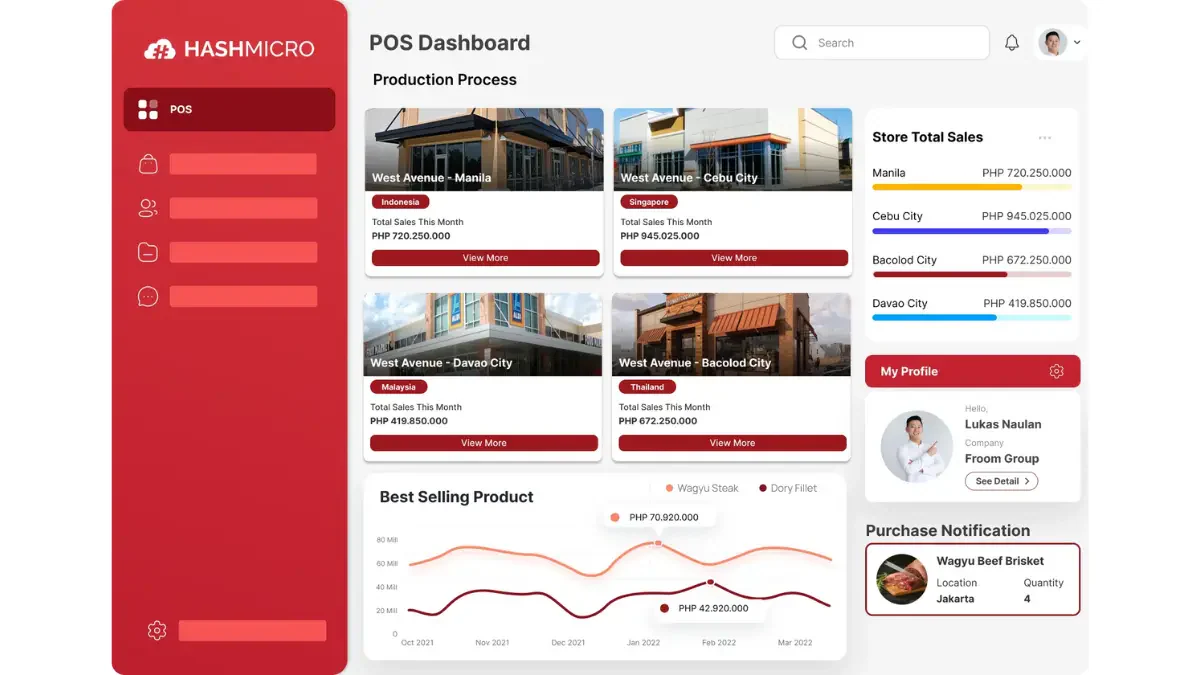
The table lists what HashMicro POS offers, but how are the features used within a Philippine context? These are the features Philippine businesses actually use day-to-day, and what each one does:
- Centralized multi-branch POS System: Sales, inventory, and finance data from every branch sit in one platform instead of separate outlet records.
- Real-time stock optimizer: Inventory levels adjust automatically against live sales data, which cuts stockouts and overstocking.
- Automated promotion management: Businesses run discounts and campaigns across sales channels without configuring each outlet manually.
- Loyalty points management: Flexible loyalty programs track customer rewards and encourage repeat visits.
- Barcode and RFID integration: Scanning speeds up checkout and keeps stock counts accurate at the shelf level.
- In-depth reporting management: Reports cover sales performance, customer behavior, and operational efficiency for decision-making.
- Complete POS hardware bundles: Matching POS terminal hardware ships with the software, so rollout does not stall on device sourcing.
Conclusion
Choosing the right POS system plays a crucial role in keeping your business efficient and competitive. Throughout this comparison of HashMicro vs UTAK, we explored the key differences in features, pricing considerations, hardware costs, and how each solution supports daily operations across retail and F&B.
While UTAK offers a more affordable starting point, its hardware and certification fees can add up, and its software provides fewer capabilities. HashMicro's POS, on the other hand, offers stronger long-term value through its all-in-one POS solution that integrates sales, inventory, and financial reporting in one platform.
With advanced tools like Hashy AI, the system helps automate decisions, improve accuracy, and streamline workflows for growing businesses. If you want to see how HashMicro can enhance your operations, sign up for a free consultation and experience the full capabilities of the system for yourself.
FAQ About HashMicro vs UTAK
Yes. A wide range of POS systems is available in the Philippines, from local providers to international cloud-based platforms. Businesses can choose solutions tailored for retail, food service, or multi-branch operations depending on their needs.
UTAK POS offers systems that can comply with BIR requirements, but accreditation depends on the specific hardware and model you purchase. Businesses must still file proper documentation with BIR to complete accreditation.
Some POS machines require costly hardware upgrades, can slow down during peak hours if outdated, or lack flexibility when a business scales. Limited customization and dependency on stable internet can also be drawbacks for certain providers.
Pricing varies widely depending on hardware, software modules, and payment plans. Entry-level devices can be affordable, while fully equipped systems with advanced features may require a larger one-time or monthly investment.
Yes. Many mobile-based POS apps allow a smartphone to handle basic sales, issue receipts, and track transactions. This is especially useful for small kiosks, food stalls, or businesses that want a low-cost, portable setup.