

Managing employees in the Philippines comes with real challenges shift patterns, labor compliance, and varying staff preferences all add up quickly. Without the right tools, these complexities can lead to operational disruptions and decreased staff satisfaction.
This is where rostering software becomes a necessity. But with so many options available in the market, Philippine businesses often struggle to identify which one actually fits their needs.
This article breaks down the 10 best rostering software in the Philippines for 2026 to help you cut through the noise and make an informed decision for your business.
Key Takeaways
Rostering software helps businesses manage employee shifts efficiently by automating schedules and simplifying workforce planning across different industries.
Rostering software offers several benefits by helping businesses manage employee schedules, improve workforce planning, and support daily operations more efficiently.
This article features the 10 best rostering software in the Philippines and compares their features and flexibility for various business needs.
When choosing rostering software, focus on practical factors like your business size, local labor compliance, ease of use, integration, support, customization, data security, and real user reviews.
What is Rostering Software?
Rostering software is a specialized tool designed to streamline the scheduling of employee shifts. This software leverages technologies such as cloud computing, artificial intelligence (AI), and machine learning algorithms to automate the management of employee rosters. Unlike attendance tracking, which records what employees actually do, rostering software focuses on planning, deciding who should work which shift before the workday begins.
This attendance management software enables a dynamic rostering system, including features for shifting schedules, overtime rates, and changes or exchanges of shifts. This software can also be integrated with other systems such as attendance and payroll software to efficiently manage data and simplify administrative processes.
Rostering software addresses the complexities of workforce requirements, particularly for companies managing extensive numbers of employees. Thus, it is beneficial for sectors like healthcare, where staff schedules must align with patient care needs around the clock.
Essentially, any industry that relies on a structured scheduling system to operate efficiently can benefit from the capabilities of the best employee management software, making it a critical tool in optimizing workforce management and operational efficiency.
What Are the Benefits of Using Rostering Software?
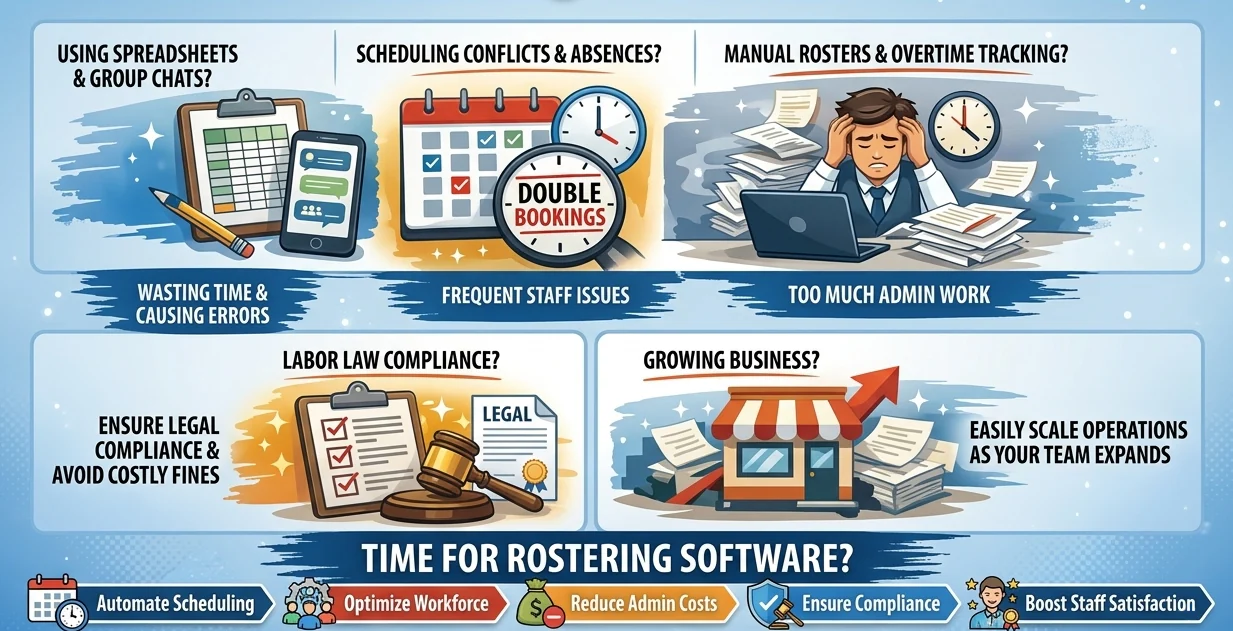
Rostering software helps businesses manage employee schedules more accurately, reduce manual workload, and keep workforce planning organized as the team grows. Instead of relying on spreadsheets or group chats, managers can build, update, and monitor rosters from one system.
- Improve scheduling efficiency
Rostering software helps managers create work schedules faster by matching employee availability, shift needs, and business demand in one place. This reduces the time spent building rosters manually and makes schedule planning easier to control. - Reduce scheduling errors
The system helps prevent double bookings, missed shifts, and conflicting schedules by centralizing roster data. Managers can see who is assigned, who is available, and which shifts still need coverage before issues affect operations. - Manage last-minute changes faster
When employees are absent or demand suddenly changes, rostering software allows managers to update shifts quickly. This helps businesses maintain coverage without relying on scattered messages or manual follow-ups. - Support labor compliance
Rostering software helps track working hours, overtime, rest days, and shift patterns more clearly. For Philippine businesses, this makes it easier to align schedules with labor requirements and reduce compliance risks. - Handle compressed work week arrangements
Good rostering software can support a compressed work week by helping managers plan fewer but longer workdays while still tracking hours, breaks, and coverage accurately. - Scale workforce planning as the business grows
A scheduling process that works for a small team may not work for multiple branches, departments, or shift-based operations. Rostering software gives managers better visibility as headcount, locations, and scheduling complexity increase, making workforce management easier to scale.
Comparison of the 10 Best Rostering Software
Choosing the right staff scheduling tool helps Philippine businesses roster multi-branch teams, monitor overtime, and feed attendance straight into payroll. This guide compares the 10 best rostering software options in 2026, starting with their features, business size, Philippine compliance fit, mobile access, and pricing.
| Rostering Software | Best for | Business size | Core strength | PH compliance fit | Mobile access | Pricing |
|---|---|---|---|---|---|---|
| HashMicro | End-to-end ERP + rostering with integrated payroll | Mid–large / enterprise | Multi-branch scheduling with native attendance-to-payroll handoff | Native PH payroll, tax & holiday/rest-day localization | Cloud + offline | Custom (via pricing calculator / sales) |
| SAP | Firms already on SAP ERP | Large enterprise | Scalable HCM/payroll on in-memory database | Localized/multi-country payroll including PH | Self-service portal | Custom (HCM Base / Premium) |
| QuickBooks Time | QuickBooks accounting users | Small–medium | Time & GPS tracking synced to QuickBooks | No native PH localization | Yes | ₱1,287–₱5,455/mo (Simple Start → Advanced) |
| Paycor | Integrated US HR + payroll | Small to 1,000+ | Payroll + HR development platform | No native PH localization | Yes | Custom (by company size) |
| Sage HR | General HRM with shift rostering | SMB–mid | Shift scheduling + leave/timesheet | No native PH localization | Yes (no GPS) | Custom (per user/modules) |
| Connecteam | Deskless / remote teams | Small–mid | Mobile-first scheduling + team comms | No native PH localization | Yes (mobile-first) | Free; ₱1,650–₱5,640/mo; Enterprise custom |
| Zoho People | Existing Zoho users | SMB–mid | HR functions + Zoho-ecosystem integration | No native PH localization | Yes | Free; ₱73–₱241/user/mo |
| BrightHR | Straightforward HR tasks | SMEs | Absence management + shift planning | No native PH payroll localization | Yes | ₱1,200–₱2,254/employee/mo |
| Homebase | Managing hourly workers | SMEs | All-in-one scheduling + payroll integrations | No native PH localization | Yes | Free; ₱1,710–₱6,840/location/mo + add-ons |
| Buddy Punch | Modernizing time tracking | SMBs | Geofenced clock-in + accurate time tracking | No native PH localization | Yes | ₱285–₱740/user/mo + ₱1,083 base/mo |
10 Best Employee Rostering Software & App
Below are the 10 best rostering software in the Philippines that stand out for their robust functionality and adaptability across various sectors. Each of these software has its own unique features, usability, and ability to cater to the diverse needs of businesses.
1. HashMicro Rostering Software Program
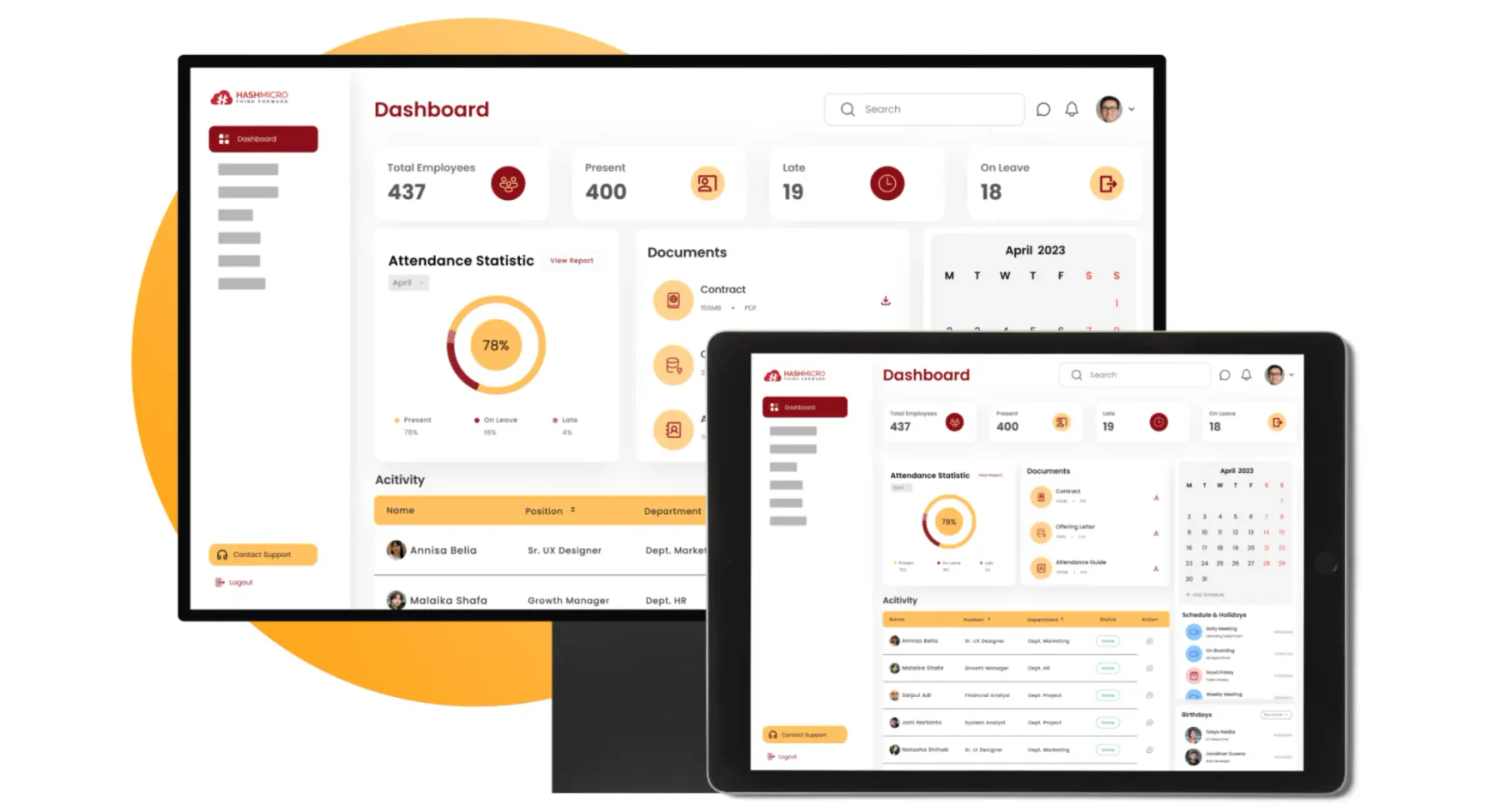
HashMicro is one of the best vendors offering integrated ERP solutions to meet the needs of companies across various industries. HashMicro's Human Resource Management software is designed to simplify HR management for Philippine employers, from scheduling work hours across multiple branches to payroll and reporting that is automatically adjusted according to each employee's work schedule, assigned rest day, and any regular or special holiday worked.
With its comprehensive features and customizable functionalities tailored to business needs, HashMicro has been trusted by more than 2.250 clients and provides integrated solutions for more than 25 industries.
HashMicro's employee rostering software can also be integrated with other modules to allow seamless data flow, reduce data duplication, and improve operational efficiency. This includes a direct attendance-to-payroll handoff so approved shifts, overtime, and leave feed straight into payslip computation. This integration includes production, inventory, procurement, accounting, and CRM.
Below are other key features that HashMicro’s rostering software provides:
- Roster & dynamic employee working schedule management: This feature allows for the arrangement of employee work schedules across single or multiple branches, facilitating shift adjustments while helping ensure each worker receives the mandatory weekly rest day of at least 24 consecutive hours required under the DOLE Handbook on Workers' Statutory Monetary Benefits (Labor Code, Art. 91).
- Automated overtime rate calculation based on shift count: This feature automatically monitors and calculates overtime rates based on the number of shifts performed, applying the correct premiums for ordinary overtime, rest-day work, and regular or special non-working holidays as set out in the same DOLE handbook, to keep overtime wage calculations accurate and efficient.
- Approval delegation with auto follow-up notification: This feature enables approval delegation if the main decision-maker is not available to ensure timely follow-up.
- Templates for contract and payslip: The application provides customizable templates for employment contracts and payslips to facilitate HR in creating important documents quickly and consistently.
- Localized payroll with tax calculation: This feature offers a payroll system tailored to regulations in the Philippines, including tax calculation.
- Overtime management linked with attendance and payroll: This feature provides overtime management integrated with attendance and payroll.
- Leaves, payroll, expenses, overtime, attendance reporting: This feature offers in-depth reporting on leaves, payroll, expenses, overtime, and attendance, providing comprehensive information for analysis and decision-making.
| Pros | Cons |
|
|
Suitable for: HashMicro’s rostering software is suitable for various types of businesses that require end-to-end solutions with comprehensive and integrated features. For further info of the pricing, click on the pricing calculator below or contact our sales team!
Pricing: Custom pricing; contact HashMicro's expert team to consult a quote based on your number of users, required modules, and deployment scale.
HashMicro rostering software can automate multi-branch scheduling, feed attendance straight into payroll, and track overtime and leave in real time. Help your HR and management team acquire accurate, integrated data to make faster workforce decisions with HashMicro.

2. SAP Staff Scheduling Tool
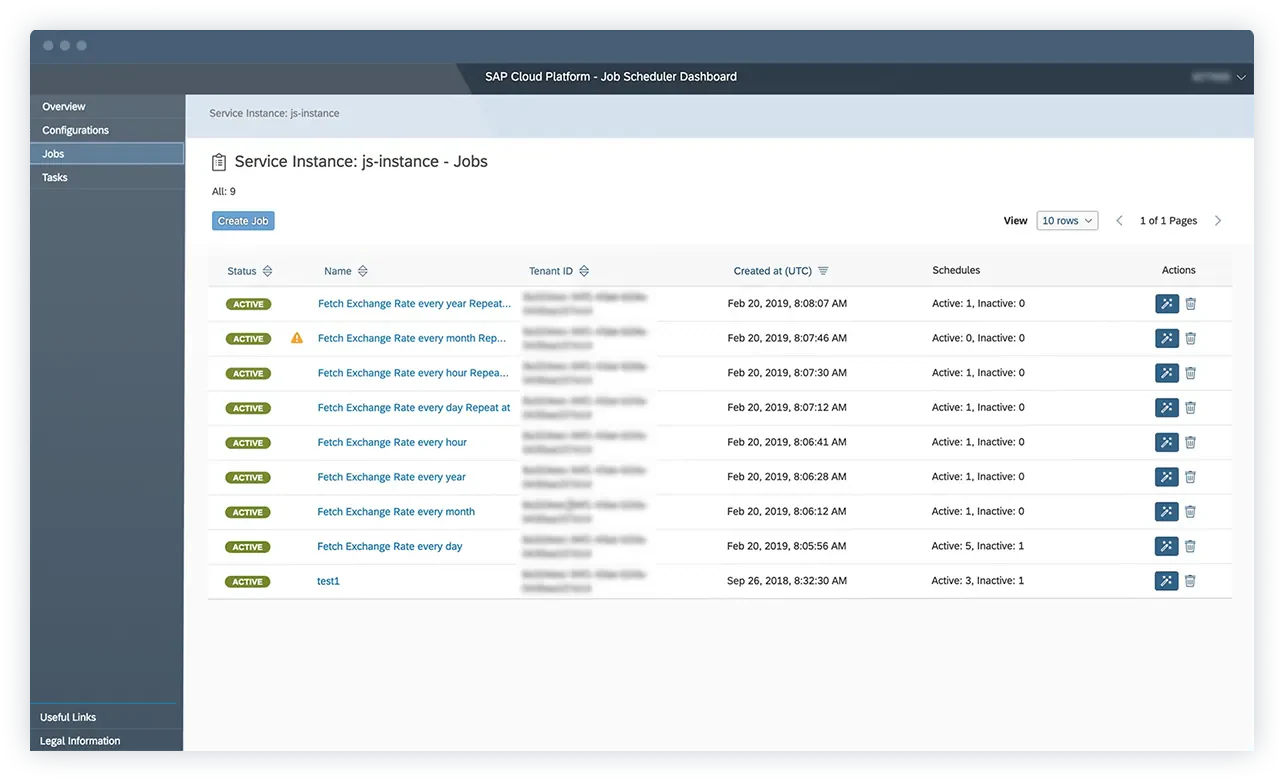
SAP HR pairs an in-memory database with HRM and roster tools, helping Philippine firms staff multiple branches, monitor overtime, schedule rest days and public holidays, and route leave and overtime approvals through one attendance-to-payroll flow.
SAP online staff scheduling tool offers several comprehensive features, which include:
- Employee schedule management
- Attendance management reporting
- Payroll management
- Portal self-service
- Multi-branch rostering with rest-day and public holiday scheduling
- Overtime and leave approval workflows linked to payroll
| Pros | Cons |
|
|
Suitable for: SAP HR is suitable for businesses that need an integrated and scalable time and attendance management solution, especially companies that are already using other SAP ERP systems.
Pricing: Custom pricing with two packages including SAP HCM Base and SAP HCM Premium; contact SAP expert team to consult a quote based on your number of users, required modules, and deployment scale.
3. QuickBooks
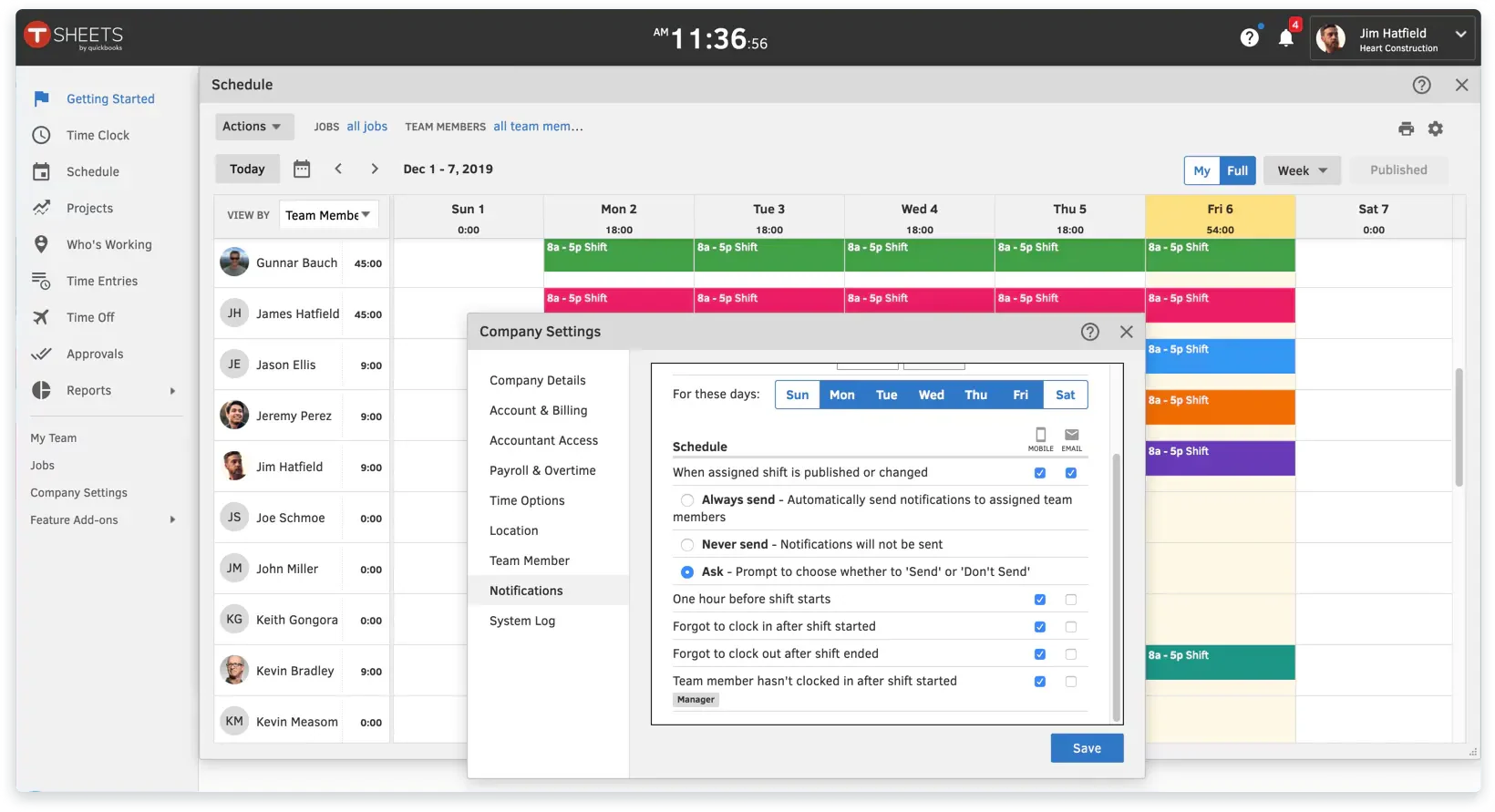
QuickBooks Time is a cloud-based employee scheduling software that integrates seamlessly with QuickBooks accounting software. It is designed to help businesses streamline their payroll processes, manage employee schedules, and track time more efficiently.
Below are the features that QuickBooks online employee rostering software provides:
- Time tracking
- GPS tracking
- Compliance management
- Analytics and reports
| Pros | Cons |
|
|
Suitable for: QuickBooks Time is particularly suitable for businesses that already use QuickBooks for accounting and are looking to integrate their time tracking and payroll processes.
Pricing: Simple Start (₱1,287/month) for 1 user, Essentials (₱1,900/month) for 3 users, Plus (₱2,819/month) for 5 users, Advanced (₱5,455/month) for 25 users.
4. Paycor
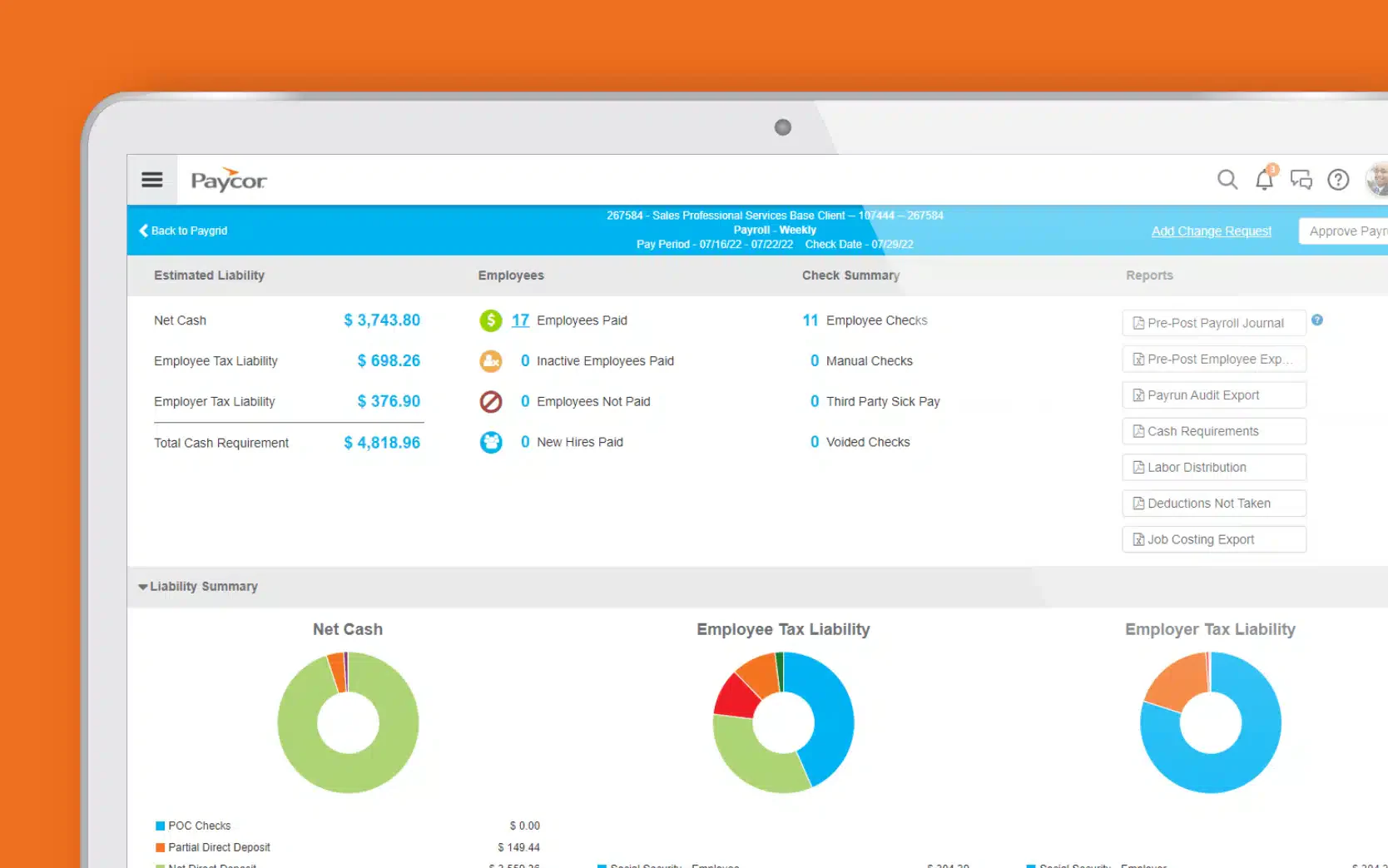
Paycor is a US-focused HR with a payroll and timekeeping platform. This employee roster software can schedule staff across branches, monitor overtime, track rest days and public holidays, and track route leave and overtime approvals from attendance into payroll.
Paycor payroll and rostering software offers a range of features to improve the efficiency of HR operations, which include:
- Payroll management
- Time and attendance
- Recruiting and applicant tracking
- Reporting and analytics
- Employee scheduling with overtime and rest-day tracking
- Time-off (leave) requests and approvals
| Pros | Cons |
|
|
Suitable for: Paycor is ideal for businesses seeking to streamline their HR processes with an integrated platform that covers payroll and employee development.
Pricing: Custom with different plans for companies with different sizes (Below 50 employees and 50 -1,000+ employees). Contact Paycor's expert team to consult a quote based on your number of users, required modules, and deployment scale.
5. Sage HR
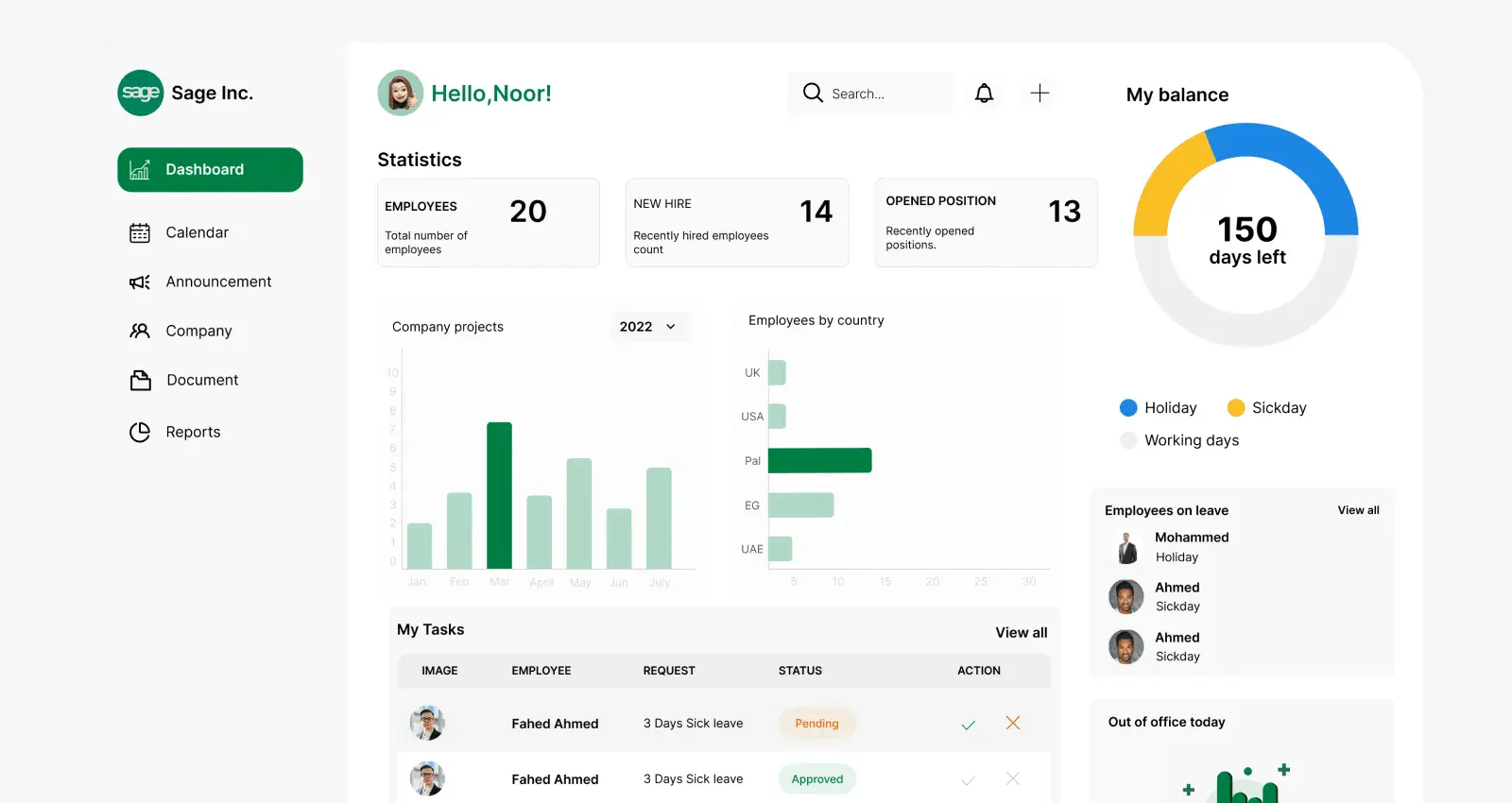
Sage HR is a human resource management solution with shift rostering, letting Philippine teams staff multiple branches, monitor overtime, schedule rest days and public holidays, and approve leave before timesheets are exported to payroll.
Here are the features offered by Sage online workforce scheduling system:
- Shift scheduling
- Performance management
- Leave management
- Timesheet reports
- Multi-branch shift scheduling with overtime and rest-day tracking
- Overtime and leave (time-off) approvals
| Pros | Cons |
|
|
Suitable for: Sage HR is suitable for various types of businesses that require a comprehensive and integrated human resource management solution.
Pricing: Custom pricing; contact the Sage HR expert team to consult a quote based on your number of users, required modules, and deployment scale.
6. Connecteam
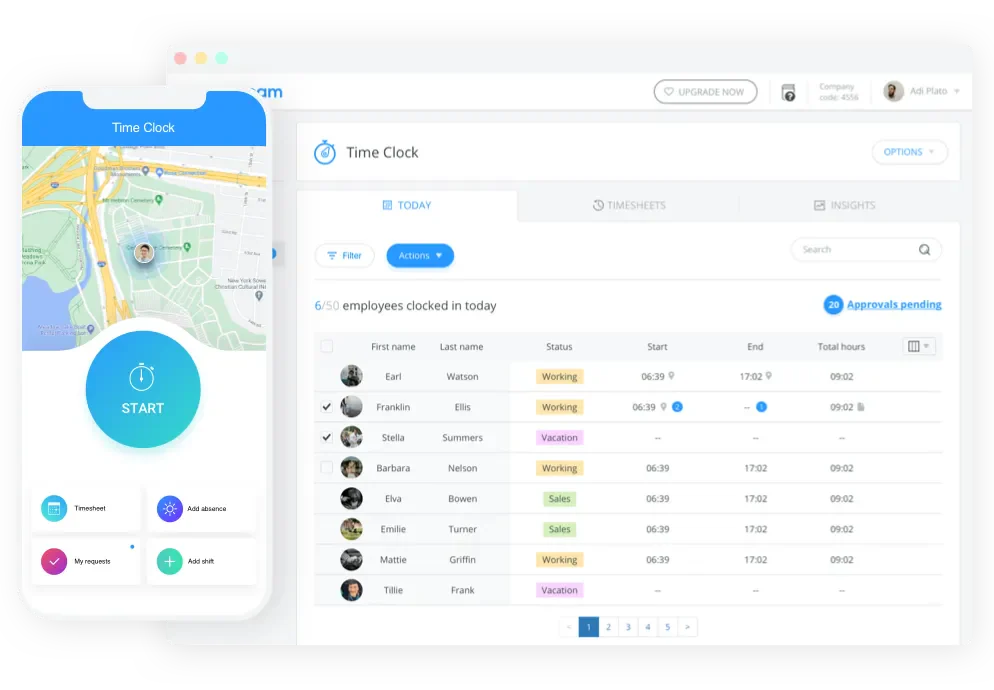
Connecteam is a mobile-first shift-scheduling and time-tracking app that automatically exports attendance to payroll. This shift scheduling app provides Philippine teams with multiple branches, overtime monitoring, rest day planning and public holidays, and routes leave and overtime approvals.
Here are the features that Connecteam payroll and rostering software provides:
- Employee scheduling
- Time tracking
- Task management
- Communication tools
- Multi-branch shift scheduling with overtime and rest-day tracking
- Leave and overtime request approvals
| Pros | Cons |
|
|
Suitable for: Connecteam is particularly suitable for businesses with deskless workers or remote teams.
Pricing: Small Business Plan (Free), Basic (₱1,650/month), Advanced (₱2,790/month), Expert (₱5,640/month), Enterprise (custom; consult the vendor)
7. Zoho People
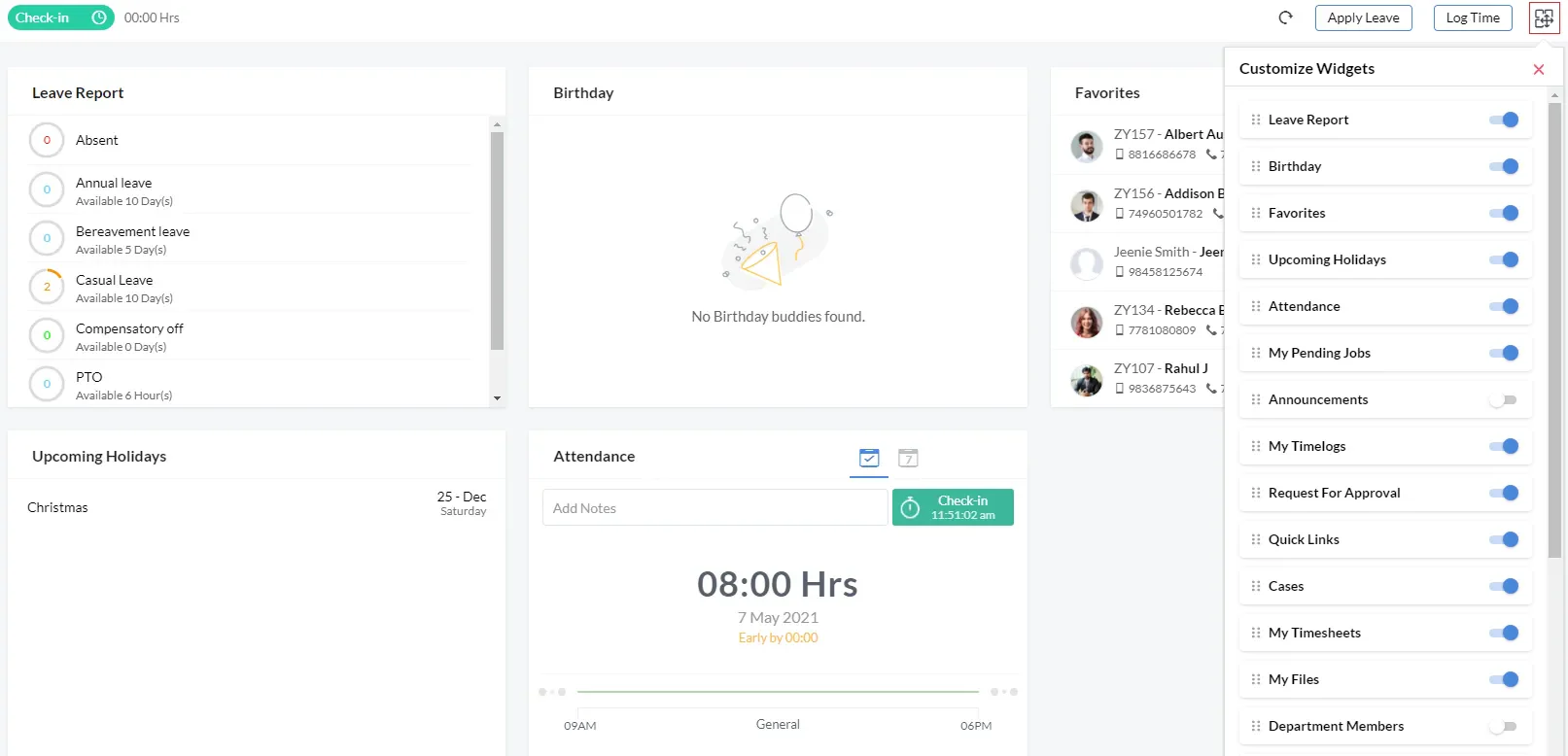
Zoho People is a cloud-based staff scheduling tool whose shift-scheduling and attendance tools let Philippine firms staff multiple branches, monitor overtime, plan rest days and public holidays, and route leave and overtime approvals into an attendance-to-payroll handoff.
These are some of the features that Zoho employee scheduling software provides:
- Employee management
- Time and attendance tracking
- Self-service portal
- Analytics and reporting
- Multi-branch shift scheduling with overtime and rest-day tracking
- Leave and overtime request approvals
| Pros | Cons |
|
|
Suitable for: Companies already using other Zoho products can benefit from Zoho People rostering software with seamless integration capabilities, making it an efficient choice for enhancing their existing systems.
Pricing: Free edition (free), Essential HR (₱73/user/month), Professional (₱122/user/month), Premium (₱172/user/month), Enterprise (₱241/user/month)
8. BrightHR
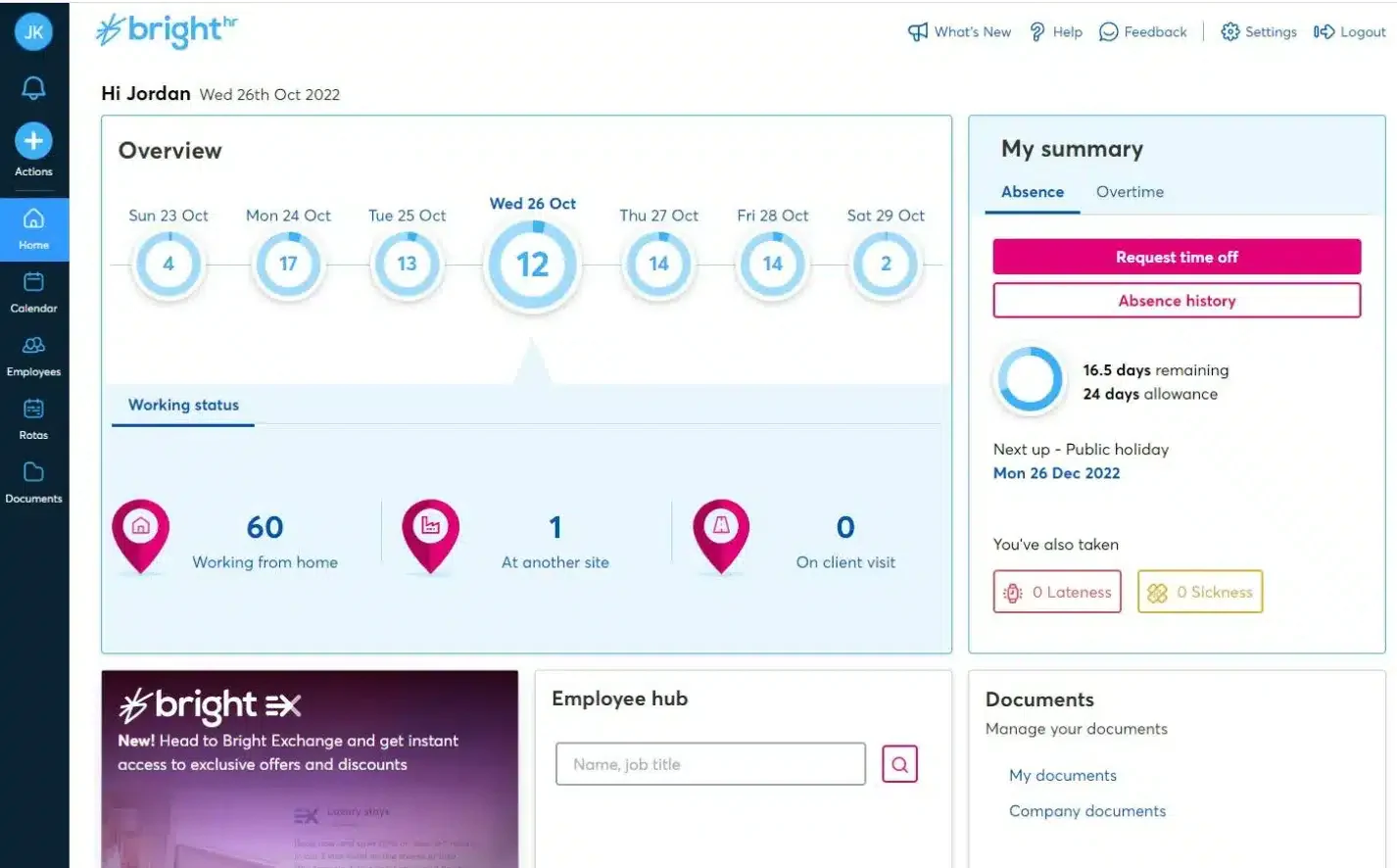
BrightHR is a cloud HR platform whose shift-planning and attendance tools let Philippine SMEs staff multiple branches, monitor overtime, schedule rest days and public holidays, and route leave and overtime approvals toward an attendance-to-payroll handoff.
BrightHR employee scheduling software provides comprehensive features including:
- Absence management
- Time and attendance
- Shift planning and rostering
- Performance management
- Multi-branch shift scheduling with overtime and rest-day tracking
- Leave and overtime request approvals
| Pros | Cons |
|
|
Suitable for: BrightHR is particularly well-suited for businesses seeking a straightforward and effective solution for managing HR tasks.
Pricing: Core HR software (₱1,200/employee/month), Enhanced HR support (₱1,526/employee/month), Full HR, health & safety support & EAP (₱2,254/employee/month)
9. Homebase
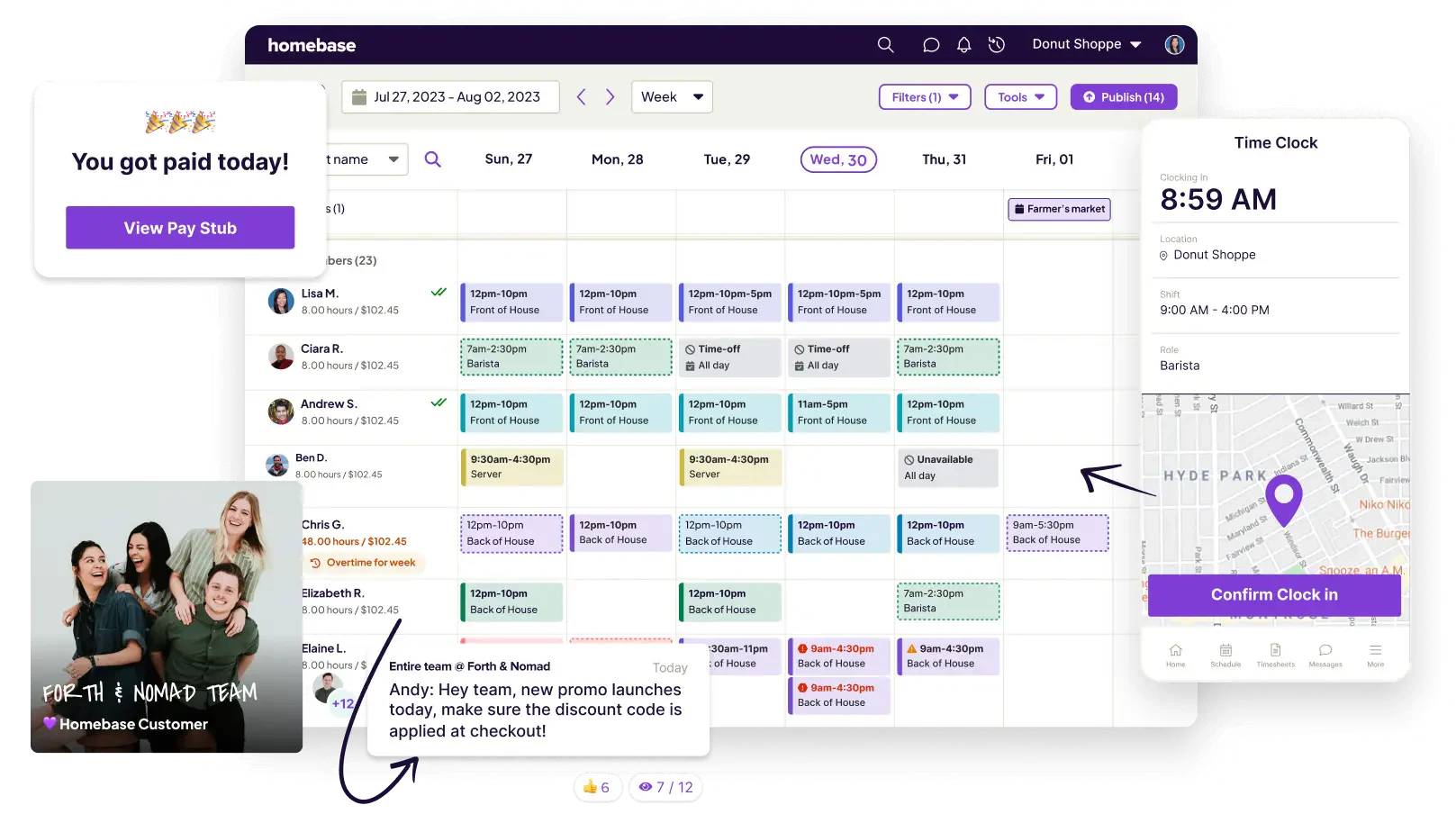
Homebase is a cloud workforce-management app. Its shift scheduling and time-tracking tools let Philippine SMEs staff multiple branches, monitor overtime, plan rest days and public holidays, and route leave and overtime approvals into an attendance-to-payroll handoff.
Below are the comprehensive features that are offered by Homebase employee scheduler:
- Employee scheduling
- Time tracking
- Hiring and onboarding
- Compliance management
- Multi-branch shift scheduling with overtime and rest-day tracking
- Leave and overtime request approvals
| Pros | Cons |
|
|
Suitable for: Homebase employee scheduler is especially suited for businesses that require a straightforward and efficient way to manage hourly workers.
Pricing: Basic (free), Essentials (₱1,710/location/month/unlimited employees), Plus (₱3,990/location/month/unlimited employees), All-in-One (₱6,840/location/month/unlimited employees), Add-ons are priced separately
10. Buddy Punch
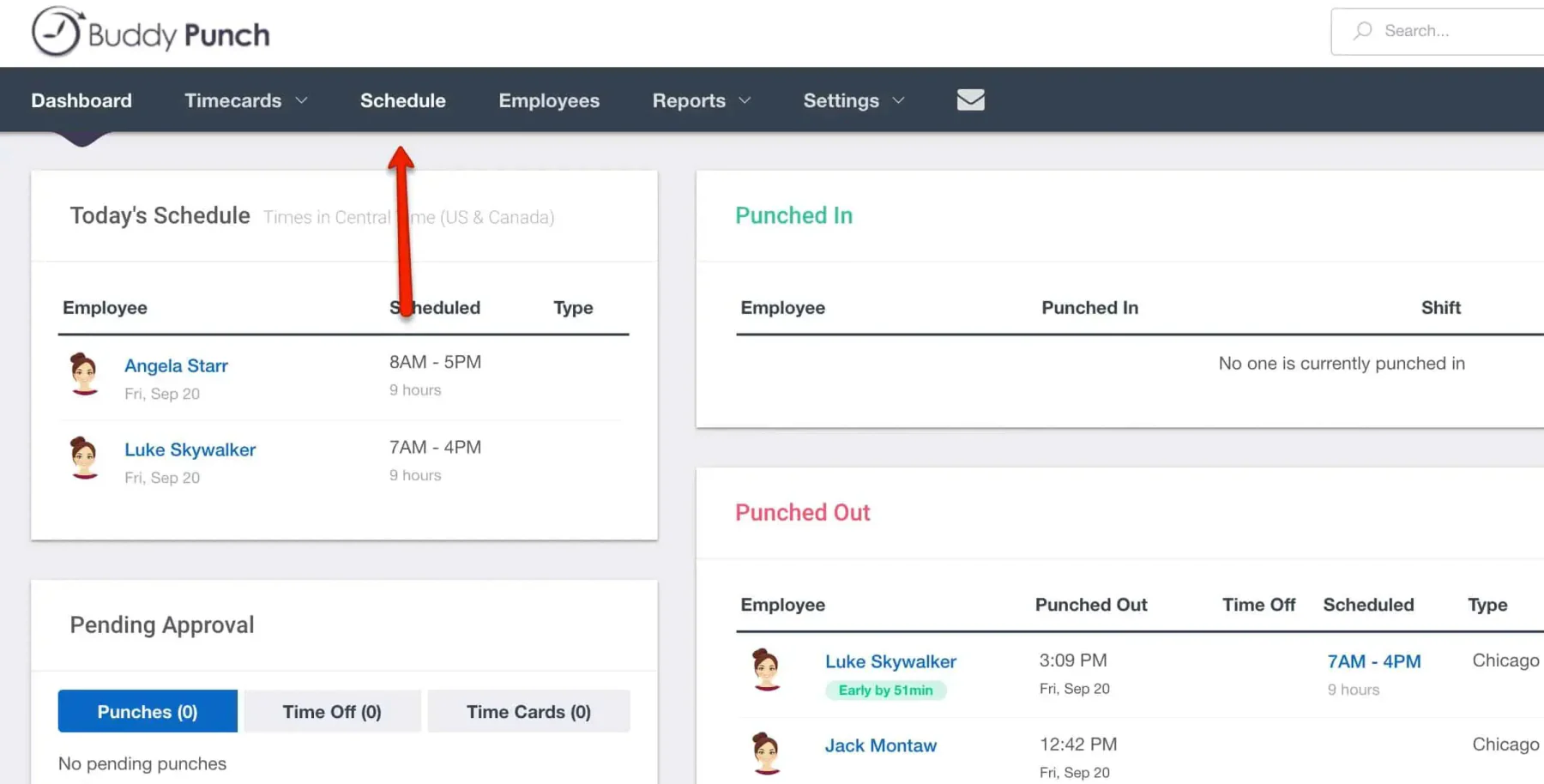
As a workforce scheduling system, Buddy Punch covers multi-branch staffing, geofenced clock-in, overtime monitoring, and rest-day and public-holiday planning. By verifying every clock-in and curbing time theft, it also gives managers the accountability data to increase worker productivity, while its leave and overtime approvals are automatically fed to the Philippine attendance-to-payroll handoff.
Buddy Punch employee scheduling software offers a suite of features, which include:
- Clock-in and clock-out
- Shift scheduling
- Geofencing
- Reporting and analytics
- Multi-branch shift scheduling with overtime and rest-day tracking
- Leave and overtime request approvals
| Pros | Cons |
|
|
Suitable for: Its customizable features, ease of use, and affordability make Buddy Punch rostering software an ideal choice for businesses seeking to modernize and streamline their time tracking and attendance management processes.
Pricing: Starter (₱285/user/month + ₱1,083 base/month), Pro (₱398/user/month + ₱1,083 base/month), Advanced (₱740/user/month + ₱1,083 base/month); optional add-ons have additional prices
Things to Consider Before Choosing a Rostering Software

Choosing the right rostering software involves considering several critical factors to ensure the chosen solution aligns with the business’ operational needs, regulatory compliance, and workforce dynamics. Here are essential tips to guide you in making an informed decision:
- Understand your business needs: Begin by assessing your business needs and requirements. Consider the size of your workforce, the complexity of your scheduling needs, and specific industry challenges.
- Compliance with local labor laws: Ensure that the software complies with Philippine labor laws, including regulations on working hours, overtime, rest days, and holiday pay.
- User-friendliness: The software should be easy to use for both managers and employees. A user-friendly interface reduces the learning curve, enhances adoption rates, and minimizes errors in scheduling.
- Integration capabilities: Look for software that can seamlessly integrate with your existing systems, such as HR management, payroll, and attendance tracking systems.
- Support and training: Reliable support and comprehensive training resources can significantly ease the implementation process and ensure that any issues are promptly addressed.
- Customization: Each business has unique needs, so the ability to customize features such as shift patterns, pay rates, and reporting is valuable.
- Security: Ensure that the software provider offers strong data encryption, regular backups, and compliance with data protection regulations.
- Feedback from users: Reviews and testimonials can provide insights into the software’s performance, reliability, and the provider’s customer service quality.
By carefully considering these factors, Philippine businesses can select a rostering software solution that not only meets their scheduling needs, but also supports their long-term operational goals and growth.
Conclusion
Rostering software is no longer a luxury for Philippine businesses managing shift-based teams, it’s a practical necessity. From automating schedules to staying compliant with local labor laws, the right software removes a lot of the friction that comes with managing people manually.
With 10 solid options available, there’s something for every business size and industry. The key is knowing what your operations actually need before committing to one.
Ultimately, the right rostering software saves time, reduces errors, and supports more consistent scheduling. Book a free demo to see how it can support workforce scheduling and management.

FAQ About Rostering Software
Rostering software works by using algorithms to build and manage shift patterns based on roles, availability, and workload. It automatically tracks attendance, calculates overtime, flags rest-day and holiday rules, and syncs approved hours to payroll, reducing manual scheduling errors and improving overall workforce visibility.
The best rostering software in the Philippines depends on your business size, budget, and compliance needs. Prioritize flexible scheduling, attendance tracking, and payroll integration, ideally with local DOLE and BIR support. Compare a few options against your actual operations before committing to one.
Industries with shift-based or around-the-clock staffing such as healthcare, hospitality, retail, manufacturing, logistics, and security need rostering software most. Any business juggling multiple branches, rotating shifts, or fluctuating demand benefits, since the software keeps coverage compliant, controls overtime, and prevents the scheduling gaps that manual rosters miss.
Rostering software in the Philippines is usually priced per user or per location each month, with many vendors offering free tiers and custom enterprise quotes. Costs vary with headcount, modules, and payroll localization, so request a tailored quote and compare the total against your workforce size.
Yes. Most rostering software integrates directly with payroll, passing approved shifts, overtime, and leave into salary computation. In the Philippines, look for tools that map hours to DOLE holiday and rest-day premiums and feed BIR-compliant payroll, so attendance flows to payslips without manual re-keying or errors.