

 Limited to 100 registrants

A blocked drain on a Friday afternoon does not care how your records are organised. Property maintenance software exists so the request, the quote, the tradie, the approval, and the invoice all land in one place instead of across a phone, an inbox, and a spreadsheet nobody updated.
Australian property teams also carry obligations that generic tools ignore, from smoke alarm servicing to electrical and gas safety checks that vary by state. This guide covers what the software does, which compliance duties it needs to support, how to match a tool to who actually manages the property, and twelve options worth shortlisting.
Key Takeaways
The right property maintenance software depends on who manages requests, approvals, contractors, assets and financial accountability.
Validate the full workflow from maintenance request and work order through procurement, cost capture, completion evidence and reporting.
Use an Australian governance checklist to review records, permissions, audit trails, contractor documentation and finance workflows with the right advisers.
Compare total operating fit, integration requirements and implementation readiness rather than relying on headline features or undisclosed pricing.

What Is Property Maintenance Software?
"Maintenance used to live across texts, emails, and a spreadsheet nobody trusted. Now every request, quote, approval, and invoice sits on one job record, so we can answer an owner or a tenant without digging through six months of messages"
Property maintenance software manages repair and upkeep work across a property portfolio, from the first request through to the paid invoice. It replaces the mix of emails, texts, and spreadsheets most teams use to track who reported what and who is fixing it.
The core of it is a job record holding the property, the issue, the photos, the assigned tradie, and the approval. Everyone touching that job works from the same record rather than a forwarded email chain.
Most platforms also handle recurring work, such as scheduled safety inspections and preventive servicing. Therefore, compliance tasks appear on a calendar instead of relying on someone remembering.
The value shows up in fewer chased phone calls and cleaner evidence when something goes wrong. As a result, teams spend more time on decisions and less on reconstructing what happened.
Australian Compliance Requirements Your Maintenance Software Must Support
Property obligations in Australia sit across tenancy law, safety regulation, and building requirements, and several vary by state or territory. The points below cover what your software should help you evidence.
- Smoke alarm servicing and records: Requirements differ between states, and several mandate annual checks with documented dates and outcomes.
- Electrical, gas, and safety checks: Some jurisdictions set minimum rental standards that include periodic safety inspections by a qualified person.
- Repair timeframes and urgent repairs: Tenancy legislation in each state defines urgent repairs and expected response, so timestamped requests matter.
- Contractor licensing and insurance: Trades need current licences and insurance, and the software should store expiry dates and prompt renewals.
- Work health and safety duties: Anyone who manages or controls a workplace carries duties under WHS law. According to Safe Work Australia, the model WHS laws set the framework most jurisdictions have adopted.
- Strata and common property records: Body corporate work needs committee approvals, levies, and maintenance history held against the scheme.
- Record retention and audit trail: Keep evidence of what was requested, approved, done, and paid, since disputes often surface months later.
Requirements change and differ by state, so confirm current obligations with the relevant tenancy authority or regulator before you rely on any tool's compliance claims.
How to Choose and Match the Tool to Who Manages the Property
The same feature list reads very differently depending on who is doing the managing. The table below matches each buyer type to what usually matters most.
| Who Manages It | What Matters Most | Common Trap |
|---|---|---|
| Agency property managers | Tenant requests, landlord approvals, trust accounting fit, compliance calendars | Buying a tool that does not talk to the existing property management platform |
| Strata and body corporate | Common property records, committee approvals, quotes against levies, scheme history | Choosing a residential tenancy tool that cannot model a scheme structure |
| Maintenance contractors and trades | Job scheduling, mobile app, photos, timesheets, quoting, and invoicing out | Picking a manager-side tool with a weak field app |
| Landlords and investors | Simple job log, cost per property, receipts for tax, low monthly cost | Paying enterprise pricing for a handful of properties |
| Commercial and facility teams | Asset registers, preventive schedules, work orders, budgets, ERP and finance links | Using a residential tool that cannot track assets or planned maintenance |
Real Estate Agency Property Managers
Agency teams juggle tenant requests, landlord approval limits, and tradie coordination across dozens or hundreds of properties. The tool needs to route a request, capture the approval, and keep the audit trail without extra admin.
Integration with your existing property management platform matters more than any single feature. Therefore, confirm how maintenance data flows into rent, statements, and trust records before you commit.
Strata and Body Corporate Managers
Strata work runs on common property, committee decisions, and scheme budgets rather than a single landlord. The software should hold maintenance history against the scheme and track quotes through committee approval.
Residential tenancy tools often struggle with this structure, since they assume one owner per property. As a result, purpose-built strata platforms usually suit better.
Maintenance Contractors and Trade Businesses
Trades need the job on a phone, with the address, the scope, photos, and a way to log hours and materials. The office side needs scheduling, quoting, and invoicing that reflects what actually happened on site.
Test the mobile app in a real job, not a demo. However, also check how easily it invoices out to the agencies or owners you work for.
Landlords, Investors and Self-Managed Portfolios
Self-managing owners want a clear job log, receipts kept for tax time, and cost visibility per property. Enterprise features add cost without adding much value at this scale.
A simple tool plus disciplined record keeping usually covers a small portfolio. Therefore, judge these options on price and ease rather than depth.
Commercial and Facility Teams
Facility teams manage assets rather than just properties, so they need an asset register, preventive schedules, and work orders tied to equipment. Budget tracking and finance integration matter at this level.
Residential-focused tools rarely reach this depth, which is a scope difference rather than a shortcoming. Consequently, commercial teams usually look at maintenance management or ERP-connected platforms.
12 Best Property Maintenance Software Options in Australia (2026)
The list below covers a mix of Australian-built and global platforms across agency, strata, trades, and facility use. Match each to your own portfolio and workflow rather than assuming the order reflects a ranking.
1. HashMicro
HashMicro delivers property and facility maintenance inside a connected ERP, so work orders, asset registers, procurement, and accounting share one system. Maintenance spend lands in financial records without a manual export.
The asset register supports preventive schedules, service history, and cost per asset across multiple sites. In addition, Hashy, the HashMicro AI Coworker, reads that connected data through the Company Nexus and answers questions about jobs, spend, and overdue servicing in plain language.
| Pros | Cons |
|---|---|
| Connects maintenance, assets, procurement, and accounting in one system. | Offers more depth than teams needing only a simple tenant request log. |
| Preventive schedules and asset history support compliance record keeping. | Suits businesses ready to connect maintenance with wider operations. |
Best for: growing businesses and multi-site operators who want maintenance cost, assets, and finance in one connected platform.
2. Bricks
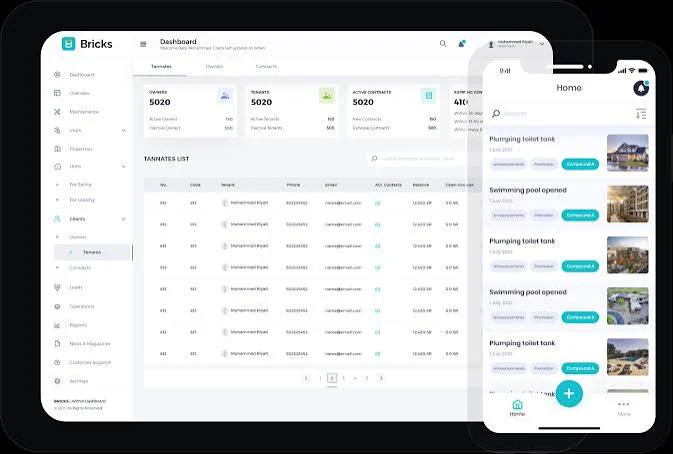
Bricks focuses on maintenance workflow for Australian property managers, covering requests, quotes, and tradie coordination in one place. It aims to cut the back and forth between tenants, owners, and contractors.
The platform works alongside a property management system rather than replacing it. Therefore, check how it connects to the software your agency already runs before you commit.
| Pros | Cons |
|---|---|
| Built around the maintenance workflow Australian agencies actually run. | Sits alongside a property management platform rather than replacing it. |
| Keeps tenant, owner, and tradie communication on one job record. | Broader agency functions such as trust accounting sit outside its scope. |
Best for: real estate agencies wanting a dedicated maintenance layer on top of an existing property management system.
3. Property Sorted
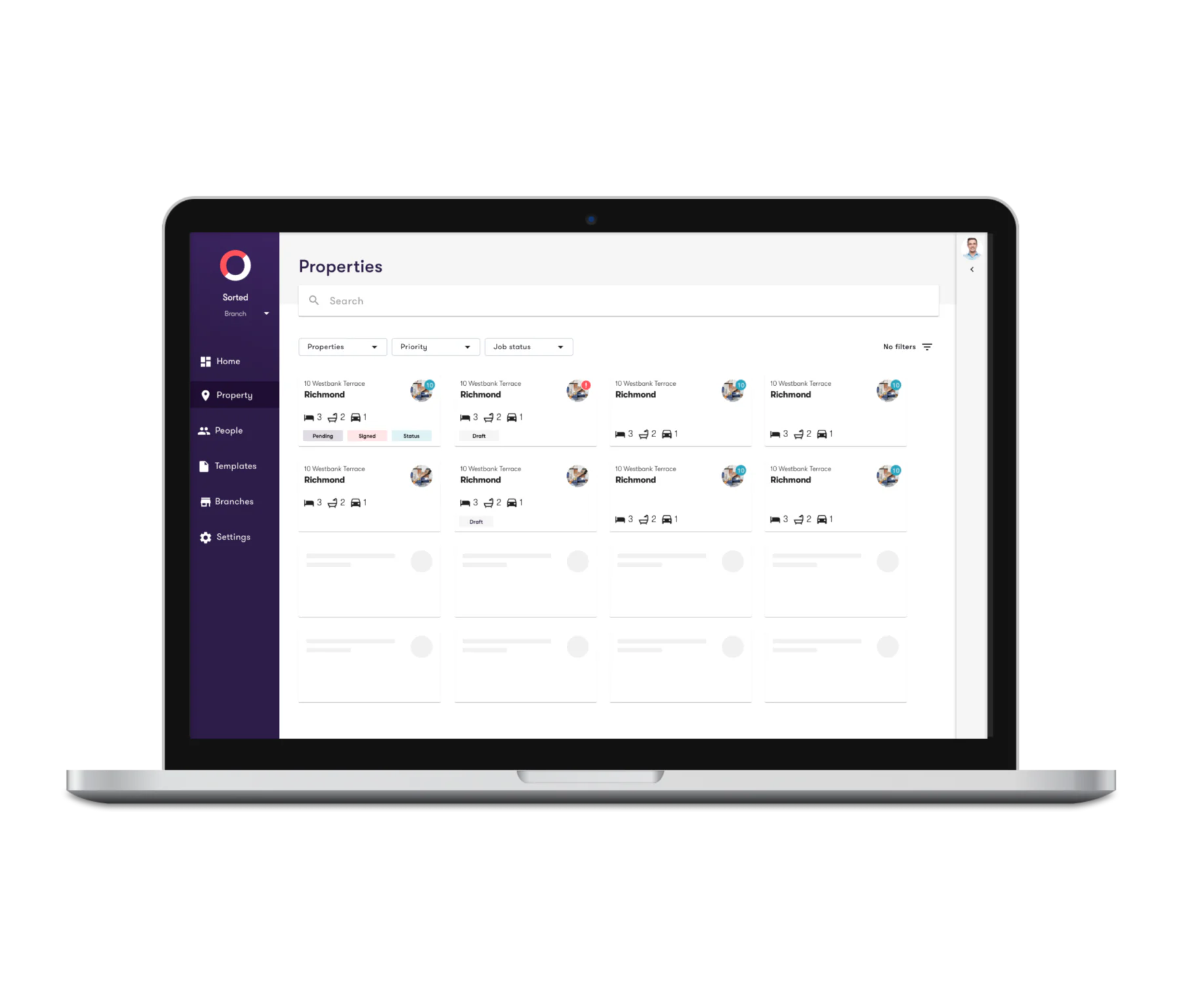
Property Sorted targets Australian agencies that want maintenance and routine compliance tasks handled in a single workflow. It covers job requests, contractor allocation, and record keeping.
Its focus sits on the maintenance side rather than full property management. As a result, it usually complements an existing platform instead of standing alone.
| Pros | Cons |
|---|---|
| Combines maintenance jobs and routine compliance tasks in one workflow. | Focused on maintenance rather than complete agency management. |
| Australian-built, so the workflow reflects local agency practice. | Agencies still need a separate platform for leases and trust accounting. |
Best for: Australian property managers who want compliance scheduling sitting with their maintenance jobs.
4. i4T Maintenance
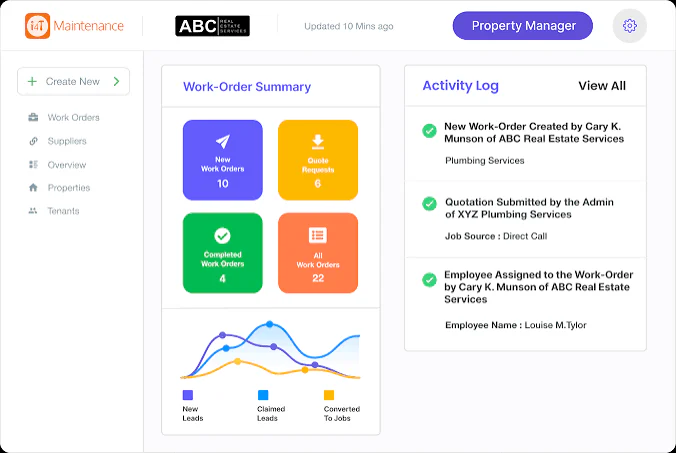
i4T Maintenance connects property managers with contractors and tracks the job through to completion. Contractor verification is a stated focus of the platform.
The model suits teams that want help sourcing and checking trades. However, agencies with an established contractor panel may value that part less.
| Pros | Cons |
|---|---|
| Contractor verification is built into the platform rather than bolted on. | Less differentiated for agencies with a settled tradie panel. |
| Tracks the job from request through to completion in one record. | Wider agency and accounting workflows sit outside its scope. |
Best for: property managers who need help sourcing and verifying contractors as well as managing the job.
5. Dingo Desk
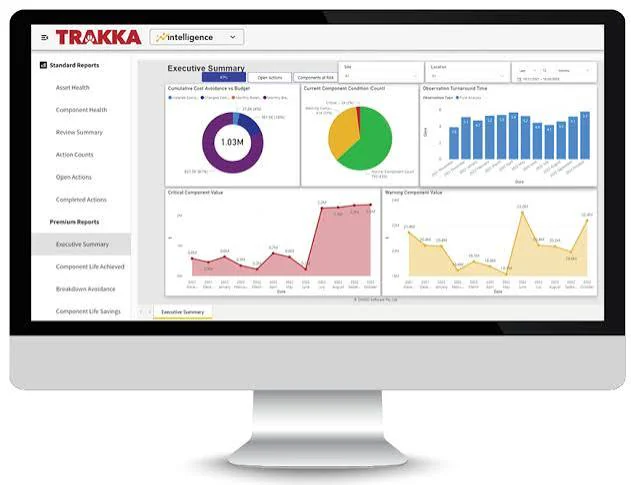
Dingo Desk is an Australian platform built around maintenance coordination between agencies and their tradies. It handles job creation, communication, and status tracking in one place.
Its strength sits in the day-to-day coordination layer rather than broad agency administration. Therefore, judge it on how many phone calls it removes from your current process.
| Pros | Cons |
|---|---|
| Focused on the coordination layer where most agency time gets lost. | Narrower scope than a full property management platform. |
| Australian product, so support and workflow suit local practice. | Teams needing asset registers or preventive schedules should look wider. |
Best for: agencies whose main pain is chasing tradies and updating tenants by phone.
6. Opus
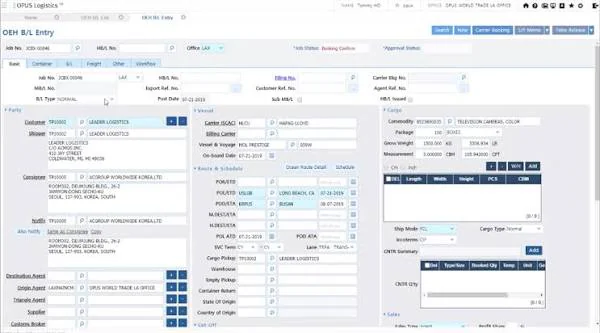
Opus serves strata and property management with tools spanning maintenance, communication, and scheme administration. It reflects the committee-based way strata decisions get made.
Residential agency teams may find parts of it built for a different structure. In addition, confirm which modules you actually need before pricing it.
| Pros | Cons |
|---|---|
| Handles the committee approvals and scheme records strata work requires. | Parts of the platform assume a strata structure rather than single-owner rentals. |
| Brings maintenance and owner communication into one workflow. | Module mix can make pricing harder to compare with simpler tools. |
Best for: strata and body corporate managers who want maintenance handled inside scheme administration.
7. Stratafy
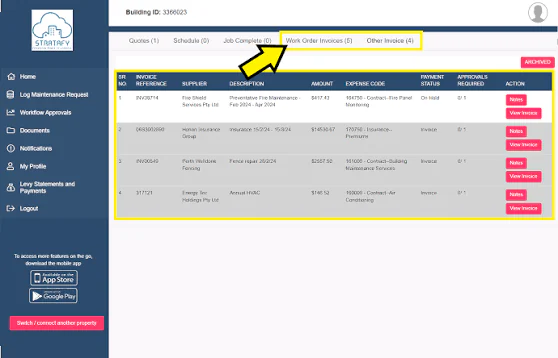
Stratafy focuses on strata management, covering common property maintenance, records, and owner communication. It suits body corporate managers rather than standard tenancy portfolios.
The strata focus is a scope choice rather than a limitation. Consequently, agencies managing residential leases should compare it against agency-first options.
| Pros | Cons |
|---|---|
| Purpose-built for common property and scheme-level maintenance records. | Not designed for standard residential tenancy management. |
| Keeps owner communication attached to the maintenance history. | Smaller schemes may not need the full feature set. |
Best for: strata managers who need maintenance history and approvals held against each scheme.
8. PropertyMe
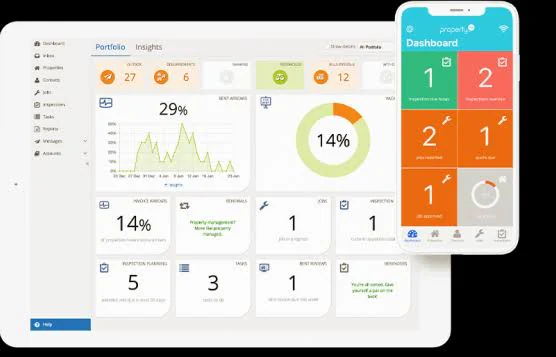
PropertyMe is a widely used Australian cloud property management platform, with maintenance handled inside broader agency workflow. Trust accounting, inspections, and owner communication sit in the same system.
Maintenance is one component rather than the whole product. Therefore, teams wanting deeper maintenance capability sometimes pair it with a specialist tool.
| Pros | Cons |
|---|---|
| Covers the full agency workflow, so maintenance sits beside rent and inspections. | Maintenance is one module rather than the platform's main focus. |
| Established Australian platform with a large local user base. | Asset-level and preventive maintenance depth is lighter than dedicated tools. |
Best for: Australian residential agencies wanting maintenance inside a complete property management platform.
9. Re-Leased
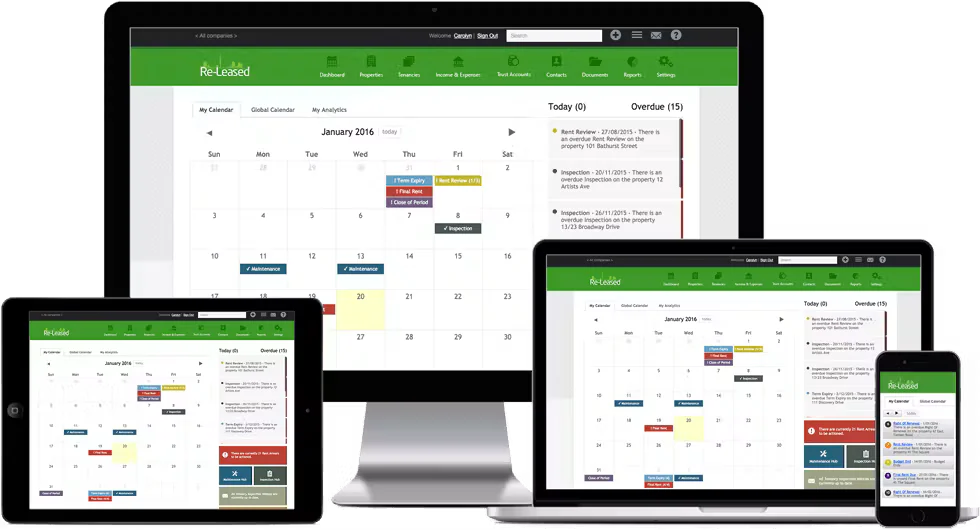
Re-Leased focuses on commercial property management, covering leases, rent, and maintenance in one platform. It handles the lease-driven obligations commercial portfolios carry.
Residential-only agencies will find much of it aimed at a different property type. However, mixed portfolios often value that commercial depth.
| Pros | Cons |
|---|---|
| Built for commercial leases, so obligations and recoveries are handled properly. | Much of the depth is unnecessary for residential-only portfolios. |
| Connects maintenance to lease and financial records in one platform. | Typically a larger commitment than a standalone maintenance tool. |
Best for: commercial and mixed-use portfolios that need maintenance connected to lease obligations.
10. MRI Property Tree
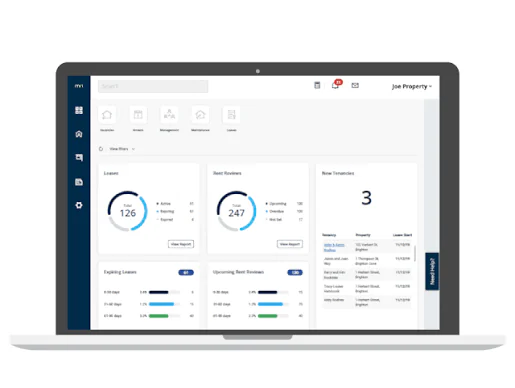
MRI Property Tree is a cloud property management platform used across Australian and New Zealand agencies. Maintenance sits within full agency workflow including trust accounting and reporting.
The breadth suits established agencies with volume. As a result, smaller self-managed portfolios may find it more platform than they need.
| Pros | Cons |
|---|---|
| Full agency platform with trust accounting, reporting, and maintenance together. | More platform than small or self-managed portfolios usually require. |
| Backed by a large vendor with an established local presence. | Implementation and setup effort is higher than a single-purpose tool. |
Best for: established agencies with significant rent rolls wanting one platform across the business.
11. UpKeep
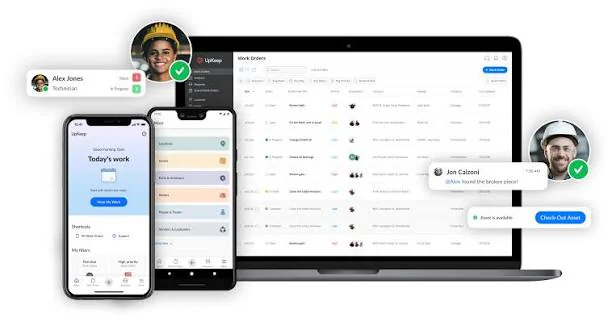
UpKeep is a maintenance management platform built around work orders, assets, and preventive schedules, with a strong mobile app for technicians. It suits facility and commercial teams more than residential tenancy work.
Tenancy administration sits outside its scope by design. Therefore, agencies would run it alongside a property management system rather than instead of one.
| Pros | Cons |
|---|---|
| Strong work order and asset management with a capable technician app. | Does not handle leases, tenants, or trust accounting. |
| Preventive maintenance scheduling is a core capability, not an add-on. | Residential agencies would need a second system alongside it. |
Best for: facility and commercial maintenance teams managing assets and technicians rather than tenancies.
12. MaintainX
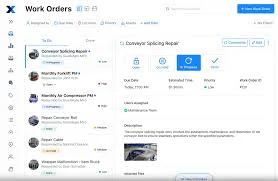
MaintainX handles work orders, asset records, procedures, and preventive schedules with a mobile-first approach. Operations and facility teams use it to keep technicians and records aligned.
Like other maintenance management platforms, it focuses on assets and work rather than leases or tenants. Consequently, it fits commercial and facility use better than residential agency use.
| Pros | Cons |
|---|---|
| Mobile-first design suits technicians working across sites. | Built for assets and work orders rather than property or tenancy management. |
| Procedures and checklists support consistent maintenance execution. | Property-specific compliance workflows need to be configured manually. |
Best for: operations and facility teams wanting standardised maintenance procedures across sites.
How Much Does Property Maintenance Software Cost in Australia?
Pricing across this category varies widely because the products serve very different buyers. The sections below explain what drives the number on your quote.
Pricing models, from per property to per user, per job, or platform fee
Agency and property management platforms often charge per property or per tenancy under management, which scales with your rent roll. Maintenance management tools for facility teams usually charge per user each month instead.
Some contractor-focused platforms charge per job or take a fee on work processed through them. Therefore, model each option against your actual property count, user count, and monthly job volume before comparing headline prices.
What drives cost up across portfolio size, tradie network, and integrations
Portfolio size is the biggest lever, since per-property pricing compounds quickly across a growing rent roll. User seats do the same for facility teams adding technicians.
Integration work adds cost when the tool needs to connect to your property management platform, accounting system, or asset records. In addition, contractor network features and compliance modules often sit in higher tiers rather than the entry plan.
Free trials, free tiers, and what they usually exclude
Most providers offer a trial of two weeks to a month, which is enough to test workflow but rarely enough to test scale. Free tiers, where they exist, typically cap properties, users, or open work orders.
The excluded parts are usually the ones that matter most, including integrations, advanced reporting, and compliance scheduling. Therefore, run the trial on real jobs and ask directly which features sit outside the free plan.
Conclusion
Property maintenance software earns its cost by turning scattered requests, approvals, and invoices into one traceable record, with recurring safety obligations on a schedule rather than in someone's memory. The right choice depends far more on who manages the property than on any feature comparison, since an agency, a strata manager, a trade business, and a facility team each need something different.
Shortlist two or three options against your own portfolio size, compliance obligations, and existing systems, then trial them on real jobs. To see how maintenance, assets, and cost could work in one connected system, book a free consultation with HashMicro.

Frequently Asked Questions
Property maintenance software coordinates maintenance requests, triage, work orders, preventive schedules, contractors, assets, completion evidence and cost records. Buyers should validate requests, approvals, contractor coordination, asset history, reporting and finance links, and distinguish a maintenance-focused tool from broader property management or ERP platforms.
The best fit depends on the organisation's operating model, portfolio complexity, governance needs, integrations and implementation capacity. Use the neutral shortlist and scorecard in this article, and note that it is not based on hands-on competitor testing or an objective ranking methodology.
Property maintenance software focuses on maintenance execution, work orders, preventive tasks, contractors and completion evidence. Property management software usually adds tenancy, leasing, owner, trust or portfolio workflows. Choose a focused tool, broader platform or connected system according to your workflow and data-control requirements.
Some providers may offer free trials, limited free tiers or restricted user plans. Confirm exclusions such as users, properties, work orders, integrations, reporting, data export, support and retention before relying on a free option.
Software may help organise records, approvals, user access and completion evidence, but it does not guarantee legal compliance. Confirm state or territory requirements with qualified advisers and validate audit, retention, permission and reporting controls with the provider.
The desired process links an approved work order to a purchase request, inventory movement, contractor cost, asset record and reporting by property or cost centre. The exact flow depends on configuration and integrations, so require a demonstration and written confirmation for the Australian offering.