

Inspection management software helps businesses organise inspections, record results, track defects, schedule follow-up inspections, and store all inspection records in one place. This makes it easier to monitor quality and stay compliant.
For Australian businesses, inspection software should do more than replace paper checklists. It should also connect inspection results with quality control, corrective actions, supplier management, purchasing, and reporting.
This guide explains what inspection management software is, its key features and benefits, how it compares with quality management software, and when an ERP-integrated solution is the better option.
Key Takeaways
Learn what inspection management software is and how it helps businesses digitise inspections, track defects, and improve compliance.
Compare the 10 best inspection management software solutions in Australia to find the right fit for your business.
See how HashMicro connects inspection management with ERP to improve quality control and operational visibility.

What Is Inspection Management Software?

Inspection management software is a digital tool that helps businesses plan inspections, complete checklists, record results, report defects, and track follow-up actions. It replaces paper forms and spreadsheets with a centralised system for managing inspection records.
The software helps teams identify what needs to be inspected, what issues were found, and what actions need to be taken. It can be used for quality control, safety inspections, equipment checks, and incoming goods inspections across different industries.
Unlike paper-based inspections, digital systems provide a complete audit trail by recording who completed the inspection, when it was performed, the evidence collected, and the status of corrective actions.
Best Inspection Management Software Compared At a Glance
The best inspection management software depends on whether your inspections are safety-focused, quality-focused, asset-focused, or part of a wider ERP/QMS workflow. Use the table below as a shortlist guide, then verify features directly with each vendor during demos.
| Software | Best For | Key Strength | Consider Before Choosing |
|---|---|---|---|
| SafetyCulture | Safety and field inspections | Mobile checklists, photo capture, and offline inspections | Limited ERP integration |
| HashMicro | Manufacturing and multi-site businesses | ERP-integrated inspections, quality, inventory, and reporting | Best suited for businesses looking for an all-in-one ERP |
| Intelex | Enterprise compliance | Strong EHS, audit, and compliance management | More complex implementation |
| ETQ Reliance | Regulated manufacturing | Comprehensive quality management and compliance | May be more advanced than inspection-only needs |
| GoAudits | Retail, hospitality, and operations | Easy-to-use mobile inspections and audits | Limited advanced workflow and ERP capabilities |
This is not a hands-on ranking of every vendor. It is a buyer’s guide based on public positioning, common inspection software patterns, and the needs of Australian teams evaluating inspection workflows.
How to Read the Comparison Table
Before comparing software, think about how your business uses inspections. For example, safety teams may need mobile checklists and photo capture, while manufacturers often require quality inspections, batch tracking, and integration with production or inventory systems.
If your inspections only record pass/fail results, a standalone inspection app may be enough. However, if inspection results affect inventory, production, supplier quality, or compliance, an ERP-integrated inspection system can provide better control and visibility.
"The best inspection process doesn't just identify problems, it helps teams resolve them faster with connected, reliable data."
Which Inspection Types Can the Software Manage?
Inspection management software can support many inspection types, but the value changes depending on how structured the inspection data needs to be.
1. Incoming, In-Process, and Final Quality Inspections
Manufacturers typically perform inspections on incoming materials, during production, and before delivery. These inspections often include measurements, pass/fail results, batch tracking, and follow-up actions to maintain product quality.
2. Safety, Asset, Supplier, and Compliance Inspections
Inspection software also supports safety checks, equipment inspections, supplier audits, and compliance inspections. Mobile checklists, photos, and corrective actions help teams complete inspections efficiently and maintain compliance.
3. Manufacturing Inspection Software Use Cases
In manufacturing, inspection results can trigger actions such as rejecting supplier deliveries, stopping production, or creating rework orders. Unlike basic checklist apps, integrated inspection software connects these results with production, inventory, and quality management.
What Features Matter Most in Inspection Management Software?
The best inspection management software should make inspections easier to complete, track, and follow up while keeping records accurate and accessible.
1. Digital Checklists, Mobile Capture, Photos, and Signatures
Inspectors should be able to complete checklists on mobile devices, attach photos, add comments, and collect signatures. Features like offline access and customizable forms make inspections more efficient.
2. Defect Logging, Rechecks, Measurements, and Reports
The software should record defects, measurements, and pass/fail results while tracking re-inspections. This helps teams monitor issues until they are resolved.
3. Corrective Actions and Nonconformance Follow-Up
Inspection findings should trigger corrective actions and track their progress. Integration with a quality management system (QMS) helps ensure issues are resolved and properly documented.
10 Best Inspection Management Software in Australia (2026)
The right inspection management software depends on your industry, inspection process, and operational requirements. Below, we take a closer look at each solution, highlighting its key features, ideal use cases, and factors to consider before making a decision.
1. SafetyCulture
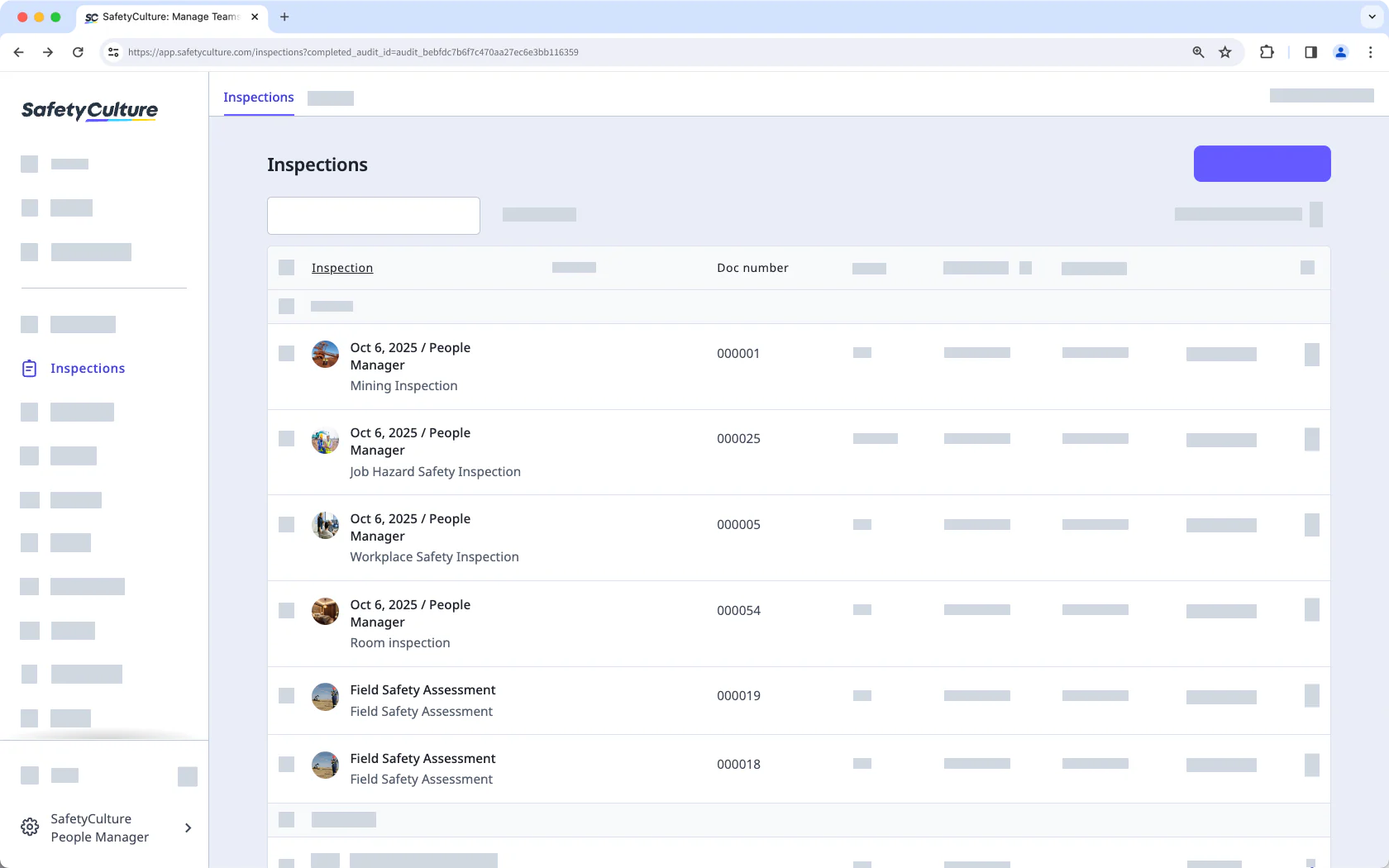
SafetyCulture is a mobile-first inspection and audit platform widely used for safety checks, site walks, and quality inspections. It suits teams that want to run digital checklists from a phone or tablet in the field.
Key features: mobile checklists, photo capture, corrective actions, and reporting dashboards.
| Pros | Cons |
|---|---|
| Fast, intuitive mobile app for field teams | Deeper analytics and integrations sit behind higher tiers |
| Large template library to start quickly | Not a full quality or compliance management system |
Best for: frontline teams that need quick, mobile inspections and safety audits.
2. Field Eagle
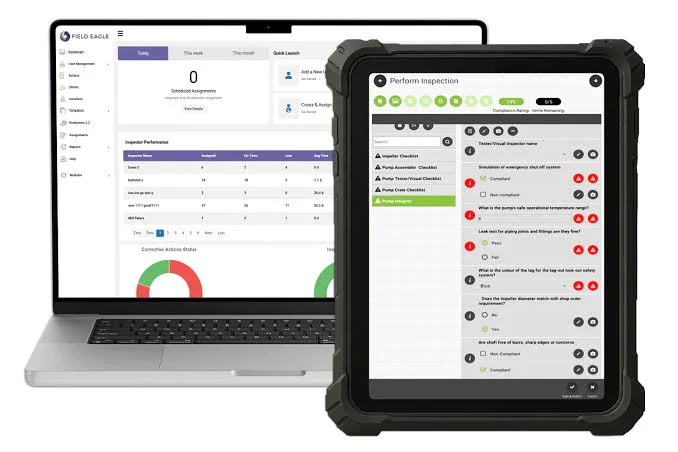
Field Eagle is an inspection management platform built for asset-heavy industries, with configurable forms that work online and offline. It suits businesses running scheduled equipment and safety inspections across multiple sites.
Key features: offline data capture, custom inspection forms, scheduling, and asset tracking
| Pros | Cons |
|---|---|
| Strong offline capability for remote sites | Interface feels dated next to newer mobile apps |
| Configurable forms for asset inspections | Setup and configuration can take time |
Best for: asset-intensive operations that need reliable offline inspections.
3. HashMicro
HashMicro pairs inspection and quality control with a full ERP, so inspection records connect directly to inventory, maintenance, procurement, and compliance data. It suits Australian businesses that want inspections inside one system rather than a standalone app.
Key features: configurable inspection checklists, QC and non-conformance tracking, corrective actions, and integrated dashboards across modules.
| Pros | Cons |
|---|---|
| Inspections link to ERP data (assets, stock, maintenance) in one platform | Broader ERP scope means more setup than a single-purpose app |
| Custom workflows, approvals, and audit trails without extra tools | Best value when adopted alongside other modules |
Best for: businesses that want inspections connected to their wider operations, not siloed in a separate tool.
4. Intelex
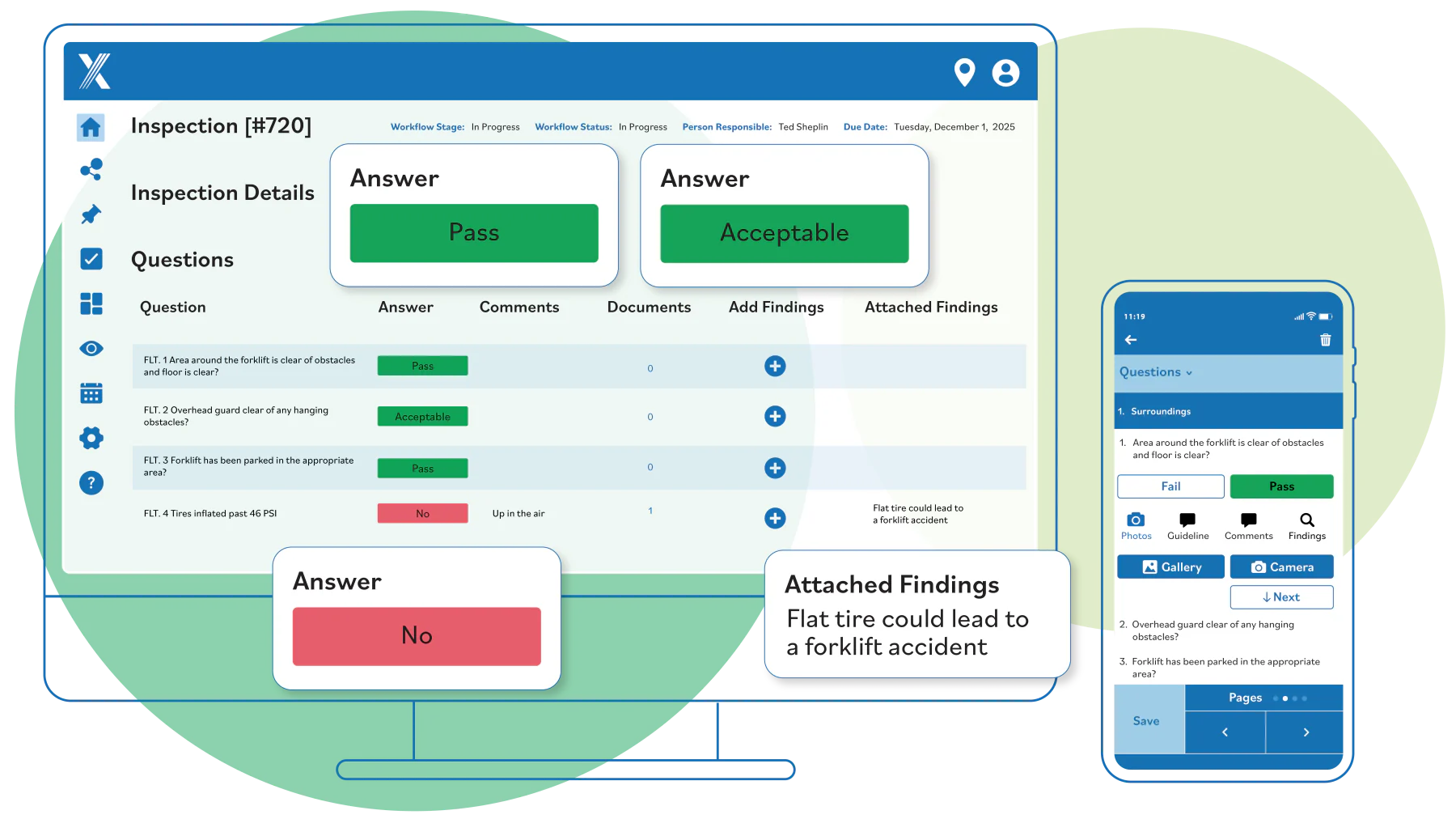
Intelex is an EHS and quality management platform for enterprises managing safety, environmental, and quality programs at scale. It suits larger organisations with formal compliance and reporting obligations.
Key features: EHS management, inspections and audits, incident tracking, and analytics.
| Pros | Cons |
|---|---|
| Comprehensive EHS and quality coverage | Enterprise pricing and scope can be heavy for SMEs |
| Strong reporting and compliance tooling | Longer implementation and learning curve |
Best for: enterprises running structured EHS and quality compliance programs.
5. ETQ Reliance
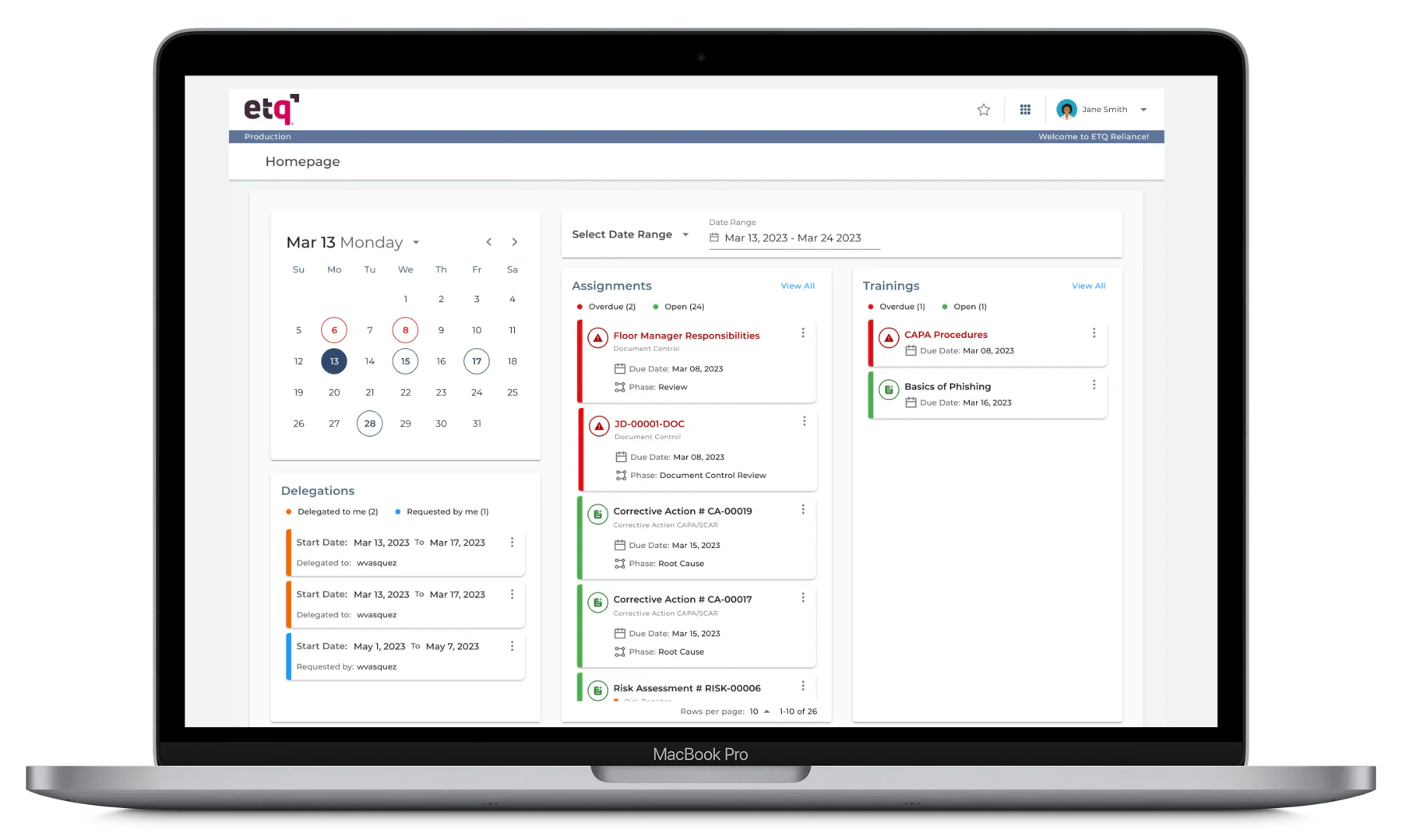
ETQ Reliance is a quality management system (QMS) built for manufacturers and regulated industries. It suits businesses that need configurable quality processes with audit and non-conformance control.
Key features: document control, audit management, CAPA, and non-conformance handling.
| Pros | Cons |
|---|---|
| Highly configurable quality workflows | Complexity requires dedicated admin resource |
| Strong CAPA and audit capabilities | Overkill for simple inspection needs |
Best for: manufacturers needing a configurable, audit-ready QMS.
6. MasterControl
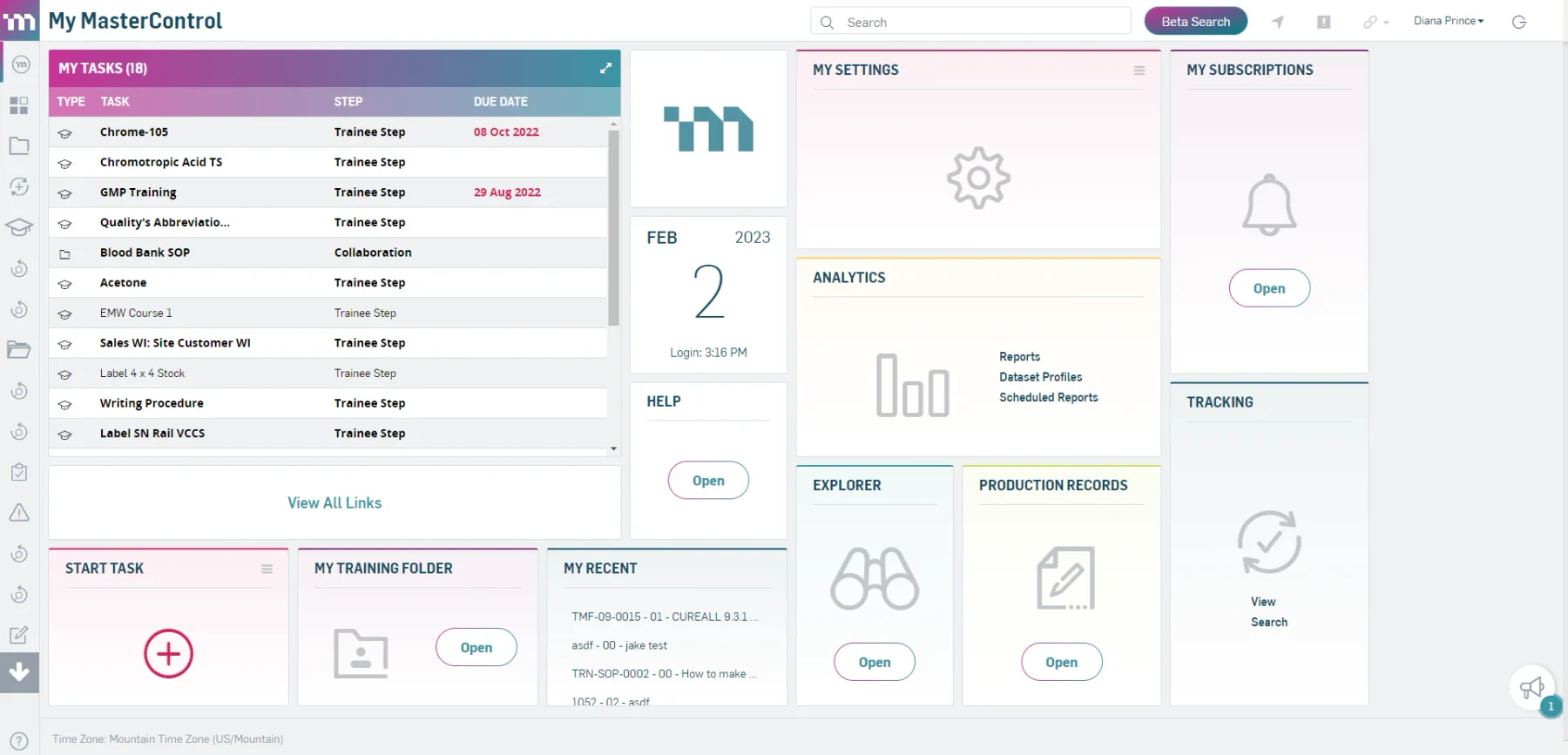
MasterControl is a quality and compliance platform focused on highly regulated sectors such as life sciences and pharmaceuticals. It suits businesses with strict validation and documentation requirements.
Key features: document management, audit and inspection control, CAPA, and validation support.
| Pros | Cons |
|---|---|
| Purpose-built for regulated, validated environments | Premium pricing aimed at regulated enterprises |
| Robust documentation and audit trails | Heavier than most general inspection needs |
Best for: regulated industries that need validated quality and compliance control.
7. ComplianceQuest
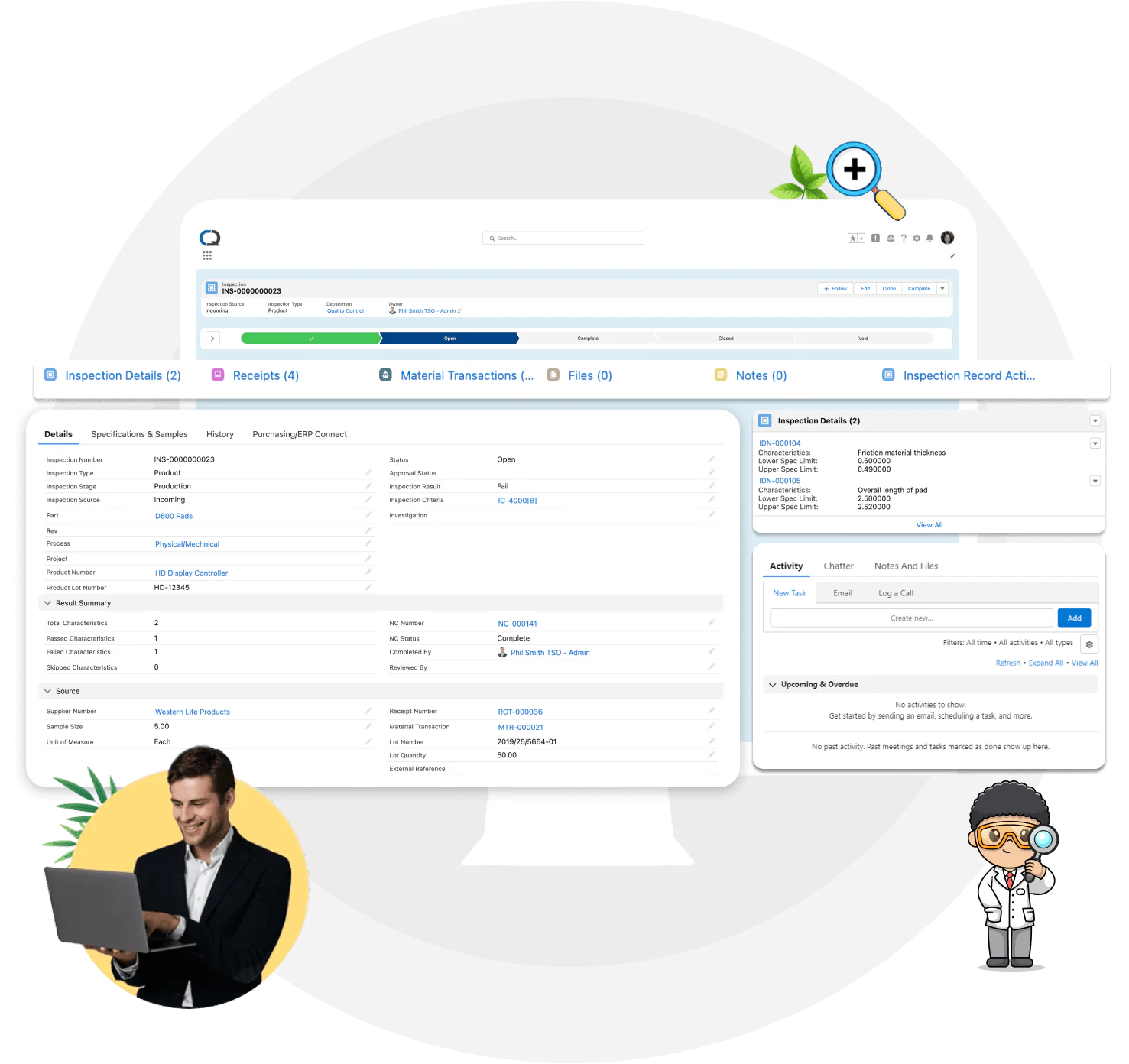
ComplianceQuest is a cloud QMS and EHS platform built on Salesforce, unifying quality, safety, and supplier processes. It suits businesses already invested in the Salesforce ecosystem.
Key features: quality management, EHS, supplier management, and inspection workflows.
| Pros | Cons |
|---|---|
| Unified quality, safety, and supplier data | Best value tied to the Salesforce platform |
| Cloud-native with strong analytics | Can be costly outside existing Salesforce users |
Best for: Salesforce-based organisations wanting unified quality and EHS.
8. InspectionXpert
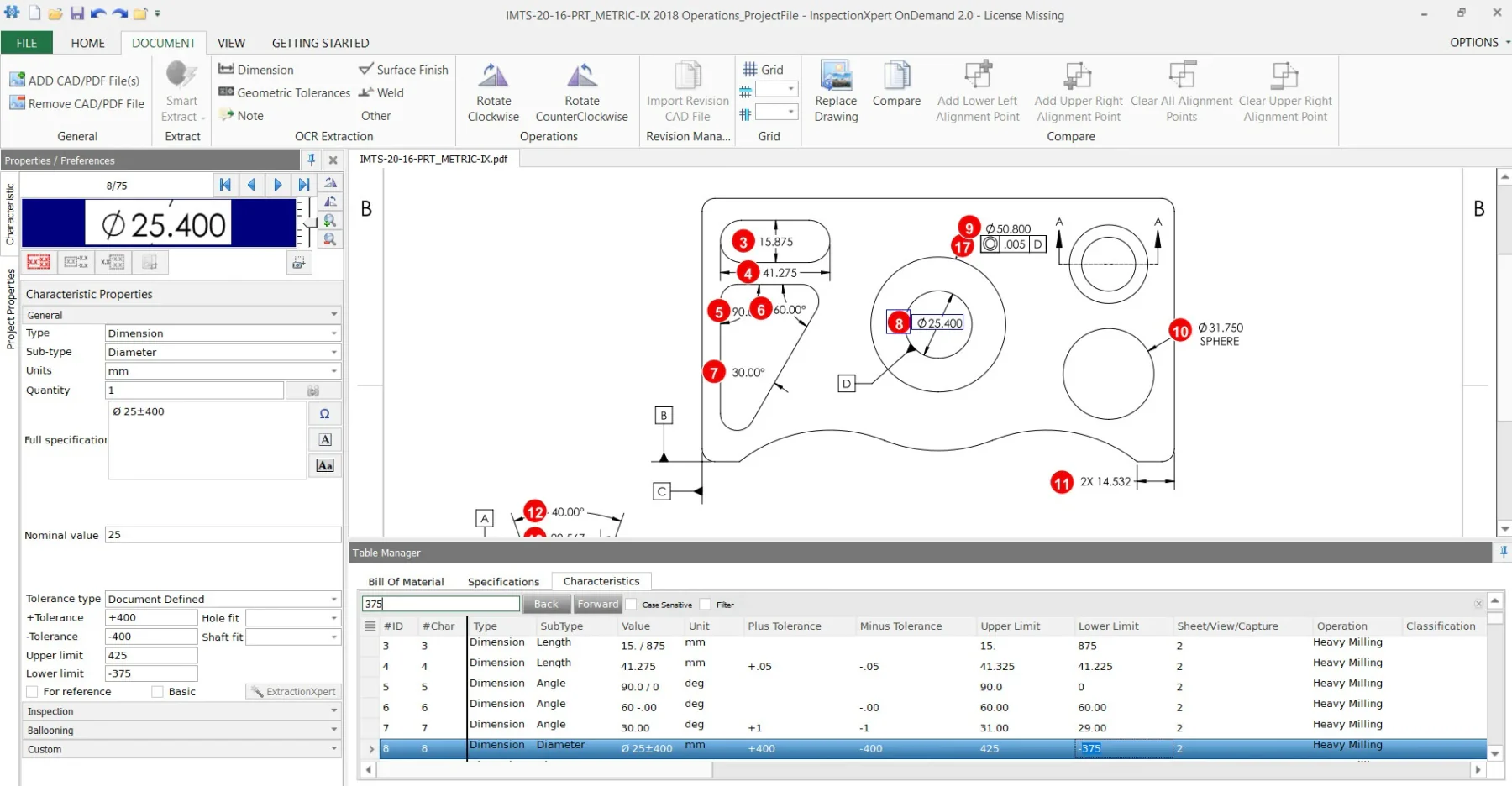
InspectionXpert is a quality inspection tool specialising in first article inspection (FAI) and drawing ballooning for manufacturers. It suits engineering and QC teams working from technical drawings.
Key features: automated ballooning, FAI reporting, AS9102/PPAP support, and inspection sheets.
| Pros | Cons |
|---|---|
| Saves major time on ballooning and FAI reports | Narrow focus on drawing-based inspection |
| Supports common manufacturing standards | Not a broad audit or EHS platform |
Best for: manufacturing QC teams doing FAI and drawing-based inspections.
9. GoAudits
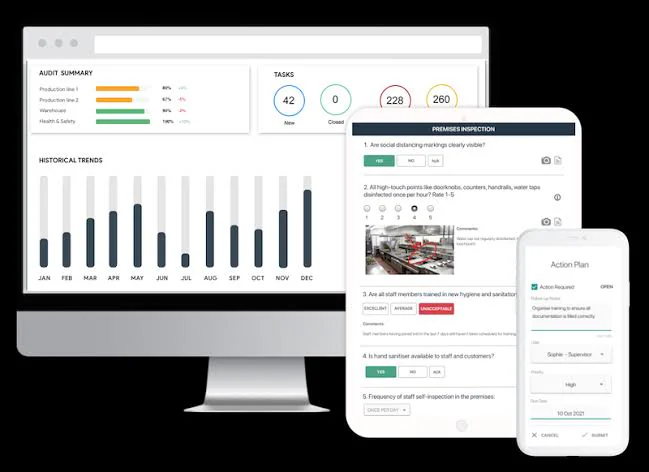
GoAudits is a mobile auditing and inspection app aimed at multi-site businesses in hospitality, retail, and facilities. It suits teams running recurring standardised audits with quick reporting.
Key features: mobile checklists, automated reports, corrective actions, and scoring.
| Pros | Cons |
|---|---|
| Simple, affordable mobile auditing | Lighter on deep analytics and integrations |
| Automated branded reports after each audit | Best for audits rather than full quality management |
Best for: multi-site teams running standardised recurring audits.
10. Fulcrum
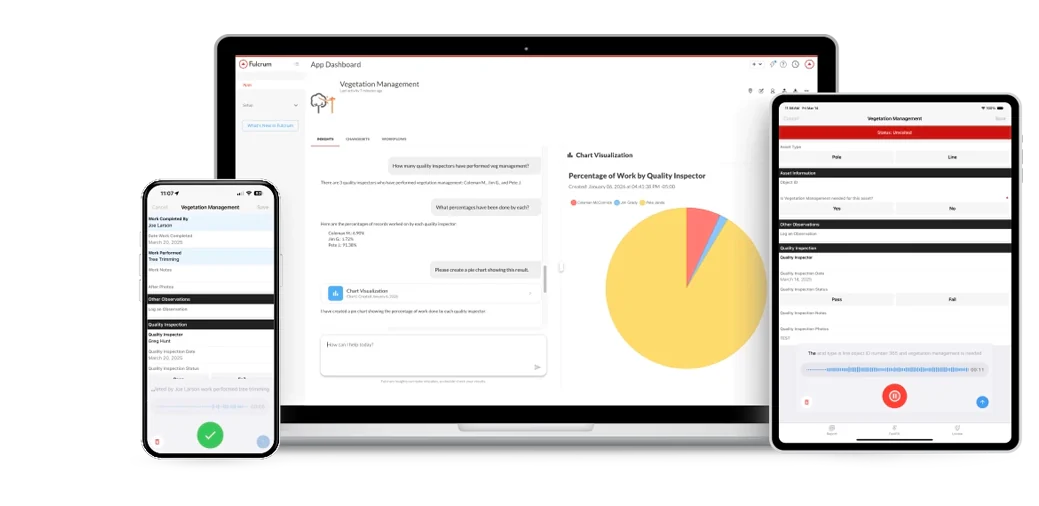
Fulcrum is a field data collection and inspection platform with strong location and mapping capabilities. It suits teams gathering geospatial inspection data in the field.
Key features: custom mobile forms, offline capture, GPS/mapping, and workflow automation.
| Pros | Cons |
|---|---|
| Excellent geospatial and offline data capture | Requires build-out to fit specific workflows |
| Flexible form builder and automation | General data platform, not inspection-specific out of the box |
Best for: field teams that need location-aware inspection and data collection.
Standalone Inspection App vs ERP-Integrated Inspection System
A standalone inspection app and an ERP-integrated inspection system serve different business needs. The right choice depends on how inspection results are used across your operations.
1. When a Standalone Inspection App Is Enough
A standalone app works well for basic inspections such as safety checks, equipment inspections, or site audits. It's ideal when you only need to complete checklists, capture photos, and store inspection records.
2. When an ERP-Integrated Inspection System Is Better
An ERP-integrated system is more suitable when inspection results affect inventory, production, procurement, or supplier management. It reduces duplicate data entry and keeps operational records connected.
3. How Inspection Data Supports Business Operations
With ERP integration, inspection results can update inventory status, trigger corrective actions, create re-inspection tasks, and support quality reporting. This helps businesses respond faster and improve overall operational control.
How Does Inspection Software Support Australian Compliance?
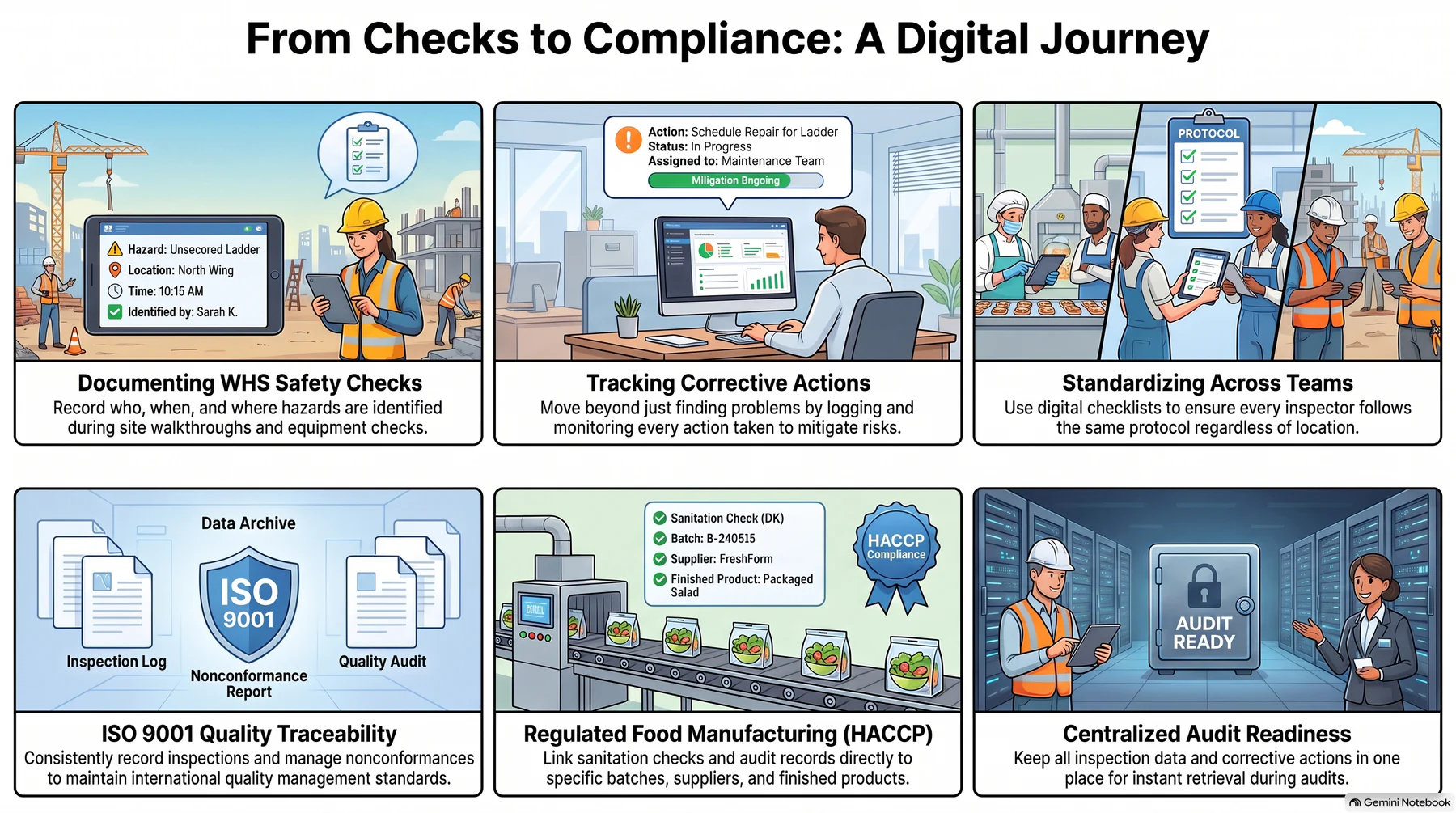
Inspection software doesn't make a business compliant on its own. Instead, it helps teams maintain accurate records, standardise inspections, and track corrective actions to support compliance requirements.
1. WHS Inspection Records and Site Safety Checks
Inspection software helps businesses document workplace safety inspections by recording who completed them, when they were performed, the hazards identified, and the actions taken. It is commonly used for plant inspections, equipment checks, warehouse safety, PPE inspections, and site walkthroughs.
2. ISO 9001 Quality Traceability
For businesses following ISO 9001, inspection software provides a consistent way to record inspections, manage nonconformances, and monitor corrective actions. Standardised digital checklists also make it easier to compare inspection results across teams and sites.
3. HACCP, FSANZ, and Regulated Manufacturing
Food manufacturers and other regulated industries often need inspection records linked to batches, suppliers, sanitation checks, and finished products. Inspection software helps improve traceability by keeping inspection data, audit records, and corrective actions in one place.
How Does Manufacturing QC Inspection Work in a Digital System?
Manufacturing QC inspections follow a structured process because inspection results determine whether materials or products can move to the next stage.
1. Inspection Registration and Batch Tracking
The process begins by registering the inspection and linking it to the relevant batch, work order, or product. This improves traceability and makes it easier to identify the source of quality issues.
2. Checklist and Measurement-Based Inspections
Digital inspection systems support both checklist-based inspections and measurement-based quality checks. Inspectors can record pass/fail results, measurements, tolerances, and supporting evidence in one place.
3. Rechecks and Corrective Actions
If an inspection fails, the system tracks corrective actions and re-inspections until the issue is resolved. This ensures products are only released after meeting quality requirements and provides a complete audit trail.
How to Choose the Right Inspection Management Software
The best inspection management software is the one that fits your inspection processes and business needs, not simply the one with the most features.
1. Check That It Supports Your Inspection Requirements
Make sure the software supports your inspection types, mobile access, offline use, photo evidence, measurements, defect tracking, reporting, and system integrations. For manufacturers, look for features such as batch tracking, supplier inspections, production orders, and inventory integration.
2. Ask Vendors to Demonstrate Your Workflow
Request a demo using your actual inspection process instead of a generic example. This helps you see how the software handles inspections, corrective actions, rechecks, approvals, and reporting from start to finish.
3. Watch for Common Red Flags
Be cautious of software with limited reporting, weak audit trails, or poor integration with other business systems. The right solution should not only record inspections but also help teams act on the results quickly and accurately.
How HashMicro Supports Inspection Management
As inspection requirements grow, many businesses need more than a standalone checklist app. When inspection results affect inventory, production, procurement, or compliance, an ERP-integrated system provides better visibility and control. HashMicro helps by connecting inspection management with your broader business operations.
With HashMicro, teams can manage inspections, measurements, batch tracking, and rechecks in one system. Inspection results can also trigger corrective actions, update inventory status, support supplier evaluations, and improve quality reporting. This makes it a practical solution for Australian manufacturers, distributors, and multi-site businesses that want inspection data connected to everyday operations.






Conclusion
Inspection management software helps businesses improve inspection accuracy, quality control, and compliance.
While standalone apps work well for basic inspections, ERP-integrated solutions offer greater visibility when inspection results affect inventory, production, or supplier management.
To find the best fit for your operations, consult HashMicro's experts for a free consultation and discover how an integrated inspection management solution can streamline inspections and support better business decisions.
FAQ
Inspection management software helps businesses plan inspections, complete digital checklists, record results, report defects, and track follow-up actions in one place.
Inspection management software focuses on inspections, while quality management software (QMS) manages broader quality processes such as audits, corrective actions, and compliance.
The best software depends on your business. Simple inspection apps are suitable for basic checklists, while ERP-integrated solutions are better for businesses that need inspection data connected to inventory, production, and quality management.
Yes. It can manage incoming, in-process, and final inspections, record measurements and defects, and help maintain product quality throughout production.
ERP-integrated inspection software shares inspection data with inventory, production, procurement, and quality systems. It also keeps inspection records organised to support audits and compliance reporting.