

Open source CRM is customer relationship management software with code released under an open-source licence. It lets businesses host, configure, and modify the system around their sales and customer workflows.
This flexibility can reduce reliance on fixed per-user plans, but businesses must still assess licence terms, hosting, maintenance, security, and technical support before choosing a platform.
Key Takeaways
Open source CRM gives businesses access to source code, but licence terms still determine how it can be modified, hosted, and redistributed.
A reliable CRM comparison considers licensing, maintenance, core capabilities, hosting flexibility, documentation, and ownership costs.
The CRM deployment model determines who manages infrastructure, security, updates, data residency, and ongoing support.
A managed CRM may suit businesses that need integrated operations, predictable support, and less internal technical maintenance.

CRM platforms suit different priorities, from flexible self-hosting and developer-led customisation to connected sales and ERP operations. The shortlist below highlights five practical options for Australian businesses.
Best Because
Clean, user-friendly CRM with flexible customisation for growing businesses.




What Is Open Source CRM?
An open source CRM is CRM software released under an open-source licence. It manages contacts, leads, pipelines, and interactions while allowing code modification.
However, open source, free, and source-available offer different usage rights. Understanding them helps businesses assess their control over software and long-term costs.
- Open source CRM: Source code is released under a recognised open-source licence, granting rights to inspect, use, modify, and redistribute under the licence terms.
- Free CRM: The software may have no subscription fee, but it can remain proprietary. The vendor still controls the source code, available features, and usage conditions.
- Source-available CRM: Users can inspect some or all of the code, but the licence may restrict modification, redistribution, hosting, or commercial use.
How We Selected the Best Open Source CRM Software
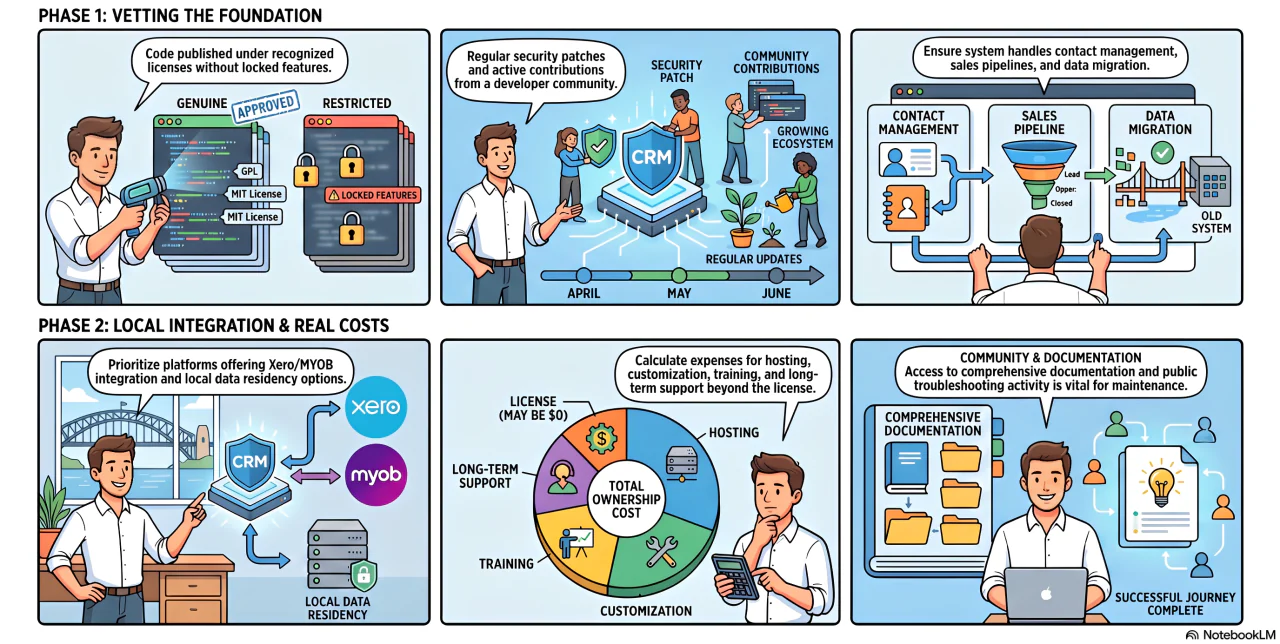
Not every CRM marketed as "open source" provides the same level of flexibility. Each platform below was assessed against the following criteria before being included in this comparison.
- Genuinely open source: Publishes its complete source code under recognised licences such as GPL, AGPL, MIT, or Apache. Freemium SaaS platforms with locked features were excluded.
- Active maintenance: Receives regular updates, security patches, and contributions from an active developer community.
- Core CRM capabilities: Includes essential features such as contact management, companies, deals, sales pipelines, notes, and data import/export.
- Suitable for Australian businesses: Evaluated for hosting flexibility, data residency options, Xero or MYOB integration, and local implementation support.
- Community and documentation: Provides comprehensive documentation, public development activity, and a community that supports ongoing maintenance and troubleshooting.
- Transparent ownership costs: Assessed beyond software licences to include hosting, implementation, customisation, training, maintenance, and long-term support.
Quick Comparison of Open Source and Managed CRM Platforms
Choosing the right CRM starts with understanding how platforms differ in deployment, integration, and long-term ownership costs. The table provides a side-by-side comparison before we explore each option in detail.
| Features | Twenty | SuiteCRM | EspoCRM | ERPNext | Dolibarr | CiviCRM | Krayin CRM | HashMicro |
|---|---|---|---|---|---|---|---|---|
| Ease of Use | ★★★★☆ | ★★☆☆☆ | ★★★★☆ | ★★★☆☆ | ★★★★☆ | ★★☆☆☆ | ★★★☆☆ | ★★★★☆ |
| Core CRM Features | ★★★★☆ | ★★★★★ | ★★★★☆ | ★★★☆☆ | ★★★☆☆ | ★★★☆☆ | ★★★☆☆ | ★★★★★ |
| Open-Source Control | ★★★★☆ | ★★★★★ | ★★★★★ | ★★★★★ | ★★★★★ | ★★★★★ | ★★★★★ | ★☆☆☆☆ |
| Customisation Flexibility | ★★★★★ | ★★★★★ | ★★★★☆ | ★★★★★ | ★★★★☆ | ★★★★☆ | ★★★★★ | ★★★★☆ |
| ERP Integration | ★★☆☆☆ | ★★☆☆☆ | ★★☆☆☆ | ★★★★★ | ★★★★☆ | ★☆☆☆☆ | ★☆☆☆☆ | ★★★★★ |
| Reporting and Analytics | ★★★☆☆ | ★★★★☆ | ★★★★☆ | ★★★★☆ | ★★★☆☆ | ★★★★☆ | ★★★☆☆ | ★★★★★ |
| Technical Simplicity | ★★☆☆☆ | ★★☆☆☆ | ★★★☆☆ | ★★☆☆☆ | ★★★☆☆ | ★★☆☆☆ | ★☆☆☆☆ | ★★★★★ |
| Managed Support | ★★★★☆ | ★★★★☆ | ★★★☆☆ | ★★★★☆ | ★★★☆☆ | ★★★☆☆ | ★★★☆☆ | ★★★★★ |
Businesses comparing a broader market can also review CRM software in Australia before narrowing their shortlist by deployment model.
8 CRM Platforms for Australian Businesses: Open Source and Managed Options
CRM requirements vary from basic sales tracking to fully connected business operations. These platforms are compared by functionality, deployment, cost structure, and business suitability.
1. Twenty: Best for Modern Open Source CRM Workflows
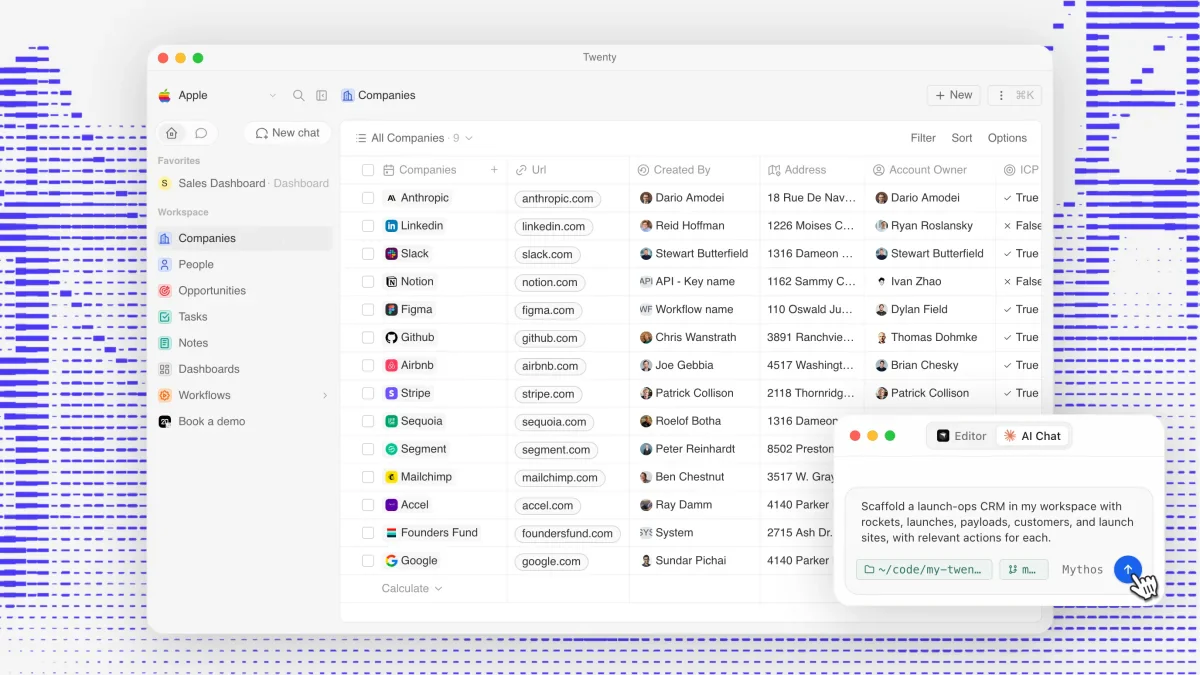
Twenty is a modern CRM for technical teams that want to configure objects, fields, views, workflows, and applications around their existing processes.
Businesses can use Twenty Cloud or host the platform on their own infrastructure. The self-hosted edition includes core CRM functions and gives teams greater control over deployment.
Its modern interface and developer-focused architecture suit businesses that treat CRM as part of their internal technology stack.
Key strengths:
- Modern interface and flexible data objects
- Self-hosted and cloud deployment options
- Developer tools for platform extensions
- Custom fields, views, workflows, and APIs
Considerations:
- Configuration and self-hosting require technical resources
- Some advanced access controls require a commercial plan
- Licence conditions should be reviewed before extensive modification
2. SuiteCRM: Best for Comprehensive Open Source CRM Features
SuiteCRM is an established open source CRM with detailed tools for sales, accounts, contacts, quotations, customer cases, workflows, and reporting.
The AGPLv3-licensed platform supports private servers, public cloud infrastructure, and managed hosting. Commercial support is also available for businesses requiring assistance.
Its broad coverage supports complex requirements, but the number of modules and settings can increase implementation and administration effort.
Key strengths:
- Extensive sales and customer management functions
- Quotation, service, workflow, and reporting tools
- Self-hosted and managed deployment options
- Established documentation and extension ecosystem
Considerations:
- Administration may feel complex for smaller teams
- Major customisations require experienced PHP and CRM developers
- Upgrades must be tested against custom modules and integrations
3. EspoCRM: Best for Balanced Usability and Self-Hosting
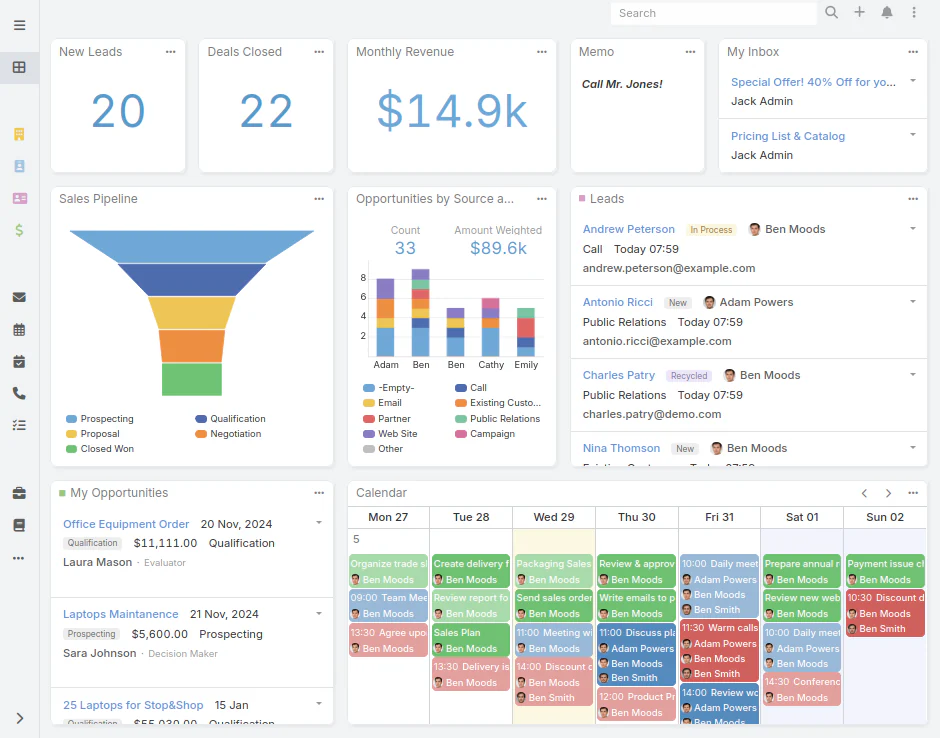
EspoCRM combines an approachable interface with flexible tools for managing leads, contacts, opportunities, campaigns, support cases, and other customer records.
Its AGPLv3-licensed core supports custom entities, fields, relationships, and layouts. A REST API also enables connections with websites and other business applications.
It suits businesses that need more control than a standard cloud CRM provides without immediately adopting a full ERP platform.
Key strengths:
- Clear and responsive user interface
- Custom entities, fields, and relationships
- REST API and integration support
- Active community and regular releases
Considerations:
- The business remains responsible for its self-hosted environment
- Some advanced capabilities require paid extensions
- Custom development needs governance to protect future upgrades
4. ERPNext: Best for Open Source CRM and ERP Integration
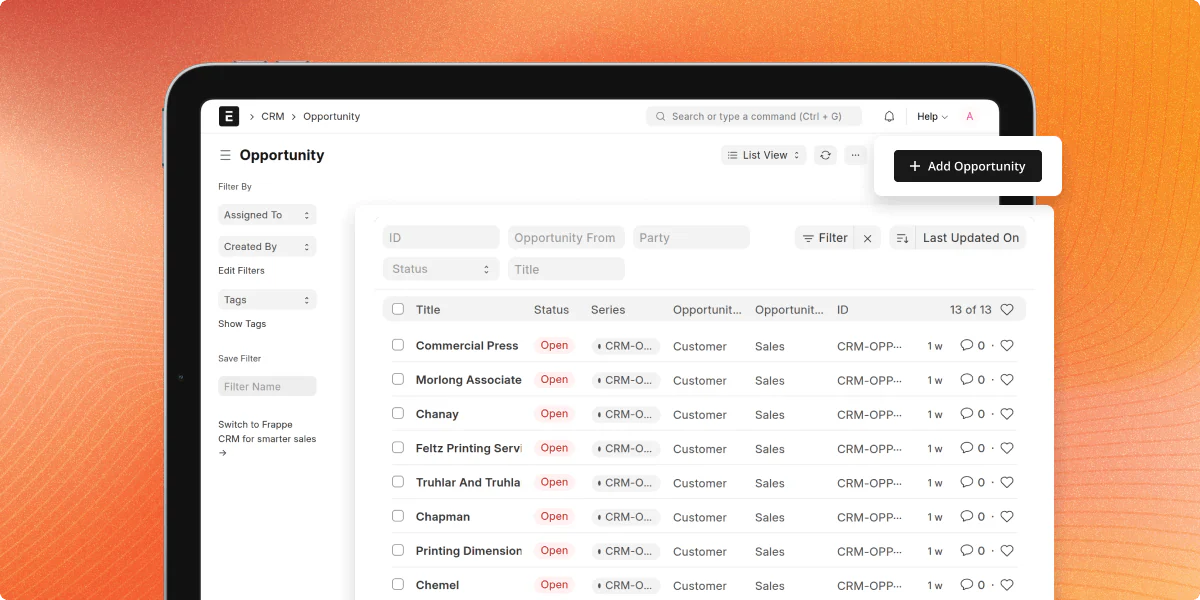
ERPNext is an open source ERP platform that includes CRM and sales functions for leads, opportunities, quotations, customers, orders, inventory, and accounting.
Its sales workflow can move from a lead to an opportunity, quotation, customer, and sales order. Teams can also record probability, expected value, products, and follow-up dates.
ERPNext is relevant when ERP and CRM data must connect directly with stock, fulfilment, invoicing, purchasing, and finance.
Key strengths:
- CRM and ERP data within one platform
- Connected lead, quotation, and order workflows
- Inventory, accounting, purchasing, and operational modules
- GPLv3-licensed source code
Considerations:
- More complex to implement than a standalone CRM
- Deployment requires process design across several departments
- Customisation and support may require a Frappe or ERPNext specialist
5. Dolibarr: Best for Small and Growing Businesses
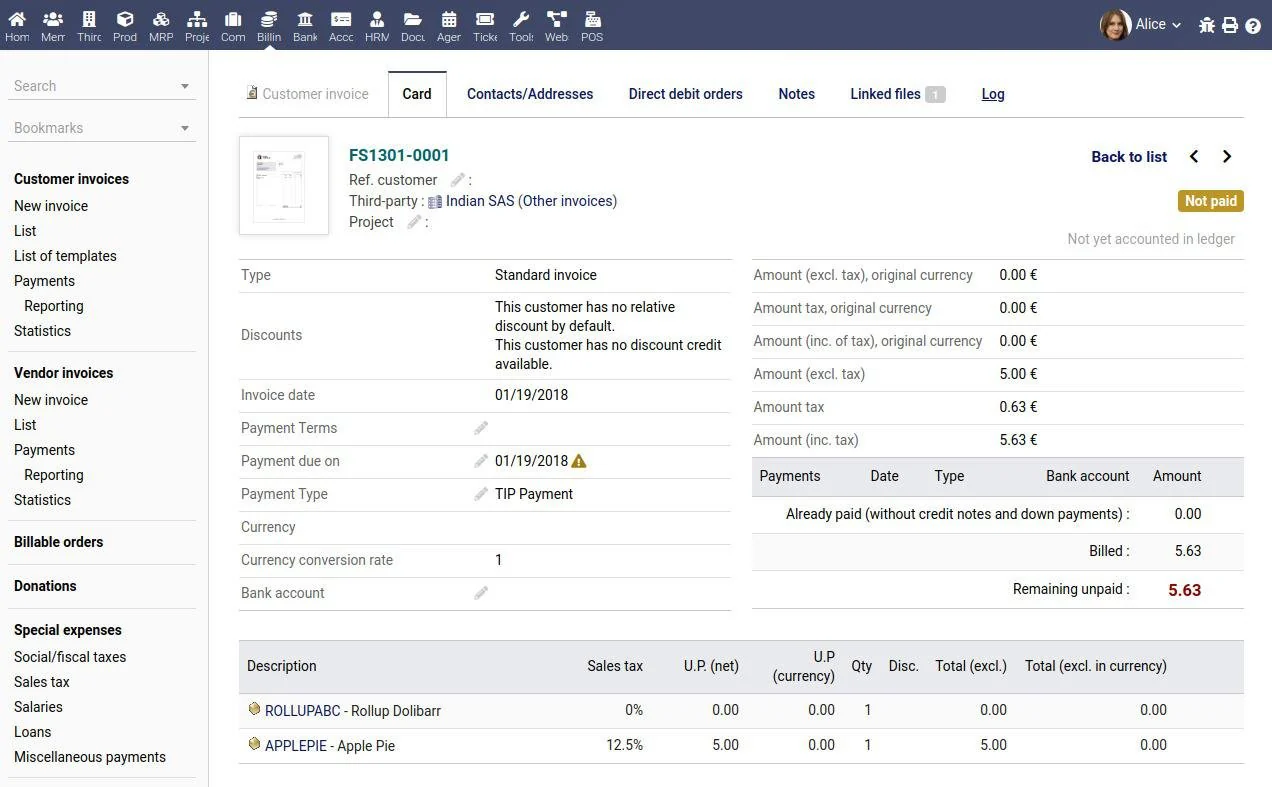
Dolibarr combines CRM with quotations, orders, invoices, inventory, accounting, projects, and other essential business management functions.
Its modular structure allows teams to activate only the functions they need. This reduces unnecessary complexity for businesses with straightforward operational requirements.
Dolibarr suits smaller businesses that need broader administrative tools without advanced sales automation or enterprise-level workflow complexity.
Key strengths:
- Modular CRM and ERP structure
- Contact, quotation, order, invoice, and stock management
- Self-hosted deployment
- Lower functional complexity than larger ERP platforms
Considerations:
- Complex sales teams may need more advanced pipeline tools
- Interfaces and workflows may require additional configuration
- Local accounting, tax, and integration requirements need validation
6. CiviCRM: Best for Nonprofits and Membership-Based Groups
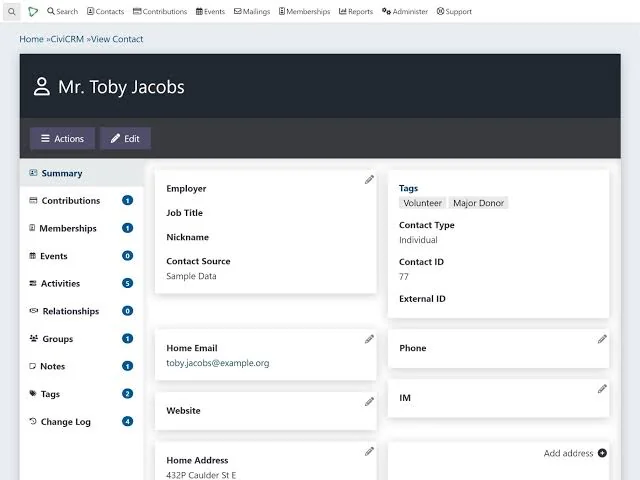
CiviCRM is designed for nonprofits, associations, charities, advocacy groups, and membership-based businesses rather than conventional sales teams.
It manages contacts, donations, memberships, events, campaigns, mailings, activities, cases, and grants within one community-focused platform.
CiviCRM can operate independently or connect with content management systems such as WordPress, Drupal, Joomla, and Backdrop.
Key strengths:
- Purpose-built nonprofit and membership functions
- Donation, event, campaign, and membership management
- Website and content management system integrations
- Community-developed extension ecosystem
Considerations:
- Not primarily designed for B2B sales management
- Installation and website integration require technical planning
- Extension and platform compatibility must be checked during upgrades
7. Krayin CRM: Best for Laravel-Based Customisation
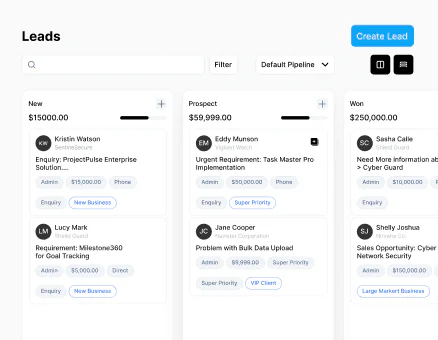
Krayin is an open source CRM framework built with Laravel and Vue.js. It gives development teams a flexible foundation for managing leads, opportunities, and customer activities.
The MIT-licensed platform supports custom attributes and modular development. Businesses can deploy it internally or use available managed services.
Krayin is most suitable when a business already has Laravel expertise or plans to create a highly tailored customer management application.
Key strengths:
- Permissive MIT licence
- Laravel-based modular architecture
- Custom attributes and platform extensibility
- Self-hosted and managed deployment options
Considerations:
- Implementation requires software development capability
- Smaller businesses may depend heavily on an implementation partner
- Custom code requires testing, security reviews, and maintenance
8. HashMicro: Best Managed, ERP-Connected CRM Alternative
HashMicro is an alternative for businesses that want CRM connected with sales, inventory, accounting, HR, and other operational processes.
Its CRM manages leads, follow-ups, customer activity, pipelines, quotations, and sales performance. Qualified leads can connect with inventory availability, orders, and invoicing.
The vendor manages implementation, data migration, maintenance, and system support, reducing the internal resources required to operate the platform.
Key strengths:
- CRM connected with sales, inventory, accounting, and HR
- Vendor-supported implementation and data migration
- Centralised customer and operational reporting
- Lower internal infrastructure and maintenance requirements
Considerations:
- Proprietary commercial platform
- Source code is not provided under an open source licence
- Configuration, hosting, contractual terms, and exit arrangements require procurement review
When CRM must connect with quotations, inventory, orders, invoices, and finance, a managed platform may be more practical than maintaining several open source applications and integrations.
Self-Hosted vs Cloud-Hosted vs Managed CRM
The deployment model determines who manages infrastructure, where customer data is stored, and the long-term operating cost. For Australian businesses, it also affects compliance responsibilities.
| Self-Hosted | Cloud-Hosted (vendor) | Managed (AU partner) | |
|---|---|---|---|
| Who manages server | You | Vendor | Partner |
| Data location | Your choice | Vendor's servers | Partner's servers |
| AU data residency | Full control | Depends on vendor | Depends on partner |
| Upfront cost | Higher (server + setup) | Low | Medium |
| Ongoing cost | Server + IT time | Monthly subscription | Monthly retainer |
| Customisation | Full | Limited | Medium |
| Best for | Technical teams with IT resources | Teams that want simplicity | Businesses needing support without full IT team |
"Choosing a CRM deployment model means deciding who will manage security, maintenance, integrations, and customer data over the long term."
A self-hosted CRM gives the highest level of control over infrastructure and data residency. However, your team remains responsible for updates, backups, monitoring, and security.
Managed deployment suits businesses wanting open source flexibility without maintaining servers. The provider handles infrastructure while your team focuses on customer operations.
Australian Compliance Considerations for Open Source CRM
Open source CRM gives businesses full control over customer data. That also means responsibility for meeting Australian privacy, accounting, and record-keeping obligations before deployment.
1. Privacy Act 1988 and Australian Privacy Principles
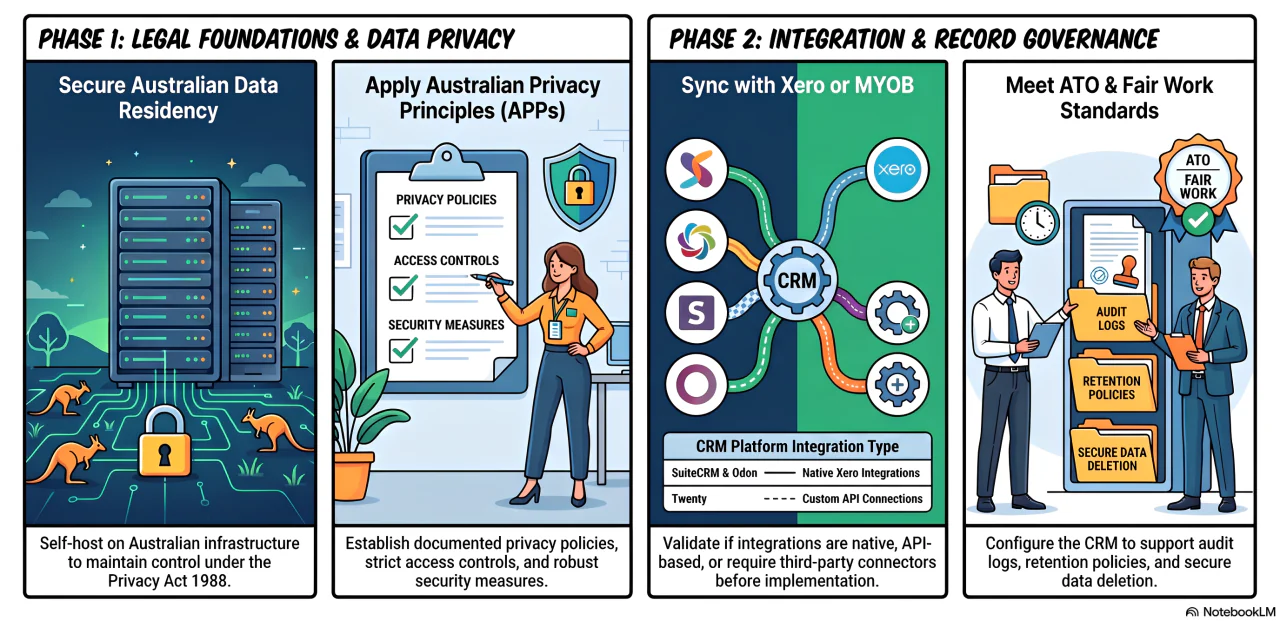
Customer information stored in a CRM is regulated by Australia's Privacy Act 1988 and the Australian Privacy Principles (APPs). Businesses must manage how data is collected, stored, accessed, and disclosed.
Self-hosting on Australian infrastructure provides greater control over data residency. However, organisations still need documented privacy policies, access controls, and security measures.
2. Xero and MYOB integration
Most Australian businesses rely on Xero or MYOB for accounting. Before selecting a CRM, confirm whether integrations are native, API-based, or require third-party connectors.
Integration availability varies by platform and provider. Confirm whether each Xero or MYOB connection is native, API-based, or delivered through a third-party connector, then test its data mapping before implementation.
3. Data retention and record-keeping
Customer records may be subject to ATO and Fair Work record-keeping requirements. Your CRM should support retention policies, audit logs, and secure data deletion.
Review how the platform stores customer history, attachments, and activity logs. Strong governance today reduces compliance risks as your business grows.
When Open Source CRM Is Not the Right Fit
Open source CRM offers flexibility, but it is not the best option for every organisation. Some businesses benefit more from a managed platform with vendor support.
- No internal team to manage hosting, updates, and security patches
- CRM must connect with ERP, inventory, procurement, and HR
- Guaranteed Australian-based support is a business requirement
- Rapid growth demands predictable uptime and managed infrastructure
- Complex governance is easier with one integrated business platform
For businesses needing CRM connected with finance, inventory, procurement, and HR, HashMicro CRM provides an integrated platform without maintaining multiple systems and custom integrations.
Businesses should also assess whether CRM analytics can provide reliable reporting without extensive custom development.
Conclusion
Open source CRM gives Australian businesses greater control over data, customisation, and licensing costs. SuiteCRM stands out for broad CRM features, ERPNext for ERP integration, and Twenty for developer-focused teams.
If your business prefers an ERP-connected CRM with Australian implementation and ongoing support, you can explore HashMicro CRM or book a free consultation to discuss the best deployment approach.
Connect CRM With Your Entire Business
Manage leads, quotations, sales, inventory, and finance in one connected platform with implementation and ongoing support.
Frequently Asked Questions About Open Source CRM
Implementation may take several days for a basic setup or several months when the project includes custom workflows, integrations, data migration, security configuration, and user testing.
Yes. Businesses can usually export contacts, companies, deals, and activities from a proprietary platform before importing them into an open source CRM. Data cleaning, field mapping, and validation are essential during the migration.
Security patches, compatibility updates, and technical support may become limited. Businesses should assess community activity, source-code accessibility, available partners, and migration options before selecting a platform.
Some platforms support multiple brands or business units through roles, teams, permissions, and separate data structures. Businesses should confirm whether the platform provides adequate data separation and reporting before deployment.
Self-hosting does not automatically provide offline access. Most CRM platforms still require a network connection, although an on-premise deployment may remain accessible through a local network without public internet access.