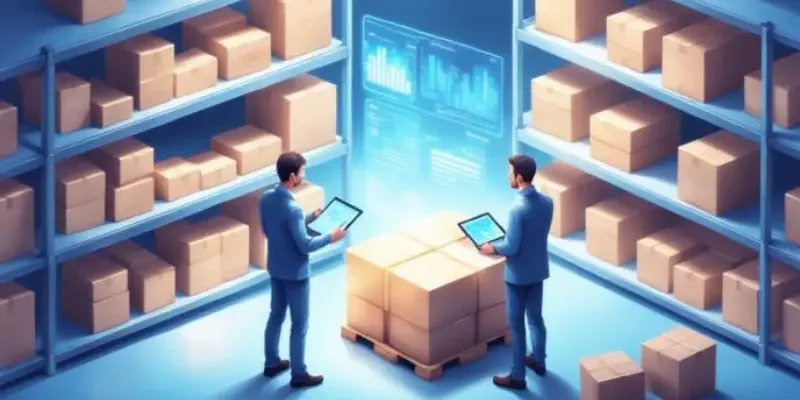
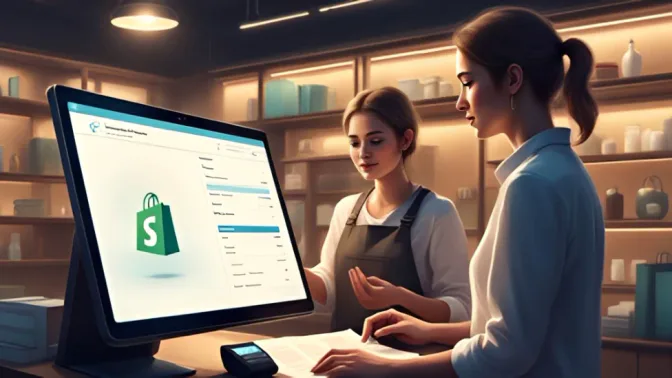
Shopify POS connects in-store sales to a Shopify online store on a single platform. It draws from the same product catalogue, inventory records, and customer data used by an existing Shopify ecommerce store.
The system processes in-store transactions through the Shopify POS app and updates records in real time. Staff can complete sales, check stock, and view customer history without switching between separate tools.
For Australian retailers already running Shopify online, adding a physical store is a natural extension of the existing setup. This review covers features, pricing, and alternatives for businesses with broader operational needs.
Key Takeaways
Shopify POS is Shopify's in-person selling solution, giving retailers one platform for store transactions, inventory, and customer data.
Shopify POS system features cover omnichannel selling, inventory sync, customer profiles, payments, analytics, and staff permissions.
Shopify POS Australia suits retailers connecting online and in-store selling, with fit varying by business size and operational complexity.
HashMicro is compared as an alternative to Shopify POS for businesses needing an ERP-connected POS for managing finance, procurement, and HR in one system.
What Is Shopify POS System?
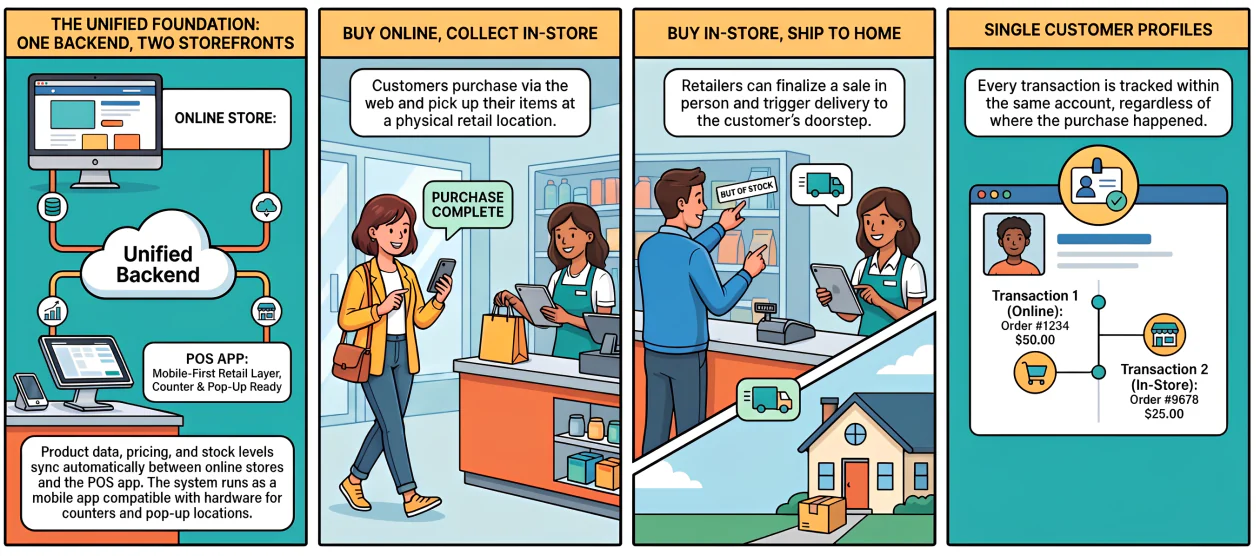
Shopify POS system is Shopify's dedicated solution for in-person selling. It gives retailers a single platform for store transactions, product data, inventory, and customer profiles, alongside their online store.
The system runs on the same backend as the Shopify ecommerce store. Product variants, pricing, and stock levels configured for online selling are available in the POS app without re-entry.
Its primary use case is omnichannel retail. A customer can buy online and collect in store, or purchase in store and receive delivery at home, all within the same Shopify account.
Shopify POS runs as a mobile app and works with compatible hardware at counters and pop-up locations. It acts as the retail and commerce layer within Shopify's platform, not a full ERP system.
How Does Shopify Point of Sale Work?
Shopify point of sale links in-store checkout activity to the same product, inventory, and customer data used by the online store. A sale processed in person updates the same records as an online order.
Staff use the Shopify POS app to process payments, apply discounts, and look up customer profiles. The app connects to compatible hardware at the counter and can operate offline for cash transactions.
The shared data layer means retailers do not need to reconcile in-store and online records at the end of each day. Orders, stock movements, and customer activity flow into the same admin view.
Shopify POS does not replace procurement, finance, HR, or warehouse management tools. Businesses needing those functions should assess whether additional apps or a broader platform are required.ㅤ
Shopify POS System Features
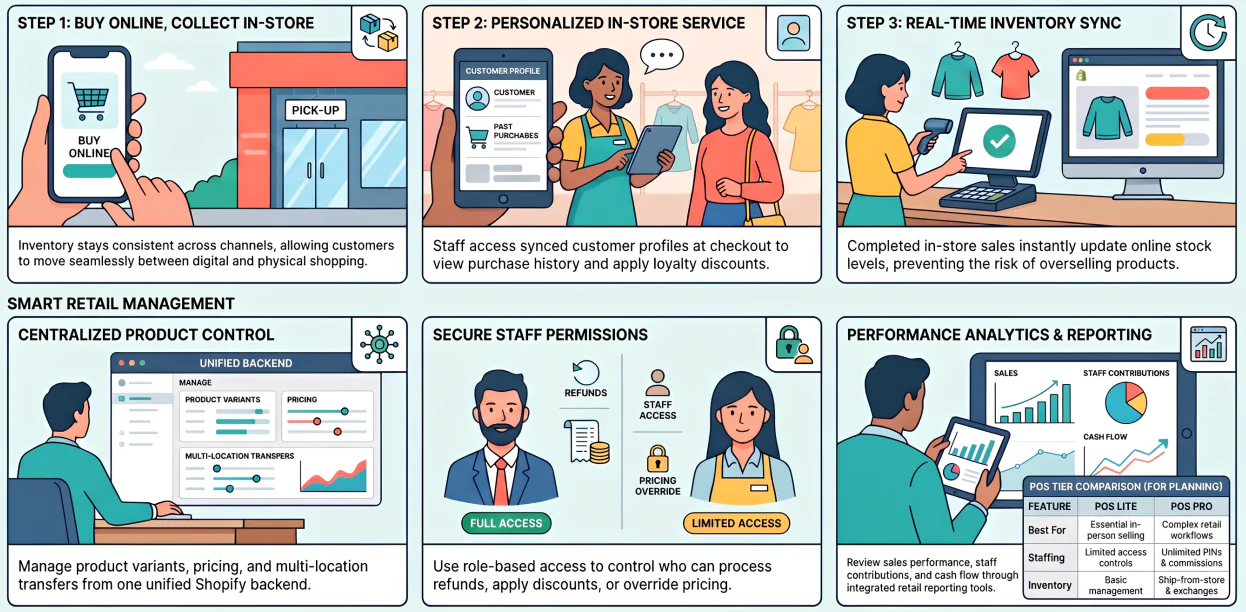
Shopify POS includes a set of features built around retail commerce. The depth of those features varies by plan tier and whether POS Lite or POS Pro is in use.
1. Omnichannel selling
Shopify POS connects in-store and online channels so that product data, orders, and inventory stay consistent. Customers can move between physical and digital channels without the retailer managing separate stock records.
Supported flows include buy online and collect in store, buy in store and ship to home, and returns at any location.This reduces the complexity of managing online and physical sales in disconnected systems.
For stores with seasonal traffic spikes, pop-up locations, or multiple branches, shared inventory data reduces the manual work of keeping stock counts aligned across channels.
2. Inventory and product management
Shopify POS uses the Shopify product catalogue as the single source of truth for in-store stock data. Product variants, pricing, and descriptions carry through from the admin to the POS app automatically.
When a sale is completed in store, inventory counts update in real time. Online stock levels reflect those changes, reducing the risk of overselling products already sold at the counter.
Multi-location inventory management is supported. Retailers can assign stock to specific locations and manage transfers between stores from the same Shopify backend.
3. Customer profiles
Shopify POS creates a customer profile with each purchase. These profiles store contact details, order history, lifetime spend, and marketing consent in the Shopify admin. For omnichannel retailers, connected profiles are particularly useful.
A customer who shops online and in store is recognised across both channels, supporting consistent service and targeted follow-up. Profiles can be accessed at checkout to apply loyalty discounts or retrieve purchase history. The depth of CRM and loyalty tools available may depend on the plan tier and installed apps.
4. Payments and checkout
Shopify POS supports card payments, split payments, gift cards, store credit, custom discounts, and offline cash. The checkout interface handles common retail scenarios without requiring manual workarounds.
The POS interface includes a customisable smart grid. Staff can set shortcuts for frequent products, discounts, or actions to reduce checkout time during busy trading periods.
Compatible hardware includes card readers, barcode scanners, receipt printers, and cash drawers. Australian retailers should confirm availability, warranty terms, and compatibility before purchasing hardware locally.
5. Retail analytics and reporting
Shopify POS includes reporting tools covering sales performance, product revenue, cash flow, and discount activity. The breadth of reporting access depends on the Shopify plan selected. Higher plan tiers offer deeper analytics including staff sales contribution, product variant breakdowns, and cross-channel comparisons.
Entry-level plans may provide a more limited performance view. Retailers who need detailed operational data should review what reporting is included in their target plan. Third-party analytics apps can extend visibility where native tools fall short.
6. Staff roles and permissions
Shopify POS includes role-based access controls that determine which staff can apply discounts, process refunds, access cash logs, or override pricing.
These controls support accountability across retail teams. Advanced features such as manager approval workflows and commission tracking are typically part of POS Pro. Businesses on POS Lite may have more limited access to those controls.
Permission settings are managed from the Shopify admin, not the POS app itself. This centralised approach helps maintain consistent access levels across multiple store locations.
7. POS Lite vs POS Pro
Shopify POS comes in two tiers. POS Lite is included with all Shopify plans and covers essential in-person selling. Alternatively, POS Pro is a paid add-on per location that unlocks more advanced retail features.
POS Pro typically includes unlimited staff PINs, in-store analytics, returns management, exchanges, ship-from-store, manager approvals, and commission reporting. Feature inclusions may vary by plan.
Retailers should map required workflows to each tier before selecting a plan. Businesses with complex returns, fulfilment, or staffing needs may require POS Pro from the outset rather than upgrading later. ㅤ
Shopify POS Cost in Australia
The total cost of Shopify POS in Australia goes beyond the monthly subscription fee. Key components include the plan tier, POS Pro if required, payment processing fees, hardware, and additional apps.
Shopify publishes current plan pricing and POS Pro rates on its official pricing page. Australian retailers should check that page directly for current billing terms and any local conditions that apply.
The most common cost oversight is budgeting only for the subscription. Advanced retail features, reporting depth, and staff account limits can each sit behind a higher plan tier or POS Pro.
A clearer approach is to list all required workflows before selecting a plan. Identifying which features are essential helps determine whether POS Lite is enough or whether POS Pro and additional apps are needed from day one.
Pros of Shopify POS System
- Tight connection between online store, POS, inventory, and customer data reduces manual reconciliation across channels.
- Scales from a single store counter to multi-location retail under one Shopify account and login.
- Customisable smart grid checkout speeds up in-store transactions during high-traffic trading periods.
- Hardware ecosystem integrates directly with the POS app for real-time in-store connectivity monitoring.
- AI-assisted demand planning through Sidekick can support stock replenishment and transfer decisions. ㅤ
Cons of Shopify POS System
Shopify POS also has limitations that are worth considering before committing to the platform. These are most relevant when a business needs POS data to connect with broader operational workflows.- Several advanced features, including returns management, manager approvals, and ship-from-store, require POS Pro.
- Reporting depth varies by Shopify plan tier, with smaller subscriptions offering limited business visibility.
- Built around Shopify's ecommerce ecosystem, which can reduce flexibility for businesses needing a standalone ERP backbone.
- Designed for retail and commerce, not procurement, multi-entity finance, HR, or manufacturing operations.
- Tax tools are calculation-focused and do not support complex local compliance reporting requirements. ㅤ
Is Shopify POS Australia a Good Fit for Retailers?
Retail in Australia spans physical stores, online platforms, and hybrid commerce models. The ABS Retail Trade report consistently tracks strong monthly turnover across these channels.Shopify POS suits retailers whose primary challenge is connecting online and in-store selling. Its fit is strongest when ecommerce and physical store operations share the same product catalogue.
When Shopify POS May Not Be Enough
Shopify POS is designed for retail and commerce. It shows limitations when businesses expect POS data to flow into procurement, finance, HR, warehouse, or multi-entity reporting workflows.Managing Your Full Retail Operation in One System
A POS handles checkout, but running retail at scale means connecting sales, stock, and finance across every location.
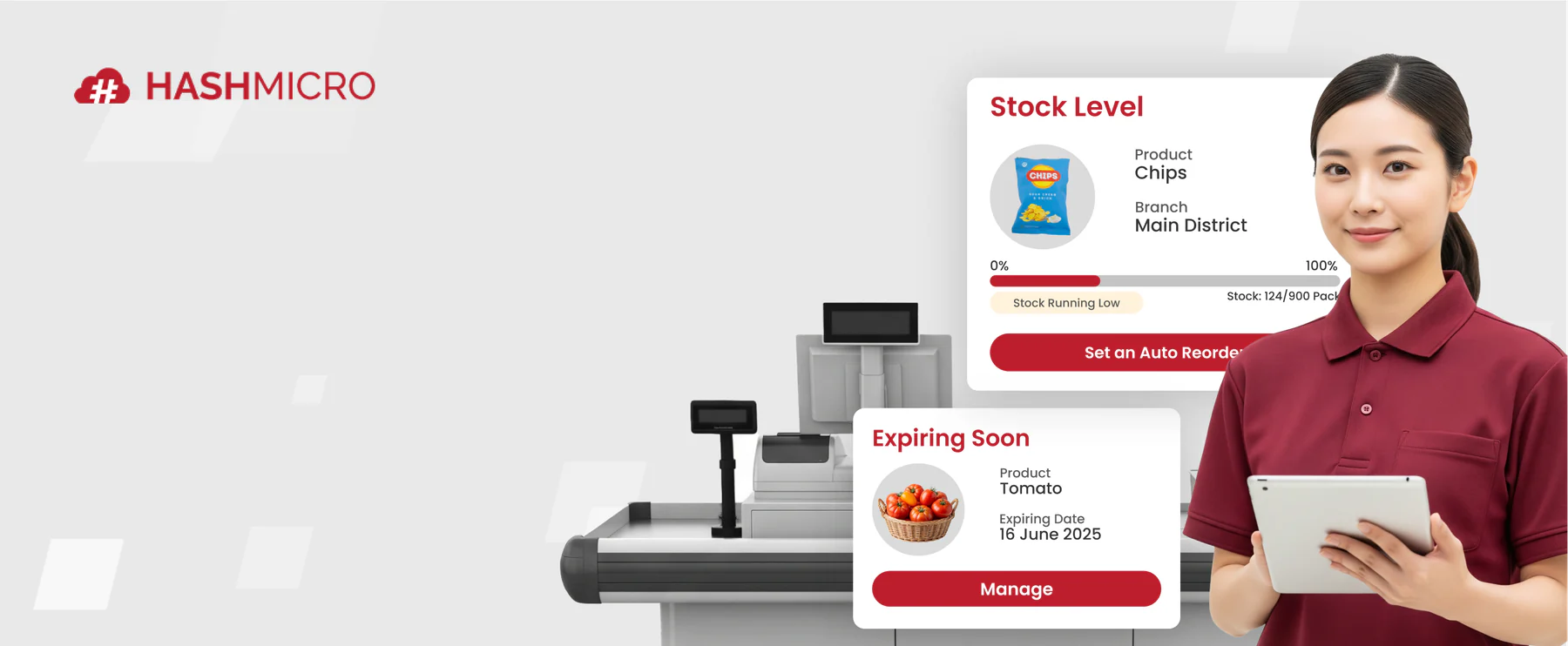
Retailers managing multiple channels or locations often need more than a standalone POS. The banner below shows what a connected retail management system looks like.






Shopify POS vs HashMicro POS Software
In contrast, Shopify POS and HashMicro address different operational scopes. Shopify POS focuses on retail and ecommerce, while HashMicro connects POS data across finance, procurement, inventory, HR, and reporting.A multi-branch retailer may need sales activity to trigger purchase requests, warehouse transfers, payroll entries, and consolidated finance reports. These workflows sit outside Shopify POS's core scope.
This becomes a cost and complexity issue over time. A business may start with a clean Shopify POS setup and later add tools for accounting, procurement, warehouse management, and HR. That can work, but a stitched software stack requires ongoing management between tools.
For businesses anticipating that scope, evaluating an ERP-connected platform early is a more efficient approach. Retailers operating in Australia also need to ensure their POS workflows support returns, refunds, and exchange obligations under the Australian Consumer Law. Several of those capabilities, including returns management and manager approvals, sit behind POS Pro rather than the base Lite plan.
Retailers focused on Shopify ecommerce may prefer Shopify POS. Businesses needing an integrated enterprise system across sales, finance, procurement, HR, and reporting should evaluate HashMicro as the more fitting option
Conclusion
Shopify POS is a capable retail platform for connecting physical and online selling under one commerce backend. Its strengths sit in omnichannel selling, inventory sync, customer profiles, and compatible hardware.
For businesses that need POS activity to connect with accounting, procurement, warehouse, HR, and finance reporting, HashMicro provides a more complete operational platform to evaluate alongside Shopify POS.
If you want to learn more about the best POS system that is fit for your business, you can book a free consultation with our experts today.
Frequently Asked Questions
Shopify POS system is Shopify's point-of-sale solution for in-person selling. It connects store transactions, inventory, customer profiles, and order data with the Shopify ecommerce platform.
Shopify POS cost depends on the Shopify plan, the POS Pro add-on, payment processing fees, hardware, and any apps required. Australian retailers should check Shopify's official pricing page for current rates.
Shopify POS is available for Australian retailers through Shopify's Australian website. It supports in-store selling connected to a Shopify online store, with compatible hardware available for counter and mobile setups.
POS Lite is included with all Shopify plans and covers basic in-person selling. POS Pro is a paid add-on per location that adds returns management, manager approvals, commission tracking, and more.
Shopify POS suits retail stores that use Shopify ecommerce or want connected online and in-store selling. Stores with complex procurement or multi-branch finance needs should compare it with ERP alternatives.
Common disadvantages include the POS Pro add-on cost, plan-gated retail features, and limited support for ERP workflows such as procurement, HR, manufacturing, and multi-entity finance reporting.
The best alternative depends on business scope. For retailers needing POS connected with accounting, procurement, inventory, HR, and multi-branch reporting, HashMicro is a strong ERP-connected option to evaluate.