







A system for customer management organises customer records, sales opportunities and follow-up activities. Customer relationship management software, or CRM, supports that work. Australian business owners and sales managers should assess responsibilities and handovers before comparing features. Use this guide to test demonstrations, assess reporting and review Australian privacy requirements.
The sections below explain the workflow, evaluation criteria and practical next steps.
When Customer Spreadsheets Start Costing You Opportunities
Start with the customer journey and your team’s responsibilities. Identify where enquiries arrive, who qualifies them and who follows up. Then establish what must happen when customers accept quotations.
Scattered records make those responsibilities harder to inspect. An enquiry might sit in someone’s inbox while its quotation lives elsewhere. A shared spreadsheet may show contact details without identifying the next action.
Look for recurring missed follow-ups, duplicate records and unclear opportunity ownership. These are practical reasons to review your current approach. Document the problem before assuming replacement software will resolve it.
HashMicro CRM covers leads, qualification, opportunities, activities and visits before the order. Sales handles quotations and sales orders. Keep that boundary clear when assessing broader customer management needs.
Customer service desks, marketing channels and post-sale processes need separate evaluation. List their requirements alongside your sales requirements. Ask which proposed tools and teams will handle each responsibility.
Evaluate the Work Your Team Needs to Complete
A contact list identifies people and organisations. Opportunity management tracks a potential purchase through qualification, follow-up and a decision. Your evaluation should test the work connecting those records.
Choose acceptance checks before watching demonstrations. Require every open opportunity to have an owner and dated next activity. Test whether the proposed setup supports that practice.
| Business Problem | Evidence to Request in a Demo | Acceptance Check |
|---|---|---|
| Customer details appear in different places | Locate a customer and associated contacts | The team can identify the agreed customer record |
| Opportunity ownership is unclear | Assign responsibility and review the opportunity | An accountable owner is visible |
| Follow-ups lack dates | Record and retrieve the next activity | The owner and action date are clear |
| Quotations lose their sales context | Trace a quotation back to its opportunity | Customer, products and deal remain identifiable |
| Reports mix different outcomes | Explain activity, opportunity and revenue records | Definitions and reporting periods are agreed |
| Accepted work stalls between teams | Show the quotation-to-order handover | The resulting document and responsible team are clear |
Field sales teams should add a visit scenario. HashMicro supports visit planning and supervisor review of tracking and visit compliance. Its check-in stores a phone location pin, depending on the tracking setup.
Ask the demonstrator to explain that configuration. Avoid treating location check-in as continuous tracking. Office-based teams can prioritise other requirements.
Keep customer experience management separate from software selection. It concerns the experience your business intends to deliver. CRM requirements should support that strategy.
Six Buyer Questions to Test in a Live Demonstration
Use a representative opportunity throughout the demonstration. Ask the vendor to perform each action. Record unresolved questions against your acceptance checks.
| Question | Good Answer | Red Flag |
|---|---|---|
| Can we trace an opportunity into its quotation? | Good answer Demonstrate creating a quotation from the deal using its customer and products. | Red flag The relationship between the quotation and opportunity cannot be demonstrated. |
| Can every open opportunity have a dated next activity? | Good answer Demonstrate recording responsibility and the next activity date. | Red flag Nobody can show who should act next or when. |
| Can we distinguish why deals were lost? | Good answer Demonstrate recording a lost cause and agree a consistent team policy. | Red flag Lost deals disappear into an unexplained status. |
| What happens after the customer accepts? | Good answer Demonstrate confirming the quotation into a sales order and explain the Sales handover. | Red flag The vendor cannot identify the responsible module or resulting document. |
| Do quote dashboards perform follow-up? | Good answer HashMicro Sales quote dashboards are read-only and do not create tasks or reminders. Salespeople perform follow-up using CRM activities. | Red flag A dashboard is presented as automatically creating follow-up tasks or reminders. |
| What does a field-sales check-in record? | Good answer Demonstrate the phone location pin and explain the required tracking setup. | Red flag Configuration-dependent check-in is presented as unconditional or continuous tracking. |
Keep the same customer and products throughout. Ask someone from your team to explain the resulting records. Their explanation should identify the owner, next action and handover point.
Record whether each answer was demonstrated or simply discussed. Give unresolved requirements an owner for follow-up. An attractive screen should not replace an acceptance check.
Measure Follow-Up Discipline and Sales Outcomes
Choose measures that connect team behaviour with outcomes. Agree definitions before comparing results across salespeople. Otherwise, differences in recording practices can distort the comparison.
| Metric | Formula | Required Records | Decision It Supports |
|---|---|---|---|
| Win rate | won opportunities ÷ opportunities closed as won or lost × 100 | Won and lost opportunities within a consistent period or cohort | Review qualification and sales outcomes |
| Next-activity coverage | open opportunities with a dated next activity ÷ all open opportunities × 100 | Open opportunities and dated activities | Find follow-up gaps |
| Lost-cause completeness | lost opportunities with a recorded cause ÷ all lost opportunities × 100 | Lost opportunities and recorded causes | Assess whether loss analysis is usable |
| Revenue-target attainment | actual revenue on the agreed reporting basis ÷ revenue target × 100 | Revenue records and the matching target | Review performance against the agreed target |
These formulas are measurement guidance, rather than promised prebuilt reports. Use a consistent reporting period or cohort for win rate. Keep invoiced revenue separate from opportunity and quotation values.
Missing next activities identify records requiring attention. Check whether the gap reflects incomplete records or missing follow-up plans. Discuss the underlying work before judging individual performance.
HashMicro supports targets for salespeople or teams, including revenue, deals and activities. Its reporting includes activity reporting and pipeline insights. Check those outputs against your agreed measurement definitions.
Retention needs separate consideration after the sale. Read about understanding churn rate when defining post-sale measures. Assess any required churn reporting separately.
Check Integration at the Quotation-To-Order Handover
Test an actual document handover during evaluation. A generic integration statement does not explain field mapping or exception ownership. Follow the customer and products through the proposed workflow.
In HashMicro, a quotation can be created from an opportunity. Confirming the quotation creates a sales order for fulfilment and invoicing. Recording Won is separate from quotation confirmation and downstream invoicing.
Have sales and operations staff inspect that transition together. Ask which customer and product fields carry forward. Include quantities, commercial terms and customer identifiers in your review.
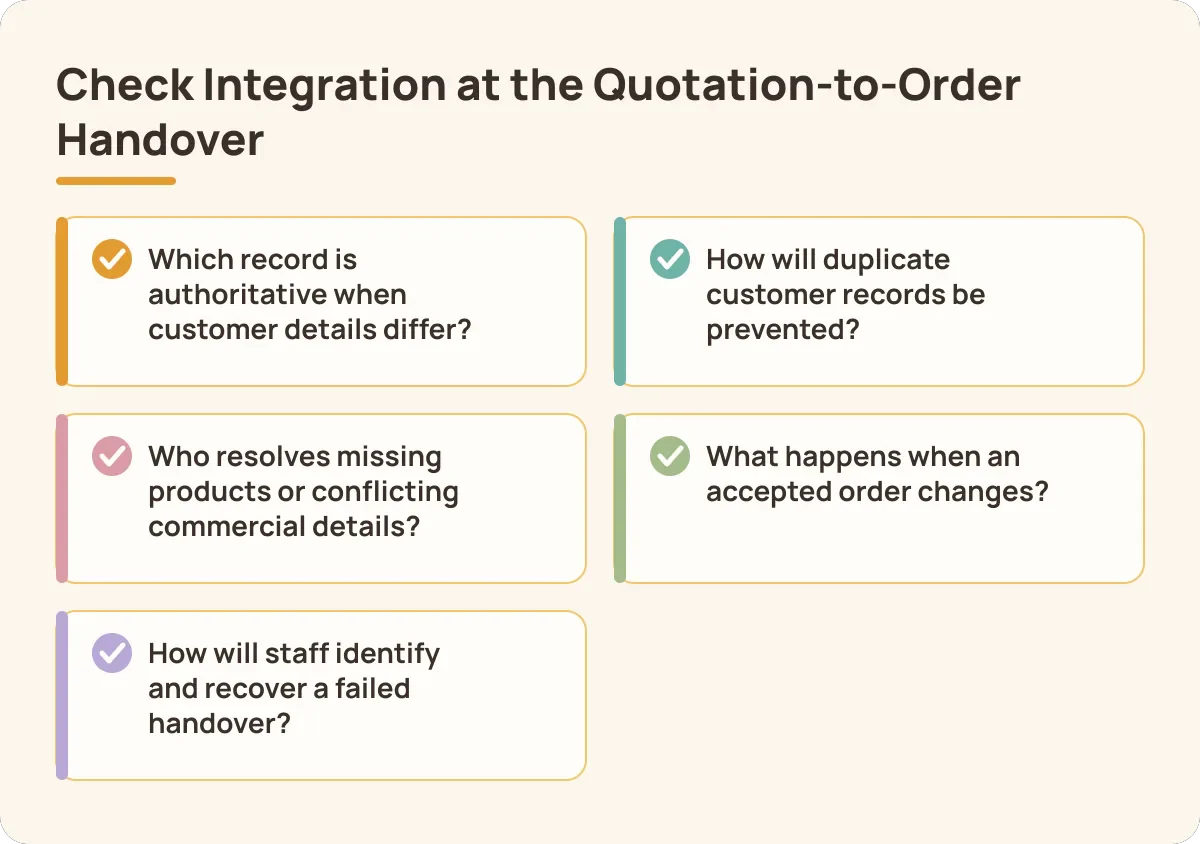
- Which record is authoritative when customer details differ?
- How will duplicate customer records be prevented?
- Who resolves missing products or conflicting commercial details?
- What happens when an accepted order changes?
- How will staff identify and recover a failed handover?
For external sales apps, request interface documentation and import requirements. Ask for an exception-handling demonstration using incomplete or conflicting data. Agree who investigates failures across the connected systems.
Apply the same checks to AI order capture. Reading about AI order-taking workflows can help frame adjacent requirements. An internal module flow does not establish an external connector.
Record required integrations in the proposed scope. Separate demonstrated connections from work needing further investigation. Include ownership and acceptance checks in the implementation discussion.
Include Australian Privacy and Marketing Controls
Privacy Act coverage depends on the organisation’s circumstances, including exceptions. Some businesses with smaller turnovers still need to comply. Check applicability using business.gov.au’s customer-information guidance and OAIC small business guidance.
Covered businesses must comply with the Australian Privacy Principles. These govern how personal information is handled, used and managed. Review the OAIC’s APP guidance when defining your requirements.
Use these buyer questions to evaluate the proposed setup. Agree which controls your organisation needs before assessing vendor responses.
- How will collection notices and permitted uses be handled?
- Which staff need access to customer information?
- How will information quality and correction requests be managed?
- What security and retention arrangements are proposed?
- Where could overseas disclosure occur?
The Spam Act sets rules for commercial electronic messages. Business.gov.au’s electronic marketing guidance covers permission and unsubscribe requirements. Ask how sender identification will be handled.
Phone marketing requires separate checks against the Do Not Call Register. See business.gov.au’s marketing guidance for this distinction. Use ACMA guidance to investigate consent, exemptions and calling standards.
Ask how consent source, date and permitted channels will be recorded. Test unsubscribe requests and suppression status across connected systems. Assign responsibility for resolving inconsistent records.
Treat these as requirements for the implementation team. Ask about hosting, access, exports and connected marketing tools. Do not infer Australian data residency or legal compliance from feature descriptions.
How HashMicro Handles Opportunities and Follow-Up
HashMicro’s opportunity workflow connects pre-sale work with quotations and Sales. Use the sequence below as a demonstration scenario. Keep responsibility visible at each handover.
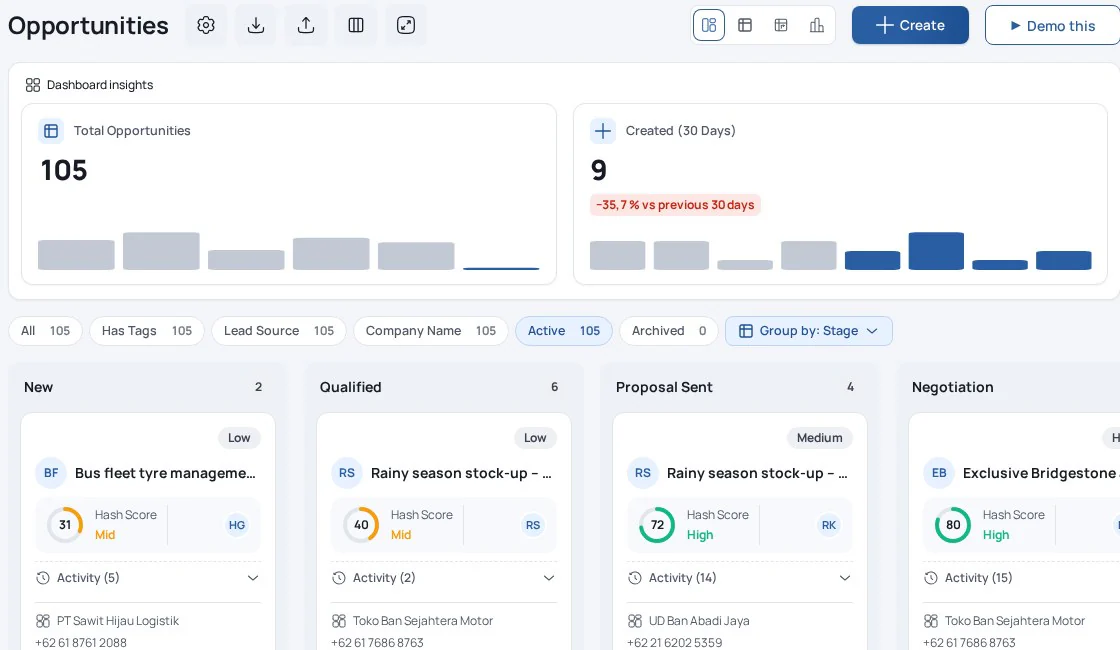
- Work the opportunity. HashMicro provides a kanban pipeline and logs stage changes. Review how the stages match your buying process.
- Create the quotation. HashMicro creates a quotation from the opportunity using its customer and products. The opportunity moves to Proposal Sent.
- Record the buying decision. The quotation can be edited and sent. The opportunity can be marked Won or Lost, with a lost cause.
- Hand over accepted work. Confirming the quotation creates a sales order for fulfilment and invoicing. Identify the team responsible for that confirmation.
- Review performance. HashMicro supports salesperson or team targets and activity reporting. Pipeline insights support the review of sales work.
HashMicro Sales quote dashboards are read-only and do not create tasks or reminders. Salespeople perform follow-up using CRM activities. Reviewing a dashboard therefore needs an agreed working routine.
For example, a salesperson can review quotations awaiting customer responses. Their next step is to identify the required follow-up. Agree how the resulting CRM activity will be recorded and completed.
Review HashMicro CRM capabilities alongside your acceptance checks. Keep questions about additional communications channels separate. Treat forecasting requirements as their own evaluation topic.
Prepare Your Records, Team and Demo Scenario
Prepare representative records before comparing proposals. Clean data and clear responsibilities give the demonstration useful context. Include a salesperson and the receiving Sales team.
- Deduplicate customer and contact records.
- Define pipeline stages around buyer actions.
- Assign opportunity owners and agree lost causes.
- Establish a dated next-activity policy.
- Select a representative opportunity and quotation.
Give the implementation team a requirements list. Cover user access, privacy applicability, marketing consent handling and external integrations. Add training, data export and responsibility for ongoing administration.
Request an itemised quote in AUD for the agreed scope. Include software, configuration, migration, training, integrations and ongoing support. Ask how proposed changes would affect the quoted scope.
Use your scenario to assess the proposal in practice. Request a HashMicro CRM demo using your own opportunity-to-quotation scenario.
Conclusion
Start with the workflow and control requirements that matter to your team. Test those requirements with representative records before deciding on the next step.
FAQ
It organises customer information, opportunities and activities around a shared workflow. CRM software supports the sales-related parts of that work. Broader customer management may also require marketing and service tools. Identify those requirements separately, then assess how teams will share records and responsibilities.
Review your approach when missed follow-ups, duplicates or unclear ownership recur. Map the affected workflow before choosing software. Start by deduplicating customer records and assigning opportunity owners. Then select one representative opportunity and quotation to test how the proposed setup supports your team’s daily work.
It depends on the work required before customers place orders. HashMicro CRM covers leads, qualification, opportunities, activities and visits before the order. Sales handles quotations and sales orders. Compare your current system against those responsibilities, particularly opportunity ownership and follow-up before an accepted quotation becomes an order.
HashMicro Sales quote dashboards are read-only and do not create tasks or reminders. Salespeople perform follow-up using CRM activities. Ask the demonstrator to show the complete working routine. Your acceptance check should identify who reviews waiting quotations, records the next activity and completes the follow-up.
In HashMicro, a quotation can be created from an opportunity. Confirming the quotation creates a sales order for fulfilment and invoicing. Recording Won is separate from quotation confirmation and downstream invoicing. Test the sequence using representative customer and product records, including the handover between responsible teams.
Start with Privacy Act and APP applicability using business.gov.au’s privacy guidance and OAIC guidance. For electronic marketing, check permission and unsubscribe requirements. Review phone marketing separately against the Do Not Call Register. Use ACMA guidance when assessing your activities and proposed controls.
Compare itemised AUD proposals against the same requirements. Include software, configuration, migration, training, integrations and ongoing support in each comparison. Ask vendors to identify optional work and recurring charges separately. Agree the number of users and required modules before comparing totals across proposals.
Choose acceptance checks around the work your team must complete. Require visible opportunity ownership, a dated next activity and quotation traceability. Have sales and operations staff test the quotation-to-order handover together. Record which requirements were demonstrated, then resolve outstanding questions before agreeing the implementation scope.