
Are you currently having trouble managing your purchasing? Or are you facing a problem where order management lacks transparency? If so, you need a purchasing system to manage your activities.
Based on CIPS, a purchasing system is a system used to manage the process of purchasing goods and services in an organization. This system helps companies to automate and streamline various stages in the purchasing process, from making requests to receiving goods and recording payments.
Key Takeaways
A purchasing system is software or procedures designed to help companies manage the process of purchasing goods and services efficiently.
There are several advantages in implementing a purchasing system, such as operational efficiency, better cost control, transparency and data accuracy.
HashMicro’s purchasing system is one of the highest quality applications that can help you manage your purchasing.
What is a Purchasing Software?
A purchasing system is software or procedures designed to help companies manage the process of purchasing goods and services efficiently. This system covers various stages in the purchasing cycle, from requesting goods, selecting vendors, making purchase orders, to receiving goods and recording payments.
One of the main functions of the purchasing system is to improve visibility and control over all purchasing activities. Companies can track every order in real-time, monitor spending, and ensure that the purchasing budget does not exceed predetermined limits.
The system also allows users to create detailed reports on purchasing patterns, vendor spending, and process efficiency, which is crucial for making strategic decisions. Integration with other systems, such as inventory management or accounting systems, also facilitates data synchronization and reduces the risk of errors.
Hashy AI Fact

Managing purchases efficiently requires the right system. Hashy AI automates orders, tracks spending, and syncs with accounting to streamline your purchasing process. Get a free demo now!
Get a Free Demo Now!
Benefits of Using a Purchasing Software
Previously, we explained the definition of what a purchasing system is and explained a little about its benefits. Now, let's dive deeper to the benefits of a procurement system you can get from using a purchasing system:
1. Operational efficiency and supply chain control
Purchasing software automates key stages of procurement from creating purchase orders and requesting quotations to approving requests and recording goods receipt. This reduces manual effort and lets your team focus on strategic tasks like vendor negotiations.
Employees can submit purchase requests through custom forms instead of manual data entry, and a structured purchase requisition workflow keeps approvals moving so raw materials arrive on time and production is not delayed.
2. Better cost control and financial visibility
A purchasing system gives real-time visibility into all spending, making it easy to monitor budgets before they are exceeded. Automated controls block unapproved purchases before they happen, and better contract management helps companies secure more competitive pricing through structured vendor negotiations. Finance teams also benefit from a centralized platform that consolidates invoices, receipts, and purchase orders, supporting more accurate budget analysis.
3. Data accuracy and decision-making oversight
Every transaction from purchase requests and vendor selection to goods receipt and payment is recorded in a single centralized system, reducing the risk of errors and lost documents. This makes audits faster and supports data-driven decisions at every level.
12 Best Purchasing Software in the Philippines 2026
Here are 12 recommendations for the best purchasing systems in the Philippines to improve your operational efficiency:
| Software | Main Features | Strengths | Price | Best for Industry |
|---|---|---|---|---|
| HashMicro Procurement Software | RFQ OCR, vendor rating, cost-saving reports, vendor promotion management | Strong ERP integration, real-time tracking, suitable for Philippine operations | Custom quote; free demo available | Manufacturing, distribution, retail, F&B, and multi-branch businesses |
| Procurify | Purchase requests, approval workflows, budget tracking, expense management | Easy spend control and real-time purchasing visibility | Custom quote | Mid-sized companies, nonprofits, education, and finance teams |
| Odoo Procurement Software | Purchase requests, supplier management, purchase orders, inventory integration | Flexible and customizable open-source ERP ecosystem | Starts around ₱1,540/user/month | SMEs needing modular ERP and purchasing customization |
| Microsoft Dynamics 365 | Vendor management, purchase automation, expense analysis, custom workflows, vendor portal | Enterprise-grade supply chain and procurement control | Starts around ₱12,960/user/month | |
| Oracle iProcurement | Web-based requisitions, supplier integration, spend analysis, process automation | Strong compliance, supplier control, and enterprise procurement governance | Custom quote | Large enterprises with complex procurement and supplier networks |
| Kissflow Procurement Software | Invoice automation, spend analytics, inventory management, contract management | Easy approval automation with low-code customization | Custom quote | Retail, manufacturing, healthcare, real estate, and service businesses |
| Xero Procurement Software | Purchase order creation, order tracking, app integrations, record automation | Simple purchasing support tied to accounting workflows | Starts around ₱430/month | Small businesses, accounting-led teams, and service providers |
| Precoro | Stock monitoring, real-time request handling, automated process management | Strong approval control, budgeting, analytics, and integrations | Starts around ₱30,790/month | Mid-sized companies, professional services, and multi-department teams |
| ProcurePort | Supplier management, contract management, spend analysis, e-sourcing tools | Useful for RFx, auctions, supplier comparison, and sourcing control | Starts around ₱12,280/user/month | Procurement teams, government suppliers, and sourcing-heavy businesses |
| Ecount ERP Purchasing | Inventory management, sourcing and RFQ, budgeting, spend analysis | Affordable ERP with purchasing, inventory, accounting, and production modules | Starts around ₱3,400/month | SMEs, trading, wholesale, inventory-based, and light manufacturing businesses |
| ProcurementExpress | Approval workflows, budget tracking, mobile access, QuickBooks integration | Strong budget control and audit-ready PO approvals | Starts around ₱25,610/month | Nonprofits, finance teams, construction, and project-based businesses |
| GEP SMART | Purchase-to-pay, vendor management, supplier sourcing, procurement analytics | End-to-end AI-powered source-to-pay automation for enterprise procurement | Custom enterprise quote | Large enterprises, global procurement, supply chain, and direct/indirect spend teams |
Let’s take a detailed look at each purchasing software and its key features.
1. HashMicro Procurement Software
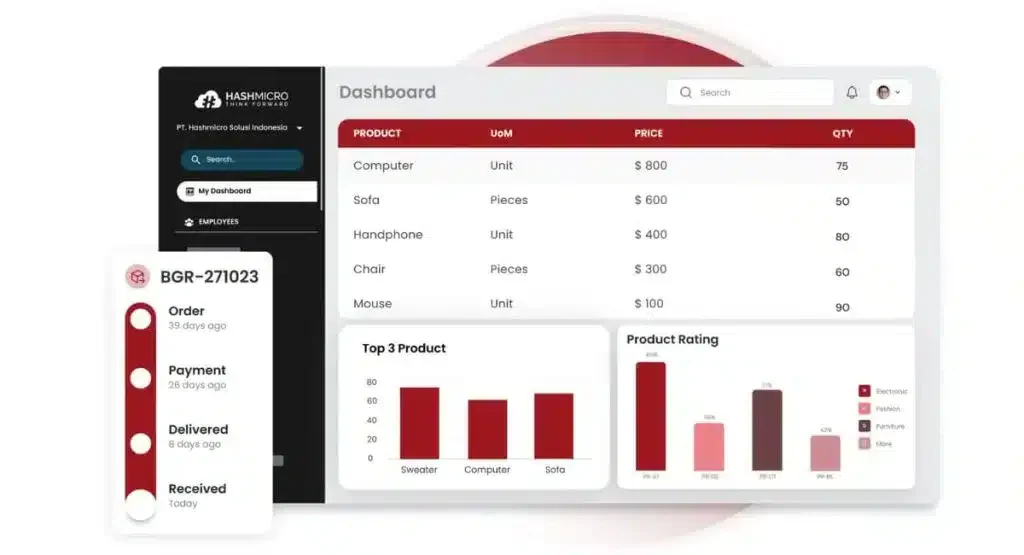
HashMicro’s purchasing system is a purchasing management software designed to automate and simplify the entire procurement process of goods and services in an organization. One of the main advantages of this system is its ability to integrate with various other systems, such as inventory management, accounting, and warehouse management.
This integration allows for seamless data flow between departments, so that every part of the purchasing process, from ordering to receiving goods and recording payments, can be done in an efficient and coordinated manner as a core strength of the HashMicro's procurement system. HashMicro also provides consultations with a team of experts and free consultation that can be accessed anytime and anywhere.
In addition, HashMicro’s purchasing system is also designed to increase transparency in the purchasing process. With its real-time purchase tracking feature, every transaction can be monitored and recorded in detail. This helps to prevent fraud, facilitate audits, and ensure that all processes are running in accordance with established policies.
Top features offered by HashMicro’s purchasing system:
- OCR for RFQ: Speeds up the process of digitizing physical RFQs into the system and reduces the possibility of input errors when done manually.
- Automatic Vendor Rating: Ensures that companies work with trusted vendors based on order fulfillment.
- Cost Savings Tracking and Reporting: Provides detailed reports on cost savings to be able to prioritize suppliers that provide significant cost savings or identify other areas where efficiency can be improved.
- Vendor Promotion Program Management: Know which vendors provide the best deals, optimize the benefits of vendor promotions, and ensure that the best deals are leveraged to their full potential.
Price: Custom pricing, please contact HashMicro for a free consultation and tailored quote.
| Pros | Cons |
|
|

2. Purchasing Management Software Procurify
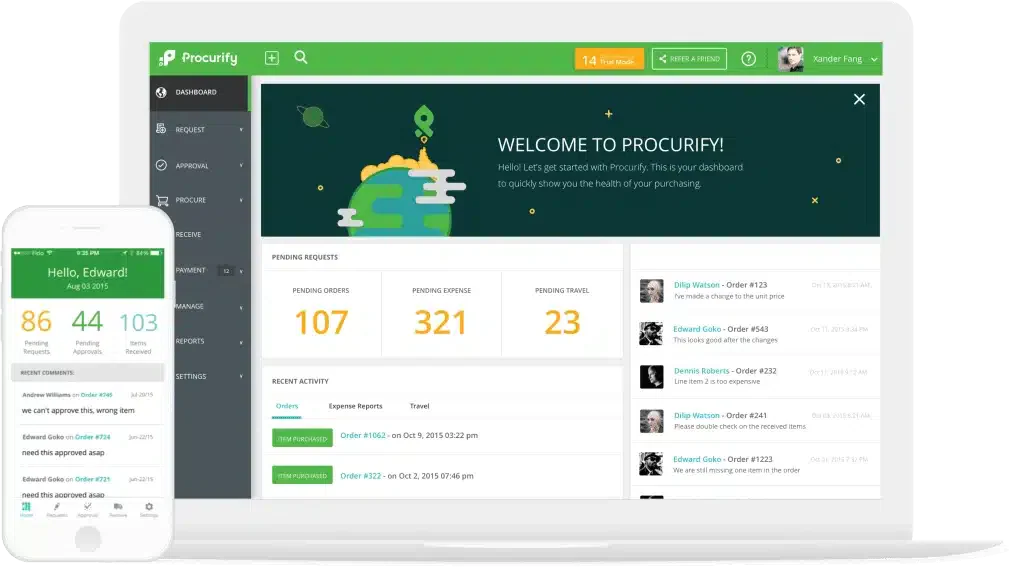
Procurify is a purchasing software application designed to help companies manage the process of purchasing goods and services more effectively and structured. By using this software, the procurement process becomes more optimized because Procurify provides various features that facilitate every stage of purchasing.
One of the main features is the purchase request submission, which allows users to submit requests for goods or services easily and quickly. This process becomes simpler, minimizing delays and errors in submission, while ensuring that purchase requests are immediately documented and managed in one integrated purchasing system.
Top features offered by Procurify’s purchasing system:
- Approval process: Routes each purchase request to the right approver based on amount and department, so spending is authorized before it happens.
- Purchasing workflow: Guides requests from submission to purchase order in one sequence, reducing back and forth between requesters and buyers.
- Budget tracking: Shows remaining budget per department as requests come in, helping managers stop overspending before approval.
- Expense management: Records and categorizes purchase-related spending so finance can reconcile costs against the original request.
Price: Starts from approximately ₱61,700/month (~$1,000/month); varies by team size.
| Pros | Cons |
|
|
3. Odoo Procurement Software
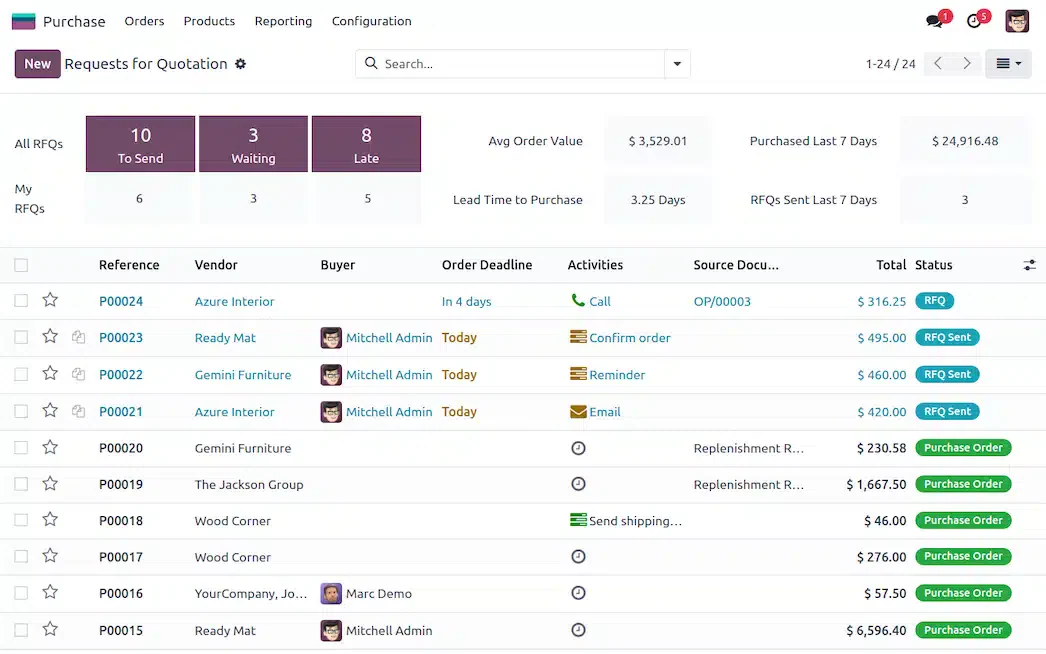
Odoo Purchase is one of the modules in the Odoo ERP suite specifically designed to efficiently manage the procurement and purchasing processes of businesses. This module allows companies to automate the entire purchasing cycle, from request submission to payment settlement.
Equipped with an easy-to-use interface and integrated features, Odoo purchasing system helps businesses reduce expenses, improve control, and accelerate procurement workflows, making the purchasing process run more smoothly and effectively. Full pricing details and available modules can be explored on the Odoo review.
Top features offered by Odoo’s purchasing system:
- Automated purchase requests: Generates replenishment requests from stock rules so buyers act on actual inventory needs instead of manual checks.
- Supplier management: Stores vendor pricelists, lead times, and contact records in one place for faster sourcing decisions.
- Purchase order: Creates and tracks purchase orders through confirmation and receipt, keeping order status visible to both purchasing and warehouse teams.
- Integration with inventory: Links incoming orders directly to stock records so received goods update available quantities automatically.
Price: Community edition is free; Enterprise starts from ₱1,968/user/month (~$31.90/user/month), billed annually.
| Pros | Cons |
|
|
4. Microsoft Dynamics 365
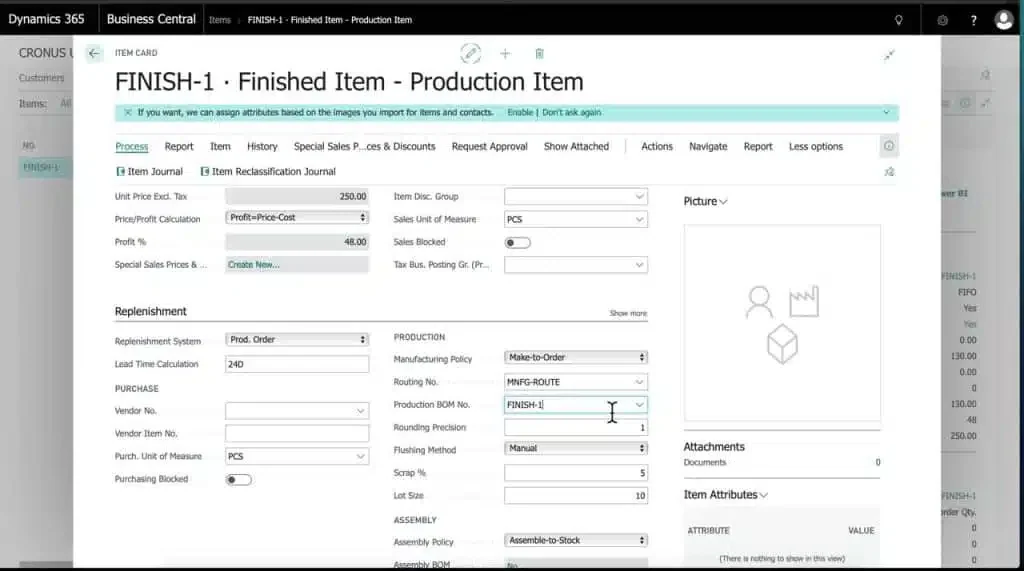
Microsoft Dynamics 365 purchasing system is an ERP solution that helps manage a company’s purchasing process more efficiently. The system comes with vendor management features, which allow companies to track and manage relationships with suppliers, including their contracts, performance, and compliance. For the latest pricing and plan options by module, visit Microsoft Dynamics 365.
Top features offered by Microsoft Dynamics 365:
- Vendor management: Tracks supplier contracts, performance, and compliance status so procurement teams can review vendor relationships in one record.
- Purchase automation: Handles repetitive purchasing steps such as order creation and approval routing to cut manual processing time.
- Expense analysis: Breaks down spending by category and supplier so finance can identify where costs concentrate.
- Custom workflows: Lets businesses configure approval paths that match their own authorization limits and internal policies.
- Vendor portal: Gives suppliers a self-service space to view orders and update their own details without email exchanges.
| Pros | Cons |
|
|
5. Purchasing Software System Oracle iProcurement
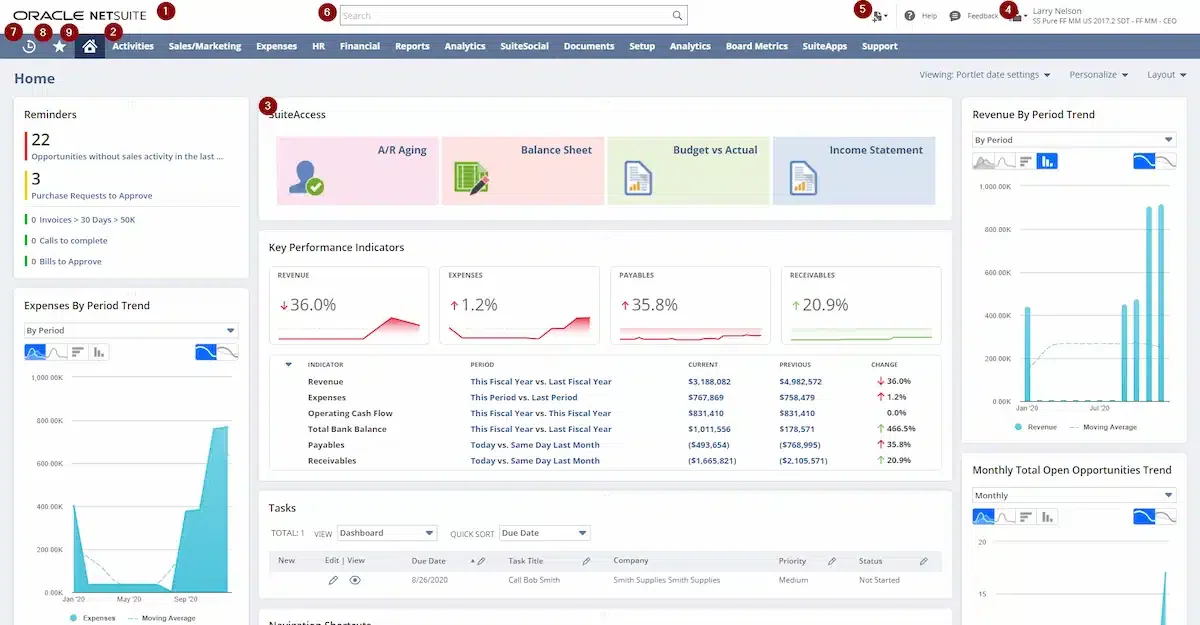
The Oracle iProcurement system is a web-based e-procurement solution designed to simplify a company’s procurement process. The web-based requisition management feature allows employees to create, manage and track purchase requisitions through a web interface, easing the process of ordering goods and services online.
In addition, the system offers spend analysis, which provides insights into the company’s spending patterns, assisting in budget management, as well as identifying savings opportunities by analyzing real-time procurement data. A complete overview of their procrement capabilities is available on Oracle's official site.
Top features offered by Oracle:
- Web-based requisition management: Lets employees create and track purchase requisitions through a browser, removing paper-based request forms.
- Integration with suppliers: Connects supplier catalogues and order data to the system so buyers order from approved sources.
- Expense analysis: Reviews real-time procurement data to reveal spending patterns and possible savings opportunities.
- Process automation: Moves requisitions through validation and approval stages automatically to shorten procurement cycle time.
Price: Custom pricing, please contact vendor for tailored quote.
| Pros | Cons |
|
|
6. Kissflow Procurement Software
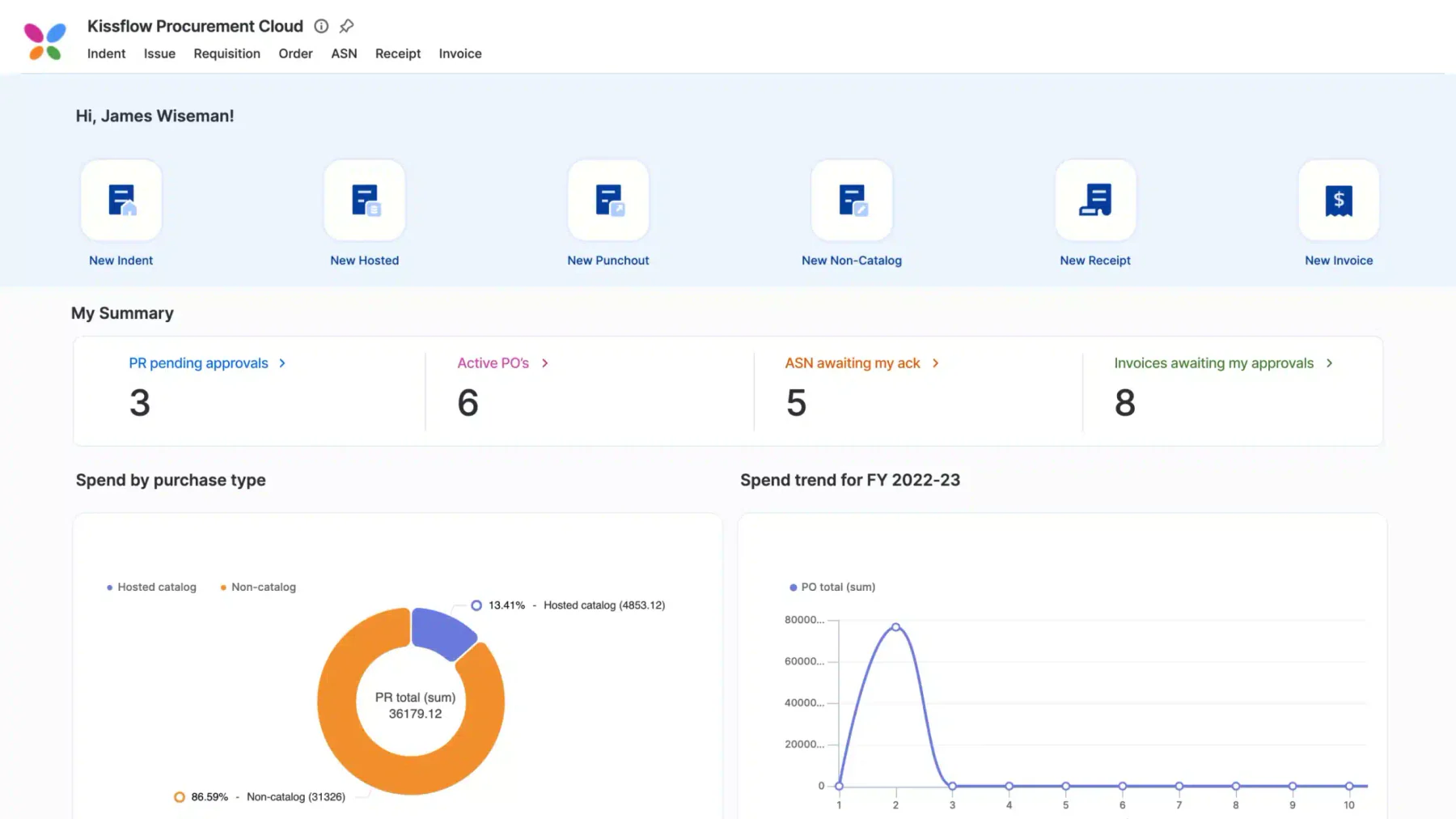
Kissflow Procurement Cloud is a procurement and vendor management software used in the Philippines, suitable for companies of all sizes. The system enables live monitoring of product stock, purchase requests, and status updates.
Administrators can evaluate vendor performance based on policy compliance, reputation, product quality and on-time delivery. Suppliers also have access to a standalone portal to update data and receive order notifications.
Top features offered by Kissflow:
- Invoice automation: Captures supplier invoices and matches them to orders so accounts payable spends less time on manual checking.
- Spend analytics: Summarises purchasing activity by category and vendor so managers can see where budget is consumed.
- Inventory management: Monitors product stock levels alongside purchase requests so reordering reflects real availability.
- Contract management: Stores supplier agreements with their terms and renewal dates so contract obligations stay visible.
Price: Starts from ₱92,550/month (Small Business)
| Pros | Cons |
|
|
7. Xero Procurement Software
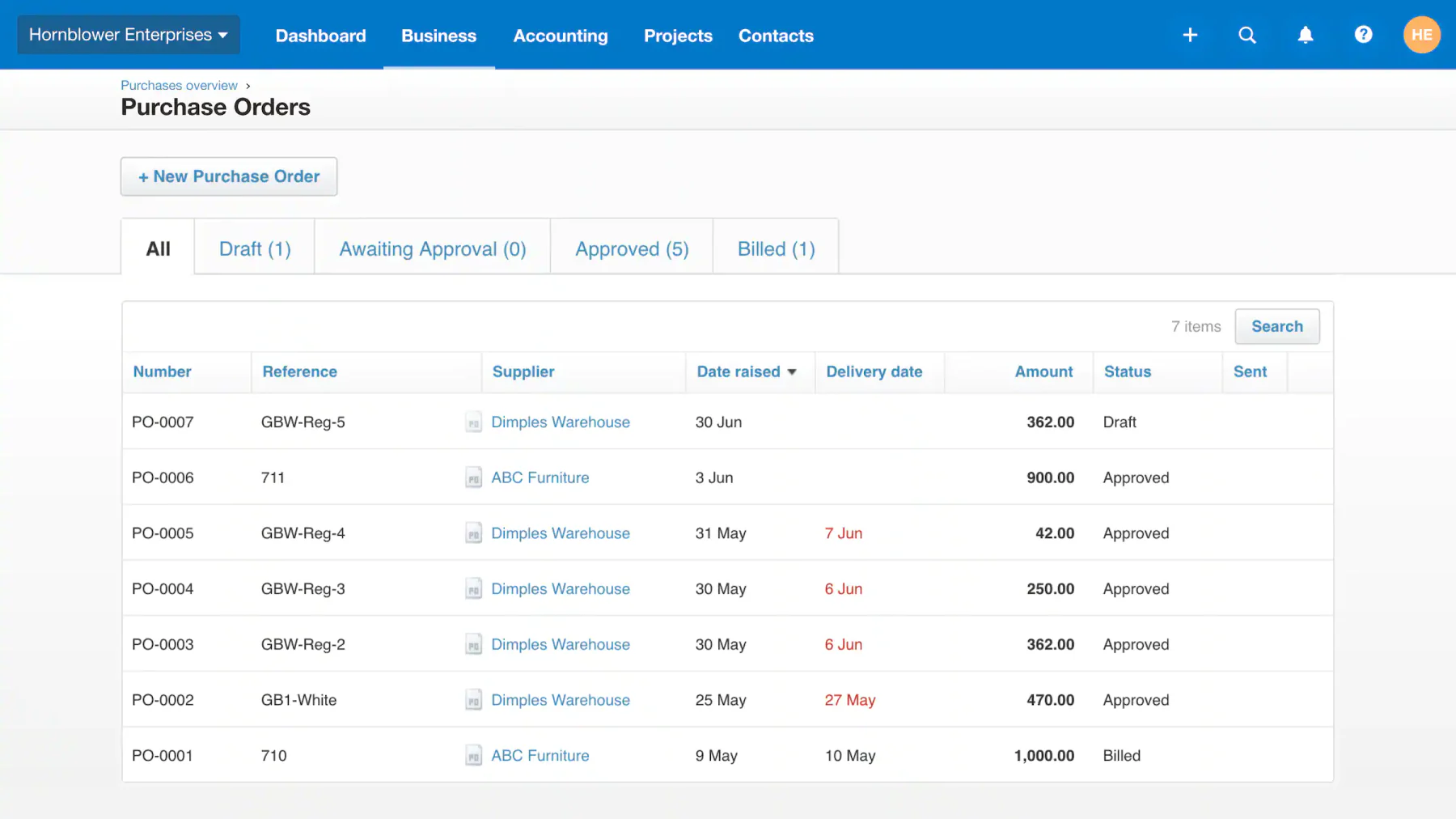
Founded in 2006, Xero offers a range of solutions designed to support your business operations. One of its flagship solutions is purchase order software, which serves to make it easier for companies to manage the procurement process.
With this software, companies can create and send purchase orders online more efficiently, reducing the time required in manual processes and improving the accuracy of order management. This solution is designed to make it easier for companies to optimize procurement workflows, ensuring orders can be processed quickly and on time. Current plans and regional pricing for the Philippines can be found on the Xero website.
Top features offered by Xero:
- Purchase order creation and tracking: Lets businesses issue purchase orders online and follow their status until the goods are billed.
- Multi-application integration: Connects with other business tools so purchase data flows into accounting without re-entry.
- Automation of record keeping: Files purchase documents and transactions automatically, keeping financial records consistent for reporting.
| Pros | Cons |
|
|
8. Purchasing Management Software Precoro
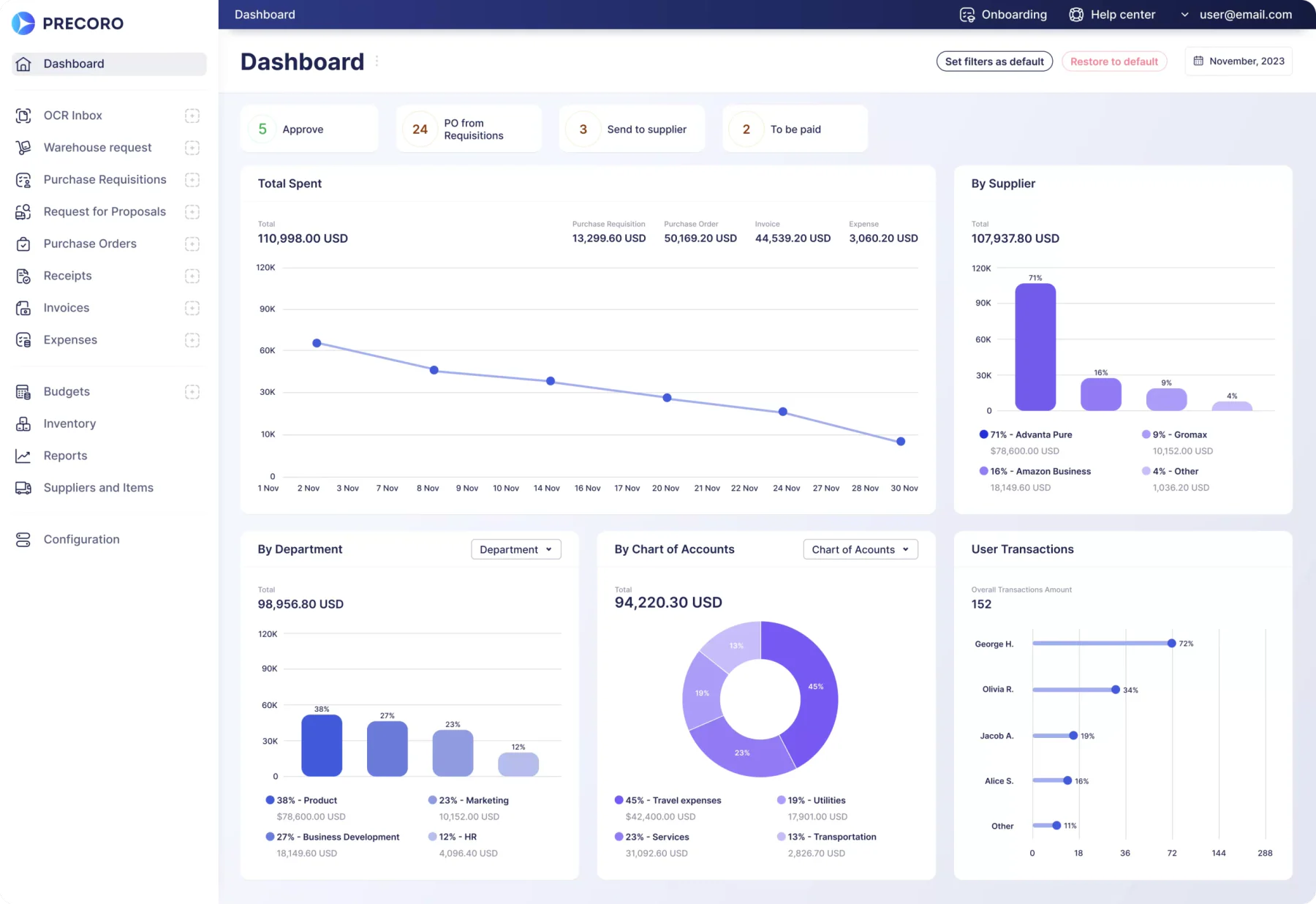
Precoro is a cloud-based procurement software in the Philippines that streamlines purchasing processes. Key features include purchase order creation and management, blanket POs, visual analytics for departmental spending, invoicing, real-time budgeting, receiving, and catalog management with product links.
Precoro provides various functionalities, including integrations with NetSuite and QuickBooks, as well as access to a free API. Users also enjoy improved security and automated reporting, ensuring transparency throughout the procurement process.
Top features offered by Precoro:
- Stock monitoring: Keeps visibility over available items so purchase requests are based on actual stock rather than assumptions.
- Real-time request handling: Processes purchase requests as they are submitted so approvers act without waiting for batch reviews.
- Automated process management: Moves procurement steps such as approvals and reporting forward automatically to reduce manual follow-up.
| Pros | Cons |
|
|
9. ProcurePort
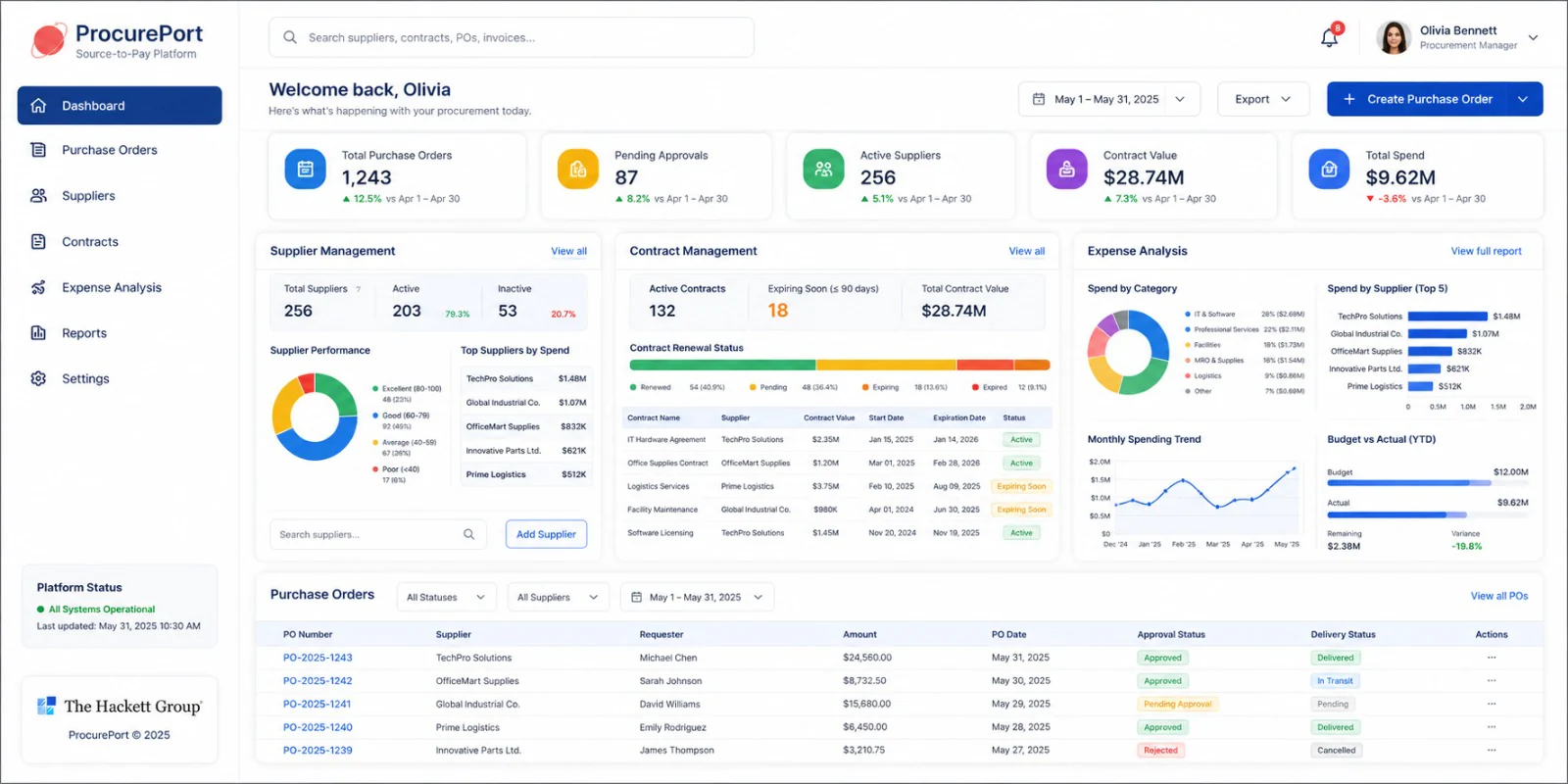
ProcurePort is a purchase order application designed to help companies manage the process of purchasing goods and services in a more efficient and integrated manner. Through the use of ProcurePort Purchase Order Application, companies can optimize the purchasing flow and make smarter decisions based on available data.
Top features offered by ProcurePort:
- Supplier management: Maintains vendor records and qualification details so sourcing decisions draw on verified supplier data.
- Contract management: Tracks agreement terms and renewal timelines so procurement teams manage commitments before they expire.
- Expense analysis: Reviews purchasing data across suppliers and categories to show where spending can be consolidated.
Price: Custom pricing, please contact vendor for tailored quote.
| Pros | Cons |
|
|
10. Purchasing Software Ecount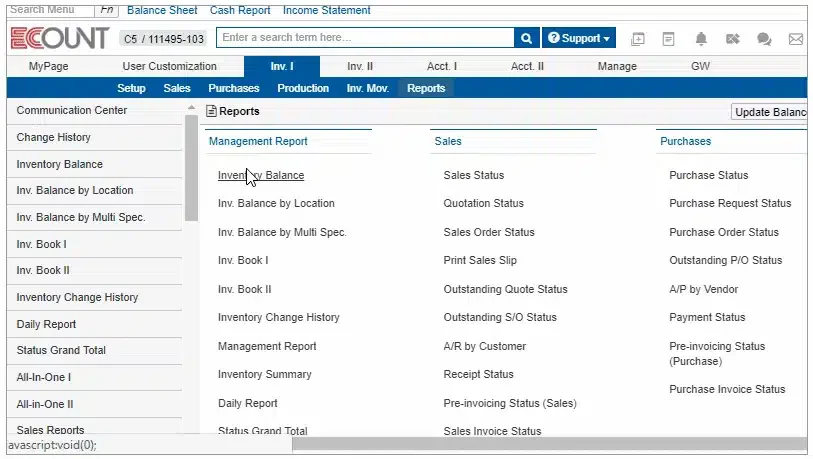
Ecount’s purchasing software, also referred to as the Ecount ERP Purchasing Module, is designed to simplify and automate purchasing processes within businesses. With a presence in the Philippines, it offers easy access to customer support. The software aims to enhance procurement efficiency, reduce costs, and promote collaboration between different departments and suppliers.
Top features offered by Ecount:
- Inventory management: Links stock records to purchasing activity so buyers order based on current warehouse balances.
- Sourcing and RFQ: Handles quotation requests to multiple suppliers so buyers can compare offers before committing.
- Budgeting and spending analysis: Tracks purchase spending against set budgets so departments stay within their allocation.
Price: Starts from ₱3,394/month (~$55/month) for unlimited users.
| Pros | Cons |
|
|
11. ProcurementExpress
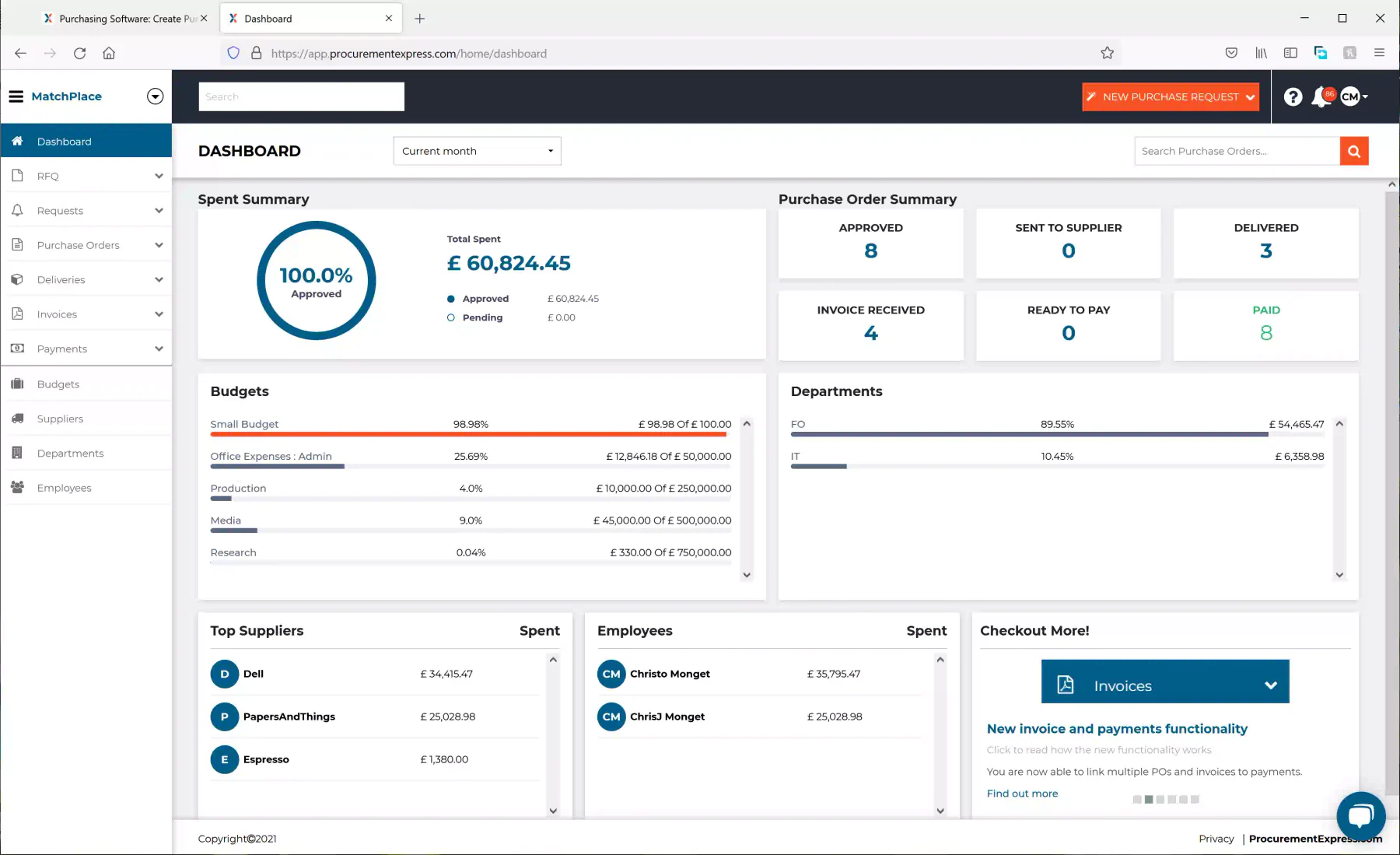
ProcurementExpress is a web-based purchase order (PO) application that simplifies the company’s purchasing process through one cloud platform. This application can also be integrated with the company’s accounting system. By using this PO application, companies can get various benefits. One of them is making it easier for management to respond to customer requests recorded in the software efficiently.
Top features offered by ProcurementExpress:
- Approval workflows: Sends each purchase request to the assigned approver so no order proceeds without authorisation.
- Budget tracking: Displays remaining budget at the point of approval so managers see the impact before saying yes.
- Mobile access: Allows approvers to review and action requests from a phone, keeping purchases moving when staff are off site.
| Pros | Cons |
|
|
12. GEP SMART
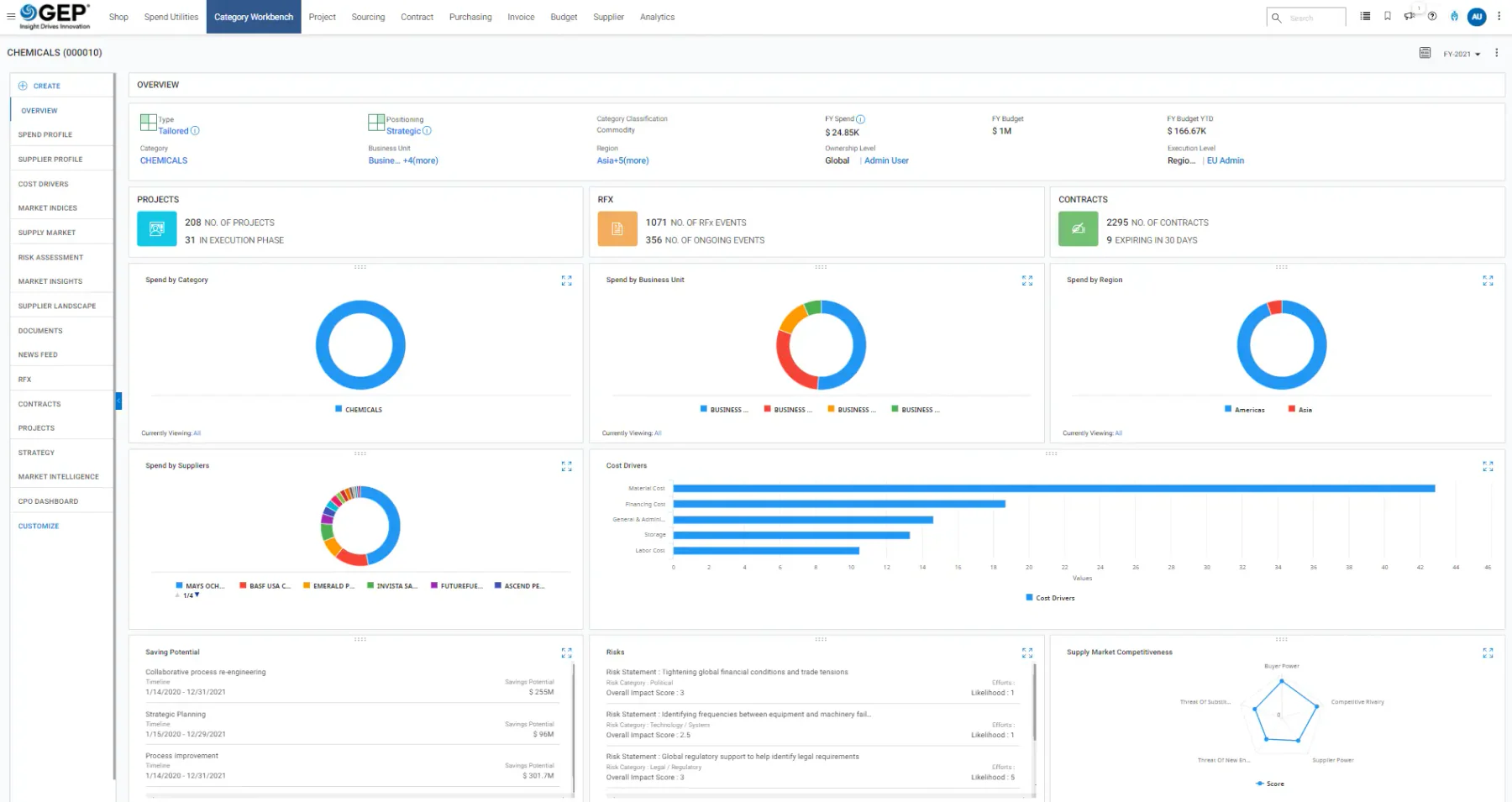
GEP SMART is an all-in-one source-to-pay (S2P) purchase planning software that streamlines both direct and indirect spend management within a single cloud-based platform. It integrates multiple procurement tools, removing the need for separate systems or modules.
GEP SMART enhances procurement efficiency, speeds up digital transformation, and improves the performance of procurement teams. It provides in-depth analytics for CPOs, broad control for category managers, and simplified ordering processes for buyers. Enterprises looking to explore source-to-pay automation in more detail can visit the GEP SMART website.
Top features offered by GEP SMART:
- Purchase-to-pay: Connects requisition, ordering, receiving, and payment into one flow so procurement and finance work from the same data.
- Vendor management: Centralises supplier records, performance data, and compliance details for structured vendor oversight.
- Supplier sourcing: Supports supplier discovery and evaluation so buyers can select vendors based on comparable criteria.
Price: Custom pricing, please contact vendor for tailored quote.
| Pros | Cons |
|
|
How to Choose the Right Purchasing Management

Choosing the right purchasing management system (PMS) is essential for optimizing procurement processes and driving operational efficiency. Selecting a system that aligns with your company’s needs, integrates well with other software, and offers user-friendly features is important.
- Understand your needs: Assess your company’s size, industry, and specific procurement requirements before selecting a system. A good PMS should align with your business goals and automate tasks like order processing, inventory management, and supplier communication to minimize manual work and errors.
- Integration capabilities: Ensure the purchasing management system integrates seamlessly with other business software, such as ERP or accounting systems. This allows for smooth data transfer across departments and improves overall business efficiency.
- User-friendly interface: Choose a system that is easy to use for your procurement team and other departments involved. A simple, intuitive interface reduces training time and encourages adoption across the organization.
- Scalability: Select a system that can grow with your business. As your company expands, your purchasing needs may evolve, so choosing a system that can scale to accommodate increased volume, new suppliers, and additional features is essential.
- Vendor support and reputation: Research the vendor’s reputation and support services. Opt for a provider with a strong track record and a responsive support team, as ongoing assistance is vital to resolve any issues that may arise after implementation.
- Cost-effectiveness: Evaluate the system’s pricing structure and ensure it fits your budget. While choosing a system with the right features is essential, ensure that it offers good value for money and provides a clear ROI over time.
Before committing to a vendor, check the purchasing reports you should be able to pull from the system, such as spend by vendor, cost-saving summaries, and order status tracking, since weak reporting limits how much control your team really gains.
Conclusions
In conclusion, the use of a purchasing system is essential for companies in the Philippines to optimize operational efficiency and reduce manual errors. With features such as workflow automation, vendor management, and real-time tracking, the system helps improve accuracy in purchasing management, speed up the procurement process, and ensure compliance with company policies.
If your business is ready to take the next step toward more efficient and accountable procurement, click the banner below to connect with the HashMicro team and find out how our purchasing software can help you streamline the entire process from request to payment
FAQ About Purchasing Software
HashMicro’s Purchasing Management System (PMS) is a comprehensive solution used for managing purchasing processes. It streamlines procurement tasks such as order placement, supplier management, and inventory tracking, all in one platform.
To purchase software means acquiring a digital solution that automates and streamlines your business operations, such as procurement. HashMicro’s software helps businesses handle the purchasing lifecycle efficiently, from order creation to supplier payment, ensuring smoother processes and improved productivity.
An example of a purchasing system is HashMicro’s Purchasing Management System, which simplifies procurement by automating tasks, tracking purchases, and managing suppliers in real-time. This all-in-one solution helps companies improve operational efficiency and reduce costs.
HashMicro offers one of the best procurement solutions, designed to help businesses automate purchasing, manage suppliers, and optimize procurement processes. Its user-friendly interface, integration capabilities, and scalability make it an ideal choice for companies of all sizes.
Purchasing software in the Philippines typically costs between ₱900 and ₱90,000 per month. Entry-level tools like Xero start from around ₱926 monthly, mid-range platforms such as Precoro charge per user, while enterprise systems like HashMicro, Oracle, and GEP SMART use custom pricing based on modules, users, and implementation scope.