


 Limited to 100 registrants

A work order form is the backbone of efficient task management, ensuring every job is detailed and standardized so everyone is on the same page. For production teams, effective shop floor management starts with a structured work order form that clearly defines the job scope, assigned personnel, required materials, costs, and completion timeline. Without consistent documentation, tasks can quickly become disorganized and cause unnecessary delays.
What makes a job order form valuable is its ability to simplify project management and maintenance. It minimizes errors and ensures every task is tracked and completed according to established standards.
This article explains how these documents work, from their definition and functions to their essential components and practical examples. It also provides customizable templates that you can adapt to your operational needs.
Key Takeaways
Using standardized templates saves time, reduces costs, and ensures tasks are completed efficiently and accurately.
Work order forms improve task organization, minimize errors, and boost communication between teams and clients.
Customizing templates for specific needs enhances usability and aligns with industry standards for better outcomes.
HashMicro’s software automates form creation and tracking, ensuring seamless management with real-time updates and easy access.

What is a Work Order Form?
A work order form is a document used to create, assign, and monitor work requests that involve customers, employees, team members, or vendors. It can support service requests, maintenance activities, creative projects, and resource requirements.
You can also customize the fields, layout, and design to match your company’s needs. A basic work order template usually includes:
- Work order number: A unique ID for the request.
- Contact name: The name of the person making the request.
- Contact information: Their contact details.
- Work description: A summary of the job that has to be done.
- Materials and labor: A list of what’s needed to complete the task.
- Cost: An estimated or actual cost of the work.
- Timeline: Dates for starting, servicing, and completing the work, plus any specific instructions.
- Approvals: Signatures or initials from the people in charge.
To save time and improve efficiency, pair a standardized template with task management tools. Production work order management helps manufacturing teams connect each request with production schedules, required materials, assigned personnel, and real-time progress updates while maintaining consistent records.
Work Order Form Templates
Work order form templates come in various formats, tailored to different industries and purposes. They help organize tasks, track progress, and ensure clear communication between teams and clients. Here are 10 examples of work order form templates to suit your needs:
1. Maintenance Work Order Form (Excel)
Maintenance Work Order Form

This Maintenance Work Order Form is used by service providers, contractors, or maintenance teams to document and manage maintenance tasks for their clients. It helps the service provider and client stay on the same page while offering an organized way to track job details, costs, and deadlines.
2. Service Work Order Template
Service Work Order Template
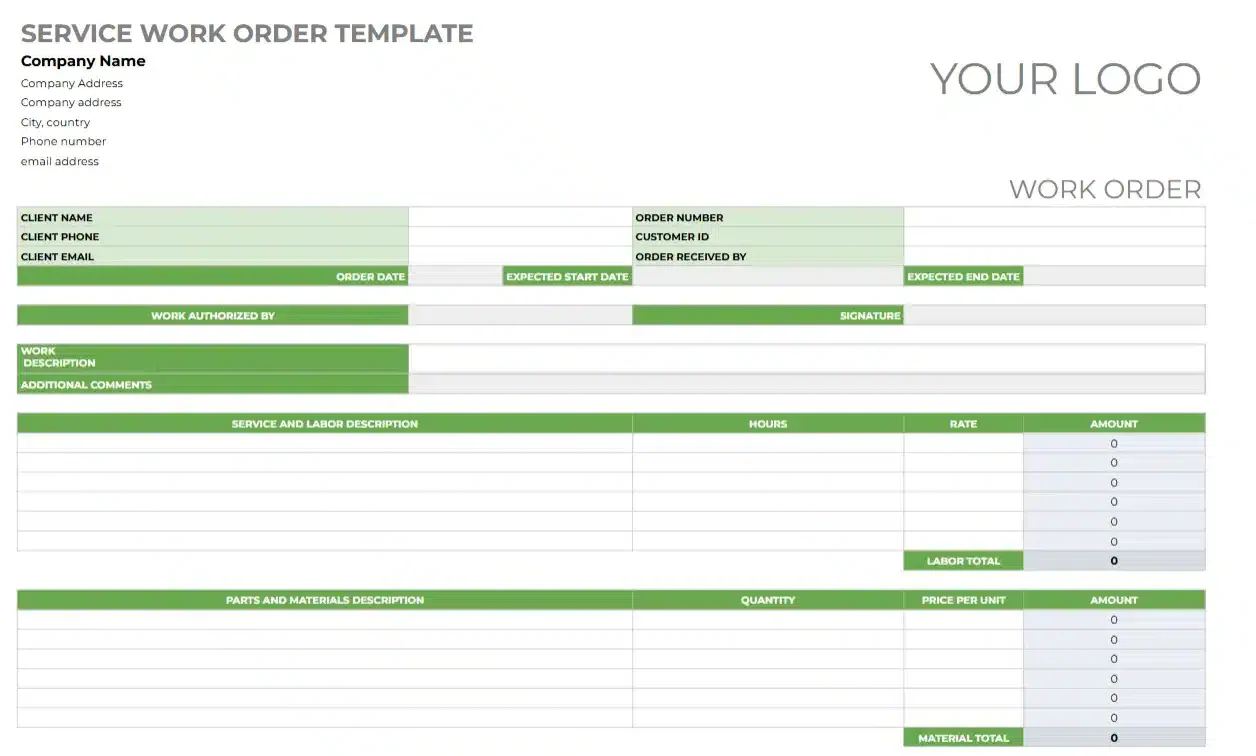
This Service Work Order Template is designed for businesses or service providers to document, organize, and manage service requests efficiently. It’s used to outline the requested services, log client details, and track labor and materials involved in completing the work.
3. Stop Work Order Form
Stop Work Order Form
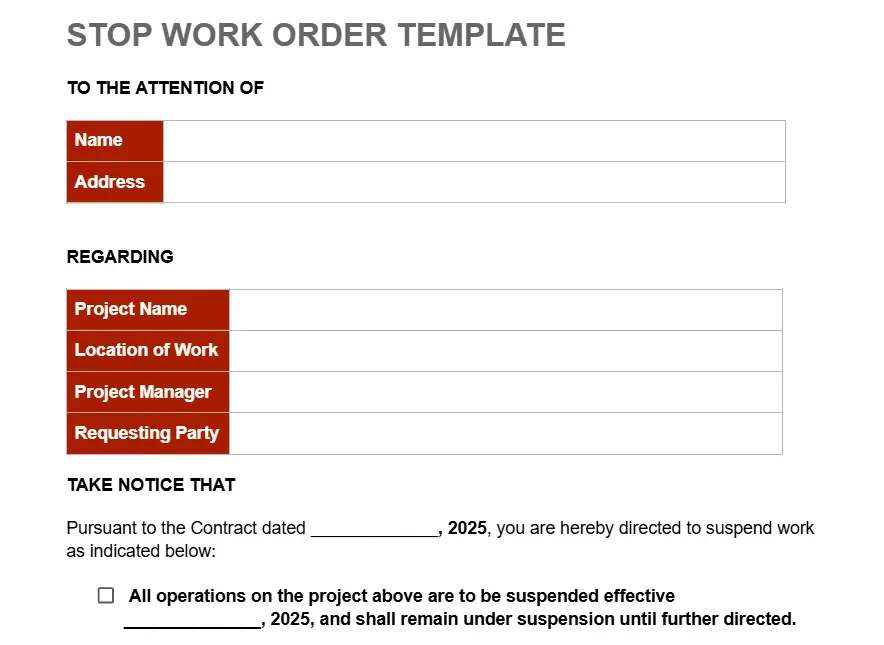
This Stop Work Order Form Template helps project managers, contractors, and business teams formally notify stakeholders when all or part of a project must be suspended. Organizations should also ensure that stop-work procedures comply with applicable Philippine occupational safety and health requirements, particularly when work exposes employees to serious or imminent hazards.
4. Automotive Work Order
Automotive Work Order
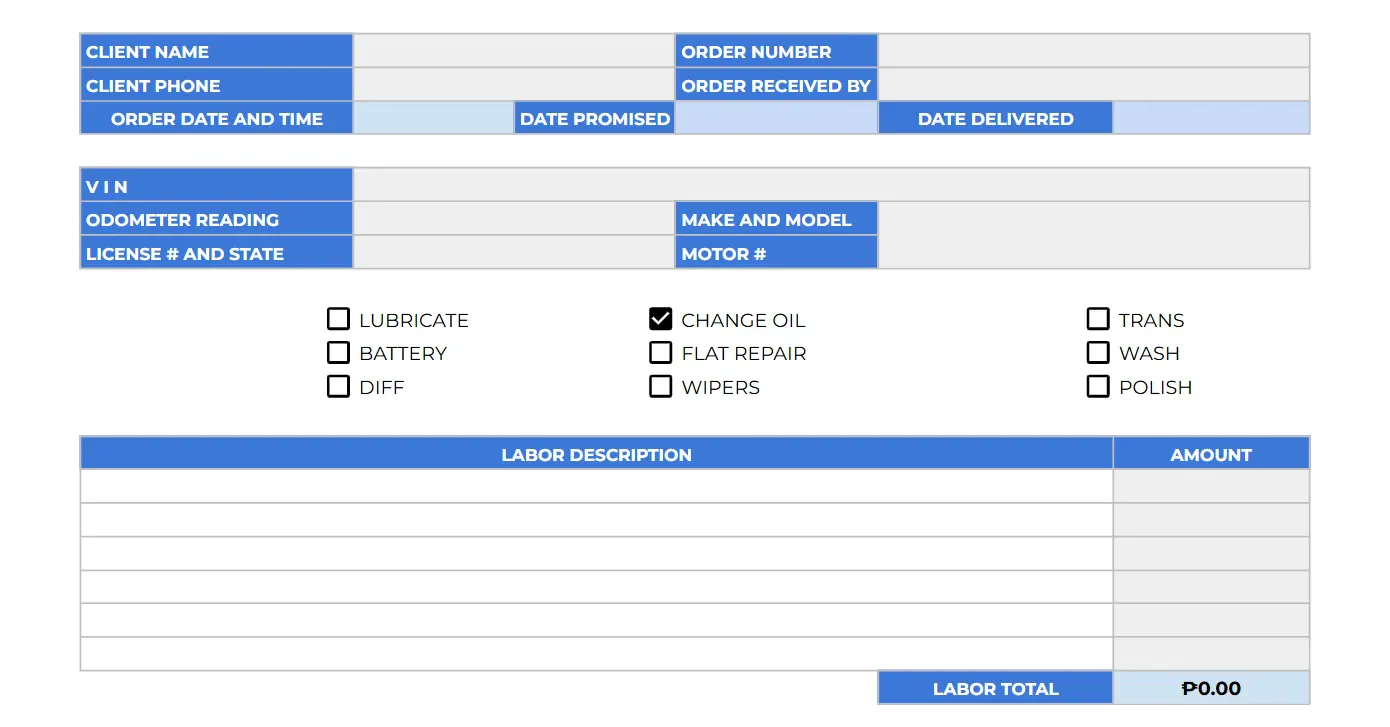
This Automotive Service Work Order is designed for auto repair shops, mechanics, or vehicle service providers to record and manage repair or maintenance tasks efficiently.
The people involved use this template to document vehicle maintenance requests, outline services performed, and track associated costs for both the client and service provider.
5. Maintenance Work Order Form (Word)
Maintenance Work Order Form (Word)
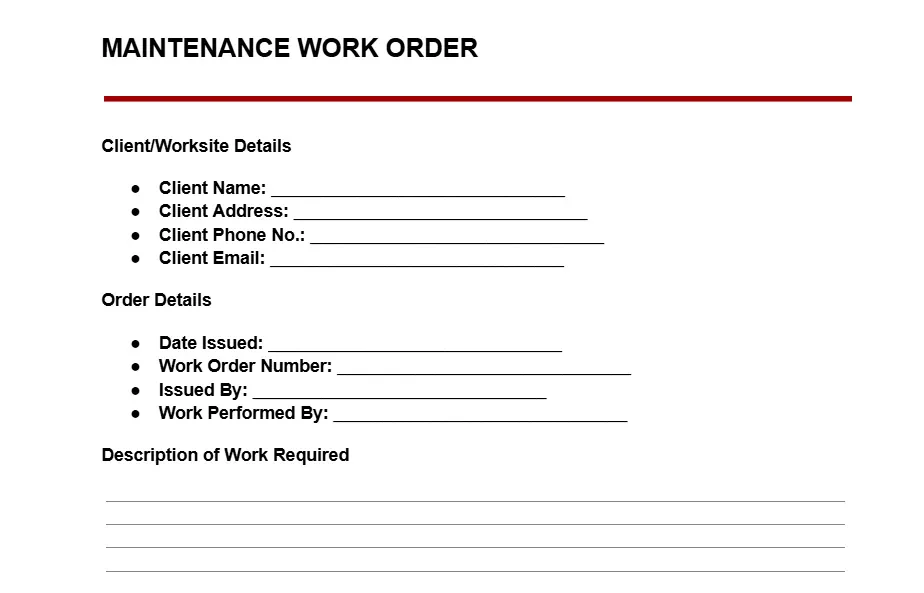
This Maintenance Work Order Template is a simple yet functional document for managing maintenance tasks. It’s designed to help service providers capture key client and job details while making sure that the tasks are tracked and completed properly.
6. Work Order Invoice Form
Work Order Invoice Form
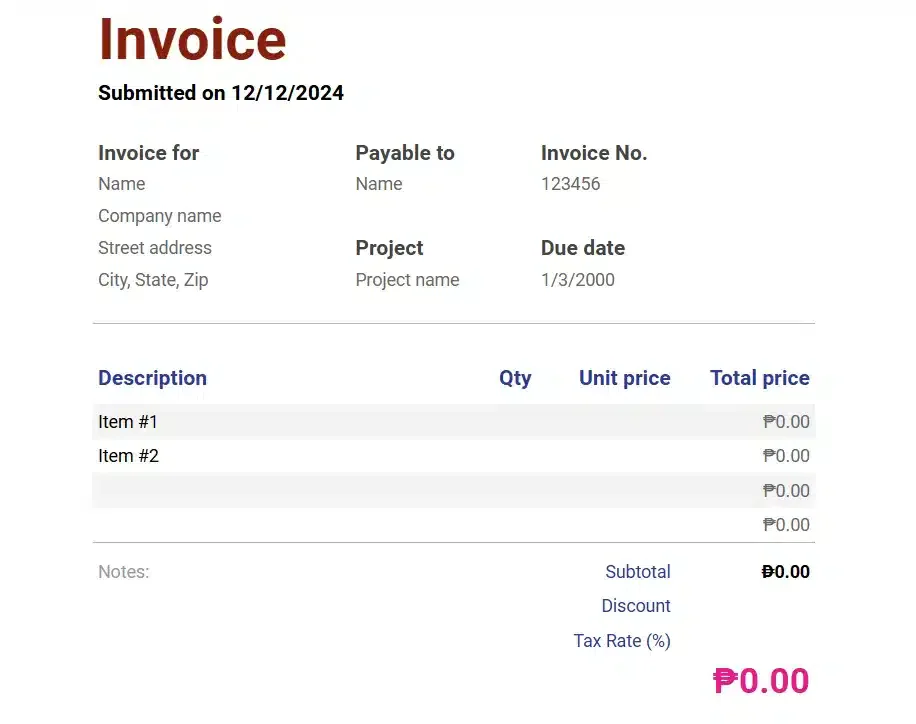
This Invoice Template is designed for businesses, freelancers, contractors, or service providers to document and request payments for services rendered or goods provided. It’s for detailing charges for services or products, so that there’s an accurate record of transactions.
7. Cleaning Work Order Form
Cleaning Work Order Form
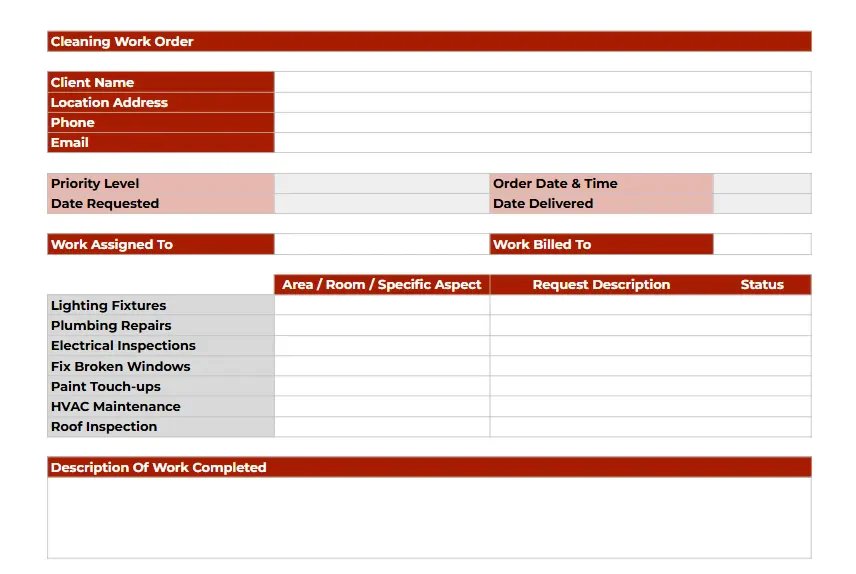
This Cleaning Work Order Form is a professional tool designed to document cleaning tasks, assign responsibilities, and track work progress. It helps ensure clarity between service providers and clients while organizing details of the cleaning operation.
8. Inspection Work Order Request
Inspection Work Order Request
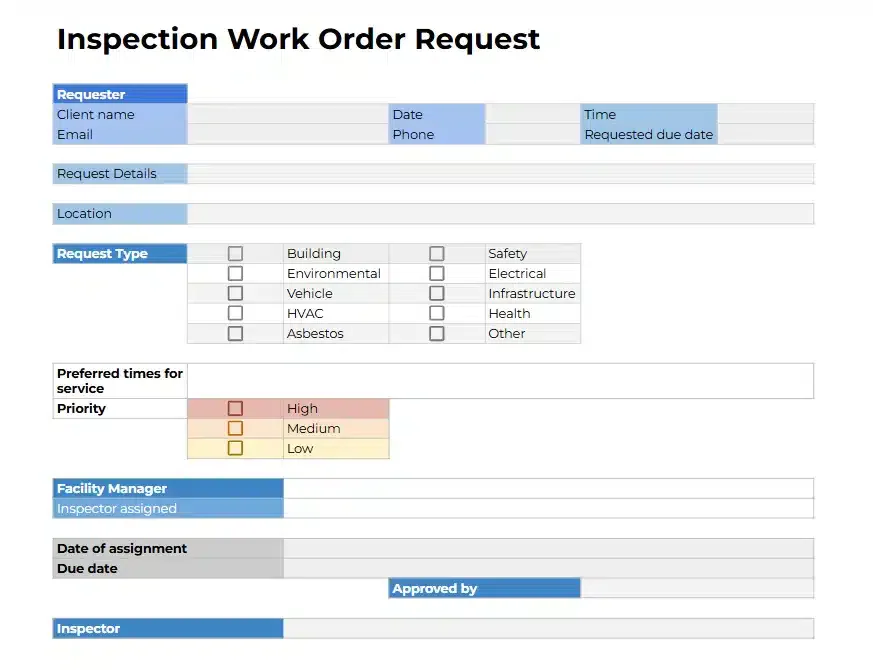
This Inspection Work Order Request Form is a detailed form designed for managing and documenting inspection requests. It provides an organized structure for tracking the inspection type, priority, and assignments.
Facility managers, inspectors, and organizations handling safety, environmental, or structural inspections would benefit from this work order template.
9. Warehouse Work Order Form
Warehouse Work Order Form
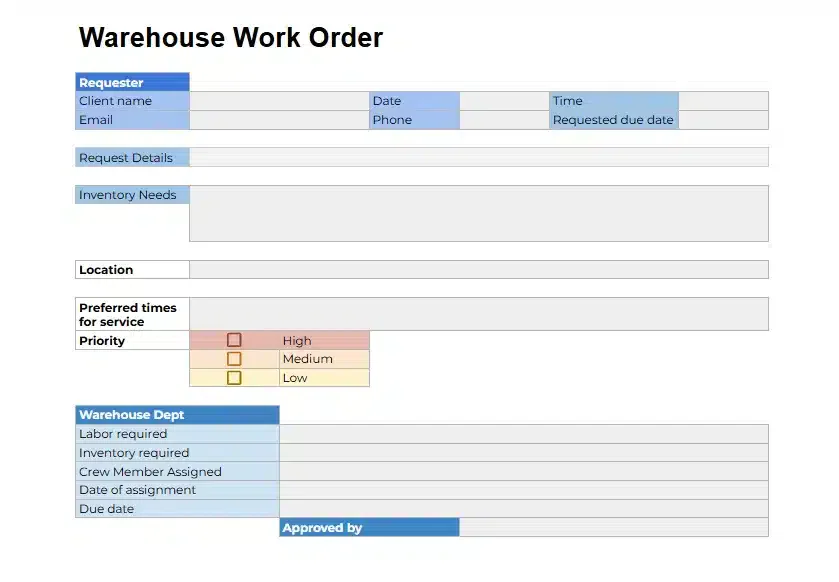
This Warehouse Work Order Form is designed to organize and manage tasks related to warehouse operations. Warehouse managers, logistics coordinators, and warehouse staff to document, prioritize, and assign warehouse-related tasks such as inventory management or labor requests.
10. Work Order Tracking Form
Work Order Tracking Form
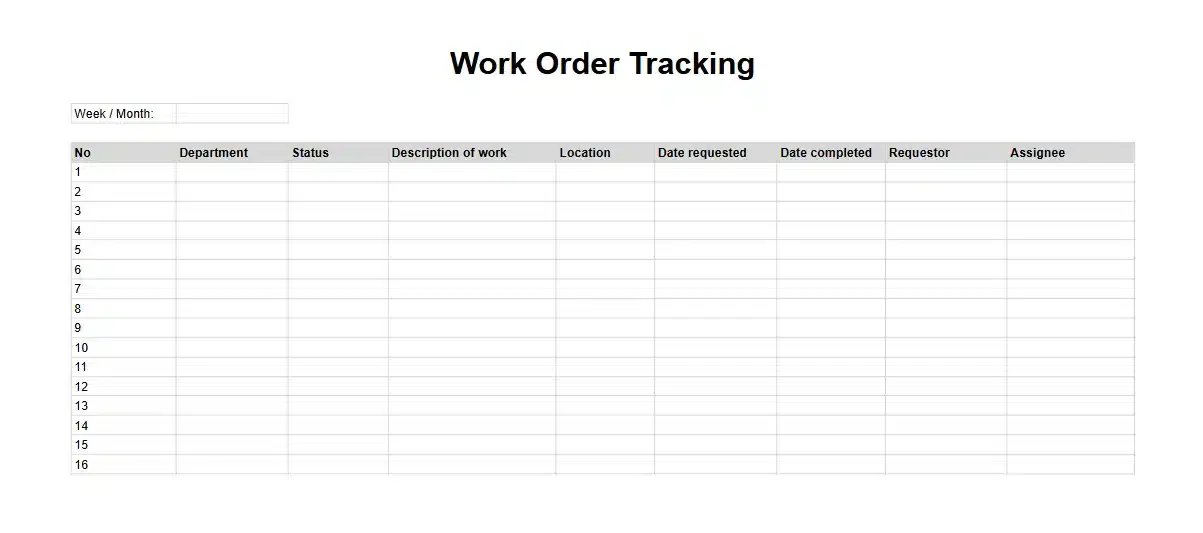
This Work Order Tracking Form is a simple yet effective tool for monitoring and managing multiple work orders. It’s used to document and monitor the progress and status of work orders across departments.
Benefits of Using a Job Order Form

A standardized task document improves coordination, strengthens communication, and gives teams a consistent process for completing and monitoring assigned jobs.
Below are the benefits of using a job order form:
- Sharper Efficiency: Standardizing job orders has been proven to save up to 25 hours per week.
- Cost Savings: Mistakes are reduced, which means less wasted time and fewer unnecessary expenses.
- Improved Collaboration: Teams and clients stay on the same page with a clear, shared framework for tasks.
- Efficient Task Tracking: Pending requests are easier to manage and resolve, helping to avoid delays.
- Reliable Quality Standards: Built-in best practices ensure every task is completed to the highest standard.
- Consistency Across Teams: Templates keep processes uniform, ensuring everyone follows the same approach without confusion.
How to Make a Work Order Form Using a Work Order Sample
Making a work order form is simple when you focus on the essentials first. Use the previous work order sample to organize your information more clearly so tasks are easy to manage and track. Then you should pay attention to formatting standardization; ensure that it’s comprehensive, but easy enough to be used by all the crews in the team.
To be more detailed, we present you with the step-by-step to make a work order form that you can practice using the work order sample:
- Start with the Basics: Begin by identifying the core details needed for every work order. These typically include:
- Work order number (unique identifier)
- Requestor’s name and contact information
- Description of the work
- Materials and labor requirements
- Estimated cost
- Timeline for completion
- Approval sections for signatures
- Organize Information Logically: Arrange sections in a clear and easy-to-follow format. Group related details, such as contact information and work descriptions, to ensure a logical flow for users.
- Add Custom Fields: Tailor the template to your industry’s specific needs. For instance:
- Include equipment serial numbers for maintenance requests.
- Add job location details for construction projects.
- Incorporate deadlines or priority levels for urgent tasks.
- Use Simple Design Elements: A clean layout improves readability. Use headings, tables, and bold text sparingly to emphasize key information without cluttering the page.
- Incorporate Automation (Optional): Consider integrating the template into software tools or spreadsheets to auto-fill repetitive fields like dates or client names.
- Test and Refine: Share the draft with your team to gather feedback. Adjust the template based on usability and ensure it captures all necessary details efficiently.
- Standardize Across Teams: Train your staff to use the template consistently. This ensures uniformity in documentation and reduces errors.
- Review Periodically: Review and update the template periodically to ensure its fields continue to support equipment history, risk management, and alignment with ISO 55000 asset management principles.
However, have you ever noticed that creating a work order form takes up a lot of time? You could have used the time to work on something more important, but you’re stuck making them from scratch first.
Therefore, it’s important to use tools that make work order form creation a simple task. Good work order software can make work order forms automatically, so you only need to fill in the data needed to make one. It can also keep track of them all in a user-friendly dashboard, for full visibility.
Create Work Order Forms Automatically with HashMicro Work Order
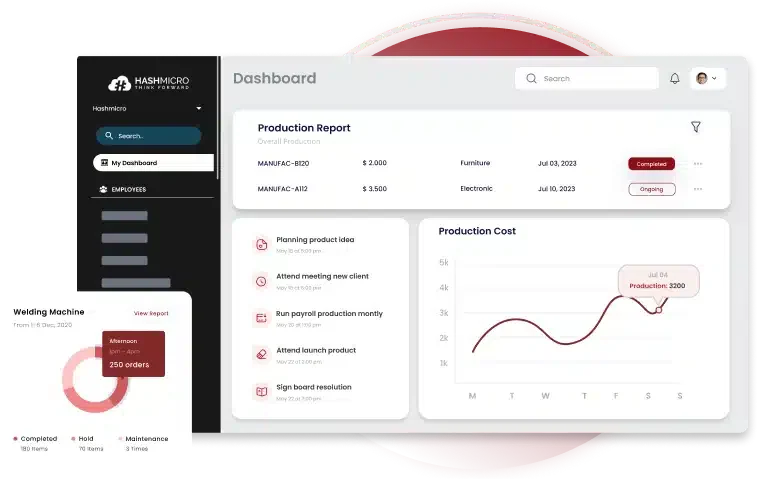
Managing work orders has never been easier with a work order form platform that offers a variety of work order templates, fully customizable with just a few clicks. Not to mention the ability to manage and track all the documents needed for your work.
HashMicro Work Order Software takes the hassle out of your daily operations by automating the creation and management of work order forms. From production to tracking work orders, our system ensures every detail is accurately recorded and perfectly organized.
HashMicro offers free consultation to show you how our software can transform your workflow. Try features like automated work order creation and streamlined management; no upfront costs, no commitments.
- Built-in BI (Business Intelligence): HashMicro provides BI features such as Pivot, KPI Scorecard, Custom BI, and Dashboard Ninja for deeper data analysis and clear visualizations, enabling more accurate decision-making.
- Production Order & Work Order Tracking: Track production processes and work orders in real-time to ensure tasks are completed on time. This feature includes detailed reports on time, materials used, and production outcomes.
- Manufacturing Gantt Chart Schedule Management: Simplify work order management with production schedules visualized through Gantt charts. This feature improves team coordination and ensures all tasks are completed as planned.
- WhatsApp Integration: The WhatsApp integration feature allows direct communication between teams and customers. Users can receive real-time updates and notifications, boosting operational efficiency.
- Sheet Management: Manage data effortlessly with spreadsheets integrated into the work order software. This feature helps organize data more efficiently, minimizes input errors, and facilitates collaboration.
- Mobile Apps Available: HashMicro offers mobile applications that allow access to the system anywhere. Users can stay productive and access work order software features directly from their mobile devices with ease and flexibility.
Conclusion
Work order forms are essential tools for organizing tasks, managing workflows, and improving communication within teams. They ensure all job details are clearly documented, reducing errors and confusion while keeping operations efficient.
Managing work orders is difficult; HashMicro Work Order Software is here to make it easier. It simplifies your processes with customizable templates, BI tools, WhatsApp integration, and mobile apps.
Experience the difference with HashMicro Work Order Software by consulting for free today with no commitments but plenty of opportunities. Let HashMicro help you take control of your work orders and achieve greater efficiency effortlessly!

FAQ for Work Order Form
A work order form usually authorizes and tracks a specific maintenance, service, or operational task. A job order form may serve the same purpose, but some companies use it more broadly for customer jobs or production work. Define each term internally and use one naming convention to prevent duplicate records.
A work order should be converted into an invoice only after the assigned work is completed, inspected, and approved. Confirm actual labor hours, materials used, taxes, discounts, and customer authorization before billing. Linking the invoice to the original work order preserves traceability and makes disputes, warranty claims, and financial reconciliation easier.
A maintenance work order form should use consistent priority levels based on safety, operational impact, asset criticality, and response deadline. For example, classify imminent safety risks or production stoppages as emergencies, degraded performance as high priority, and routine upkeep as planned work. Add target response times so teams interpret each level consistently.
Retention periods for completed work order records depend on local regulations, warranties, contracts, tax rules, and asset life cycles. A company should define a documented retention schedule with its legal and finance teams, store approvals and attachments together, and restrict access appropriately. Longer retention is useful for regulated assets and recurring-failure analysis.
A standardized work order template can support KPIs such as response time, completion time, schedule compliance, first-time fix rate, labor utilization, material cost variance, backlog age, and repeat-failure rate. Use consistent status definitions and timestamps across teams; otherwise, comparisons become unreliable. Review the metrics by asset, technician, location, and work type.