
Distribution businesses often manage sales orders, warehouses, delivery schedules, and finance through separate systems. This fragmentation can create inaccurate inventory records, delayed order updates, and limited visibility across the distribution cycle.
These gaps may increase fulfillment costs and make it harder to respond to stock, delivery, or customer-service issues. A ResearchGate study reports a 25% productivity increase and a 50% improvement in order fulfillment in the examined ERP implementation; the figures should be presented as case-specific evidence rather than a general guarantee.
This article compares eight distribution ERP systems in the Philippines, including their capabilities, strengths, limitations, and suitability for different distribution models. The comparison is intended to help business leaders evaluate integration, inventory control, warehouse workflows, delivery visibility, and scalability.
Key Takeaways
Distribution ERP software is a part of a business solution that focuses on the warehouse and delivery of goods.
Distribution ERP software gives you 9 benefits if you choose the right software. Its benefits depend on how well the system fits daily workflows.
As one of the most robust distribution ERP software, HashMicro offers a free demo. This allows you to see how the software works before adopting it.
Choose a distribution ERP that matches your business size, budget, scalability needs, integration requirements, and support expectations. A system that fits these criteria can improve efficiency and support long-term growth.
What is Distribution ERP Software?
Distribution ERP software connects sales, purchasing, inventory, warehousing, delivery, and finance in one system. It applies the core functions of enterprise resource planning to the movement of goods from suppliers to customers.
When a team records a sales order, the system can check available stock, reserve items, prepare warehouse work, and pass transaction details to finance. This helps distributors address manual handoffs, inaccurate stock records, and delayed orders. Businesses with dealer accounts or recurring bulk orders can also assess B2B ERP software for account-based sales processes.
ERP supports the wider distribution strategy by giving teams a shared view of demand and fulfillment. A distribution management system focuses more specifically on coordinating distribution activities.
What Are the Benefits of Distribution ERP Software?
Implementing a Philippines distribution centre using ERP software can transform your business operations and drive growth. Here are some key benefits:
Less manual coordination: Connected sales, purchasing, warehouse, and finance workflows reduce repeated data entry. Staff can spend less time reconciling separate records.
More reliable inventory records: Receipts, transfers, reservations, and dispatches update stock information in one system. This gives teams a clearer view of available and committed quantities.
Faster order processing: Staff can follow an order from quotation through picking, packing, delivery order preparation, and invoicing. Shared status information helps them identify a delay before it reaches the customer.
Timelier reporting: Managers can review sales, margins, inventory movement, and warehouse activity using current transaction data. They still need sound data-entry practices for those reports to be useful.
Better stock purchasing decisions: Movement reports identify fast-moving, slow-moving, and non-moving items. Teams can use those patterns to adjust replenishment, prevent overstock and understock, and reduce avoidable carrying costs.
Fewer fulfillment errors: Warehouse staff can compare picked items and quantities against the sales order before dispatch. Barcode processes may provide another check where the operation uses them.
Support for growth: A suitable ERP can accommodate more products, warehouses, branches, and transactions. Buyers should confirm the limits and costs of their proposed configuration.
Clearer collaboration: Sales, purchasing, warehouse, and finance teams can work from the same order and stock records. Suppliers and partners can receive more consistent updates when the relevant integrations are in place.
Stronger operational control: Permissions, approvals, and transaction histories can help teams review changes and resolve discrepancies. Philippine compliance requirements should be checked against the vendor’s actual configuration.
Quick Overview of 8 Distribution ERP Software
Businesses comparing a distribution ERP system in the Philippines should assess warehouse workflows, integration, and total costs. The table below provides a quick comparison of eight ERP systems available to Philippine distributors, including their typical use cases and pricing approach.
The table below provides a quick comparison of eight ERP systems available to Philippine distributors, including their typical use cases and pricing approach.
“Businesses comparing a distribution ERP system in the Philippines should assess warehouse workflows, integration, and total costs
“Businesses comparing a distribution ERP system in the Philippines should assess warehouse workflows, integration, and total costs
“Businesses comparing a distribution ERP system in the Philippines should assess warehouse workflows, integration, and total costs
“Businesses comparing a distribution ERP system in the Philippines should assess warehouse workflows, integration, and total costs
Choosing a distribution ERP requires more than comparing feature lists. Businesses should consider operational fit, scalability, deployment options, and total ownership costs. The table below provides a quick comparison of eight ERP systems available to Philippine distributors, including their typical use cases and pricing approach.
| Software | Best fit | Philippine pricing |
|---|---|---|
| HashMicro Distribution ERP | Distributors seeking connected sales, inventory, warehouse, and finance workflows | ₱ custom quotation based on scope |
| SAP Business One | Small and midsize businesses needing structured ERP processes | ₱ partner quotation for licenses and implementation |
| Oracle NetSuite | Growing distributors with multi-entity or international operations | ₱ custom quotation |
| Microsoft Dynamics 365 Business Central | Distributors working within the Microsoft ecosystem | About ₱5,082/user/month for Essentials or ₱6,987/user/month for Premium, before implementation |
| Infor Wholesale ERP | Wholesalers with industry-specific requirements | ₱ custom quotation |
| Epicor Distribution ERP | Businesses combining manufacturing and distribution | ₱ custom quotation |
| Odoo | Businesses seeking modular ERP applications | About ₱1,582/user/month for Standard or ₱3,112/user/month for Custom, before implementation |
| Acumatica | Distributors evaluating cloud ERP and configurable workflows | ₱ custom quotation |
Top 8 Distribution ERP Systems in 2026
After discovering the benefits of the distribution of ERP software in the Philippines, we will move to the recommendation section. In addition to the software’s distribution warehouse type, here we explore eight of the best ERP solutions to transform your distribution operations generally.
1. HashMicro Distribution ERP Software
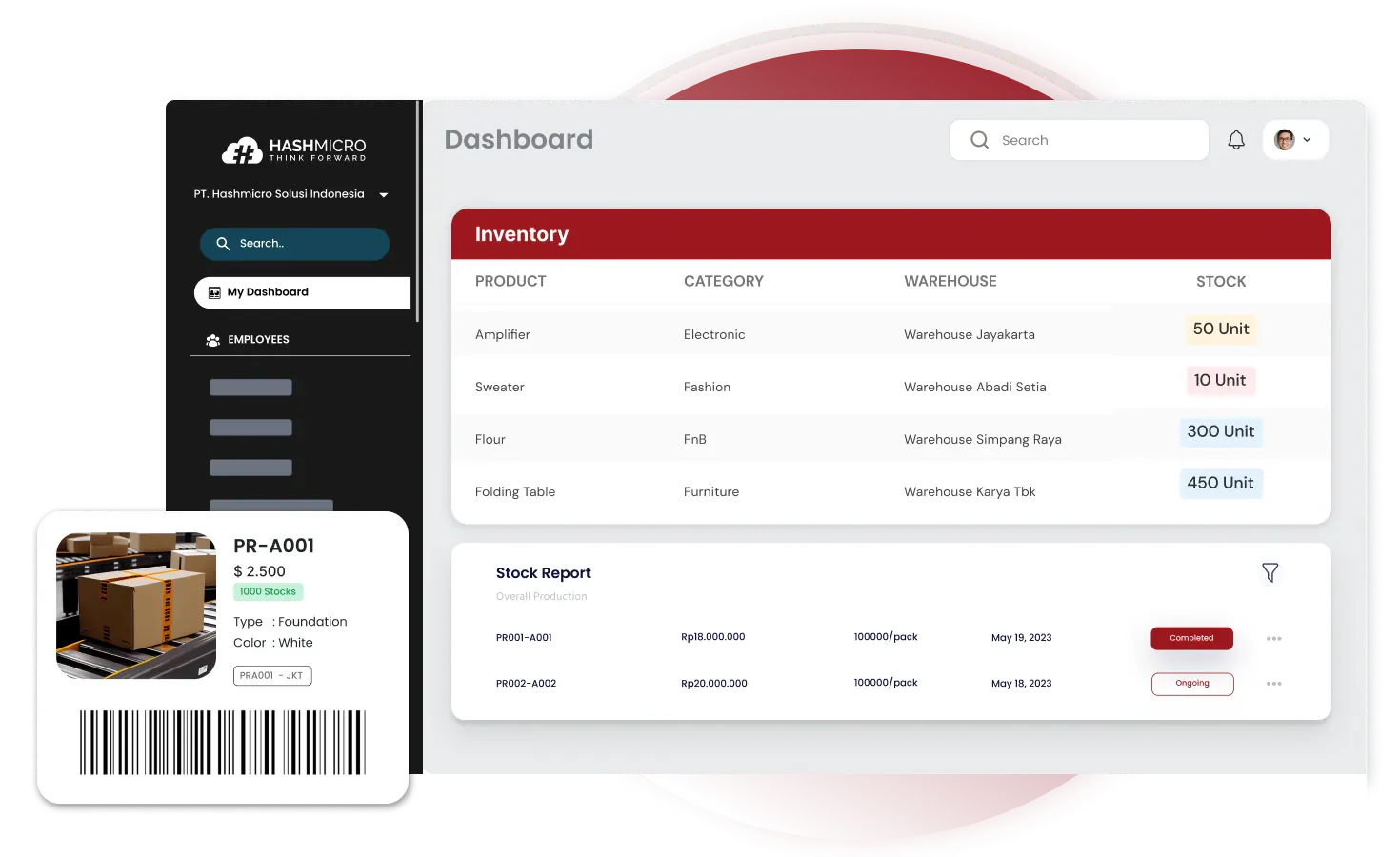
HashMicro Distribution ERP connects sales, purchasing, inventory, warehouse, delivery, and financial processes. Distributors can assess its fit for multi-warehouse stock control, order fulfillment, and reporting.
Over 1750 companies, including Oishi, Tate & Lyle, Toyota, and Forbes, have selected HashMicro due to its user-friendly interface and extensive functionalities. To ensure customer satisfaction, HashMicro offers a free demo, allowing potential users to assess the reliability of its system for their specific needs. Businesses can explore HashMicro’s Trading and Distribution Software through a free demo. This lets them assess how RFID warehouse tracking and barcode scanning fit their distribution workflows.
Key features:
- RFID warehouse rack stock in out automation: The use of RFID technology to automate tracking the movement of stock in and out of warehouse shelves.
- 3D warehouse: A digital model that provides visual information of a warehouse’s layout, storage capacity, and inventory status that looks exactly like its physical form.
- Stock forecasting: A system that analyzes historical sales data, seasonal trends, and other factors to predict future demand for goods.
- Fast, slow, and non-moving stock analysis: It helps identify products in the warehouse with high and low turnover rates to enable strategic planning, such as prioritizing stock procurement, creating sales promotions, eliminating unsold items, etc.
- Quality control management is another module often used with the inventory system to ensure that the goods stored, processed, and shipped meet the set quality standards.
- Stock optimizer per warehouse: Maximize overall warehouse space usage and improve operational efficiency in stock management.
| Pros | Cons |
|---|---|
| Intuitive user interface | Need a dedicated IT team for custom configuration. |
| Excellent customer support | Customizable modules |
| Strong reporting capabilities |
Pricing: Request a quotation in Philippine pesos.
Why we chose: We chose HashMicro because of its seamless integration of RFID and barcode technologies, which makes inventory management efficient and straightforward.
With RFID and barcode tracking, stock forecasting, and warehouse visibility in one system, HashMicro helps distributors manage stock from storage through delivery. See how it fits your operations with a free demo.
2. SAP Business One
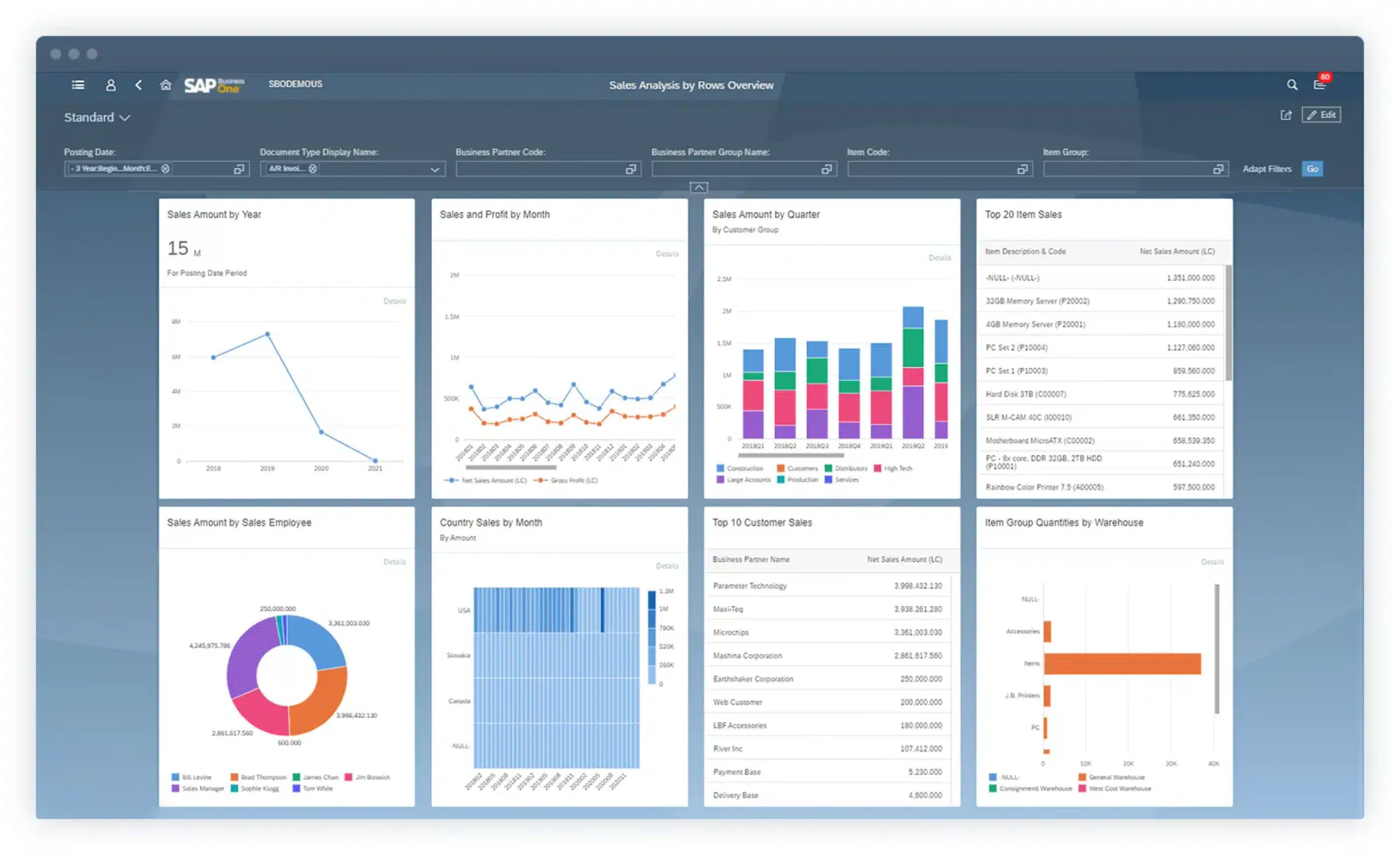
SAP Business One is a distribution ERP solution for small and medium enterprises. It integrates various business functions into a single system, allowing real-time data access and improved decision-making. This software for distributors is designed to streamline operations and empower businesses to enhance efficiency.
Key features:
- Integrated business intelligence
- Financial management
- Supply chain management
- Production planning
| Pros | Cons |
|---|---|
| Comprehensive functionality | Complex implementation process |
| Robust analytics and reporting tools | Steep learning curve for users |
| Extensive customization options | Higher upfront costs |
| Excellent integration capabilities | Requires ongoing support and maintenance |
Pricing: Request a Philippine peso quotation from a local partner.
Why we choose: We opt for SAP Business One due to its comprehensive suite of tools that empower informed decision-making and streamline operations.
3. Oracle NetSuite
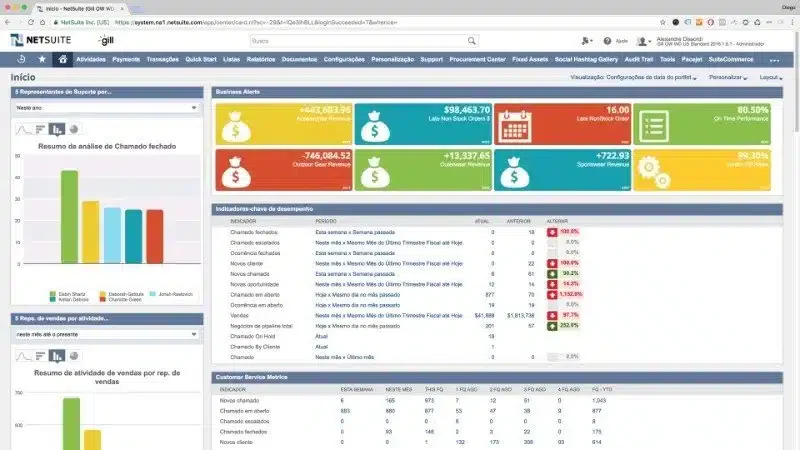
Oracle NetSuite is a cloud-based ERP solution that brings business functions into one system. Growing distributors can assess its scalability alongside their distribution management system (DMS) requirements, including how they coordinate orders, inventory, and deliveries.
With its comprehensive features, businesses can adapt the software to their evolving needs. Distributors with wholesale accounts should also assess the order and pricing workflows discussed in this guide to B2B ERP software.
Key features:
- Real-time data and analytics
- E-commerce integration
- Customer Relationship Management (CRM)
- Multi-currency management
| Pros | Cons |
|---|---|
| Highly scalable | Pricing can increase as additional features are added |
| Strong customization capabilities | Requires stable internet connectivity |
| Robust reporting tools | Interface may feel complex for new users |
| Global compliance features | May require dedicated IT resources |
Pricing: Request a Philippine peso quotation.
Why we choose: Oracle NetSuite for its unparalleled scalability and real-time insights that drive strategic growth across multiple business areas.
4. Microsoft Dynamics 365
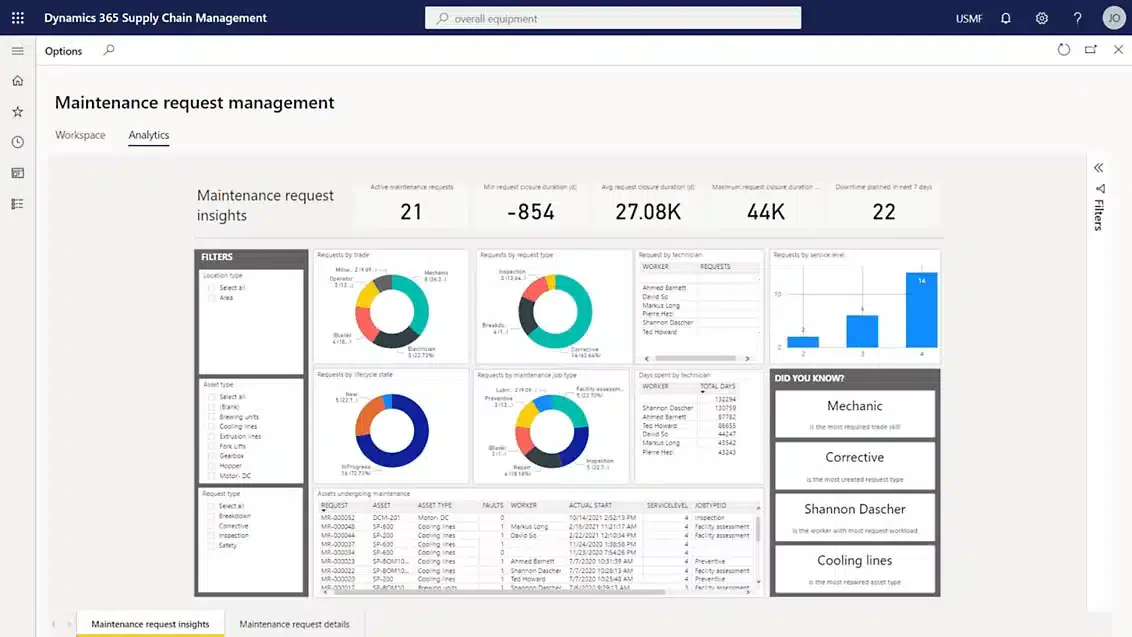
Microsoft Dynamics 365 offers a distribution ERP software suite that enables organizations to manage operations more efficiently. Its cloud-based platform seamlessly integrates various business functions, allowing teams to collaborate effectively and access real-time data for informed decision-making.
Key features:
- Unified operations
- Financial management
- Customer engagement
- Project management
| Pros | Cons |
|---|---|
| Strong integration with Microsoft products | Can be costly for small businesses |
| Flexible and customizable | May require technical expertise |
| Excellent user interface | Frequent updates may disrupt workflows |
| Extensive partner ecosystem | Potential performance issues at scale |
Pricing: Approximately ₱5,070 per user/month for Essentials or ₱6,980 for Premium, billed annually.
Why we choose: We favor Microsoft Dynamics 365 for its cohesive ecosystem that enhances collaboration and boosts overall productivity.
5. Infor Wholesale ERP
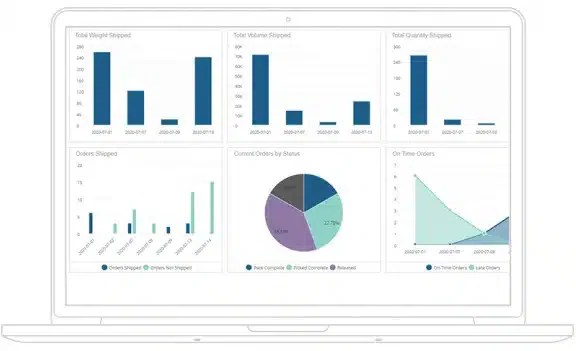
Infor offers industry-specific solutions for distribution businesses, including supply chain tools and analytics. Distributors assessing its warehouse capabilities should consider how a warehouse management system (WMS) supports stock visibility and daily warehouse operations.
Key features:
- Supply chain planning
- Warehouse management
- Wholesale ERP analytics and reporting
- Financial management
| Pros | Cons |
|---|---|
| Industry-specific functionality | Integration with existing systems can be challenging |
| Intuitive user experience | Limited global support options |
| Strong analytics tools | Customization may require additional costs |
| Regular updates and improvements | Learning curve for advanced features |
Pricing: Request a Philippine peso quotation.
Why we choose: We appreciate Infor’s industry-specific solutions, which cater to unique distribution challenges and ensure tailored functionality and support.
6. Epicor Distribution ERP Software
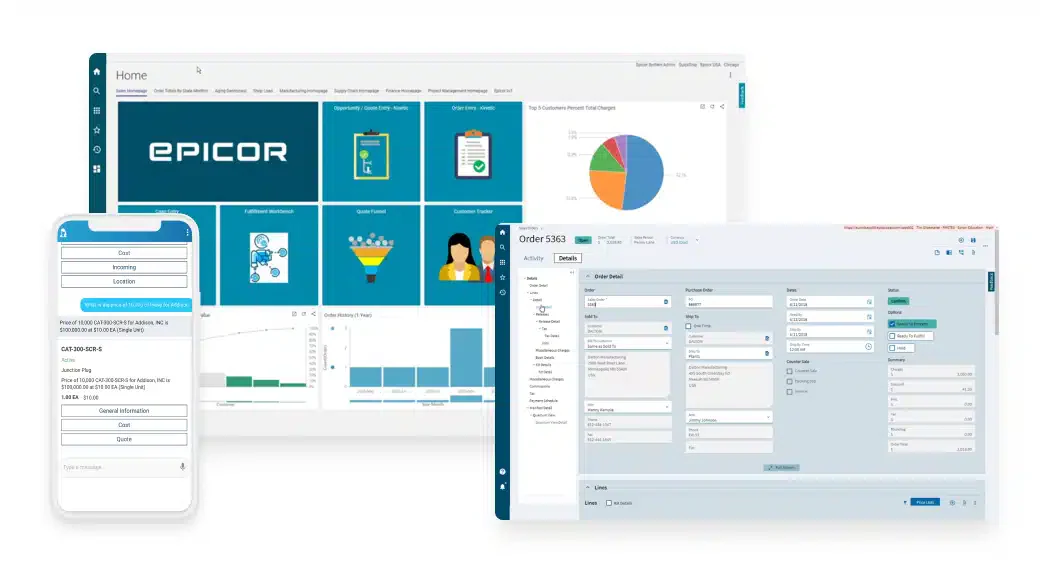
Epicor provides ERP solutions tailored to the manufacturing and distribution sectors. With a strong focus on industry-specific needs, Epicor empowers businesses to enhance their efficiency and adapt to changing market demands.
Key features:
- Inventory control
- Supply chain management
- Financial management
- Production management
| Pros | Cons |
|---|---|
| Strong focus on manufacturing | Can be expensive for small businesses |
| Comprehensive training resources | Complex interface for non-technical users |
| Flexible deployment options | Implementation can take time |
| Good community support | Limited customization in certain areas |
Pricing: Request a Philippine peso quotation.
Why we choose: We choose Epicor because of its robust manufacturing focus, which seamlessly integrates with distribution processes to enhance operational efficiency.
7. Odoo Sales and Distribution ERP
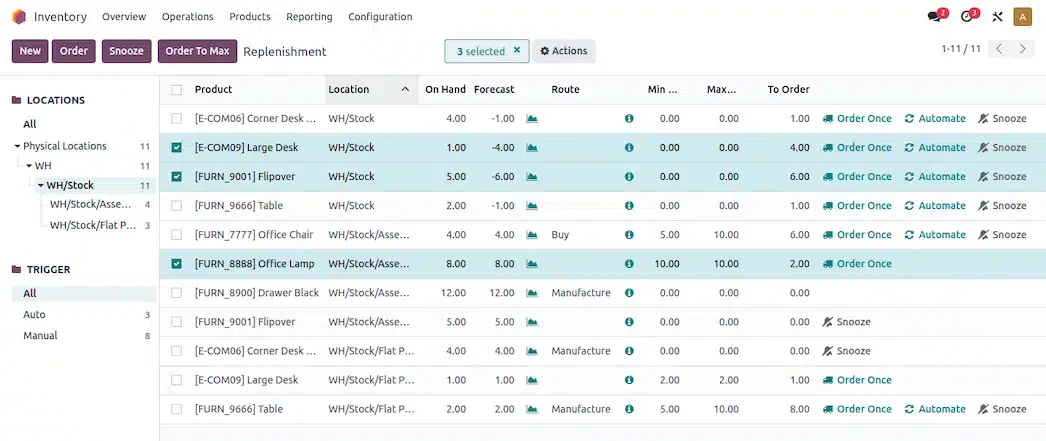
Odoo is an open-source food ERP distribution software known for its modularity and flexibility. It allows businesses to choose from various applications to create a tailored system. This adaptability makes it an attractive option for companies looking to scale and customize their distribution as they grow.
Key features:
- Modular applications
- CRM, sales, and distribution ERP management
- Inventory management
- Project management
| Pros | Cons |
|---|---|
| Highly customizable | Requires technical knowledge for setup |
| Cost-effective for small businesses | Some modules may lack advanced features |
| Active community support | User interface can feel inconsistent |
| Regular updates and improvements | Integration with third-party apps can be challenging |
Pricing: Approximately ₱1,580 per user/month for Standard or ₱3,110 for Custom during the first year, billed annually.
Why we choose: We choose Odoo for its modular flexibility, allowing businesses to customize their ERP system to fit their precise needs effortlessly.
8. Acumatica
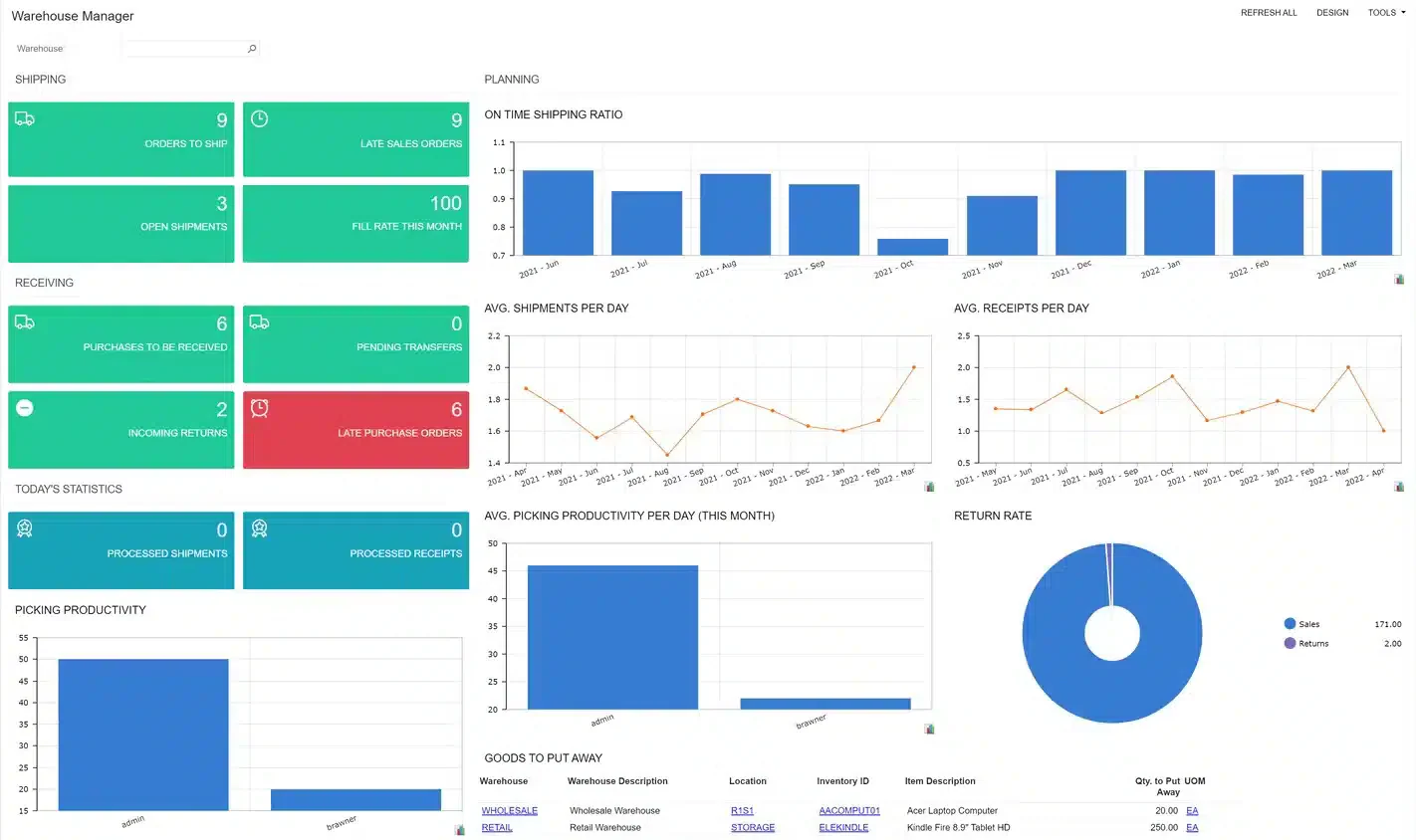
Acumatica is a cloud-based ERP system designed to improve process visibility as businesses grow. When evaluating its inventory capabilities, distributors can use VED analysis to identify items that need closer stock control.
Key features:
- Financial management
- Customer management
- Project accounting
- Inventory management
| Pros | Cons |
|---|---|
| User-friendly interface | May lack some advanced features |
| Strong integration capabilities | Pricing structure can be complex |
| Excellent mobile accessibility | Limited customization options |
| Regular updates and support | Learning curve for new users |
Pricing: Request a Philippine peso quotation.
Why we choose: We prefer Acumatica ERP for its intuitive interface and cloud capabilities that empower teams to manage operations effectively from anywhere.
How to Choose the Best Distribution ERP Software
 Choosing the best distribution ERP software for your business is crucial for optimizing operations and enhancing efficiency. Here’s a guide to help you make the right choice:
- Identify your needs: Assess your current processes and pain points to determine which features are essential, such as inventory management and order processing.
- Consider scalability: Offer additional features or modules to ensure the software can grow with your business and adapt to changing needs.
- Read reviews and case studies: Look for feedback from other users to understand the software’s strengths and weaknesses, and review case studies for insights.
- Evaluate integration capabilities: Check if the software can seamlessly connect with your existing systems, like accounting and CRM, to minimize disruptions.
- Check for compliance features: To mitigate risks and avoid potential penalties, ensure the software complies with industry regulations relevant to your business.
- Analyze costs: Compare wholesale ERP pricing models, including upfront costs and ongoing fees, and consider the total cost of ownership, including implementation and maintenance.
- Request a demo: Request a live demonstration to see the software in action, understand its functionality, and see how it fits your needs.
Conclusion
For businesses in the Philippines, distribution ERP software can connect sales, inventory, and delivery workflows. Choosing a vendor that supports their distribution strategy helps leaders select a system suited to their operations and growth plans.
Among the many offerings, HashMicro stands out as a promising choice. It provides robust features tailored to distributors’ unique needs. If you want to explore how HashMicro can transform your business, you can try its free demo to see firsthand how it can benefit your operations.
FAQ About Distribution ERP Software
Software distribution involves sharing software with users. This can be achieved by providing source code, which contains instructions that are easy for humans to read, or by distributing compiled object code, which can be executed directly by a computer.
For instance, a brewery that produces its beer and sells it directly to customers at its physical location uses a direct distribution channel. In this case, the seller provides the product or service straight to the consumers.
Distribution systems refer to the organized sequence of processes, systems, and activities that are structured and interconnected to support and oversee the transfer of goods and services from their origin to the consumer.