





Restaurant groups managing multiple outlets need accurate coordination between demand, recipes, production, inventory, and distribution. When these processes depend on spreadsheets or separate tools, stock transfers and production schedules can quickly become difficult to control.
Food waste, inconsistent portioning, and delayed supplier information can increase food costs and affect the availability of menu items across branches. FoodPrint reports that as much as 10% of food may be wasted before reaching customers, which makes standardized planning and inventory visibility especially important.
Central kitchen software connects inventory management, batch production, purchasing, quality checks, distribution, and food-cost reporting in one workflow. This guide compares 10 central kitchen management systems in the Philippines and explains how to evaluate each option for multi-branch and multi-brand operations.
Key Takeaways
Top central kitchen software in the Philippines helps streamline multi-branch operations, improve inventory, and production control.
Comparing platforms side by side shows which system fits your outlet count, production volume, and integration needs before you request a demo.
Select a central kitchen system with strong core features, seamless integration, scalability, customization, and reliable security to support efficient F&B operations.
What Is Central Kitchen Software?
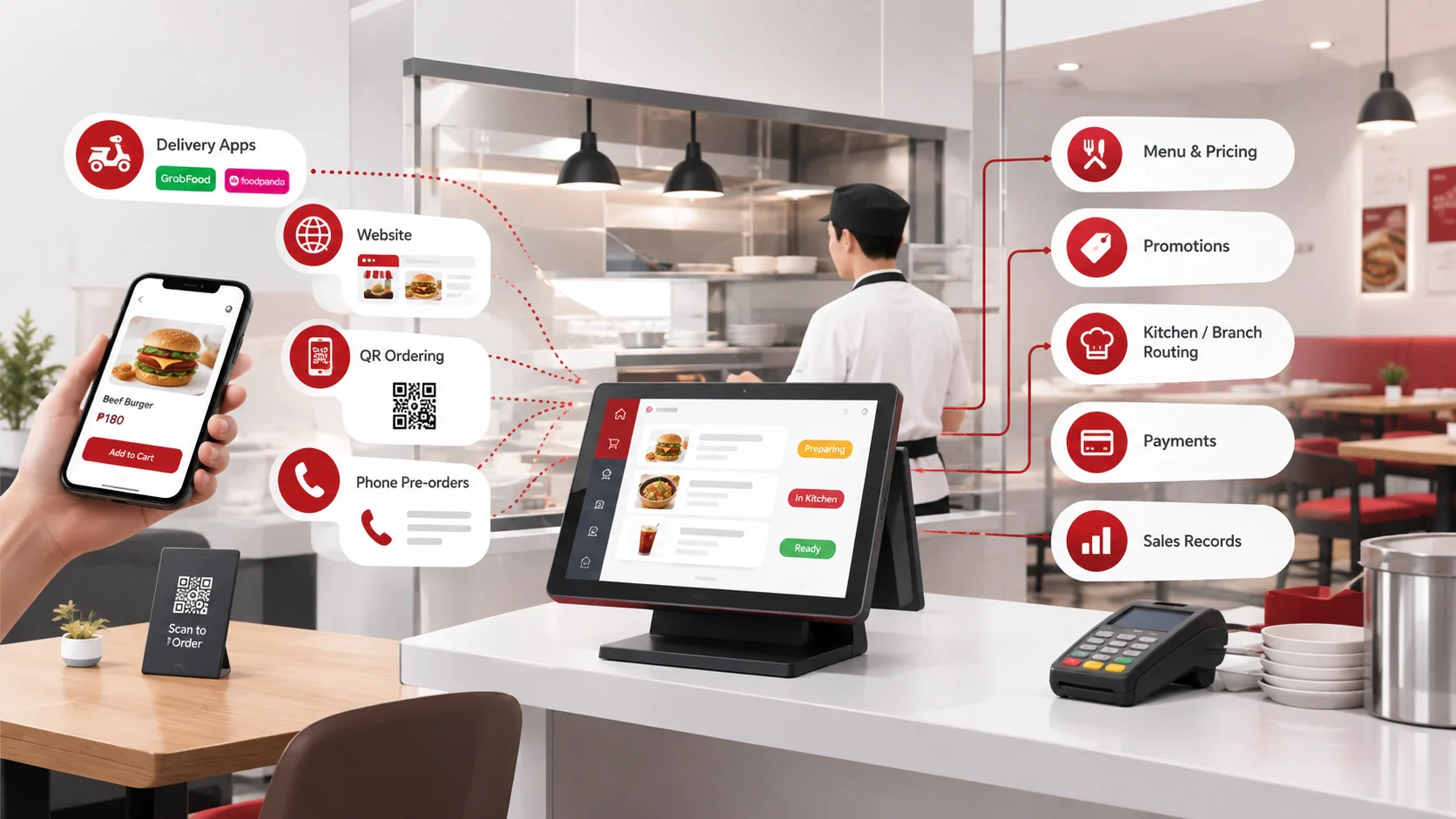
Central kitchen software is a centralized platform that helps restaurant groups manage recipes, purchasing, inventory, production, quality control, and distribution. It connects kitchen teams, suppliers, warehouses, and outlets in one system, giving managers accurate data to control food costs and maintain consistent operations.
The workflow starts with demand forecasts and recipe requirements, then creates purchase plans and production schedules. Staff record ingredient usage, batch results, quality checks, and stock transfers before distributing finished products to each outlet. This structured process supports a commissary kitchen management approach for multi-brand operators.
Quick Comparison of the Best Central Kitchen Software
The table below compares all 10 platforms on core features and the type of food operation each one fits. HashMicro also offers seamless POS integration, which matters when outlet sales data has to drive central kitchen production.
| Software | Features | Best for |
|---|---|---|
| Xenia | Task management, digital checklists, compliance monitoring, multi-location oversight | Multi-unit chains that need task accountability and hygiene compliance |
| HashMicro | Ordering portal, supplier management, kitchen screen, inventory, central kitchen reports | Philippine food groups needing central kitchen tied to accounting, inventory, and POS |
| Apicbase | Menu engineering, production planning with BOMs, inventory, sales analytics | Multi-site operators focused on recipe accuracy and production planning |
| GoFrugal | Franchise management, menu engineering, vendor management, wastage control, accounts module | Franchise and multi-outlet businesses prioritizing waste reduction |
| Supy | Internal ordering, batch production and transfers, dedicated central kitchen module | Groups whose main need is internal ordering between branches and the kitchen |
| Melba | Ingredient and recipe databases, dynamic recipe data, multi-site production, supplier orders | Catering and large-scale food production with several central kitchens |
| Restroworks | Inventory, recipe management, base kitchen, kitchen display, kitchen production system | Restaurant chains that want real-time kitchen and transfer visibility |
| LS Retail | Kitchen display system, workflow linking, order management, digital order screens | Operators needing tight front-of-house and back-of-house coordination |
| Galley | Recipe scaling, cloud inventory tracking, production and purchasing planning, cost analysis | Non-commercial food service and delivery-native multi-unit operators |
| LINGA ROS | Cloud platform, real-time inventory with reorder points, quality control, order management | Cloud-first operators wanting POS and central kitchen on one platform |
10 Best Central Kitchen Software in the Philippines
Here are the 10 central kitchen platforms available to Philippine food businesses, covering what each one does well, where it falls short, and the type of operation it suits.
1. Xenia
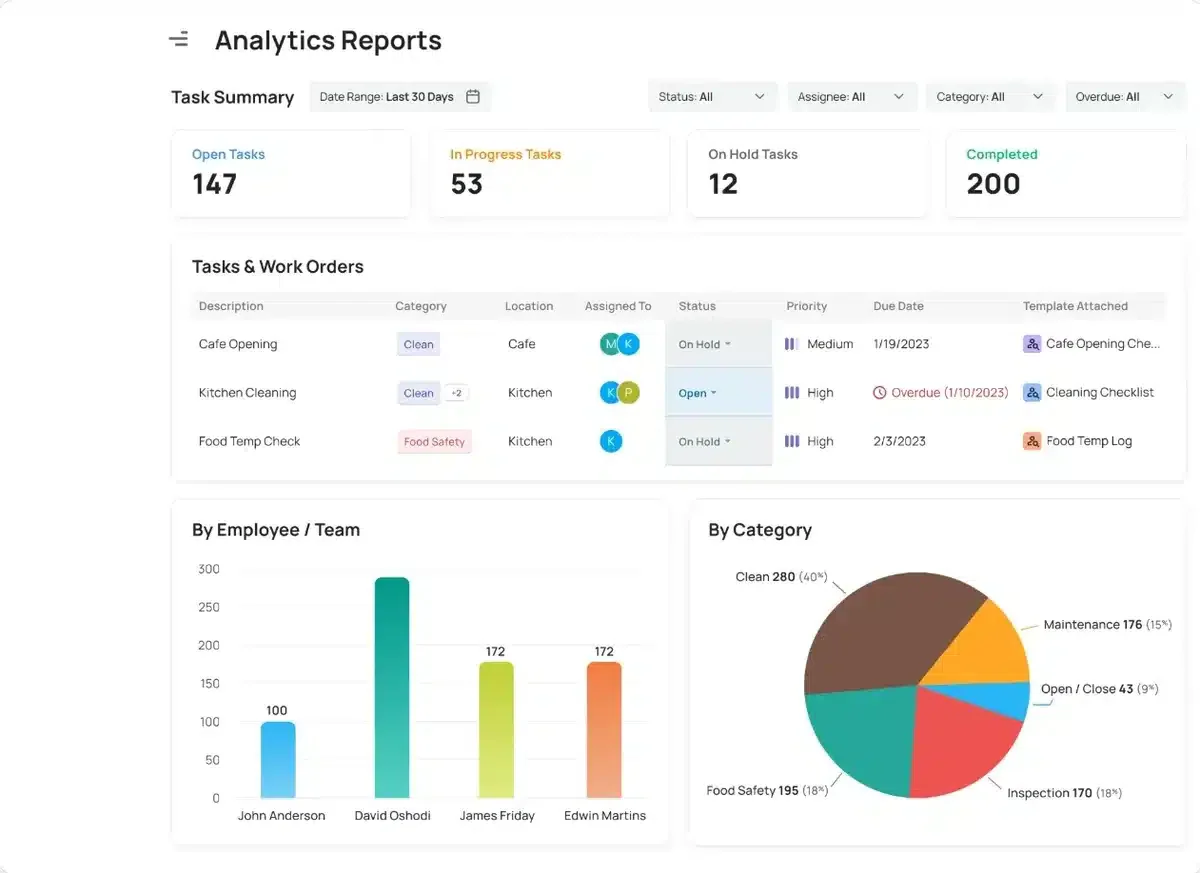
Xenia is a comprehensive digital platform designed to optimise operations in commercial kitchens, particularly for restaurant management systems. It integrates various aspects of kitchen management, including task delegation, compliance monitoring, and team communication
Key Features of Xenia:
- Task Management: The platform supports scheduling, reminders, and real-time task tracking to ensure accountability and timely completion.
- Inventory Management: Tracks ingredient levels across multiple locations in real-time.
- Digital Checklists and Forms: This system replaces manual checklists with digital forms for tasks like equipment checks and hygiene inspections.
- Multi-location Oversight: Centralized monitoring to ensure uniformity in operations.
- Analytics and Reporting: Delivers real-time data on performance metrics.
| Pros | Cons |
|
|
Pricing: Free plan available; paid plans start at about ₱6,110 per month.
2. Hashmicro Central Kitchen Software

HashMicro is a robust and comprehensive solution trusted by over 2,000 world-class enterprises such as McDonald’s and Banban. It offers various modules and software solutions that cater to different business needs.
HashMicro's Central Kitchen Software is designed to be user-friendly, making it easy for individuals with limited technical expertise to navigate. It is customizable features and seamless integration with existing systems.
Here are the key features:
- Ordering portal: This portal streamlines customer ordering, ensuring seamless transactions, enhanced satisfaction for Philippine businesses, and efficient order processing.
- Suppliers management: The software monitors supplier contracts and inventory costs, assisting businesses in choosing optimal deals, which is crucial for cost control in the Philippines’ competitive landscape market.
- Kitchen screen: Kitchen screens provide real-time updates for chefs, ensuring efficient food prep management, which is essential for prompt service in the Philippines’ bustling central kitchens.
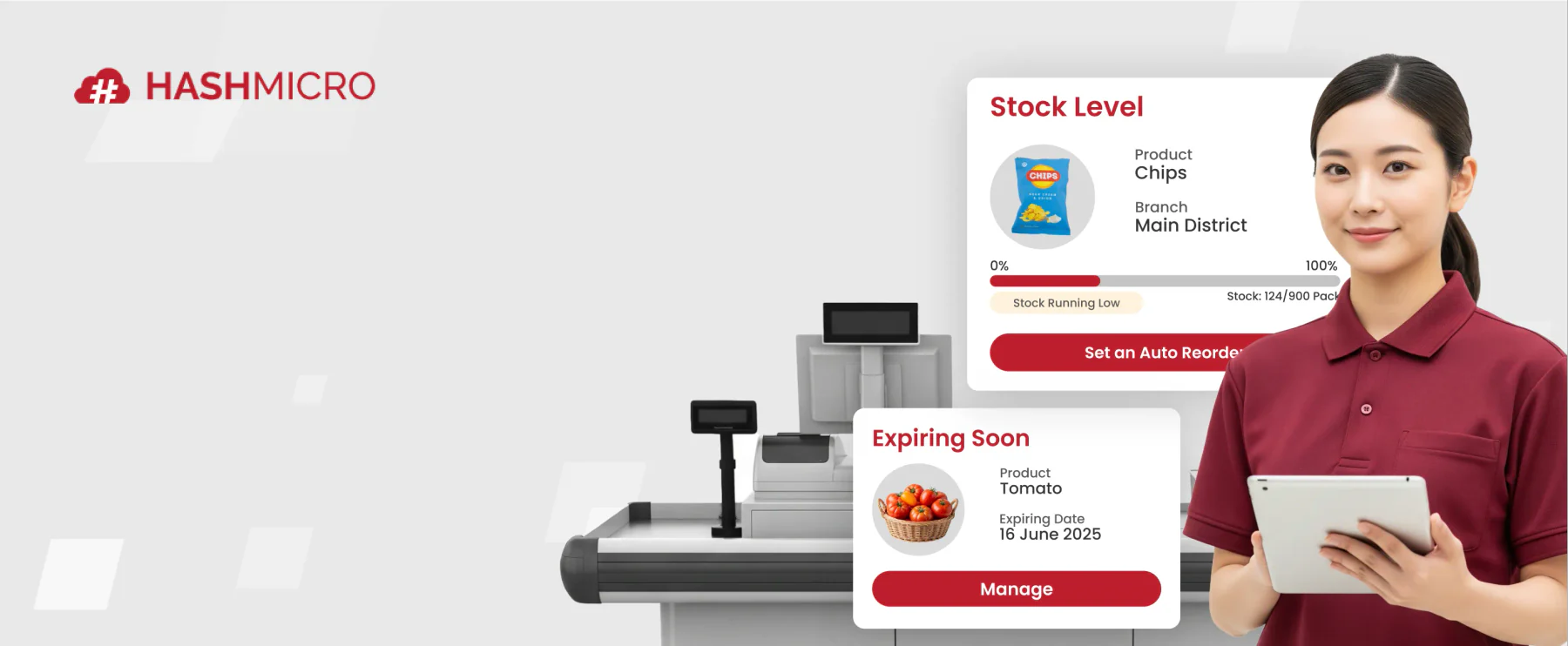
- Inventory management: The system auto-tracks stock, quality, and expiry, alerting on low inventory to help Philippine firms avoid shortages, minimize waste, and optimize costs.
- Central kitchen reports: The system’s reporting on kitchen operations, sales, and logistics, complete with analytics, empowers Philippine businesses to make informed decisions.
| Pros | Cons |
|
|
Pricing: Custom quote in Philippine pesos (₱), based on selected modules and implementation scope. Unlimited users.
Managing recipes, production schedules, inventory, and outlet distribution from separate tools can slow down your entire operation. HashMicro central kitchen software brings these workflows together, helping your team improve visibility, reduce manual work, and coordinate every branch from one platform.
3. Apicbase Central Kitchen

Apicbase is a central kitchen software that provides a comprehensive solution for menu planning and ingredient distribution in the F&B industry. Apicbase allows businesses to monitor ingredient levels in real-time and ensures consistent product quality across all branches.
Here are the core features:
- Menu engineering: A central hub for managing recipes, menus, and data group-wide.
- Production planning: Tools for planning production, generating Bills of Materials (BOMs), and monitoring execution.
- Inventory management: An inventory management system that prevents waste and shortages and monitors stock levels at every location.
- Sales analytics: Analytics to identify top-performing and underperforming products, helping to develop profitable and popular items.
| Pros | Cons |
|
|
Pricing : Quote-based, scoped by outlet count and recipe volume.
4. GoFrugal Kitchen Management

Gofrugal is a management system designed to enhance the efficiency and profitability of central kitchen management system operations. It manages production planning, stock transfers, franchise management, waste reduction, and vendor collaboration.
Here are the main features:
- Franchise management: Ensure brand taste consistency across franchises with unified recipes.
- Menu engineering: Examine sales and trends with menu engineering to refine menus and identify savings.
- Vendor management: Centralize vendor data, streamline procurement, and monitor performance for supplier management.
- Wastage management: Minimize waste and maximize profits by tracking recipe ingredient utilization and shelf life.
- Integrated accounts module: Simplify audits with an accounts module that ensures restaurant price consistency.
| Pros | Cons |
|
|
Pricing: Starts at about ₱1,540 per outlet per month, billed annually.
5. Supy Central Kitchen Software

Supy is designed to streamline operations for food and beverage businesses by enabling internal ordering and transfers between branches and the central kitchen. It focuses on improving the internal supply chain operation, making it easier for businesses to manage their central kitchen.
The key features of Supy’s central kitchen software are:
- Internal ordering: Enables branches to place orders with the central kitchen.
- Batch productions and transfers: Allows for mass production and bulk shipping.
- Dedicated central kitchen module: Offers a specialized module for central kitchen operations.
- Clear order statuses: Provides real-time updates on order statuses.
| Pros | Cons |
|
|
Pricing: Quote-based, with premium features priced separately per branch.
6. Melba Central Kitchen Management System

Software Melba is a management tool designed to optimize the operations of central kitchens, which are the hubs of food production for various dining establishments. Melba streamlines processes such as recipe management and work order management.
Here are the main features of Melba:
- Ingredient and recipe management: Create and manage ingredient and recipe databases to ensure uniform quality and standards across all outlets.
- Dynamic recipe data: Work with dynamic data that can be synchronized with multiple sales points.
- Production for multiple sales sites: Organize production by merging identical needs and dispatching finished products to various points of sale.
- Operational management: Optimize operations for supply to various sales sites.
- Inventory optimization: Manage stocks of ingredients, recipes, and drinks efficiently, and conduct inventory with precision.
- Supplier order placement: Place orders with suppliers directly through the software.
| Pros | Cons |
|
|
Pricing : Quote-based, priced per production site under an annual contract.
7. Restroworks Central Kitchen Management Software

Restroworks is designed to optimize the operations of a central kitchen, the core facility that prepares and supplies food to various dining locations. This software ensures efficient goods transfer and optimized inventory for a restaurant’s central kitchen and outlets.
Here are the key features of Retroworks:
- Inventory management: Streamline inventory to reduce waste and boost profitability.
- Recipe management: Accurate tracking of kitchen ingredients for waste reduction.
- Base kitchen: Centralize kitchen software to optimize operations.
- Kitchen display system: Organize kitchen chaos with a kitchen display system.
- Kitchen production system: A future-ready system to enhance kitchen productivity.
| Pros | Cons |
|
|
Pricing: Starts at about ₱4,320 per outlet per month.
8. LS Retail

The LS central kitchen software is a comprehensive solution designed to optimize the operations of a central kitchen, which is the hub of food preparation and distribution for restaurants, cafes, and other food service establishments.
It’s part of the LS Retail suite of products and is specifically tailored to improve efficiency and communication between the front house (where customers are served) and the back house (where food is prepared).
Here are some key features of the LS Retail’s central kitchen software:
- Kitchen Display System (KDS): Streamlines order organization and recipe management and ensures correct display sequencing at kitchen stations.
- Efficient workflow: Enhances workflow, links house areas, and aids in consistent dish preparation per guest specs.
- Order management: A KDS allows kitchen staff to prioritize food prep over ticket management, enhancing customer service with faster, precise order processing.
- Digital order viewing screens: They eliminate printers and paper, directing POS orders straight to the proper prep stations.
| Pros | Cons |
|
|
Pricing: Enterprise quote only, purchased through a local implementation partner.
9. Galley Central Kitchen
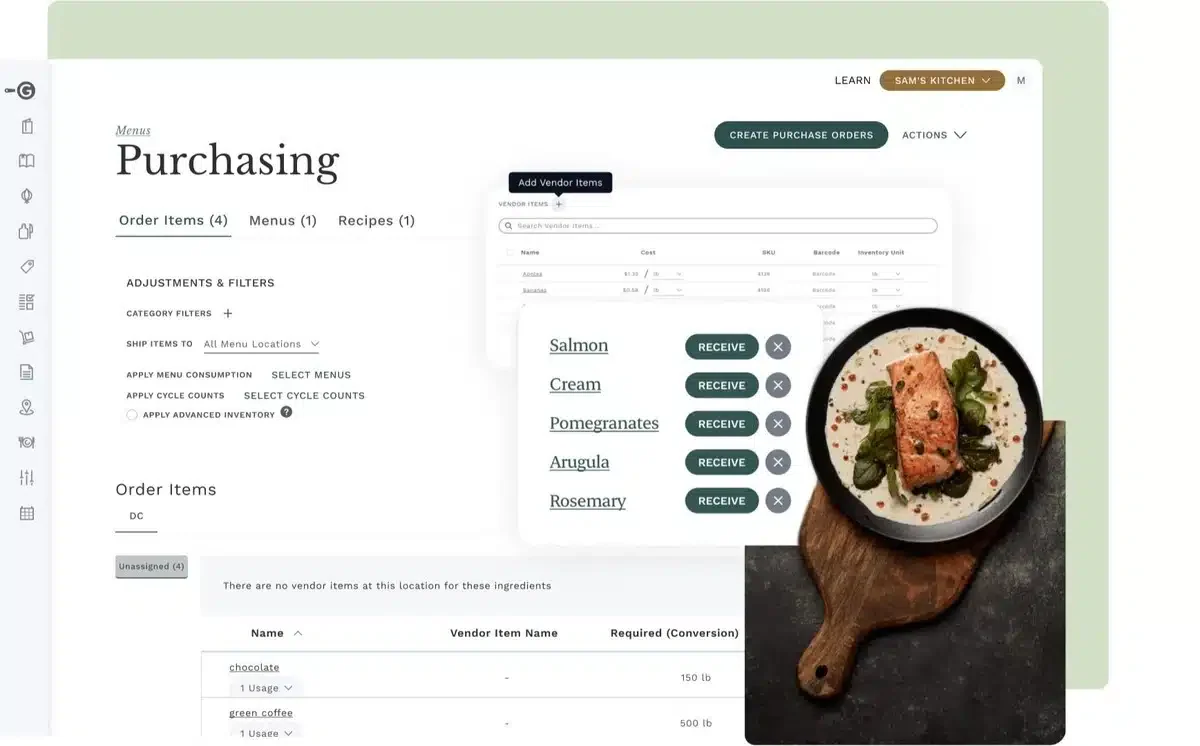
Galley Solutions is a central kitchen system designed to help F&B businesses optimize kitchen operations through efficient recipe management, inventory, and production planning.
Galley Solutions is suitable for: non-commercial food service operations, delivery-native businesses, and operators with multiple units, including mid- to large-scale restaurants, cafes, and catering businesses.
Here are some key features of the Galley’s central kitchen software:
- Recipe management with automatic scaling
- Cloud-based real-time inventory tracking
- Integrated production and purchasing planning
- Ingredient and menu cost analysis
| Pros | Cons |
|
|
Pricing: Enterprise quote under an annual contract, with limited features on the basic package.
10. LINGA ROS Kitchen Management System

LINGA ROS is a comprehensive point-of-sale (POS) system designed for the restaurant and retail store operations sector. It is a cloud-based platform that offers a suite of applications to manage various business aspects, including central kitchen operations.
Here are the key features of LINGA ROS Kitchen Management System :
- Cloud-based system: Ensure that updates and upgrades are automatic and that the system can adapt to the business’s changing needs.
- Inventory management: It offers real-time tracking of inventory levels, sets reorder points, and receives live inventory shipment updates.
- Quality control: The software maintains high standards of food quality and safety.
- Order management: Streamlines the process of managing orders from different outlets.
| Pros | Cons |
|
|
Pricing: Starts at about ₱3,640 per terminal per month.
How to Choose the Right Central Kitchen Management System for Your Business
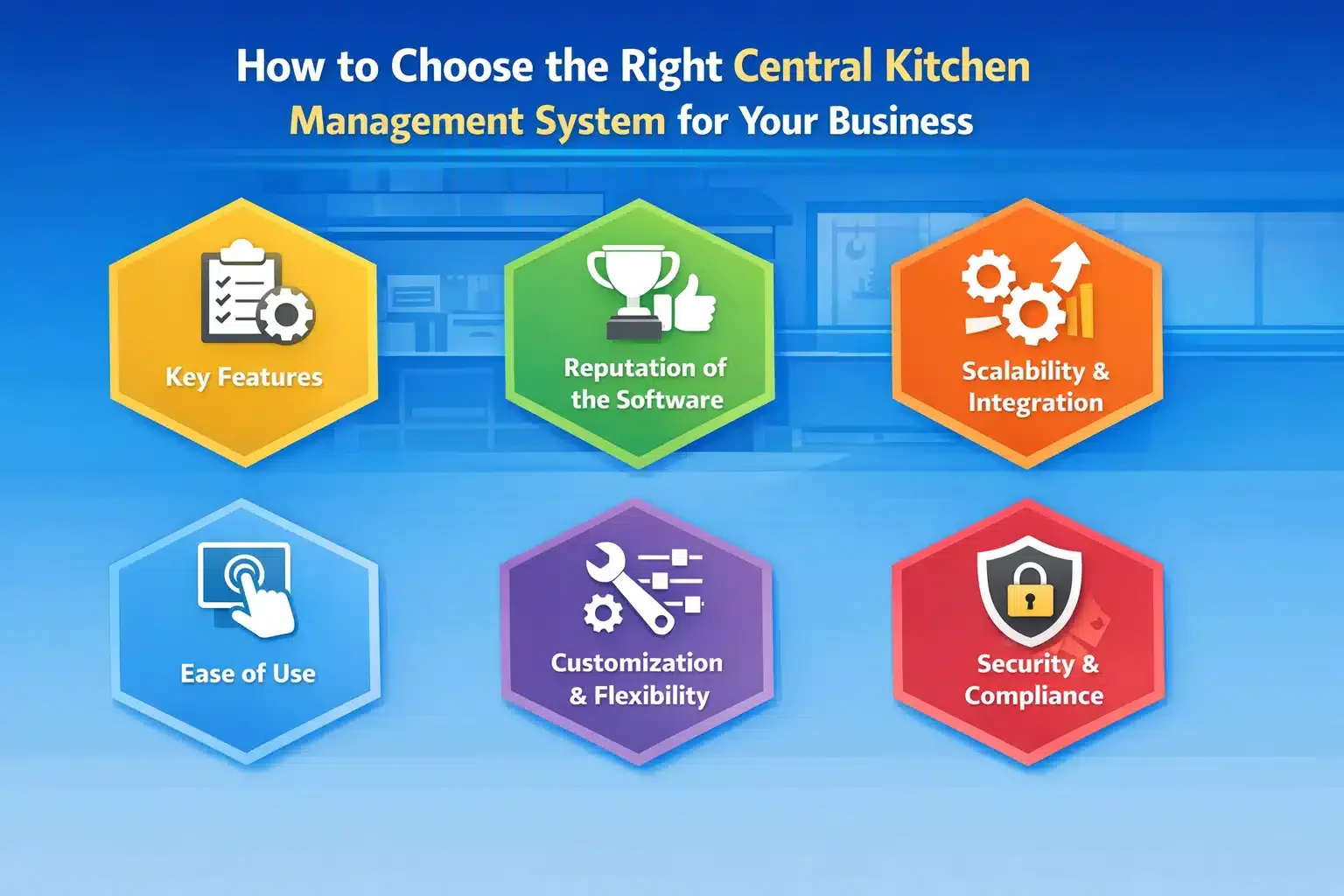
Selecting the ideal central kitchen management system for your food and beverage business involves carefully assessing key factors to ensure it aligns with your needs. Here’s what to look for:
- Key Features: The software should offer essential capabilities such as inventory management, recipe standardization, production scheduling, procurement, real-time reporting, and a kitchen display system to organize orders and optimize prep times.
- Reputation of the Software: Assess the software’s reputation by reviewing customer feedback, case studies, and industry certifications. Additionally, ensure the software provider offers reliable customer support and regularly updates the system.
- Scalability and Integration: Choose software that can grow with your business and integrate well with existing systems, such as a POS system, CRM, and supply chain tools, for seamless communication and centralized data management.
- Ease of Use: Choose software with a straightforward and intuitive interface, which reduces training time and enhances staff efficiency.
Customization and Flexibility: Make sure the software can be tailored to meet your business’s unique requirements, offering customizable features and flexible pricing options to help manage costs. - Security and Compliance: Prioritize software with strong data protection protocols, adhering to data privacy regulations, and using encryption to secure sensitive information.
"Choose a central kitchen management system with strong inventory and production features, seamless integration, scalability, ease of use, and reliable security to support long-term F&B growth."
Conclusion
A central kitchen plays a vital role in maintaining consistent food quality and helping outlets improve customer service across all branches. To achieve this, operations must run efficiently, with clear coordination between production and distribution processes.
Central kitchen software helps streamline these activities by improving visibility, reducing operational risks, and optimizing resource planning. With the right system in place, businesses can enhance productivity and maintain standardized recipes.
If you’re looking to strengthen your central kitchen management and improve overall efficiency, consider scheduling a free consultation to explore the best solution tailored to your operational needs and long-term business goals.
FAQ About Central Kitchen Software
The software tracks inventory in real time, alerts for expired items, and ensures efficient production planning. It reduces unnecessary waste and helps businesses produce just the right amount of food.
Yes, central kitchen software is scalable and customizable, making it suitable for large and small businesses. It streamlines operations and improves inventory accuracy, regardless of business size.
Central kitchen software helps businesses deliver a better and more reliable customer experience by ensuring consistent food quality, reducing errors, and speeding up order processing.