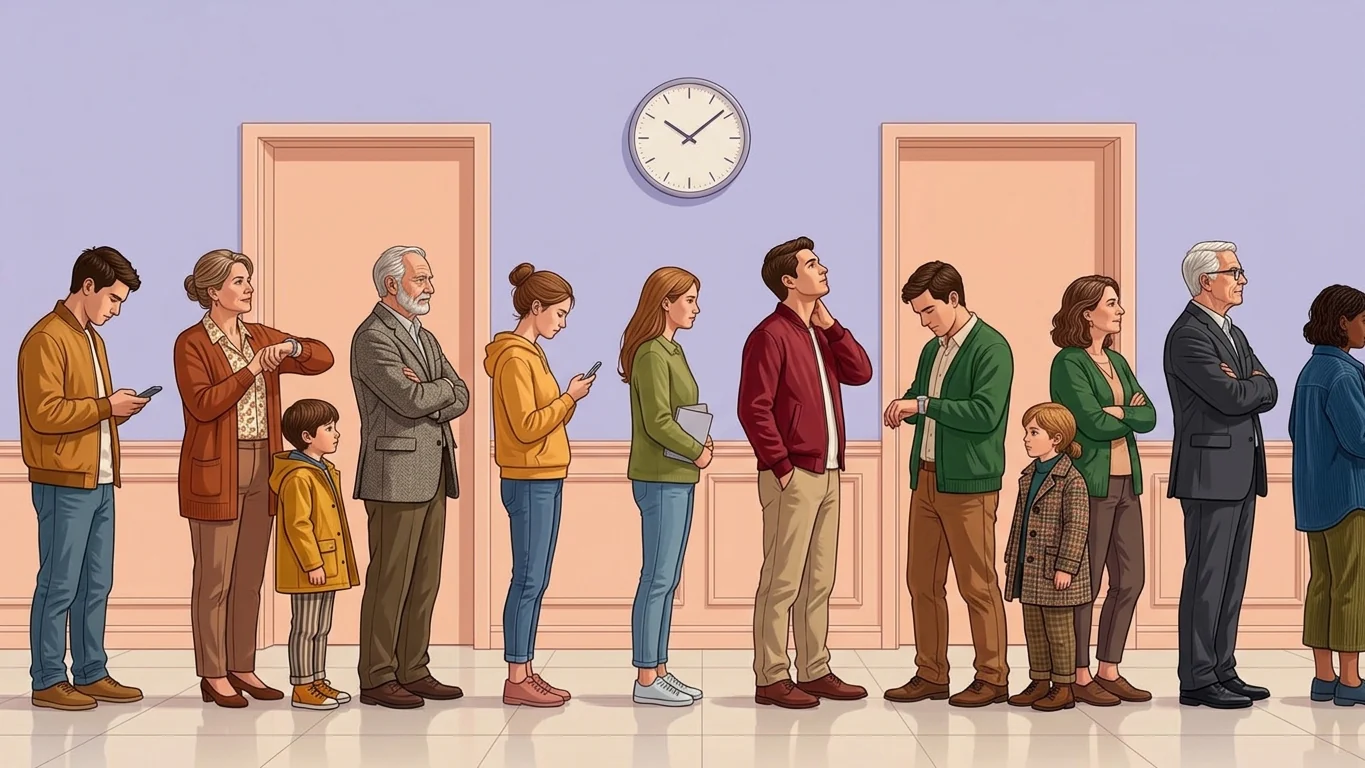
A busy café shift in the Philippines can quickly become chaotic when orders come from the counter, dine-in tables, online channels, and delivery platforms that are all disconnected from each other. Missed modifiers, delayed tickets, and slow payments can lengthen queues and cause customers to leave dissatisfied.
These problems also affect more than service speed. Without connected order and inventory data, café owners may struggle to control ingredient usage, monitor best-selling items, and maintain accurate records across locations
A café POS system helps connect ordering, modifier management, payment processing, order routing, and inventory tracking in one workflow. This article explains the essential features cafés should evaluate, including support for dine-in, takeaway, delivery, and digital payments. These features determine which POS system is right for your café.
Key Takeaways
A cafe POS system combines sales processing with tools for managing orders and transactions, helping cafes improve service efficiency through automation.
By selecting the right cafe POS system, your business can streamline order processing and enhance overall operational efficiency.
Point-of-Sales Software boosts cafe operations by streamlining inventory control, speeding up payments and enhancing data security and productivity.
What is a Cafe POS System?
A cafe POS system is purpose-built technology for coffee shop operations, designed to handle workflows that differ from general retail or restaurant POS systems. While its core function is still transaction processing, it also supports the specific needs of cafes.
Many cafes use POS systems to speed up service, maintain accurate sales records, and simplify daily tasks. With automation and real-time reporting, a cafe POS can improve operational workflows and help staff manage transactions more efficiently.
A cafe POS is built for fast, modifier-heavy orders, allowing staff to customize drinks by size, milk type, sweetness, temperature, and add-ons. It supports grab-and-go, dine-in, and delivery orders while tracking ingredients such as coffee beans, milk, syrups, add-ons, and pastries based on actual usage.
Benefits of Using a Dedicated Cafe POS System
A cafe POS does more than process payments. It helps cafes manage the daily challenges that affect service speed, inventory, customer retention, waste, and staffing.
1. Faster Order Processing When the Rush Hits
A cafe POS with quick-select modifiers and saved drink templates cuts time per order during peak hours. As Bangko Sentral ng Pilipinas tracks wider digital payment adoption, faster cafe POS processing helps keep peak-hour queues moving and reduces the number of customers who leave. Fewer delays at the counter also mean fewer customers who choose to leave before placing an order.
2. Accurate Modifier and Ingredient Tracking
A standard POS records "Latte, ₱180." A cafe POS records the full order: size, milk type, sugar level, extra shots, and final price. That detail matters for inventory accuracy. Oat milk depletes at a different rate than full cream, and a cafe cannot reorder correctly if every latte looks the same in the system. It also shows which customizations drive the most margin per cup.
3. Loyalty Programs That Run Without Manual Work
A customer buying a ₱150 coffee every workday represents around ₱54,000 in annual spend. A cafe POS tracks visits and rewards automatically, without the cashier needing to remember anything. Buy-10-get-1-free programs, stored drink preferences, and points balances all run through the system, turning occasional buyers into regulars who associate the experience with the cafe, not just the coffee.
4. Waste Tracking That Makes the Cost Visible
Brewed coffee goes stale within the hour. Pastries have a 1-to-2-day shelf life. A cafe POS that tracks waste by category (over-preparation, expiry, spillage) puts a peso figure on what is normally invisible. A cafe losing ₱500 per day in expired items spends ₱15,000 a month on food that never generated a sale, often more than the cost of the POS itself.
5. Sales Data That Supports Smarter Staffing
Cafe traffic changes throughout the day. A POS shows busy hours such as 8 AM and 3 PM so owners can schedule staff accordingly and reduce unnecessary labor costs. Even one avoidable staff hour per day can add up to more than ₱2,000 per month in labor costs. It also tracks progress toward daily or weekly sales targets, helping owners make faster decisions.
Full Comparison Cafe POS System in Philippines
No single cafe POS fits every operation. The options below range from simple, plug-and-play systems for small coffee shops to full-stack platforms for multi-outlet cafes with complex inventory and delivery needs. Use your cafe's size, menu complexity, and compliance requirements as the primary filters.
| Cafe POS | Best for | Industry fit | Starting price | BIR compliant | Offline mode |
|---|---|---|---|---|---|
| 1) Clover | Small cafes and coffee shops | Cafe, F&B, Services | From ₱800/mo + hardware | ⚠️ Check | ⚠️ Limited |
| 2) HashMicro | Medium to large cafe businesses | Cafe, F&B, Enterprise | Custom quote; free consultation | ✅ Built-in | ⚠️ Check |
| 3) Revel | Fast-paced cafes and multi-location F&B | Cafe, F&B | Custom quote | ⚠️ Check | ⚠️ Limited |
| 4) Toast | Restaurants and food service businesses | Cafe, F&B | ₱0–9,200/mo + hardware | ⚠️ Check | ✅ |
| 5) Lightspeed | Growing cafes needing unified commerce | Cafe, Retail, F&B | From ₱4,244/mo | ⚠️ Check | ⚠️ Varies |
| 6) Square | Small and medium cafe businesses | Cafe, Retail, F&B | ₱1,100–4,000/mo | ⚠️ Check | ⚠️ Limited |
| 7) TouchBistro | Coffee shops and cafe-specific operations | Cafe, F&B | Custom quote | ⚠️ Check | ⚠️ Limited |
| 8) Sage | Cafes, restaurants, and franchises | Cafe, F&B, Franchise | Custom quote | ⚠️ Check | ⚠️ Check |
| 9) E-cash | Cashless payment-focused cafes | Cafe, F&B, SMB | Custom quote | ⚠️ Check | ⚠️ Limited |
| 10) Odoo | Cafes needing integrated ERP + POS | Cafe, Retail, F&B | Free; Enterprise from ₱1,500+/mo | ⚠️ Check | ✅ |
Top 10 POS Systems for Cafes in the Philippines
To help your cafe business find the most fitting POS solution, we’ve rounded up the top 10 cafe POS systems in the Philippines. Each system presents its strengths and considerations, giving you the flexibility to choose the ideal option for your daily operations.
Explore our curated picks to enhance order handling, boost efficiency, and elevate overall service quality in your cafe.
1. Clover
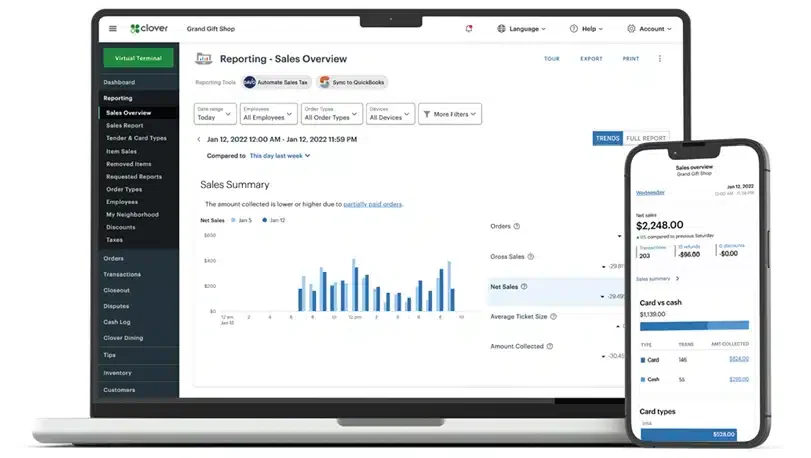
Clover is a POS system built for cafes, coffee shops, and small restaurants. It helps manage everyday operations like taking orders, processing payments, tracking inventory, and managing staff.
With features like menu customization, real-time sales reports, and loyalty programs, Clover makes it simple to run your cafe more efficiently and deliver a better customer experience.
Key features:
- Modifier-Based Order Customization
- Built-in Loyalty and Rewards Program
- App Marketplace (300+ Integrations)
- Real-Time Sales Reporting
| Pros | Cons |
|
|
Pricing: From ₱3,420/month + hardware + processing fees.
From ₱3,420/month + hardware + processing fees
Best suit for: Small to medium counter-service cafes and coffee shops.
Small to medium counter-service cafes and coffee shops
2. HashMicro
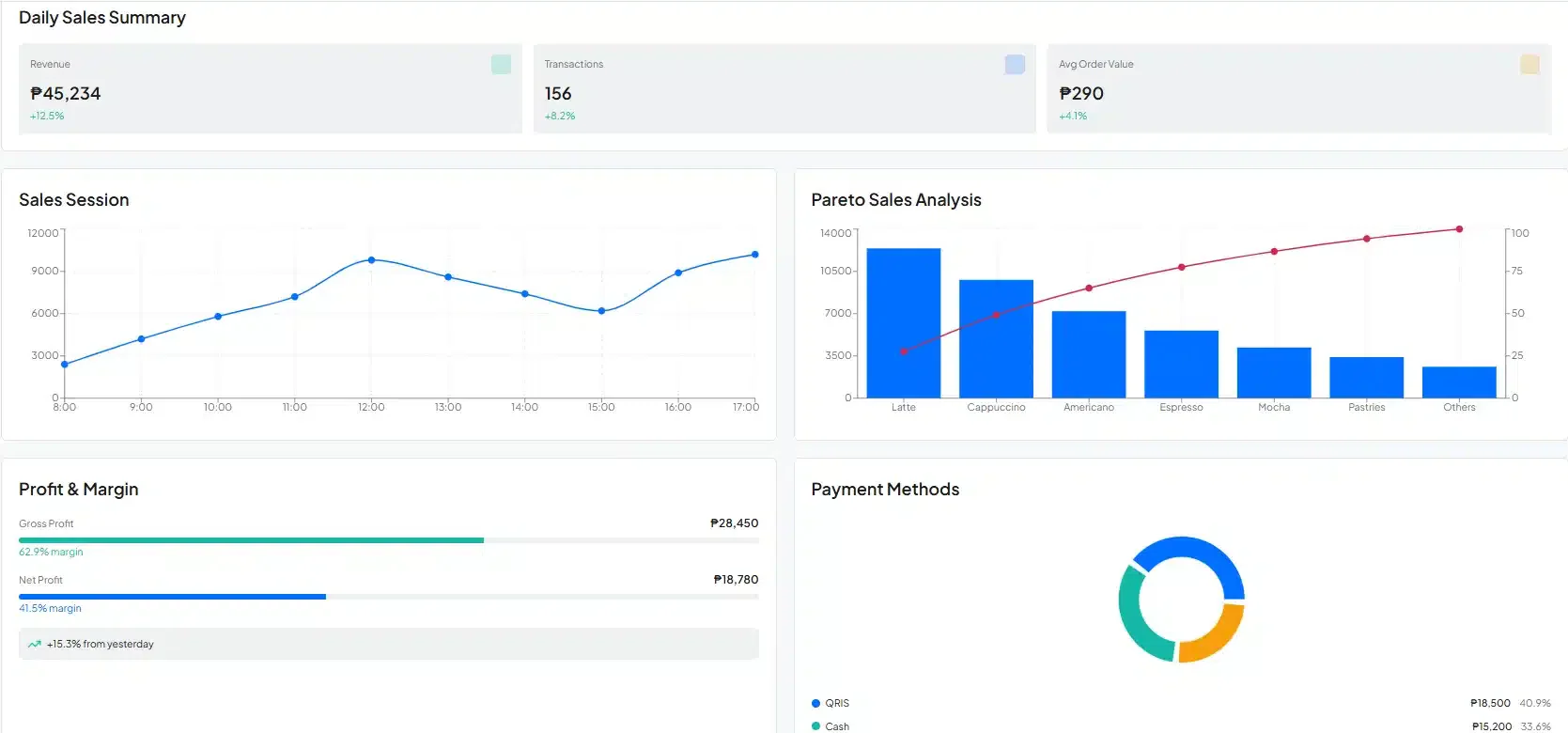
HashMicro’s POS Software is one of the top POS solutions in the Philippines, offering a variety of features for businesses with complex. The POS system from HashMicro is good for all types of cafe businesses, including coffee shops and others in the food and beverage industry.
This top cafe POS program also offers a comprehensive set of features. Here are the key features of the best POS software from HashMicro:
- POS Loyalty Program: An integrated loyalty program within the POS transaction system offering multiple reward levels that automatically update customer points or status based on their transactions.
- POS Reports: Detailed reports that provide analysis on margins, profits, losses per location, Pareto reports, and sales sessions.
- POS Customer Relationship Management: A system that stores customer databases for personalized promotions, loyalty programs, birthday card sending, and event notifications through automated broadcasts.
- Multi-payment Options: Payment automation with QRIS and e-wallet integrations, along with reconciliation features and complete payment methods for detailed invoice settlement.
| Pros | Cons |
|
|
Pricing: Custom quote; free consultation available.
Best suit for: Medium to large multi-branch cafes and F&B groups in the Philippines.
Managing invoices accurately becomes easier when the right tools handle repetitive checks and records. An integrated system can help businesses create, verify, and track invoices with less manual work.
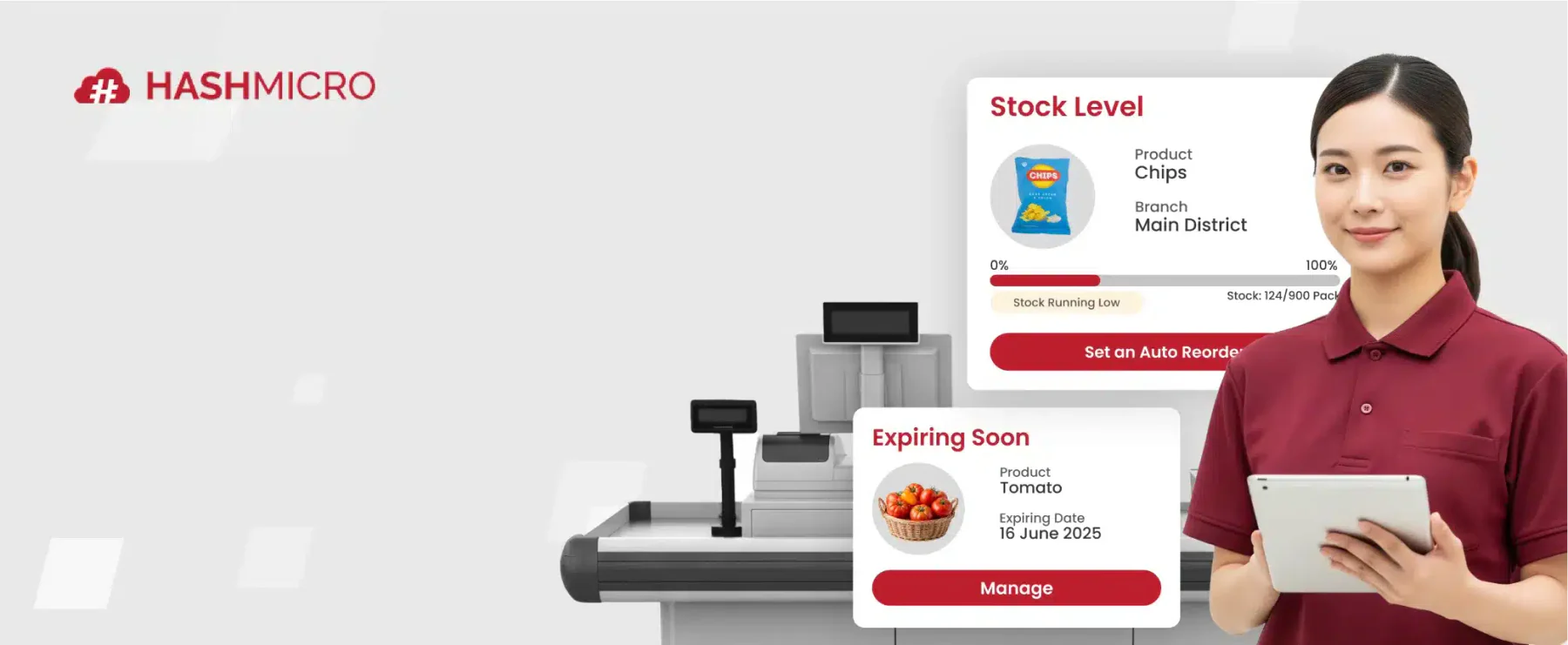
3. Revel
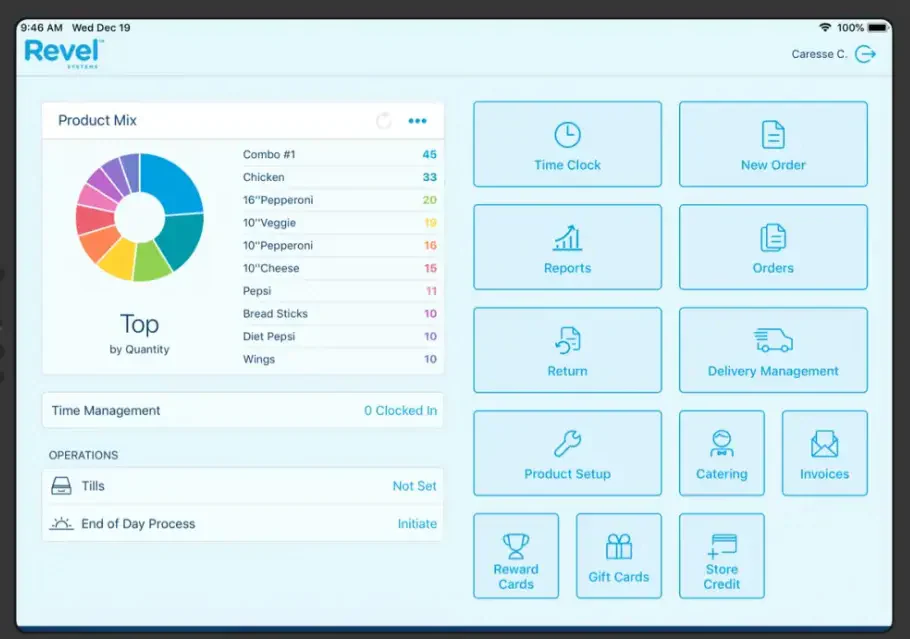
Revel is a POS solution hosted in the cloud, tailored for cafes and fast-paced food service businesses. It offers a centralized system that simplifies key tasks such as order-taking, payment processing, and sales reporting.
Revel is built on an iPad-based system, and it supports multiple ordering types, including counter service, online orders, and delivery. It also includes features like CRM, loyalty programs, and integrations with third-party tools such as delivery apps.
Key Feature:- Menu and Modifier Customization
- Kitchen Display System (KDS) Routing
- Real-Time Inventory Tracking
- Multi-Location Centralized Management
| Pros | Cons |
|
|
Pricing: From ₱5,640/month per terminal (3-year contract required).
Best suit for: Fast-paced multi-location cafes and F&B chains.
4. Toast
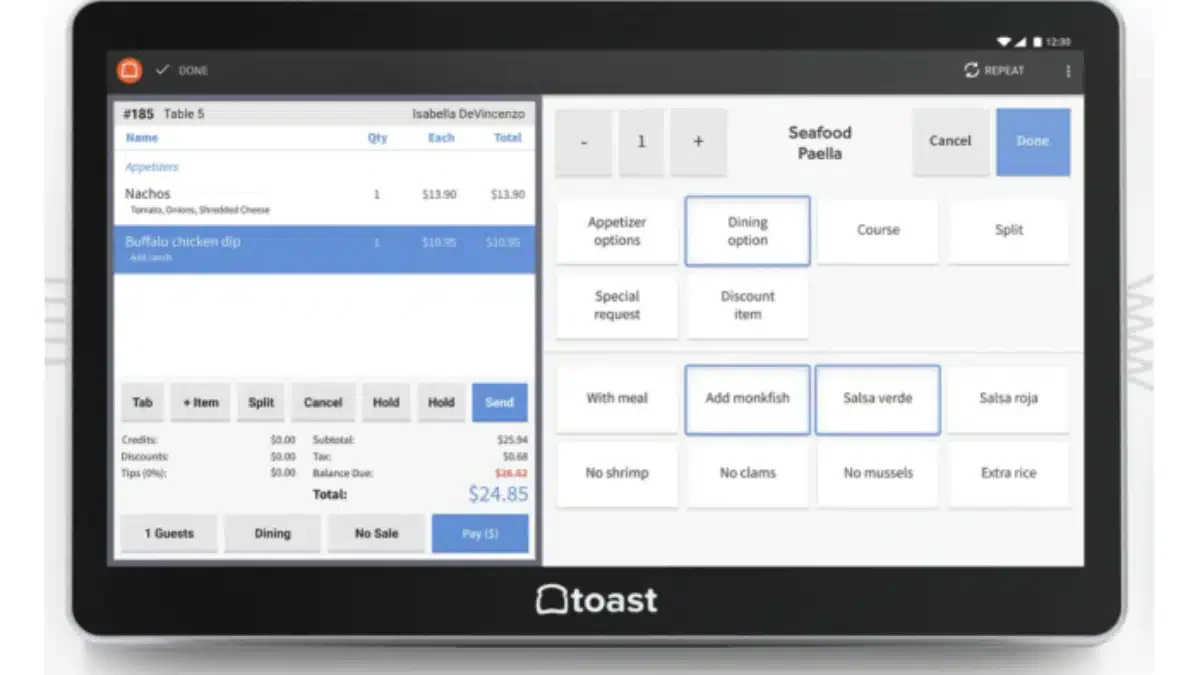
Toast is a cloud-driven POS system developed specifically for cafes. It provides a unified platform to streamline essential operations, such as managing orders, processing payments, and monitoring sales performance.
Toast restaurant management software includes a variety of built-in tools to enhance customer experience, such as loyalty rewards, marketing features, and seamless online ordering integrations.
Key features:
- Offline Order and Payment Processing
- Kitchen Display System Integration
- Online Ordering and Delivery Management
- Built-in Payroll and Team Scheduling
| Pros | Cons |
|
|
Pricing: From ₱0–₱3,930/month + hardware.
Best suit for: Full-service cafes needing an all-in-one restaurant operations platform.
5. LightSpeed
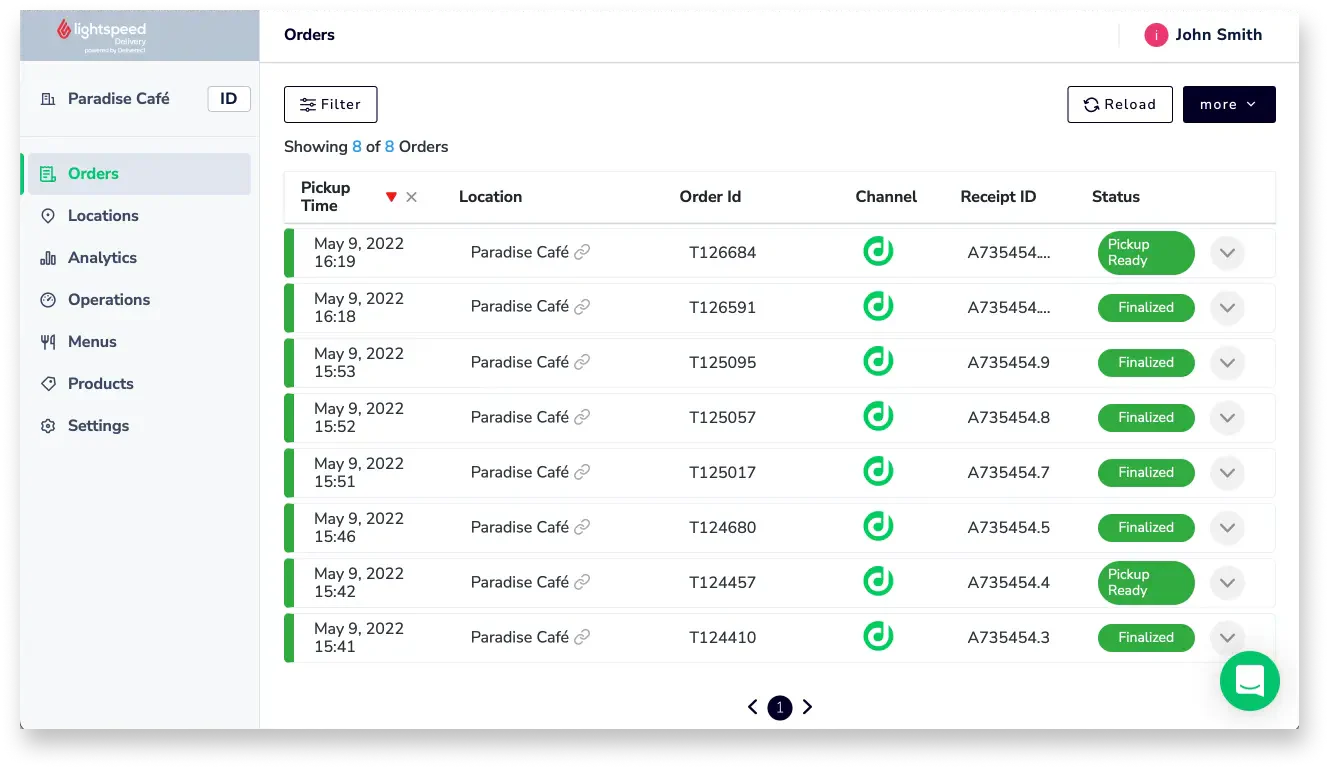
Lightspeed is a cloud-based POS system designed to help businesses manage sales, inventory, and customer relationships engagement. It’s used in a wide variety of industries, including cafes, retail, and hospitality.
Key features:
- Floor Plan and Table Management
- Multi-Channel Order Management
- Built-in CRM and Loyalty Program
- Advanced Inventory and Sales Reporting
| Pros | Cons |
|
|
Pricing: From ₱3,930/month (Essential); up to ₱22,743/month (Premium).
Best suit for: Growing cafes managing dine-in, takeout, and delivery together.
6. Square
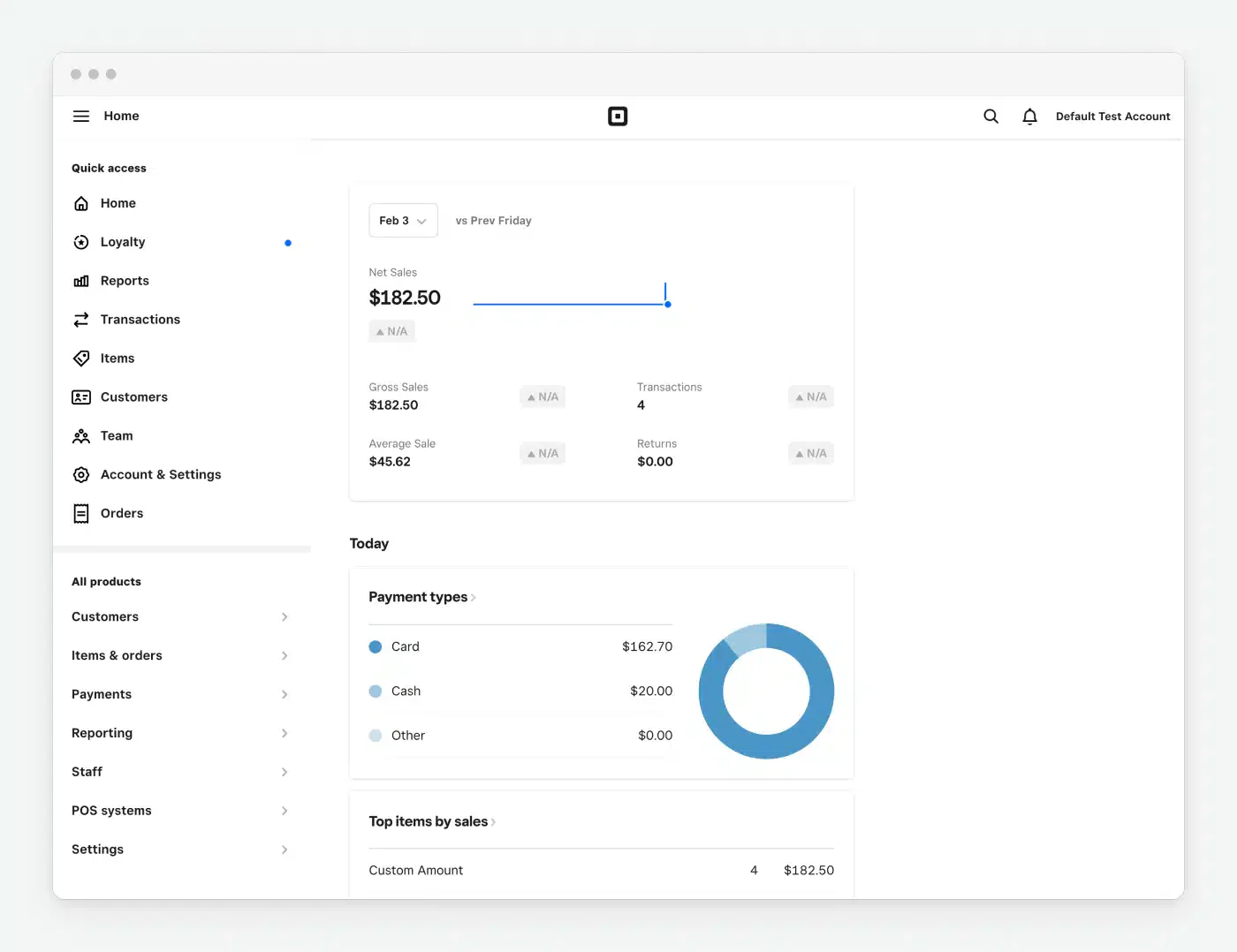
Square POS is a point-of-sale system designed for small businesses, especially in retail, cafes, restaurants, and service industries. It offers an easy-to-use, all-in-one solution to manage sales, payments, inventory, and customer data.
Key features:
- Free Plan with Core POS Features
- Table Management and Kitchen Display
- Online Ordering and QR Code Menus
- Digital Receipts and Payment Processing
| Pros | Cons |
|
|
Pricing: Free / ₱2,793 / ₱8,493 per month + 2.6% + ₱6 per transaction.
Best suit for: Small cafes and startups wanting a low-commitment entry point.
7. TouchBistro
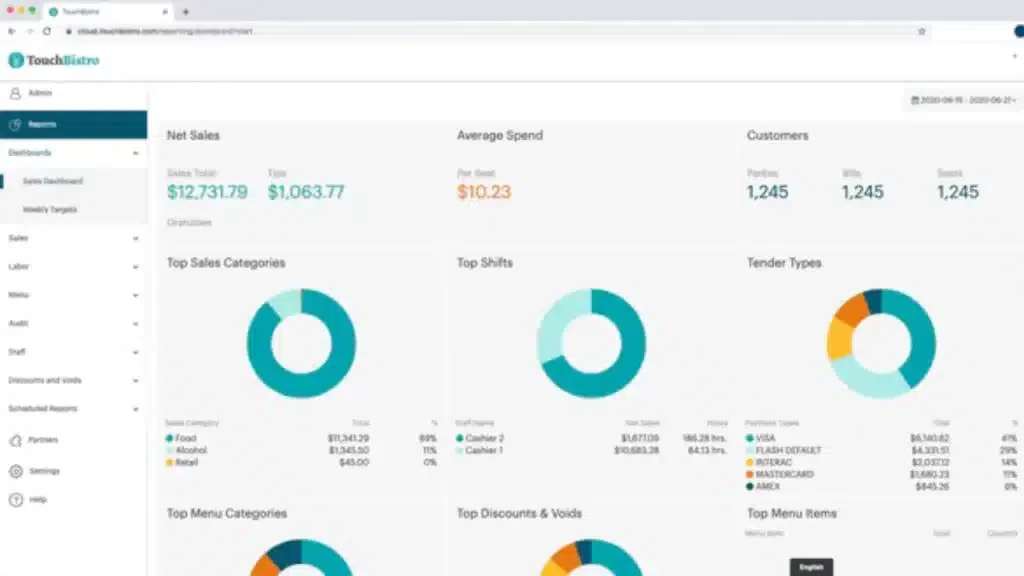
TouchBistro POS is designed to streamline operations and improve efficiency in cafes. It helps manage orders, payments, and customer interactions seamlessly, enhancing the overall cafe experience.
With a user-friendly interface, this system caters specifically to the needs of coffee shops, offering easy access to essential tools that simplify day-to-day management.
Key features:
- Tableside Order Entry (iPad-Based)
- Floor Plan and Table Management
- Offline Mode with Cloud Reporting Sync
- Staff Time Clock and Scheduling
| Pros | Cons |
|
|
Pricing: From ₱3,930/month; online ordering add-on +₱2,850/month.
Best suit for: Coffee shops and cafes needing an iPad-first, hospitality-focused POS.
8. Sage
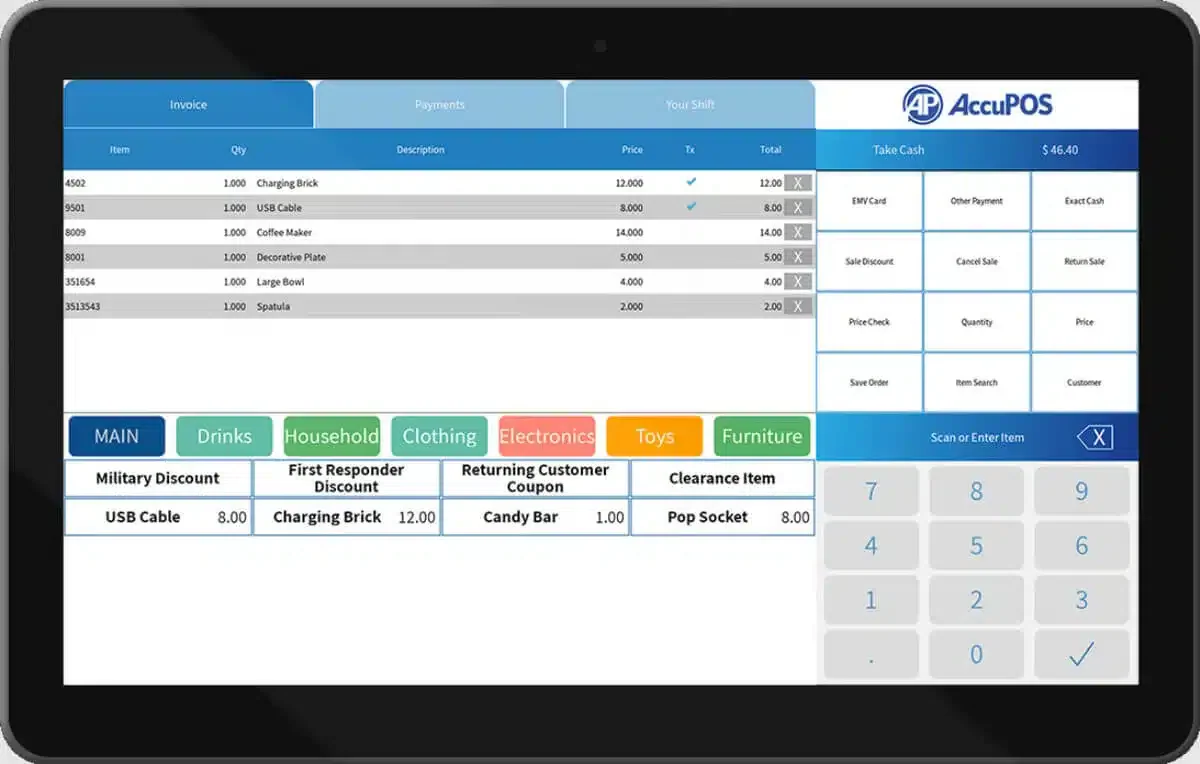
Sage POS software is an ideal point of sale solution for businesses in restaurants, cafes, franchises, and more. This system helps automate sales reporting, manage inventory, and easily control product pricing, providing a streamlined experience for business owners.
Key features:
- Native Sage Accounting Integration
- Real-Time Inventory and Sales Reports
- Multi-Location Financial Reporting
- Multi-Payment Method Support
| Pros | Cons |
|
|
Pricing: Custom quote.
Best suit for: Cafes and restaurant franchises already running Sage accounting software.
9. E-cash
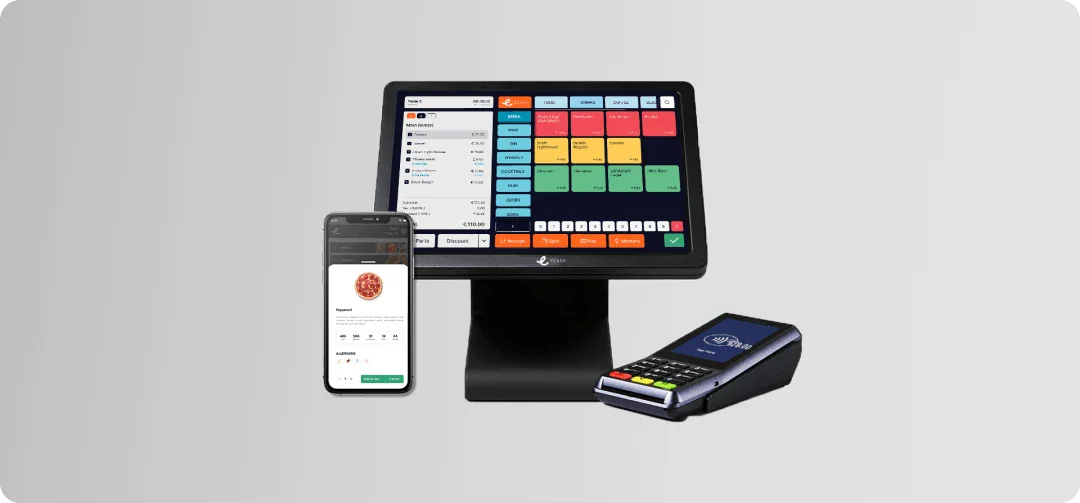
E-Cash POS software for cafes is a POS system categories that integrates digital payment solutions, enabling cafes to process cashless transactions efficiently. It allows customers to pay via e-wallets, QR codes, mobile banking, or credit/debit cards.
Key features:
- GCash and Maya E-Wallet Acceptance
- QR Code Payment Processing
- Digital Receipt Issuance (BIR-Compliant)
- Cashless Settlement and Reconciliation Dashboard
| Pros | Cons |
|
|
Pricing: Custom quote.
Best suit for: Cashless-first cafes in the Philippines prioritizing digital payment channels.
10. Odoo
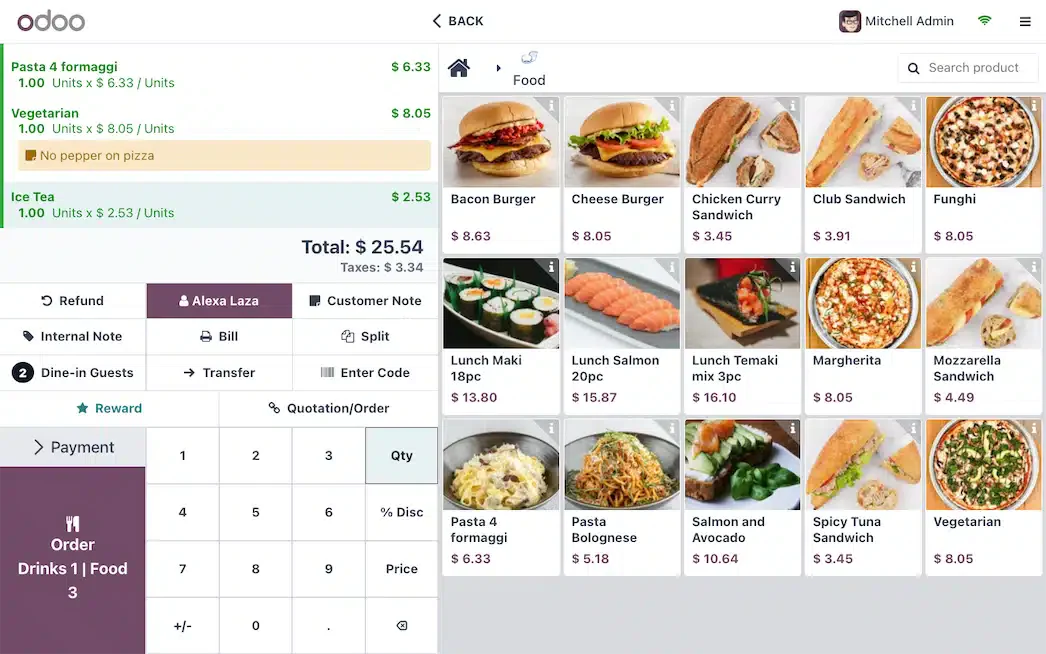
Odoo POS is a point-of-sale system that is part of the broader Odoo business management suite. It’s designed for retail, cafes, restaurants, and other service-based businesses. Since it’s cloud-based and can also work offline, it offers flexibility and real-time data synchronization.
Key features:
- Floor Plan and Table Management
- ERP-Integrated Inventory and Purchasing
- Loyalty Program with Points and Discount Engine
- Kitchen Display and Order Routing
| Pros | Cons |
|
|
Pricing: Enterprise from ₱1,368+/user/month.
Best suit for: Cafes needing integrated POS + ERP on an open-source platform.
How to Choose the Best POS for a Cafe
Considering the wide range of POS systems on the market, selecting the most suitable one for your cafe can feel daunting. To help you make a more informed decision, here are a few practical tips you can follow:
- Evaluate your needs
Identify the specific operational needs of your cafe, such as advanced inventory tracking or precise order processing from the table. Create a list of essential features required before comparing different POS systems.
- Set a budget
The cost of POS systems can vary significantly. Some offer basic versions at no charge, while others may require monthly billing payments. It’s important to set a budget and ensure it aligns with the essential features your cafe needs.
- Request a demo
Trying out demos gives you the chance to experience the system’s interface firsthand. It allows you to evaluate whether it’s intuitive and easy for your staff to navigate, ensuring it aligns with your cafe’s workflow and operational needs.
- Consider scalability
In that case, it’s crucial to choose a POS system that offers flexibility and can easily accommodate your expanding needs. It will ensure that the system can handle the complexities of managing multiple locations without compromising efficiency.
- Check for local support
Select a POS system provider that offers dependable local support, as timely assistance is crucial for resolving technical issues and maintaining seamless cafe operations, particularly during peak service hours.
Conclusion
Choosing the right POS system can help cafe owners streamline daily tasks and improve how they manage cafe operations. With streamlined order processing, accurate inventory tracking, and faster payments, daily operations become more organized and reliable.
Modern POS systems also support customer management, loyalty programs, promotions, and automated reporting, making it easier for cafe owners to monitor performance and manage operations in one place.
Starting with a free consultation can help you identify the POS features your cafe needs, reduce operational errors, and build a system that supports smoother service and long-term business growth.
.
FAQ about Cafe POS System
A cafe POS handles modifier-based ordering that a retail POS does not support well. When a customer orders a latte with oat milk, extra shot, and light sugar, a cafe POS records all of that detail, deducts each ingredient separately from inventory, and prices the order correctly. A retail POS records one unit sold. That difference affects inventory accuracy, reorder decisions, and the ability to analyze which customizations are most popular or most profitable.
Yes. The Bureau of Internal Revenue (BIR) requires businesses that use electronic systems to issue official receipts to operate BIR-registered or BIR-accredited equipment. Depending on your setup, your cafe may fall under the Computerized Accounting System (CAS) or Computerized Books of Accounts (CBA) requirements. When evaluating vendors, check whether BIR compliance is built into the system or whether it requires a separate accreditation process that you manage on your own.
Software costs range from free (Square Starter, Odoo Community) to enterprise-custom pricing for multi-branch operations. Mid-tier systems start at roughly ₱1,100 to ₱9,200 per month in software fees alone. Beyond that, factor in hardware (POS terminals, receipt printers, cash drawers), payment processing fees (typically 1.5% to 2.6% per transaction), and any add-on modules like online ordering or loyalty programs. A realistic monthly total for a single-outlet cafe on a mid-tier system with hardware is around ₱5,000 to ₱18,000 per month.
For a cafe running more than 50 transactions a day, yes. The return shows up in three areas: fewer order errors from modifier customization, accurate ingredient reordering based on actual usage rather than guesswork, and loyalty program automation that turns one-time buyers into regulars. Free entry-level options like Square bring the initial cost close to zero, so the breakeven point comes quickly. The more useful question for a small cafe is not whether to use a POS, but which features justify the monthly fee.
Start by building your full menu in the new system, including all modifier options (sizes, milk types, add-ons, temperature), before your go-live date. Run the POS in parallel with your existing system for the first three to five days to catch configuration errors without disrupting service. Schedule your official cutover on a low-traffic day, typically a Monday or Tuesday. Most vendors provide onboarding support or setup guides during this transition, so confirm what is included in your plan before you sign.