Long queues, complex payment processes, and inefficient operations can weaken customer satisfaction and loyalty. A 2023 University of Mindanao study of 300 supermarket shoppers in Davao City found a significant relationship between queuing management and customer satisfaction. Businesses can address these pressures with near field communication (NFC), which supports faster, simpler, and contactless service interactions.
NFC integrated with a POS system enables quick, secure, contactless interactions. It extends beyond tap-to-pay transactions by supporting marketing, inventory management, access control, and customer engagement. These capabilities help businesses simplify operations while creating smoother customer journeys across retail, hospitality, and other service environments.
For business leaders, understanding NFC fundamentals supports informed technology decisions and strategic growth. This guide explains how NFC works, where businesses can apply it, and how it can improve payment experiences, operational control, and customer engagement. It also outlines practical considerations for adopting NFC alongside a modern POS system.
Key Takeaways
NFC is a short-range wireless technology that allows two devices to exchange data securely with a simple tap.
There are practical implementations of NFC in various industry sectors, such as accelerating checkout and loyalty programs for retail and F&B.
HashMicro provides an integrated ERP system specifically designed to automate and simplify business processes, including payment and transaction management.
Understanding the Basics of NFC
To understand the NFC meaning, start with its core function. Near Field Communication is a short-range wireless technology that lets two devices exchange data within about four centimeters. It supports contactless payments, information sharing, device pairing, and other interactions through a simple tap.
NFC stands apart from longer-range wireless technologies because it requires close physical proximity. This limitation helps users control each interaction and reduces unintended connections. Its simple tap-based payment process also improves convenience across smartphones, smartwatches, payment cards, transit cards, and other compatible devices.
NFC uses radio waves to transfer small amounts of data between an active device and a passive device. The active device, such as a smartphone or payment terminal, creates a radio-frequency field. When a passive NFC tag or card enters that field, it receives power and sends stored data back to the active device.
Key differences: NFC, RFID, Bluetooth, and QR Code
Each cashless transaction method serves a different purpose. NFC suits secure tap-based payments, while RFID supports tracking and access control. Bluetooth works best for connected devices, and QR Codes simplify scan-based interactions. Below is a comparison showing all the differences between contactless payment. For deeper code comparisons, see our barcode vs QR code guide.
| Components | NFC | RFID | Bluetooth | QR Code |
|---|---|---|---|---|
| Technology type | Short-range wireless communication | Radio-based identification | Wireless device-to-device communication | Visual, machine-readable code |
| Operating range | Usually up to 4 cm | From a few centimeters to several meters | Usually up to 10 meters | Requires camera visibility |
| User interaction | Tap a compatible device or tag | Reader detects a tag | Pair or connect compatible devices | Scan with a camera |
| Connection process | Quick, intentional interaction | Often works without direct line of sight | Requires discovery or pairing | Requires a clear view and scanning action |
| Security and control | Close range helps limit unintended interactions | Depends on the tag, reader, and authentication method | Uses pairing and wireless security protocols | Depends on the linked content and platform |
| Common applications | Contactless payments, access control, and device pairing | Inventory tracking, logistics, and asset management | Headphones, speakers, and file sharing | Payments, promotions, product details, and website access |
| Main limitation | Very short operating range | Requires compatible tags and readers | Pairing can create user friction | Scanning can fail because of damage, poor lighting, or unclear positioning |
Why NFC is a Crucial Technology for Business Growth
NFC supports business growth by removing friction from payments, service interactions, and customer engagement. Businesses can process transactions faster, serve more customers, and connect physical touchpoints with digital experiences. It also complements RFID inventory management when companies link product tracking with customer-facing information.
1. Drastically increasing transaction speed and efficiency
NFC helps businesses reduce checkout delays because customers only need to tap a phone, card, or wearable. This simple process shortens payment time, improves customer flow, and helps high-traffic businesses serve more people during peak hours without adding unnecessary checkout steps.
2. Creating a modern and superior customer experience
Customers expect fast, convenient, and simple interactions across every business touchpoint. NFC supports those expectations through contactless payments, digital room keys, product information taps, and loyalty interactions. These experiences help brands appear modern while reducing friction across the customer journey.
3. More secure transactions through tokenization
NFC payments improve security through tokenization. During a transaction, the system replaces actual card details with a unique one-time code. This process reduces data exposure and supports safer payment experiences. Businesses can also review credit card processing standards to strengthen payment security.
4. Opening up innovative marketing and engagement opportunities
NFC also creates new opportunities for marketing and engagement. Businesses can place NFC tags on posters, packaging, tables, or shelves. When customers tap the tag, they can access promotions, product details, videos, loyalty pages, or other digital content instantly.
Practical Implementations of NFC in Various Industry Sectors

Understanding what NFC means for different industries helps leaders see how one tap-based system can serve their business. Retailers use it for checkout, while hotels use it for access. Logistics teams use it for tracking, and asset-heavy businesses use it for maintenance visibility. This flexibility makes NFC practical beyond payment counters.
1. Retail and F&B: Accelerating checkout and loyalty programs
Retail and F&B businesses use NFC to reduce checkout delays and improve customer flow. Customers tap a phone, card, or wearable on NFC-enabled payment terminals to complete purchases faster. This process helps stores, cafes, and restaurants manage peak-hour queues.
NFC also supports loyalty programs without physical cards. Customers can tap their phones to identify accounts, collect points, or redeem rewards. Businesses can connect these interactions with POS data to personalize offers and encourage repeat purchases.
2. Hospitality and Tourism: Digital room keys and facility access
Hotels use NFC to simplify the guest journey from arrival to checkout. Guests can store digital room keys on smartphones and access rooms with one tap. This setup reduces front desk congestion and limits reliance on printed key cards.
The same NFC credential can control access to gyms, pools, lounges, or event spaces. Hotel teams can grant or revoke permissions quickly. This improves security, reduces card replacement costs, and creates a smoother stay for guests.
3. Asset and Inventory Management: Stock tracking and asset maintenance
Businesses can place NFC tags on equipment, tools, spare parts, or inventory items. Employees tap each tag to view item details, maintenance history, manuals, warranty data, or location records. This process makes audits faster than manual checking.
Maintenance teams can also use NFC to update service logs in the field. A technician can tap a machine, review past repairs, and record a new task. This improves record accuracy and supports proactive asset care.
4. Access Control and Security: Employee identification and restricted area access
Companies use NFC cards or smartphone credentials to manage employee access. Staff can tap at entrances, elevators, floors, or restricted rooms. Administrators can assign access rights based on roles, locations, and security requirements.
NFC access systems also create digital logs for security reviews. Teams can track entry events, investigate unusual movement, and update permissions remotely. This gives businesses stronger control than traditional keys or static ID badges.
5. Transportation and Logistics: Electronic ticketing and shipment tracking
Public transportation operators use NFC for faster electronic ticketing. Commuters tap cards or smartphones at station gates, and the system calculates fares automatically. This reduces paper ticket use and shortens queues at ticket machines.
Logistics teams can attach NFC tags to packages, pallets, or containers. Workers tap tags at checkpoints to update shipment status. This improves supply chain visibility, reduces manual reporting errors, and helps teams identify delivery bottlenecks faster.
Step-by-Step Guide to Adopting NFC Payments
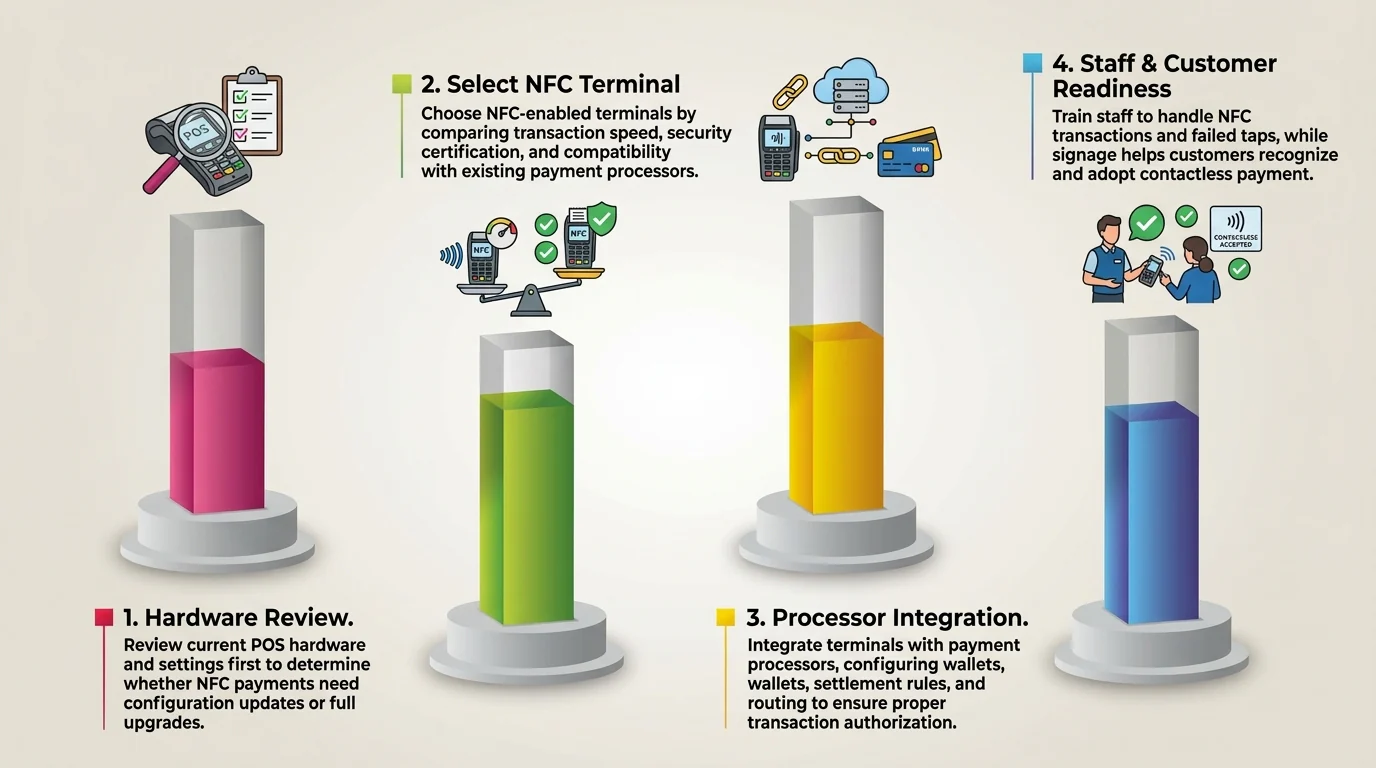
Adopting NFC payments works best when businesses follow a clear sequence. Each step helps teams avoid hardware mismatches, payment processing issues, staff confusion, and customer friction. A structured rollout also helps businesses improve checkout speed while maintaining secure and reliable transactions.
1. Evaluate Your Current Point of Sale (POS) System
Start by reviewing your current POS system, hardware, and payment settings. Check whether existing terminals support contactless payments. Then ask your POS provider to confirm NFC compatibility, required software updates, and any setup changes.
This step prevents businesses from replacing hardware too early or missing available features. It also helps teams understand whether they need a simple configuration update or a full upgrade to the best POS software before accepting NFC payments.
2. Choose an NFC-Enabled Payment Terminal
If your current hardware lacks NFC support, choose a compatible payment terminal. Compare transaction speed, reliability, security certification, and integration with your POS software. Also confirm that the device works with your payment processor.
The right terminal helps businesses process contactless payments quickly and securely. It also reduces checkout disruptions because the hardware can support daily transaction volume, accepted payment methods, and customer expectations.
3. Integrate With Your Payment Processing System
After selecting the hardware, connect the terminal with your payment processor and merchant account. Configure terminal settings, supported wallets, contactless cards, settlement rules, and transaction routing with your provider’s guidance. If you also accept online payments, review your payment gateway setup for consistency.
This step ensures each NFC transaction receives authorization, records the payment correctly, and sends funds to the right account. Proper integration also reduces reconciliation issues and protects customer payment data.
4. Train Your Staff and Educate Your Customers
Train staff to process NFC transactions, handle failed taps, answer security questions, and guide customers at checkout. Then add clear contactless payment signage near the counter and prompt customers when they can tap to pay.
This step helps staff use the system confidently during busy hours. It also encourages customer adoption because shoppers can recognize the payment option, understand the process, and complete transactions without hesitation
NFC Security Analysis: What Business Owners Need to Know
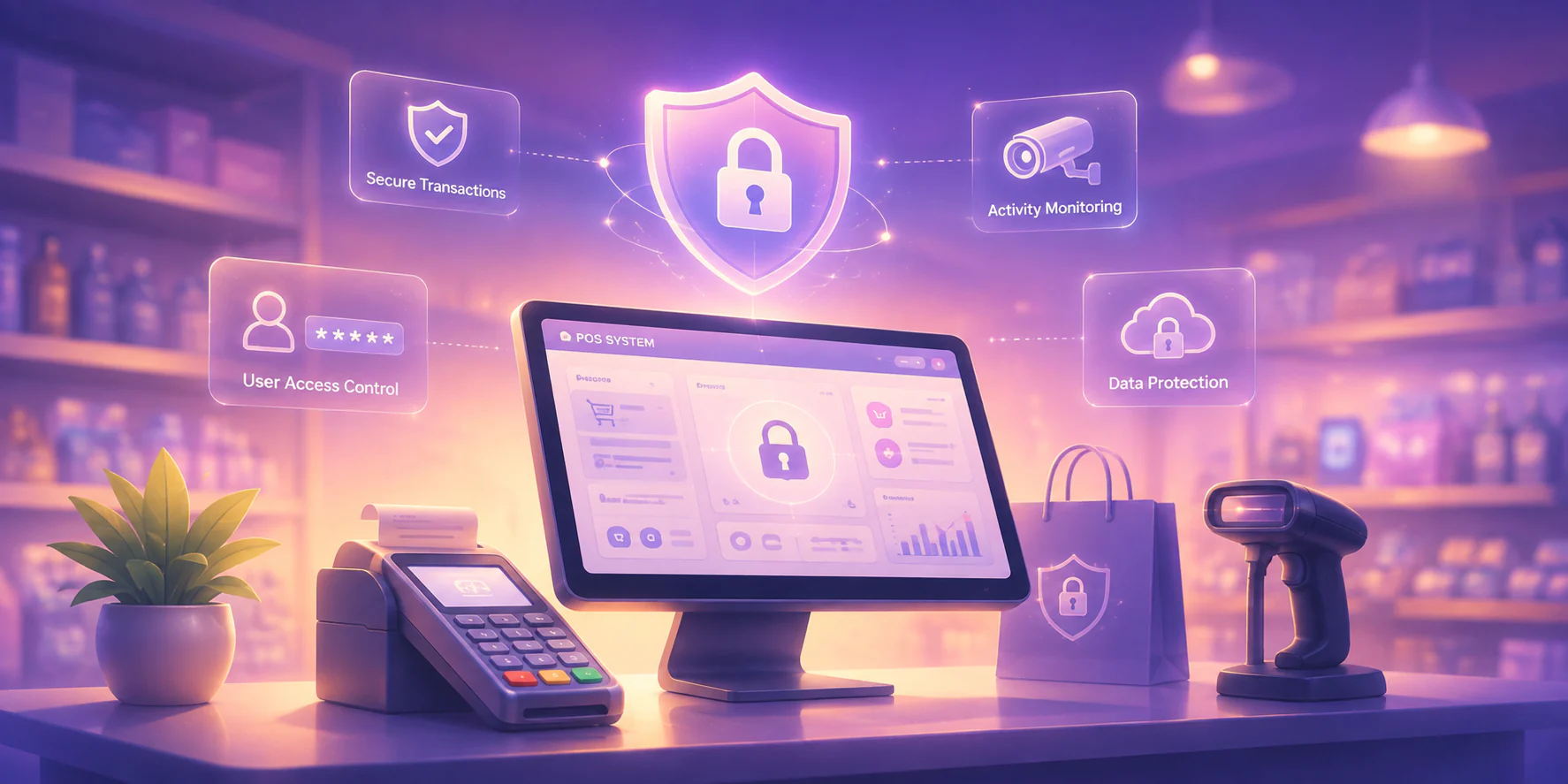
Business owners need clear security checks before adopting NFC payments. NFC protects each cashless transaction through short-range communication, tokenization, encryption, and payment security standards. These controls help businesses reduce data exposure, prevent unauthorized use, and explain payment safety to customers.
1. How Encryption and Tokenization Work to Protect Data
Tokenization replaces the customer’s real card number with a unique digital token. During payment, the mobile wallet or contactless card sends this token to the terminal. Encryption protects the transaction data while the system authorizes the payment.
This process limits the value of intercepted data because fraudsters cannot reuse the token. Each transaction also uses dynamic security codes, so businesses can protect cardholder information without storing sensitive card details in the POS system.
2. Potential Security Risks and How to Mitigate Them
NFC can face theoretical risks such as eavesdropping, data interception, or unauthorized nearby scanning. Businesses reduce these risks by using certified terminals, updated POS software, strong access controls, and regular security patches from trusted providers.
These controls matter because NFC operates within a very short range. Attackers would need close physical access and specialized tools. Updated hardware and software make that scenario harder while keeping the payment environment stable and secure.
3. Compliance With Industry Security Standards (PCI DSS)
Businesses that accept card payments must follow PCI DSS requirements. Choose NFC payment solutions from compliant providers, configure terminals properly, and avoid storing sensitive cardholder data inside the POS system or local business devices.
Compliance helps businesses reduce breach exposure, protect customers, and avoid financial or reputational damage. It also gives owners a clearer security framework for vendor selection, payment setup, staff handling, and ongoing system maintenance.
The Future of NFC and Its Impact on the Global Business Landscape
Business leaders should follow the future of NFC because it will shape payments, identity, IoT setup, and customer engagement. As NFC technology expands beyond tap-to-pay, companies can plan better systems, reduce adoption gaps, and create faster, more connected experiences earlier.
1. Deeper Integration With the Internet of Things (IoT)
The Internet of Things will make NFC technology more useful for device setup and automation. Users can tap a phone on smart equipment to transfer settings, connect sensors, or configure workplace systems. This reduces setup friction and helps businesses connect devices faster.
2. The Role of NFC in Digital Identity Verification
NFC can support digital identity verification through secure credentials stored on smartphones. Customers, employees, or guests can tap a device to verify identity, age, access rights, or membership status. Businesses can speed up checks while reducing manual document inspection.
3. Untapped Potential for Innovative Customer Engagement
NFC technology can help brands create more interactive customer experiences. Shoppers can tap products to view AR content, unlock offers, save items, or access personalized recommendations. These interactions connect physical products with digital journeys and support stronger customer retention strategies through more relevant engagement.
Optimize Your Business Management with a Solution from HashMicro
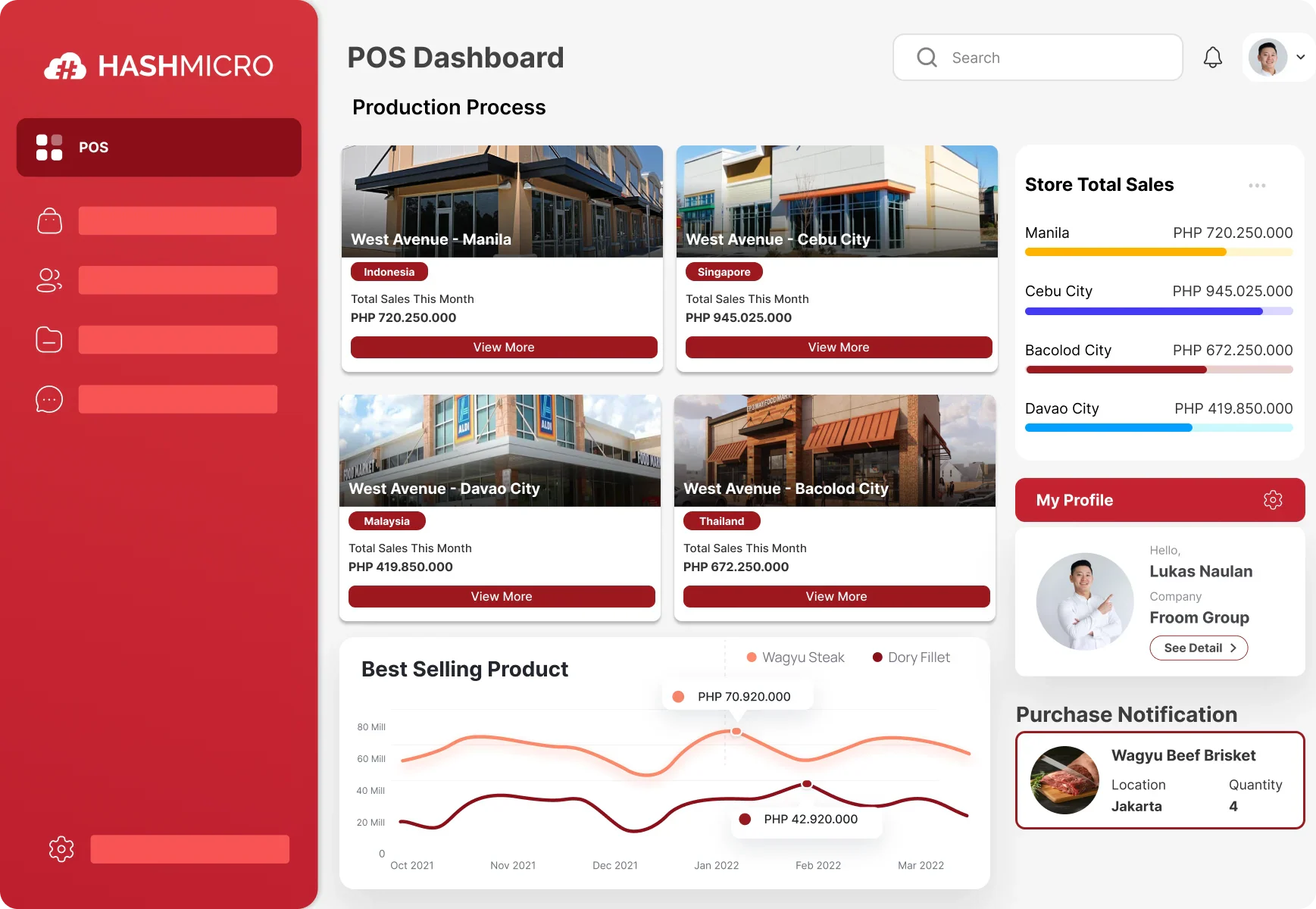
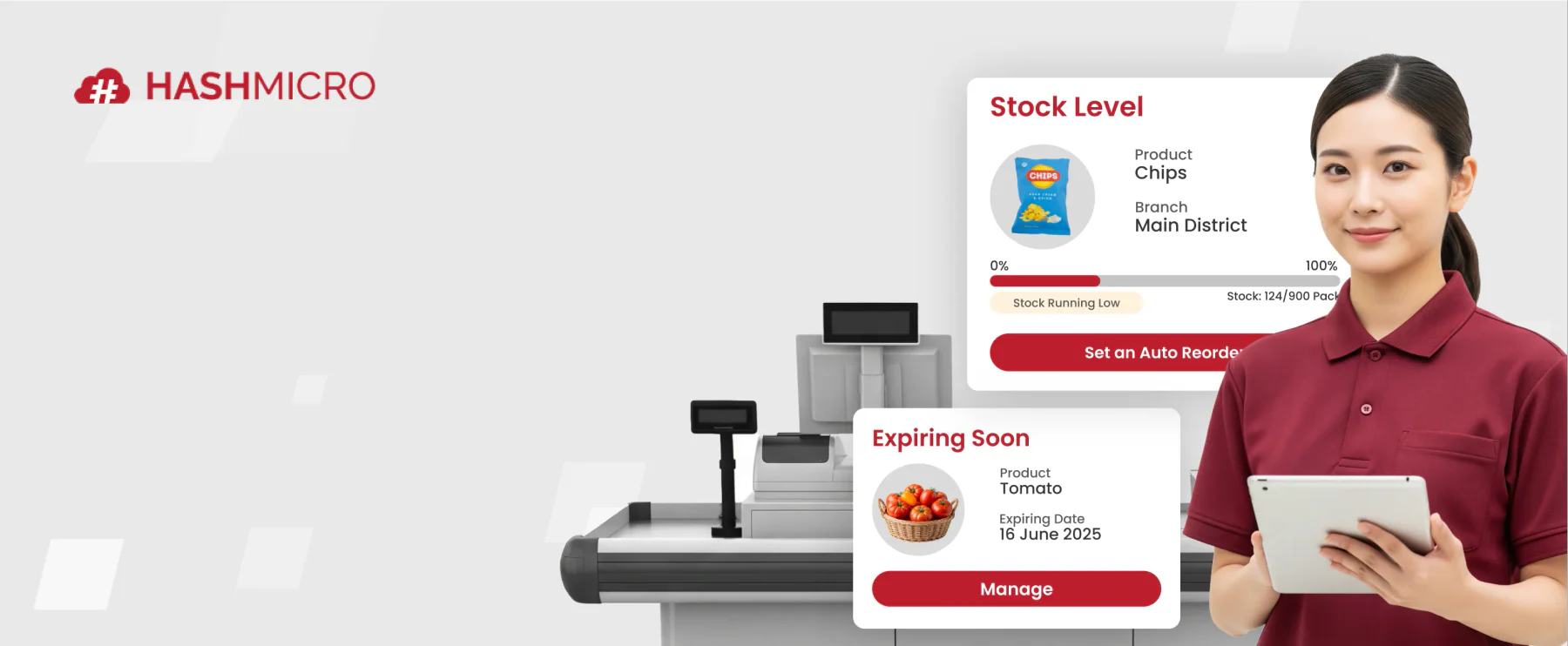
A POS system with integrated NFC technology is important in helping businesses process payments faster and record transactions accurately. POS software from HashMicro supports this need with one connected system. It combines payment handling, sales tracking, inventory updates, loyalty programs, and accounting integration.
HashMicro stands out because its POS connects front-line checkout with inventory, accounting, promotions, and multi-branch control. Businesses can manage online and offline sales channels in one place. They can also monitor real-time performance and reduce manual entry across departments.
Features of HashMicro’s POS System:
- Omni-Channel Integration: Manage sales and inventory across physical stores, e-commerce platforms, and marketplaces like Tokopedia and Shopee.
- Loyalty Point Management: Track customer points, rewards, and redemptions automatically to encourage repeat purchases.
- Centralized Multi-Branch POS: Monitor sales, inventory, cashier activity, and promotions across all branches from one dashboard.
- Automated Promotion Management: Create and apply discounts based on cart contents, time, customer type, or campaign rules.
- Real-Time Reporting for All POS Sales: View updated sales reports to support faster decisions and clearer business performance tracking.
With HashMicro, your company can improve operational efficiency, data transparency, and transaction accuracy. To see how the solution can support your business needs, you can evaluate your pricing options with the features you need in HashMicro's POS system.
Conclusion
Near Field Communication (NFC) has firmly established itself as a practical technology for secure, short-range data exchange. It lets compatible devices communicate through a simple tap. It supports payments, access control, product information, loyalty interactions, asset tracking, and other business processes.
NFC differs from RFID, Bluetooth, and QR Codes through its short range and tap-based intent. It also covers adoption steps: evaluate the POS system, choose an NFC terminal, integrate payment processing, and train staff. Retail, hospitality, logistics, and asset-heavy teams can apply the same technology differently.
Businesses can use HashMicro’s POS Software to centralize NFC payments, sales records, inventory, loyalty programs, and accounting. The system helps reduce manual work, improve transaction visibility, and support faster customer experiences through one connected POS ecosystem. Schedule a free consultation with HashMicro today.
FAQ About NFC Technology
The cost has decreased significantly. Many modern POS terminals come with NFC built-in, and affordable mobile card readers are available, making it accessible for small businesses.
Most mid-to-high-end smartphones manufactured in recent years include NFC. However, it is not yet a standard feature on all budget models, so it’s important to check device specifications.
A creative marketing use is embedding NFC tags in product packaging. When a customer taps it, they can unlock exclusive content, such as a video tutorial, a special recipe, or entry into a contest, creating an interactive post-purchase experience.
From a business perspective, NFC offers a faster and more seamless user experience as it only requires a tap. QR Codes require the customer to open an app, scan the code, and sometimes confirm, which involves more steps and can be slower at a busy checkout.
NFC payments are significantly more secure. They use tokenization to create a one-time code for each transaction, meaning your actual card number is never exposed to the merchant, which prevents data theft.