Picture a Friday night in Poblacion, Makati, every table filled, orders flying in from dine-in customers and delivery apps simultaneously. Behind the scenes, a well-integrated POS system orchestrates the chaos; tickets route automatically to the right kitchen stations, inventory is deducted in real-time, and your manager monitors sales from across town.
Research from the International Journal of Research in Engineering and Science (IJRES) found that restaurants in Iloilo City using web-based POS systems with integrated inventory tracking experienced faster order processing and fewer kitchen-to-table bottlenecks. Another IJIRT study about enhancing restaurant operation with modern POS reported a 30% reduction in billing time and 25% fewer order-entry errors after POS adoption.
With so many options available, from budget-friendly cloud solutions to enterprise-grade platforms. Finding the right fit depends on your restaurant's size, service style, and growth plans, since a restaurant POS is really one layer of a broader food service management software that ties inventory, labor, and compliance together. Here’s a look at what makes each type of POS system different and which ones work best for Philippine restaurants.
Key Takeaways
A restaurant POS system manages sales transactions, tracks orders, processes payments, and integrates inventory with customer data, all in one platform.
Using a restaurant POS helps cut order errors, speed up table turnover, and gives real-time visibility into sales and stock across dine-in and delivery channels
Key features to look for include inventory tracking, table management, BIR-compliant receipting, and integration with delivery apps and local payments like GCash and Maya.
Compare all 21 restaurant POS systems in the full comparison table to find the best fit for your budget, service style, and operational needs.
What is a Restaurant POS System?
A restaurant POS (Point of Sale) system serves as the digital nervous system of food service operations, a specialized platform engineered for the unique workflows of dining establishments. Unlike retail-focused POS solutions, restaurant systems must handle complexities specific to F&B, including table assignments, course timing, modifier-heavy orders, kitchen routing, and split bills among large groups.
Modern systems go beyond basic cash registers. They can sync data across multiple branches, generate sales reports, manage staff schedules, and even integrate with food delivery apps. For restaurants in the Philippines, this means you can monitor your Makati and Cebu locations from a single dashboard, or check which menu items are selling best during lunch rush at your BGC branch.
For Philippine restaurants specifically, the system must also accommodate local requirements, BIR-compliant receipt generation, integration with GCash/Maya payments increasingly expected by customers, and often, support for the mixed-language ordering common in Filipino establishments.
What are the Benefits of a Restaurant POS System?
Using a POS (Point of Sale) system brings significant operational, financial, and customer-service advantages, helping businesses operate more efficiently. Key benefits of restaurant point of sale include:
- Faster operations: Speeds up ordering and payment processes, reducing wait times.
- Higher accuracy: Minimizes human error in transactions, inventory, and order entry.
- Improved inventory control: Ensures stock visibility and better purchasing decisions.
- Better customer experience: Enhances service quality with quicker and more accurate order handling.
- Centralized data: Keeps sales, inventory, and customer data in one unified system.
- Enhanced decision-making: Provides detailed analytics for revenue, performance, and trends.
- Reduced operational costs: Cuts labor hours, paper use, and inefficiencies across workflows.
- Stronger operational performance: When supported by a reliable retail POS system, businesses gain smoother processes and better overall control of store activities.
Full Comparison of Best Restaurant POS System
Before diving into the individual reviews, the table below gives you a quick side-by-side snapshot some systems, covering what each one is best suited for, their key strengths and drawbacks, and starting price points. Use it as a starting reference to shortlist a few options that match your restaurant's size and budget, then read the detailed breakdowns that follow for a closer look at each platform's features.
| Brand | Best for | Pros | Cons | Price |
|---|---|---|---|---|
| HashMicro | Best for medium–large restaurants needing centralized POS | 1) Fully integrated modules 2) Strong multi-branch control 3) Real-time analytics | 1) Requires customization 2) Complex initial setup | Custom Pricing |
| Shopify | Best for fast food and multi-site chains | 1) Easy online–offline sync 2) User-friendly 3) Flexible payment options | 1) Not restaurant-specific 2) Limited reporting 3) Add-on costs | Starts from ₱1,450 per month (Basic)/₱133,400 per month (Plus) |
| Square | Best for single-location vendors on a budget | 1) Affordable plans 2) Easy setup 3) Strong loyalty features | 1) Limited customization 2) Basic advanced features | Starts from ₱0 per month (Free)/ ₱3.468 per month (Pro) |
| Clover | Best for restaurants needing advanced hardware and tracking | 1) Advanced analytics 2) Excellent ingredient tracking 3) Multi-location support | 1) Higher cost 2) Occasional glitches 3) Steep learning curve | Starts from ₱104,000 upfront + ₱5,200/month (Starter), ₱258,000 upfront + ₱7,500/month (Advanced) |
| SpotOn | Best for busy teams needing streamlined staff control | 1) Affordable and localized 2) Simple interface 3) Offline-capable | 1) Limited advanced features 2) Minimal integrations | Starts from Free, Custom pricing (Build Your Own) |
| StoreHub | Best for small eateries wanting simple POS + online ordering | 1) Strong online ordering 2) Easy to use 3) Good reporting tools | 1) Higher subscription cost 2) Learning curve for some users | Starts from ₱2,249 per month |
| Lightspeed | Best for growing F&B brands with complex inventory | 1) Advanced inventory tools 2) Multi-store ready 3) Mobile payment support | 1) Costly add-ons 2) Not ideal for simple setups 3) Requires tech familiarity | Starts from ₱3.988 per month |
| UTAK POS | Best for small Filipino SMEs needing affordable POS | 1) Customizable 2) Good analytics 3) Supports local payments | 1) Limited scalability 2) Inconsistent support | Starts from ₱2.333 per month |
| Toast | full-service restaurants with heavy operations | 1) Excellent CRM tools 2) Strong reporting 3) Integrated online ordering | 1) Complex setup 2) Limited for large enterprises | Starts from ₱3.988 per month |
| Lavu | Best for small–mid eateries using iPad workflows | 1) Easy menu tools 2) Offline-capable 3) Customizable interface | 1) Limited support hours 2) Fewer advanced features | Starts from ₱3.410 per month |
| Revel | Best for multi-location restaurants needing advanced tools | 1) Highly scalable 2) Advanced inventory 3) Strong integrations | 1) Slow support at peak times 2) Complex for small businesses | Starts from ₱5.722 per month |
| TouchBistro | Best for small–mid venues wanting intuitive table management | 1) Intuitive menu & table tools 2) Affordable 3) Restaurant-focused | 1) Limited advanced features 2) Internet-dependent | Starts from ₱3.988 per month |
| EPOS Now | Best for large-inventory vendors on a budget | 1) Easy setup 2) Offline-capable 3) Wide integrations | 1) Support may vary 2) Add-ons needed for advanced tools | Starts from ₱2.255 per month |
| CAKE | Best for restaurants needing simple all-in-one POS | 1) Easy ordering tools 2) Strong online features 3) Fast setup | 1) Fewer customization options 2) Learning curve for new users | Custom pricing |
21 Best Restaurant POS Systems in Philippines
Here, we’ve compiled a list of restaurant POS software that stand out in various aspects, including options for the restaurant POS Philippines market.
Let’s explore the best POS systems for restaurants and why they could be ideal for your business.
1. HashMicro Restaurant POS
- Ideal for medium-large restaurants needing unified control.
- Prices start from: Custom pricing
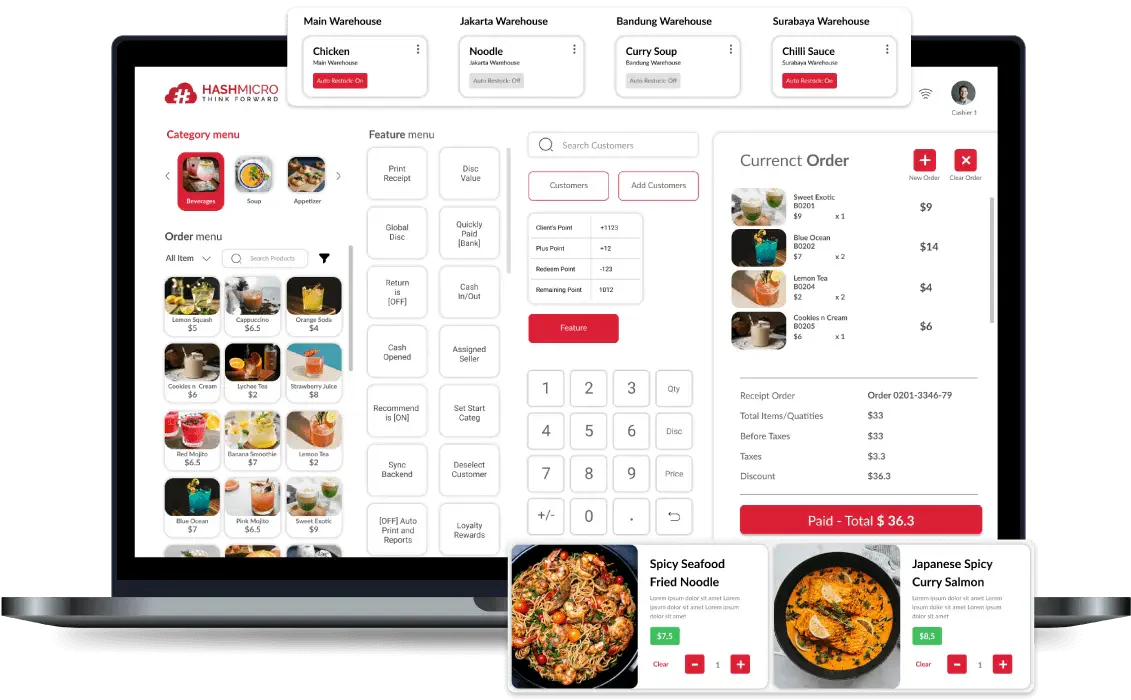
HashMicro's restaurant POS has positioned itself as a serious contender for Philippine restaurant groups seeking enterprise-grade POS infrastructure. The platform’s strength lies in its integration depth, connecting front-of-house POS terminals with restaurant accounting, inventory management, and HR modules in one system.
HashMicro key features
- Multi-Payment Method: A multi-payment method feature in a POS system allows businesses to accommodate various payment preferences from customers, enhancing convenience and sales opportunities.
- Inventory tracking: A critical feature that lets you monitor and manage their stock levels in real-time.
- Customer and promotion management: This feature helps businesses build and maintain strong customer relationships while driving sales through targeted marketing efforts.
- Easy billing and reconciliation: Streamline the process of billing customers and balancing accounts at the end of the day.
- Centralized multi-branch POS: Allows businesses with multiple locations to manage all their POS systems from a single, centralized platform.
- Comprehensive reporting: Offers detailed insights into various aspects of the business, aiding in informed decision-making.
| Strengths | Weaknesses |
|
|
Who benefits from HashMicro? – HashMicro is ideal for medium to large restaurants or franchise businesses that need centralized management, real-time inventory tracking, and seamless integration with CRM, accounting, and multi-branch operations.
For restaurant groups managing multiple branches, HashMicro helps connect orders, payments, stock, accounting, and customer data in one system. Book a free evaluation to see how HashMicro's restaurant POS can fit your dine-in, delivery, and franchise workflows.
2. Shopify POS System Restaurant
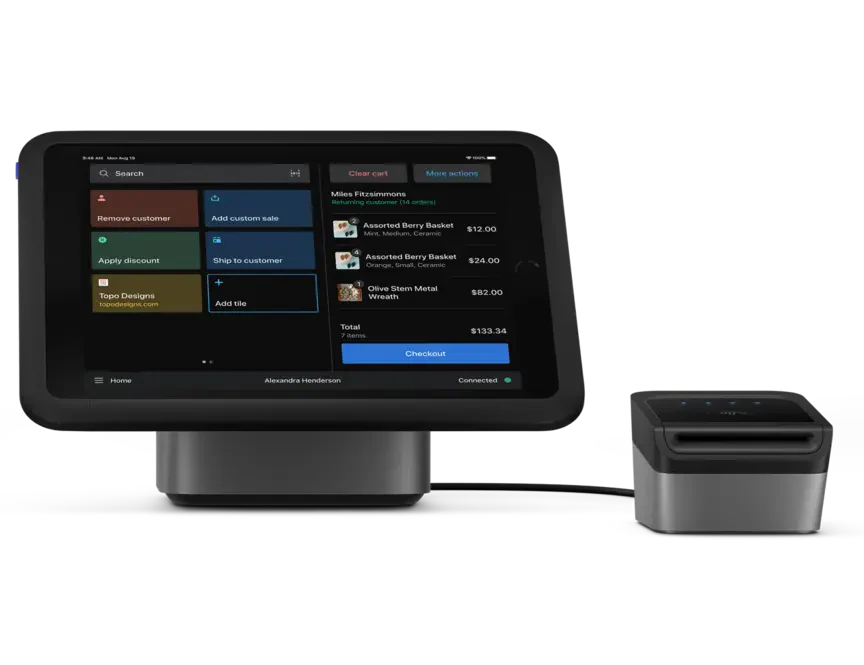
- Ideal for fast food bistros and multi-site franchises.
- Prices start from: ₱1,450 per month (basic), ₱133,400 per month (Plus)
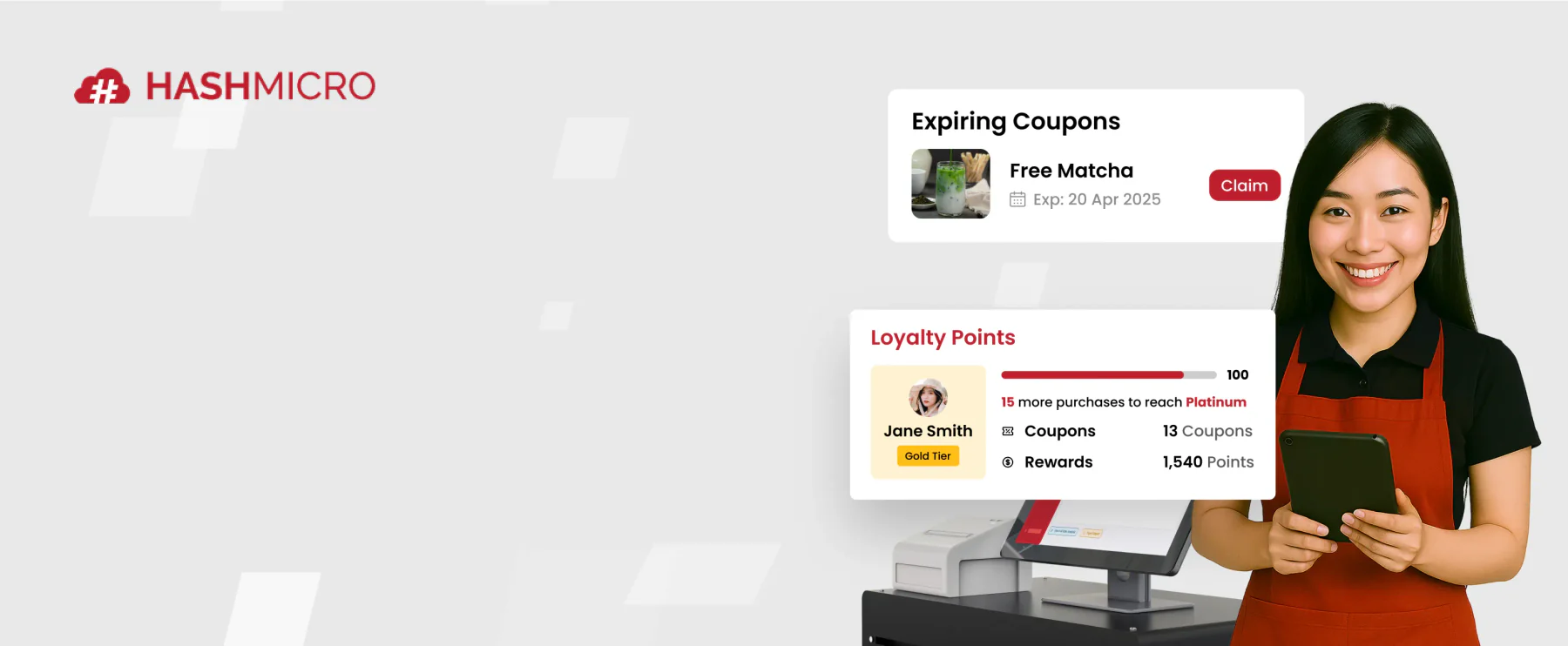
Shopify Point of Sales (POS) is a system that lets you merge their online and offline sales seamlessly, thereby increasing sales and revenue.
However, while POS solutions for PH companies by Shopify offers many benefits, there are a few notable drawbacks. One significant con is the lack of a free version, which can be a barrier for small or budget-conscious businesses.
Additionally, while Shopify’s advanced features and customization options are powerful, they can be expensive, potentially placing them out of reach for smaller establishments.
Shopify key features
- Hardware Customization: Shopify allows users to customize their hardware, including printers and scanners, to meet their business needs.
- Inventory Management: The system provides effective real-time inventory management tools to track product stock levels, ensuring product availability.
- Customer Loyalty Management: Shopify offers features to manage customer loyalty programs, helping businesses build stronger customer relationships.
- Business Reporting: The business reporting feature provides detailed insights into sales performance and operations, enabling better decision-making.
| Strengths | Weaknesses |
|
|
Who benefits from Shopify? – Quick-service and fast casual restaurants, cafés and bakeries, as well as multi-location chains.
3. Square POS
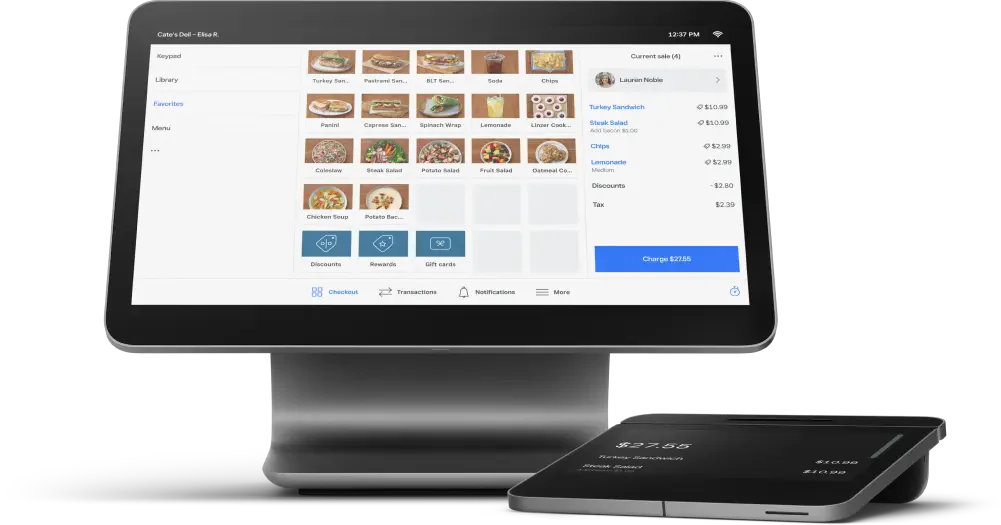
- Ideal for single-site vendors
- Prices start from: ₱0 (Free) / ₱3.468 (Plus)
Square is a point of sale (POS) system known for its versatility and ease of use in various industries, especially in food service.
The primary advantages of Square POS include its affordability and ease of setup, making it accessible for businesses with limited budgets and technical expertise. The user-friendly interface and intuitive design allow quick onboarding and efficient daily operations.
However, some potential drawbacks are the transaction fees, which can add up for high-volume businesses, and the limited customization options compared to more specialized restaurant software.
Square POS key features
- Employee Management: Square provides tools for managing employee schedules, tracking attendance, and overseeing labor costs to streamline workforce management.
- Inventory Management: The system includes reliable inventory management capabilities, allowing businesses to track stock levels sales data, and make adjustments as needed.
- Sales Analytics: Square POS offers comprehensive sales analytics, providing insights into sales performance, trends, and customer purchasing behavior to inform business decisions.
| Strengths | Weaknesses |
|
|
Who benefits from Square POS? – Vendors starting without upfront costs, single-location businesses like food trucks, cafes, or kiosks, and those integrating an online store.
4. Clover Restaurant Point of Sale
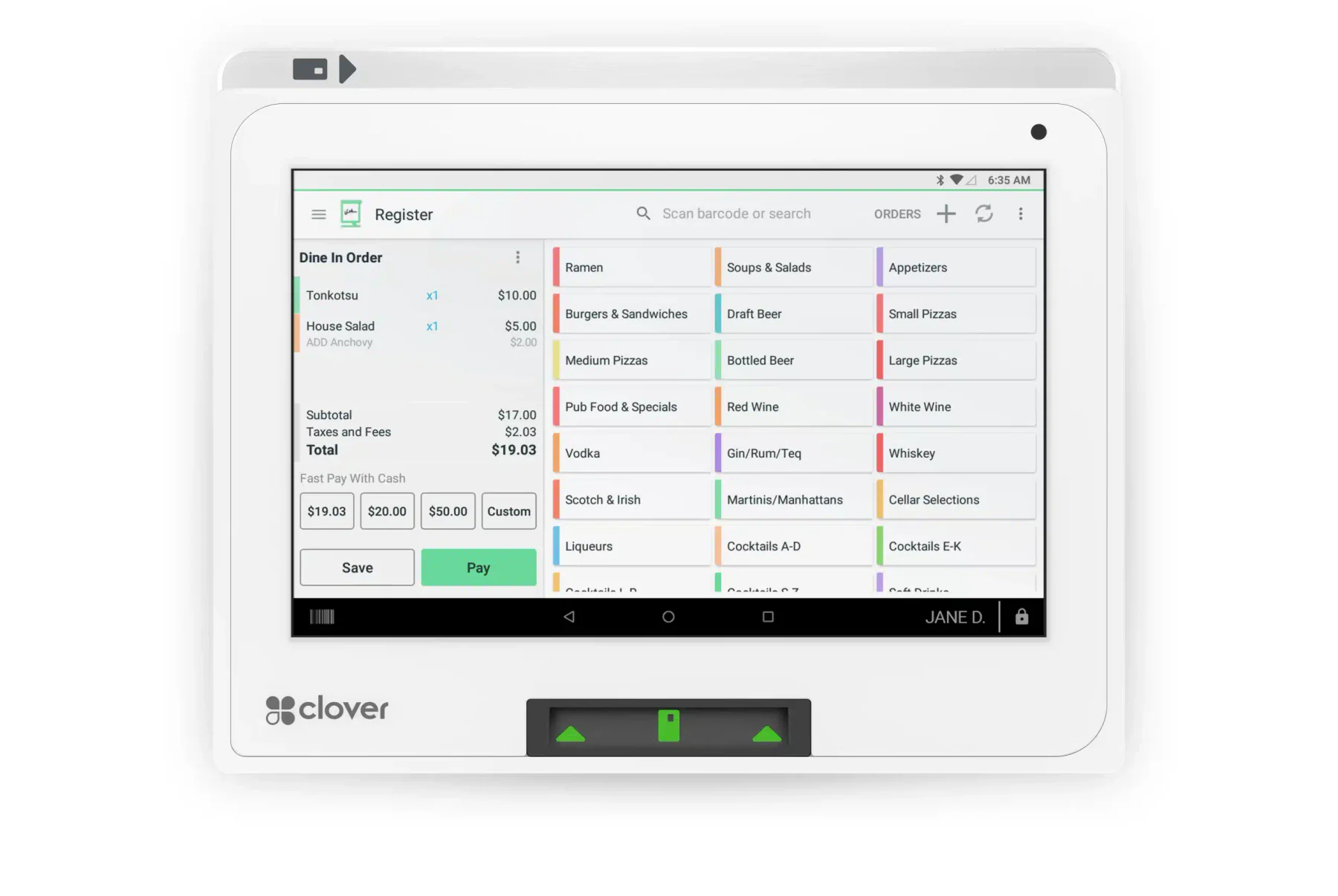
- Ideal for expert dining establishment equipment
- Prices start from: ₱104,000 upfront + ₱5,200/month (Starter), ₱258,000 upfront + ₱7,500/month (Advanced) per month
Clover offers an all-in-one solution that integrates sales processing, inventory management, employee management, and detailed reporting.
Its cloud-based platform ensures that business data is securely stored and accessible from any device, enabling real-time updates and remote management.
However, some potential drawbacks include occasional bugs and software glitches, which can disrupt operations and require time for troubleshooting. The cost can be higher than other POS systems, especially when adding hardware and app integrations.
Clover key features
- Employee Management: Clover includes features for managing employee schedules, tracking hours worked, and handling payroll efficiently.
- Customer Engagement Tools: The system provides tools for enhancing customer engagement through loyalty programs, promotions, and targeted marketing campaigns.
- Hardware Customization: Clover allows businesses to customize their hardware setup with various options tailored to their specific operational needs.
| Strengths | Weaknesses |
|
|
Who benefits from Clover? – Medium to large establishments, businesses focused on customer retention, and those seeking industry-leading hardware.
5. SpotOn POS System Restaurant
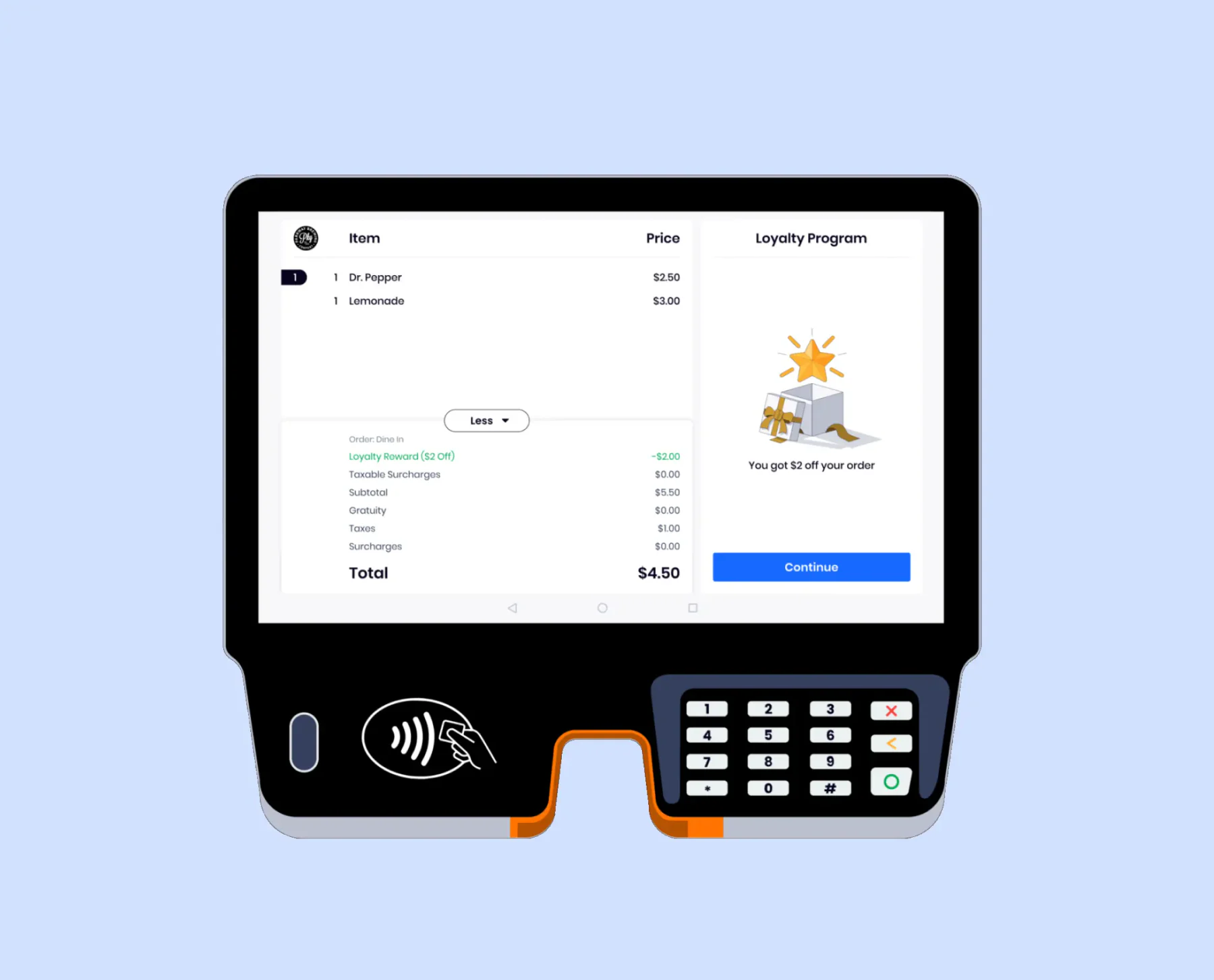
- Ideal for overseeing staff
- Prices start from: Free, Custom pricing (Build Your Own)
SpotOn Restaurant Software is a cloud-based mobile POS system designed to help small and medium-sized hospitality businesses improve online transactions, tableside ordering, and fraud prevention.
Additionally, occasional glitches within the system have been reported, which can disrupt operations and lead to frustrations. Furthermore, users have encountered challenges with system upgrades, which can result in interruptions and delays in service.
SpotOn key features
- Marketing Tools: SpotOn includes marketing capabilities that help businesses create and manage promotional campaigns to attract customers.
- Customer Data Analysis: The system provides tools for analyzing customer data, helping businesses understand purchasing patterns and preferences.
- Engagement Tracking: SpotOn offers features to track customer engagement across various channels, enabling businesses to refine their strategies.
- Loyalty Program Integration: The software integrates loyalty programs to reward repeat customers and encourage brand loyalty.
| Strengths | Weaknesses |
|
|
Who benefits from SpotOn? – Vendors starting without upfront costs, busy establishments with large teams, and managers seeking to streamline employee processes.
6. StoreHub POS for Restaurant
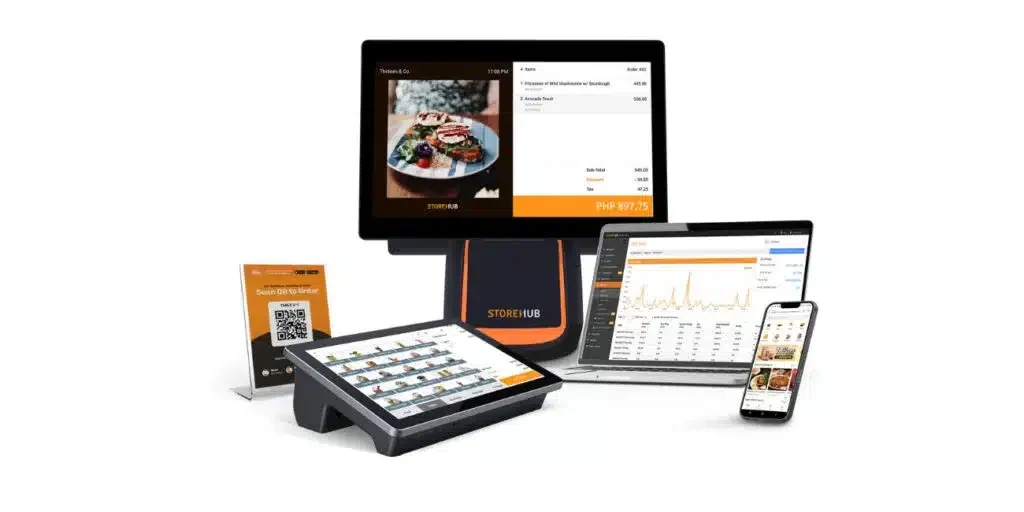
- Ideal for small-scale eateries and shops
- Prices start from: ₱2,249 per month
StoreHub is a comprehensive Point of Sales (POS) system that is tailored for small to medium-sized businesses, particularly in the retail and F&B sectors. It offers a range of features designed to speed up daily tasks, enhance customer experience, and boost sales.
One of the key advantages of StoreHub is its user-friendly interface, which simplifies the onboarding process and daily operations for staff.
However, some users might find the subscription costs relatively high, especially for businesses with tight budgets. Additionally, while StoreHub offers extensive features, it may present a learning curve for less tech-savvy people.
StoreHub pricing
- Starter plan: ₱2,249/month
- Advanced plan: ₱4,499/month
- Pro plan: ₱8,999/month
StoreHub key features
- Sales Tracking: StoreHub provides tools for accurate sales tracking, helping businesses understand sales trends.
- Inventory Management: The system includes inventory management features to efficiently manage stock levels.
- Business Reporting: The reporting feature offers an in-depth business performance analysis, aiding strategic planning.
- Customer Relationship Management: StoreHub has tools to manage customer relationships and enhance customer experience.
| Strengths | Weaknesses |
|
|
Who benefits from StoreHub? – Small to medium-sized food and beverage businesses, such as cafés, restaurants, and retail businesses that also need grocery store POS system capabilities.
7. Lightspeed Restaurant POS System
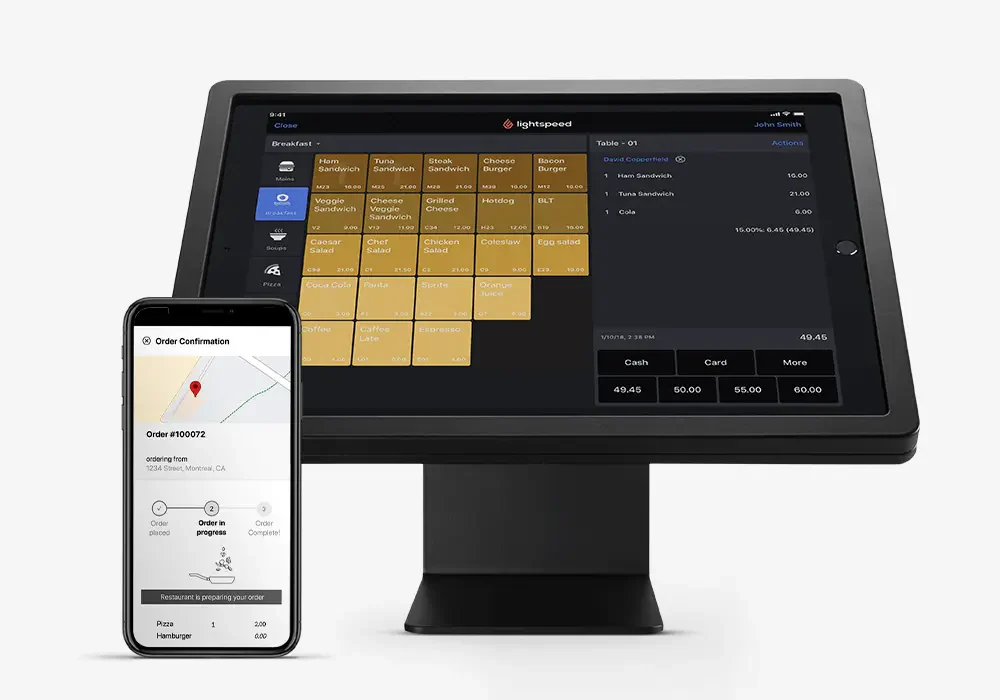
- Ideal for growing F&B firms
- Prices start from: ₱3.988 per month
Lightspeed is a versatile Point of Sales (POS) system designed to cater to the needs of retail, hospitality, and e-commerce businesses. Key features include advanced inventory management, integrated eCommerce, employee management, and detailed analytics.
The main advantages of Lightspeed include its comprehensive inventory management, which supports complex product catalogs and seamless integration with online sales.
Furthermore, while Lightspeed is feature-rich, it might be more complex than necessary for small operations. In addition, users not experienced with advanced ePOS or tech-savvy may find Lightspeed challenging.
Lightspeed key features
- Inventory Tracking: Lightspeed offers advanced inventory tracking capabilities, allowing users to monitor stock levels in real-time.
- Customer Loyalty Feature: The system includes a customer loyalty feature to manage loyalty programs and retain customers.
- Multi-Store Capability: Lightspeed supports managing multiple locations, ideal for businesses with multiple branches.
- Payment Processing: The system offers various payment processing options, providing flexibility for customers during transactions.
| Strengths | Weaknesses |
|
|
Who benefits from Lightspeed? – Food and beverage businesses expanding, those with large or complex inventories, and vendors focused on protecting profit margins.
8. UTAK POS for Restaurant
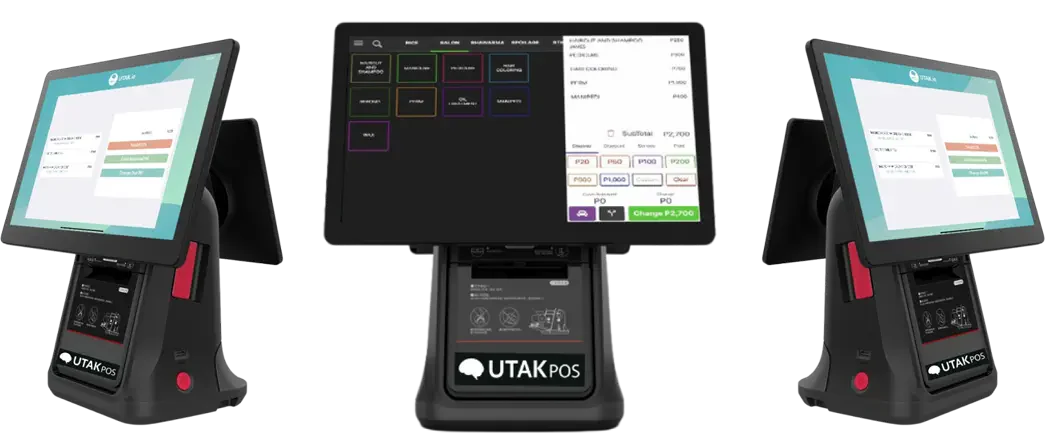
- Ideal for small Filipino SMEs
- Prices start from: ₱2.333 per month
UTAK is an emerging Point of Sales (POS) system in the Philippines that caters specifically to food service industries. UTAK’s real-time analytics provide valuable insights into sales trends and inventory levels, aiding in better business decision-making.
However, UTAK may not offer the same advanced features as more established mobile POS systems. For a closer comparison, read this HashMicro vs UTAK comparison to see how both systems differ in scalability and operational depth.
Additionally, while customer support is available, it may not be as reliable or extensive as some competitors offer.
UTAK key features
- Sales Tracking: UTAK includes tracking features to help businesses analyze their sales performance.
- Customer Management: The system allows for effective customer data management to enhance service quality.
- Multi-Language Support: UTAK supports multiple languages, making it easier to use in various regions.
- Local Payment Support: The feature helps local payments, increasing customer convenience.
| Strengths | Weaknesses |
|
|
Who benefits from UTAK? – Small to medium-sized enterprises in the Philippines looking for an affordable, tablet-based POS system.
9. Toast Restaurant POS Software
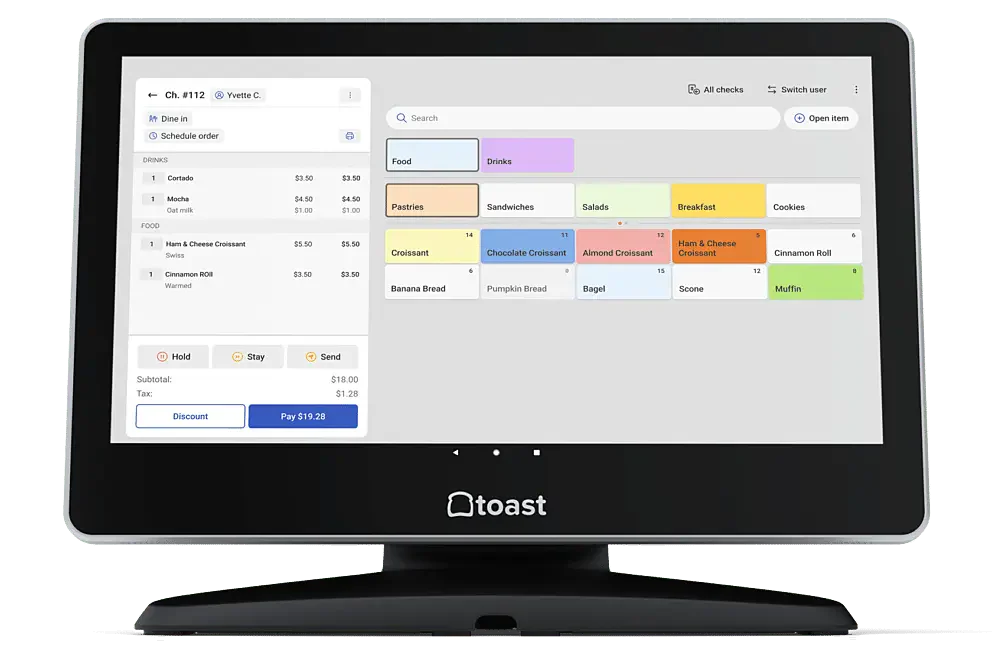
- Ideal for full-service eateries
- Prices start from: ₱3.988 per month
Known for its reliable and restaurant-centric features, Toast offers an all-in-one platform that integrates order management, inventory tracking, customer relationship management (CRM), and comprehensive reporting.
The intuitive interface and seamless integration with kitchen display systems streamline order processing and reduce errors. Additionally, while Toast offers extensive features, this might result in a steeper learning curve for some users.
Toast key features
- Inventory Management: Toast provides comprehensive inventory management tools to track ingredients and products efficiently.
- Customer Management: The system allows customer information management to improve customer experience and service.
- Loyalty Program Management: Toast includes features to manage loyalty programs, helping businesses retain loyal customers.
- Reporting & Analytics: The reporting and analytics feature provides valuable insights into business performance and sales trends.
| Strengths | Weaknesses |
|
|
Who benefits from Toast? – Full-service restaurants with complex operations, restaurants that onboard regularly, restaurants or bars with large inventories, and food businesses aiming to increase profits.
10. Lavu POS for Restaurant
- Ideal for small to mid eateries
- Prices start from: ₱3.410 per month
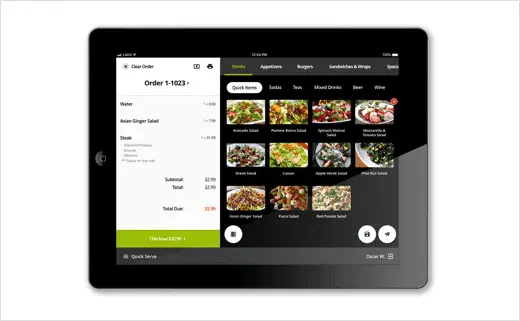
Lavu’s reliable platform integrates order management, tableside ordering, inventory tracking, and detailed reporting, all within a user-friendly interface designed specifically for restaurant workflows.
While Lavu boasts a multitude of strengths, a few cons warrant consideration. Users have reported challenges with the onboarding process, citing complexities that may require additional time and resources for staff training.
Additionally, occasional print issues have been reported, which can disrupt service flow and customer satisfaction.
Lavu key features
- Multiple Payment Options: Lavu supports various payment methods, including credit cards and mobile payments, providing flexibility for customers.
- Menu Interface: The system features an intuitive menu interface that allows easy navigation for staff and customers when placing orders.
- Inventory Management: Lavu includes inventory management tools that help track stock levels and ingredient usage in real time.
- Customer Loyalty Management: The system provides features for managing customer loyalty programs to enhance customer retention and satisfaction.
| Strengths | Weaknesses |
|
|
Who benefits from Lavu – Small to medium-sized restaurants, bars, and cafés seeking a flexible, iPad-based POS system.
11. Revel POS System Restaurant
- Ideal for medium-large eateries and quick-service outlets
- Prices start from: ₱5.722 per month per terminal + ₱38.975 setup
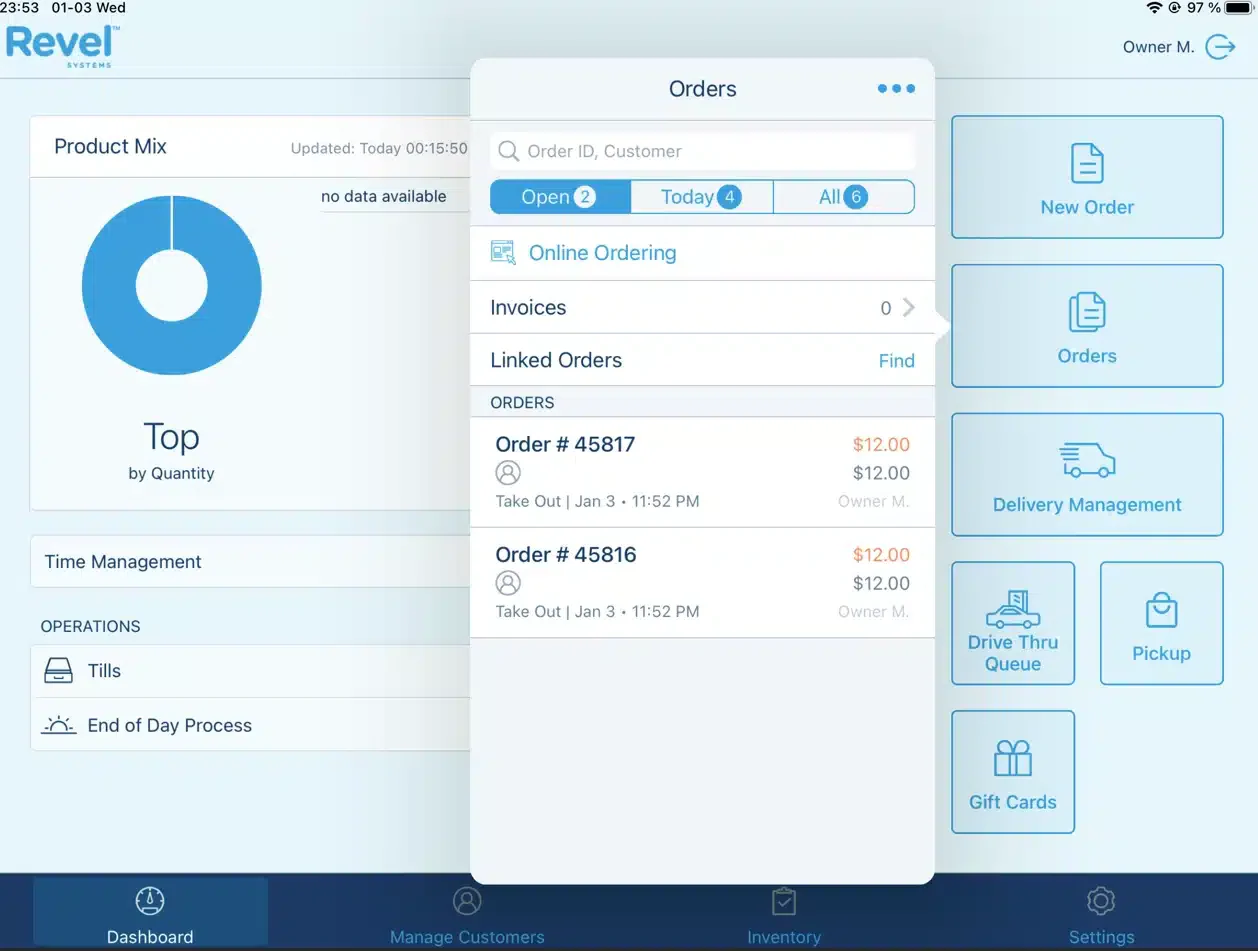
Revel Systems is a cloud-based Point of Sale (POS) solution designed primarily for the restaurant industries, including cafes. It offers a comprehensive suite of features that speed up daily tasks, enhance customer service, and improve inventory management.
With tools for table management, real-time inventory tracking, and detailed sales analytics, Revel empowers business owners to make informed decisions based on accurate data.
One of the standout aspects of Revel Systems is its flexibility in payment processing, allowing businesses to choose the payment solutions that best fit their needs. Additionally, it supports multi-location management, making it an ideal choice for businesses with multiple branches.
Revel key features
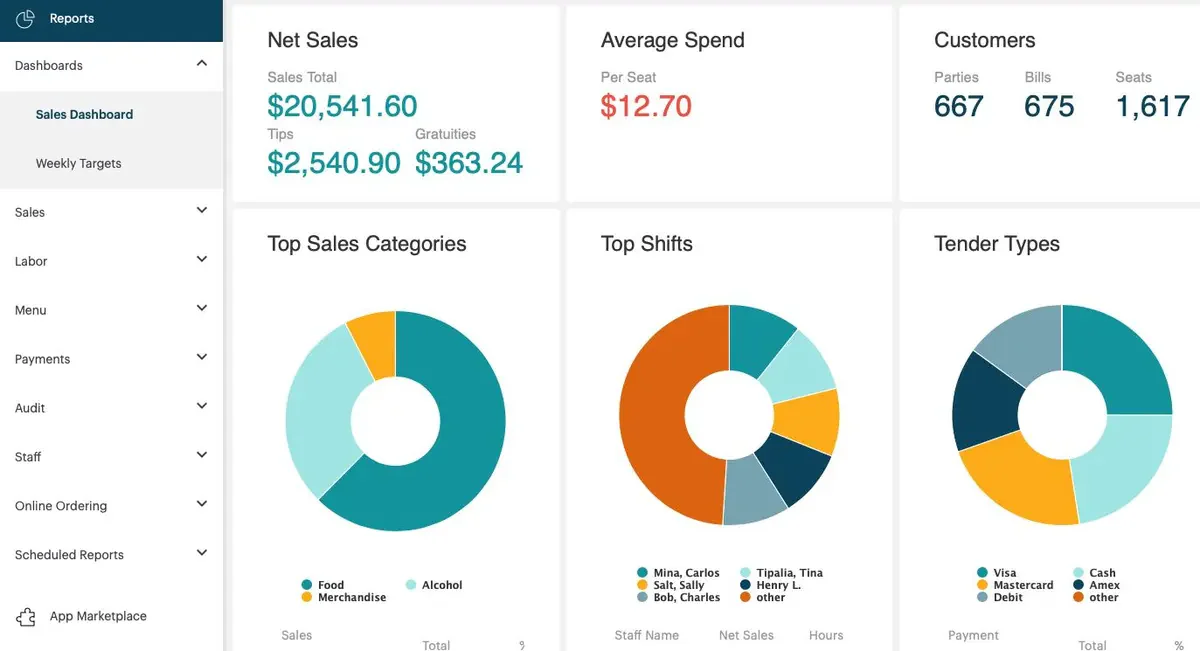
- Customizable Dashboard: Revel offers a highly customizable dashboard that allows users to tailor their interface according to their specific operational needs.
- Advanced Inventory Management: The system includes advanced inventory management tools that track stock levels, ingredient usage, and supplier information in real-time.
- Employee Management Tools: Revel Systems provides features for managing employee schedules, tracking performance, and handling payroll efficiently.
- Integrated Marketing Tools: The platform includes marketing capabilities that enable businesses to create promotions, email campaigns, and customer engagement strategies directly from the POS.
| Strengths | Weaknesses |
|
|
Who benefits from Revel? – Medium to large-sized restaurants, bars, and quick-service establishments needing advanced features.
12. TouchBistro POS Restaurant
- Ideal for small to mid eateries
- Prices start from: ₱3.988 per month
TouchBistro is a cloud POS software specifically designed for the restaurant industry, and it includes cafes, bars, and food trucks.
Key features include intuitive menu management, which allows restaurant staff to quickly add or modify menu items, and detailed inventory tracking that helps manage stock levels and understand profit margins for each dish.
TouchBistro also provides reliable table management capabilities, enabling managers to design floor plans and easily allocate tables to guests, streamlining service during busy periods.
TouchBistro key features
- Tableside Ordering: This feature allows servers to take orders directly at the table using mobile devices, improving service speed and accuracy.
- Menu Management: Users can easily customize their menus, adding images and descriptions to enhance customer appeal.
- Staff Scheduling: TouchBistro provides tools for managing staff schedules, allowing managers to efficiently allocate shifts and track hours worked.
- Integrated Payments: The system supports various payment methods, including contactless options, ensuring a seamless checkout experience for customers.
| Strengths | Weaknesses |
|
|
Who benefits from TouchBistro? – Small to mid-sized restaurants, bars, cafés, and
13. EPOS Now
- Ideal for large-stock, budget-conscious, expanding vendors.
- Prices start from: ₱2.255 per month
Epos Now is a cloud-based point of sale (POS) system that caters to the restaurant industry and provides a versatile solution for businesses of various sizes.
It features a user-friendly interface that can be operated on multiple devices, including iPads, Android tablets, PCs, and Macs.
The system also includes features like customer loyalty programs and reservation management, which help businesses enhance customer engagement and speed up daily tasks.
EPOS Now key features
- Inventory Management: Epos Now offers reliable inventory tracking capabilities, allowing users to monitor stock levels in real-time and manage reordering processes effectively.
- Customer Relationship Management (CRM): The system includes CRM tools that help businesses track customer interactions and preferences, enabling personalized marketing strategies.
- Multi-Location Support: Epos Now allows businesses with multiple locations to manage all their operations from a single dashboard, streamlining oversight and reporting.
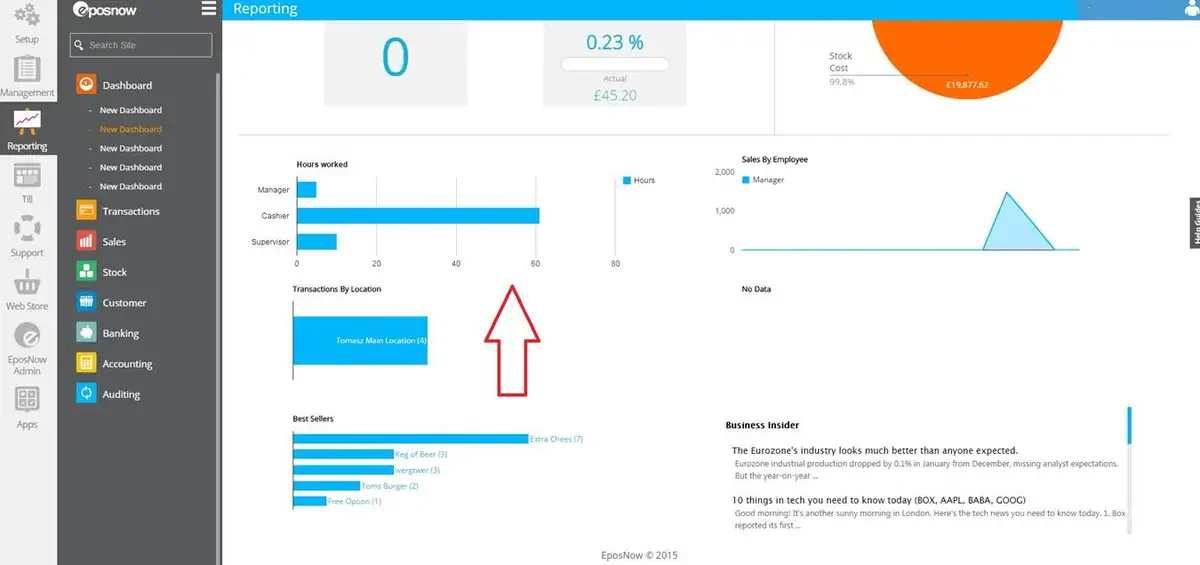
- Sales Reporting and Analytics: Users can access detailed sales reports and analytics to gain insights into business performance and make data-driven decisions.
| Strengths | Weaknesses |
|
|
Who benefits from EPOS Now? – Food businesses with large inventories, those seeking low monthly costs, and restaurants opening a second branch.
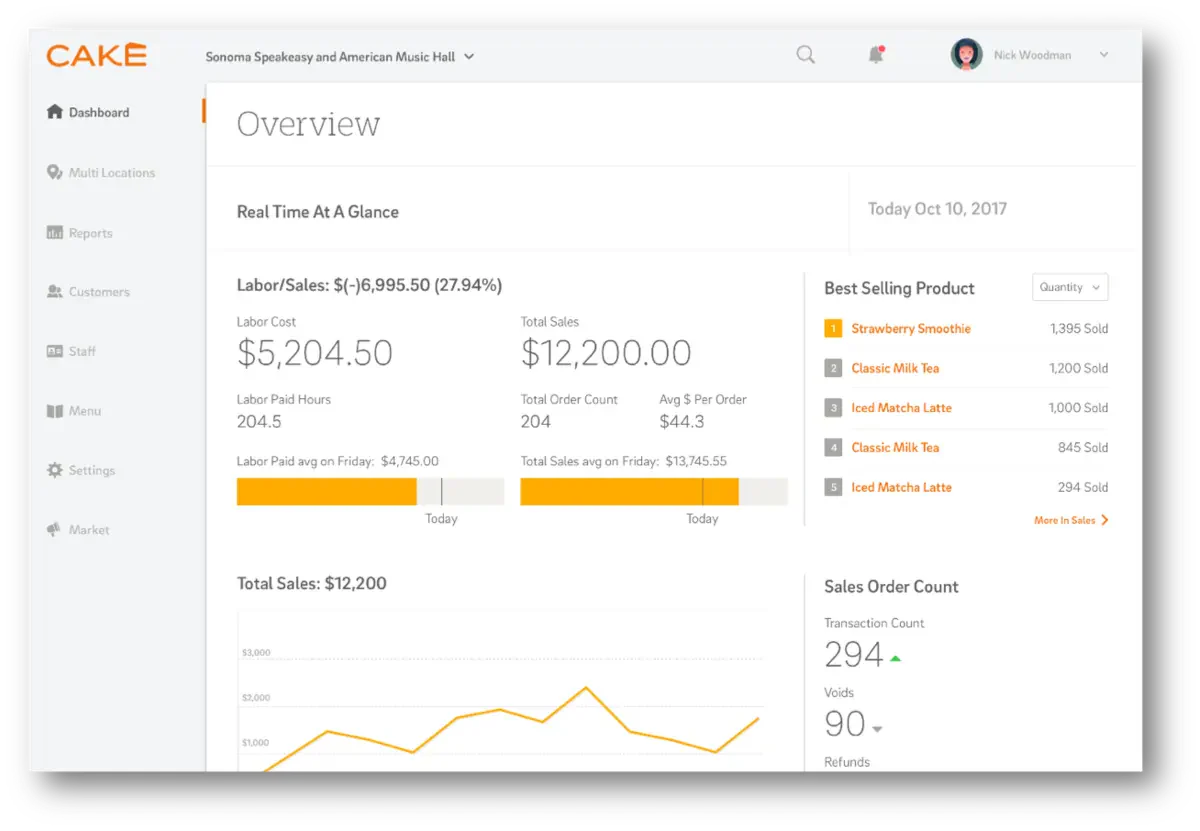
14. CAKE POS for Restaurant
- Ideal for all sizes restaurants
- Prices start from: Custom pricing
CAKE is a cloud-based Point of Sale (POS) system that offers a user-friendly interface that simplifies order management and enhances customer service.
Key features include integrated online ordering, curbside pickup, and tableside ordering, allowing restaurant staff to place and modify orders quickly.
CAKE’s payment cube supports various payment methods, including contactless options like Apple Pay and Google Pay, which streamline transactions and improve efficiency.
CAKE key features
- Online Ordering Integration: CAKE supports online ordering directly through the POS system, allowing restaurants to manage in-house dining and takeout seamlessly.
- Loyalty Programs: The system includes built-in loyalty program features that help businesses engage customers and encourage repeat visits through rewards.
- Real-Time Reporting: CAKE provides real-time reporting tools that give insights into sales trends, staff performance, and customer preferences for better decision-making.
- Curbside Pickup Management: This feature allows restaurants to manage curbside pickup orders efficiently, enhancing the customer experience during busy times.
| Strengths | Weaknesses |
|
|
Who benefits from CAKE? – Restaurants of all sizes looking for a user-friendly, all-in-one POS system.
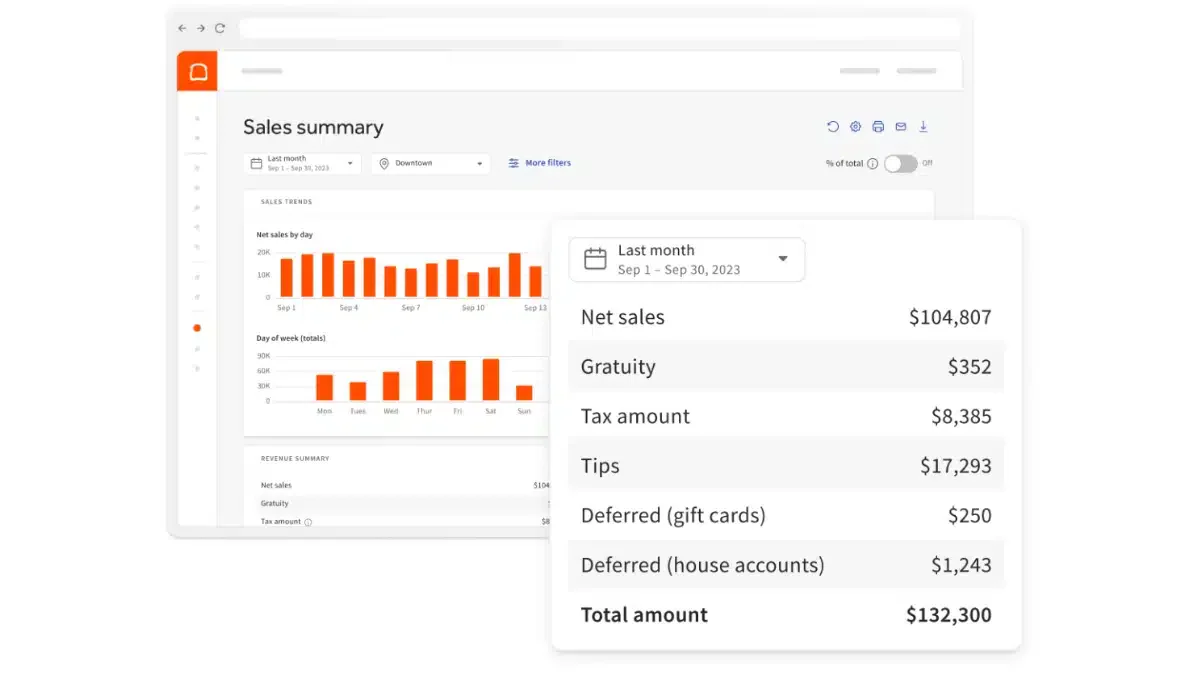
15. Loyverse POS
- Ideal for small cafés, kiosks, and restaurants that need a lightweight POS with loyalty tools.
- Prices start from: Custom pricing.
Loyverse POS is a mobile-first restaurant POS system for sales tracking, inventory management, and customer loyalty. It suits smaller food businesses seeking a simple setup. Businesses with advanced needs may consider a Loyverse POS comparison with HashMicro solutions to assess features and scalability.
Loyverse key features
- Mobile POS: Allows staff to take orders and process sales using tablets or mobile devices.
- Inventory management: Tracks product quantities and helps restaurants monitor stock levels.
- Customer loyalty program: Rewards returning customers and encourages repeat purchases.
- Sales analytics: Provides reports on revenue, popular products, and overall sales performance.
| Strengths | Weaknesses |
|
|
Who benefits from Loyverse POS? – Small restaurants, cafés, food carts, and single-location businesses that need a simple and mobile POS.
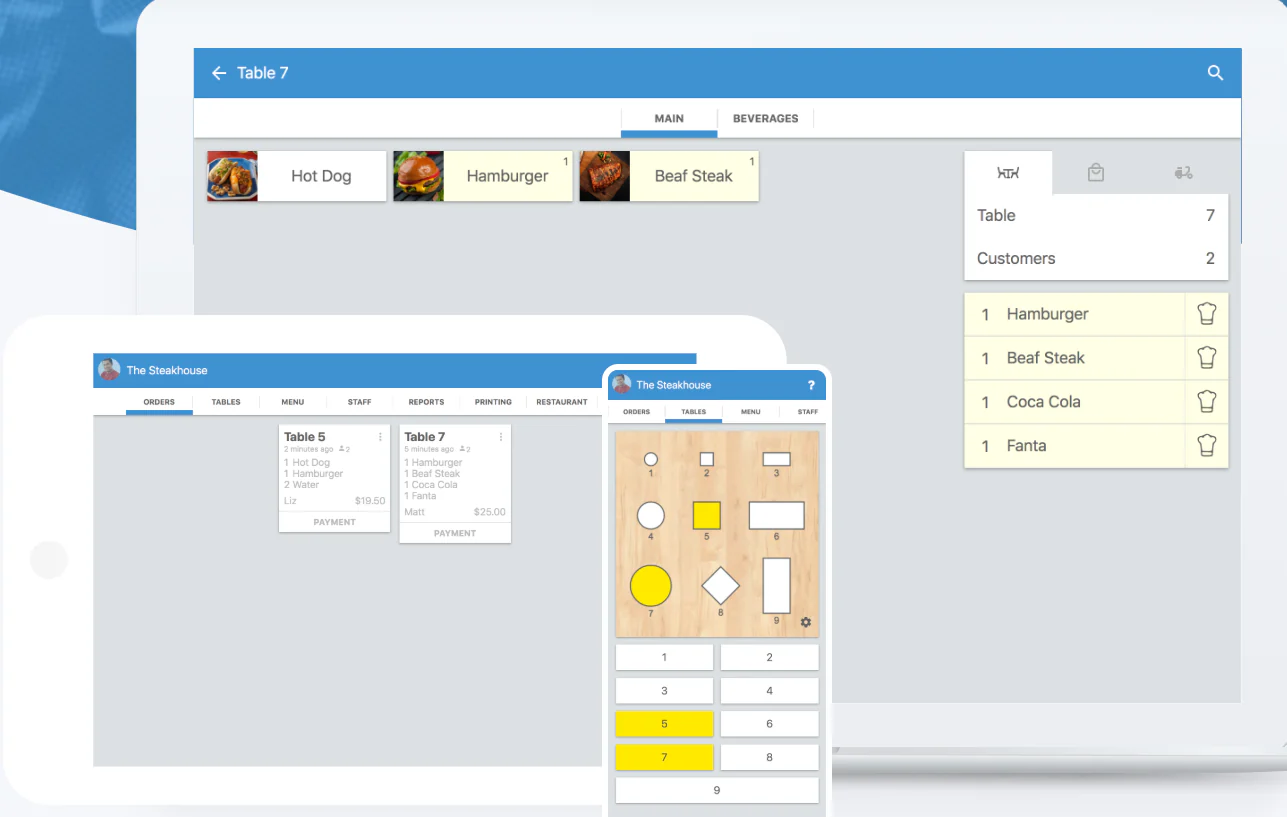
16. Waiterio
Ideal for cafés, bars, and quick-service restaurants that need a simple ordering and billing workflow.
Prices start from: Custom pricing.
Waiterio is a straightforward restaurant billing system designed to help staff take orders, manage tables, and process payments efficiently. Its simple interface makes it practical for businesses that value speed and ease of use.
Waiterio key features
Order management: Helps staff record, update, and track customer orders from a central system.
Table management: Organizes table assignments and helps staff monitor the service status of each table.
Menu customization: Allows restaurants to add, edit, and organize menu items based on their offerings.
Offline functionality: Enables staff to continue handling orders and billing when the internet connection is unstable.
| Strengths | Weaknesses |
|
|
Who benefits from Waiterio? – Small restaurants, cafés, and bars that want a simple POS focused on order taking and billing.
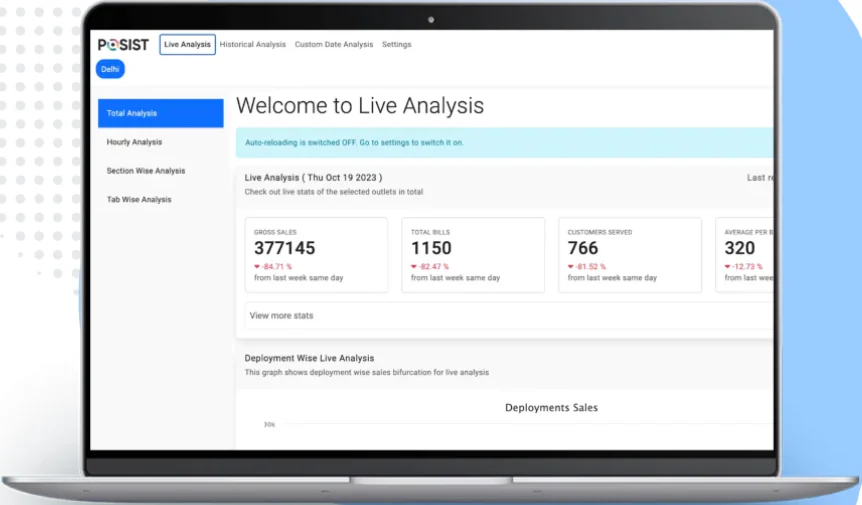
17. Restroworks Restaurant Billing Software
Ideal for multi-branch restaurants that need centralized control over orders, kitchen flow, and reporting.
Prices start from: Custom pricing.
Restroworks is a restaurant POS and management platform that supports dine-in, delivery, reservations, and back-of-house operations. It helps restaurant groups coordinate front-of-house and kitchen activities through one system.
Restroworks key features
Reservation management: Helps restaurants manage table bookings and organize customer seating.
Kitchen display system: Sends order information to the kitchen so staff can prepare meals accurately and on time.
Order management: Tracks dine-in, takeaway, and delivery orders throughout the service process.
Centralized reporting: Combines sales and operational data from different locations for easier performance monitoring.
| Strengths | Weaknesses |
|
|
Who benefits from Restroworks? – Restaurant groups, chains, and food businesses with multiple outlets or structured operational workflows.
18. eZee Optimus
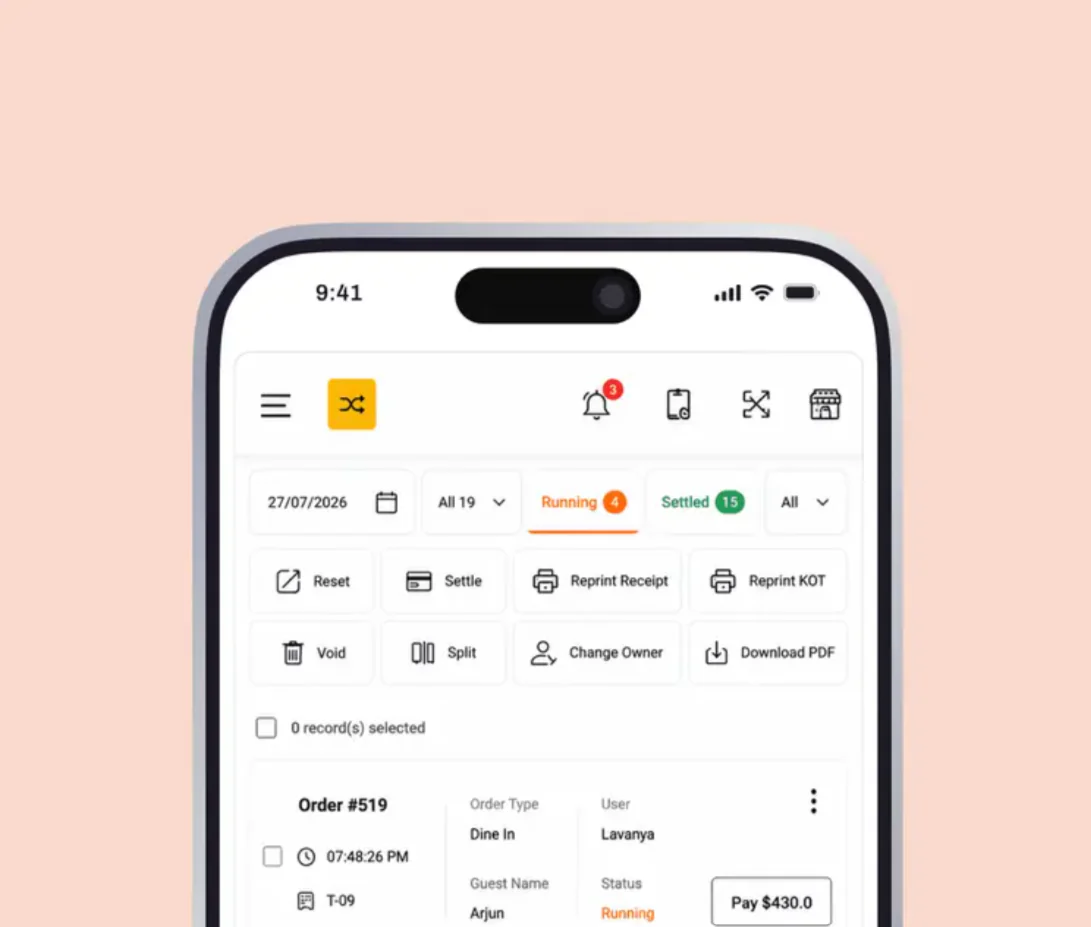
Ideal for hotels, restaurants, and food businesses that need billing, table management, and service coordination.
Prices start from: Custom pricing.
eZee Optimus is a cloud-based restaurant management system that supports billing, table operations, and guest service workflows. It is suited for businesses that need more than a basic checkout system.
eZee Optimus key features
Table management: Helps staff organize seating arrangements and track the status of occupied and available tables.
Billing and invoicing: Calculates order totals and supports the generation of customer bills.
Loyalty integration: Connects customer reward activities with restaurant transactions to support repeat visits.
Real-time reporting: Provides updated information about sales, transactions, and restaurant performance.
| Strengths | Weaknesses |
|
|
Who benefits from eZee Optimus? – Restaurants, cafés, and hotel dining operations that need a cloud POS with billing and service management features.
19. Poster POS
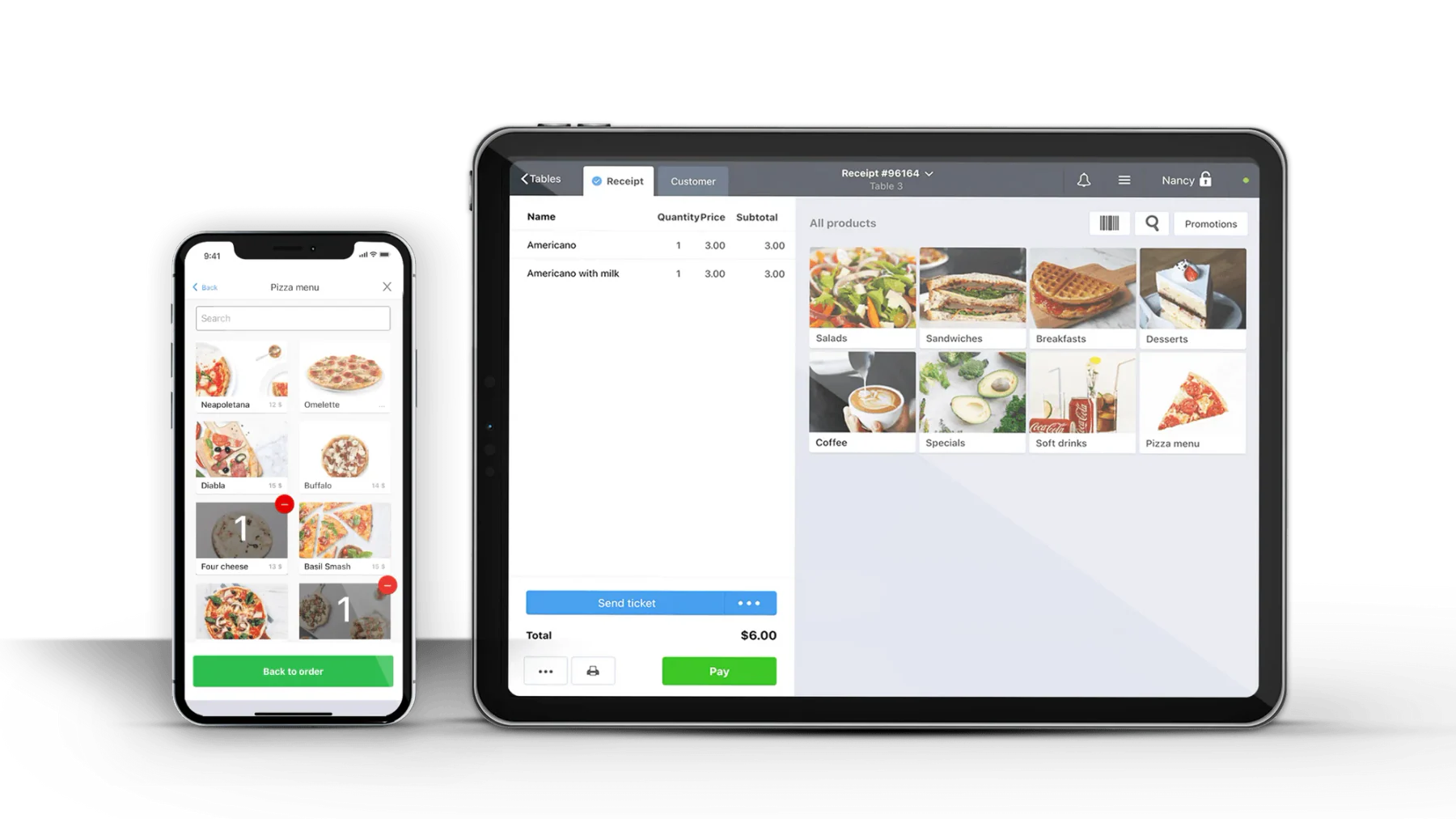
Ideal for cafés, bakeries, bars, and small restaurants that want quick deployment.
Prices start from: Custom pricing.
Poster POS is designed for food businesses that want an easy-to-use POS with menu management, inventory tracking, and sales monitoring. It is a practical option for smaller outlets that prioritize simple daily operations.
Poster POS key features
Sales tracking: Records transactions and helps restaurant owners review daily sales performance.
Inventory management: Monitors stock levels and helps staff identify products that need replenishment.
Employee scheduling: Helps managers organize staff shifts and coordinate workforce coverage.
Menu management: Allows restaurants to update menu items, prices, and product information in the POS system.
| Strengths | Weaknesses |
|
|
Who benefits from Poster POS? – Small restaurants, bakeries, cafés, and bars that want a simple POS for daily sales and inventory management.
20. eHopper
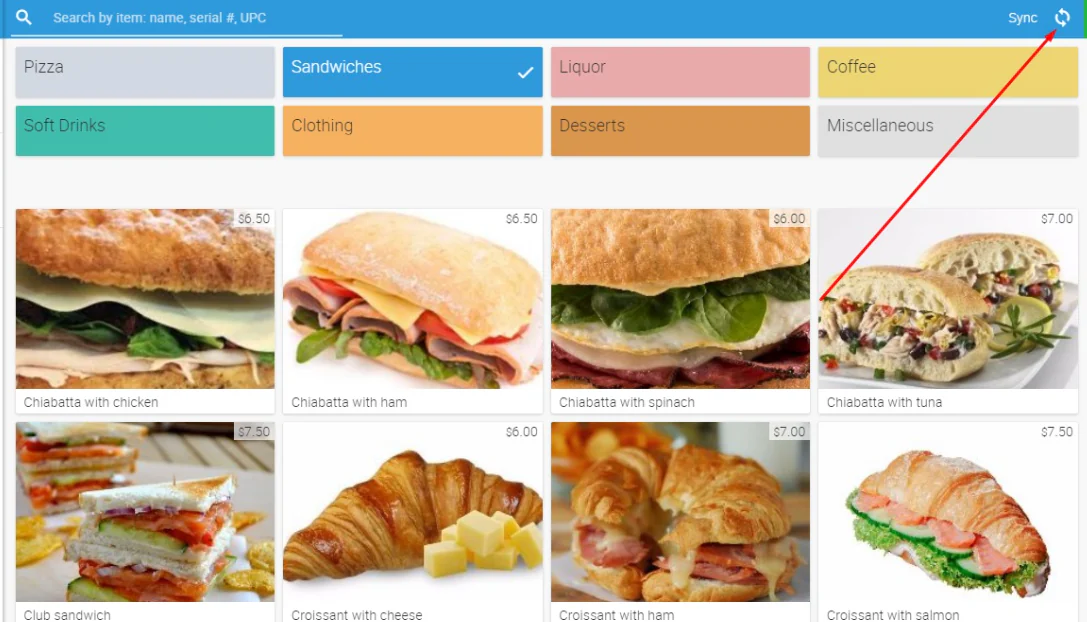
Ideal for quick-service restaurants and compact food businesses that need multi-device support.
Prices start from: Custom pricing.
eHopper is a compact POS system that helps restaurants manage sales, inventory, payments, and customer information across different devices. It is built for businesses that want essential restaurant functions in a straightforward platform.
eHopper key features
Order management: Helps staff record customer orders and track them from entry to payment.
Inventory tracking: Monitors available stock and helps restaurants maintain better control over products.
Payment integration: Connects sales transactions with supported payment processing tools for faster checkout.
Multi-device compatibility: Allows businesses to use the system on devices such as tablets and desktop terminals.
| Strengths | Weaknesses |
|
|
Who benefits from eHopper? – Quick-service restaurants, food stalls, cafés, and small outlets that need a compact POS setup.
21. FoodZaps
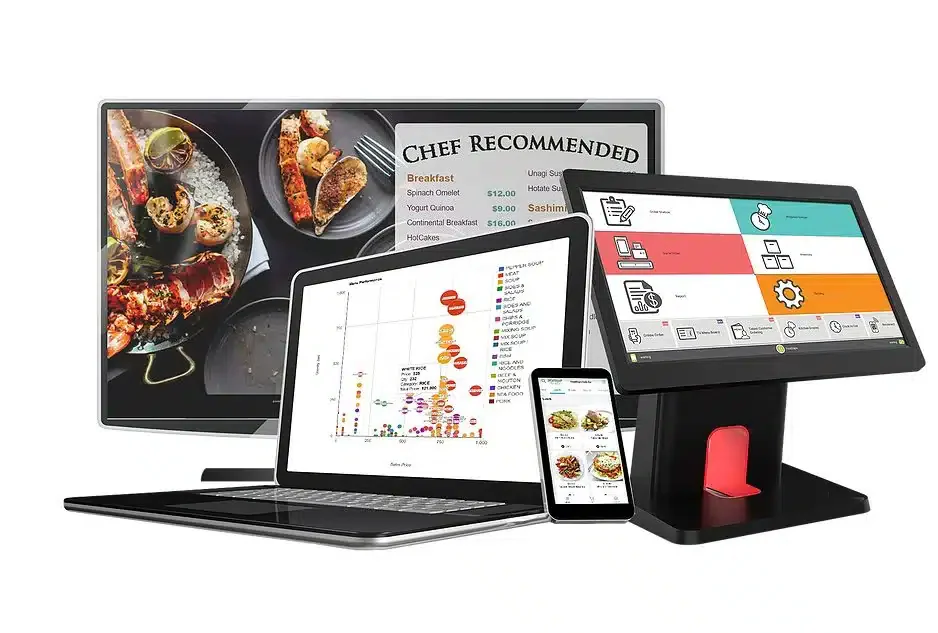
Ideal for restaurants that need offline capability, digital ordering, and device synchronization.
Prices start from: Custom pricing.
FoodZaps is an Android-based restaurant POS platform that supports ordering, billing, inventory, and customer management in one workflow. Its offline capability makes it useful for restaurants that may experience unstable internet connections.
FoodZaps key features
Offline and online operation: Allows restaurants to continue processing orders and sales during temporary internet disruptions.
Menu management: Helps staff maintain menu items, prices, and product details in the POS system.
Device synchronization: Keeps sales and order information consistent across connected devices.
Reporting tools: Provides sales and operational data that managers can use to review restaurant performance.
| Strengths | Weaknesses |
|
|
Who benefits from FoodZaps? – Restaurants that need offline resilience and a simple Android-based POS system for ordering, billing, and reporting.
How To Choose the Right Restaurant POS Software

Unlike typical retail setups, restaurants must handle table reservations and link orders to tables. Additionally, Restaurant inventory management must closely track ingredient use and costs per dish.
Choosing restaurant POS software comes down to three decisions: the architecture that fits your service format, the features your team will actually use every shift, and the local requirements every Philippine restaurant has to meet. Work through them in that order and the shortlist narrows quickly.
Which POS architecture fits your restaurant format?
The best POS type depends on how you serve, not on how big the vendor is.
| POS type | Best for | Philippine fit | Trade-off |
|---|---|---|---|
| Terminal-based (traditional) | Full-service restaurants with fixed layouts | Legacy restaurants in Binondo, steakhouses, and hotel F&B outlets with stable infrastructure | Less flexible if you rearrange layouts seasonally |
| Tablet / mobile POS (mPOS) | Fast-casual concepts, food trucks, pop-ups | Food parks such as Mercato Centrale and Sugbo Mercado, plus al fresco dining with wide service areas | Needs reliable WiFi and tablet charging management |
| Cloud-based hybrid | Multi-branch and franchise operations | Chains expanding across Metro Manila or nationwide that need one reporting view | Monthly subscription, and your data sits with the provider |
| Self-service kiosk | Quick-service restaurants and high-volume takeaway | Mall food courts and airport outlets, where younger diners already prefer self-ordering | Higher upfront hardware cost and staff assistance for some customers |
| Delivery-first | Cloud kitchens and delivery-heavy brands | Operations where GrabFood, foodpanda, and direct delivery carry most of the revenue | Weaker dine-in features, often needs a second system for table service |
Restaurants also run differently from retail where orders must be tied to tables, and inventory has to track ingredient usage and cost per dish, not just units sold.
What are the top restaurant POS system features to look for?
A restaurant POS should handle food service workflows, not just payment collection. Look for tools that help staff move faster, reduce errors, and keep operations visible.
Below are some of the most important features to consider:
- Inventory Management: Keeps track of ingredient usage and current stock levels.
- Stock Alerts: Automatically notifies the team when supplies run low and need restocking.
- Customer Loyalty Programs: Lets you offer promotions, gift cards, and incentives to encourage repeat business.
- Customer Relationship Management (CRM): Safely maintains customer contact information (emails, phone numbers, etc.) for marketing campaigns.
- Employee Management: Tracks employee work assignments and shift hours.
- Table Management: Links orders to specific tables and tracks each table’s service status.
- Reservation Management: Allows your team to schedule and manage table bookings efficiently.
- Online Ordering: Enables customers to place online orders, which is especially helpful for quick-service environments.
- Payment Processing: Accepts various payment methods (cash, credit/debit cards, and contactless payments).
What POS hardware accessories do restaurant need?
While the POS software handles most tasks behind the scenes, the right hardware can greatly improve efficiency during day-to-day operations. Among these accessories, the cash drawer remains essential for any counter that still takes physical payments, so it helps to understand how a cash drawer works before pairing one with your terminal.
Here are some important hardware components for a restaurant POS software:
- POS Stands & Docks: Adjustable holders for the POS terminal, allowing staff to easily show the screen to customers and capture electronic signatures.
- Self-Service Kiosks: Standalone stations (with built-in receipt printers and card readers) where customers can place orders and pay independently, reducing the staff’s workload.
- Touchscreen Terminals: Tablet-based screens (such as an iPad) that offer a faster and more mobile alternative to a standard desktop POS.
- Portable Power Sources: Battery packs or mobile charging units keep tablets and card readers running without interruption during long service hours.
- Card Readers: Small devices that connect to tablets or smartphones to quickly process credit and debit card payments.
What should Philippine restaurants check before buying?
A system only works well if it fits local conditions and compliance needs.
- BIR-compliant receipting: The POS should support compliant official receipt issuance.
- GCash, Maya, and QR payments: Many diners expect e-wallet options at checkout.
- Offline capability: The system should keep taking orders even during internet interruptions.
- Multi-branch reporting: Centralized reporting becomes important once the business expands.
According to the IJRES study on Iloilo City restaurants, web-based POS adoption improved operations and customer satisfaction, likely because faster service and fewer order errors directly affect the dining experience.
Conclusion
Picking a restaurant POS system isn’t just about finding software that processes payments. It’s about choosing a tool that fits how your restaurant actually operates. Your service style, your team’s tech skills, your growth plans, and the specific demands of running a food business in the Philippines.
For smaller operations, a simple cloud-based system with BIR compliance and e-wallet support might be all you need. If you’re managing multiple branches or planning to expand, you’ll want something that centralizes your data and integrates with accounting and inventory tools.
The systems listed here each have their strengths. Some excel at simplicity and low cost. Others offer deep customization for complex operations. Take the time to demo a few options, talk to their support teams, and if possible, chat with other restaurant owners using the system you’re considering.
FAQ About Restaurant POS
Several types of POS systems exist, including traditional POS systems that use hardware, mobile POS (mPOS) that operate on tablets or smartphones, cloud-based systems that store data online, and self-service kiosks.
Yes, many restaurant POS softwares can integrate with accounting software, allowing for seamless data transfer that streamlines financial management, reduces manual entry, and enhances reporting accuracy.
A POS (Point of Sale) system for restaurants is a software and hardware solution designed to manage sales, orders, and payments efficiently. It integrates various aspects of restaurant operations, such as order taking, inventory management, and reporting, into one seamless platform.
A POS system encompasses the entire setup for processing sales, including software and hardware, while a POS terminal specifically refers to the hardware device used to complete transactions, such as a card reader or cash register.
The 4 most common types of POS systems are:
1. On-premise POS (traditional/installed) – Runs on in-store servers and devices; works offline but needs local maintenance.
2. Cloud-based POS – Web-based with real-time sync across outlets; easier updates and remote access.
3. Mobile POS (mPOS) – Uses tablets/phones for checkout anywhere (ideal for pop-ups, queues, tableside service).
4. Self-service POS (kiosk/QR ordering) – Customers place orders and pay themselves, helping reduce queues and staff workload.