
Are you still stuck juggling sales, inventory, and customer complaints with a patchwork of tools? As we all know, retail moves fast in the Philippines, and choosing the best retail ERP is essential. If your system can't keep up, you’re bleeding money.
The right ERP becomes your command center, your secret weapon, and your best hire. And thus, with so many options available, which one is the best suited for your business?
The best option should be designed for growing businesses in the Philippines, which the ERP system can integrate everything, from inventory to POS to customer loyalty, without making you feel like you need an IT degree to use it.
This article is designed to help business owners, CEOs, and CFOs in the Philippines find the best ERP solution for their retail chains. We’ve carefully selected the top 12 retail ERPs that can support your business growth and success.
Table of Contents
Key Takeaways
A retail ERP system integrates all key retail functions into a centralized system.
The key benefits of a retail ERP include streamlined operations, reduced costs, improved decision-making with real-time data access, and enhanced scalability.
The top qualities of a retail ERP include comprehensive inventory management, seamless POS integration, and advanced CRM capabilities.
One of the top recommendations for retail ERP in the Philippines is HashMicro, known for its comprehensive, cloud-based system that streamlines operations and optimizes inventory management.
What Is Retail ERP?
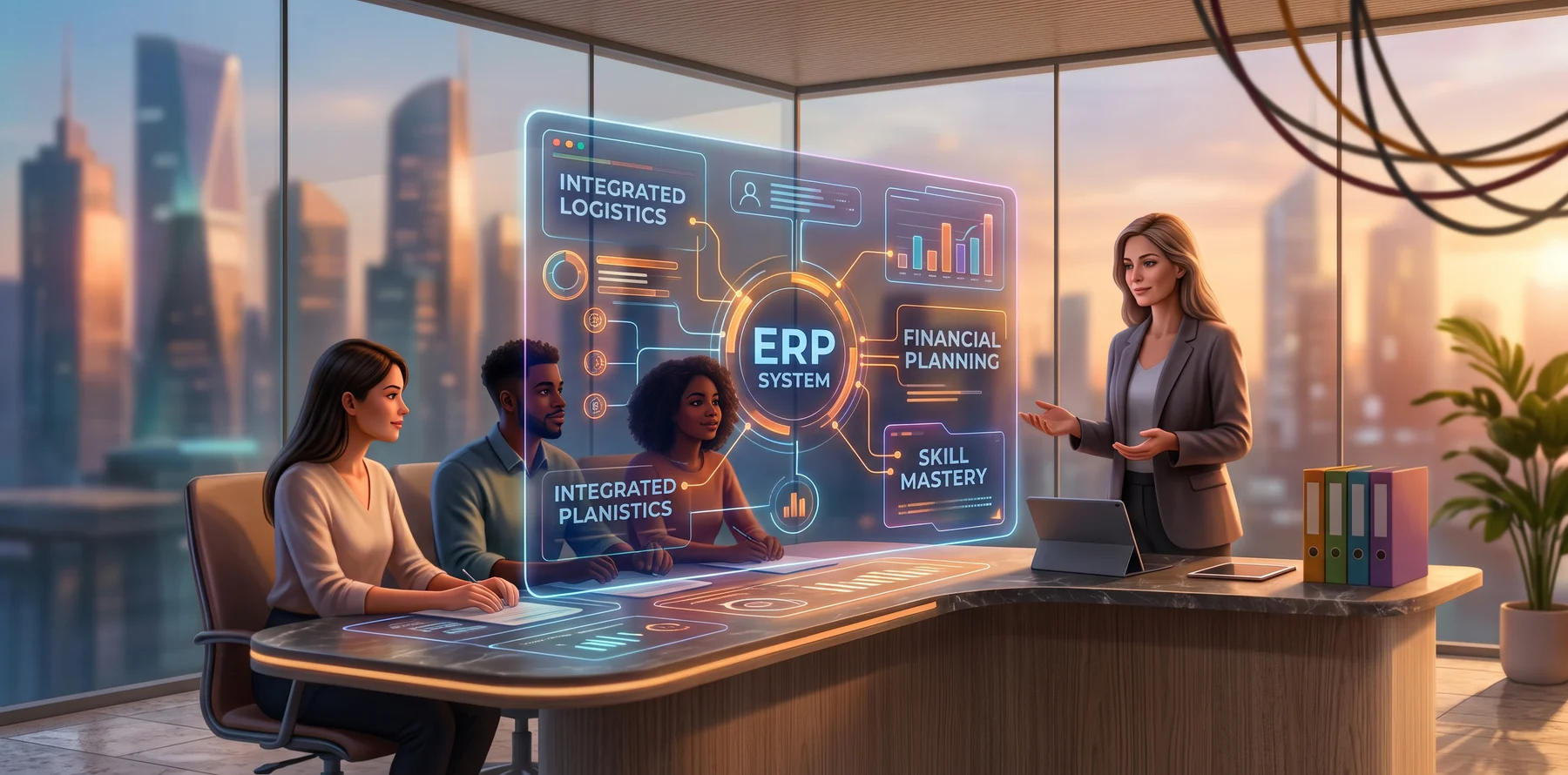
Retail ERP system consist of interconnected modules, such as finance, HR, and CRM, that work together to manage key operations like inventory, sales tracking, and reporting. Whether it’s a small boutique or a nationwide retail chain, ERP helps businesses stay organized and responsive.
Take a bookstore, for instance: it can track which titles are selling fast, reorder automatically, and log each transaction directly into its financial records. That level of coordination is what ERP makes possible.
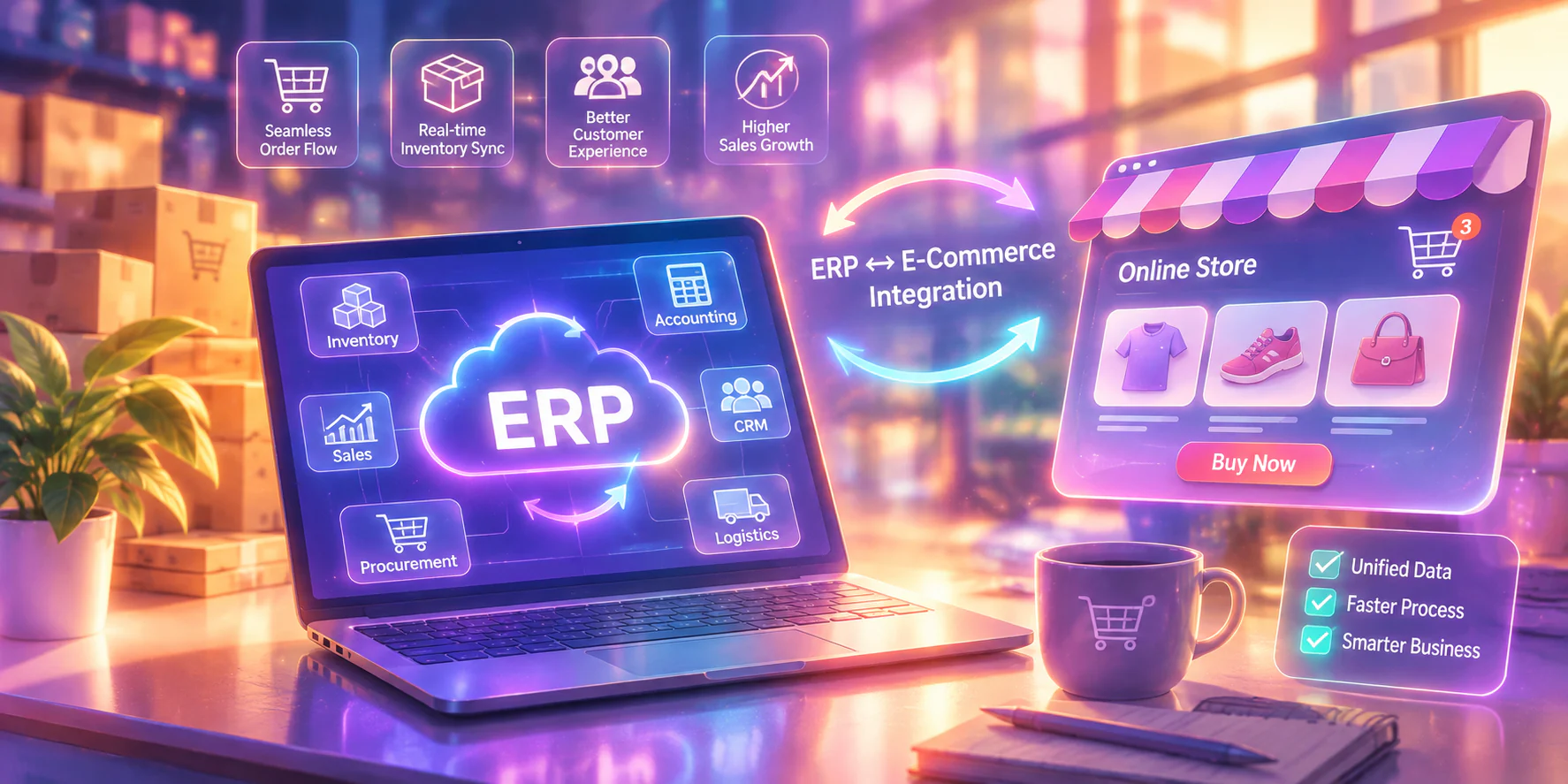
For retailers handling both online and offline channels or dealing with complex stock across locations, the right retail management software serves as a central hub. Let's say updates made in one area, then finance are instantly reflected in related modules like inventory or customer records.
Retail ERP vs. Traditional ERP
Retail ERP is designed for omnichannel and multi-location retail operations, while traditional ERP supports broader business processes across industries.
Some ERP platforms are designed specifically for retailers from the ground up, while others offer retail-specific versions of their general business systems. These retail versions allow companies to adopt ERP solutions that fit their operations without needing to build custom tools from scratch.
In addition, many retail ERP systems can be integrated with external software for financial operations, such as:
- Accounts payable automation, which reduces manual data entry and speeds up invoice processing
- Mass payment tools, ideal for retailers with frequent or global transactions
- Built-in compliance and audit trails, helping retailers manage financial risk with smaller teams
This flexibility allows retail businesses to scale without overburdening staff, while still maintaining control over both customer-facing and back-office functions.
Benefits of Retail ERP for Retail Businesses

If you’re considering whether to invest in a retail management system, it’s important to weigh the significant advantages it offers. Beyond consolidating essential business operations, a retail ERP can lead to these benefits:
- Real-Time Inventory Control: Retail ERPs track inventory across stores and warehouses in real time, so you can reorder fast-moving items before they run out and avoid wasting money on dead stock.
- Product and Sales Visibility: Access detailed reports on top-performing items, slow-moving stock, and promo effectiveness in one dashboard.
- Enhance Real-Time Data Access: An ERP syncs your POS with inventory and finance modules, so every sale updates stock and accounting automatically, without back-office cleanup.
- Accurate Order Fulfillment Tracking: Track available stock in real time to reduce customer complaints about unavailable items.
- Improve Scalability: Retail ERPs are designed to support growth. As your business expands, whether by adding more locations or diversifying products, your ERP can scale alongside your operations without the need for major overhauls.
- Facilitate Better Communication: An integrated ERP system allows teams from different departments to collaborate more effectively, as all data is stored in one accessible place.
- Automated Sales and Tax Reporting: Daily summaries, profit reports, and tax breakdowns are generated automatically, which reduces manual effort.
Shortlist of the Best Retail ERP in the Philippines
Here’s a quick shortlist of retail software options available to Philippine businesses, along with the retail use case each platform is best suited for.
Here’s a quick overview and shortlist of the best retail ERP software you can find in the Philippines, as well as what they’re known for.
| Software | Best For | Business Size | Key Features |
|---|---|---|---|
| HashMicro | Southeast Asian retailers needing an AI-powered retail ERP | SME to Enterprise | Smart Stock Forecasting, Unified POS for All Branches, Loyalty Program Tracking |
| Acumatica | Omnichannel brands with e-commerce ties | SME to Mid-Market | Financial Management, Retail Management, Distribution Management |
| Aptean | Retailers and distributors with supply chain needs | Mid-Market to Enterprise | Warehouse Management, Omnichannel Retail Management, Standardized Processes |
| Brightpearl | Multi-channel retailers and wholesalers automating operations | SME to Mid-Market | Sales Order Management, Retail Accounting, Purchasing & Supplier Management |
| Epicor | Independent retailers needing retail-specific tools | SME to Mid-Market | E-commerce Integration, Loyalty Programs, Customer Support |
| Microsoft Dynamics 365 | Retailers needing CRM-focused ERP | Mid-Market to Enterprise | Predictive Customer Analytics, Omnichannel Commerce, Loyalty Program Management |
| SAP S/4HANA | Large retailers that depend on live data | Enterprise | Real-Time Analytics, Supply Chain Optimization, Customer Engagement |
| Oracle | Retailers needing merchandising and finance coverage | Mid-Market to Enterprise | Enterprise Integrated Inventory Management, POS Integration, Customer Insights |
| Infor | Global retailers managing complex inventory | Enterprise | Advanced Analytics, Global Supply Chain Management, Industry-Specific Solutions |
| Intact iQ | Complex retailers needing flexibility | flexibility SME to Mid-Market | Financial Management, Stock Control, Ecommerce Integration |
| Odoo | SMEs wanting a modular, budget-friendly ERP | SME | CRM, Inventory Management, Point of Sale |
| Sage | Retailers focused on financial management | SME to Mid-Market | Inventory Management, Accounting, CRM |
12 Best Retail ERP Software Recommendations in the Philippines
There are many leading retail ERP software available in the Philippines. With different uniqueness, choosing the most suitable retail ERP for your business is important. So, here are several recommendations of the best retail ERP software in the Philippines.
1. Retail ERP HashMicro
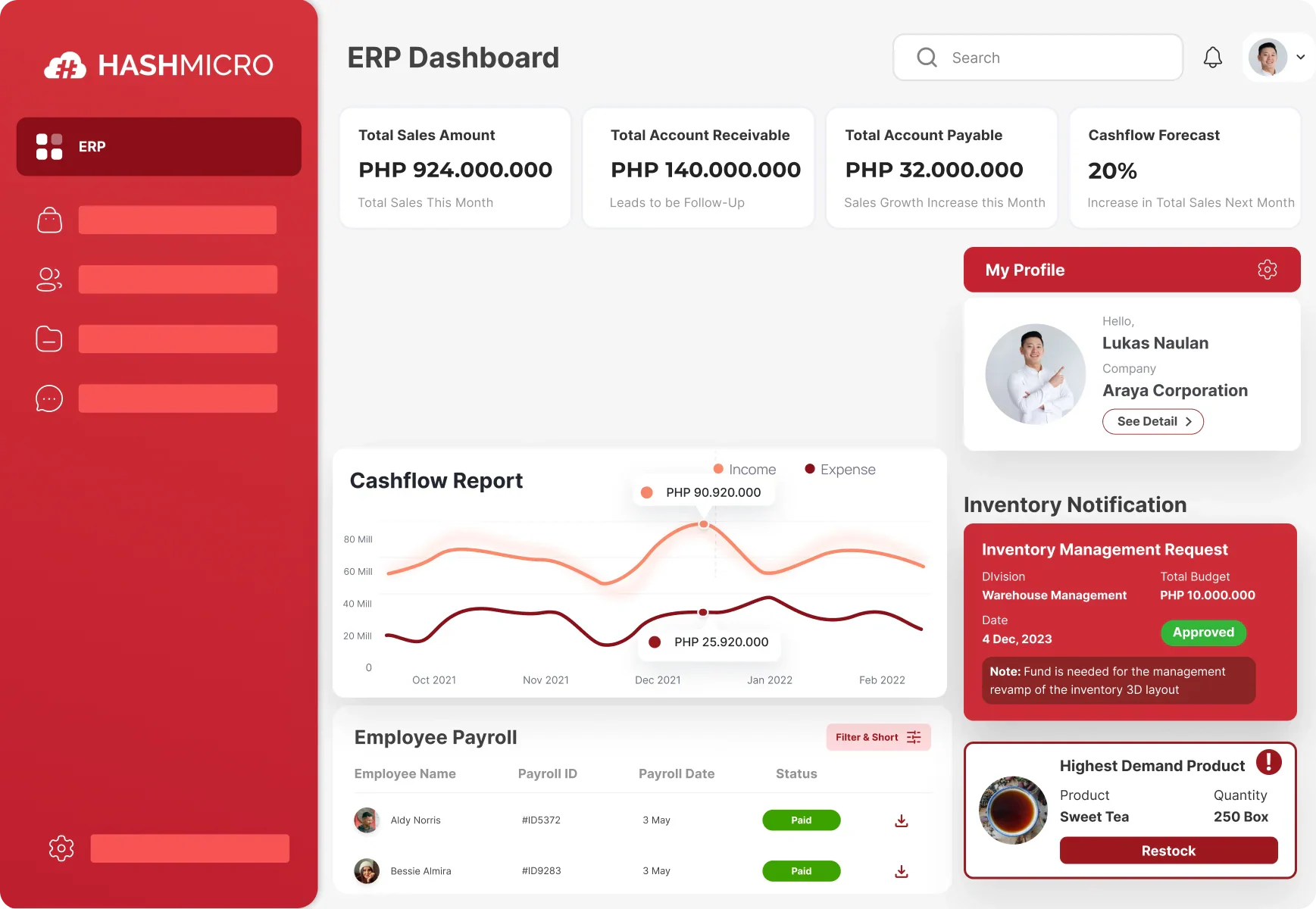
HashMicro ERP is the best retail ERP software in the Philippines. HashMicro is equipped with a comprehensive cloud-based enterprise resource planning solution tailored to streamline business processes through extensive workflow automation and inter-departmental integration.
HashMicro is particularly well-suited for various industries, mainly for retail. While it’s serving a wide range of clients from medium to large enterprises, this ERP software offers many benefits such as customizable, unlimited user, and free consultation service.
With excellent customer service, HashMicro is a perfect choice for retail businesses to streamline operations and optimize inventory management. Here are the key features of HashMicro Retail ERP:
- Smart Stock Forecasting: Analyzes past sales, seasonal trends, and current stock levels to calculate the exact quantity needed for each SKU.
- Unified POS for All Branches: Connects all store registers to a central database that updates transactions, inventory, and reports in real time.
- Auto-Run Promotions: Applies discounts based on preset conditions like date, product category, or cart value without manual setup each time.
- Loyalty Program Tracking: Assigns points to customer accounts after each purchase and triggers reward eligibility once thresholds are met.
- Barcode & RFID Integration: Reads product codes through scanners or RFID readers to instantly update stock levels during sales or stock takes.
- Bank Reconciliation Automation: Cross-checks sales records with incoming bank deposits and flags mismatches for review.
- Omnichannel Sync: Pulls data from ecommerce and physical stores into a single system that updates stock and customer records instantly after each transaction.
| Pros | Cons |
|
|
If you’re curious about more detailed information and features of HashMicro, you’re free to download the pricing plan below.
2. Acumatica Retail ERP
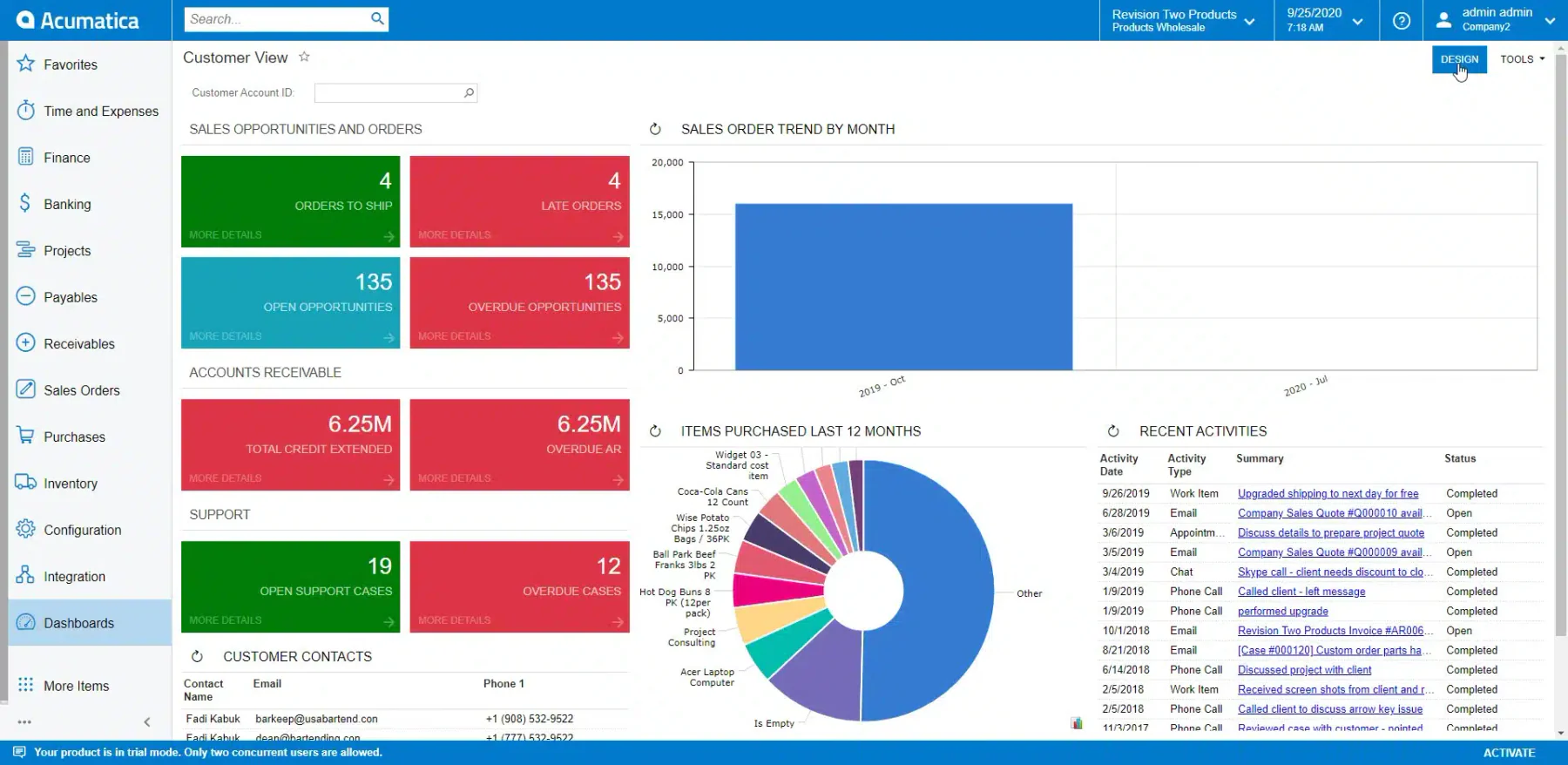
In a review of Acumatica, this software offers a robust cloud-based ERP solution tailored for small to mid-sized businesses, enhancing their efficiency and adaptability across various sectors, including retail. The platform is designed to consolidate multiple core business functions, from financials and CRM to inventory and project management, into a cohesive, user-friendly system.
While Acumatica provides comprehensive capabilities, its pricing model, based on transaction volumes rather than per-user fees, can be unpredictable and potentially expensive for businesses experiencing growth. Some users report a steep learning curve due to its extensive functionalities, which may require additional training.
Feature List:
- Financial Management: Centralizes general ledger, accounts payable, accounts receivable, cash management, tax, and financial reporting.
- Manufacturing Management: Supports production planning, material requirements, shop-floor activities, and production cost tracking.
- Project Accounting: Tracks project budgets, actual costs, timesheets, inventory usage, billing, and profitability.
- Retail Management: Connects online and in-store operations to improve inventory visibility, fulfillment, and customer service.
- Distribution Management: Coordinates purchasing, inventory, sales orders, warehousing, and fulfillment from one system.
| Pros | Cons |
|
|
3. Aptean ERP for Retail Industry
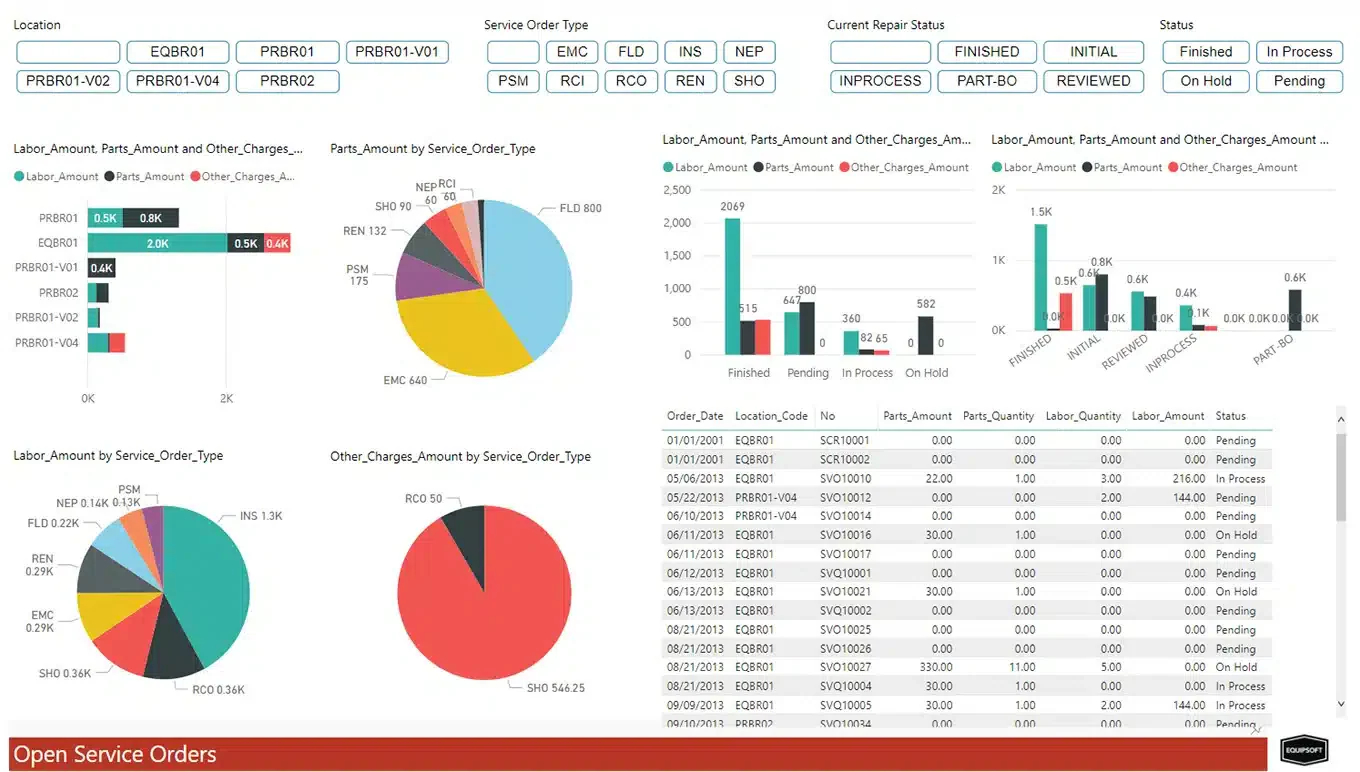
Aptean delivers a specialized ERP solution designed to cater to the distinct needs of manufacturers and distributors across various industries, including retail. The platform focuses on optimizing retail and distribution operations through real-time data updates and standardized processes.
One limitation of Aptean ERP is that its industry-specific nature might limit flexibility for businesses that span multiple sectors or require customization beyond standard configurations. The system’s focus on specialized markets can also make it less intuitive for users unfamiliar with industry-specific terminologies and workflows, potentially increasing the onboarding time.
Feature List:
- Real-Time Data Updates: Keeps inventory, order, and product information current as operational transactions are recorded.
- Standardized Processes: Establishes consistent workflows for purchasing, inventory handling, order fulfillment, and reporting.
- Warehouse Management: Coordinates receiving, storage, picking, packing, and shipment activities within the warehouse.
- Omnichannel Retail Management: Consolidates orders and inventory from websites, physical stores, and marketplaces into one operational view.
| Pros | Cons |
|
|
4. Brightpearl Retail ERP
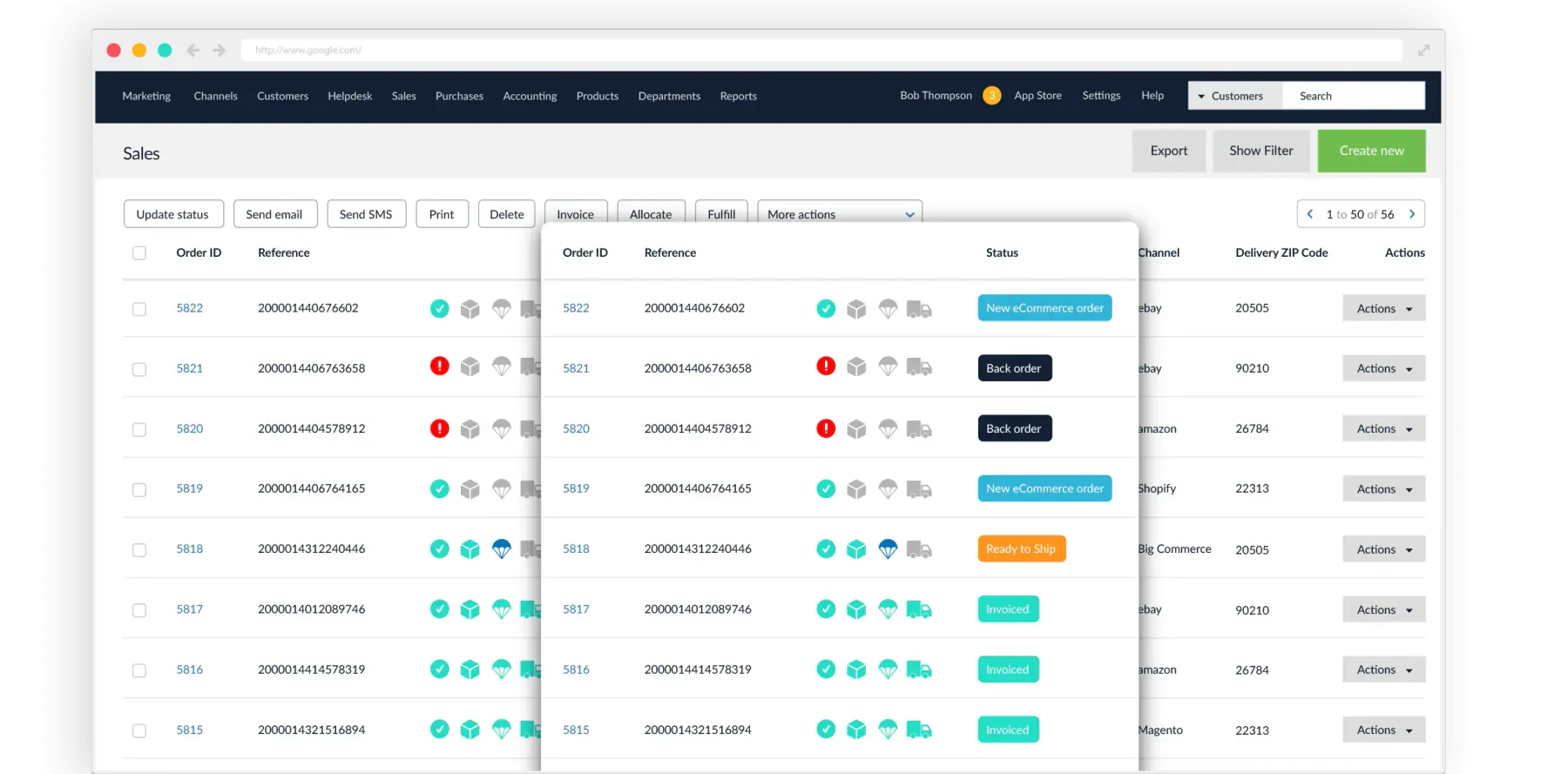
Brightpearl stands out as a Retail Operations Platform specifically constructed for the dynamic needs of retail and wholesale businesses. It offers a comprehensive suite of tools ranging from sales order and inventory management to retail accounting and supplier management.
Brightpearl may present challenges for smaller retailers due to its pricing and service tier structure, which could be cost-prohibitive for those just starting out or operating on a smaller scale. The platform’s extensive features, while beneficial, can also require a significant time investment in training to fully leverage its capabilities.
Feature List:
- Sales Order Management: Centralizes orders from multiple sales channels and supports processing from purchase through fulfillment.
- Inventory Management: Synchronizes inventory levels across stores, warehouses, and online channels to reduce stock discrepancies.
- Retail Accounting: Connects sales, inventory, purchasing, and accounting records to provide current financial visibility.
- Purchasing & Supplier Management: Manages purchase orders, supplier records, incoming stock, and replenishment activities.
| Pros | Cons |
|
|
5. Epicor Retail Industry Software
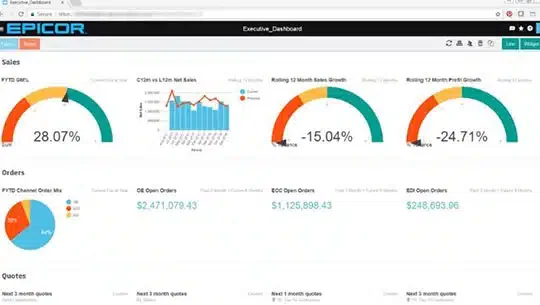
Epicor delivers tailored business software that addresses the specific challenges of industries such as manufacturing, distribution, retail, and services. For retailers, Epicor provides robust solutions that cater to a variety of operational needs, available both in the cloud and on-premises.
While Epicor offers specialized solutions for different retail operations, the complexity and depth of its features can pose a steep learning curve for users, particularly those without a strong technical background. Additionally, the cost of deploying and maintaining Epicor, especially for on-premises installations, can be high, potentially putting it out of reach for smaller retailers.
Feature List:
- Payment Processing: Processes integrated card payments while centralizing authorization, settlement, and transaction reporting.
- E-commerce Integration: Connects online storefront activity with inventory, customer, and transaction data in the retail system.
- Customer Support: Gives retail teams access to product and customer information when assisting shoppers before or after a purchase.
- Loyalty Programs: Uses customer purchase histories to manage rewards, personalized discounts, and customer's loyalty engagement.
| Pros | Cons |
|
|
6. Microsoft Dynamics 365 Retail ERP
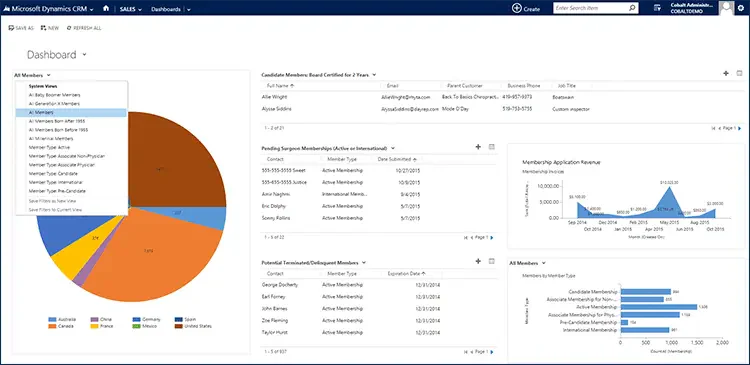
Microsoft Dynamics 365 revolutionizes the traditional ERP landscape by integrating extensive ERP functionalities with the familiar Office 365 applications, all within a unified cloud-based service. This platform is particularly adept at transforming retail operations by leveraging advanced analytics to predict customer behavior and crafting enriched omnichannel commerce experiences.
Dynamics 365 can be overwhelming due to its complexity and breadth of features, which may require substantial time for users to master fully. Additionally, the customization needed to tailor Dynamics 365 to specific business needs can be resource-intensive, potentially increasing the total cost of ownership, especially for smaller businesses without dedicated IT support.
Feature List:
- Integrated with Office 365: Connects retail workflows with familiar productivity applications for communication, analysis, and collaboration.
- Predictive Customer Analytics: Analyzes customer profiles and purchasing behavior to support more relevant recommendations and interactions.
- Omnichannel Commerce: Aligns products, prices, promotions, inventory, and customer journeys across physical and digital channels.
- Loyalty Program Management: Manages reward rules, loyalty tiers, points, cards, and redemption across participating retail channels.
| Pros | Cons |
|
|
7. SAP S/4HANA Retail Industry Software
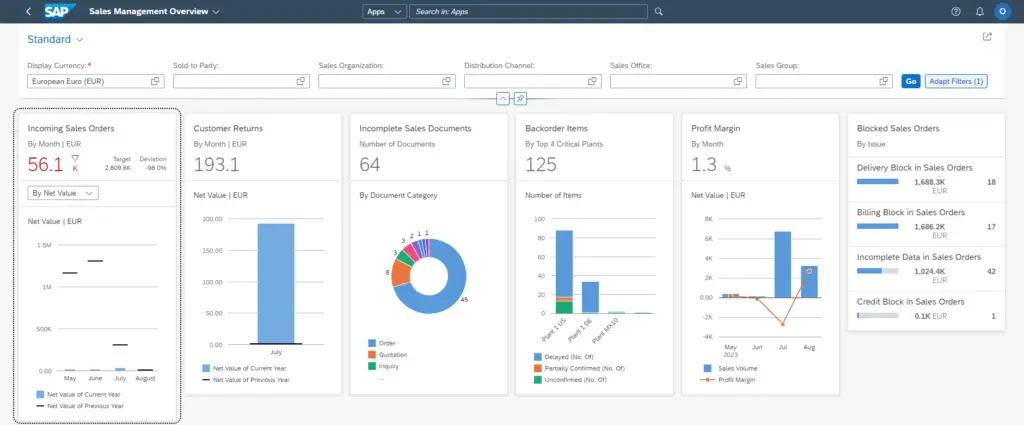
SAP S/4HANA is engineered specifically to meet the complex demands of the retail sector, offering a high-performance, in-memory ERP suite that integrates all critical business functions. It streamlines end-to-end retail processes from procurement to customer engagement.
Despite its comprehensive capabilities, SAP S/4HANA can be complex and resource-intensive, potentially leading to challenges in implementation, especially for smaller retailers without extensive IT infrastructure.
Feature List:
- In-memory computing: Processes large operational datasets quickly to support high-volume retail transactions and reporting.
- Real-time analytics: Provides current information on inventory, products, sales, and operational performance.
- Supply chain optimization: Supports inventory flow, availability checks, warehouse operations, transportation, and order fulfillment.
- Customer engagement: Connects product, promotion, stock, and customer information to support more informed retail interactions.
| Pros | Cons |
|
|
8. Oracle Business Software Retail
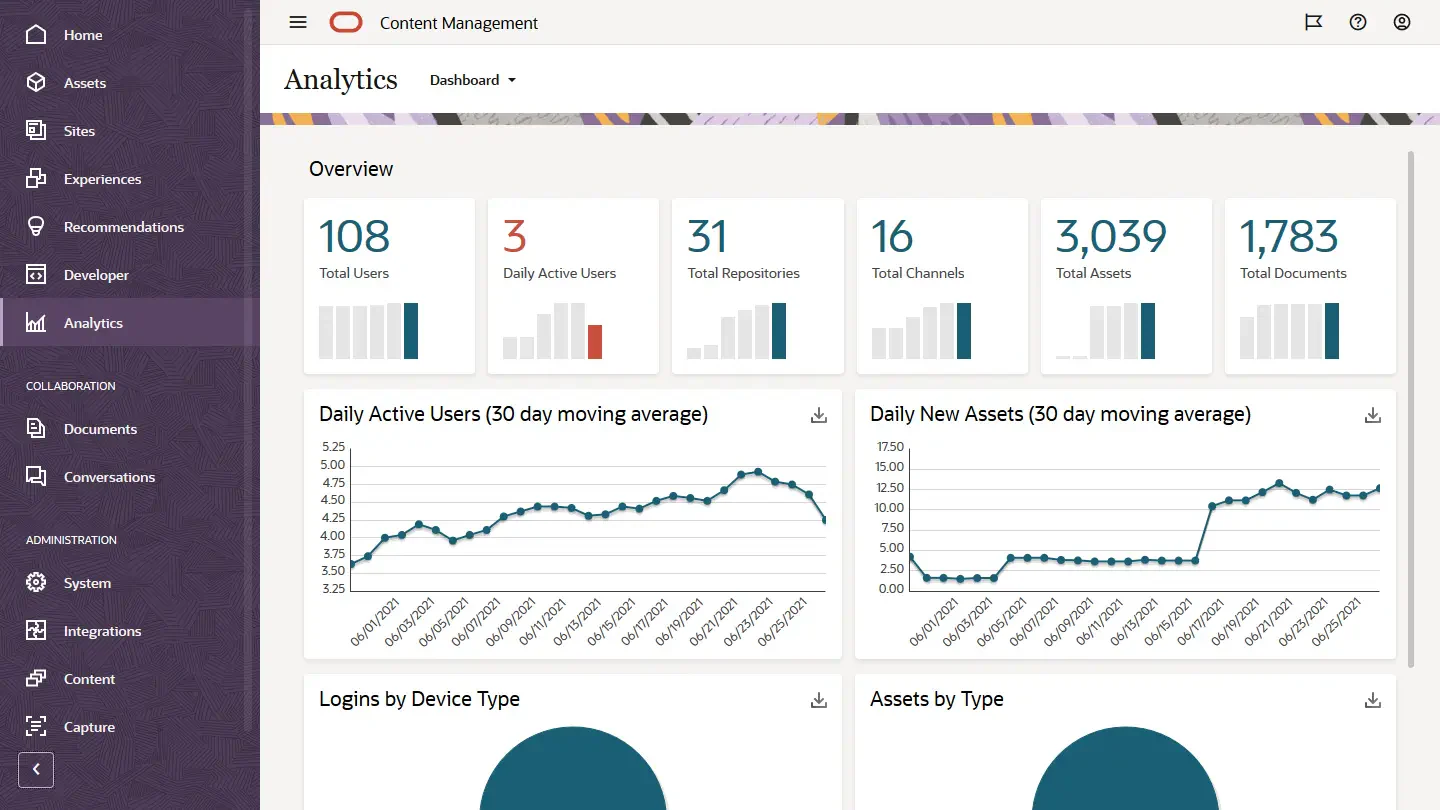
Oracle Cloud ERP offers a comprehensive, cloud-based solution specifically designed for retail operations. It integrates critical functionalities like inventory management, point-of-sale (POS), and advanced customer insights, all aimed at enhancing the efficiency and effectiveness of retail management.
Despite its extensive features, Oracle NetSuite Cloud ERP may present challenges in terms of complexity and the resources required for effective implementation. The system’s robust functionality might necessitate significant training for staff and could lead to longer adaptation periods.
Feature List:
- Integrated Inventory Management: Provides current inventory visibility and supports receiving, stock counting, replenishment, and fulfillment.
- Point-of-Sale System Integration: Connects store transactions with customer, inventory, payment, and order information.
- Customer Insights: Analyzes customer segments, purchasing patterns, product affinity, and promotion performance.
- Real-Time Data Analytics: Converts retail data into insights about sales, stock, store performance, markdowns, and potential stockouts.
| Pros | Cons |
|
|
9. Retail ERP Infor
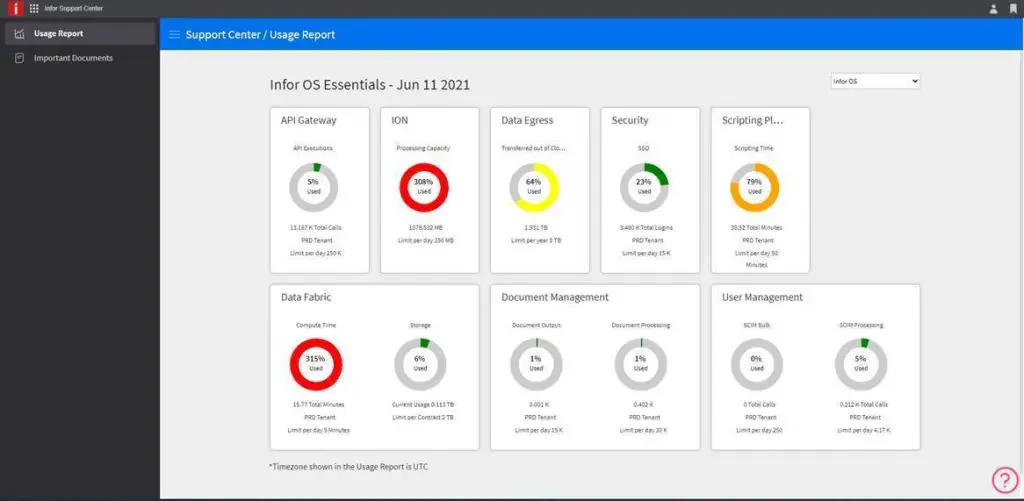
Infor CloudSuite ERP is celebrated for its industry-specific configurations, making it highly effective for various sectors including manufacturing, healthcare, and retail. This cloud-based solution is designed to support complex, global operations with a robust suite of capabilities including advanced analytics, supply chain management, and customizable
Despite its powerful features, the system may present challenges in terms of implementation and ongoing maintenance, especially for smaller businesses that lack extensive IT resources. The sophisticated nature of the ERP requires a significant investment in user training and may involve higher costs compared to other ERP solutions, potentially making it less accessible for smaller enterprises or those on tight budgets.
Feature List:
- Advanced Analytics: Presents financial, supply chain, and operational data through role-based dashboards and performance indicators.
- Global Supply Chain Management: Connects demand, inventory, procurement, production, warehousing, and fulfillment across locations.
- Industry-Specific Solutions: Provides workflows and configurations designed around the operational requirements of particular industries.
- Financial Management: Centralizes accounting, reporting, multi-company, and multi-currency financial processes.
| Pros | Cons |
|
|
10. Intact Business Software Retail
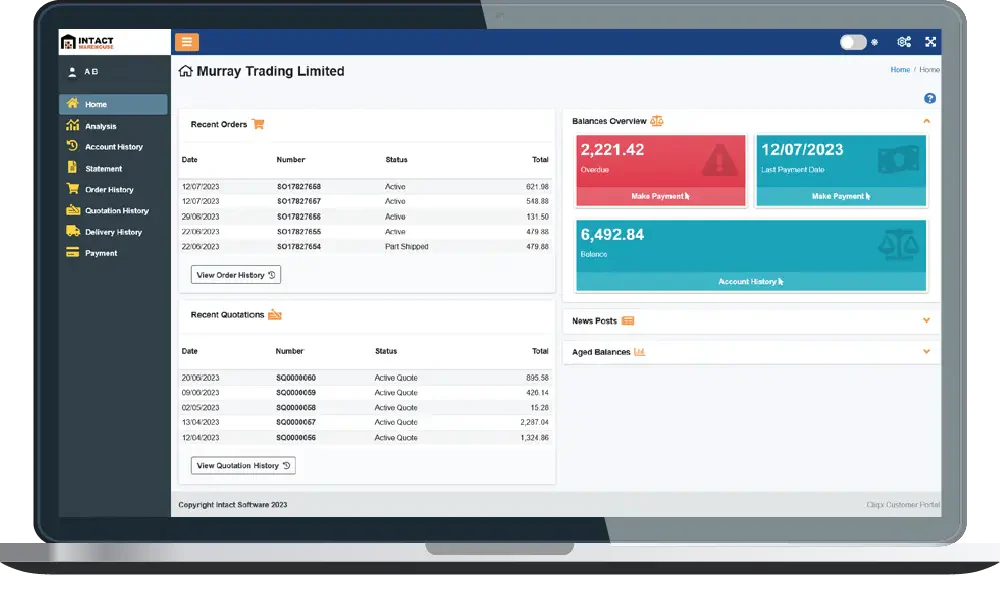
Intact iQ is a flexible ERP solution tailored for small to medium-sized businesses, offering a comprehensive view of business operations from a single platform. Known for its cloud capabilities, Intact iQ facilitates access across multiple mobile devices, enhancing connectivity and on-the-go management.
While Intact iQ offers broad functionality and flexible access, the platform’s extensive features may require a learning curve for some users. Additionally, the need for customization could complicate initial setup and ongoing management.
Feature List:
- Financial Management: Tracks financial transactions, margins, profitability, credit control, budgeting, and management reporting.
- Stock Control: Monitors stock quantities, movements, reorder points, aged inventory, and product margins.
- Point of Sale: Records counter transactions while connecting sales activity with customer, stock, and financial data.
E-commerce Integration: Synchronizes online orders, stock availability, customer pricing, and product information with the ERP system.
| Pros | Cons |
|
|
11. Odoo Retail ERP Solutions
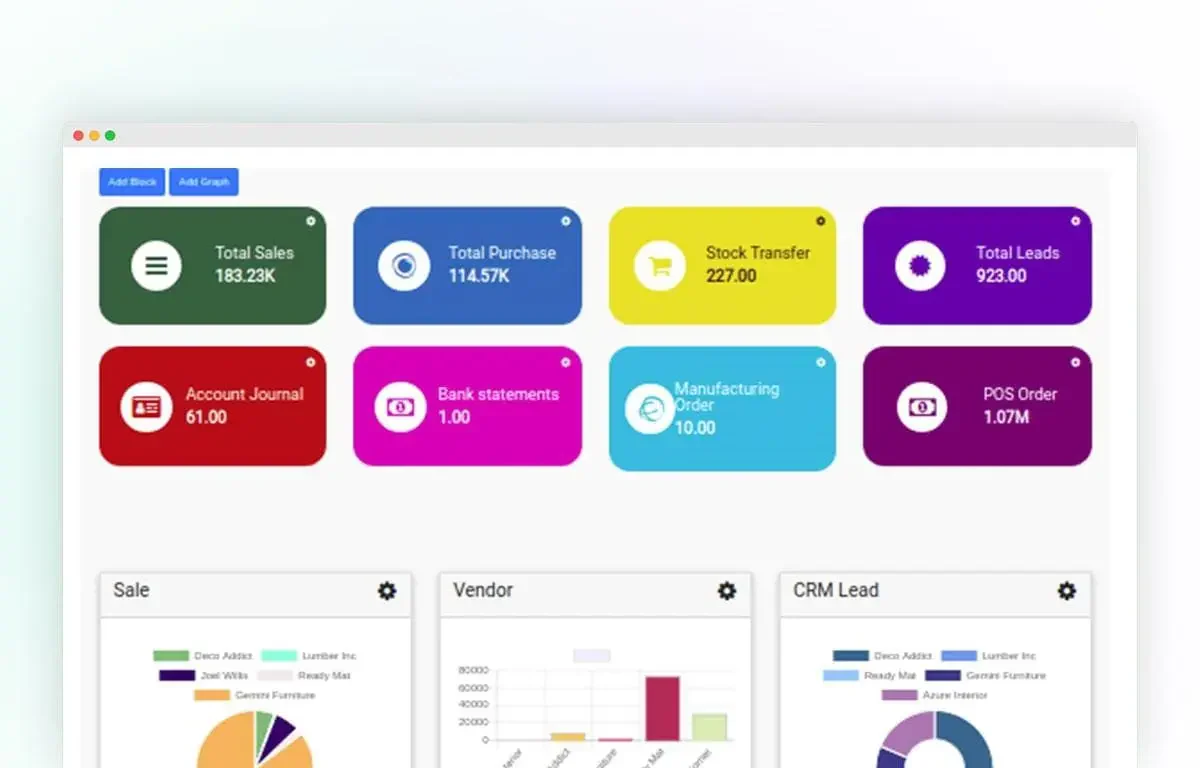
Odoo provides a comprehensive suite of open-source business management applications, designed to suit a variety of business needs including CRM, e-commerce, inventory management, accounting, and more. This platform is especially noted for its modular structure, allowing companies to add or modify applications as their business grows.
Some users find the system’s extensive features overwhelming, and substantial customization may require technical expertise or external assistance. Furthermore, while Odoo does offer a free version, scaling up and utilizing more extensive features can become costly as more applications are added and more users are supported.
Feature List:
- CRM: Organizes leads, customer interactions, sales opportunities, and follow-up activities in one application.
- E-commerce: Provides an online storefront connected with products, customer accounts, orders, payments, and inventory.
- Inventory Management: Tracks stock quantities, warehouse movements, product lots, serial numbers, receipts, and deliveries.
- Point of Sale: Processes in-store transactions while connecting product, customer, payment, and inventory information.
| Pros | Cons |
|
|
12. Sage ERP for Retail Industry
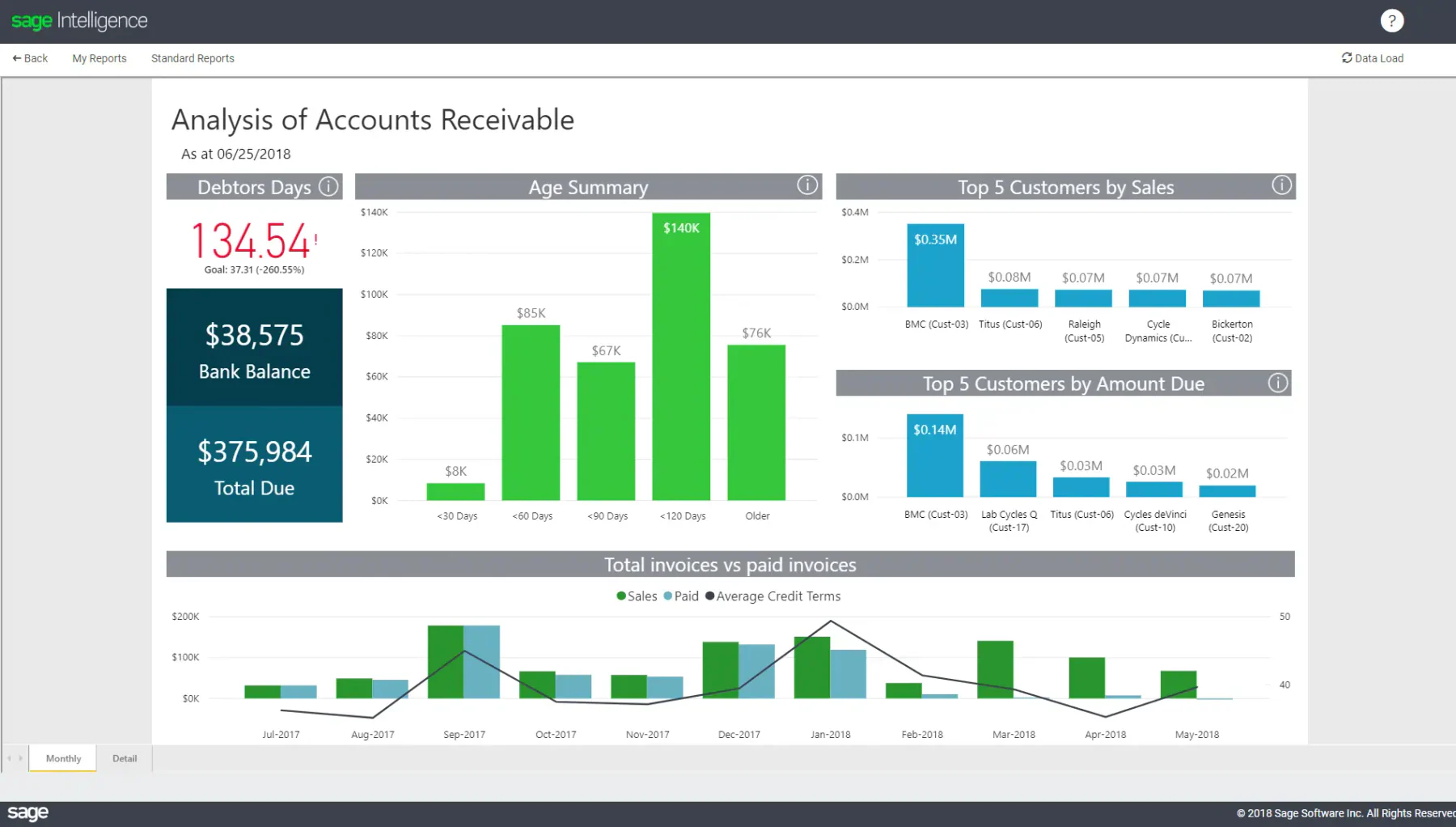
Sage ERP provides a suite of cloud business management solutions, designed to cater to small and medium-sized businesses across various industries including wholesale distribution, manufacturing, and more. Its offerings include Sage 100, Sage 300, and Sage X3, each equipped with core features like inventory management, HR, accounting, and CRM.
While Sage offers robust ERP solutions, the variety of options (Sage 100, 300, and X3) might be confusing for users to choose from, each tailored to different needs and scales of operation. Additionally, as comprehensive as these solutions are, the implementation and ongoing maintenance can be resource-intensive, particularly for smaller businesses that may lack the necessary IT infrastructure.
Feature List:
- Inventory Management: Tracks stock availability, product movements, purchasing, orders, and supply chain information.
- Human Resources: Manages recruitment, employee records, attendance, performance, compensation, benefits, and payroll processes.
- Accounting: Centralizes financial transactions, budgeting, accounts payable, accounts receivable, and reporting.
- Customer Relationship Management (CRM): Organizes leads, customer records, sales activities, orders, and relationship histories.
| Pros | Cons |
|
|
How to Choose the Best ERP for Retail
Choosing the best retail management software your business isn’t just about picking a system with “inventory” or “finance” features. Retail is a fast-moving, multi-location, customer-driven world, so your ERP needs to be designed for that reality.
Here’s what to look for if you want tangible value:
1. Multi-Location Inventory Management
A solid multi-location inventory management module is essential. It should give your team real-time visibility of stock across branches and warehouses. Look for features like live stock tracking, system-generated transfer suggestions based on demand, and centralized access to inventory data for the entire team.
2. Automated Replenishment
To avoid both stockouts and excess inventory, look for ERPs with predictive analytics that calculate reorder points, support Just-in-Time restocking, and auto-generate purchase orders based on set rules.
3. Point-of-Sale (POS) Integration
Choose an ERP that connects your POS system directly to inventory and finance. It should sync sales in real time, apply pricing and promotions consistently, and continue processing transactions even during internet outages.
4. Customer Relationship Management
An effective CRM module should combine online and in-store customer data into one view. It must track purchase histories, trigger personalized promotions, and manage a unified loyalty program across all sales channels.
5. Robust Finance Module
Your retail ERP should reconcile sales and bank records automatically, generate accurate financial reports instantly, and meet local tax and compliance standards without manual effort.
6. Scalability
Finally, choose a system that grows with your business. Look for modular features you can add later, customizable workflows that reflect how your team operates, and support for multiple currencies and languages if you plan to expand internationally.
Conclusion
Selecting the right ERP system is critical for retail businesses in the Philippines as it can significantly enhance operational efficiency, improve customer engagement, and drive overall business growth.
One of the best retail ERP system is HashMicro. With complete features offered, HashMicro can streamline processes, reduce costs, and provide the flexibility to scale as the business expands. It ultimately ensures a more competitive and agile retail operation.
If you’re curious about HashMicro retail ERP, don’t miss the chance to try the free consultation now!
FAQ About Retail ERP System
FAQ
A retail ERP system should include real-time inventory tracking, POS integration, CRM, sales and tax reporting, and supplier management. These modules work together to keep stock levels, sales data, and customer records synchronized across every store and channel.
POS software only handles transactions at checkout, while retail ERP connects that data to inventory, finance, and CRM modules. This gives retailers a complete view of stock, sales, and customer behavior beyond the point of sale.
Yes, many retail ERP systems offer modular pricing, so small businesses can start with essential features like inventory and POS, then add modules such as CRM or advanced analytics as operations grow.
Yes, retail ERP syncs inventory, orders, and customer data between physical stores and online channels in real time, so stock levels and sales records stay consistent no matter where a purchase happens.
Businesses should evaluate inventory and POS capabilities, scalability, integration options, and vendor support, then match these against their store count, sales channels, and growth plans before committing to a system.