


 Limited to 100 registrants

Account reconciliation supports financial accuracy, compliance and confidence in balances. Modern software automates transaction matching, flags exceptions and streamlines reconciliation.
This reduces manual work, speeds discrepancy resolution and shortens month-end close. Approval workflows, audit trails and exception management also strengthen internal controls.
We reviewed the 10 best account reconciliation software platforms in Australia for 2026, comparing their features, pricing and ideal use cases to help you choose the right fit.
Key Takeaways
Account reconciliation software automates the matching of transactions between your general ledger, bank statements, and other accounts to confirm balances agree and exceptions are flagged.
Recommended account reconciliation software includes Xero, NetSuite, BlackLine, HashMicro, and other solutions tailored to different business sizes and compliance needs.
Use reconciliation software when your business has high transaction volumes, multiple accounts or entities, a slow month-end close, or spreadsheet-heavy finance workflows.

Best Account Reconciliation Software in Australia at a Glance
Best Because
built-in bank reconciliation with smart matches, ideal for small AU businesses.

Best Because
reconciliation built into a full cloud ERP for mid-market finance teams.

Best Because
Best for enterprise companies that need an integrated and customizable ERP system.


Best Because
enterprise-grade account reconciliation and close management at scale.

Best Because
AI-assisted close and reconciliation for fast-moving, tech-driven teams.
What is Account Reconciliation Software?
Account reconciliation software helps businesses verify that financial records are accurate by matching transactions across accounts and identifying discrepancies. It can reconcile bank accounts, balance sheet accounts, and intercompany transactions from a single platform.
Rather than relying on manual checks, the software automates transaction matching and highlights exceptions that require review. This helps finance teams improve accuracy, reduce manual effort, and speed up the month-end close process.
Many account reconciliation solutions also include approval workflows, audit trails, and compliance controls. These features help businesses maintain reliable financial records and support audit, tax, and reporting requirements.
"The real value of reconciliation software is not just speed, it is the audit trail and control it builds into every close."
How We Chose the Best Account Reconciliation Software
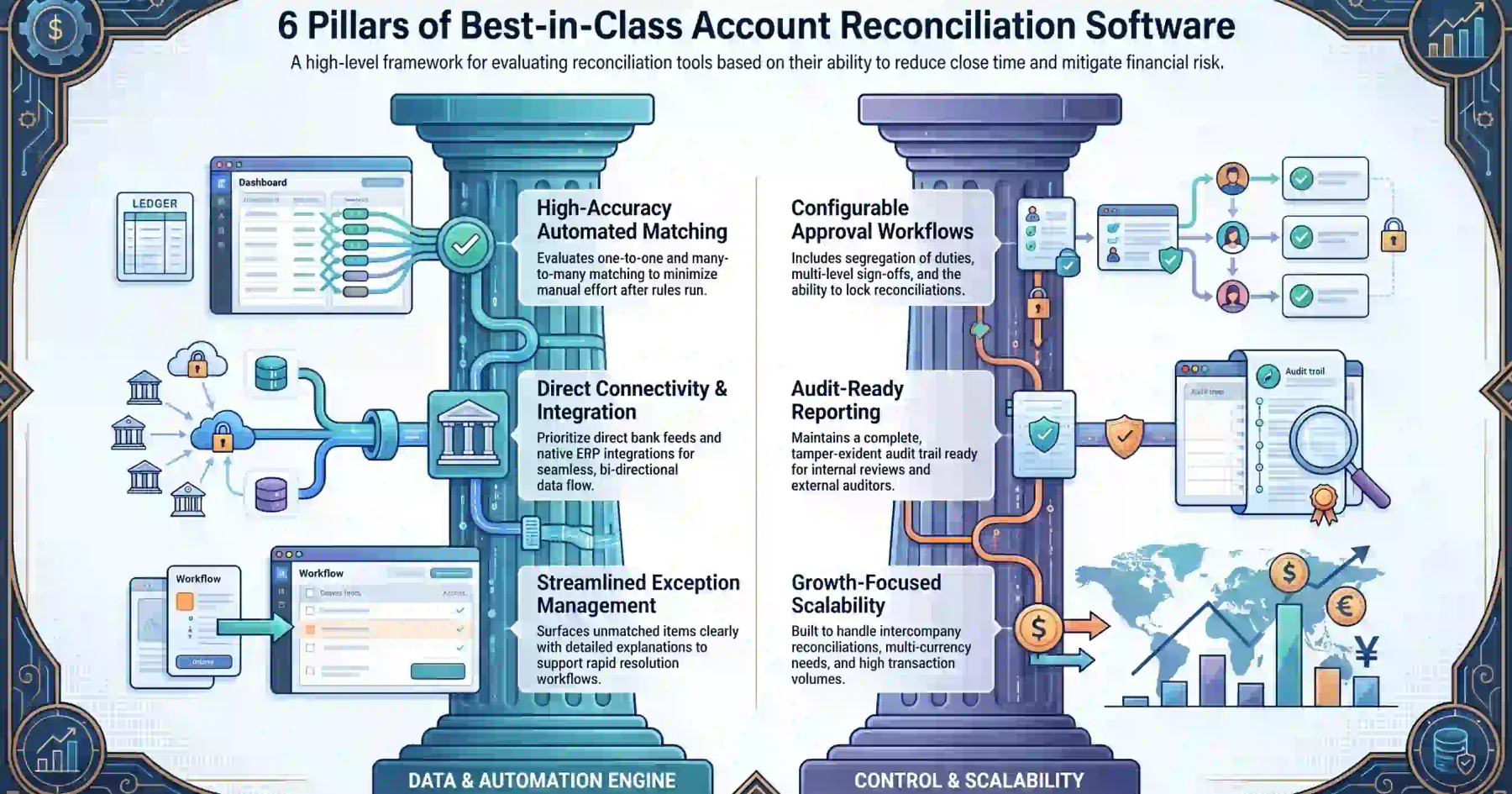
We evaluated each platform against the criteria that matter most to growing finance teams, focusing on how well each tool reduces close time and risk rather than feature checklists alone.
- Automated transaction matching: How accurately each platform matches transactions automatically (one-to-one and many-to-many) and how much manual effort remains after the rules run.
- Bank and ERP connectivity: Direct Australian bank feeds, easy statement and ledger imports, and smooth two-way data flows with popular accounting and ERP systems..
- Exception management: How clearly each tool surfaces unmatched items, explains why they did not match, and supports an efficient resolution workflow.
- Approval workflows: Configurable approval chains, segregation of duties, sign-offs, and the ability to lock reconciliations once approved.
- Audit trails and reporting: A complete, tamper-evident audit trail and reporting ready for both internal review and external auditors.
- Scalability for growing finance teams: Whether the platform supports more entities, higher volumes, intercompany reconciliation, and multi-currency as you grow.
Quick Comparison Table
| Features | Xero | NetSuite | Numeric | Trintech | BlackLine | ReconArt | HashMicro | QuickBooks | Sage | FloQast |
|---|---|---|---|---|---|---|---|---|---|---|
| Automated Matching | ★★★★⯪ | ★★★★⯪ | ★★★★⯪ | ★★★★⯪ | ★★★★★ | ★★★★⯪ | ★★★★⯪ | ★★★★ | ★★★★ | ★★★★⯪ |
| Bank Connectivity | ★★★★★ | ★★★★ | ★★★★ | ★★★★ | ★★★★ | ★★★★ | ★★★★⯪ | ★★★★⯪ | ★★★★ | ★★★★ |
| Exception Management | ★★★⯪ | ★★★★⯪ | ★★★★⯪ | ★★★★⯪ | ★★★★★ | ★★★★⯪ | ★★★★⯪ | ★★★⯪ | ★★★★ | ★★★★⯪ |
| Approval Workflows | ★★★⯪ | ★★★★⯪ | ★★★★ | ★★★★★ | ★★★★★ | ★★★★⯪ | ★★★★⯪ | ★★★ | ★★★★ | ★★★★⯪ |
| Audit Trail and Reporting | ★★★★ | ★★★★★ | ★★★★⯪ | ★★★★★ | ★★★★★ | ★★★★⯪ | ★★★★★ | ★★★⯪ | ★★★★⯪ | ★★★★⯪ |
| ERP Integration | ★★★⯪ | ★★★★★ | ★★★★ | ★★★★★ | ★★★★★ | ★★★★⯪ | ★★★★★ | ★★★⯪ | ★★★★⯪ | ★★★★⯪ |
| Multi-Entity Support | ★★★ | ★★★★★ | ★★★★ | ★★★★★ | ★★★★★ | ★★★★⯪ | ★★★★★ | ★★★ | ★★★★ | ★★★★ |
| Pricing | ★★★★ | ★★★ | ★★★⯪ | ★★★ | ★★⯪ | ★★★⯪ | ★★★★ | ★★★★⯪ | ★★★★ | ★★★⯪ |
10 Best Account Reconciliation Software in 2026 for Australian Businesses
The following list represents the top-performing reconciliation solutions available to Australian businesses this year, ranging from simple bank reconciliation tools to enterprise close-management suites.
1. Xero
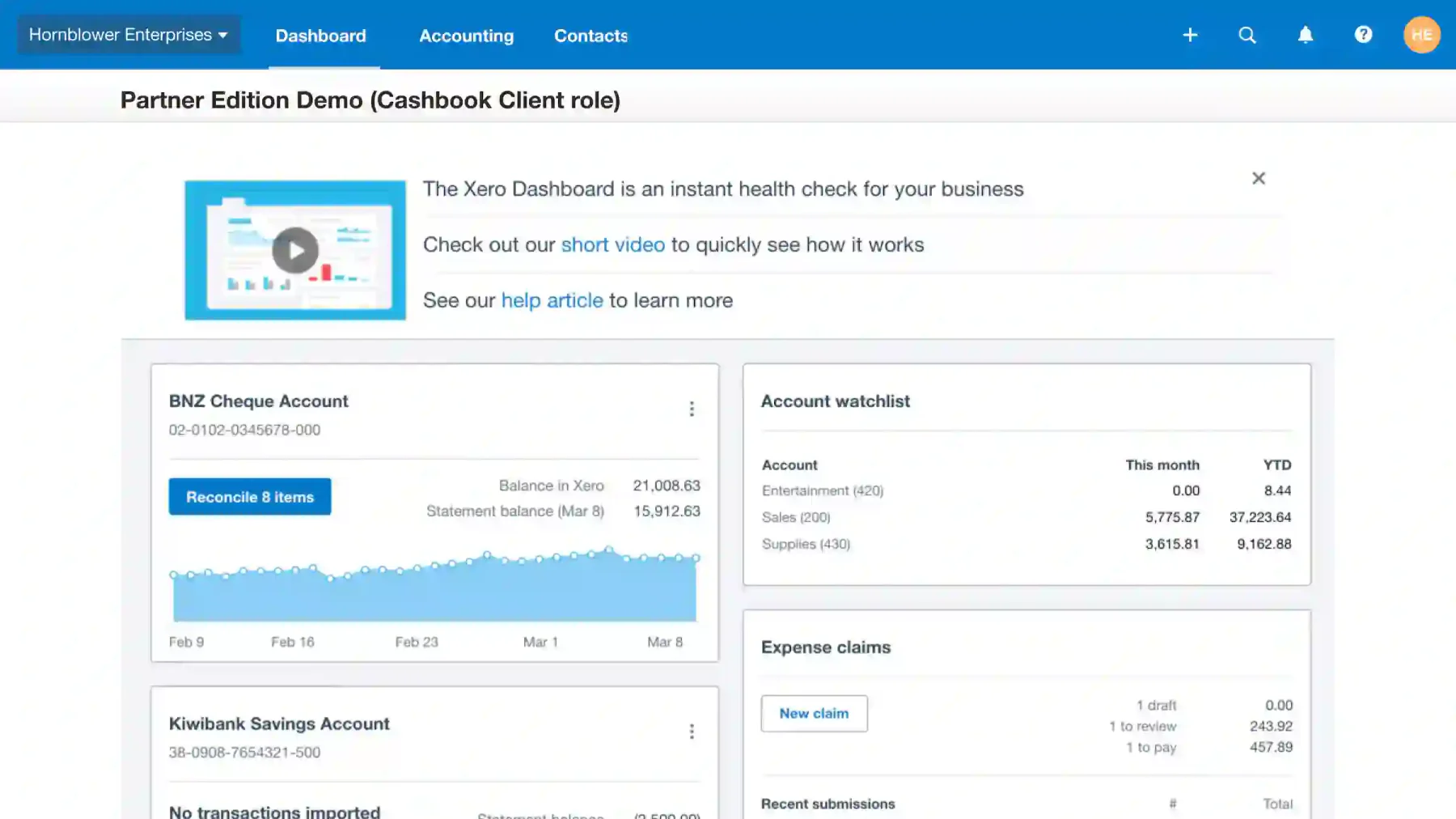
A homegrown favourite across Australia and New Zealand, Xero offers built-in bank reconciliation with automatic bank feeds and smart suggested matches. It is an excellent fit for small businesses that want simple, daily reconciliation tied directly to their accounting and GST/BAS workflows.
Key Features:
- Automatic bank feeds and reconciliation
- Suggested transaction matches
- GST and BAS-ready reporting
| Pros | Cons |
|---|---|
|
|
Pricing: Xero offers tiered subscription plans starting from around AUD 35–130 per month, depending on features. A 30-day free trial is available, but there is no permanent free plan.
Suitable for: Small businesses and sole traders that want straightforward bank reconciliation built into their accounting.
2. NetSuite
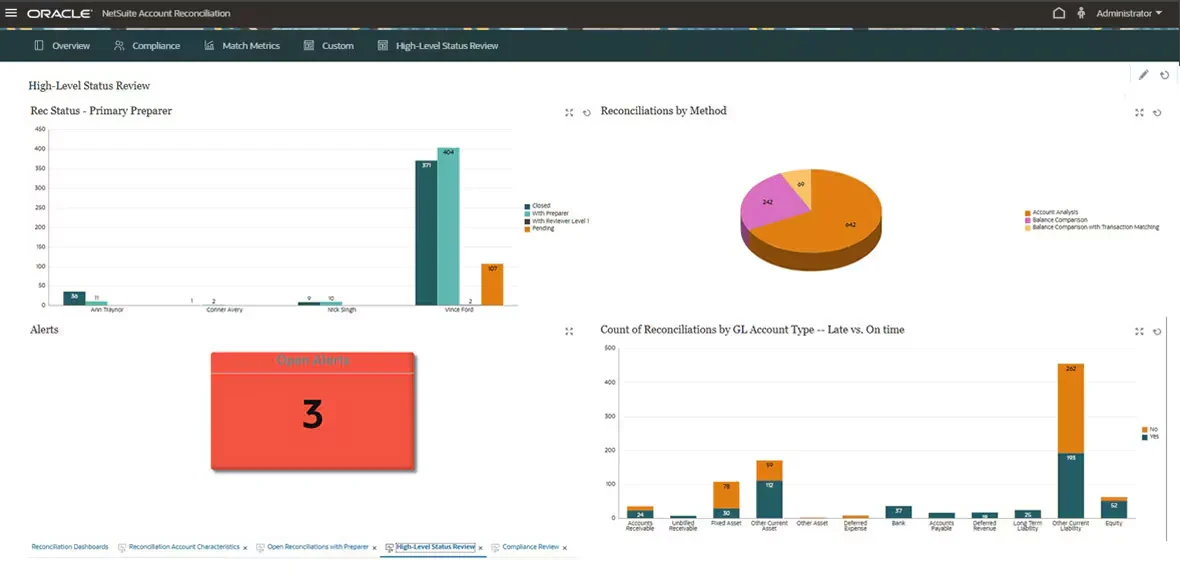
Oracle NetSuite is a cloud-native ERP with reconciliation built into its broader financial close. For mid-market and enterprise businesses that want accounting, reconciliation, and reporting in one system, it is powerful and highly scalable.
Key Features:
- Account reconciliation within a unified ERP
- Automated matching and close management
- Multi-entity and multi-currency support
| Pros | Cons |
|---|---|
|
|
Pricing: NetSuite follows a subscription model with a base platform fee starting around AUD 999/month, plus user licenses, with implementation quoted separately. No free plan is available.
Suitable for: Mid-market to enterprise businesses wanting reconciliation inside a unified ERP.
3. Numeric
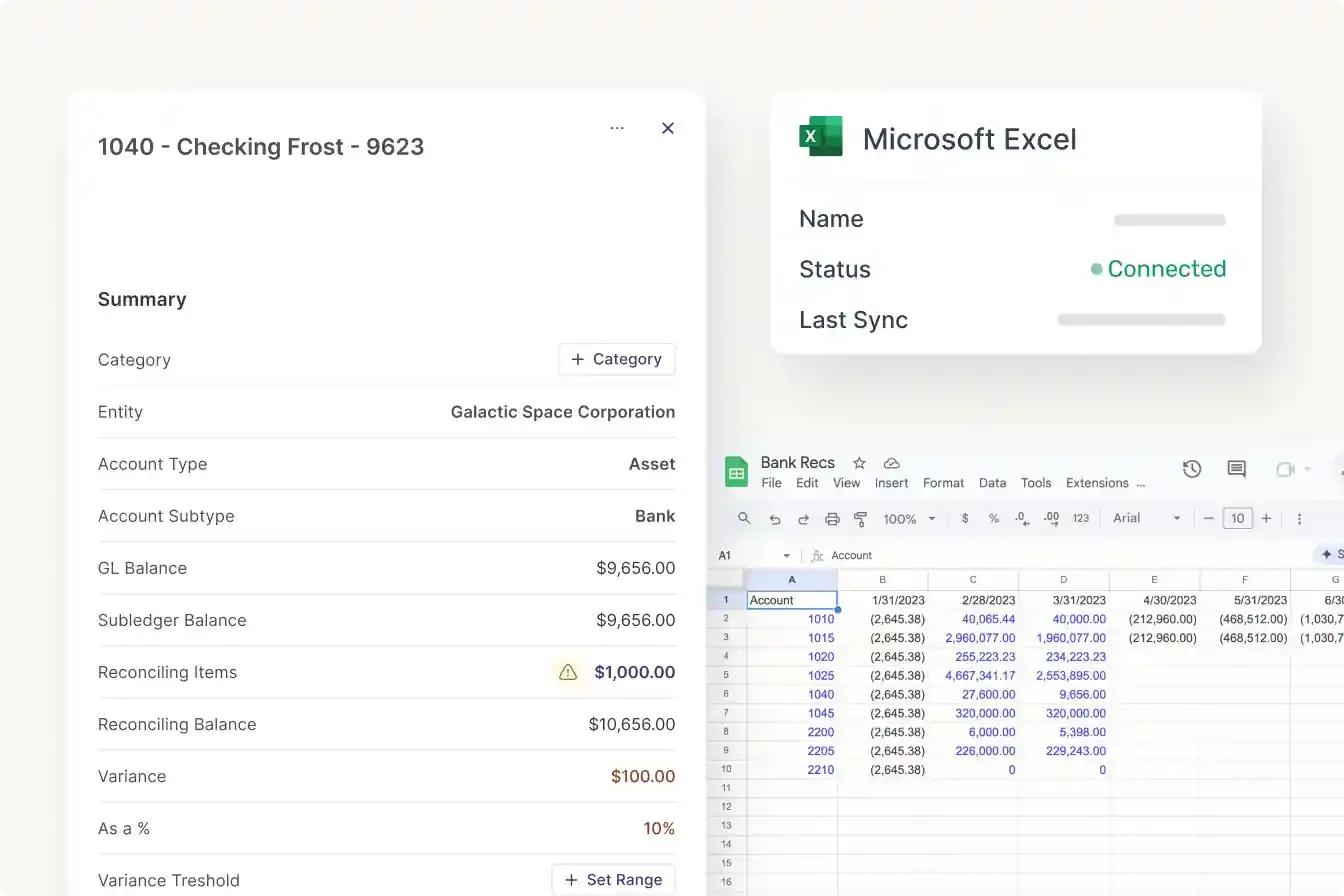
Numeric is a modern, AI-assisted close and reconciliation platform built for fast-moving finance teams. It focuses on speeding up the month-end close with smart matching, flux analysis, and tight collaboration.
Key Features:
- AI-assisted transaction matching
- Close checklists and task management
- Flux analysis and real-time collaboration
| Pros | Cons |
|---|---|
|
|
Pricing: Numeric uses a quote-based subscription model that scales with team size and modules. A demo is available on request; no public free plan.
Suitable for: High-growth and tech-driven finance teams that want a fast, modern close.
4. Trintech
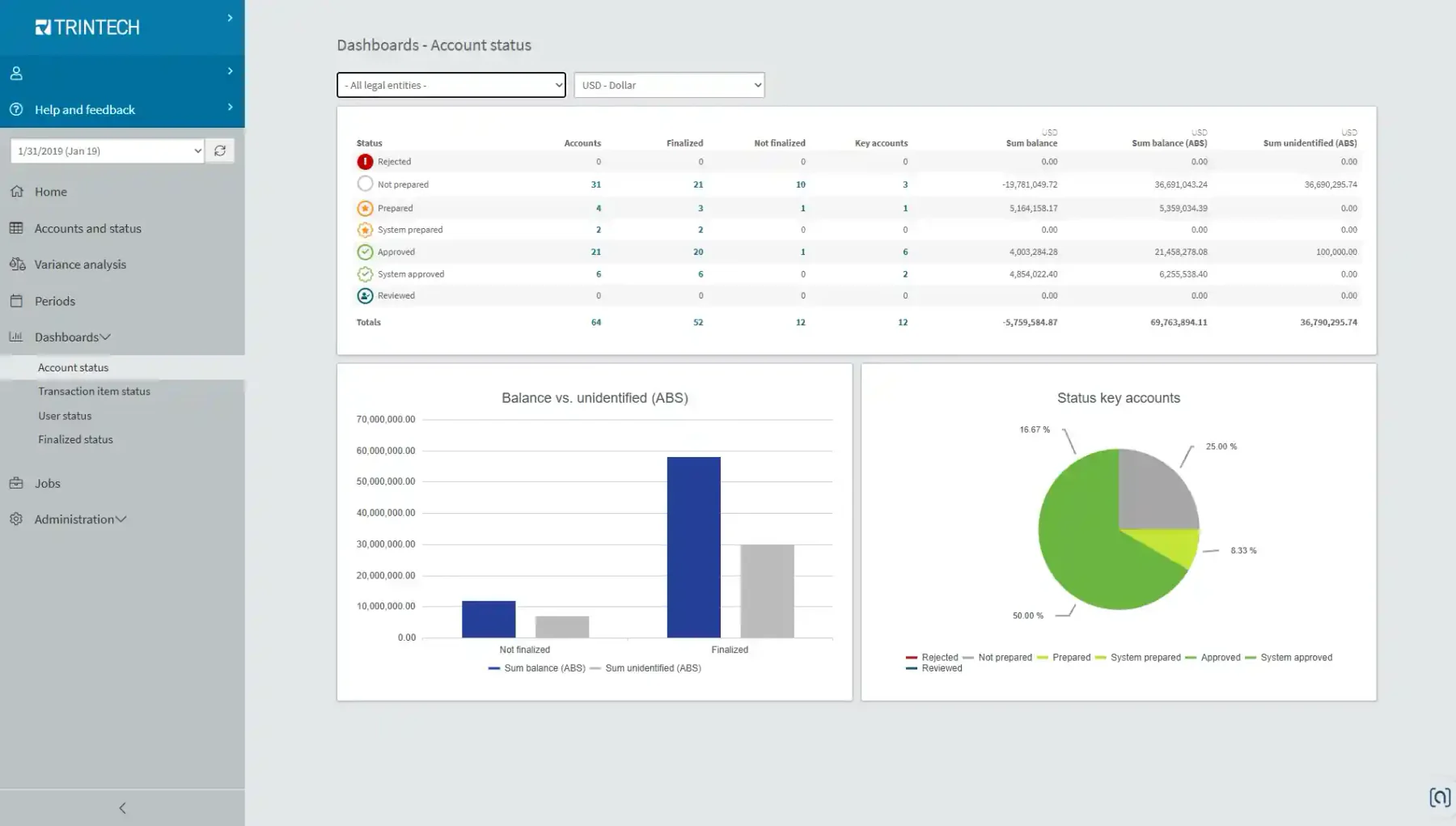
Trintech, with products such as Cadency and Adra, is a specialist in financial close and reconciliation, serving mid-market to large enterprise. It is strong on controls, risk management, and audit readiness.
Key Features:
- Account, bank, and intercompany reconciliation
- Risk-based controls and certification
- Close and compliance management
| Pros | Cons |
|---|---|
|
|
Pricing: Trintech uses a quote-based subscription model depending on company size, modules, and volume. No free plan is available.
Suitable for: Enterprises with strict compliance, controls, and audit requirements.
5. BlackLine
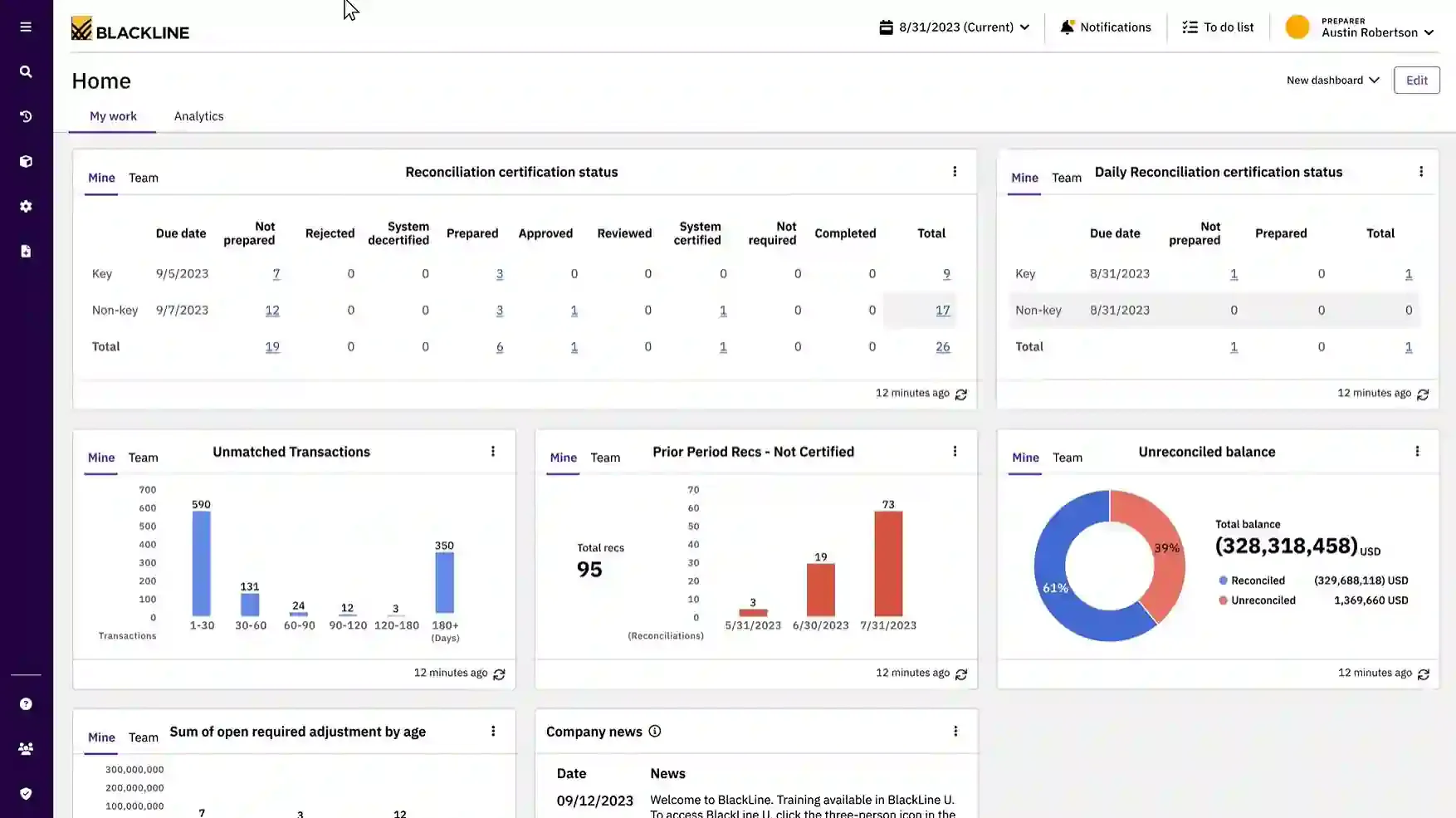
One of the most recognised names in the financial close space, BlackLine offers robust account reconciliation, transaction matching, and close management at enterprise scale. It is comprehensive and audit-friendly.
Key Features:
- Account reconciliation and certification
- High-volume transaction matching
- Close task and workflow management
| Pros | Cons |
|---|---|
|
|
Pricing: BlackLine follows a quote-based SaaS model scaled to users, modules, and transaction volume. No free plan is available.
Suitable for: Large enterprises standardising and scaling their close process.
6. ReconArt
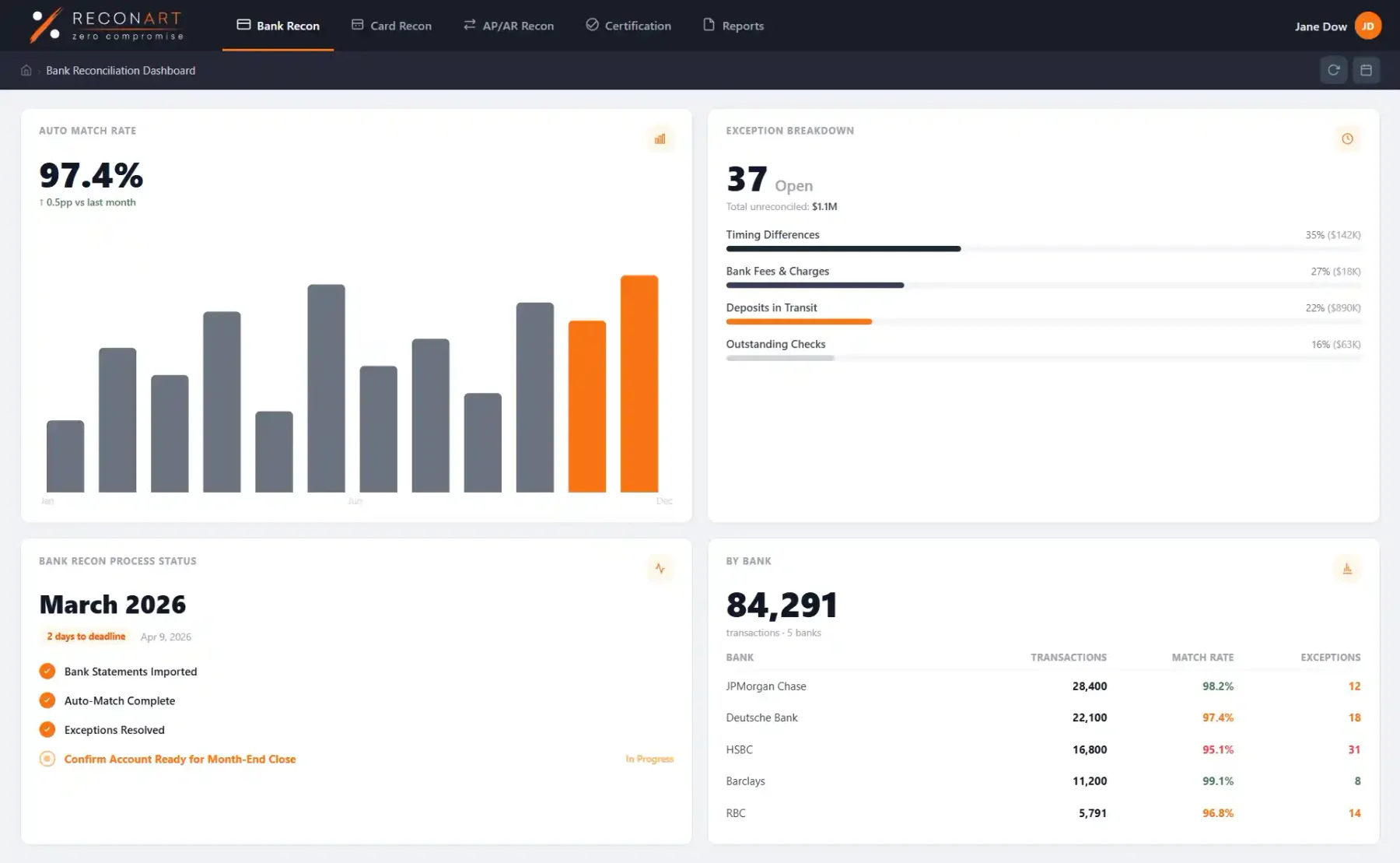
ReconArt is a dedicated, web-based reconciliation platform that handles bank, balance sheet, and intercompany reconciliations. It is flexible and more affordable than some enterprise suites, making it a strong middle-ground option.
Key Features:
- Bank, balance sheet, and intercompany reconciliation
- Flexible matching rules
- Reporting and audit trail
| Pros | Cons |
|---|---|
|
|
Pricing: ReconArt uses a subscription model quoted to business size and transaction volume. A demo is available on request.
Suitable for: Mid-sized businesses wanting dedicated reconciliation without full ERP cost.
7. HashMicro
HashMicro has established itself as a leading provider of ERP solutions in the Asia-Pacific region. It offers a highly customisable accounting and reconciliation module that integrates natively with inventory, finance, and other modules, built to support growing Australian businesses.
Key Features:
- End-to-end account and bank reconciliation automation
- Multi-account and multi-entity reconciliation
- GST and BAS-ready reporting
- Complete audit trail and approval workflows
| Pros | Cons |
|---|---|
|
|
Pricing: HashMicro offers both perpetual licensing and subscription-based options with unlimited user access, helping larger businesses optimise total cost of ownership. Pricing is available upon consultation, depending on the modules selected.
Suitable for: Growing Australian businesses seeking customisable reconciliation workflows with strong local compliance support. If you're considering implementing HashMicro for your business, you can click the banner below to discover the pricing plan.

8. QuickBooks
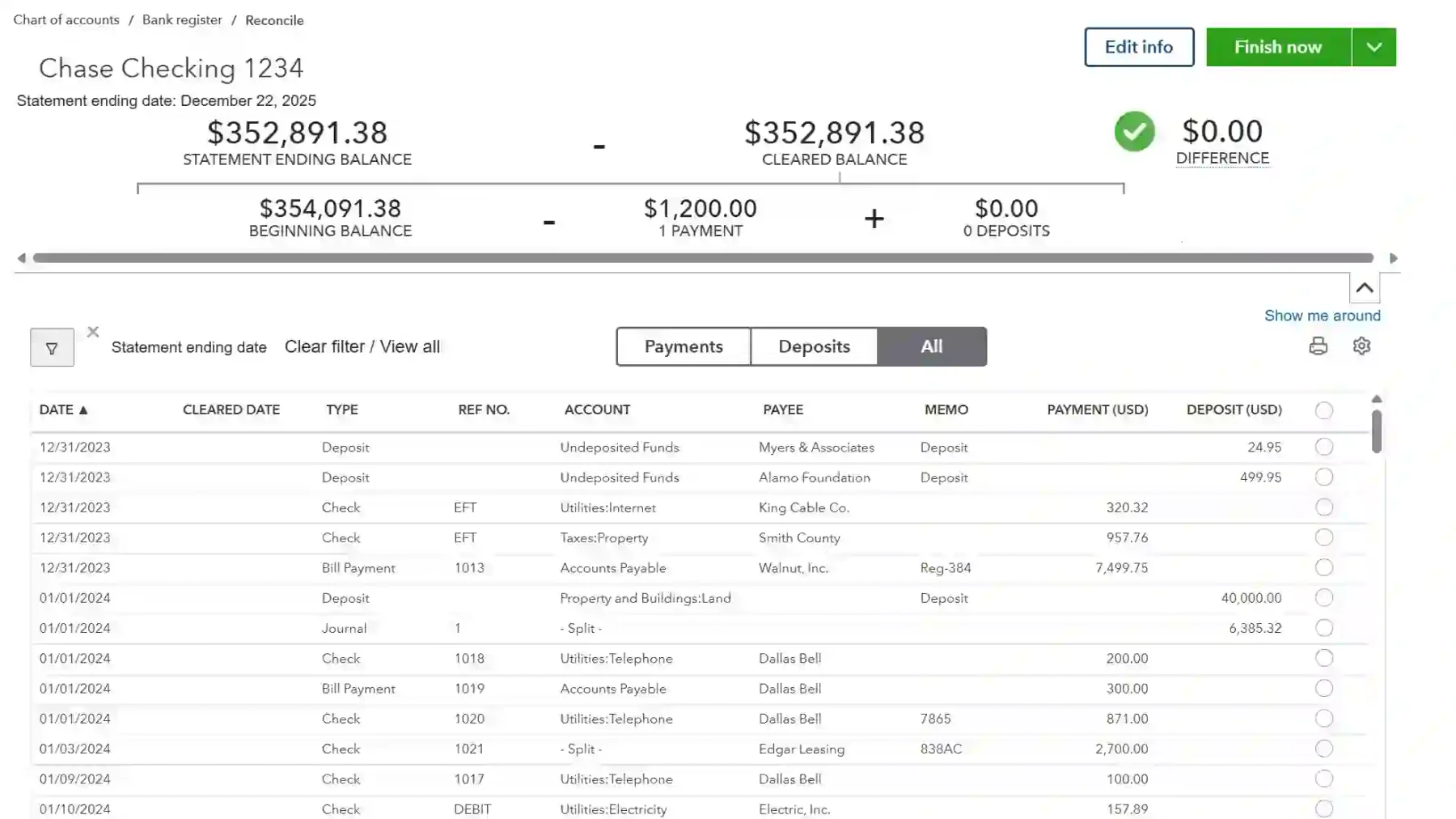
QuickBooks is a widely used accounting platform with built-in bank reconciliation features. Like Xero, it is a strong fit for small businesses needing straightforward reconciliation alongside everyday bookkeeping.
Key Features:
- Built-in bank reconciliation
- Automated bank feeds
- Vendor and expense tracking
| Pros | Cons |
|---|---|
|
|
Pricing: QuickBooks offers tiered subscription plans typically starting from around AUD 30–60 per month. A free trial is available, but there is no permanent free plan.
Suitable for: Small businesses and bookkeepers needing simple bank reconciliation.
9. Sage
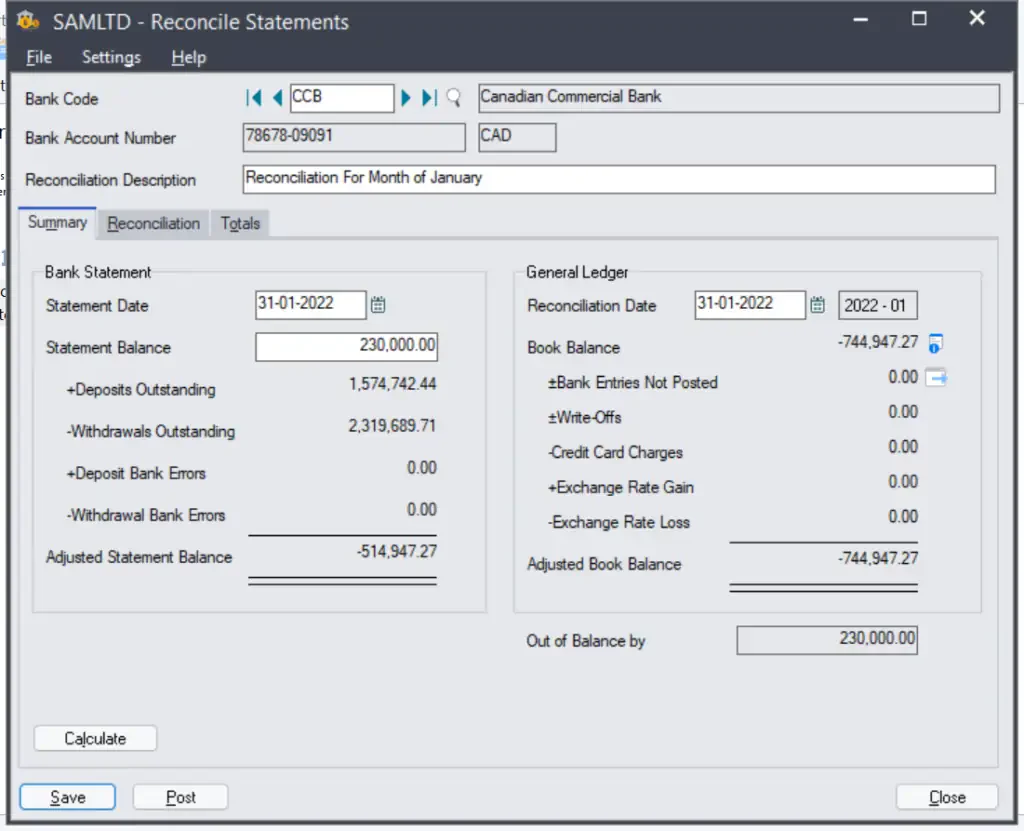
Sage offers a range of accounting and ERP products with reconciliation capabilities that scale from small business to mid-market. It is a long-established option with broad functionality.
Key Features:
- Bank and account reconciliation
- Accounting and reporting tools
- Scalable across product lines
| Pros | Cons |
|---|---|
|
|
Pricing: Sage uses a subscription model that varies by product and tier, generally starting from around AUD 30–70 per month. A free trial is available.
Suitable for: Established SMBs and mid-market businesses wanting reconciliation within a familiar accounting suite.
10. FloQast
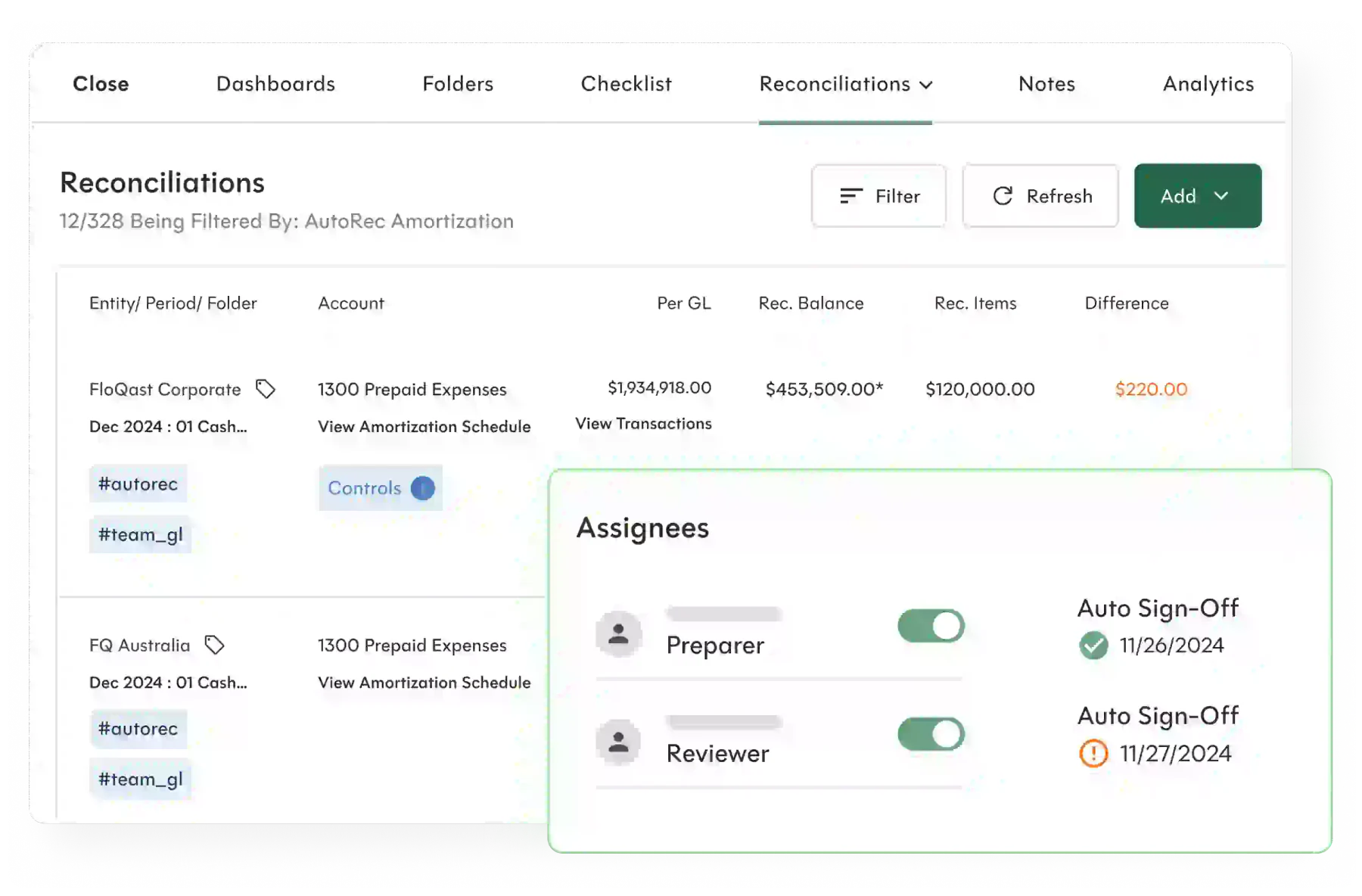
FloQast is a close management platform built by former accountants, with reconciliation, close checklists, and tight Excel and ERP integration. It is popular with accounting teams that want to standardise and accelerate their close.
Key Features:
- Account reconciliation and tie-outs
- Close checklists and task management
- Excel and ERP integration
| Pros | Cons |
|---|---|
|
|
Pricing: FloQast uses a quote-based subscription model scaled to team size and modules. A demo is available; no public free plan.
Suitable for: Accounting teams focused on standardising and accelerating month-end close.
Account Reconciliation Software vs Bank Reconciliation Software
| Aspect | Bank Reconciliation Software | Account Reconciliation Software |
|---|---|---|
| Primary Purpose | Matches accounting records with bank statements | Reconciles multiple balance sheet accounts |
| Accounts Covered | Bank and cash accounts | Bank, receivables, payables, accruals, prepayments and intercompany balances |
| Best Suited For | Businesses with straightforward reconciliation needs | Growing businesses with broader reconciliation needs |
| Key Capabilities | Verifies cash balances and identifies discrepancies | Provides approval workflows, exception management and audit trails |
| Scalability | Suitable for simpler requirements | Supports greater accuracy, scalability and compliance |
| Relationship | Covers one area of account reconciliation | Includes bank reconciliation within a broader process |
Bank reconciliation software is designed to match accounting records with bank statements, helping businesses verify cash balances and identify discrepancies. It is typically best suited for organisations with straightforward reconciliation requirements.
Account reconciliation software provides broader functionality by reconciling a wide range of balance sheet accounts, including accounts receivable, accounts payable, accruals, prepayments, and intercompany balances.
While bank reconciliation is one part of account reconciliation, account reconciliation software offers additional features such as approval workflows, exception management, and audit trails. As businesses grow, many adopt these solutions to improve accuracy, scalability, and compliance.
Key Features to Look For in Reconciliation Software
We evaluated each reconciliation platform based on the capabilities that have the greatest impact on efficiency, accuracy, and financial control for growing businesses.
- Automated transaction matching: How effectively the software matches transactions automatically, including one-to-one and many-to-many reconciliations, while minimising manual intervention.
- Exception management: How clearly unmatched transactions are identified, explained, and routed through a structured process for investigation and resolution.
- Approval workflows: The availability of configurable approvals, sign-offs, and segregation of duties to strengthen controls and support compliance.
- Multi-account reconciliation: The ability to reconcile cash, accounts receivable, accounts payable, and other balance sheet accounts from a single platform.
- Intercompany reconciliation: Support for matching and eliminating intercompany transactions across multiple entities to simplify consolidation.
- Audit trails and reporting: The quality of audit logs, reconciliation reports, and supporting documentation needed for compliance, audits, and financial reporting.
These capabilities become more valuable when finance teams can act on exceptions without searching multiple ledgers and reports. Hashy AI can review reconciliation status, explain unmatched items and prepare the next actions for authorised review.






When Should Businesses Use Account Reconciliation Software?
The following signs often indicate that reconciliation software could deliver significant time savings and improve financial accuracy.
- High transaction volumes: Businesses processing large numbers of transactions each month can benefit from automated matching and reduced manual workload.
- Multiple bank accounts or entities: Managing several accounts, currencies, or business entities increases reconciliation complexity and makes automation more valuable.
- Slow month-end close: If reconciliations are delaying the close process, dedicated software can help accelerate reporting and reduce bottlenecks.
- Frequent reconciliation errors: Regular discrepancies, missing transactions, or balance adjustments may indicate a need for stronger controls and automated processes.
- Spreadsheet-dependent workflows: Businesses relying heavily on spreadsheets for reconciliation can improve visibility, collaboration, and audit readiness with a centralised solution.
Conclusion
Account reconciliation software helps businesses improve financial accuracy by automating transaction matching, identifying exceptions, and maintaining a clear audit trail.
This reduces manual work and helps finance teams complete reconciliations more efficiently. It also strengthens compliance and reporting by ensuring account balances remain accurate and properly documented. For Australian businesses, this can help support audit readiness and improve confidence in financial reporting.
When choosing a solution, consider factors such as scalability, system integration, and support for your reconciliation processes. To find the right solution for your business, consult with our experts for a personalised recommendation.

FAQ
The best account reconciliation software depends on your business size, transaction volume, and integration requirements. Key factors to consider include automation, reporting, scalability, and support for Australian compliance needs.
Businesses with high transaction volumes, multiple accounts, or complex financial processes can benefit significantly from account reconciliation software. It helps improve accuracy, reduce manual work, and speed up the month-end close.
Bank reconciliation software focuses on matching bank transactions, while account reconciliation software covers a broader range of accounts, including receivables, payables, accruals, and intercompany balances.
Yes. Account reconciliation software helps maintain accurate financial records and audit trails, making it easier to support BAS preparation, GST reporting, and compliance requirements.
Look for features such as automated transaction matching, exception management, approval workflows, audit trails, ERP integrations, and support for multi-entity or multi-currency operations.