Construction projects in Malaysia often face delays, budget overruns, material shortages, and scattered communication between site teams and office staff. When updates are still handled through separate spreadsheets, WhatsApp messages, or manual reports, project managers can easily lose visibility over costs, timelines, and daily progress.
According to data from Market Research Intellect, with the construction project management software market in Malaysia growing at a compound annual growth rate (CAGR) of approximately 8.5%, it is clear that an increasing number of companies are turning to digital solutions to remain competitive and efficient.
As you modernize your workflows, you can lean on construction project management software to coordinate people, materials, and costs with much better visibility. Your goal is not hype, but practical control so your decisions stay based on current site reality rather than delayed updates.
Key Takeaways
Construction Management Software helps streamline project planning, budgeting, and resource management, thereby improving efficiency and reducing costs.
These systems provide real-time data, enabling construction companies to track progress, manage risks, and make informed decisions throughout the project lifecycle.
We simplify your search by shortlisting the top 20 proven solutions, giving you a clear guide to choose the software that best secures your project margins.
Table of Content
Stop losing profit to delayed site reports and rising costs. Keep your project schedule secure with a professional construction management system.
Shortlisted Construction Management Software
Before we move on to the list of recommendations, here are some of the most prominent choices for businesses based on features, relevance, and user experience.
The recommendations do not stop there. To help you reduce the time spent reviewing every brand one by one, here is a quick comparison of 20 construction management software in Malaysia for 2026, including each platform’s main strengths, limitations, pricing, and best-fit use cases.
What is Construction Management Software?
Construction management software is a tool that helps companies manage the construction project management process from planning to handover. It supports scheduling, budgeting, document control, resource allocation, site reporting, and team coordination in one platform, so project managers can track progress, control costs, spot delays, and keep stakeholders aligned.
Hashy AI Fact
Need to know!
Estimate the stock for each construction site accurately with Hashy AI from HashMicro and complete purchase order easily with automated supplier reordering suggestions.
20 Best Construction Management Software in Malaysia
Choosing the best construction project management software in Malaysia can be overwhelming, given the many options. To help, we’ve curated a list of top software tailored for the Malaysian market.
Our top 20 recommendations are carefully selected based on crucial factors such as cost-effectiveness and user-friendliness. So, without further ado, let’s explore the best construction project management software options in Malaysia that cater to your unique needs.
HashMicro: Complete, flexible construction software with real-time updates and full module integration.
Oracle: Cloud-based platform with strong features but a steep learning curve.
SAP: Boosts efficiency with real-time insights, though less scalable.
Zoho: Easy-to-use tool with good security, limited mobile and invoicing.
Procore: User-friendly with solid project tools, lacks offline access.
Monday.com: Simple, visual planning tool with limited mobile features.
CMiC: Data-driven platform, but weak support and feature focus.
Vista: Strong accounting tools but slow and lacks deep reporting.
InEight: Great for cost control, but complex and hard to learn.
Wrike:Can connect with many third-party systems, but high cost for smaller team.
BrickControl:Highly customizable workflows, but may be overwhelming for new users.
1. HashMicro Construction Management Software
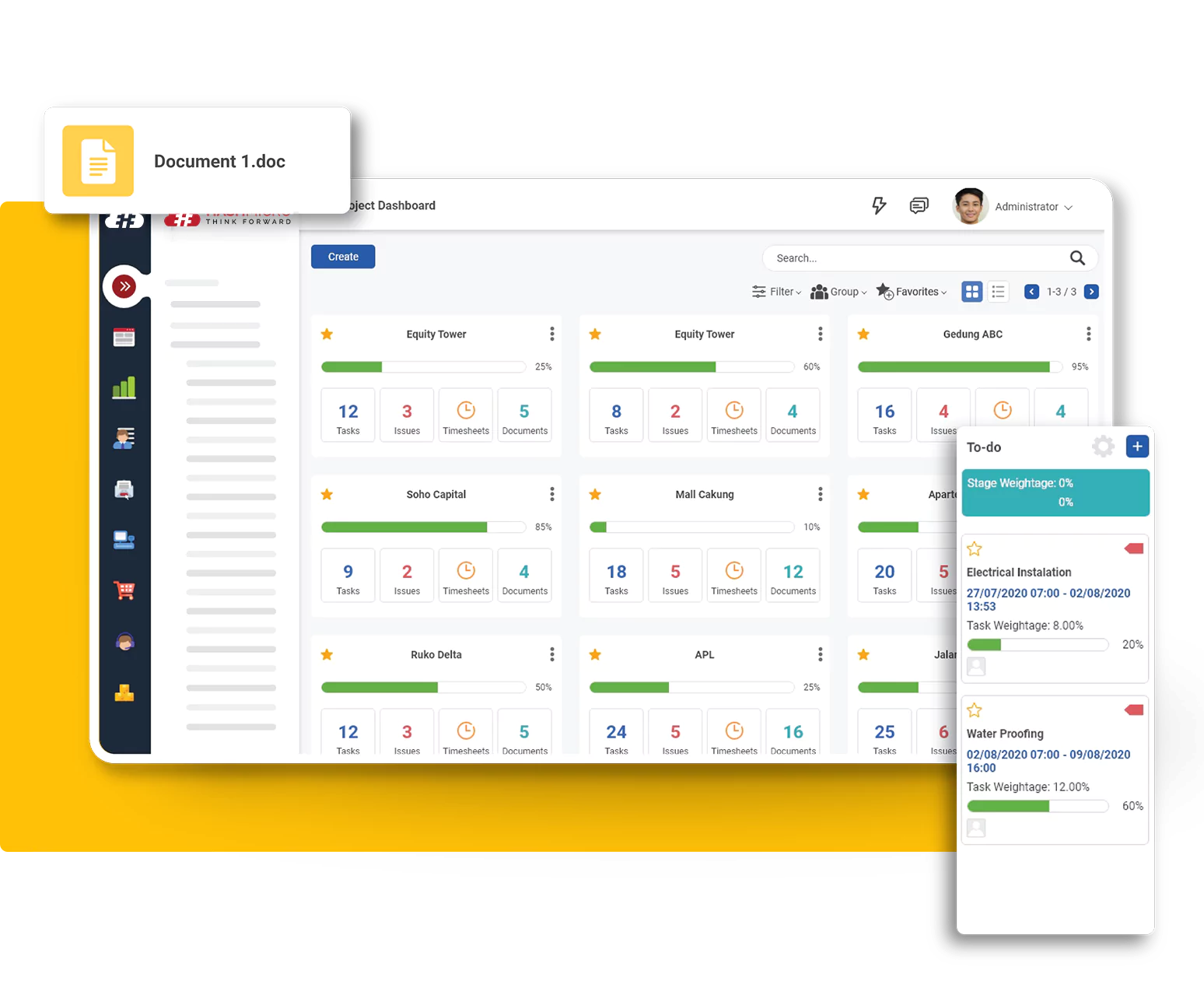
HashMicro Construction Management Software is a project-focused platform built to connect teams, enhance collaboration, and deliver data-driven insights. It helps boost productivity, ensure compliance, and offers user-friendly tools for managing construction projects.
Trusted by many construction businesses across Southeast Asia, this best construction software helps teams work more efficiently with real-time updates, ensuring everyone stays aligned with the latest information.
HashMicro also integrates with other modules, such as construction procurement software, to improve operational efficiency, offering a flexible solution tailored to the specific needs of Malaysian construction companies.
Features
Inventory management
Raw material management
Document management
Project scheduling
Budget management
Quality control
Reporting
Mobile applications
Pros
Cons
Offers collaboration features that enhance communication and information sharing
Integrates smoothly with other modules and third-party systems
The implementation timeline can vary depending on the level of customization required.
Price: Contact our team to get the full pricing schedule and request a free trial tailored to your business needs.
Best for: Suited to construction companies that need a fully integrated system with real-time project, financial, and procurement oversight.
HashMicro stands out with its unlimited-user pricing model, eliminating per-seat costs for contractors managing large teams across multiple projects. It supports LHDN e-Invoice (MyInvois), SST, and multi-currency billing, making it well-suited for Malaysian contractors that need project management, procurement, accounting, HR, and asset tracking in one platform. The trade-off is a more involved implementation process and the lack of public pricing.
Construction management software centralizes project planning, budgeting, and execution in one platform, helping teams improve efficiency and maintain clearer visibility across day-to-day operations.
— Angela Tan, Regional Manager
2. Oracle
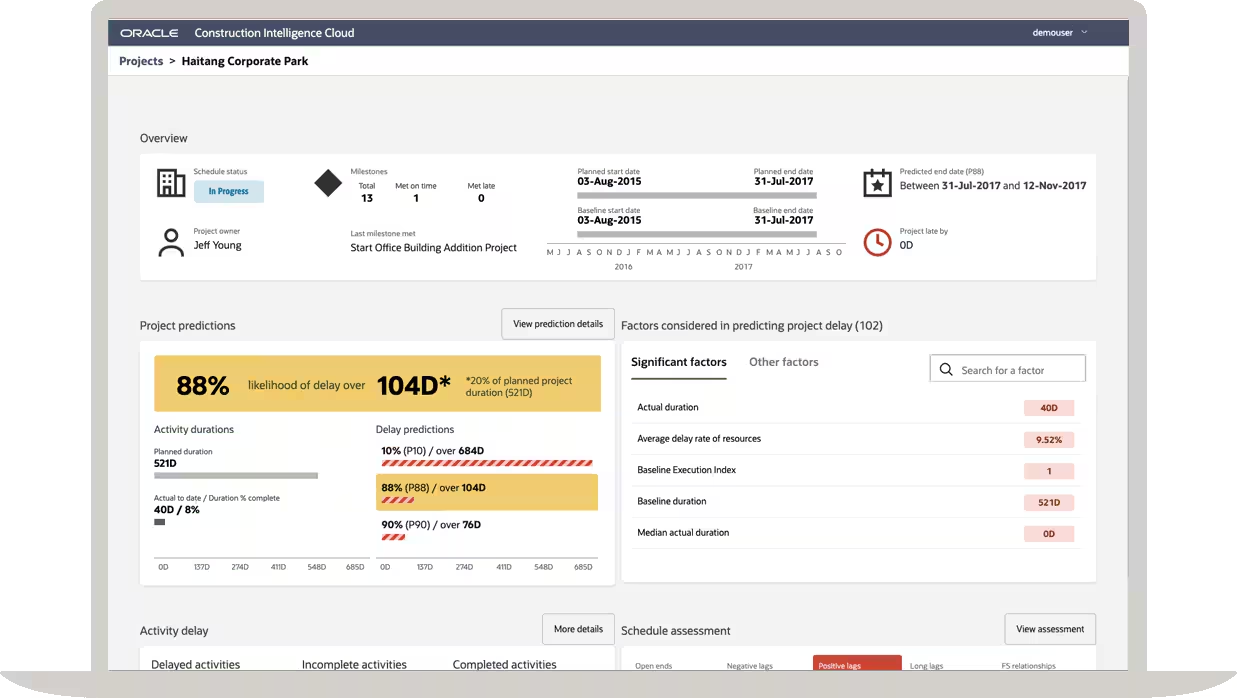
Oracle Construction Software is a cloud-based construction management software designed to connect teams, processes, and data. Users can simplify construction projects, improve control, and unlock data-driven insights.
Features
Document management
Project management
Integration
Data migration
Reporting
Pros
Cons
Integrated construction document management software.
Effective project management
Manage time and costs efficiently
Steep learning curve
Declining quality in customer support
Limited platform compatibility
Price: Available upon request.
Best for: Fits large enterprises requiring a powerful, customizable cloud construction platform.
Oracle Primavera and Aconex are built for large-scale, complex projects such as infrastructure, industrial facilities, and high-rise developments. Primavera P6 is widely used for advanced scheduling, while Aconex excels at large-volume document management. The downside is their steep learning curve and high enterprise-level costs.
3. SAP
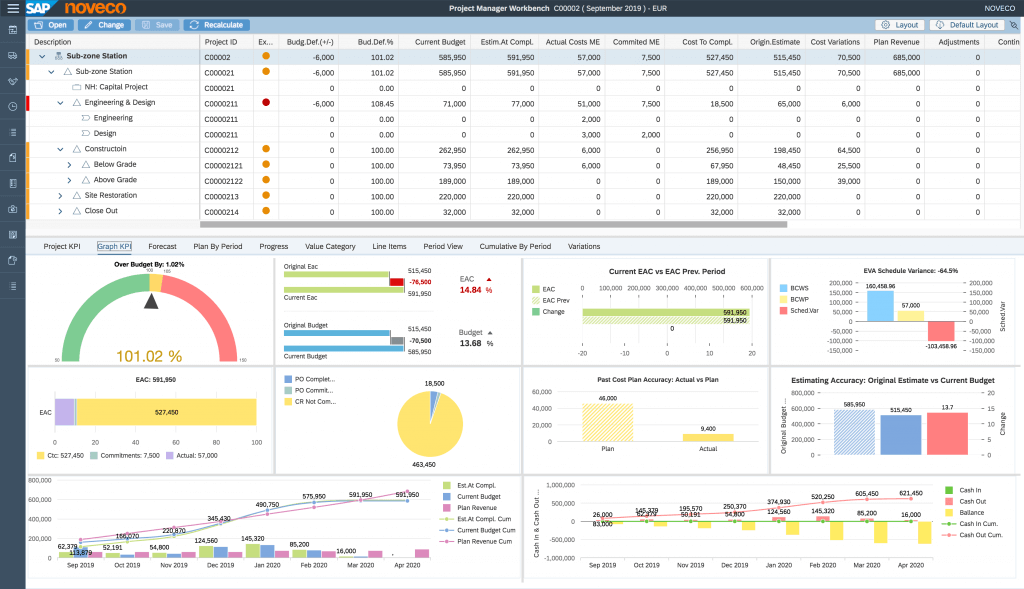
SAP Construction Accounting Software is an efficiency and visibility solution that enhances productivity across construction management processes. It aims to improve visibility and collaboration across construction projects.
Features
Real-time insights
Project management
Data consolidation
Customization
Integration
Pros
Cons
Improved efficiency
Enhanced visibility
Better resource management
Limited mobile functionality
Scalability issues
Limited functionality in certain areas
Price: Available upon request.
Best for: Works well for organizations that priorities real-time project visibility across complex operations.
SAP S/4HANA is a strong choice for contractors already using SAP across finance, procurement, or HR. Its real-time analytics provide visibility into project performance, cash flow, and resource utilization across the business. However, implementation costs and complexity make it less practical for smaller contractors.
4. Zoho
Zoho Construction Accounting Software Malaysia is a task tracking and team coordination tool designed for local construction businesses. It provides real-time updates and synchronizes team coordination, boosting efficiency.
Features
Task management
Project planning
Collaboration
Document management
Time tracking
Pros
Cons
Easy to use
Strong security
Centralized platform
Limited mobile functionality
Limited invoicing features
Task management limitations
Price: RM17.92/user/month, billed annually.
Best for: A practical choice for small to mid-sized contractors needing simple project tracking with strong security.
Zoho Projects is an affordable option for small contractors needing project tracking, scheduling, and time management without a lengthy setup process. It integrates well with Zoho Books for a simple project-to-accounting workflow. The limitation is that it lacks construction-specific features such as RFIs, progress claims, and drawing control.
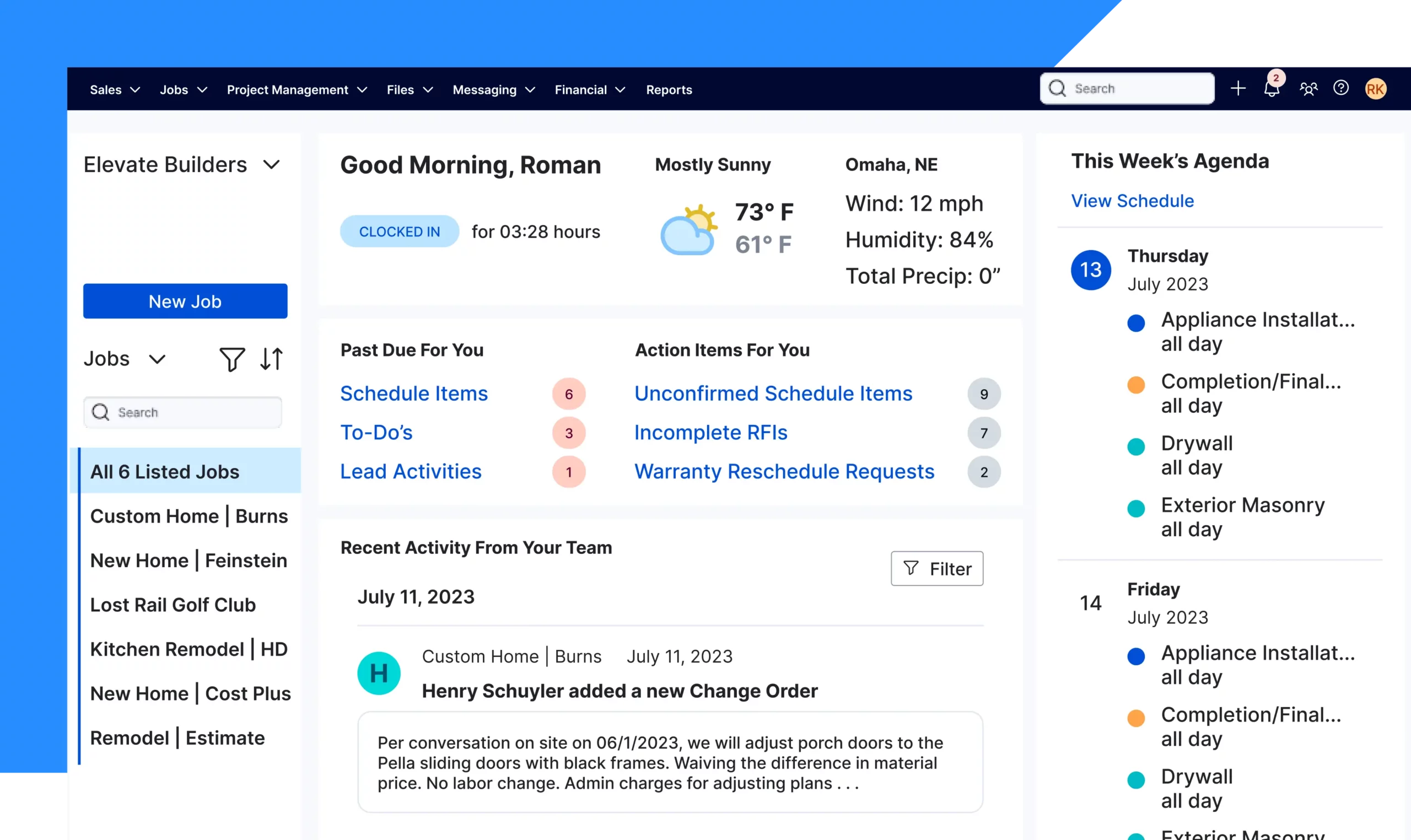
Procore Construction Accounting Software Malaysia is an innovative solution designed to empower construction businesses in Malaysia. It offers a customizable project management suite that can be adjusted to suit business needs.
Features
Integration
Project management
Data organization
Reporting
Pros
Cons
Data consistency
User-friendly interface
Responsive customer support
Cumbersome project organization
Limited offline functionality
Limited reporting features
Price: Small contractors RM20,000 – RM44,000/year (USD4,500–10,000), and mid-large contractors can exceed RM110,000+/year depending on modules.
Best for: Serves construction teams that rely on collaborative field-to-office workflows and structured documentation.
Procore is known for its user-friendly interface and strong field adoption. Its mobile tools simplify daily logs, inspections, RFIs, and punch lists, while a large integration ecosystem extends its capabilities. However, it lacks native SST and LHDN e-Invoice support, and offline functionality can be limited on remote sites.
6. Monday.com
Monday.com construction accounting software helps businesses plan, schedule, track and execute various construction projects. It’s a software solution that provides construction firms with oversight of all their projects and enables them to manage their construction projects and resources better.
Features
Project planning
Project tracking
Data visualization
Custom fields
Automation
Pros
Cons
User-friendly interface
Customizable software
Responsive support
Less functional mobile app
Restrictive task filtering
Limitations in time-tracking functionality
Price: Basic RM43/seat (USD9), standard RM57/seat (USD12), using annual billing.
Best for: Designed for contractors who prefer visual project planning without complex setup.
Monday.com works well as a visual planning and coordination platform for smaller contractors. Its boards, timelines, and automations help teams manage tasks and communication efficiently. However, construction-specific workflows often require custom setup, reducing its appeal compared to dedicated construction software.
7. CMiC
CMiC Construction is an extensive construction management software to assist construction companies throughout their entire project journey. It is dedicated to enhancing collaboration, data-driven decision-making, and operational efficiency for construction projects.
Features
Centralized platform
Data-driven insights
Unified solutions
Cost management
Document management
Pros
Cons
Enhanced collaboration
Data consistency
Comprehensive features
Unhelpful customer service
Skewed feature prioritization
Forecasting inconsistency
Lack of responsiveness to feedback
Price: Available upon request.
Best for: Built for large contractors that depend on a unified, data-driven construction ERP.
CMiC focuses on centralizing operational and financial data to improve bidding, resource planning, and portfolio management. It is particularly valuable for contractors managing multiple large projects. The main drawbacks are its dated interface and commonly reported support delays.
8. Vista
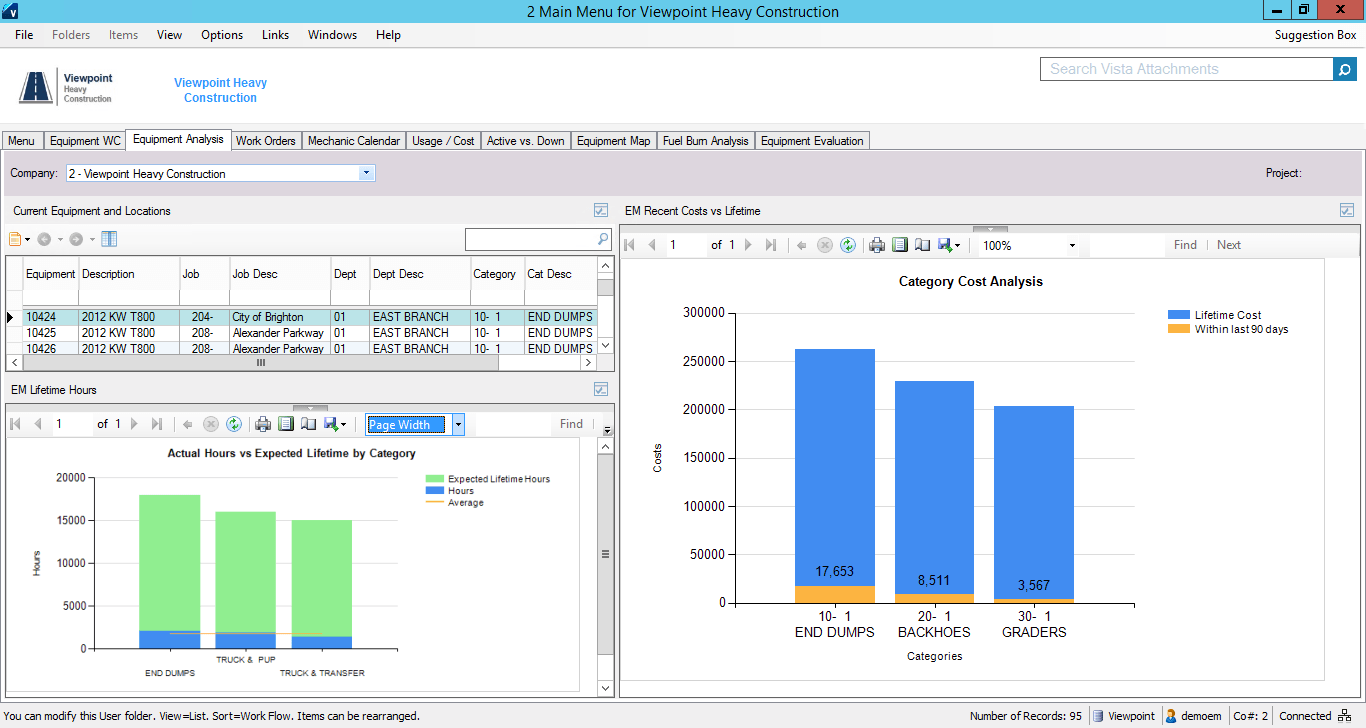
Also known as construction equipment management software, Vista is a platform that helps construction businesses manage operations and projects efficiently with tools to automate processes.
Features
Core accounting
Document management
Integration
Equipment management
Reporting
Pros
Cons
Complete features
User-friendly design
Great project financial management
Slow and clunky performance
Limited reporting modules
Basic project management features
Price: Available upon request.
Best for: Supports companies focused on construction accounting and job costing.
Vista is ideal for contractors prioritizing financial control and job costing. It offers strong capabilities in progress billing, retention management, and project profitability tracking. Its weaker field-management tools and less intuitive reporting interface are the main trade-offs.
9. InEight
InEight Construction accounting software provides tools tailored for the construction industry, enhancing collaboration and delivering real-time data to help control project costs.
Best for: Suits infrastructure and industrial projects that require detailed cost control and forecasting.
InEight excels in estimating, cost control, and earned value management, helping contractors improve bid accuracy and project performance. It is best suited for large organizations handling high-value project portfolios. The platform’s complexity can be challenging for smaller teams.
10. Foreman
Contractor Foreman is a project management solution tailored to meet the diverse needs of construction businesses. This software for construction enables users to access project data remotely and optimize their workflow.
Features
Project management
Customization
Mobile accessibility
Reporting
Pros
Cons
Comprehensive solution
Easy to use
Enhanced visibility
Limited mobile app functionality
Limited integration capabilities
Price: Basic Plan (Annual Billing) RM230/month
Best for: Fits small contractors seeking an all-in-one tool that is easy to adopt.
Contractor Foreman offers extensive functionality at an affordable price, including scheduling, estimates, invoicing, daily logs, and time tracking. It is ideal for small contractors transitioning from spreadsheets and manual processes. However, local integrations and scalability are limited.
11. QuickBooks
QuickBooks is a financial management solution tailored to meet the unique needs of construction businesses. This construction software simplifies the financial tracking process, providing tools for expense management, project budgeting, and invoice generation.
Features
Accounting and bookkeeping
Proposal creation
Job costing
Mobile accessibility
Pros
Cons
Integrates smoothly with other software solutions
Easy to use
User-friendly design
Limited construction management features
Mobile app limitations
Limited reporting capabilities
Price: RM70 – RM470/month, depending on QuickBooks Online tier (USD15–100).
Best for: Works for small firms that mainly need financial and bookkeeping capabilities.
QuickBooks Online serves as a reliable financial foundation for contractors focused on job costing and cash flow management. It supports multi-currency transactions and can integrate with construction-specific tools. Its major limitation is the lack of project execution and field-management features.
12. Novade
Novade is a project and site management software designed to support construction ERP Malaysia businesses in effectively managing their projects. With real-time updates and centralized documentation, Novade helps construction professionals enhance overall project outcomes
Features
Workforce management
Drawing management
Site communication
Snag management
Pros
Cons
Efficient site communication
Compliance cost reduction
Simplifies construction workflow
Lack of calendar view
Limited integration
Limited scalability
Price: Pricing is not publicly listed; quotation available on request.
Best for: Helps field-heavy operations manage safety, inspections, and on-site checklists.
Novade is highly relevant for Malaysian contractors due to its support for QLASSIC and SHASSIC processes. Its mobile inspection tools streamline quality and safety audits while improving site documentation. However, it focuses on field operations and requires separate systems for finance and procurement.
13. Speedbrick
Speedbrick Construction Management Software is an innovative solution that transforms how construction projects are managed. It offers a suite of features to empower construction businesses to reduce manual steps in their workflows.
Features
Procurement management
Real-time visibility
Collaboration
Compliance management
Analytics
Pros
Cons
Streamlined procurement
Improved visibility
Compliance support
Limited features for construction management
Limited integration with other systems
Price: Not publicly disclosed; contact for official pricing.
Best for: Supports teams that emphasise structured procurement and contract management workflows.
Speedbrick specializes in construction procurement, helping contractors manage quotations, purchase orders, and material deliveries digitally. Its local pricing data and compliance-friendly audit trails make it particularly relevant in Malaysia. The limitation is its narrow focus outside procurement workflows.
14. Microsoft Dynamics 365
Microsoft Dynamics 365 is an operations and project management software for construction designed to support Malaysia-based businesses in managing their operations and projects. It is built as a flexible and adaptable platform to enhance the efficiency of construction processes.
Features
Integration
Customization
Data centralization
Flexibility
Pros
Cons
Regular updates
Can be adjusted to business needs
Provides intelligent insights
Limited third-party integrations
Lack of construction management features
Limited reporting capabilities
Price: Essentials RM536/user/month (USD70)
Best for: Companies needing flexible ERP features with basic construction functionality.
Dynamics 365 is a strong option for contractors already using Microsoft tools such as Teams, SharePoint, and Power BI. It combines ERP capabilities with seamless reporting and collaboration. However, construction-specific field management features require additional customization.
15. Focus Softnet
Focus Softnet’s Construction Management Software is a versatile tool designed to assist construction businesses. While user reviews offer guidance, Focus Softnet aims to provide a well-structured, adaptable platform to meet construction companies’ diverse needs.
Features
Process improvement
Subcontractor management
Invoicing
Credit notes
Report generator
Pros
Cons
User-friendly interface
Comprehensive features
Efficient reporting
Slow-responsive customer support
The implementation process is sometimes not smooth
Price: Available upon request.
Best for: Addresses the needs of cost-conscious firms looking for a feature-rich project and financial management.
Focus Softnet offers local implementation support and construction-focused ERP capabilities, including project costing, procurement, and subcontractor management. It is a practical mid-market solution for growing contractors. Some users report slower implementation and a less modern interface.
16. BuilderTrend
Buildertrend is a construction software in Malaysia designed to automate project estimation, scheduling, and management for builders, contractors, and remodelers. This cloud-based platform offers tools to improve efficiency, communication, and productivity throughout construction.
Features
Project management
Financial management
Customer management
Communication tools
Pros
Cons
User-friendly interface
Comprehensive tools
Integration with QuickBooks
High cost
Learning curve
Limited customization
Price: Contact for pricing.
Best for:Matches home builders and remodelers that require a client-facing project and communication platform.
Buildertrend is designed for residential builders and renovation contractors, with strong tools for scheduling, change orders, and client communication. Its customer portal improves project transparency and collaboration. The main drawback is its limited support for Malaysian tax and compliance requirements.
17. Autodesk
Autodesk Construction Cloud is an integrated construction management platform designed to connect workflows, teams, and data across every phase of a project, from design to handover. It combines advanced tools for collaboration, coordination, and project insights.
Features
Document Management
Design Collaboration
Project Insights
Cost Management
Pros
Cons
Integrates with Autodesk design tools
Good for complex projects requiring cross-team coordination
Higher learning curve for new users
Can be expensive for smaller construction firms
Price: Not publicly listed; varies by product bundle (Build, Docs, Collaborate, etc.).
Best for: Built for firms managing complex design-to-build workflows and BIM collaboration.
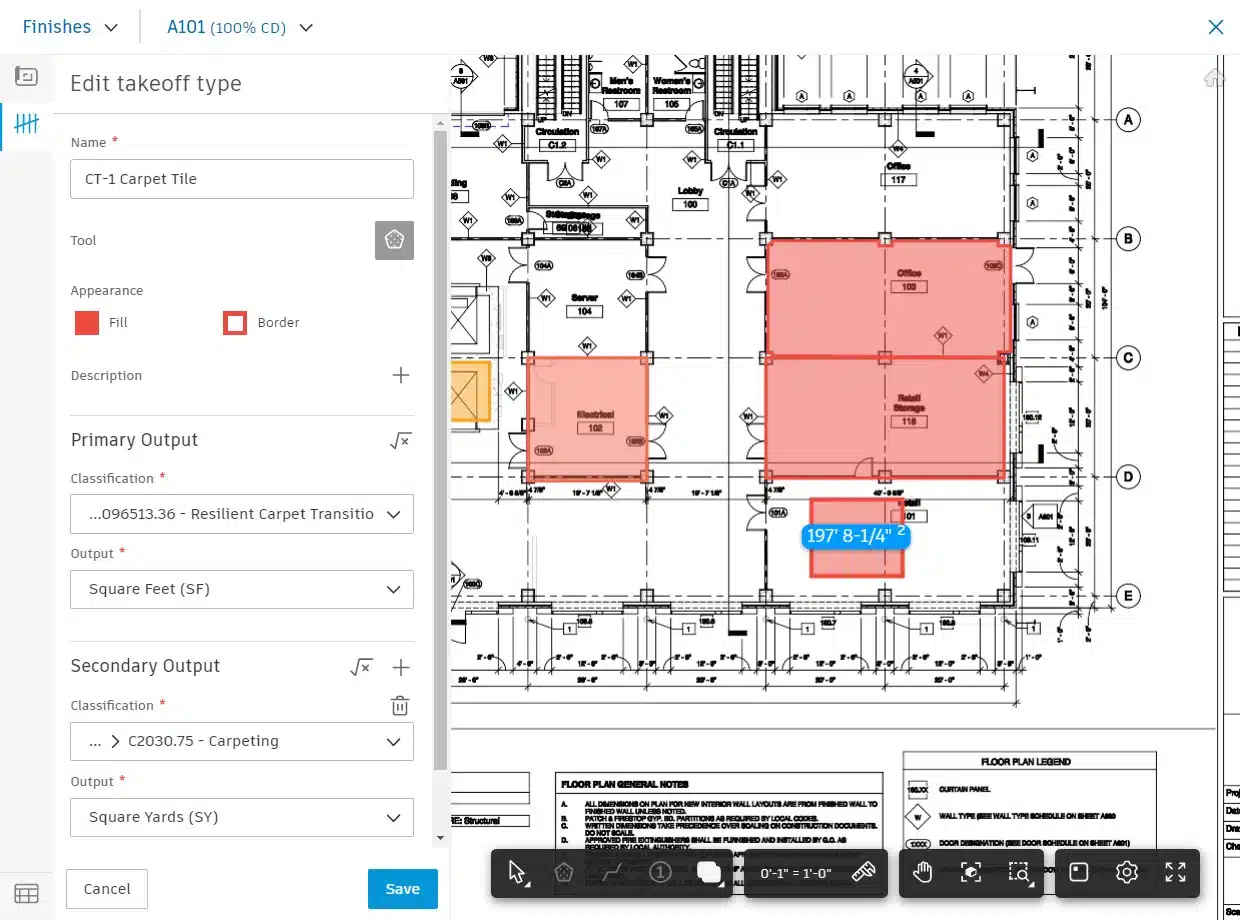
Autodesk Construction Cloud connects BIM workflows with project management, making it ideal for design-build and coordination-intensive projects. Integration with Revit and AutoCAD helps reduce clashes and rework. The cost and complexity may be unnecessary for contractors with simpler project needs.
Globe3 Construction Software is an all-in-one ERP solution built for the construction industry, helping companies improve efficiency and project oversight. Its integrated system connects financials, operations, and on-site activities to ensure smoother project execution.
Features
Contract and subcontractor management
Progress billing
Inventory and material control
Mobile site reporting
Pros
Cons
Real-time project tracking and analytics
Tailored for construction with full integration of finance and operations
Complex setup and customization
May be too advanced for smaller teams
Price: Between RM22,000 and RM43,500, depending on modules and implementation based.
Best for: Serves contractors that depend on real-time analytics tied to operations and finances.
Globe3 has a long-established presence in Malaysia and offers ERP features tailored to local construction requirements. Its project costing, SST support, and real-time financial visibility make it a practical choice for established contractors. It is best suited for firms seeking a proven local solution.
19. Wrike
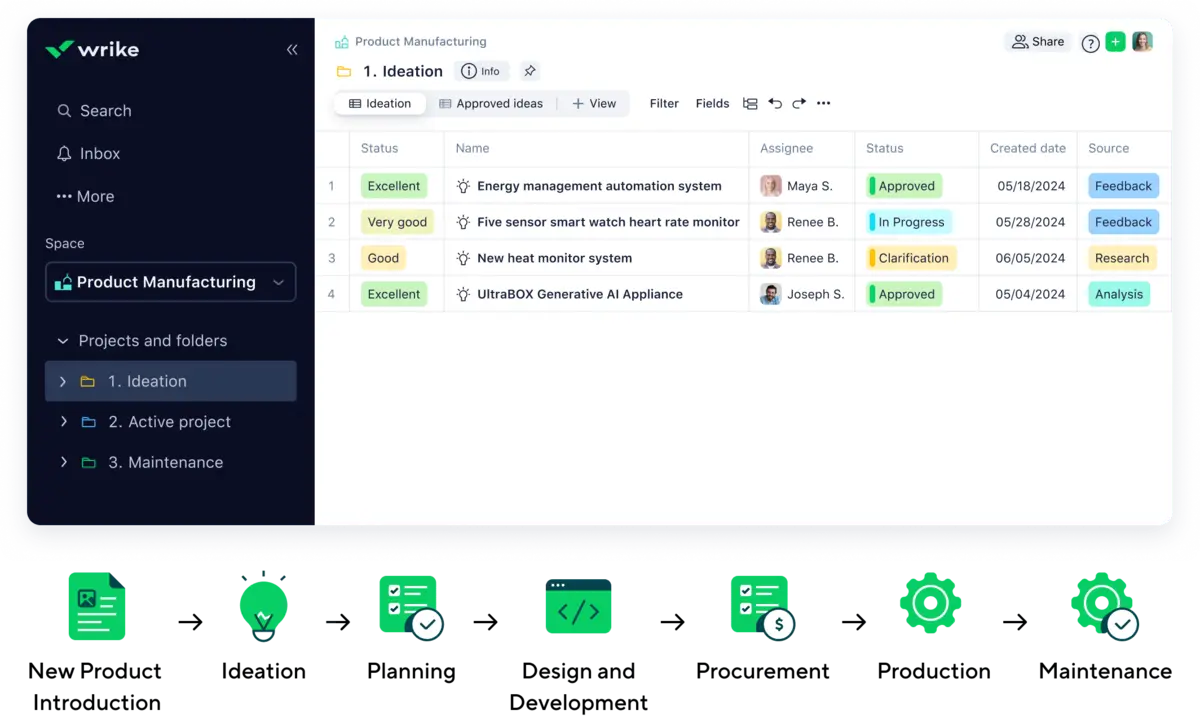
Wrike is a cloud-based construction ERP Malaysia platform built to help construction businesses monitor budgets, track contractor hours, and manage. It offers interactive Gantt charts, real-time dashboards, and automation for workflows and approvals.
Features
Interactive timeline views for visualising project phases
Resource-management tools that track workforce capacity
Custom workflows and automation engines
Real-time dashboards
Pros
Cons
Flexible with strong custom-workflow
Can connect with many third-party systems
Steep learning curve
High cost for smaller teams
Price: Team plan RM 47/user/month (USD10), business plan RM118/user/month (USD25)
Billed annually.
Best for: Teams that prioritize strong task management and wide integration options.
Wrike helps large teams coordinate work across consultants, subcontractors, suppliers, and internal departments. Its dashboards, workload management, and integrations improve collaboration at scale. However, costs increase with team size, and construction-specific functionality is limited.
20. BrickControl
Wrike for Construction is a software for construction that helps teams plan, track, and deliver projects efficiently. It synchronizes collaboration, scheduling, and reporting to keep construction projects on time and within budget.
Best for: Supports companies that need customizable workflows across estimating, scheduling, and progress tracking.
BrickControl is designed for contractors that require flexible workflows and detailed budget control. Its customization options allow businesses to align the platform with existing processes and reporting requirements. The trade-off is a more complex setup and a smaller track record in Malaysia.
Overall Comparison of Construction Management Software in Malaysia
Provider
Scheduling
Cost Tracking
Document Mgmt
Malaysia Support
Best For
HashMicro
Oracle
SAP
Zoho
Procore
Key Features Must Have in Construction Management Software
Construction management software helps teams manage projects with greater clarity and control. Its core strengths are evident in several essential features that support smoother planning and on-site execution, making it a reliable construction software used by many project teams today.
Project Scheduling & Task Management
It unifies scheduling, task assignment, and progress tracking, giving teams a clear view of timelines and daily activities.
Centralized Document & Contract Control
All project documents and contracts are stored in one place, reducing confusion and keeping every update accessible in real time.
Budgeting, Cost Control & Procurement
Budgeting and procurement tools help manage costs, plan materials, and coordinate with vendors, minimizing delays and overspending.
On-Site Reporting & Field Coordination
On-site reporting lets field teams log updates, issues, and inspections in real time, improving communication across the entire project.
Why Businesses Need Construction Management Software?
Construction software offers a wide range of advantages to construction businesses, helping them reduce manual steps in project processes, improve efficiency, and make data-driven decisions. Below are seven key benefits of construction project management software:
Mobile Accessibility: Construction software often offers mobile apps, enabling remote access and ensuring construction teams can access information on the go.
Cost Management: This construction software helps track expenses, contracts, and budgets, enabling better financial management and cost control.
Streamlined Planning: Project management for construction supports planning, enabling businesses to create accurate estimates, manage bids, and identify potential issues early.
Real-time Data Insights: It provides real-time data insights, enabling construction teams to make data-driven decisions. For example, with instant access to material prices, builders can make strategic choices to stay within budget.
Efficient Project Scheduling: Construction software helps construction businesses schedule projects more effectively, accounting for resource availability, task dependencies, and deadlines.
Risk Identification: By analyzing real-time data, construction software can help identify risks and potential problems before they impact the building process. This allows for proactive problem-solving and reduces delays.
Asset Management Solutions: Construction businesses also need equipment maintenance software that includes asset management solutions. This integration helps accurately monitor asset conditions and profitability ratios for optimal performance.
Trends In Construction ERP Malaysia For 2026
Here are several key trends driving the evolution of best project management software for construction in 2026. These innovations aim to improve real-time collaboration, reduce project risks, and enhance overall efficiency.
1. GPS and Mobile Integration
Modern software like Contractor Foreman uses GPS tracking and mobile apps for real-time team monitoring, resource management, and smarter scheduling. AI forecasting and supplier integration also help contractors control costs efficiently.
2. Improved Document Management
New systems offer customizable templates, digital checklists, and better search tools to simplify handling contracts, permits, and inspection reports.
3. Advanced Budgeting Tools
Platforms such as Zoho Projects now include built-in budgeting and expense tracking features, allowing contractors to monitor costs and maintain financial control throughout projects.
4. Cloud-Based Construction ERP Adoption
By 2026, cloud-native ERP solutions are expected to become the preferred choice for Malaysian construction companies. Cloud-based ERP offers lower upfront investment, faster deployment, and real-time access to project data from any location.
5. AI-Driven Predictive Analytics and Automation Artificial Intelligence is increasingly embedded in construction ERP systems to support predictive analytics, such as forecasting cost overruns, identifying schedule risks, and optimizing resource allocation.
Construction Management Software Cost & Pricing Comparison Table
Below is a simplified overview of the typical pricing tiers for construction management and construction ERP software in Malaysia.
Below is a pricing overview based on publicly available data from official vendor websites as of June 2026. Prices originally listed in USD have been converted to Malaysian Ringgit (RM) using an approximate rate of 1 USD = RM 4.40. For vendors without public pricing, contact them directly for a tailored quote.
Software
Best For
Pricing Model
Starting Price
Users
Zoho Projects
Small teams, basic tracking
Per-user, monthly
Free (up to 5 users) or from RM 18/user/mo
Flexible
Monday.com
Visual project planning
Per-seat, monthly (min 3 seats)
From RM 40/seat/mo (billed annually)
Min 3 seats
Wrike
Cross-team collaboration
Per-user, monthly
Free (up to 5 users) or from RM 45/user/mo
Groups of 5
QuickBooks Online
Financials & job costing only
Monthly subscription
From RM 77/mo (Simple Start)
Varies by plan
Contractor Foreman
Small contractors (<25 staff)
Flat monthly
From RM 215/mo (Basic)
Unlimited
BrickControl
Customisable workflows
Per-user, monthly
From RM 215/user/mo
Flexible
Microsoft Dynamics 365
Microsoft ecosystem users
Per-user, monthly
From RM 285/user/mo (Project Operations)
Per-user
Speedbrick
Procurement (Malaysian-built)
Per-project
Contact vendor
Per-project
BuildSpace
MY contractors (since 2011)
Per-project
Contact vendor
Per-project
Novade
Field ops, QLASSIC/SHASSIC
Custom
Contact vendor
Per-project
Globe3
Mid-size MY contractors (G4–G5)
Custom
Contact vendor
Per-user
Focus Softnet
Mid-market SEA
Custom
Contact vendor
Per-user
HashMicro
Mid-large, full ERP + SST/e-Invoice
Custom
Contact vendor
Unlimited
Buildertrend
Residential builders
Volume-based monthly
Contact vendor
Unlimited
Procore
Large contractors, field ops
Annual, based on construction volume
Contact vendor
Unlimited
Autodesk Construction Cloud
BIM-heavy, complex projects
Annual subscription
Contact vendor
Per-user
SAP Business One
Enterprise, global ops
Per-user license
Contact vendor
Per-user
Oracle Primavera
Mega-projects, infrastructure
Enterprise license
Contact vendor
Per-user
CMiC
Data-driven, portfolio mgmt
Enterprise license
Contact vendor
Per-user
Vista by Viewpoint
Financial control, job costing
Custom
Contact vendor
Per-user
InEight
Cost estimation, large GCs
Enterprise license
Contact vendor
Per-user
Different Types of Project Management Software
1. Software (SaaS) Project Management Software
SaaS project management software is a cloud-based solution that can be accessed through the internet without requiring on-premise installation. It typically operates on a subscription model, allowing teams to work from anywhere while the provider handles system updates, security, and maintenance. This makes SaaS a scalable and cost-effective option for modern businesses.
2. Agile Project Management Software
Agile project management software is designed to support flexible and iterative workflows such as Scrum or Kanban. It enables teams to manage projects in short development cycles (sprints), quickly adapt to changes, and maintain continuous collaboration and feedback. This approach is ideal for dynamic industries that require speed and innovation.
3. Traditional (Waterfall) Project Management Software
Traditional project management software follows a structured and sequential approach, where each project phase must be completed before moving to the next. It is best suited for projects with clearly defined scope, budget, and timeline, providing detailed planning tools such as Gantt charts and milestone tracking.
4. Integrated or All-in-One Project Management Platform
An integrated or all-in-one project management platform combines multiple business functions into a single system, including project management, finance, human resources, and procurement. By centralizing data and processes, this type of platform improves operational efficiency, reduces data duplication, and provides real-time reporting for better decision-making.
How to Choose Construction Management Software for Optimal Construction Operations
When choosing the right construction software, specially in Malaysia, it is important to consider your business’s specific needs, from workforce coordination to tracking construction equipment and materials. Here are some key factors to consider:
1. Integration
Look for software that can integrate with your existing systems and processes. This includes compatibility with other software you use, such as accounting, HR, or CRM systems, to ensure data consistency and avoid duplicate data entry.
2. User-friendliness
Choose a software solution with an intuitive and user-friendly interface that is easy to navigate and use for all team members, regardless of their technical expertise. This can improve user adoption and reduce the time and resources needed for training.
3. Mobility
Consider software that offers mobile accessibility, allowing your team to access project data and collaborate remotely from any device, enabling efficient work and decision-making while on the go.
4. Scalability
Opt for software that can scale and adapt as your business grows or requirements change. This includes the ability to handle an increasing volume of data, users, and projects, ensuring the software remains effective and efficient over time.
5. Localisation
Ensure the software is tailored to the Malaysian market and complies with local regulations, standards, and languages. This includes considerations such as currency, tax calculations, and industry-specific requirements unique to Malaysia.
6. Customization
Look for software that allows customization to meet the unique needs of your business. This includes custom report generation, branding, and the ability to adapt the software to your specific workflows and processes.
Finding your fit is easier when you compare the right details. Use the matrix below to see which professional construction management system matches your specific business scale.
Which Construction Software Suite Fits Your Business?
Business Scenario
Recommended Software
Why It Fits
Construction company needing a complete, all-in-one system with real-time project visibility
HashMicro
Provides full integration across project management, procurement, finance, and inventory with real-time updates, making it ideal for companies seeking centralized control and scalability.
Large enterprise managing complex construction workflows and data
Oracle / SAP
Both platforms offer strong enterprise capabilities, including advanced data handling and process integration, suitable for organizations with complex structures despite steeper learning curves.
Small to mid-sized contractor looking for simple and easy-to-use tools
Zoho / Contractor Foreman
These tools focus on simplicity and accessibility, offering essential project tracking and collaboration features without overwhelming users.
Teams that rely on strong collaboration between field and office
Procore / BuilderTrend
Designed for seamless communication, documentation, and coordination, helping teams stay aligned across project phases.
Businesses that prioritize visual planning and task tracking
Monday.com / Wrike
Offers intuitive dashboards, automation, and visual workflows that simplify planning and monitoring project progress.
Construction firms focused on cost control and forecasting
InEight
Specializes in cost estimation, forecasting, and financial control, making it ideal for large-scale or infrastructure projects.
Companies that need strong accounting and financial tracking
Vista / QuickBooks
Focuses on budgeting, expense tracking, and job costing, suitable for businesses prioritizing financial management over full project features.
Field-heavy operations requiring site monitoring and compliance tracking
Novade
Optimized for on-site workflows, inspections, and safety compliance with real-time updates from the field.
Companies focusing on procurement and contract management
Speedbrick
Provides structured procurement processes and better visibility into contract workflows and compliance.
Businesses needing flexible ERP with some construction capabilities
Microsoft Dynamics 365 / Focus Softnet
Offers adaptable ERP functionality with moderate construction features, suitable for companies needing flexibility.
Firms handling complex design-to-build workflows and BIM coordination
Autodesk Construction Cloud
Enables advanced collaboration across design and construction phases, ideal for technically complex projects.
Contractors needing real-time analytics tied to operations and finance
Globe3
Combines operational tracking with financial insights to improve project decision-making and performance.
Teams that require highly customizable workflows and reporting
BrickControl
Offers flexible configuration for workflows, making it suitable for businesses with unique operational processes.
Conclusion
Choosing the right construction project management software helps construction teams in Malaysia keep inventory, purchasing, and project timelines more coordinated. A well-fitted system reduces manual follow-ups and supports more consistent on-time delivery.
When comparing options, focus on fit with your workflow, integration with existing tools, scalability, and the quality of vendor support. These factors usually matter more than long feature lists.
If you want help narrowing the shortlist, book a free consultation to review your priorities and current process. This makes it easier to choose a system that matches how your projects actually run.
FAQ about Construction Management Software in Malaysia
How much does construction management software cost in Malaysia?
Pricing varies widely depending on scope and team size. Cloud-based tools like Zoho Projects start from approximately RM 18 per user per month, while mid-market platforms like HashMicro and Globe3 offer custom pricing typically ranging from RM 1,500–5,000 per month for teams of 20–50 users. Enterprise solutions like Oracle Primavera and SAP can exceed RM 15,000 per month including licensing and support. Most vendors offer free demos — request quotes from at least 3 providers before committing, as the lowest price doesn’t always mean the best fit.
Which construction management software supports CIDB compliance in Malaysia?
Several platforms support CIDB requirements directly or indirectly. Novade has built-in templates for QLASSIC (Quality Assessment System in Construction) and SHASSIC (Safety and Health Assessment) — two CIDB frameworks required for government projects above RM 10 million. Speedbrick supports PKK (Pusat Khidmat Kontraktor) procurement documentation. HashMicro and Globe3 handle CIDB contractor grading documentation through their project management modules. For smaller contractors (G1–G3), tools like Contractor Foreman can manage basic compliance checklists, though without CIDB-specific templates.
Does construction software need to support LHDN e-Invoice in Malaysia?
Yes — as of July 2025, Malaysian businesses with annual revenue above RM 500,000 must submit e-Invoices to LHDN through the MyInvois system. For construction companies, this applies to every progress claim, variation order, and supplier payment. Platforms with native LHDN e-Invoice support include HashMicro, Globe3, and Focus Softnet. International tools like Procore, Oracle, and Autodesk do not natively support MyInvois — you would need a separate accounting integration or middleware to remain compliant.
Which construction software is best for small contractors in Malaysia?
For small Malaysian contractors (G1–G3, under 20 staff), the best options prioritise affordability and ease of adoption over feature depth. Contractor Foreman (approximately USD 50/month) covers scheduling, daily logs, estimates, and invoicing. Zoho Projects (from RM 18/user/month) works well for basic project tracking with SST-compatible accounting via Zoho Books. Speedbrick is ideal if your primary pain point is procurement and material purchasing. Avoid enterprise platforms like SAP, Oracle, or CMiC at this stage — the licensing cost alone would exceed your software budget for the year.
How long does it take to implement construction management software?
Implementation timelines depend on complexity. Simple cloud tools (Zoho, Monday.com, Contractor Foreman) can be operational within 1–2 weeks with minimal configuration. Mid-market platforms (HashMicro, Globe3, BuildSpace) typically require 2–4 months, including data migration, module customisation, and staff training. Enterprise solutions (SAP, Oracle, Dynamics 365) often take 6–12 months for full deployment. The biggest variable is data migration — contractors moving from Excel spreadsheets to structured software should budget an additional 2–4 weeks for historical project data cleanup and import.
What features should Malaysian contractors prioritise when choosing construction software?
Beyond standard project scheduling and budgeting, Malaysian contractors should look for five compliance-critical features: (1) LHDN e-Invoice generation that supports MyInvois XML format, (2) SST computation and SST-02 submission support, (3) CIDB-aligned quality and safety checklists (QLASSIC/SHASSIC templates), (4) multi-currency support for contractors with Singapore or Indonesia operations, and (5) Bahasa Melayu interface or at minimum bilingual documentation — particularly important for site-level staff. Integration with local banking for payment processing (DuitNow, FPX) is an additional advantage.
How does construction software help with QLASSIC and SHASSIC compliance?
QLASSIC (Quality Assessment System in Construction) and SHASSIC (Safety and Health Assessment System in Construction) are CIDB frameworks that require systematic documentation of quality inspections and safety audits throughout a project. Construction software like Novade digitises these assessments — site supervisors complete QLASSIC checklists on mobile devices, capture defect photos with GPS tagging, and generate audit-ready reports. For SHASSIC, the software maintains incident logs, safety training records, and corrective action tracking. Without digital tools, contractors typically spend 15–20 hours per week on manual paperwork for these assessments alone.
Can I migrate data from Excel or SQL Account to construction software?
Most mid-market and enterprise construction platforms support data migration from spreadsheets and local accounting software. HashMicro, Globe3, and Focus Softnet offer migration tools specifically for SQL Account and UBS — the two most common accounting systems among Malaysian SMEs. The typical migration process involves exporting your chart of accounts, vendor lists, and open project data into CSV format, then mapping fields to the new system. Budget 2–4 weeks for migration and parallel running, where both old and new systems operate simultaneously to verify data accuracy before fully switching over.
Is HashMicro better than Procore for Malaysian construction companies?
It depends on your priorities. HashMicro is stronger for Malaysian contractors who need integrated back-office operations — accounting with SST, HR with EPF/SOCSO, procurement, and asset management — all in one platform with unlimited users. Procore is stronger for field operations — its mobile daily logs, RFI management, and punchlist workflows are more intuitive and widely adopted by site crews. HashMicro offers native LHDN e-Invoice support; Procore does not. Procore has a larger global user community and integration ecosystem; HashMicro has local offices in Kuala Lumpur with on-ground support. For mid-size Malaysian contractors who need both field and back-office in one system, HashMicro is typically the more cost-effective choice. For contractors on international projects requiring Procore as a client mandate, Procore is non-negotiable.
A content writer specializing in the intersection of technology and business. Produces engaging articles that resonate with readers and give meaningful insights.
Ricky Halim is a technology and business development professional specializing in enterprise solution innovation. With extensive experience in product management and growth strategy, he plays a key role in positioning HashMicro as a leading ERP solution in Southeast Asia by aligning intelligent systems with the operational needs of modern businesses.