















Finance teams in Malaysia juggle more than bookkeeping, and financial management software helps keep cash flow, budgets, and reporting in one reliable view. When sales, vendors, and entities grow, scattered files slow decisions and create mismatched numbers across teams.
The right platform centralises budgeting, forecasting, reconciliation, and approvals, so you spend less time chasing spreadsheets and more time checking the story behind the numbers. It also creates clearer audit trails during month-end close when policies or tax rules change.
Still, not every tool fits every business. Some are built for fast invoicing and bank matching, while others focus on consolidation, controls, and multi-entity reporting. This guide reviews 20 options for Malaysia in 2026 to help you shortlist software for accounting workflows based on how your finance workflow runs.
Key Takeaways
Financial management software is a specialized tool for businesses to streamline their financial operations.
When comparing tools, focus on automation depth, scalability, integration with existing systems, and support reliability.
Strong solutions typically include automated bank matching, built-in controls for regulatory requirements, and clear analytics dashboards to keep reporting accurate and decision-ready.
Inefficient financial processes from poor cash flow visibility to manual reporting and navigating Malaysia’s e-invoicing compliance can quietly strain your business operations and limit growth.

What is a Financial Management System (FMS)?
Financial Management System (FMS) is a digital tool used by organizations to manage their finances, including income, expenses, and assets. The main goal of a financial management system is to maximize profitability and ensure long-term business sustainability.
Whether integrated into an ERP system or used as standalone software, these tools give businesses a unified view of their financial health. Today, many Chief Financial Officers (CFOs) prefer cloud-based financial management solutions for their scalability and flexibility.
According to a study on accounting information systems and SMEs, integrating an accounting information system within an ERP improves decision-making, accounting for 43.8% of the variance. This suggests that ERP-supported financial data provides more accurate and timely insights that strengthen strategic decisions.
Shortlisted Top Financial Management System (FMS) Software
I’ve shortlisted the best financial management software in Malaysia for 2026 that balance automation and compliance. These tools streamline accounting, payroll, and invoicing while simplifying reporting. With real-time insights, they improve financial control and support better decisions.



Best Because
Cloud-based automation, real-time insights, multi-currency support.

Best Because
ERP integration, sales and accounting, industry-specific customization.


Best Because
User-friendly accounting, payroll, invoicing, and cloud access.

Best Because
Simple invoicing, expense tracking, time management for freelancers.

Best Because
Integrated invoicing, accounting, payroll, and automation.
Why do Businesses Need Financial Management System Software?
Financial management software is a specialized tool that integrates with your company’s core business system to handle financial operations more efficiently. It covers everyday tasks like accounting, budget management, payroll, billing, and reporting.
The adoption of best financial management software brings numerous benefits to businesses, which include:
- Adequate cash flow from effective tracking and managing payables, receivables, and inventory, enhancing both financial and management accounting insights.
- Automating routine tasks reduces the risk of human errors, labor costs, and financial losses.
- Financial management software simplifies complex financial processes, from payroll to tax filing, making them more manageable and less time-consuming.
- Improved data security from robust security features to protect against unauthorized access and data breaches.
- Enhanced decision-making from real-time financial data and analytics.
Hashy AI Fact

Hashy AI monitors overdue invoices and automatically engages customers for follow-up, enhancing financial management by ensuring timely payments.
Request a free demo today!
Quick Comparison of Best Financial Management Software in Malaysia
| Software | Best For | Key Strength | MY Compliance | Pricing | Core Features | Limitations |
|---|---|---|---|---|---|---|
| HashMicro | Businesses needing an integrated finance ecosystem with compliance support | Comprehensive finance automation with Malaysia Peppol e-Invoicing compliance and multi-entity support | Native LHDN & Peppol Support | Estimated RM15,000–RM34,000/month; custom quote | Auto bank reconciliation, budget S-curve, P&L analysis, financial ratios, invoice customization, cashflow reports, currency updates | Implementation may take longer for highly customized environments |
| Sage Intacct | Organizations managing multiple entities and subsidiaries | Advanced cloud accounting with automation and multi-currency support | Via Localization Partners | Estimated RM8,500–RM25,600/month; custom quote | General ledger, revenue recognition, automated billing, dashboards, multi-currency management | Complex implementation and additional training requirements |
| SAP Business One | SMEs transitioning from standalone accounting tools | Integrated ERP combining finance, sales, inventory, and reporting | Localized Malaysia Support | From RM2,800–RM5,000/month; enterprise plans quoted separately | Accounting, forecasting, asset management, financial reporting | High licensing costs and consultant-dependent deployment |
| Oracle NetSuite | Multi-location and multi-entity businesses | Scalable cloud ERP with real-time analytics and compliance tools | Localization Available | Estimated RM12,300–RM102,300/month | Financial planning, consolidation, revenue automation, compliance management | Higher ownership costs and ongoing maintenance requirements |
| QuickBooks | Small businesses and startups | Simple cloud accounting with strong invoicing and reconciliation tools | Limited Malaysia Support | Approximately RM155–RM1,125/month | Invoicing, tax management, reporting, bank reconciliation | Limited customization and advanced enterprise functionality |
| FreshBooks | Freelancers and service-based businesses | Easy invoicing, time tracking, and expense management | Basic Tax Compliance | Approximately RM94–RM286/month; Select uses custom pricing | Time tracking, invoicing, reporting, online payments | Limited financial management depth and integrations |
| Zoho Finance Plus | Growing companies seeking an integrated finance suite | Strong automation across accounting, payroll, and invoicing | Configurable Tax Compliance | Approximately RM814–RM1,018/month for 10 users | Accounting automation, compliance, dashboards, multi-currency | Steep learning curve for non-technical users |
| Infor ERP | Manufacturing and industrial enterprises | Industry-specific ERP with strong analytics and compliance controls | Enterprise Localization | Custom quote based on CloudSuite, users, and modules | ||
| Acumatica | Growing businesses needing flexibility and scalability | Cloud-native ERP with customizable workflows | Partner-Based Localization | Estimated RM8,500–RM25,600/month; usage-based pricing | Real-time insights, inter-company accounting, automation, APIs | Customization may require technical expertise |
| Xero | SMEs needing cloud accounting and mobile access | Excellent bank feeds and real-time financial tracking | SST Support Available | Approximately RM29–RM307/month at standard rates | Bank reconciliation, expense tracking, invoicing, integrations | Less suitable for highly complex operations |
| Workday | Large enterprises with global finance and HR operations | Unified finance & HR, global compliance, real-time insights | Global Compliance Framework | Estimated RM143–RM409/employee/month; custom quote | General ledger, expense management, revenue automation, financial reporting, contract-to-cash, compliance controls | Expensive and complex implementation |
| Kissflow | Businesses automating finance approvals and workflows | No-code workflow automation, approval management | Workflow Compliance Controls | Custom annual pricing | Budget approvals, expense tracking, workflow automation, fixed asset management, financial controls | Limited scalability for large enterprises |
| Cube | Finance teams replacing spreadsheet-based planning | Spreadsheet-friendly FP&A automation | Reporting Compliance Support | Custom quote across Bronze, Silver, and Gold plans | Budgeting, forecasting, scenario planning, data integration, collaboration tools | Limited ERP and accounting capabilities |
| Multiview ERP | Mid-sized organizations with complex accounting needs | Multi-entity financial management | Audit-Ready Records | Custom quote based on users, entities, and modules | General ledger, accounts payable, document management, financial reporting, multi-entity accounting | Dated user interface |
| Prophix | Companies focused on budgeting and financial planning | Advanced FP&A and financial consolidation | Compliance Reporting | Custom quote based on FP&A scope and company size | Budgeting, forecasting, financial consolidation, reporting, reconciliation automation | Requires implementation and training |
| Anaplan | Large organizations requiring connected business planning | Enterprise-wide planning and forecasting | Financial Governance | Custom quote based on users, capacity, and use cases | Financial planning, scenario modeling, real-time collaboration, forecasting, data integration | Complex setup and learning curve |
| MYOB Accounting | SMEs needing localized accounting software | Accounting with Asia-Pacific localization | Asia-Pacific Compliance | Approximately RM75–RM599/month | Accounting, invoicing, payroll, tax tracking, reporting, job costing | Limited for complex enterprise operations |
| Clockwork | Businesses improving cash flow forecasting | AI-powered cash flow forecasting | Forecasting Focus | Approximately RM609–RM12,266+/month | Cash flow forecasting, financial modeling, scenario planning, dashboards, AI insights | Primarily focused on forecasting |
| SmartFusion | Government and public sector organizations | Fund accounting and compliance reporting | Public Sector Compliance | Custom quote based on selected public-sector modules | Fund accounting, financial reporting, audit trails, entity management, workflow automation | Less suitable for private businesses |
| Vena Solutions | Organizations relying on Excel for FP&A | Excel-based enterprise planning | Audit & Governance | Custom quote based on plan, users, and modules | Budgeting, forecasting, workflow automation, financial reporting, data consolidation | Heavy reliance on Excel knowledge |
A good financial management software reduces this burden by embedding compliance into daily financial workflows. Instead of treating compliance as a separate task at month-end, the system automatically validates transactions, applies the latest tax rules, records approval histories, and generates audit-ready reports as business activities happen.
Below are the key ways financial software helps businesses maintain compliance with less manual effort.
- LHDN e-Invoice Mandate (MyInvois / Peppol)
Phase 1 – August 2024: Businesses with annual turnover ≥ RM100 million
Phase 2 – January 2025: Businesses with annual turnover ≥ RM25 million
Phase 3 – July 2025: All remaining businesses required to complyA reliable financial management software supports Malaysia’s e-Invoice mandate by generating compliant invoices, validating required data, integrating with MyInvois or Peppol, and securely storing records for audits. - Sales & Service Tax (SST)
The right financial software automatically applies the correct SST rate based on each transaction, records taxable sales accurately, and generates organized tax summaries for bi-monthly SST filing. By automating tax calculations and reporting, businesses can reduce manual errors, speed up tax preparation, and remain compliant with Malaysia’s evolving tax regulations. - Project-Based Cost Tracking
For businesses handling government or contract-based projects under PAM or JKR, financial software tracks labour, material, equipment, and overhead costs at the project level while generating accurate progress claims based on contract milestones. This provides better cost visibility, simplifies financial reporting, and ensures supporting documents are readily available during audits or project reviews.
For Remote or Receipt-Heavy Finance Teams
If your finance team works remotely or processes a large number of supplier receipts, choose software with built-in OCR receipt scanning. Employees can upload receipts directly from their mobile devices, while the system automatically extracts information such as vendor name, invoice date, tax amount, and total value before routing it through the approval workflow and posting it to the general ledger. This reduces manual data entry, improves accuracy, and keeps supporting documents organized for future audits.
20 Best Financial Management Software System for Businesses in Malaysia
Choosing the best financial management software is crucial for optimal financial management. Below are the top 20 financial management software in Malaysia to help you make an informed choice that will drive your business forward.
- HashMicro is a comprehensive financial management software solution that automates finance, ensures compliance, and integrates seamlessly.
- Sage Intacct cloud-based software with automation, real-time insights, and multi-currency support.
- SAP Business One is an integrated ERP for accounting, sales, and inventory with industry-specific customization.
- Oracle NetSuite cloud-based finance dashboard combining CRM, e-commerce, and real-time analytics.
- QuickBooks is an user-friendly finance software with automation and cloud accessibility for small businesses.
- FreshBooks is a simple invoicing and expense tracking for freelancers and small businesses.
- Zoho Finance Plus an integrated finance system automating invoicing, accounting, and payroll.
- Infor ERP industry-specific financial software linking finance, supply chain, and CRM.
- Acumatica financial management software is scalable finance software with real-time insights and cost-effective access.
- Xero cloud-based accounting with mobile access and real-time financial tracking.
- Workday integrates finance and HR for large multinational enterprises.
- Kissflow automates financial workflows, approvals, and expense tracking.
- Cube enhances budgeting, forecasting, and financial data analysis.
- Multiview ERP offers financial tools for healthcare, hospitality, and service industries.
- Prophix automates budgeting, planning, forecasting, and scenario analysis.
- Anaplan provides cloud-based financial planning, forecasting, and decision-making.
- MYOB Accounting simplifies invoicing, payroll, tax tracking, and compliance.
- Clockwork uses AI for financial forecasting, automation, and insights.
- SmartFusion manages public sector finance, compliance, and reporting.
- Vena Solutions combines spreadsheets with enterprise budgeting and forecasting.
"A strong financial management system centralises transactions, improves cash flow visibility, and supports local compliance through consistent controls and audit-ready reporting. It also scales smoothly as operations grow across outlets and teams."
1. HashMicro Financial Management System
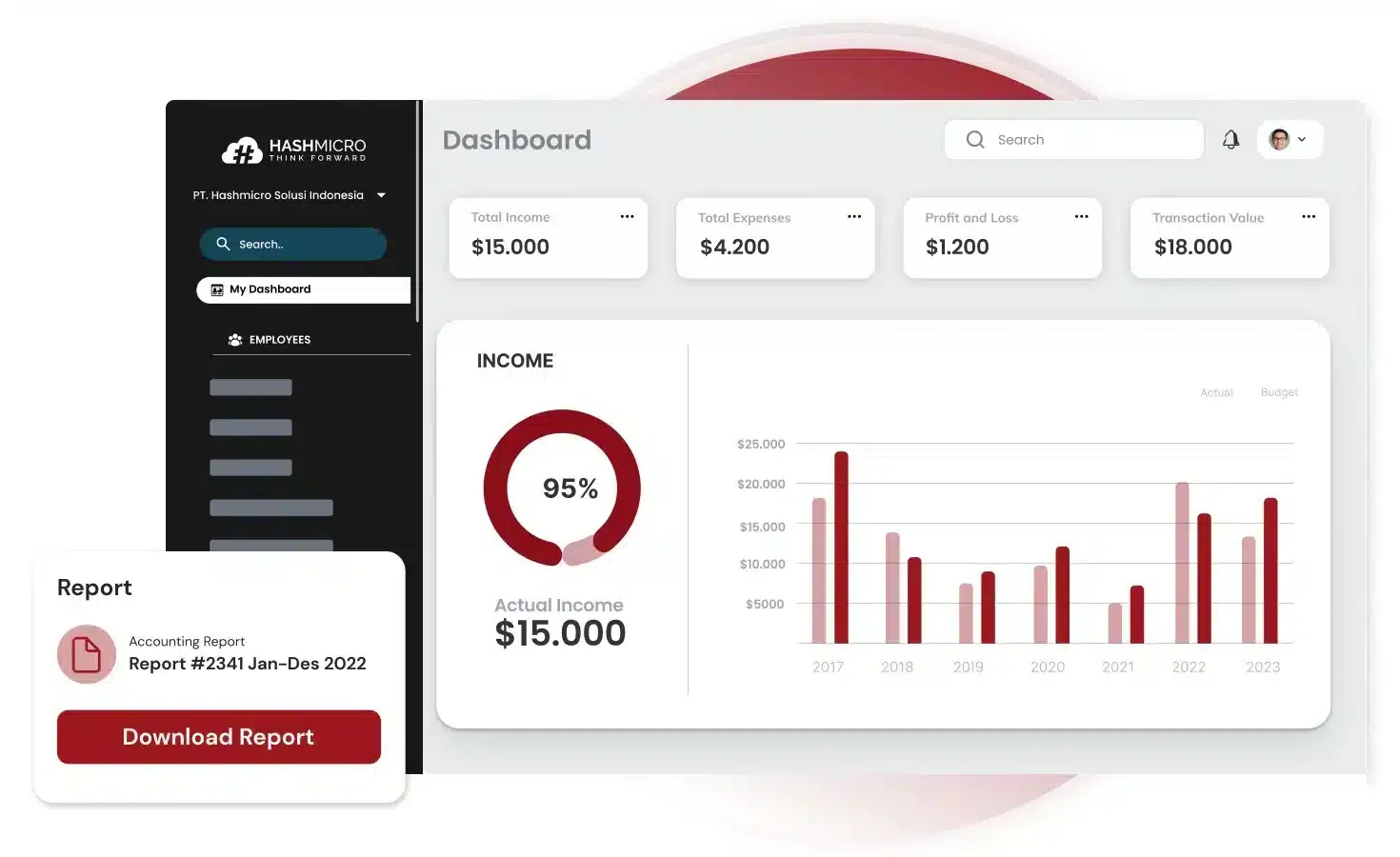
HashMicro offers financial management software for finance teams that keeps core workflows in one place, from ledger tasks to invoicing and tax-related reporting. It automates routine entries and standardises approvals across departments. As a result, the team spends less time reconciling and more time reviewing insights.
What sets HashMicro apart is its full compliance with Malaysia’s Peppol e-invoicing standards and its ability to scale across multi-entity, multi-branch operations. It’s trusted by notable names including Forbes, Bank of China, and Hino.
Pricing: Estimated at RM15,000–RM34,000 per month for enterprise configurations. Actual pricing varies based on selected modules, user count, business entities, workflow customisation, and system integration scope.
Sage Intacct
Below is the comprehensive suite of features that HashMicro Financial Management Software offers:
- Bank Integrations & Auto Reconciliation
- Budget S-Curve
- Profit & Loss vs Budget & Forecast
- Financial Ratio Analysis
- Custom Printout for Invoices
- Automated Currency Update
- Cashflow Reports
| Pros | Cons |
|---|---|
|
|
Businesses that want a broader finance setup with strong integrations across functions. It works best when you need one flow across reporting, approvals, and multi-department data. The trade-off is implementation time if your processes are highly customised..
If you’re narrowing options, start by matching the tool to your reporting depth, integration needs, and control requirements. It also helps to review the support scope and rollout approach early to avoid rework later. Click the banner below to view the pricing scheme of the best financial management software!
management software!
management software!
management software!
Estimated at RM15,000–RM34,000 per month for enterprise configurations. Actual pricing varies based on selected modules, user count, business entities, workflow customisation, and system integration scope.
Estimated at RM15,000–RM34,000 per month for enterprise configurations. Actual pricing varies based on selected modules, user count, business entities, workflow customisation, and system integration scope.
Estimated at RM15,000–RM34,000 per month for enterprise configurations. Actual pricing varies based on selected modules, user count, business entities, workflow customisation, and system integration scope.
Estimated at RM15,000–RM34,000 per month for enterprise configurations. Actual pricing varies based on selected modules, user count, business entities, workflow customisation, and system integration scope.
Estimated at RM15,000–RM34,000 per month for enterprise configurations. Actual pricing varies based on selected modules, user count, business entities, workflow customisation, and system integration scope.
Estimated at RM15,000–RM34,000 per month for enterprise configurations. Actual pricing varies based on selected modules, user count, business entities, workflow customisation, and system integration scope.
2. Sage Intacct
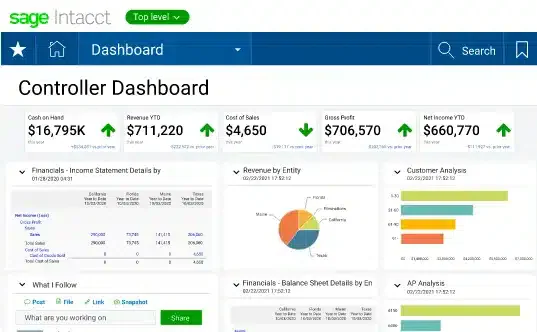
Sage Intacct is a cloud financial performance management software that provides comprehensive accounting software. It stands out for its robust automation capabilities that reduce manual tasks and its real-time operational and financial visibility that aids strategic decision-making.
Pricing: Estimated at RM8,500–RM25,600 per month when the typical annual contract value is spread across 12 months. Sage provides customised quotations based on users, modules, entities, integrations, and implementation requirements.
Features:
- Advanced general ledger
- Automated billing and revenue recognition
- Real-time reporting and dashboards
- Multi-currency management
| Pros | Cons |
|---|---|
|
|
Sage Intacct is the best choice for businesses managing multiple entities, subsidiaries, or branches.
3. SAP Business One
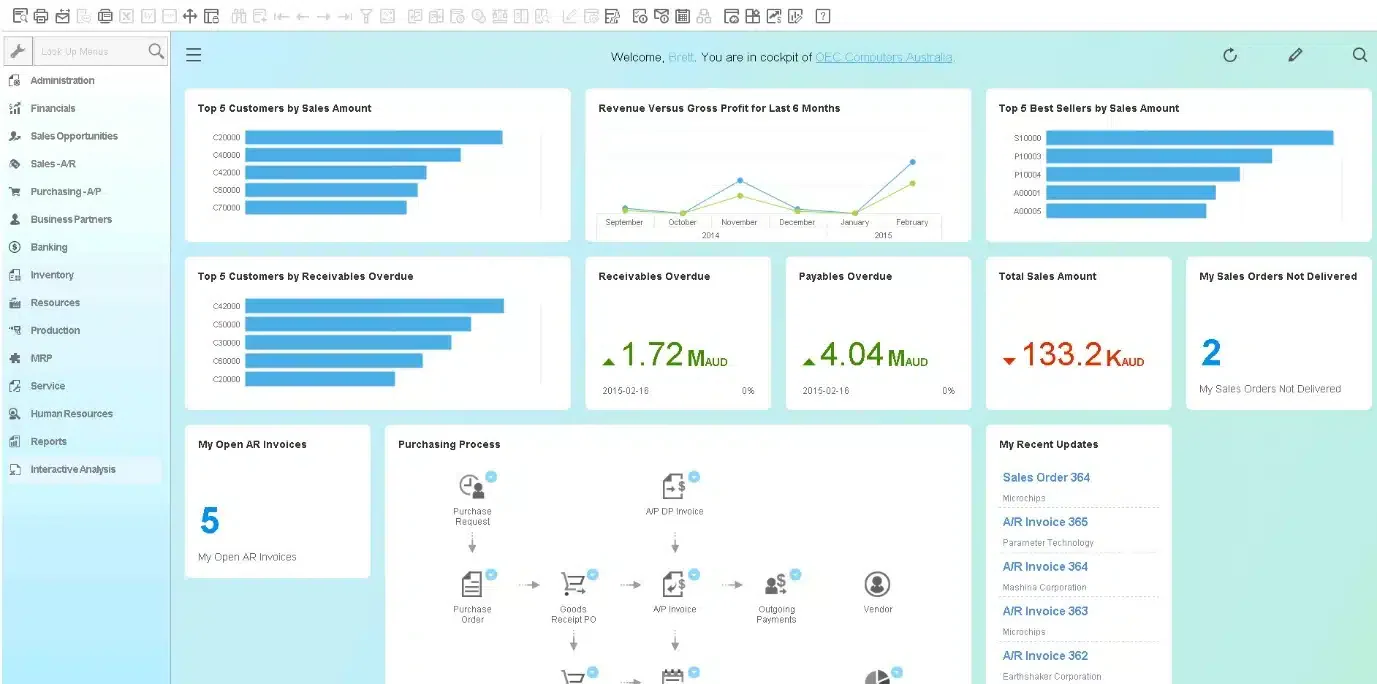
SAP Business One provides an integrated ERP solution that covers everything from accounting and sales to customer relationships and inventory management. This financial management software simplifies business processes by providing a unified system that increases visibility across the company.
Pricing: Indicative cloud packages in Malaysia range from RM2,800 per month for three users to RM5,000 per month for five users. Enterprise packages require a quotation and may cost more depending on production modules, additional users, customisation, and implementation.
Features:
- Integrated accounting
- Financial forecasting
- Fixed asset management
- Comprehensive financial reporting
| Pros | Cons |
|---|---|
|
|
SAP Business One is best suited for growing SMEs that need finance, sales, inventory, and customer management in one configurable ERP system.
4. Oracle NetSuite
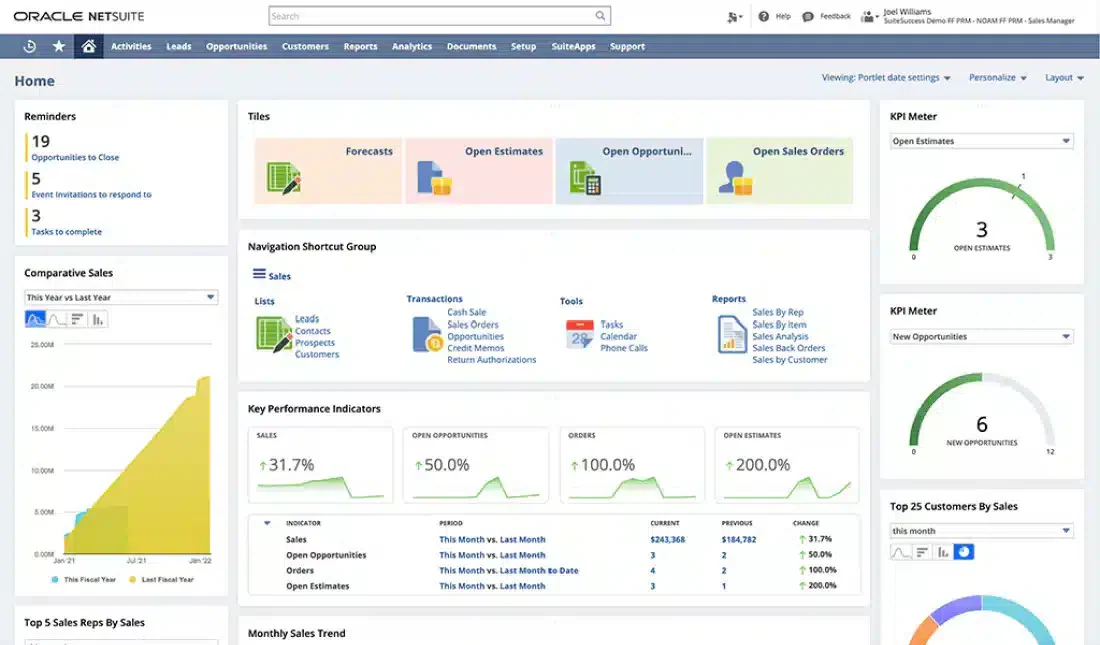
Oracle NetSuite is an ERP financial performance management software designed to consolidate financial management with other key business processes. This financial performance management software’s flexibility makes it a popular choice for various industries, including retail, manufacturing, and technology.
Pricing: Estimated at RM12,300–RM102,300 per month for small to mid-market deployments. Actual pricing combines the base platform, user licences, modules, subsidiaries, implementation, and optional OneWorld capabilities.
Features:
- Comprehensive financial planning and analysis
- Real-time consolidation
- Automated revenue management
- Global compliance
| Pros | Cons |
|---|---|
|
|
Oracle Netsuite is best suited for companies with complex, multi-entity, multi-location operations who need a robust, cloud-based ERP platform.
5. QuickBooks Financial Management Software
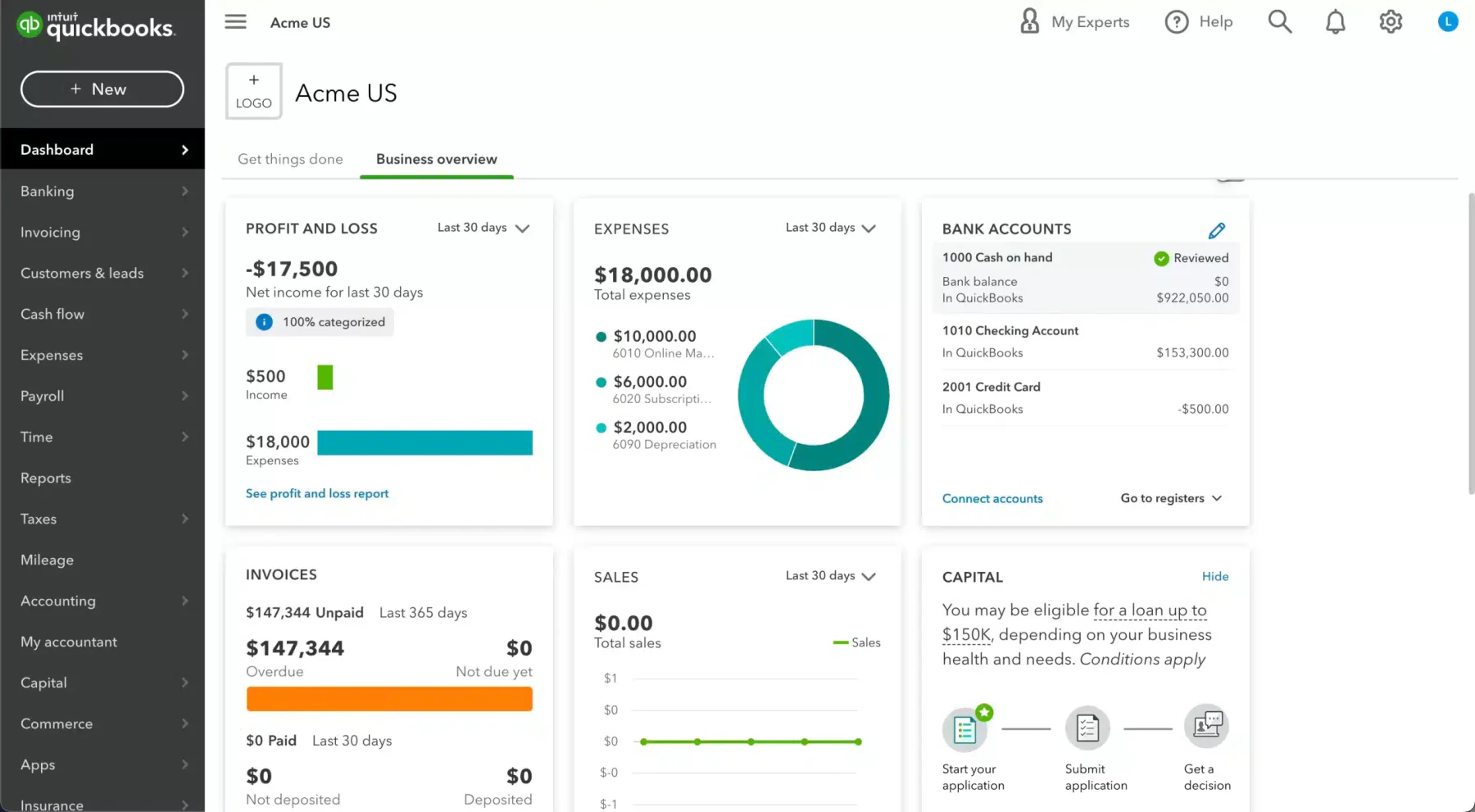
QuickBooks Financial Management Software is widely recognized for its powerful accounting features, making it ideal for small businesses and freelancers. It offers functionalities such as invoicing, payroll processing, profit and loss reporting, and tax preparation.
Pricing: Standard QuickBooks Online plans are approximately RM155–RM1,125 per month, covering Simple Start through Advanced. Payroll, payment processing, additional services, and applicable taxes may increase the total cost.
Features:
- Simplified invoicing
- Real-time invoicing reporting
- Tax management
- Bank reconciliation
| Pros | Cons |
|---|---|
|
|
QuickBooks is best for small to medium businesses with simple structures that need an easy, cloud-based tool for invoicing, expense tracking, and bank reconciliation.
6. FreshBooks

FreshBooks is financial management software primarily for business owners and self-employed professionals. It focuses on streamlining client invoicing and time tracking, expense management, and project financial management.
Pricing: Standard plans cost approximately RM94–RM286 per month, while the Select plan uses custom pricing. Additional team members, payroll, and advanced payment features are charged separately.
Features:
- Intuitive invoicing and time tracking
- Expense and receipt management
- Financial reporting and insights
- Online payments and client portal
| Pros | Cons |
|---|---|
|
|
FreshBooks is ideal for simple, service-based businesses needing easy invoicing and expense tracking, but less suited for multi-entity or complex accounting.
7. Zoho Finance Plus
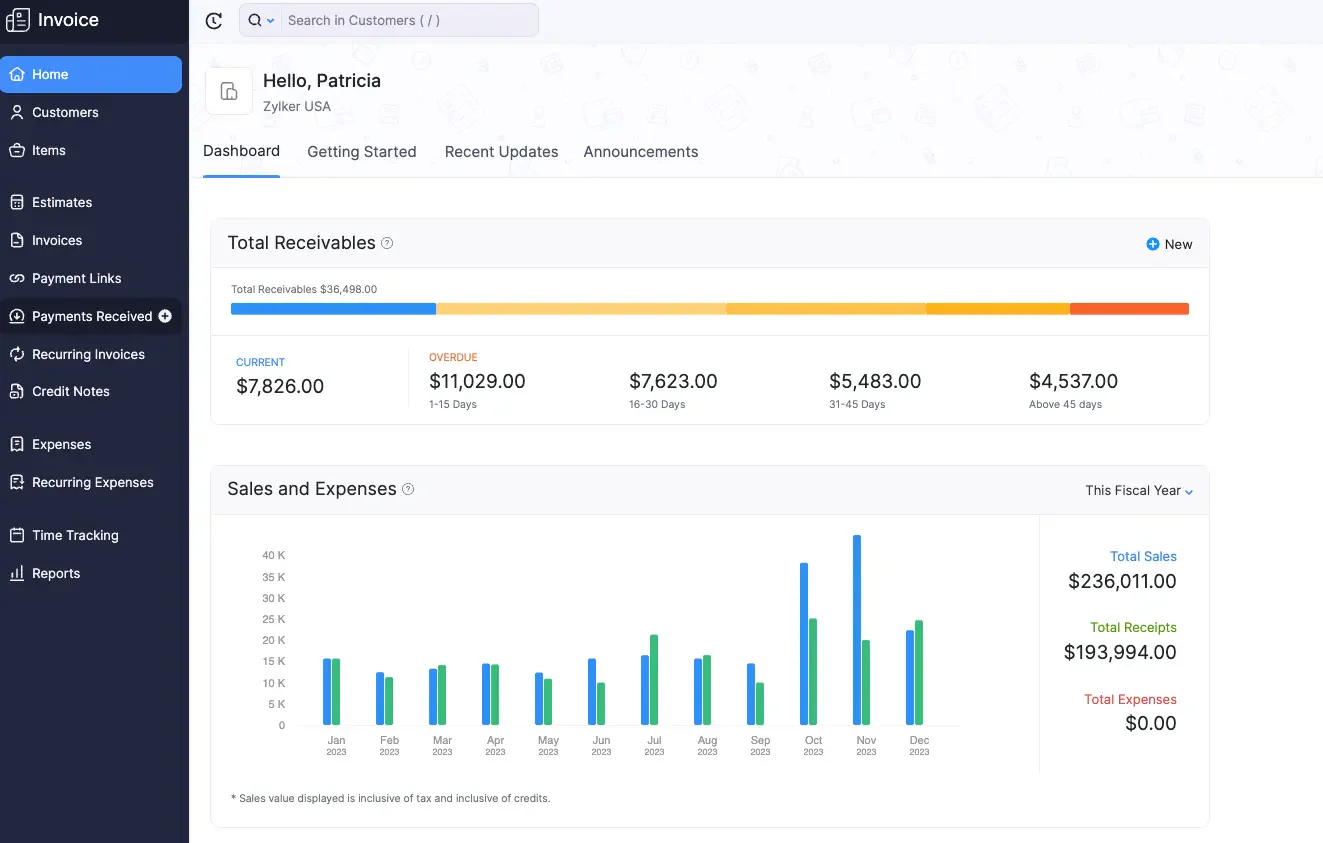
Zoho Finance Plus offers a comprehensive suite of integrated finance software designed for businesses of all sizes. It covers various financial management processes, from invoicing and expense management to accounting and payroll.
Pricing: Approximately RM814 per month with annual billing or RM1,018 per month with monthly billing, including ten users. Additional users, business locations, and taxes incur separate charges.
Features:
- Comprehensive accounting automation
- Tax and compliance management
- Multi-currency support
- Real-time dashboards
| Pros | Cons |
|---|---|
|
|
Zoho Finance Plus is best suited for growing businesses seeking affordable, integrated tools for invoicing, accounting, expenses, payroll, and workflow automation within the Zoho ecosystem.
8. Infor ERP
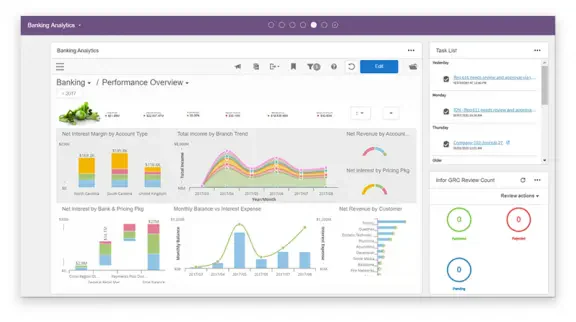
Infor ERP offers industry-specific ERP financial management software designed to meet the complex demands of specific industries. The software uses advanced analytics to provide insights that help businesses optimize operations and enhance financial performance.
Pricing: Custom quotation is required, as Infor does not publish a standard price for its ERP portfolio. Costs vary considerably by CloudSuite edition, named users, business sites, industry modules, contract term, integrations, and implementation scope.
Acumatica
Features:
- Unlimited dimensions and ledgers
- Unified data repository
- Advanced compliance and reporting controls
- Integrated source-to-settle supply-management capability
| Pros | Cons |
|---|---|
|
|
Infor financial performance management software is best for large or growing manufacturing, distribution, and industrial businesses that need industry-specific, multi-site, and global operational management.
9. Acumatica
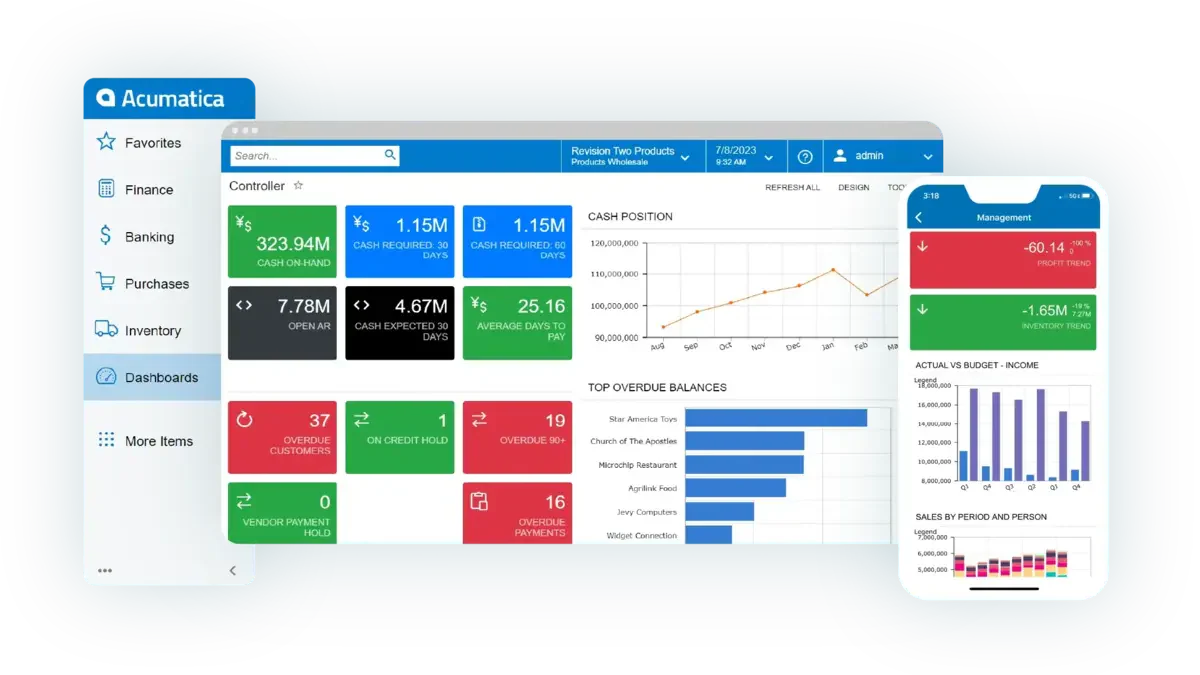
Acumatica provides ERP financial management software tools known for their adaptability and comprehensive functionality. It supports various business functions, including financial management, project accounting, and CRM.
Pricing: Estimated at RM8,500–RM25,600 per month for typical mid-market deployments. Acumatica uses resource- and consumption-based pricing with unlimited users, so costs depend primarily on applications, transaction volume, deployment model, and industry modules.
Features:
- Real-time insights
- Multi-currency and inter-company support
- Automated workflows
- Open API/integrations
| Pros | Cons |
|---|---|
|
|
Acumatica is best for growing small to mid-sized businesses that need a flexible, cloud-native ERP with strong finance and operations capabilities.
10. Xero Financial Risk Management Software
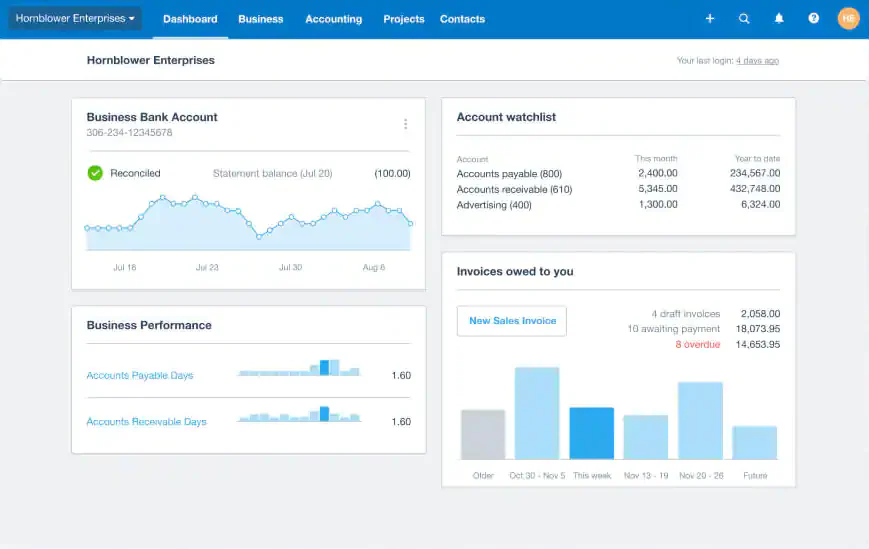
Xero Financial Risk Management Software is a financial performance management software known for its simplicity and strong mobile capabilities. It provides essential financial management features such as invoicing, expense tracking, and payroll.
Pricing: Standard Malaysia plans cost approximately RM29–RM307 per month, covering Lite through Premium. A temporary 50% promotion reduces this to approximately RM14–RM153 per month for eligible subscriptions purchased before 31 December 2026.
Features:
- Automated bank feeds and reconciliation
- Extensive integrations
- Multi-currency, invoicing & expense tracking
- Fully cloud-based
| Pros | Cons |
|---|---|
|
|
Xero financial performance management software is a strong choice for small to medium-sized businesses that need easy-to-use cloud accounting with real-time visibility and multi-currency support.
11. Workday
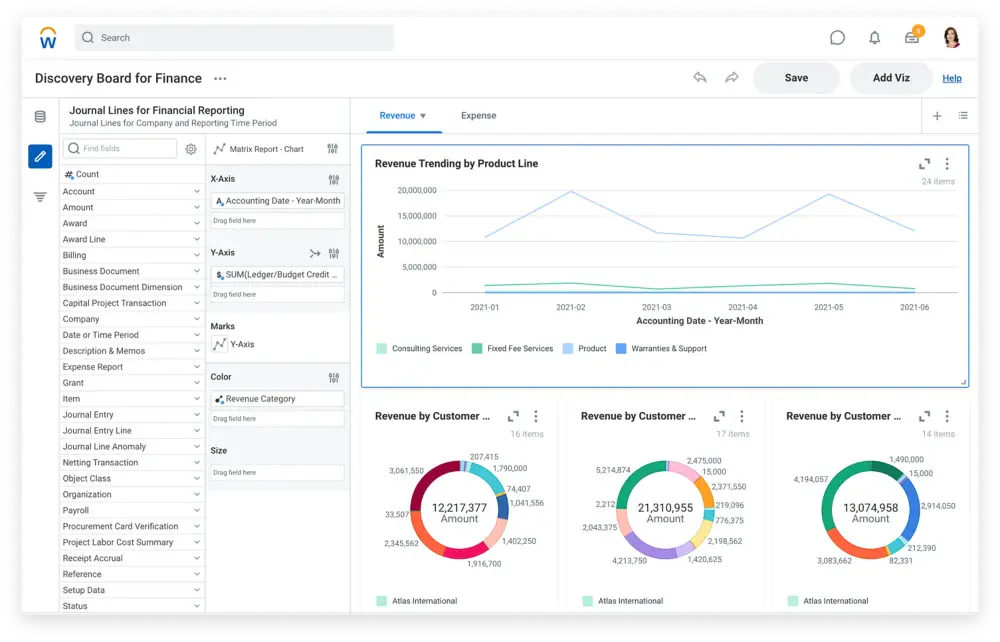
Workday offers a finance management app and human capital management software for large and multinational enterprises. It combines finance and HR in a single system, making it easier for businesses to view their performance comprehensively.
Pricing: Custom enterprise pricing is required. Market estimates range from approximately RM143–RM409 per employee per month, depending on whether the subscription includes Financial Management, HCM, payroll, planning, analytics, and premium support.
Features:
- Real-time general ledger
- Expense, invoice, and revenue automation
- Global compliance
- Contract-to-cash integration
| Pros | Cons |
|---|---|
|
|
Workday is best for medium to large enterprises, especially those with global operations, multiple entities, and inter-company transactions.
12. Kissflow
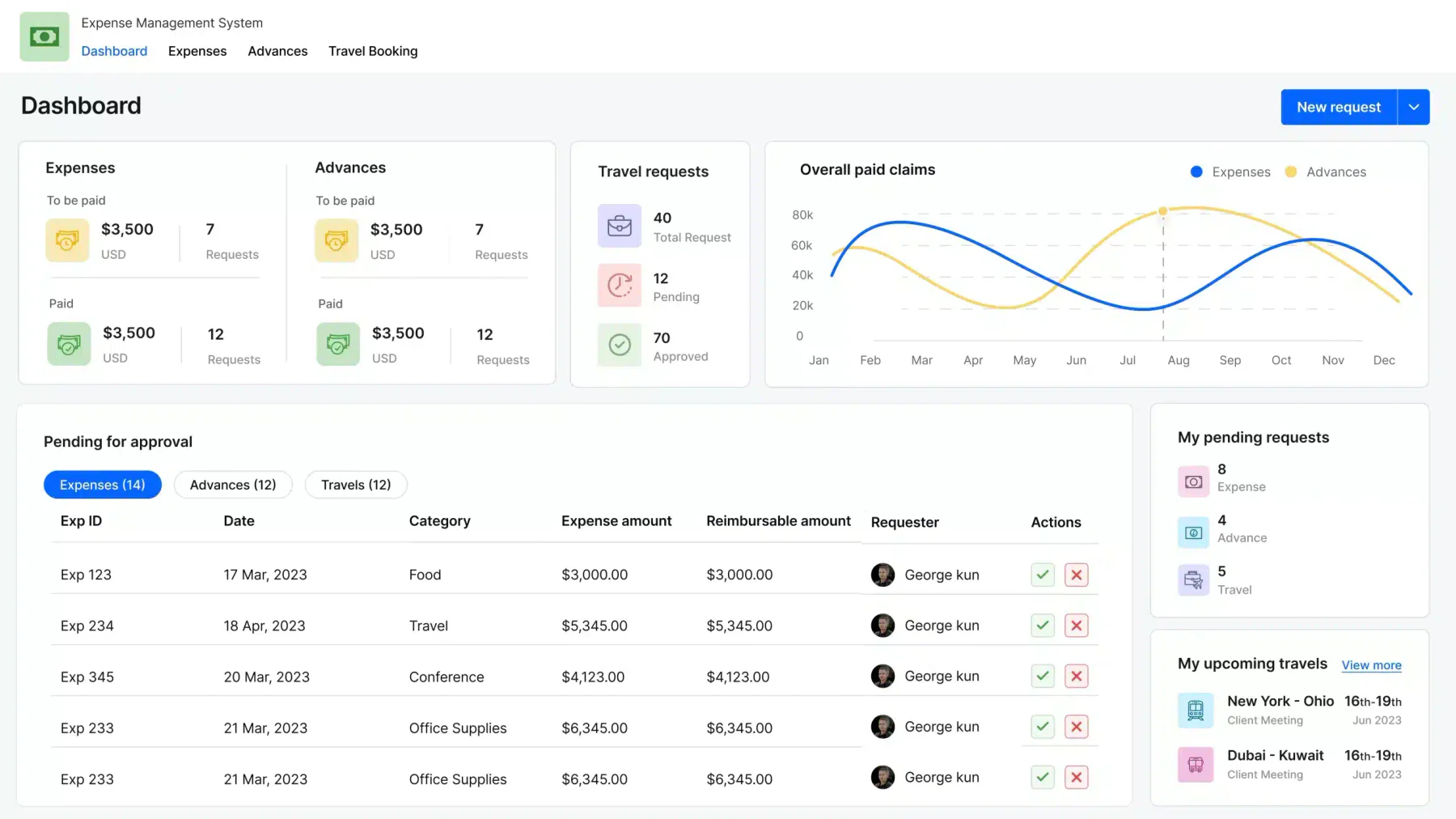
Kissflow offers financial management software to automate and streamline business processes. Its financial management module integrates seamlessly with its workflow management system, facilitating an automated process for budget approvals, expense tracking, and financial performance reporting.
Pricing: Custom annual pricing applies to enterprise deployments. The quotation depends on the number of applications, workflows, integrations, implementation services, governance requirements, and ongoing optimisation support.
Features:
- Budgeting management
- Fixed-asset management
- Transactional efficiency and internal controls
- Unified finance and operations platform
| Pros | Cons |
|---|---|
|
|
Kissflow is best for businesses that need to automate and manage financial-process workflows, such as expense approvals, asset management, and purchase approvals.
13. Cube
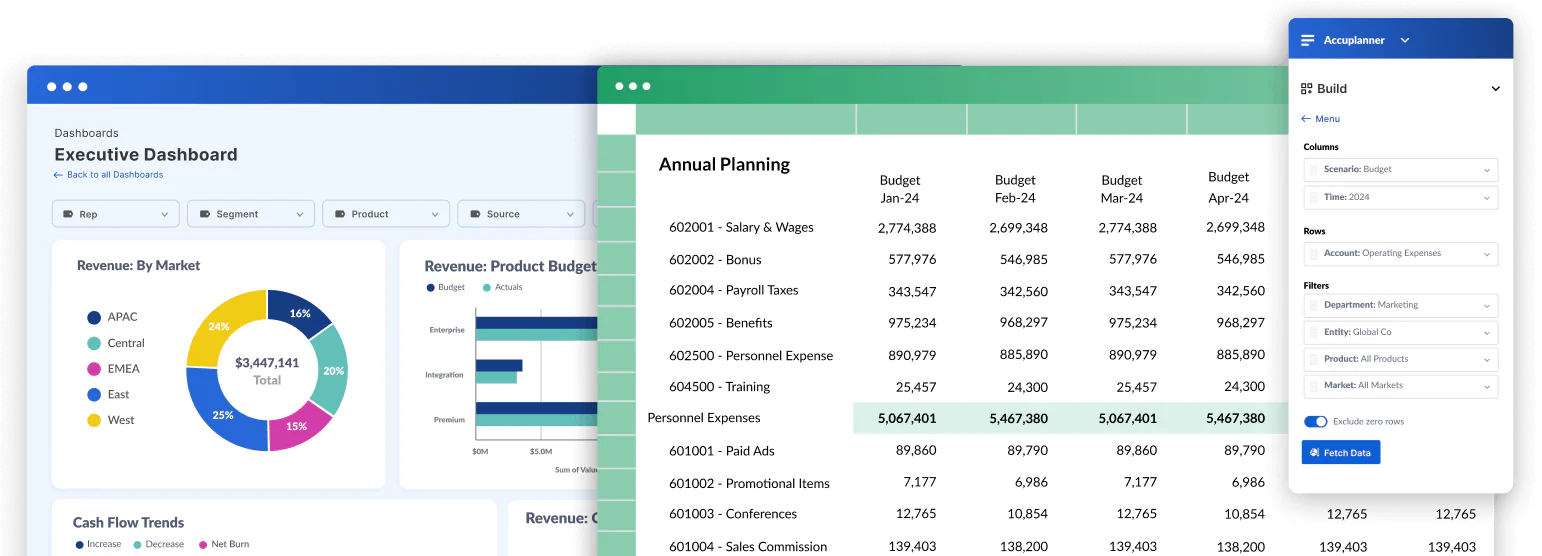
Cube is a financial management system software that specializes in enabling real-time financial insights and data-driven decision-making. It is designed to help finance teams accelerate their planning processes, manage budgets more effectively, and generate detailed financial forecasts.
Pricing: Cube offers Bronze, Silver, and Gold packages through customised quotations. Costs depend on integration requirements, workflow automation, support level, API access, and additional FP&A modules.
Features:
- Planning & scenario modelling
- Spreadsheet-centric integration
- Data integration and workflow automation
- Collaboration and access control
| Pros | Cons |
|---|---|
|
|
Best for: Cube financial management system software is best for businesses upgrading from spreadsheets to smarter, faster budgeting and forecasting, though complex global operations may need a heavier system.
Cube financial management system software is best for businesses upgrading from spreadsheets to smarter, faster budgeting and forecasting, though complex global operations may need a heavier system.
14. Multiview ERP
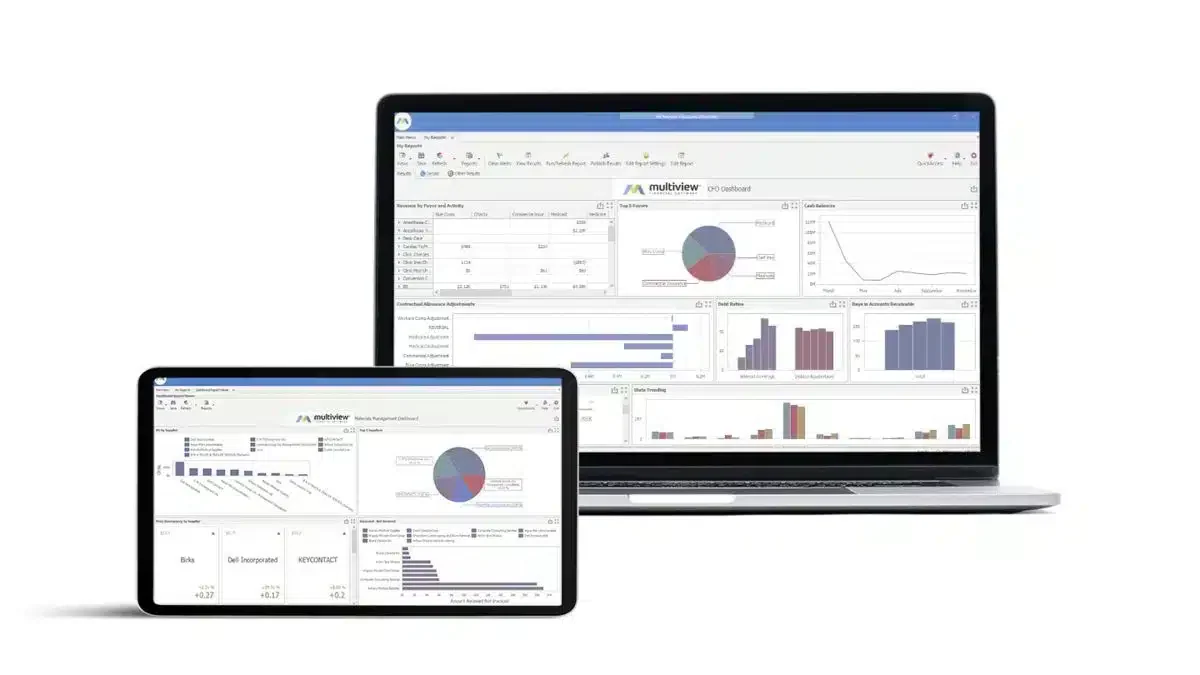
Multiview ERP offers a robust money management solution for complex businesses, particularly those in healthcare, hospitality, and service industries. The software provides a suite of financial applications, including a general ledger, accounts payable, and financial reporting.
Pricing: Pricing depends on deployment size and modules; no public price available. Custom quotation is required, with no publicly listed subscription rate. Pricing varies according to modules, users, legal entities, reporting requirements, data migration, deployment model, and implementation services.
Prophix
Pricing: Custom pricing applies based on company size and required FP&A capabilities. Total costs depend on budgeting, forecasting, consolidation, reporting, reconciliation, users, data sources, and implementation complexity.
Anaplan
Pricing: Custom enterprise pricing is determined by use cases, model size, workspace capacity, user roles, integrations, and contract duration. Implementation and model-development services are generally quoted separately from the subscription.
MYOB Accounting
Features:
- Full finance suite
- Real-time reporting
- Document management
- Multi-entity support
| Pros | Cons |
|---|---|
|
|
Multiview ERP is best for mid-sized and larger organisations, especially those with strong financial control and multi-entity/fund-accounting needs.
15. Prophix Financial Management Software
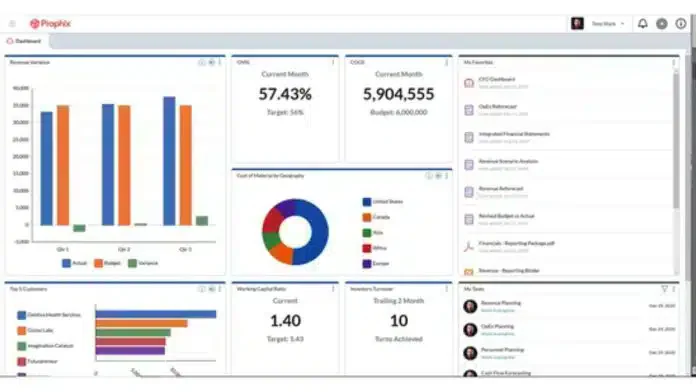
Prophix is a corporate financial management software that helps companies plan, budget, forecast, and report on their financial health. The software automates repetitive tasks and integrates financial data to provide a holistic view of business performance.
Pricing: Custom pricing applies based on company size and required FP&A capabilities. Total costs depend on budgeting, forecasting, consolidation, reporting, reconciliation, users, data sources, and implementation complexity.
Anaplan
Pricing: Custom enterprise pricing is determined by use cases, model size, workspace capacity, user roles, integrations, and contract duration. Implementation and model-development services are generally quoted separately from the subscription.
MYOB Accounting
Features:
- Budgeting, planning, and forecasting automation
- Financial consolidation and intercompany management
- Reporting and analytics with data integration
- Automation of financial close or reconciliation
| Pros | Cons |
|---|---|
|
|
Prophix is best for mid-sized to large organizations needing strong capabilities in budgeting, forecasting, consolidation, and financial planning & analysis.
16. Anaplan
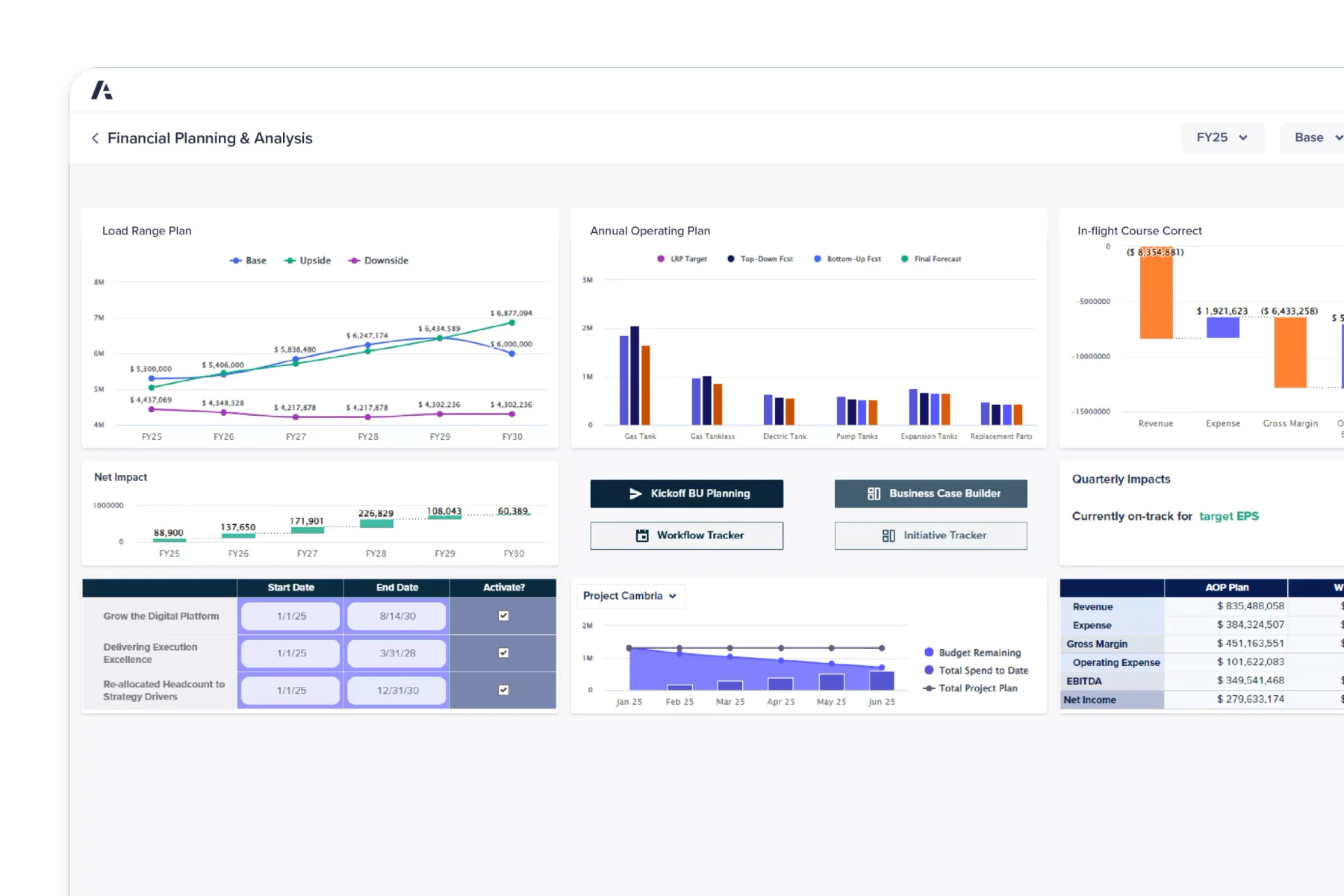
Anaplan is a cloud-based ERP financial management software that offers extensive tools for budgeting, forecasting, and decision-making. It connects data, people, and plans across the business, providing a deep insight into financial and operational performance.
Pricing: Custom enterprise pricing is determined by use cases, model size, workspace capacity, user roles, integrations, and contract duration. Implementation and model-development services are generally quoted separately from the subscription.
MYOB Accounting
Features:
- Financial consolidation and reporting
- Real-time data integration
- Driver-based planning and forecasting at scale
- Self-service, finance-owned platform with no/low code
| Pros | Cons |
|---|---|
|
|
Anaplan is best for a large or growing and have multiple departments/functions that need to plan, forecast, and adjust in real-time (for example finance, sales, and operations).
17. MYOB Accounting
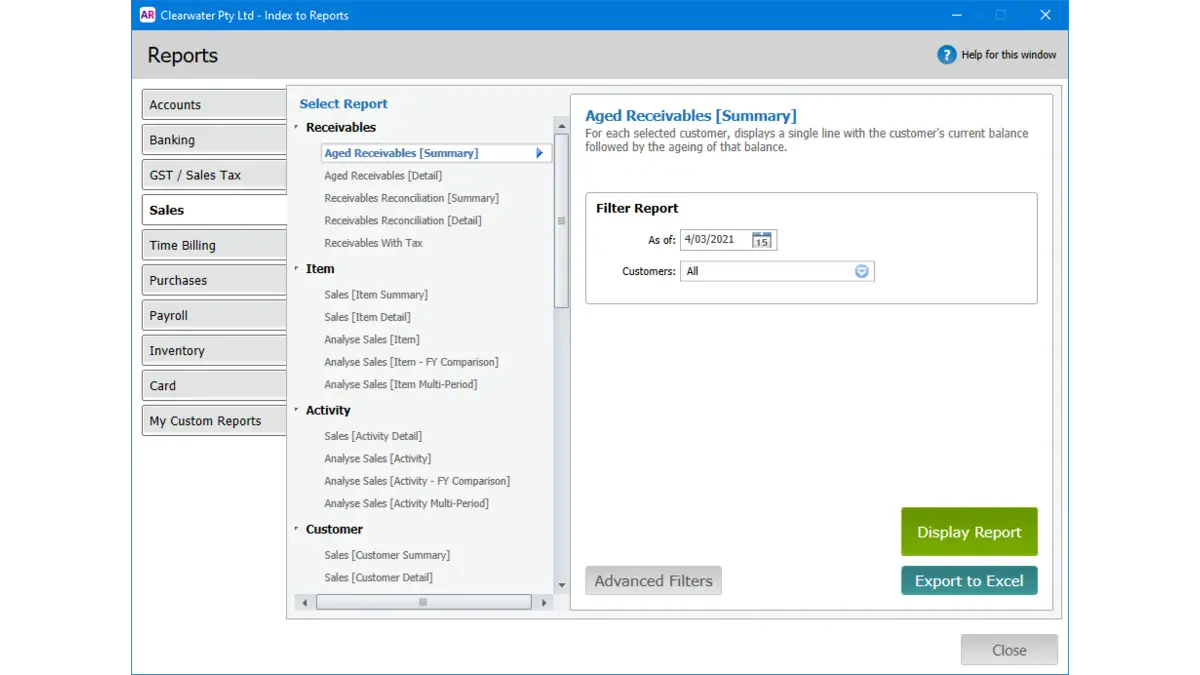
MYOB Accounting is an ERP financial management software that provides essential accounting features including invoicing, expenses, GST tracking, and payroll. The software also offers cloud-based capabilities, allowing business owners and accountants to collaborate remotely.
Pricing: Standard Australian plans are equivalent to approximately RM75–RM599 per month, ranging from MYOB Business Lite to AccountRight Premier. Malaysian availability, taxes, payroll, inventory, and partner implementation charges may differ.
Features:
- Comprehensive accounting
- Reporting and dashboards
- Job/departmental tracking
- Localized compliance (Malaysia/Asia)
| Pros | Cons |
|---|---|
|
|
MYOB financial management system software is best for small to medium businesses with a simple structure that need reliable tools for accounting, invoicing, expense tracking, and basic inventory control.
18. Clockwork
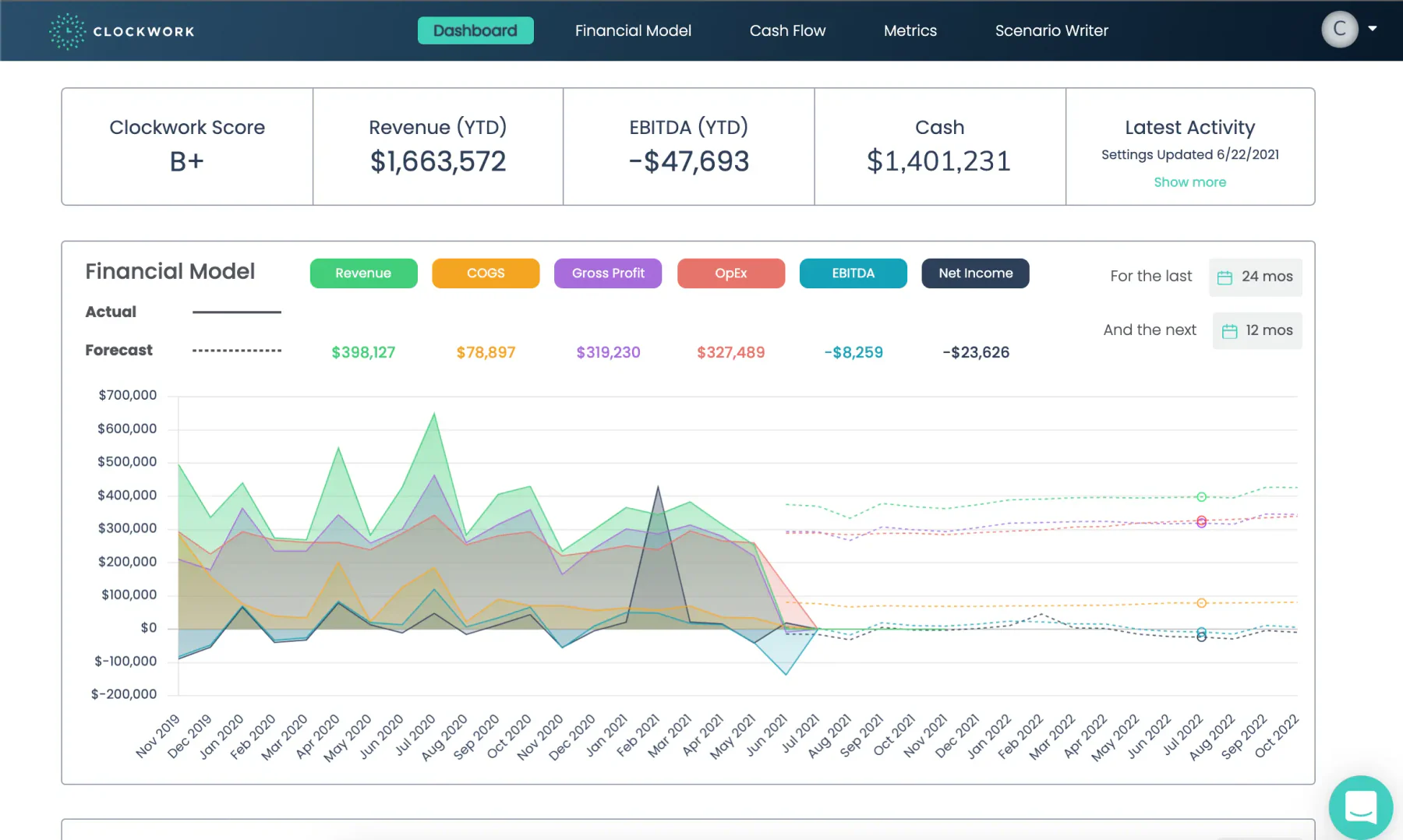
Clockwork is a financial management system software that leverages artificial intelligence (AI) to provide businesses with accurate forecasts and actionable financial insights. It helps companies automate their financial analysis, reducing manual input and increasing the precision of financial projections.
Pricing: Business plans range from approximately RM609 to RM12,266 or more per month with annual billing. Pricing increases according to company revenue, multi-entity consolidation, advanced forecasting, AI workflows, and access to advisory services.
Features:
- Cash flow forecasting
- Financial modelling from historical data
- Scenario “what-if” planning
- Dashboard & real-time insights
| Pros | Cons |
|---|---|
|
|
Clockwork is best for small to medium in size, and want to move beyond spreadsheets for forecasting and cash‑flow modelling.
19. SmartFusion
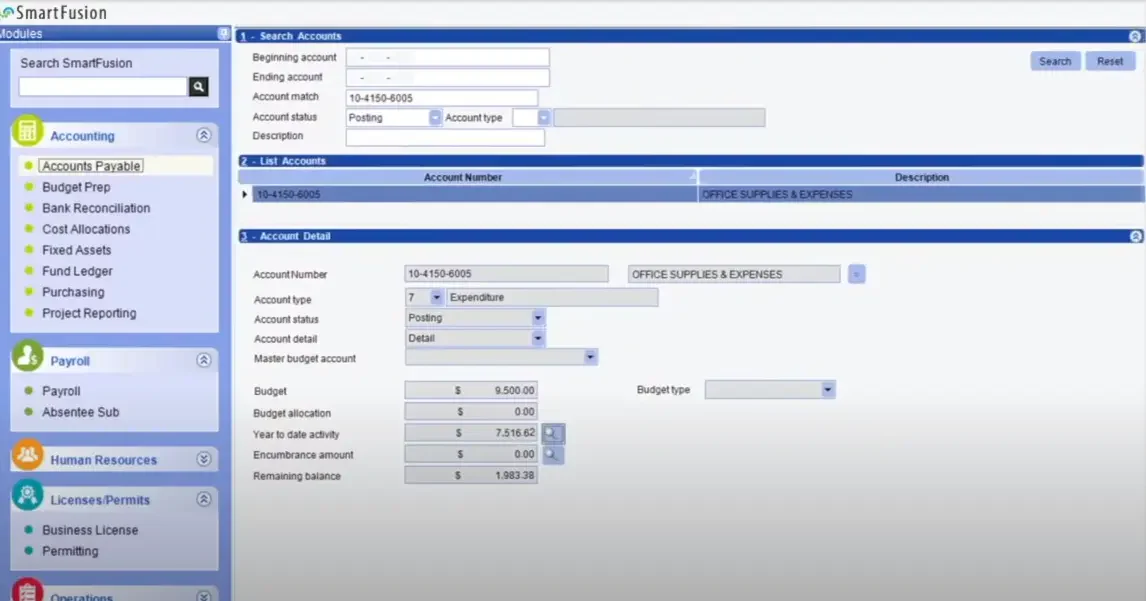
SmartFusion is financial performance management software tailored for public sector entities. It provides a comprehensive suite of financial management tools designed to meet the unique needs of government agencies, schools, and non-profit organizations.
Pricing: Public-sector focused financial system with custom pricing depending on configuration. Custom quotation is required for SmartFusion implementations. Costs depend on the selected fund-accounting modules, number of users and entities, hosting model, data migration, integrations, training, and public-sector reporting requirements.
Vena Solutions
Features:
- Fund-accounting and entity segmentation
- Integrated modules
- Customizable reporting
- Automation & data consistency
| Pros | Cons |
|---|---|
|
|
SmartFusion is best for public‑sector organizations such as municipalities, local government authorities, utilities, and entities that require fund accounting.
20. Vena Solutions Financial Management System
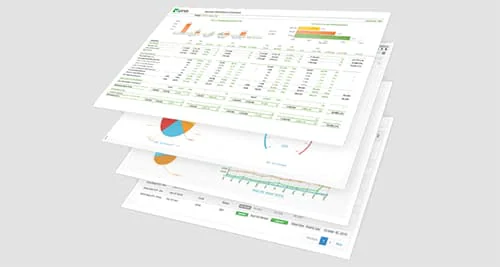
Vena Solutions Financial Management System Software combines spreadsheet familiarity with the reliability and security of an enterprise-class solution. It enhances financial data integrity and provides comprehensive audit trails.
Pricing: Custom enterprise pricing applies across Vena’s available packages. The final quotation depends on users, planning and reporting modules, integrations, implementation services, support level, and additional AI capabilities.
Features:
- Excel-native interface and centralized database
- Planning, budgeting, and forecasting
- Workflow automation and collaboration
- Deep integrations and analytic
| Pros | Cons |
|---|---|
|
|
Vena Solutions is best for companies that rely heavily on Excel and want to move into structured budgeting, forecasting, and scenario planning across multiple departments.
Overall Comparison of Financial Management Software & Tools in Malaysia
| Provider | Financial Features | Integration | Scalability | Ease of Implementation |
|---|---|---|---|---|
| HashMicro | ||||
| Sage | ||||
| SAP | ||||
| NetSuite | ||||
| Quickbooks | ||||
| Freshbooks | ||||
| Zoho | ||||
| Acumatica |
Key Features to Look For in Financial Management Software System
When choosing financial management system software, focusing on features that enhance accuracy, efficiency, and strategic decision-making is crucial. Here are some key features to look for:
- Bank reconciliation: Automated bank reconciliation matches bank transactions with ledger records to ensure accuracy, reduce manual work, and keep financial data up to date.
- Financial forecasting: Effective financial management uses forecasting tools from financial management system software to predict revenues, expenses, and cash flow, enabling better planning, risk assessment, and informed decisions.
- Compliance management: Compliance management ensures businesses stay aligned with evolving financial regulations, and software supports this by providing automatic updates to prevent penalties.
- Multi-currency support: Good accounting software should automatically manage currency conversions and fluctuations to ensure accurate, compliant financial statements.
- Analytical reporting: Comprehensive analytical financial reporting should deliver customizable insights into profitability, cost centers, and departmental performance to support deeper business analysis.
How to Choose the Right Financial Management Software for Your Business
Choosing the right financial management software for your business is a crucial decision that can significantly impact your operational efficiency and financial insight. Here is a guide on how to navigate through the selection process:
- Assess your business needs: Begin by evaluating your business’s specific financial processes and requirements. Determine whether you require a simple accounting solution or a comprehensive ERP system that integrates other business functions.
- Evaluate features: Once you have a clear understanding of your needs, match these with the features offered by various software solutions, Ensure the software you choose can handle your current needs and can scale as your business grows.
- Ease of use and support: Look for a user-friendly interface and intuitive navigation. Additionally, consider the vendor’s customer support services. Reliable support can significantly ease the implementation process and ongoing maintenance.
- Integration capabilities: Check how well the software integrates with other tools and systems you currently use, such as CRM systems, HR software, and e-commerce platforms.
- Compliance and security: Ensure the software complies with the financial regulations and standards relevant to your industry and location. Look for features that safeguard your data, such as secure data storage, user access controls, and regular backups.
By thoroughly considering these factors, you can select financial management tools that not only meet your financial management needs but also enhance your decision-making and business growth potential.
Which Financial Management Software Suits Your Business?
| Software | Key Capabilities | Strengths | Best Fit For |
|---|---|---|---|
| HashMicro | Financial automation, budgeting, bank reconciliation, cash flow reporting, Peppol e-invoicing | Highly customizable, strong ERP integration, Malaysia compliance support, scalable multi-entity management | Businesses seeking a fully integrated finance management and ERP solution |
| Sage Intacct | General ledger, automated billing, revenue recognition, real-time reporting, multi-currency management | Advanced automation, strong visibility across entities, customizable reporting | Companies managing multiple subsidiaries, branches, or business entities |
| SAP Business One | Accounting, financial forecasting, fixed asset management, inventory and sales integration | Comprehensive ERP functionality, strong customization, industry-specific capabilities | SMEs transitioning from basic accounting systems to ERP platforms |
| Oracle NetSuite | Financial planning, consolidation, revenue management, compliance monitoring | Highly scalable cloud ERP with real-time visibility and global support | Organizations with complex multi-location or multi-entity operations |
| QuickBooks | Invoicing, tax management, bank reconciliation, financial reporting | Easy to use, strong ecosystem, cloud accessibility | Small businesses and startups needing straightforward accounting tools |
| FreshBooks | Invoicing, time tracking, expense management, client payments | Simple interface, excellent invoicing workflows, mobile accessibility | Freelancers and service-based businesses |
| Zoho Finance Plus | Accounting, payroll, invoicing, tax management, expense automation | Strong integration across Zoho ecosystem, affordable cloud solution | Growing SMEs needing an all-in-one finance suite |
| Infor ERP | Financial management, compliance controls, analytics, supply chain integration | Industry-specific ERP capabilities with advanced operational insights | Manufacturing, distribution, and industrial enterprises |
| Acumatica | Financial accounting, project accounting, CRM integration, workflow automation | Flexible deployment, scalable architecture, open API ecosystem | Growing businesses needing cloud-native ERP flexibility |
| Xero | Cloud accounting, bank reconciliation, invoicing, expense tracking, multi-currency | Strong mobile access, easy usability, extensive integrations | Small and medium-sized businesses seeking cloud accounting |
| Workday | Financial management, HR integration, compliance, contract-to-cash automation | Enterprise scalability, unified finance and HR management | Large multinational enterprises with complex organizational structures |
| Kissflow | Budget approvals, expense tracking, workflow automation, fixed asset management | Strong workflow automation with easy customization | Businesses focused on finance process automation and approvals |
| Cube | Budgeting, forecasting, planning, scenario modelling, financial analytics | Spreadsheet-friendly FP&A platform with collaborative planning | Finance teams moving beyond spreadsheets |
| Multiview ERP | General ledger, accounts payable, reporting, document management | Strong multi-entity financial controls and customizable reporting | Healthcare, hospitality, and service organizations |
| Prophix | Budgeting, planning, forecasting, consolidation, financial reporting | Advanced FP&A automation with deep analytics | Mid-sized and large businesses requiring robust planning capabilities |
| Anaplan | Financial planning, forecasting, scenario modelling, real-time collaboration | Highly scalable connected planning platform | Large organizations requiring cross-department planning |
| MYOB Accounting | Accounting, payroll, invoicing, GST/tax tracking, reporting | Localized compliance support with simple accounting tools | Small and medium businesses with straightforward financial needs |
| Clockwork | AI forecasting, cash flow modelling, financial scenario planning | AI-driven forecasting and predictive insights | Businesses seeking more accurate cash flow forecasting and planning |
| SmartFusion | Fund accounting, reporting, auditing, compliance management | Purpose-built for public-sector financial control and transparency | Government agencies, municipalities, and non-profit organizations |
| Vena Solutions | Budgeting, forecasting, workflow automation, Excel-based planning | Combines spreadsheet familiarity with enterprise-grade governance | Organizations heavily reliant on Excel for financial planning and analysis |
Conclusion
Choosing the right financial management software comes down to how well it matches your day-to-day finance workflow. In this guide, we covered what these tools do best, from budgeting and forecasting to reconciliation, approvals, and audit-ready reporting as operations scale.
We also compared 20 options for 2026 and highlighted where each platform typically fits, such as SMEs that need faster invoicing and bank matching versus larger teams that require consolidation, controls, and multi-entity reporting. The key is to weigh automation depth, integration with existing systems, reporting clarity, and support reliability.
To narrow the shortlist, focus on the processes that cost your team the most time today, then check which tools reduce manual work without adding complexity. When the right platform is in place, month-end close becomes smoother, compliance is easier to manage, and decisions rely on consistent numbers rather than scattered files.

FAQ about Financial Management Software
It depends on the platform and its capabilities. While many financial management tools don’t require expert accounting knowledge, the finance team members using them often need to understand basic accounting, budgeting, and forecasting principles.
Companies often employ multiple tools to manage their finances. While there’s no imperative to use a single tool, businesses should always have an accounting system in place, a process for expense reimbursements, budgeting workflows, vendor bill pay protocols, and financial planning and reporting capabilities.
Yes, top financial performance management software keep detailed logs and audit trails for every transaction. This helps you meet compliance standards and speeds up audits. Look for software that lets you control access, generate audit reports, and see user activity, so you maintain transparency and stay ready for reviews or regulatory checks.
You should expect role-based access, multi-factor authentication, data encryption (in transit and at rest), and regular security audits. Choose a system that’s compliant with industry standards like SOC 2 or ISO 27001. If you handle sensitive or regulated financial data, ask for details about the vendor’s security certifications.
Below are the stops to monitor finances:
1. Review your account statements regularly.
2. Categorize your expenses.
3. Create a budget tailored to your financial needs.
4. Use budgeting or expense-tracking apps.
5. Explore different methods for tracking expenses.
6. Implement accounting software for a comprehensive financial overview.
Yes. The leading platforms integrate directly with Malaysia’s Peppol network, enabling automatic e-Invoice submission through the MyInvois portal. When evaluating software, confirm it supports all required invoice types under LHDN’s Phase 3 mandate and can generate compliant e-Invoices for both B2B and B2C transactions. Software listed as a certified MyInvois solution provides the most reliable compliance path.
Yes. Good financial software applies the correct SST rate (Service Tax 6% or Sales Tax 5–10%) at the transaction level based on the item or service type. It should also generate SST-02 return summaries ready for bimonthly submission to the Royal Malaysian Customs Department (RMCD), reducing manual reconciliation and filing errors.