







Customer requests now arrive from WhatsApp, Instagram, marketplace chat, email, and web forms at the same time, often outside working hours. When each channel sits in a separate inbox, the same complaint gets answered twice or missed entirely, and the conversation history disappears the moment the agent who handled it leaves or switches devices. A ticketing system solves this by pulling every channel into one queue, where each request becomes a trackable ticket with a clear owner, priority level, and resolution deadline.
Malaysian consumers increasingly expect fast digital responses, while businesses must handle customer data responsibly under the Personal Data Protection Act 2010. Centralizing service requests creates an auditable interaction record, supports data handling, and helps teams meet service commitments consistently.
This article covers how a ticketing system works, its key features, and how it supports service operations and customer relationship management. It also outlines key considerations for selecting the right platform.
Key Takeaways
A ticketing system converts scattered service requests from email, messaging apps, and web portals into a managed digital queue.
Key selection factors include SLA enforcement, omnichannel routing, local Malaysian compliance, and seamless connectivity to broader business software.
Top ticketing systems worth considering for Malaysian businesses, based on features, usability, integrations, and overall suitability.
When requests arrive through WhatsApp, Instagram, marketplace chat, and email at the same time, the same issue gets answered twice or missed entirely. A centralized ticketing system helps organize requests, assign ownership, and monitor resolutions in one place.
What Ticketing Software Actually Does?
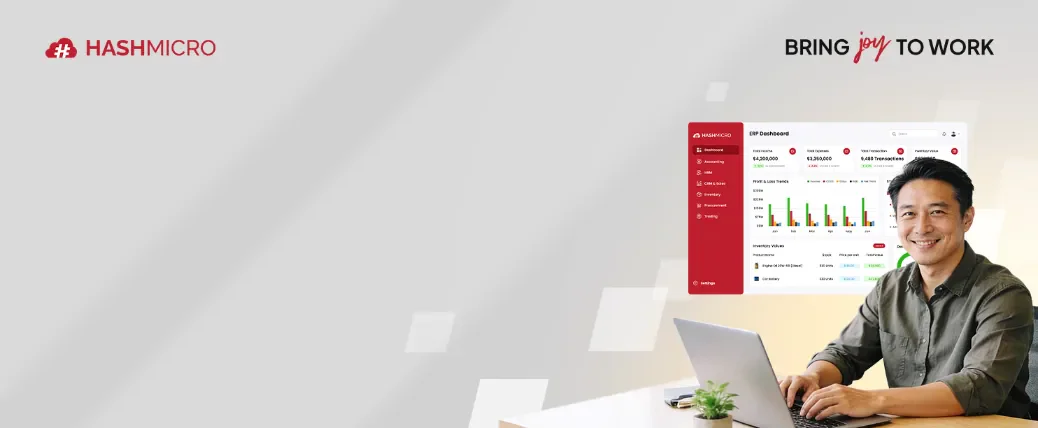
A ticketing system is an enterprise software solution that captures, tracks, categorizes, and resolves customer service inquiries and internal IT service requests. Whenever a customer or internal employee submits an issue through email, web forms, live chat, or messaging channels, the software generates a structured digital file known as a ticket. This ticket records essential information including sender details, issue descriptions, severity ratings, submission timestamps, and interaction histories.
Instead of relying on fragmented communication channels, support agents manage all incoming items from a central dashboard. The system guides each ticket through a defined lifecycle from initial intake and agent assignment to investigation, resolution, and customer confirmation. Automated timers enforce Service Level Agreement commitments, ensuring high priority issues receive immediate attention before breaching agreed service deadlines.
When to Move Beyond Basic Support Tools to a Ticketing System
As customer service operations grow, basic communication tools may no longer provide the control and visibility needed to manage support requests effectively. These situations often indicate when a dedicated ticketing system may be more suitable.
1. How it differs from standard email and spreadsheets
Standard email inboxes and manual spreadsheets lack automated routing, SLA tracking, and status visibility. In a shared email inbox, multiple agents may inadvertently work on the same issue simultaneously, or urgent inquiries may be overlooked completely. Ticketing software assigns clear ticket ownership, maintains full audit logs of every interaction, and automatically escalates unresolved cases to senior supervisors.
2. When a business outgrows basic support tools
When an organization reaches fifty or more daily service requests across multiple branches or departments, manual communication methods lead to operational bottlenecks. A dedicated support platform becomes essential when leadership requires real time metrics on team performance, customer satisfaction ratings, and recurring issue patterns across regional operations.
Hashy AI Fact

Hashy AI monitors incoming service tickets continuously, flagging high priority SLA breach risks and suggesting instant resolution workflows based on historical company resolution logs.
Request a Free Demo
Shorted List Best Ticketing Software

Best Because
Best for Malaysian businesses that need ticketing, SLA tracking, and ERP-connected service workflows.

Best Because
Best for small to mid-sized teams that need affordable omnichannel ticketing and automation.

Best Because
Best for IT and technical support teams that need structured incident, request, and change management.
The Features That Define Capable Ticketing Software

Not all service desks provide the functional depth required by expanding organizations. These five core capabilities distinguish professional enterprise software from basic message logging applications.
1. Omnichannel Communication Capture
Modern service teams must consolidate incoming messages across diverse platforms. Leading systems aggregate inquiries from email, web portals, website live chat, phone calls, and popular messaging channels such as WhatsApp into a single unified agent inbox, maintaining full conversational context across every channel.
2. SLA Tracking and Escalation Matrices
Service Level Agreement management ensures that customer commitments are met consistently. Top platforms feature configurable countdown timers, custom business hours definitions, automated breach alerts, and multi tier escalation rules that reassign stalled tickets to available senior personnel.
3. Intelligent Ticket Routing and Skill Allocation
Automated ticket distribution eliminates manual triage delays. Powerful engines utilize skills based routing, round robin assignment, automated keyword tagging, and macro response templates to direct incoming requests to qualified agents instantly.
4. Automated Knowledge Base and Self Service
Integrated knowledge base portals allow users to resolve common inquiries independently. By offering searchable self service documentation, FAQs, and guided troubleshooting articles, organizations significantly reduce incoming ticket volumes and lower support overheads.
5. Advanced Service Analytics and Dashboard Insights
Comprehensive reporting tools transform raw service data into actionable management insights. Real time dashboards track key performance indicators such as First Response Time, Mean Time to Resolution, First Contact Resolution Rate, and Customer Satisfaction scores.
How Leading Ticketing Software Compares at a Glance
Comparing top software vendors helps identify platforms that match specific operational requirements, team sizes, and integration priorities across Malaysia. The table below summarizes the key features and positioning of the top ten service ticketing platforms.
| Software | Best For | Key Features | Strength | MY Fit | Pricing (est.) |
|---|---|---|---|---|---|
| HashMicro Service & Ticketing | ERP connected growing enterprises | Core operational sync, SLA rules, local MY support | Tickets linked to central business data | Local implementation, MYT support | Custom quote |
| Zendesk | Large enterprise omnichannel support | AI agent assist, advanced SLAs, knowledge portals | Global omnichannel leader | Regional cloud presence | About RM245-515/agent/month |
| Freshdesk | Mid market help desks | Collision detection, Freddy AI, scenario automation | Fast deployment and ease of use | Regional cloud options | About RM65-215/agent/month |
| ServiceNow | Complex corporate ITSM | ITIL workflows, predictive AI, CMDB database | Enterprise IT infrastructure scale | Global enterprise presence | Custom quote |
| Zoho Desk | Context aware customer service | Zia AI, sentiment analysis, multi department | Affordable contextual help desk | Regional cloud presence | About RM60-180/agent/month |
| Jira Service Management | IT and software engineering teams | Agile incident tracking, Jira code sync, asset logs | DevOps and IT service alignment | Cloud / Data Center | About RM90-200/agent/month |
| Monday.com Service | Visual workflow tracking | Custom boards, drag and drop tasks, time tracking | Visual task and project management | Cloud SaaS platform | About RM55-120/user/month |
| Kayako | Unified customer journey tracking | Single view timelines, live chat, shared inbox | Customer interaction history view | Cloud SaaS platform | About RM110-245/agent/month |
| HappyFox | Automation heavy help desks | Smart rules, task management, asset tracking | Deep ticket automation capabilities | Cloud SaaS platform | About RM130-310/agent/month |
| HubSpot Service Hub | CRM native customer service | Customer portal, CRM sync, SLA timers | Native CRM interaction history | Regional cloud presence | About RM200-540/seat/month |
The 10 Best Ticketing Systems in Malaysia
Here are the ten leading service ticketing platforms worth shortlisting in 2026, starting with the solution built for Malaysian organizations seeking connected business workflows.
1. HashMicro Service & Ticketing System
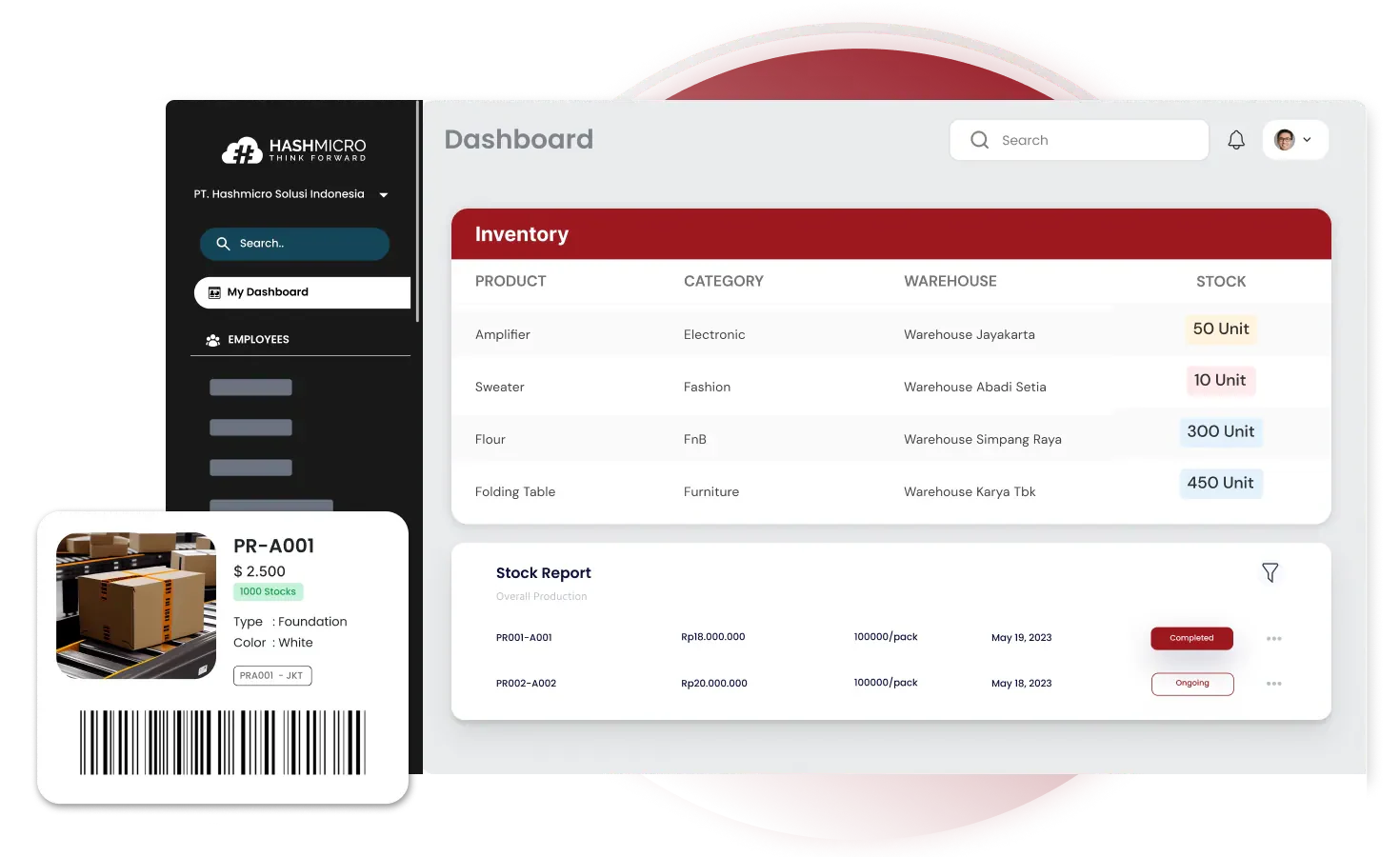
HashMicro provides a customizable service and ticketing platform designed for growing enterprises in Malaysia and Southeast Asia. Built to operate within HashMicro's broader software ecosystem, it connects incoming service requests directly with central accounting, inventory, procurement, and customer management records.
Because service tickets sit within a unified database structure, customer support claims instantly reflect real time product warranties, order histories, and client contract statuses. This connectivity makes HashMicro an ideal platform for organizations that want to eliminate information silos between support teams and back office operations.
Key features:
- Seamless integration with central enterprise database modules
- Customizable SLA tracking and automated escalation workflows
- Automated ticket routing and agent workload distribution
- Asset warranty tracking and field service management
- Local Malaysian implementation, consultation, and technical support
| Pros | Cons |
|
|
Pricing: Custom quote based on organizational requirements with local implementation.
2. Zendesk
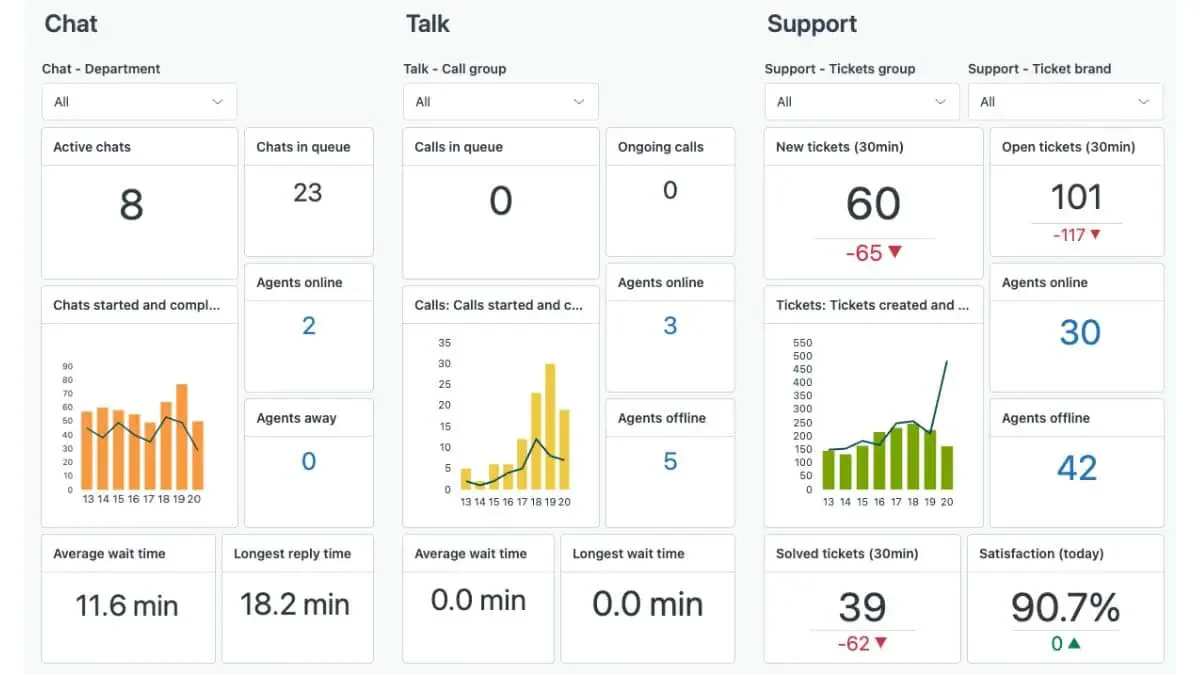
Zendesk is a globally recognized customer service platform designed for enterprise omnichannel support. It aggregates incoming inquiries from email, messaging apps, phone calls, and live chat into a unified agent workspace, providing agents with complete interaction histories.
Its main strength lies in its extensive third party marketplace and advanced AI agent features. Large organizations with high ticket volumes benefit from its sophisticated reporting capabilities, though smaller teams may find the licensing costs significant as requirements grow.
Key features:
- Omnichannel agent workspace with contextual sidebars
- AI powered ticket triage and sentiment analysis
- Customizable customer self service help centers
- Extensive integration marketplace with over 1,000 apps
- Robust analytics and custom dashboard builders
| Pros | Cons |
|
|
Pricing: Modular plans starting from approximately USD 55 per agent monthly (roughly RM 245).
3. Freshdesk
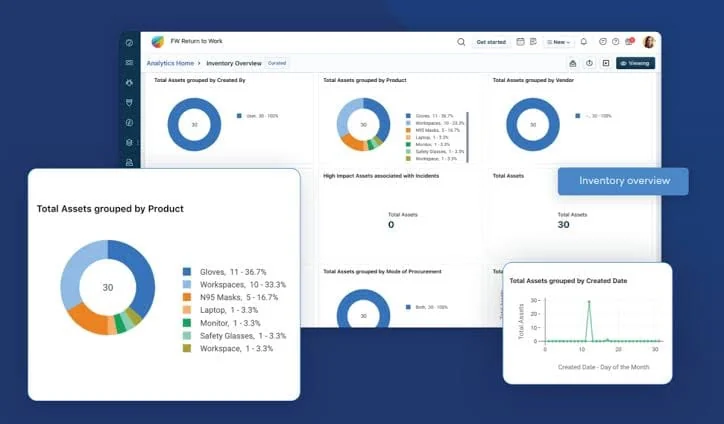
Freshdesk by Freshworks is an intuitive help desk platform designed to help mid market businesses manage customer inquiries efficiently. It offers agent collision detection, automated ticket routing, and built in gamification to boost team engagement.
Its simple deployment model and user friendly interface allow support desks to get up and running quickly. While ideal for standard help desk workflows, companies seeking deep integration with specialized local ERP systems may require custom API connectors.
Key features:
- Centralized multi channel ticketing inbox
- Agent collision detection to prevent duplicate efforts
- Freddy AI chatbot for automated customer responses
- Scenario automation for executing multi step ticket actions
- Customizable SLA policy matrices
| Pros | Cons |
|
|
Pricing: Paid tiers start from approximately USD 15 per agent monthly (roughly RM 65).
4. ServiceNow
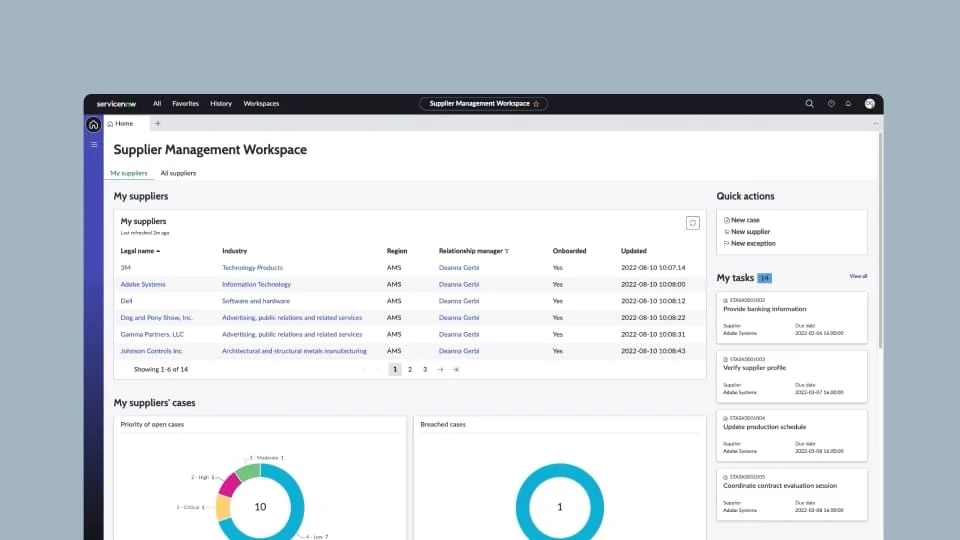
ServiceNow is an enterprise grade IT Service Management platform engineered for complex corporate IT infrastructure, incident management, and digital workflow orchestration. It adheres strictly to ITIL standards, making it a benchmark for large corporate institutions.
The platform excels at managing enterprise scale IT incidents, change requests, and configuration databases. However, its high total cost of ownership and lengthy setup phases make it less suitable for mid market businesses seeking straightforward customer support tools.
Key features:
- ITIL compliant incident, problem, and change management
- Enterprise Configuration Management Database integration
- Predictive AI intelligence for automated incident classification
- Automated service catalog and employee self service portals
- Robust governance and risk management compliance tools
| Pros | Cons |
|
|
Pricing: Enterprise quote based licensing.
5. Zoho Desk
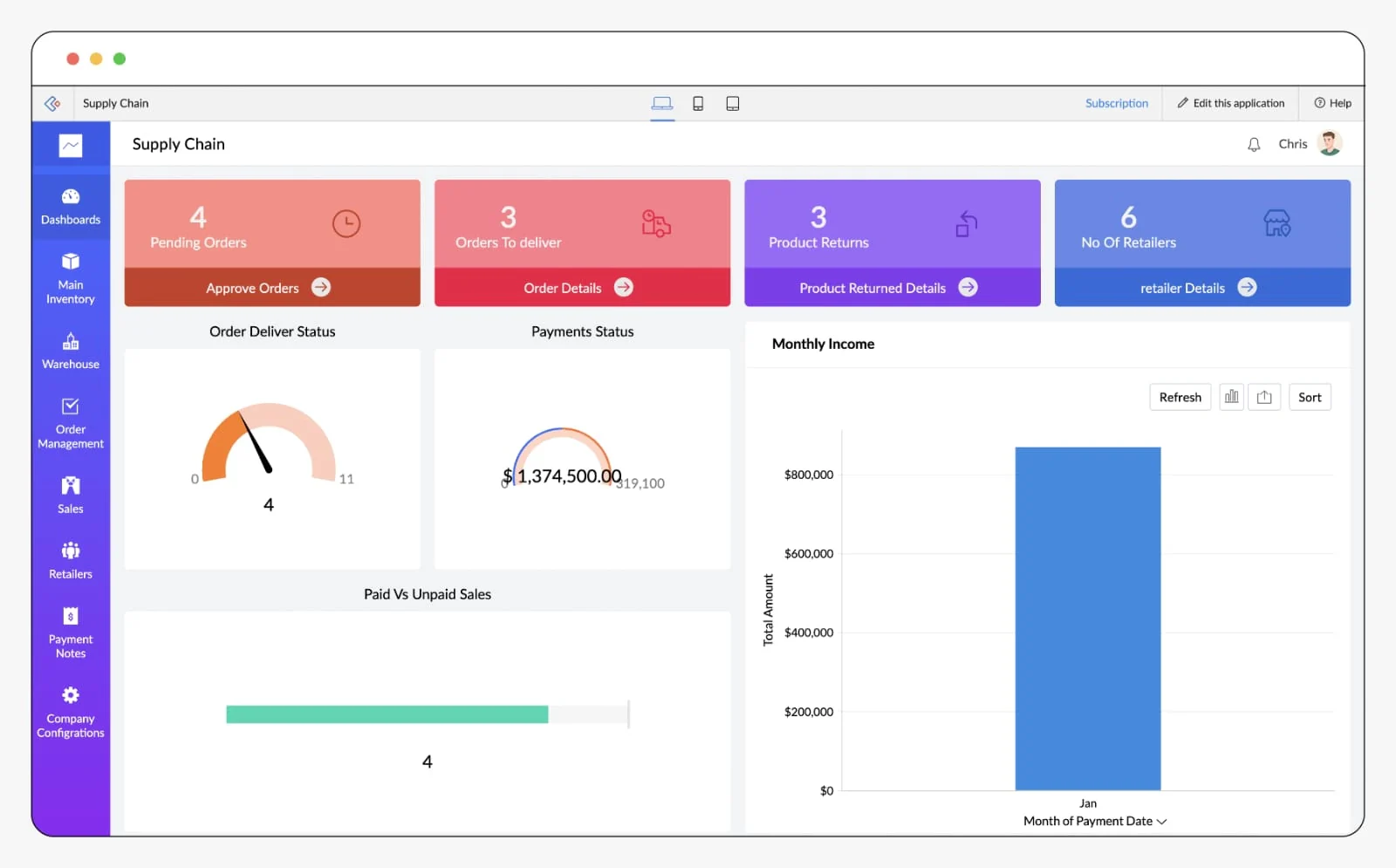
Zoho Desk is a context aware help desk platform designed to help companies manage customer relationships efficiently. As part of the broader Zoho application ecosystem, it delivers contextual customer information alongside active support tickets.
It includes Zia, an AI assistant capable of reading customer sentiment, tagging tickets automatically, and suggesting relevant knowledge base articles. Zoho Desk is popular among cost conscious businesses seeking capable customer support software.
Key features:
- Contextual ticket views displaying customer transaction histories
- Zia AI assistant for sentiment analysis and automated tagging
- Multi department tickethandling capabilities
- Work modes for organizing tickets by priority or status
- Mobile agent applications for on the go ticket management
| Pros | Cons |
|
|
Pricing: Standard tiers start from approximately USD 14 per agent monthly (roughly RM 60).
6. Jira Service Management
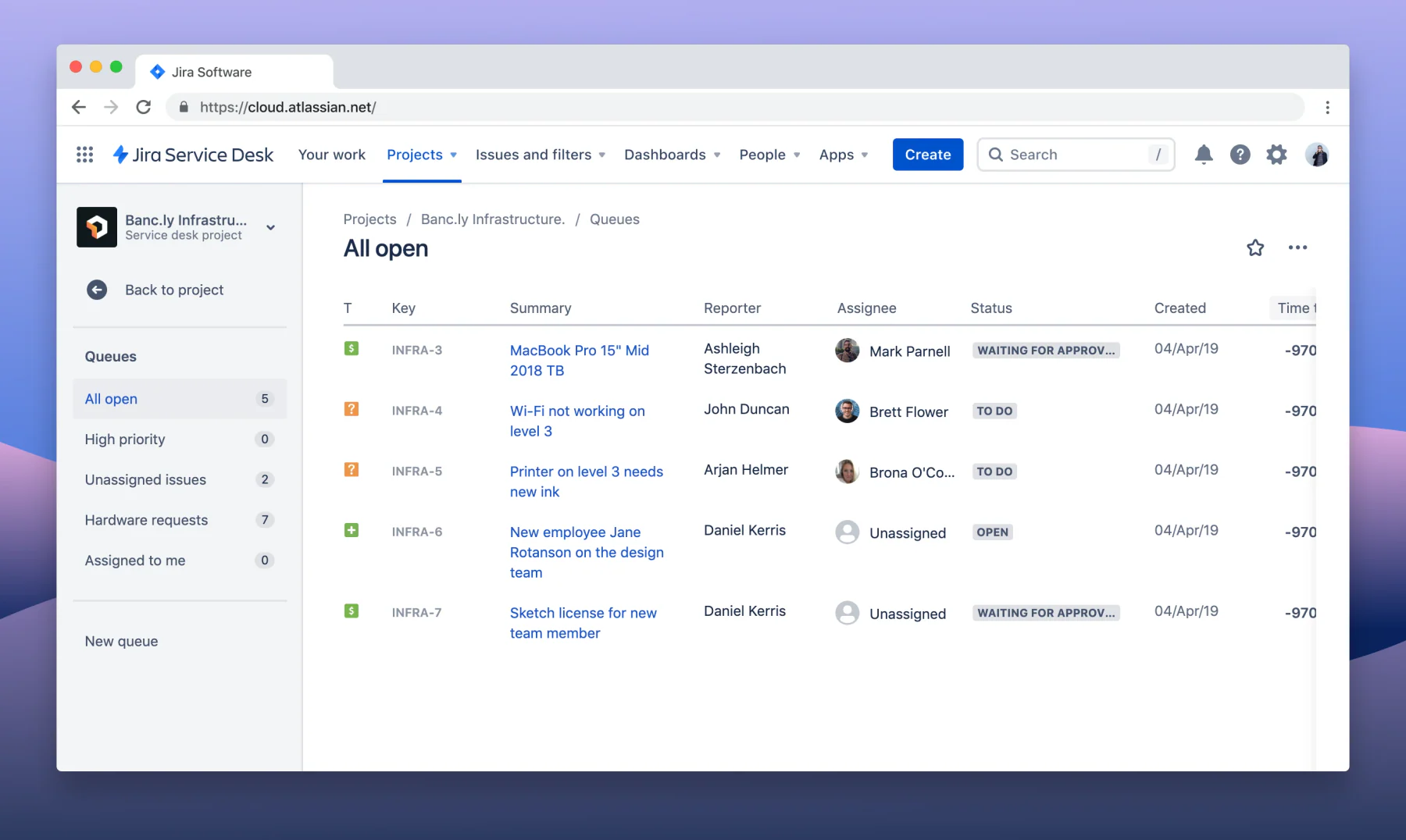
Developed by Atlassian, Jira Service Management connects IT operations, software engineering, and business support teams on a single platform. It allows technical teams to track incidents, manage change requests, and link customer reported issues directly to software development tasks.
Its native integration with Jira Software makes it a preferred choice for technology firms, software development houses, and IT help desks. Organizations focused purely on non technical customer service may find its development centric features unnecessary.
Key features:
- Agile incident, problem, and change management workflows
- Direct ticket linking to Jira Software development backlogs
- Automated asset management and dependency tracking
- Conversational ticketing via Slack and Microsoft Teams
- Flexible SLA timers and escalation configurations
| Pros | Cons |
|
|
Pricing: Standard plans start from approximately USD 20 per agent monthly (roughly RM 90).
7. Monday.com Service
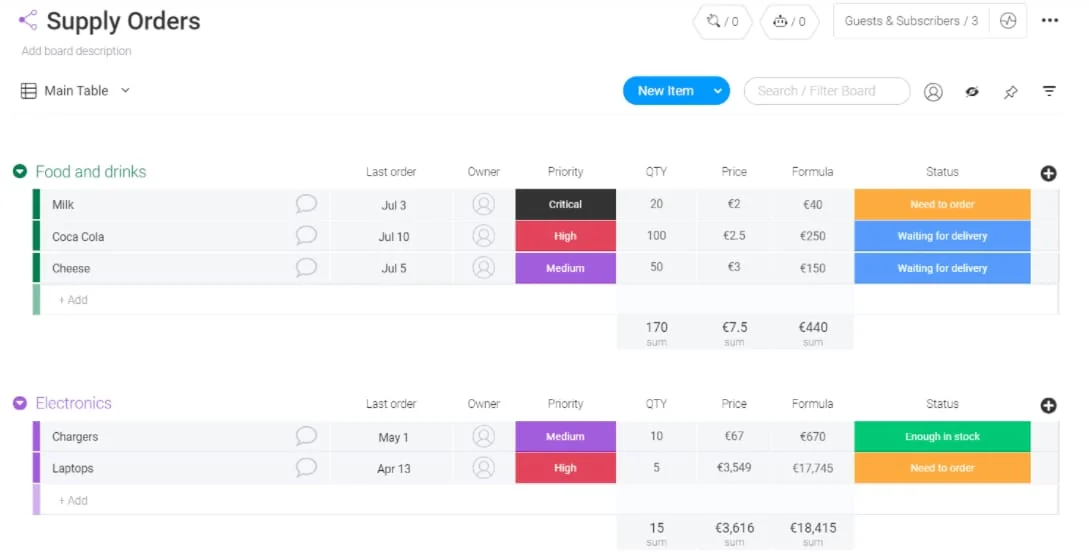
Monday.com Service applies visual project management concepts to service ticket handling. Built on the flexible Monday.com Work OS, it allows teams to construct customized ticket tracking boards, drag and drop status queues, and visual workload dashboards.
It suits creative agencies, project based service providers, and teams that prefer visual task management over rigid traditional help desk structures. Teams requiring deep ITIL compliance or complex SLA matrices may find its native ticket controls lighter than dedicated ITSM suites.
Key features:
- Visual drag and drop ticket management boards
- Customizable column types for tracking project status
- Automated email notifications and status updates
- Integrated time tracking and agent workload dashboards
- Pre built templates for service request queues
| Pros | Cons |
|
|
Pricing: Standard tiers start from approximately USD 12 per user monthly (roughly RM 55).
8. SalesForce Cloud
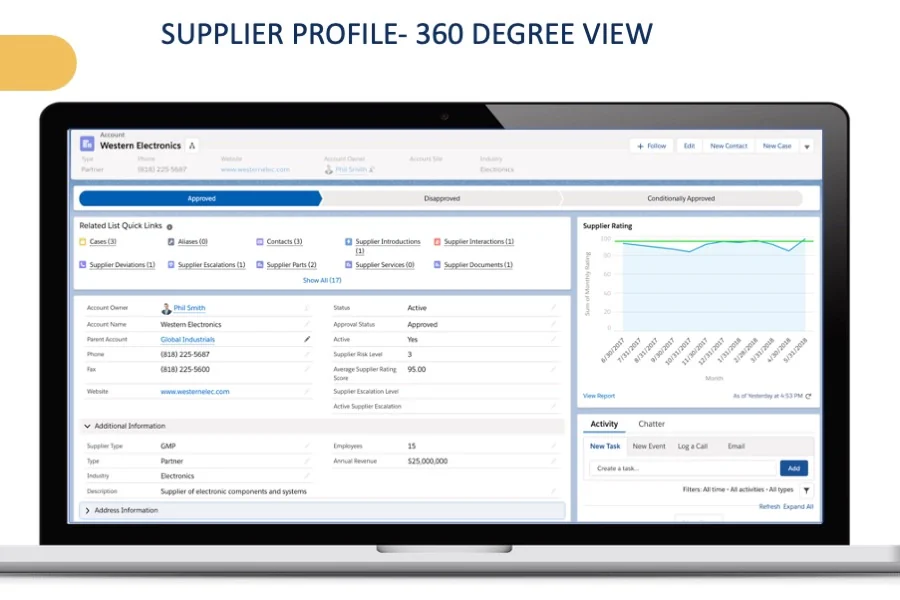
Salesforce Service Cloud is a customer service platform designed to centralize customer interactions, case management, and support workflows. It brings channels such as email, chat, messaging, and phone support into a unified environment for service teams.
With customer information, case histories, and service interactions available in one place, Salesforce helps agents respond with greater context. Its extensive customization and automation capabilities make it suitable for businesses with complex customer service operations and larger support teams.
Key features:
Omnichannel case and customer management
Service analytics and customizable dashboards
AI-powered service assistance with Salesforce Agentforce
Knowledge base and self-service portals
Workflow automation and case routing
| Pros | Cons |
|
|
Pricing: Starts from approximately RM 105 per user per month, depending on the selected edition and billing terms.
starts from approximately RM 105 per user per month, depending on the selected edition and billing terms.
9. HappyFox
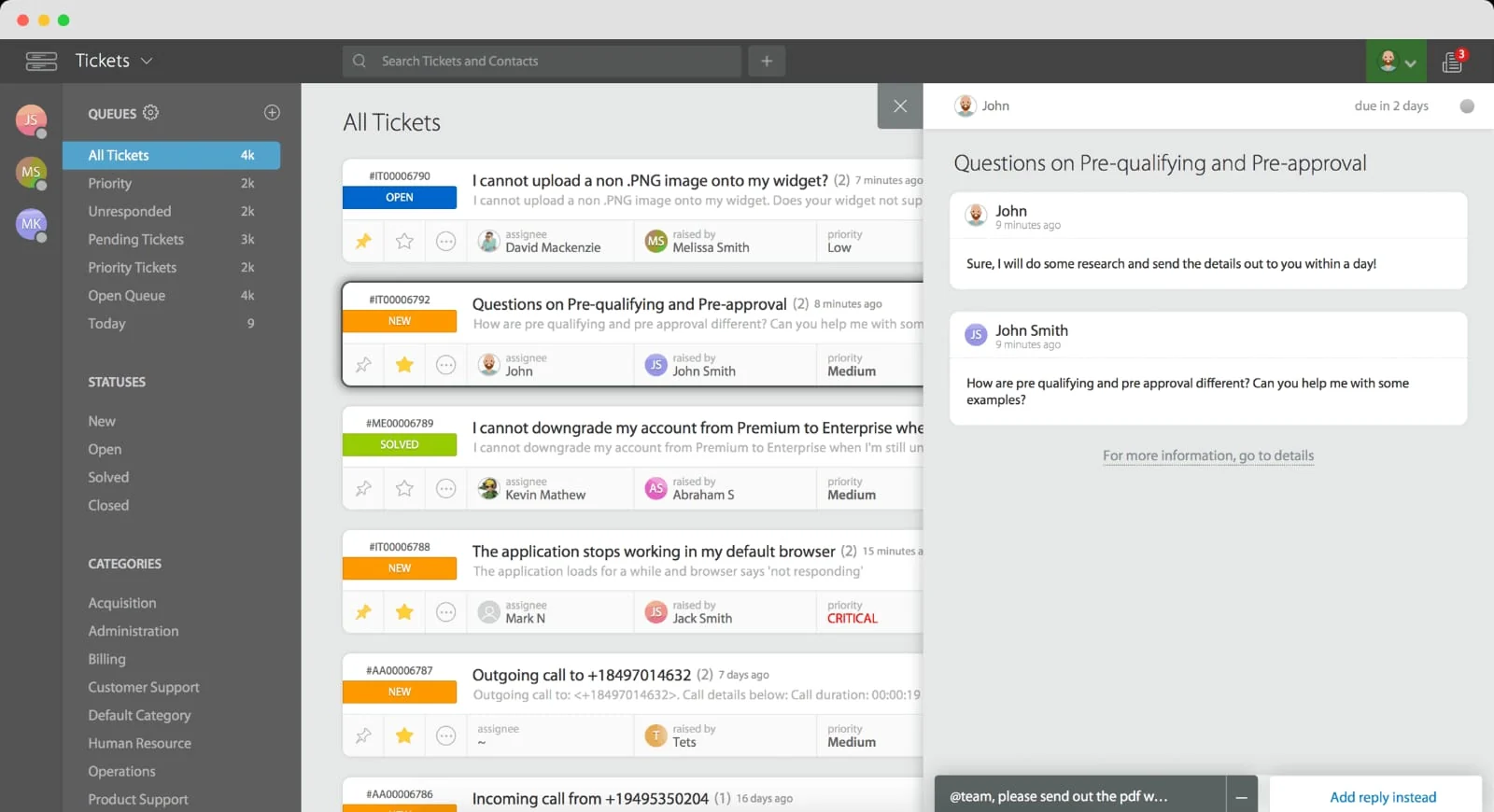
HappyFox is a practical, cloud hosted help desk platform designed to minimize manual administrative tasks through robust ticket automation rules. It provides a clean, single page ticket view that organizes customer conversations, internal notes, and audit logs.
The system features powerful smart rules capable of performing automated ticket assignments, status updates, and email notifications based on custom criteria. It serves businesses seeking dependable ticket management without unnecessary feature bloat.
Key features:
- Single page ticket view for efficient agent handling
- Powerful smart automation rules and trigger actions
- Integrated task management within individual tickets
- Asset tracking and basic IT service management
- Customizable satisfaction survey collection
| Pros | Cons |
|
|
Pricing: Tiers start from approximately USD 29 per agent monthly (roughly RM 130).
10. HubSpot Service Hub
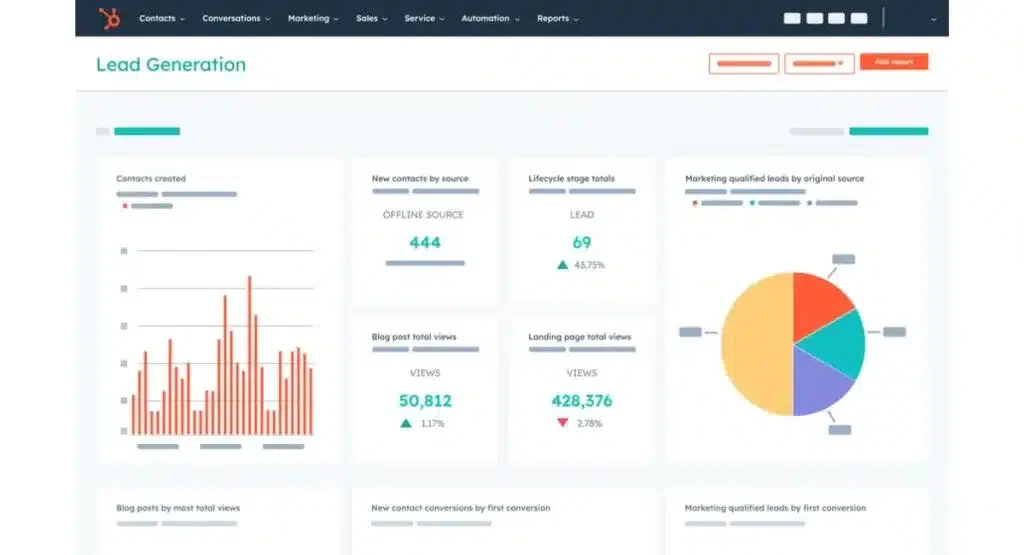
HubSpot Service Hub is a customer service platform built directly upon the HubSpot CRM foundation. It connects support ticket pipelines with sales and marketing databases, ensuring that service agents have full visibility over client deal histories, marketing interactions, and contact details.
It excels for organizations already utilizing HubSpot CRM to manage sales pipelines. Companies seeking an isolated IT help desk or deeply integrated ERP ticketing software may find its customer growth focus less aligned with technical service needs.
Key features:
- Native synchronization with HubSpot CRM contact databases
- Visual ticket pipelines and automated status stages
- Customer portal for tracking personal support requests
- Automated customer feedback and NPS survey distribution
- Knowledge base creation and live chat integration
| Pros | Cons |
|
|
Pricing: Paid professional seats start from approximately USD 45 per seat monthly (roughly RM 200).
How We Evaluated Each Platform
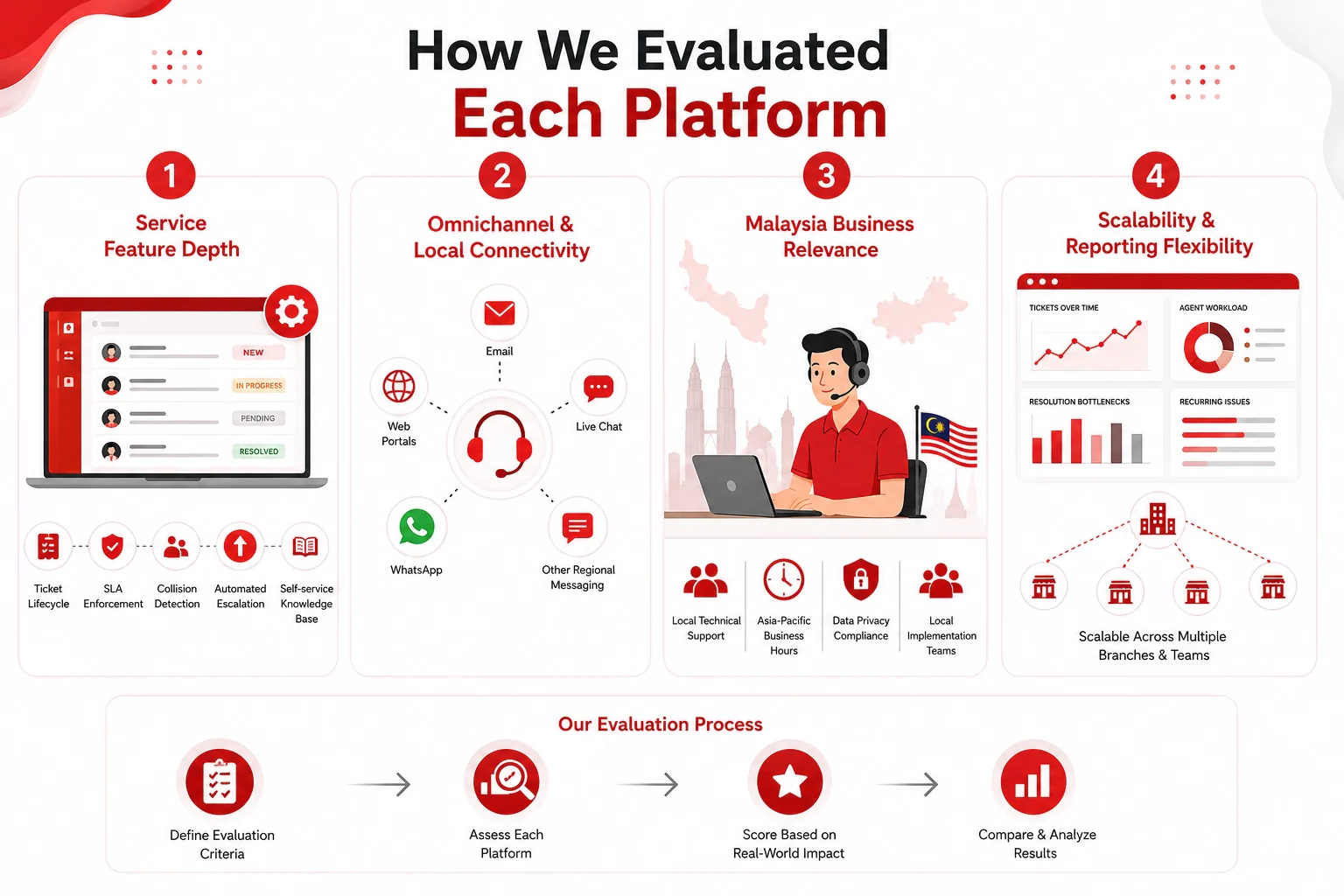
We did not rank software vendors merely by brand size. Each platform was evaluated on how effectively it addresses the practical operational challenges faced by Malaysian service desks. For additional background on enterprise operational software, see our detailed guide on enterprise systems in Malaysia.
1. Service feature depth
The evaluation analyzed how comprehensively each system manages ticket lifecycles, SLA enforcement, collision detection, automated escalation, and self service knowledge bases. Higher scores were awarded to systems that automate routine handling rather than simply storing email logs.
2. Omnichannel and local gateway connectivity
We assessed each tool ability to capture incoming requests across multiple channels including email, web portals, live chat, and regional messaging apps like WhatsApp. Native channel support reduces manual data transfer and speeds up response times.
3. Malaysia business relevance and local presence
Local technical consultation, availability of support teams during Asia Pacific business hours, and compliance with local data privacy standards were heavily weighted. Systems backed by local implementation teams provide faster resolution when technical issues arise.
4. Scalability and reporting flexibility
We evaluated how easily each software scales from mid market service desks to multi branch enterprise operations. Analytics engines were scored on their ability to surface resolution bottlenecks, agent workload imbalances, and recurring customer complaints without complex manual exports.
What Malaysian Businesses Gain From Ticketing Systems
Adopting a dedicated service ticketing platform delivers immediate operational improvements across expanding service departments.
- Faster First Response and Resolution Times: Automated ticket routing and canned responses help agents address incoming inquiries rapidly, ensuring SLA deadlines are met consistently.
- Elimination of Duplicate Agent Work: Real time collision detection prevents multiple team members from responding to or working on the exact same ticket simultaneously.
- Complete Interaction Auditing: Centralized conversation logs ensure that any agent can step in and continue an open case with full historical context.
- Clear Performance Visibility for Managers: Executive dashboards surface team productivity, average handle times, and customer satisfaction trends instantly.
- Better Customer Experience across Channels: Omnichannel aggregation allows customers to communicate via their preferred channel without repeating issue details to different agents.
Malaysian Service Standards and Rules That Shape Your Choices
While general software features are important, regional business conditions and regulatory frameworks dictate whether a platform effectively fits Malaysian operations.
1. Personal Data Protection Act compliance
Ticketing systems store sensitive customer contact details, order histories, and internal technical logs. Platforms must provide robust role based access controls, data encryption, and clear audit logging to satisfy local PDPA requirements.
2. Local WhatsApp API and channel integrations
WhatsApp is a primary customer communication medium across Malaysia. Selecting software that integrates natively with official WhatsApp Business APIs ensures customer messages automatically convert into manageable support tickets.
3. Multi branch escalation and local business hours
Organizations with offices across states require SLA timers that account for regional working hours and public holidays. Systems must support branch specific escalation paths and custom business calendar configurations.
4. Service Tax compliance and financial records
When service tickets involve warranty replacements, spare part billings, or paid technician visits, ticket data must connect cleanly to financial tools to ensure proper Sales and Service Tax compliance.
Decision Matrix for Matching Software to Your Business
Selecting the right software depends on company size, technical complexity, budget, and integration priorities. Use the decision matrix below to compare options and identify the best software fit for your organization.
| Company Profile | Priority | Suggested Fit |
| Mid market, growing support team | Simple setup and fast agent adoption | Freshdesk, Zoho Desk, HappyFox |
| Enterprise, ERP connected business | Service tickets tied to core business data | HashMicro Service & Ticketing |
| IT and software engineering firm | DevOps integration and code tracking | Jira Service Management |
| Large corporate institution | Enterprise ITIL compliance and CMDB | ServiceNow |
| Sales and CRM focused team | Support connected to sales pipelines | HubSpot Service Hub, Zendesk |
For organizations seeking to connect customer service workflows with broader scheduling and venue operations, exploring enterprise scheduling and booking tools shows how service tracking integrates into total operational management.
Ticketing Systems in Practice Across Three Malaysian Scenarios
These practical scenarios illustrate how modern ticketing software transforms real outcomes for Malaysian enterprises.
1. Resolving customer support bottlenecks in Kuala Lumpur
A fast growing commercial distributor in Kuala Lumpur experiences high incoming inquiry volumes across email and WhatsApp. Implementing a centralized ticketing desk with omnichannel routing aggregates inquiries into one queue, reducing average response times from twelve hours to under thirty minutes.
2. Streamlining multi site IT help desks in Penang and Selangor
An industrial manufacturer operating multiple facilities across Penang and Selangor struggles with unmonitored IT equipment requests. Deploying structured ticketing software with automated SLA escalations ensures urgent hardware failures receive immediate attention from on site technical staff.
3. Connecting service claims to central accounting
An equipment vendor manages post sale warranty claims through disconnected spreadsheets, causing delayed billing for out of warranty repairs. Integrating service ticketing with central enterprise software allows technicians to trigger automated spare part invoices instantly upon ticket resolution.
Conclusion
A ticketing system helps businesses centralize customer inquiries, assign ownership, prioritize issues, and monitor resolution progress. Compared with scattered emails, messaging apps, and spreadsheets, it provides greater visibility and consistency across support operations.
The right platform should match business needs, including ticket volume, team size, automation requirements, reporting capabilities, integrations, and data management. For Malaysian businesses, local support and compliance considerations can also play an important role in the selection process.
Explore how a centralized ticketing solution can improve support operations and service visibility. Schedule a free demo today to explore how integrated service ticketing software can transform your operational support capabilities.

FAQ About Ticketing Systems
The best software depends on your operational profile. Mid market teams often shortlist Freshdesk or Zoho Desk, technology firms prefer Jira Service Management, large corporate IT departments select ServiceNow, and growing enterprises wanting service connected to broader operations choose HashMicro.
A ticketing system tracks Service Level Agreements automatically by applying real time countdown timers to incoming tickets based on priority. It sends automated notifications when deadline breaches approach and escalates unhandled tickets to available senior agents.
Yes. Leading ticketing platforms provide official WhatsApp Business API connectors, allowing incoming customer messages sent via WhatsApp to automatically generate managed support tickets inside the main agent dashboard.
First Contact Resolution rate measures the percentage of incoming customer tickets resolved during the initial contact without needing follow up messages. A higher FCR rate indicates well trained agents, accessible customer data, and high customer satisfaction.
Cloud software offers faster implementation, automatic updates, lower upfront hardware investments, and remote access. On premise setups are generally selected by high security financial or government organizations requiring complete internal server control.