
In today’s fast-moving digital landscape, Filipino businesses can no longer rely on outdated, manual processes. This is where business management software becomes a game-changer.
In addition, according to Statista, the Philippine business software market is projected to grow by 9.50% from 2024 to 2028. So, what’s the conclusion? Companies that rely solely on manual processes risk falling behind those using business management tools.
Before comparing platforms, companies should define the business management strategy the software must support, including their operational priorities, performance gaps, and long-term objectives. To help you evaluate the available options, this article reviews some of the top business software in the Philippines for your consideration.
Key Takeaways
Business management software is an all-in-one system that helps businesses run operations more efficiently.
Implementing business software comes with multiple benefits, such as automating repetitive tasks, centralizing information, and enabling better decision-making.
Choose business management software based on your company’s operational needs, usability, integrations, scalability, security, vendor support, and total cost—not simply the number of features offered.
What is a Business Management Software?
Business management software is a powerful tool designed to streamline and optimize various operational processes within an organization. This type of software consolidates essential functions such as scheduling, project coordination, client relations, inventory management, financial tracking, and reporting into a single platform.
For companies of all sizes, especially small and medium enterprises, ERP systems in the Philippines serves as a game-changer. It eliminates the need for separate tools and provides a centralized solution that simplifies workflows.
For instance, small businesses can use it to manage client bookings and cash flow, while larger enterprises benefit from advanced features like automation and detailed analytics. The flexibility and scalability of this software make it suitable for a wide range of industries.
6 Benefits of Implementing Business Management Software
Here are six benefits you can gain by implementing integrated ERP software :
1. Save money and time
Reducing repetitive manual work allows employees to focus on higher-value activities instead of routine administration. Greater operational accuracy also helps companies prevent avoidable expenses, use resources more efficiently, and complete daily processes faster with fewer costly errors.
2. Create a centralized source of business data
Bringing operational records, customer information, and sales reports into one reliable source reduces time spent reconciling duplicate or conflicting data. As a result, employees can coordinate work more effectively, while managers gain a clearer view of business performance and make decisions with greater confidence.
3. Improve team communication
When departments work from consistent information and understand how their responsibilities affect one another, handoffs become smoother and fewer tasks are delayed by miscommunication. This creates clearer accountability, faster execution, and better coordination when serving customers or completing shared business objectives.
4. Greater strategic decisions
A clearer view of business performance helps managers identify problems earlier, evaluate available options, and act before issues become more costly. Companies can allocate resources more effectively, keep decisions aligned with strategic priorities, and respond faster to changing customer or market conditions.
5. Improve project planning and delivery
Clear priorities and better alignment across teams help companies use time, budgets, and resources more effectively. Businesses can identify potential delays earlier, keep work aligned with its objectives, and deliver projects more consistently according to agreed timelines and expected outcomes.
6. Scale operations more efficiently
As transaction volumes, teams, and business locations grow, companies can maintain consistent processes without a proportional increase in administrative work. This operations management software enables the organization to serve more customers, expand its operations, and preserve visibility and control without creating unnecessary complexity.
Quick Comparison of the Best Business Management Software
| Software | Best For | Main Strength | Key Limitation | Budget Fit |
|---|---|---|---|---|
| HashMicro | Companies needing all-in-one ERP | all-in-one ERP Strong end-to-end business automation | Custom pricing requires consultation | Mid to enterprise |
| Zoho | Growing businesses needing app ecosystem | Wide range of integrated business apps | Advanced needs may require add-ons | Low to mid |
| HubSpot | Sales and marketing teams | User-friendly CRM and automation tools | Costs rise as features scale | Mid to enterprise |
| Oracle NetSuite | Complex multi-entity operations | Robust cloud ERP capabilities | Implementation can be resource-heavy | Enterprise |
| SIA System | Local Philippine business operations | Localized workflows and business support | Less global ecosystem than larger brands | Mid |
| Apptivo | SMEs wanting modular tools | Flexible app-based configuration | Interface can feel less polished | Low to mid |
| Bitrix24 | Teams needing collaboration and CRM | Strong communication and task tools | Interface can feel crowded | Low to mid |
| FreshBooks | Freelancers and service businesses | Simple invoicing and expense tracking | Limited for complex operations | Low |
| Pipedrive | Sales-focused teams | Easy pipeline visibility and tracking | Not a full business management suite | Low to mid |
| Odoo | Businesses wanting customizable modules | Highly flexible open ecosystem | Customization may need technical support | Low to mid |
| Scoro | Agencies and project-based firms | Combines projects, billing, and CRM | Can be costly for smaller teams | Mid |
| Homebase | Shift-based and frontline teams | Strong scheduling and workforce tools | Limited beyond workforce management | Low to mid |
| Acumatica | Businesses needing scalable cloud ERP | Good flexibility across industries | Pricing is not upfront | Mid to enterprise |
| Kissflow Workflow | Process-heavy teams | Fast workflow and approval automation | Less suited for deep ERP needs | Mid |
| Mindbody Business | Wellness and fitness businesses | Booking and client management focus | Niche use case | Mid |
| MYOB | Accounting-focused businesses | Solid finance and bookkeeping tools | Less comprehensive outside finance | Low to mid |
| ProofHub | Teams managing internal projects | Simple project planning and collaboration | Limited financial and ERP functions | Mid |
| Salesforce | Large sales and customer-driven organizations | Powerful CRM and ecosystem depth | High cost and setup complexity | Enterprise |
18 Best Business Management Software Software Options in the Philippines
1. HashMicro
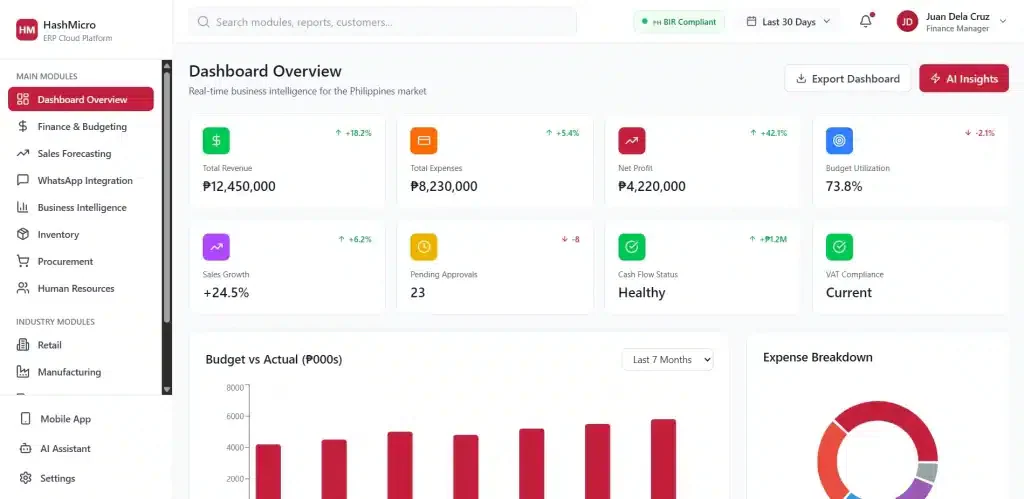
HashMicro is an all-in-one business management software for Philippine companies that connects finance, sales, inventory, HR, procurement, and industry-specific workflows in one customizable platform. Its AI-driven forecasting, real-time cost tracking, and automated operations help retailers prevent stockouts, F&B businesses streamline supply chains, and construction firms control project budgets while allowing the system to adapt to each company’s operational needs.
Why HashMicro?
Because HashMicro understands what a business might need, so they deliver solutions that:
- Localized for the Philippines: Supports BIR-compliant accounting, VAT calculations, and local financial reporting.
- Industry-Specific Modules: Retail, logistics, manufacturing, construction, mining, and more.
- AI-Powered Decision Making: Automates complex tasks and provides real-time analytics.
- End-to-End Cloud Solution: Manage everything from sales and HR to inventory and procurement in one platform.
Key features
- End-to-End Budgeting: Take control of company finances with automated expense tracking, forecasting, and real-time budget monitoring.
- Sales Forecasting: AI-driven analytics predict future sales trends, helping businesses optimize inventory, pricing, and marketing strategies for maximum profitability.
- WhatsApp Integration: Engage customers instantly! Automate order updates, send payment reminders, and improve customer service, all through WhatsApp.
- Built-in Business Intelligence: Track key performance indicators (KPIs), detect financial anomalies, and generate real-time insights through customizable reports.
- Mobile App Access: Business doesn’t stop when you step out of the office. Monitor operations, track sales, and approve transactions on the go, anytime, anywhere.
- AI Assistant for Data Analysis: No need for manual data crunching. Let AI analyze trends, detect inefficiencies, and provide actionable recommendations to help businesses grow smarter.
| Pros | Cons |
|
|
Pricing
Discover our pricing schemes below and find the right package for your needs.

2. Zoho
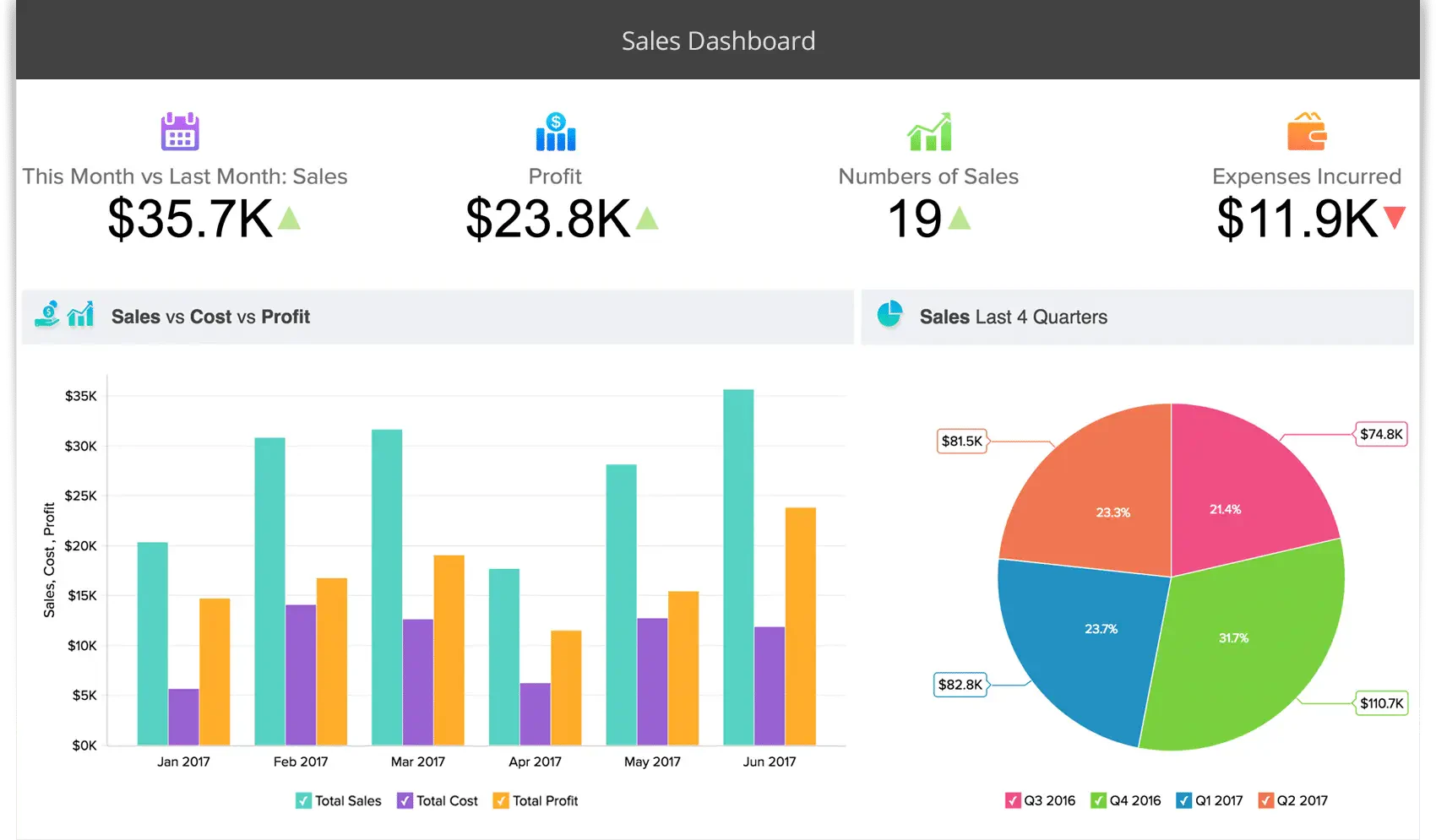
Zoho Analytics is business analytics software that is used to gain insights into business performance. Businesses in the Philippines can use this software to compile data from various business aspects, analyze them, and make better decisions with accurate reports.
Key features
- Data integrations: Connects data from multiple business applications and external sources for centralized analysis.
- Sales/CRM: Helps teams manage leads, customer records, sales activities, and deal pipelines.
- Marketing: Supports campaign planning, customer segmentation, email communication, and performance tracking.
- Finance: Provides tools for invoicing, accounting, expense management, and financial reporting.
- Human Resources: Organizes employee records, attendance, recruitment, and other HR processes.
- Project Management: Helps teams assign tasks, monitor deadlines, and track project progress.
- E-Commerce: Supports online product management, order processing, payments, and customer activity.
Pricing
Zoho one offers business management solutions with pricing starting from ₱184 to ₱3,689 per user per month, depending on the product and features. For the most accurate and updated pricing, visiting Zoho’s official website is best.
| Pros | Cons |
|
|
3. HubSpot
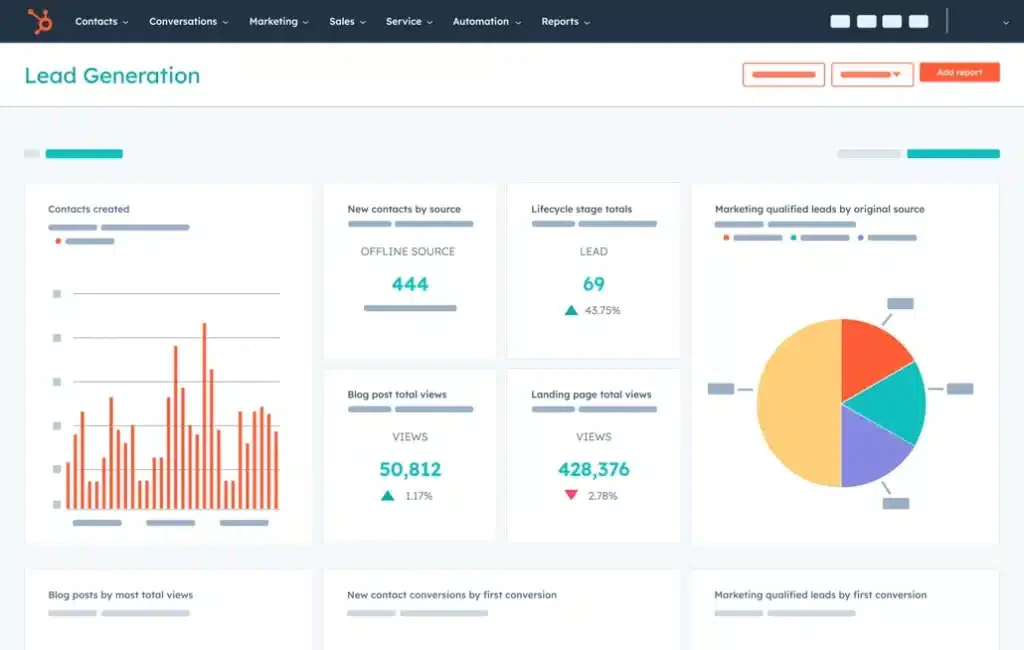
HubSpot is business management software specializing in customer relationship management (CRM). Companies in the Philippines can use HubSpot to manage leads, set up live chats, and get a real-time review of the sales pipeline. With HubSpot, Philippine businesses can manage their leads effectively and increase customer satisfaction.
Key features
- Customer management: Stores customer information and interaction history in one centralized CRM.
- Social media management: Helps teams schedule, publish, and monitor social media content.
- Marketing analytics & dashboard: Displays campaign, traffic, conversion, and customer-engagement performance.
- Campaigns: Coordinates marketing assets and activities under measurable campaign objectives.
- Lead management & tracking software: Records lead activity and helps sales teams prioritize follow-up actions.
Pricing
HubSpot offers various business management solutions with pricing starting from ₱2,767 to ₱307,420 per month, depending on the product and features.
| Pros | Cons |
|
|
4. Oracle NetSuite
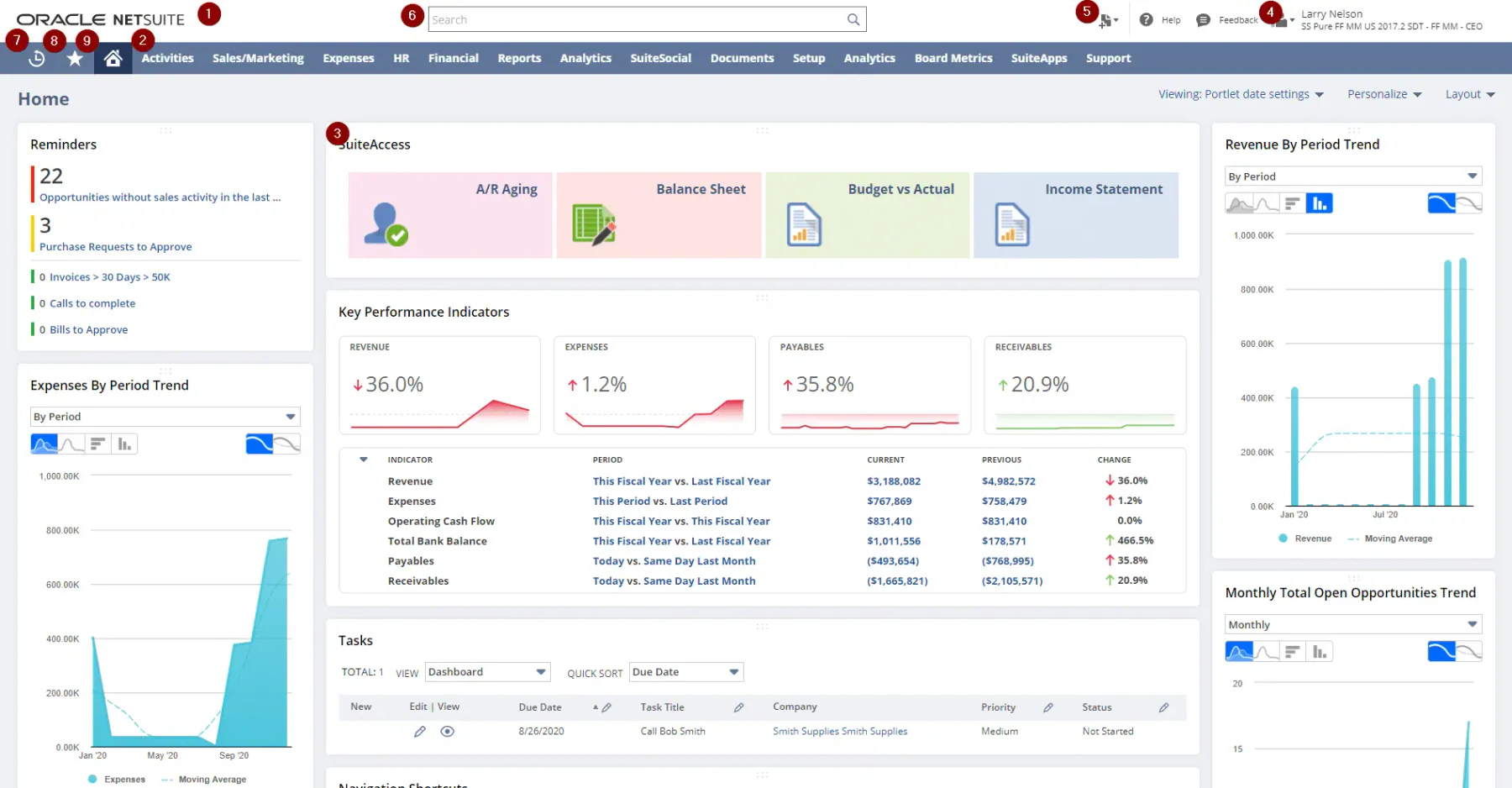
Oracle NetSuite is the best business management software in the Philippines that helps companies in the Philippines manage various aspects of their business. With Oracle NetSuite, businesses can automate workflow processes, access business intelligence data, and review operational performance in one single platform.
Key features
- Accounting software: Automates general ledger entries, accounts payable, accounts receivable, and reconciliation.
- Financial management: Supports budgeting, cash-flow monitoring, consolidation, and financial reporting.
- Inventory management: Tracks stock quantities, movements, availability, and replenishment across locations.
- Supply chain management: Provides visibility into purchasing, inventory, orders, and fulfillment processes.
- Procurement: Manages supplier records, purchase requests, purchase orders, and approval workflows.
Pricing
Please contact the vendor directly for more comprehensive information.
| Pros | Cons |
|
|
5. SIA System
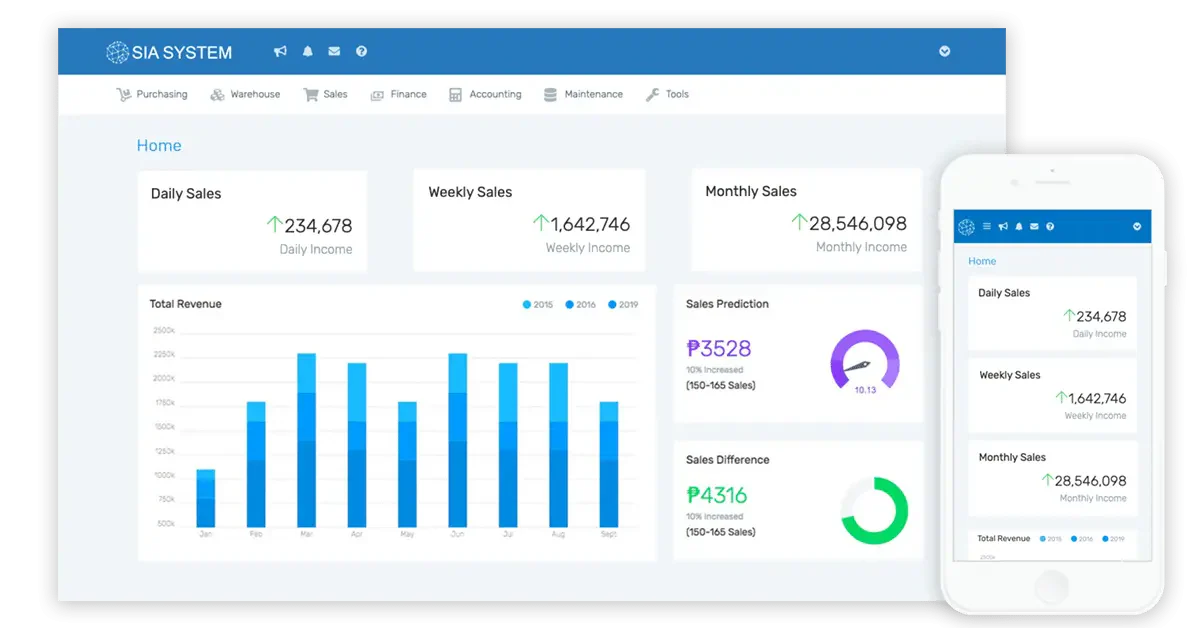
SIA System is a local best business management software Philippines. It designs its software to optimize Philippines business processes. As for the aspects, SIA System offers customized inventory management and accounting processes. With SIA System, companies can make wiser business decisions in the future.
Key features
- Sales management: Helps teams process quotations, customer orders, and sales transactions.
- Warehouse and inventory management: Monitors stock levels and product movements across storage locations.
- Finance: Records business transactions and supports financial monitoring and reporting.
- Purchasing module: Manages supplier information, purchase orders, and procurement activities.
- Reports and analytics: Converts operational data into reports for performance monitoring and decision-making.
Pricing
SIA System offers business management solutions with pricing starting from ₱18,000 per month, depending on the product and features.
| Pros | Cons |
|
|
6. Apptivo
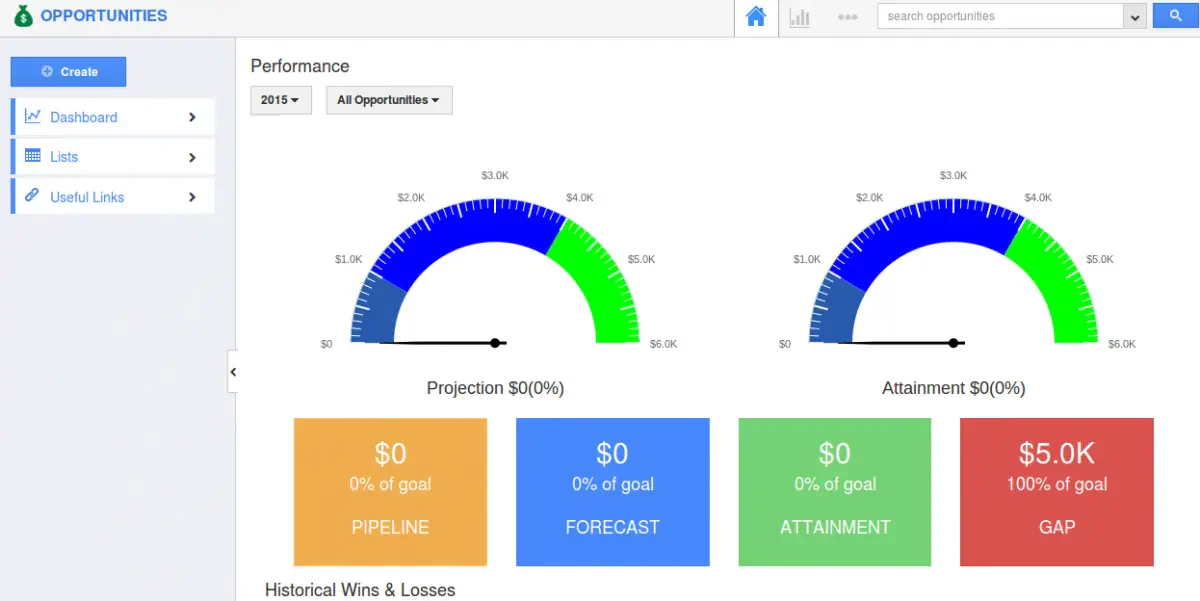
For businesses seeking customizable solutions, Apptivo is a modular business process management software that supports CRM, project management, invoicing, and communication. It helps companies with CRM, project management, invoicing, and communication needs. With Apptivo, companies can automate their workflow while keeping track of their business performances.
Key features
- Sales process tracking: Monitors leads, opportunities, follow-ups, and deals throughout the sales cycle.
- Task collaboration: Allows employees to assign work, share updates, and monitor task completion.
- Ticketing system: Records customer issues and organizes their assignment and resolution.
- Billing system: Supports estimates, invoices, payment records, and recurring billing activities.
- Supply chain management: Helps coordinate suppliers, products, purchasing, and order fulfillment.
Pricing
Apptivo offers a range of business management solutions with pricing plans tailored to different organizational needs. The Lite plan starts at ₱922 per user per month, the Premium plan is ₱1,537 per user per month.
| Pros | Cons |
|
|
7. Bitrix24
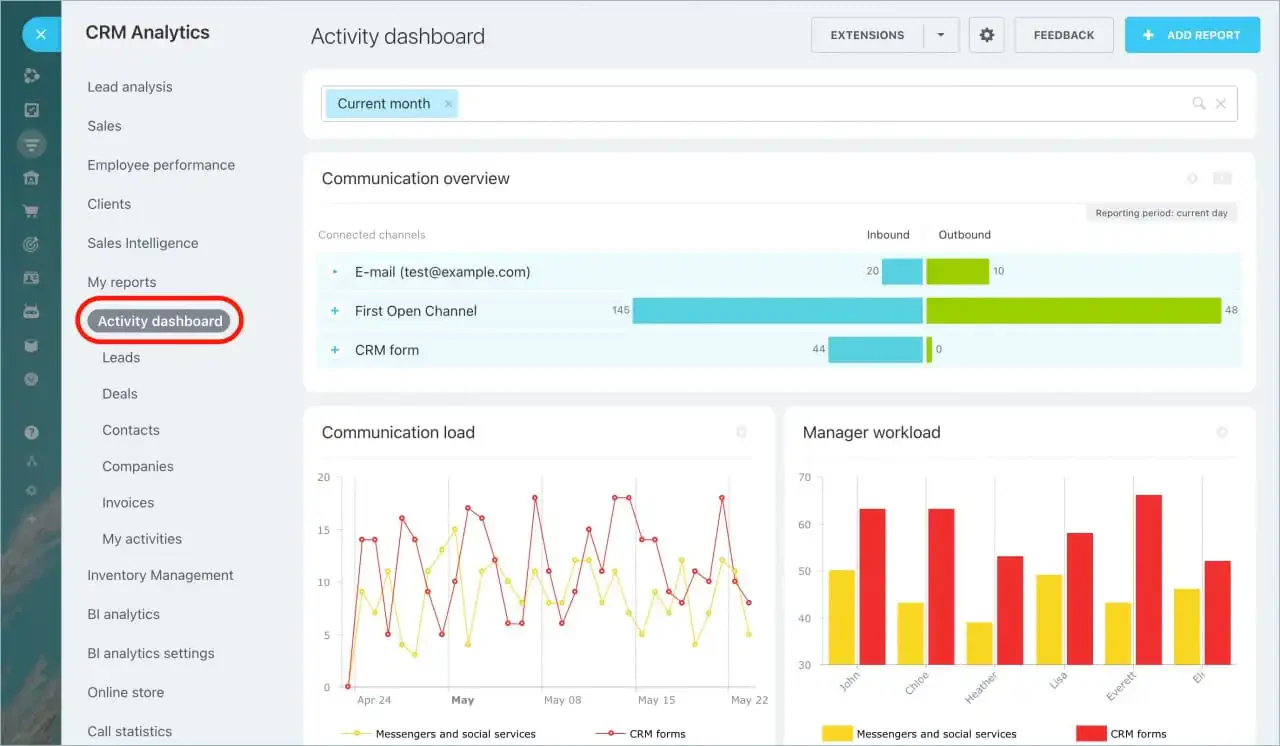
Bitrix24 is a business process management software that helps Philippine businesses manage projects, CRM insights, and automate HR processes. Its main focus is improving communication, CRM, and collaboration in the companies.
While it’s a well-rounded business solution, not all features within are accessible. For instance, while companies can build a website using Bitrix24, they have to manage with limited storage and customization.
Key features
- Option to self-host: Allows organizations to deploy the platform on their own infrastructure when required.
- Project management: Organizes projects, deadlines, responsibilities, documents, and team communication.
- HR management tools: Supports employee profiles, attendance, company structure, and internal communication.
- Task management: Helps teams create, prioritize, delegate, and track individual tasks.
- Integration with other apps: Connects Bitrix24 with external communication, productivity, and business applications.
Pricing
Bitrix24 offers a range of business management solutions with pricing plans tailored to different organizational needs. The basic plan starts at ₱3,013 to ₱30,681 per organization per month.
| Pros | Cons |
|
|
8. FreshBooks
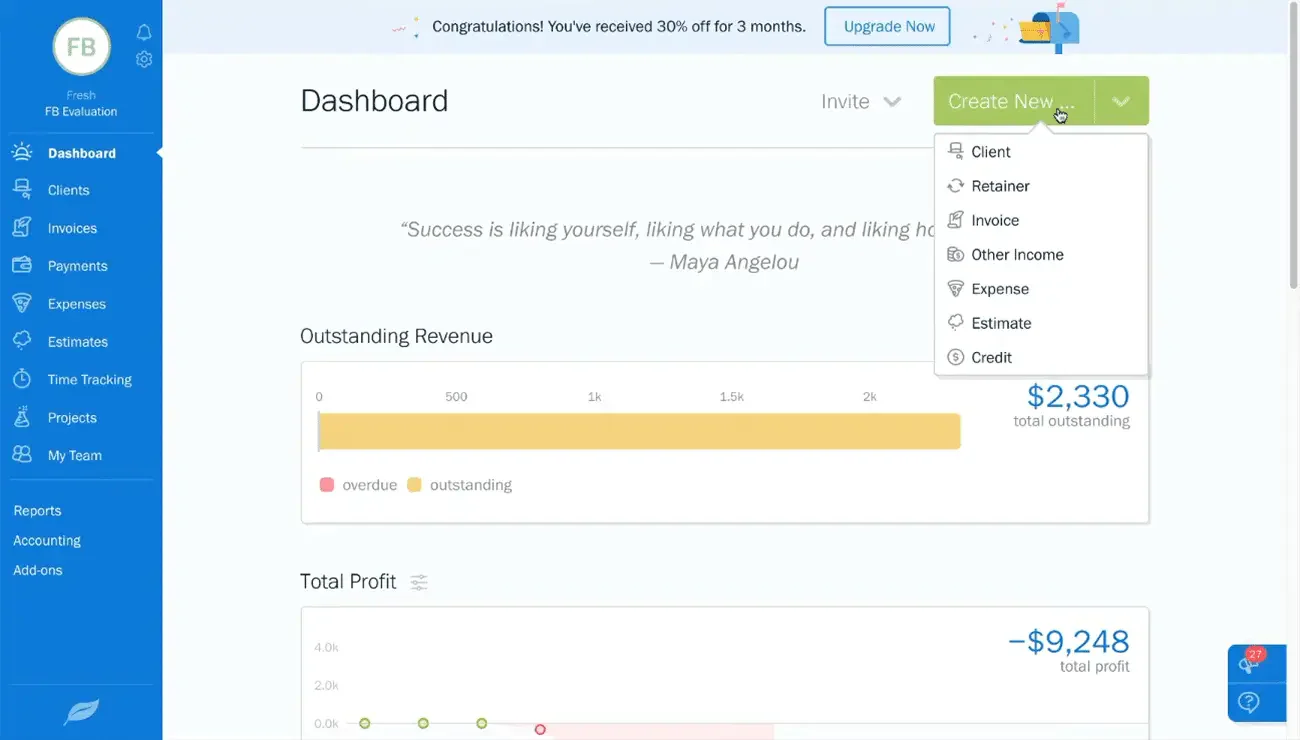
FreshBooks is a software for business management software Philippines businesses and freelancers in managing their finances. With FreshBooks, companies can track billable time, set up recurring bills, and track expenses.
Key features
- Double-entry accounting: Records debits and credits to support more structured and accurate bookkeeping.
- Accounting invoicing: Creates professional invoices while recording income, expenses, and client balances.
- E-commerce integrations: Connects online sales platforms with invoicing and financial records.
- Online payments: Allows clients to pay invoices through supported digital payment methods.
- Notifications for late payments: Automatically reminds customers when an invoice approaches or passes its due date.
Pricing
FreshBooks offers several business management pricing plans, Lite: ₱387 per month for up to 5 clients, Plus: ₱701 per month for up to 50 clients, Premium: ₱1,199 per month for unlimited clients.
| Pros | Cons |
|
|
9. Pipedrive
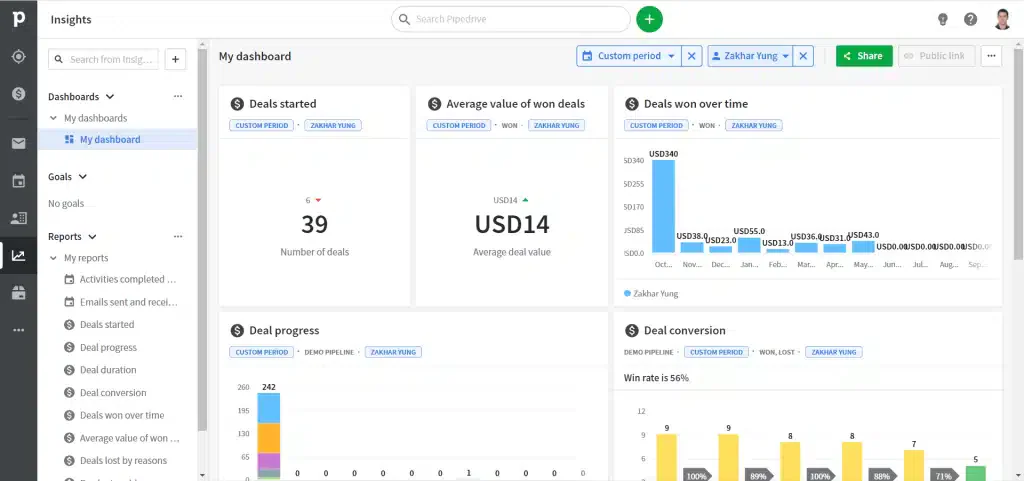
Pipedrive is a business software solution, specifically for customer relationship management (CRM). Aside from automating workflow, Pipedrive helps with creating a sales pipeline, which lets businesses move the deals through the funnel. With Pipedrive, companies can automate their tasks and close more sales.
Key features
- Workflows and automations: Automates repetitive sales activities, reminders, and record updates.
- Chatbot features: Captures website visitors’ information and routes qualified leads to the sales team.
- Third-party integrations: Connects the CRM with email, communication, accounting, and productivity applications.
- Customer relationship management: Centralizes contacts, interaction history, deals, and sales activities.
- Sales planning: Helps teams organize pipelines, forecast revenue, and prioritize sales opportunities.
Pricing
Pipedrive offers five pricing plans to accommodate various business needs. Essential: Starting at ₱861 per user per month, Advanced: At ₱1,660 per user per month, Professional: Priced at ₱3,013 per user per month, Power: For ₱3,935 per user per month, Enterprise: At ₱6,087 per user per month.
| Pros | Cons |
|
|
10. Odoo
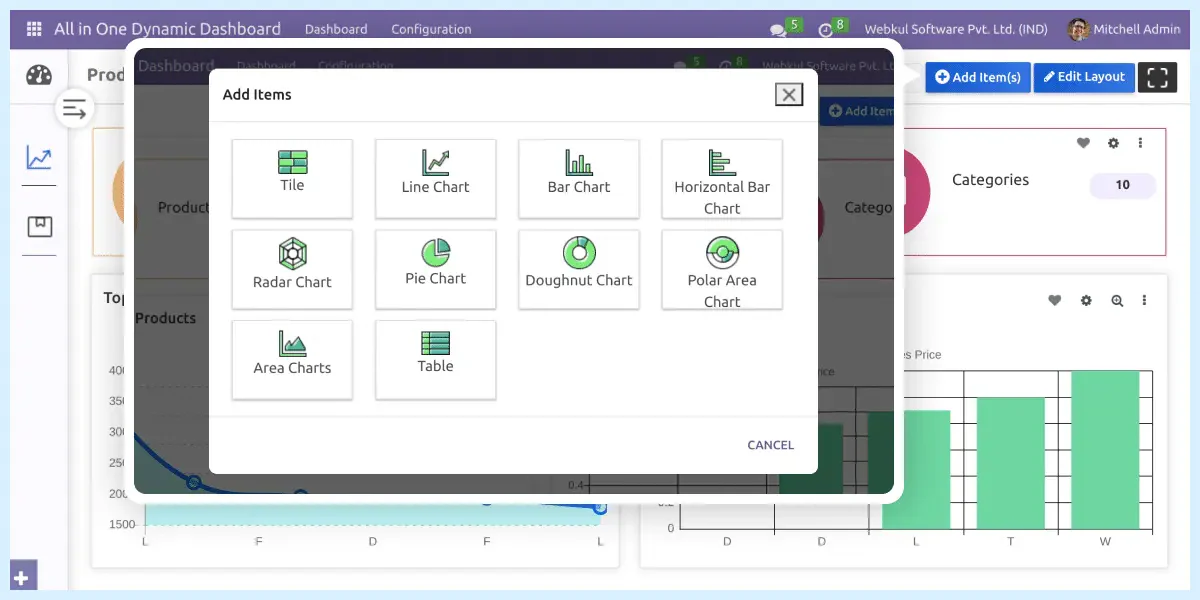
Odoo is a one-for-all business software applications that helps companies manage their workflow efficiently. To achieve that goal, it has various features to manage different aspects of a business. From managing finances to inventory control, Odoo is a good solution for Philippine businesses.
Key features
- Customer relationship management: Tracks leads, opportunities, customer activities, and sales pipelines.
- Inventory management: Monitors stock availability, warehouse transfers, receipts, and deliveries.
- Accounting: Supports invoicing, journal entries, reconciliation, taxes, and financial reports.
- Purchasing module: Manages suppliers, requests for quotation, purchase orders, and product receipts.
- Project management: Organizes tasks, project stages, timesheets, deadlines, and team responsibilities.
Pricing
Odoo offers five pricing plans to accommodate various business needs. Standard ₱446 per user per month, Custom ₱670 per user per month.
| Pros | Cons |
|
|
11. Scoro
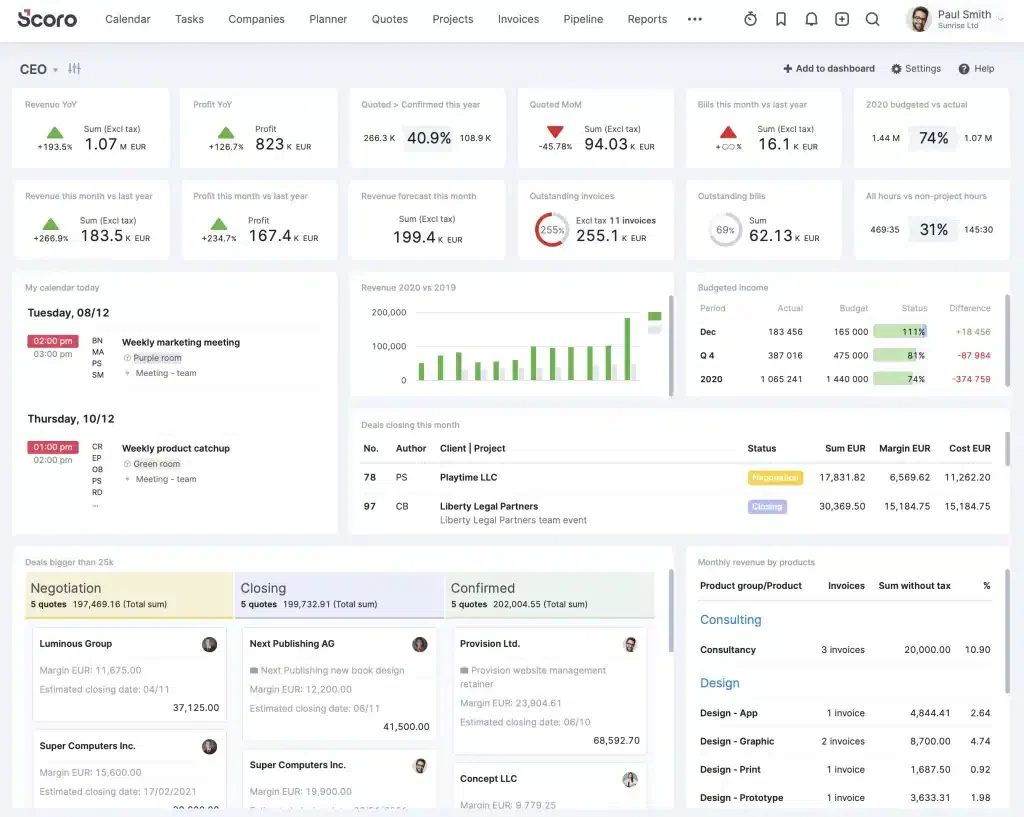
Scoro is a comprehensive business management tool designed to simplify pipeline planning and management.
Key features
- Include time management: Records billable and non-billable hours across tasks, projects, and employees.
- Task Management: Helps teams plan activities, assign responsibilities, and monitor deadlines.
- CRM software: Stores customer information, opportunities, quotations, and communication history.
- Invoices and Receipts: Creates billing documents and connects them with clients, projects, and recorded work.
Pricing
Scoro offers five pricing plans to accommodate various business needs. Essential ₱1,599 per user/month, Standard ₱2,275 per user/month, Pro ₱3,873 per user/month.
| Pros | Cons |
|
|
12. Homebase
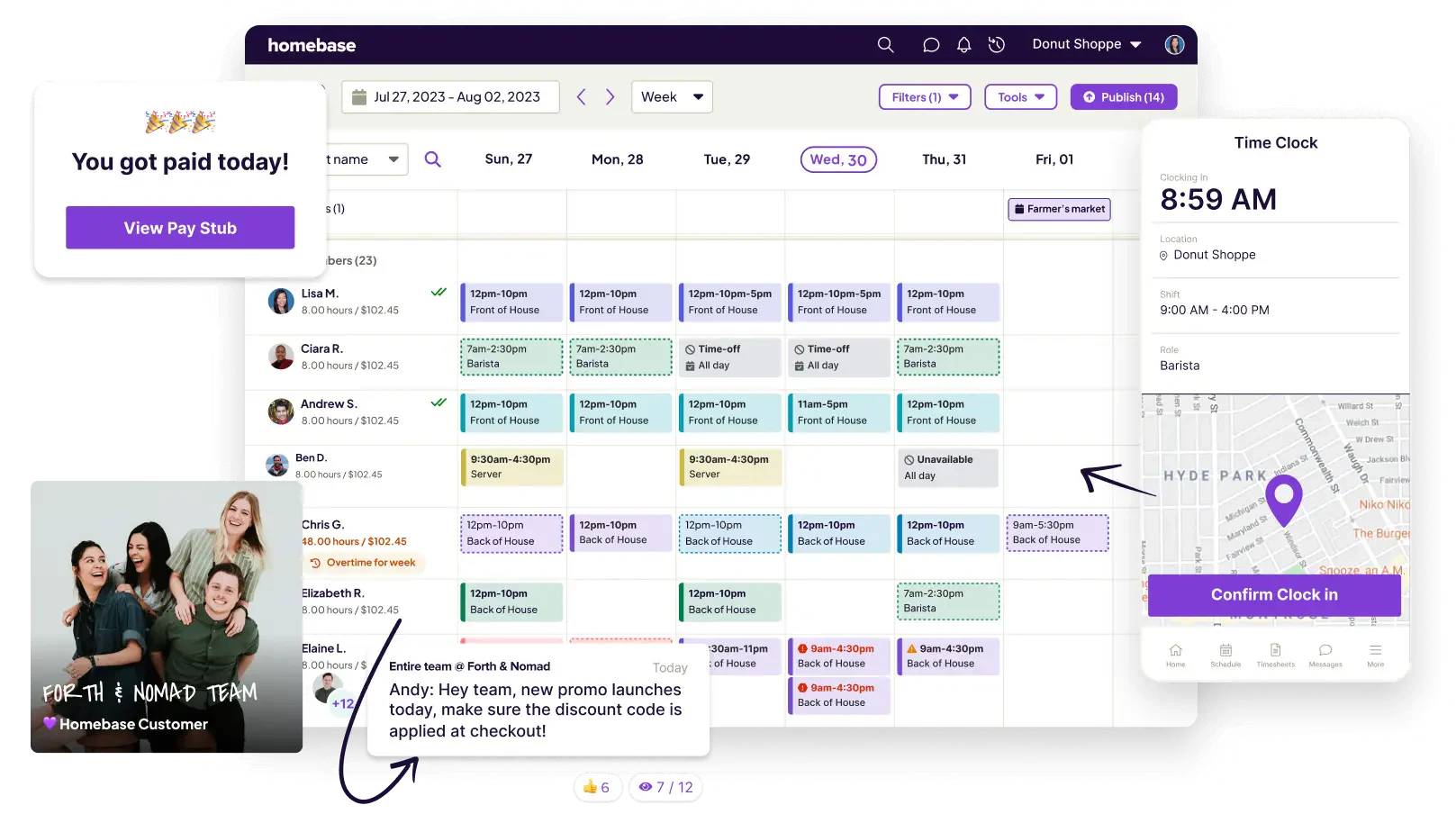
Homebase is a cloud-based business management solution tailored for small to medium-sized businesses, particularly in the retail, restaurant, and hospitality sectors. It streamlines employee scheduling, time tracking, and time-off management, benefiting both managers and staff.
Key features
- Automated scheduling: Creates employee schedules based on availability, roles, and staffing requirements.
- Shift trading and claiming: Allows employees to exchange shifts or claim available schedules with manager oversight.
- time-off management: Records employee leave requests and reflects approved absences in work schedules.
- Labor cost tracking and optimization: Compares scheduled working hours with labor costs to support staffing decisions.
Pricing
Homebase offers a free Basic plan suitable for businesses with a single location and up to 20 employees. For larger teams or additional features, paid plans start at ₱1,534 per location per month, supporting unlimited employees.
| Pros | Cons |
|
|
13. Acumatica
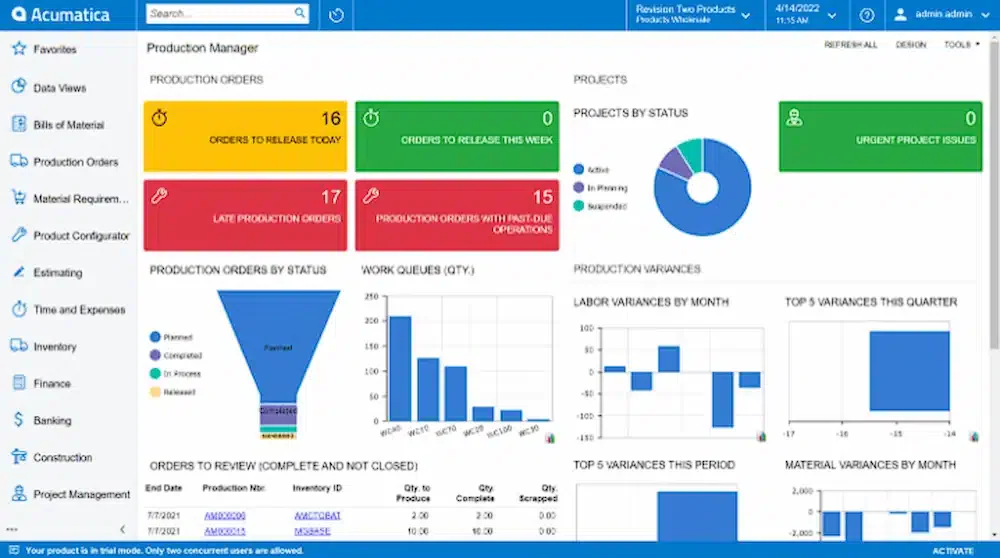
Acumatica Cloud ERP is a comprehensive business management solution designed to cater to various industries and organizational roles. Its modular architecture allows businesses to select and integrate functionalities that align with their specific requirements.
Key features
- Comprehensive integrations: Connects financial, operational, ecommerce, and third-party applications through supported integrations.
- Advanced reporting: Produces configurable financial and operational reports using centralized business data.
- Project accounting: Tracks project budgets, expenses, billing, revenue, and profitability.
Pricing
For further details, please reach out to the vendor directly.
| Pros | Cons |
|
|
14. Kissflow Workflow
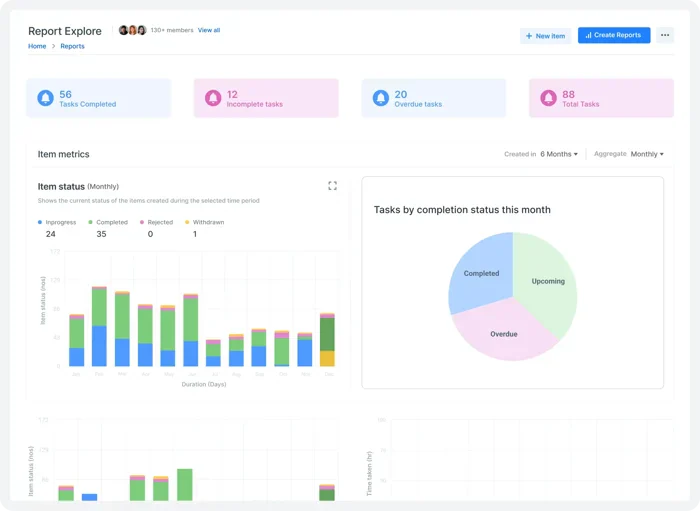
Kissflow Workflow is a business process management (BPM) software designed to help organizations automate and monitor their internal processes. It is part of the broader Kissflow ecosystem, which includes project management and application development tools.
Key features
- Include workflow templates: Provides reusable process structures for approvals, requests, and recurring operational activities.
- Automatic task assignment: Routes tasks to the appropriate employee based on predefined workflow rules.
- Mobile App: Allows users to review tasks, submit requests, and approve processes from mobile devices.
Pricing
Kissflow Workflow offers five pricing plans to accommodate various business needs. Basic ₱92,226/month (Includes 50 users), Enterprise (custom pricing)
| Pros | Cons |
|
|
15. Mindbody Business
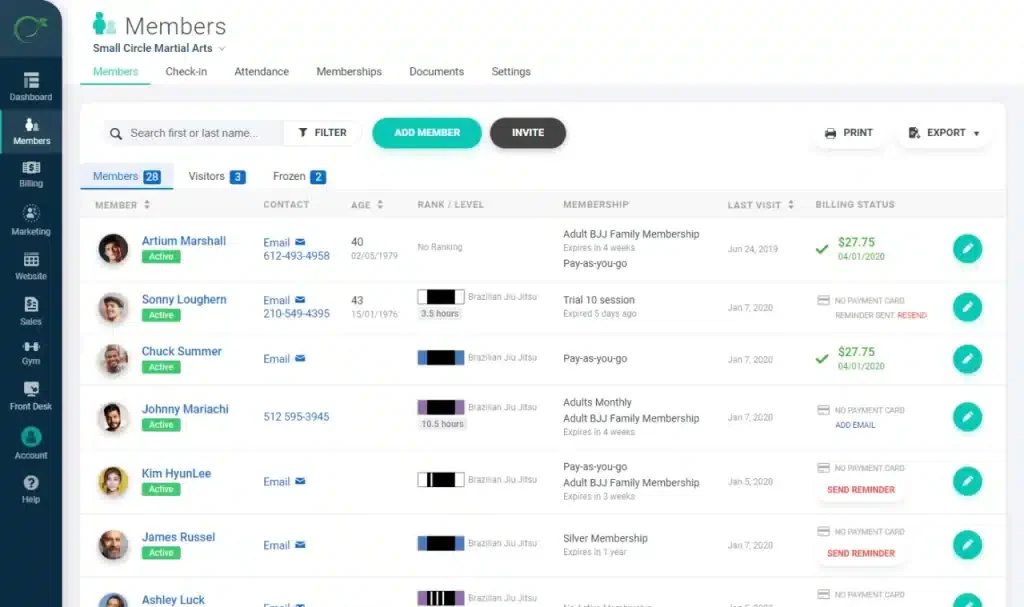
Mindbody Business is a comprehensive business management system tailored for wellness companies, providing health and wellness professionals with tools to effectively manage their businesses and client relationships.
Key features
- Class scheduling: Organizes classes, instructor availability, capacity, bookings, and recurring sessions.
- Expense tracking: Records operational expenses to support financial monitoring.
- Order management: Processes service bookings, product purchases, payments, and customer orders.
Pricing
For further details, please reach out to the vendor directly.
| Pros | Cons |
|
|
16. MYOB
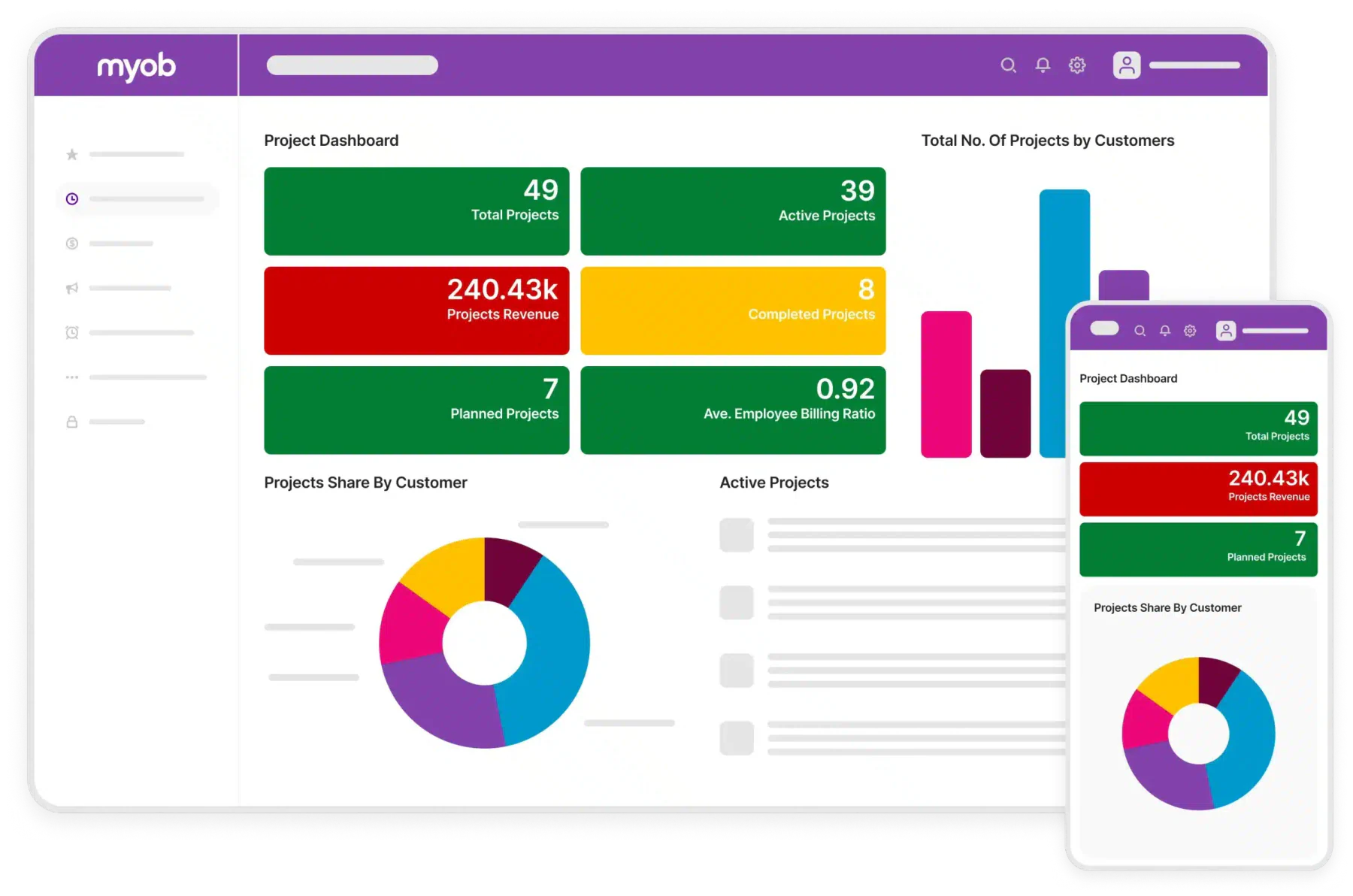
MYOB is a business management software designed for SMEs, helping companies manage bookkeeping, invoicing, payroll, tax, and inventory in one integrated platform. Businesses comparing MYOB with other finance-focused platforms should also review leading accounting software in the Philippines based on localization, reporting, scalability, and operational coverage.
Key features
- Automated payroll: Calculates employee pay and maintains payroll records based on configured rules.
- Bank reconciliation: Matches bank transactions with recorded income and expenses to identify discrepancies.
- Inventory management: Tracks product quantities, purchases, sales, and stock availability.
Pricing
MYOB pricing starts at ₱1,691/month for Business Lite, while the more advanced AccountRight plan begins at ₱6,763/month.
| Pros | Cons |
|
|
17. ProofHub
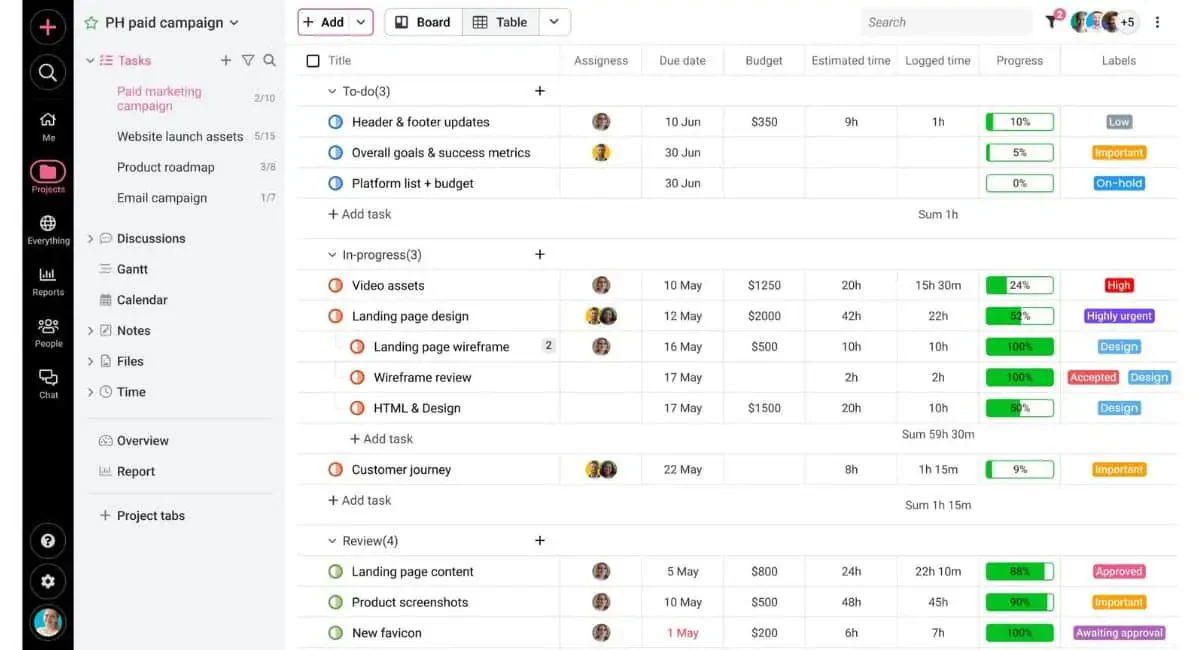
ProofHub is an all-in-one business software solution and team collaboration tool that brings tasks, communication, time tracking, document proofing, and workflows into a single platform.
Key features
- Task and project management: Organizes projects into tasks, deadlines, priorities, and responsible team members.
- Time tracking and reports: Records working hours and summarizes how time is allocated across projects.
- Team collaboration: Centralizes discussions, announcements, files, feedback, and project updates.
Pricing
ProofHub offers the Essential Plan at ₱2,767/month and the Ultimate Control Plan at ₱5,472/month (annual billing), with a 14-day free trial available.
| Pros | Cons |
|
|
18. Salesforce
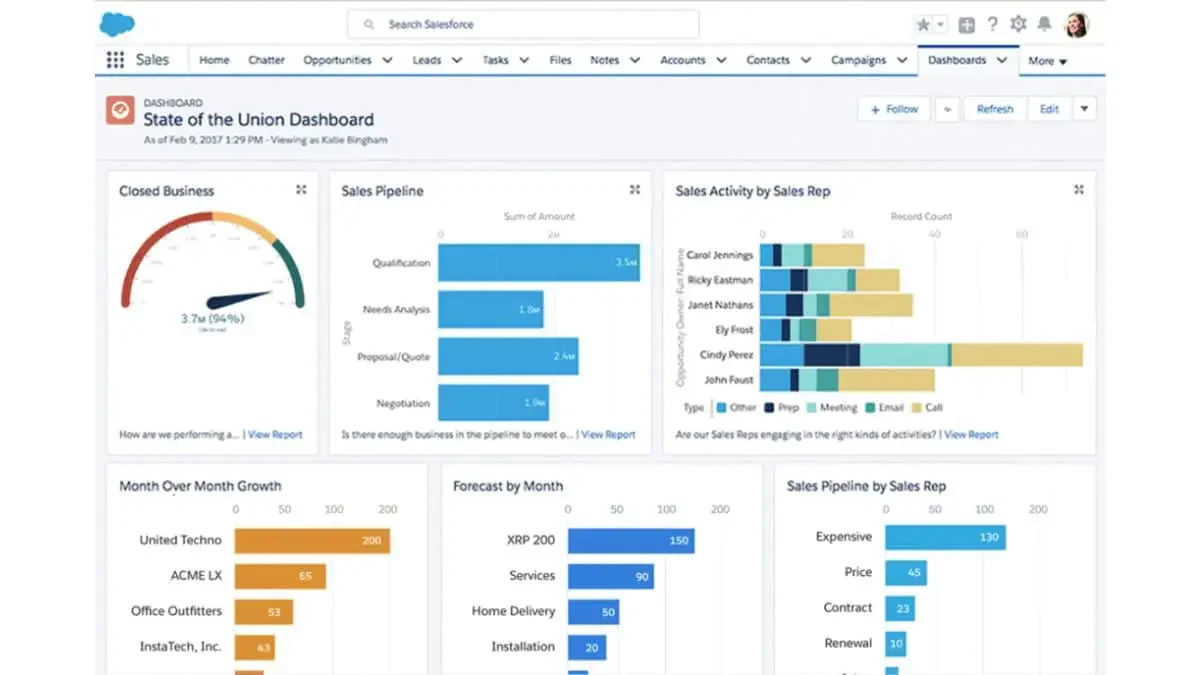
Salesforce is a cloud-based business management software that helps businesses manage sales, support, and customer relationships in an integrated manner, allowing teams to automate workflows, track customer data, and scale their operations.
Key features
- Customizable dashboards and workflows: Allows teams to configure performance views and automate business processes.
- Advanced analytics and forecasting: Analyzes sales data to identify trends and estimate future revenue.
- Large integration ecosystem (AppExchange): Extends Salesforce through third-party applications available in its marketplace.
Pricing
Starts from ₱1,537/user/month (Starter) up to ₱20,290/user/month (Unlimited).
| Pros | Cons |
|
|
How to Choose the Best Business Management Software

Choosing the right business management software requires more than comparing feature lists. Philippine businesses should consider their operational requirements, existing systems, employees, budget, and future growth before selecting a solution. Use the following criteria to evaluate which software best fits your organization:
| Evaluation Criteria | What to Evaluate | Why It Matters |
|---|---|---|
| Operational requirements | Identify the workflows, bottlenecks, departments, and daily processes the system must support. Review how your current operations management software or manual tools handle these activities. | Defining operational needs prevents the company from selecting software that offers many features but does not solve its most important process problems. |
| Module coverage and integrations | integrations Check whether the software supports the required functions, such as accounting, sales, CRM, purchasing, inventory, HR, and project management. Confirm that it can exchange data with existing applications. | Comprehensive modules and reliable integrations reduce duplicate data entry, disconnected workflows, and inconsistent information between departments. |
| Ease of use and employee adoption | Evaluate the interface, navigation, mobile access, role-specific dashboards, and the amount of training employees will require. | A user-friendly system encourages adoption, shortens training time, and reduces the risk of employees returning to spreadsheets or manual processes. |
| Customization and localization | Review whether workflows, forms, approval levels, reports, and industry-specific processes can be configured. Philippine businesses should also assess relevant local accounting, tax, and reporting requirements. | Customization helps the business management system match actual company procedures instead of forcing employees to follow unsuitable default workflows. |
| Scalability | Determine whether the platform can support additional users, locations, transactions, products, modules, and data as the organization expands. | Scalable software protects the investment by allowing the system to grow with the business without requiring an early replacement. |
| Reporting and analytics | Check for real-time dashboards, configurable reports, forecasting, and tools for monitoring key performance indicators (KPIs). | Reliable analytics help managers identify performance gaps, monitor business targets, and make decisions using current operational data. |
| Vendor reliability and support | Examine the vendor’s implementation experience, customer reviews, support channels, response process, product updates, documentation, and training resources. | A dependable vendor reduces implementation risk and provides the assistance required to maintain the system after deployment. |
| Data security and access control | Review user permissions, approval controls, authentication, backups, audit trails, data ownership, and the vendor’s security practices. | Strong controls protect confidential business information and ensure employees can only access or change data relevant to their responsibilities. |
| Budget and total cost of ownership | Compare subscription or license fees together with implementation, customization, integration, data migration, training, support, maintenance, and add-on costs. | Evaluating the complete cost prevents unexpected expenses and produces a more accurate comparison between seemingly affordable software options. |
Conclusion
Selecting the right business management software might be challenging. However, with careful consideration and reliable information, you’ll be sure to choose the best business software to improve your business.
If you are still confused, you might want to consider HashMicro as your business management solution. This software will be an indispensable tool for your company due to its comprehensive modules, strong integrations, and advanced features. Furthermore, this software is highly scalable and customizable, so it will grow alongside your business.
Are you interested in what HashMicro offers? Try the free consultation now!
FAQ Around Business Management Software
Yes. Enterprise resource planning (ERP) is a type of business management software that integrates functions such as accounting, inventory, purchasing, sales, human resources, and supply chain management. However, not every business management system is an ERP, as some platforms focus only on specific functions such as projects or CRM.
Remote teams should prioritize cloud access, real-time collaboration, task management, document sharing, automated notifications, mobile support, and role-based permissions. The software should also provide centralized dashboards and integrations with communication tools, allowing employees to coordinate work and access current information regardless of location.
Implementation may take several weeks to several months, depending on the number of users, modules, integrations, and data requiring migration. A small business management software deployment is usually faster than an enterprise-wide implementation. Process mapping, user training, data preparation, and testing can significantly affect the schedule.
Business management software designed for remote teams should focus on features such as strong collaboration tools, smooth communication channels, and effective project management functions. HashMicro is a great option for boosting remote team productivity.
Business management software combines operational data from departments such as finance, sales, inventory, and human resources into one system. Real-time dashboards, reports, and performance indicators help managers identify trends, detect problems earlier, and make informed decisions based on consistent data rather than disconnected spreadsheets or assumptions.