










 Limited to 100 registrants


Warehouse teams already record scan events, task times, and stock movements, yet most of that data is only reviewed after the shift. AI in warehouse management uses it to guide the next decision instead.
This guide covers how AI works inside a WMS, which use cases to start with, and what data you need first. It is written for Singapore enterprises with connected inventory, purchasing, and warehouse records.
Key Takeaways
AI in warehouse management is a decision layer on top of a WMS, and it depends on the quality of your records.
Start with the use case your current records already support, such as slotting or cycle counts.
Check item, location, and integration data before you buy any AI feature.
Pilot one use case in one zone and record baseline values first.
What Is AI in Warehouse Management?
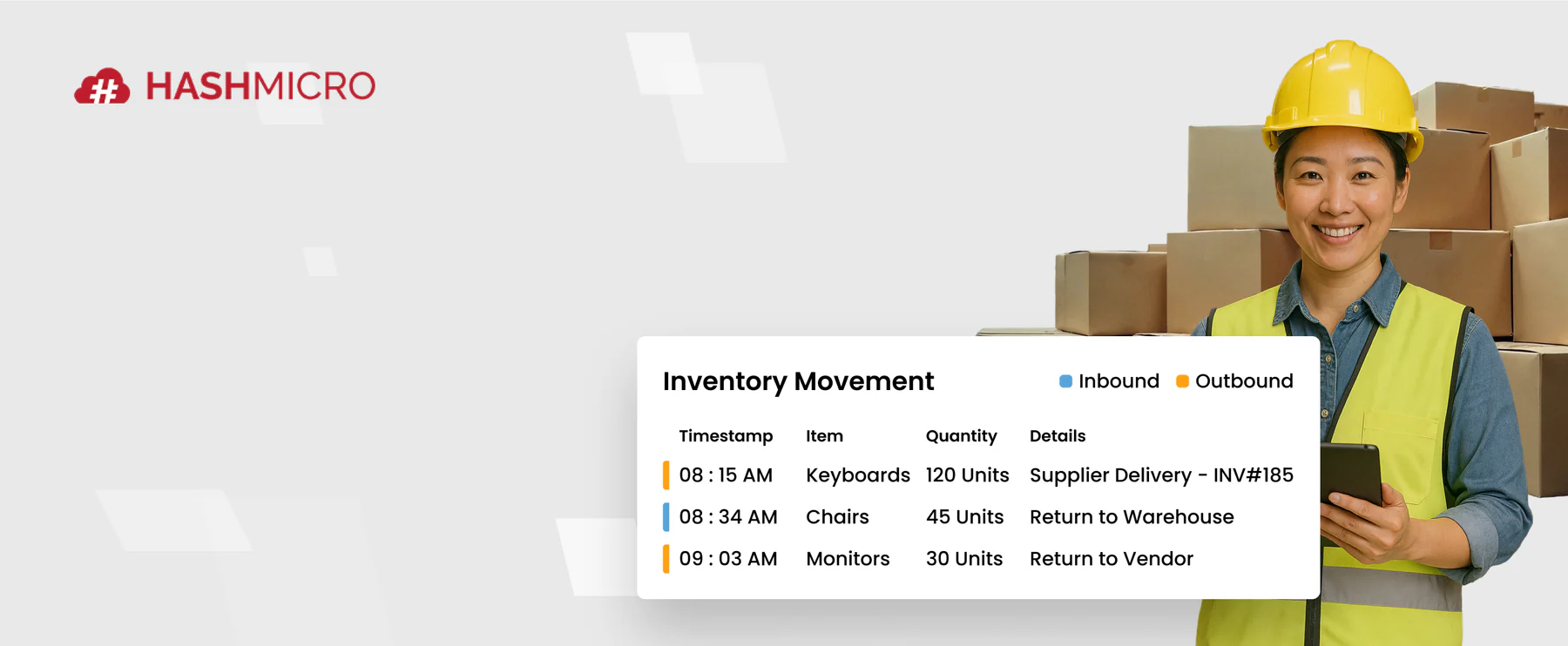
A picker walks to the far end of the warehouse every shift for two items that are always ordered together. AI in warehouse management spots that pattern and suggests moving both items closer to packing.
AI means machine learning, optimisation, and other algorithms inside or on top of a warehouse management system (WMS). Unlike fixed rules or BI reports, it learns from history and shapes what happens next.
AI warehouse management works alongside the WMS, IoT devices, robotics, and analytics as a decision layer. Its advice is only as good as the item master, location, and stock records it learns from.
How Does AI Work Inside a Warehouse Management System?
AI works in a loop: data goes in, a model produces a recommendation, someone acts on it, and the result feeds back. The sequence is data, model, recommendation, action, and feedback.
1. Data inputs
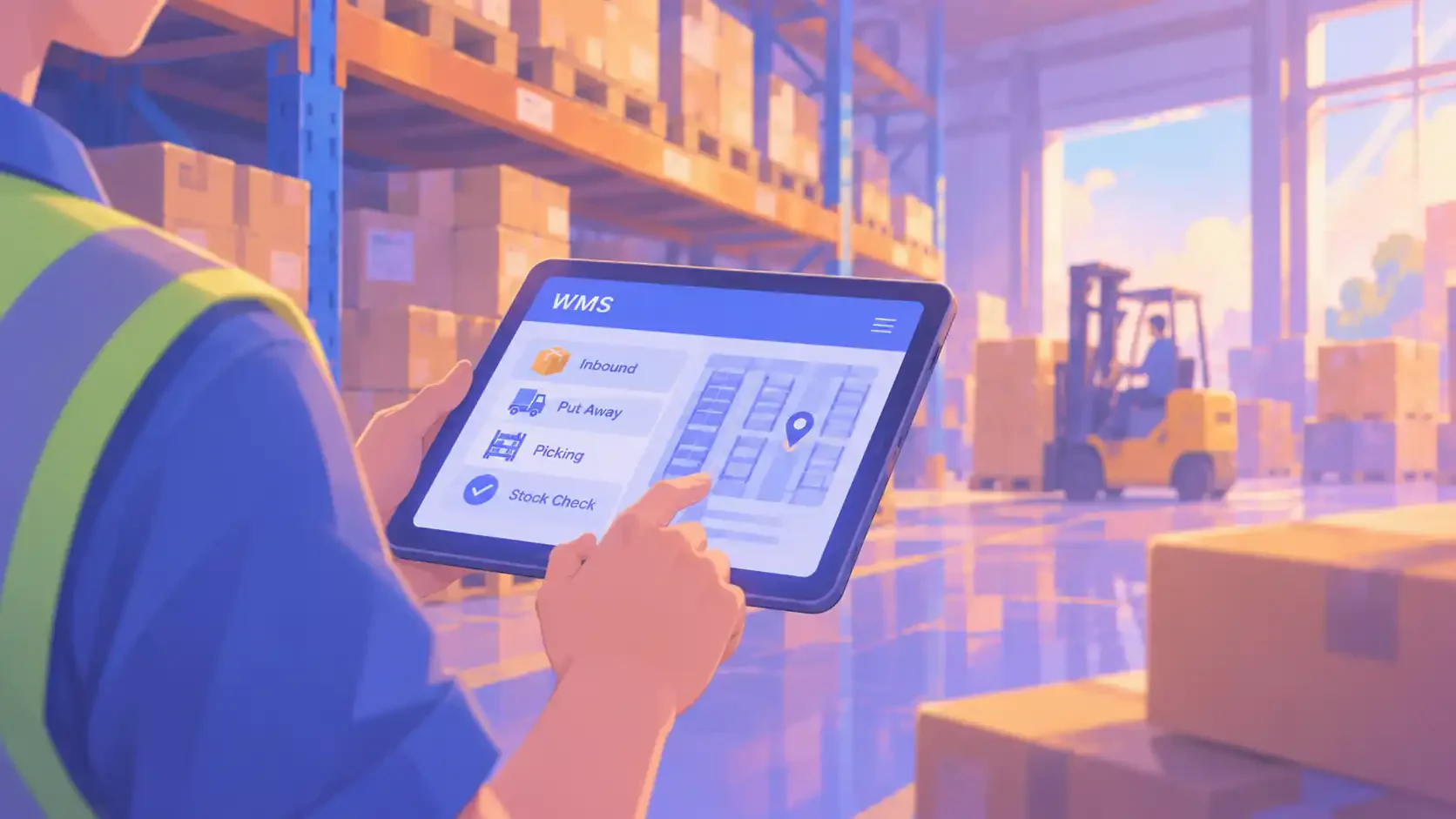
The WMS supplies scan events, task times, inventory movements, and bin locations that support inventory tracking. These records show how goods and people actually move through the building.
The ERP supplies the item master, purchasing, and sales orders, which show what is arriving and what customers will order. Both sets must agree on item codes and units of measure.
2. Pattern detection and task orchestration
Pattern detection finds items picked together or locations that cause queues. Exception monitoring flags a scan that is out of sequence or a task that has stalled.
Task orchestration then assigns work. For example, it can send the next pick to a worker already standing near that aisle.
3. Closed-loop feedback and model retraining
Each accepted or rejected recommendation becomes new data. Retraining updates the model when seasons, product ranges, or layouts change.
Without that loop, a model keeps advising for a warehouse that no longer exists.
The table describes each technology by function only.
| AI technology | What it does in a warehouse | Data it needs |
|---|---|---|
| Machine learning | Learns patterns from history, for example which items are ordered together | Order lines, pick history, and the item master |
| Computer vision | Reads labels or checks pallets from camera images, for example confirming a pallet at the dock door | Camera images and item or label references |
| Natural language processing | Turns text into structured data, for example a driver note about a damaged pallet | Text records and the fields they should update |
| Optimisation | Chooses the best option under limits, for example the shortest pick path for a batch of orders | Locations, distances, task times, and constraints |
Which AI Use Cases Matter Most in Warehouse Operations?
The use cases below are ordered by how much data they usually need, not by how much attention they get. Start with the first one your records already support.
1. Slotting, putaway, and pick-path optimisation
Dynamic slotting moves items based on how they sell. It catches fast movers drifting away from packing zones after a promotion or a range change.
Putaway suggestions and pick-path optimisation use the same records to shorten walking. They need accurate bin locations, item dimensions, and racking layout data.
2. Labour planning and task assignment
Labour planning compares expected order lines with shift capacity. A supervisor can see on Monday that the inbound peak later in the week needs extra receiving staff.
Task assignment then balances work during the shift, using task times and each worker’s current location.
3. Inventory accuracy and cycle counts
AI can suggest which bins to cycle count first, based on past variances and movement. It can also flag anomalies, such as a stock level that drops without a matching pick.
Vision-based checks compare shelf or pallet images with recorded stock. They work best where labels and locations are already consistent.
4. Quality control, returns, and maintenance
Image checks can flag damaged cartons at receiving. Returns triage can route a returned item to resale, repair, or disposal based on its condition and history.
Predictive maintenance watches sensor readings on conveyors or forklifts to schedule service before a breakdown. It needs reliable equipment logs.
This table summarises each use case, the data behind it, and who owns the result.
| Use case | Problem it addresses | Data it needs | Owner |
|---|---|---|---|
| Slotting, putaway, and pick paths | Long walking distances and congested aisles | Order lines, pick history, bin locations, item dimensions | Operations |
| Labour planning and task assignment | Idle time on one shift and overload on another | Order forecasts, task times, shift rosters | Operations |
| Inventory accuracy | Count variances and unexplained stock loss | Cycle count history, stock movements, scan events | Inventory control |
| Quality control, returns, and maintenance | Late detection of damage, slow returns decisions, and unplanned downtime | Images, return reasons, and equipment logs | Maintenance and operations |
How Do Machine Learning and Predictive Analytics Support Inventory Management?
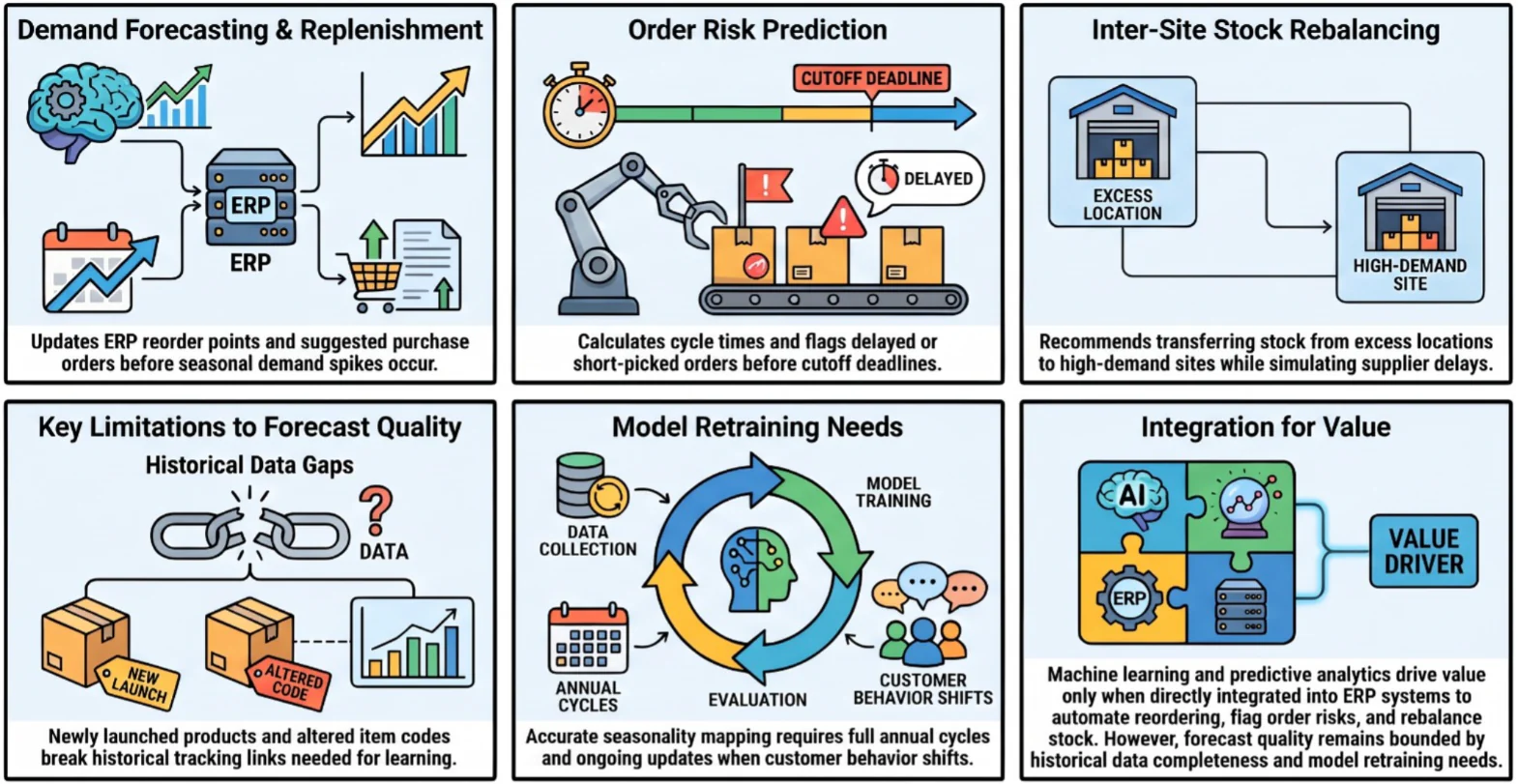
Machine learning for inventory management is most useful when its output reaches the ERP. A forecast that stays on a dashboard does not change what gets ordered.
1. Demand forecasting and replenishment timing
Demand forecasting for a warehouse uses sales history, seasonality, and promotions to estimate what each item will need.
The result should update reorder points and suggested purchase orders in the ERP, which is the core of inventory control and planning. It should also respect supplier minimum order quantities.
Take a small seasonal-spike example with blank inputs: usual weekly demand of [ ] units, a seasonal peak of [ ] units, and a supplier lead time of [ ] days.
The reorder point should rise before the peak, not after the first stockout.
2. Predicting order cycle time and at-risk orders
Predictive analytics in warehousing can estimate order cycle time from the current queue, task times, and stock status.
It then flags at-risk orders, such as an order waiting on a short-picked item. Planners see the risk before the cut-off time and can reprioritise or contact the customer.
3. Rebalancing stock and scenario planning
Models can suggest moving stock between locations when one site runs low and another holds excess. This helps when a promotion at one outlet drains stock that another outlet barely uses.
Scenario planning tests what happens if a supplier delays or demand jumps. The ERP then shows the transfer or purchase options with their lead times.
4. What limits forecast quality
Forecast quality depends on data history. A product launched last month has little to learn from, and a changed item code can break the link to past sales.
Seasonality needs a full cycle of history, and models need retraining when ranges or customer behaviour change.
Treat any vendor accuracy claim as unproven until it is tested on your own history.
"A forecast is only as good as the records behind it. If item codes or stock counts are wrong, the model will repeat the error."
How Do AI and Automation Work Together in a Warehouse?
AI warehouse automation does not mean a robot on every aisle. It means software deciding what work happens next, whether a person or a machine does it.
1. AMRs, cobots, and AI-guided picking
Autonomous mobile robots (AMRs) move goods or carts without fixed tracks, and cobots work beside people at stations. A cobot at a packing station, for instance, can hold a carton while a worker seals it.
AI guides picking by deciding which task goes to which resource. Warehouse robots need the same clean location and task data as a human pick list.
2. Splitting work between people and machines
Consider a congested aisle. The system sees a queue, reassigns the next pick to a worker in a nearer zone, and sends the robot to a quieter aisle.
Rules about safety, load weight, and item handling decide which work stays with people. Each decision should be logged so supervisors can see why work moved.
Where people and machines share space, review MOM’s workplace safety and health guidance.
3. Computer vision for scanning and inspection
Computer vision in a warehouse reads labels, counts cartons, and checks pallets from camera images. A fixed camera at a dock door can confirm that the right pallet was received.
Image checks still need clear item references and consistent labels to compare against.
4. AI value in mostly manual warehouses
A mostly manual warehouse can still use AI. The logic that assigns robot tasks can also order a pick list for people so that walking is shorter.
Handheld scanners connected to warehouse management software already produce the scan events and task times that models need. Robots can be added later if the case for them is clear.
The decision logic is the same whether the task goes to a person with a handheld or to a robot.
How Is Artificial Intelligence Used in Logistics Beyond the Warehouse?
Artificial intelligence in logistics extends the same data-to-decision loop past the dock door. The warehouse supplies the records that transport decisions depend on.
1. Route planning and delivery time estimates
Route optimisation groups deliveries by area, time window, and vehicle capacity. For example, it can sequence drops within one industrial estate before moving to the next.
Delivery time estimates update as traffic and loading progress. A late dispatch confirmation from the warehouse shifts every estimate downstream, so scan timing matters.
2. Shipment tracking and exception management
AI in supply chain tracking compares each shipment with its expected milestones. If a container misses its gate-in slot, the system raises an exception for the planner instead of waiting for a customer call.
Typical exceptions include a missing proof of delivery, a damaged carton report, or a delivery refused at the door.
3. Carrier selection and supply chain risk signals
Carrier selection can weigh past on-time performance, cost, and cargo type. Repeated delays on one lane can act as a risk signal and trigger an alternative carrier.
The warehouse can also contribute signals, such as a supplier whose inbound pallets keep arriving damaged.
4. How warehouse and transport data connect
Transport decisions start from warehouse records. Dispatch confirmation shows what actually left, and carton and pallet data give the weight and volume needed for load planning.
Standard identifiers such as the GS1 Serial Shipping Container Code (SSCC) let a pallet be tracked across handovers.
When dispatch and transport systems use different carton or pallet identifiers, someone has to match them by hand.
What Do You Need Before Adopting AI in Warehouse Management?
Before you buy an AI feature, check whether last month’s cycle counts match the system. This AI readiness checklist is editorial guidance, not a certification standard.
1. Item master, location, and unit-of-measure data
Every item needs one code, a consistent description, dimensions, and a clear unit of measure. Every bin needs a unique location that matches the physical label.
If cartons are bought in one unit and picked in another, the conversion rule must be recorded.
2. Connecting ERP, WMS, and device data
ERP and WMS integration should pass item, order, and stock records both ways without manual re-entry. Device data from scanners and sensors needs timestamps that line up.
An ERP with connected modules for inventory, purchasing, and warehouse, such as HashMicro’s, keeps those records in one system and lowers the matching work.
3. Governance and data privacy in Singapore
Decide who can view recommendations, override them, and export the data behind them. Log overrides so the model and the team can learn from them.
Warehouse data can include personal data, such as staff identifiers on scan events or delivery contact details. The PDPC advisory guidelines for AI recommendation and decision systems explain how the PDPA applies.
4. Explainable recommendations and team trust
A recommendation to move item A to bay 3 should show why, for example that it is picked with item B on most orders. Supervisors trust advice they can check.
Let workers reject a suggestion with a reason. Those rejections show where the model misses local knowledge.
| Readiness area | What to check | Evidence to collect | Owner |
|---|---|---|---|
| Item master | Unique codes, dimensions, and units of measure | Item export with blank or duplicate fields flagged | Inventory control |
| Locations | Bin codes match physical labels | Walk-through of a sample of bins against the system | Warehouse operations |
| Stock accuracy | Counts match system balances | Last month’s cycle count variances | Inventory control |
| Integration | ERP, WMS, and device data sync without re-entry | Interface log and a test transaction trace | IT |
| Governance | Access rights, overrides, and privacy review | Role list, override log, and PDPA review note | IT and compliance |
How Do You Implement and Measure AI in a Warehouse?
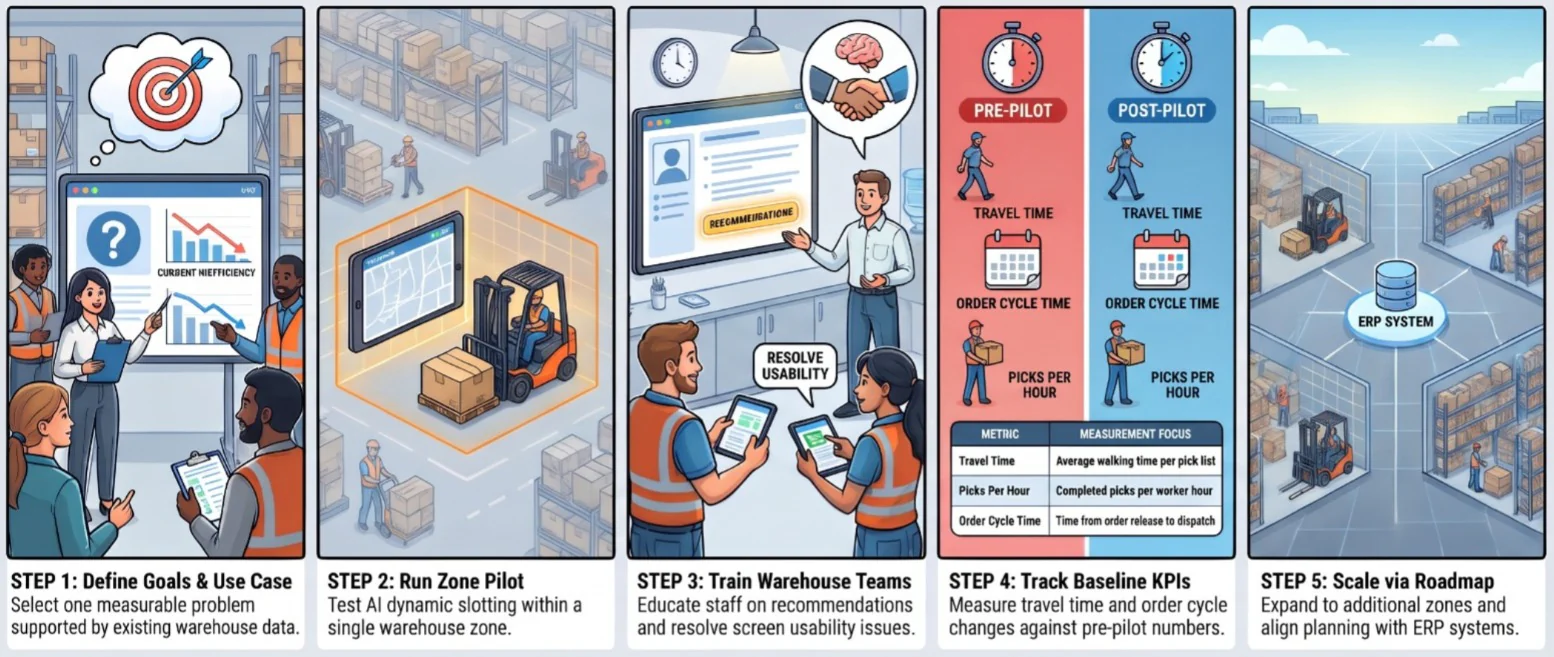
Implementation works best in small, measured pieces. Record current values first, so any change after the pilot can be shown rather than assumed.
1. Set goals and choose one use case
Pick one problem with a measurable symptom, such as long travel time in the fast-moving zone. Write the goal in one sentence and name an owner.
Choose the use case your current records already support, as covered earlier.
2. Pilot in one warehouse or zone
A pilot scope might be one zone and one use case, such as dynamic slotting for the fast-moving zone in one warehouse. Everything else keeps running as it does today.
Run it long enough to cover a normal peak, then compare it with the baseline. Keep a short log of overrides and issues to show where the model needs adjustment.
3. Train teams and address adoption concerns
Show supervisors and pickers what a recommendation looks like and why it appears. Address concerns about monitoring and job impact directly.
Collect feedback every week during the pilot and fix confusing screens first. Name one supervisor per shift as the contact for questions.
4. Track warehouse KPIs against a baseline
Baseline-first measurement means recording each value before the pilot starts. Then measure the same value in the same way afterwards.
- Travel time: average walking time per pick list.
- Picks per hour: completed picks per worker hour.
- Order cycle time: time from order release to dispatch.
- Inventory accuracy: share of cycle counts that match system balances.
- Space utilisation: share of storage locations in use.
Report the method and the before and after values. Do not quote a vendor percentage as your own result.
5. Scale with a roadmap
If the pilot meets its goal, add the next zone or use case in a short roadmap. Review data readiness again before each addition.
Link the roadmap to wider ERP implementation planning so purchasing and finance changes stay aligned.
Conclusion
AI in warehouse management is a decision layer on top of the WMS, and its value depends on the quality of warehouse and ERP records.
Start with data checks, choose one use case, and measure against a baseline. Robots are optional, and people-led warehouses can benefit too.
To review how inventory, purchasing, and warehouse records connect in your own setup, you can book a free consultation with our team.

Frequently Asked Questions
No. AI can reorder pick lists, suggest slotting, and flag count variances in a mostly manual warehouse. Robots are optional, but accurate scan and location data are not.
Analytics and BI show what already happened. AI uses that history to recommend what to do next, such as which bin to replenish or which task to assign.
Clean item masters, accurate bin locations, consistent units of measure, reliable scan and task records, and ERP and WMS data that sync. Last month’s cycle counts should match the system.
Record baseline values first, such as travel time, picks per hour, order cycle time, inventory accuracy, and space utilisation. Then compare the same measures after a pilot.
In most warehouses AI changes how work is planned and assigned rather than removing the need for people, who still handle exceptions and judgement calls.