











 Limited to 100 registrants

Remote work has become a standard way of working for many organizations, but managing a distributed team is not without challenges. When team members work from different locations, it becomes harder to communicate effectively, track project progress, manage tasks, share information, and keep everyone aligned on priorities and deadlines.
Work management tools are software platforms that help remote teams plan, organize, track, and execute both daily tasks and long-term projects. They centralize your workflow, replace scattered spreadsheets, emails, and sticky notes, so everyone knows who is doing what and when. So by giving greater visibility into their work, these tools help remote employees stay connected, collaborate effectively, and keep projects on track.
To help you choose the best platform for your team, we’ve compiled a list of the 5 best work management tools for remote teams in 2026.
Whether you need better ERP management, project management, or visual planning, these tools can help your remote team work more efficiently and stay on track.
Key Takeaways
Work management tools are digital platforms that help individuals and teams plan, organize, and track their daily tasks and projects.
Work management tools improve collaboration, increase visibility into project progress, and keep distributed teams aligned on priorities and deadlines.
Consider factors such as team size, workflows, collaboration requirements, integrations, and scalability before choosing a solution.
Top 5 Work Management Tools for Remote Teams in 2026
There are too many work management tools available that may ease your remote work. Trying one by one is a pricey and lengthy process. To ease your search, we have put together this list of the best work management tools.
These platforms are intended to help your team stay productive, connected, and organized, no matter where they’re working from.
| Tool Name | Best For | Key Features | G2 Ratings |
| HashMicro | AI-Native ERP Software | AI workflow automation, HRM management, and real-time reporting | 4.3/5 |
| ProofHub | All-in-One project management and team collaboration software | Time tracking, file management, and online proofing | 4.6/5 |
| Zoom | Video conferencing and virtual meeting platform | Zoom Phone, Zoom Chat, and In-Meeting Chat | 4.6/5 |
| Miro | Online whiteboard and visual collaboration platform | Media and file handling, pre-made templates, and Miro AI | 4.6/5 |
| Notion | Workspace and knowledge management tool | Collaborative Docs, flexible Databases and Notion AI | 4.6/5 |
| Clixie AI | Interactive video and remote team training | AI-generated chapters, interactive quizzes, and deep analytics | 4.5/5 |
1. HashMicro: AI-Native ERP Software
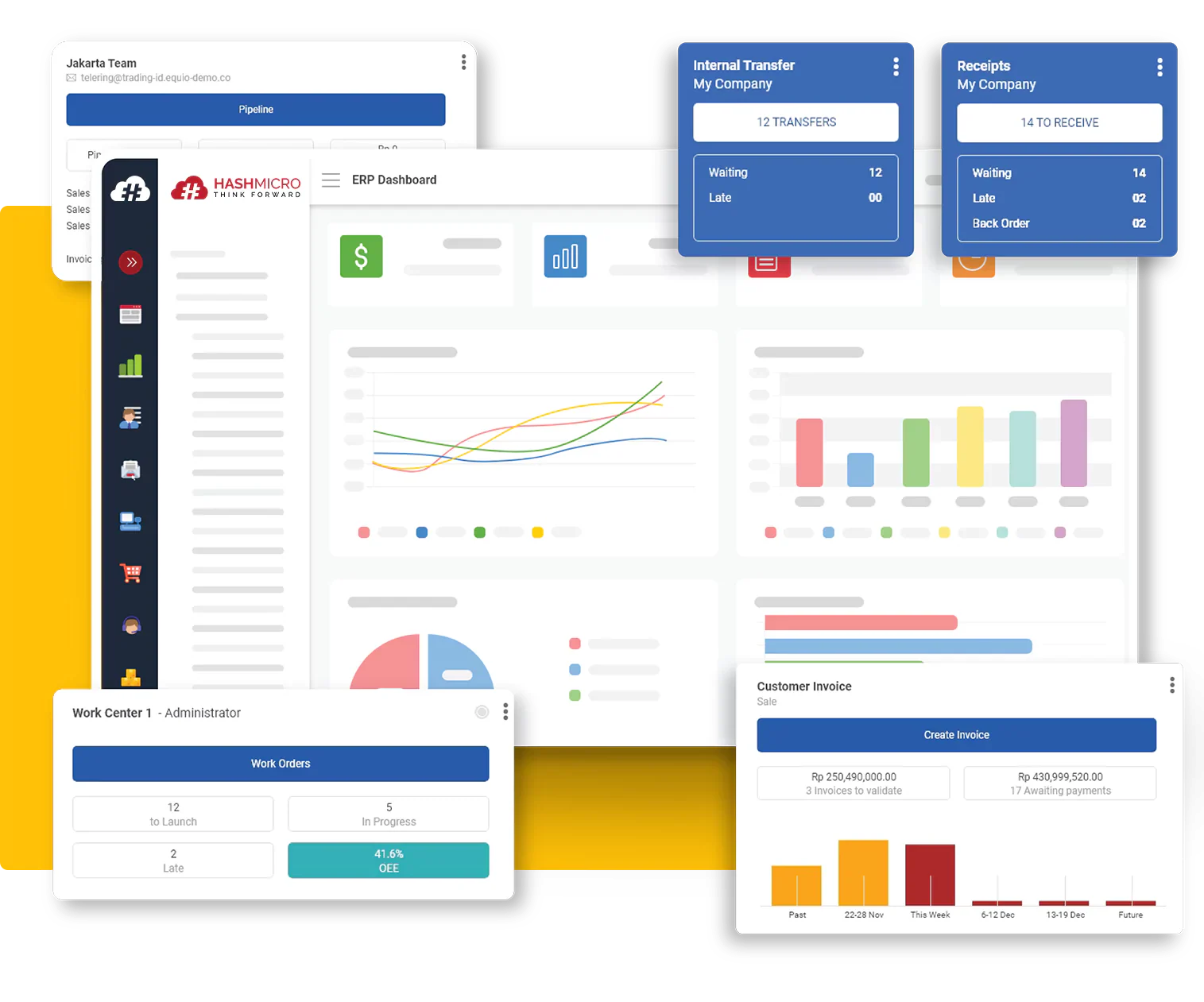
HashMicro is an AI-powered ERP platform that helps remote teams manage business operations from a single system. It goes beyond basic task management by combining project management, HR management, timesheet tracking, helpdesk, and resource planning in one place.
The platform uses AI to automate routine processes and reduce manual work. This allows remote teams to track tasks, monitor project progress, manage resources, and stay aligned across different locations. With all key business functions centralized, teams can work more efficiently and maintain better visibility into their operations.
Key Features
- AI workflow automation: Automates tasks, approvals, and notifications for smoother remote collaboration.
- HRM management: Tracks attendance, work hours, leaves, and payroll digitally.
- Helpdesk and ticketing system: Streamlines issue tracking and resolution over distributed teams.
- Real-Time reporting: Delivers live productivity and project insights for remote managers.
Pros
- Highly customizable to fit business needs
- Manages remote workflows, projects, and teams from one platform
- Cloud-based access allows teams to work from any location or device
Cons
- Remote teams may need time and training to adopt all features
- Smaller remote teams may find the platform overly feature-heavy
Pricing
- Pricing details are provided directly by the vendor upon request, or you can check the price scheme below.

2. ProofHub: All-in-One Project Management and Team Collaboration Software
ProofHub stands as your comprehensive remote work tool, effortlessly combining project management and team collaboration into a powerful platform. It gives remote teams full control over their work with Kanban boards, Gantt charts, task dependencies, task management, custom reports, and time tracking. These features help teams plan, execute, and deliver projects on time while maintaining complete visibility into progress and responsibilities.
Communication stays centralized through discussions, chat, and announcements, helping remote teams stay connected and aligned in real time. The platform also delivers seamless collaboration within teams through file sharing and online proofing, reducing scattered conversations and keeping all project communication in one place.
Key Features
- Time tracking: Track time spent on tasks, monitor workloads, identify bottlenecks, and keep informed about project progress.
- File management: Store, share, and organize files in one place with version control for easy collaboration.
- Custom roles and permissions: Control who can view, edit, or manage information to keep collaboration secure and organized.
- Online proofing: Review, markup, and annotate documents or design files in real-time.
Pros
- All-in-one tool for managing projects, teams, and tasks in a centralized location
- A scalable system with a flat-fee pricing model, i.e., no per-user fees
- Solid security features to make sure that your data is safe and secure
Cons
- Not ideal for freelancers or individual users
- There is no free version; however, you can avail of a 14-day free trial
Pricing
ProofHub offers a 14-day free trial and two flat-fee plans:
- Essential: Flat $45/month for unlimited users and up to 40 projects (billed annually)
- Ultimate Control: Flat $89/month for unlimited users, projects, and advanced features (billed annually)
3. Zoom: Video Conferencing and Virtual Meeting Platform
Zoom is a leading video conferencing platform that enables remote teams to connect, communicate, and collaborate in real time through high-quality audio and video calls. Remote teams commonly struggle with the absence of face-to-face interaction, and Zoom directly addresses that gap by bringing people together virtually from any location and any device.
Beyond meetings, Zoom enables organizations to host virtual events, webinars, and hybrid experiences, though it helps to understand the difference between a Zoom meeting and a webinar before choosing a format. It also provides omnichannel communication tools that bring together video, voice, SMS, and web chat for customer engagement and support.
Whether it is a daily standup, a one-on-one check-in, or a company-wide all-hands meeting, Zoom keeps remote teams personally connected and communicatively aligned.
Key Features
- Zoom Phone: Cloud-based phone system capabilities that replace traditional desk phones, allowing voice calls via the Zoom app.
- Zoom Chat: Persistent instant messaging and group channels for file sharing, threaded discussions, and emojis.
- AI Call Management: Summarizes calls, prioritizes voicemails, extracts tasks, and organizes Team SMS conversations.
- In-Meeting Chat: Supports threaded messaging, file sharing, reactions, and built-in screen capture within the meeting interface.
Pros
- Easy-to-use interface
- Supports one-on-one meetings, group calls, webinars, and online events
- Includes breakout rooms, screen sharing, and custom backgrounds
Cons
- Consumes a significant amount of data
- Frequent use leads to exhaustion and lowered productivity
Pricing
Zoom offers a basic free plan and three different pricing options:
- Pro: $14.16/per user per month (if billed annually)
- Business: $18.33/user per month (if billed annually)
- Enterprise: Contact the sales team for details
4. Miro: Online Whiteboard and Visual Collaboration Platform
Miro is a cloud-based online whiteboard designed to help remote teams brainstorm, plan, and collaborate visually from anywhere. It provides an infinite virtual canvas where team members can work together in real time using sticky notes, diagrams, flowcharts, and mind maps.
The platform also offers a wide range of pre-built templates covering everything from brainstorming to Agile team events. No need to start from scratch. Simply choose a template, customize it to fit your needs, and start collaborating. For more specific requirements, AI can generate custom diagrams and frameworks based on your team’s existing work.
Key Features
- Media and file handling: Users can drag and drop PDFs, spreadsheets, presentations, and images directly onto the board for easy reference.
- Pre-made templates: A massive library of frameworks for user journey mapping, Kanban boards, mind maps, retrospectives, and agile roadmaps.
- Miro AI: Generative AI tools that can help you summarize vast brainstorms, translate text, and generate flowcharts or mind maps from simple prompts.
- Automated clustering: Group messy sticky notes instantly by tags, colors, or sentiments.
Pros
- Infinite canvas with many templates
- Great for retros, mapping, brainstorming
- Real‑time multi‑cursor collaboration
Cons
- Boards get cluttered without careful facilitation
- Some advanced features behind higher payment tiers
Pricing:
Miro offers a free plan and three different pricing options:
- Starter: $8/per user/ per month
- Business: $8/per user/ per month
- Enterprise: Custom price — from 30 members
5. Notion: Workspace and Knowledge Management Tool
Notion is a cloud-based workspace that helps remote teams organize documents, notes, and company knowledge in one place. Instead of searching through emails, shared drives, or multiple apps, team members can quickly find the information they need from a central hub.
The platform lets teams create and manage wikis, Standard Operating Procedures (SOPs), meeting notes, onboarding guides, and databases. Its flexible, user-friendly interface makes it easy for remote teams to share knowledge, stay informed, and work more efficiently from anywhere.
Key Features
- Notion AI: Helps teams write content, summarize meeting notes, and automate standard documentation tasks.
- Collaborative Docs: Allows team members to create, edit, and comment on documents together in real time.
- Flexible Databases: Organize information using tables, boards, calendars, and other views to keep work structured and easy to find.
- Modular Blocks: Every piece of content (text, image, video, to-do list) is a “block.” You can drag, drop, and rearrange these blocks to build pages that fit your exact needs.
Pros
- Highly customizable with flexible pages, databases, and workflows
- Keeps notes, documents, projects, and company knowledge in one place
- Makes team collaboration easy with real-time editing and sharing
Cons
- Takes time for new users to learn and set up effectively
- Large databases and complex workspaces can sometimes slow performance
Pricing
Notion offers a free plan and three different pricing options:
- Plus: $10/ per user/month
- Business: $20/ per user/ month
- Enterprise: Custom pricing
6. Clixie AI: Interactive Video and Training Platform
Clixie AI is an interactive video platform that helps remote teams transform passive training materials into engaging, data-rich learning experiences. It enables organizations to quickly convert standard video and audio files into interactive content tailored for onboarding, compliance training, and continuous learning across distributed workforces.
Using a no-code authoring tool, Clixie leverages AI to automatically generate chapters, in-video quizzes, branching scenarios, and subtitles in over 35 languages. This keeps remote employees actively involved during training sessions while providing managers with deep analytics into viewer behavior, comprehension, and completion rates.
Key Features
- AI-generated interactivity: Automatically adds chapters, quizzes, and branching paths to videos to boost learner retention.
- Deep analytics dashboard: Tracks engagement metrics, learner behavior, and key performance indicators to assess training effectiveness.
- Multilingual capabilities: Provides AI-generated voiceovers and transcriptions to ensure training is accessible to global remote teams.
- Seamless integration: Exports interactive videos as SCORM packages for Learning Management Systems (LMS) and integrates with platforms like MS Teams and Webex.
Pros
- Simple, no-code platform that does not require video editing expertise
- Significantly improves learner retention and engagement for remote employees
- Strong integration with existing LMS and corporate communication tools
Cons
- Focuses strictly on training and media rather than daily task management
- Advanced analytics and higher streaming limits require premium tiers
Pricing
Clixie offers a 14-day free trial and four pricing options:
- Lite: $19/month for a single editor
- Pro: $99/month for up to 5 editors
- Advanced: $299/month for up to 10 editors
How to Choose the Best Work Management Tool for Your Remote Team
With so many work management tools available, choosing the right one can be challenging. The best solution is one that supports your team’s workflow, communication, and future growth.
Here are five factors to focus on when evaluating your options:
- Scalability: When your team grows, your tool should grow with you. As projects get more complex and your workforce expands, the platform should continue to meet your needs without needing an expensive move to another system.
- Integrations: Your work tool should work well with the software you already use. This includes things like chat apps, file-sharing tools, and productivity software. Good integrations mean less manual work and a smoother workflow.
- Ease of Use: The platform should be easy to use. A simple interface means your team can start using it right away. This saves training time and helps your team get work done faster.
- Collaboration features: Look for collaboration features like chat, file sharing, feedback tools, and project updates. These help everyone stay on the page no matter where they are.
- Reporting and visibility: Managers need to see how projects are going, how much work team members have, and how well the team is doing. Good reporting tools make it easier to track project progress and find problems. Make good decisions.
Conclusion
Work management tools are designed to centralize tasks, projects, communication, and team resources in one platform. Each tool on this list serves a different purpose. For example, HashMicro is well suited for businesses that need an AI-powered ERP solution, while ProofHub is ideal for teams looking to manage projects and collaborate from a single platform.
The best choice ultimately depends on your team’s size, workflows, and business requirements. Before making a decision, evaluate your needs against the key factors discussed above and take a free demo to test the tool.