






Batch and expiry tracking software records which batch of a product entered a business, where it is stored, and when it expires. It gives food, drug, cosmetic, and chemical sellers a verified unit history.
The system assigns a batch number at receiving or production, then links it to the supplier, expiry date, and storage location. Staff scan the batch at each movement, so the record updates as stock moves.
This article compares seven options for Singapore businesses. It also explains the features, local regulations, and testing steps that matter before a company commits to buying a system.
Key Takeaways
Batch and expiry tracking software records batch origins, expiry dates, locations, quality status, and customer links for traceability and recalls.
How batch and expiry tracking software works: It captures batch data at receiving, updates locations, applies FEFO or FIFO, and links stock to sales, production, and returns.
Features to look for include batch records, expiry alerts, FEFO or FIFO, barcode validation, recall reports, multi-site visibility, and quarantine controls.
7 best batch and expiry tracking software in Singapore: HashMicro, Cin7 Core, Unleashed, Fishbowl, NetSuite, Zoho Inventory, and Katana suit different workflows.

Best Because
Best for integrated batch, expiry, warehouse, manufacturing, and accounting workflows.


Best Because
Best for growing omnichannel businesses that need batch control across sales and warehouses.

Best Because
Best for manufacturers and wholesalers managing raw-material and finished-goods batches.

Best Because
Best for businesses that need custom lot fields and detailed inventory history.

Best Because
Best for larger enterprises with complex finance and multi-location requirements.

Best Because
Best for small businesses and online sellers that need affordable batch records.

Best Because
Best for small manufacturers linking batch tracking with production planning.
What Is Batch and Expiry Tracking Software?
A batch is a set of units produced or received under the same conditions, so the software treats them as one traceable group. Every record added to that group stays linked to it until the stock leaves the business.
"Batch and expiry tracking software turns a stock count into a traceable history. A business can see where each unit came from, where it went, and when it expires."
1. Batch and Lot Number Tracking
Batch tracking software gives each group of units a unique number and links it to the supplier, purchase order, and production date. Lot tracking software does the same when factories label stock by lot.
The table below shows the fields most systems attach to every batch. A complete record lets staff quickly answer where stock came from, where it sits now, and which customers received it.
2. Expiry Date Management
Expiry date management software stores the expiry or best-before date against each batch and shows remaining shelf life in stock reports. Managers can then sell, discount, or withdraw stock before it expires.
Many systems also store the manufacturing date, because shelf life is often counted from production. Shelf life tracking software uses both dates to calculate how many days a batch can still be sold.
3. Backward and Forward Traceability
Backward traceability follows a batch from the warehouse to its supplier, while forward traceability follows it to every customer who received it. Both directions depend on the same batch number.
During a recall, a business can use batch tracking to search one batch number and see its source, remaining stock, and recipients. Without that link, teams must check invoices and delivery notes by hand, which slows the response.
How Batch and Expiry Tracking Software Works
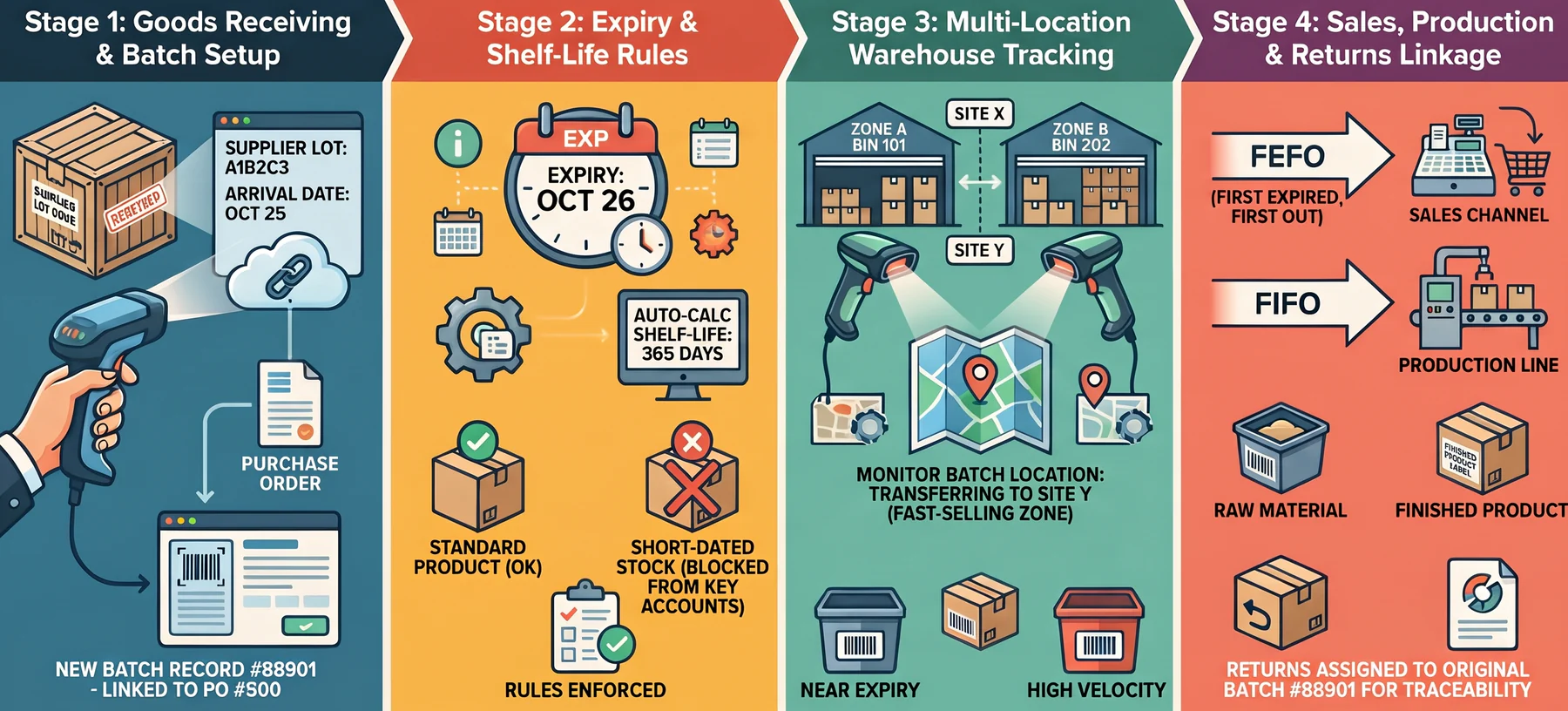
The software follows a batch through four stages, from arrival to sale or return. Each stage adds data to the same record, so staff never need to re-enter information that the system already holds.
1. Recording Batch Information during Receiving
When goods arrive, the receiving clerk scans the product and enters the supplier batch number, quantity, and expiry date against the purchase order. The system then creates a batch record in inventory.
Capturing the supplier's original lot code at this point matters most, because later recalls usually reference it. Businesses can add an internal batch number beside it for easier warehouse handling.
2. Assigning Expiry Dates and Shelf-Life Data
Each product carries a shelf-life setting, such as 365 days, which the system uses to suggest an expiry date from the production date. Staff can override that date when the label shows a different one.
Some businesses also set minimum remaining shelf life rules for key accounts. These rules stop the system from allocating short-dated batches to customers who have strict acceptance terms.
3. Tracking Stock across Warehouses and Locations
Every transfer moves the batch record with the stock, so the system always shows batch quantities in each warehouse, zone, and bin. Scanning at both ends of a transfer prevents mismatches.
Multi-site businesses benefit most, since managers can see which location holds the nearest expiry dates. They can then move stock to a faster-selling warehouse and avoid a write-off.
4. Linking Batches to Sales, Production, and Returns
At picking, the system allocates a specific batch to each sales order using FEFO or FIFO rules, then records it on the delivery note and invoice. That entry creates the forward trace to the customer.
In manufacturing, raw-material batches link to the finished goods that used them. Returned products re-enter stock under their original batch, so quality teams can inspect them before resale.
When Should You Use Batch and Expiry Tracking Software?
A business should adopt batch and expiry tracking software once its stock has a shelf life, a supplier lot code, or a recall risk. Food, beverage, and healthcare sellers usually reach that point first.
Food and pharmaceutical sellers need expiry control to stop short-dated stock reaching customers. Cosmetics and chemical businesses use batch records to prove which formulation went to which buyer.
Manufacturers benefit when raw-material batches feed finished goods. Linked records let them find every affected product from one supplier lot, instead of quarantining an entire production run.
Spreadsheets can work for one warehouse with few products. Errors rise once several sites, suppliers, or sales channels share stock, and that is the usual signal to move to batch tracking software.
Features to Look For in Batch and Expiry Tracking Software
Most vendors advertise batch tracking, yet the depth of each feature varies widely between products. The seven capabilities below help buyers judge whether a system can support audits and recalls.
1. Batch and Lot Number Tracking
Check that the system records batch numbers at receiving, production, transfers, picking, and dispatch, and keeps the supplier's lot number intact. Capturing the number at only one point leaves gaps.
Ask whether one product can hold several batches in one location and whether batches can be split or merged. Lot tracking software that cannot split batches creates errors during repacking.
2. Expiry Alerts and Shelf-Life Monitoring
Good expiry date management software sends alerts at set intervals before expiry, such as 60 and 30 days, and lists near-expiry stock by location. Alerts should reach buyers and sales teams.
Look for reports that rank batches by remaining shelf life and estimate write-off value. Those figures help managers decide whether to discount or redistribute stock before it expires.
3. FIFO and FEFO Inventory Allocation
FIFO, or first in, first out, picks the oldest received stock first. FEFO, or first expired, first out, picks the batch with the nearest expiry date, regardless of the order in which stock arrived.
FEFO suits expiry-sensitive products because a newer delivery can carry an earlier date. The system should apply the chosen rule automatically and warn staff when a manual pick breaks it.
4. Barcode Scanning and Stock Validation
Barcode or QR scanning replaces manual typing during receiving, stocktakes, picking, and dispatch. Each scan should validate the product, batch, quantity, and location before the transaction saves.
Validation catches wrong-batch picks at the shelf, which costs far less than finding them after delivery. Scan history also gives auditors a time-stamped record of who moved which batch.
5. Recall and Traceability Reporting
A recall report should list the affected batch, current stock by location, related production records, and every customer who received it. It should open from one search rather than several separate reports.
Test the report with a real batch during the demonstration and time the result. Reports that export contact details and invoice numbers let teams notify customers quickly and document the response.
6. Multi-Warehouse Inventory Visibility
Businesses with several sites need one view of batch quantities, expiry dates, and stock status across all locations. Inventory management software can filter by warehouse, zone, and shelf life to keep that view usable at scale.
Real-time updates matter as much as the view itself, because stale data hides problems. Transfers in transit should still show batch details. Otherwise, stock can disappear from the records between sites.
7. Quarantine and Expired-Stock Management
The system should move expired, recalled, damaged, or unapproved batches into a blocked status so that pickers cannot allocate them to orders. Dedicated quarantine locations make the block visible on the floor.
Release, return, write-off, and disposal should each need a documented approval step. That control gives auditors a clear record of what happened to every blocked batch, along with who approved it.
Batch and Expiry Tracking Requirements in Singapore
Singapore regulators set traceability expectations by product category, so the rules differ between food, medicines, cosmetics, and chemicals. The table below summarises what each authority expects.
1. SFA Lot Identification Requirements
From 30 January 2026, prepacked food sold in Singapore must carry a mark that identifies the producing factory and production lot. The SFA labelling requirements list the details and exemptions.
SFA does not dictate the format, so lot numbers, batch numbers, codes, or date marks can all qualify. Whichever format a business uses, the software must store it and link it to receiving and sales records.
2. Traceability for Online Food Sellers
SFA's guidelines for selling food online recommend basic traceability records for each product. These include batch or lot numbers, expiry dates, and brand names, so the affected product can be identified quickly.
The guidelines also advise tracing food one step back to the supplier and one step forward to recipients. When a recall is needed, sellers should remove affected listings and contact customers who bought it.
3. Record Keeping for Pharmaceutical Businesses
Compliance with HSA's Good Distribution Practice standards is mandatory for local importers and wholesalers of therapeutic products. HSA auditors check compliance before issuing dealer's licences.
HSA also revised its recall guidance for therapeutic products on 28 January 2026, adding direction on consumer-level recalls. Pharmaceutical businesses should confirm which batch records their licences require.
4. Requirements for Cosmetics, Chemicals, and Manufacturers
Cosmetic sellers must keep records of supply for two years, according to HSA's notification guidance. Batch-level supply records make that retention, and any recall, far easier to manage.
Holders of an NEA hazardous substances licence must keep stock movement records in the formats NEA specifies. Manufacturers in other sectors should check their own licensing conditions.
7 Best Batch and Expiry Tracking Software in Singapore
The seven options below range from integrated ERP suites to focused inventory tools. Each entry covers core capabilities, the business it suits, and one limitation worth checking during a demonstration.
1. HashMicro: Best Overall Integrated ERP
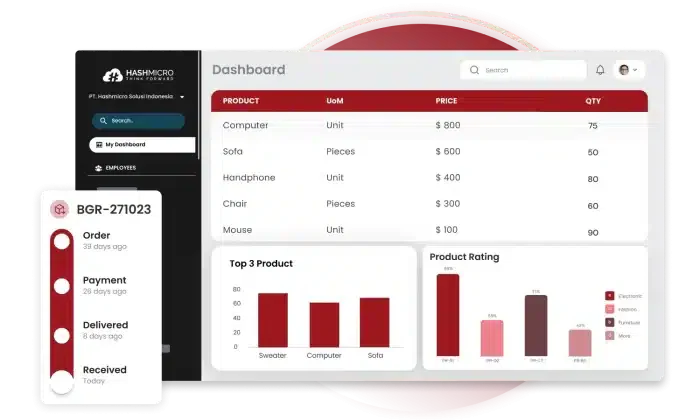
HashMicro connects batch and expiry tracking to purchasing, manufacturing, sales, warehousing, and accounting in one ERP. Its inventory tools support serial, lot, and batch tracking with expiry date management.
Users can apply FIFO or FEFO allocation, scan barcodes, and trace a batch from supplier receipt to customer invoice. Quality-control workflows help stop unapproved stock from being dispatched.
It suits manufacturers, wholesalers, distributors, and food businesses running several warehouses. Companies wanting only a lightweight standalone inventory tool may find an integrated ERP broader than necessary.
Costs depend on your user count, chosen modules, and number of warehouses. Rather than guessing a budget, you can estimate the price of a batch and expiry tracking setup before speaking with a sales team.
2. Cin7 Core: Best for Growing Omnichannel Businesses
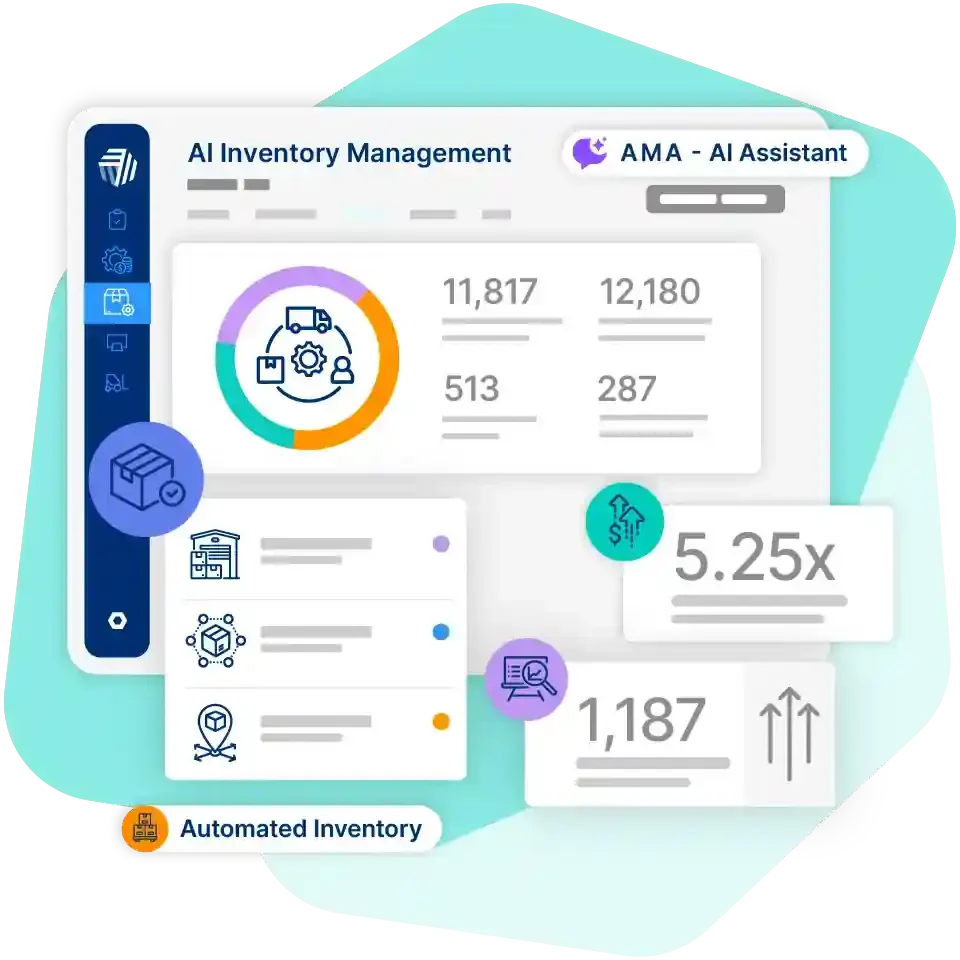
Cin7 Core supports serial and batch tracking across receiving, picking, packing, stocktaking, and write-offs. Its warehouse tools can also show expiry dates when users enter batch or serial numbers.
The platform links inventory with sales and warehouse workflows, which suits businesses selling through several channels. Health, beauty, manufacturing, and distribution companies benefit most.
Businesses with complex production quality controls should confirm that the available workflows match their requirements. FEFO allocation is also worth testing during a demonstration.
3. Unleashed: Best for Manufacturers and Wholesalers
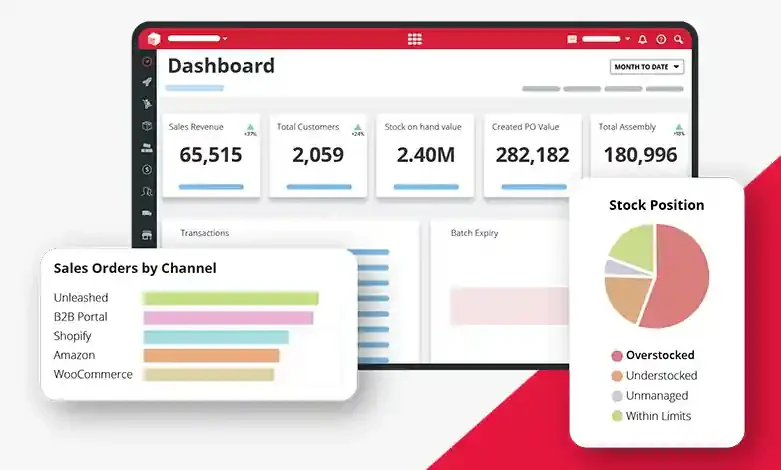
Unleashed provides batch and lot tracking from raw materials to finished products. Users assign batch numbers at receipt, production, or adjustment, then record expiry dates, suppliers, and storage conditions.
Batches can move across warehouses and transactions, which helps manufacturers and wholesalers monitor ageing inventory and manage recalls. Detailed batch attributes give quality teams more context for every lot.
Companies that need advanced finance, HR, or broader operational automation may need extra systems or integrations. FEFO allocation should also be confirmed with the vendor before purchase.
4. Fishbowl: Best for Custom Inventory Tracking
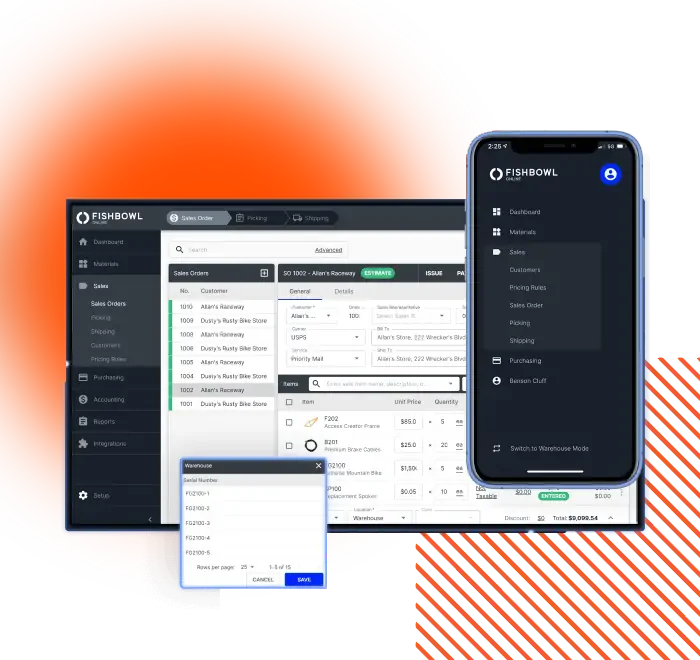
Fishbowl records lot numbers, expiration dates, received dates, revision numbers, country of origin, and custom tracking fields. It also generates expiry alerts and lot-history reports.
Reports show purchase orders, work orders, sales orders, and other activity linked to a lot. Manufacturers and distributors needing detailed product records gain flexibility, and it works with QuickBooks or Xero.
Businesses should confirm local implementation support, integrations, and Singapore operational requirements before choosing it. Support availability in the region deserves a direct question to the vendor.
5. NetSuite: Best for Larger Enterprises
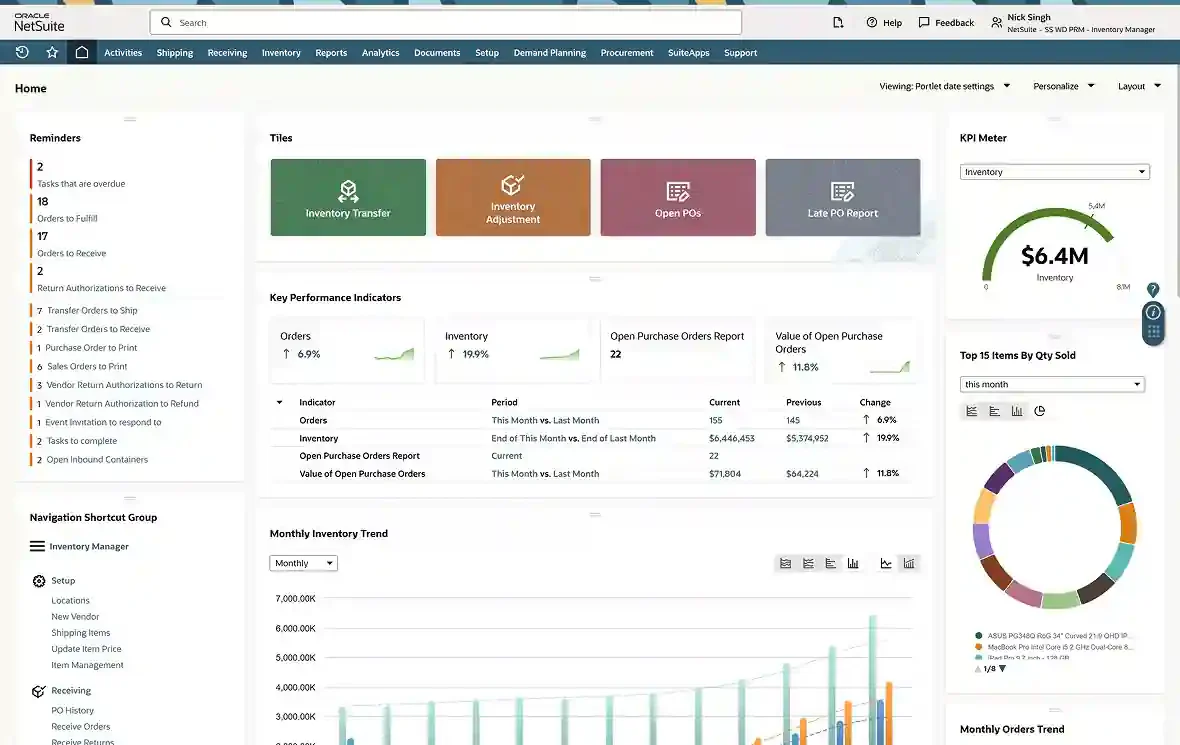
NetSuite provides lot management for tracking inventory purchases, stock, and sales. Its tools record expiration dates, support multi-location inventory, and alert users to products approaching expiry.
Larger businesses with complex finance, supply-chain, and reporting needs benefit most. Its inventory capabilities include FEFO allocation and expiry-related controls, backed by detailed reporting and audit history.
Implementation usually needs more planning, configuration, and internal resources than a smaller inventory platform. Smaller teams should weigh that effort against the batch features they actually need.
6. Zoho Inventory: Best for Small Businesses and Online Sellers
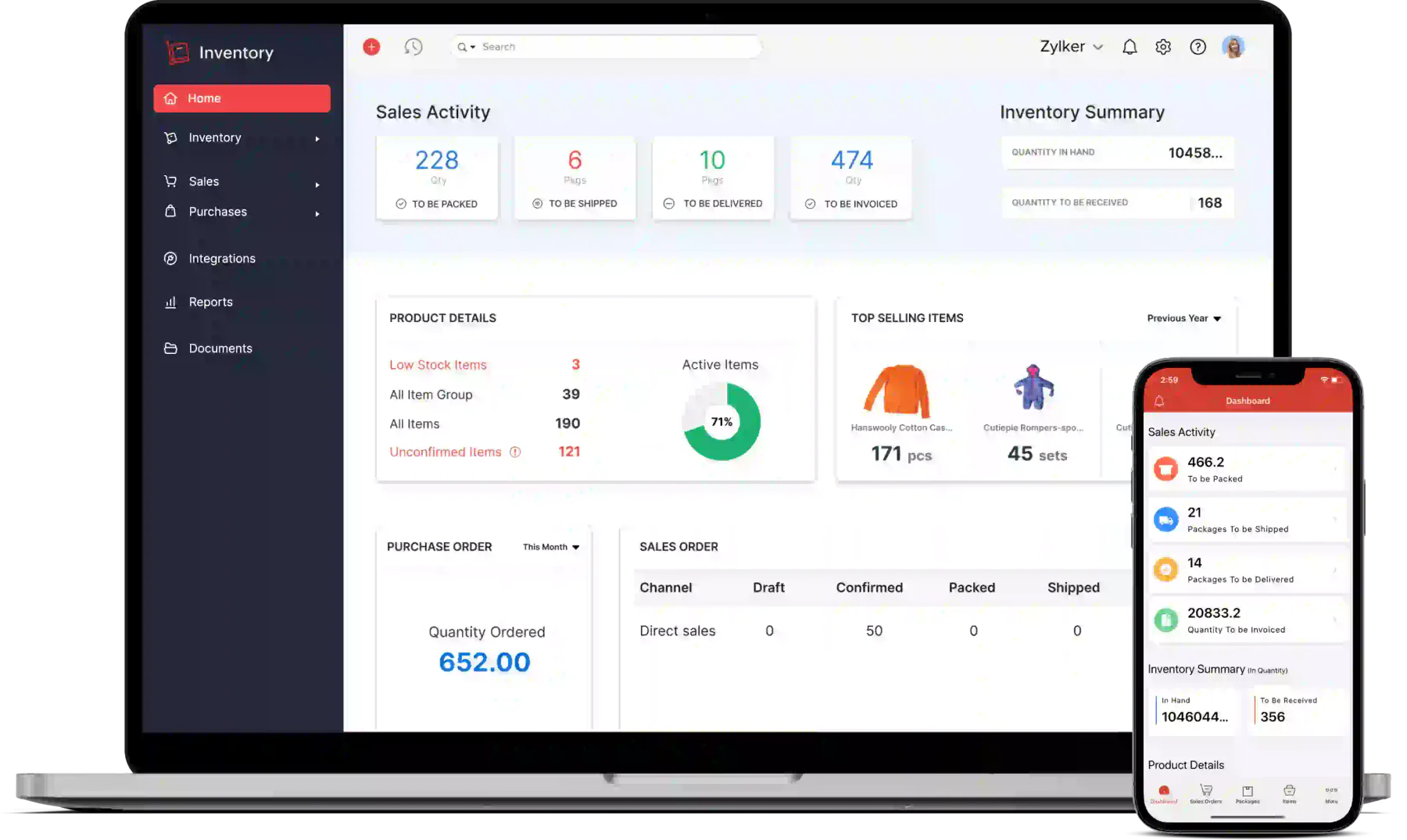
Zoho Inventory supports batch tracking with manufacturing and expiry dates, alongside serial numbers, barcode scanning, and warehouse transfers. Users can trace batches through purchases, sales, and transfers.
It connects with Zoho Books, Zoho CRM, and major ecommerce channels, which suits small teams already using Zoho. Its lower pricing tiers, including a free plan, make structured batch records affordable.
Businesses needing manufacturing depth should confirm whether Zoho Inventory alone covers production workflows or whether additional Zoho products are required. FEFO allocation also needs checking.
7. Katana: Best for Small Manufacturers
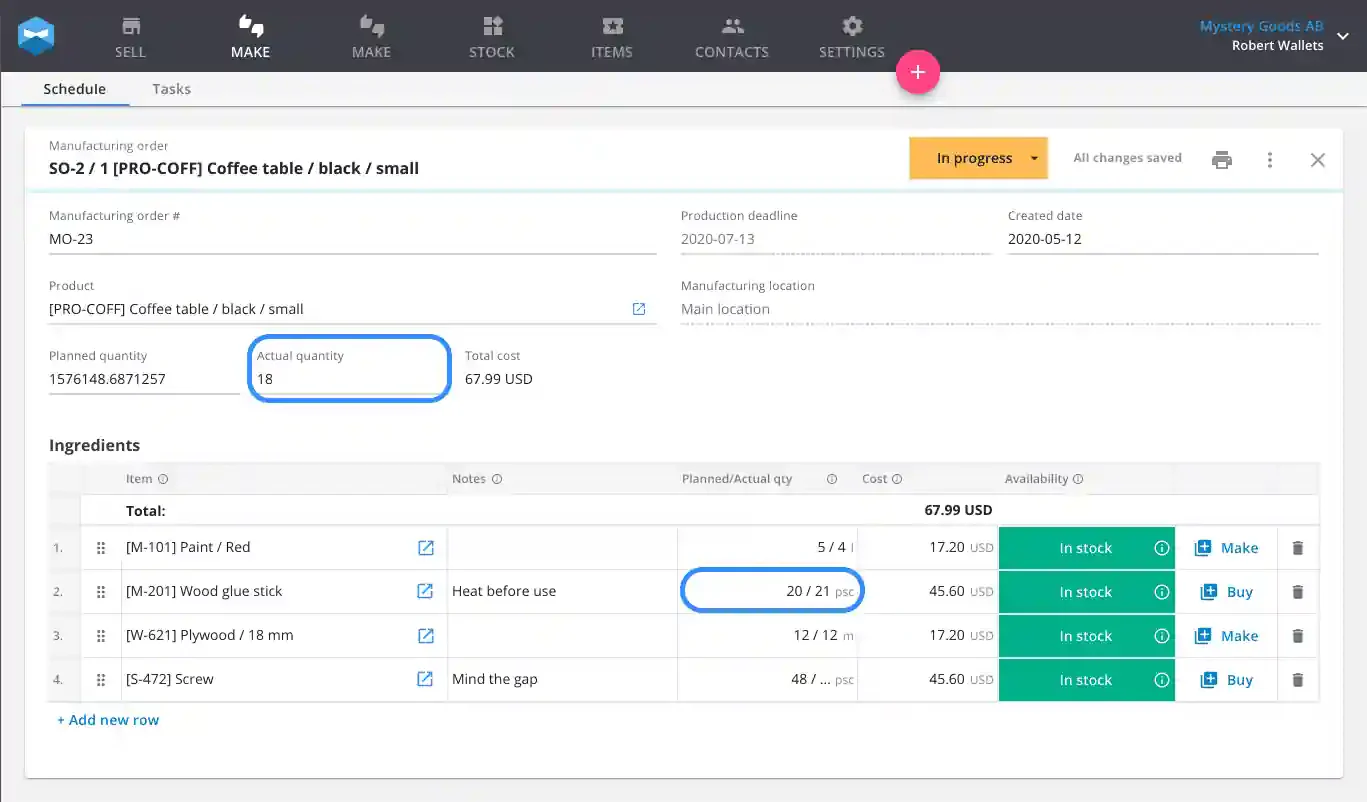
Katana combines inventory management with production planning. Users assign batch numbers to purchased and manufactured goods, record expiry dates, and follow materials through purchasing, production, and sales.
Barcode scanning supports receiving, stocktakes, and material consumption, so factory-floor records stay accurate. Businesses can see which production runs used a given material batch.
Small and growing manufacturers get the most from it, since production sits beside stock records. Buyers should confirm whether the traceability features they need come with their chosen plan or require an add-on.
Batch and Expiry Tracking Software Comparison
The table below places all seven options side by side on the capabilities that matter most for expiry-sensitive stock. Feature availability may depend on edition, configuration, location, and implementation scope.
1. Best Software by Business Type
An integrated ERP suits businesses that need batch data to flow into purchasing, production, and accounting. HashMicro fits that profile, while NetSuite targets larger enterprises with complex finance needs.
Cin7 Core and Zoho Inventory suit sellers who prioritise sales channels and cost. Unleashed, Fishbowl, and Katana serve manufacturers and wholesalers that want deeper lot control inside production.
2. Batch Tracking and Expiry Management Capabilities
All seven work as lot tracking software and expiry date management software, so the real difference lies in depth. Unleashed stores storage conditions and supplier details, while Fishbowl adds custom fields.
Cin7 Core and Zoho Inventory show expiry information during daily warehouse work. Businesses should still check which expiry alerts and ageing reports each plan includes before committing.
3. FEFO and FIFO Support
HashMicro and NetSuite describe FEFO allocation, and Fishbowl supports FIFO. For the other four options, allocation rules are less clear, so the table marks them as items to confirm in a demonstration.
Expiry-sensitive sellers should ask each vendor to pick stock from two batches with different expiry dates. The system should select the earlier expiry automatically, regardless of arrival order.
4. Manufacturing and Production Traceability
Katana, Unleashed, and HashMicro link raw-material batches to finished goods, which helps trace a production run to its source. Cin7 Core, Fishbowl, and NetSuite also support manufacturing, with different depth.
Zoho Inventory is the lightest here, so manufacturers should confirm production workflows before choosing it. Quality-control approval steps also differ between systems and deserve a live test.
5. Barcode Scanning and Warehouse Management
HashMicro, Cin7 Core, Fishbowl, Zoho Inventory, and Katana describe barcode or scanning workflows for receiving, stocktakes, or picking. Scanning reduces typing errors that quietly corrupt batch records.
Buyers should test scanning on real devices in their own warehouse, including weak Wi-Fi zones. Each scan should validate the batch and location, not only the product code, before the transaction is saved.
6. Multi-Location Inventory Support
All seven systems handle more than one location, although the depth differs. NetSuite and HashMicro target larger multi-site operations, while Zoho Inventory focuses on warehouse transfers and stock counts.
Businesses should test a transfer between two warehouses and confirm that the batch, expiry date, and quality status travel with the stock. Any gap here will surface later as a recall problem.
How to Implement Batch and Expiry Tracking Software
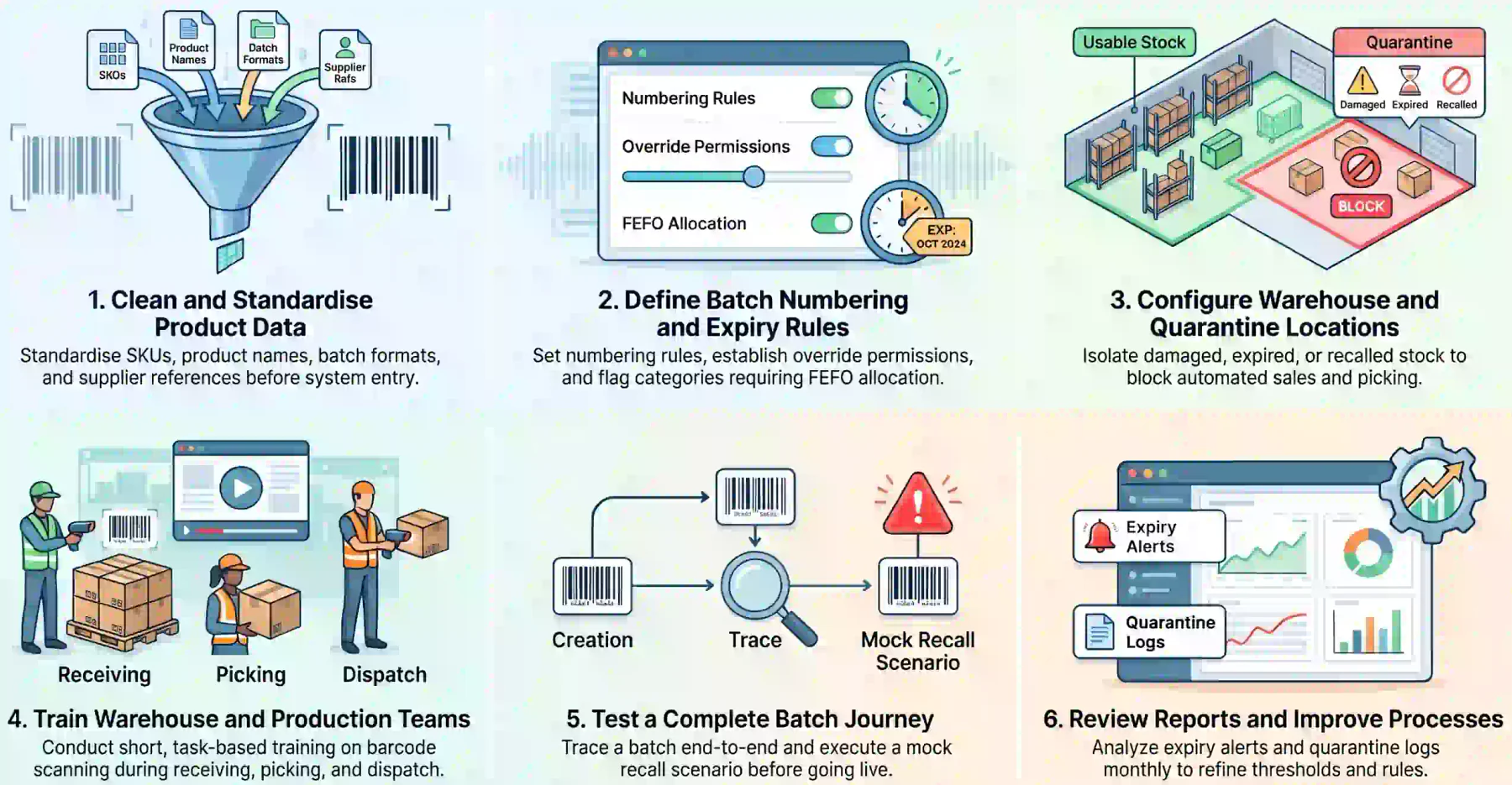
A good implementation matters as much as the software choice. Batch records stay reliable only when data, rules, locations, and people are set up before the first live transaction.
1. Clean and Standardise Product Data
Review product records, supplier details, warehouse locations, units of measure, and existing batch formats. Standardise the SKU, product name, batch number, manufacturing date, expiry date, and storage location.
Decide whether supplier batch numbers will be kept or replaced with an internal format. Keeping the supplier reference supports recalls, supplier investigations, and traceability records.
2. Define Batch Numbering and Expiry Rules
Set one numbering format for internally produced batches and one rule for supplier lots. Decide how expiry dates are entered, who may override them, and what happens when a label is unreadable.
Choose where FEFO applies and where FIFO is enough. Expiry-sensitive products usually need FEFO, so flag those categories before any data migration begins. Record each rule in a short policy document.
3. Configure Warehouse and Quarantine Locations
Create separate locations or statuses for expired, recalled, damaged, and unapproved stock. The system should block those locations from normal picking, replenishment, and sales orders.
Require approval before quarantined inventory is released, written off, returned, or destroyed, and log each decision. Name each location clearly so floor staff can recognise it at a glance.
4. Train Warehouse and Production Teams
Staff should know when to scan or enter batch information during receiving, transfers, stocktakes, picking, repacking, production consumption, and dispatch. Short, task-based sessions work better than long lectures.
Barcode scanning reduces manual entry, and HashMicro's inventory management system can validate item codes, quantities, locations, and batches. Supervisors should review scan errors weekly during the first month.
5. Test a Complete Batch Journey
Before going live, trace one batch from supplier receipt to customer delivery. The test should include a supplier batch number, expiry date, warehouse transfer, FEFO allocation, and customer invoice.
Then run a recall scenario. The system should identify affected stock, show its current locations, link production records where relevant, and list every customer who received the batch.
6. Review Reports and Improve Processes
After launch, review expiry alerts, stock reports, traceability records, and quarantine transactions in shelf life tracking software. These reveal missing data, inconsistent steps, and slow-rotating products.
Schedule a monthly review for the first quarter, then move to a quarterly rhythm once results stabilise. Adjust alert thresholds and allocation rules as the business learns which batches age fastest.
Batch accuracy matters most when a recall or expiry decision depends on one lot. Hashy AI reads batch records, expiry dates and warehouse movements together, then flags what needs review.






Conclusion
Batch and expiry tracking software helps Singapore businesses control time-sensitive stock and trace products from supplier to customer. The right choice depends on industry, site count, and production complexity.
Before buying, test the full journey from receiving a supplier batch to delivering it, including FEFO allocation, quarantine, and recall reporting. Shortlist two or three vendors and run the same scenarios on each.
If you are interested in learning further about batch and expiry tracking software, then you can book a free consultation with our experts today and implement your own system.

Frequently Asked Questions
HashMicro is a strong overall option for businesses that need batch tracking connected to purchasing, manufacturing, sales, and accounting. The best choice still depends on size, industry, and production complexity.
Batch tracking identifies a group of products and records its movement through the supply chain. Expiry tracking records how long that batch stays usable. Together, they support stock rotation and faster recalls.
Usually, yes. FIFO picks the oldest received stock, while FEFO picks the batch that expires first. FEFO suits products whose expiry dates do not follow arrival order, such as food and pharmaceuticals.
Yes. Many systems identify affected stock, current locations, production links, and every customer who received a batch. Businesses should verify the recall report with a real batch during a demonstration.
From 30 January 2026, SFA requires prepacked food to carry a mark that identifies the producing factory and production lot. The format can be a lot number, batch number, code, or date mark.
Common examples include food and beverage, pharmaceuticals, cosmetics, chemicals, supplements, and manufacturers using time-sensitive materials. Any business with a recall risk or shelf-life limits benefits.