







What is an HR operational dashboard?
An HR operational dashboard shows current HR activity and exceptions requiring action. It helps teams manage attendance, leave and payroll preparation. Start with what needs attention today, who owns it, and when records were refreshed.
For Singapore HR operations managers, payroll teams and department supervisors, the purpose is practical. A missing checkout needs investigation before payroll preparation. A pending leave request needs an approval decision before attendance totals become dependable.
Daily monitoring differs from director-level workforce reporting. Operational views help people resolve current records and approvals. Strategic views examine headcount, hiring, departures and longer-term workforce trends.
A useful dashboard connects each exception with its underlying record. It should also distinguish unresolved items from completed checks. These business analytics dashboard fundamentals explain the broader reporting approach.
What should the dashboard show?
Show current attendance, outstanding approvals and payroll preparation exceptions. Give each component an owner and a refresh requirement. The following table recommends a design rather than describing specific product cards.
| Component | Business question | Suggested display | Refresh requirement | Action owner |
|---|---|---|---|---|
| Today's attendance | Who needs an attendance check? | Present, late, absent and on-leave counts | Before attendance review, with timestamp | Department supervisor |
| Missing checkouts | Which records remain incomplete? | Exception list with work date | After attendance corrections | Attendance administrator |
| Pending leave approvals | Which requests await a decision? | Requests grouped by approver | After approval updates | Approving manager |
| Overtime approvals | Which hours remain unapproved? | Pending and approved hours separately | Before payroll input review | Department manager |
| Payroll preparation exceptions | What prevents a dependable payroll review? | Issues with assigned owners | After input changes and recalculation | Payroll reviewer |
Use department, location, shift and reporting-period filters where source records support them. Keep pending records visibly separate from approved records. Display the last successful refresh time beside the reporting window.
HashMicro's leave approval reduces the leave balance and marks attendance days as leave. That change follows approval, so a pending request needs separate treatment. A live display cannot resolve missing punches or approve records itself.
Related reading offers an education-sector analogy through attendance tracking in school operations. It illustrates attendance visibility rather than employee attendance rules.
Choose KPIs with clear formulas and action owners
Choose metrics that lead to a clear follow-up action. Define their reporting windows before comparing results. Keep daily exception counts separate from rates covering a closed period.
| Metric | Formula or counting rule | Reporting window | Source | Follow-up action |
|---|---|---|---|---|
| Absenteeism rate | Unplanned absent days / scheduled days × 100 | Closed reporting period | Work schedules and attendance records | HR operations investigates absence records |
| Late-arrival rate | Late check-ins / scheduled days × 100 | Same closed reporting period | Check-ins and work schedules | Supervisor checks timing and scheduling |
| Overtime ratio | Overtime hours / regular hours × 100 | Defined reporting period | Overtime and regular-hours records | Department manager reviews workload |
| Payroll accuracy | Payslips without correction / total payslips × 100 | Payroll run with defined review cutoff | Payslips and correction records | Payroll lead investigates corrections |
| Missing checkouts | Count attendance records awaiting a required checkout | Selected workday | Attendance exceptions | Attendance administrator checks each record |
The late-arrival denominator here is scheduled days, not attendance events. Retain that definition across departments and reporting periods. Otherwise, apparent changes may reflect inconsistent calculations.
Document how approved leave affects the scheduled-days denominator. Exclude approved leave from unplanned absent days. Base part-time schedules on assigned workdays rather than a full-time calendar.
Keep incomplete attendance records on a separate exception list. Investigate missing punches before calculating attendance rates. Resolve the records before closing the reporting period.
Total employer payroll cost means gross wages plus employer contributions. Employee deductions reduce net pay rather than becoming additional employer expense. A take-home-pay total therefore understates the employer cost measure.
Agree internal targets with the people responsible for follow-up. Record what triggers investigation and who closes the issue. These targets should reflect organisational priorities rather than invented industry benchmarks.
Build the workflow from attendance to payroll review
Follow the records from work schedules through approvals and payslip review. This sequence helps explain why dashboard totals change. Each stage should have an owner and a clear completion check.
- Establish the reporting basis. Set the period, work schedules and attendance records before interpreting totals. Expected workdays provide the basis for identifying missing or unusual records. Check part-time assignments and schedule changes within that period.
- Review missing punches. Investigate attendance exceptions before relying on summary counts. Ask the responsible supervisor to check the underlying circumstances. Record corrections through the agreed process, with supporting explanations.
- Resolve leave approvals. Separate pending requests from approved leave. In HashMicro, manager approval reduces the leave balance and marks attendance days as leave. Review the resulting records before treating apparent absences as unresolved.
- Confirm payroll inputs. Check attendance and overtime approval status before generating draft payslips. HashMicro passes days worked, unpaid leave and approved overtime into payslips. Keep unresolved inputs on an exception list for payroll review.
- Review payslips before finalisation. Compare individual payslips with their supporting inputs and approved changes. HashMicro's payroll finalisation posts the payroll journal. Complete the review before moving from preparation to finalisation.
- Reconcile and assign outstanding work. Compare dashboard totals with attendance, leave and payroll records. Give unresolved exceptions a named owner and follow-up date. Record closure after checking the underlying record rather than merely clearing an alert.
Payroll expense recognition and payment are separate events. Gross wages and employer contributions form employer payroll expense. Net pay remains payable until employees are paid.
For Singapore teams, separate payroll approval from payment confirmation. Reconcile the payroll journal and outstanding balances during the accounting review. A completed dashboard checklist should point to supporting records for each stage.
Worked example: interpret attendance and SGD payroll totals
Consider a fictional Singapore employer closing its reporting period. Every figure below is a teaching input, not a statutory rate or benchmark. The example uses completed attendance records and agreed counting rules.
The employer records 400 scheduled employee-days, 8 unplanned absent days and 12 late check-ins. Approved leave is excluded from unplanned absence. The scheduled-days total already reflects assigned part-time workdays and the agreed leave treatment.
- Calculate absenteeism. 8 / 400 × 100 = 2%. Check the underlying absence records before deciding on follow-up.
- Calculate late arrivals. 12 / 400 × 100 = 3%. The denominator remains scheduled days throughout this example.
- Calculate the overtime ratio. Assume 80 overtime hours and 3,200 regular hours. 80 / 3,200 × 100 = 2.5%. Investigate staffing and workload before drawing conclusions about compliance.
- Calculate employer payroll cost. Assume gross wages of S$80,000 and employer contributions of S$12,000. S$80,000 + S$12,000 = S$92,000 total employer payroll cost. The contribution amount is an assumed aggregate, not a CPF calculation.
Employee deductions reduce take-home pay and affect the relevant balances. They are not added again to employer expense. Keep employee contribution liabilities distinct from employer contribution expense.
These totals alone do not establish a payroll error. Investigate attendance records and review payroll inputs before approval. The dashboard should help the reviewer find those records.
Apply Singapore payroll and employment controls
Place Singapore checks where they affect attendance, payroll calculation and information access. Review employee coverage before applying employment rules. A dashboard supports review but does not itself establish legal compliance.
CPF contributions during payroll preparation
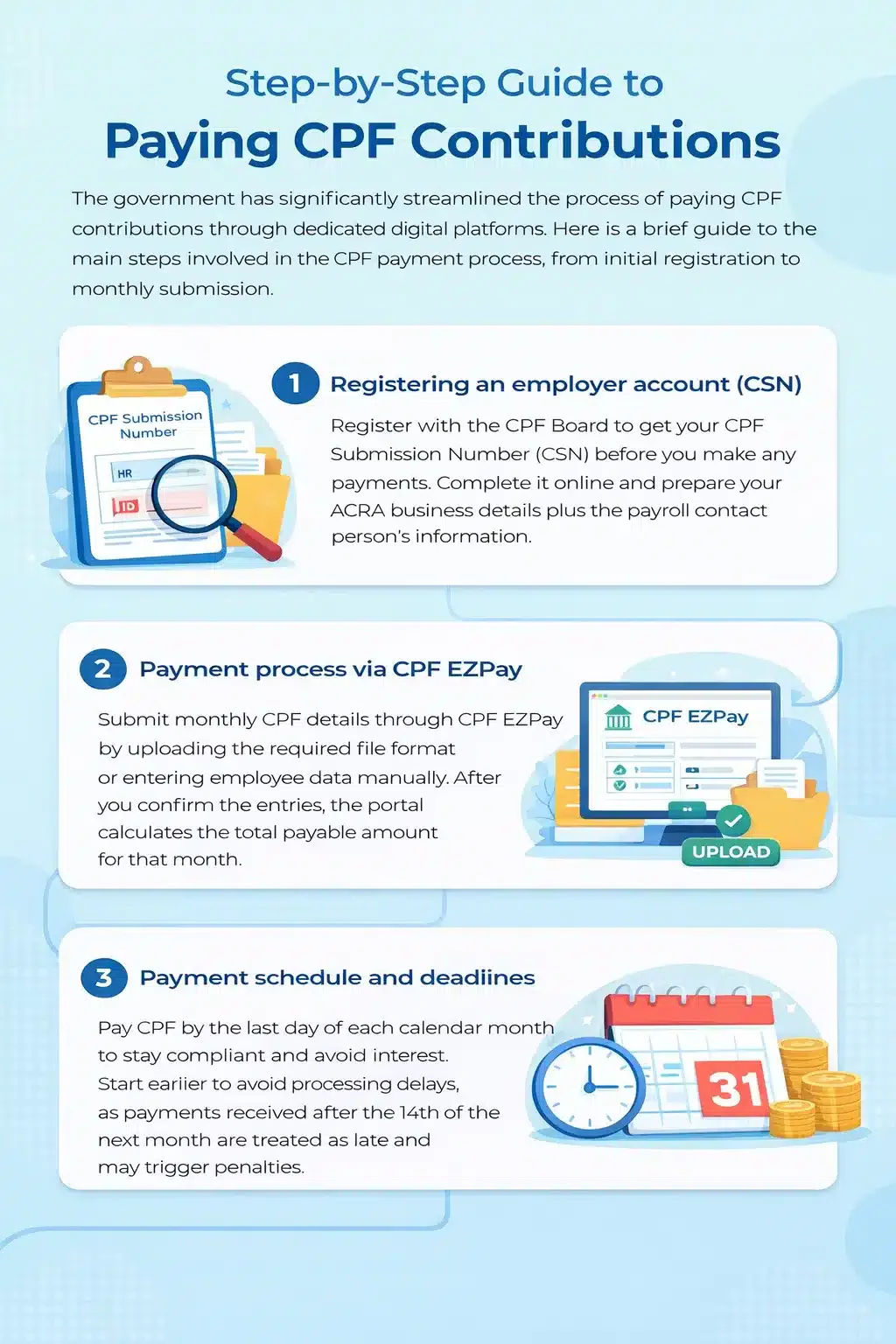
CPF calculations depend on eligibility, age, citizenship or residency status, wages and applicable wage ceilings. Check current CPF Board employer guidance rather than reusing an old rate table. Review the CPF contribution calculation guidance for the relevant employee circumstances.
Add a review check for missing birth dates or outdated residency information. Treat this as a proposed control for your team. Payroll reviewers should resolve missing information before approving contribution calculations.
HashMicro applies configured Singapore rates by age band and residency per payslip. CPF submission and IR8A/AIS filing take place through government portals. Keep calculation review and filing completion as separate checkpoints.
Employment Act checks around attendance and payslips
Use MOM's Employment Act guidance to assess employee coverage and applicable provisions. Connect working-hours, overtime and leave checks with the relevant attendance records. Avoid assuming identical overtime entitlements for every employee.
Since 1 April 2016, employers must issue itemised payslips to employees covered by the Employment Act. Use MOM's itemised payslip requirements during payslip review. Check applicable salary components, deductions and overtime details against supporting records.
Employee data access during dashboard review
Restrict employee-level attendance and pay information to authorised reviewers. Prefer aggregate views where individual details are unnecessary. Consult PDPC guidance when assessing Singapore personal-data handling arrangements.
Set up the dashboard and avoid misleading signals
Start with the decision your team needs to make. Then select the records, reporting window and review owner. This keeps attractive charts from obscuring unfinished operational work.
| Problem | Recommended view | Next action |
|---|---|---|
| Daily attendance issue | Attendance exceptions | Check schedules, punches and leave approvals |
| Payroll preparation issue | Approved inputs and payslip review | Resolve exceptions before finalisation |
| Long-term workforce question | Director-level trends | Examine headcount, hiring and departures |
A spreadsheet can suit a small, controlled dataset. Give it a named owner and manageable refresh work. Keep clear access rules and a record of corrections.
Consider connected reporting when manual consolidation becomes difficult. Permissions and unresolved exception follow-up also deserve attention. Choose an approach your reviewers can maintain throughout the reporting cycle.
Avoid mixing today's attendance counts with monthly payroll totals. Check timestamps before acting on apparently current figures. Distinguish approved leave from unplanned absence and employer cost from net pay.
Keep recruitment reporting within its own scope. Applicant records cannot replace attendance records or approved payroll inputs. These HR software and applicant tracking differences explain the distinction.
Optional related reading covers resume data integration with HRM and recruitment-to-employee data handover. Use it to frame handover questions for your organisation. The article title alone does not establish a supported product integration.
How HashMicro connects the underlying HR workflow
The HashMicro human resource management system connects approved HR records with payroll preparation. Leave approval reduces balances and marks attendance days as leave. Days worked, unpaid leave and approved overtime feed payslips.
Payroll finalisation posts the payroll journal. Review individual payslips and unresolved exceptions before that stage. Keep the accounting review distinct from employee payment confirmation.
Singapore CPF calculations depend on configured rates by age band and residency. Those rates are applied per payslip. CPF submission and IR8A/AIS filing remain government-portal activities.
Assess the workflow using your organisation's attendance-to-payroll review scenario. Include a missing checkout, pending leave and an overtime approval. Ask how reviewers identify the affected records and confirm corrected totals.
Request a demonstration using your attendance-to-payroll review scenario. During the session, confirm dashboard scope, refresh behaviour and Singapore configuration. Agree which review checks your team will own.
Frequently asked questions
How does an HR operational dashboard differ from a strategic HR dashboard?
An operational dashboard supports daily attendance, leave and payroll follow-up. A strategic dashboard examines longer-term workforce trends, including headcount, hiring and departures. Choose the view that matches the decision and reporting window.
Which KPIs should an HR operational dashboard include?
Start with attendance exceptions, absenteeism, late arrivals, overtime and payroll accuracy. Define each reporting window, denominator and action owner before comparing results. Keep unresolved daily counts separate from closed-period rates.
How often should an HR operational dashboard refresh?
Match refresh frequency to the decision and source updates. Attendance review and payroll preparation can need different schedules. Display the last refresh time and approval status instead of assuming connected reporting is always live.
Can an HR operational dashboard support Singapore CPF compliance?
It can support reviews of employee data, payroll inputs and contribution exceptions. Check current rules against CPF Board guidance. HashMicro applies configured CPF rates per payslip, while submission takes place through government portals.